Jonathan Petts
Well-known member
Just unboxed our RED Link Dev Kit and I am truely amazed especially for the price point! (Also the Memory stick is 16GB, score!)
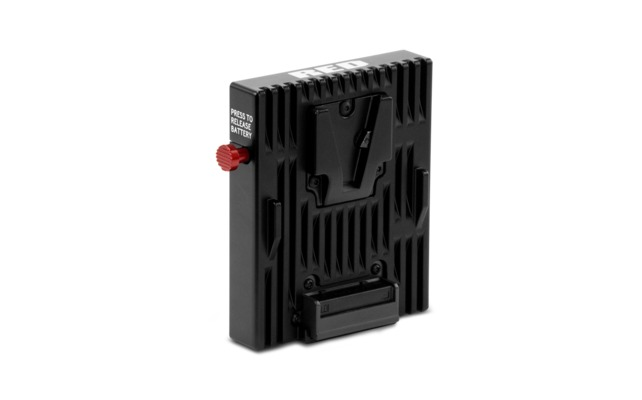
Here are a few images of the kit and it on our Epic before I talk a little bit about it :
http://imgur.com/a/HO4sU
It was super easy to set-up, we are running the latest beta firmware in order to run the RED Link, there were no problems with the connection and set-up process, simply go to Connections and set-up an Ad-hoc network. We were testing it on an iPad Air for reference if anyone wants to know.
The app recently got updated on friday I think to allow the lens control and had a slight UI update, as we were supposed to get this kit on Friday but a shipping error delayed it slightly.
The first thing I wanted to test out was the focus control within the app to see how smooth it was and if it was actually going to be usable in anwyay and this is what suprised me the most, it seems to be really smooth and really precise, a video demo of it can be seen on our instagram below.
http://instagram.com/p/plQlQkRCwo/
The iris due to the lenses not being de-clicked would not be usable during a shot but certainly it performs as it should for remote use of the camera. We have not yet tested the range on this thing but I will report back if anybody would like me to. One thing that would be nice would be to set focus marks with-in the app that you could either jump between or set a min and max focus distance, I dont know how difficlt that would be to impliment though.
Other settings such as general ISO, WB etc worked smoothly and instantly. I am looking forward to building looks within the app and changing around them. One thing that I love in playback mode is you can directly go to any clip, you dont have to jump through every clip to get to the one that you want, also being able to control the playback is awesome so I can quickly jump to the part of the clip I want.
Overall I am super happy with this purchase Thank you RED yet again for a steller product and I look forward to getting it on our first shoot and hopefully stop a massive group of people around the camera changing settings etc. I can now sit back and relax and mess with the AC
If you have any questions about the RED Link let me know and I will answer them as best I can.
Jonny
Points and questions that have been raised
What solution(s) is there for people who directly mount their batteries to the back of the camera? Will they have to purchase an off camera solution to use the RED Link?
Is there a possibility to have access to the RMD file to be able to wireless input meta data into files? Possibly via RED cine-X?
Can you connect a REDmote at the same time ? YES! (thanks to Leory Jackson for testing this)
How many devices can be connected to one RED Link at once ? Only one device can be connected to the REDlink via Wifi but "you (can) connect to the camera through the GigE port and a separate wifi router you can connect up to 8 devices to your camera." (thanks to Trent Lillehaugen)
Here are a few images of the kit and it on our Epic before I talk a little bit about it :
http://imgur.com/a/HO4sU
It was super easy to set-up, we are running the latest beta firmware in order to run the RED Link, there were no problems with the connection and set-up process, simply go to Connections and set-up an Ad-hoc network. We were testing it on an iPad Air for reference if anyone wants to know.
The app recently got updated on friday I think to allow the lens control and had a slight UI update, as we were supposed to get this kit on Friday but a shipping error delayed it slightly.
The first thing I wanted to test out was the focus control within the app to see how smooth it was and if it was actually going to be usable in anwyay and this is what suprised me the most, it seems to be really smooth and really precise, a video demo of it can be seen on our instagram below.
http://instagram.com/p/plQlQkRCwo/
The iris due to the lenses not being de-clicked would not be usable during a shot but certainly it performs as it should for remote use of the camera. We have not yet tested the range on this thing but I will report back if anybody would like me to. One thing that would be nice would be to set focus marks with-in the app that you could either jump between or set a min and max focus distance, I dont know how difficlt that would be to impliment though.
Other settings such as general ISO, WB etc worked smoothly and instantly. I am looking forward to building looks within the app and changing around them. One thing that I love in playback mode is you can directly go to any clip, you dont have to jump through every clip to get to the one that you want, also being able to control the playback is awesome so I can quickly jump to the part of the clip I want.
Overall I am super happy with this purchase Thank you RED yet again for a steller product and I look forward to getting it on our first shoot and hopefully stop a massive group of people around the camera changing settings etc. I can now sit back and relax and mess with the AC
If you have any questions about the RED Link let me know and I will answer them as best I can.
Jonny
Points and questions that have been raised
What solution(s) is there for people who directly mount their batteries to the back of the camera? Will they have to purchase an off camera solution to use the RED Link?
Is there a possibility to have access to the RMD file to be able to wireless input meta data into files? Possibly via RED cine-X?
Can you connect a REDmote at the same time ? YES! (thanks to Leory Jackson for testing this)
How many devices can be connected to one RED Link at once ? Only one device can be connected to the REDlink via Wifi but "you (can) connect to the camera through the GigE port and a separate wifi router you can connect up to 8 devices to your camera." (thanks to Trent Lillehaugen)
Last edited: