Welcome to our community

Be a part of something great, join today!

  • Hey all, just changed over the backend after 15 years I figured time to give it a bit of an update, its probably gonna be a bit weird for most of you and i am sure there is a few bugs to work out but it should kinda work the same as before... hopefully :)

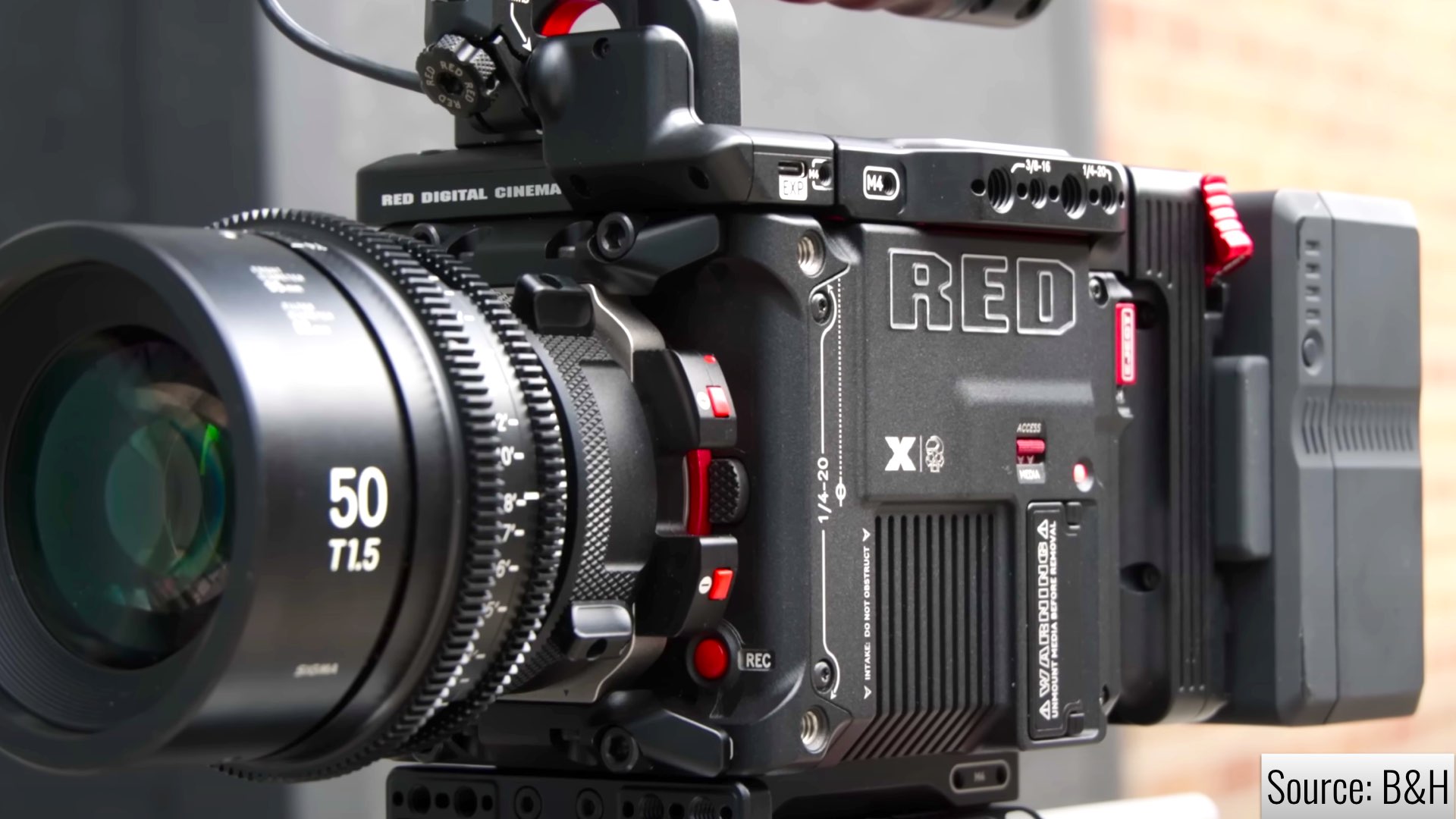
RED V-Raptor [X] 8K VV

I think the hue is off because the shirt is already clipped on at least one color channel, the detail is just a reconstruction from the other channels. But it is clipped already.

When the X track is added, since the shutter angle is much smaller, the channel isn't clipped. But that isn't surprising, the same would be true without HDRx if you changed the shutter angle. Red has had this tech for a long time, and there is always a challenge in combining the frames in a moving shot. Because they were taken at different times, and with different motion blur.

So what I'd like to see is a stress test with fast panning across bright windows in a dark room, sunlight through trees out the window of a fast moving car, an actor crossing in front of a light, stuff like that.
 
  • Thread starter
  • Moderator
  • #43
So to be clear, is it a total redesigned sensor and not based on the Komodo-X sensor?

We speak about highlights (like Arri usually does) but It look like we lost a bit of lowlights wich was soo great on RED cameras (from Dragon to Monstro). Monstro is clean at 6400 iso with LLO for a 4k output.

Komodo-X looks like a 400-800 iso camera, the Raptor-X looks quite close to it.

Just finished a whopping 6 hours of the most grueling chart tests. About 2:20am here, but thought I'd whack out some answers. I'll begin working on some graphics and some other bits tomorrow.

Yes, this is an entirely new sensor. It literally can't be based on anything Komodo as the pixel size alone is different. The only thing similar is it is Global Shutter. This is the same pixel pitch of Dragon 8K VV, Monstro 8K VV, V-Raptor 8K VV, but is the next generation. Each one of those sensors has been entirely different designs, which is easy to find out when you test them fully.

We didn't lose low light detail. I'm just going to use these numbers "roughly" as it's so damn close. I'm actually working on a good way to measure it, but it's like less than 1/16th of a stop in the shadows difference. Like pretty much imperceptible. That's sort of the scary thing going on here as the DR is there and it's Global Shutter.

Monsto has the distinct advantage of that swappable OLPF/CSF. The Low Light Optimized OLPF is indeed the least light hungry bit of glass RED has made in front of sensors. V-Raptor and V-Raptor-X however do have more Dynamic Range with the additional benefit of slightly, fractionally better color, and a much more robust Optical Path to protect against internal reflection based artifacts, i.e. the now legendary red orbs when stopped down with a point source directly in frame.

Unknown about the comment regarding what looks like an ISO 400-800 camera. I use Komodo-X at higher ISOs and it's pretty damn good.

I guess I should mention I tested color response tonight as well. Plays well with everything in over/under situations. I did a full 8 stops swing on either side, which is WAY more than anybody should be doing, but I was curious about what occurs in the absolute depths and astral planes of pushing the image.
 
  • Thread starter
  • Moderator
  • #44
I think the key thing to add is on the Xyla I see all the same stops between both V-Raptors. Through some rather painful work I can see a very, very small difference, but they both are basically capturing the same Dynamic Range. Using my other DR box, it's nearly unmeasurable.
 
  • Thread starter
  • Moderator
  • #45
I have just looked through the manual and cannot see if I can do 1fps at 360 degree shutter. Would love to know if that is possible.
Current firmware is 1/5.99th of a second.

I do wonder if RED can create a special long exposure mode of some sort. Now that this thing has more horse power, I can see some potential for Frame Averaging, Summing, and a few other things we haven't had before in cameras.

Timelapse Mode is there. And I can't stress how cool Extended Highlights are for that style of work. I shot plenty of HDRx timelapse work on DSMC and DSMC2 bodies. However, this is a far better implementation and significantly higher quality due to the new heavy processing and vastly increased data rates.

There are people who use these cameras for stills and yesterday I did a bit of that as well.
 
  • Thread starter
  • Moderator
  • #46
Have you run low light tests at high ISOs 3200 , 6400 and 12800 against OG Raptor? Like i said before Raptor was the best low-light camera (cinema line ) and hope this didn't change with the global shutter upgrade.
Yes. I don't think V-Raptor X is losing any ground on this front based on this evenings tests. The difference is so slight, you wouldn't be able to tell which you were looking at essentially.

Thinking more broadly and yes, especially revealed in the most recent CAS, and for those who ran there own tests, V-Raptor and V-Raptor X are very good in the shadows compared to other "big dogs". What CAS didn't dive into is matching the perceptual presence of texture to regain the highlight advantage for Raptor. And many were saying shoot at ISO 1600-2500 for similar-ish noise. I know the actual answer there, but for anybody who knows how to expose, it's not a crazy thing to handle.

This is also where Extended Highlights provides some new interesting potential. Though not a perfect solution for everything, some of the stuff I've been shooting during the day is spooky good.
 
  • Thread starter
  • Moderator
  • #47
Impressed with what appears to be very good chroma tracking in CVP's +7 EH ON example. The subject's shirt hue is significantly shifted and desaturated with EH off - not surprising at 7 stops over - but with it on...

Cheers - #19
I did a full -8/+8 swing, it is staggering particularly on the +7 image to toggle Extended Highlights on and off.

I don't want to sensationalize this as you will clip on shiny objects depending on light intensity, but +7 is essentially ISO 6.25. I think this is a rather extreme scenario, but I have been enjoying working at the around ISO 50-200, but of course being mindful of super fast motion in frame.
 
  • Thread starter
  • Moderator
  • #48
I think the hue is off because the shirt is already clipped on at least one color channel, the detail is just a reconstruction from the other channels. But it is clipped already.

When the X track is added, since the shutter angle is much smaller, the channel isn't clipped. But that isn't surprising, the same would be true without HDRx if you changed the shutter angle. Red has had this tech for a long time, and there is always a challenge in combining the frames in a moving shot. Because they were taken at different times, and with different motion blur.

So what I'd like to see is a stress test with fast panning across bright windows in a dark room, sunlight through trees out the window of a fast moving car, an actor crossing in front of a light, stuff like that.
You are correct in terms of "yep, weird things happen when too fast". RED is allowing use to export both slices and you can tend to matching blur in those extreme scenarios. Also, this is beta, so they themselves might be able to add some logic. Not so strangely, this is something I can see either AI or a more intelligent image referred bit of code to enhance significantly.

But the crazy thing is how well it works for subtle through medium/fast movement. Like talking head in frame, some hand gestures, etc. What I like is you can toggle it on and off. It gives you a safety net if you are shooting something tricky or going for something special with a hot source in frame.

At ISO 800 for instance, you have +8 stops up there and if it isn't working for your motion, I'd say it's not a huge deal. Lower ISO however, more of that 3+ stops of Extended Highlights would be more prominent if full exposed. This has been some of the fun I've been exploring really.

I'll just give you one really interesting thing that happened Friday. I had a wide shot, exposing within shadow as light was blazing off a building in the background, Extended Highlights turned on, building fully exposed. Solving this in camera without it, I would have to under expose by 2 or 3 stops, then push it up.
 
I have been enjoying working at the around ISO 50-200, but of course being mindful of super fast motion in frame.
I'm very happy to hear that the Global Vision VV sensor (is the sensor called like that?) does compare to Raptor in Lowlight.
I'm still worrying that people who read you will use 200 iso as base and rant on highlight clipping even with EH on.

If you have a Monstro with LLO could also compare at shot with 3200 iso?

Thanks for your very valuable informations and time.

Patrick
 
Last edited:
We didn't lose low light detail. I'm just going to use these numbers "roughly" as it's so damn close. I'm actually working on a good way to measure it, but it's like less than 1/16th of a stop in the shadows difference. Like pretty much imperceptible. That's sort of the scary thing going on here as the DR is there and it's Global Shutter.
That’s INCERDIBLE. Thank you for doing all this work Phil. If your earlier statement still holds, I’ll likely be one of those people “not too concerned about their data footprint” just leaving EH on all the time. Especially since it’s reversible in case of artifacts. What a cool time to be in cinematography.
 
  • Thread starter
  • Moderator
  • #51
I'm very happy to hear that the Global Vision VV sensor (is the sensor called like that?) does compare to Raptor in Lowlight.
I'm still worrying that people who read you will use 200 iso as base and rant on highlight clipping even with EH on.

If you have a Monstro with LLO could also test at shot with 3200 iso?

Thanks for your very valuable informations and time.

Patrick
I might do that. I did a bunch of this when V-Raptor (rolling) was released in 2021. And yes, I am somebody who didn't sell my Monstros as it's the most flexible system and easy to turn that sucker into an IR or Full Spectrum camera.
 
  • Thread starter
  • Moderator
  • #52
That’s INCERDIBLE. Thank you for doing all this work Phil. If your earlier statement still holds, I’ll likely be one of those people “not too concerned about their data footprint” just leaving EH on all the time. Especially since it’s reversible in case of artifacts. What a cool time to be in cinematography.
So cool workflow stuff. Yes. When you have a shot withe Extended Highlights enabled, then toggle it off, the exports are the same speed as "without enabled". It is about a 3X hit when left on during export.

Yes, I agree. Some will likely get a bit reckless with it. But this is one of those, if you know how to use it and get the best out of it, it literally can make your camera a whole different camera under a decent range of filming situations. A great deal of my tests have been finding the extremes of when you should and shouldn't use it as well as the gray area. i.e. I have shots I had it on, toggled it off, and yeah, because I was not or barely clipping anywhere in frame, perhaps not needed. Then other real world stuff where without out it, you don't have a good exposure.
 
Thank you Phil !

i have this idea please tell me if im wrong.Im thinking that people who dont need full FPS (8k 120fps) or no problem with storage will shoot EH mode on all the time and if there are some artifacts or some problems i can still disable EH mode in post and process regular video layer.
Just to make this clearer for you i know this is not how it works but im gonna say A layer and X layer for highlight protection.
Is there any difference in A layer for motion during EH ON vs OFF?
 
A great deal of my tests have been finding the extremes of when you should and shouldn't use it as well as the gray area.
I’ll be very interested into what your conclusions are on that front. Is it mostly to do with motion? I.e very fast moving subjects cause artifacts?
 
Not sure you need to upgrade. Maybe upgrade your tripod to an O'Connor instead? Or buy some sky panels. There are MANY more important things than a 12k upgrade if you just got a camera...
Fair point. Lenses, lighting, gaffer gear, these things all contribute to an image more than a new sensor.

On the OTHER hand … this upgrade effectively bridges the gap in DR between RED and ARRI for a decent range of scenarios, for a fee I can swallow.

I’m absolutely upgrading. Already made the reservation. :-)
 
Yes..You also preview while EH on.
If so I'm impressed by the internal hardware power of that camera.
I tried to read a clip with EH on my M1 and the fps drops from realtime to about 1/20th of real time...

I can already hear postproduction scream for GPU :ROFLMAO:

PS: I tested the Alexa35 VS Monstro and on a lot of scenarios I prefer the Monstro, one of them is lowlight and no muddy denoise applied in the RAW.
 
At ISO 800 for instance, you have +8 stops up there and if it isn't working for your motion, I'd say it's not a huge deal. Lower ISO however, more of that 3+ stops of Extended Highlights would be more prominent if full exposed. This has been some of the fun I've been exploring really.

I'll just give you one really interesting thing that happened Friday. I had a wide shot, exposing within shadow as light was blazing off a building in the background, Extended Highlights turned on, building fully exposed. Solving this in camera without it, I would have to under expose by 2 or 3 stops, then push it up.
Thanks for diving into the testing with your usual gusto, and sharing the results with your usual enthusiasm!
 
More good info directly from Jarred Land via Y.M. Cinema. Essentially confirms it’s a double exposure, benefiting from the global shutter to minimize artifacts, and some advice on how to use it. Corroborates Phil’s early findings. I can’t wait to get my hands on it!


There is not much of a secret to all of this other than a lot of smart people ( cough cough Graeme and Loren ) reimagining HDRx with the benefit of the horsepower Raptor X has and the benefits of what a global shutter readout gives. It is much more than how HDRx works… Extended Highlights adds more planes of data to pull from (for example time) and we still are tweaking exactly what that comprises. This does happen in real-time in your monitor path so you can see what’s going on but a much better version happens in post, to keep things in that raw domain and not baked in where improvements can happen over time. If you shoot ProRes Proxies + R3D you get those proxies to have that simplified extension baked into the ProRes, and the R3D will have the separated still contained. But if you shoot ONLY ProRes extended highlights remain off. Extended Highlights the overall concept isn’t to use them to base exposure decisions on/off… they are for protection. That extra bit at the stop that many people find themselves in where something in the shot is nuclear and you don’t want to bring down everything else to protect it. And you can always turn it off if it does something weird and you’re not going backwards. With Extended Highlights off, you still get the increased dynamic range that Raptor has, fully capable of capturing HDR. I.E… Extended Highlights is NOT something we created to offset the limitations in dynamic range that Global Shutter usually suffers… We have already surpassed that. Extended Highlights is just more on top of really great sensor engineering…. something extra that can only happen to this level with a global shutter. So yeah kinda turned things upside down.

RED Digital Cinema CEO – Jarred Land​

 
Back
Top