Welcome to our community

Be a part of something great, join today!

  • Hey all, just changed over the backend after 15 years I figured time to give it a bit of an update, its probably gonna be a bit weird for most of you and i am sure there is a few bugs to work out but it should kinda work the same as before... hopefully :)

Red Dragon - It's Just Paint.

Not jealous at all, you certainly earned first crack at the Dragon. Thanks for all the sharing, looks lovely. Have to agree with you, it's nice having all the detail and it doesn't look harsh. Would love to have the carbon version, but doubt I could ever justify the extra cost.
 
The highlights on the balcony pictures seem to be clipped, is there information on the withes using Redcine-X?

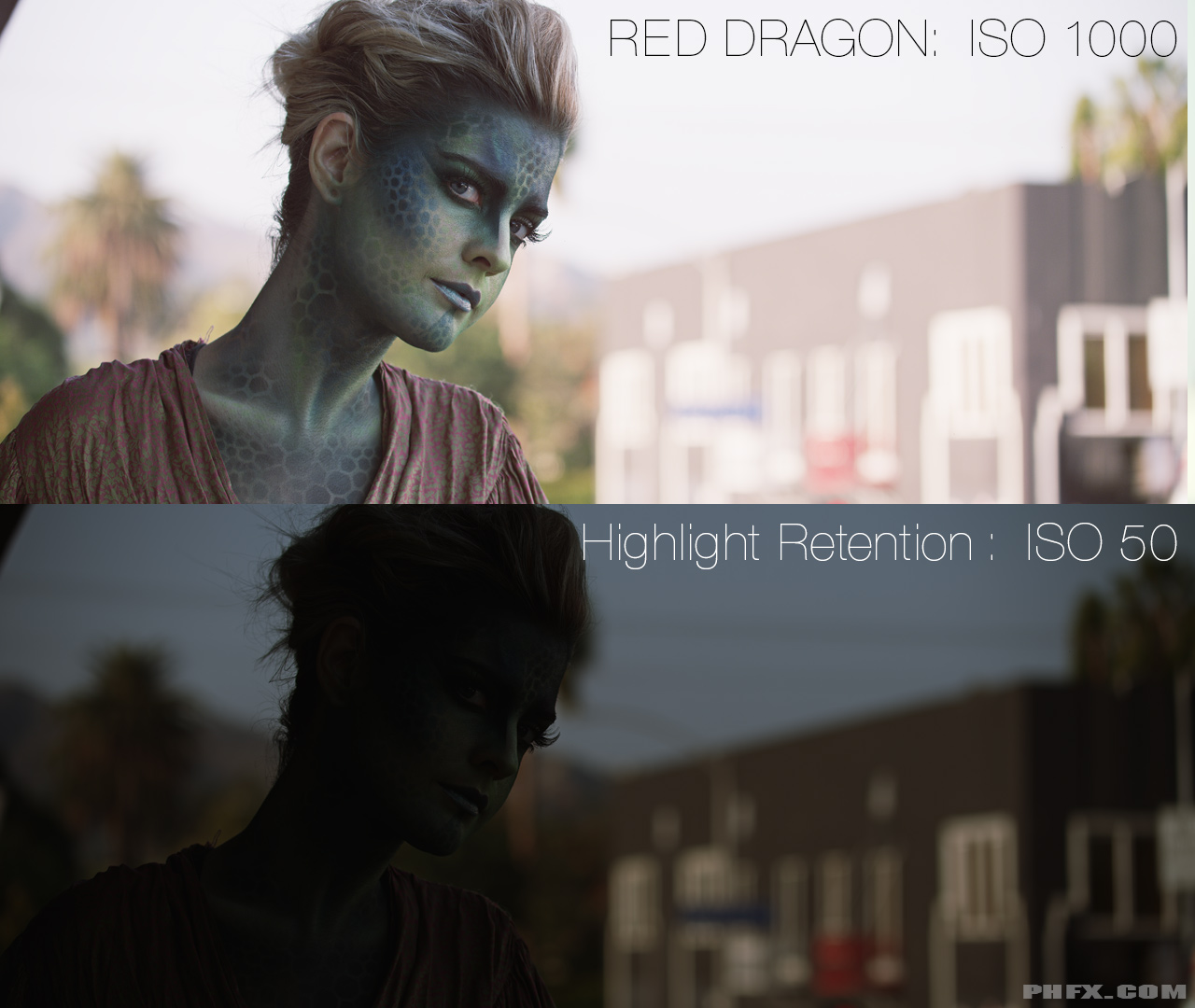
In response to this question I present two images:


Highlight Retention, Clipped Highlights, and Highlight Roll-Off

First let's talk Highlight Retention.


Click for bigger image.


In the image above everything is "in bounds" and within the Dynamic Range of Dragon. This is freakishly impressive. I sincerely haven't experienced anything like this before from any camera. No color distortion that I can observe either. Dragon's specifications state "16+ stops" and while I personally don't want to add any confusion to that number, I do feel we're looking at a bit more than 16 here for sure.

In practical use, and something I fully intend on exploring, in post you could actually pull down the highlights if that's the desired effect you're after.

What's even crazier here is you could even expose differently to maintain more highlight retention and balance your midtones later. Even crazier still, we haven't talked about HDRx still being in the mix.


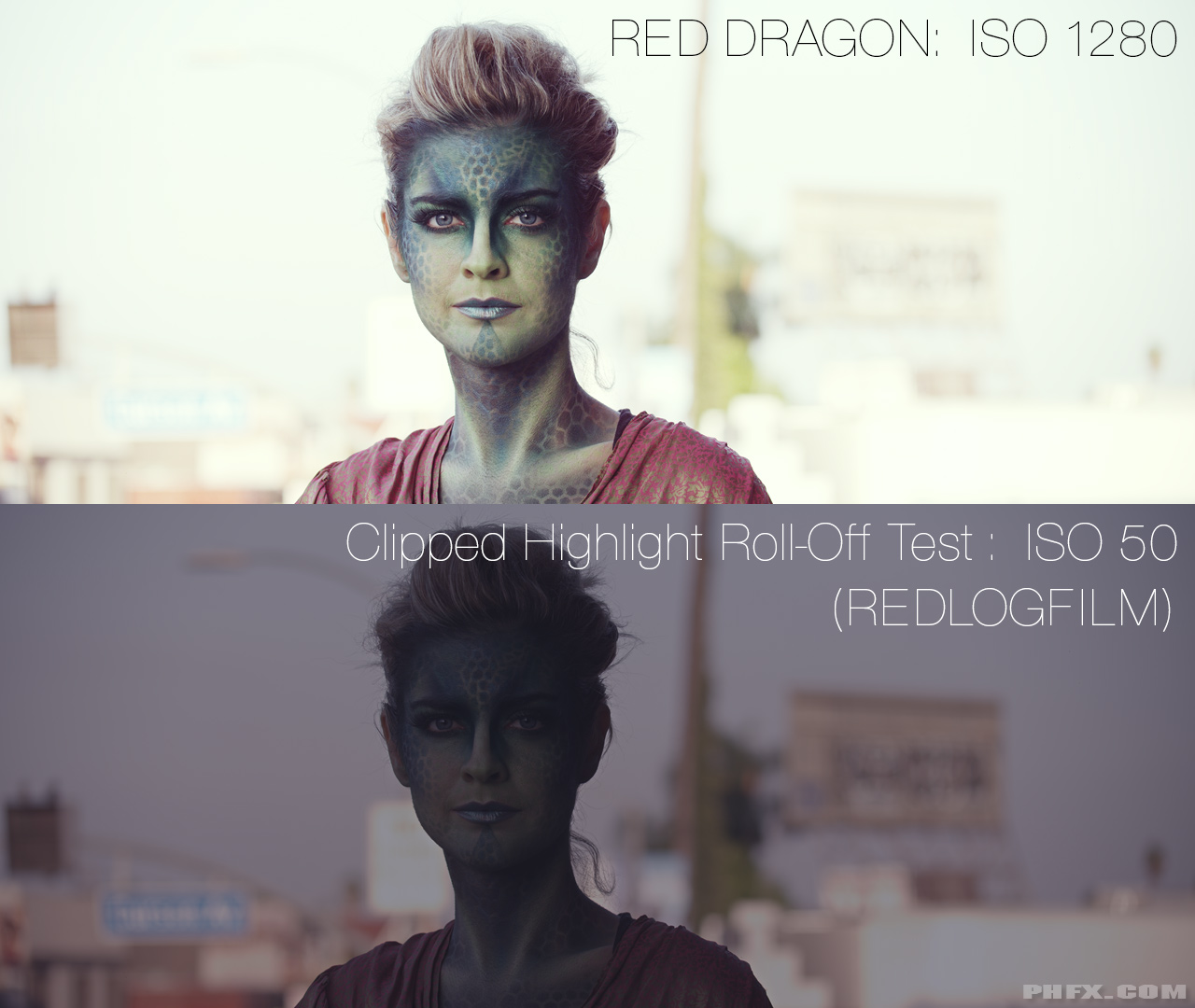
Now on to Clipped Highlights and Highlight Roll-Off.

While there is a TON of Dynamic Range and workable Latitude in the Dragon's REDCODE RAW files, there are certainly going to be things that fall outside of range. There's a been a lot of discussion lately about "digital's" Highlight Roll-Off. What most people don't like is when there is a hard transition from within range to outside of range, often producing a very "stamped" hard shape and often followed by some strange color distortion on the extreme end.

So where does Dragon land here when things are actually out of range?


Click for bigger image.


You'll all need to make your own observations here, but to me it feels like it has a somewhat organic "burned out" look. Not too far off from how film would clip actually, however, in a scenario such as this film would "top out" earlier if pulled down like this through the lab and a 16bit film scan. This is a pretty interesting image too. On most modern DSLRs for instance if you pull this far you'll see a moment where the color information tends to "die" and you're left with just the last bits of luminance. That's not how Dragon looks and that is a good thing. Top tier DPs will need to take special note of this effect as this is something I'd categorize as "character". I also don't see any "stamping", but I see more of a smoother roll off on the top end. The sign behind her head showcases that pretty clearly. There's a moment where it "dies", but it's smooth and shapely. Meaning it has character rather than a massive digital footprint left in the sand.


You guys have the files now, but straight up, there isn't anything that looks like this on the market. Not like this.
 
Cant wait to grab it on my hands in the future. amazing
 
Thanks for the images Phil, I like what you did there, creatively and technically speaking.

More than that though, I think these tests done by you and the others are proving to be a good way to show off the new characteristics of the Dragon sensor. From the broad strokes that show off the overall dynamic range, down to the fine details that reveal a previously untapped level of refinement and subtlety. Seeing is believing and communicates the facts of the matter much more clearly than trying to translate the visuals into words, especially when what is seen is the result of the work of a variety of points of view. And especially when there are so many different aspects to the sensor and its resultant imagery all being mixed together, making it practically impossible to sum up in a few words what makes the Dragon sensor 'better'.

Still, the words serve their purpose, and what I personally am finding interesting about these Dragon pictures is how they seem to be revealing a degree of subtle tonality and level of detail that I haven't seen before. It's like the Dragon sensors are lifting a veil from the eyes of the medium and revealing tones and details that were previously obscured, while simultaneously opening up more possibilities to capture scenes that were previously out of bounds due to their overall highlight/low-light range.

I find it interesting too that as the Dragon sensor gets closer to allowing us to present scenes that look more like what our eyes see (or better) than any sensor before it, the nature of the medium itself introduces the potential for a new level of artificiality or manipulation at that same level.

I think the Dragon sensors will be the tool of choice for those who are wanting to present images that require the highest level of refinement and subtlety and attention to detail, whether for recreating 'reality' or manipulating it for creative effect. While at the same time, I'm sure the Dragon equipped camera's will prove equally useful for those who have no need or desire to dig into the images to that same degree, but who just want to make use of its other benefits. It's great that the RED DSMC system allows people to set their own level in that way.

Just want to say too how cool it is, according to what the Dragon sensor images have been showing, that RED is determined to follow their own aesthetic choices when it comes to sensor development. I'm so glad their aim wasn't to just emulate film, but to provide a viable visual alternative to it. If history doesn't get twisted, I think it will look more favorably on progressives like RED than on those who spent their time trying to maintain the cinematic imagery status-quo. I feel lucky there are a bunch of image junkies and visionaries there at RED who have the ability and determination to push things forward into these uncharted digital realms. Am looking forward to seeing more examples of the new heights and depths of imagery that RED have enabled with these Dragon sensors.
 
thanks phil...and thanks to the higher powers to finally let us play with some raw files...
couple of (surprising, for me at least) observations:
i have always been a huge fan of schneider lenses...not sure what to think of these...the CA is....a little out of control? i mean it shows up everywhere....i even noticed it with the clips playing in a tiny window playing at 1/4....i was really looking forward to the new schneider FFs but this looks like i might look elsewhere...sharpness, detail, look is hard to judge because i can't compare it to anything....i obviously also don't know how much of all this is the sensor, so i would love to see some more raw with other lenses.....
i have no clue why some people still talk about clipped highlights or roll off.....it's just silly at this point...of couse you can always clip highlights and with dragon it just seems that one has to work a little harder to clip them....the tones are all there and i can't wait to shoot some of my own with this....i have worked with digital files for 20 years...incl the best digital still backs....these files have by far the highest DR i have ever seen...so that is definitely good enough for me....
my brand new imac (3.5ghz, 4vram, 32gb ram) chews through these at least 2x as fast as through my epic files......i am approaching full playback.....on an iMac....
not sure how i feel about sharpness...it looks like it might be there and definitely gets nice and crisp with the help of some sliders....but...again, maybe the lenses? maybe the exposure? again: i am sure this is not sensor related, so i am not in any way worried.....
i am having a really hard time telling the difference between 5:1 and 17:1....maybe i am going blind....this is insane.....

so how do i feel about being in line for the upgrade? best DR i have ever seen combined with what look like 11x14 vertical still crops from 6K all at what seems like any ISO.....all at much better compression and less/lower post hardware requirement? and this isn't even the final tweak?
 
Thanks for such a good explanation Phil.
Another answer:
Wich modes/frame rates of HDRX do you have with Epic Dragon?
 
Which modes/frame rates of HDRX do you have with Epic Dragon?

I honestly didn't even check in the 2 hour span of shooting this time around. I wanted this to be as "vanilla" as possible. Next time I'm with Dragon I'll look though.


- i have always been a huge fan of schneider lenses...not sure what to think of these...the CA is....a little out of control? i mean it shows up everywhere
- not sure how i feel about sharpness...it looks like it might be there and definitely gets nice and crisp with the help of some sliders....but...again, maybe the lenses? maybe the exposure? - i am having a really hard time telling the difference between 5:1 and 17:1....maybe i am going blind....this is insane.....

To answer your main questions Paul,

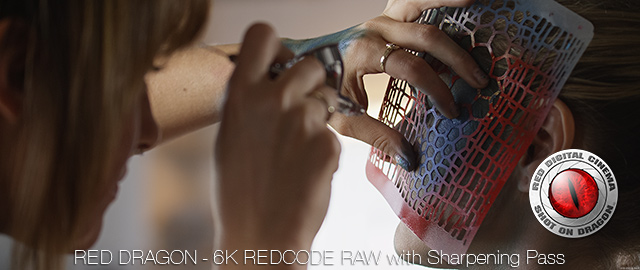
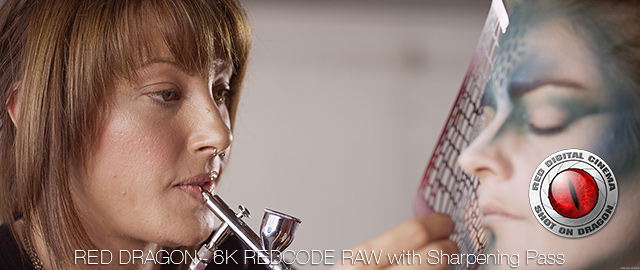
- Purple Fringing: I shot the vast majority of this material at T2, which was a personal choice. There's other shots that are T2.8, T4, T5, and T8 as well. The Purple Fringing you're seeing is mostly attributed to being a Chromatic Aberration. This is a result really from shooting wide open on these lenses with hard contrast against highlights, such as the chrome plated surface of the air brush. It's also why you don't see it laced across the skin of the face or anything like this. All lenses do this to some degree wide open (although a well calibrated set of Leica Summilux-C Primes appear to leave little to no color trace). I was shooting in a rather extreme contrast ratios with some of those shots wide open to induce flare and flavor to the image. My choice really. It's something you can clean up in post if you desire to do so. In true lighting for motion pictures understanding ratios and lighting scenes within a certain range can eliminate the chance of this happening if you are a skilled Lighting Tech and/or Director of Photography. Also, you can simply choose to light and shoot stopped down, which is why a lot of Super Speed shooters work within the T2.8-T4 range. Aesthetically I land on both sides of the fence. Sometimes I let it go, sometimes I wrangle it.

- Sharpness: Remember that we're dealing with REDCODE RAW and there is "nothing" done do the image minus compressing the raw stream into Red's propriety format. How sharp you want it to go is up to you. In my next post I'll be showing some interesting examples of some tests I've been running today.

- Compression Ratio: On That I'm a bit surprised about as well. This is all fairly well lit and exposed imagery, but I do have a suspicion we'll see the different in high frequency detail in shadow areas. However, I am more than impressed on what the combination of the 6K resolution and higher compression schemes net you. You can truly get away with a lot. This can make a huge difference for certain types of productions who don't want to deal with so much data. News agencies and Independent Filmmakers come to mind actually. It's super clear that the new pixel design and cleaner noise floor is what's caused this increase in REDCODE performance. Well played Red Engineers.
 
What Do You Want To See? - The Crazy World of "ReRez'n and Sharpening"

Back in my earlier years in the industry I dealt a lot with 4K and 6K (and beyond even) Film Scanning and Laser Recording.

One of the "core principles" is the concept of sampling at a higher resolution and scaling down to what workable or deliverable resolution you desire. Sometimes this included a sharpening pass. And an even more interesting thing is often production working at a simple down sample from a 4K or 6K scan to 2K would sometime "rerez" up with a fancy algorithm and sometimes include a sharpening pass before being filmed out. This was part of my life back in 1999 and it's still done to this day for those still working with film.

Much of this concept was one of the reasons I was initially attracted to Red from the get go as I could "feel" what they were up to.

Okay. So how does this apply to 6K and REDCODE RAW? So we all know the common concept with a Bayer Pattern Sensor and the typical desire of an 80% downsample to a mathematically perfect final resolution via debayer. I had a feeling a while ago that 6K was going to be the landing point for Dragon some time ago. Mostly because of the original promise of Red being a "true film alternative" and there really is something to scanning film at 6K and creating 4K images. In effect you are "super sampling" if you're desired finish is 4K or 2K and this yields noticeable benefits.

Scaling algorithms are also part of the equation. How and which method do you choose? Sharpen before or after Scaling? Both? Do you apply Sharpening at all? These are important questions as they effect the quality of your material, but more importantly the aesthetic of how a whole project looks. So the real question here is how sharp do you want your REDCODE? And additionally what workflow do you choose? Do you want grain visible? Do you want super clean material?


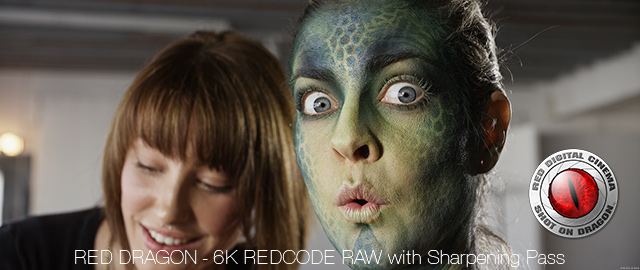
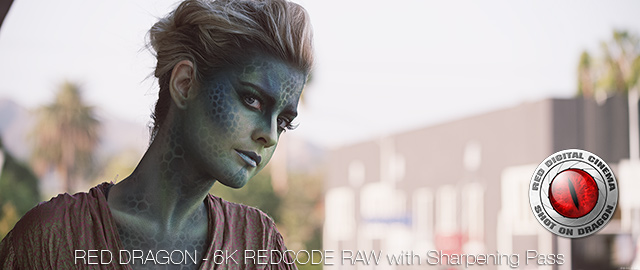
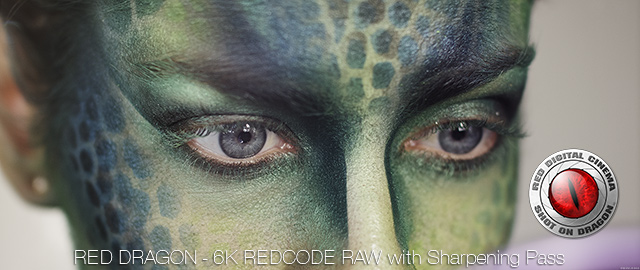
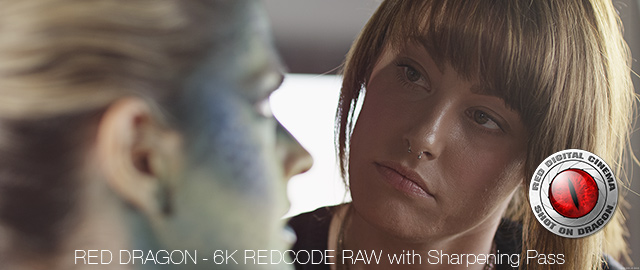
So here's what I've been working on and experimenting with today. Each image below has a specific sharpening method applied to each of them at 6K. Then each is getting a simple Bicubic downsample to 4K (true 4K, not UHD 4K in this example) and 720p resolutions.


phfx_RedDragon6K_withSharp_01.jpg

Example 1: 720p - 4K - 6K

phfx_RedDragon6K_withSharp_02.jpg

Example 2: 720p - 4K - 6K

phfx_RedDragon6K_withSharp_03.jpg

Example 3: 720p - 4K - 6K

phfx_RedDragon6K_withSharp_04.jpg

Example 4: 720p - 4K - 6K

phfx_RedDragon6K_withSharp_05.jpg

Example 5: 720p - 4K - 6K

phfx_RedDragon6K_withSharp_06.jpg

Example 6: 720p - 4K - 6K


I've spent most of the day yesterday and early this morning rendering out motion tests to see which sharpening method and workflow I prefer, if any at all. And I must state clearly, you don't even need to sharpen if you want a more organic look to your footage.

A couple places where understanding how to manipulate footage at this level inlcude print applications at full resolution and finishing at each of the various capture resolutions found within the camera itself.

The only question with Dragon material really seems to be what exactly do you want your final images to look like?

With the combination of the 6K resolution, Dynamic Range, and Color found within the REDCODE RAW you pretty much can do whatever you want. (I know I'm doing some silly extreme grades to just see how far I can push it.)
 
OMG! Now girls need to be shaved before shooting at Dragon!

A peach filter works a treat to remediate this...?

Thank you very much

Fury
 
So Phil, what sharpening method do you prefer at this point and how much sharpening was used in the examples? I'm one of those people that shoot 50% of projects intending to have that crispy sharp look without ringing so I'd love to hear what has given you the best results while maintaining a clean image.
 
Awesome images and posts Phil.

Thanks!
 
Almost every woman has facial hair, it's not the girls. I used to shoot modes for 7 yrs, some of the best in Europe. In addition when u put makeup the hair gets to show more as it has more contrast and becomes thicker. The girls are fine, it's the Dragon and the lens Phil shot with that are so great u need to get prepared for many surprises. Once I took a pic of a model with a Sinar 4x5 camera and you could see the fake lines in the print color in her contact lenses because the pic was so sharp.
 
Almost every woman has facial hair, it's not the girls. I used to shoot modes for 7 yrs, some of the best in Europe. In addition when u put makeup the hair gets to show more as it has more contrast and becomes thicker. The girls are fine, it's the Dragon and the lens Phil shot with that are so great u need to get prepared for many surprises. Once I took a pic of a model with a Sinar 4x5 camera and you could see the fake lines in the print color in her contact lenses because the pic was so sharp.

WoW...... Thats detail contact lenses
 
- Purple Fringing: I shot the vast majority of this material at T2, which was a personal choice. There's other shots that are T2.8, T4, T5, and T8 as well. The Purple Fringing you're seeing is mostly attributed to being a Chromatic Aberration. This is a result really from shooting wide open on these lenses with hard contrast against highlights, such as the chrome plated surface of the air brush. It's also why you don't see it laced across the skin of the face or anything like this. All lenses do this to some degree wide open (although a well calibrated set of Leica Summilux-C Primes appear to leave little to no color trace). I was shooting in a rather extreme contrast ratios with some of those shots wide open to induce flare and flavor to the image. My choice really. It's something you can clean up in post if you desire to do so. In true lighting for motion pictures understanding ratios and lighting scenes within a certain range can eliminate the chance of this happening if you are a skilled Lighting Tech and/or Director of Photography. Also, you can simply choose to light and shoot stopped down, which is why a lot of Super Speed shooters work within the T2.8-T4 range. Aesthetically I land on both sides of the fence. Sometimes I let it go, sometimes I wrangle it.

A lot of it looks pretty wide open but I can see the green and red outlines on her face as well.....this is obviously not a sensor issue, just something that surprises me about the lenses....and again especially because I love Schneider and am really excited about the new line coming out....I did not see any CA in your test shots of the FFs....
smaller pixels/ higher pixel density usually show more CA....how is the dragon compared to epic? It should be pretty close? Or close enough to really make not much of a difference....

about make-up: coming to LA as a still shooter I found pretty fast that there is a big difference between film/tv and still in terms of make-up.....and few artists really know the difference and can do both well.....film/tv artists usually work with a " heavier brush" which looks great on screen or TV but can almost be drag-queen like when shot with 20-30 mpix....worse....some actresses don't really know the difference either, they just trust who they always work with on set bu that person might not know how to work with amedium that not only shows the outline but also the texture....4k is a big difference to HD in that regard.....
 
- Sharpness: Remember that we're dealing with REDCODE RAW and there is "nothing" done do the image minus compressing the raw stream into Red's propriety format. How sharp you want it to go is up to you. In my next post I'll be showing some interesting examples of some tests I've been running today.

Ran the clips again and am assuming that some it must be the shutter speed/ movement....
the balcony shot is a little strange to me ....not just because of the crazy DR:)....at pretty low compression is looks like it is either slightly soft or a general lack of detail? She is not really moving but the gown just has no texture and (hate to bring this up) with a 5d ( which does not have what I would call a crisp file or look) I am pretty sure you could count the eyelashes at that distance? Unless you at shooting with some 18-250 kit zoom.....
I understand that most cameras (ok all) would either have to blow out the sky or drown out her face....so it is awesome that we are still getting both...but are we losing fine detail in shadow areas? I understand that a lot can be done with sharpening and such but i guess I would prefer to have "more" to start with?
The strange thing to me is that if I would not know anything about that file, I would probably guess that it comes from a very good sensor paired with a lens that just can't resolve what the sensor can hold.....which should not be considering we are talking about schneiders here.....
her hair in that shot is just a brown-ish mush....
 
Ran the clips again and am assuming that some it must be the shutter speed/ movement....
the balcony shot is a little strange to me ....not just because of the crazy DR:)....at pretty low compression is looks like it is either slightly soft or a general lack of detail? She is not really moving but the gown just has no texture and (hate to bring this up) with a 5d ( which does not have what I would call a crisp file or look) I am pretty sure you could count the eyelashes at that distance? Unless you at shooting with some 18-250 kit zoom.....
I understand that most cameras (ok all) would either have to blow out the sky or drown out her face....so it is awesome that we are still getting both...but are we losing fine detail in shadow areas? I understand that a lot can be done with sharpening and such but i guess I would prefer to have "more" to start with?
The strange thing to me is that if I would not know anything about that file, I would probably guess that it comes from a very good sensor paired with a lens that just can't resolve what the sensor can hold.....which should not be considering we are talking about schneiders here.....
her hair in that shot is just a brown-ish mush....

pretty sure it's the wide Schneider... That red tint is definitely coming from the lens. I'm assuming the softness is as well.
 
Back
Top