Welcome to our community

Be a part of something great, join today!

  • Hey all, just changed over the backend after 15 years I figured time to give it a bit of an update, its probably gonna be a bit weird for most of you and i am sure there is a few bugs to work out but it should kinda work the same as before... hopefully :)

Red Dragon - It's Just Paint.

So yesterday I was able to spend a couple hours with the Carbon Dragon.

** make sure you "download original" as Vimeo's low bit rate re-compression destroys the good stuff.


Also, while still compressed, you can indeed watch the UHD 4K resolution version on Youtube by selecting the "Orginal" resolution:


Details:
Red Epic Dragon (Carbon Fiber)
Shoot Date: 10.03.2013
Format: 6K WS, 24-96 fps
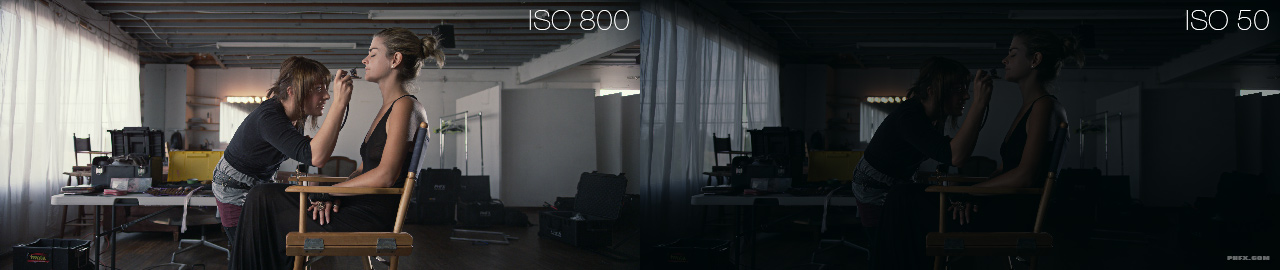
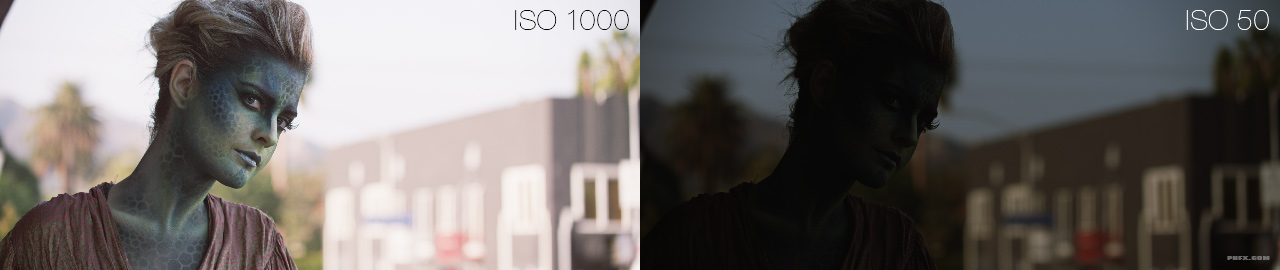
Rated ISO: 800 – graded in post ISO 320-2000 (no noise reduction)
Edited in Adobe Premiere Pro CC
Quick Color Grade in Redcine-X Pro
Lenses: Schneider Cine-Xenar III Primes: 18mm-95mm @ T2-T8
Filters Used: Occasionally an ND .9


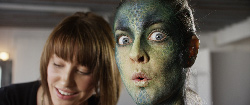
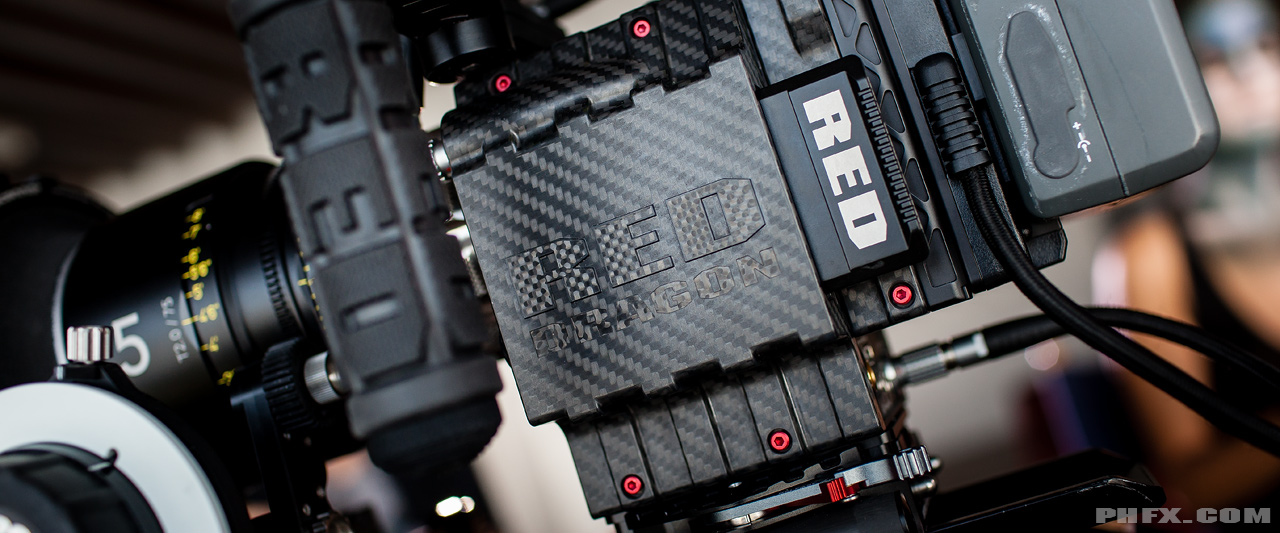
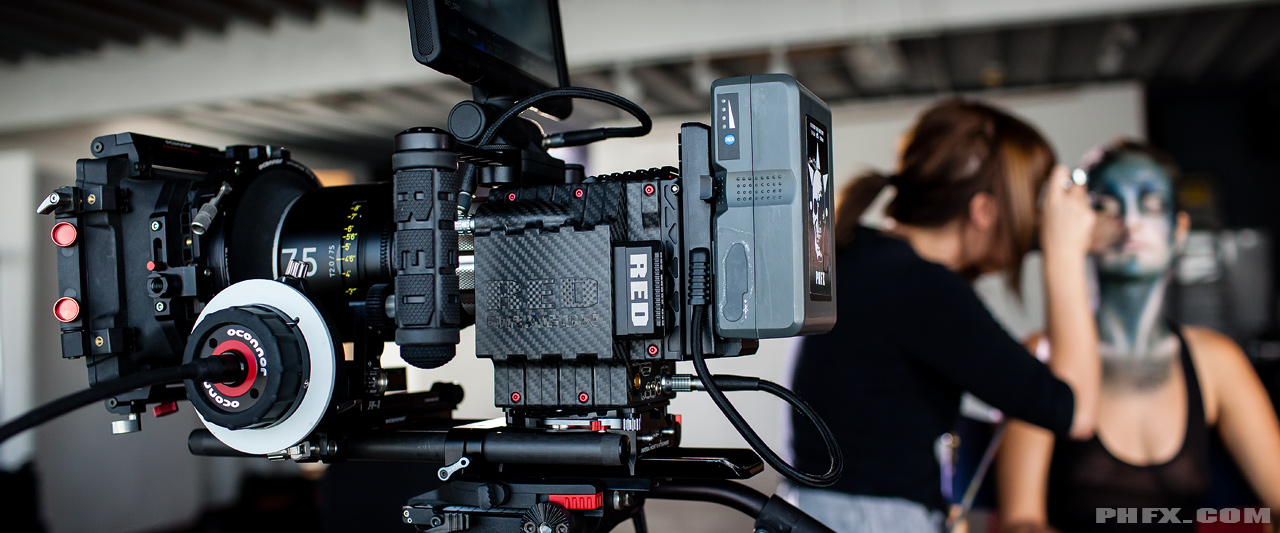
** Edit #1: A couple BTS grabs. This was my first time checking out the Carbon Dragon. It's a beautiful thing really.


** Edit #2: Below there are 720p, UHD 4K, and a 6K WS Dragon .R3D Grab. Also, there are currently 5 6K WS .R3D Trims containing 72 frames each for you to download.


Feel free to experiment with them and what not. For those who will be using them on blogs and things like that, please mention that this was shot by me.

[TABLE="width: 920"]
[TR]
[TD]

A001_C021_10032I.0000286.jpg

720p - UHD4K - 6K .R3D Grab[/TD]
[TD]
A001_C027_1003FG.0001704.jpg

720p - UHD4K - 6K .R3D Grab - 72 Frame .R3D[/TD]
[TD]

A001_C043_100382.0000096.jpg

720p - UHD4K - 6K .R3D Grab[/TD]
[/TR]
[TR]
[TD]

A001_C048_10031Y.0000337.jpg

720p - UHD4K - 6K .R3D Grab[/TD]
[TD]
A001_C063_1003MN.0000035.jpg

720p - UHD4K - 6K .R3D Grab[/TD]
[TD]
A001_C069_10031T.0000113.jpg

720p - UHD4K - 6K .R3D Grab - 72 Frame .R3D[/TD]
[/TR]
[TR]
[TD]
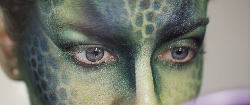
A002_C002_1003JZ.0000375.jpg

720p - UHD4K - 6K .R3D Grab[/TD]
[TD]
A002_C008_1003V8.0000471.jpg

720p - UHD4K - 6K .R3D Grab - 72 Frame .R3D[/TD]
[TD]

A002_C015_1003BR.0000004.jpg

720p - UHD4K - 6K .R3D Grab[/TD]
[/TR]
[TR]
[TD="width: 300"]
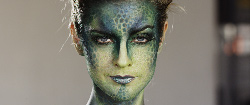
A002_C020_10030T.0000591.jpg

720p - UHD4K - 6K .R3D Grab - 72 Frame .R3D[/TD]
[TD]
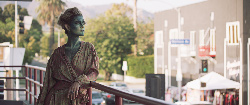
A002_C021_10036V.0000201.jpg

720p - UHD4K - 6K .R3D Grab - 72 Frame .R3D[/TD]
[TD]
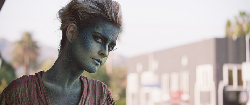
A002_C022_1003EP.0000954.jpg

720p - UHD4K - 6K .R3D Grab[/TD]
[/TR]
[/TABLE]


** Edit #3: This one's for Jim.

Wherever you are Jim, this Dragon is the beast I've been waiting for. It's superb.


Click for UHD 4K Version
Thanks Phil!!! This is amazing. I need to upgrade my epic asap
 
So yesterday I was able to spend a couple hours with the Carbon Dragon.

** make sure you "download original" as Vimeo's low bit rate re-compression destroys the good stuff.


I appreciate the effort but I have to kindly disagree with everyone here about these images that are good. I do not see why they are good. They are sharp alright but in my opinion I suspect that the Dragon is way more capable than these images. All the images look un natural and fake to me.

The skin colors (the ones you can see from the makeup lady who has a ton of makeup) are not skin tones. I used to shoot way better pics with my Hasselblad in 1977.

Phil, why you or anyone else do not take some real people with no makeup in real light conditions day and night, faces, faces, real faces and nature, no cars and buildings?

Then we can see the real Dragon which I suspect is by far superior to this.

Thanks!

It is kinda hard to communicate how cool the Dragon is in a single shot.
I know... :)

For "pure skintones and natural light"

Check Peters tremendous footage:

https://vimeo.com/72861708

And John has shown off a lot of nice stuff + has documented some of the real cool features vs IR and skin and color:
https://vimeo.com/74857457

I basically tried to throw hard stuff at it, and got back with stuff I did not expect.

Mark went Gung Ho.
Lovely results.
https://vimeo.com/71666317


It is really cool to see something controlled shot, like this, not with natural lights.

This and the Gaga video:
https://vimeo.com/73649089#at=0

Shows off great productionvalue when NOT abused... :)

I set out to break it, as Mark did in each our ways.
Peter just shot some beautiful stuff.

And Phil and Gaga shows off some of the stuff which is really amazing:
Color renderition.

The sum of info out there is kinda building up... :)

Love this thing!

Best

G
 
  • Thread starter
  • Moderator
  • #83
Hello all. I uploaded a UHD 4K version to Youtube, which you can watch by selecting "Orginal" resolution. The link is on the first page.

I'm currently baking a REDRAY version as well.


Hey Phil ! GREAT JOB ! Answered a lot of SKIN / make up issues some people have.

Question.. was the Carbon Dragon alot lighter than the standard M... noticeable ? especially in small mode.
I'm thinking about getting one as my personal camera... For when I sneak out by myself. The current M is just gets a tad heavy after a few hours.

Nice work again. Well done.


Thanks Mark! I know you handle the Epic pretty often, which certainly means you'll notice it. It's pretty noticeable when it's in your hands and this one didn't even have the Magnesium PL Mount.


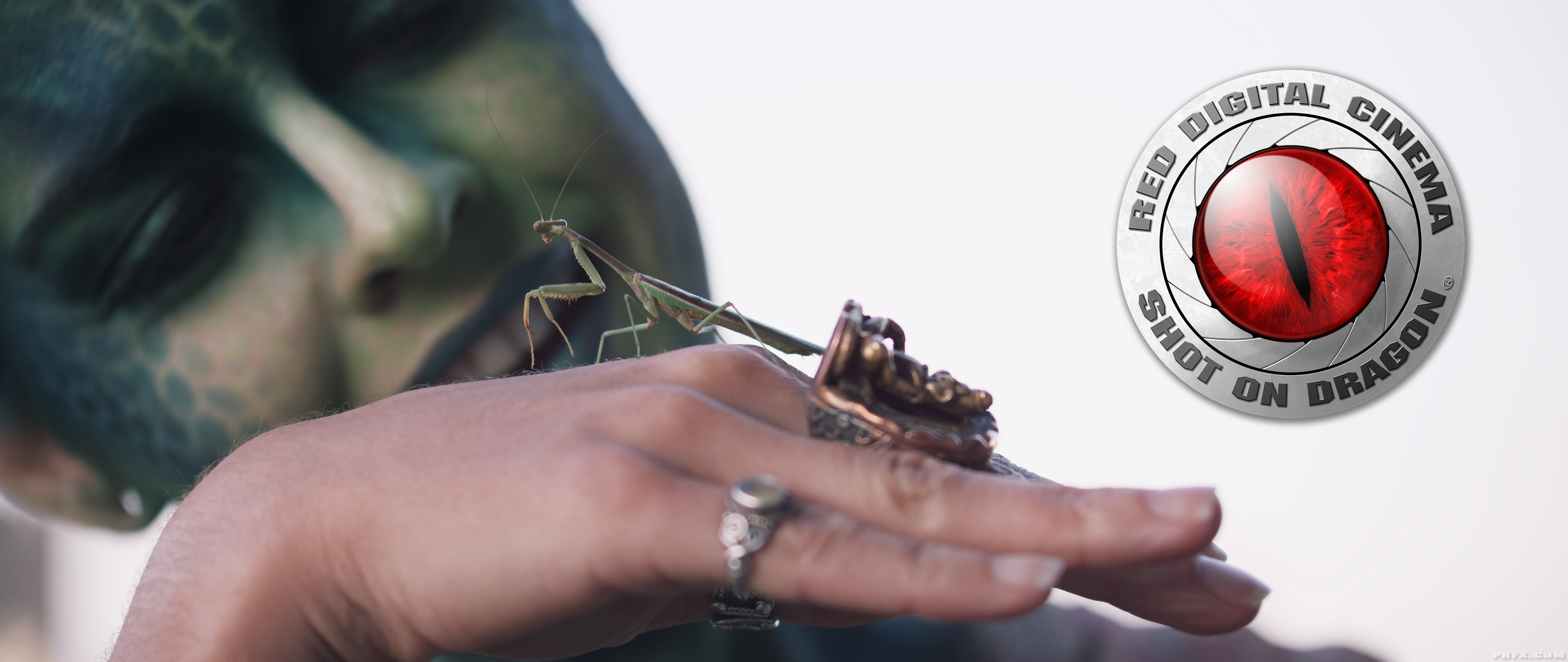
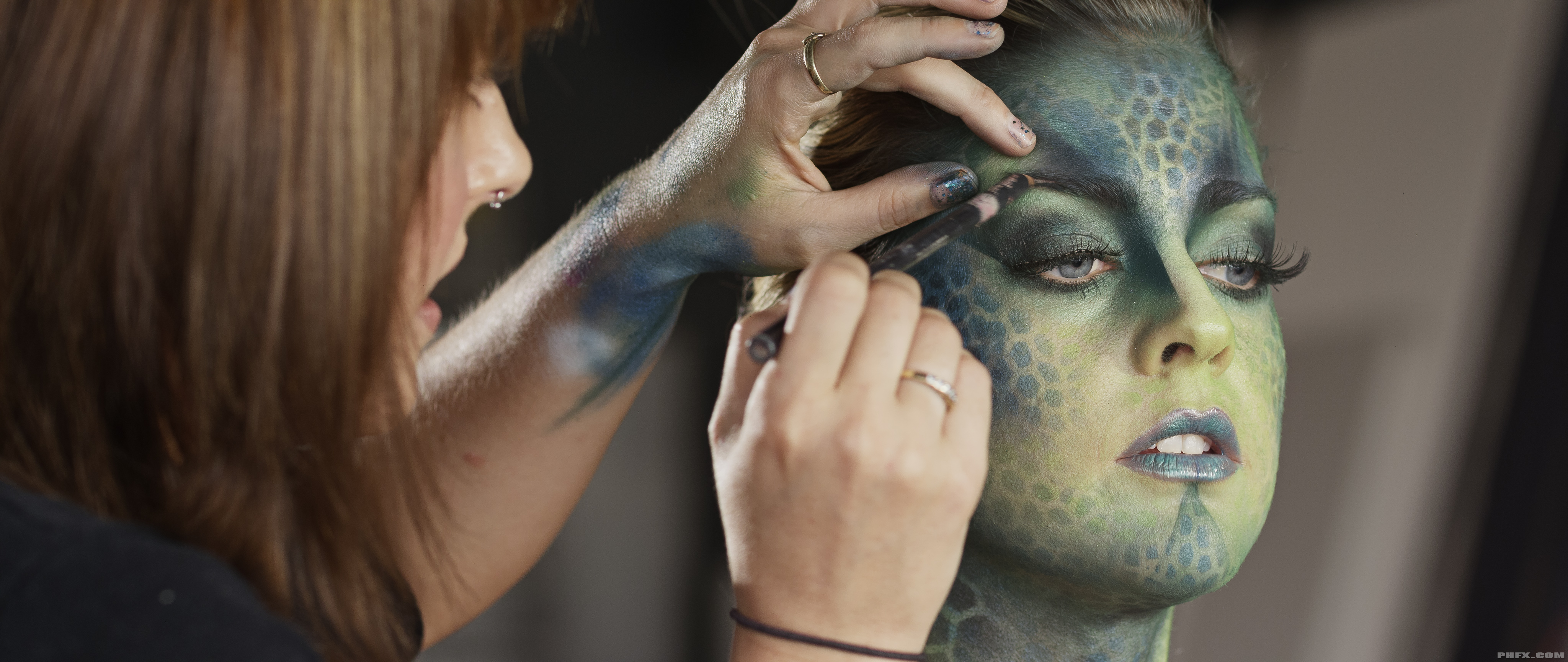
The skin and color is really fun because you can see the subtle marks of yellow/green around her nose, which literally would get lost on some cameras. I actually love the richness that the clean skin seems to hold. The shot of the praying mantis at the end has so much variety from the cool ambiance coming in from the shadows and sky dome as well as the warmth coming in from radiosity camera left. It's pretty.


Here's a few notes while I prep some other tests to share.


How I used my time with Dragon:

This was a quick shoot. Rented a studio, hired talent, and a makeup artist. Daylight through the diffused window with two Daylight Fresnels (one behind Full Frost and one on spot). I spent about 2 hours of actual shooting during the make up application process and about 45 minutes studying this new firmware build and camera itself. Not enough time to get real fancy or drive the camera around town for a variety of shots, but enough time to put this together.

My goals were show skin under "common" conditions and some textural elements with a variety of frame rates and REDCODE compression schemes. I also wanted to test out the highlight roll off, dynamic range, and color. I nearly shot on the sounds stage like I normally would, but this small studio actually is where I did a fairly important gig about 13 years and I like to shoot at places that hold some meaning to me. It also had the large windows I knew I could play with.

Post workflow was quick. I mean I shot this Thursday and delivered Friday. I had to do it the hard way (transcoding/relinking) as the Adobe Dragon update isn't out until the 15th. Interestingly enough, this is a straight export. No sharpening or anything like that. I know personally exploring different workflows I can take this material even further. I'll show you guys this in a minute.


Exposing Yourself:

The first thing you'll “feel” when shooting Dragon is there's a lot more room between the ceiling and the floor if your midtones are rated in the sweet spot of the sensor. There's a big chunk of latitude to be found in the meat of the REDCODE RAW as well. Some of these shots I pushed down to ISO 320 and lifted up to ISO 2000 without any noise reduction, you could even go further.

phfx_dragonDR_A.jpg


phfx_dragonDR_B.jpg


That to me represents a lot of freedom in two areas. Exposure Selection and Post Color Grading. On a couple shots I opened up my lens iris to expose to the right to maintain rich shadow detail, and I was a bit surprised on how fair that highlight ceiling allowed me to go. Also, in post I was hitting some pretty hefty curves and making adjustments that were pretty “out there”. I'm a not about post manipulation and this is exciting stuff. You'll see on a few of these shots how I added “thickness” to some skintones via the grade.

Another topic I've seen people discuss is with this new found expansive dynamic range is highlight roll off. You'll see in a few shots where I've chose to hold the highlights and a few where I let them go. Some of these situations were in the 5-10 stops above midtone exposure range. It's an interesting thing as in certain conditions you can protect your highlights and bring up your midtones if you want a “wrangled” look. In contrast, letting the highlights go seems pretty damn nice to me. It's a smooth roll and isn't “stamped”. At least nothing I produced looks that way.

Color is an interesting thing all together. It's nice. Real nice. Skin looks lovely actually. Like gorgeous. It has a natural feel to it and you can honestly do whatever you want with the REDCODE RAW here. There's a few shots where I let flare get a bit nuts in frame, which on the Schneider Cine-Xenars renders a bit warm, and in Redcine-X Pro I just pulled down the red channel to counter act that, although I do like the aesthetic that produces occasionally. You'll be able to see that in a couple of the balcony shots at the end where I let it go nuts.

The "paint" is truly the new dynamic range and color found within Dragon.


Dragon Operational Notes:

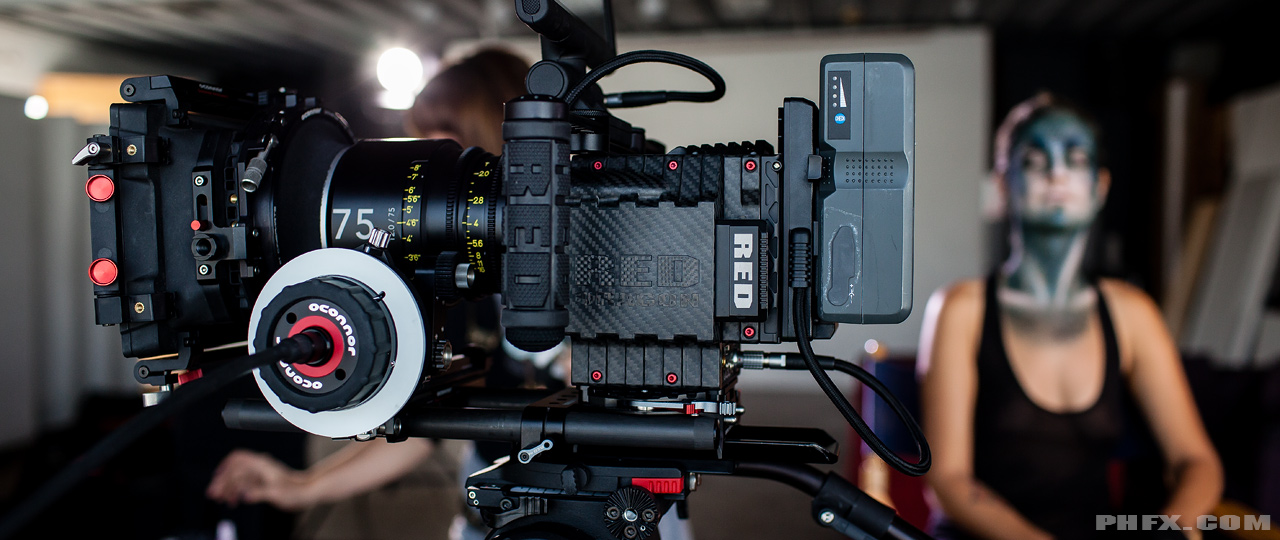
So I've been really, really fortunate to see Dragon in prototype and production ready states. This time however I got to look at the Carbon Fiber Dragon. If you shoot with Epic or Scarlet you'll notice immediately the weight difference. And this Carbon Dragon didn't even have the Magnesium PL Mount. Another bonus is just how damn stealthy the carbon body looks on the beast. Ninja Mode.

phfx_ItsJustPaintBTS_0003.jpg


Taking a deeper and closer look, the sensor box appears to be a new design on this Carbon Dragon. Don't know if this is a “normal Dragon” thing or something specific to the carbon model.

Also, it's really interesting how heat dispersion is handled on the Carbon Dragon. I was "feeling up" the camera in all areas after about an hour of shooting. Heat across the body seems to be slightly less compared to the standard brain frame.

Checking out the the firmware one thing that was a pleasant surprise is a single black shade held calibration from 24fps at an 180 degree shutter through about 72fps with an 180 degree shutter. That's very cool. Might have something to do with the lower noise floor and sensor temperature regulator (the heater Jarred mentioned). If Red can find a way to get it to hold at 180 degrees on 96fps as well that would be killer, it's close, I think it was save at 1/144th.

This Carbon Dragon featured the new DSMC 2.0 Top Fan and the original Bottom Fan and was running at 65 degrees Celsius. And it runs pretty damn quiet. I need to do a side by side with my Epic and a microphone, but I'd say it's quieter.

REDCODE compression ratios seem to be doing some magical things. This for the most part is a well lit test, but I am really impressed how the 96fps 17:1 holds detail. I'll look closer at this in the future, but it's worth noting for sure.


On Dragon and 6K:

I'm not one for hype really. I prefer to make critical observations and focus on what tools can do. Dragon however represents a camera system I've been waiting for. And I have to say there's real reason to get very excited. This is a new medium. A new flavor. Resolution, color, and dynamic range that we haven't experienced before. The real truth here is it's up to you how to use it. This is the exciting stuff. Between the Carbon Dragon, Motion Mount, and this new Dragon technology you really have to respect just how forward thinking Red is here. There's literally nobody else offering anything like this on the market. This industry was built on innovation and I'm very happy that Red understands this fully.

To sum up what others have said about Dragon. It's different and better in every way.

The full Epic Dragon sensor is a multi-format system. I chose to shoot at 6K WS here, but I can crop into 5K or further just fine. Finishing your material is up to you, just like Mysterium-X. Some prefer the debayer/down organic look. Some will apply post sharpening, especially if they are exporting for print purposes.

I'm doing some finishing experiments at the moment and testing out different sharpening methods, but here's a taste of what you can do.


Click for 100% image


And here's an actual 4K frame processed and finished with that particular method:


Click for 4K image
 
  • Thread starter
  • Moderator
  • #85
I appreciate the effort but I have to kindly disagree with everyone here about these images that are good. I do not see why they are good. They are sharp alright but in my opinion I suspect that the Dragon is way more capable than these images. All the images look un natural and fake to me.

The skin colors (the ones you can see from the makeup lady who has a ton of makeup) are not skin tones. I used to shoot way better pics with my Hasselblad in 1977.

Phil, why you or anyone else do not take some real people with no makeup in real light conditions day and night, faces, faces, real faces and nature, no cars and buildings?

Then we can see the real Dragon which I suspect is by far superior to this.

Thanks!


No offense taken Ken. But I'm also not seeing what you're seeing, or perhaps more accurately, not presenting exactly what you want to see. I also was a Digital Colorist for 6 years on features though and I still do that work on that level to this day. This in itself is represents a quick grade and I didn't want to get too fancy on that front. I'm also providing these files so people can see for themselves what's exactly there.

The Key Light for the vast majority of this is just daylight coming through the window diffused through the curtain. The rim and fill are both daylight balanced as well. Also the balcony shots are all natural light. In particular I see exactly what I want to see in her hand holding the mantis in the last couple shots. That's the good stuff. Also the subtle color separation specifically in the pale yellows and blues is solid. I did direct the make up artist to use those colors because they are usually not so "camera friendly". They hold here and are clearly in the REDCODE and visible to the eye.

However, I only shot for 2 hours. I could honestly shoot more "random people" with different complexions and varying levels of makeup and clean face to satisfy that need, but as Gunliek linked there'a good chunk of that material out there.
 
So yesterday I was able to spend a couple hours with the Carbon Dragon.

** make sure you "download original" as Vimeo's low bit rate re-compression destroys the good stuff.


I appreciate the effort but I have to kindly disagree with everyone here about these images that are good. I do not see why they are good. They are sharp alright but in my opinion I suspect that the Dragon is way more capable than these images. All the images look un natural and fake to me.

The skin colors (the ones you can see from the makeup lady who has a ton of makeup) are not skin tones. I used to shoot way better pics with my Hasselblad in 1977.

Phil, why you or anyone else do not take some real people with no makeup in real light conditions day and night, faces, faces, real faces and nature, no cars and buildings?

Then we can see the real Dragon which I suspect is by far superior to this.

Thanks!

Do not really understand what you mean, the makeup artist might have makup on but not on her arms and hands and from looking at these images in redcine I think they do have everything to ask for. At least to me, as I never ever in my life got my hands on a picture that holds up as well as these. That goes back past our Domino and highres filmscaners.
 
Excellent depth ! Hair detail very very nice. THX PHFX

Excellent depth ! Hair detail very very nice. THX PHFX

Dragon_1_zpsf614e0cb.png
 
Last edited:
Thanks for your effort Phil. Really appreciate it.
On a side note, I only had my 11" Macbook air from 2012 to look at one of the r3d´s, it´s just unbelivable that I can even playback 6K footage in any form on this thing (1/8 smooth, 1/4 almost)
 
  • Thread starter
  • Moderator
  • #91
Also the subtle color separation specifically in the pale yellows and blues is solid. I did direct the make up artist to use those colors because they are usually not so "camera friendly". They hold here and are clearly in the REDCODE and visible to the eye.

Phil, the improvement in the handling of camera unfriendly colors notwithstanding (and welcome), do you think Dragon's, and others', higher resolutions will/should cause a shift in the formulation and application (amounts) of makeup industry-wide?

I remember when we first got an HD set back in 2003 and I was showing my dad how much better The Tonight Show looked in HD. Since many people were still watching in SD at the time, established practices for NTSC were still very much in effect and Jay Leno's makeup looked like it was applied with a mason's trowel.

It read correctly in SD but looked horrendous in HD. As I remember, it didn't take too long for them to tone it down and apply the makeup so that it was hi-res friendly. I'm curious if there's a need to retrain or rethink the art and science of makeup for a 6K and beyond digital future?
 
  • Thread starter
  • Moderator
  • #93
Phil, the improvement in the handling of camera unfriendly colors notwithstanding (and welcome), do you think Dragon's, and others', higher resolutions will/should cause a shift in the formulation and application (amounts) of makeup industry-wide?


There's going to be people who will always say there's too much detail there. However, anybody who's been working with Super 35mm for several decades knows the sort of false truth about that concept. Now, there's certainly things people got away with due to SD. And there's certainly things that people can exploit via 6K/5k/4K.

If anything I hope that comes from the resolution gain is to actually raise the bar on set design, costumes, VFX, and prosthetic work. Seams on facial and neck appliances tend to show up poorly on the big screen when not done with a deft hand or rushed out. Often stuff like that is fixed in VFX as it's a time versus cost game at that point.

You can soften up material anyway you'd like though. People industry-wide already use post and optical filtration. I'm on the side of the fence where I'd prefer to see everything. I let the lens, lighting, and framing hide want I don't want to focus on. To use an analogy relevant to this thread, it's more about having the canvas and you get to choose what to paint there. Totally up to you how fine a brush you use in certain areas.

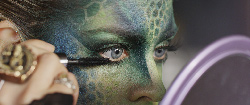
Even in something like this short test shoot, I am more than pleased by seeing things like the reflection of the mirror in the model's eye from this shot. It's a subtle thing, but this pretty much shows one of the magical differences between 1080p and 4K. It requires a bit of an "active" mind to look for things like. There's certainly a side to the industry that just needs content to fill time and space on screen. Due to that mindset quality tends to suffer or at least isn't the focus. But that's a realistic side of things. Content is king, but execution certainly can kill or save a king.

It's a weird thing from a cinematographer and artist's perspective as well.

Compositionally speaking you want an image that can clearly read on a small and big screen. However, micro composition and those little details really show a lot of character and help submerge viewers immensely. Nuance and care tend to show a lot of love and audiences do respond to that.

Avatar for instance, and this isn't a talk about if you think the film is good or bad, wouldn't have been as successful without the somewhat astonishing attention to detail. They crafted a world and took the viewers there. That is pretty much what visual storytelling is about in my mind.

At the end of the day, quality sells. That's always been true.
 
messed with the files a bit, as always, I tagged them also per your request. Thanks for sharing such amazing pixels. :) I'm happy to report that I get 23fps on loop on those 72frame grabs @ 1/2 rez.
i7 2600k(oc'd 4.2), 16ram, win7, WD Raptor drive, gtx 670, win7.

Thanks Phil.

A001_C027_1003FG.0001704F.jpg


A001_C048_10031Y.0000337F.jpg


A001_C063_1003MN.0000035F.jpg


A001_C069_10031T.0000113F.jpg


A002_C002_1003JZ.0000375F.jpg


A002_C008_1003V8.0000471F.jpg


A002_C015_1003BR.0000004F.jpg


A002_C020_10030T.0000591F.jpg


A002_C022_1003EP.0000954F.jpg
 
Last edited:
Really cool subject- looks great!
 
Phil, thanks for the R3D's. Played with them a bit in RCX, and have o say the latitude is simply amazing. Never before have been able to adjust the gamma curve in the same way having such an accurate control on what is going on.
 
Phil, thanks for the R3D's. Played with them a bit in RCX, and have o say the latitude is simply amazing. Never before have been able to adjust the gamma curve in the same way having such an accurate control on what is going on.

16DR.jpg
 
Are the 72 frame zips dead for everyone else too? Any mirrors?

EDIT: The first two 72 frame links have an extra .zip at the end (they end with .zip.zip) that mess them up. If you copy the links, paste them into a browser window and remove the last .zip, then everything works fine.
 
Last edited:
The highlights on the balcony pictures seem to be clipped, is there information on the withes using Redcine-X?
 
The highlights on the balcony pictures seem to be clipped, is there information on the withes using Redcine-X?
Deliberately.
Phil's words:
"Another topic I've seen people discuss is with this new found expansive dynamic range is highlight roll off. You'll see in a few shots where I've chose to hold the highlights and a few where I let them go. Some of these situations were in the 5-10 stops above midtone exposure range. It's an interesting thing as in certain conditions you can protect your highlights and bring up your midtones if you want a “wrangled” look. In contrast, letting the highlights go seems pretty damn nice to me. It's a smooth roll and isn't “stamped”. At least nothing I produced looks that way."

 
Back
Top