Welcome to our community

Be a part of something great, join today!

  • Hey all, just changed over the backend after 15 years I figured time to give it a bit of an update, its probably gonna be a bit weird for most of you and i am sure there is a few bugs to work out but it should kinda work the same as before... hopefully :)

Proper HDR workflow

Just trying some Project settings. I don't have a HDR monitor to check if one even looks correct.


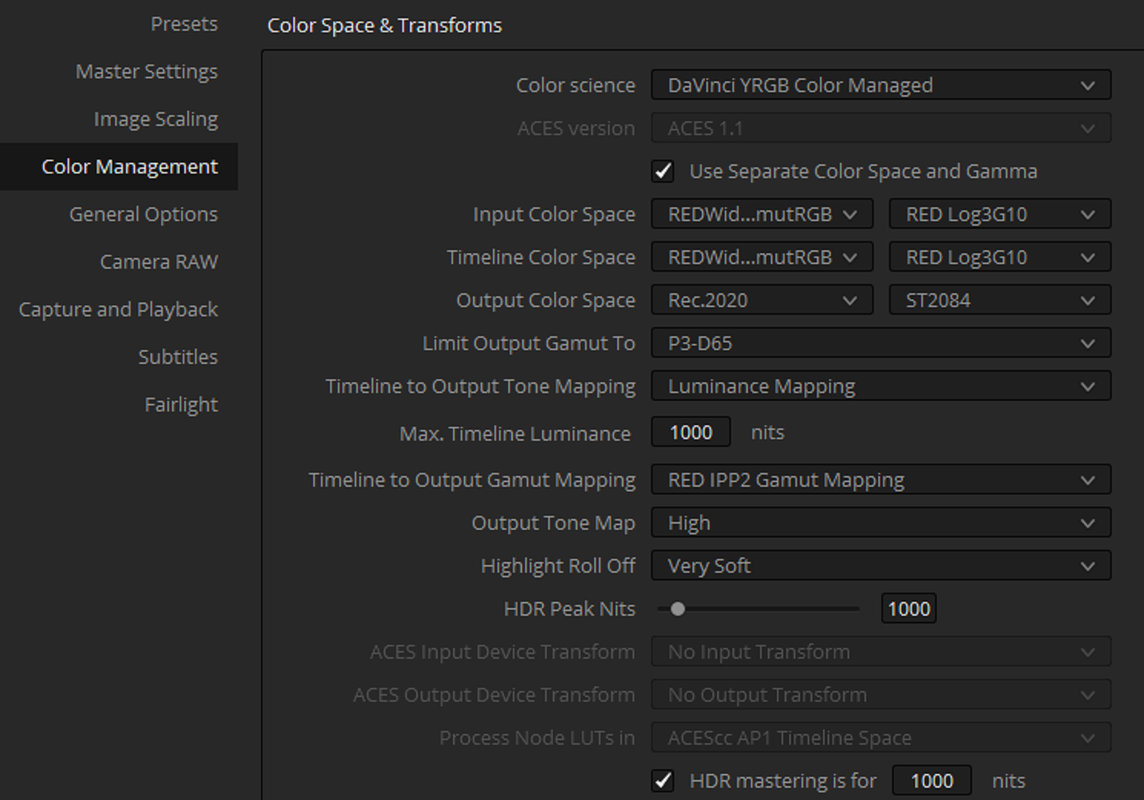
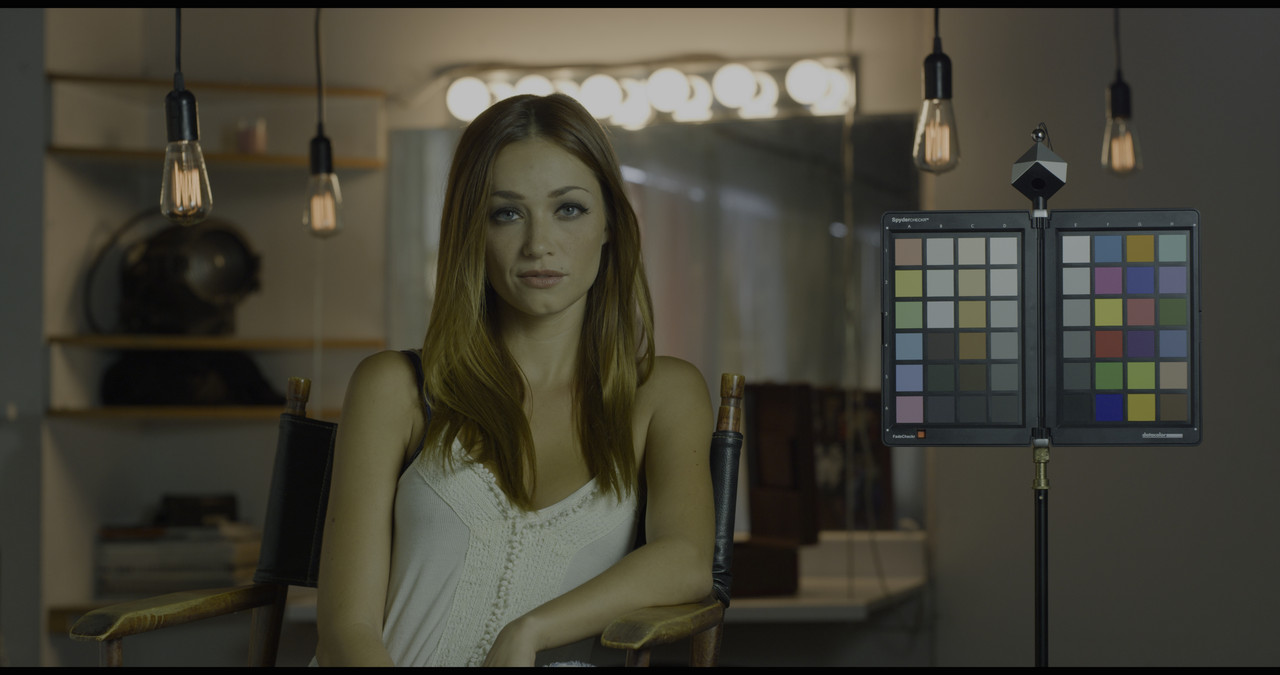
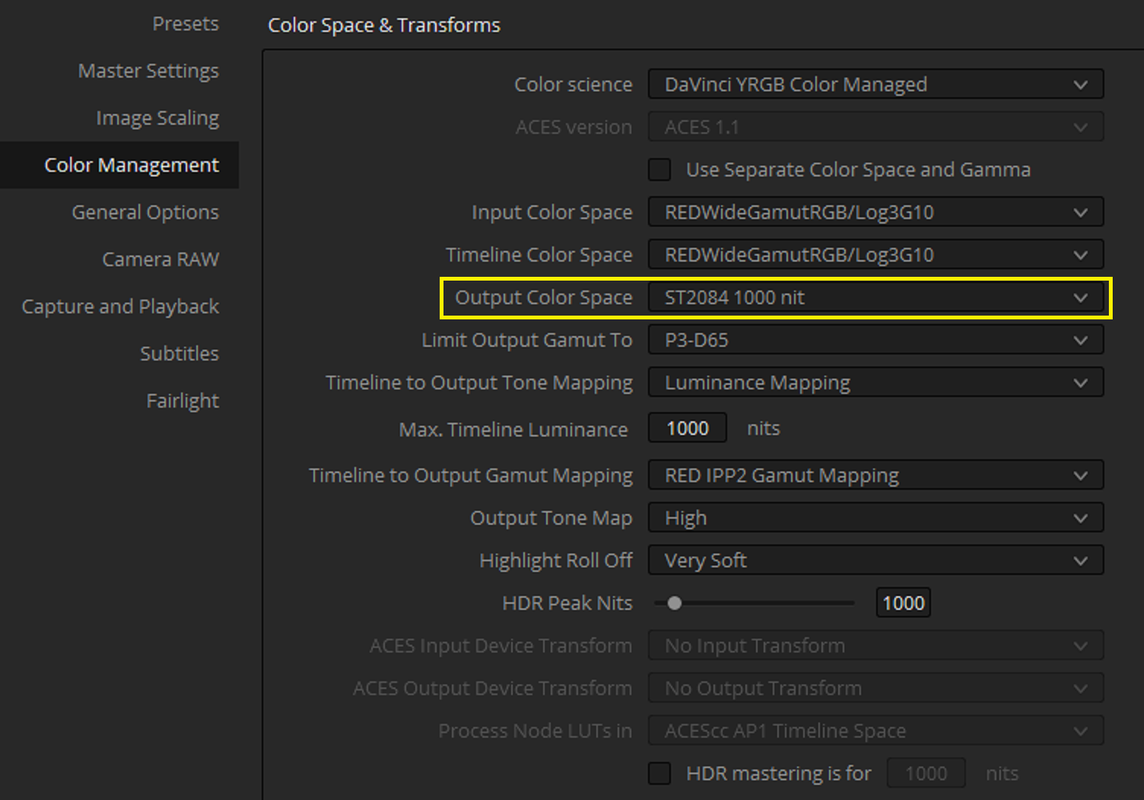
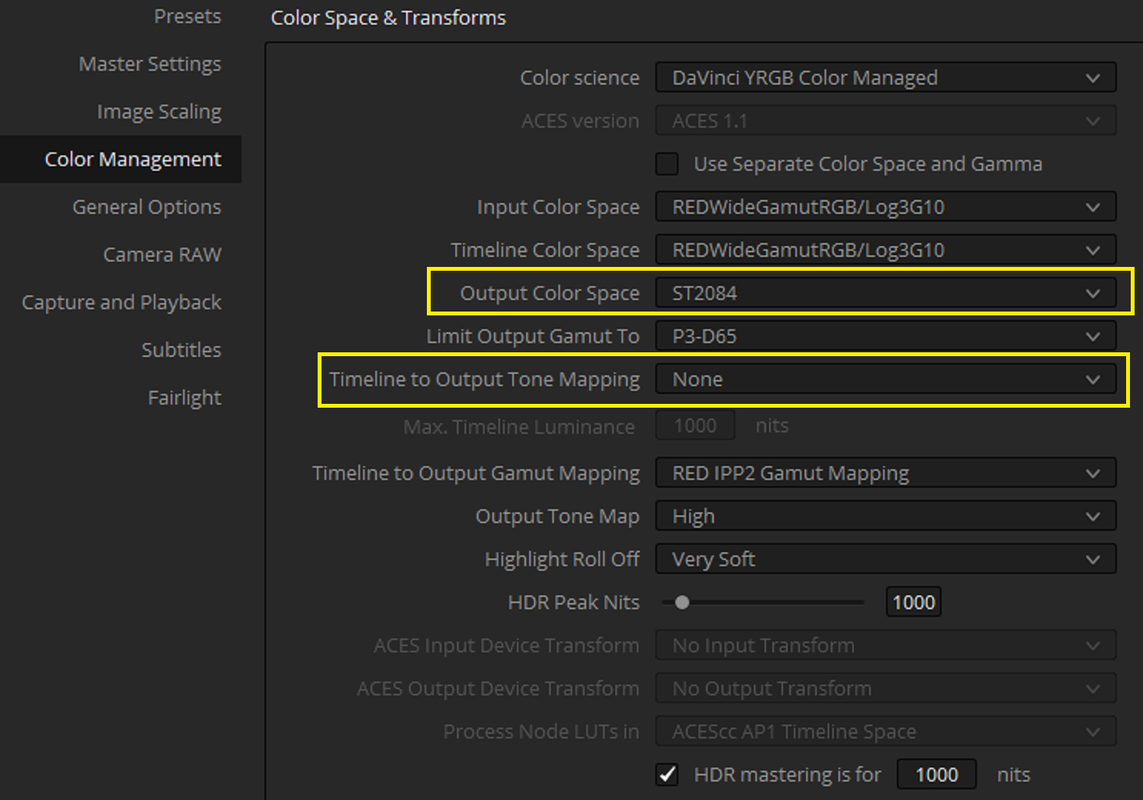
If I use Dado's HDR settings with "Output Color Space" of "ST.2084 1000nits" I get RED Mathematical IPP2 Gamut Mapping and I get the image below.
Screenshot-69.png


Or this with the same resulting image
Screenshot-75.png


st-2084-1-1-2.jpg


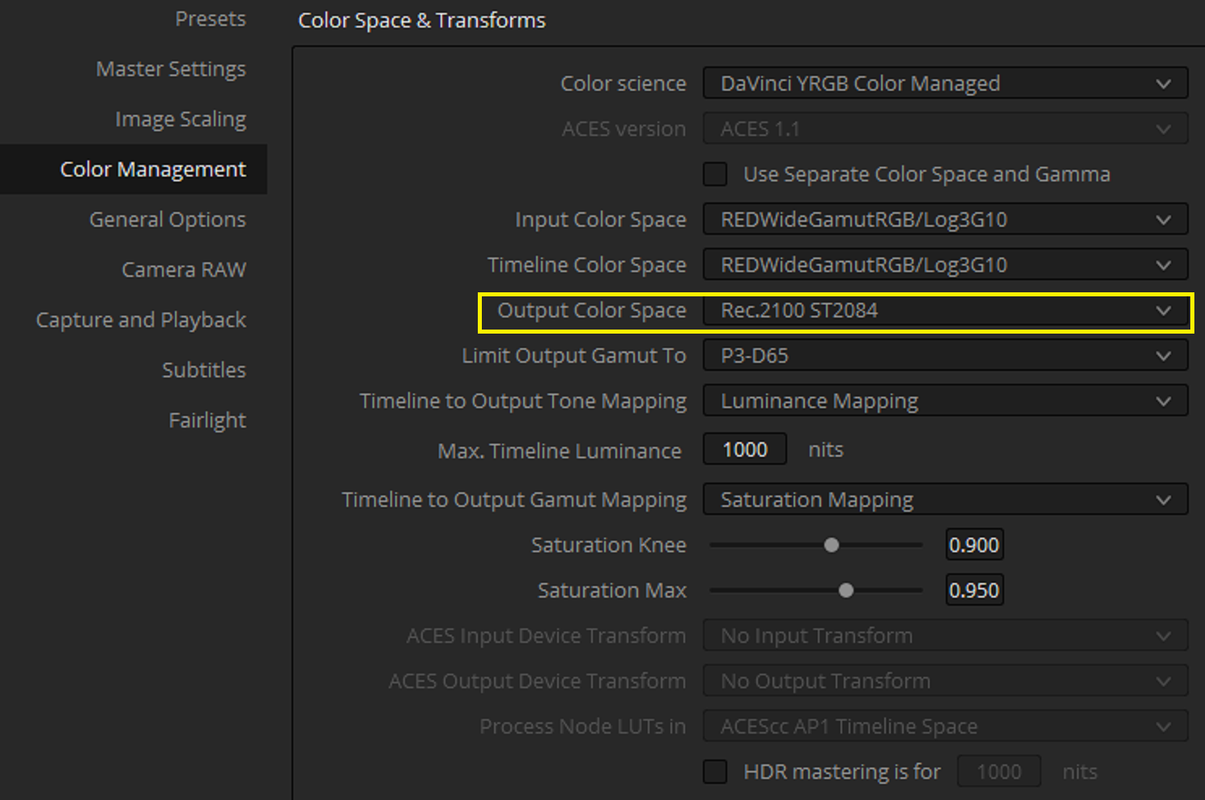
If I use Dado's HDR settings with "Output Color Space" of "REC2100 ST2084" I don't get RED Mathematical IPP2 Gamut Mapping and I get this image below.

Screenshot-71.png


rec2100-1-1-3.jpg


Maybe use this as the metadata

Screenshot-72.png
 
Last edited:
I took a deep dive into Dolby Vision tools and it seems like the best option for grading for both SDR and HDR based on their tone mapping system. However, after watching the tutorials Jake provided I seem to hit a wall even if I followed their setup and I don't know why.
The Dolby Vision tone mapping analysis never gives me access to their tools after the analysis is done. So I can't manage the Dolby Vision metadata for a SDR output.

At the same time, tone mapping to 100 nits rec709 gives me some wild off the charts images.

 
Christoffer,

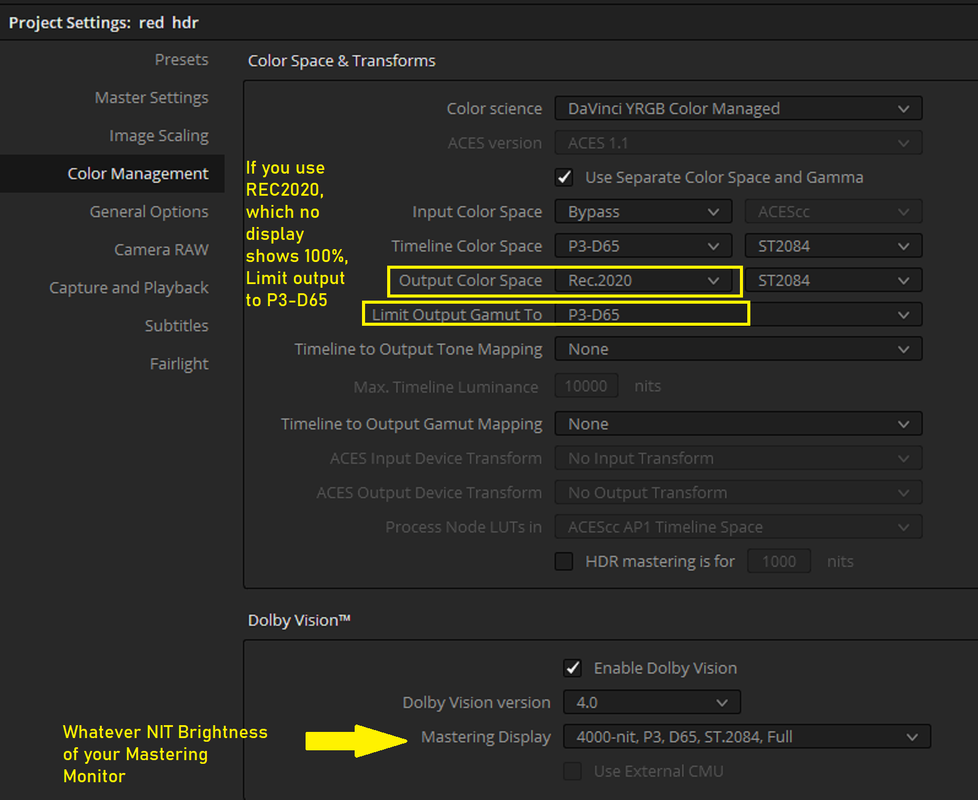
Have you tried setting "limit output gamut to" P3-D65 to see if that make a difference?
 
I took a deep dive into Dolby Vision tools and it seems like the best option for grading for both SDR and HDR based on their tone mapping system. However, after watching the tutorials Jake provided I seem to hit a wall even if I followed their setup and I don't know why.
The Dolby Vision tone mapping analysis never gives me access to their tools after the analysis is done. So I can't manage the Dolby Vision metadata for a SDR output.

At the same time, tone mapping to 100 nits rec709 gives me some wild off the charts images.


I suspect you are trying to send REC 709 data to a screen that's expecting REC 2020 ST2084 PQ. I don't know whether the images are from Resolve's UI viewer or from your Samsung display, but either way, you have to know what your screen thinks its trying to display to know whether your image or your signal is screwing you up. On a proper monitor, there's a button you can push that will tell you your video format, data levels, color space, gamma curve, etc. But I will bet that Resolve is listening to your output color space parameters, and that's tripping up the DV bit that's trying to stuff REC 709 output into a REC 2020 color space.
 
I suspect you are trying to send REC 709 data to a screen that's expecting REC 2020 ST2084 PQ. I don't know whether the images are from Resolve's UI viewer or from your Samsung display, but either way, you have to know what your screen thinks its trying to display to know whether your image or your signal is screwing you up. On a proper monitor, there's a button you can push that will tell you your video format, data levels, color space, gamma curve, etc. But I will bet that Resolve is listening to your output color space parameters, and that's tripping up the DV bit that's trying to stuff REC 709 output into a REC 2020 color space.

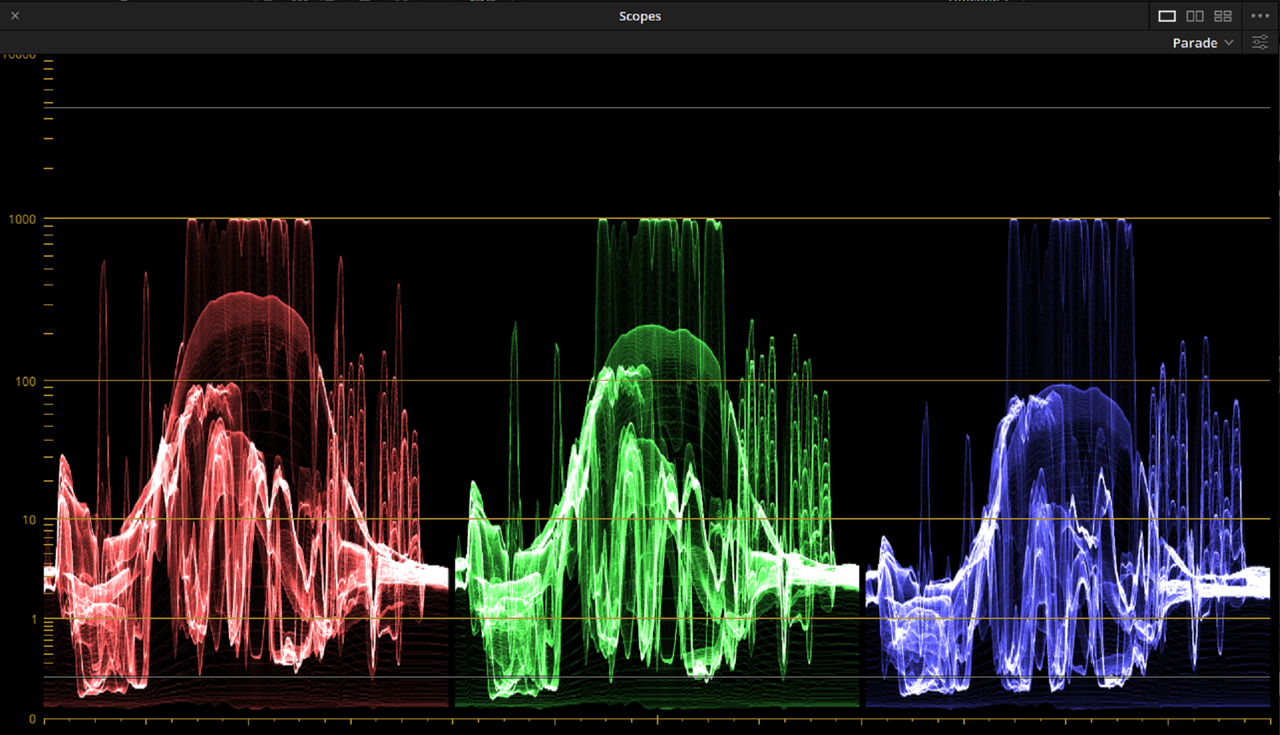
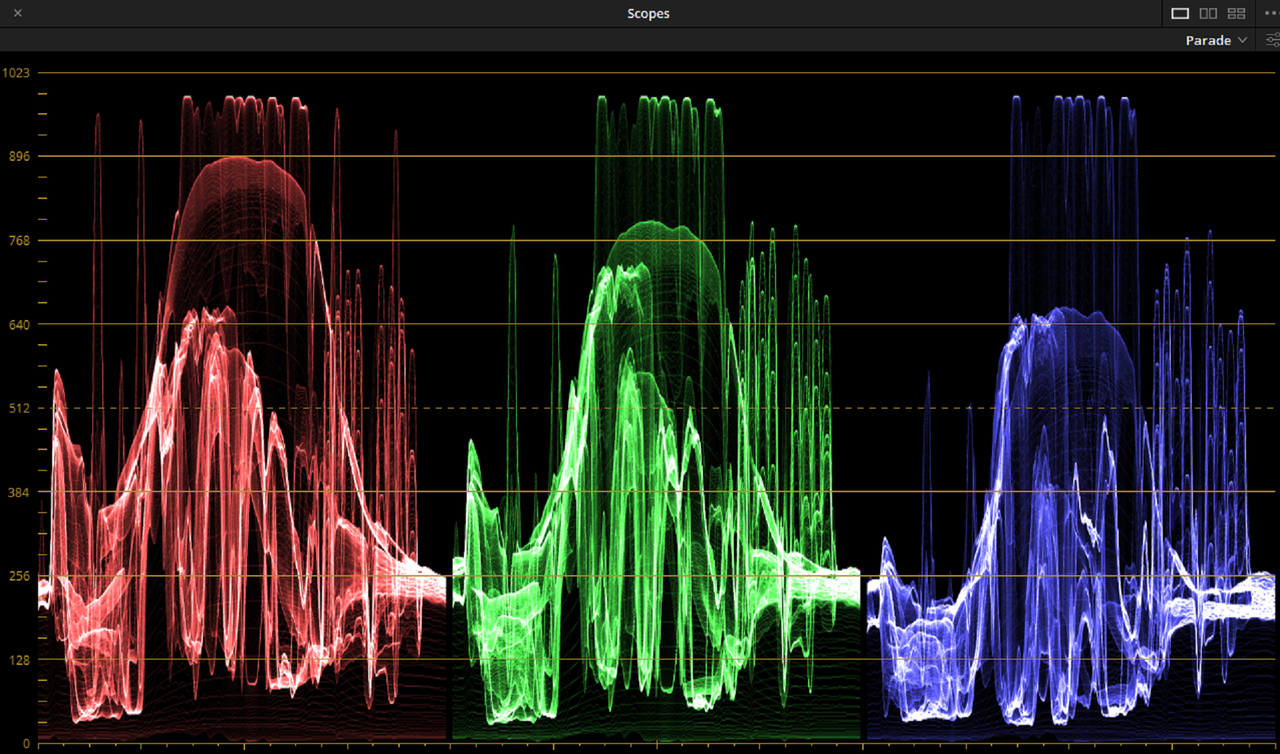
Those are from within Resolve. But it doesn't matter because the limiting action of the tone mapping should show up on the scopes by going under 100 nits. Right now it does this:


Changing to any other tone mapping, 600 nits, 1000 nits etc. shows correctly both in the viewer and scopes.

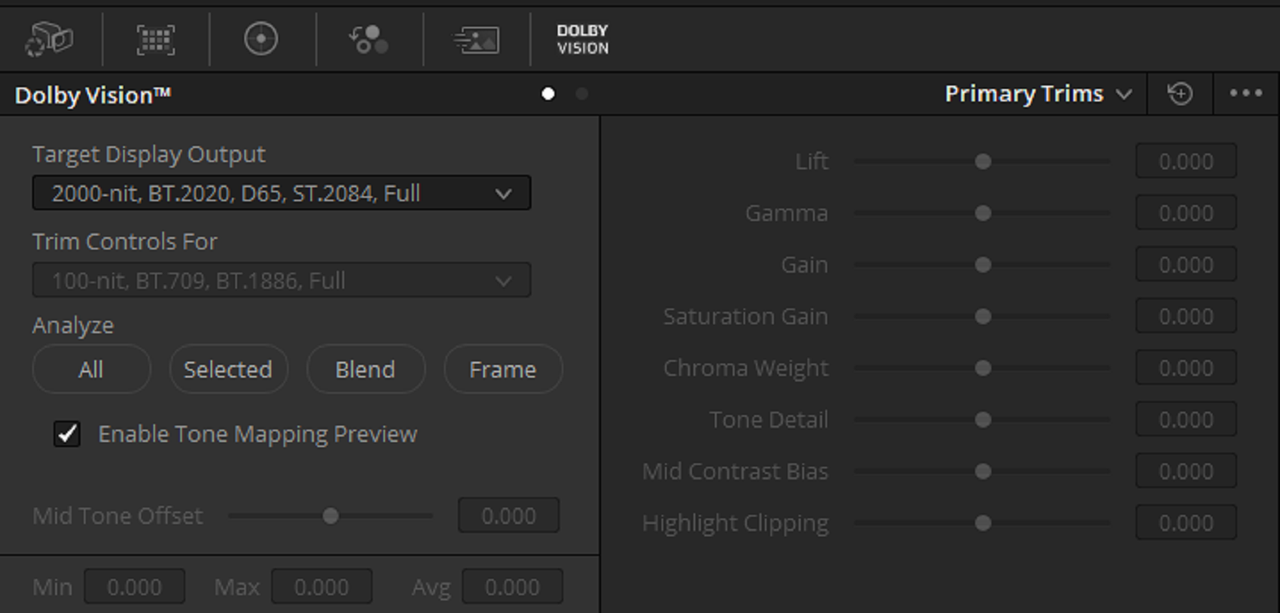
On top of that I can't change any settings after analyzing a shot. It should not be greyed out like that. The whole point is to match the tone mapped with the original grade, but I can't do that.

And the 100 nits bad looking image looks like how the output render in H265 looks like even if I don't use Dolby Vision for grading.
 
I tried these. I believe you have to get a license to access that info in Dolby vision, I may be wrong.


Screenshot-78.png


new-1-1-5.jpg


Had "Video Level Scopes" on earlier

Screenshot-83.png
 
Last edited:
SDR settings I'm trying


Screenshot-77.png


sdr-1-1-4.jpg


Had "Video Level Scopes" on earlier

Screenshot-84.png
 
Last edited:
There's an option for Dolby Vision in the settings, but are you saying that it's recommended to go full Dolby Vision and then convert to HDR10?.

When did I say that?
I was only talking about DolbyVision. When multiple deliverables are required by the networks, it makes sense to do a single HDR grade and then derive the rest from that single grade. HDR10+, if needed, can be derived from DolbyVision grade. But if you only delivering HDR10 or HDR10+ with Rec-709 derived from HDR10+, then there is no need for a DolbyVision grade and DolbyVision license.
 
Check out the replay of these seminars.

https://www.gotostage.com/channel/dolby-vision-creation


Dolby vision options.
The first option is free – and requires no license from Dolby if you have a Color Corrector or Mastering System that supports our latest SDK, (we call that version 4.0). For example, Resolve 15 or 16 can create the basic Level 1 dynamic (shot by shot) metadata without a license from Dolby. This is a great option for simply packaging existing HDR10 deliverables to deliver in Dolby Vision and Mastering houses who only need to create the basic metadata and or package or edit (copy/paste) metadata, not make creative decisions (i.e. modify the mapping with trims – see option 2). Full Master and Mezzanine playback of a Dolby Vision deliverable is also fully supported without an additional license from Dolby. Consult with your tool manufacturer on their feature support.


The second option requires an annual license from Dolby. The license gives you the ability to enable the Dolby Vision artistic trim controls on top of the Level 1 metadata (for either 2.9 or 4.0 versions). These trims allow the colorist to dynamically adjust the mapping for HDR and SDR targets and is most commonly used on a dramatic/episodic/features headed for Netflix, Disney, WB, Paramount, etc… The annual fee is $ 2,500 (recently lowered from $ 5k per year). We can also do a 6 month version for $ 1,250

There is also a third option...

There is a lot to unpack there. The main being, that they are saying, that DolbyVision master can be delivered without the DolbyVision license. This is true in THEORY, but in practice ALL networks require a proper REC-709 tone mapping, that must be reflected in the companion XML. Dolby instructor at the day long DolbyVision seminar, which is included with the annual license purchase, specifically mentioned this in the course. He mentioned, that in order to pass DolbyVision QC requirements, in the past some users were introducing a small, but visually imperceptible to the eye tone mapping trims in order to satisfy the network requirement for dynamic trims. Unfortunately for those users, networks got wise to that trick and now easily can identify it and kick it back. And that is taking into an account, that you already have a DolbyVision license. If you don't have it, then you can't even pass the first hurdle. Also, because of the ever popular LG OLED screens, which operate at 600 nits brightness, majority of clients require a second HDR PQ trim for 600 nits in addition to 100 nits for REC-709. The bottom line, if you need to deliver a DolbyVision master to a network, you will absolutely need to get a DolbyVision license, there is no way around that.
 
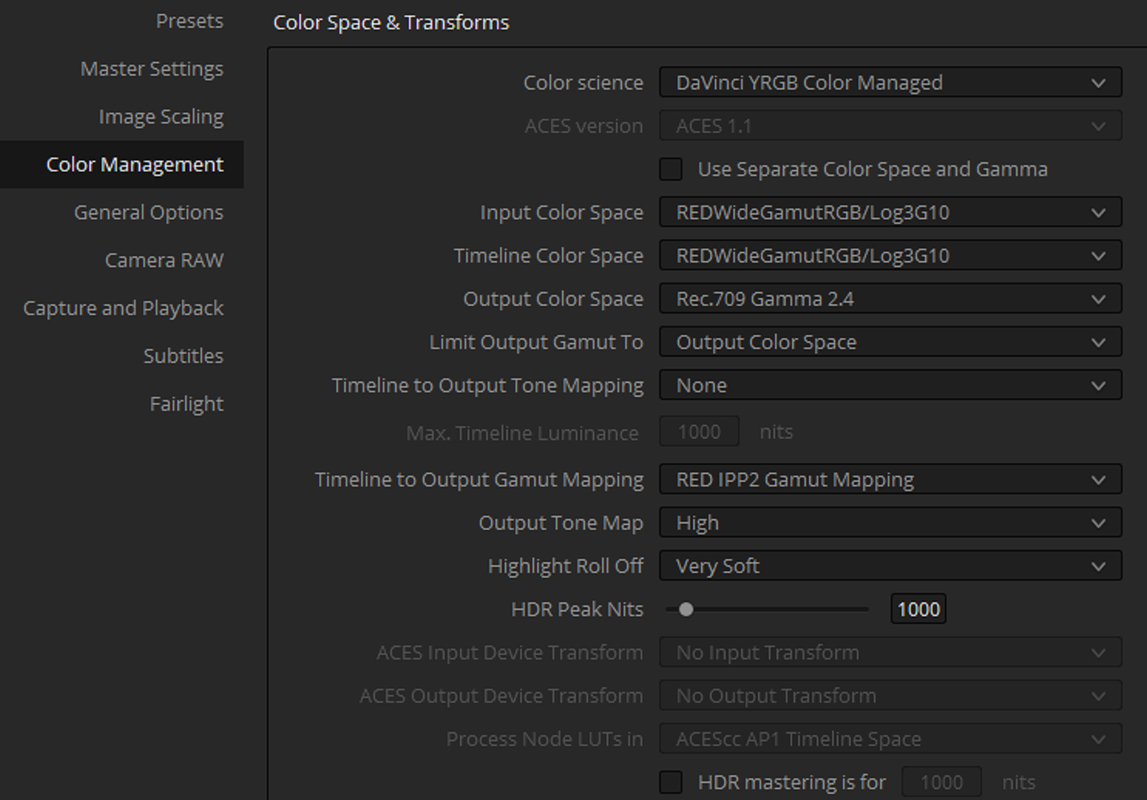
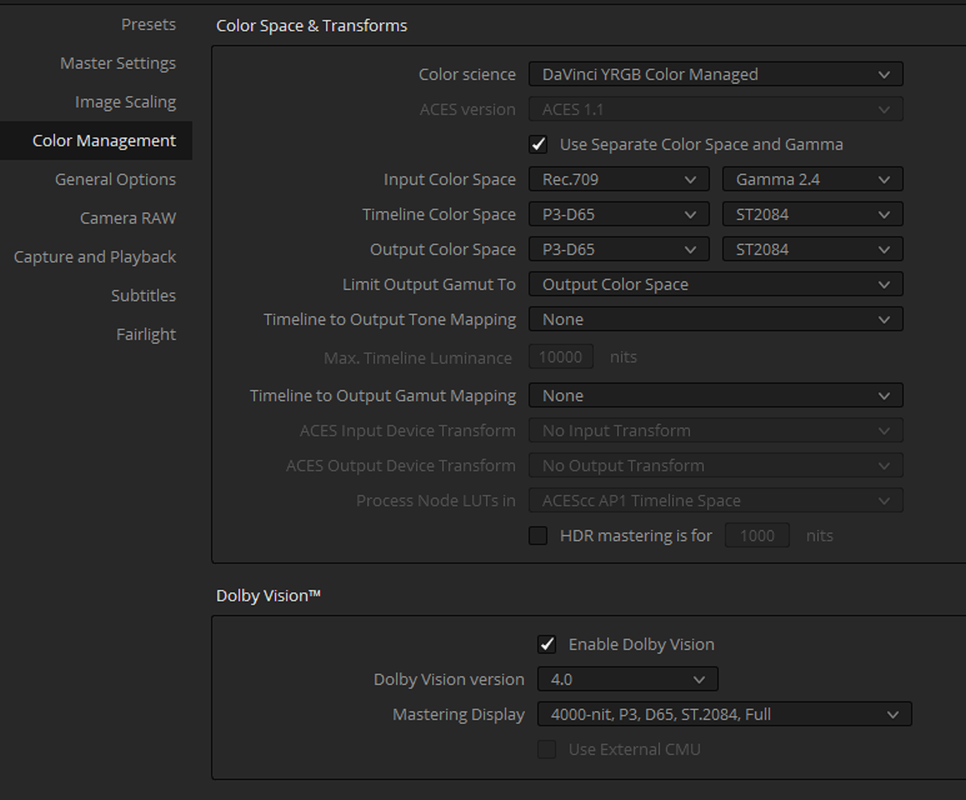
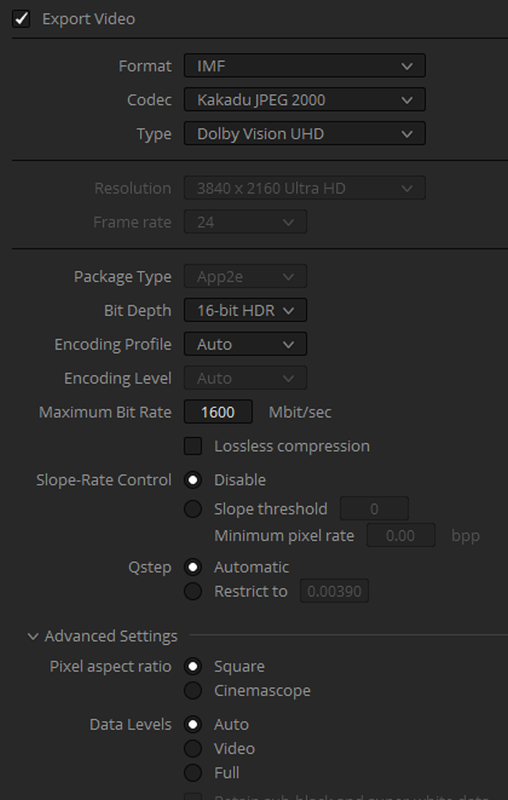
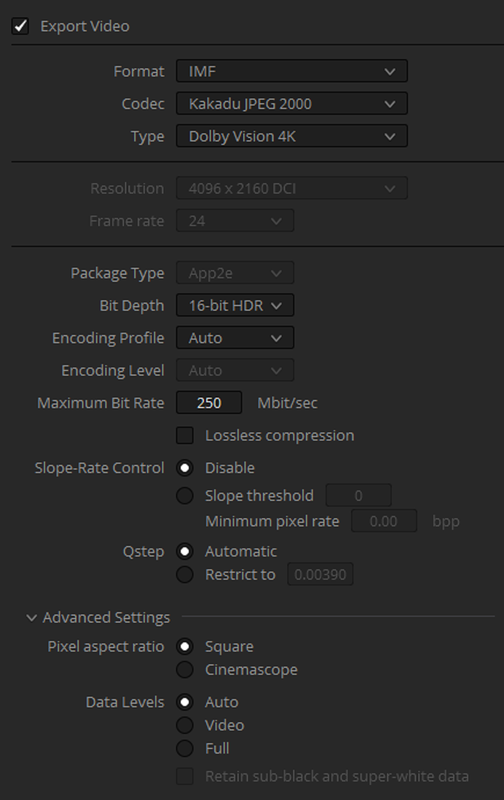
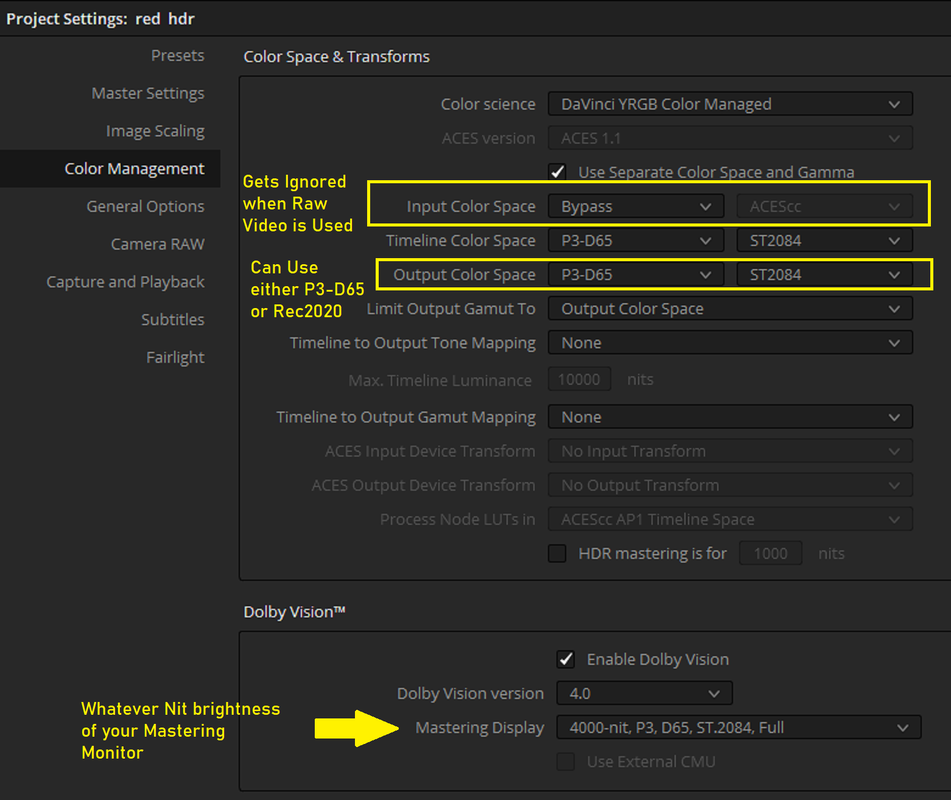
So According to these guys in Part 2, this is the Color Management Setup

Screenshot-116.png


I guess that the areas in GREY are because I couldn't generate the METADATA to enable them and change the settings. Or, because changing those settings require a PAID license.


Screenshot-118.png


You can also change it to DCI4K

Screenshot-121.png
 
Last edited:
What I can confirm is that Resolve has massive problems of exporting H265 with proper HDR working. So I can't use HDR for things going to YouTube and playback in the TV directly also doesn't work.
However, when I export a DNxHR 444 it will play correctly.

So, why doesn't H265 exports work properly?

There is a lot to unpack there. The main being, that they are saying, that DolbyVision master can be delivered without the DolbyVision license. This is true in THEORY, but in practice ALL networks require a proper REC-709 tone mapping, that must be reflected in the companion XML. Dolby instructor at the day long DolbyVision seminar, which is included with the annual license purchase, specifically mentioned this in the course. He mentioned, that in order to pass DolbyVision QC requirements, in the past some users were introducing a small, but visually imperceptible to the eye tone mapping trims in order to satisfy the network requirement for dynamic trims. Unfortunately for those users, networks got wise to that trick and now easily can identify it and kick it back. And that is taking into an account, that you already have a DolbyVision license. If you don't have it, then you can't even pass the first hurdle. Also, because of the ever popular LG OLED screens, which operate at 600 nits brightness, majority of clients require a second HDR PQ trim for 600 nits in addition to 100 nits for REC-709. The bottom line, if you need to deliver a DolbyVision master to a network, you will absolutely need to get a DolbyVision license, there is no way around that.

This is what I figured. So, technically, since I can't access the adjustments for tone mapping, I have to essentially do it manually with output nodes in the grade on each shot? Not saying that it will grant me a Dolby Vision stamp, but that Dolby Vision even in its free form feels much easier to handle than focusing on some other HDR standard. Basically working at the highest standard seem to help to trickle down to the others more smoothly even without the licensed dedicated tone map tools.
 
What I can confirm is that Resolve has massive problems of exporting H265 with proper HDR working. So I can't use HDR for things going to YouTube and playback in the TV directly also doesn't work.

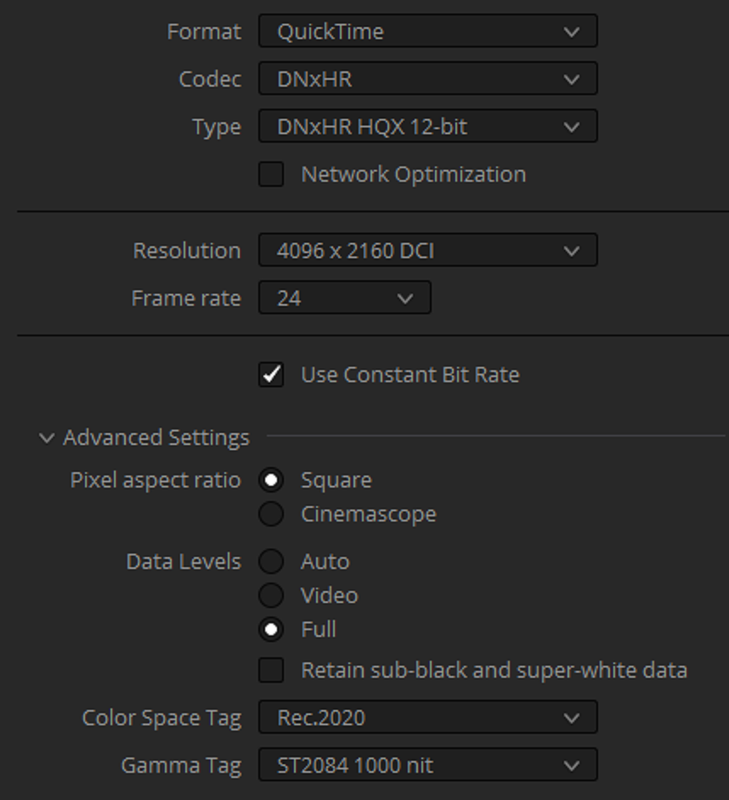
I'd recommend checking your export settings to ensure either through H.265 or MOV wrapped H.265 you are exporting the correct metadata.

I can confirm H.265 HDR works in TVs, YouTube, and abroad.
 
I'd recommend checking your export settings to ensure either through H.265 or MOV wrapped H.265 you are exporting the correct metadata.

I can confirm H.265 HDR works in TVs, YouTube, and abroad.

I as well. However, when you confront Resolve with a request to change container type in H.265 if will unhelpfully change you to H.264, which will unhelpfully change Main10 to Main. When you fix what Resolve broke by changing H.264 back to H.265, you might have missed that you also need to revert Main back to Main10. Which is why, once you ever in your life actually get the render output parameters correct in Resolve, you should save them to a well-named preset and only use the preset for rendering henceforth. Fiddling with parameters doesn't "just work" in Resolve, unless you commit to always checking every single parameter before adding to the render queue (including ones you didn't think you changed).

I'm sure that Resolve 17 will be wonderful whenever it is released, and I can only hope that they fix its strong tendencies to militate against HDR workflows in both subtle and unsubtle ways.
 
What I can confirm is that Resolve has massive problems of exporting H265 with proper HDR working. So I can't use HDR for things going to YouTube and playback in the TV directly also doesn't work.
However, when I export a DNxHR 444 it will play correctly.

So, why doesn't H265 exports work properly?


This is what I figured. So, technically, since I can't access the adjustments for tone mapping, I have to essentially do it manually with output nodes in the grade on each shot? Not saying that it will grant me a Dolby Vision stamp, but that Dolby Vision even in its free form feels much easier to handle than focusing on some other HDR standard. Basically working at the highest standard seem to help to trickle down to the others more smoothly even without the licensed dedicated tone map tools.

It does work, both playback to TV with dolby vision via HDMI and render outputs. My guys here been doing it for quite some time. The LG TV picks up the dolby vision tag if it's set up right and confirms and shows the dolby vision HDMI signal.
 
I'd recommend checking your export settings to ensure either through H.265 or MOV wrapped H.265 you are exporting the correct metadata.

I can confirm H.265 HDR works in TVs, YouTube, and abroad.

I've checked almost every single thing in the export tab. So I'm not sure what else I can change. If the workflow color science and gamma tags on the output match the grade and the same settings used in any other mastering format like DNxHR 444, then it should be the same on H265 exports. Right now, if I hit the 100 nits tone mapping in the Dolby Vision settings it looks awful (linked to images earlier of this) and exactly like the H265 exports.

I as well. However, when you confront Resolve with a request to change container type in H.265 if will unhelpfully change you to H.264, which will unhelpfully change Main10 to Main. When you fix what Resolve broke by changing H.264 back to H.265, you might have missed that you also need to revert Main back to Main10. Which is why, once you ever in your life actually get the render output parameters correct in Resolve, you should save them to a well-named preset and only use the preset for rendering henceforth. Fiddling with parameters doesn't "just work" in Resolve, unless you commit to always checking every single parameter before adding to the render queue (including ones you didn't think you changed).

I'm sure that Resolve 17 will be wonderful whenever it is released, and I can only hope that they fix its strong tendencies to militate against HDR workflows in both subtle and unsubtle ways.

Yea, I created a preset with the correct basic settings, but I always double-check everything for every test export.

Unfortunately, I'm at a loss as to why it behaves the way it does.


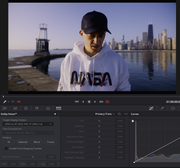
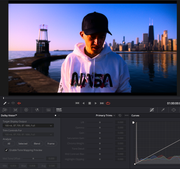
Here are two screens where I choose tone mapping at 100 nits and 2000 nits. Look at the scopes. The tone mapping should not expand, nothing else in the tone mapping settings expands anything, they put the grade under each listed nits limit, 600, 1000 etc. But 100 nits looks like that and the H265 export, even with HDR settings correctly applied in the export panel, looks the same.
 

Attachments

  • 2000nits.jpg
    2000nits.jpg
    91.6 KB · Views: 0
  • 100nits.jpg
    100nits.jpg
    93.9 KB · Views: 0
Christoffer,

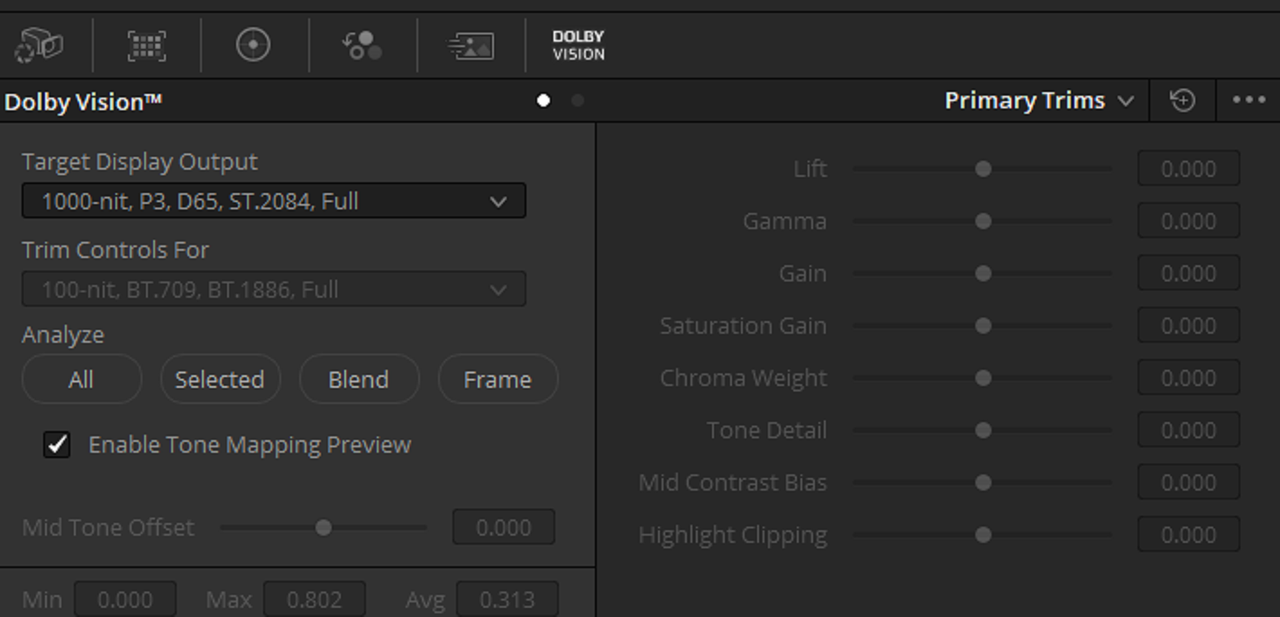
From what I understand from the DOLBY VISION Videos, You set the "Target" for the Nit Brightness of the HDR display the video will be viewed on. Next when you run an "AUTO" "ALL" Analysis, the L1 metadata will automatically include a 100Nit SDR Trim. To gain access for additional trim capabilities, you would need a License for L2 metadata. And although this will be for REC2020, you might want to limit the OUTPUT to D65.

Screenshot-181.png
 
Last edited:
Christoffer,

From what I understand from the DOLBY VISION Videos, You set the "Target" for the Nit Brightness of the HDR display the video will be viewed on. Next when you run an "AUTO" "ALL" Analysis, the L1 metadata will automatically include a 100Nit SDR Trim. To gain access for additional trim capabilities, you would need a License for L2 metadata. And although this will be for REC2020, you might want to limit the OUTPUT to D65.

Yes, but the problem is that even without the license, the basic tone mapping should work and when putting it to 100 nits, it should not react like in the images I showed. All other tone mappings work as they should, but 100 nits (rec709) just expands everything in the scopes to oblivion and the footage looks totally wrong. This is the same result as I get when trying to export a H265 with proper HDR export settings. So either I have some settings wrong or there's a serious bug in version 16.2 or whatever the latest update is.
 
Christoffer,


What projects settings did you decide to go with?


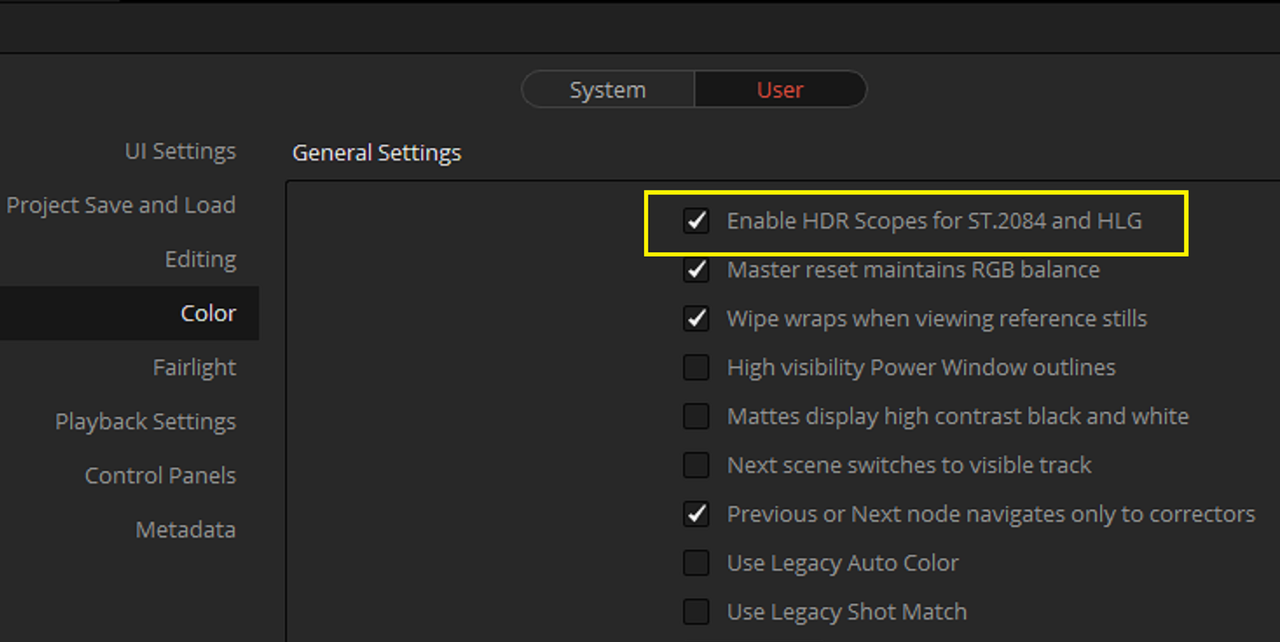
And do you have this enabled in "Preferences" for accurate scope readings.

Screenshot-57.png


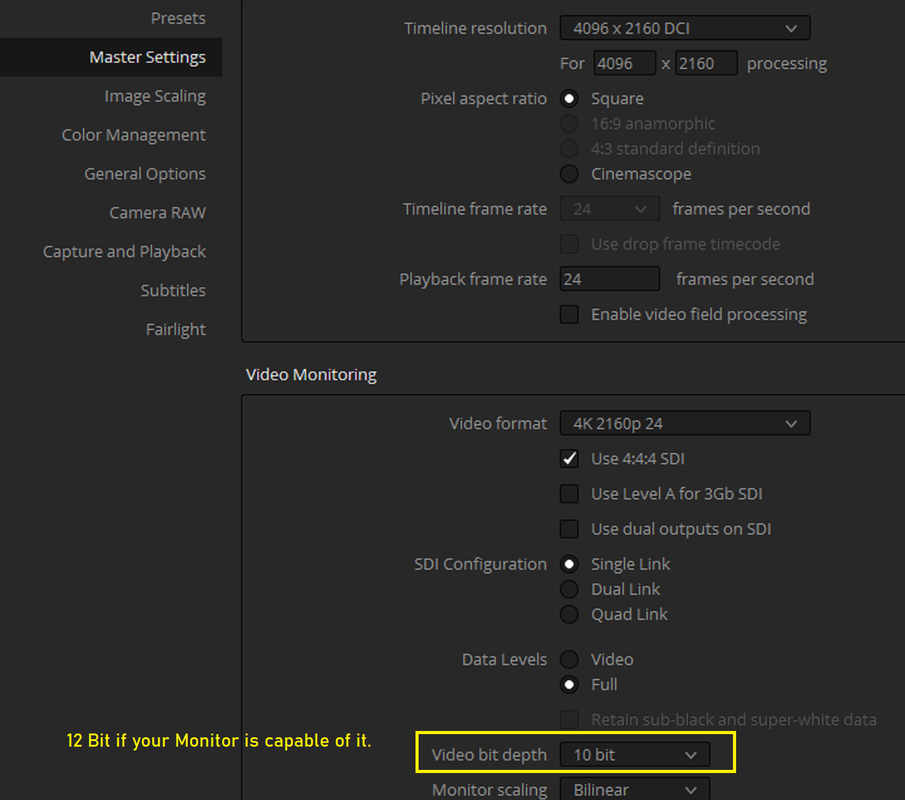
Also these were the Project settings the DOLBY VISION Videos suggested.

Screenshot-186.png


Screenshot-187.png


Screenshot-197.png


Screenshot-195.png
 
Last edited:
Back
Top