Welcome to our community

Be a part of something great, join today!

  • Hey all, just changed over the backend after 15 years I figured time to give it a bit of an update, its probably gonna be a bit weird for most of you and i am sure there is a few bugs to work out but it should kinda work the same as before... hopefully :)

Proper HDR workflow

Christoffer Glans

Well-known member
Joined
Jun 11, 2007
Messages
4,993
Reaction score
36
Points
48
Age
41
Location
Stockholm, Sweden
So I've never been forced to do a HDR grade, so never truly dipped my toes into it. But there will be a time where I need to do it so I've started looking into the entire process. So far, it's gone to hell.
I've watched a few Red HDR workflow clips on how to set things up, but it still doesn't work. Right now, I'm working with a Samsung Q9FN which has around 2000 nits 4K.

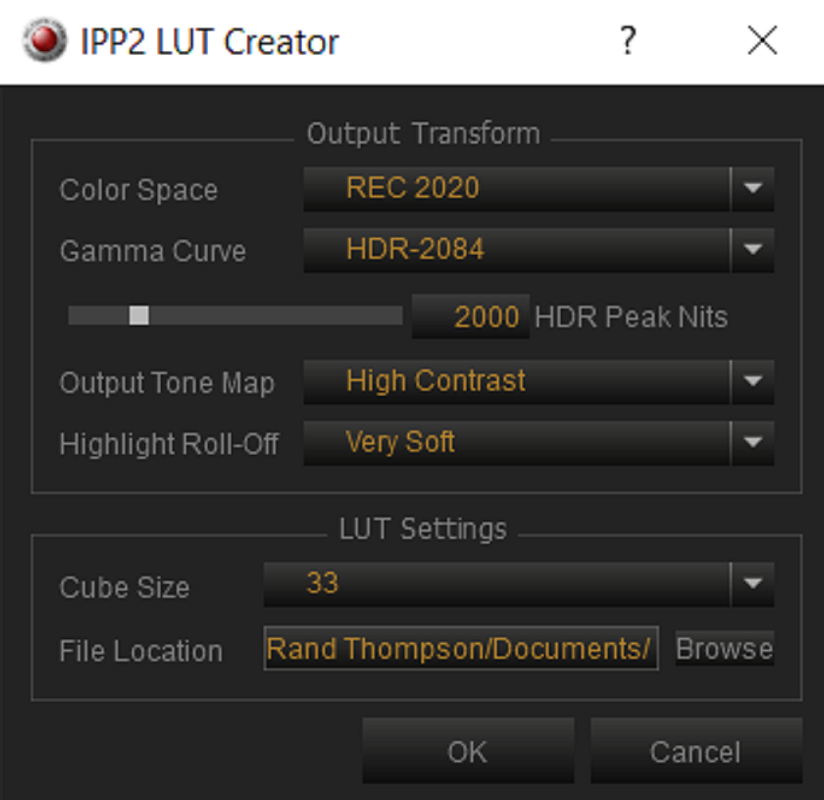
But the output doesn't look at all like within Resolve and I can't seem to get the settings correct. I'm doing a RWG/LOG3G10 workflow with the output LUTs from Red set to a high contrast very soft rolloff 2020 LUT. The idea here is to be able to grade something for rec709 and then switch out the output LUT for a 2020 LUT and have a proper HDR conversion of the same grade. But even if I only grade directly for HDR, nothing comes out correctly.
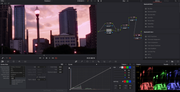
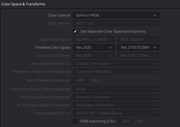
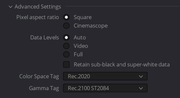
 
What is your signal flow from Resolve to the Samsung? I have no trouble at all using RED RAW -> Resolve -> Decklink 8K -> SDI -> FSI XM310K.
 
What is your signal flow from Resolve to the Samsung? I have no trouble at all using RED RAW -> Resolve -> Decklink 8K -> SDI -> FSI XM310K.

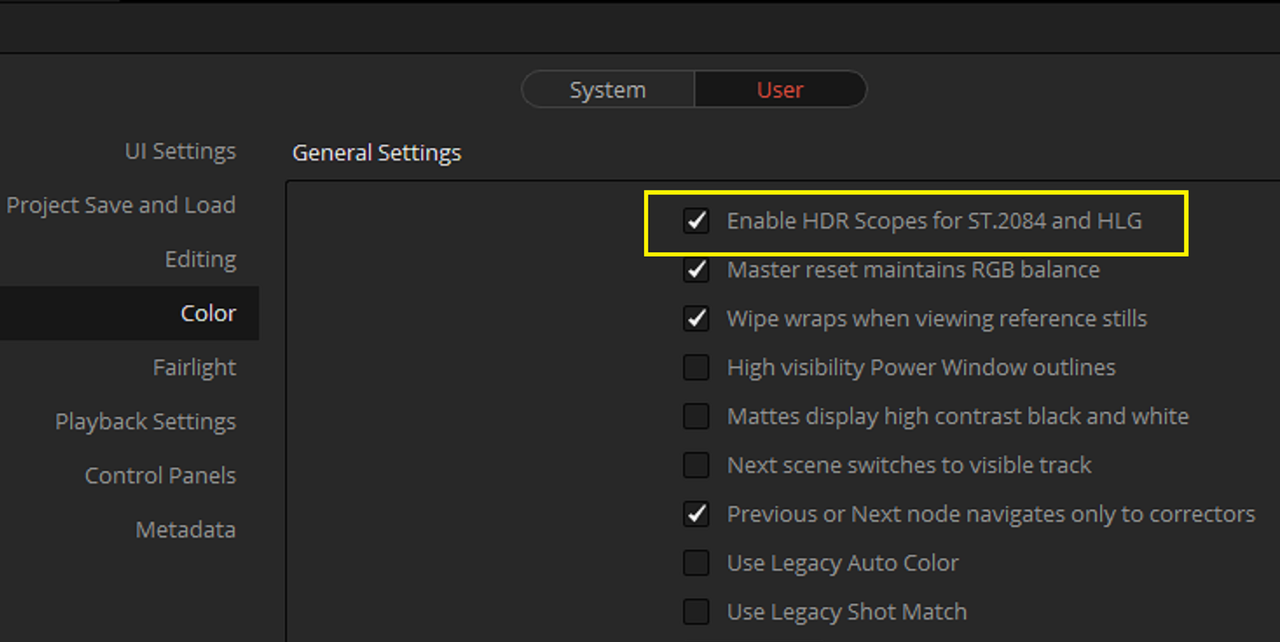
At the moment I don't have an output card for HDR, just my old DeckLink 3D. I was thinking it has something to do with this, but shouldn't HDR workflow work within Resolve anyway? If we look at the settings and scopes its all within range and it only looks like this when I check the rendered files, even in dedicated SSD play on the TV itself.

Everything looks ok when working in Resolve and the Samsung is used as the working monitor, with HDR enabled.
 
Christoffer,


I'm in the same boat as you and I am still learning the HDR process as well.


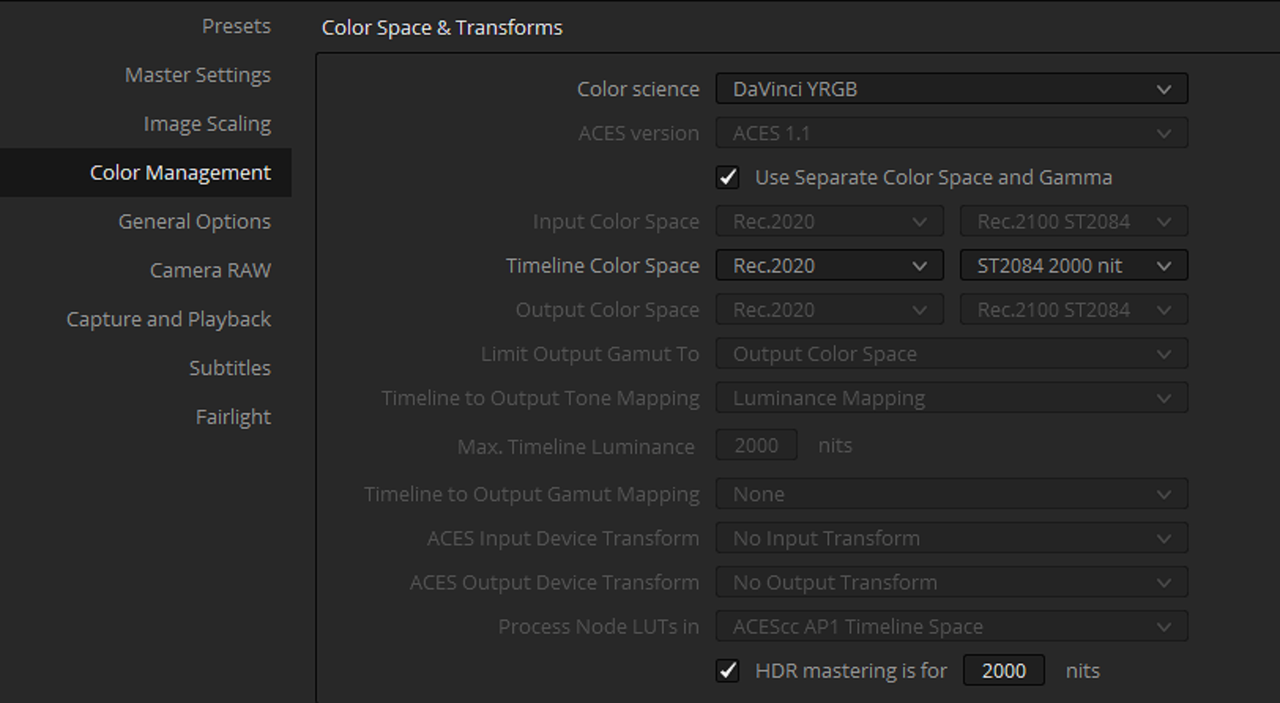
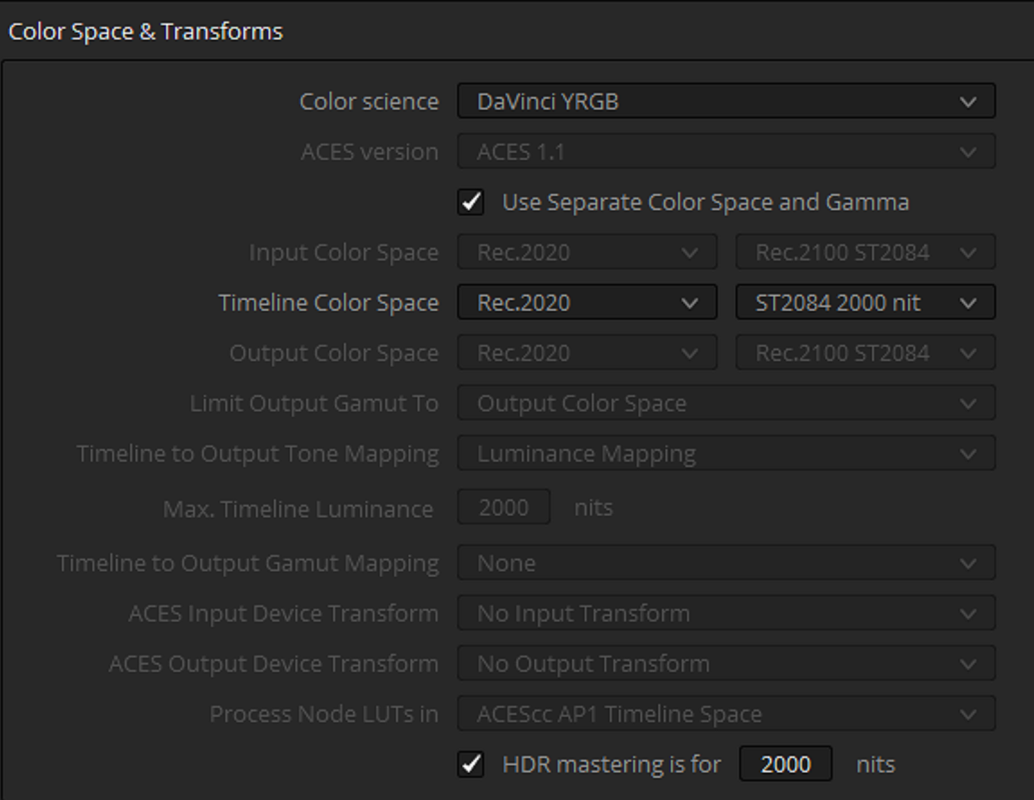
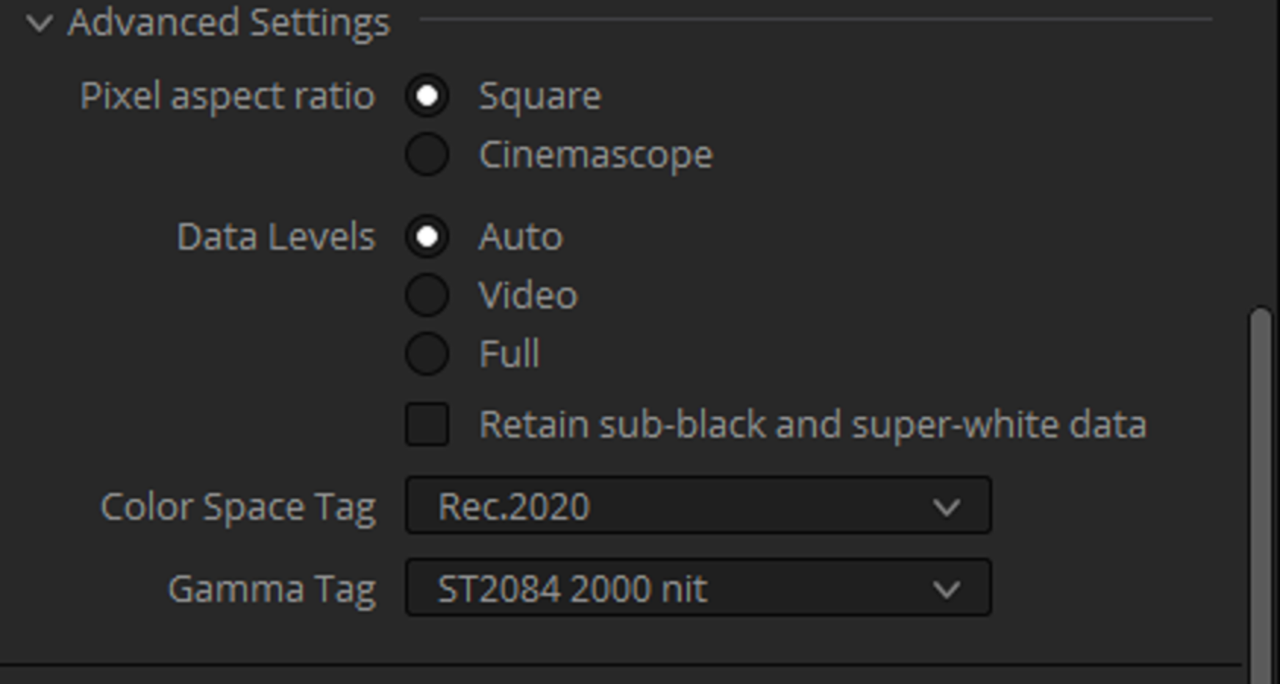
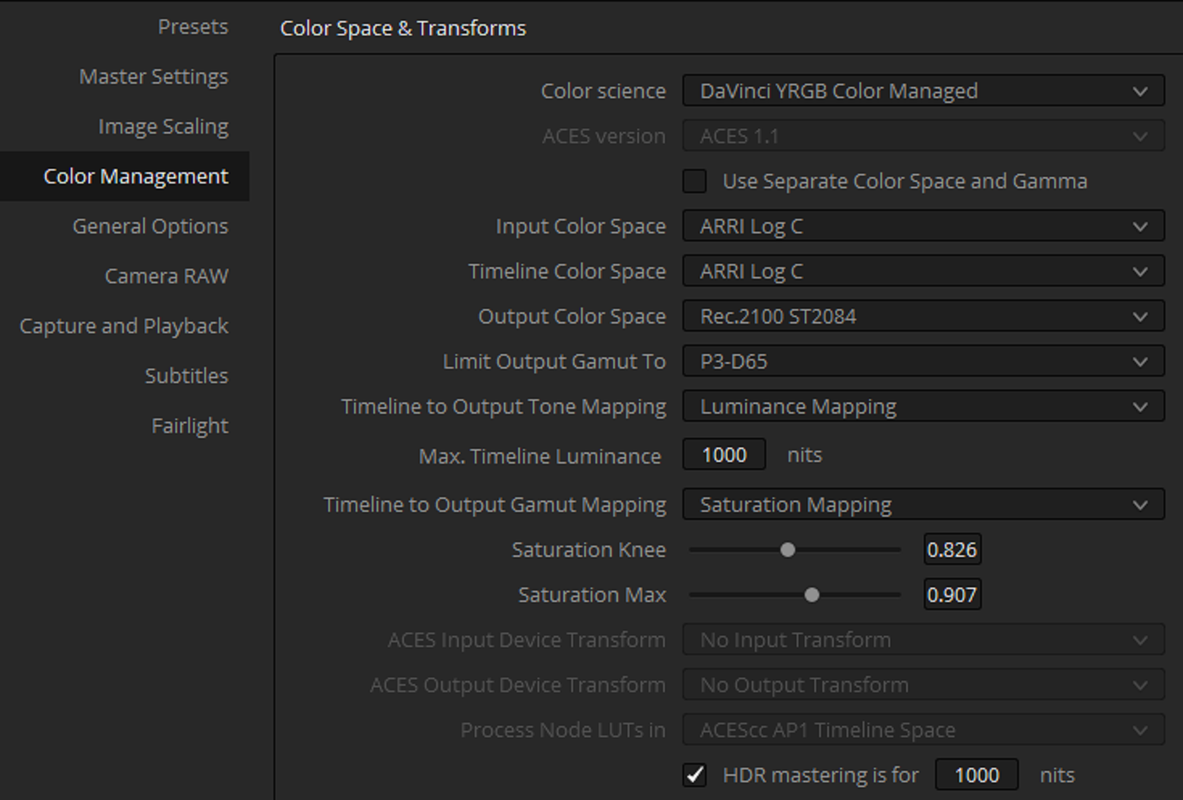
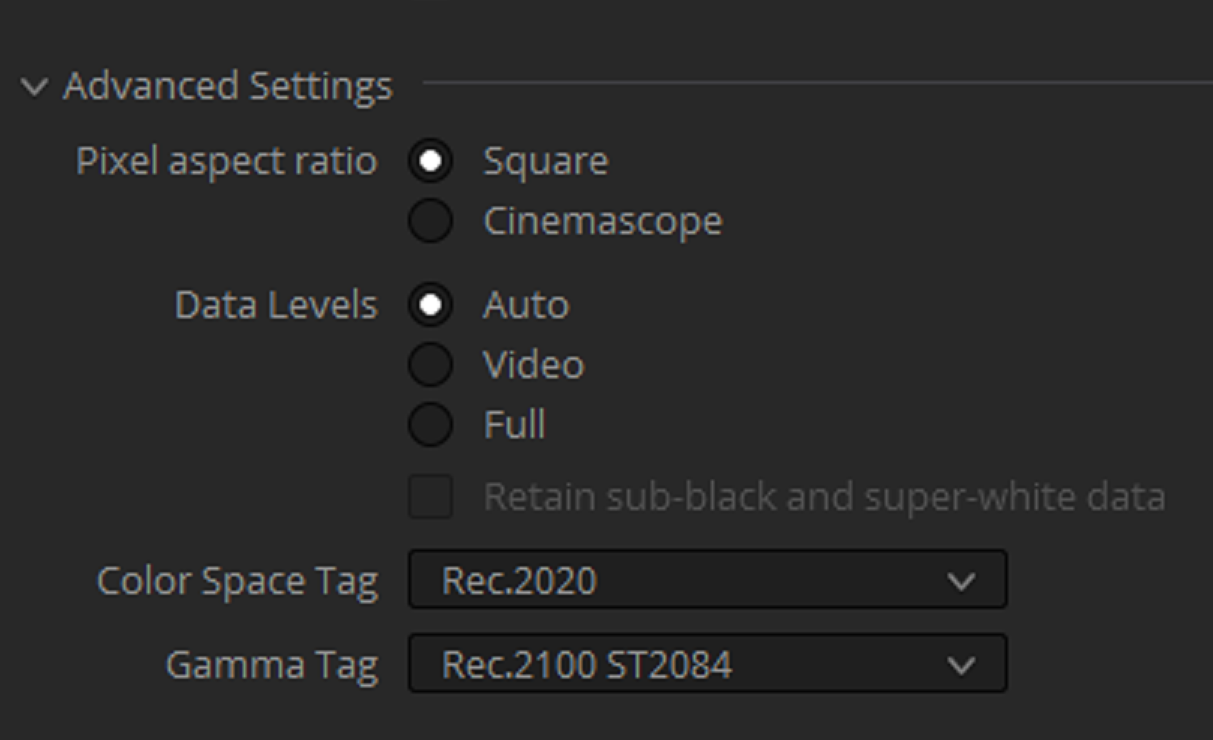
Try these settings, in "Theory" this is what I would try. Maybe someone like Phil who has knowledge of Dolby Vision will chime in.

Edit:

Also, what percentage of the 2020 Color Gamut is your monitor capable of rendering?


Screenshot-54.png


Screenshot-54-2.png


Screenshot-55.png


Screenshot-56.png


Screenshot-57.png
 
Last edited:
Are you rendering to H.265 with Main10 profile? H.264 will do everything in its power to screw you up, and, sadly, Davinci Resolve will do everything in its power to shift you from H.265 to H.264 whenever you switch between MP4 and QuickTime. Which is super-annoying.
 
At the moment I don't have an output card for HDR, just my old DeckLink 3D. I was thinking it has something to do with this, but shouldn't HDR workflow work within Resolve anyway? If we look at the settings and scopes its all within range and it only looks like this when I check the rendered files, even in dedicated SSD play on the TV itself.

Everything looks ok when working in Resolve and the Samsung is used as the working monitor, with HDR enabled.

Also, if you start a fresh project using your rendered output as the input, what does Resolve think it's looking at? Does it properly display as HDR-rendered video when played back on Resolve UI and on Samsung used as GUI playback monitor?
 
Steve,

Yeah, I've been waiting on a Tut from Dado as well. I've seen one from him involving Arri but nothing specifically with RWG/LOG3G10.
 
Start with this first:

https://professional.dolby.com/content-creation/dolby-vision-tutorial-series/

It helps if the information is coming from a company that actually invented it by someone who actually is a working colorist and had done DolbyVision work in the past.
It also wold help if one familiarized with the DolbyVision deliverables requirements.
Trying to figure the DolbyVision process without a firm understanding of the DolbyVision fundamentals simply will not work. Initially it is a frustrating process, but once it is done correctly, things will quickly start making sense ...
One more thing, for a PROPER delivery of DolbyVision compliant master, you will need a DolbyVision license. Technically you can deliver DolbyVision material without the DolbyVision license, but that will not be a true DolbyVision master. Many clients will require at least one tone mapped pass for Rec-709 and that is impossible without the DolbyVision license. I believe it's $2500, but I could be wrong on the exact number...
 
Start with this first:

https://professional.dolby.com/content-creation/dolby-vision-tutorial-series/

It helps if the information is coming from a company that actually invented it by someone who actually is a working colorist and had done DolbyVision work in the past.
It also wold help if one familiarized with the DolbyVision deliverables requirements.
Trying to figure the DolbyVision process without a firm understanding of the DolbyVision fundamentals simply will not work. Initially it is a frustrating process, but once it is done correctly, things will quickly start making sense ...
One more thing, for a PROPER delivery of DolbyVision compliant master, you will need a DolbyVision license. Technically you can deliver DolbyVision material without the DolbyVision license, but that will not be a true DolbyVision master. Many clients will require at least one tone mapped pass for Rec-709 and that is impossible without the DolbyVision license. I believe it's $2500, but I could be wrong on the exact number...


Yeah, I guess that would help, thanks for the link.
 
Jake,

I remember Dado Valentic did a Color Managed Workflow Live presentation for Davinci Resolve. These were His HDR suggested settings for Netflix with Arri Footage below. Didn't know how those would translate with Red's RWG/LOG3G10.


Screenshot-61.png


Screenshot-59.png
 
Last edited:
As I said, I'd look for an advice from an actual WORKING colorist who had done the work.
I mostly use Baselight, so I'm not really qualified to answer the question about Resolve settings without spending some extra time studying those closer.
Nevertheless, just quickly looking at the settings, DolbyVision is always performed using FULL data ranges, so AUTO is not the choice recommended by Dolby.
Also, the choice of timeline color space is questionable as well...
 
Here's the actual live training video I spoke about, from about 5 months ago. The settings above came from around the last half or last third of the video.


Check out the replay of these seminars.

https://www.gotostage.com/channel/dolby-vision-creation


Dolby vision options.
The first option is free – and requires no license from Dolby if you have a Color Corrector or Mastering System that supports our latest SDK, (we call that version 4.0). For example, Resolve 15 or 16 can create the basic Level 1 dynamic (shot by shot) metadata without a license from Dolby. This is a great option for simply packaging existing HDR10 deliverables to deliver in Dolby Vision and Mastering houses who only need to create the basic metadata and or package or edit (copy/paste) metadata, not make creative decisions (i.e. modify the mapping with trims – see option 2). Full Master and Mezzanine playback of a Dolby Vision deliverable is also fully supported without an additional license from Dolby. Consult with your tool manufacturer on their feature support.


The second option requires an annual license from Dolby. The license gives you the ability to enable the Dolby Vision artistic trim controls on top of the Level 1 metadata (for either 2.9 or 4.0 versions). These trims allow the colorist to dynamically adjust the mapping for HDR and SDR targets and is most commonly used on a dramatic/episodic/features headed for Netflix, Disney, WB, Paramount, etc… The annual fee is $ 2,500 (recently lowered from $ 5k per year). We can also do a 6 month version for $ 1,250

There is also a third option...
 
As I said, I'd look for an advice from an actual WORKING colorist who had done the work.
I mostly use Baselight, so I'm not really qualified to answer the question about Resolve settings without spending some extra time studying those closer.
Nevertheless, just quickly looking at the settings, DolbyVision is always performed using FULL data ranges, so AUTO is not the choice recommended by Dolby.
Also, the choice of timeline color space is questionable as well...

What if I'm only doing HDR10 work? Or HLG? There's an option for Dolby Vision in the settings, but are you saying that it's recommended to go full Dolby Vision and then convert to HDR10? Without a Dolby Vision capable screen, I think it would be problematic to try going down that route. The Samsung I use right now is I believe only capable of HDR10 HDR+ and HLG.
 
Jake,

I remember Dado Valentic did a Color Managed Workflow Live presentation for Davinci Resolve. These were His HDR suggested settings for Netflix with Arri Footage below. Didn't know how those would translate with Red's RWG/LOG3G10.

Doesn't look right either. Especially when I'm trying to apply an IPP2 conversion LUT as the output. The whole idea is to be able to grade and just switch out the output LUT in order to deliver both rec709 and rec2020 without much adjustments to the grade.
 
Christoffer,

That's my thing as well. The RWG/LOG3G10 workflow has to have an IPP2 Transform Applied somewhere in the chain. Arri Log-C works differently. My logic and the reason I suggested the workflow I Initially did was because the RWG/LOG3G10 colorspace doesn't currently offer a Transform Gamma for Rec2100 ST2084 only ST.2084, is that the same Gamma I don't know. Will using Rec2100 ST2084 properly Transform the RWG/LOG3G10 image, again I don't know.

I wish we had some Official workflow for HDR with RWG/LOG3G10 in Resolve , preferably from Red. I see so many HDR threads start and then fizzle out and they keep coming back over and over again.
 
Doesn't look right either. Especially when I'm trying to apply an IPP2 conversion LUT as the output. The whole idea is to be able to grade and just switch out the output LUT in order to deliver both rec709 and rec2020 without much adjustments to the grade.

If you've read the Mystery Box blogs or the Dolby Vision papers, you'll know that the idea of "grade once, deliver anywhere" is not really a thing. I'm not a Baselight expert, but from what I've read, they have done the best job of "grade once, master for each delivery platform, then deliver everywhere". But from what I understand, you still don't have "grade for HDR, deliver to HDR" working in any way shape or fashion, and so the first order of business is to sort that. Once you can reliably grade and deliver HDR, then you can learn what are the pitfalls of trying to use an output LUT as your answer to the multi-platform delivery problem. Have you worked out what is required to get HDR working at all in your situation yet?

If not, post a 2-second clip of what you think *should* be a good HDR deliverable (that happens to have all the wrong colors on your Samsung) and I'll throw it up on the FSI when I get back to the office and let you know what I've found.
 
P.S. You may also want to read this thread about how I do HDR+SDR grading. Pro colorist Walter Volpatto told me "that's now how they do it in Hollywood" and then gave his explanation. But long story short: once you have the basics of HDR grading and delivery sorted, the delivery of an additional SDR grade is non-trivial, but also not that hard. Just not trivial.
 
Back
Top