Welcome to our community

Be a part of something great, join today!

  • Hey all, just changed over the backend after 15 years I figured time to give it a bit of an update, its probably gonna be a bit weird for most of you and i am sure there is a few bugs to work out but it should kinda work the same as before... hopefully :)

Proper HDR workflow

Christoffer,

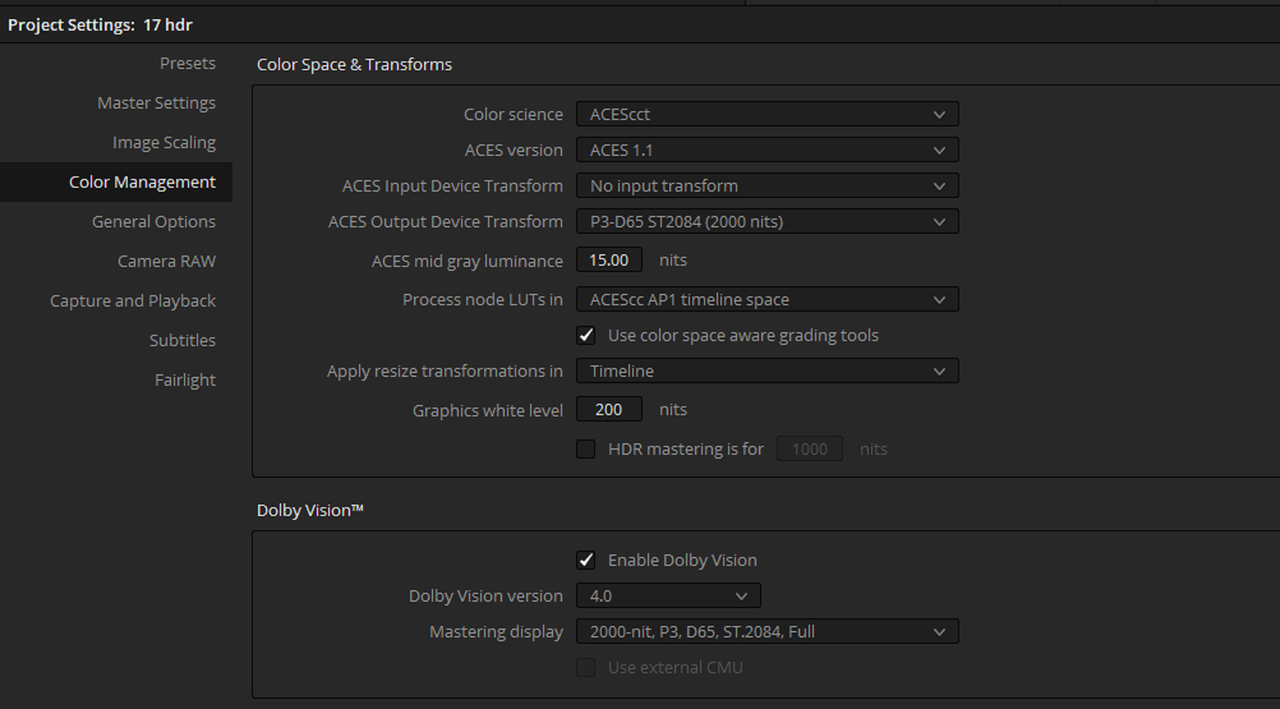
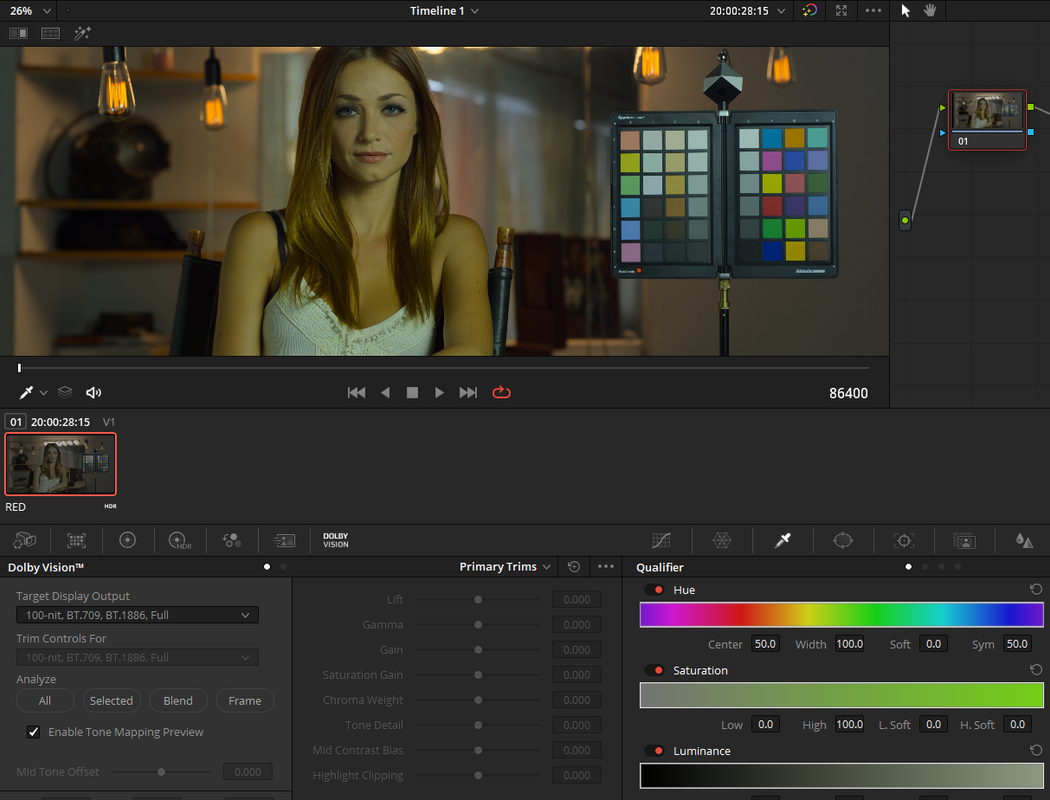
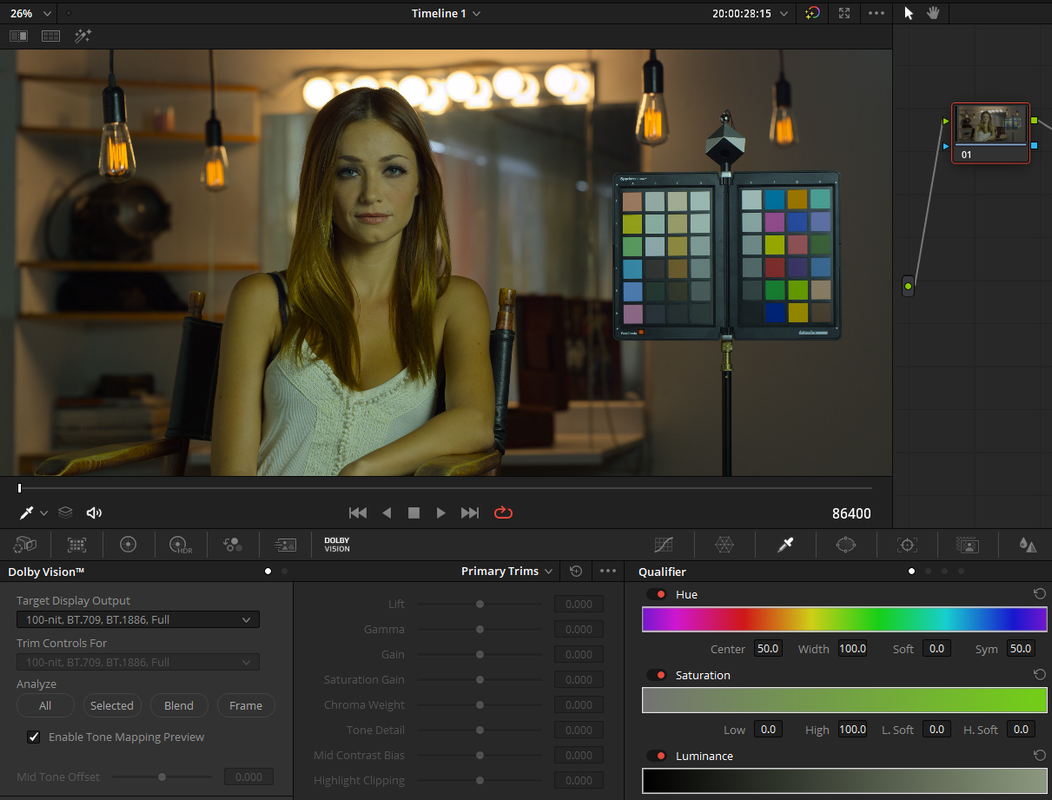
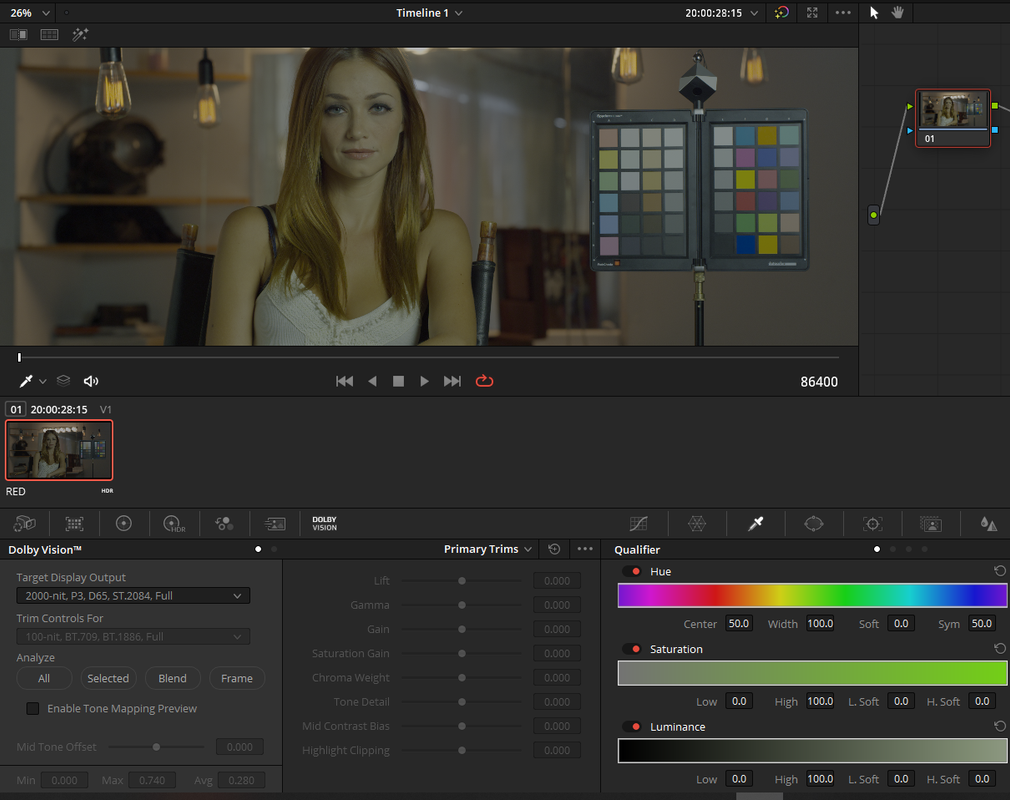
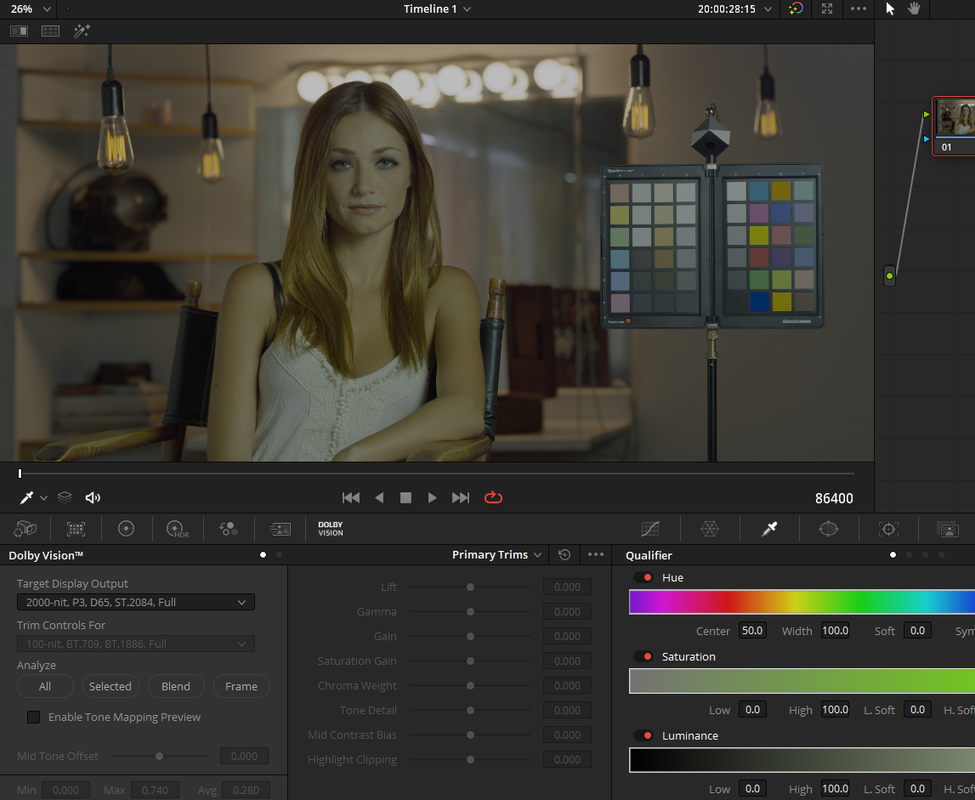
The internal CMU, which is enabled when you have "Enable Tone Mapping Preview" selected, is only meant to display how the SDR 100nit trim would probably look. So you would see the same SDR trim on both a HDR monitor or SDR monitor. The HDR image will have to be seen on an external monitor that supports the the Nit brightness you are delivering to. Uncheck the "Enable Tone Mapping Preview" that actives the Internal CMU to show what a 100nit SDR trim would probably look like. Unchecking it should give the image you are looking for. Also, are you mastering for a 2000 Nit HDR display or something lower? I think the reason Resolve 17 is showing a Nit brightness of under 1000Nits is because usually if you us a 4000Nit or 2000Nit max Brightness setting Dolby also recommends you do a 1000Nit trim pass as well. But I could be giving Resolve 17 more credit for doing so than I should.


I personally still prefer the ACES HDR workflow better than any of the new presets.
Screenshot-360.png


Screenshot-356.png


Screenshot-361.png


Screenshot-357.png


Screenshot-359.png


Screenshot-358.png
 
Last edited:
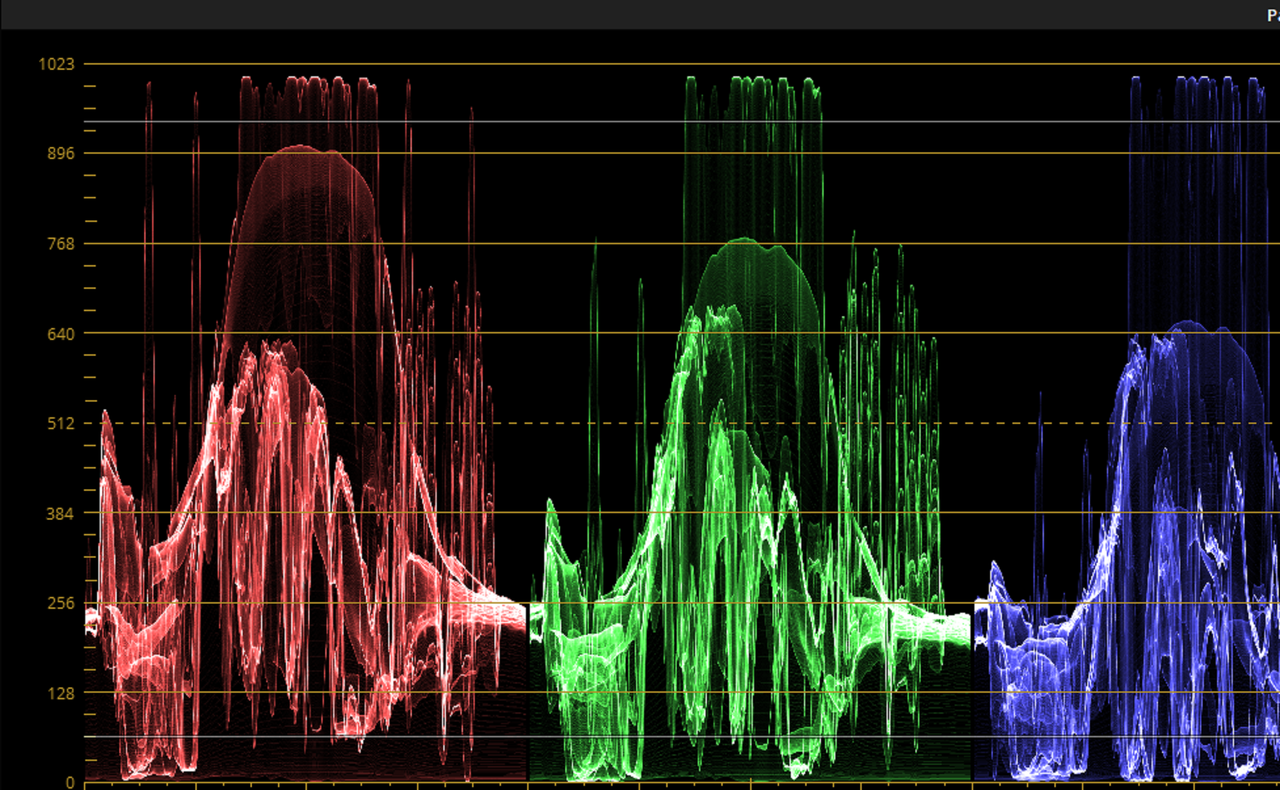
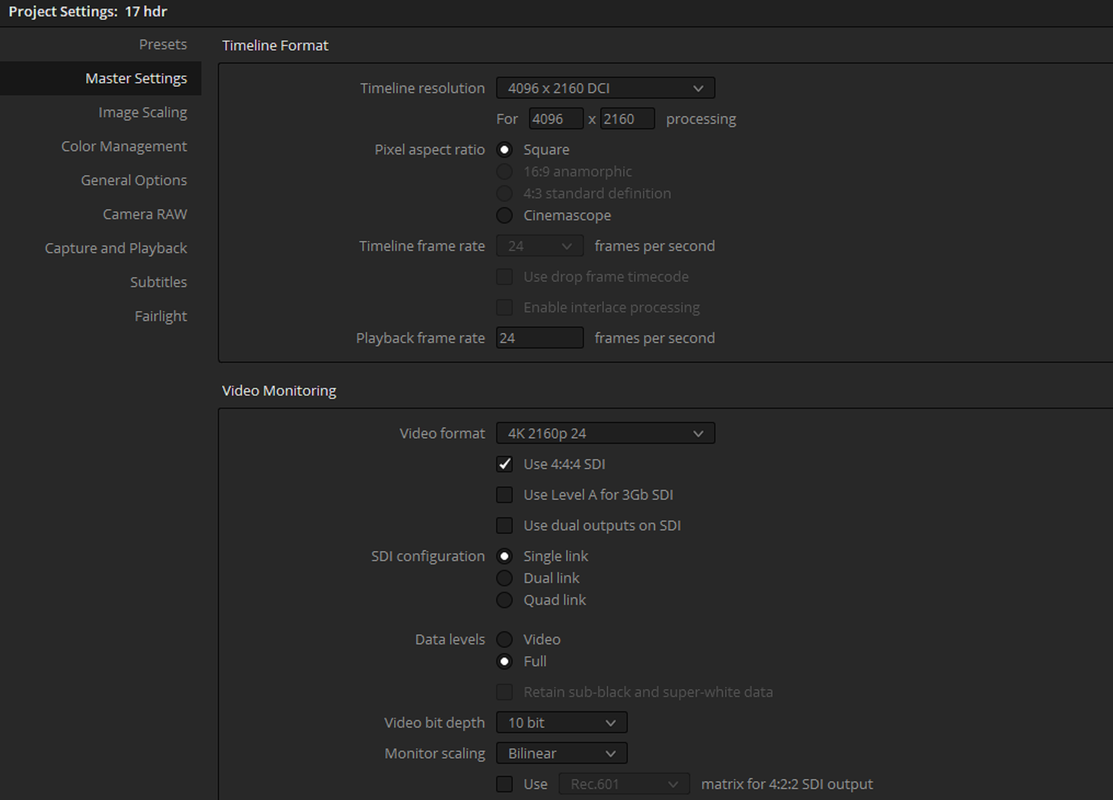
I'm not using Dolby Vision, I'm using standard HDR workflow. And I've also mentioned already that I have a TV capable of 2000 nits that I'm using as my monitor and Windows enabled HDR, which is also confirmed when checking the HDR video feed info on my television. I can view HDR content no problem with this setup, but not in Resolve. But even so, the output problems and scopes not showing according to the settings point at something else.

This is not a problem with my setup as I'm getting HDR content without a problem otherwise.
 
When you say "Standard", do you mean HLG, HDR10 or HDR10 Plus....
 
When you say "Standard", do you mean HLG, HDR10 or HDR10 Plus....

Doesn't really matter, scopes and output should still work. My TV set handles all three of them. Basically it's standard HDR10. Settings are correct, scopes show everything wrong, the preview doesn't show an HDR image and exports aren't working.
I've double-checked settings and possible user-based errors with settings hundreds of times now, it's not that. Something is fishy, either in Windows 10 HDR, how Nvidia handles the HDR output, how Resolve works with Windows HDR, how Resolve handles HDR without an HDR Decklink card and so on.
 
I believe both HLG and HDR10(None Plus) Have a mastering target of up to 1000nits. HDR10+ and Dolby Vision Have a mastering target of up to 4000nits with Dolby Vision being able to support up to 10000nits. So that could explain why your scopes are showing your signal at about 1000nits. I found in another thread that using Red raw footage for HDR content with the Davinci Wide Gamut "Color Management Preset" yields unexpected results .

Posts 47 and 48

http://www.reduser.net/forum/showthread.php?184056-Thread-Davinci-Resolve-17/page5
 
I believe both HLG and HDR10(None Plus) Have a mastering target of up to 1000nits. HDR10+ and Dolby Vision Have a mastering target of up to 4000nits with Dolby Vision being able to support up to 10000nits. So that could explain why your scopes are showing your signal at about 1000nits. I found in another thread that using Red raw footage for HDR content with the Davinci Wide Gamut "Color Management Preset" yields unexpected results .

Posts 47 and 48

http://www.reduser.net/forum/showthread.php?184056-Thread-Davinci-Resolve-17/page5

But if both the Red Raw and color management is set to 2000 nits, that should be the maximum. There's no HLG or HDR10 before it's actually wrapped into a file for viewing, before that HDR is managed based on the maximum nits setting. So the scopes should really follow that.

As long as the scopes follow the settings and not the output view or anything else behind the scenes. How do the scopes measure the image? Based on the data or the preview window or the output video feed?
 
Christoffer,


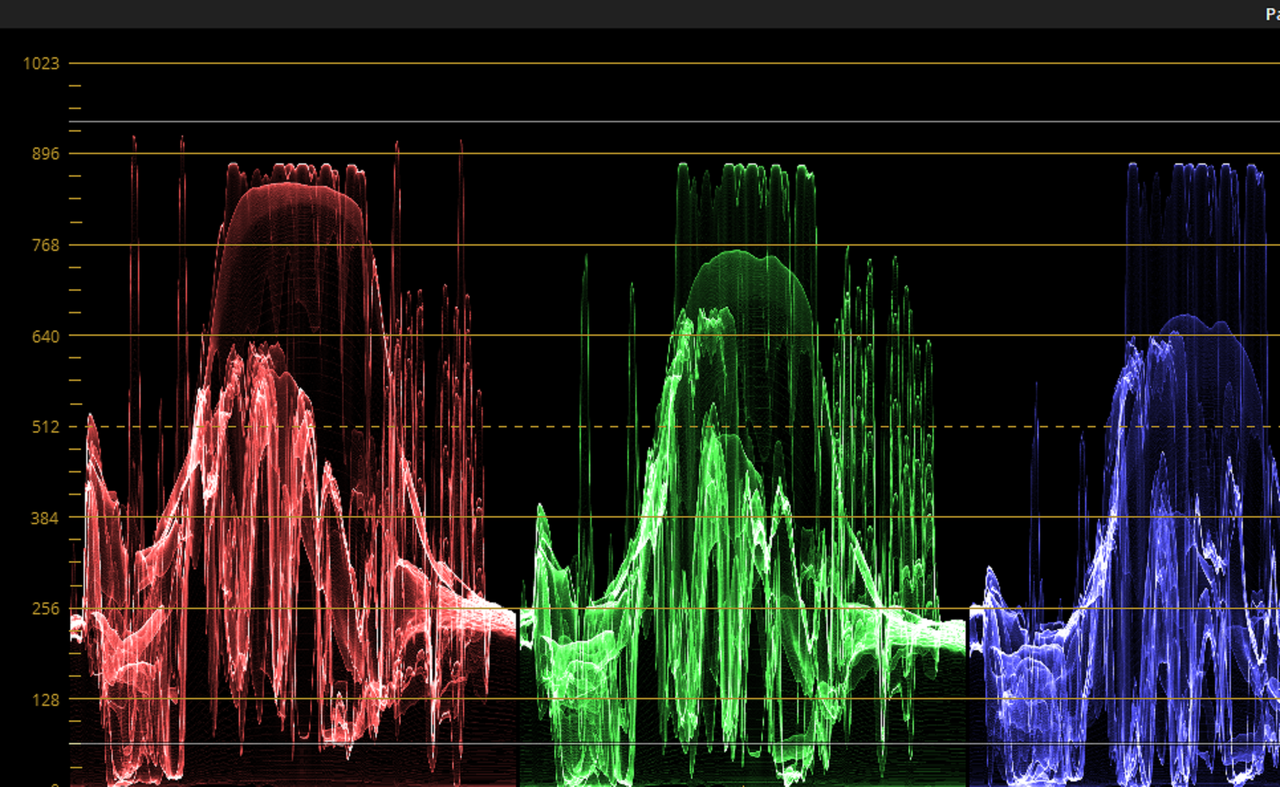
I think Davinci Resolve 17 seems to be taking some controls away from the user and using what it feels are the appropriate values for specific workflows, in my honest opinion. I have tried also to use 2000nits with the settings you posted I never could get the scopes to show a 2000nit signal range. It always shows a signal representation of less than a 1000nits.


Edit:

I think the issue with this and other workflows that may use Davinci Wide Gamut as a Color Managed preset is that since it is fairly new that Blackmagic may need to work on better transformations from other traditional colorspaces to this Wide Gamut Colorspace and to other more tradition colorspaces.
 
Last edited:
Yeah, I get the best result using HLG workflow, but it still is a lot BS.

Here's just an example of it; whenever I even touch the low soft in curves, the entire image caps the highlights way under the set range and it's not even supposed to change anything in the highlight region... ugh...


HDR needs to grow up. Too many standards, too much bullshit, too much "paywall" BS by Dolby limiting the standards to mature. It's not even like the old HD DVD vs BluRay, which were just two standards competing, this whole thing is a mess that will keep the industry from adapting HDR fully for years to come. I'm so sick of the capitalistic bullshit that just complicates things into oblivion and companies like Blackmagic needing to accommodate for everything people come up with.

Dolby Vision is the widest standard of HDR, they should win, get rid of everyone else, burn em to the ground, let Dolby Vision be the only standard, perfect it and remove the license paywall BS.

This is why I love open source stuff. This is why software like Blender starts taking over parts of the industry because they're not held back by BS and anyone who has a solution can support further software development. In a few years, this whole thing will be like the DIT nightmare when digital cinema first came to be; when people charged $2500 a day to essentially just copy files to backup drives because "no one" knew this new way of making movies.

Ugh...
 
Christoffer,

I understand exactly what you are saying. That's kinda why I like Dolby Vision. Just like Beta Max and VHS back in the days eventually only one will truly prevail, in this case it was the VHS format. I think whichever Standard Hollywood and the various streaming services push the most will become the standard HDR format from this point forward. Everything else will be relegated to Vimeo and Youtube.

Also for highlight control, I would use the "Hi/light" tool and a mild curve instead of using soft clipping.


I'm having to use the "Smugmug"website to host Images lately because "Postimage" has been going down more times than a female pornstar in her debut oral scene. Plus they are only good for 14 days

Davinci Wide Gamut Rec709 example workflow and how I would control highlights

Screenshot%20%28428%29-X3.png


Screenshot%20%28432%29-X2.png


original_1.1.1-4K.jpg


Screenshot%20%28430%29-X2.png


Screenshot%20%28433%29-X2.png


Screenshot%20%28434%29-X2.png


grade_1.1.2-4K.jpg
 
Here's a better illustration using "Log Highlight" in a Davinci Wide Gamut Workflow


For ACEScct and Davinci Wide Gamut workflows the "Log Highlight" controls and "Hi/Light" controls are better than just Soft clipping IMHO.

In the example below better highlight control isn't really needed but just for demonstration purposes.

Screenshot%20%28428%29-X3.png


Screenshot%20%28440%29-X3.png


Screenshot-440-2.png


Screenshot%20%28441%29-X3.png


Screenshot-441-2.png


Screenshot%20%28442%29-X3.png
 
Last edited:
When originally High Definition was proposed, there was literally a dozens standards, ranging from 720p to 1080i or 1080p or 1080psf at every possible frame rate.
Fast forward to today, so much better... Oh, no, wait, all of those formats are still around with even more of the weird "social media" formats showing up every day:)
Just because someone can't be bothered to learn about all those HDR formats and their differences, it doesn't mean they all BS.
Actually, there are even more HDR formats used today besides the three well known formats already mentioned, one of them being EclairColor and the other Technicolor HDR:)
When used correctly, all these various HDR formats work as designed...
 
Along with HDR came a new standard for the Rec. 2020, which contains such shades that it was simply impossible to reproduce them on an ordinary TV. Ferrari's signature red is one such example. You may not have paid attention to it, but such intense colors used to look different from reality.
It's important to emphasize right away that HDR in TVs is a very different thing from HDR in photography. Forget the unnatural contours and acidic palette that sometimes accompany pictures with "twisted" HDR.
 
Back
Top