Welcome to our community

Be a part of something great, join today!

  • Hey all, just changed over the backend after 15 years I figured time to give it a bit of an update, its probably gonna be a bit weird for most of you and i am sure there is a few bugs to work out but it should kinda work the same as before... hopefully :)

IBC - GPU Build REDCINE-X Beta 21

Adobe

Adobe

Hi
Today at IBC Adobe showcased real time playback,edit,grade in speed grade Red Dragon footage in their October release of Adobe Creative Cloud....HP Z820 and Quadro K6000 card were used.

Harcharan
 
For those with a Titan in a Mac or Hackintosh and not able to get it working in Mountain Lion or earlier, I can confirm it will work fully in Mavericks. Just tested it and had no issues. OpenCL, CUDA, and OpenGL working properly. My Titan is the EVGA Superclocked, otherwise stock and not flashed, running the built-in drivers in OS X and not the Nvidia web drivers.

One thing I do notice in both Windows 8 and OS X is that the transcoding times of the same clips seems to vary a little bit. I transcoded a 1:48 clip in Windows 8 and the first time it took over 4 minutes and the 2nd time it took 3:33. Then I went into OS X and tried the same clip and it took 3:54 the first time and then it took about 3:30. I noticed this with a couple other clips I tested where the 2nd time transcoding the same clip went faster. This is with the Rocket disabled in RCXP and at full debayer.

EDIT: This is all with a 3770K overclocked to 4.4GHz, 32GB RAM at 2400MHz, Titan running a monitor at 2560x1080, and HD4000 running a monitor at 2560x1080. R3D was 5K (5120x2700) @ 8:1. For realtime playback without Rocket I get 5K at 1/4 and 4KHD at 1/2.
 
I've had more of a chance to play around with the smattering of RED footage I currently have on my machine, and it certainly seems like there's a few variables affecting playback. Before I go into things, here's my specs:

i7 3820 OC'd @4.3GHz
16GB RAM
GT 440 2GB (GUI)
GTX 570 2.5GB (CUDA/OpenCL)

Footage is read off of a 2TB WD Black, though testing with clips on my 2 SSDs (128GB Crucial M4 and 120GB Sandisk Extreme) yielded the same results.


Before GPU acceleration, I used to get realtime 4KHD and 22-23fps 5K at 1/4 res in Resolve, and at 1/8 res in REDCine. Using the 570 in REDCine, I easily get 5K at 1/4. At 1/2 res, it starts to get interesting. The CPU is of course pinned at 100%. The GPU sits around 10% load, with ~1GB of VRAM used - regardless of the resolution of the clip. Playback, however, yields some different results. Several Scarlet clips, all 4KHD 6:1 and no audio, playback flawlessly at 1/2 - the grey cache bar kept well ahead of the playhead. A clip at 5:1 (from an Epic), with one channel of audio, almost keeps realtime, but stutters a lot. A 7:1 clip (also Epic) with two audio channels plays back pretty smooth, with only a few hiccups. In all cases that had audio, the picture lagged behind the sound, even when the cache was allowed to fill. No sync problems at 1/4 res. 5K at 5:1 didn't fare too well at 1/2 res, but that's not surprising.

Full res, of course, didn't even get close to realtime on anything. GPU RAM usage stayed the same, but the load jumped to ~35%.

Based on the readings from GPU-Z, it seems pretty clear that the CPU is my bottleneck, so maybe I need to upgrade that to at least a 4930K before I upgrade the GPU. But the differences in the 4KHD clips really caught my attention. I wish I had more of a variety of clips to see whether the compression ratio or the audio channels are affecting playback more. I also would have thought that lower compression ratios would have been easier to decode than higher ones, but (at least in my case) it's seemed to be the other way around.
 
You can run Titan's in Mac OS X without flashing the BIOS? Is there EFI support on that card native to Mac?

For those with a Titan in a Mac or Hackintosh and not able to get it working in Mountain Lion or earlier, I can confirm it will work fully in Mavericks. Just tested it and had no issues. OpenCL, CUDA, and OpenGL working properly. My Titan is the EVGA Superclocked, otherwise stock and not flashed, running the built-in drivers in OS X and not the Nvidia web drivers.

One thing I do notice in both Windows 8 and OS X is that the transcoding times of the same clips seems to vary a little bit. I transcoded a 1:48 clip in Windows 8 and the first time it took over 4 minutes and the 2nd time it took 3:33. Then I went into OS X and tried the same clip and it took 3:54 the first time and then it took about 3:30. I noticed this with a couple other clips I tested where the 2nd time transcoding the same clip went faster. This is with the Rocket disabled in RCXP and at full debayer.
 
Kevin,

You might see even more speed reading from a drive that does over 300MB/s.

Footage is read off of a 2TB WD Black, though testing with clips on my 2 SSDs (128GB Crucial M4 and 120GB Sandisk Extreme) yielded the same results.
 
You can run Titan's in Mac OS X without flashing the BIOS? Is there EFI support on that card native to Mac?

I can see the BIOS screen and OS X boot screen with it. This is on a Hackintosh though. My understanding is that you could use a non-flashed Titan in an actual Mac Pro, but you wouldn't see anything on the monitor until you're in OS X... no Apple boot screen with the Apple logo.
 
I have 32GB of RAM and in the preferences it defaults to using 6GB. What is the recommended RAM usage for optimal playback and transcoding? CPU is a 3770K overclocked to 4.4GHz and I have a Titan with 6GB RAM.

Typically the more RAM allocated the merrier. However, you want to leave some RAM for your OS and other things running constantly.

If you over allocate you can certainly bog down your entire system, which is somewhat to be expected.

I'd say somewhere in the 24-28GB range if you're aren't running too much extra stuff while working in RCX.
 
Getting full res debayer from 5k, 1:85 aspect, 5:1 compression, going to ProRes 422 1080, at 3.04 to 1 transcode ratio (1:18 clip took 4:25 to transcode), basically 8 frames/sec

GTX 680, internal RAID with 500 MB/s bandwidth

But I did it off a FW800 drive and the time was the same, which makes sense because the clip bandwidth is 18 MB/s, and it's writing it at 1/3 real time


Half res debayer, same clip, same settings, transcode took 3 minutes (2.04 to 1 transcode ratio)


For 4kHD i got 18 frames at full res debayer, at half res debayer it was close to real time (4:25 clip took 5:16, 0r 1.11:1 transcode ratio)


Imagine if we'd had that back in the RedRushes days before RedRocket haha
 
GTX 680, internal RAID with 500 MB/s bandwidth

Hey Joe. Just curious about the details on your internal raid. More or less which card you're using. Just making a list.
 
Crashes every time I try to monitor through Rocket HDSDI out. Selection of Tangent Wave in Preferences doesn't remain after rebooting RCX. Keeps defaulting to Euphonix in Preference window, even though my Tangent Wave appears to behave properly.
 
For those with a Titan in a Mac or Hackintosh and not able to get it working in Mountain Lion or earlier, I can confirm it will work fully in Mavericks. Just tested it and had no issues. OpenCL, CUDA, and OpenGL working properly. My Titan is the EVGA Superclocked, otherwise stock and not flashed, running the built-in drivers in OS X and not the Nvidia web drivers.

One thing I do notice in both Windows 8 and OS X is that the transcoding times of the same clips seems to vary a little bit. I transcoded a 1:48 clip in Windows 8 and the first time it took over 4 minutes and the 2nd time it took 3:33. Then I went into OS X and tried the same clip and it took 3:54 the first time and then it took about 3:30. I noticed this with a couple other clips I tested where the 2nd time transcoding the same clip went faster. This is with the Rocket disabled in RCXP and at full debayer.

EDIT: This is all with a 3770K overclocked to 4.4GHz, 32GB RAM at 2400MHz, Titan running a monitor at 2560x1080, and HD4000 running a monitor at 2560x1080. R3D was 5K (5120x2700) @ 8:1. For realtime playback without Rocket I get 5K at 1/4 and 4KHD at 1/2.

I did some more testing, this time with my MacBook Pro Retina (2012 2.7GHz 16GB RAM) using the same clips. Full debayer transcode took 5:00 vs 3:30 on my Hackintosh. Very surprisingly, half good debayer took about the same amount of time on my MacBook Pro Retina and Hackintosh at about 2:30. I get the same real time playback results as on my Hackintosh. This is all very surprising, though I could be losing some performance on my Hackintosh due to Mavericks being a beta (I'm running Mountain Lion on my MBPr), however, performance is similar (a little worse actually) in Windows 8 so maybe not. Either way, that's very very good performance on the MBPr.
 
I'm getting weird image shearing/judder during playback at 1/2 or full res. Hung my computer and required a hard reboot (I'm on an i7 Mac running OSX 10.8.4). I'm reverting back to previous release until this BETA release becomes final.
 
Guy,

What video card are you using? Which model of Mac?
 
Need help.. I went out side with my epic and the shutter was set to 48/180 setting and I looked out side of my garage and everything was blown out. even set to 56K or 60K/ ISO 800 moved settings to lower or higher..no change I had to change the shutter speed to get a clear colorful look outside with no filter. Lens was set to 3.5 am I missing something? is that normal?
 
Guy,

What video card are you using? Which model of Mac?

Video Card: GeForce GTX680
Computer: (Herein lies the rub, maybe?) Hackintosh with an Intel Core i7-3770K Quad Core Processor and Gigabyte GA-Z77X-UP5-TH MoBo.

I will say that this Hackintosh runs flawlessly with every peice of software I've ever installed. The hang brought on by the REDCINE-X Beta 21 install is the first and only ever hang I've ever experienced with this computer since I built it several months ago. So, dunno.

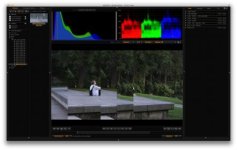
I've attached a screen grab so you can see what I'm seeing.
 

Attachments

  • Screen Shot 2013-09-14 at 6.32.06 PM.jpg
    Screen Shot 2013-09-14 at 6.32.06 PM.jpg
    17 KB · Views: 0
Need help.. I went out side with my epic and the shutter was set to 48/180 setting and I looked out side of my garage and everything was blown out. even set to 56K or 60K/ ISO 800 moved settings to lower or higher..no change I had to change the shutter speed to get a clear colorful look outside with no filter. Lens was set to 3.5 am I missing something? is that normal?

Stop down.
 
Video Card: GeForce GTX680
Computer: (Herein lies the rub, maybe?) Hackintosh with an Intel Core i7-3770K Quad Core Processor and Gigabyte GA-Z77X-UP5-TH MoBo.

I will say that this Hackintosh runs flawlessly with every peice of software I've ever installed. The hang brought on by the REDCINE-X Beta 21 install is the first and only ever hang I've ever experienced with this computer since I built it several months ago. So, dunno.

I've attached a screen grab so you can see what I'm seeing.

Okay, I did a bit more testing: REDCODE 10:1 plays back fine at 1/2 res (i.e. no image shearing as in my example). REDCODE 6:1 plays back at 1/4 res fine, but I get the artifacts at 1/2 res. HOWEVER, if I disable Open_CL, 6:1 plays back at 1/2 without artifacts (after buffering). And no further system hangs at this point.
 
Back
Top