Welcome to our community

Be a part of something great, join today!

  • Hey all, just changed over the backend after 15 years I figured time to give it a bit of an update, its probably gonna be a bit weird for most of you and i am sure there is a few bugs to work out but it should kinda work the same as before... hopefully :)

DRAGON vs EPIC MX Noise - NOT GOOD

Status
Not open for further replies.
Eric, and everyone else doing their best on this issue, thank you all.

I expect to have a play with a Dragon this week or next (freshly upgraded). This is all really useful info.
 
Last edited:
Thank goodness I haven't wasted my money on the upgrade.

I think that is jumping the gun a bit. Many highly rated shooters are on record stating how much of an improvement Dragon is.

I suspect this is just one of those kinks that seem to be common to RED. The reason why?, they send out BETA products and earn a BETA rep.

They seemed to want to avoid this with Dragon, spent their time perfecting and missed one thing, (flare on the old OLPF), its seems that maybe the fix may have been rushed a bit.

I hope for their sake they can fix it soon before it turns into a rep damaging event.
 
I'm not entirely sure where the "rub" is here, but please look at my post above carefully in terms of white balance, color spaces, and ISO.
 
It's pretty clear that there's a problem with certain camera units & upgrades, and that it's not a problem of the sensor itself.

The only problems I have been seeing is people complaining of noise in the shadows while rating Dragon at 800 on the new OLPF and calibration. Right now, everything else equal, you need to be rating Dragon at ISO 250 if you are worried about noisy blacks, otherwise you have to crush out shadow detail or run a de-noiser in post.

You rate MX at 800 to protect the highlights and pull it back to 320 if the scene allows it and you want less noise. Since Dragon handles highlights so well with its additional dynamic range you can afford to let more light into the sensor. Sadly, at its current calibration, Dragon has not shown any advances in low light sensitivity over MX.
 
Hi guys,

I did a small test this morning. Fresh Black shading. Nikkor 20mm lens (did not even check focus) just did it quick in my office. I am not seeing that clumpy RED channel noise unless I zoom in to about 150-200 percent.

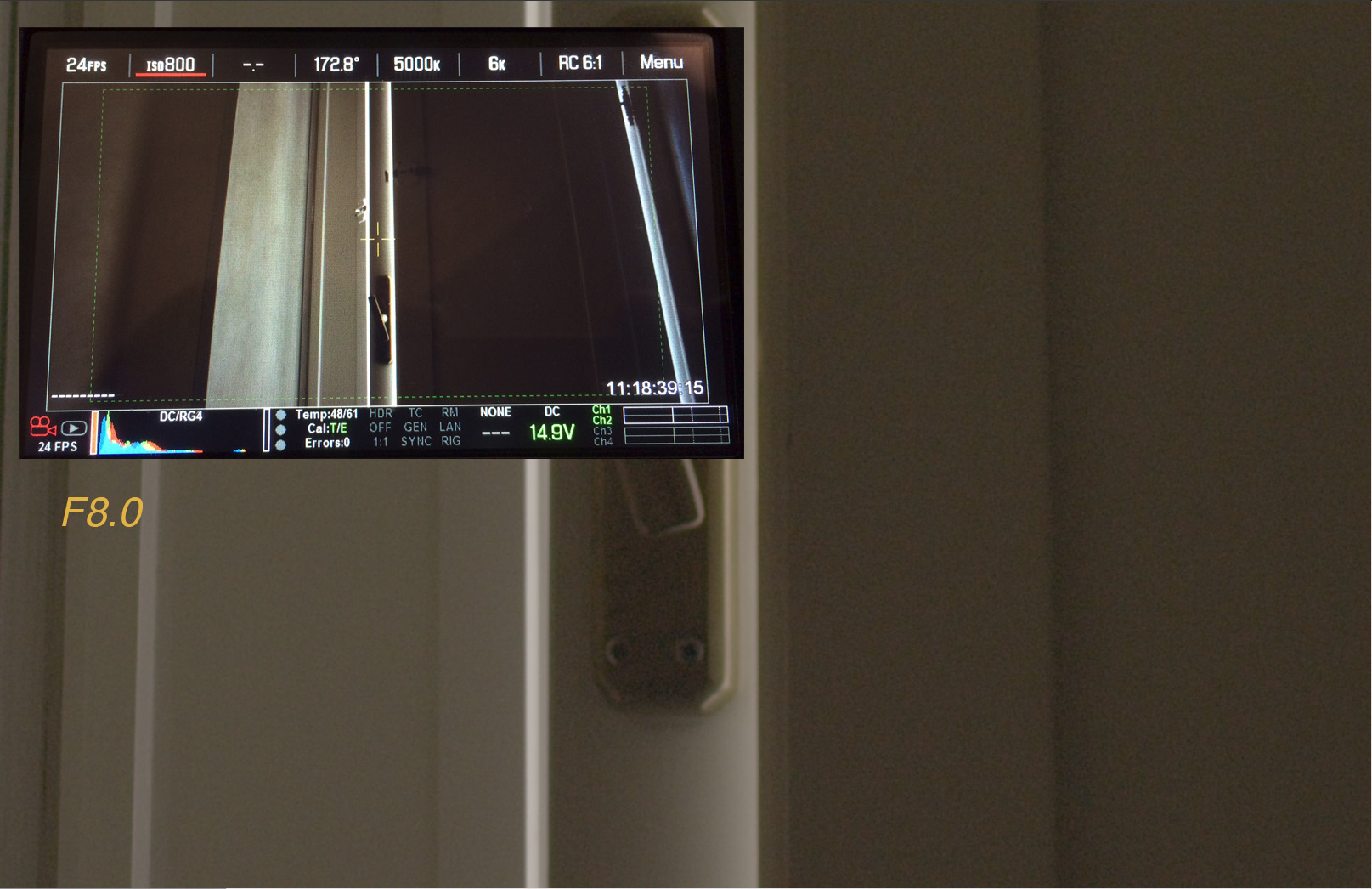
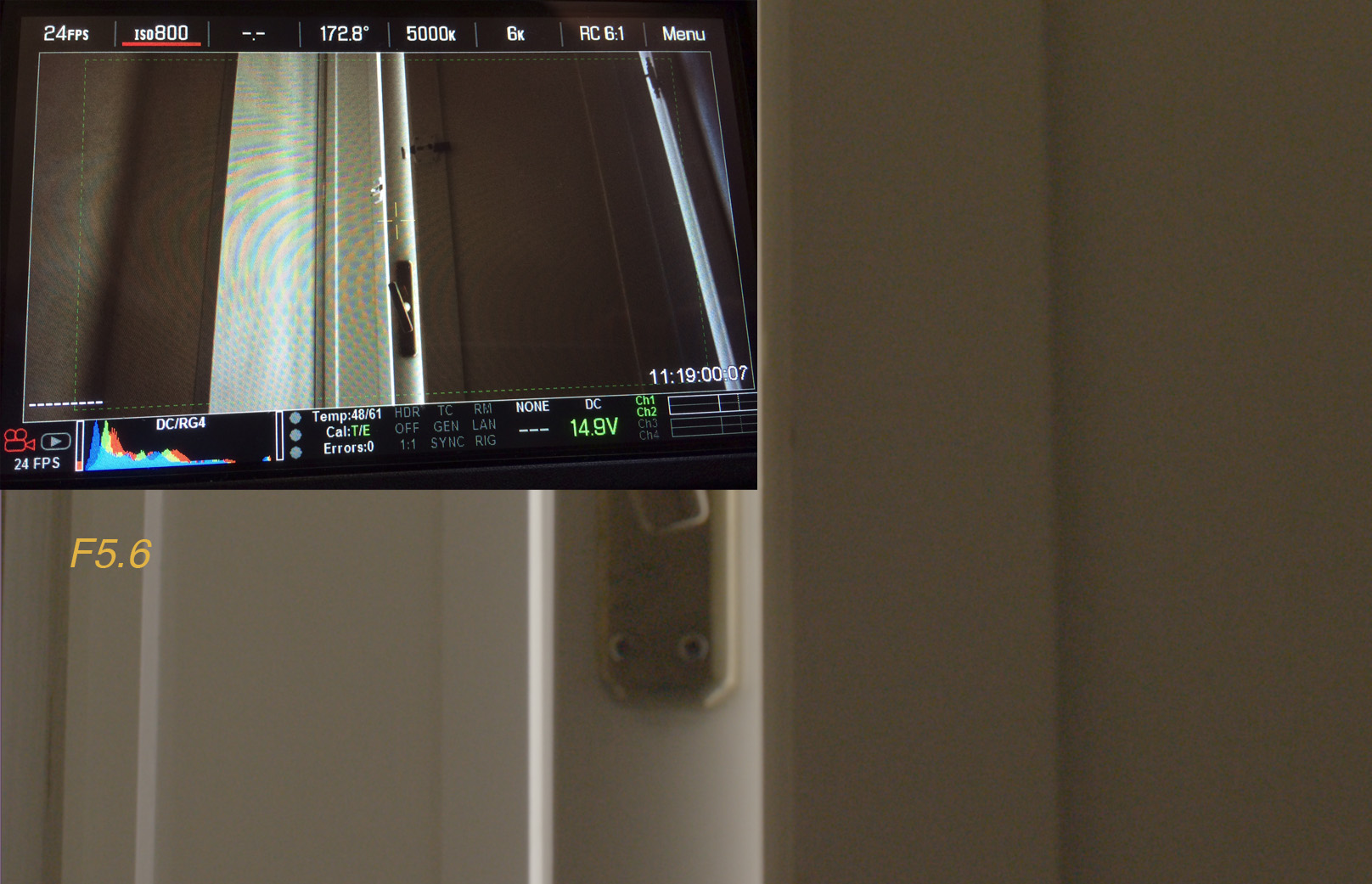
I don't have an MX to do side by side, but basically if you see that noise goal post then the EPIC is telling you that the noise is going to be there. The thing that blew me away the most was that there is a 1 stop noise "threshold" so to speak. It took only one stop (going from 8.0 to 5.6) to eliminate 80% of the noise. That was a surprise to me as I thought it would be much more gradual.

What it means is (and I am talking about how I have to treat my camera today) that if I see that noise goal post, I'm going to to everything to open up or add more light to get rid of it. Of course we all know that in the real world that ain't always possible. If you wide open and the noise goal post is up, it's telling you that there is some noise in that frame.

Underexposure is going to create noise. It's just that simple. As I said in my early findings. Throw light at these sensors and these problems disappear. The first thing I captured on my Dragon was the exact same scene I captured on my MX, a dimly lit church. The dragon far outperformed the MX in that scenario.


My test is so basic.


1. Expose at F8.0
2. Expose at F5.6
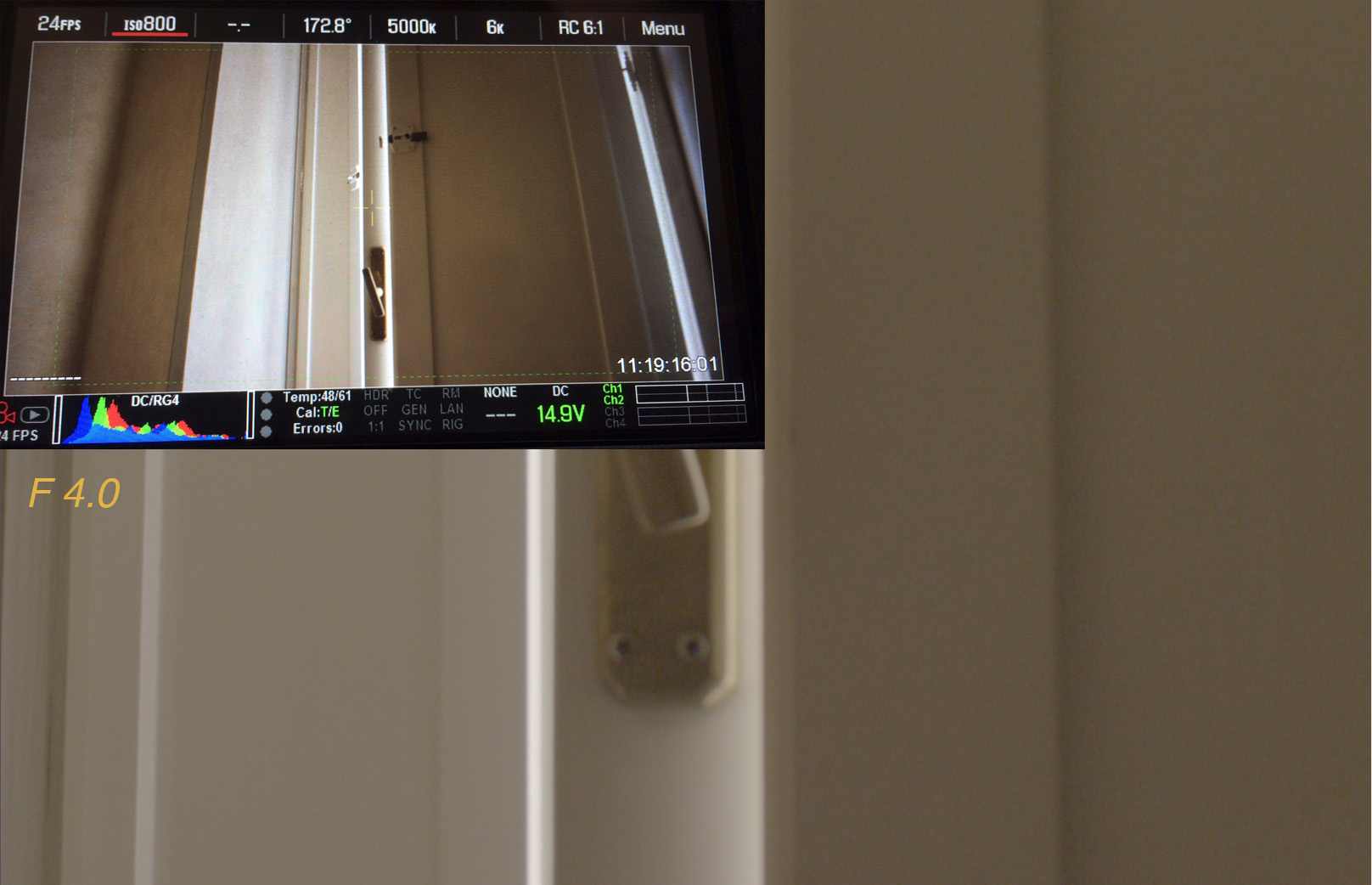
3. Expose at F4.0

At F8 the goal post is fully lit-up on the scene. 1:1 crop on the image.

8_0.jpg

At 5.6 80% of the goal post goes away and so does the noise.

5_6.jpg


At 4.0 it's that much cleaner.

4_0.jpg


Here is the link to the R3D's

https://www.dropbox.com/s/aw9ezx7hk68rwuk/3stops.zip
 
So, basically, the 'roll off' on the toe is a bit...mmm hard to choose the right word here, always emotions attached to articulating what our eyes see....you guys get it though. As the image rolls away into black it can do some unpleasant things.

This is significant though. If you want to expose skin at a certain point sometimes opening up a stop or putting more light in is not possible or desirable. with 16+ stops I would have thought this would not be as big an issue though. ANyway rambling now...
 
Thanks to all of you that take the time to do these tests, it helps all of us get a better idea of the limitation of the Dragon.
Noise floor was not first on the list but i must admit getting more noise than MX is a bit strange, hopefully there is something not normal going on here.
 
This isn't a LUT issue. Switching from RedLogFilm to RedGamma4 crushes the blacks more but when you lift and try and get some detail back in there you see the noise.

It seems that the first batch of cameras may be clean (hey, they shot a Transformers movie on it) but newer batches seem to exhibit this noise. Some people have been working with Red on this for a few weeks and my Dragon arrived (and was sent back) just last week. Are Red continuing to ship cameras that they know are unusable?
 
Paul,

Are you saying you got your Dragon and immediately sent it back when you saw this noise?

Ive ve seen it when underexposed. Can you share a bit more please.


Battistella
 
I am planning to roll some tests today and will attempt to look into this if time permits... I think more testing is needed it may just be an issue related to a few cameras...
 
Paul,

Are you saying you got your Dragon and immediately sent it back when you saw this noise?

Ive ve seen it when underexposed. Can you share a bit more please.


Battistella

I called tech support as soon as I saw it. Worked with them for a couple days. Sent in LOG files and uploaded sample images. Black shading methodology and exposure were all correct but noise persisted. Red issued an RMA and it was sent back.

Shooting 250 ISO (that still wouldn't fix the problem) isn't an option. Telling a producer that you need to triple not only the lights and genny but the G/E teams as well because you're using Red's latest camera would be creating lifelong Arri users across the industry.
 
There were similar threads when the new Olpf first hit the street.

I'm hoping to be able to test against another dragon on Wednesday at the latest.

Phil, white balancing to 1800K may minimize the red noise but please consider that a more useable white balance of 3200k and 800 or 2000 ISO is likely how this shot would be used. Please re evaluate with these more neutral settings. Wish we could get together look at the same display and discuss.
 
Just realized that the GOALPOST AND EXPOSURE TOOLS are not broken or malfunctioning on Dragon. In fact they are giving us a perfect indication of what is going on and what is shown by people cranking up the ISO to 6400. Dragon shows full goalpost but a lot less purple on exposure check tool than mX. And that is exactly what I see when looking closely- a lot more noise at the same exposure normal but when you crank up the ISO to 6400 there is more information you can pull out before the absolute clip (purple areas) break. Even the canera's meter knows it is noisier. Sure dragon holds more info in the areas where mx shows purple (as evidenced by the ISO 6400 examples) and mx appears noisier at 6400 because you are seeing the purple areAs gained up and there is no info there. But on dragon there IS info there so it doesn't exhibit as much terrible noise in those areAs. However overall dragon is noisier in the 0-13 ire range (measured aT ISO 800). I am not looking to pull info out of purple areas. I am looking for an overall cleaner image.
 
Status
Not open for further replies.
Back
Top