Welcome to our community

Be a part of something great, join today!

  • Hey all, just changed over the backend after 15 years I figured time to give it a bit of an update, its probably gonna be a bit weird for most of you and i am sure there is a few bugs to work out but it should kinda work the same as before... hopefully :)

DAVINCI RESOLVE and ***HACKINTOSH HP Z800***

Hi Luigi, thx for your great support. My first hackintosh is working (Core I5, Gigabyte Z77-D3SH, 16GB Ram, GTX570 @ 27" 2560x1440) with Mountain Lion and Windows 7. I used Unibeast for the installation and Multibeast for the drivers / kext.

Now i want to install Mountain Lion on our Z800. What do you think is the better way to go? Machete 3 or Unibeast? Can ypu please send me the Loink for Machete3? I will try it at the weekend,... you still got my serial i think... ?

Kindly.
Fabian
 
sorry again for the delay guyssssss but I had a lot of work with the Red Epic ;)
I finished version "MACHETE 3" ML 10.8.2, ready to download seamlessly from my FTP to be free;):nads::nads::nads:

Machete 3:

- Native support for Gui card Nvidia gt 8800, 9800, Ati 5770 and Ati 6570 (important all cardsss is single slot position 4 slot from CPu)
- Native support for cuda card Nvidia 4xx/5xx/6xx , gtx 690 work only evga in this moment whit driver nvidia 10.8.2 ( download from nvidia site) (2 slot From CPu)
- Fw 400 ok
- usb 2 ok
- Support navite Redrocket card in all slot x8 and x16
- Native installed driver for Decklink card Blackmagic
- installed by default Davinci Resolve 9 and Redcine-x pro
- Audio onboard is a shit.... no patch not driver installed you buy a usb device is better
- and sleep is not supportet-- why i have a redrocket ;)

NOTE:
1. if you use Nvidia Gui card you must insert this in Resolve:

LsManager.3.NumGPUs = 2
LsManager.3.GPUMapping = 0 1
LsManager.3.GPUMappingEnable = 1

2. if you want more power , delete AplleGraphicsPowerManagement.kext in /system/library/extensions.
and Reboot.

3. Position of card:
1 slot x4 : Decklink card Studio /extreme
2 slot x16 : Geforce Cuda card
3 slot x4 : free (impossible use for Cuda card)
4 slot x8 : Gui card 8800/9800/ati 5770/6570
5 slot x16: Redrocket card or Atto Card or Areca raid Card
6 slot pci: free
7 slot x8 : Redrocket Card

contact me for download;)


ciao
Luigi
 

Attachments

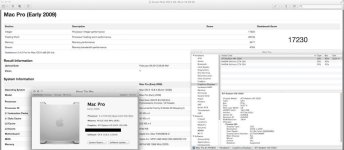
  • 8001.jpg
    8001.jpg
    76.8 KB · Views: 0
-opppss Added GTX 460 in slot 4 for Gui card Davinci Resolve... give more about 3-5 fps in Half and Quart Debayer RED ;)


Luigi
 
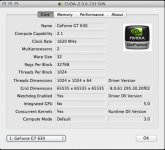
-addedddd EVGA GT 630 single slot 2gb ram ;) for GUi card .
 

Attachments

  • gt630gigi.jpg
    gt630gigi.jpg
    38.6 KB · Views: 0
hello luigi and thanks for all :)
i'm ok for the download :)

tell me, what do you think about the nvidia titan ? it is a good choice ? do you think this card work on Z800 with your install ?
i'm working on davinci resolve lite for now, (i work only in HD format),

what do you mean :
1. if you use Nvidia Gui card you must insert this in Resolve:

LsManager.3.NumGPUs = 2
LsManager.3.GPUMapping = 0 1
LsManager.3.GPUMappingEnable = 1

i actualy use quadro 4800 = gtx 285, what do you advice about this card ? i whant to change it for more cuda power, (i have a 1200w power in my Z800)

2. if you want more power , delete AplleGraphicsPowerManagement.kext in /system/library/extensions.
and Reboot.

more power ?

Thanks
 
hello luigi and thanks for all :)
i'm ok for the download :)

tell me, what do you think about the nvidia titan ? it is a good choice ? do you think this card work on Z800 with your install ?
i'm working on davinci resolve lite for now, (i work only in HD format),

what do you mean :
1. if you use Nvidia Gui card you must insert this in Resolve:

LsManager.3.NumGPUs = 2
LsManager.3.GPUMapping = 0 1
LsManager.3.GPUMappingEnable = 1

i actualy use quadro 4800 = gtx 285, what do you advice about this card ? i whant to change it for more cuda power, (i have a 1200w power in my Z800)

2. if you want more power , delete AplleGraphicsPowerManagement.kext in /system/library/extensions.
and Reboot.

more power ?

Thanks


Ciao Nico,
you have for gui 4800? and 285 for cuda?
 
"more power", i mean : more cuda, more nodes ;)
Titan have more than 2500 cuda cores .. could do think it's a good option ?

Actualy, my GUI are on the quadro 4800 (slot 4) display are on displayport.

but, in the information system i have : 1. NVIDIA GEFORCE GUI (1024mo) ... (my card have 1,5 Mo of vram)

1. NVIDIA GeForce GUI :


Jeu de composants: 1. NVIDIA GeForce GUI
Type: Processeur graphique (GPU)
Bus: PCIe
Logement: SLOT 4
Longueur de la voie PCIe: x8
VRAM (totale): 1024 Mo
Fournisseur: NVIDIA (0x10de)
Identifiant du périphérique: 0x05fe
Identifiant de révision: 0x00a1
Révision de la ROM: 3434
Moniteurs:
DELL 2408WFP :
Résolution: 1920 x 1200 @ 60 Hz
Profondeur de pixels: Couleurs 32 bits (ARGB8888)
Numéro de série du moniteur: G286H8BO1AGS
Moniteur principal: Oui
Miroir: Désactivé
Connecté: Oui
Rotation: Géré
DELL 2408WFP :
Résolution: 1920 x 1200 @ 60 Hz
Profondeur de pixels: Couleurs 32 bits (ARGB8888)
Numéro de série du moniteur: G286H8BO1ANS
Miroir: Désactivé
Connecté: Oui
Rotation: Géré
Type de connexion: DisplayPort

//////////////////

NVIDIA GeForce GTX 285 :


Jeu de composants: NVIDIA GeForce GTX 285
Type: Processeur graphique (GPU)
Bus: PCIe
Logement: SLOT 2
Longueur de la voie PCIe: x16
VRAM (totale): 1024 Mo
Fournisseur: NVIDIA (0x10de)
Identifiant du périphérique: 0x05e3
Identifiant de révision: 0x00a1
Révision de la ROM: preset 1.0.0


and when i use resolve the fan of my video card go to full rotation ... very noisy :(
 
but, in the information system i have : 1. NVIDIA GEFORCE GUI (1024mo) ... (my card have 1,5 Mo of vram)

is only visual , check with cuda-z ;)

try this :
LsManager.3.NumGPUs = 1
LsManager.3.GPUMapping = 1
LsManager.3.GPUMappingEnable = 1


Luigi
 
ok cuda Z give : 1,5 mo vram ;)


do you have an advice for a better configuration ?

i have the opportuny to change my video card ... do you think the quadro 4800 still a good video card for GUI ? i can replace the gtx285
 
gui nvidia evga 630 avec 2gb ram single slot and 580 or 680 for cuda;)
 
Last edited:
Welll Guysssss.


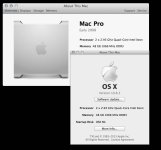
Download combo 10.8.3 ...
install and reboot .. update cuda driver ..

all work

ciao

Luigi
 

Attachments

  • 1083.jpg
    1083.jpg
    62.6 KB · Views: 0
Guysss...

delete this kext for best performance..

AppleHpet.kext and Applegraphicspowermanagement.kext

and reboot


Luigi
sorry... for delay..
 
i always my gtx 285 ... for the moment .... it works but not like in my dream :)

do you think the revolution machete work on 10.8.4 on HPZ800 ? in near future ?

or i can buy a gtx 680 4go with my 10.8.2 ?

i don't know need advise :)
 
i always my gtx 285 ... for the moment .... it works but not like in my dream :)

do you think the revolution machete work on 10.8.4 on HPZ800 ? in near future ?

or i can buy a gtx 680 4go with my 10.8.2 ?

i don't know need advise :)

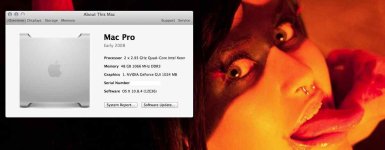
machete work in 10.8.4 i am in test with beta;)
 
Work very well 10.8.4 e36 in hp z800 ;)
CUda / Open CL whitout hang ;) wowo
Support Titan ok ;)
 

Attachments

  • 84.jpg
    84.jpg
    35 KB · Views: 0
oppss... patch for nvidia fermi OpenCl:

sudo perl -p -i.old -e '$c+=s/\x8b\x81\x1c\x0c\x00\x00\xeb\x06\x8b\x81\x20\x0c\x00\x00/\xb8\x02\x00\x00\x00\x90\xeb\x06\xb8\x00\x00\x00\x00\x90/; END { printf "%s: %d substitution%s made.\n",($c==1 ? "Success" : "Error"),$c,(!$c || $c>1 ? "s" : ""); $?=($c!=1); } ' /System/Library/Extensions/GeForceGLDriver.bundle/Contents/MacOS/libclh.dylib

better for me is Gtx 690... i like dual GPu ;)

10.8.4 is coming .... ;)
 
Back
Top