Welcome to our community

Be a part of something great, join today!

  • Hey all, just changed over the backend after 15 years I figured time to give it a bit of an update, its probably gonna be a bit weird for most of you and i am sure there is a few bugs to work out but it should kinda work the same as before... hopefully :)

REDCINE-X Build 326...

Ok. It seems that there's a little bug in Build 326... When exporting with Crop in Custom mode (a red rectangle over the image appears) the clips are upside down!

Anyone else with this?
 
Hi Alex,

We haven't had any audio issues in a while. Please turn on verbose logging and send a copy of your log file to redcinex at red dot com please. Thanks!
You can access the current log file from the Help menu.

David


Thanks David I'll do that Monday when i'm on Set again, cause i checked 326 yesterday for the audio and it still crashed
 
so this is interesting... on my 64bit PC, I can't seem to modify the Quicktime export settings. When I click the "set up" button in file format section of the export settings, nothing happens.

however, if I run the bit version of RCX, those Quicktime export settings can be clicked and modified.

I've tried this with several versions of RCX and verified that I am indeed actually running 64bit Windows OS. Consistent results as noted above.
 
No other color and gamma settings other than the RED color and gamma settings. Basically the ones that are in "RED" are the only ones that show up. no camera rgb, no 709. just REDCOLOR as the only option for color space, and redgamma, redlog, and redlogfilm.
 
No other color and gamma settings other than the RED color and gamma settings. Basically the ones that are in "RED" are the only ones that show up. no camera rgb, no 709. just REDCOLOR as the only option for color space, and redgamma, redlog, and redlogfilm.

This is actually a new feature : most 'obsolete' options are now hidden by default... Go to to preferences and check 'show advanced controls' to get them all back...
 
Guys, have you tried to throw things at redlogFilm yet. It's pretty amazing at recovering highlights and lowlights.

Here's an image which is lifted from 320 to 3200 asa (for the purpose of an example), and redlogFilm is applied, nothing else...

RedlogFilm is going to salvage more RED DR for the future than the combined heads of most post people have done manually so far.

(BTW, I don't recomend the 3200 path, though...)
 

Attachments

  • 19_red_3200_redg_redc.jpg
    19_red_3200_redg_redc.jpg
    43.8 KB · Views: 0
  • 20_red_3200_redgFilm_redc.jpg
    20_red_3200_redgFilm_redc.jpg
    38.7 KB · Views: 0
Just have to add all here...

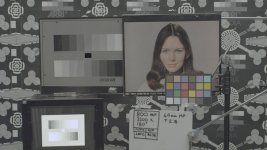
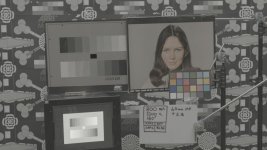
1. is what it looks like on set (redcolor/redgamma) Looks pretty wasted, right?
2. is gained to 3200 to see the shadows on set (Let's say I needed to see a couple of actors going for the car from the studio...)
3. is @3200 + redlog film (gee, the highlights are in there. Noisy though...)
4. is @ 320 with redlog film (Gee the highlights and lowlights are in there, but no mult/gain noise added)

I wish there were more jumping around and celebrating on this, It's at least as big as the other current announcements. Not that I couldn't do this manually in the past, I have - a lot - but gee the:
Just push the button and you're pretty good to go

is kind of making the worst f###ups I see in RED workflows so much less likely to happen.

More than HDR, the "easy way to keep your latitude preserved" is such a big thing, that it is hard to spell out. You don't really need HDR untill you've maxed the curent available latidue, right?

Now: Bring on HDR and magic-motion!

Ah...

I should maybe just start a redlogFilm celebration thread... -:)

Should just leave it for now.
 

Attachments

  • 19_red_3200_redg_redc.jpg
    19_red_3200_redg_redc.jpg
    43.8 KB · Views: 0
  • 20_red_3200_redgFilm_redc.jpg
    20_red_3200_redgFilm_redc.jpg
    38.7 KB · Views: 0
  • 18_red_320_redg_redc.jpg
    18_red_320_redg_redc.jpg
    35.7 KB · Views: 0
  • 320_redlog_film.jpg
    320_redlog_film.jpg
    34.5 KB · Views: 0
I agree on the benefits of REDlog Film. It's a great way of passing 'super-white' data through post without clipping. That is after all part of the reason the Cineon log curve was created in the first place, to hold information higher than the nominal scene white.

I had been impressed in the past with what could be done using the original "REDfilm" curve which was available in some versions of REDline.

It is basically the same as Arri do with their LogC curve. In fact I have clips of an Alexa recorded ProRes4x4 LogC side by side with an MX Red, and REDlog Film and LogC look very similar (as they should).
 
I have a few of those, too... -:)

But what's make me so happy, is that one finally have a "foolproof" advice to give as to RED raw-file developement, with much less voodoo involved.

I have seen so many bad results from stupid batch-processes.

Now the advice is kind of simple....

And - as it trickles down the SDK route - it will be much more generally accessible than a Redline command is...
 
I have just spent the last week working with the new builds in anger on set and must echo all the enthusiasm here for the major improvements and new features.

I have come across a number of bugs mentioned by others here. Will try and recreate them and send some log files but I'm out on another project again tomorrow, so busy busy.

The only bug not mentioned so far is that some thumbnails in the bins disappear when I switch to list mode & back sometimes and there is nothing I can do to get them back.

Also finding the following issues already mentioned:

Doesn't play nice with Spaces (I always use spaces to separate my apps so annoying)

Trying to load or create, then playback synced audio causes crashes on every attempt.

Timeline zoom slider not present. (has it been moved?)

Multi selecting clips in bins and dragging to the timeline does not preserve selection or sort order from bin. (would be nice if it did since I like to just throw all the clips from a new reel onto the timeline and play them all through to check footage in one go, keeping clip number order so if I get called away I know where I'm at, especially if Redcine crashes and I need to rebuild the timeline.)


Some other things I'd like to see would be support for multiple audio files. On this last Job the sound Recordist set his recorder to make a separate wav file for each active channel. Sounddevices Waveagent software automatically loads these separate files as one multichannel sync clip. It would be great if Redcinex could do the same. It would also be great to have a button to save the audio link data to RMD on the audio window immediately once you are done syncing or a general one on the viewer window.

Also an option to have the bin naming dialogue pop up each time you crate a new bin would be a nice tweak.


With a new build one gets encouraged to explore deeper into Redcinex again and this time I discovered all the metadata fields in the list view that allow you to add scene slate and take numbers + other notes and logging data and, happily, these get saved to the RMDs so should travel down the pipeline with the clips themselves. I have yet to find anything that reads them in though, FCP seems to ignore them (though I suspect I might need to try and regenerate proxies before discounting this entirely) so does Avid MC5s AMA import. I haven't been able to test with premiere yet. Perhaps they get embeded in transcodes? Even if not it would be nice to get them in & out in convenient ways. If they aren't supported by other software yet I am sure they will eventually and it would be great to begin using them if there was a way to export a log list as CSV or spreadsheet. I am sure a lot of this data will eventually get added to clips on camera on Epic and Scarlet via wifi live on set by all departments from their iPads, laptops and iPhones.
 
For comparison.

I personally find that the REDcolor/REDlogFilm combination gives a result which is more saturated that a 'normal' log image, so prefer the result from Redspace/REDlogFilm – YMMV. I guess this is where REDcolor2 will come in.
 

Attachments

  • RedSpace_REDlogFilm.jpg
    RedSpace_REDlogFilm.jpg
    90.5 KB · Views: 0
  • Alexa_LogC.jpg
    Alexa_LogC.jpg
    86.1 KB · Views: 0
  • REDcolor_REDlogFilm.jpg
    REDcolor_REDlogFilm.jpg
    90.4 KB · Views: 0
I think you are right as to redcolor2.

I had such a thorough dislike for the Redspace gamma, that I never checked its color-counterpart properly.
That is interesting. Thanks!
 
I had such a thorough dislike for the Redspace gamma, that I never checked its color-counterpart properly.

In the days of the "old new colour science" I found RedSpace (colour-space) and Rec709 (gamma) to be quite a good pairing as a grading start point for a video finish.
 
One other bug I had:

On a number of occasions a single frame within a clip in the viewer showed a glitch across the top of the frame taking the form of a pair of frames squashed and stretched up side by side at the top of screen. This disappeared on reloading the footage. Footage was non stereo single clip single cam. On build 326 it also happened but as three frames spread across the top 1/4 of the single frame.

Will try and e-mail log files ASAP
 
In the days of the "old new colour science" I found RedSpace (colour-space) and Rec709 (gamma) to be quite a good pairing as a grading start point for a video finish.


I just saw it being used as a default gamma for quite a few film/DI productions, and it really wrecked havock both on-set and in post.
Cam RGB/Rec 709 was my big frame for a long time, to have controll of the image. But it was a bit more voodoo'ish than what the redlogFilm will offer, if it trickles into the cam software...

Anyho'... those days are fortunately gone!
 
…what the redlogFilm will offer, if it trickles into the cam software...

Definitely love to see REDlogFilm available on the SDI out of the camera. Opens up all sorts of possibilities with Cinetal monitors, Truelight on Set etc.
 
Yes, that's nice, too...

Gives the option of different LUT's for the different previews with a pretty standard pipeline.

Just the quick added confidence as to exposure range by being able to switch to redlogFilm for a quick check, would make a lot of photographers a lot more happy with working on RED. Just not having to "wait for post" to see what was really captured up- and down-there in the image.

We "all know" that the latitude of the RED is more than what we see with the current preview, but that's actually not much of a comfort for many DP's...

I hate the word game-changer....

And it doesn't apply to all people and all productions, but gee: For those how know how to look at it...

It would be a biggie...
 
Back
Top