Welcome to our community

Be a part of something great, join today!

  • Hey all, just changed over the backend after 15 years I figured time to give it a bit of an update, its probably gonna be a bit weird for most of you and i am sure there is a few bugs to work out but it should kinda work the same as before... hopefully :)

REDCINE-X Build 326...

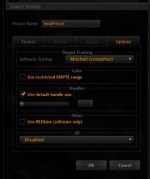
Cannot export QTs

Cannot export QTs

Jeff I am also trying to export QT and get half screen black and half colored pixels. I read that I should have million colors and not million +, where do I get this adjustment for QT color depth? I just got the MX cam and have a shooting on the 3rd, dont know how to guide the DIT. Is there a REDCINEX that renders QTs for now?
Thanks
panos
 
Holy ****, I can trim R3D files in RCX!!!! .. nice one, at last I can archive stock footage sensibly..(and so can everyone else) .. How long has this been going on dammit?

I've never had any version of Redcine (X or original) that can export QT files, so no change there. My 256MB ati/4gig iMac 3ghz can't display full-res R3Ds still.. I think thats a permanent feature (but it can in 32bit-Windows!?)

Anyway, I'm so happy I could paint my face blue and stick a parallelogram through my head until it goes square shaped! :Chevy_anim: No more archiving short clips as TIFFs
 
I've never had any version of Redcine (X or original) that can export QT files, so no change there. My 256MB ati/4gig iMac 3ghz can't display full-res R3Ds still.. I think thats a permanent feature (but it can in 32bit-Windows!?)

The first versions could render QTs with the gamma shifts and all but we had a usable off line image. Now it is impossible to render and get an image. I want to know how can we make it work? It is necessary still render prores for off line in our working environment. If someone has a suggestion it will be very much appreciated. Thanks in advance
Panos
 
I hate the word game-changer....

And it doesn't apply to all people and all productions, but gee: For those how know how to look at it...

It would be a biggie...

Arri has had this for at least 4 years on the D21, and also has it on the Alexa. Both cameras can add various output LUTs to the HD-SDI output in real time. How useful it is really depends on how important it is for you to see a film print preview as you're shooting. In most cases to this point, it just hasn't been particularly important, and seeing as how film targeting is likely diminishing in the future, my feeling is it won't be that important going forward, either. But that's just my opinion.
 
…How useful it is really depends on how important it is for you to see a film print preview as you're shooting. In most cases to this point, it just hasn't been particularly important, and seeing as how film targeting is likely diminishing in the future, my feeling is it won't be that important going forward, either. But that's just my opinion.

I think there is another aspect of log that seems not to be mentioned here often. Although true un-clamped float is clearly preferable, Cineon log is a very good way of using integer data to represent an image with values considerably higher than the nominal scene white level. And also this "HDR like" data can be sent through an SDI infrastructure.

That is one of the most significant things to me about the introduction of REDlogFilm. Try taking an 800 ISO image with bright highlights in REDcineX and flip between PDlog685 and REDlogFilm, and the benefit is clear.

In the comparison below I have also included REDgamma. I know which one I would prefer as a start point for grading.

REDlogFilm.png

REDlog Film

PDLog685.png

PDLog 685

REDgamma.png

REDgamma
 
That is one of the most significant things to me about the introduction of REDlogFilm. Try taking an 800 ISO image with bright highlights in REDcineX and flip between PDlog685 and REDlogFilm....

How is this significantly different than the Raw view that's been available for some time now?
 
Arri has had this for at least 4 years on the D21, and also has it on the Alexa. Both cameras can add various output LUTs to the HD-SDI output in real time. How useful it is really depends on how important it is for you to see a film print preview as you're shooting. In most cases to this point, it just hasn't been particularly important, and seeing as how film targeting is likely diminishing in the future, my feeling is it won't be that important going forward, either. But that's just my opinion.

It is important as an exposure evaluation. As to your RAW view comment, the curve on the RAW view also pushes things a bit hard up/down.

Gamechanger... LOL!
Agree.

But for the RED workflow, it is changing things a bit.
 
How is this significantly different than the Raw view that's been available for some time now?

Because RAW view removes ISO and other meta-data, and applies a viewing curve which is not published. When shooting high ISO if you toggle to RAW view you can confirm if your highlights are blown or not, but cannot simultaneously see the mid-tones and shadows.

REDlog Film transforms the output to a known standard (film gamut aside) allowing you to see shadows mids and highlights simultaneously if you bypass your external LUT box. Using a LUT box like a Truelight on Set system you can preview looks, as well as film stock emulation etc. The operator would see REDlogFilm on the EVF, and the external LUT box could apply different LUTs for different monitors around the set if required.
 
I am having the same problems as others in regards to exporting black prores files from build 326. I've tried the different prores's with no change. Would love to figure out what's going on there. Rendering through Redline is working (including maxing out all 8 cores of my machine!), but the color settings are not being applied)

Also, would it be possible to get it so when you render/export it does it in order of file name? I will select an entire bin of clips to export and when they start rendering, it will start with clip 125 and then render clip 36 next, then 92, etc. It would be VERY nice, in case you have to stop the queue and pick it up later) to start with clip 1 and go from there. The same thing goes for dropping stuff into the timeline. If you select multiple clips, they should go in order, not the current randomness that it is.

Matthew
 
Actually - with all due respect M Most - I think redlogFilm allows for a "for dummies" workflow on the RED, finally.

I have seen so many projects being killed in post, due to the guys handling the files lack of knowledge about how to protect latitude and avoid noise.

As a matter of opinion - I still feel a lot more comfortable with redlog, for most uses - but I would advise "someone who asked me" to go redlogFilm, just to avoid silly out-of-range results.

The redlog workflow is very stretchable, but you have to treat it "right" to make it work. With relogFilm, you get the most of the latitude baked, independently of iso/kelvin settings. I think that is good.

That it fits with log/lin luts is more of an added bonus.

As to on-set use, many DoP's are quite familiar with looking at filmscans (as Brook said), but because the preview on the R1 currently works like it does, DoP's often handle it as a more video'ish cam, and disregard a lot of recorded latitude. I have seen this a lot. And looking at a 320 redraw image, isn't really telling them anything, as it is unfamilar what to look for (and have pretty much the same curve applied as redgamma @ 320. Check it with a wavefoem...)

Somethings looking like a filmscan will be quite informative, though. That's familiar, and thus trustworthy. It is also very easy to get used to look at.

The other thing is: As it is more of a standard log curve, it will be easier to feed different monitors different LUTs on set (through in-monitor LUTs), which is a thing I haven't been alone for wishing for on the R1.

But that's just my thoughts on the subject.

Cheers!

G
 
Thanks David I'll do that Monday when i'm on Set again, cause i checked 326 yesterday for the audio and it still crashed

Pleas, let me know how do you solve it. I'm having exactly the same issue with the 326 built.
 
Same problem here with impossibility to export to QuickTime (tried all kinds of settings). Output is always black. It's a real bummer because in my workflow there's no other way to profit from the look settings that RedCine-X would provide. Please make sure that this feature works with the next release! Pretty please!

Another problem is non-ASCII characters in file paths: export either crashes or doesn't do a thing (depending on export settings). Please make sure that all your string handling is Unicode safe.

Thanks!
 
Guys, have you tried to throw things at redlogFilm yet. It's pretty amazing at recovering highlights and lowlights.

RedlogFilm is going to salvage more RED DR for the future than the combined heads of most post people have done manually so far.

Gunleik, you are so right. I just got into this new version of RedCine after a couple of weeks on the road, and I am amazed. I just played with some very contrasty footage I shot over the summer that had been very difficult to grade. Starting with redlogfilm, I'm able to hold more dynamic range than we had gotten with the original grade on a Scratch system. It is the best new thing since MX.
 
Sorry if this is a repost but where do I change the SDI monitor settings? Before when you activated the monitor out you would get a pop up menu to select the type of signal you need?
 
Sorry if this is a repost but where do I change the SDI monitor settings? Before when you activated the monitor out you would get a pop up menu to select the type of signal you need?

Click on the Rocket icon. It's been split off so you don't have to go via the settings dialogue every time. Much better IMHO.
 
It is very difficult for me to criticize Red Cine X as I see it a great effort to improve Red Workflow and the quality of the footage and for FREE!!

But every time I tried to use it I pretty much give up. There are things that should be basic, and are either very hidden or difficult to find.

Now I am at a point where I have 3 long clips in the timeline and I just can't find how to zoom out the timeline so I can see all the clips at once. I read the manual and no reference I could find. I cannot find a slider or zoom button like in AE or Final Cut. This is really basic I think. Having support for 3d is great, but there are some basic stuff that I think it should be added first. Sorry for my criticism but I get really frustrated because I want to use Red Cine!!!

Also I asked before and always without answer, how can Red Cine that is from Red, can't use all the cores for Render, and Clipfinder that is a 3rd party software and also free renders way much faster? This really surprises me. I just don't get it. Also not to mention that I can't edit with proxies in FCP shot at 4K HD 16:9 without having to Render but yes with 4k 16:9 that needs much more CPU power. But well, this might be a Final Cut issue, who knows.
 
The proxies question...
4khd is much easier math (just a fourth for 1080) while 4k 16:9 involves scaling for any "normal" preview.

Clipfinder uses redline, which RCX also can be set to for rendering (haven't tried that yet, but it is in the export prefs)

As to scaling of the timeline - I'm pretty new to RCX and have been wondering, too, though I think I won't use it for much else than rendering bins for a while.
 

Attachments

  • Screen shot 2010-10-03 at 22.57.45.jpg
    Screen shot 2010-10-03 at 22.57.45.jpg
    9 KB · Views: 0
Thanks Gunleik for your answer.

That's why I don't understand how it is possible to edit with 4K 16:9 proxies without problem and 4K HD 16:9 that it is much easier math for rescaling it doesn't work.

I've tried the Redline line in Red Cine X and it didn't seem to do anything special and it didn't use all the cores for render. I might be missing something though.

The proxies question...
4khd is much easier math (just a fourth for 1080) while 4k 16:9 involves scaling for any "normal" preview.

Clipfinder uses redline, which RCX also can be set to for rendering (haven't tried that yet, but it is in the export prefs)

As to scaling of the timeline - I'm pretty new to RCX and have been wondering, too, though I think I won't use it for much else than rendering bins for a while.
 
Back
Top