Welcome to our community

Be a part of something great, join today!

  • Hey all, just changed over the backend after 15 years I figured time to give it a bit of an update, its probably gonna be a bit weird for most of you and i am sure there is a few bugs to work out but it should kinda work the same as before... hopefully :)

DaVinci Resolve 16.2 is now available

Sabovic,

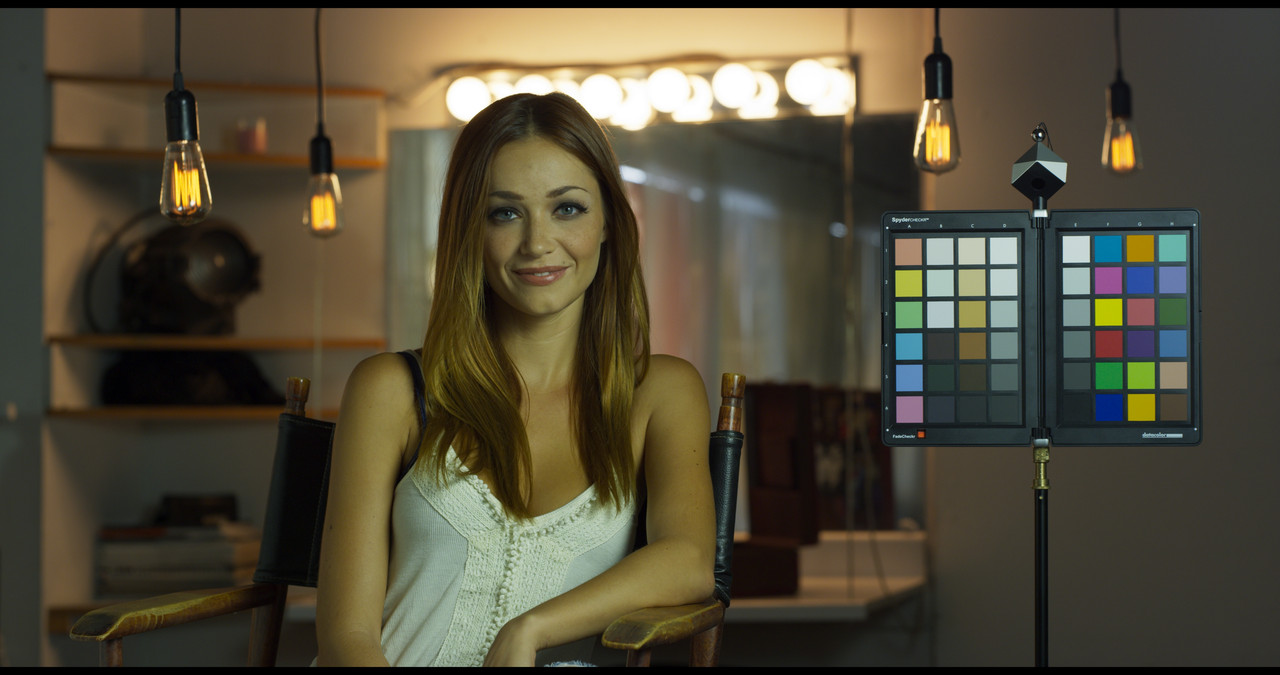
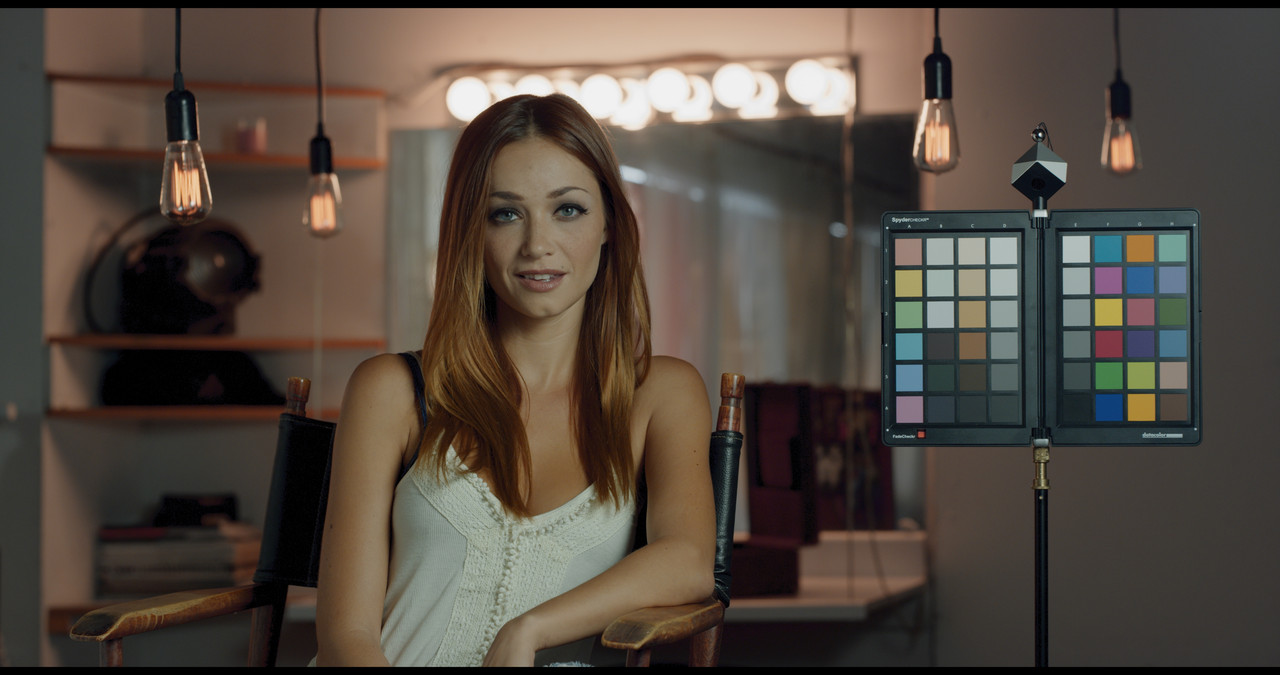
I like this specific "opposing" colors grade you made. I never would have known from looking at image that you used a "power window". You did an excellent job of feathering it so that you don't see any brightness differences between the power window and the surrounding image.
 
Sabovic,

I like this specific "opposing" colors grade you made.
Thanks, man!
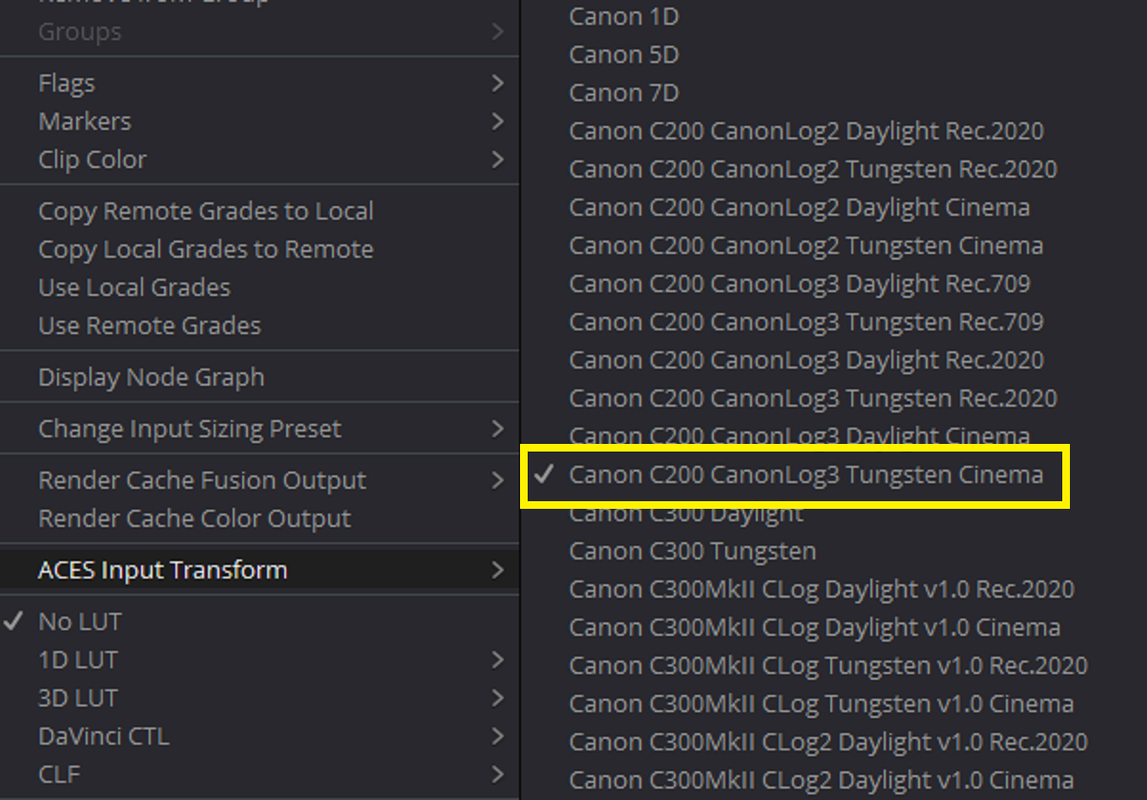
In essence, it's the IDT/RRT/ODT combination, not really my grade. I only disregarded "meta WB" and went with simple 3200K. That's all.

I never would have known from looking at image that you used a "power window". You did an excellent job of feathering it so that you don't see any brightness differences between the power window and the surrounding image.

Well, it's just half a stop. More would have been visible. Maybe. And being feathered on both sides (in and out) makes the window (Bézier mask, actually) very smooth.

@Phil
If not asked too much, what's you favorite workflow? ACES? Non-ACES? LUTs only? Depends on weather? :)
 
Šabović Adis;1893108 said:
@Phil
If not asked too much, what's you favorite workflow? ACES? Non-ACES? LUTs only? Depends on weather? :)

Rarely use ACES. As I mentioned, not really focused on it until 2.0 really lands, though there's some new stuff coming shortly that will be interesting to explore pre-2.0.

LUT workflow, I make my own LUTs as you all know and you'll notice all of those are unique. Tool-wise I have plenty of LUTs and/or Power Grades laying around. Some of the LUTs I created before Resolve even existed I still dive into those occasionally from features in the 2000s as well as work for Kodak and ARRI even before RED existed *gasp*. Mainly some of those were developed around film and film processing from labs that don't even exist anymore like CFI, so it's important to me to keep the scans and LUTs around for that weird moment when somebody wants that bleach bypass look from Daredevil's opening sequence or whatever.

LUTs are useful for me in particular because Resolve isn't the only grading software out there and certainly not the only color or post workflow. Though it's 100% the most used grading software in the world and what I use the most these days. For the first 6 years I did color it was the software and pipeline I made. Then a medley of Baselight, Resolve, Speedgrade once they existed and were a bit more refined. Certainly occasionally dabbling with other options out there. Really miss Speedgrade btw, Adobe slept hard on the potential here as the true Iridas Lumetri Color Engine was one of the best out there, though some general workflow refinements would have been welcomed.

My favorite workflow is the one that is appropriate for the project. And truthfully almost every project I do requires something different, even if just slightly different. I still enjoy making and using my own color tools. Still a lot of things people aren't doing really.
 
There is a very fascinating conversation going around certain corners of "color heavy hitters" between accuracy and a perceptually pleasing image.

This is really not a new subject.
Many of these ideas had already been implemented by FilmLight in their product lines.
In this video FilmLight developer- Daniel Siragusano talks about this very subject- how sensory information changes depending on the stimulation and the environment.


Even more so, FilmLight pioneered the idea of creating a more "pleasing" images instead of strictly "proper" images. To this goal they created a new tone curve/gamut curve- T-Log/E-Gamut as well as a companion DRT, specifically designed to work with T-Log/E-Gamut- TCAM DRT, which stands for Truelight Color Appearance Model. This DRT is specifically tweaked for better handling of the images. And as such, this combination is not necessarily based on a mathematically "proper" tone curve/DRT, but it's more closely aligned with an idea of improving color handling while creating a more "pleasing " image based on an empirical studies. Baselight already has number of tools, that use many of these new sensory adaptation ideas. For example, when Basegrade is used, regardless of the image, under the hood it actually operates in a linear color space, while using, again, a very specifically tweaked LAB color model.
More info on these color curves and DRTs:


Yes. I'm a big fan of Filmlight which is why I chose not only the Northlight scanner, but also Baselight back in the day. I'm actually adhering to the general mindset of what is put forth with my LUTs for IPP2, which is why they pretty much work with "everything". Similarly the chromaContrastSqueeze tool I use is very much on point of real world perception. Interestingly it's become rather useful in pushing a grade to natural complimentary schemes even when the captured imagery doesn't exactly play ball.

Been coding some fun new stuff since October that I really want to show peeps.
 
This video explains why in modern multi deliverable environment, LUTs are pretty much useless and ACES is the only practical way to go forward.


This conversation must also include an ability to handle texture and lens modeling, which also addresses a visual difference between SDR and HDR.
These videos explains why:

 
Jake,


Thanks for these tutorials! Grading more and more in ACES these days and trying my best to be more fluent with it as I am in other workflows. Everytime you post these Filmlight tuts, it makes me think about renewing my Avid Media Composer Subscription so that I can use the Baselight plugin for Avid again.
 
I think ACES is very useful and it's getting better, particularly once 1.4 drops and really when 2.0 drops. I don't think the thousands of productions that aren't using ACES are freaking out. Almost all of my work in the last 3-4 years has been destined for SDR, HDR10, and Dolby Vision on top of unique display transforms. ACES to me represents one workflow.

But if ACES is the chose path, I adhere to it. It's just far from the only way of working.

I like their methodology and toolset for texture control and that's certainly something to tackle outside of any LUT. I will say Daniel and I share the general dislike of HDR hard clipping. None, zero, zip of my finished HDR content for years has had that ugliness. It's so bad when I see that still pop up. Generally members of the ASC and the rest of the industry have received HDR extremely well, but a bad hard clip looks so painfully digital. This is one conversation many have had on and off set in regards to exposure method as well as general post pipeline for a while.

Some of the display specific stuff I can mention without setting the world on fire is the broadening scope of various nit targets as well as technology limitations. I'm fortunate to have most of the television companies as clients, but occasionally a 2000 nit TV really doesn't want more than 1800 nits of anything thrown at it. Especially for certain colors. My favorite question I had to ask a company last year was "we need to decide what green is", because there's still really no calibrated standard for higher brightness/higher gamut material outside of what is expected for Rec.2020.

The ASC HDR Monitor day long ago revealed so much variance even across 1000 nit consistent signals across about 40 high end grading monitors. Nothing as sobering as looking at all of those $5,0000-$50,000 grading displays all calibrated with the manufacturer on hand even and seeing such a vast range of differences in HDR.

But soon that will get moderately sorted.
 
Perceived HDR highlights harshness is a fact and it doesn't take a train eye to see it. That is why FilmLlight already addressed this anomaly with an introduction of Highlight texture operator. It works very effectively and it's very simple to use.
As far as to why to use ACES vs LUTs, I couldn't possibly explain it any better, than Daniel had done in the videos provided. It is very difficult to address all issues, that may arise from a need for a multiple deliverables for various viewing environments. And that is why FilmLight already moved pass an idea of a single DRT and introduced a new model of a DRT families. When you need to deliver for 48/100/600/1000/2000/4000 nits with various encoding curves and different white points, stereo, IMAX etc using LUTs is just not practical, unless there is a proper stuff color scientist. FilmLight takes all the guesswork by using it's vast color science knowledge needed for proper deliverables while simplifying it by hiding it all under the hood. All colorist needs to do is just select the viewing environment/white point and Baselight takes care of the rest.
LUTs are imprecise, they are essentially just a table with a bunch of numbers. Bad LUTs can easily introduce noise, especially when stressed. On the other hand, transforms are always easily reversible, meaning they don't have to be destructible, like LUTs. And, as seen in the video, as you start increasing number of deliverables, all of a sudden, you can easily run into hundreds of LUTs...
As far as "we need to decide what green is", well... along with ever increasing number of display technologies, all I have to say is I just two words- metameric failure:)
I long for the days, when C-Phosphor CRTs along with SMPTE-C or Rec-601 rained supreme. It was super easy then.
All you had to do is to get a SONY CRT monitor, calibrate white point, 100 nits brightness, OK, may be check the purity and registration and you were done.
Today, you have this:
https://partnerhelp.netflixstudios....00591787-Color-Grading-Calibration-Guidelines
And that just is a starting point...
 
How To Master Contrast in Color Grading | DaVinci Resolve Basics Tutorial


By Tim Yemmax


Face Refinement OFX | Davinci Resolve Tutorial


By
Jamie Fenn


@Rohit - I'll email you separately if needed, but some stuff to look out for with this build:

- some contect menus go off the screen to a place where you can't click them
- Seems to have some new font sizing stuff compared to the previous version. Wouldn't mind btw being able to set a custom character limit to Node Labels. I got some trees that are forests if you catch my drift :)
 
Fascinating. New GPU driver dropped, installed it. Original hanging problem is back. Will re-do what I did above. This is happening on multiple systems btw.

*edit - Update. Simply disabling my ethernet allowed Resolve to correctly launch this time around.

OG dongle user.
 
Walkthrough of Edit Selection Mode in Fairlight | DaVinci Resolve 16.2 Tutorial

By Creative Media Institute

 
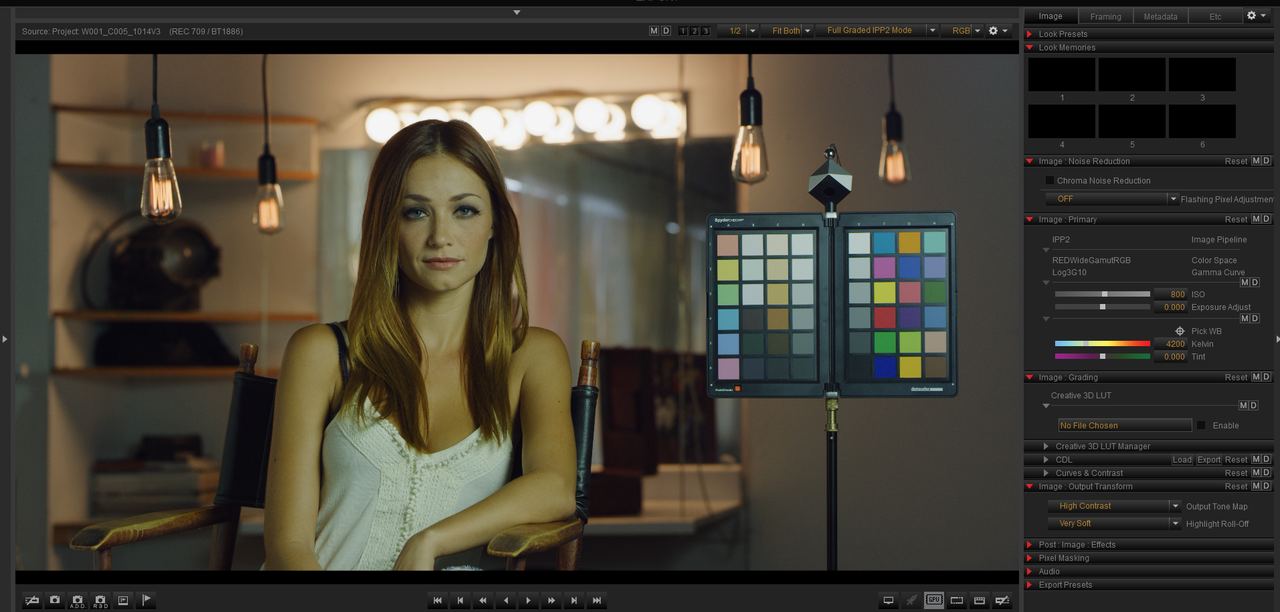
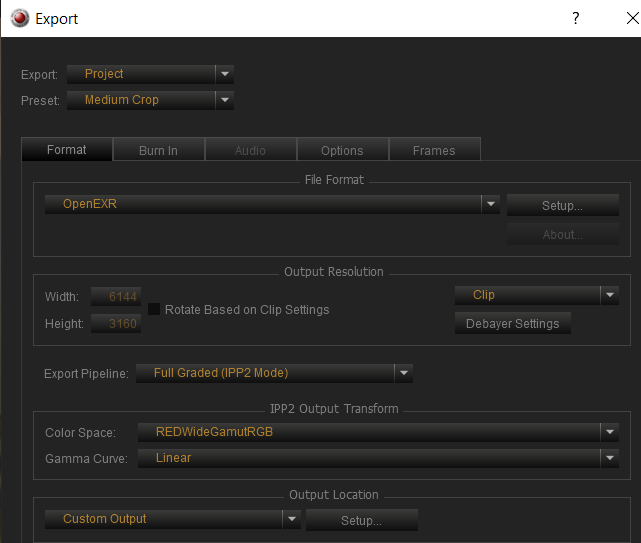
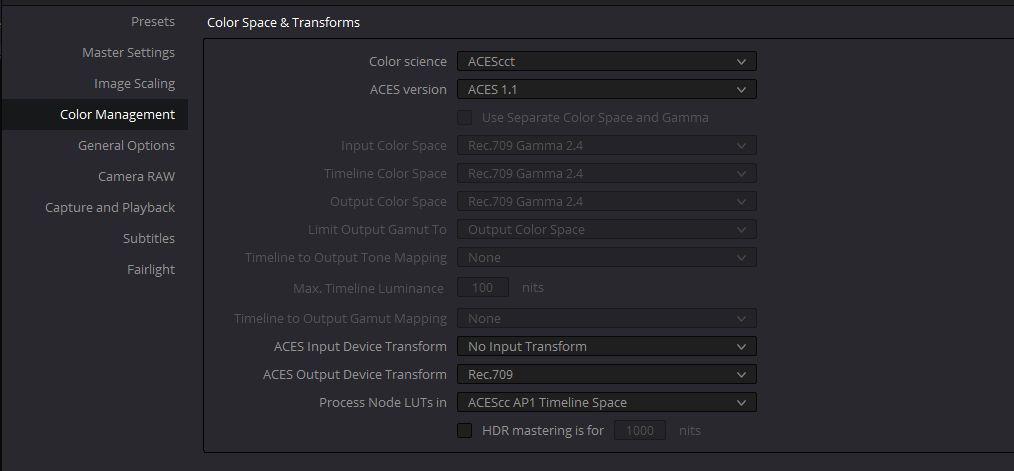
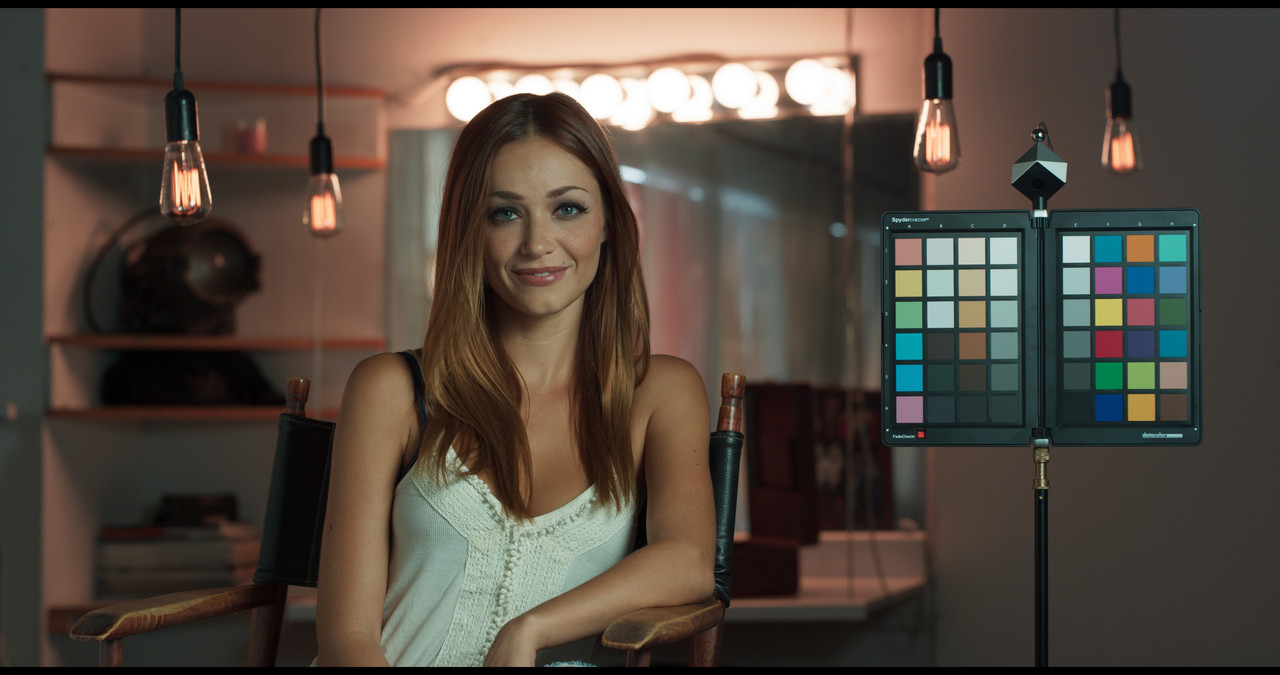
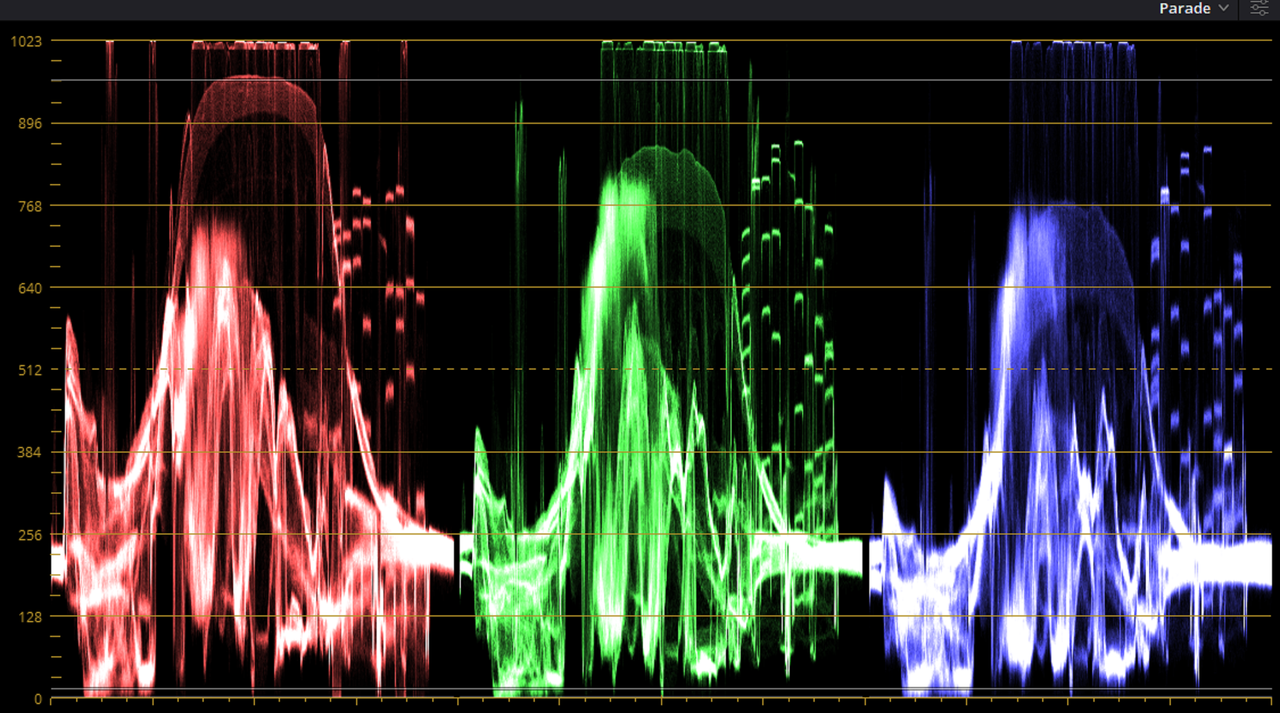
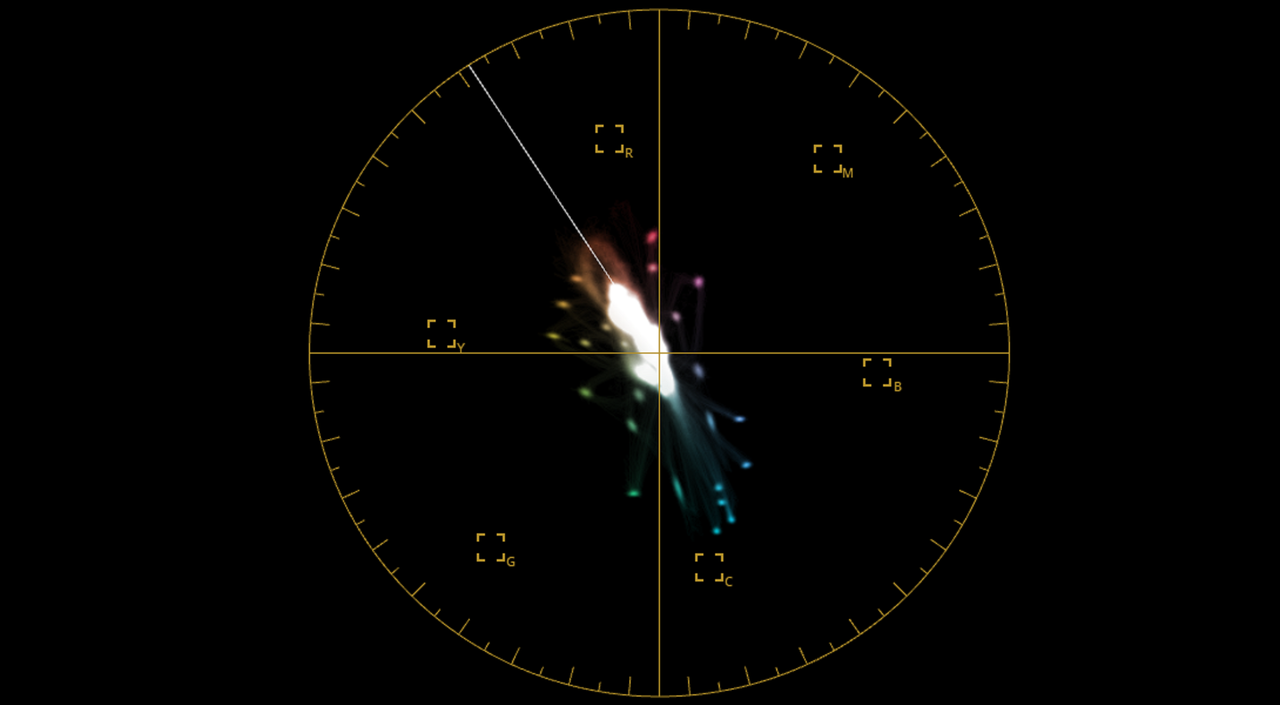
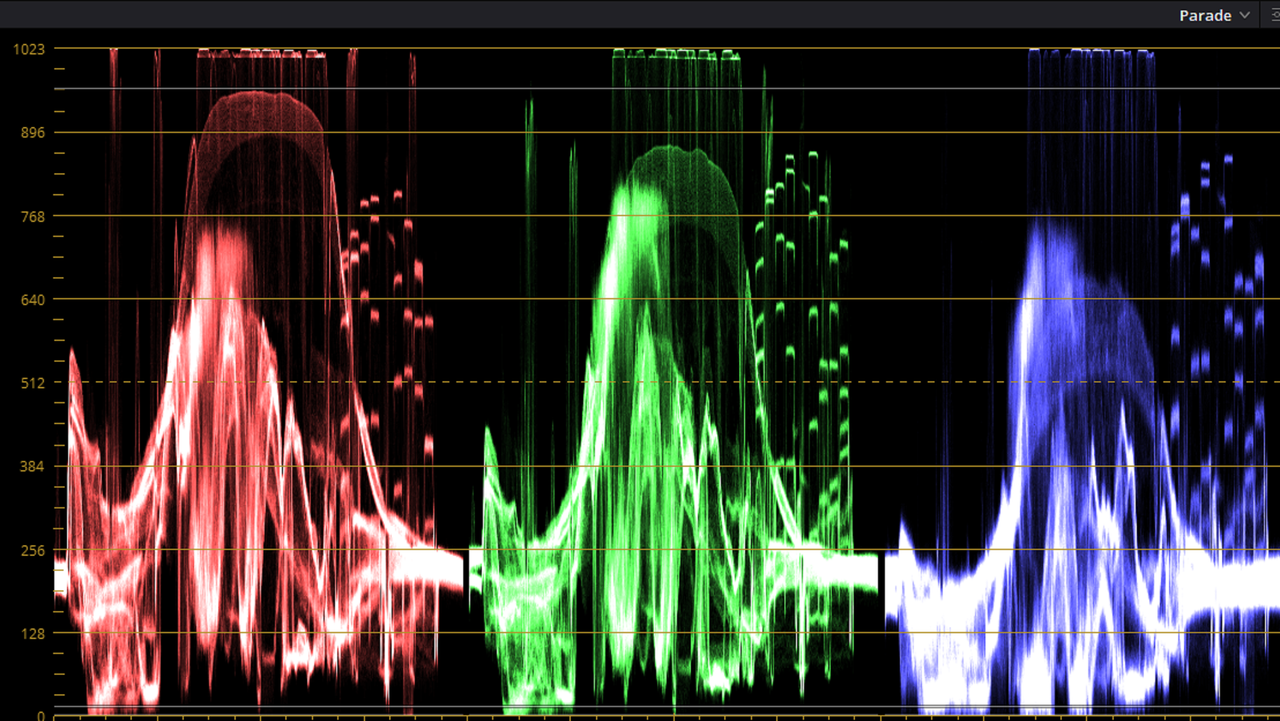
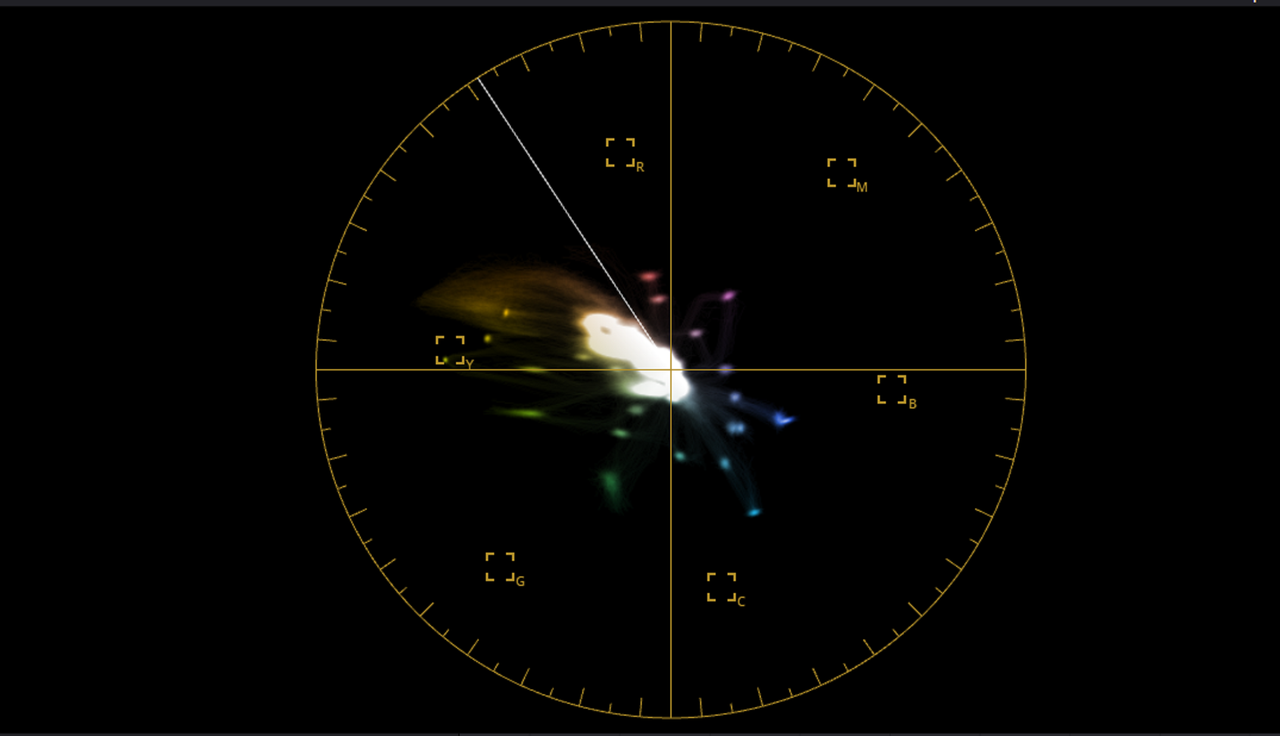
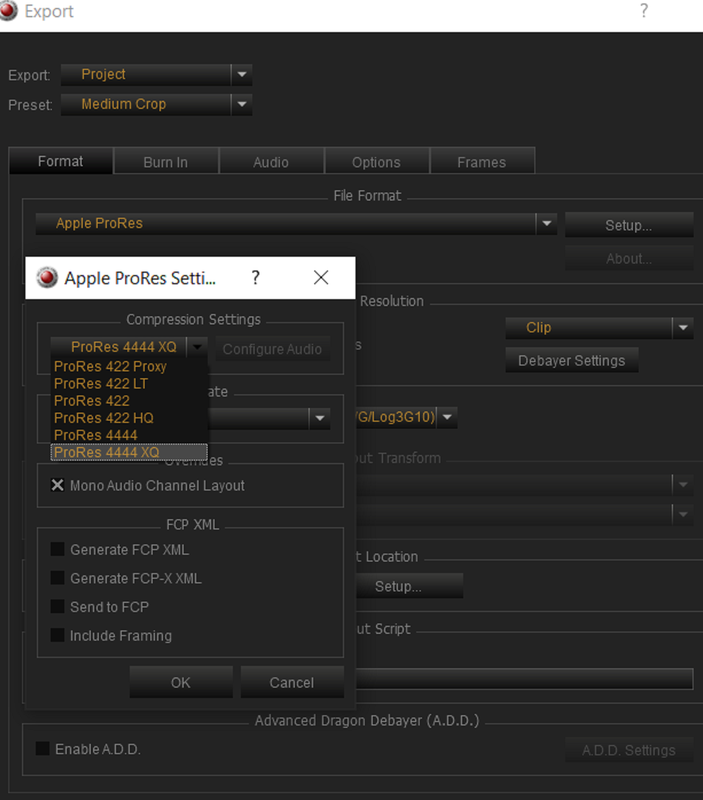
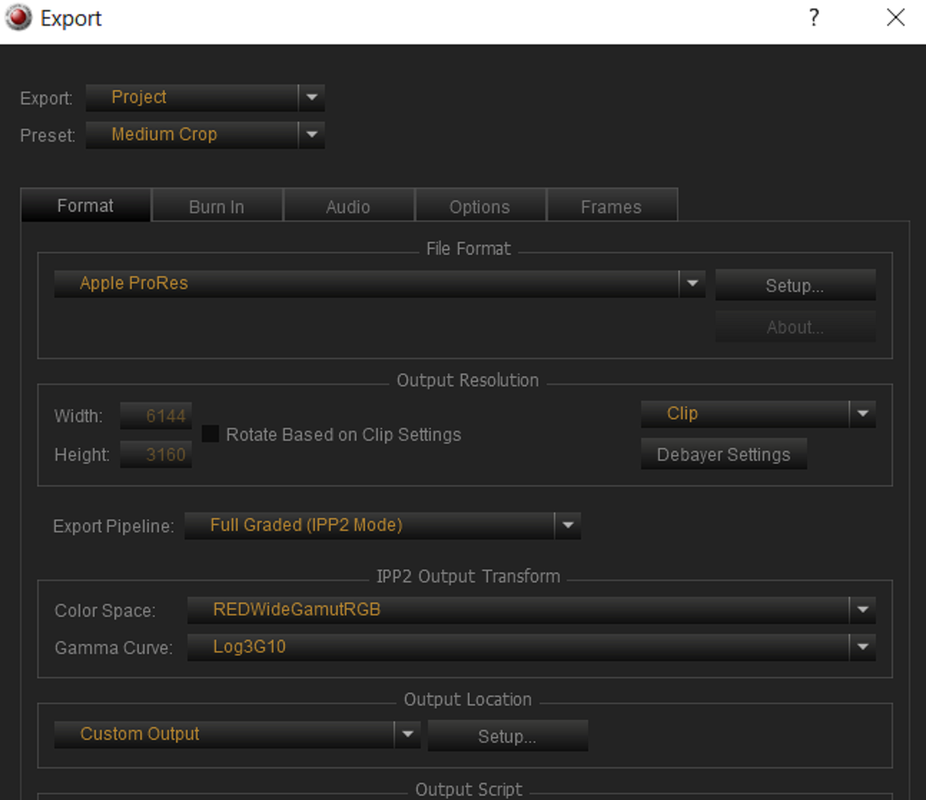
I tried two more RED .R3d workflows for Aces with different results


First One

OPENEXR

EXPORT PIPELINE-Full Graded(IPP2 Mode)

COLOR SPACE-REDWideGamutRGB

GAMMA CURVE-Linear


Screenshot-1018.png


Screenshot-1019.png


Screenshot-1023.png


RWG-Linear-1-1-1.jpg


Screenshot-1020.png


Screenshot-1021.png
 
Last edited:
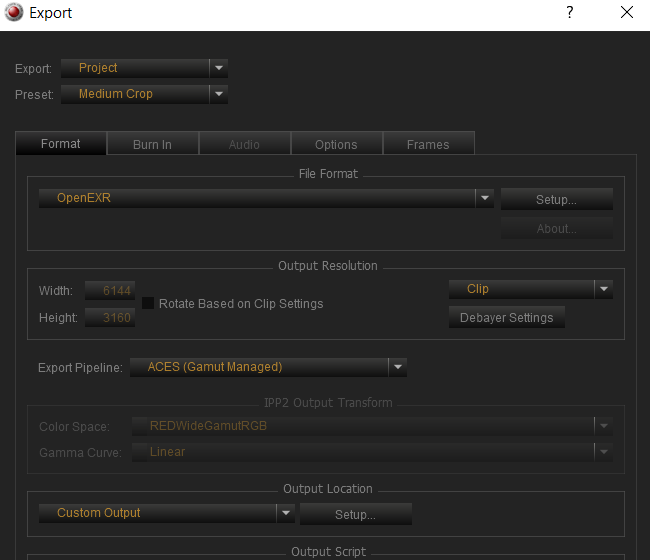
Second One

OPENEXR

EXPORT PIPELINE-ACES(Gamut Managed)

COLOR SPACE-

GAMMA CURVE-


Screenshot-1018.png


Screenshot-1022.png


Screenshot-1023.png


openexr-aces-gamut-mapping-1-1-1.jpg


Screenshot-1025.png


Screenshot-1024.png
 
Last edited:
The one I think I will stick to for now until maybe A new Version of Aces comes along and a better IDT for Red none Raw files and a better automatic transform for Raw files is Prores> IPP2> Canon IDT.


Screenshot-1018.png


Screenshot-1028.png


Screenshot-1029.png


Screenshot-1023.png


Screenshot-1030.png


prores-ipp2-canon-IDT-1-1-1-2.jpg


Screenshot-1026.png


Screenshot-1027.png
 
DaVinci Resolve Q&A Live Stream


By Casey Faris


Stream starts at about the 9:54 minute mark. Its 3 hours long and sorry there was no table of content to what was discussed. So you might want to scan through it to see if there's something he discussed that you might be interested in.


How to White Balance in DaVinci Resolve | Advanced Color Correction Tutorial


By Tim Yemmax


Back
Top