Welcome to our community

Be a part of something great, join today!

  • Hey all, just changed over the backend after 15 years I figured time to give it a bit of an update, its probably gonna be a bit weird for most of you and i am sure there is a few bugs to work out but it should kinda work the same as before... hopefully :)

DaVinci Resolve 16.2 is now available

Mike,

From reading this article from December that you've probably already read, Final cut pro will probably have the support in final cut pro 10.5.0 or something like that. And it also stated that Blackmagic


"Blackmagic Design now has the R3D Metal SDK and is integrating as well."

I didn't see anything about Metal in SDK 7.2.1, maybe it's in there or maybe there is some other SDK we are unaware of.

https://ymcinema.com/2019/12/13/red...les-metal-for-native-r3d-grading-and-editing/
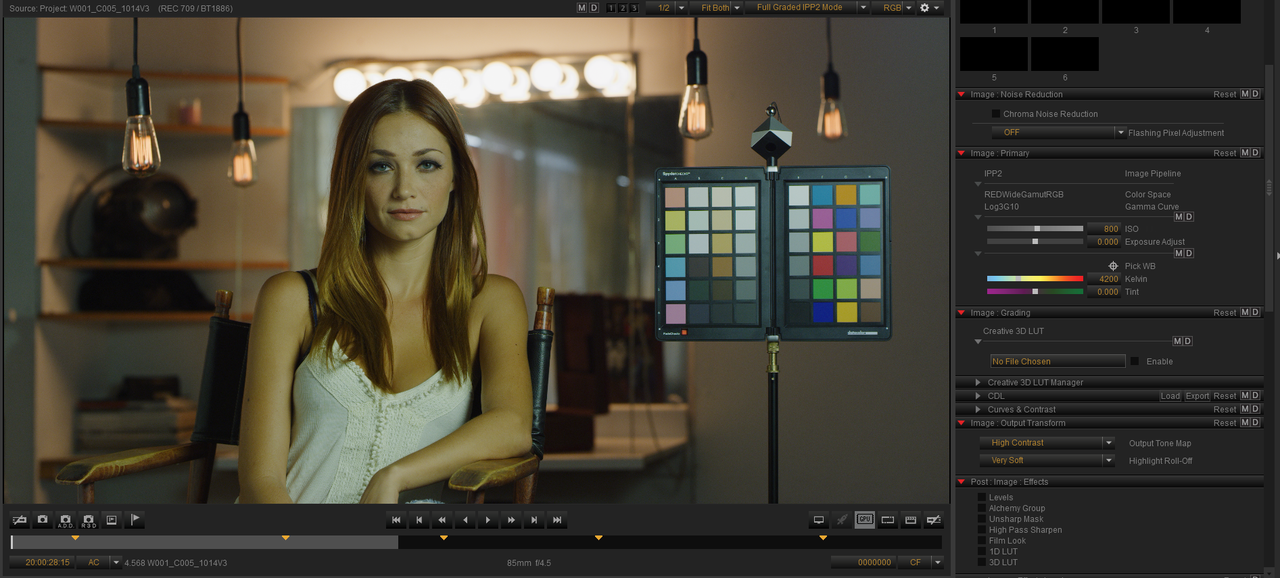
 
I wanted to see how close the ACES "REDWideGamutRGB/LOG3G10" IDT workflow would match an IPP2 workflow with an IPP2 Output Transform of "HighCon/ Very soft" one of my favorite combinations.

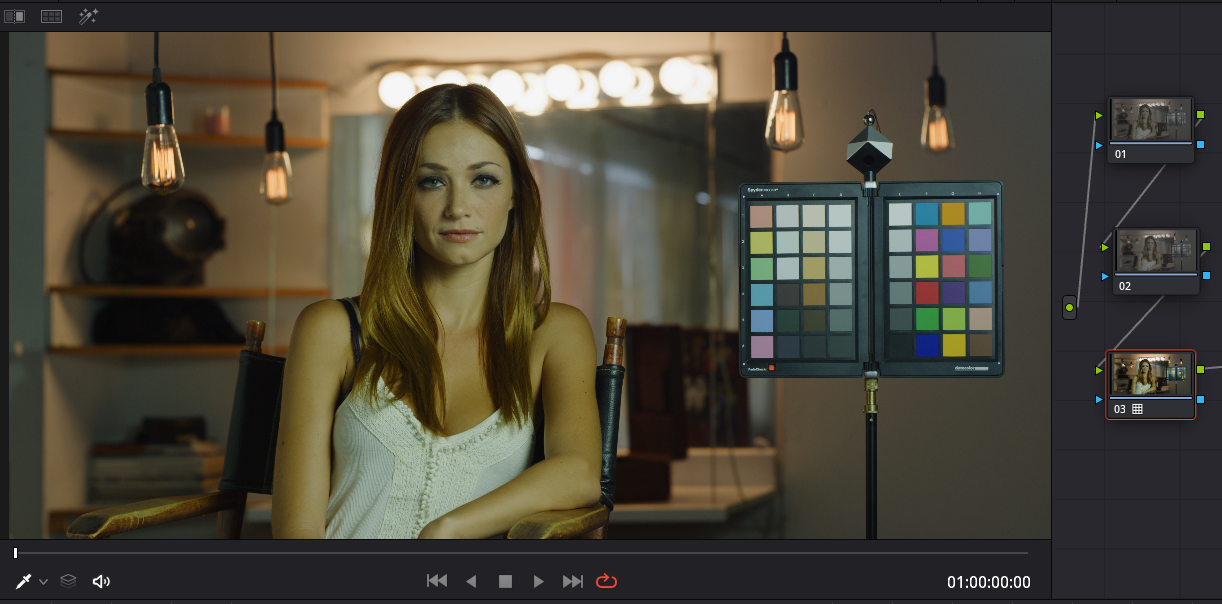
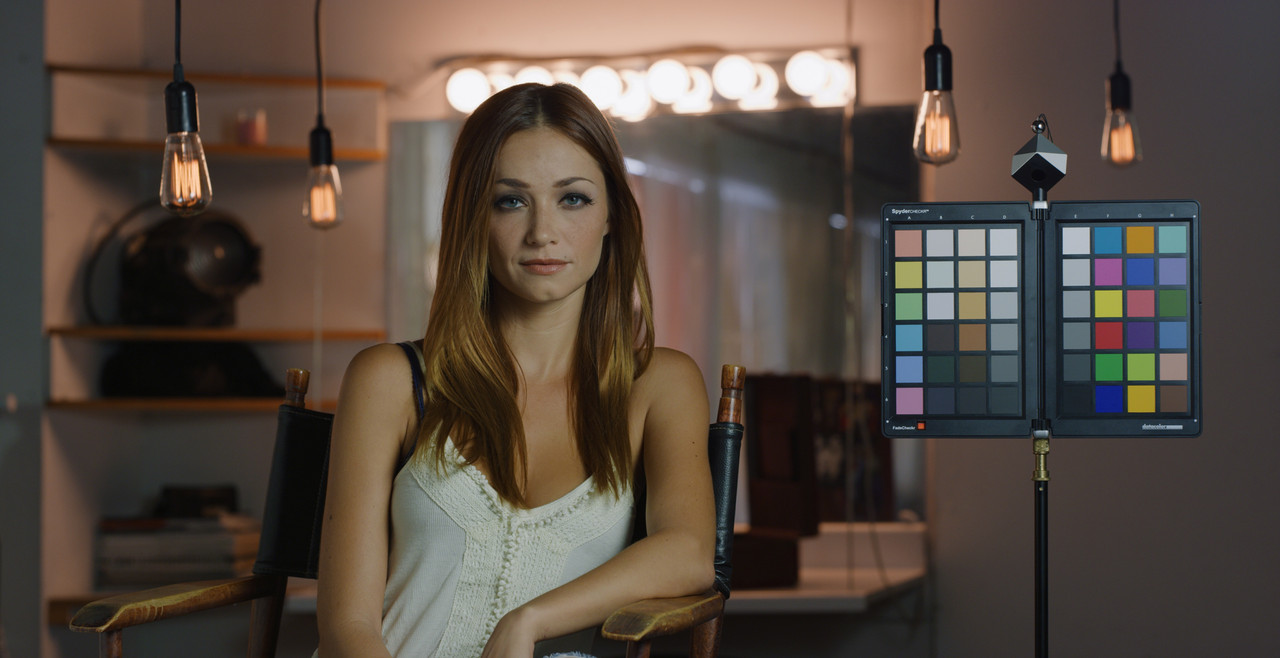
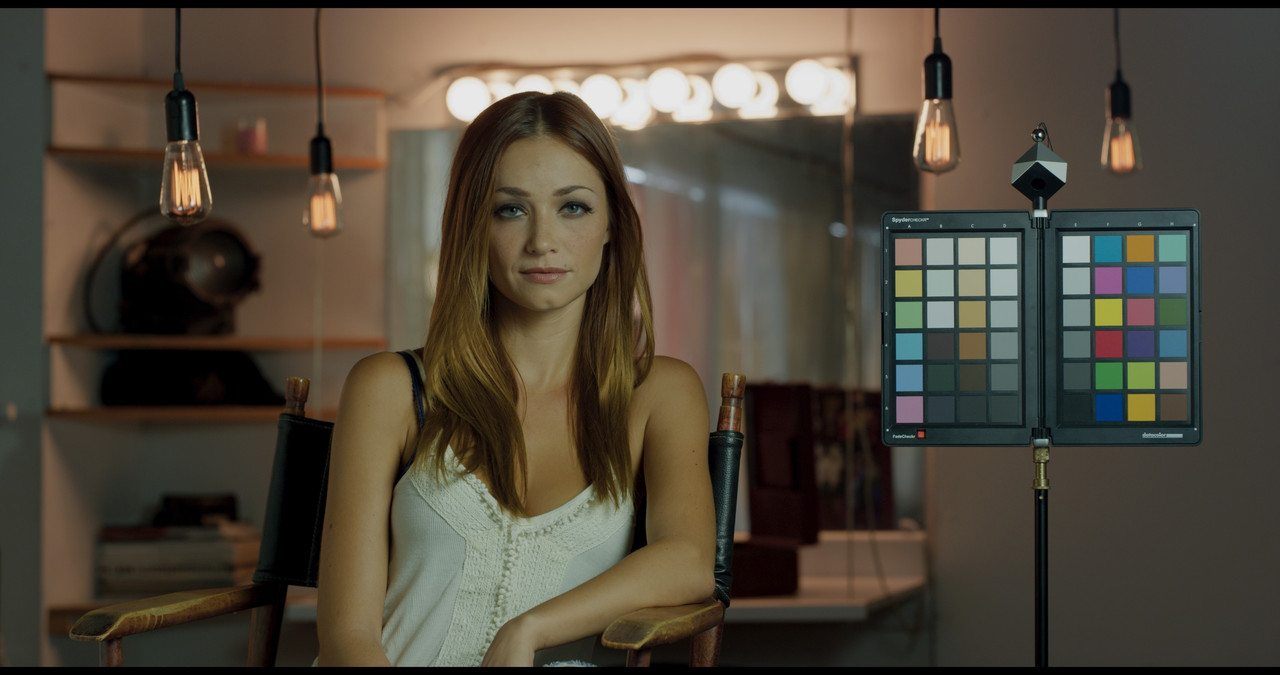
In Redcine-x I gave the Red Sample image of the (Girl in the chair next to the Chip chart) a 4200 Kelvin with 0 Tint.

Screenshot-889.png


1) First, I imported the R3D file into an IPP2 REDWideGamutRGB/LOG3G10 Project with a IPP2 Output Transform of "HighCon/ Very soft".

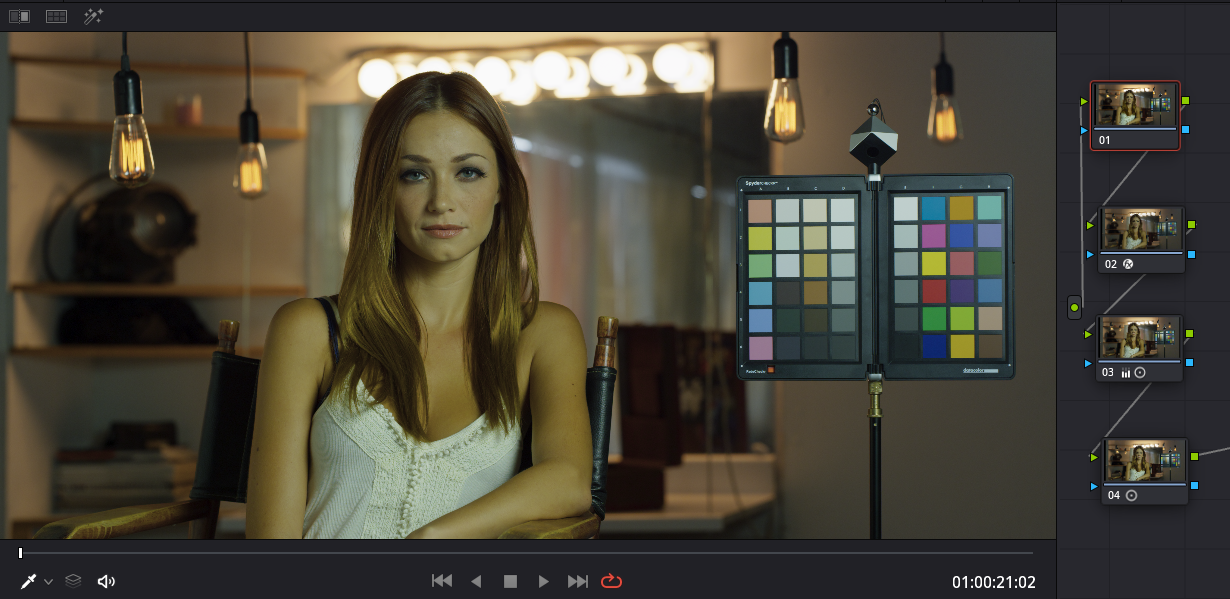
Screenshot-890.png


2) Next, I imported a transcoded ProRes "Primary Raw Development" file of the Red R3D file from above into and ACEScct Project.

In Aces I did the following to approximate the Luminance response curve of the IPP2 High Con/Very Soft image:

1) I used the new "REDWideGamutRGB/LOG3G10" IDT to transform the ProRes "Primary Raw Development" file.
2) Added an OFX" Gamut Mapping" with modifications
3) I used a + 1 "Primary Bar" Gamma plus an increase in Contrast and no change to "Pivot".
4) I used a Reduction in "Primary Log" Highlight.

Screenshot-892.png


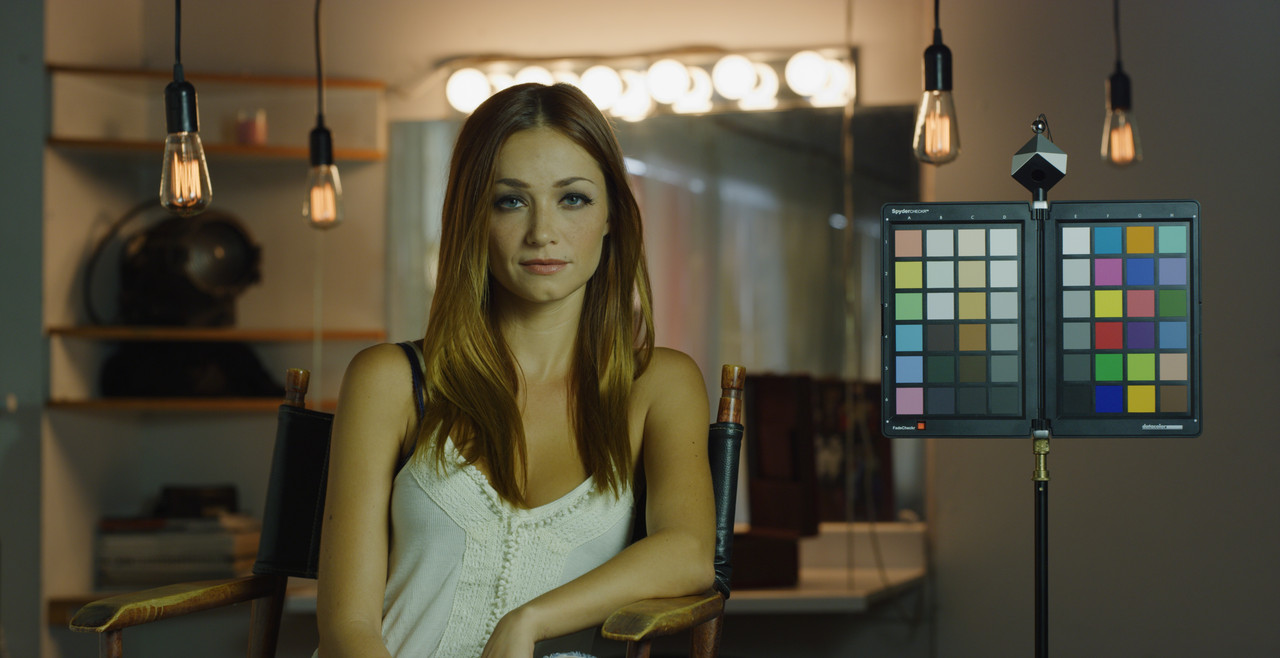
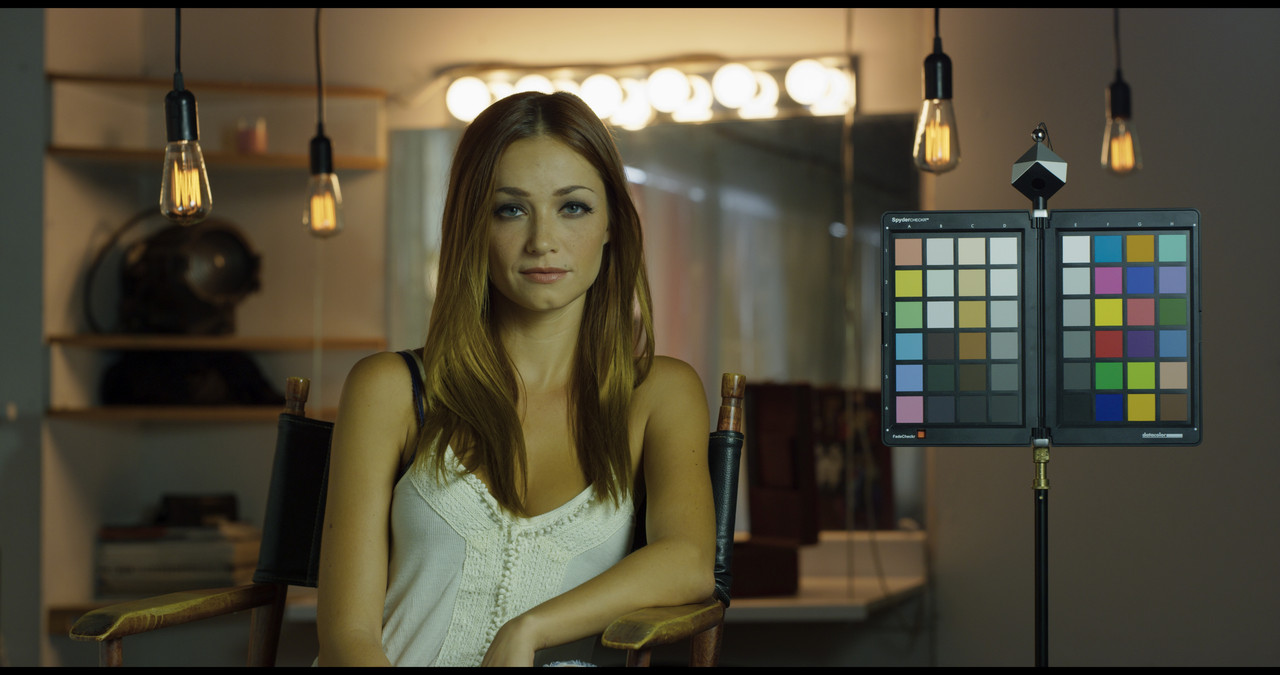
I think the new "REDWideGamutRGB/LOG3G10" IDT for the ACES workflow does a great job of reproducing the colors from IPP2.


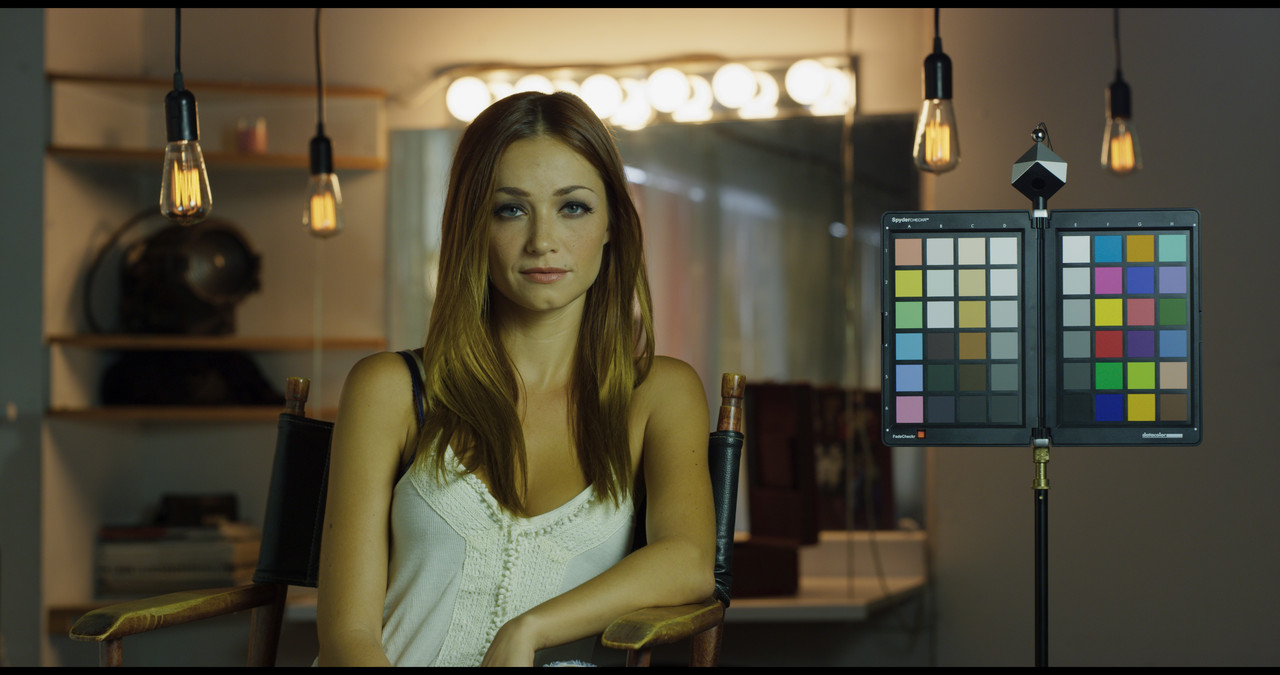
Ungraded

From Redcine-X

W001-C005-1014-V3-S002-0000000-2.jpg


From Resolve ACES with "REDWideGamutRGB/LOG3G10" IDT

aces-test-6-1-4-1.jpg


I make a point of not keeping grades which is why my grades look different all the time. However, I did export a graded grab from each of the projects before not saving them.

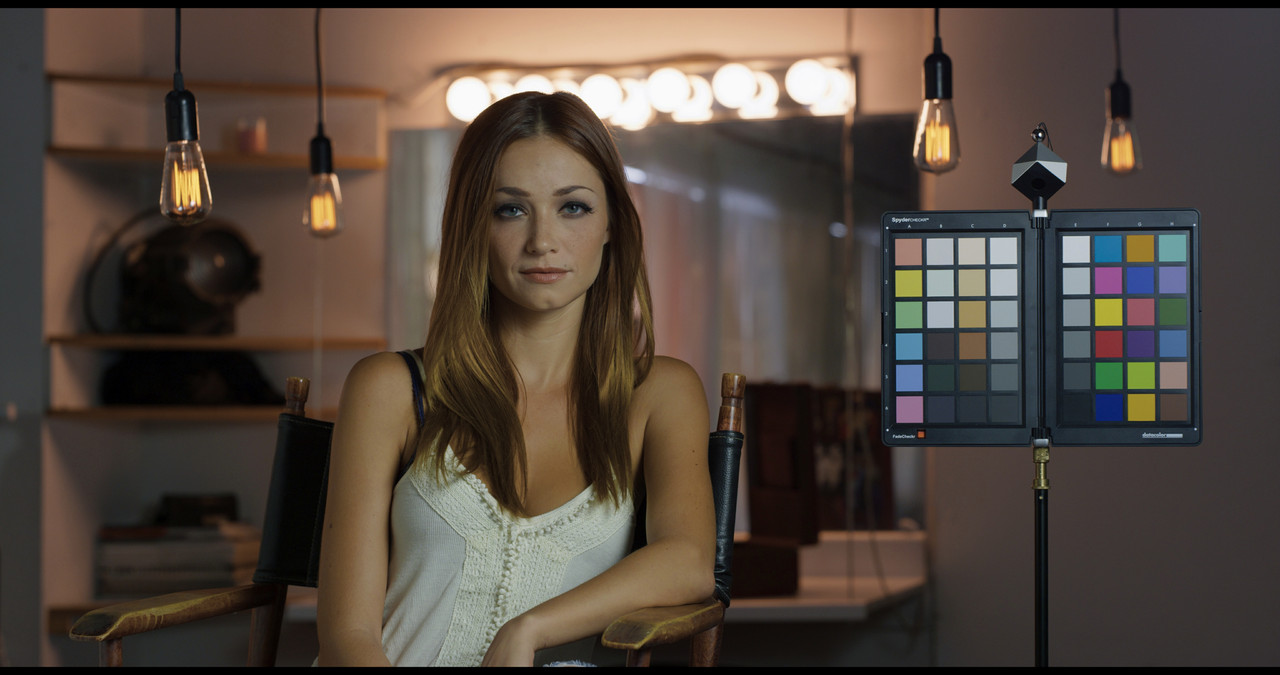
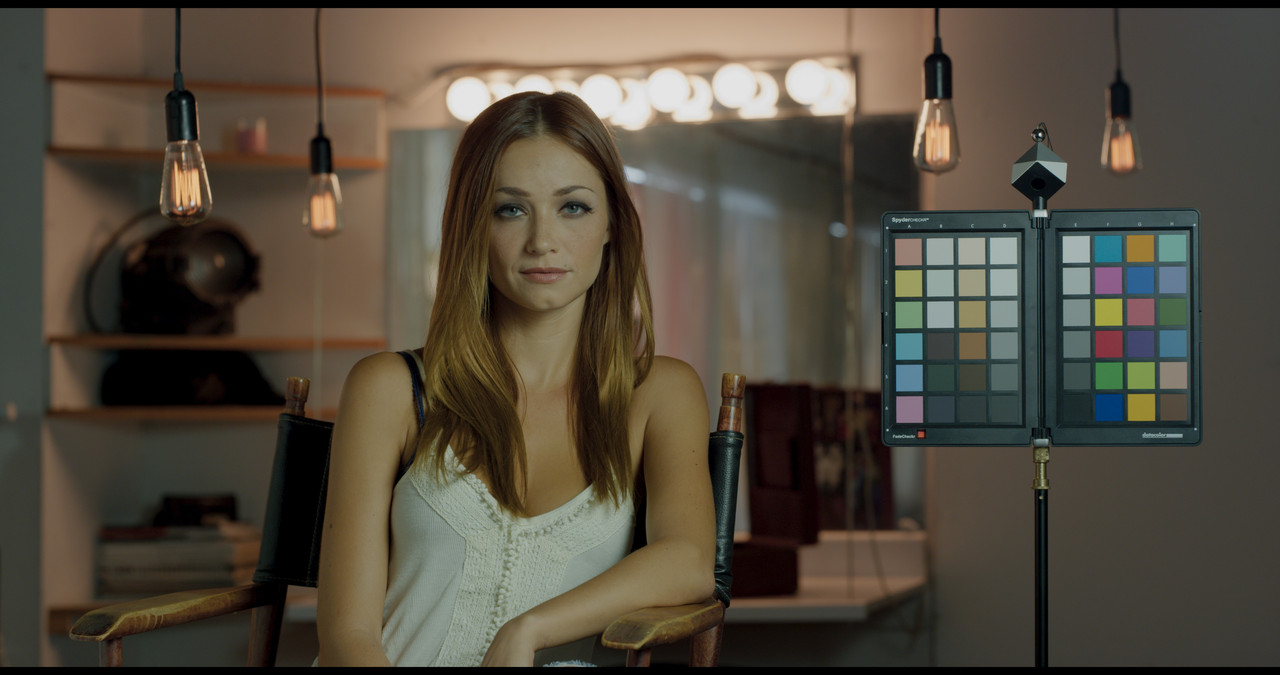
Graded

From Resolve IPP2 Project-the hanging lights are more orange/beige

W001-C005-1014-V3-S002-0000000-2-1.jpg


From Resolve ACES project with "REDWideGamutRGB/LOG3G10" IDT-the hanging lights are more orange/yellow

aces-test-6-1-4-1-1.jpg
 
Last edited:
What problems are you experiencing? I can try to replicate them over here.

I have not updated yet to 16.2 as it is stable (It still have timeline bugs with jumping playhead which I hope they fix someday). If there is a few redusers with bugs on the new version I rather wait a little more.
 
MBS 479 DaVinci Resolve 16.2 Update


By Ripple Training


Work in 2 Projects at Once | Dynamic Project Switching | Davinci Resolve 16.2


By We Are Film

 
Hi Rohit,

Finished a project and just upgraded the main system to 16.2. Getting the old stuck on "Loading Fairlight Page" when launching.

I9, 128GB, dual Nvidia Quadro RTX 6000

I recall this happening before for a couple versions, but no quick fix as of yet.

Tomorrow I'll likely install this on the other workstations, all are RTX, one is Pascal.
 
And more. 4th install/reinstall attempt with and without Fairlight. Current and previous Nvida driver.
 
Fascinating. 8th attempt. Disabled all firewall related things. Doesn't seem to make a difference. Need to sleep for a few hours, but I'll try again tomorrow.
 
Finding some strange behaviour in playback (maybe this has always been there)

+) The Choma Noise reduction in playback is sometime on / sometimes off in Playback (but no delivery).
WORK around : If you find a clip - you have to double click in the radio box.

+) If settings of RED clips with an ISO of 12800 and pasted onto other RED clips .. All clips (including the initial one) are all set to 6400.

+) (this one is probable me not knowing how to use Resolve) : If you are in a Clip in the Edit page with the play head on it, and the clip selected ... when you click on the Color page ... it takes you to an arbitrary clip.

+) There is some other glitchy bits where the Instruments data for a clip in playback is not showing the correct data for all fields, but if you 'touch' another clip and come back - it fixes.

I have taken to restart Resolve for the playback anomalies...

AJ
 
Update for anybody on Quadro GPUs who faced this issue.

Whatever transpired was fixed by reinstalling the GPU driver AFTER installing 16.2. And for funzies I also disabled access to the internet, though Resolve gathered the necessary permissions.

Pretty weird. Tried several the usual suspects, but eventually it's up and running.

Testing performance and any major issues, then installing on the other boxes.
 
Phil, since you've been there, done that, is this more like it:

i5EpADE.jpg


Rand, did you try exporting an EXR out of RCXP - with ACES selected? What ur gettin'?
 
Hmmm. I should restore the whole shoot actually. The goal there was to test various lighting conditions on Dragon to see how it responded to "common kelvin sources". But it was also a mixed lighting situation and designed to be difficult in some areas. I'll have to dig up what the proper grade should be, I posted here a long time ago. It's a bit different than the more pristine test footage I've publicly shown since.

Interestingly seeing that specific shot used online for people's LUTs, tutorials, and articles has been a gas. Some good, some absolutely weirdly ahd awful. Hopefully contributing to some sort of growing knowledge base and education. I only share my raw footage once in a blue moon, but I should do a dedicated "here's some footage" shoot at some point. It's pretty much what I do for studios and clients early on in tests. I've been burnt hard once, twice, and three times regarding sharing footage occasionally as it leads often to others marketing/presenting it as their work. Might toss something in frame or whatever to limit that if I make a variety of samples avaialble. I watermark anything that ends up in public realms rather than commercial/studio distribution because of just that.

Don't want to scare peeps off here. This frame is cool to play with. I made this available for public download because it was super relevant to show what you can get and expect out of Dragon for sure. It's fine to play with it.

Much of what I was showing early on with Dragon was the improvements over Mysterium-X in regards to color, dynamic range, IR contamination, noise, and general color response across that wide variety of working kelvin range. For those who weren't working with MX "back in the day" (oh man, that sounds weird) we used blue filters often under tungsten to give it an assist in cleaner imagery, certainly whenever I was filming VFX stuff too. But so much has changed since then in the sensors for the better as well as the several major stages in color workflow. Even MX material looks much better with IPP2 even.

I really should get RED some sample Monstro footage as it's been my main whip for a while. I need to be on top of that more for the community honestly. I should have shot stuff on all the current sensors, footage like the above and even stuff you guys don't have access to like little 30 second shots end up being used to test workflows at post and VFX houses to vet out workflow and hardware. All my work on Gemini was for actual jobs, I upgraded from Dragon, and I upgraded my other Helium body to Monstro because of the array work and large format appeal for my exhibition and IMAX work. I'll do this for Komodo for sure when the time comes.
 
Thanks for the response, much appreciated!

The reason I asked is because with ACES workflow in my NLE there are ehm "too many" options to choose from - one of them being the "normal" RedLog3G10 - RedWideGamutRGB:

JPer7P4.jpg


one would normally choose to begin with. Which in turn gives me this:

6k8qAo8.jpg


Don't like it, tbh. Too much yellow/green cast for my taste.

RRT seems to be completely bypassed in that case (I don't acctually know that, this is just me wildly guessing) and what I see is footage being transformed only by the ODT, the 709 one.
So I choose RedLog3G10 with "Curve" instead:

PmkeV8d.jpg


which gave the frame form my post above. Much more like it!

RED footage in normal, 8 bit non-ACES workflow (my NLE)?

jK1Moek.jpg


Also meh...:rofl:
 
Sabovic,


Out of town right now with just my tablet. I found using the Aces settings In Redcine-X didn't do much unless you chose "Primary Raw Development" at export. Leaving it at " Full Graded(Ipp2)" and Rec 709/ BT1886, gives you crappy results. It looks like you have different options for ACES in your NLE than in Davinci Resolve. The RWG/LOG3G10 IDT in Resolve, IMHO, gives colors more similar to IPP2 than without it.

I'll be back home tomorrow and can show you what I mean in a much better visual representation .
 
Last edited:
Sabovic,


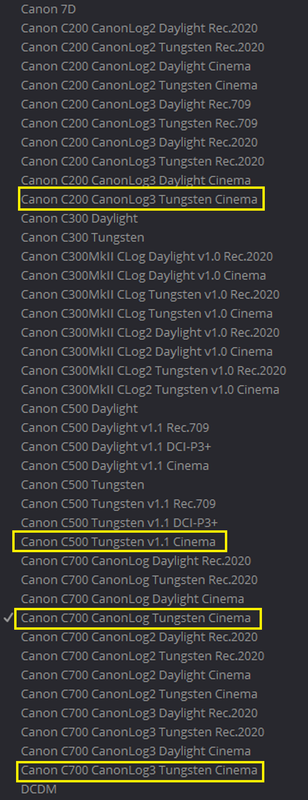
I realized my laptop was still in the trunk of my car. After digging into the IDTs available inside of Resolve, for Red R3Ds in an ACES workflow, I found surprisingly that the "seemingly" better IDT for Red r3ds in the RWG/LOG3G10 log format are the Canon IDTs.

Screenshot-893.png


Here is a R3D frame from Luigi that I exported out of Redcine-X as a DPX "Primary Raw Development" file. Here it is 1) with a RWG/LOG3G10 IDT and a "Gamut Mapping" OFX plugin and 2) with a "Canon C200 CanonLOG3 Tungsten Cinema" IDT "Gamut Mapping" OFX plugin.


Same Initial exposure adjustment for both, No additional Color Correction

1)"RWG/LOG3G10" IDT and a "Gamut Mapping" OFX plugin

gm-rwglog3g10-1-7-6.jpg


Screenshot-900.png


Screenshot-901.png


2)"Canon C200 CanonLOG3 Tungsten Cinema" IDT "Gamut Mapping" OFX plugin.

canon-gm-1-7-7.jpg


Screenshot-898.png


Screenshot-899.png


A little Contrast plus a little saturation with the Canon IDT

con-plussat-1-7-9.jpg
 
Last edited:
Phil's sample image again,


4200 Kelvin no grading just the different IDTs The Canon or the RWG/LOG3G10


RWG/LOG3G10 + Gamut Mapping


rwg-1-1-1.jpg


Canon + Gamut Mapping

canon-idt-1-2-3.jpg


Canon + Gamut Mapping + a lil contrast


canon-idt-1-2-3-plus-contrast.jpg
 
[...] I've been burnt hard once, twice, and three times regarding sharing footage occasionally as it leads often to others marketing/presenting it as their work. Might toss something in frame or whatever to limit that if I make a variety of samples availalble. I watermark anything that ends up in public realms rather than commercial/studio distribution because of just that.

A very valid and viable strategy for protecting the integrity of your work.

Don't want to scare peeps off here. This frame is cool to play with. I made this available for public download because it was super relevant to show what you can get and expect out of Dragon for sure. It's fine to play with it.[...][/QUOTE]

It is much appreciated by the community!

I certainly don't know the particulars about who hurt you and what it truly cost you, but as somebody who has traded in Open Source for a very long time, I made peace long ago with the idea that there will always be people who take credit (unfairly) for the work of others. And they will do so with the work of others if not my own. On the other hand, I also realized that if my work was any good, whatever work they did to try to credit themselves would, with the light of day, redound back to me, which it did. Today there are countless developers who freely share their work, but whose actual work products are traceable to them (if they wish it to be) and the overwhelming balance of reputation within the technical community aligns to where it should. In the popular media, Linus Torvalds gets way too much credit for what he's done with Linux, because the mainstream media--like any good movie--can really only make stories that sell about a single hero. But below that surface, the community recognizes and respects the countless millions who have made their contributions. As we here on REDUSER.net recognize the countless contributions you have made.

Putting you name in a frame--at this point in your reputational career--would make it a reference image that people would value because of that name. If some grifter were to try to crop that out and make a derivative RED Trim in order to pass it off as their own work (with no identifying marks), they would, at this point, likely have a damn difficult time building any sort of reputational currency around that defective derivative because the moment they bumped into somebody who knew a damn thing about REDs, they would be exposed on the spot as the frauds that they are. There would be no reason to value the inferior work over the superior one--as long as what you put in frame isn't so obnoxious that it literally burns out monitor phosphors displaying it at 10,000 nits.

My $0.02.
 
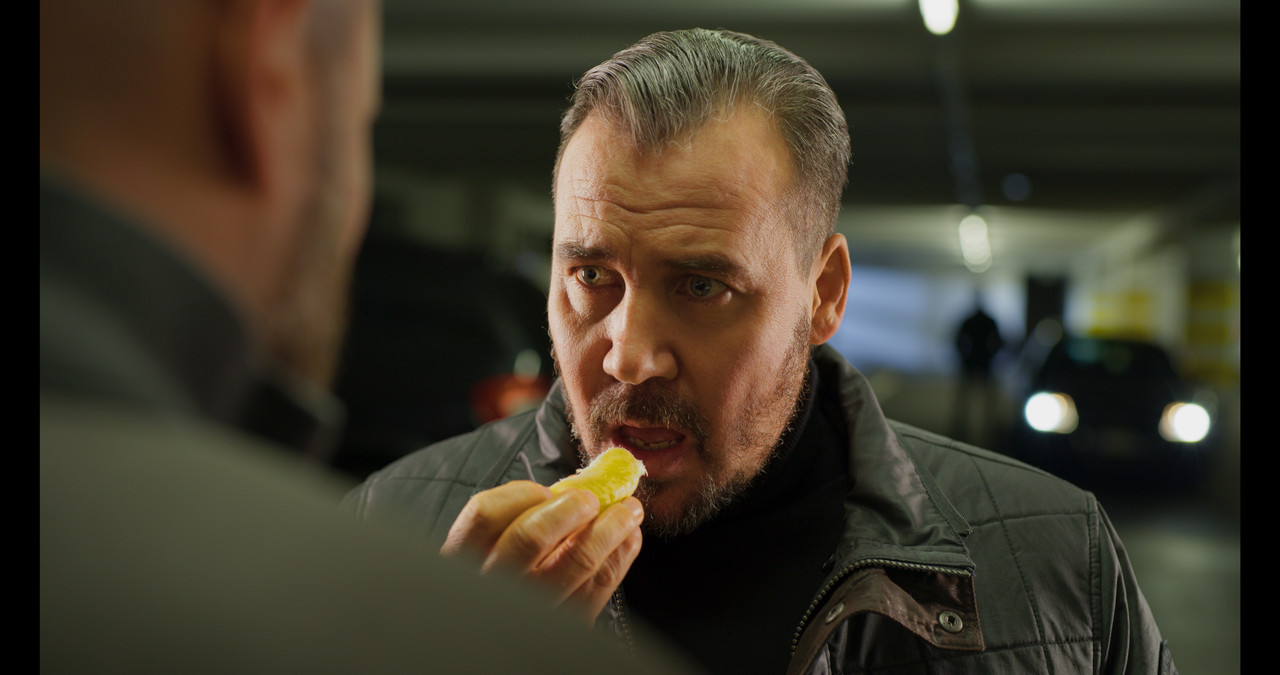
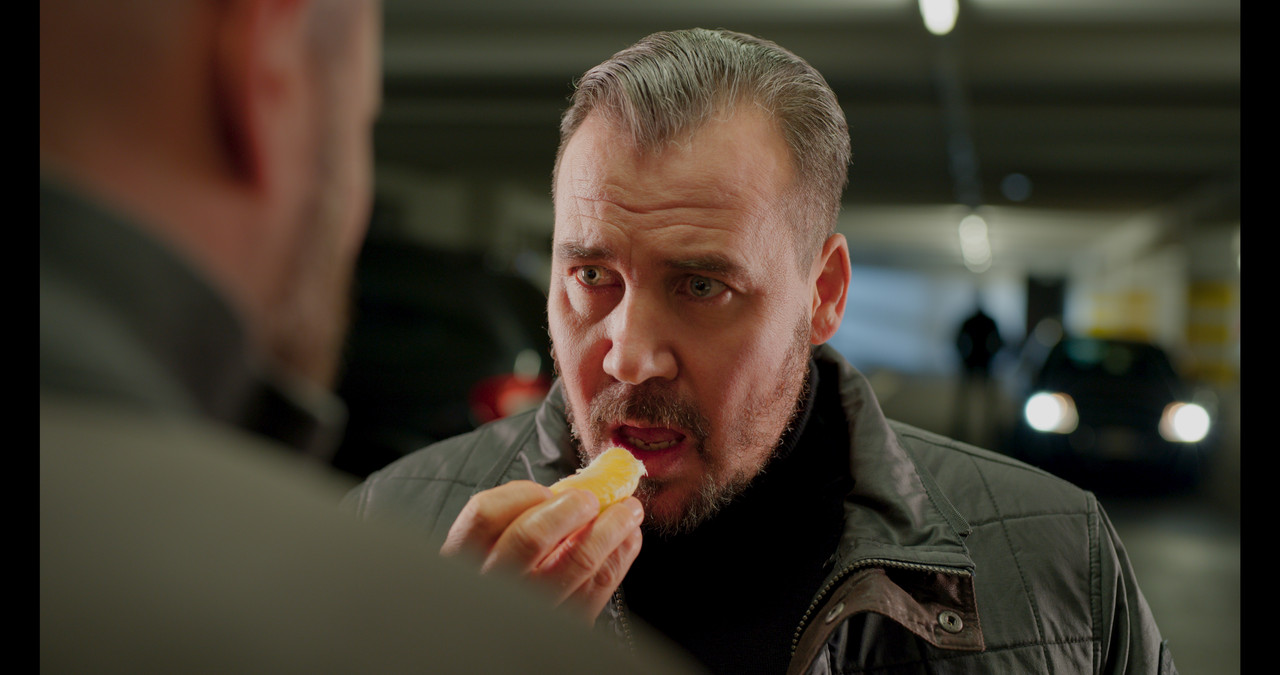
Rand, yeah, that Canon IDT on RED footage looks better to my eye too. Not as good as this though:
4rhSc6b.jpg


3200 K, ISO 400, power window on guy's face (fethered both sides), desaturated 10-15%, brightened half a stop, and overal color bump just for fun. :)
 
My $0.02.

You're on point Michael. The benefits of being somewhat publicly visible is stuff gets back to me. But that's the idea, next test shoot I'll drop a frame in there watermarking the raw data.

I just hate cluttering up a pretty frame :)


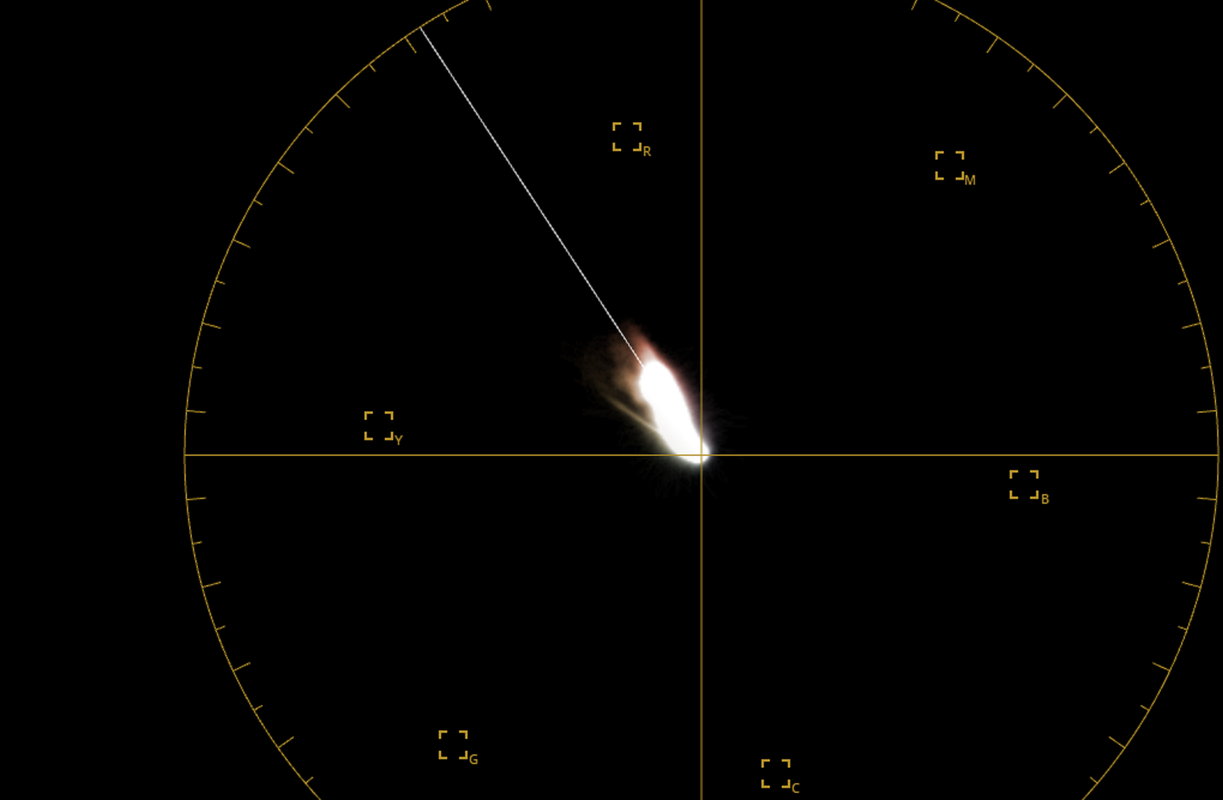
@Rand and Šabović - There is a very fascinating conversation going around certain corners of "color heavy hitters" between accuracy and a perceptually pleasing image. In the case of both of your examples, though pleasing to the eye, they both have obvious tells of not being "correct". But that is always the difference and value between color correction versus color grading. This is a deeper conversation industry-wide, but RED has chosen the path of accuracy, which is good in my eyes. Then we can do what we want to truly craft the image. Skin tones right on the "sweet spot" of the scopes doesn't always allude to what is "right". Though it does related to a perceptually pleasing zone and a very, very common target within a well balanced white source. Which is why it's a useful tool. It's very important to examine the entire range of color within a color space and what each camera can produce actually. Higher gamut stuff in particular is often where things fall apart, like flames or crazy club gelled lighting.

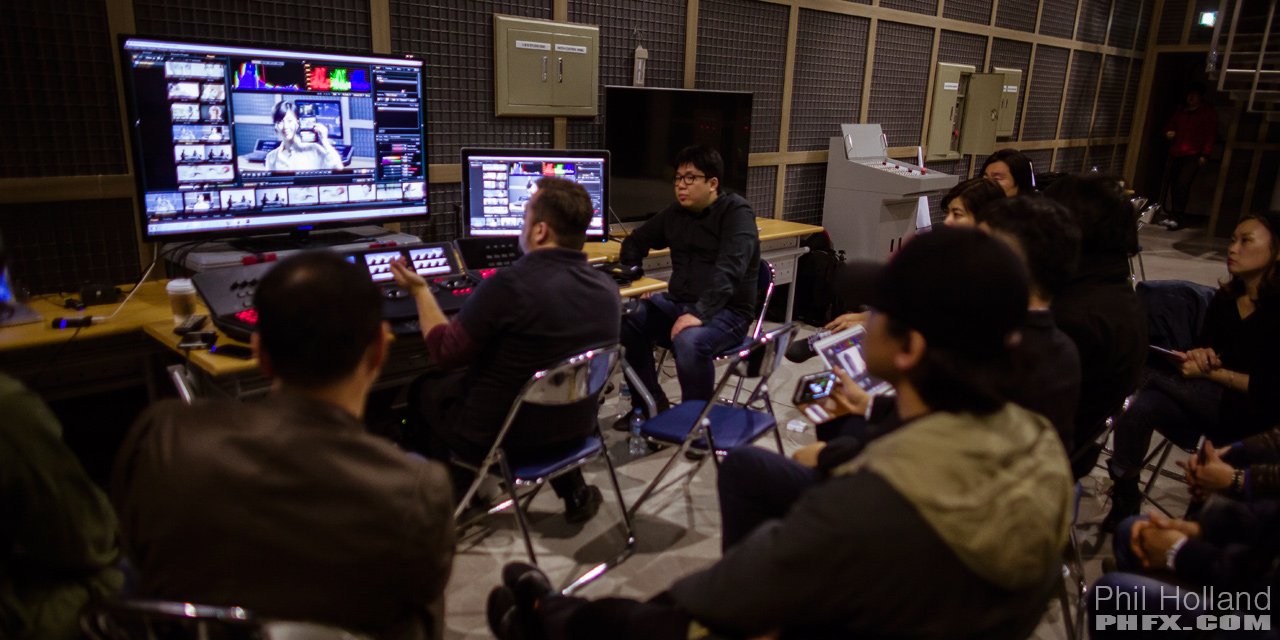
I remember doing a RED/Resolve Masterclass in South Korea in 2014 and that illuminated many interesting practices among imaging professionals. We had a relatively small audience of 35-45, but these were indeed the people behind the biggest content in the region. The Director and DP duo from the most popular drama series were the most inquisitive during that workshop and it got pretty deep to the tune of whipping up a pure film emulation look from scratch for them on material we captured. But outside of that we had a lot of conversations about what is accurate versus what is aesthetically pleasing. I think I developed about 20 or so unique grades that worked to everybody's eye, which was illuminating. But they were there all with me within the same stage and natural light area where we captured everything to also showcase what was accurate.

phfx_SK_UHDRDW_SKBTSC_0018.jpg


Also interesting to that workshop was dealing with problematic lighting related issues in rather complicated grades, which is weirdly what I'm called for the most these days when 3-5 different types of fixtures that all have unique "bad tells" in a single shot. Like say a dark complexion getting hit by an aging HMI with a key of a somewhat not great LED and some ambient bounce of some other wild source. This can produce rather insane things like specular highlights that have an off putting color contrast to where what is correct from one of those sources would be and most difficult is correcting across the entire range of the image. When you get a sequence of 70-300 shots all lit by a unflattering mess like that it becomes rather difficult work and fairly time consuming. Also we explored some best practices versus not-so-ideal and problematic practices. I sort of track the large horde of growing Resolve tutorials online and there's some that are very good, but there's some that are rather popular where they are putting the image in a questionable arena. I know a few colorists here and on other forums have expressed concerns regarding this. Often in the path of a growing colorist though they'll discover that speed bump and have a hard day of discovery as to why their footage is breaking up so badly.

Tricky stuff really. Even trickier in a world where LUTs are offered so wildly without proper QC.
 
Back
Top