Welcome to our community

Be a part of something great, join today!

  • Hey all, just changed over the backend after 15 years I figured time to give it a bit of an update, its probably gonna be a bit weird for most of you and i am sure there is a few bugs to work out but it should kinda work the same as before... hopefully :)

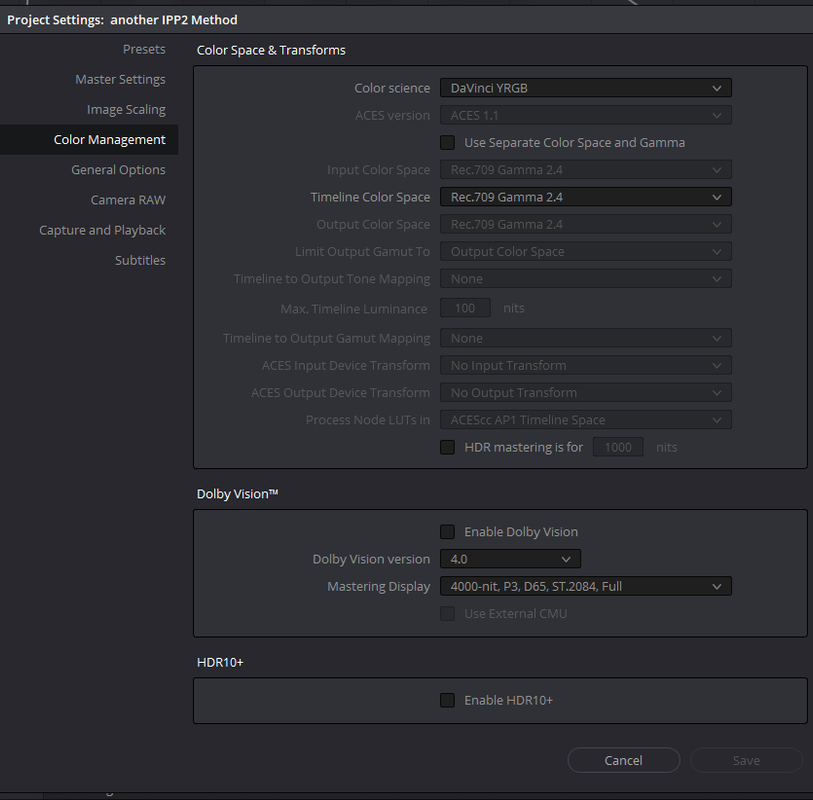
Best settings for IPP2 in Resolve

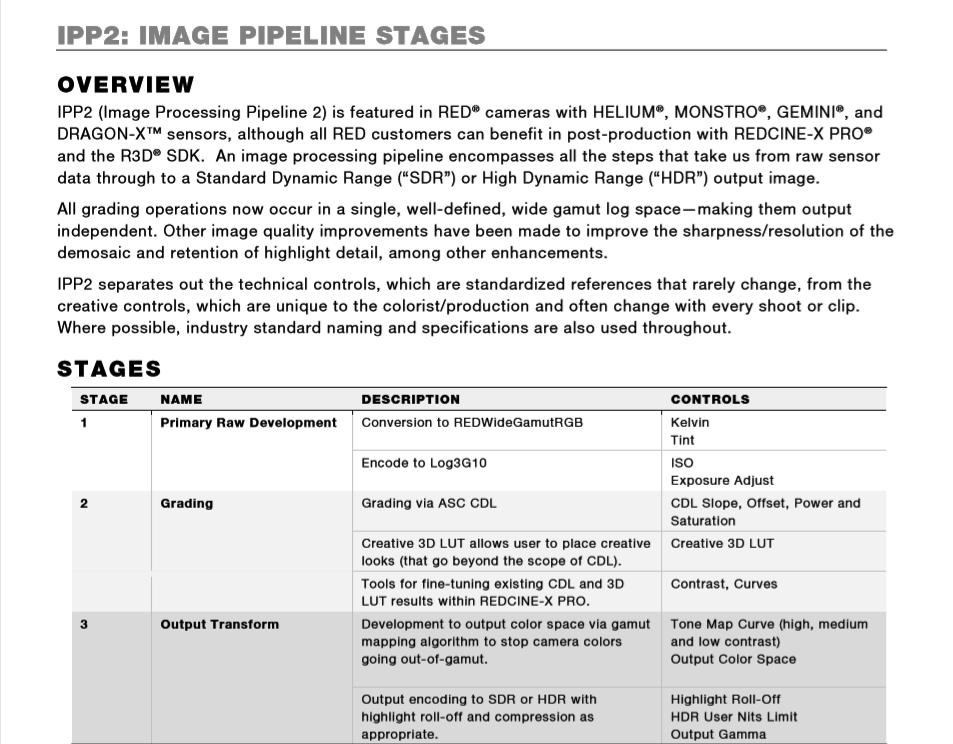
The problem with color managed is that you can't change your Decode setting (gamma, gamut, output tone map,...) in the color tab when "Decoding using : CLIP"


COLOR MANAGED
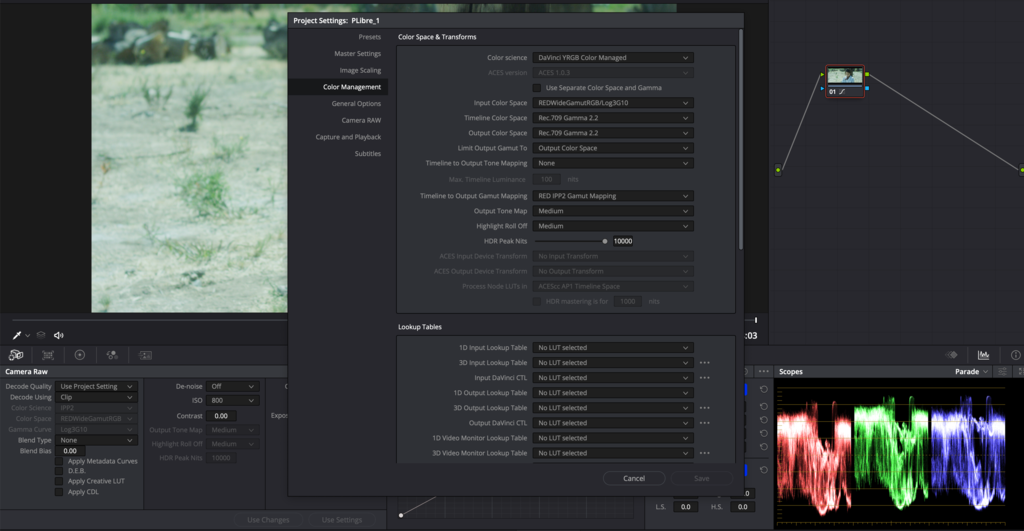


DAVINCI YRGB


When using a REC 709 workflow (my monitoring and output) I use Davinci YRGB and not Managed
 
Tradition.

Also, most experienced colorists can work faster in Rec709, at least assuming that's what they're used to working in. There are pros and cons to confining your working color space to a specific range. Most of what I do mixes footage from different sources, so it's better for me to use a display-referred system. Use whatever you're comfortable with and what works for the project.

The big reason why (to not use Linear) is that it seems that a lot of the grading controls aren't designed for linear after all. The curves, no matter what you set the node to, just don't function well with Linear because all the data is at the shadow end. I'd assumed if i right clicked the node and changed gamma to 709 then the curves would make sense but it seems that doesn't work - even with 709 set for the node then the curves are linear. Lift/Gamma/Gain work as expected which is what convinced me to start with.

Some of this could just be me not knowing the right buttons to click.

Other areas that appear to crap out with a Linear timeline are qualifiers, save for the 3D one.

So right now i suspect that Linear timeline is *not* the optimal route to take. You could argue that the above are bugs though.

cheers
Paul
 
The problem with color managed is that you can't change your Decode setting (gamma, gamut, output tone map,...) in the color tab when "Decoding using : CLIP"

Fair point, but not sure i'd want to. The IPP2 settings for mapping i'd probably keep the same for a given project. The HDR settings would surely be consistent on a per project basis as well?

cheers
Paul
 
Patrick,


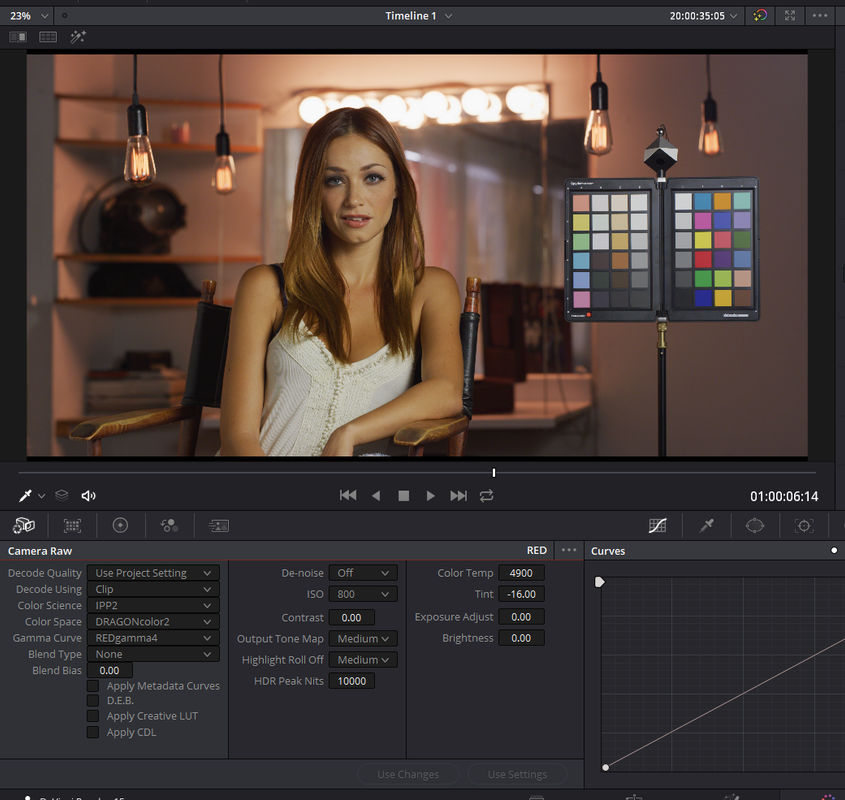
In the settings you have below, similar to your "Davinci YRGB" settings in post 61, you have a few conflicting settings.


Screenshot-885.png


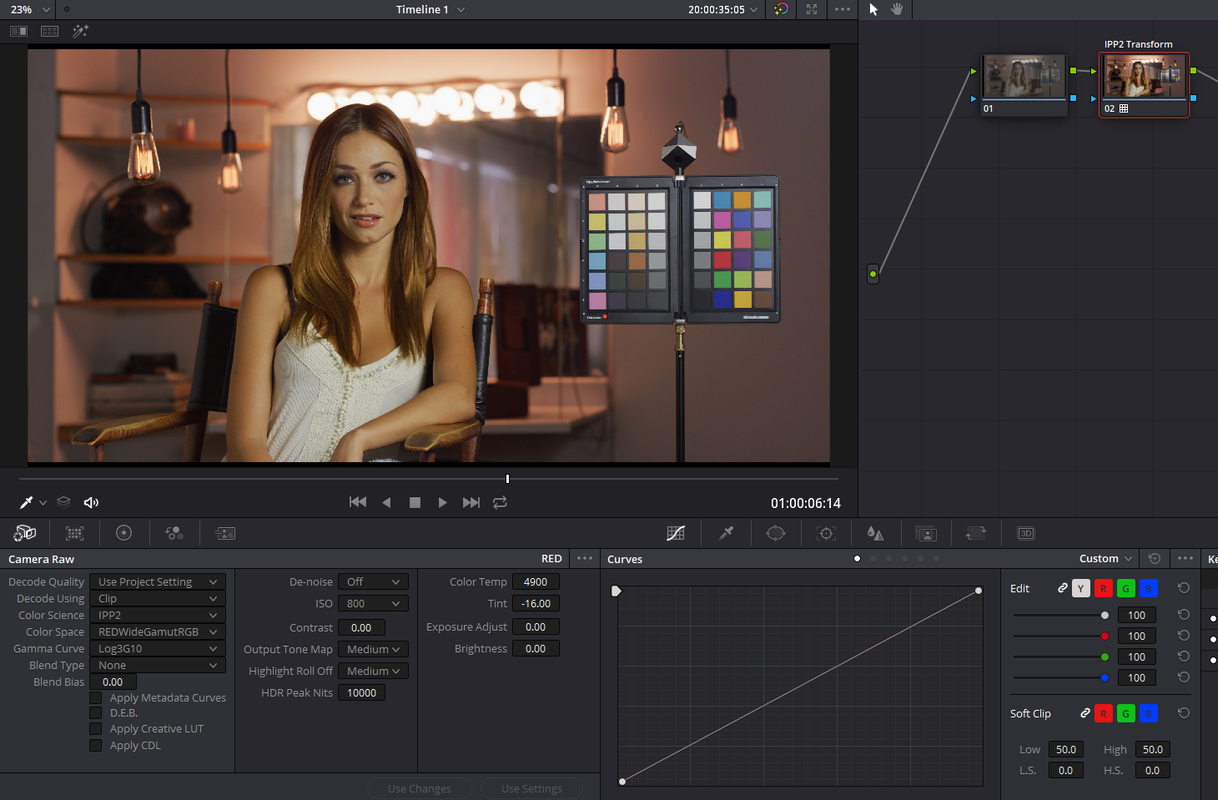
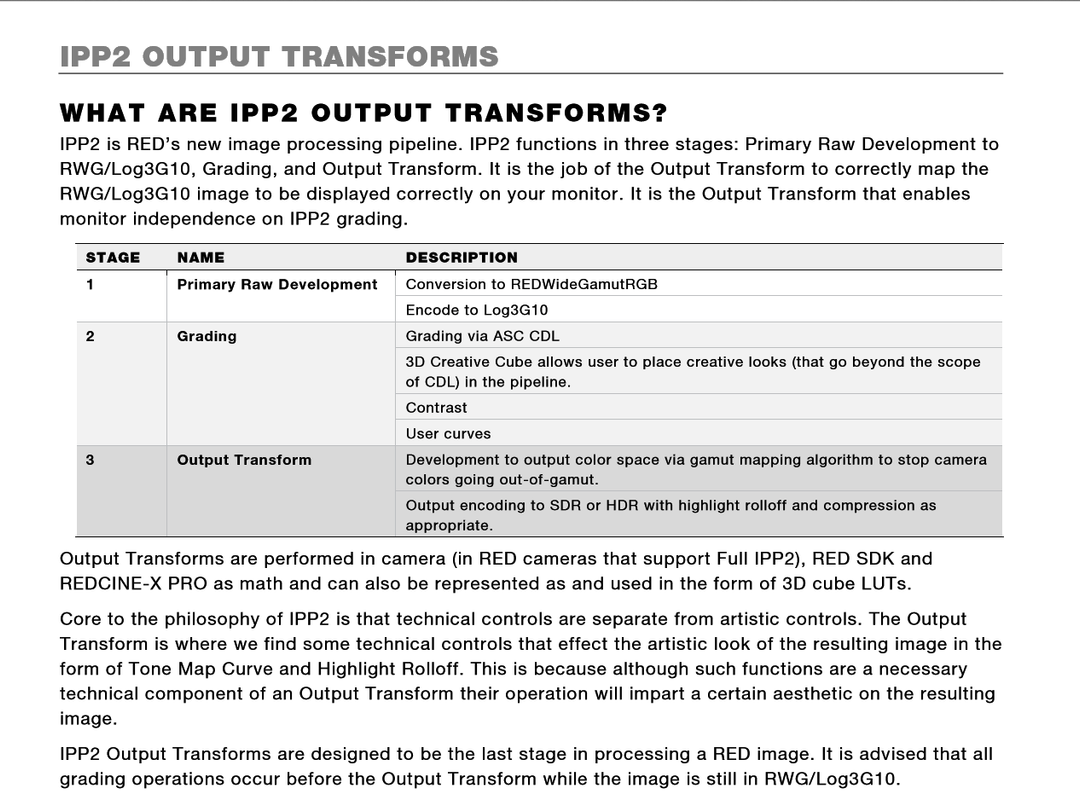
You are using an "IPP2 Color Science" With both a "Legacy" "Color Space" and "Gamma Curve" with both an "IPP2" "Output Tone Mapping" and "Highlight Roll-off" Applied to that "Legacy" "Color Space" and "Gamma Curve". And it's all being applied to the "first" Node of that "IPP2" Node chain instead of the Last Node as the "Color Managed" "Red IPP2 Gamut Mapping" Setting would automatically mathematically do.


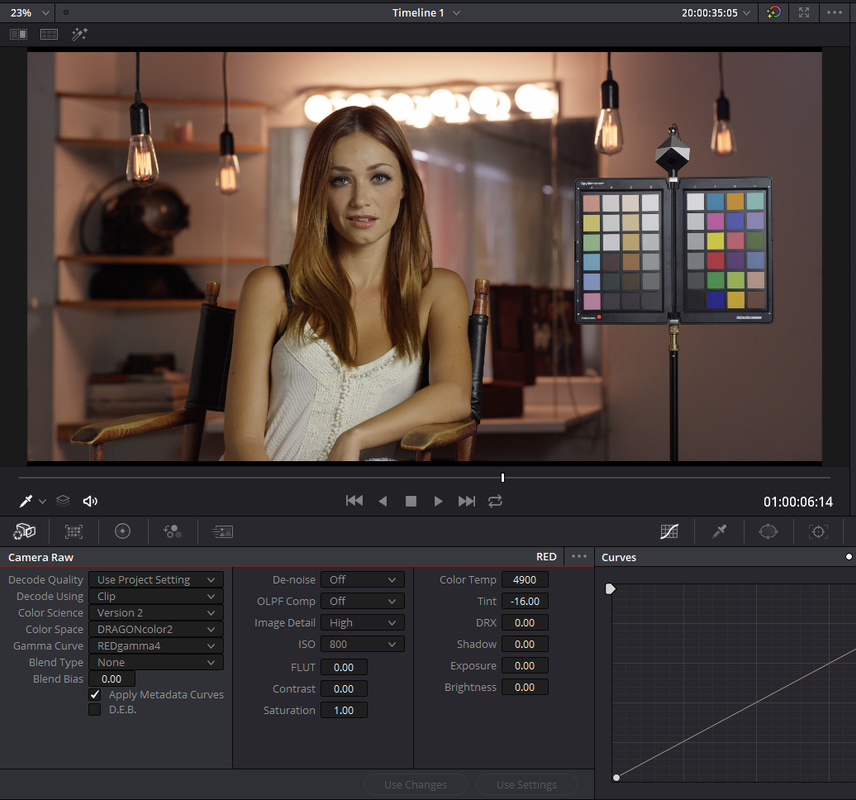
If you want to use a "Legacy" Workflow like "DRAGONcolor2" and "REDgamma4" you used above, its best to choose "Version 2" next to "Color Science". This will take you out of "IPP2" and give you "Legacy" controls back.

Screenshot-887.png


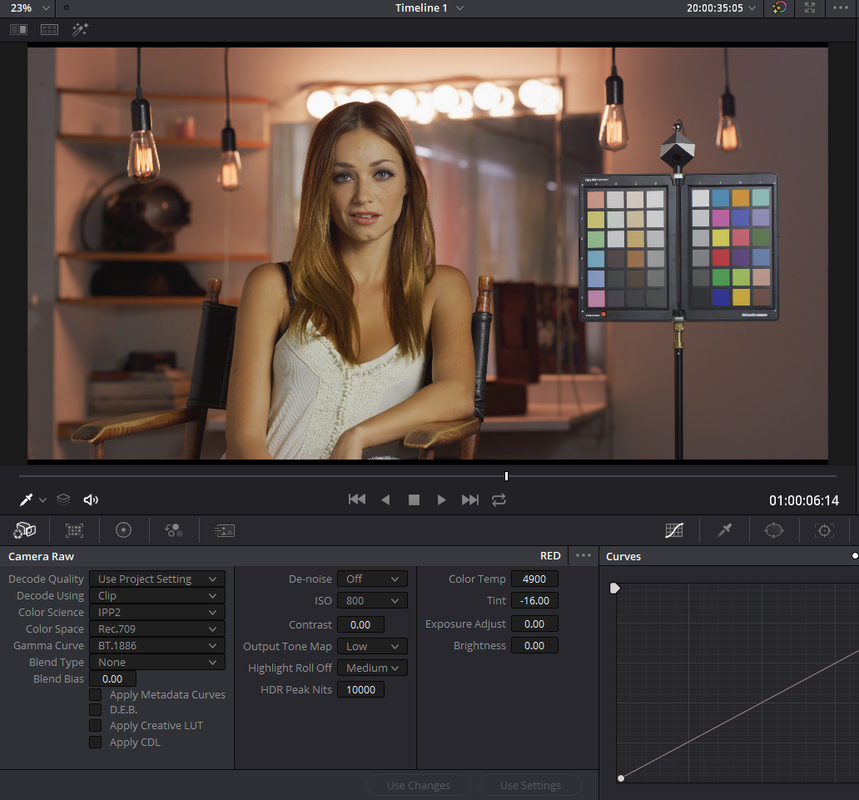
I Think you meant to do it this way, which is still incorrect because it applies the "Output tone mapping" and "Highlight Roll-off" to the first Node and not the last one in your node tree.


Screenshot-888.png


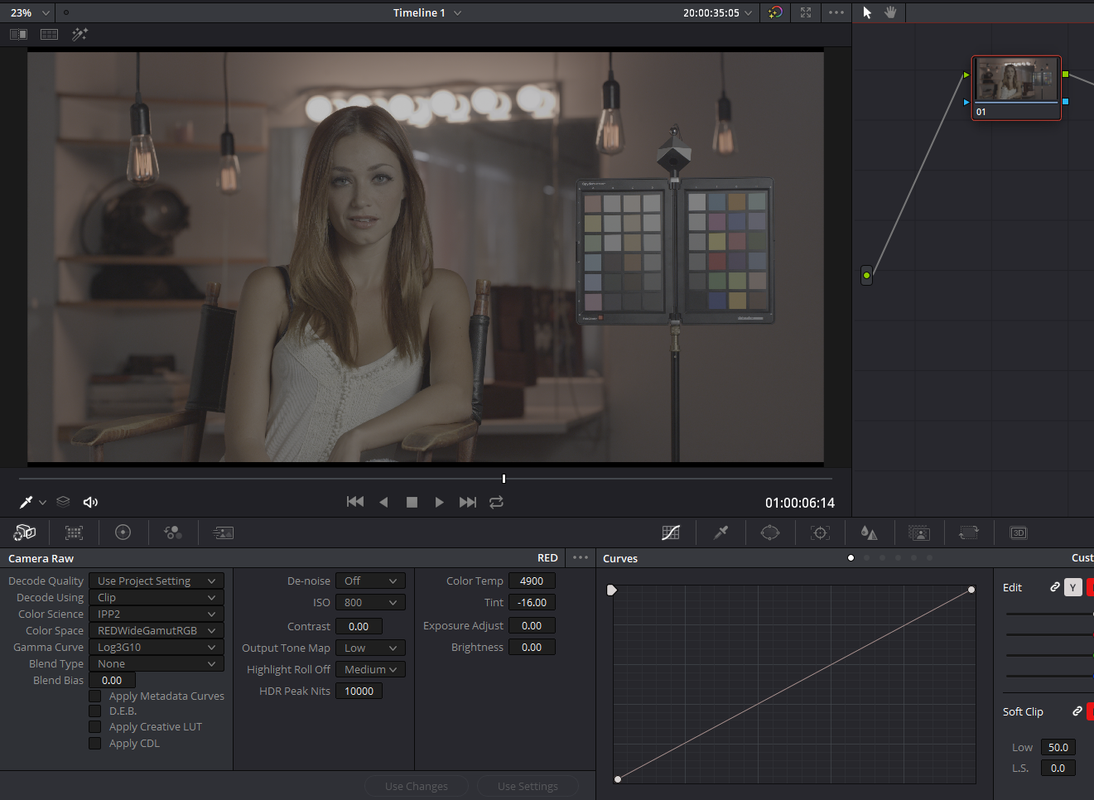
Changing the "Output tone mapping" and "Highlight Roll-off" when "Color Space" is set to "RedwidegamutRGB and "Gamma Curve" is set to "LOG3G10" does nothing unless you add an IPP2 Output Transform Lut to the Last Node in the Node Tree.


Screenshot-889.png


Screenshot-890.png


Screenshot-891.png


Screenshot-892.png


Screenshot-897.png


Screenshot-898.png

Screenshot-898-2.png


Screenshot-899-3.png


Screenshot-900-2.png
 
Last edited:
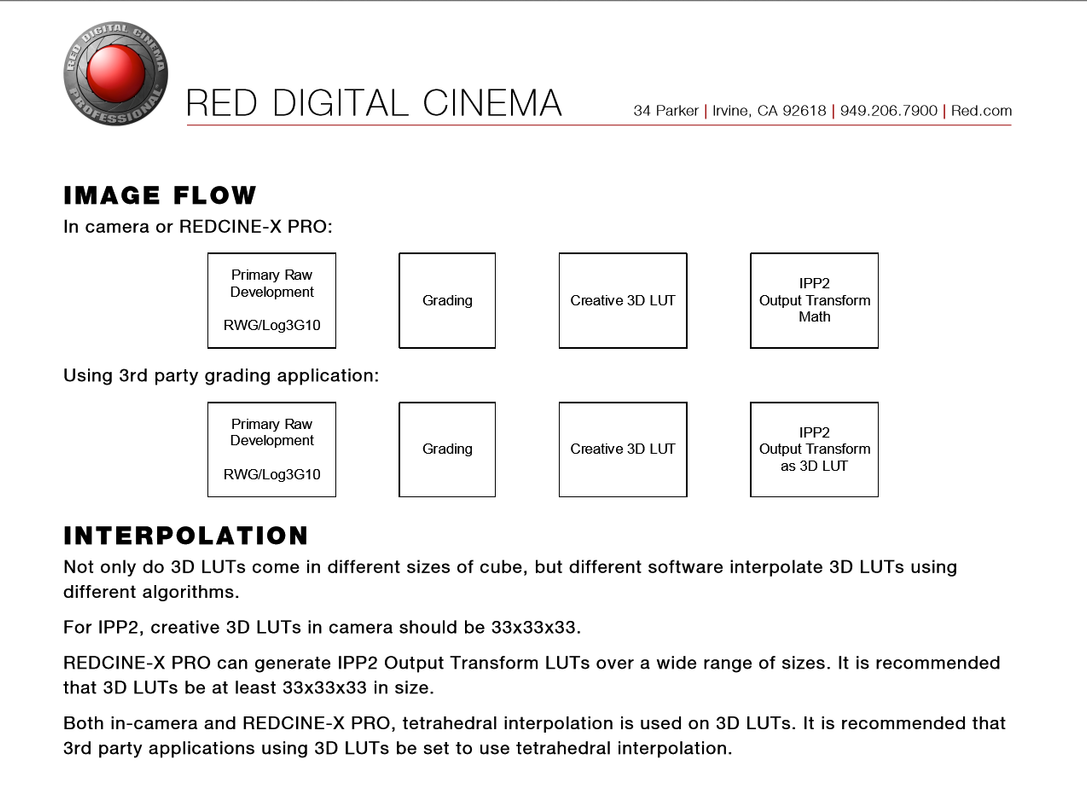
I had Forgotten about a 3rd older method for IPP2 in Resolve. This Like the "Color Managed Workflow", will automatically add one default "Ipp2 Output Transform" at the Output stage of your graded "Node tree" in the form of a Lut and not with Math, to all of the Red clips in your project.


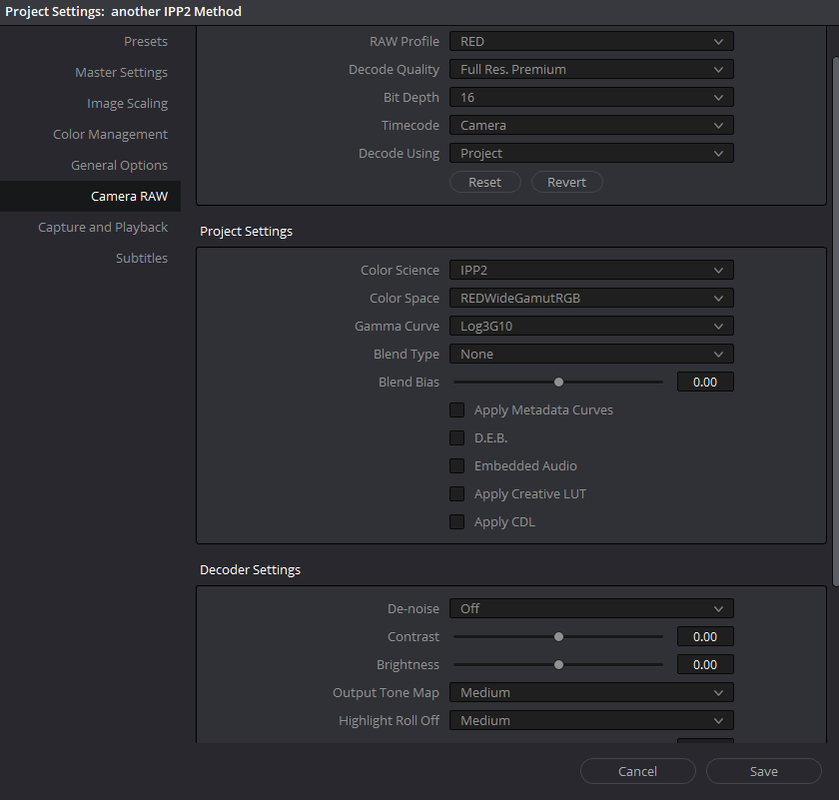
Here are my initial usual project settings.


Screenshot-17-2.png


Screenshot-18-2.png


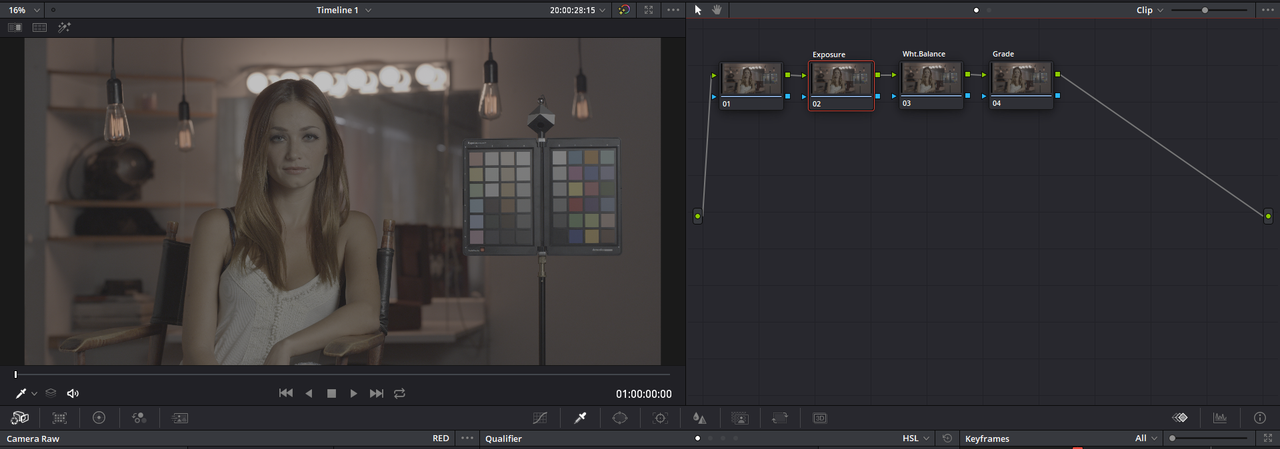
and when you get into Resolve and add a few images and a few nodes they look like this.


Screenshot-16-2.png


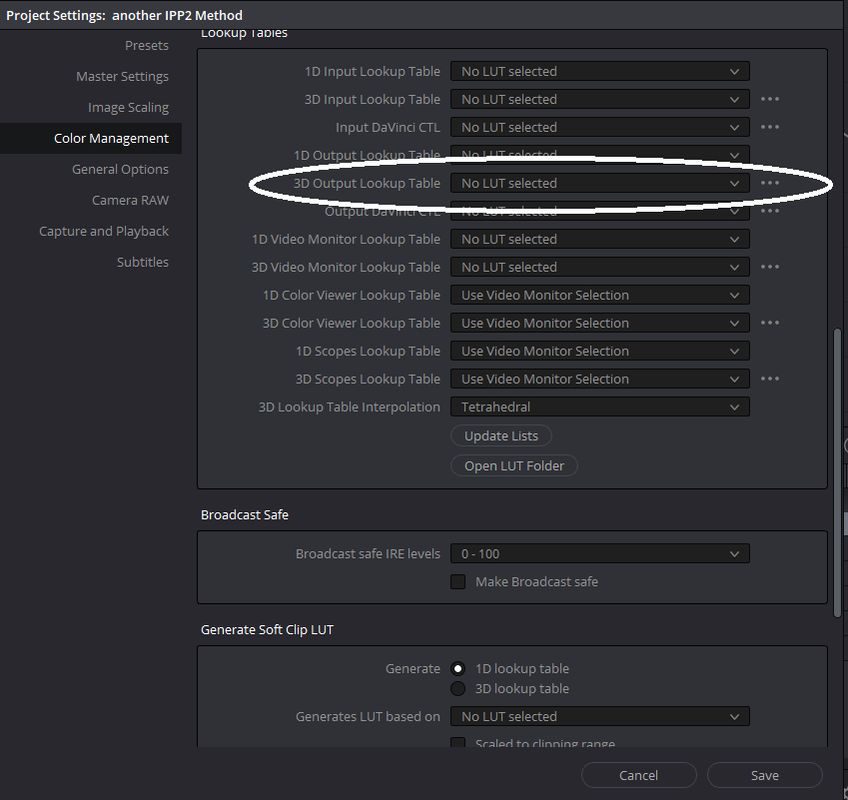
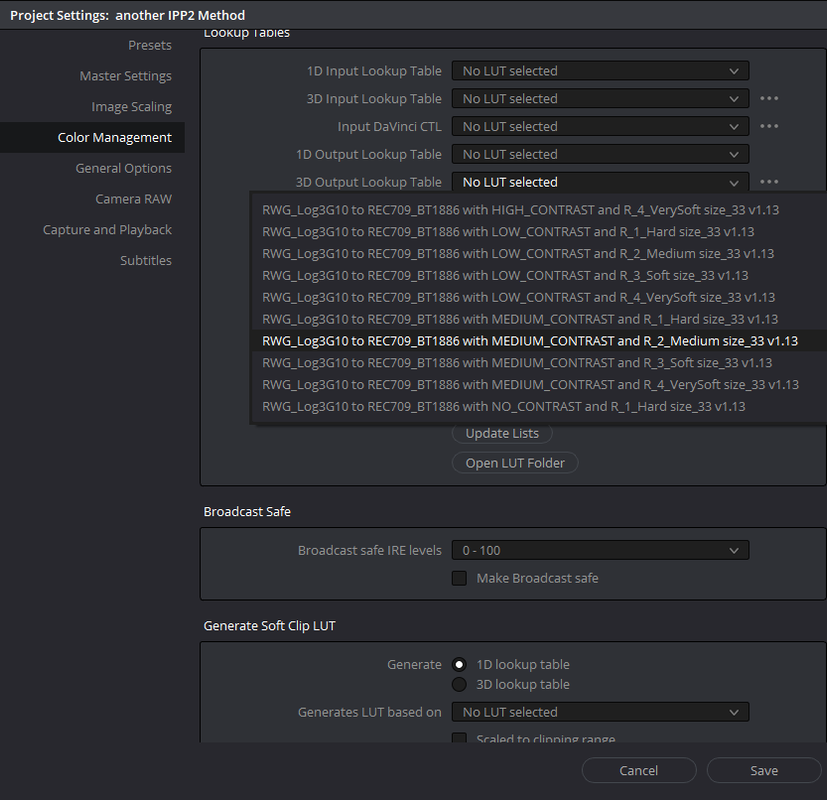
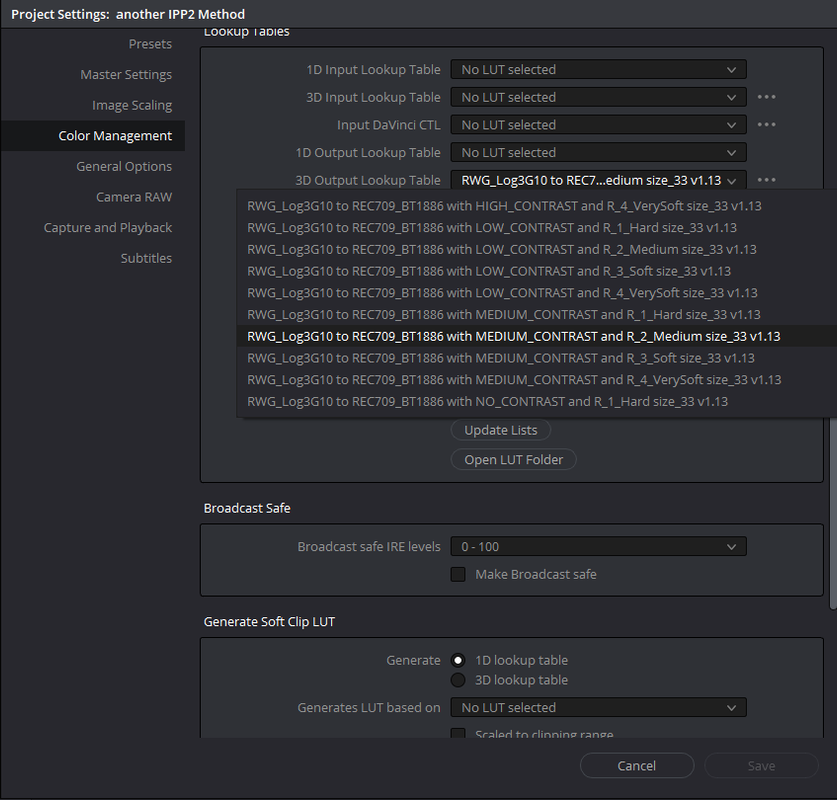
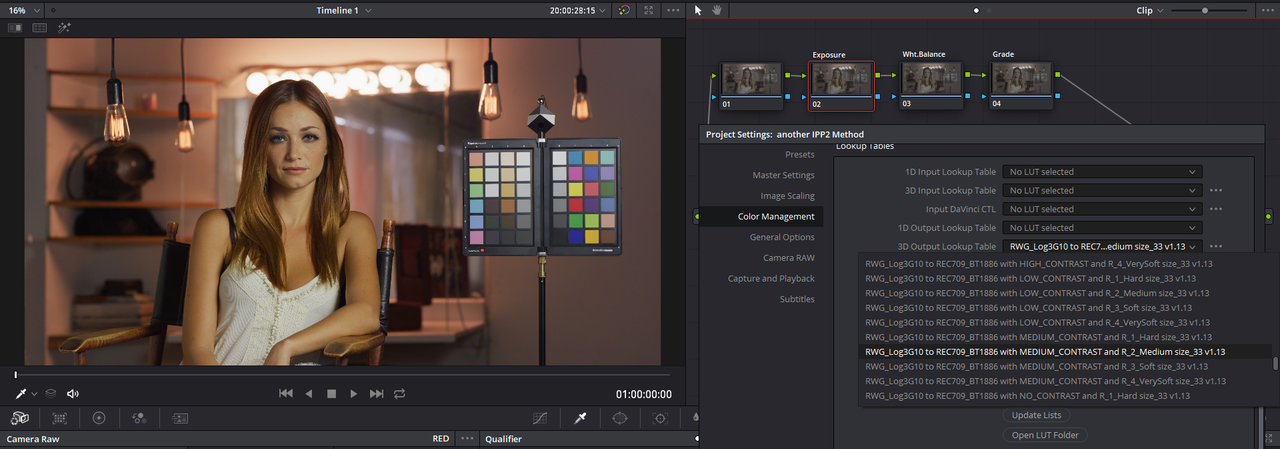
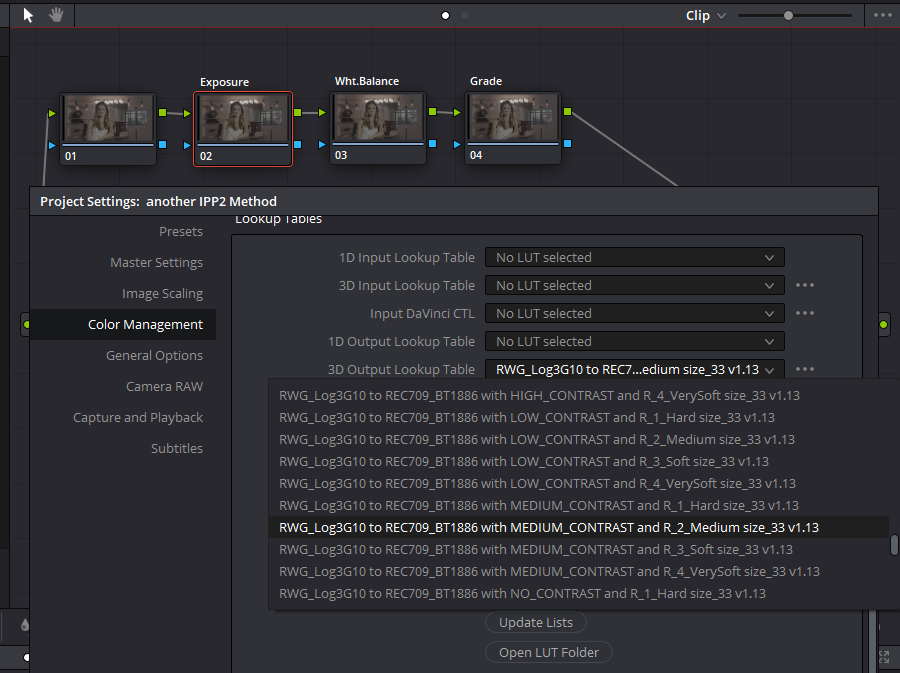
But now instead of adding an "IPP2 Output Transform Lut " to the "final" Node of all of your clips node trees , Go to the "Color Management" Tab of your "Project Settings". Now, go to the "3D Output Lookup Table" dropdown menu under "Lookup Tables" and find whatever "IPP2 Output Transform Lut" you want to be applied at the output of your clip and press "Save" once to have made a selection. In this case, Medium/Medium.

Screenshot-19-2.png


Screenshot-20-2.png


Screenshot-23-2.png


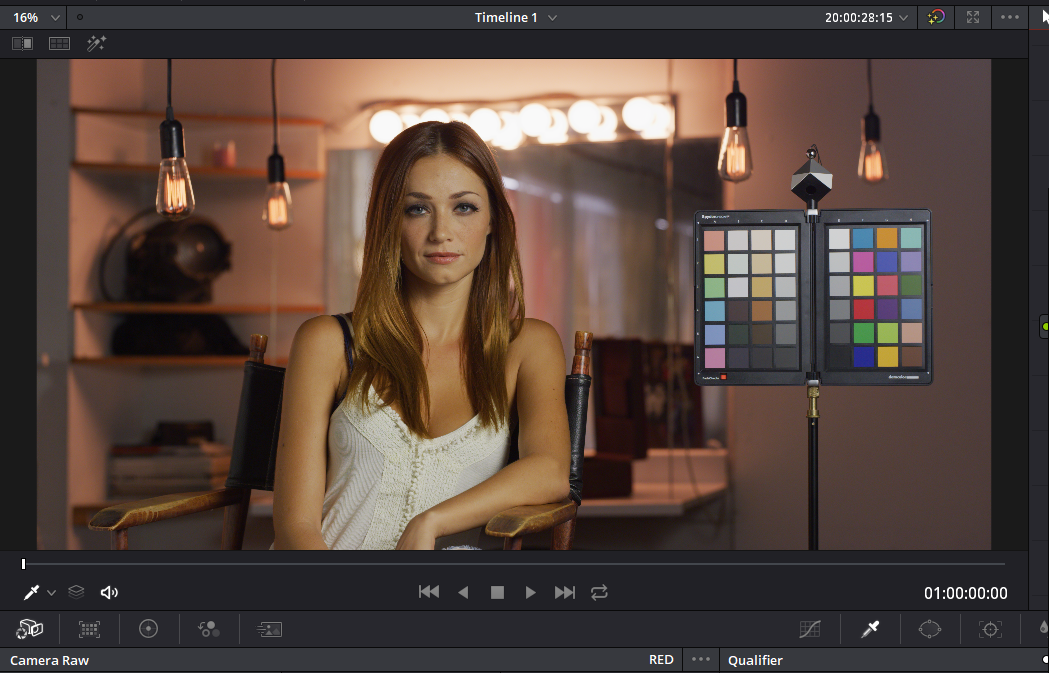
Now when you go back into your project, that "IPP2 Output Transform Lut" that you applied in the "3D Output Lookup Table" will be added at the output of your clips Node tree.

Screenshot-23-3.png


Screenshot-22-4.png


Screenshot-23-4.png
 
Last edited:
To do my Best "Columbo" Impersonation.

"Just one more method sir!..Just one more method"


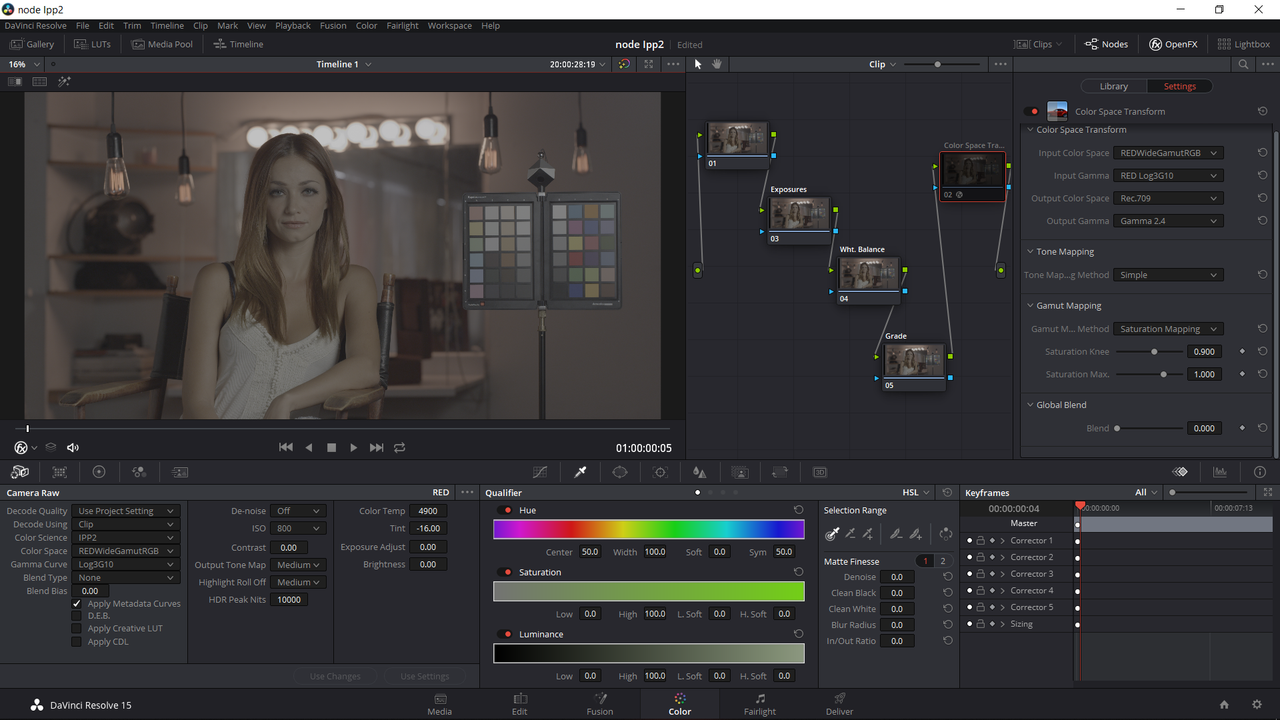
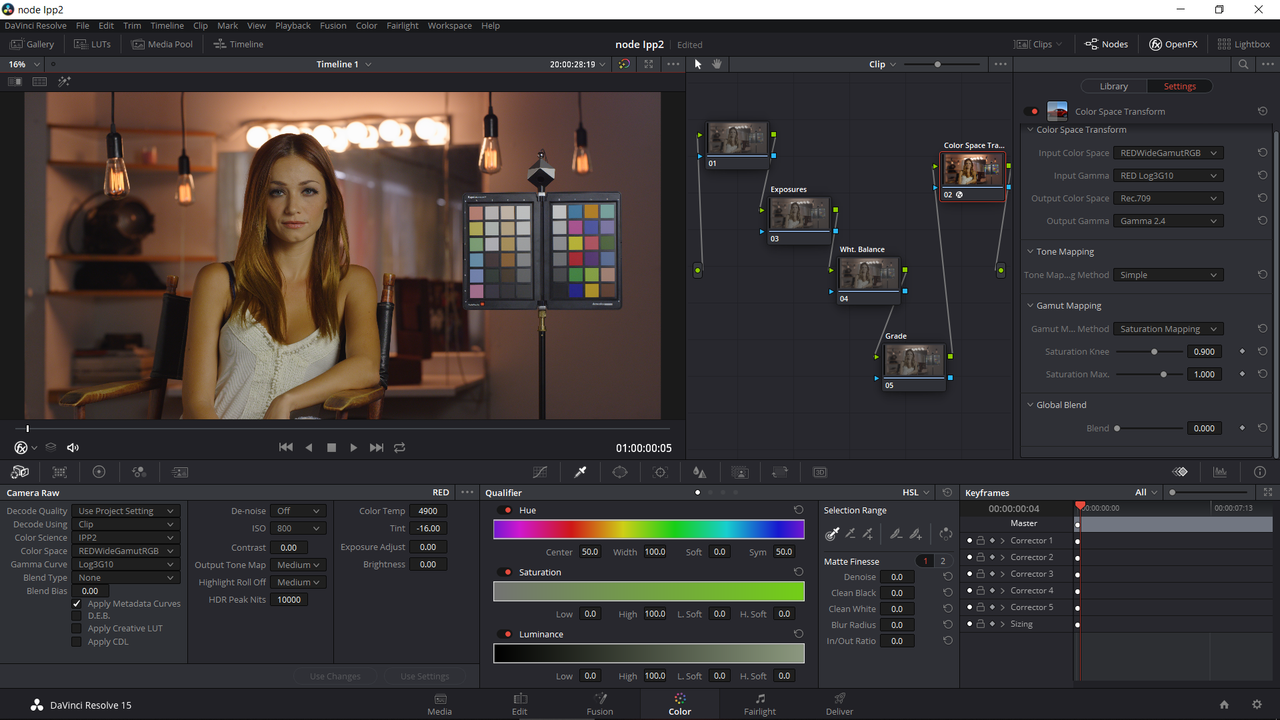
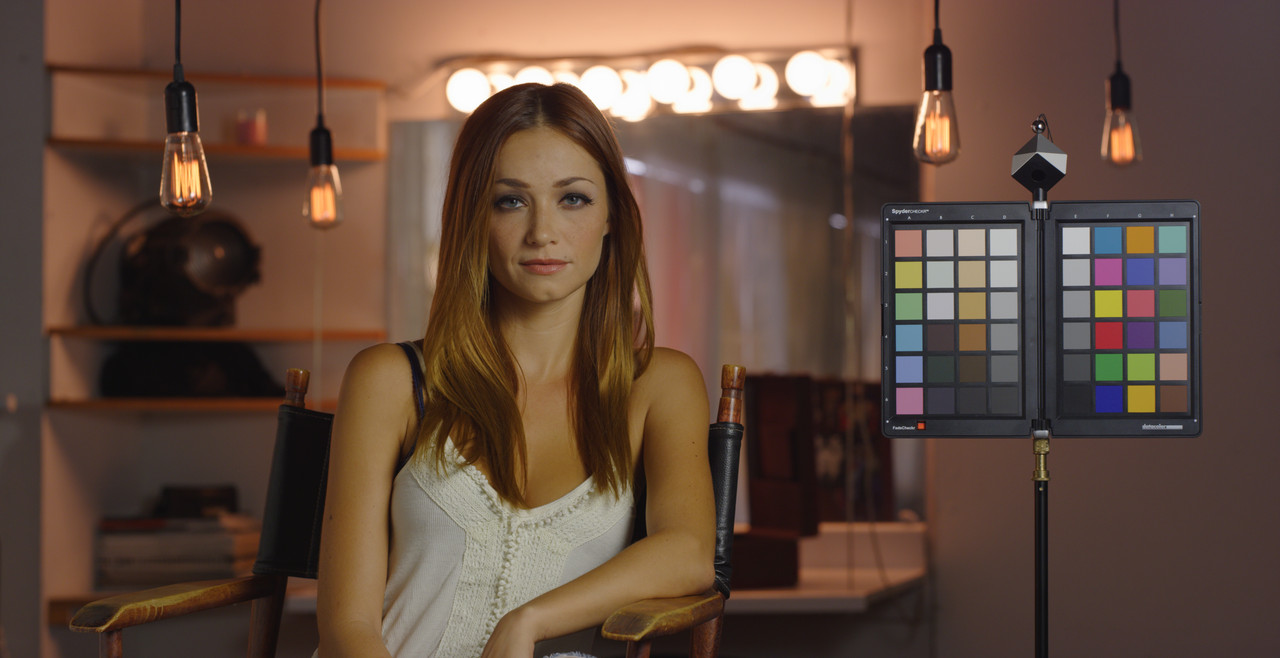
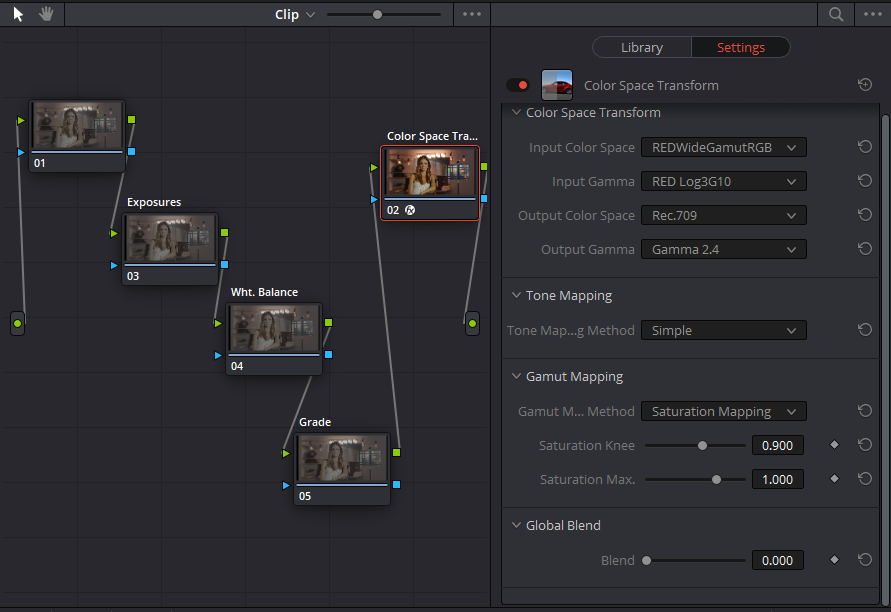
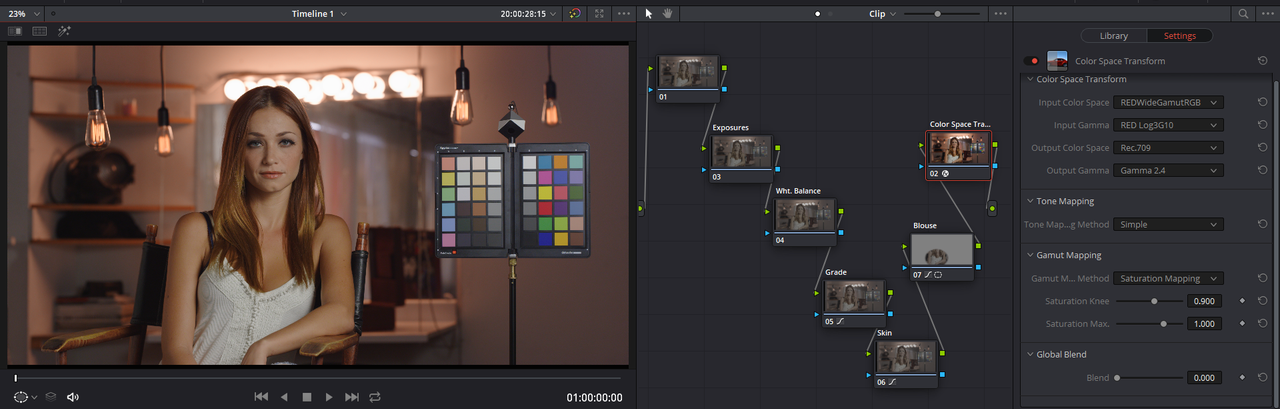
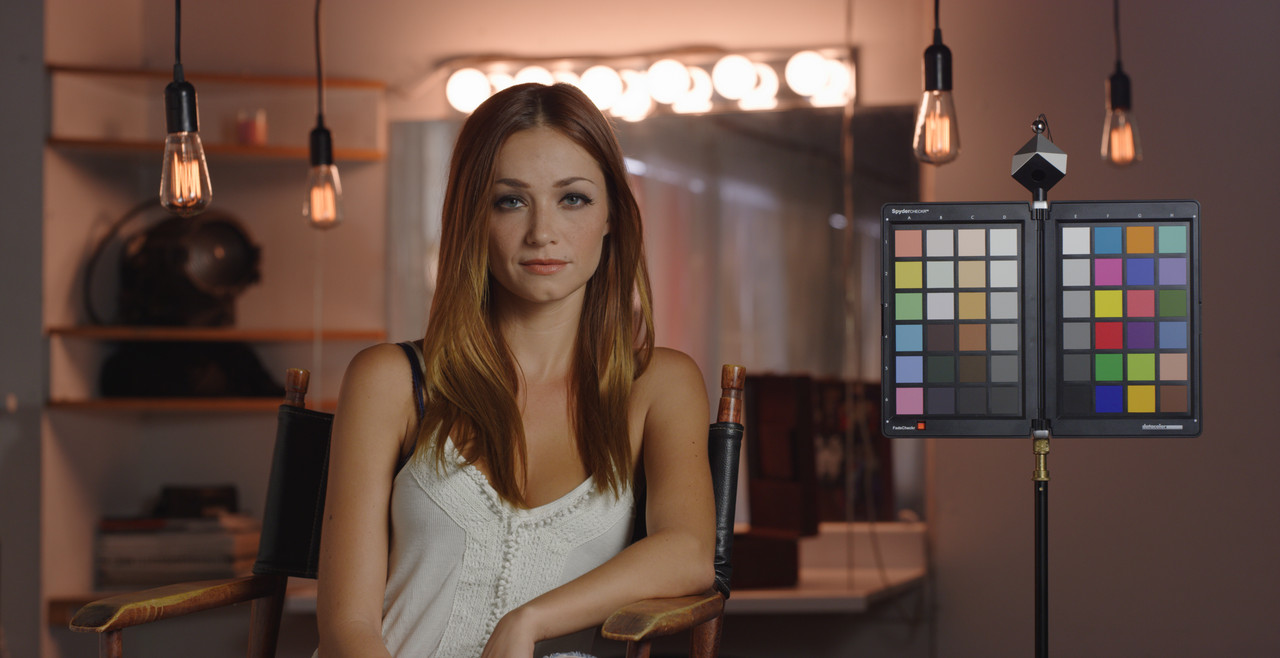
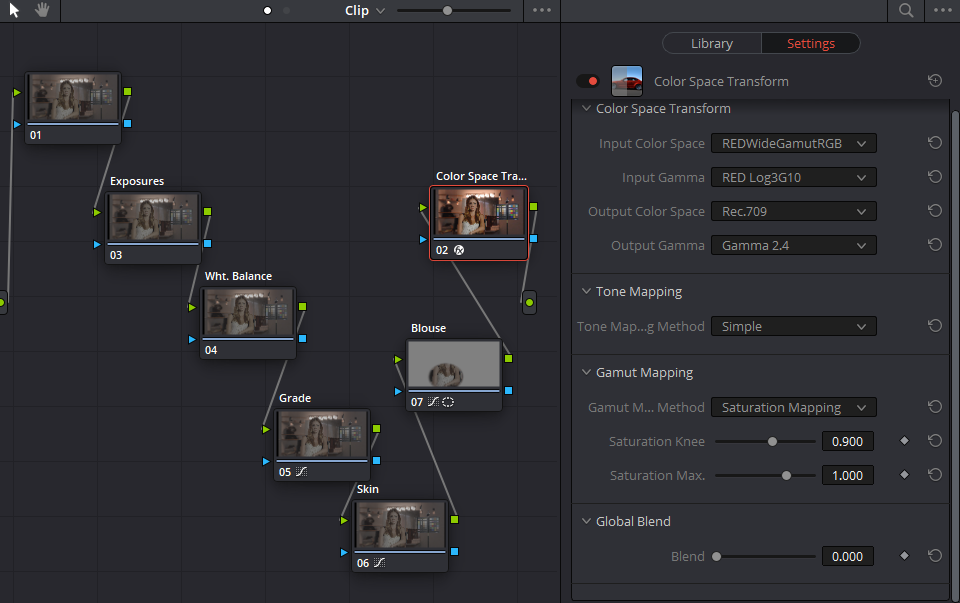
This is not really IPP2 but more of a "Color Managed-Ish" workflow that utilizes an "OFX" "Color Space Transform" operator. You could also apply the "Color Space Transform" operator probably anywhere in the Node tree , however I put it at the end in the last node. With the "OFX" "Color Space Transform" operator, it allows you to use more "Math" to personalize the "Tone Mapping" and "Gamut Mapping" of the image.


Initial usual project settings.


Screenshot-17-2.png


Screenshot-18-2.png


Screenshot-27.png


Screenshot-28.png


color-space-transform-2-1-1-2.jpg


Screenshot-29.png


Graded

Screenshot-32.png


color-space-transform-1-1-1-1.jpg


Screenshot-34.png
 
Last edited:
Back
Top