Welcome to our community

Be a part of something great, join today!

  • Hey all, just changed over the backend after 15 years I figured time to give it a bit of an update, its probably gonna be a bit weird for most of you and i am sure there is a few bugs to work out but it should kinda work the same as before... hopefully :)

Tim Daust: "Haley at the Mill" RED KOMODO 6K TEST FOOTAGE

Retson Ross

Well-known member
Joined
Sep 26, 2018
Messages
52
Reaction score
0
Points
0
More Test footage has been released curtesy of Tim Daust!

 
Thanks for sharing!
 
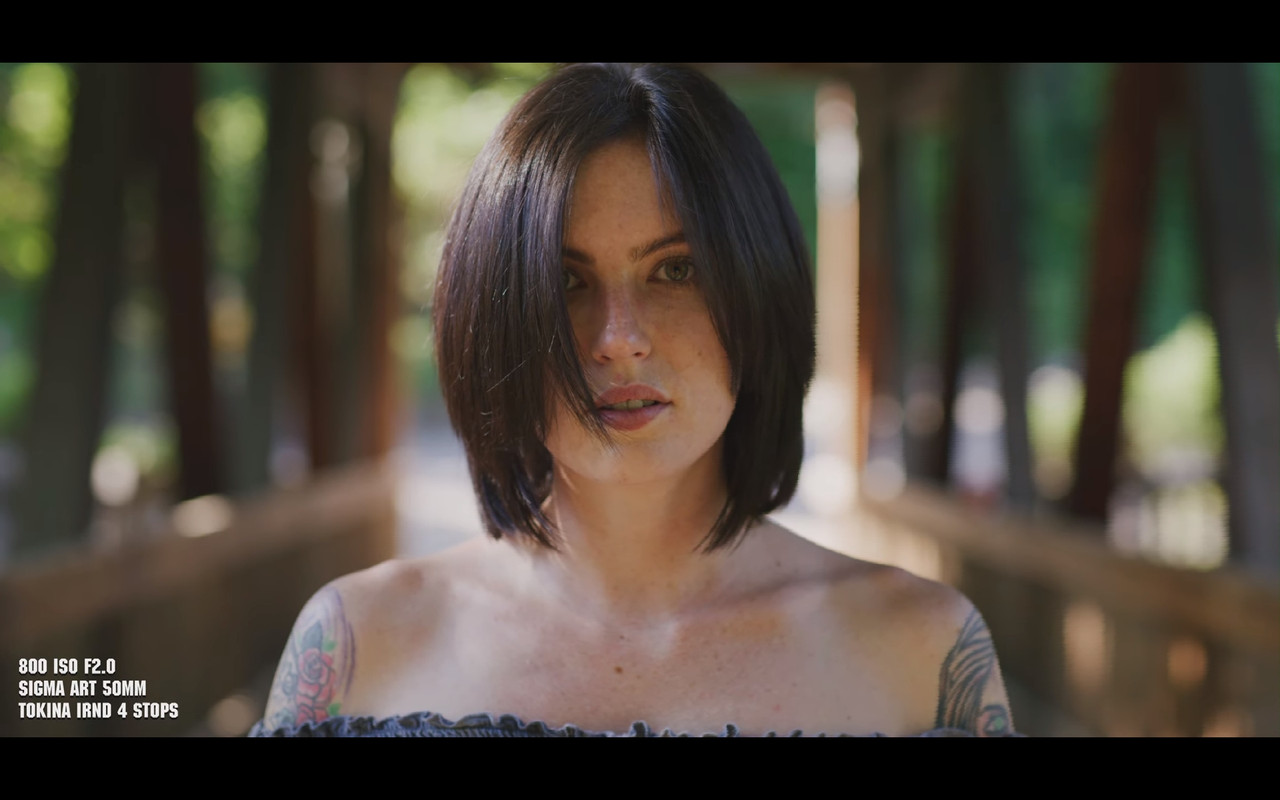
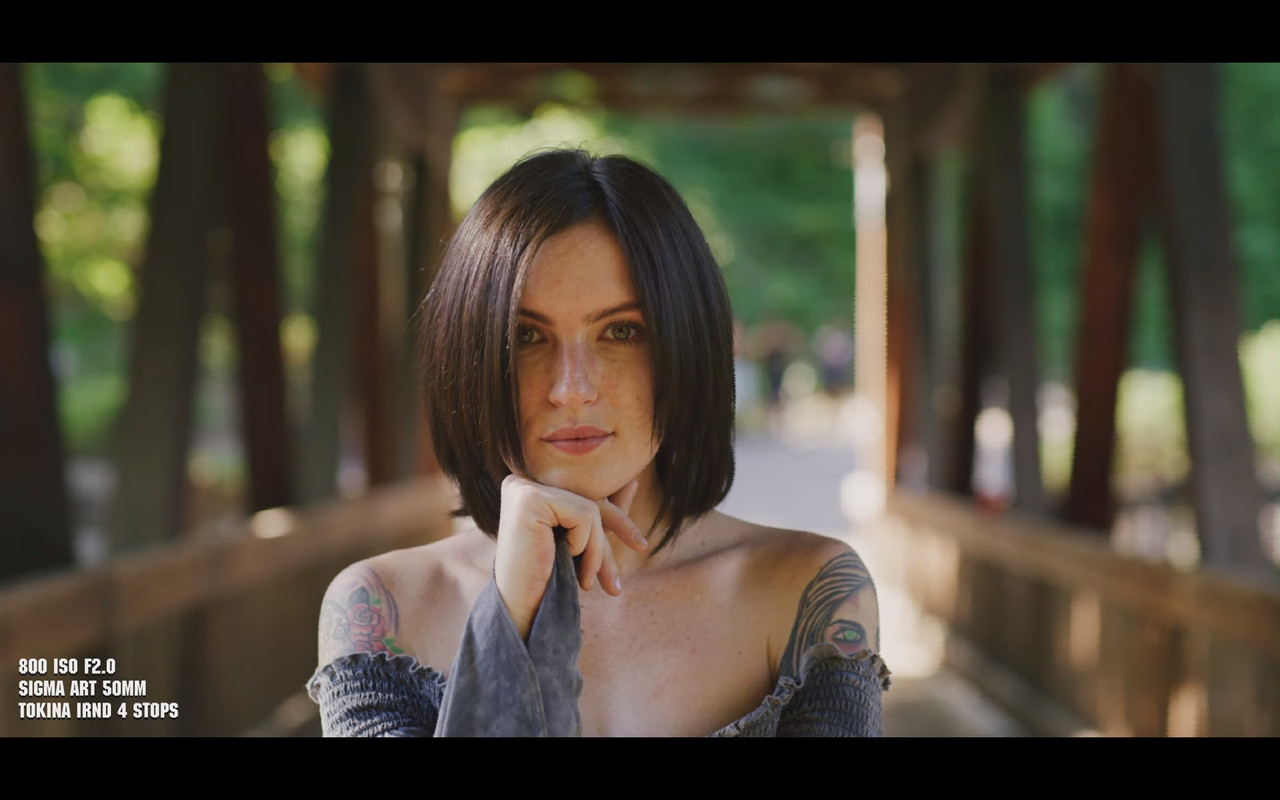
I still see that yellowish cast on her face I've see with other Red cameras. However this camera is still in the pre-production phase. This could have also been due to the IRND filter used, any makeup which was used in certain scenes, or the way the sunset reflected off of the foliage in certain scenes.

Screenshot-20200626-125336-Chrome.jpg
 
I still see that yellowish cast on her face I've see with other Red cameras. However this camera is still in the pre-production phase. This could have also been due to the IRND filter used, any makeup which was used in certain scenes, or the way the sunset reflected off of the foliage in certain scenes.
Screenshot-20200626-125336-Chrome.jpg

I don't see it so much on BG elements. Is this a skin tone thing or it seems like bounce from below. Can you give us more info on the surrounding elements of what might give off light or bounce.? Because when she is next to the brick wall Im not seeing as much. Could be the sun smashing some leaves that give off a lot of yellow.
 
Russ,

In most of the other scenes from Tim's video, as you stated, the skintones looked great. It's just seems to occur in certain scenes. I saw other scenes where she was surrounded by foliage and the skintones looked good, but in those scenes the female talent was in shade.

Maybe it was simple a case of the sunlight bouncing off foilage in certain scenes in some odd way that caused this. Tim may have used a gold reflector to maybe warm up the face, I'm not really sure.We could just simply write-this-off as the way the light hit the front element of the Helios lens , which I believe has a slight yellow cast to it and could have been used to shot the scenes in question.
 
Last edited:
Phil,


So you're saying that the warmer yellow face and upper neck In contrast to the cooler upper chest and lower neck looks normal? It could just be her tan line or a power window was used or makeup was applied but it just doesn't look normal at least to me. But I may be wrong.

Here's another example.

Screenshot-20200626-145537-Chrome.jpg
 
Phil,


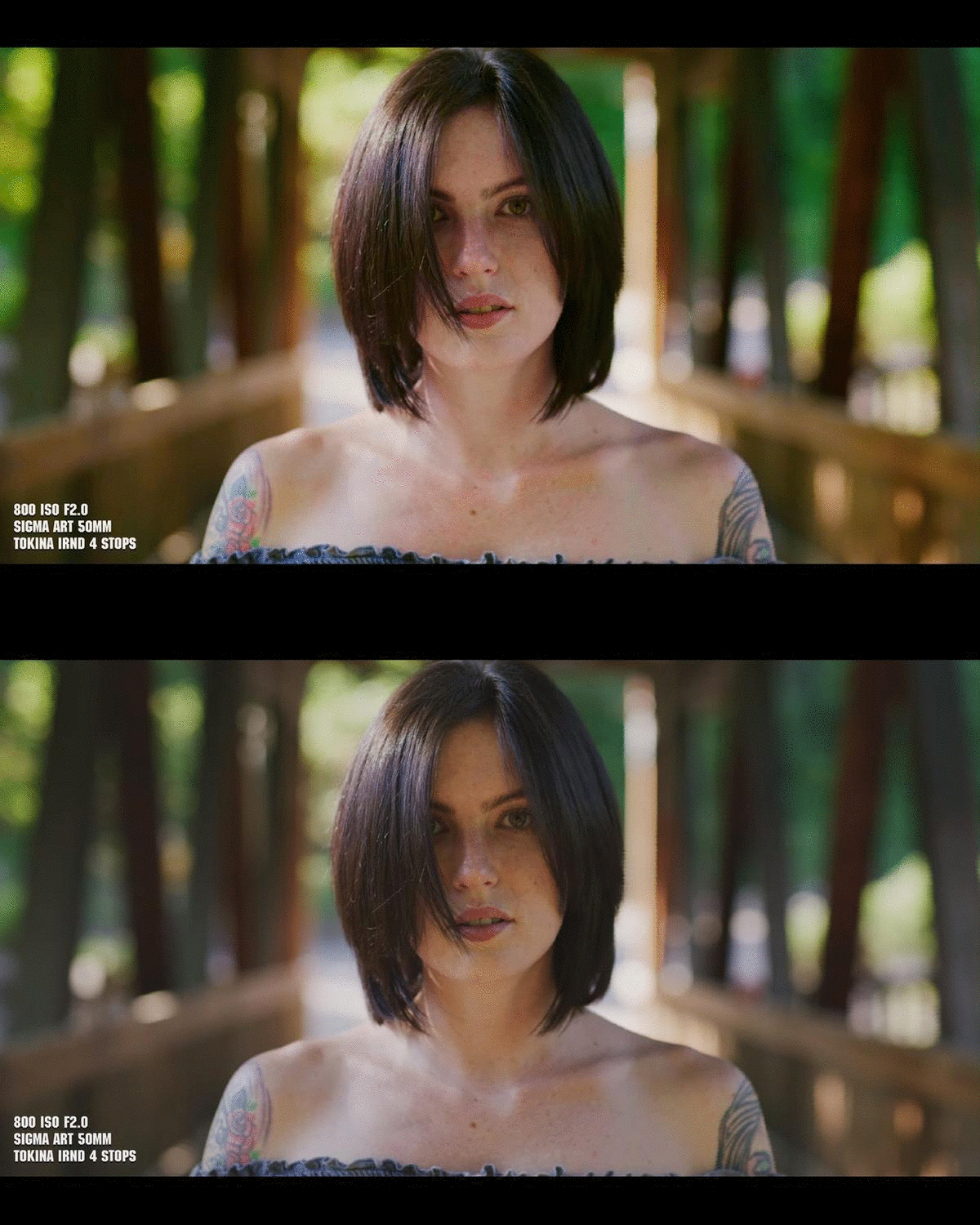
This is what I mean. Here is a Gif. File which includes first my correction, I should have put them in reverse order but too lazy to go back and do it so...., and last the original image I previously brought attention to. look at the color of the Face and Neck In relation to the upper Chest and Shoulder area in both.

At first playback, my image will have a little glitch.
ezgif-com-gif-maker.gif
 
look at the color of the Face and Neck In relation to the upper Chest and Shoulder area in both.

I think that's probably reality. Most people have different color skin in their face/necks than shoulders/chest.
 
Joshua,

Maybe you're right. I'll just leave it alone from this point on.
 
So you're saying that the warmer yellow face and upper neck In contrast to the cooler upper chest and lower neck looks normal? It could just be her tan line or a power window was used or makeup was applied but it just doesn't look normal at least to me. But I may be wrong.

Yes. A few important things and thankfully you'll notice Tim shot Haley in a variety of ambient lighting conditions so you can get a nice idea of her natural complexion.

People's skin varies in color all across their body, even across smaller surface areas like the entirety of a face there's a large medley of hue changes based on skin color, thickness, transparency, health, sun, etc. The impact of sub surface scattering for instance varies on all skin tones because everybody has sort of a unique thing going on here.

In the case of the specific shot you are referencing, what you're seeing in that lighting setup is essentially radiosity or the ambient reflected light hitting her skin unevenly. In this case there are easy tells in the frame that this is what exactly is going on.

Tim is filming in the shade and playing with the ambient light bouncing around in the shadow. It's actually a highly appealing way to film subjects as color has a subtle and varied impact on surfaces. Similar to late day when the sky dome becomes a notable light source, light dancing around the shade is where Tim is finding his light.

In a much more rigid studio setup you would have more control over this. But more or less when you have daylight bouncing on warm, cool, green, or whatever color surfaces you are going to get a large variety of colored light sources on your subject. You can sort of think of this similarly to using a gold reflected versus a silver or white one in this case.

Your color correction is "correcting" for that color cast, which equally makes it valid and that is indeed one part of the job of colorist. However if Tim had his director hat on and wanted to maintain that golden yellow light and push it even further, you'd be enhancing what is happening naturally in frame.

Near the end of Tim's clips in the edit there's a reverse angle that produces a cooler reflected light which is far less yellow and is another tell of what the lighting conditions were.
 
Thanks Phil and David for your valuable knowledge and insight on this matter!! You both have much more experience with the properties of light and lighting than I ever will. My thinking was usually when I see something shaded, in this case the face of the female talent by her hair in the scene posted, that it would usually appear more blue than warm especially since the main lighting source, the Sun in this case, seems to be behind her and to the right. So it just surprise me that it looked so warm.


I saw the foliage and the wood of the Bridge, which David pointed out. I just expected a more even color cast for good or bad from the colors of the foliage or the wood from the bridge.


The rest of Tim's video looked really good especially the skintones in the other scenes, Red has done an excellent job with the skintones in this camera and will probably improve even further before the final Release Version of the Komodo. I'll just chalk it up to the lighting in these specific scenes.
 
man yall beat me to sharing it LOL -- so busy today I forgot to post here and BAM - you guys already have been discussing it ! great ! the r3ds are still available for download in the komodo users group on facebook.
 
Tim,

Thanks for time you spent in the making of this video and all of the other stills and videos you've posted!! I don't do Facebook unfortunately. Is there any other way to acquire the R3D's you've posted there?
 
Yeah, the link no longer works... or is that because you need to be a member of the group to get access to the .r3ds?
 
Was looking at some footage posted yesterday or today of the C300mkIII and this looks 100X more "filmic". It's a more "solid" image with more depth/dimension(not Dof). The Canon, despite the color and skin tones being fine, just looked so much like "video". Almost like everything was a thin cut-out.
 
Tim,

Thanks for time you spent in the making of this video and all of the other stills and videos you've posted!! I don't do Facebook unfortunately. Is there any other way to acquire the R3D's you've posted there?

Agreed. Thanks for the test Tim. Would greatly appreciate R3Ds on REDUSER.

I have to say, I've been impressed by pretty much all I've seen from this camera.
The color and the highlight roll off looks very refined. If RED can build on what they already established, all the better.

Now the trick is lining up the work during Covid to get a couple these.

Brian Timmons
BRITIM/MEDIA
 
Looks great Tim, Thanks for sharing!!!

As for the yellow tint, I'm going to have to side with the experts. Looks like bounced light.
 
Back
Top