Welcome to our community

Be a part of something great, join today!

  • Hey all, just changed over the backend after 15 years I figured time to give it a bit of an update, its probably gonna be a bit weird for most of you and i am sure there is a few bugs to work out but it should kinda work the same as before... hopefully :)

September 7 Update

New here, but that's a pretty BIG deal, no? Means you could shoot, offload, format. Rinse, wash, repeat. Obviously not the most ideal workflow, but nonetheless helpful if needed.

its really cool when you hook up a usb-c ethernet dongle to that port.. and do all of the above remotely, over the network from across the room or across the country.
 
you would get no articulation or offset for clearance.

I kinda get what you mean, but for my kind of work at least, it is nice to be able to aim the screen at my face even if I am to the side and above or below the camera. Of course I just put the monitor on an arm so I can achieve this, but I've been working with Komodo more recently with a tilt-above-pan monitor mount, and I find it much more useful. Monitor still folds down nicely against the camera. I guess pan-above-tilt works better when you have a side connection for monitors, like on DSMC2, but Raptor only has top connectors. I might be missing something that is obvious for those shooting with larger setups.
 
I'm imagining if there's any sort of possibility this file offloading could just write directly to a hard disk or solid state drive WITHOUT the need of a computer/laptop. Possible?

This would be fantastic. Especially if it could automatically back up to an attached drive between takes. My laptop is my only non-redundant piece of equipment, and it is also probably my least robust piece of equipment. I figured I could buy a cheap laptop almost anywhere, so I didn't need buy and lug around a backup, but my macbook failed recently and I lost half a day looking for something I could use in its place.
 
Hi Jarred,

After RedOne, Epic, Epic-Dragon and WeaponMG the Raptor would be my 5th RED Camera.

I do have some questions...

1. Sensor. What could you tell us about the new sensor? Name? Future versions like 12k?

2. I would be interested, which Modules and Accesories RED will offer in the very near future... You have teased some products in the Q&A.

3. New Monitor. Why 1300 Nits? Cine7 from SmallHD has 1800. Perfect for daylight. Or is there a Ultra-Brite in the pipeline?

4. Raptor Ranger... What can you tell us right now? Features? Possible shipping date.

kind regards
Norbert
 
No upgrade path ( from us ) for Komodo or Raptor.

Here's a question that I know you can't answer... might there be an update to Komodo in the future with increased framerates, DR or stuff like that keeping within the same form factor and RF mount? Meaning, not a firmware update but a camera update, like a "Komodo 2". And would that warrant a Komodo trade-in upgrade program if that would happen?

Many of us are happy with Komodo and won't upgrade to DSMC2 or Raptors, but we still miss some features that were present on DSCM2s. Like 80 fps 6K, HDRx, native monitor (some power solution to that so we can use a monitor without SDI) and so on. If we had a "Komodo 2" update that cost around $9K-$10K new, that keeps the same form factor (in order to work with our current side-gear) and warrants a trade-in program for Komodo users. I would certainly be on board. I think a lot of others are also on board with such a camera model since there's a lot of us who don't want to have a big camera like DSMC2, but don't have enough dough to go Raptor. It might even help with the backorder of Komodo if Red gets some Komodos back through a trade-in program, depending on the supply chain architecture.

I'm up for a bump in Komodo specs in a mid-tier step between Komodo and Raptor. Also, thanks for updating us here on this forum, I missed your and Red's presence here with info.
 
Will we see a manual when the stormtroopers ship?
 
you would get no articulation or offset for clearance.
Um...of course you would. In keeping with your recent 90s hip hop reference, I cram to understand you. Putting the rotation axis above the tilt axis was the thing I disliked most about my RED Touch 5" DSMC monitor (the other was the one-side-or-the-other 1/4 20 mounting holes, which suck for use with most articulating arms that have a single 1/4 20 connection point - not enough surface area for a solid, finger-tight hold, which is why I built my rig around SWAT rail connectors, but that's a gripe for another time).

Assuming the freest range of motion occurring without a top handle attached, which would severely limit both configurations, I see the tilt over rotation (rotate at the base, tilt at the monitor) as being superior in every way I can think of. Plus, you most definitely still get the benefit of forward and back tilt of the monitor. I don't get why you say you wouldn't. The monitor may not kiss the top of the lens because the tilt axis is raised but how is that a deal breaker?

I mean, I dislike rotate over tilt so much I almost fired up Maya, modeled some basic shapes, rigged both schemes and animated them in various shooting/viewing scenarios to illustrate how inflexible I think having rotate over tilt is in comparison. I still might. For now, please refer to the pic below. Maybe how things are normally done on a film set makes the difference but I can't imagine how. I guess I'm not sure what you mean by "huge sweep interference." What's being interfered with?

Your way forces you to move your body into position to see the monitor if you're working slightly away from and/or to the side of and/or from below the camera instead of simply directly (not kinda turned towards you but cockeyed) orienting the monitor to where you'll be working. People have gotten used to working with them but I don't know how many people would say they prefer it the way you do it. Maybe I'm wrong about that.

Conceptually and functionally, I just don't see how this, or something like it, is a bad idea:

http://www.harbonder.com/media/RED-monitor-swivel-swap.jpg

RED-monitor-swivel-swap.jpg
 
Last edited:
Will there be any firmware update for DSMC2 cameras, version 8.0, to squeeze some magic one last time?
It's been almost a year since the last one.. Hoping for some binary love!
Maybe with updated GUI, DCT REDcode, Gyro data stabilizer (in REDCine-X), etc..
:)
 
move your body into position to see the monitor

One thing I think a lot of people aren't seeing on the DSMC3 7.0" Touch is that has a 15mm rod clamp attaching it to that base. You can move and mount this thing offset, on rods for shoulder setups, etc. There's several bolt on 15mm rods that can go into the side mounting points, on other rods, etc.

I just hope the cable is user replaceable if you have to go for a decent length like putting the sticks 7 feet up or whatever. I know you can unplug if from the Pogo Mount Base.
 
One thing I think a lot of people aren't seeing on the DSMC3 7.0" Touch is that has a 15mm rod clamp attaching it to that base. You can move and mount this thing offset, on rods for shoulder setups, etc. There's several bolt on 15mm rods that can go into the side mounting points, on other rods, etc.

That’s awesome. I was actually trying to figure out what the deal is with the knurled knob earlier today and that explains it. Before I settled on SWAT rails I dabbled with quick-release 15mm rod accessories because of the more secure holding power of a larger holding surface. That’s one thing Zacuto got absolutely right when they put 15mm rod ends on their articulating arm (the Zamerican V3, I think).
 
That’s awesome. I was actually trying to figure out what the deal is with the knurled knob earlier today and that explains it. Before I settled on SWAT rails I dabbled with quick-release 15mm rod accessories because of the more secure holding power of a larger holding surface. That’s one thing Zacuto got absolutely right when they put 15mm rod ends on their articulating arm (the Zamerican V3, I think).

Can't quite remember their name, something "b engineering" well before that if I'm not mistaken had some 15mm rod mounting solutions available to the general public outside of custom Panavision bits back in the day.

It's sensible. You can put a 15mm rod anywhere in nearly any orientation. I got to see the monitor up close and fondle it a bit. The height of the clamping arm will help see over the rear of the body, clear aks, and work better in tilted shot positions from what I can see. I'll know more once I have a first date with it.

WC's articulation on their Komodo LCD clamp is a similar idea san's 180 degree rotation, which is frustrating. This is a pan and tilt system that detaches without the need of cable adapters and such. Also worse case scenario you damage the cable and replace it, which is why I ask if it's user replaceable or extendable. I know people who are rough with their gear and have snapped the neck on there DSMC2 monitors. Monitor is unusable really after that.
 
Is there any possibility of getting the locking RF mount as a paid upgrade on the Komodo even if it was expensive and required a new shell. I’m soooooo damn jealous and a v-raptor isn’t in the budget yet, plus I love my Komodo. Being able to fix that RF wobble would make me so happy lol. The 28-70 is just too heavy.

Though I guess since v-raptor is just the flagship dsmc3 there could always be a komoesque s35 GS version too lol
 
One thing I think a lot of people aren't seeing on the DSMC3 7.0" Touch is that has a 15mm rod clamp attaching it to that base. You can move and mount this thing offset, on rods for shoulder setups, etc. There's several bolt on 15mm rods that can go into the side mounting points, on other rods, etc.

I just hope the cable is user replaceable if you have to go for a decent length like putting the sticks 7 feet up or whatever. I know you can unplug if from the Pogo Mount Base.

Thanks Phil. I hadn't noticed this. It's a pretty cool design.
 
Um...of course you would. In keeping with your recent 90s hip hop reference, I cram to understand you. Putting the rotation axis above the tilt axis was the thing I disliked most about my RED Touch 5" DSMC monitor (the other was the one-side-or-the-other 1/4 20 mounting holes, which suck for use with most articulating arms that have a single 1/4 20 connection point - not enough surface area for a solid, finger-tight hold, which is why I built my rig around SWAT rail connectors, but that's a gripe for another time).

Assuming the freest range of motion occurring without a top handle attached, which would severely limit both configurations, I see the tilt over rotation (rotate at the base, tilt at the monitor) as being superior in every way I can think of. Plus, you most definitely still get the benefit of forward and back tilt of the monitor. I don't get why you say you wouldn't. The monitor may not kiss the top of the lens because the tilt axis is raised but how is that a deal breaker?

I mean, I dislike rotate over tilt so much I almost fired up Maya, modeled some basic shapes, rigged both schemes and animated them in various shooting/viewing scenarios to illustrate how inflexible I think having rotate over tilt is in comparison. I still might. For now, please refer to the pic below. Maybe how things are normally done on a film set makes the difference but I can't imagine how. I guess I'm not sure what you mean by "huge sweep interference." What's being interfered with?

Your way forces you to move your body into position to see the monitor if you're working slightly away from and/or to the side of and/or from below the camera instead of simply directly (not kinda turned towards you but cockeyed) orienting the monitor to where you'll be working. People have gotten used to working with them but I don't know how many people would say they prefer it the way you do it. Maybe I'm wrong about that.

Conceptually and functionally, I just don't see how this, or something like it, is a bad idea:

http://www.harbonder.com/media/RED-monitor-swivel-swap.jpg

RED-monitor-swivel-swap.jpg

Thanks Brian. I thought I was maybe missing something critical here. I guess the 15mm interface Phil mentioned might explain why they stuck with pan above tilt.
 
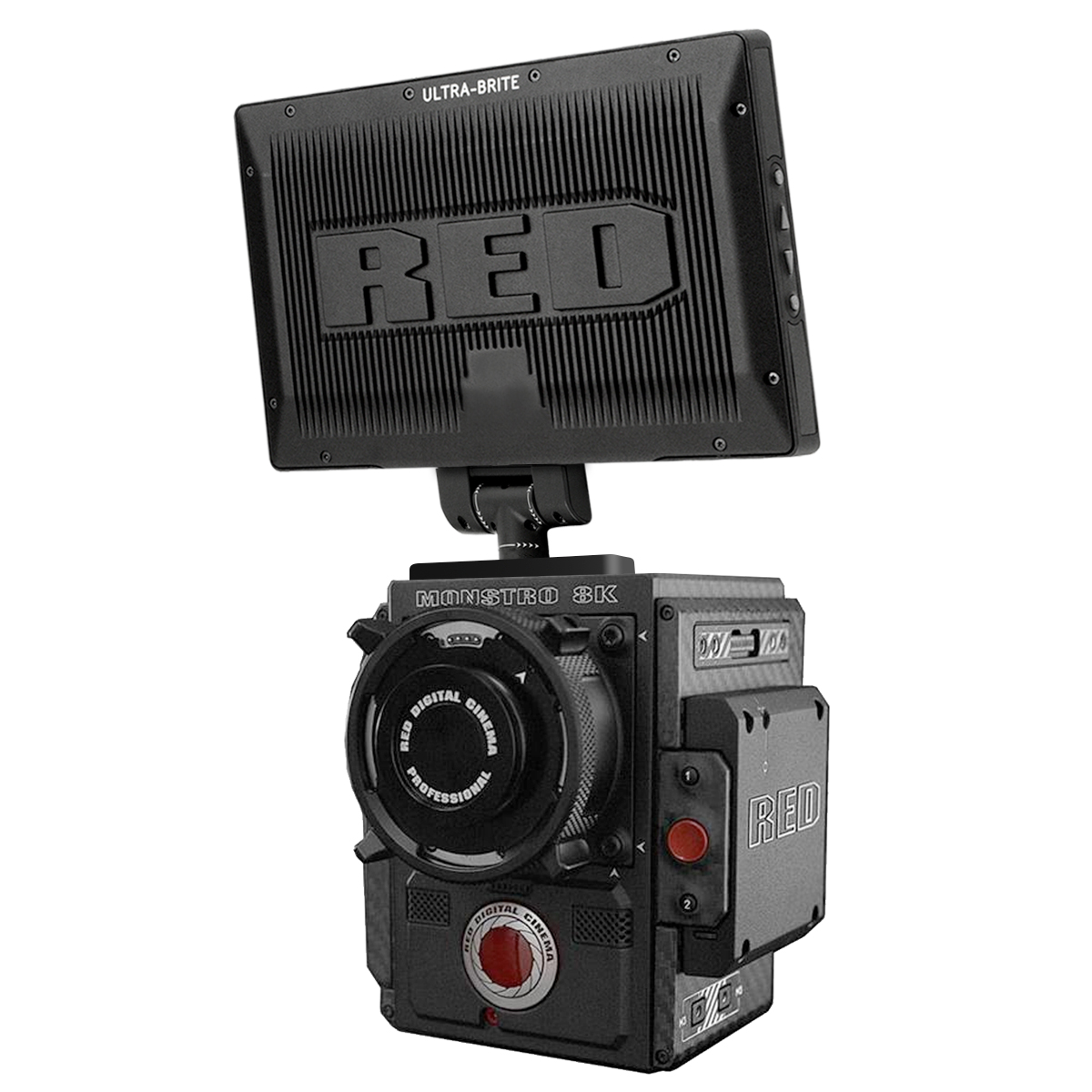
Anyway to adapt the Utra Bright to VRaptor? I just love that monitor
 
Hey Jarrad would it be possible to enable a custom button option via firmware update on Komodo to trigger Focus magnification when on the main shooting screen? I would recommend using the up arrow button to quick toggle magnification on off. The bottom arrow button can still be used to cycle through selecting frame rate, aperture etc.. There's really no need to have both buttons essentially do the same thing on that main screen, it's a bit redundant. This would be incredibly helpful for general camera operation, especially for people like myself who are using hasselblad viewfinders on Komodo and don't have easy access to the touchscreen. I love having that quick toggle option with RF lenses using the control ring and it would be amazing to have it on the camera up arrow button as well when using Leica M and EF lenses.
 
Last edited:
Back
Top