Craig Weeding
Well-known member
Great Stuff thank you for the continuing updates and improvements

Follow along with the video below to see how to install our site as a web app on your home screen.

Note: this_feature_currently_requires_accessing_site_using_safari


Build 17 on a Dell Precision M6700 and Quadro K4000M, Win 7 Pro 64 SP1, 32 GB RAM, software does not even start, crashes instantly. Build 16 works fine.
Yes, this happens to my dual-screen/dual-GFXcard win7/64 machine every time I update RCX. Instead of showing video full screen on the second monitor, activating 'Video on Second Monitor' pops up a tiny thumbnail size screen under the scopes. Monkeying around in the general/view settings without changing anything, always fixes this, but it always takes something different, EG: opening the view settings and hitting cancel, or hitting ok, or toggling a setting off and then back on and hitting ok. It usually takes me about 5 minutes to find the right trick for each new version.


For some reason I can't drag or copy the Force Upgrade folder to my Redmag. It's always worked before. Using OSX 10.6.8.
Can anybody help?

For some reason I can't drag or copy the Force Upgrade folder to my Redmag. It's always worked before. Using OSX 10.6.8.
Can anybody help?

Build 17 on a Dell Precision M6700 and Quadro K4000M, Win 7 Pro 64 SP1, 32 GB RAM, software does not even start, crashes instantly. Build 16 works fine.


I've had a couple of crashes while rendering with the Rocket. Nothing bad, it's working fine otherwise (I was rendering 150 clips or so) but should I send a log file ?
(Mac OS Lion, 17" MBP from early 2011, 16 GB of RAM, TB Sonnet Rocket, RCX 17)
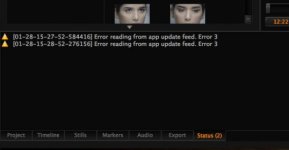
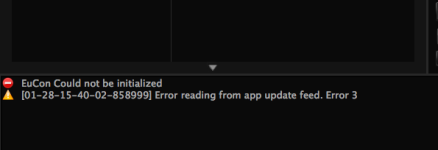
I have this kind of messages...
And the pictures have some verticals lines...

Hi Rob,Always good to send us a log file when that happens. Especially if you have the Mac OS X crash log.
Do you remember what it was doing? (playback, export [what format etc.])