Welcome to our community

Be a part of something great, join today!

  • Hey all, just changed over the backend after 15 years I figured time to give it a bit of an update, its probably gonna be a bit weird for most of you and i am sure there is a few bugs to work out but it should kinda work the same as before... hopefully :)

Red Dragon ISO Texture Versus Film Grain

Thanks - I just meant the grain images.
 
Grain like this is very hard to judge because it's not moving. There's a difference between how digital noise is moving and how film grain is moving. The alexa is free of fixed pattern noise and it's "noise" is the closest to film I've seen. I haven't seen Dragon noise moving yet so I cannot tell if it's "good noise" or "bad noise". How it is on a blow up still image is very hard to judge compared to 35mm.
That is very true. I once had a fairly famous film director almost deck me (philosophically) when I suggested we use some noise reduction to remove some film grain. He was horrified, insisting that the film grain was a specific part of the texture of the image, and that the stock was specifically chosen for that reason. At the time -- this was about 20 years ago -- I looked on film grain as a problem, not an aspect of image quality. I began to realize he had a point, and maybe film grain wasn't always the awful thing we thought it was. In small doses, it's not that bad... but when it's inconsistent, you do need grain management to keep the grain level consistent shot to shot and scene to scene.

The problem with digital noise as Christoffer says is that it has a completely different characteristic and a different feel from actual film grain. There's a random organic quality to silver halide particles that isn't there in digital -- which is both good and bad. To complicate it, nobody shoots at the same ISO 100% of the time for every single scene in a feature film; night scenes will probably be set one way, day scenes another, intensely bright scenes another, super-dark scenes yet another. The noise is going to change all the time. I don't get the same feel from digital grain as I do from film, but I don't think modern audiences care anymore. DPs who notice will care, and I think most colorists understand it as well. But I don't see Red or Alexa or Canon or Sony as substituting for film grain. I haven't completely made my mind up on adding film grain to digital productions, but I think it can work for certain kinds of projects, not done to excess.

Funny side note: I watched the HBO film Normal Heart the other day, and I was halfway through it when I said, "man! They sure cranked up the artificial grain too far in this thing." I was sure it was an Alexa project. But then the end credits came up, and much to my surprise: it was all shot on film. I've gotten so used to digital being used for TV projects, seeing real film grain looked like "too much" to me. So there ya go.
 
T.........In small doses, it's not that bad... but when it's inconsistent, you do need grain management to keep the grain level consistent shot to shot and scene to scene.

The problem with digital noise as Christoffer says is that it has a completely different characteristic and a different feel from actual film grain. There's a random organic quality to silver halide particles that isn't there in digital -- which is both good and bad. .........

I noticed a similar problem to this a couple of years ago on an anaporphic project I shot that had archive news footage inserted in to the film. It actually was the first images you saw and as a result when the RED footage was hard cut to....bam, looked like video, looked super clean. probably would have been similar on film but the natural film grain would have helped. We had to make the first scene noisy and basically fade out the noise to make the cut less distracting. With film bringing up the grain would have been easier and it would have looked a lot closer to what was telecineied 16mm...
 
Some will say it's the best digital cinema camera on the market (where I'm leaning towards), some won't for whatever technical and subjective reasons. Certainly it's a better value in terms of a price/performance ratio and the workflow and general ecosystem is pretty damn impressive. If used properly it's the current industry leader.

If something was out of whack I'd be shooting something else.

Red's really done something special here.

RED should hire you, Phil, now that Ted's gone.
 
In the past couple months I'd mess with various 3d luts using someone else's (unused, recovered from the trash can) Dragon r3d clips. One of the things I like about analog film is tight, tactile grain. Using some of those LUTs on MX footage produced interesting transformations in visible digital noise, on higher ISO Dragon images it actually looks as close to analog grain as ever without using artificial effects (cinegrain, filmconvert etc). Done the trick before on properly exposed raw Sony images too, so I'm glad Dragon is as good or better at this.
 
>>So film resolution mesured on a single frame can look far less than what you see on a digital image but when you look at the clip in playback things will change as the silver layout is changing from frame to frame where as the Cmos sensor does not have such feature.

Scientifically talking in film every frame is not constant because each frame (if you analyze it to the atom as it happens with the process) is different from the other in color temperature and many other respects just because the silver layout/thickness is not identical, But is not only that. It's all the layers in the process that are not identical with all kinds of flows. So at the end it has the scientific potential to be more tiring to the eye because of that. This un uniformity is everywhere in the film in the atomic level, not only in the silver layout. Including but not limited to the chemicals, the developing stages, difference from same stock and a ton of other variables.
 
Grain as false sharpness

Grain as false sharpness

One positive aspect of having film grain at lower iso's is in areas of the image that are all one color, there will be noise, which the eye perceives as extra detail, and this often makes the image look sharper. I've frequently noticed with a very clean image, not having noise on smooth single color patches of an image can contribute to a 'Fake' or 'Digital' Look. I often use a custom LUT that causes my red footage to underexpose 1 stop if shot at whatever the meter reads. The LUT applys a curve that stretches the mids all the way up to the highs, this seems to bring out more grain in the shadow areas.
 
Vision and Vision3 on the two samples.
Or could it be Vision Premiere? Nobody could tell unless they could see the Kodak barcode number on the edge.

So the 500 stock is 5279 and the 250 stock is 5207?
Those are negative stocks, not print stocks. The ultimate film grain you see is a consequence of the exposure, the lab development, the nature of the negative, the correction applied afterwards, and then the nature of the print stock. Because all these things change, the level of grain often changes on every single shot -- at least, in the days of film origination, photochemical processing, and film release.

I don't buy that anybody has a magic LUT that will make a digital image look like "Film Stock X," for the simple reason that I've worked on many, many projects where "Film Stock X" looked different every day, looked different through different lenses, looked different at different locations, and even changed slightly on the same day because the lab developed it in a different machine. Film grain is very, very inconsistent, so it's such a moving target, saying a specific look is "Kodak 2383" or something is completely nebulous.
 
One positive aspect of having film grain at lower iso's is in areas of the image that are all one color, there will be noise, which the eye perceives as extra detail, and this often makes the image look sharper. I've frequently noticed with a very clean image, not having noise on smooth single color patches of an image can contribute to a 'Fake' or 'Digital' Look. I often use a custom LUT that causes my red footage to underexpose 1 stop if shot at whatever the meter reads. The LUT applys a curve that stretches the mids all the way up to the highs, this seems to bring out more grain in the shadow areas.

The entire signal chain, right up to the viewing environment, offers myriad opportunities to introduce distortions. If you are positing that we are actually viewing film originated material projected from print stock onto a reflective screen, then your notes resonate. If being viewed on a television or computer monitor...

Assuming, as I sadly must, that what 99% of viewers will see is via a heavily compressed distribution channel (cable, satellite, OTT I'm looking at you) the equation has to account for how the first encoder processes grain, and I say first because odds are it will be re-encoded at least two more times before final delivery. This often leads to concatenation issues which is essentially a kind of reciprocity failure due to mismatches in codec engineering schemes. (Wiki if you're curious). MPEG-2 was designed when the hero format was 35mm film so the engineers used that as their primary target. MPEG-2 typically causes a slight defocusing as some high frequency detail is tossed in the quest to reduce the data load which ends up leaving just enough upper-mid band detail (in most cases) to keep the texture of the grain from disappearing.

H.264 was aimed more directly at common 8 bit video formats that needed to hold edges and look decent even at very low bit rates. Depending on the texture of the transfer used to create the digital source, a H.264 encode of a 35mm acquired piece can hold, or, kind of "polish off" the grain structure. HEVC/H.265 is still TBD in my book, perhaps Phil and a few others are getting a sense of this over the last couple of months as more tools add at least beta encoders.

My point is, that the trip from photons entering the lens to exhibition includes interdependent variables and a lot of intermediation factors.

Cheers - #19
 
  • Thread starter
  • Moderator
  • #51
HEVC/H.265 is still TBD in my book, perhaps Phil and a few others are getting a sense of this over the last couple of months as more tools add at least beta encoders.

You guys know me by now and understand how strongly I feel about 4K+. I've been equally concerned about how we get to see and experience that content. The second I started working in this industry I spoiled with 16 bit uncompressed image sequences straight off the scanner. Same deal went to the laser recorder. Eventually there was uncompressed playback, which was rather expensive.

These next two years in particular are important for future minded codecs. I feel the .RED/RRencode is part of this and am curious what else can be done with the technology. H.265 and VP9 are closer to being bolted to the floor than where they were a couple years ago. I just made higher quality H.265 files than even Netflix is utilizing while maintaining their bitrate and color specifications because we have access to newer tools.

I think 10 bit and 12 bit are going to play a role in the theater and home. VP9 has some catching up to do on that front. I'm not going to talk Rec.2020 because, well.... Rec.2020. It's going to happen, but it's a slow painful battle on many fronts.

The good news is so far subtle detail and granular character looks decent on all of the new tech. Not many people can experience it and play it back just yet though. Nor is the encoding "pleasurable" at the moment.

I have some new samples coming now that E3 has rolled through town.
 
Thanks for doing those tests, Phil! Quick questions:

1. What white balance did you decode the R3Ds at? And what white balance did you illuminate with? Likewise, was the film tungsten under tungsten light or daylight / daylight?

2. We're supposed to be comparing the two diagonal images, right? EG the film scan top right at 4K and the Dragon scale bottom left to 4K?

3. When you say that Dragon has 17-19 stops of DR, what would you rate film and Alexa at using the same criteria?

Thank you Sir!

Bruce Allen
www.boacinema.com
 
  • Thread starter
  • Moderator
  • #53
Thanks for doing those tests, Phil! Quick questions:

1. What white balance did you decode the R3Ds at? And what white balance did you illuminate with? Likewise, was the film tungsten under tungsten light or daylight / daylight?

2. We're supposed to be comparing the two diagonal images, right? EG the film scan top right at 4K and the Dragon scale bottom left to 4K?

3. When you say that Dragon has 17-19 stops of DR, what would you rate film and Alexa at using the same criteria?


1. Daylight via daylight source. Nominal WB adjustment to create "ideal gray". Light source is 5600K for both. Daylight balanced emulsion.

2. The whole image is a full Dragon frame cropped in at 100%. The white bordered samples are film for you to compare against the Dragon image. In the Dragon image is middle gray, a shadow box, and various other tones. There is an interesting subtle thing that happens to both film and Dragon's texture across various tones for each rated exposure. I'm hinting at something that I feel is important and good. Though some don't want texture; no where no how.

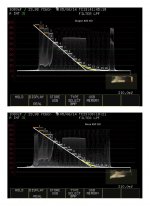
3. I've measured 19 visible stops. I'm saying 17 as it's a more practical use scenerio in terms of Dragon's usable Dynamic Range across the recommended operation ISO ratings. The quoted 16+ stops that Red claims and I've measured (as well as a handful of other people on Reduser and in town) gets distributed across your given ISO rating. This graphic tells the entire story as these are actual patches from the camera with the new OLPF/Calibration:


That's literally how it works. And it's how it works with everything. Film, Red, etc... Applying various curves will effect where and how that's all placed as well.

Film typically is in a similar way described at a best case scenerio 15 stops. Though Kodak truly has stated 13 usable stops.

Alexa Alev III measures 14 stops on the sensor, that's from the manufacturer too. In the camera, due to contrast effecting optics (a slight low con filter), it sees approximately 15 stops by lifting the shadows. Similarly you can go nuts and add a low strength low contrast filter in front of the lens with Dragon and you'll happily see every chip on the Xyla 21.


A couple of side notes. The Alexa's pixel design is "so so". However, the introduction of the low contrast optic in front of the sensor gives it that slight lower contrast and perhaps a light halation that is somewhat pleasing or not depending on who you talk to. It's "always on" in that world. Film can bloom under certain conditions in a unique way. This is where filtration truly comes into both an aesthetic and personal choice when it comes to digital acquisition. You may want that look. You may not.

Red has a nice page up that has a decent A/B comparison using a clean image and low contrast filter image at the bottom here:
http://www.red.com/learn/red-101/low-contrast-filters

Though that's a far more extreme example than what we are talking about here.


Notable and clearly visible observation. Dragon is certainly fine tuned for that more organic style of highlight roll-off. And that's where Red is exploiting some of that top end Dynamic Range via the Sensor Calibration and Color Science that we can't fully measure with our tools. It's clear they are doing it though and it looks great.


Last trickled out thought. ISO 800 as "base sensitivity" (this term frustrates the living death out of me) seems to give people a nice balance between texture, sensitiviy, and general tonal distribution. When shooting at 5K and 6K then finishing for 4K or 2K when projected or viewed it looks pretty damn good.

In the many conversations about noise lately it's important to take all things into consideration. Red will likely come up with a solution to make "everybody" happy. However, the truth is Dragon is a flexible camera system with a ton of captured Dynamic Range that shows in the color and tones. It, just like film, has a variable image texture. Noise reduction is a no no in camera. It hurts the captured resolution and detail. Red's not into that.


Side, side note. Remember no matter what's in frame, how much tonal range actually exists in the scene Dragon is capturing all of it's potential Dynamic Range at any given point in time. You are merely moving/rating midtones to your liking and thus effecting the overal texture of your image. Want a cleaner image? Explore ISO 250-500. A bit of texture, ISO 640-1280. Don't mind a bit more of it, ISO 1600-2000 (and you can go further if you'd like). In terms of a workable latitude in post, it honestly depends on how nuts you are going. You can do some interesting things shooting lower ISO, same can be said at higher ratings. ISO 800 is a nice middle point where you have a very workable image. I more or less do my best to nail my exposure on set for a given scene and work around, but occasionally I'll go nuts and push the material hard.
 
We had to make the first scene noisy and basically fade out the noise to make the cut less distracting. With film bringing up the grain would have been easier and it would have looked a lot closer to what was telecineied 16mm...
That sounds like a very good decision, Ian. I agree, grain is one of those things you have to deal with in context. Sometimes you need it, sometimes not, but a lot has to do with the nature of the specific sequence. I think a lot of it boils down to emotion, as hoity-toity as that sounds, and you have to sit back and think philosophically about what the scene is really all about on a gut level. Maybe it needs a little grain, maybe it needs a ton of grain, maybe it needs to be absolutely clean. It's all a question of whatever tells the story best, and there is no magic knob that will do that.

H.264 was aimed more directly at common 8 bit video formats that needed to hold edges and look decent even at very low bit rates. Depending on the texture of the transfer used to create the digital source, a H.264 encode of a 35mm acquired piece can hold, or, kind of "polish off" the grain structure. HEVC/H.265 is still TBD in my book, perhaps Phil and a few others are getting a sense of this over the last couple of months as more tools add at least beta encoders.
I'm nervous about it, Blair, because I've seen all kinds of weird "frozen pattern" issues with Netflix and Amazon encoding, where in a static shot, any grain in the background starts freezing and blocking up, or at least swirling around in a weird pattern. It's very distracting. Motion artifacts are also very frequent, especially in low-bitrate transmissions (and by that I mean something well under the 36mbps+ rate of, say, Blu-ray or the 20mbps potential bitrate of broadcast TV).

I'm also concerned about the potential for multiple levels of compression artifacts, where people shoot with one kind of compression, edit in another, finish and deliver the show in another format, and then the distributor re-encodes it to something completely different (like HEVC or H.265). Compression on top of compression on top of compression can't do anybody any good, particularly once a certain level of grain and noise is introduced.
 
1.

Alexa Alev III measures 14 stops on the sensor, that's from the manufacturer too. In the camera, due to contrast effecting optics (a slight low con filter), it sees approximately 15 stops by lifting the shadows. Similarly you can go nuts and add a low strength low contrast filter in front of the lens with Dragon and you'll happily see every chip on the Xyla 21.


A couple of side notes. The Alexa's pixel design is "so so". However, the introduction of the low contrast optic in front of the sensor gives it that slight lower contrast and perhaps a light halation that is somewhat pleasing or not depending on who you talk to. It's "always on" in that world. Film can bloom under certain conditions in a unique way. This is where filtration truly comes into both an aesthetic and personal choice when it comes to digital acquisition. You may want that look. You may not.

Phil, in the interest of accuracy, please stop saying that the Alexa has a low-con filter. You have stated this many times in various places in this forum. It does not. Arri has stated explicitly that there is no low-con in there. The filter pack consists of an olph, an IR filter, and a UV filter. No low-con. If you think that the alexa filter pack has some kind of "low-con filter effect" on the image well fine, thats your subjective opinion. In my subjective opinion, the reason alexa has a "low-con" look is because of its very even distribution of brightness values. I'm sure you know what a characteristic curve is and by looking at the attached you can see that the curve for alexa is very straight, as is the curve for dragon. Alexa follows a straight line thats almost straight down to the 13th chip. That's the low-con filter.
 

Attachments

  • Dragon:Alexa Curve Comp jpeg.jpg
    Dragon:Alexa Curve Comp jpeg.jpg
    91.7 KB · Views: 0
  • Thread starter
  • Moderator
  • #56
Phil, in the interest of accuracy, please stop saying that the Alexa has a low-con filter. You have stated this many times in various places in this forum. It does not. Arri has stated explicitly that there is no low-con in there. The filter pack consists of an olph, an IR filter, and a UV filter. No low-con. If you think that the alexa filter pack has some kind of "low-con filter effect" on the image well fine, thats your subjective opinion. In my subjective opinion, the reason alexa has a "low-con" look is because of its very even distribution of brightness values. I'm sure you know what a characteristic curve is and by looking at the attached you can see that the curve for alexa is very straight, as is the curve for dragon. Alexa follows a straight line thats almost straight down to the 13th chip. That's the low-con filter.


I've chosen my words carefully. I know what they have stated. I've also taken one apart and have tested just the sensor without the filter pack sandwich in front of Alev. "Something is happening there". And it's more about haliation and a slight lift than anything. It's subtle, but....... Yeah.
 
Even if Arri does not call it a Low-con filter, the effect is such that it is, from a cinematographers
point of view, a low con filter.
 
I've chosen my words carefully. I know what they have stated. I've also taken one apart and have tested just the sensor without the filter pack sandwich in front of Alev. "Something is happening there". And it's more about haliation and a slight lift than anything. It's subtle, but....... Yeah.
Strictly from the point of view of a colorist, my feeling is that whatever is going on in the Alexa optical path, it kind of feels like a 1/4 promist. I know technically, other things are going on, but it has that feel to me. And I'd also have to say I like the look very much, but it's in there whether you want it or not.
 
Dragon is actually out resolving 65mm 5-perf at 4K too.
Why wouldn't it? Isn't that obvious? If sheet film were scanned at 4K, Dragon would out-resolve that, too. I'm not seeing the big deal.

Digital cameras, especially the Dragon, are definitely cleaner than film. No doubt about it. But we've known that for a long time. Film at its best looks nicer than digital at its best. But if you were shooting IMAX, would you really shoot film? I'm not sure I would, but I need to see all the options.

Do you know what film looks like at its best? I propose Harry Potter and the Goblet of Fire and Jack Reacher as two examples. Look at how rich and thick the image is. OTOH you could just acquire with Dragon and print to a camera stock, then make a contact print or two. You'd arguably get the same kind of image. But that is a digression. One thing is for sure: software solutions - sorry, "solutions" - are only half measures.

More importantly: thanks for posting, Phil. Always a pleasure to read your posts.
 
Never been to the Sony, Arri or Panasonic forums, probably nothing like RU. Still, yes, I would like to see comparisons.

Don't they have their own forums for that? '-)
 
Back
Top