Welcome to our community

Be a part of something great, join today!

  • Hey all, just changed over the backend after 15 years I figured time to give it a bit of an update, its probably gonna be a bit weird for most of you and i am sure there is a few bugs to work out but it should kinda work the same as before... hopefully :)

Recording audio directly into a RED DSMC2 camera

ive personally given up on this as through many productions ive had professional sound mixers, camera houses and audio post houses try anything they could, but realistically the in camera sound recording is just made for a scratch track, like the alexa, and back to the film days when good motion picture cameras didnt record audio. having a scratch track is considered a bonus of a motion picture camera with these capabilities. they are just not made to capture good sound, the best and really only option is to have a professional sound recordist with you mixing and capturing and sync in post.

Exactly. Recording quality audio is a full time job (often more than just one job!) in its own right. Just like camera operator is.

Don't compromise by shoving the job onto someone else who isn't an expert at it, and 100% focus on just this role of recording the best sound for you on set.
 
Hi all,

First of all, thank you for the recommendations on both the Mozegear Mini Papi as well as using the Sounddevices Mix-Pre series.
I have for a long time used Videodevices (Sounddevices) PIX-E7 monitor with the PIX-LR sound module which basically give me a monitor and sound recording solution in one as the LR-module is really nice (good preamps and analogue limiter). It adds a bit of weight of course but given the solution its nice. Only drawback is that recording sound means it has to be embedded in a video file onboard the monitor/recorder. Now, it also has 2 XLR line-outs which I route via a Tilta XLR to minijack converter and then into the RED Base I/O V-lock module.

Here is my question, it seems that I sometimes get digital distortion when listening to the audio embedded in the R3D (that has gone via the Base I/O module) whereas the sound in the PIX-E7/PIX-LR sounds clear and nice without digital distortion.
The signal chain looks like following: Mic signal in via XLR >> PIX LR with limiter on >> line-out via XLR >> Tilta XLR to 3.5mm https://tilta.com/shop/red-3-pin-xlr-audio-port-box/ >> 3.5mm minijack into RED Base I/O.
Signal from PIX-LR is line-out and controlled to a healthy -16 to -12 signal, i sometimes even have -2db attenuation for the line-out signal for some margin for the reference signal going to the base I/O. In the audio settings on the Scarlet-W Pre-Amp gain is set to 0db (lowest).

Where is it going wrong in the signal chain?

I would love to simplify with a smaller monitor and not having to go through the PIX-LR even though its a nice module. If the signal chain was reliable and the recorded sound was in fact "good enough" when embedded in the R3D-file then this would make it easier in some filming scenarios when you are alone. For any other projects I will always use a sound recordist on set.

Many thanks in advance.
 
Hi all,

First of all, thank you for the recommendations on both the Mozegear Mini Papi as well as using the Sounddevices Mix-Pre series.
I have for a long time used Videodevices (Sounddevices) PIX-E7 monitor with the PIX-LR sound module which basically give me a monitor and sound recording solution in one as the LR-module is really nice (good preamps and analogue limiter). It adds a bit of weight of course but given the solution its nice. Only drawback is that recording sound means it has to be embedded in a video file onboard the monitor/recorder. Now, it also has 2 XLR line-outs which I route via a Tilta XLR to minijack converter and then into the RED Base I/O V-lock module.

Here is my question, it seems that I sometimes get digital distortion when listening to the audio embedded in the R3D (that has gone via the Base I/O module) whereas the sound in the PIX-E7/PIX-LR sounds clear and nice without digital distortion.
The signal chain looks like following: Mic signal in via XLR >> PIX LR with limiter on >> line-out via XLR >> Tilta XLR to 3.5mm https://tilta.com/shop/red-3-pin-xlr-audio-port-box/ >> 3.5mm minijack into RED Base I/O.
Signal from PIX-LR is line-out and controlled to a healthy -16 to -12 signal, i sometimes even have -2db attenuation for the line-out signal for some margin for the reference signal going to the base I/O. In the audio settings on the Scarlet-W Pre-Amp gain is set to 0db (lowest).

Where is it going wrong in the signal chain?

I would love to simplify with a smaller monitor and not having to go through the PIX-LR even though its a nice module. If the signal chain was reliable and the recorded sound was in fact "good enough" when embedded in the R3D-file then this would make it easier in some filming scenarios when you are alone. For any other projects I will always use a sound recordist on set.

Many thanks in advance.

If you're getting bad audio results with the PIX-LR, I really suggest renting a Sounddeevices Mix Pre-D and getting a high quality cable like the Remote Audio cable https://www.trewaudio.com/product/remote-audio-camcxyd/
 
A poor quality cable can have a bad connection which could result in distortion.

Cables are relatively cheap, so to limit these issue, it's wise to buy quality.
 
If you're getting bad audio results with the PIX-LR, I really suggest renting a Sounddeevices Mix Pre-D and getting a high quality cable like the Remote Audio cable https://www.trewaudio.com/product/remote-audio-camcxyd/

The MixPreD is so old, that unless you're picking it up for less than a song on eBay (unlikely, prices are still high even on eBay) then I'd recommend the newly released MixPre3 instead if you're going to be mounting a recorder on a camera.
 
Hey Blair, thanks for sharing the setup! Old post but I tried to track down some of the parts you mentioned, specifically checking out your quick release base plate setup. What is it? I'm looking for a top and bottom QR where I can pull the camera from the rails easily and also clip both (camera + rails) into a tripod/shoulder rig/etc. Is your setup a RED QR and 15mm rail blocks mounted to a cheese plate?

Thanks,
Allen

I use the DSMC2 V-LOCK and get great results with the SD MixPre-D. Love having the audio synced with the R3D, the analog limiters and high quality pre-amp on the MixPre-D.

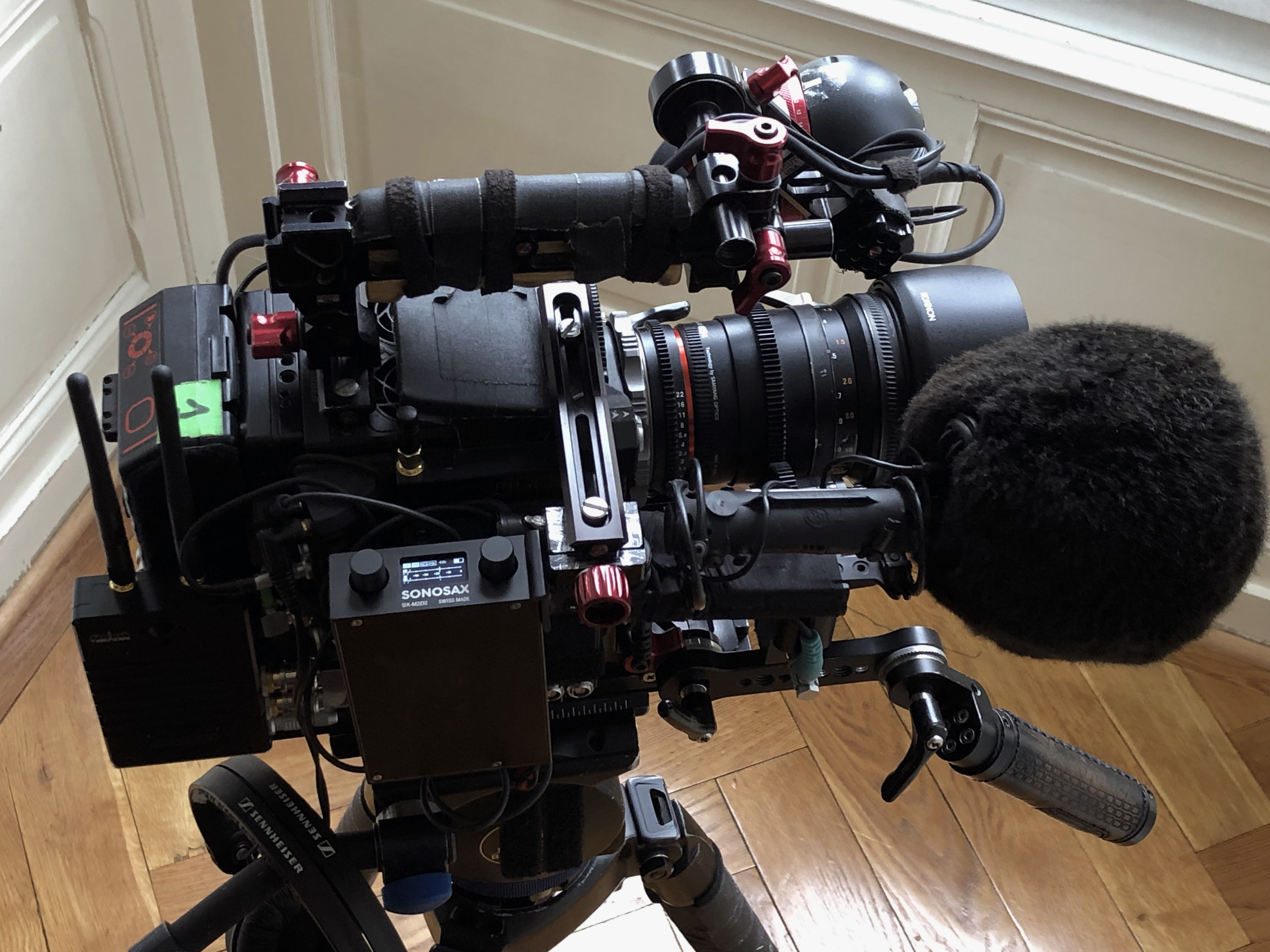
IDX A-CP(A) Cheese Plate https://bhpho.to/2t9hjTB + DSMC 15MM ADAPTOR http://bit.ly/2tuAbi8 attached to QUICK RELEASE (DOVETAIL). Connected with Remote Audio cable https://www.trewaudio.com/product/remote-audio-camcxyd/

Scarlet120.jpg
 
My setup.


This is an audio clip from the camera file

https://clyp.it/lankfkyn


MS CCM41_CCM8 Schoeps

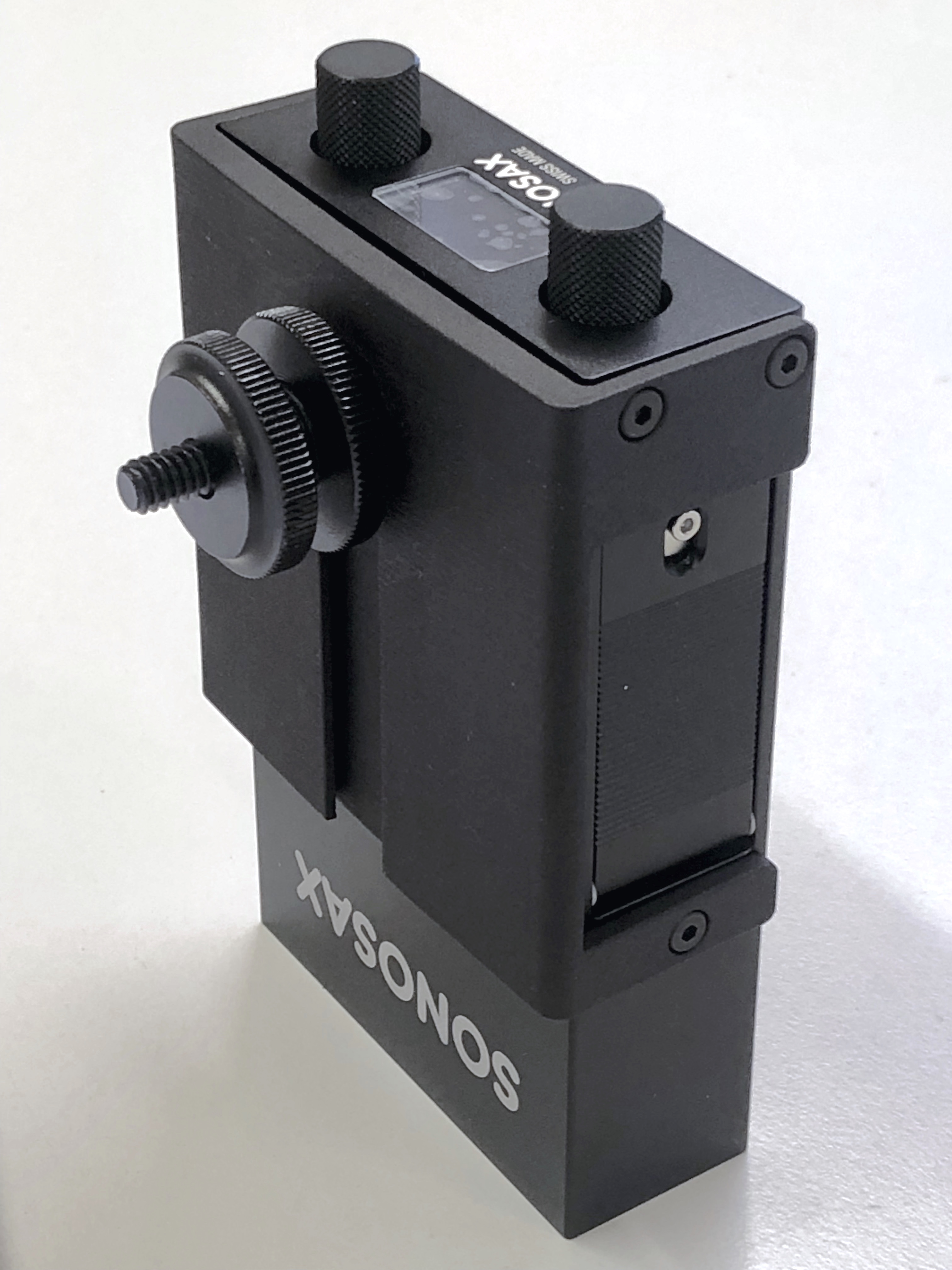
M2D2 limiter set to -10db in the Mixer menu and audio gain at +35db

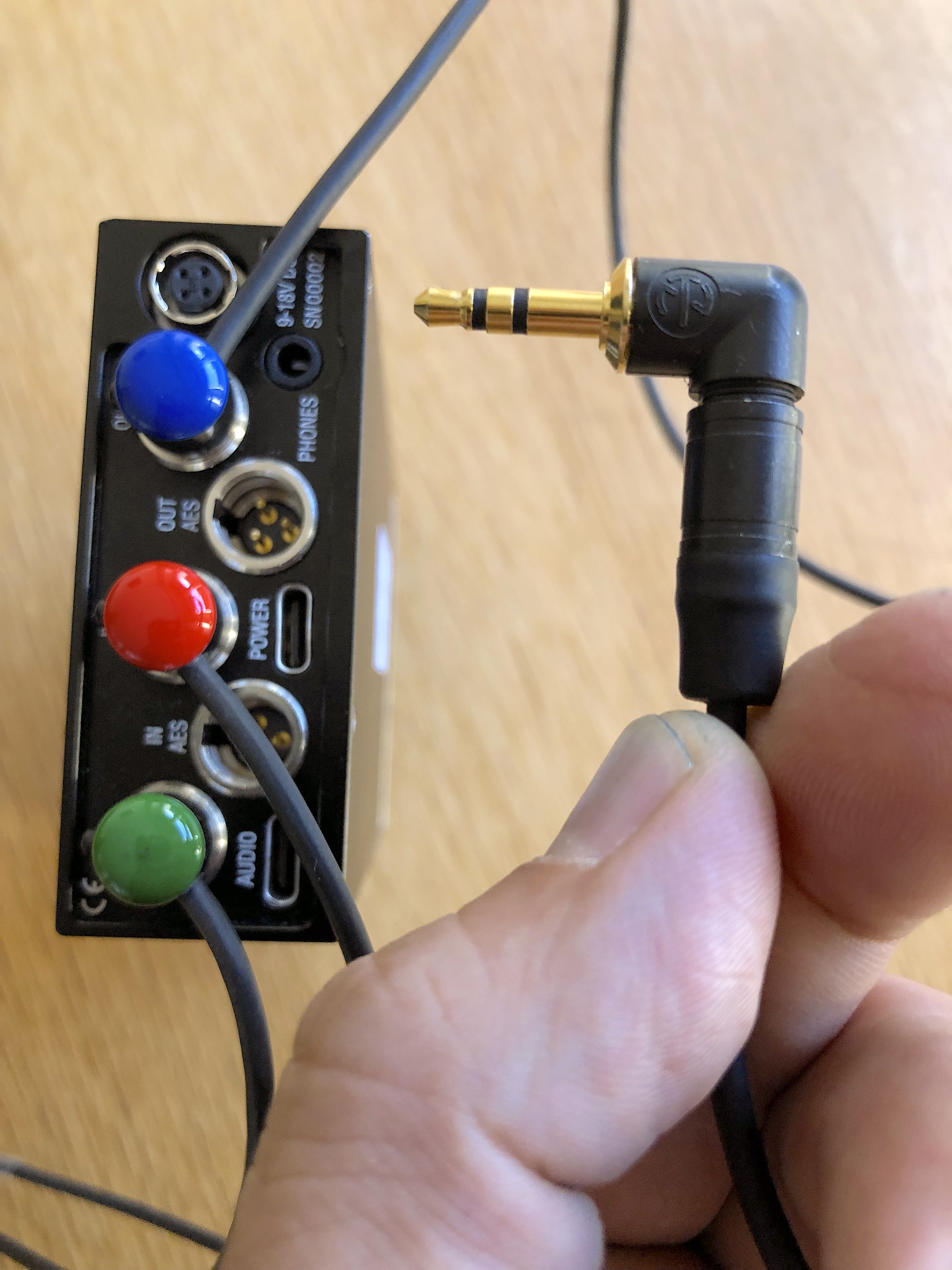
Unballanced stereo out (TA3) from the M2D2 to minijack input of the camera set to 0dB gain.


Greetings. I have been reading through this thread. I know very little about audio tech, but currently have a project where I need to record directly into my RED Gemini. When I have tried this in the past using an A Box, and setting levels in the camera menu, the results have always been weak, with the audio very low. I was using a Sennheiser shotgun mic. I am looking for a simple set-up to let me record with a boom mic in the field as a one man operation. THANKS
 
Greetings. I have been reading through this thread. I know very little about audio tech, but currently have a project where I need to record directly into my RED Gemini. When I have tried this in the past using an A Box, and setting levels in the camera menu, the results have always been weak, with the audio very low. I was using a Sennheiser shotgun mic. I am looking for a simple set-up to let me record with a boom mic in the field as a one man operation. THANKS

Just get a Mix Pre 3. It's tiny, and way better pre-amps than any camera. Dual System is always better/safer, especially if you are doing sound yourself.
 
As Robb i’am wondering how to connect and configure the MixPre to the dsmc2.
Is there a nice guy to explain us? would be very appreciable.
 
Just get a Mix Pre 3. It's tiny, and way better pre-amps than any camera. Dual System is always better/safer, especially if you are doing sound yourself.

I agree, just get 2x Ultrasync ONEs

Set one of them as the RF Master, hook that one to the output from the camera to accept its TC output.

This then broadcasts the TC to the 2nd USO, which is a RF Slave on the same RF :Blink network. Set your TC recorder to be external jammed, which will then then record/stop at the same point in times as the camera is.

Easy. Simple. Effective.
 
Back
Top