Welcome to our community

Be a part of something great, join today!

  • Hey all, just changed over the backend after 15 years I figured time to give it a bit of an update, its probably gonna be a bit weird for most of you and i am sure there is a few bugs to work out but it should kinda work the same as before... hopefully :)

Problems With Color

Joined
Jan 23, 2019
Messages
20
Reaction score
0
Points
1
Location
Spain
Hi!

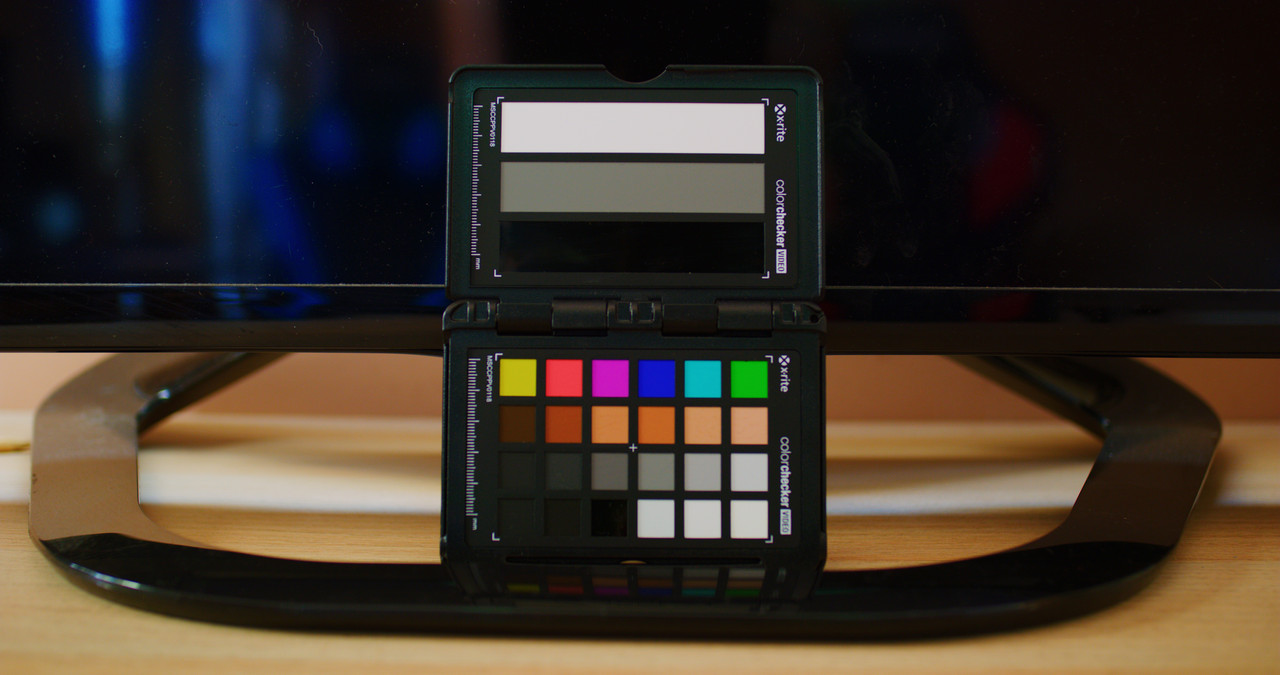
I'm having some problem with the color in my clips, especially when I compare it with other clips.

We share it with images: The first image corresponds to the colors of my video, using "X-rite ColorCheker".

166lwmv.png


And the second image is what I want to achieve.

ilyjd2.png


Does anyone know what I'm doing wrong?

Thanks and best regards
 
Are you doing color grading and balancing? Also do you block the whole image and just leave the 6 color. Mzed has an amazing course for color grading.
 
Are you doing color grading and balancing? Also do you block the whole image and just leave the 6 color. Mzed has an amazing course for color grading.

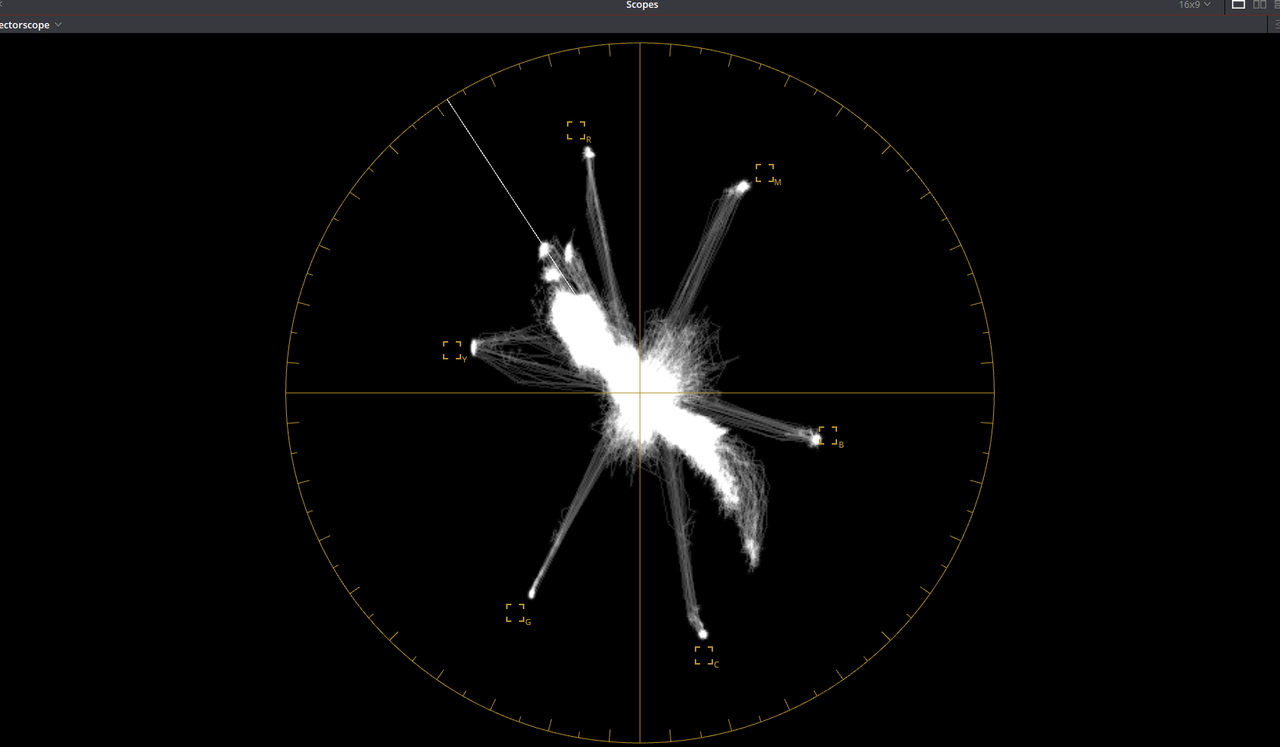
Both are with the color "IPP2". What I do not understand is how I can make the color more pure, that it does not "diffuse"
 
Are Resolves scope readings based off of the playback resolution? If so, it might be worth putting debayer/viewing to Full/full resolution, and see if the scope gets tighter.
 
Are Resolves scope readings based off of the playback resolution? If so, it might be worth putting debayer/viewing to Full/full resolution, and see if the scope gets tighter.

The debayer is full / complete resolution, I start to think that it is a problem in the shot, but I do not get the purity of the color.

Thanks for your approach
 
What happens if you color-correct it in an outboard program like Resolve? These are fixable issues.

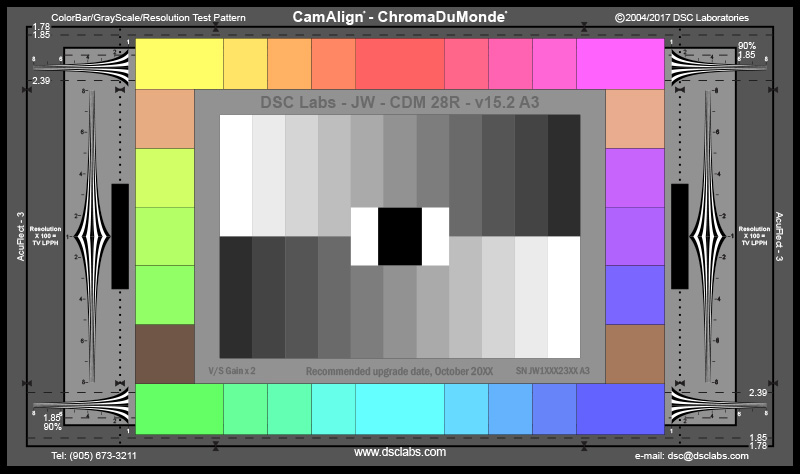
Note that the X-Rite Color Checker is a notoriously inaccurate chart, especially for saturation values. I would suggest using one of the DSC charts again, and those are guaranteeed to be accurate. The DSC Chroma DuMonde is what I usually request:

ChromaDuMonde28R.jpg


Be warned that the chart lighting and camera color temperature will affect the accuracy of the looks.
 
What happens if you color-correct it in an outboard program like Resolve? These are fixable issues.

Note that the X-Rite Color Checker is a notoriously inaccurate chart, especially for saturation values. I would suggest using one of the DSC charts again, and those are guaranteeed to be accurate. The DSC Chroma DuMonde is what I usually request:

ChromaDuMonde28R.jpg


Be warned that the chart lighting and camera color temperature will affect the accuracy of the looks.

Tenga en cuenta que las dos imágenes que he usado son "X-rite color checker". Intenté corregirlo en el post pero aún no consigo la misma apariencia. ¿Hay alguna posibilidad de que el sensor esté dañado?

Check this image with 18% gray:

2vdfchw.jpg
 
What were your shooting settings? A fuzzy or undefined vectorscope (aka lots of chrominance variation) could be a sign of chroma noise, so make sure you're hitting the sensor with enough light or run some subtle chroma noise reduction in post.

My shooting settings are: ISO 500, T/2, color IPP2, 1/48, 23,97 FPS. I check the exposure with the false color, so I do not think that's the problem. Or so I think.

There is also chromatic variation in 18% gray:

2vdfchw.jpg
 
Here I leave a link with the .R3D file for you to test yourself. Maybe you can fix it in post. The file is very light.

This is giving me a headache. I appreciate all the help

.R3D: https://www.dropbox.com/s/8hcbjvnuo4v7jmy/A006_C053_0403AU_001.R3D?dl=0

Here's your red with and without chroma noise reduction. You can see in the vectorscope that I can make things a lot thinner. But you can also see how a huge looking change on the vectorscope is a miniscule change in the actual image. So I personally think aiming for a thin vectorscope is misguided.

47479941102_7cf86d8225_o.png


This is a 100% crop of a 4K project that the 8K source was downscaled to. And ISO setting of 320 was used because 500 is too bright for middle grey. It's super clean.

You also have to keep in mind that once you deliver this file for viewing anywhere, compression is going to have a far greater effect suppressing color fidelity and noise than this. I personally wouldn't be seeing this as an issue.
 
Again: the XRite is a shitty chart. Don't believe what it says. It's only ballpark at best.
 
Erm. I use DSC Labs and X-Rite charts, I wouldn't call them shitty, not by a long shot. Their tolerances are fairly tight. Same could be said for Datacolor's efforts. There's a reason you see all three brands popping up in my test as they are all are industry standard tools.

Don't know if the whole industry is going to raise pitchforks over the standard Macbeth anytime soon.

To the OP, you are seeing spread related to likely image noise and/or color purity as illustrated by a couple posters above.
 
Thanks Phil - been using X-rite/Macbeth for my still's work and never had a problem with them, but if many people say they are shitty/inaccurate - I will lisen and learn ;)
 
Thanks Phil - been using X-rite/Macbeth for my still's work and never had a problem with them, but if many people say they are shitty/inaccurate - I will lisen and learn ;)

They, like all charts, are manufactured to a tolerance and even cataloged per serial number. If there's ever been a bad batch or anything, I imagine they'd replace it immediately becausely literally the only people using these things are working professionals.

Actually interesting factor/manufacturing setup too. All these companies compete against each other, but I find uses for all three of the charts mentioned and have a few oddities in there too.
 
Hi!

I'm having some problem with the color in my clips, especially when I compare it with other clips.

...

And the second image is what I want to achieve.


What are you trying to match ?

a) Same camera to different shot ?

b) Different camera to same shot ?

c) Different cameras and shots ?
 
Erm. I use DSC Labs and X-Rite charts, I wouldn't call them shitty, not by a long shot. Their tolerances are fairly tight.
They are shitty if you're trying to judge chroma levels.

Art Adams covers the subject pretty well here in his explanation on the DSC One Shot chart:

https://www.provideocoalition.com/c..._color_grading_with_the_new_dsc_labs_oneshot/

I agree with Art's comment: "It is possible to get perfect Rec 709 colors out of a camera, but there may be a price. That’s why I said earlier that getting the colors on their vectors–making them accurate–is often more important than making them perfectly saturated, because perfect saturation is sometimes too much for a camera to reproduce and can result in a lot of noise."

The trick is that the X-Rite charts don't have the consistency, because it's a $139 mass-market product. I worry more about the individual vectors than the sat per se, but I'm not convinced the vectors are the same on the X-Rite charts. Shoot them both side by side and tell me what you see on a scope. Whenever I've gone through SIM or Panavision or Arri or AbelCine, all I ever see in the prep departments are custom lens-focus charts and DSC Color Charts. Maybe I caught them on a good day.

I would rather have the big Color Checker Video chart than no chart at all. At least the grayscale is reasonable/ballpark for getting blacks and whites right. When I color-corrected film in telecine, we used grayscale charts for 25-30 years and did OK. (Generally.)
 
Back
Top