

- Moderator
- #1

- Joined
- Apr 19, 2007
- Messages
- 13,392
- Reaction score
- 796
- Points
- 113
- Location
- Los Angeles
- Website
- www.phfx.com
Hello all,
I've been locked in my dungeon busy unchaining dragons and secretly working on something I think you'll all find useful:

link = http://www.phfx.com/tools
During a few conversations with Jarred, Mike Valinsky of ProductionHUB, Matthew Duclos of Duclos Lenses, and several others during the ASC Awards and NAB 2016 I've decided to create some useful motion picture workflow tools.
Let me share a few of those with you.

REDCamAssist - is a useful "Phil style" RED Camera Datasheet Generator. Choose your RED Camera model and shooting settings and you get useful information like available REDCODE RAW Data Rates, Crop Factors for the given Format/Resolution, Image Circle and Image Plane Dimensions, and a few other things. This should be useful for planning out your shoots to a degree and certainly useful to generate to help producers or clients.
REDFormatKey - This tools is a datasheet generator and will produce information for every Format and Resolution for a given RED camera model. Additionally it shows maximum frame rate, image plane dimensions, image circle, megapixel count, and relative crop factors for Super 35mm and Full Frame 35mm formats.
Compares Image Plane Sizes between two Formats and creates a Crop Factor Datasheet.
framesToDataRate - is a Frame Rate to Data Rate Calculator. I've designed this with typical Post and VFX workflows in mind. This generates a datasheet for your given project length for Uncompressed DPX Image Sequences (8, 10, 12, and 16-bit) as well as optionally generating a report for Intermediate Codecs like Apple ProRes or Avid DNxHR/HD and it will scale your Full Resolution into whatever Intermediate Codec Container you define. This is something I use on a near daily basis.

optimalViewing - is Optimal Viewing Distance Calculator. Enter a resolution of your choice and a screen size diagonal measurement and you'll get the THX Recommended Viewing Distances. Additionally I've added my own "Window Effect" Quality Rating Level. Some of you saw the white paper I made regarding that particular theory. After years of research I'm putting the concept to work in this form. Essentially it tells you how well you are breaking the "technology barrier" for a Immersive Viewing experience for your given screen size and resolution.

lensData - will generate a "Phil style" Lens Datasheet for a selected Lens Set. This will provide general specifications, and if desired, RED Format/Resolution Image Plane Coverage for a selected RED Sensor Technology. Which is useful as DSMC and DSMC2 bodies are indeed multi-format/resolution digital cinema cameras.
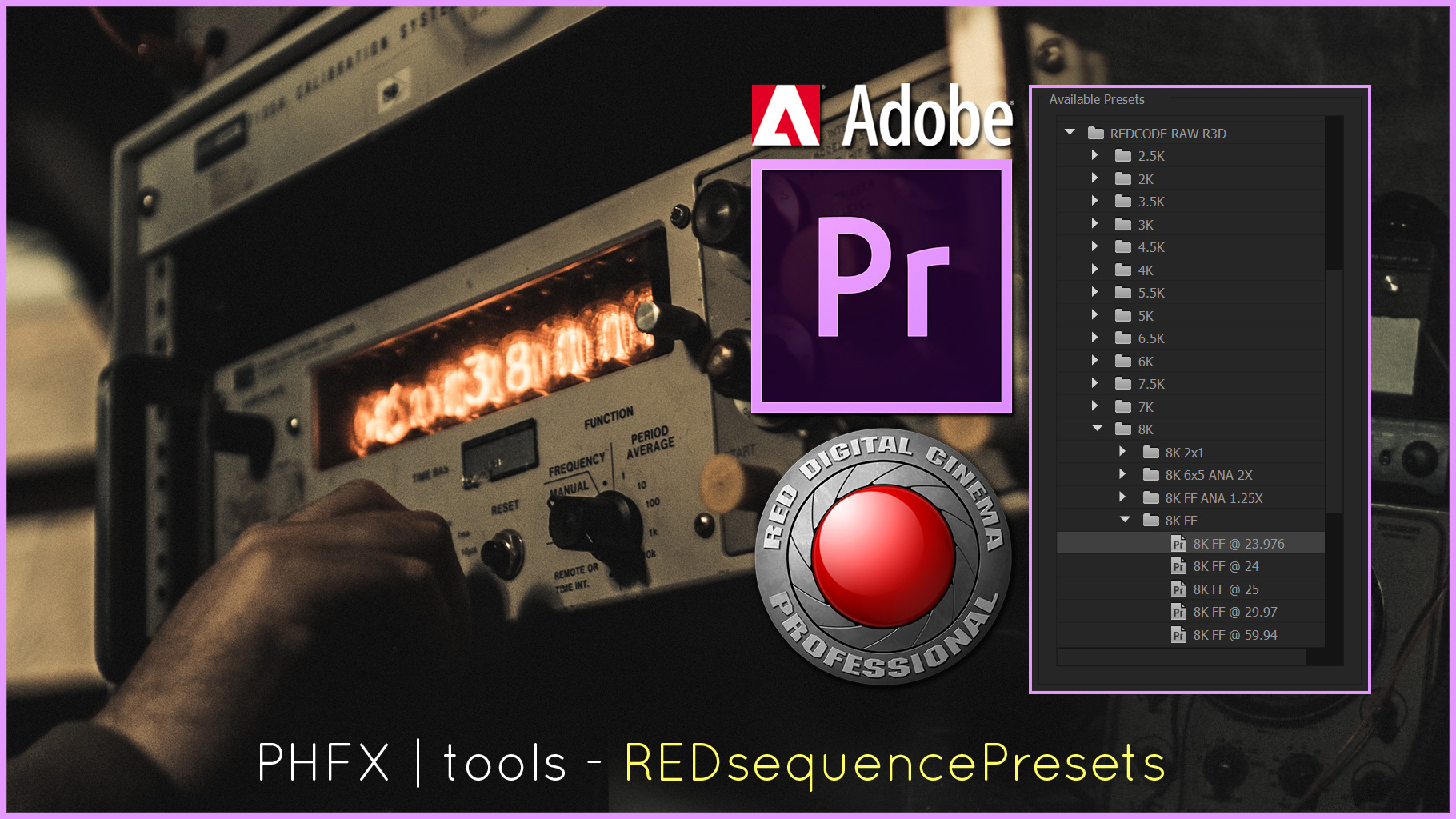
AdobeREDsequencePresets - is a zip file containing RED Adobe Premiere Pro CC 2015.3 Sequence Presets for all RED DSMC and DSMC2 cameras, resolutions, and formats.
Additional things.
I have put up a few of my quick reference sheets. Like my dpRefSheet, philsSensorChart, dragonSensorChart, and dsmc2CameraLineup.
I will be updating this site with more of my notes, tests, and a few other programs I'm working on shortly.
All of the content can be bookmarked, shared easily via the web, and linked to for future reference.
Hopefully you'll find these tools as useful as I have.
Lastly I'd like to thank the sponsors for allowing me to dedicate some time to developing these tools for everybody to use.
That's tremendous support to this particular filmmaker that will hopefully benefit the filmmaking community.
This thing has been live for less than 15 minutes and a few other companies have reached out to sponsor these endeavors. Very glad there's some excitement around the whole idea.
Enjoy.
I've been locked in my dungeon busy unchaining dragons and secretly working on something I think you'll all find useful:
link = http://www.phfx.com/tools
During a few conversations with Jarred, Mike Valinsky of ProductionHUB, Matthew Duclos of Duclos Lenses, and several others during the ASC Awards and NAB 2016 I've decided to create some useful motion picture workflow tools.
Let me share a few of those with you.
REDCamAssist - is a useful "Phil style" RED Camera Datasheet Generator. Choose your RED Camera model and shooting settings and you get useful information like available REDCODE RAW Data Rates, Crop Factors for the given Format/Resolution, Image Circle and Image Plane Dimensions, and a few other things. This should be useful for planning out your shoots to a degree and certainly useful to generate to help producers or clients.
REDFormatKey - This tools is a datasheet generator and will produce information for every Format and Resolution for a given RED camera model. Additionally it shows maximum frame rate, image plane dimensions, image circle, megapixel count, and relative crop factors for Super 35mm and Full Frame 35mm formats.
Compares Image Plane Sizes between two Formats and creates a Crop Factor Datasheet.
framesToDataRate - is a Frame Rate to Data Rate Calculator. I've designed this with typical Post and VFX workflows in mind. This generates a datasheet for your given project length for Uncompressed DPX Image Sequences (8, 10, 12, and 16-bit) as well as optionally generating a report for Intermediate Codecs like Apple ProRes or Avid DNxHR/HD and it will scale your Full Resolution into whatever Intermediate Codec Container you define. This is something I use on a near daily basis.
optimalViewing - is Optimal Viewing Distance Calculator. Enter a resolution of your choice and a screen size diagonal measurement and you'll get the THX Recommended Viewing Distances. Additionally I've added my own "Window Effect" Quality Rating Level. Some of you saw the white paper I made regarding that particular theory. After years of research I'm putting the concept to work in this form. Essentially it tells you how well you are breaking the "technology barrier" for a Immersive Viewing experience for your given screen size and resolution.
lensData - will generate a "Phil style" Lens Datasheet for a selected Lens Set. This will provide general specifications, and if desired, RED Format/Resolution Image Plane Coverage for a selected RED Sensor Technology. Which is useful as DSMC and DSMC2 bodies are indeed multi-format/resolution digital cinema cameras.
AdobeREDsequencePresets - is a zip file containing RED Adobe Premiere Pro CC 2015.3 Sequence Presets for all RED DSMC and DSMC2 cameras, resolutions, and formats.
Additional things.
I have put up a few of my quick reference sheets. Like my dpRefSheet, philsSensorChart, dragonSensorChart, and dsmc2CameraLineup.
I will be updating this site with more of my notes, tests, and a few other programs I'm working on shortly.
All of the content can be bookmarked, shared easily via the web, and linked to for future reference.
Hopefully you'll find these tools as useful as I have.
Lastly I'd like to thank the sponsors for allowing me to dedicate some time to developing these tools for everybody to use.
That's tremendous support to this particular filmmaker that will hopefully benefit the filmmaking community.
This thing has been live for less than 15 minutes and a few other companies have reached out to sponsor these endeavors. Very glad there's some excitement around the whole idea.
Enjoy.
Last edited:


