Welcome to our community

Be a part of something great, join today!

  • Hey all, just changed over the backend after 15 years I figured time to give it a bit of an update, its probably gonna be a bit weird for most of you and i am sure there is a few bugs to work out but it should kinda work the same as before... hopefully :)

NEW RED.COM website live!

Looks nice –– but try as we have over and over, we can't find ANY way to locate a download of Redcine-X Pro anymore. Even a search for it returns "No results."

Red.com > Support > RED Downloads (bottom left) > Dropdown menu > Redcine-x Pro

Be sure to select OS to enable the the download button.
 
Looks nice –– but try as we have over and over, we can't find ANY way to locate a download of Redcine-X Pro anymore. Even a search for it returns "No results."

Unfortunately, every time we try to update Redcine from the application, we encounter an unknown "download error" (a reoccurring issue).

As has always been the case, regardless of which platform we use, PC or Mac, Redcine-X Pro has always proven to be an exceedingly unstable application, constantly freezing up our system or just up and quitting. Trying to do a large logging and quick color grade on some 400+ clips has turned out to be far more than Redcine can handle, crashing now every 15 minutes or so. We were hoping to upload the latest version and see if, at long last, things had improved...

...But with no link to a download easily locatable on the "new and improved" Red.com –– and with repeated "download errors" with every attempt tried from the app –– we're pretty much screwed (and, as you can tell by the tone of this post, EXCEEDINGLY frustrated...).

Any help would be greatly appreciated.

Bill,

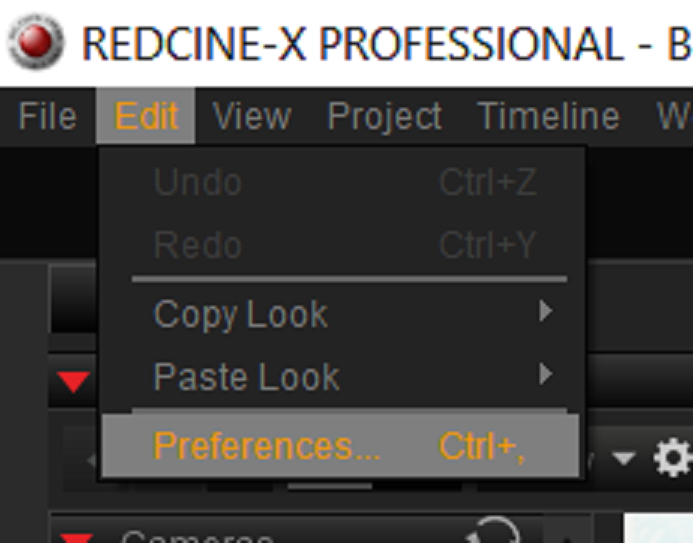
If Redcine-X is crashing check to see how much memory you have allocated to Redcine-X? You can check this in under the "Edit" menu then "Preferences" then "System". You can give Redcine-X more if that doesn't affect your other system programs too much.


Screenshot_320.png
 
Thanks. I appreciate it. In it's design, the dropdown menu only seemed to offer CAMERA-type platforms, which we clicked on ... it didn't appear to be a SCROLLING dropdown menu, which it IS.

I guess sealing with all the other frustrations took it's toll on us. Thanks again.
 
Thanks for the help. We'd already made those adjustments, but unfortunately, it still doesn't seem robust or stable enough to handle very much.
 
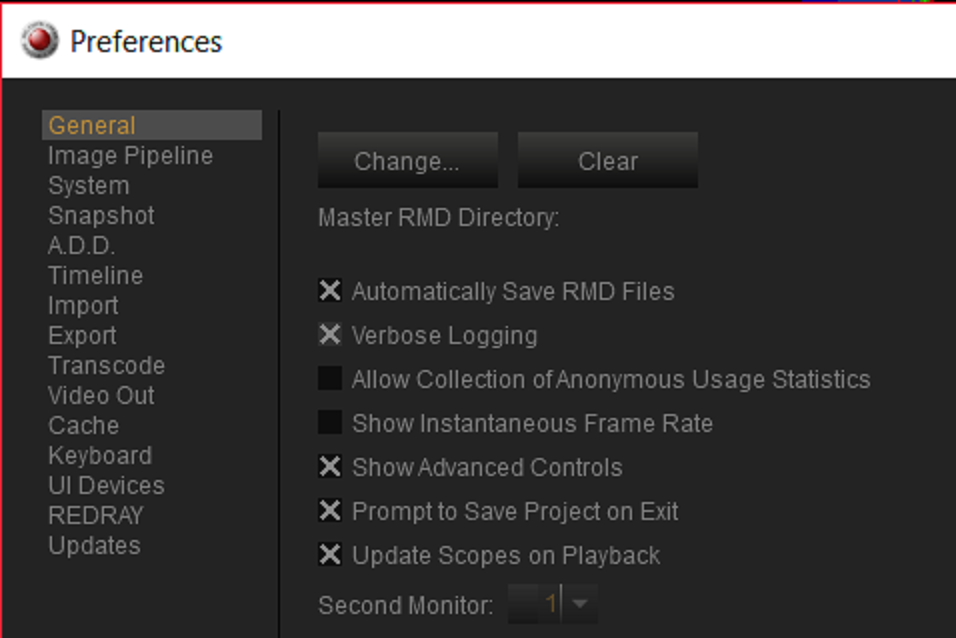
You can also enable "Verbose Logging" so that you can send some or a few reports of system problems

1) Go to "Preferences" then "General" and enable "Verbose Logging".


Screenshot_442.png


Screenshot_443.png


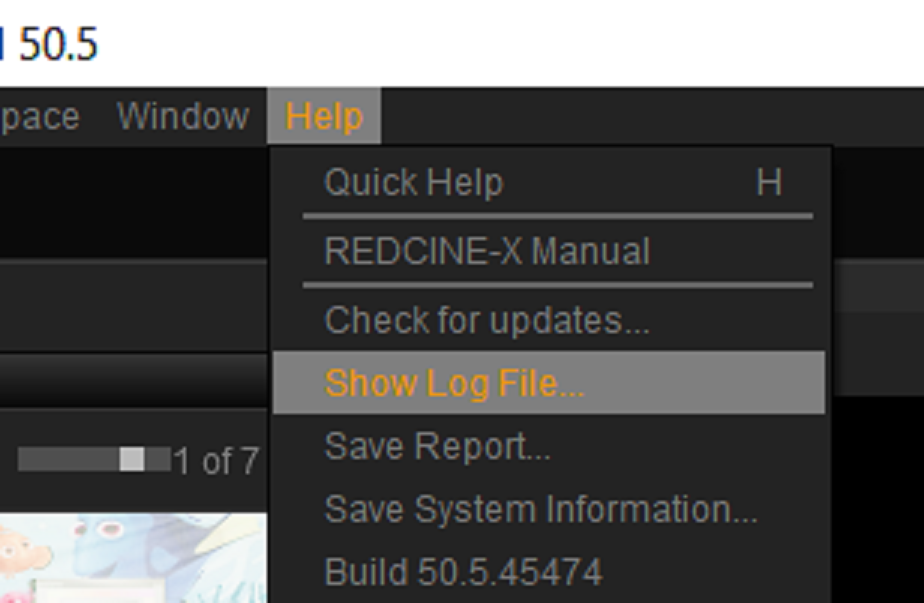
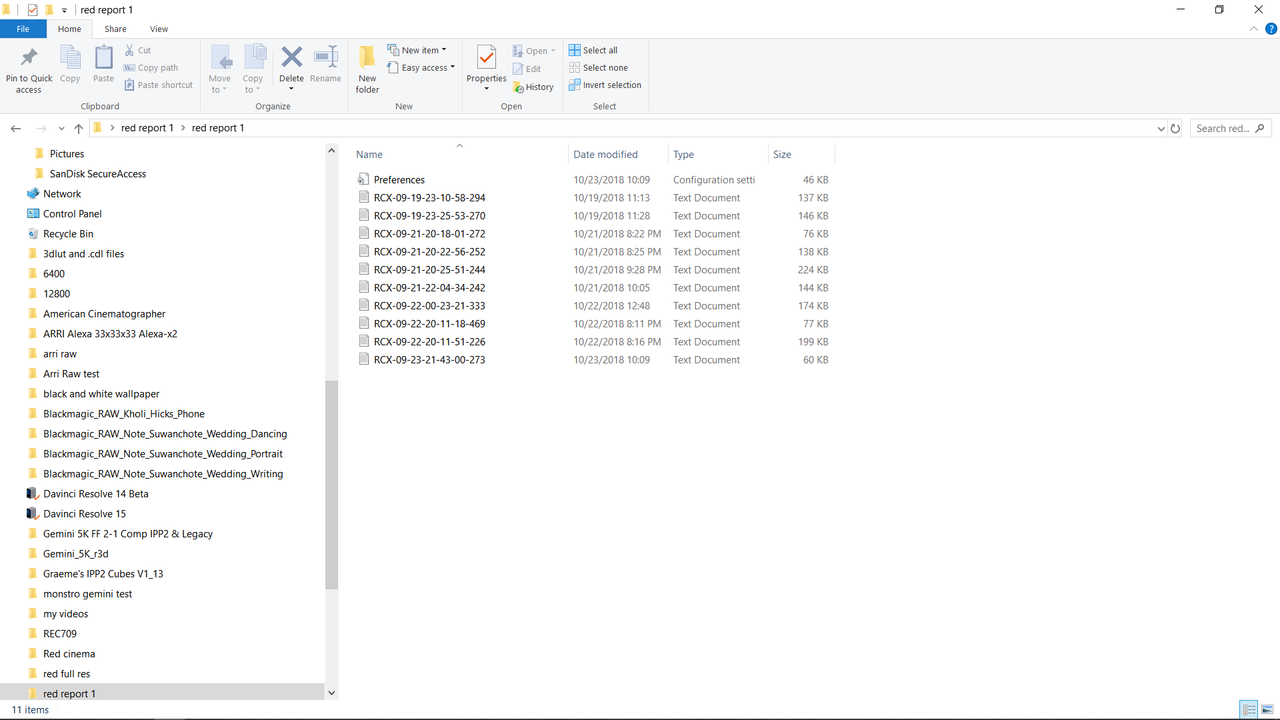
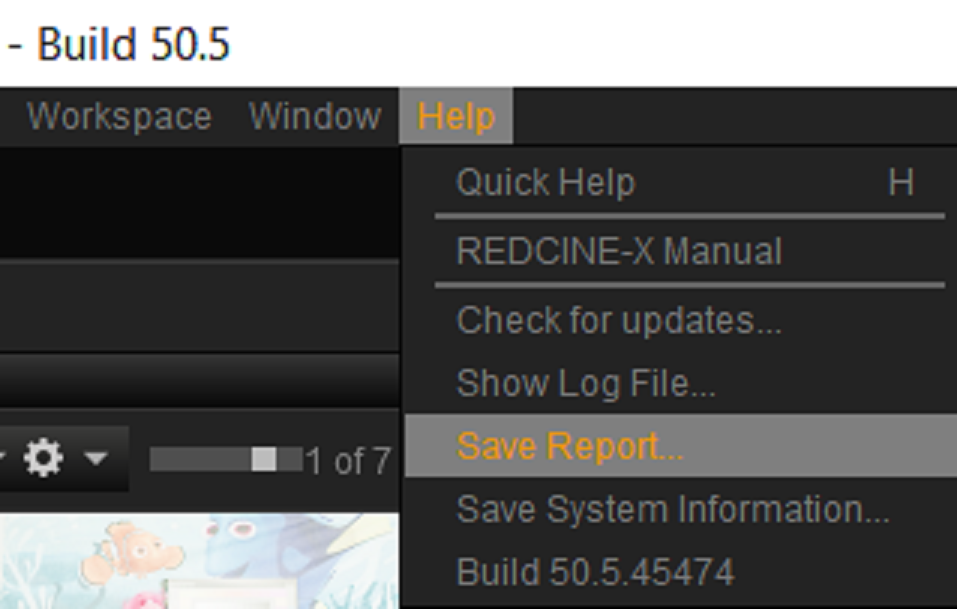
2) After enabling " Verbose Logging" and after a few uses of Redcine-X afterwards, you can view the Log files by going to the "Help" menu then "Show Log File...". This will show you a list of stored log files.


Screenshot_444.png


Screenshot_449.png


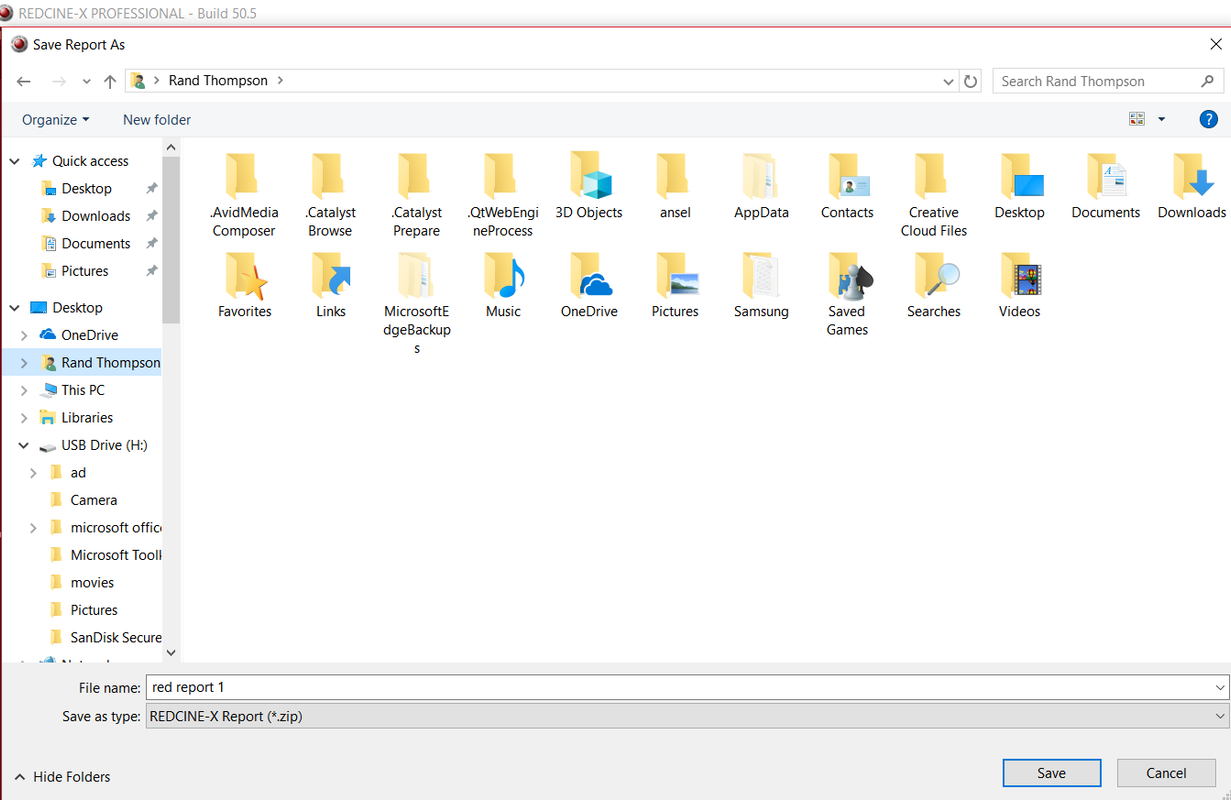
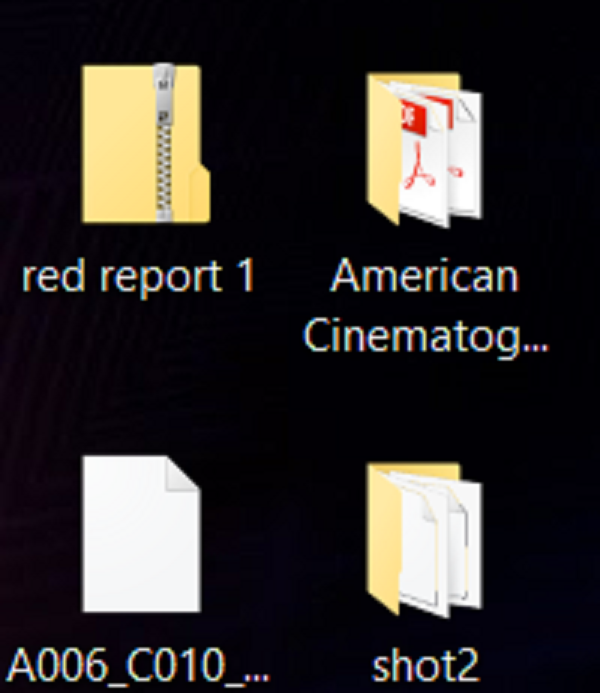
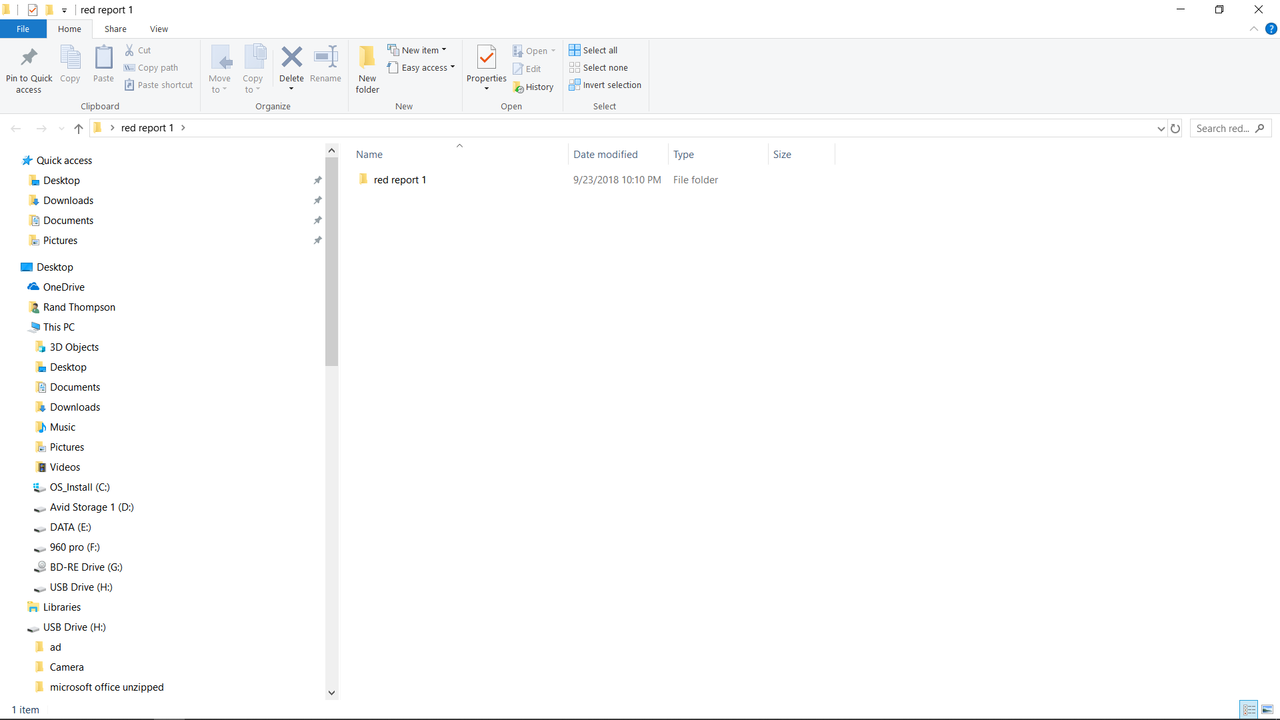
3) Or, you can choose "Save Report", which will create a zip file of all the log files to be sent to RED that can be later unzipped.


Screenshot_445.png


Screenshot_446.png


Screenshot_447.png


Screenshot_448.png


Screenshot_449.png


Edit;


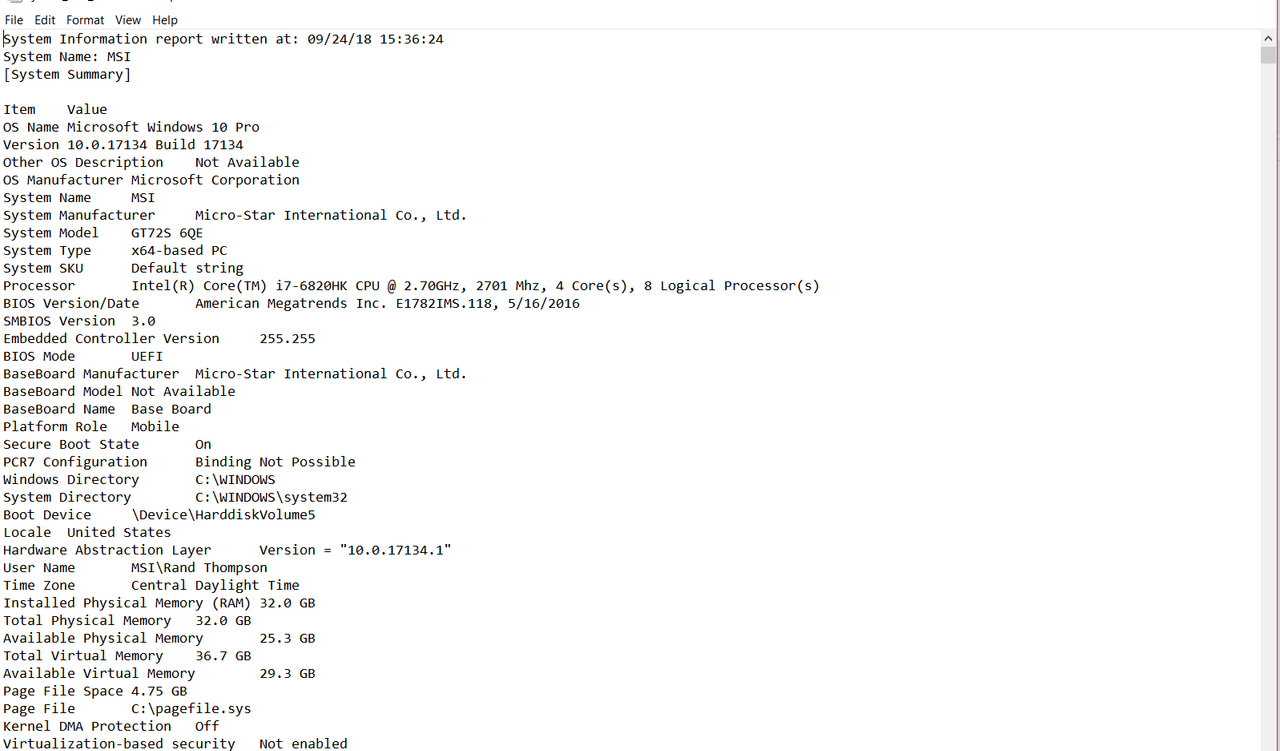
To send info on your computer Setup/Problems.


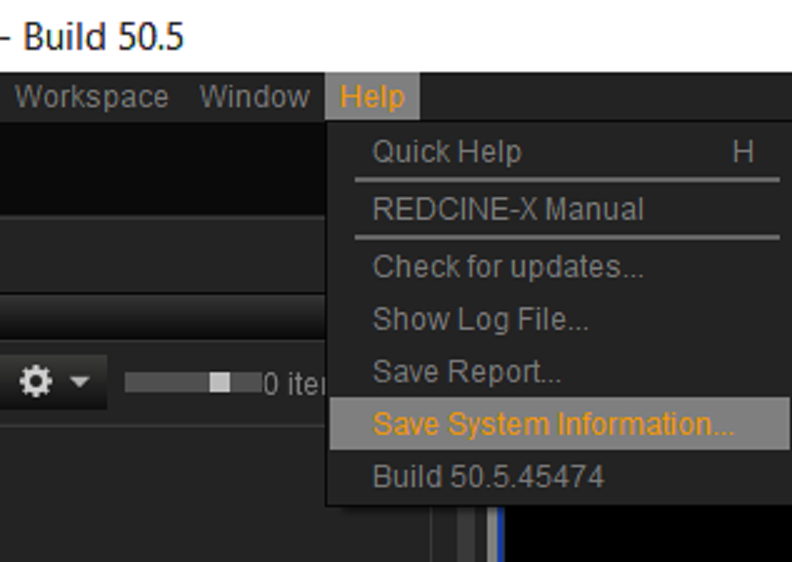
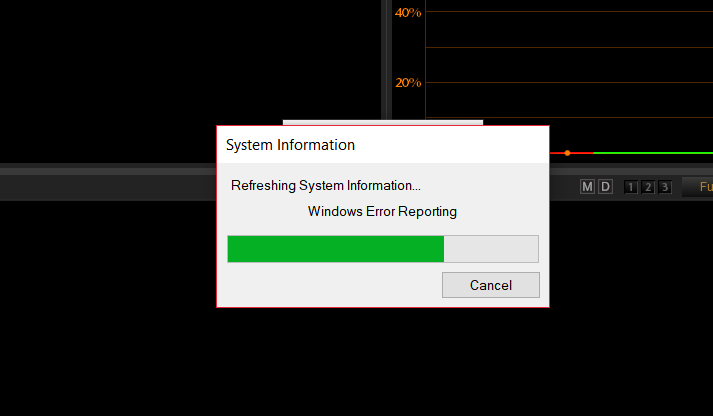
1) Go to "Help" menu then "Save System Information..". This starts a process that will analyze your computer and generate a shitload of info into a.Zip file that will be unzipped into a folder with a text file in it with your info.


Screenshot_451.png


Screenshot_453.png


Screenshot_454.png
 
Last edited:
Sorry guys I have not been on the forum in years due to personal reasons and me sorting out my green card so my family can live in America with me from India. But anyways, the site looks great. I remember how Red.com use to look back in the day. The front end looks amazing and less confusing now.
 
UPDATE: SSO

UPDATE: SSO

Guys, as promised, we have once again enabled single sign-on between RED.com My Account and our ZenDesk support portal (support.red.com). So, whatever credentials you have for RED.com will now sign you in to My Account and also support.red.com. If you had unique credentials for support.red.com, they are no longer needed.
 
I like the new look of the website overall. My two cents: I found it easier to navigate the downloads section of the old site with its multiple tabs compared to a single long drop down of the new site. Maybe it's just me.
 
My sign in wasn't working last week but checked again and now it's working! I love Red.com new makeover. The old Red.com front end was like when someone has the best personality but is not that attractive. But now it's both :emote_rainshower:
 
Not sure if they’re supposed to show or not but all our previous orders/invoices are not viewable on the new site. I need to check my files, but I thought I still had a credit balance and it’s not showing either. Are these things that are still works in progress or do I need to contact support?

Other than that, I’m really liking the new site! Well done!
 
same, they said it will eventually be there, i emailed and they confirmed my balance even though it's not shown there...
 
I had a balance from an S-W deposit that I never pulled the trigger on that was sitting my account. It disappeared far before the website change as I tried to apply it to a Monstro upgrade. I've emailed about it and didn't hear back. Hopefully, it didn't vanish into the system to be gone forever.
 
Back
Top