Michael Tiemann
Well-known member
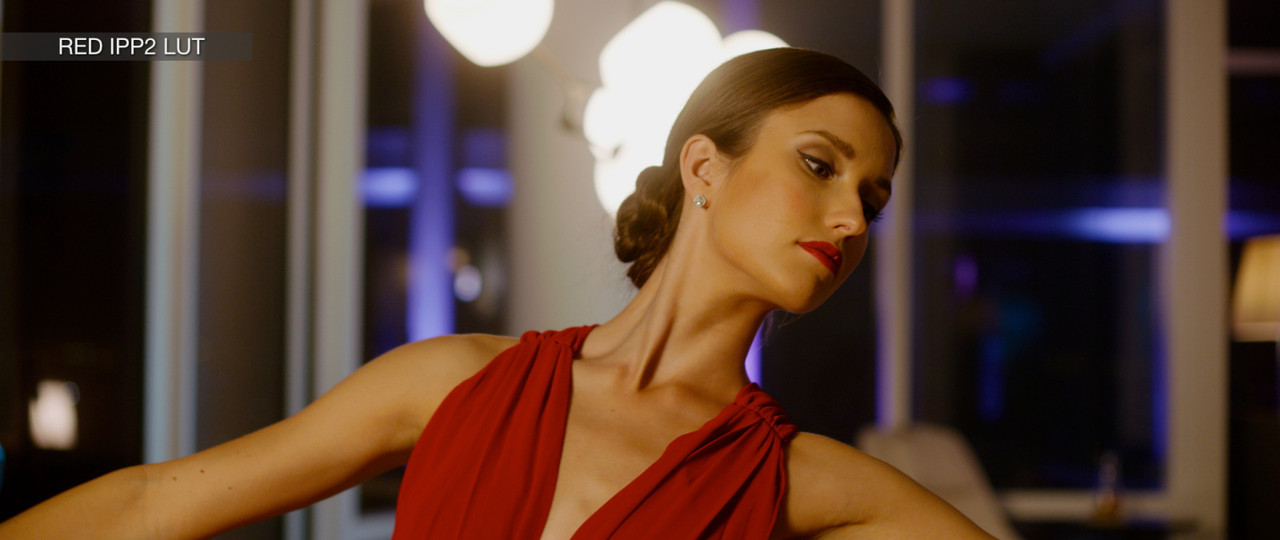
I am finding that my clients really love the Omeno Primers, which is wonderful! But color is very subjective, and strangely I prefer RED's IPP2 LUTs as a starting point. I also really like philmColor for getting looks going. All this to say: I've tried to make it as easy as possible to swap out one group of LUTs for another with the least amount of disruption to my overall workflow and projects. And I think I've discovered a few things that might be helpful to others along the way. These findings are not authoritative, just what I've learned thus far; I'm also always happy to receive correction and/or constructive feedback.
BACKGROUND
Davinci Resolve qualifiers are really made to work with REC709. Wider gamuts (especially RWG) and flatter profiles (especially Log3G10) cause the qualifier to wildly over-shoot intended selections. And it doesn't appear to be on the roadmap of Davinci Resolve 16 to change that fact. Which itself is not really a problem: Resolve's 32bit floating-point color is more than capable of mathematically inverting the transformation from RWG/Log3G10 to REC709 and back again with essentially no generational loss. For this reason, REC709 is not only a perfectly fine colorspace and gamma for timelines, but it may well be the best setting for general Resolve use.
MIXING and MATCHING PROBLEM
The LUTs I use all take RWG/Log3G10 as input. The Omeno Primers appear to produce P3-D65/Gamma 2.6 output. Resolve has a mathematical transform that can convert that to REC709 in a lossless fashion. The IPP2 v1.13 LUTs target a wide range of color spaces and gammas, including P3-D65/Gamma 2.6 (matching Omeno Primers) and REC709. But there's a twist.
The Base primer yields a significantly darker image than the IPP2 LUTs. I don't know why something middle-gray-ish to IPP2 gets mapped 25 IRE less when going through Base, but it does. Which makes the mix-and-match exercise much more than a simple A/B color choice. Grouping together two identical clips of a CDM color chart and Using Resolve's Multiviewer to view the two clips side-by-side, I used the waveform monitor to analyze the difference between the two.
EQUALIZING LUT GAIN
It may be obvious to many who have spent a lot of time color grading, but using Gain on a gamma-corrected source has the effect of increasing contrast (because higher IRE values are gained up proportionally more than lower IRE values). Applying gain to make the peak brightness match, then applying (negative) lift to make the black tones agree tends to increase contrast even more. Changing the ISO on a per-clip basis does correct the discrepancy of luminance response, but it's a total nightmare to have to manually change the ISO on all the clips when you want to swap between one LUT and another. The solution I have found to this problem is to create an ISO Gain node before the Primer LUT node and to set the ISO Gain's Gamma setting to Linear (not Use Timeline). When using Gain in Linear space, the effect back in Gamma space is precisely that of increasing/decreasing exposure. All contrast values remain in the same relationship to one another.
EQUALIZING LUT CONTRAST
The Omeno Primers come in four video responses (Base, NTR, Vivid, and Punch). The IPP2 LUTs used to come in four video responses with 4-5 highlight rolloffs, which is 20 choices per colorspace/gamma output. With some trial and error, and finding the right gain correction above, I found overall good matches as follows:
Base: ISO Gain 1.45 matches IPP2 LOW CONTRAST, SOFT HIGHLIGHTS
NTR: ISO Gain 1.36 matches IPP2 MED CONTRAST, MED HIGHLIGHTS
Vivid: ISO Gain 1.27 matches IPP2 HIGH CONTRAST, SOFT HIGHLIGHTS
Punch gives even more contrast than IPP2 HIGH CONTRAST
MIXING AND MATCHING MORE LUTS
Phil Holland makes a big deal that most of his LUTs are luminance-preserving. Omeno makes a big deal that Primers should be the first thing in the chain after ISO and White Balance. But philmColor GHOST stocks are designed to be very light treatments, more like filters over the lenses than treatments to be applied in the chemistry/timing. They can take RWG/Log3G10 RAW output and pass it along. The philmColor BASE stocks are probably better to use after Primers, which means that Primer outputs must be converted from P3-D65/Gamma 2.6 to RWG/Log3G10, and then back again after the BASE stock is applied. Again, Resolve's 32bit floating-point math in the OpenFX color conversion nodes makes this a snap.
I've bundled up a project that includes the test chart and Resolve node trees. You need to have your own LUT files. The CDM chart was shot with tungsten light balanced closer to daylight (plus some ambient daylight) on a DSMC2 Helium S35 camera. You can access the DRP file and media here:
https://www.dropbox.com/sh/4qsb9wvtjru8g65/AABx5KETlalvZYKtaa1wDU5Da?dl=0
Have fun, and please send me corrections to any errors I may have made. Thanks!
BACKGROUND
Davinci Resolve qualifiers are really made to work with REC709. Wider gamuts (especially RWG) and flatter profiles (especially Log3G10) cause the qualifier to wildly over-shoot intended selections. And it doesn't appear to be on the roadmap of Davinci Resolve 16 to change that fact. Which itself is not really a problem: Resolve's 32bit floating-point color is more than capable of mathematically inverting the transformation from RWG/Log3G10 to REC709 and back again with essentially no generational loss. For this reason, REC709 is not only a perfectly fine colorspace and gamma for timelines, but it may well be the best setting for general Resolve use.
MIXING and MATCHING PROBLEM
The LUTs I use all take RWG/Log3G10 as input. The Omeno Primers appear to produce P3-D65/Gamma 2.6 output. Resolve has a mathematical transform that can convert that to REC709 in a lossless fashion. The IPP2 v1.13 LUTs target a wide range of color spaces and gammas, including P3-D65/Gamma 2.6 (matching Omeno Primers) and REC709. But there's a twist.
The Base primer yields a significantly darker image than the IPP2 LUTs. I don't know why something middle-gray-ish to IPP2 gets mapped 25 IRE less when going through Base, but it does. Which makes the mix-and-match exercise much more than a simple A/B color choice. Grouping together two identical clips of a CDM color chart and Using Resolve's Multiviewer to view the two clips side-by-side, I used the waveform monitor to analyze the difference between the two.
EQUALIZING LUT GAIN
It may be obvious to many who have spent a lot of time color grading, but using Gain on a gamma-corrected source has the effect of increasing contrast (because higher IRE values are gained up proportionally more than lower IRE values). Applying gain to make the peak brightness match, then applying (negative) lift to make the black tones agree tends to increase contrast even more. Changing the ISO on a per-clip basis does correct the discrepancy of luminance response, but it's a total nightmare to have to manually change the ISO on all the clips when you want to swap between one LUT and another. The solution I have found to this problem is to create an ISO Gain node before the Primer LUT node and to set the ISO Gain's Gamma setting to Linear (not Use Timeline). When using Gain in Linear space, the effect back in Gamma space is precisely that of increasing/decreasing exposure. All contrast values remain in the same relationship to one another.
EQUALIZING LUT CONTRAST
The Omeno Primers come in four video responses (Base, NTR, Vivid, and Punch). The IPP2 LUTs used to come in four video responses with 4-5 highlight rolloffs, which is 20 choices per colorspace/gamma output. With some trial and error, and finding the right gain correction above, I found overall good matches as follows:
Base: ISO Gain 1.45 matches IPP2 LOW CONTRAST, SOFT HIGHLIGHTS
NTR: ISO Gain 1.36 matches IPP2 MED CONTRAST, MED HIGHLIGHTS
Vivid: ISO Gain 1.27 matches IPP2 HIGH CONTRAST, SOFT HIGHLIGHTS
Punch gives even more contrast than IPP2 HIGH CONTRAST
MIXING AND MATCHING MORE LUTS
Phil Holland makes a big deal that most of his LUTs are luminance-preserving. Omeno makes a big deal that Primers should be the first thing in the chain after ISO and White Balance. But philmColor GHOST stocks are designed to be very light treatments, more like filters over the lenses than treatments to be applied in the chemistry/timing. They can take RWG/Log3G10 RAW output and pass it along. The philmColor BASE stocks are probably better to use after Primers, which means that Primer outputs must be converted from P3-D65/Gamma 2.6 to RWG/Log3G10, and then back again after the BASE stock is applied. Again, Resolve's 32bit floating-point math in the OpenFX color conversion nodes makes this a snap.
I've bundled up a project that includes the test chart and Resolve node trees. You need to have your own LUT files. The CDM chart was shot with tungsten light balanced closer to daylight (plus some ambient daylight) on a DSMC2 Helium S35 camera. You can access the DRP file and media here:
https://www.dropbox.com/sh/4qsb9wvtjru8g65/AABx5KETlalvZYKtaa1wDU5Da?dl=0
Have fun, and please send me corrections to any errors I may have made. Thanks!