Welcome to our community

Be a part of something great, join today!

  • Hey all, just changed over the backend after 15 years I figured time to give it a bit of an update, its probably gonna be a bit weird for most of you and i am sure there is a few bugs to work out but it should kinda work the same as before... hopefully :)

KOMODO....

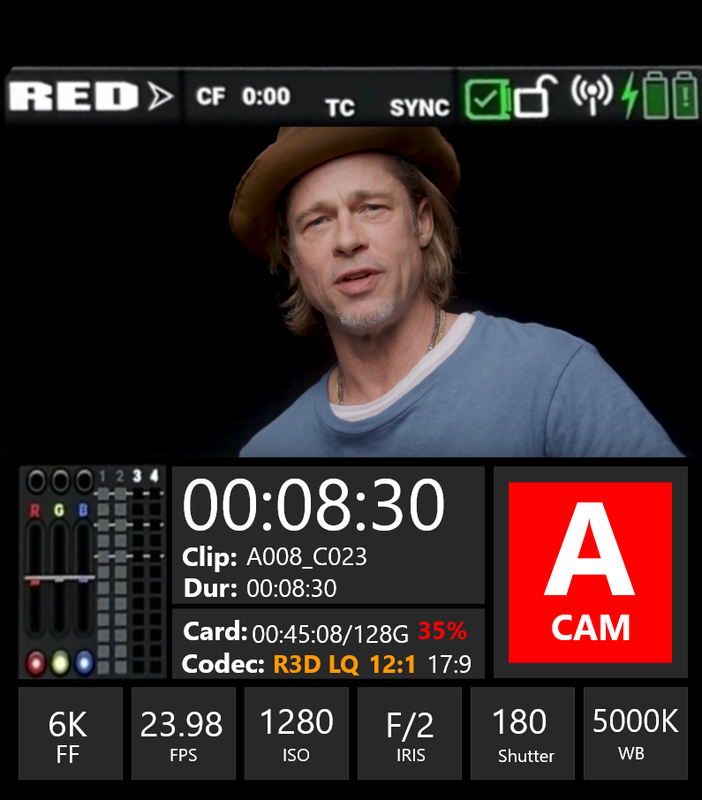
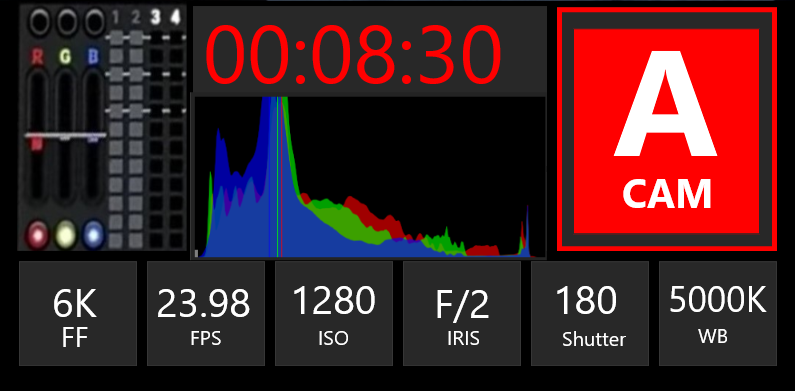
On the main Menu Instead of a giant "Pause" indicator that makes it look like you were watching a youtube video and it froze.I propose this.


In Record Mode , the time and border of the "A Cam" will both be in Red
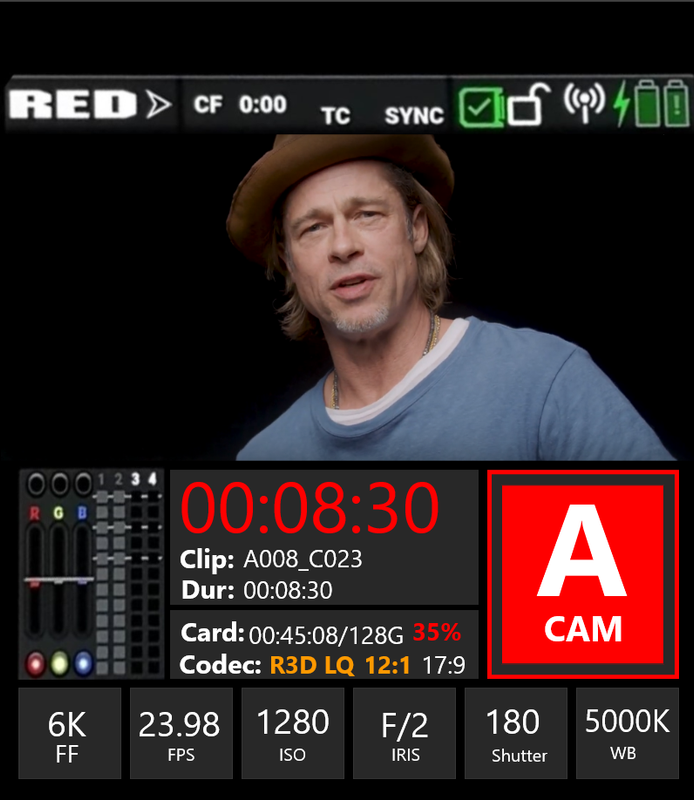
Screenshot-1283-2.png


In Pause Mode, the time and border of the "A Cam" will both be in Yellow
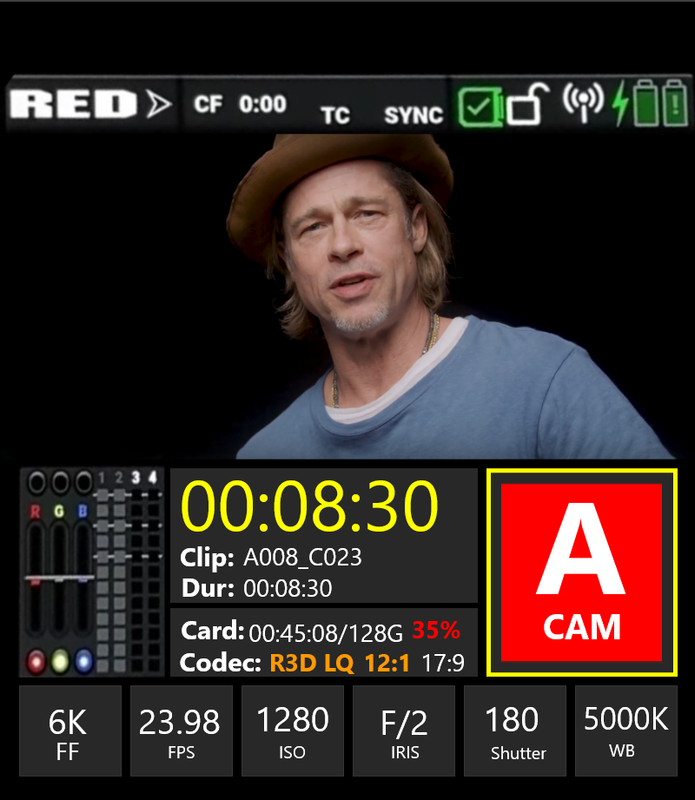
Screenshot-1282-2.png


In Playback Mode , the time and border of the "A Cam" will both be in White
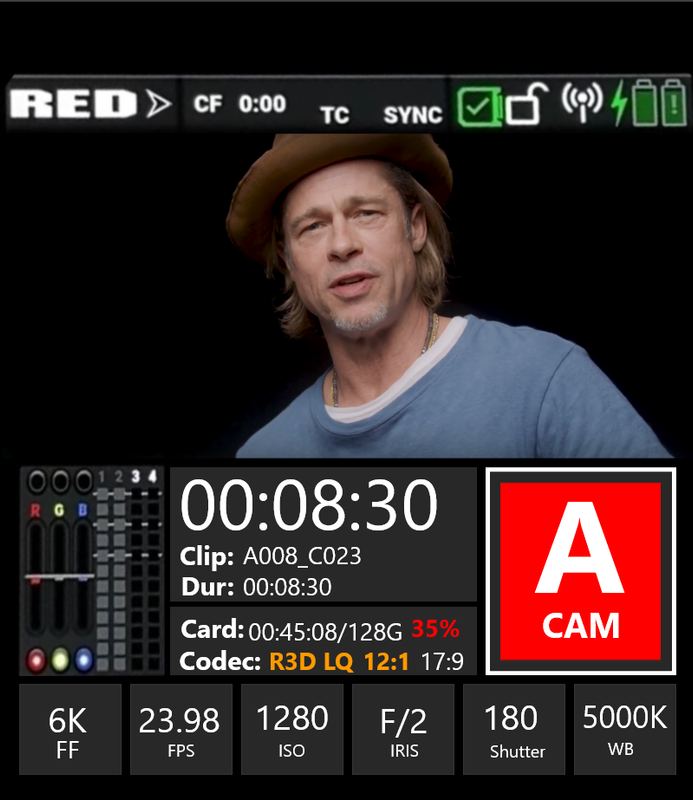
Screenshot-1281-2.png


And Stopped

Screenshot-1299.png
 
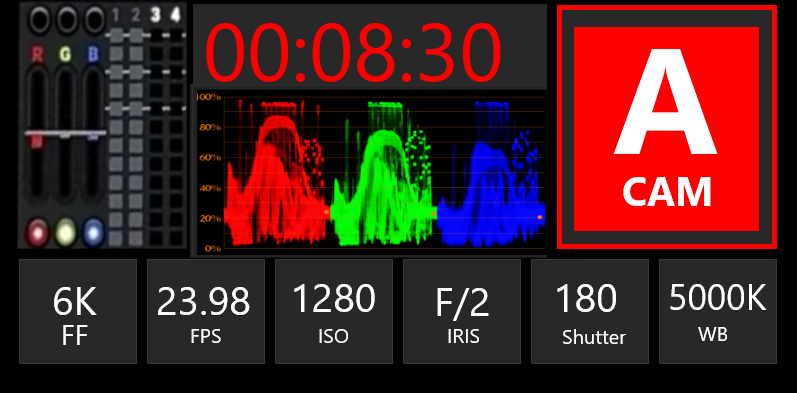
Also, In the Main Menu that can be accessed from the "RED" emblem have it so that you set as a preset either a choice of a "Parade" of "Histogram" overlay on the Primary Display Screen. this would save real estate for the Primary Display Screen.


Screenshot-1277.png


Screenshot-1274-2.png
 
Just curious what do you see in the parade that you cant see in the histogram?

To me a histogram, goal posts and RGB lights as it is on current reds are perfect. Most dps still dont fully understand how they work but a lot are learning so why change / complicate it now?
 
Bjorn,

I personally use the Parade, Histogram and Vectorscope when I am judging how to correct an image. When all three are telling me the same thing, that's when I know I got the color corrected image I wanted.

Sometimes when I think I've gotten the whites white and the blacks black ,I look at the Histogram and see that I am still just a little off on both. Then sometimes when the Parade and Histogram appear to be in agreement , I check the white point in the center of the Vectoscope and I might want to adjust the whites just a little bit more.

To some users of this camera, this will be their first experience with a Red Cinema Camera. They will come from other High-End Cameras like the Arri, Sony and Canon Cams. For others they will probably be coming from DSLRs. So until they get familiar with how to properly read and understand what the goal post and RGB lights are telling them, make the Parade and Histogram Scopes available to them.
 
Quick look confusion

Quick look confusion

Rand has some pretty good visuals. However, for a run and gun shooter, a quick look at the display can be confusing. The "record" indicator should be a different color in total when the camera is idle. Other cameras have indicated green for idle.
Run and gun shooters might give a quick look at the display, see red, and assume that the camera is recording when it may not be recording. Oops. If they see green, then they know that they have to press the record button.
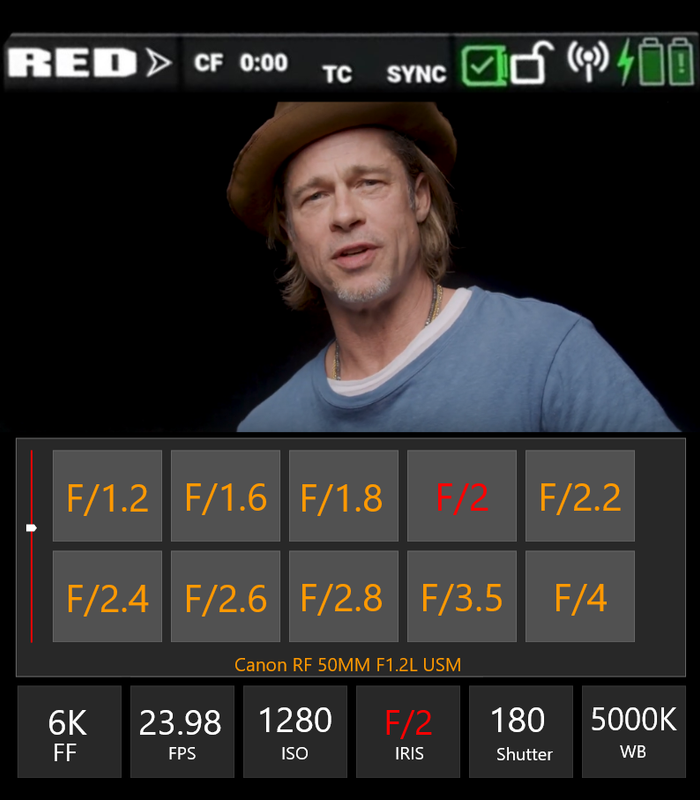
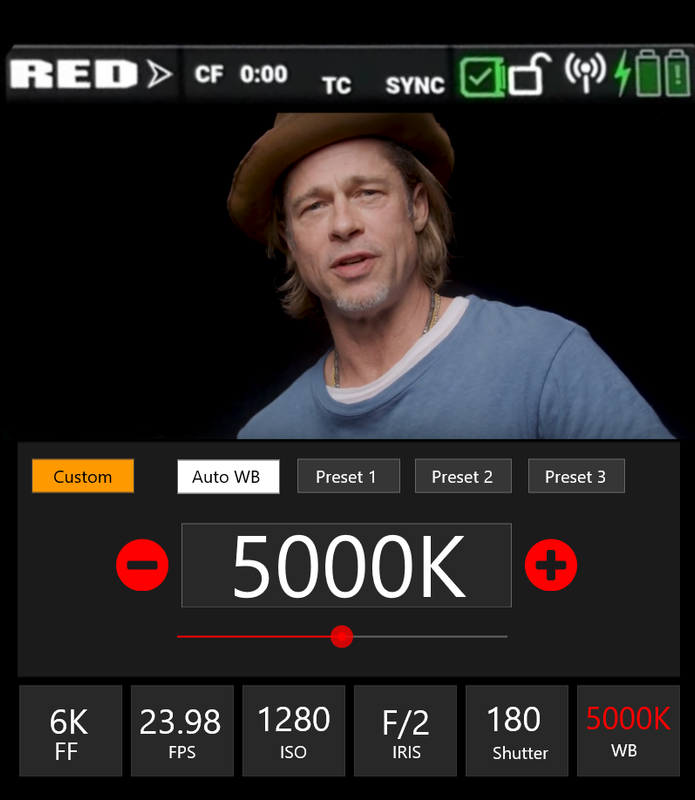
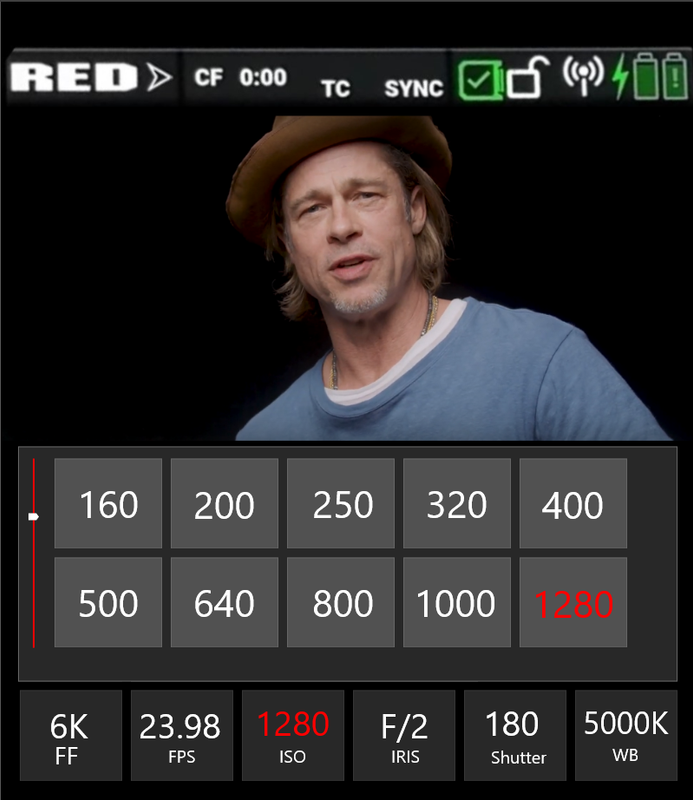
For white balance, exposure, f stop, etc., I prefer a "tape measure" style of adjustment as opposed to multiple choice. Additional markers can be added to the tape measure to indicate key settings.
 
Randall,


The time of recording and the outer bounds of the "A CAM" will only light up red when in "Record" mode, it won't light up that way for any other reason. Most camera operators, I would think, would want some "Red" light or flashing "Red" indicator to let them know that the camera is actually recording. Why would you see a highlighted Red record button and a time and think it's not recording?

As for the tape measure. Imagine you are about to go on a set with 20 to 30 year professionals some of which are cameramen who have seen and worked with camera menus from many different cameras over the years. They know nothing of the Red Komodo. You're not the President of the company nor a member of the Red Team. You're just a " Joe Smoe" nobody whose buddy the actual cameraman for this commercial or feature told the "Big Wigs" about you and your 6K camera with a Global shutter. They all thought it would be great for a couple of fast actions scenes in the project. Everyone is gathered around waiting for you to attach the Komodo to a Monitor with SDI Inputs, I'm assuming you can show the camera's menu system on the monitor.
You turn it on and everyone sees the tape measure style of adjustments you are referring to. What do you think they will think about the camera and what do you think they will think about you? If the answer is they will all think it's new and cool then we can end this discussion.

Another question, do you think the current menu system in the Komodo will be carried over into the DSMC3 higher end cameras? If NO, why not? If you wouldn't want this menu system in the DSMC3 cameras, why put it in the KOMODO and what would that say about the Komodo in relation to the DSMC3 cameras.
 
Last edited:
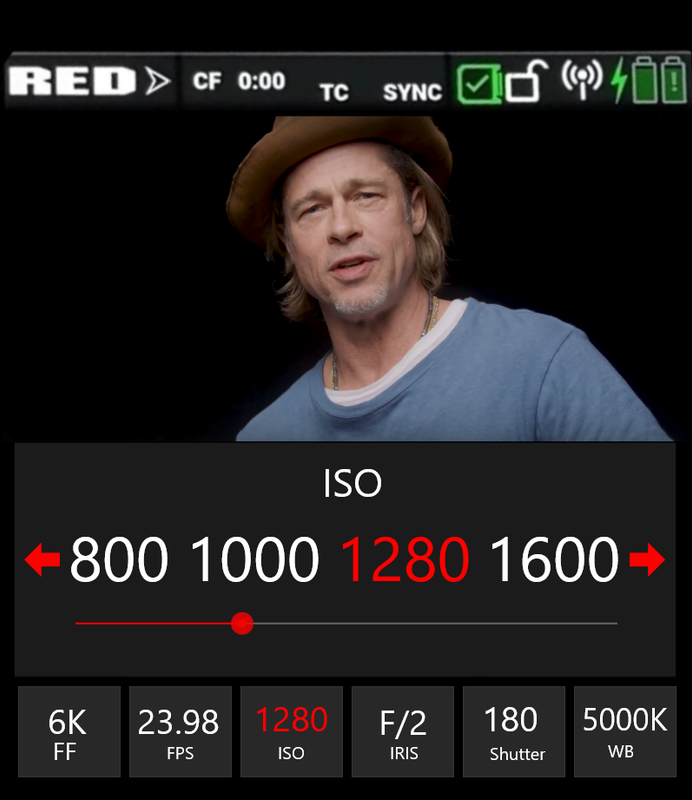
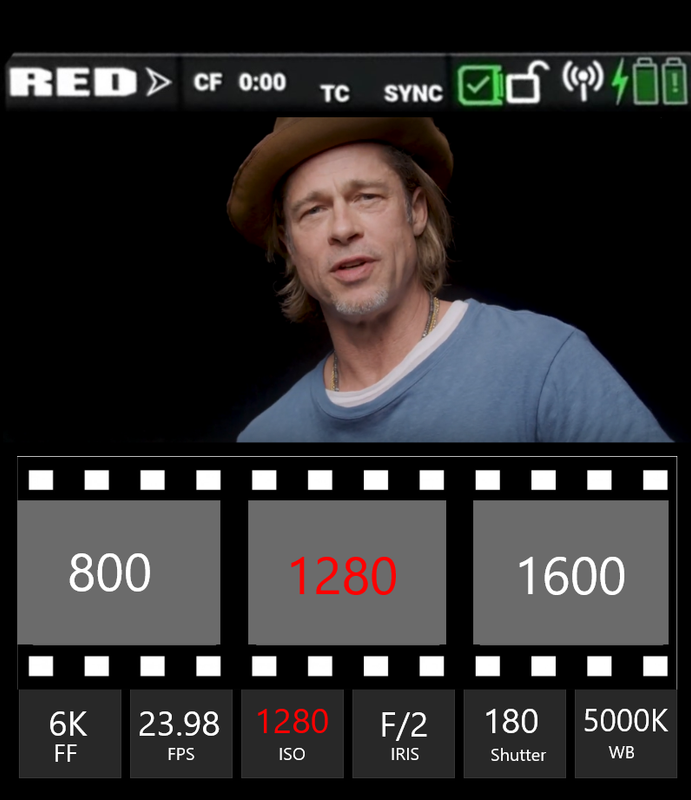
Here's an alternative to the film strip ISO adjustment the way it currently is if that is the way you will be going forward. This may be a little tacky but it's the only viable film strip I could currently find online for this demonstration.


Screenshot-1306.png


Or maybe, as Randall describes it and the way Stanly originally presented it, the "multiple choice".


Screenshot-1300.png
 
Last edited:
Hi all!

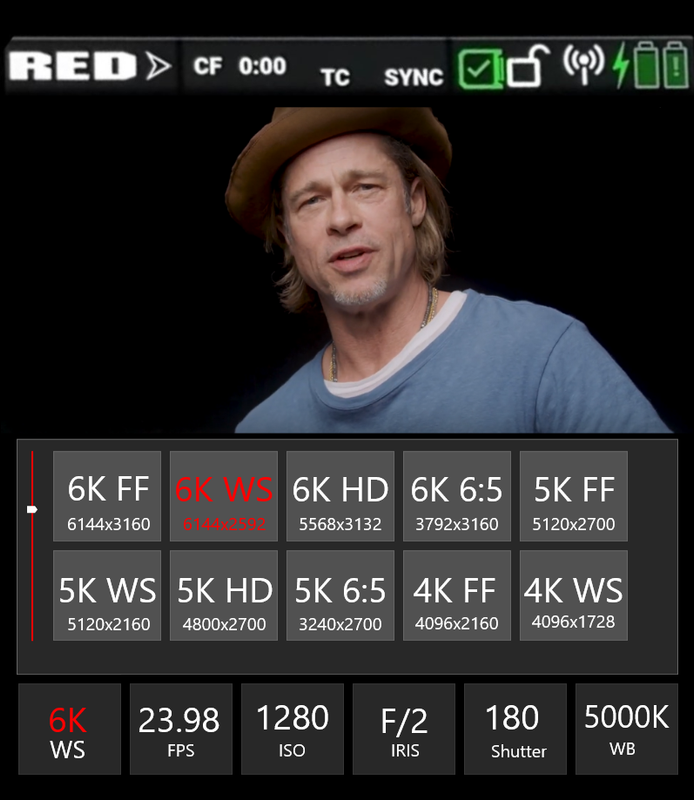
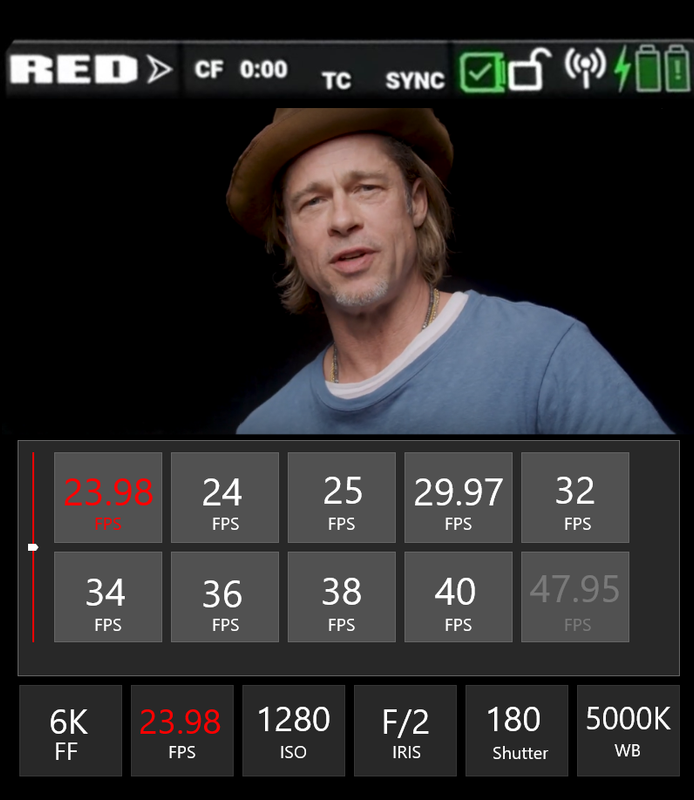
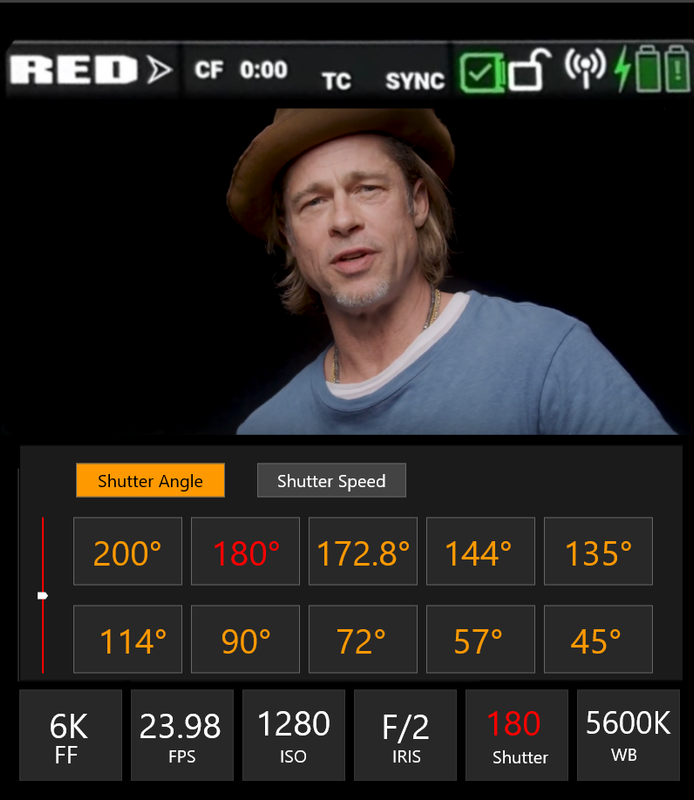
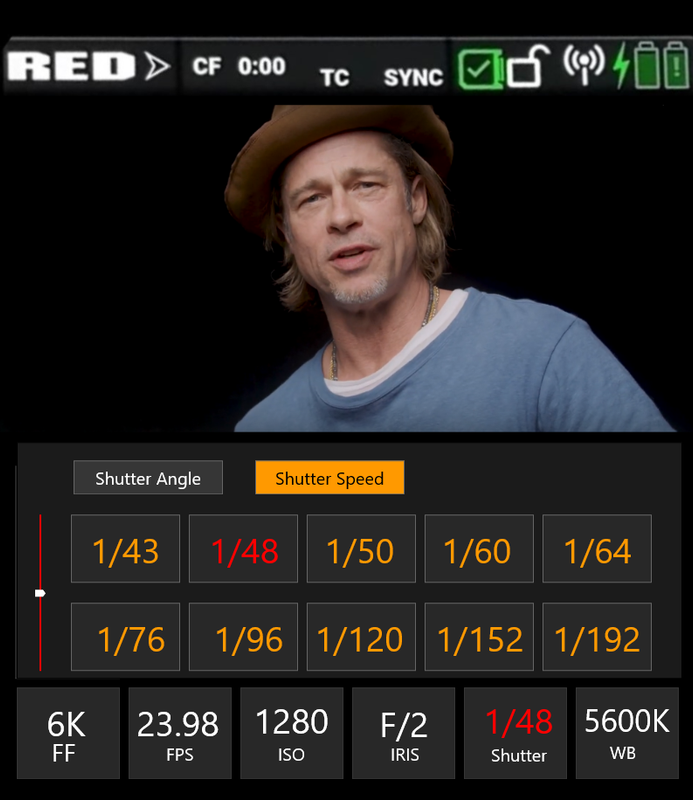
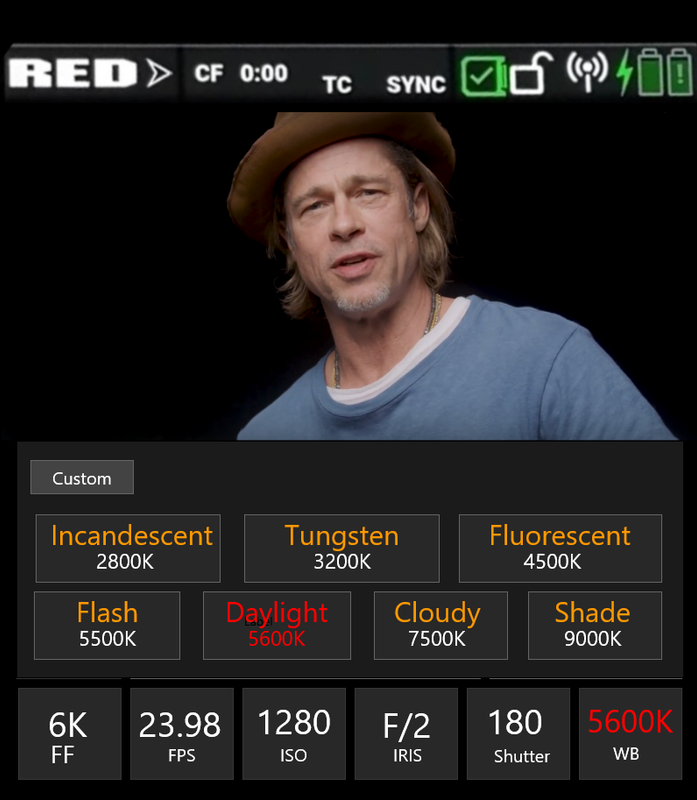
Prepped a new video preview with White Balance menu and an updated overview of settings navigation mechanics:

RED-KOMODO-UIv2-Cover.jpg


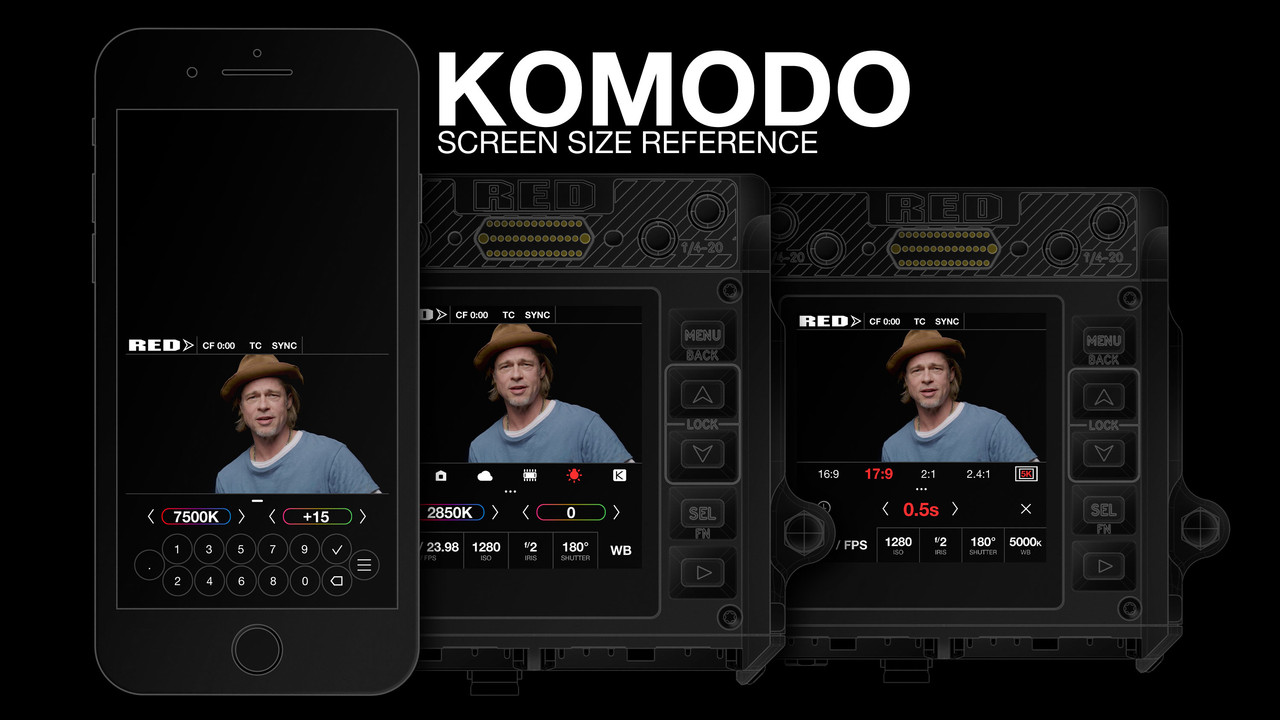
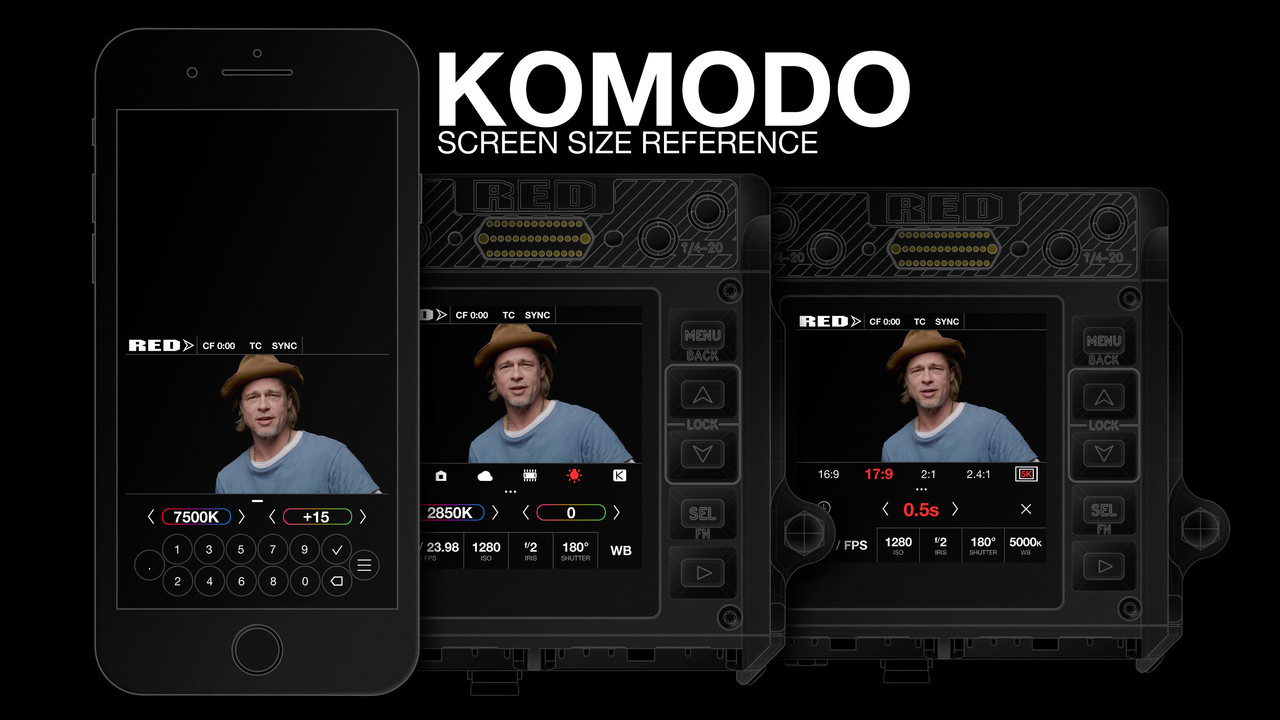
For everyone doing mock-ups – KOMODO's screen area is about the size of iPhone 6 width. Keeping that in mind will help avoid elements, touch areas and graphics that might be too small.

RED-KOMODO-UIv2-Scale.jpg


First video, for those who might’ve missed:

RED-KOMODO-UIv1-Cover.jpg
 
Excellent work Stanly!
 
Stanly, I love it. Maybe with the tint and temp, the numbers would change color based on the numbers you set it at?
 
Alexandre,


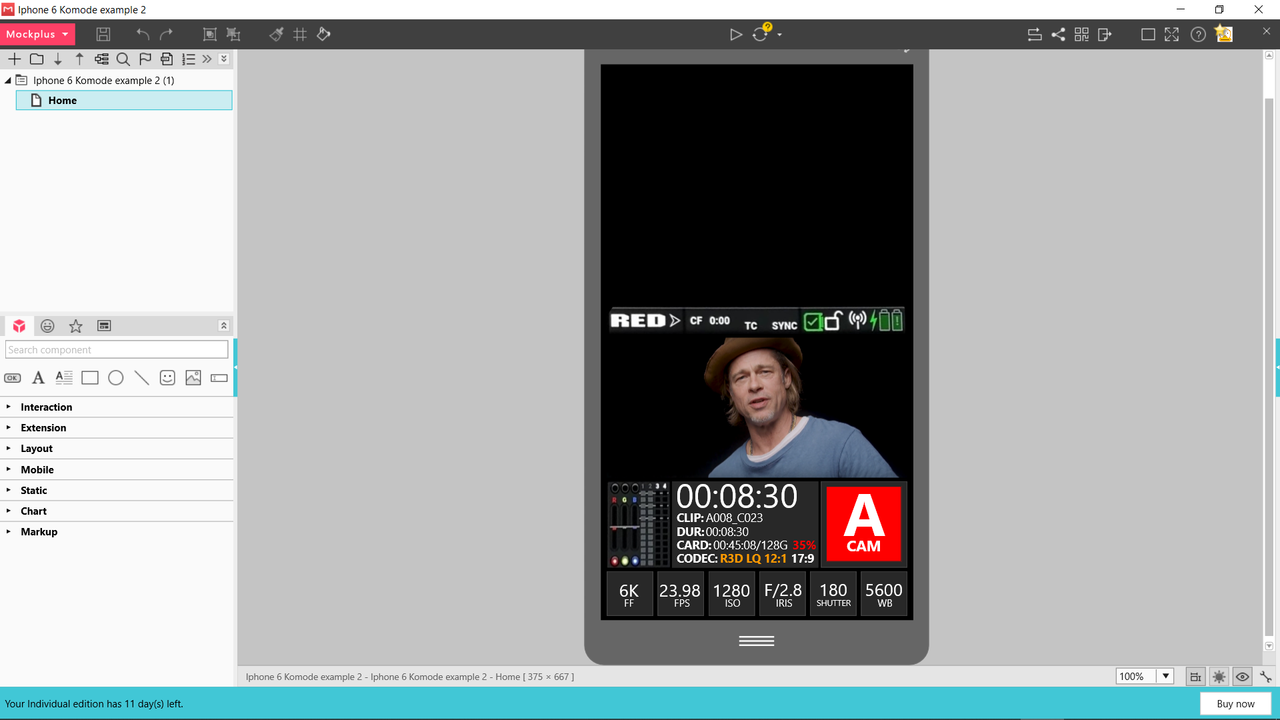
You and Stanly are well beyond what I am capable of! I could never get my menus to be interactive. Maybe between you and Stanly, Red will get some new Ideas on how they can change how consumers interact with the Komodo's interface.
 
Lots of great ideas here. Thanks for all the effort Alexandre, Stanly and Rand.

My one concern is usability of the more complicated menus with the limited buttons on the Komodo. We basically have MENU, UP, DOWN, SELECT, PLAYBACK (and of course RECORD). More complicated overlays may be confusing to operate. For example, let's say I want to adjust the ISO. I press MENU till the ISO button is highlighted, then I can either use the UP/DOWN buttons to change immediately, or SELECT to bring up an overlay. Once the overlay is activated, I need to quickly change values with only a couple of buttons, so an overlay with a variety of buttons plus a slider/fine tuning may be confusing. Perhaps pressing SELECT or touching a main menu button like ISO brings up the quick-select overlay, and a long press brings up the fine tuning option or slider?

Personally, I would be sad to see the histogram go, and think it should be given as much screen real estate as possible. Would also love an option to see raw and RGB histogram at a glance. Here's an updated mockup with the raw histogram in grey behind the RGB histogram. I think this would really help make shooters more aware of the raw exposure, but maybe it will be confusing to new users. What do you guys think?

b4xxsVk.jpg
 
One other thing I've always wanted is some kind of indicator when my compression is getting too high for a particular scene. I usually shoot 8:1 as I find it's a reasonable balance of record time against quality, but I often forget to shift to lower compression when I'm shooting something with lots of moving detail in focus. It would be great if the R3D MQ would go yellow or something to indicate when a significant amount of detail is being lost to the compression. This would obviously have to be different from the indicator that the desired compression could not be achieved at the given frame rate/size.

c5xBb8G.jpg
 
Alexandre :
+) His fonts are visible from a distance : His smaller capital fonts has labels are just small enough not to clutter up the screen too much.
Perhaps the option for 'descriptive' (beginner) or 'clean' (labels not displayed / and where Icons can replace words as pictures are faster to identify; There is a reason that desktops minimise use of text).
+) Round record button : A useful shape to distinguish it with peripheral vision. Round would also take away concerns that pressing near the edge might trigger a record. Colour of Record Button could indicate state (In-Playback-Mode / Not-Recording / Pre-record / Recording / Finalising).
6 sec into the following video is an example of using colour of a Record button with White (not active), Red (Record), Yellow (Finalising Recording) : https://vimeo.com/268841859#t=0m6s

AJ
 
Started a new thread for UI mock-ups! You're welcome to re-post your concepts over, so we have a place to discuss interface without overloading the main thread :D

http://www.reduser.net/forum/showthread.php?181378-UI-amp-UX-ideas

indicator when my compression is getting too high
That is a great idea! Wonder if that is technically possible.

Alexandre, very clean font choice! Something tells me I won't resist creating previews for monitoring options area as well :D I just wish we knew more about what this little beast will be capable of.
 
Back
Top