Welcome to our community

Be a part of something great, join today!

  • Hey all, just changed over the backend after 15 years I figured time to give it a bit of an update, its probably gonna be a bit weird for most of you and i am sure there is a few bugs to work out but it should kinda work the same as before... hopefully :)

IPP2

Giles Cornah

Member
Joined
May 9, 2018
Messages
12
Reaction score
0
Points
0
Hello!
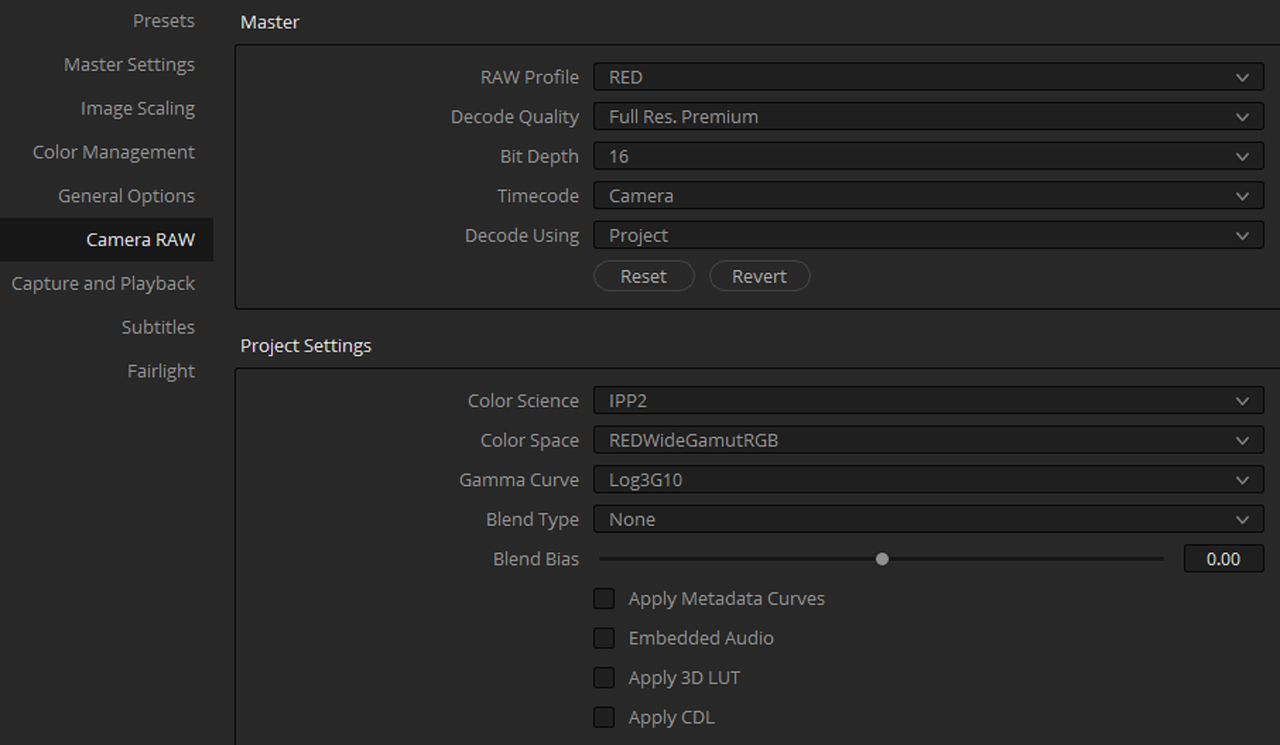
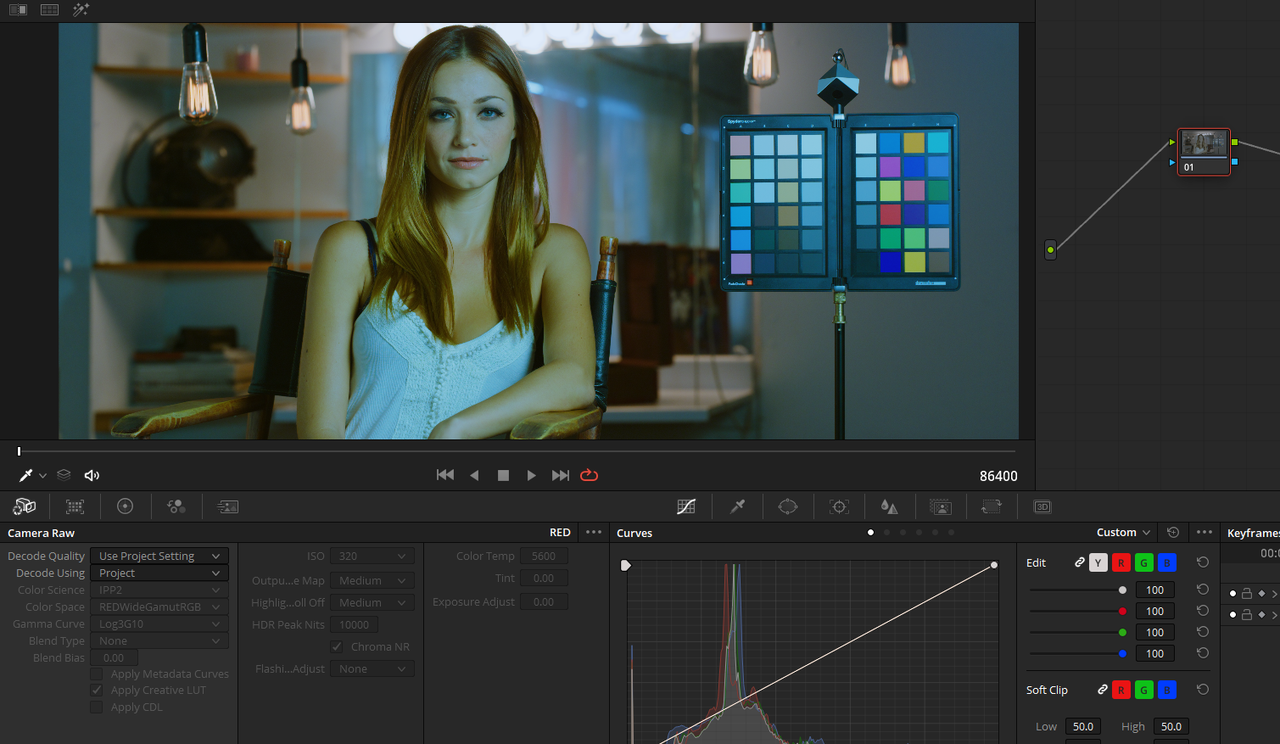
So if I shoot a bunch of rushes on the EPIC Dragon 6k and pull them into Resolve, they are displayed in whatever settings you had going in camera, in legacy settings. To colour them using the IPP2 pipeline (which I prefer), I'd then go to RAW settings/clip/IPP2 or Project settings/IPP2.

What I'm looking for is a way to default those clips to display in IPP2 pipeline before that stage, so if I hand rushes to an editor, they default to IPP2. They just look nicer like that and I'm not relying on them to know about RAW settings.

I thought I'd found a way using RED Cine x pro but now I try it out, they still default to legacy when pulled into resolve. Has anyone else had a look at this?

Thanks!
 
Its a setting within resolve in the camera raw setting. Best bet I think to make them have it right is to import the rushes into resolve the correct way / make sure all clips are right in terms of iso, ipp2 or what not. And then export the project and ask them to work from there. As resolve has a default of bringing in r3d´s not in ipp2 as was in camera but a generic setting within resolve.
 
mmm, that's asking quite a lot though and is not really doable in this case. Thanks though:)
 
I thought there was a way of opening all the clips in Red cine x and changing the metadata to IPP2 default.. I could have sworn I've done something like that before but now I can't get it to happen..
 
Go to Image menu in camera and change parameters to IPP2 with the contrast, rolloff, and colorspace you want. Done.
 
oh! but the Epic dragon 6k doesn't support IPP2 colour science right?
 
Should be able to do this with a color managed transform in Resolve as a project setting.
 
Yes there is, but I'm just trying to find a way of offloading rushes (strait off a mini mag) so that when an editor starts working with them they default to IPP2 rather than legacy settings. It works to open each clip in REDcine x and adjust something then close... I might just have to do that.
 
oh! but the Epic dragon 6k doesn't support IPP2 colour science right?

No it does not. So you have to set it in post. But as resovle is setup if the colorist does not know how, then he likely get it wrong and just bring all in old color science and 320 iso 5600k. And no camera settings applied no matter how you fluff your files for him. So yes better get a experienced colorist or write him a tutorial or such how to do it, most colorist I come across does not really do it right and waist a lot of the DP / Dit work by just tossing it on import and then work from the old color science etc.
 
Epic Dragon doesn't support IPP2 in-camera at capture, but it's raw, so it supports all the benefits of IPP2 in post.

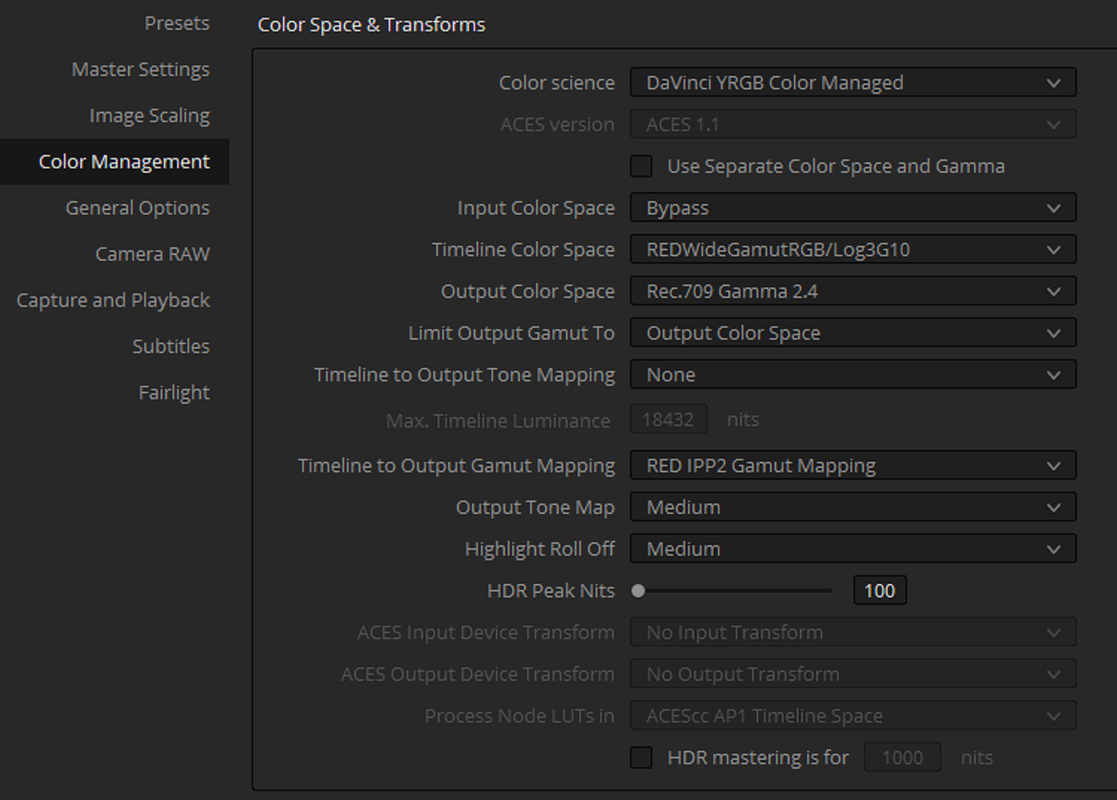
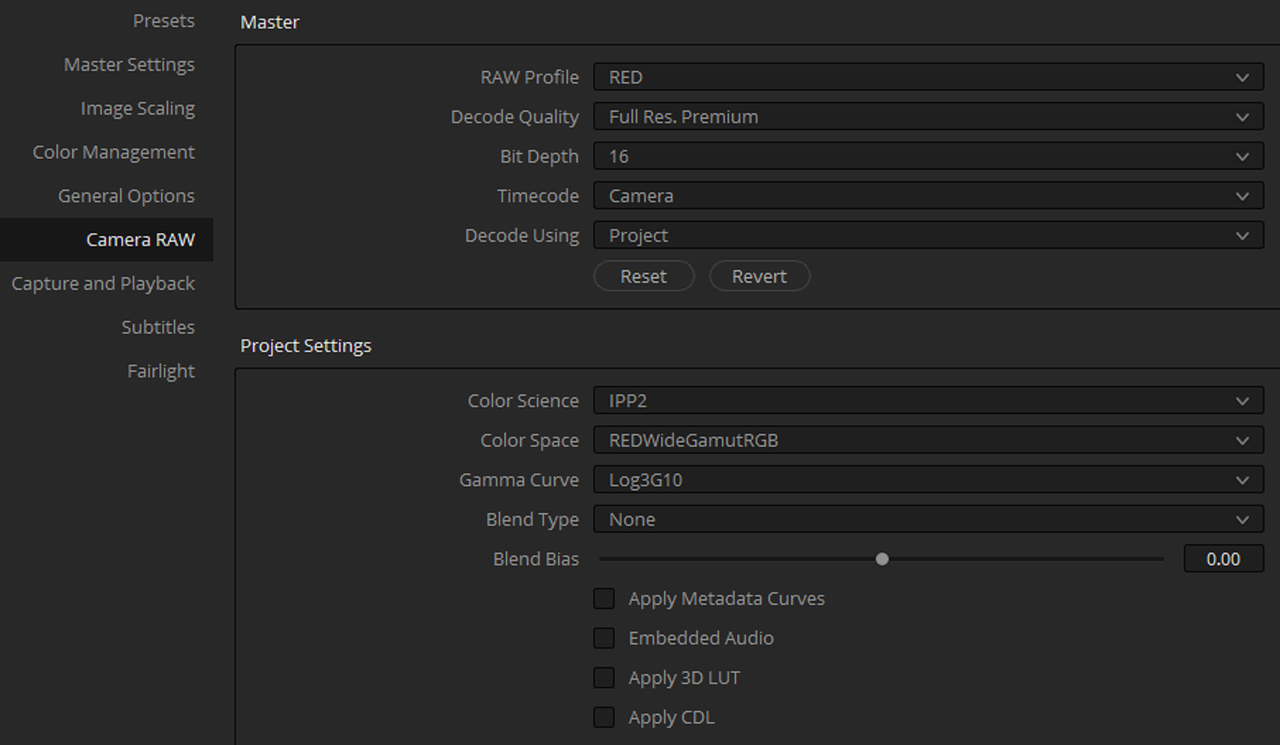
There are two general ways to do it; by either loading up all the r3d files in RCXp and then applying IPP2 to all the clips (which should then carry over into Resolve/FCPX/Adobe/any NLE afterward) or setting up the software to default to using IPP2 when importing r3ds (which is somewhat easier and more "standard").

But don't take my word for it. Here's RED's Dan Duran to help you set up Resolve. Important to note, after adjusting the project settings, he saves it as the default so all future projects will use the same thing automatically.

So you have to set it in post. But as resovle is setup if the colorist does not know how, then he likely get it wrong and just bring all in old color science and 320 iso 5600k. And no camera settings applied no matter how you fluff your files for him. So yes better get a experienced colorist or write him a tutorial or such how to do it, most colorist I come across does not really do it right and waist a lot of the DP / Dit work by just tossing it on import and then work from the old color science etc.

Ouuf, tell me about it. I can't speak for everyone, but a lot of big post-houses (*cough*Technicolour*cough*) still request budget RED projects to be delivered as RC3/REDlogFilm encoded ProRes 4444 files (Not even RC4 or DC4, but RC3... in 2020). It's not really their fault (they deal with a lot of different cameras and it's an idiosyncrasy specific to REDs) , but it's a bit aggravating given how much they charge. I'd guess they set up their systems/LUTs/workflow to work off those settings back with the R1 and never bother changing... And, I mean, LogC has been the same LogC since the beginning, so they probably figure RED should be the same way.
 
Last edited:
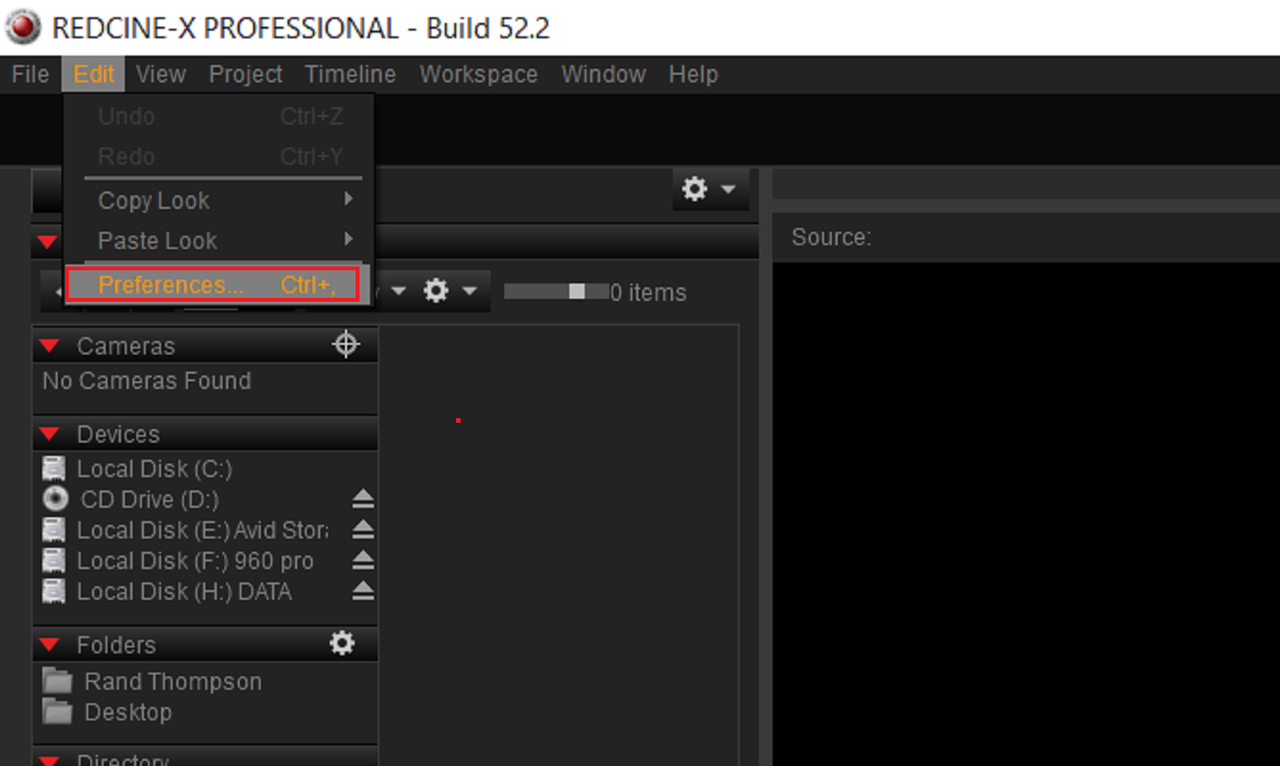
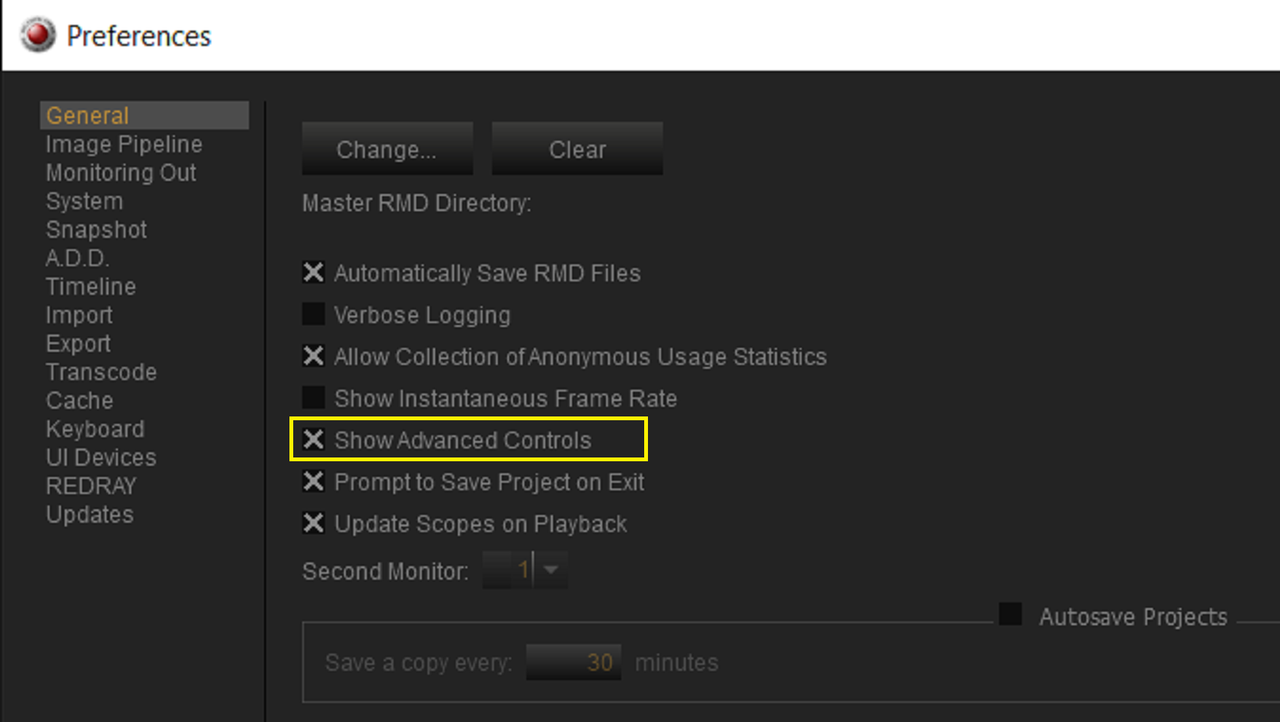
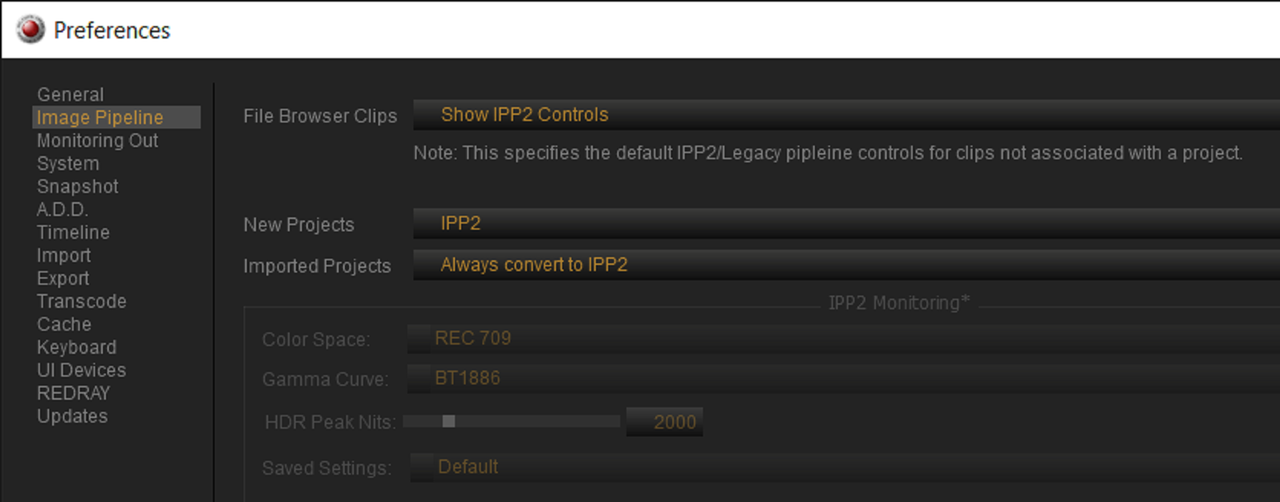
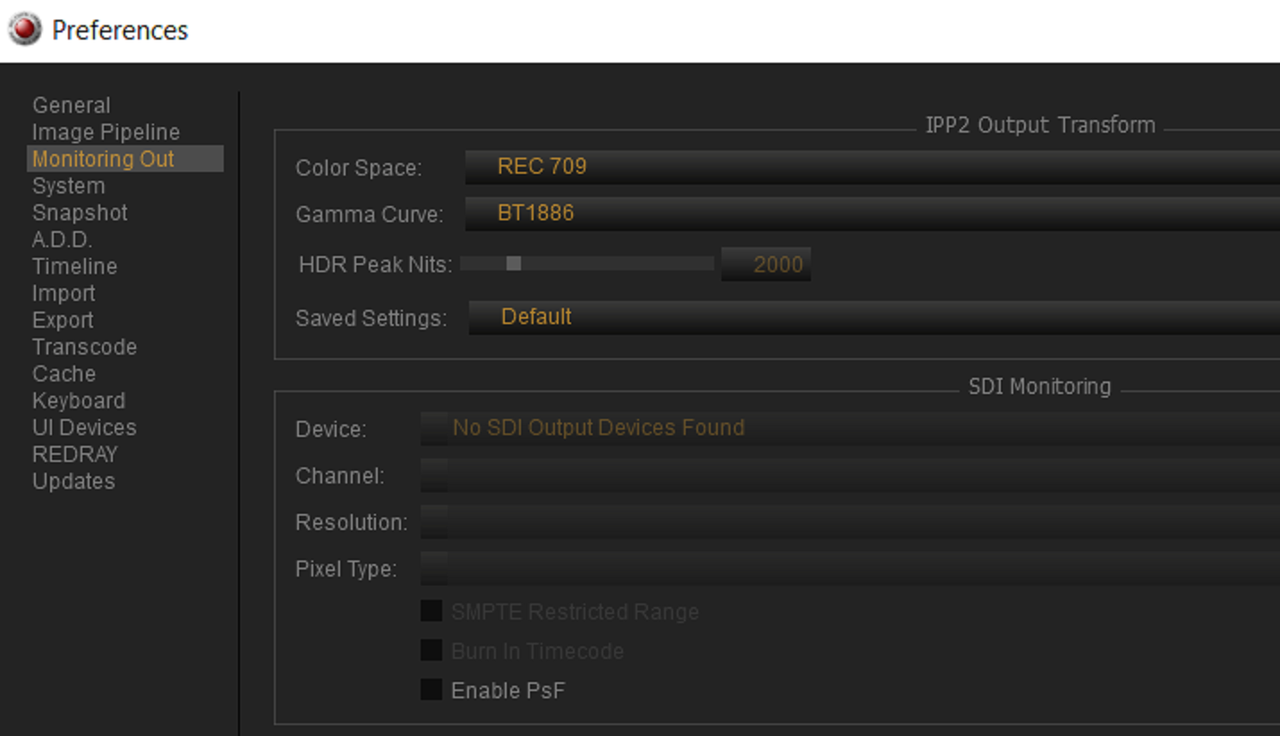
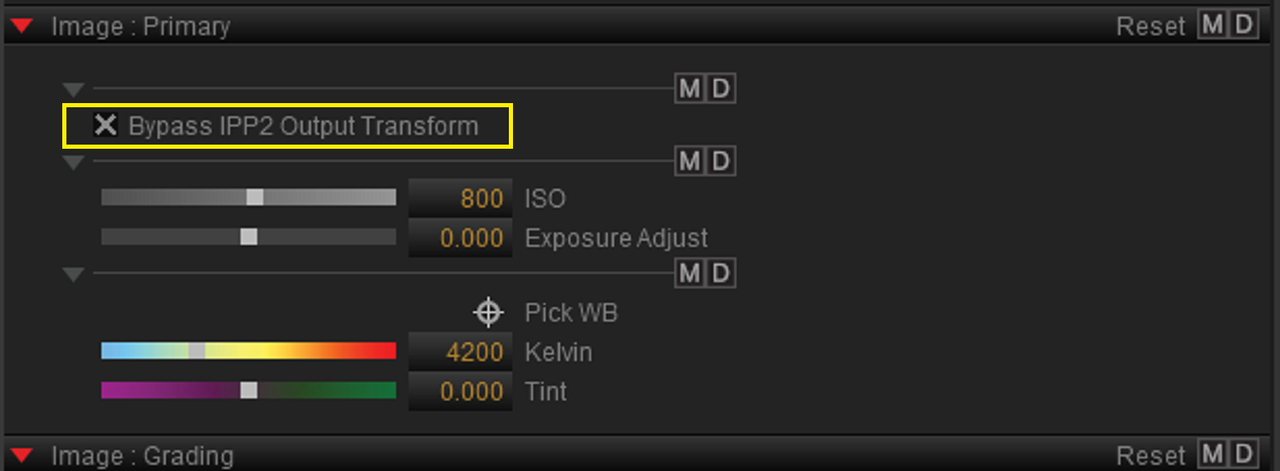
In REDCINE-X Pro

After you make these changes, Restart Redcine-X so that they take effect when you reopen it

Screenshot-85.png


Screenshot-86.png


Screenshot-87.png


Screenshot-95.png
 
Last edited:
Thanks for explaining how to pre-set this. I was lucky enough the last time I shot something on Epic Dragon that the colorist was knowledgeable enough to ask first.
 
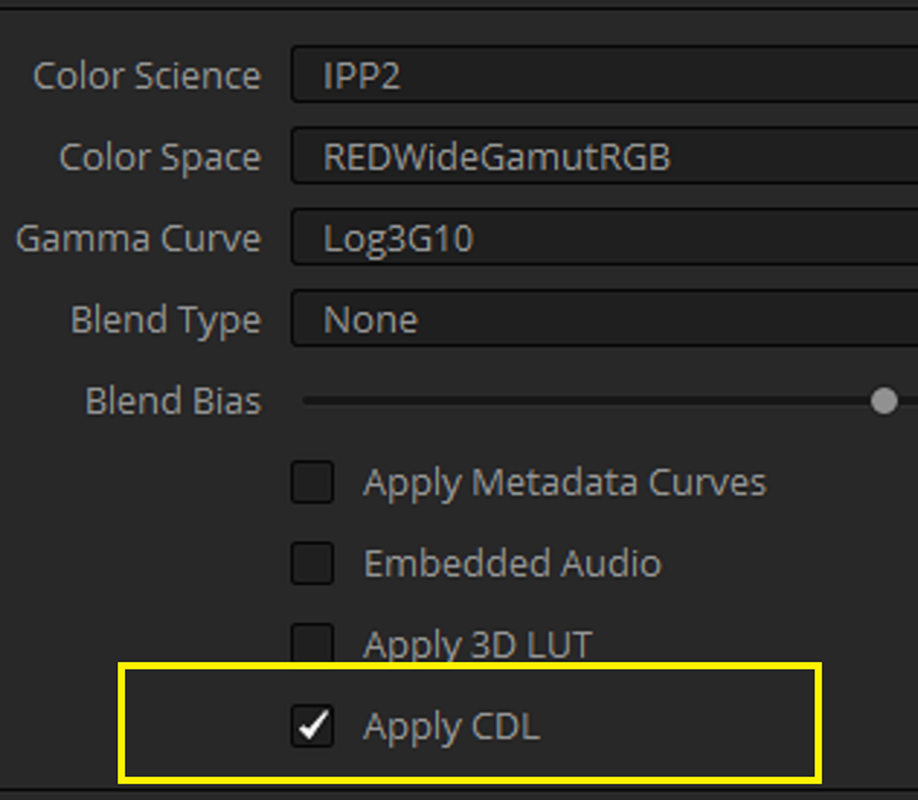
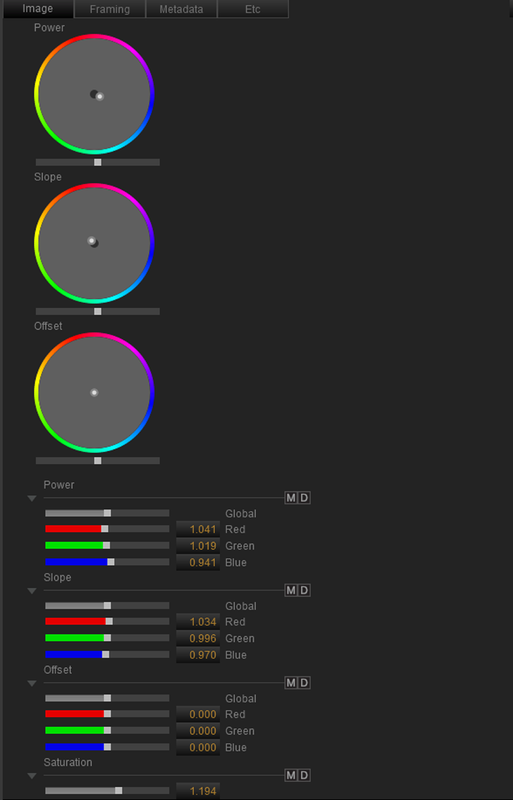
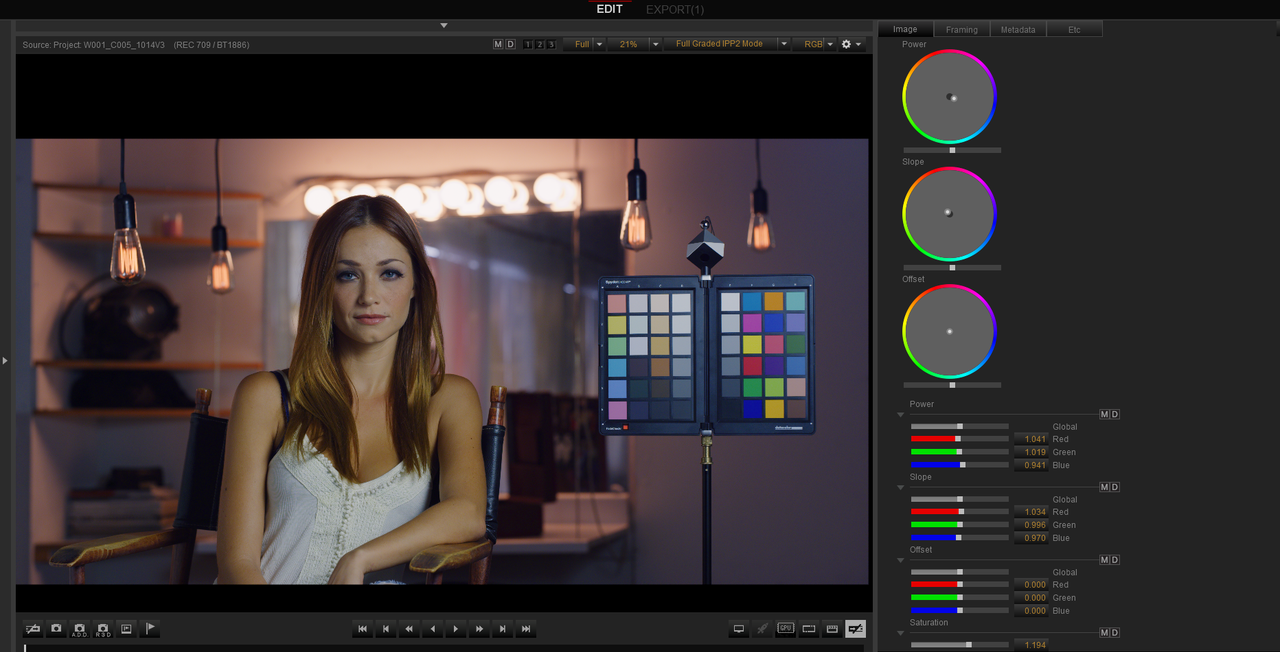
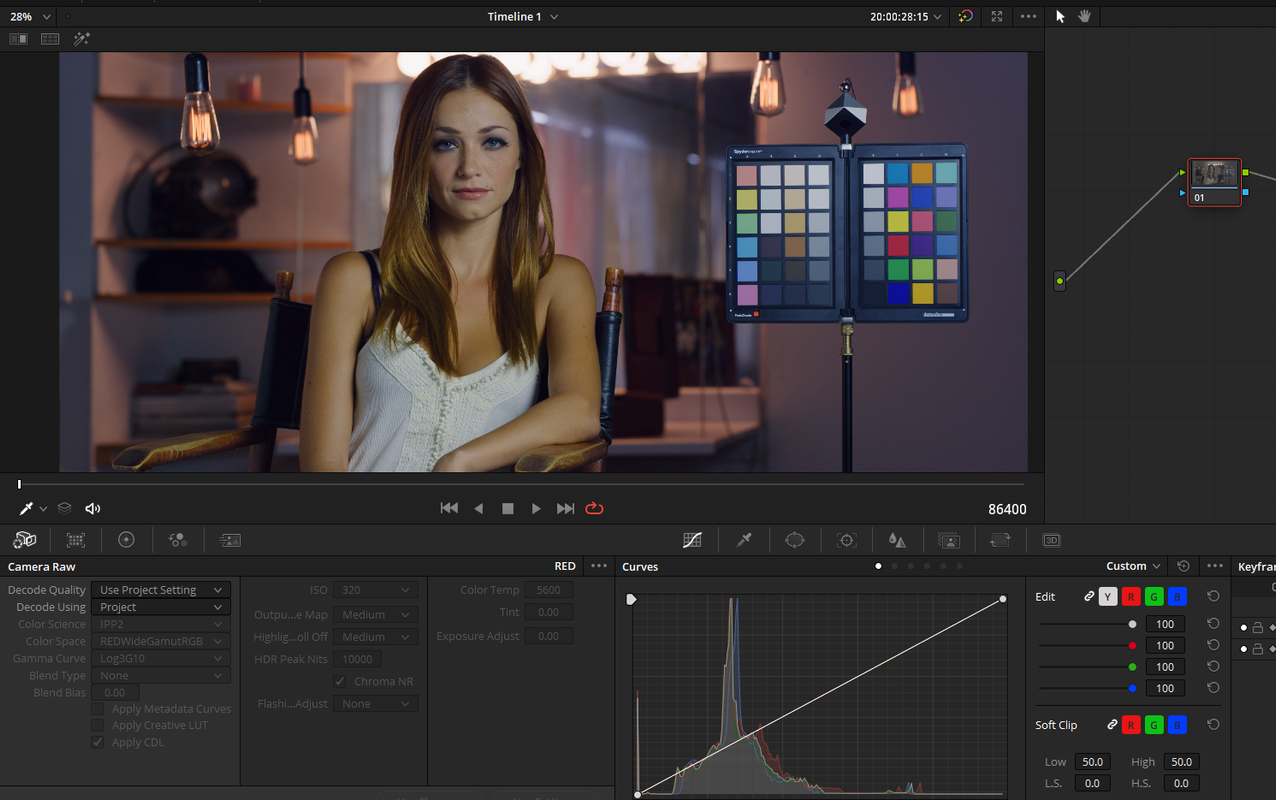
Apply CDL


In Redcine-X or In-Camera


Screenshot-107.png


Screenshot-106.png


Screenshot-106.png


Screenshot-108.png


cdl-1-1-1.jpg
 
Last edited:
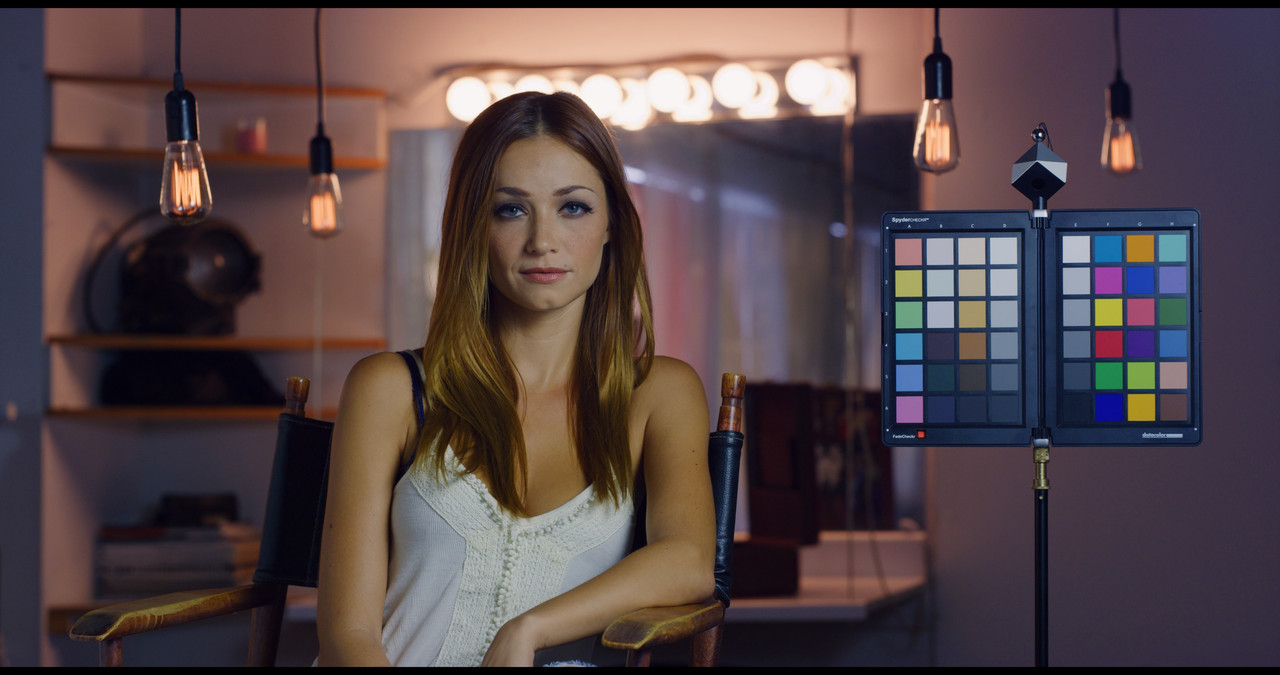
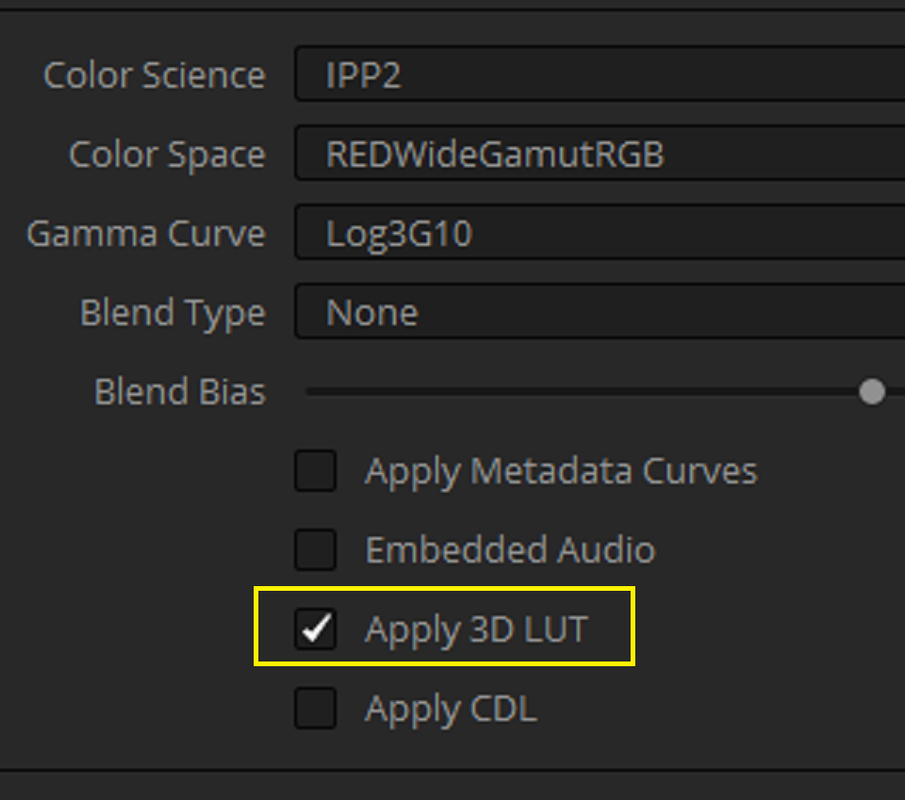
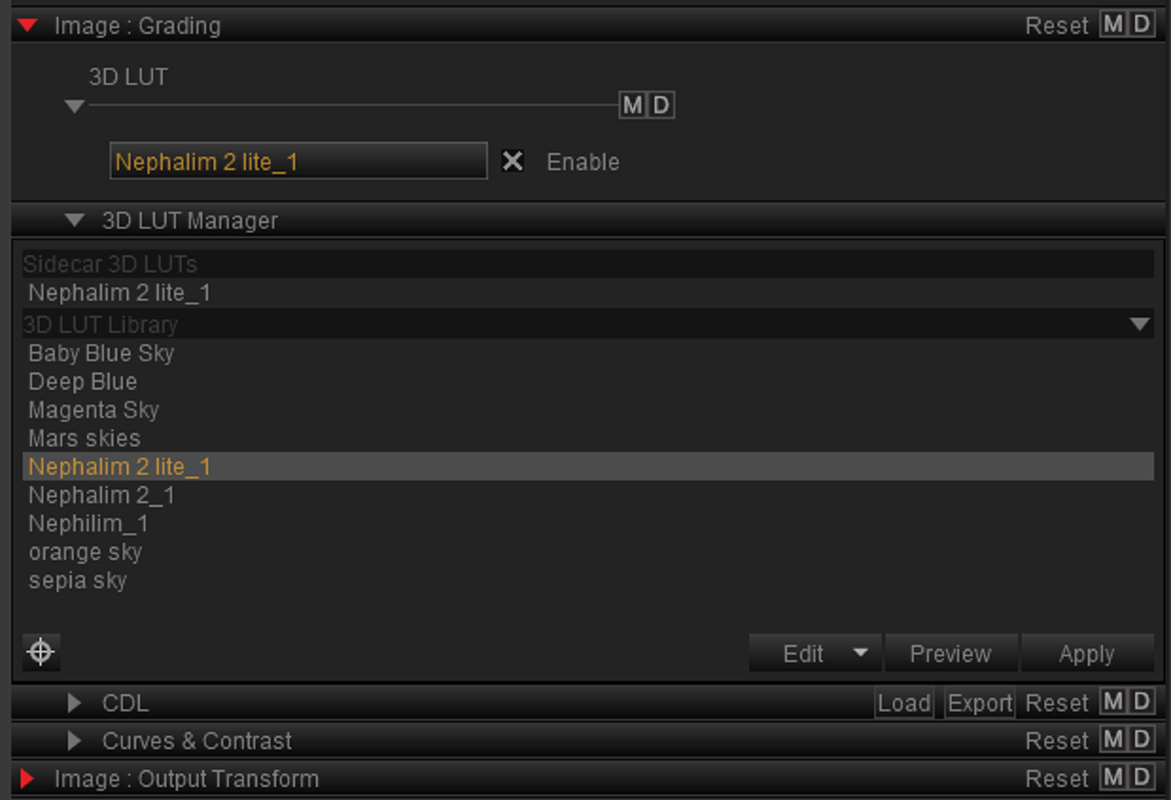
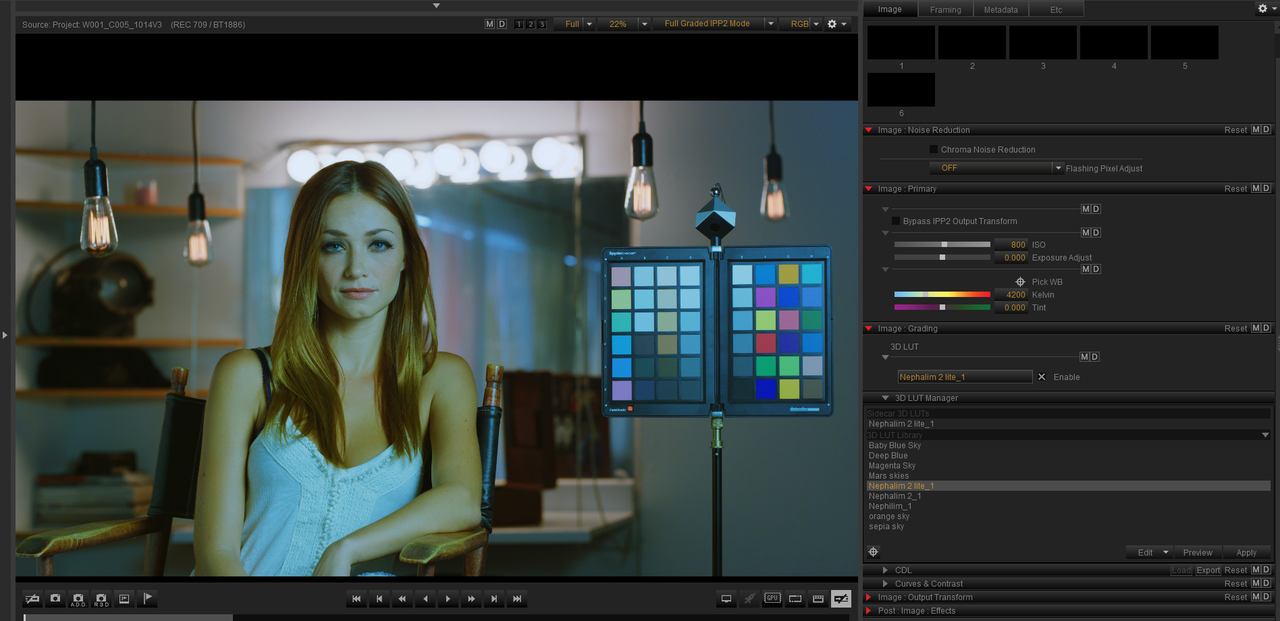
Apply 3D Lut


In Redcine-X or In-Camera


Screenshot-110.png


Screenshot-98.png


Screenshot-109.png


Screenshot-111.png


3dlut-2-1-1-2.jpg
 
Last edited:
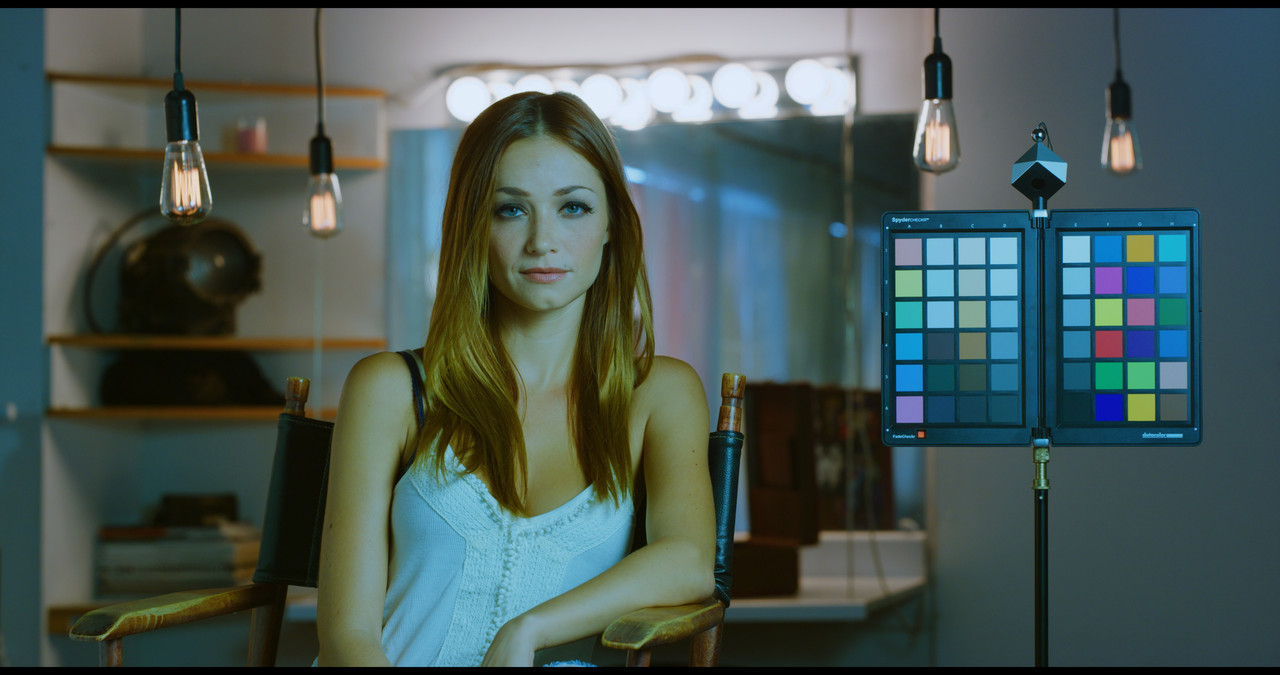
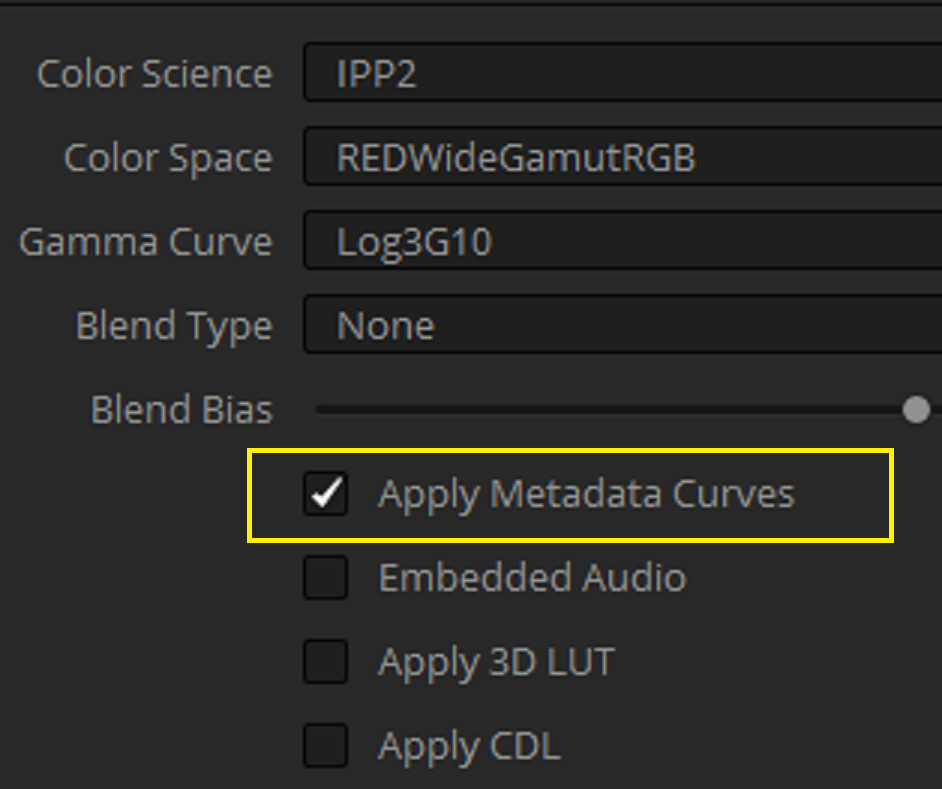
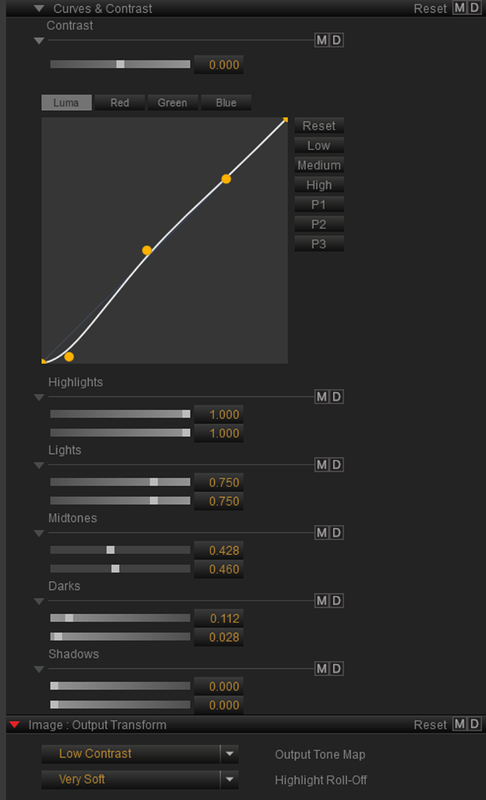
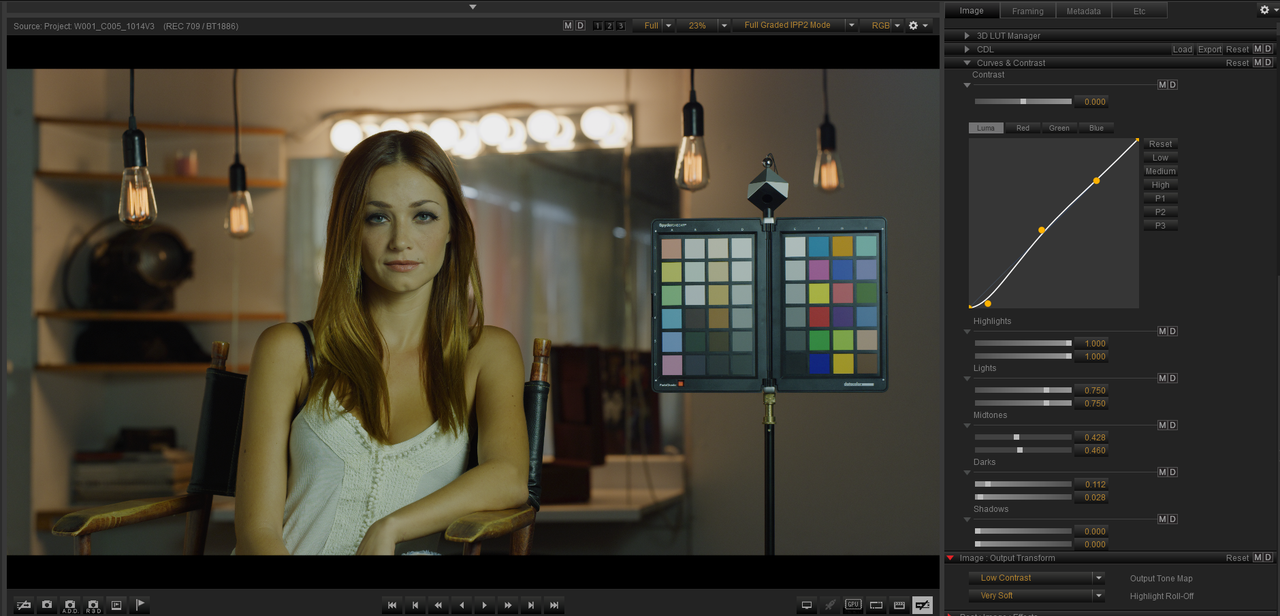
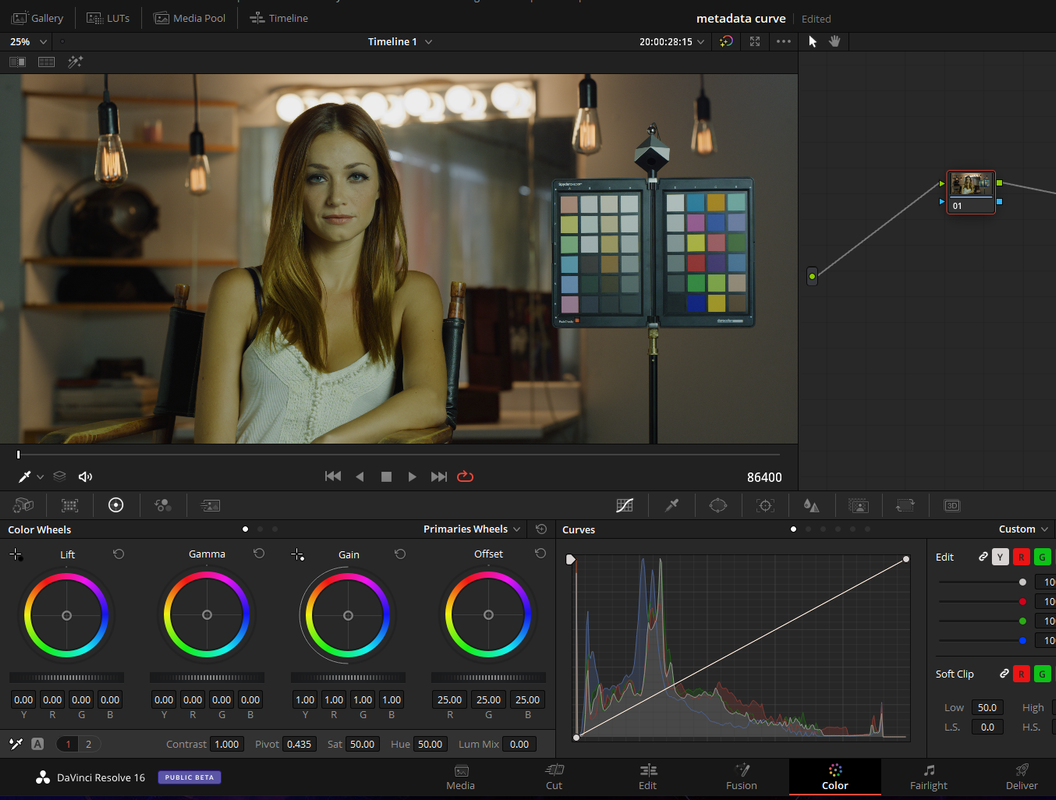
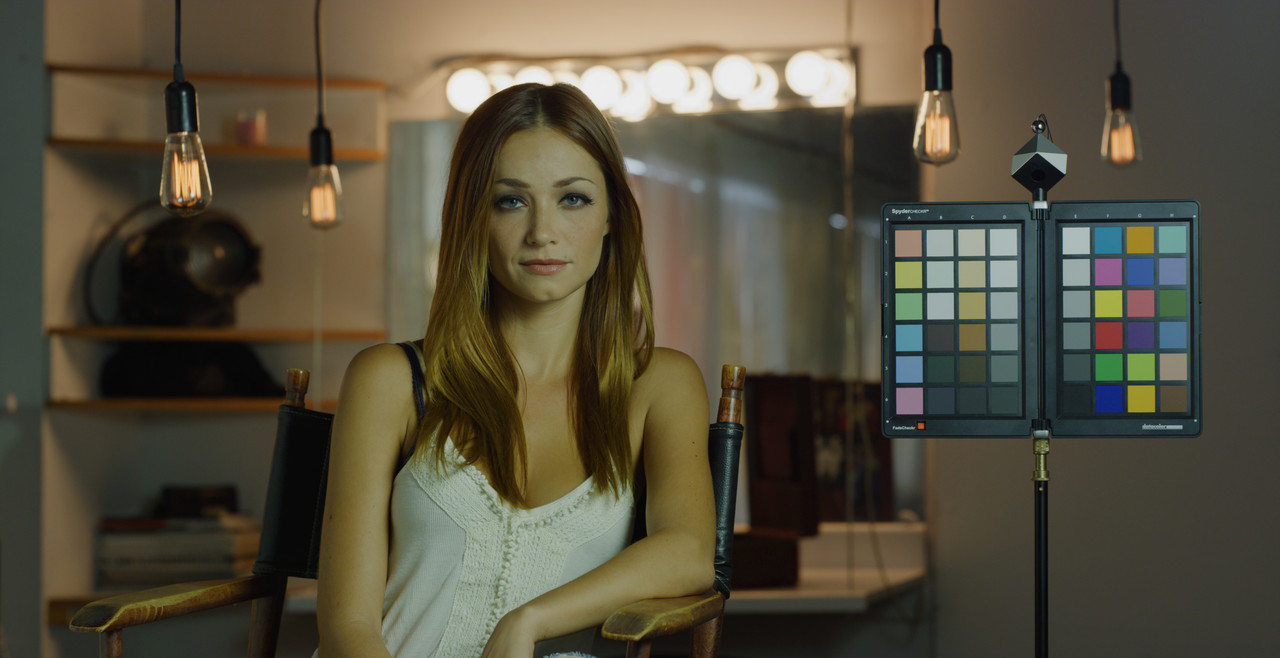
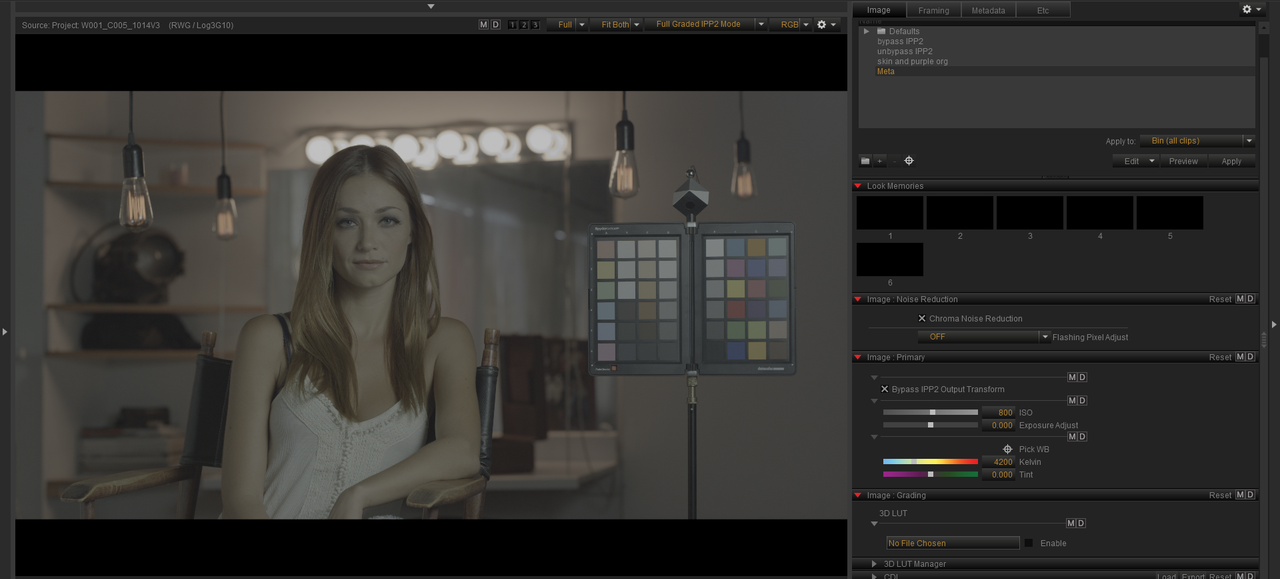
Apply Metadata Curves


In Redcine-X or In-Camera


Screenshot-113.png


Screenshot-252-2.png


Screenshot-252.png


Screenshot-254.png


W001-C005-1014-V3-0000000.jpg
 
Last edited:
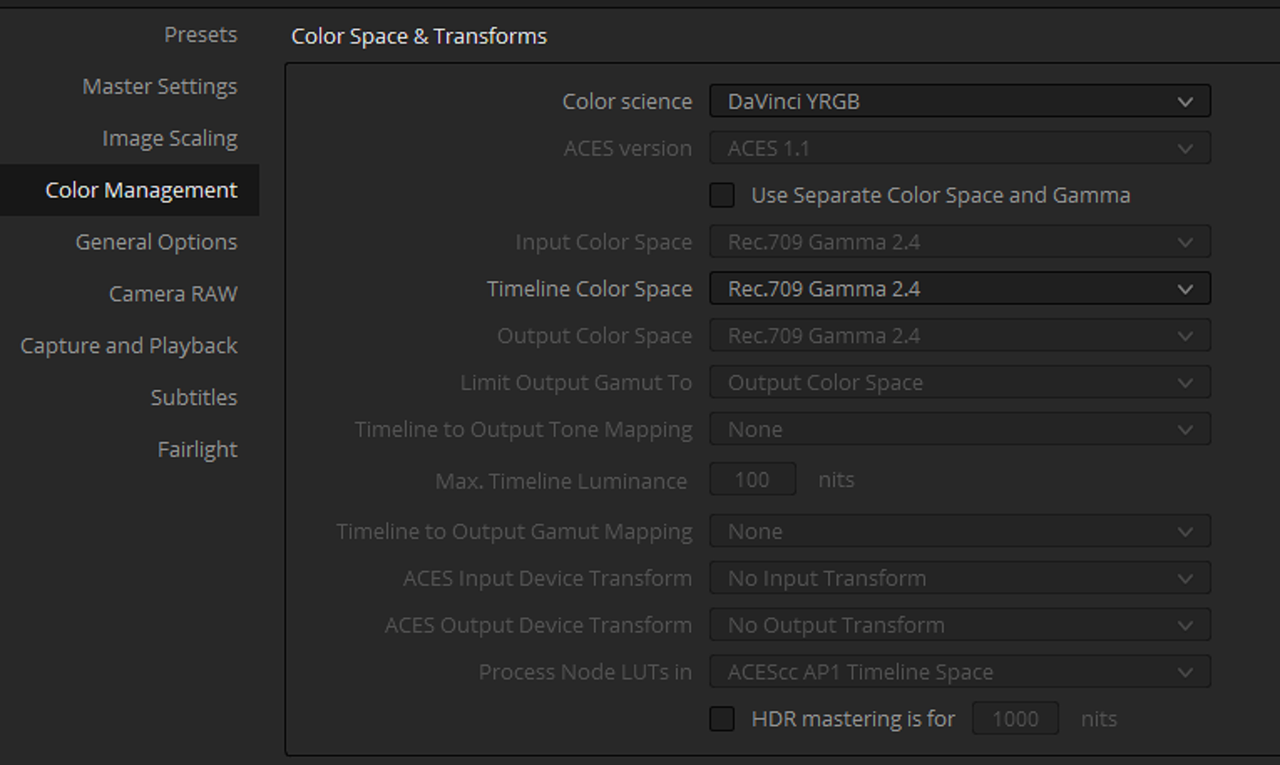
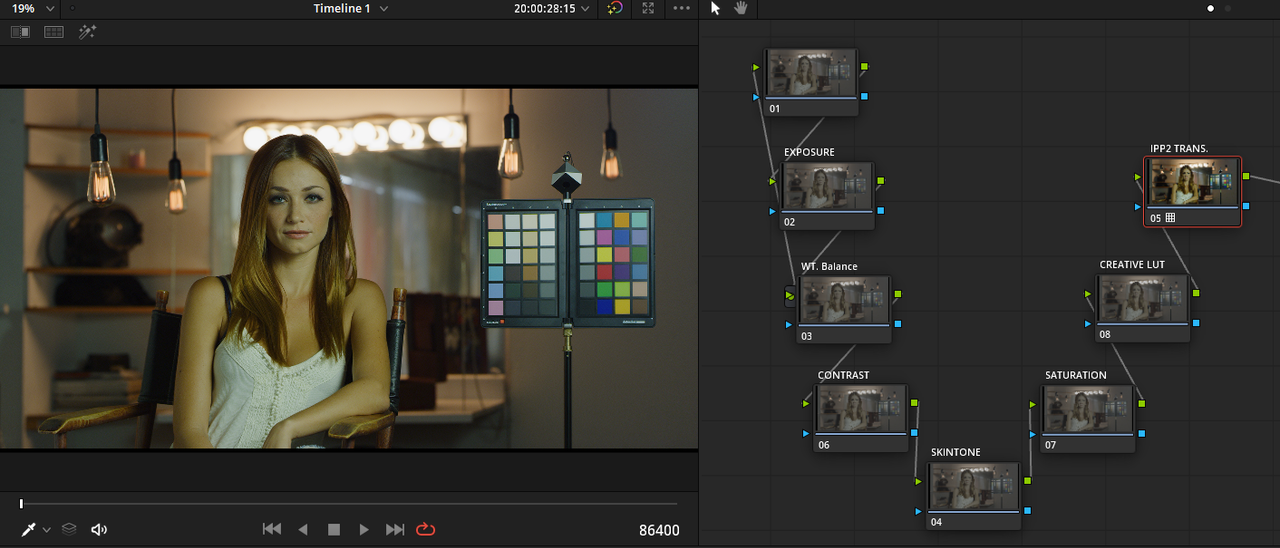
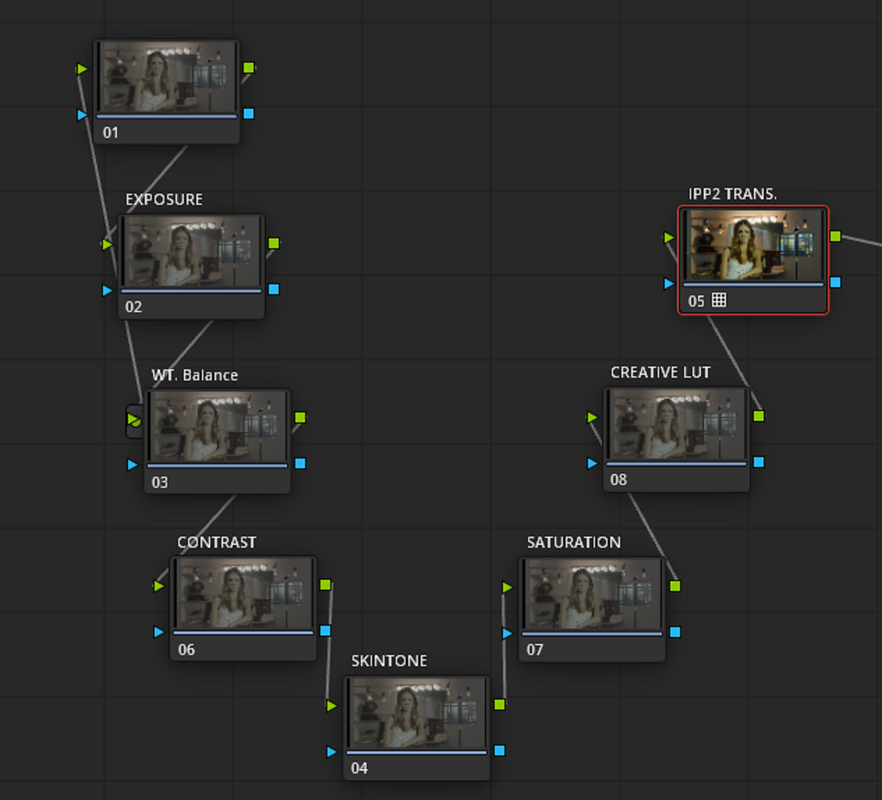
Davinci YRGB with IPP2 Transform LUTs applied at the end of Node Tree


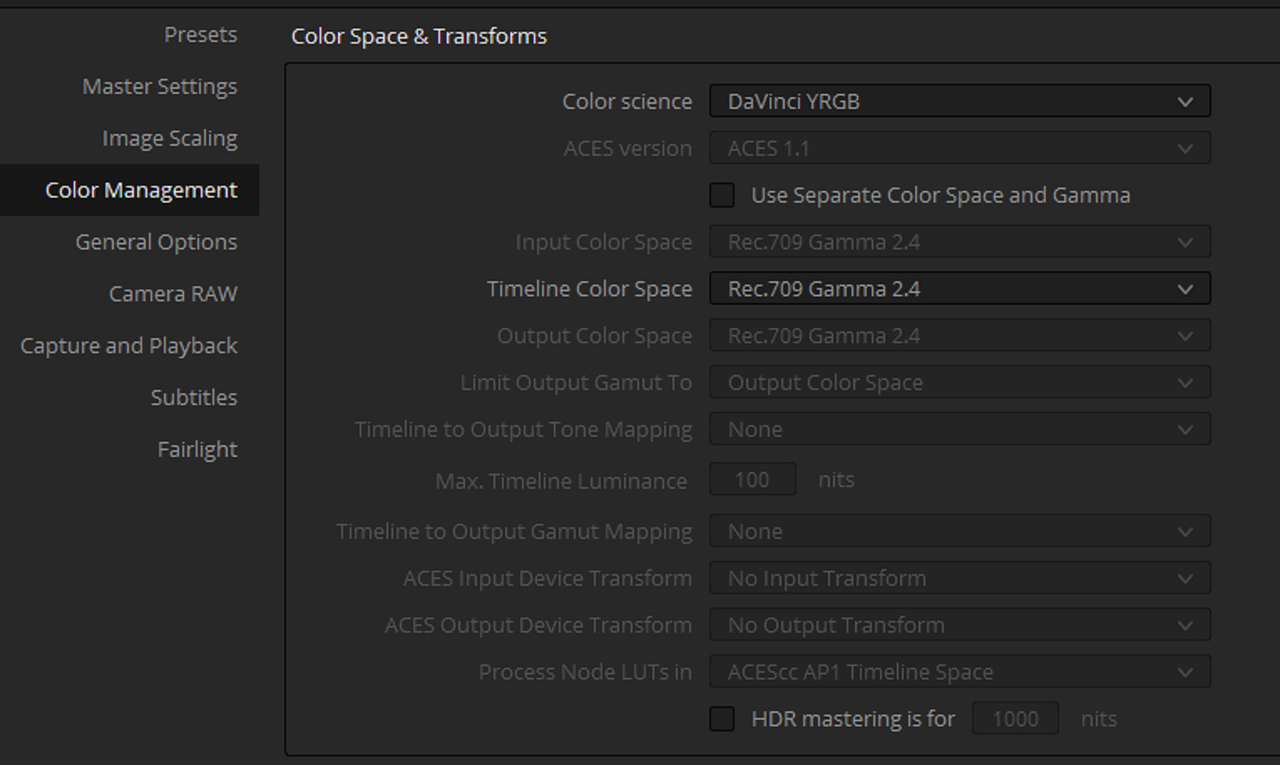
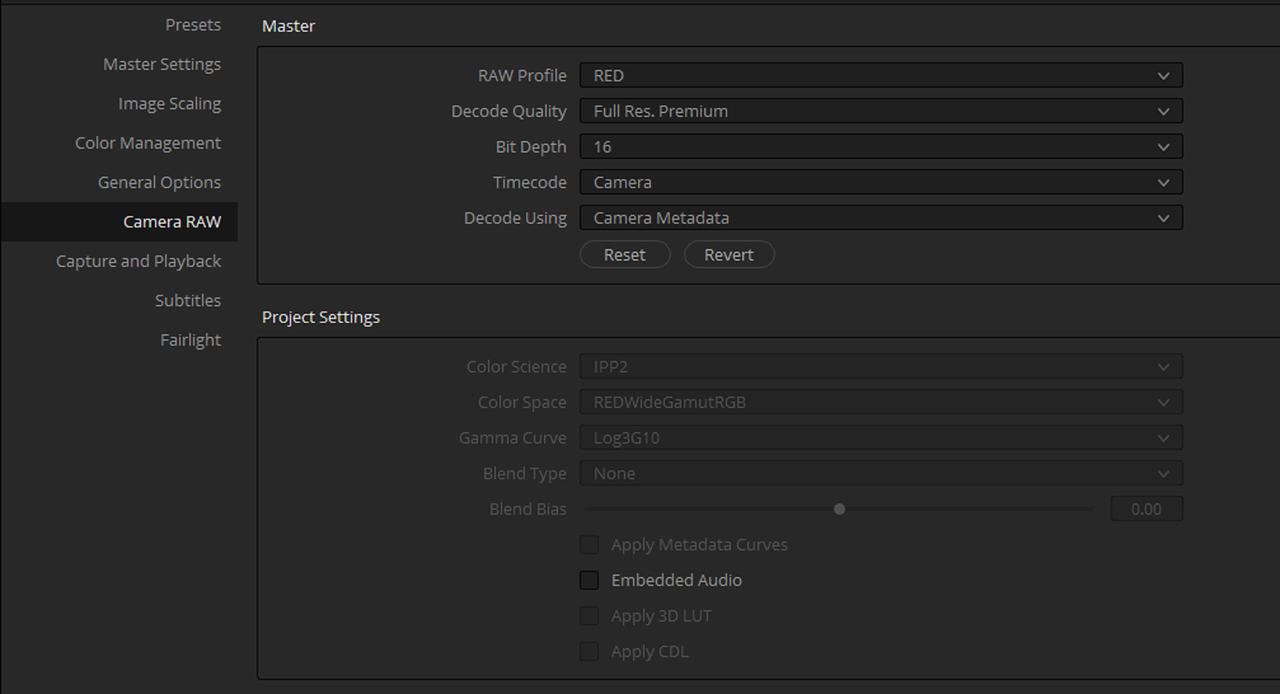
With "DAVINCI YRGB", you transform all of your RED .R3D files into a REDWIDEGAMUTRGB/LOG3G10 image at import. You will still need to add an "IPP2 OUTPUT TRANSFORM LUT" at the end of the Node tree to properly transform the image, It won't be done for you as in the "Davinci Resolve Color Managed" workflow above. However, you will be able to choose what "IPP2 OUTPUT TRANSFORM LUT" you want to use with each individual RED .R3D file instead of being locked into one for the entirity of the project like in the "Davinci Resolve Color Managed" workflow. You don't have to use the exact Nodes I labeled below in your workflow. Just a few, but use the last two nodes "CREATIVE Lut" and "IPP2 Transform"in that order.


er-5.png


er-6.png


Screenshot-137.png


Screenshot-137-2.png
 
Another Way


In Redcine-X Pro


Screenshot-145.png


Screenshot-146.png


In Resolve

Screenshot-147.png


er-6.png


Screenshot-148.png


Screenshot-149.png


Screenshot-150.png


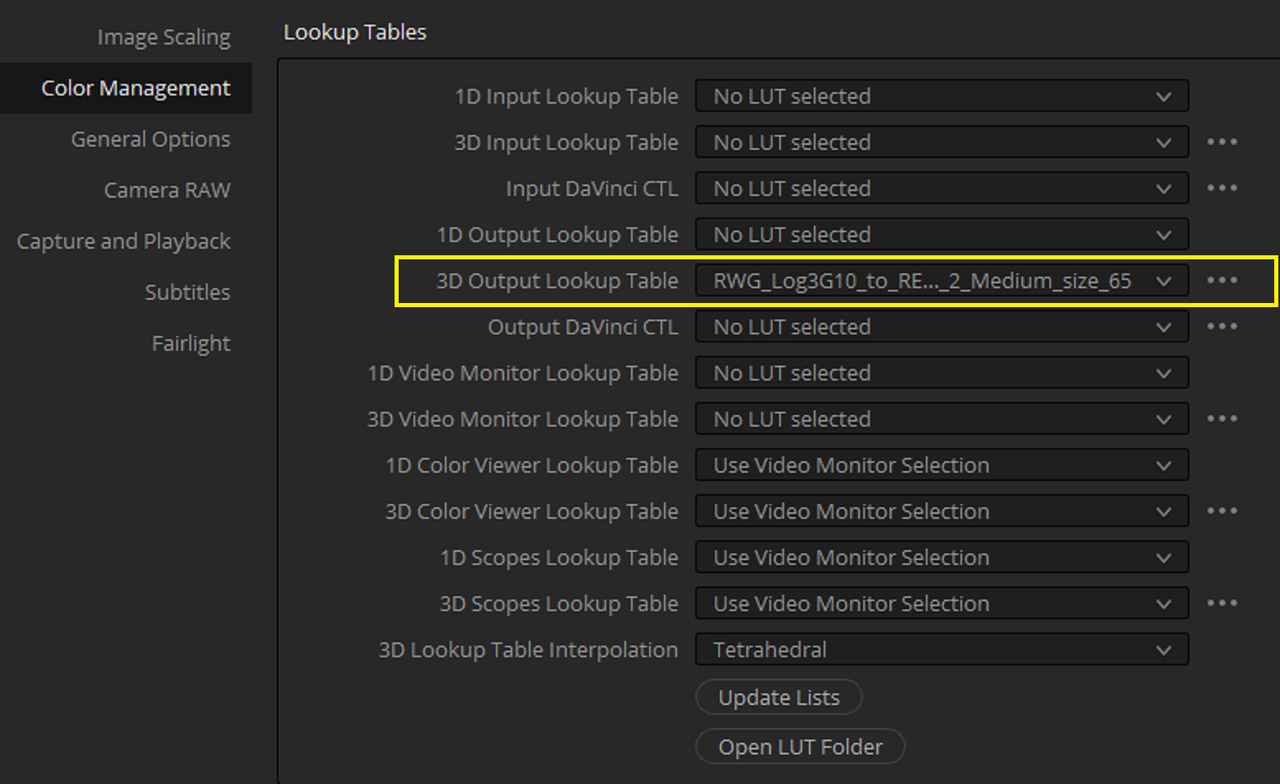
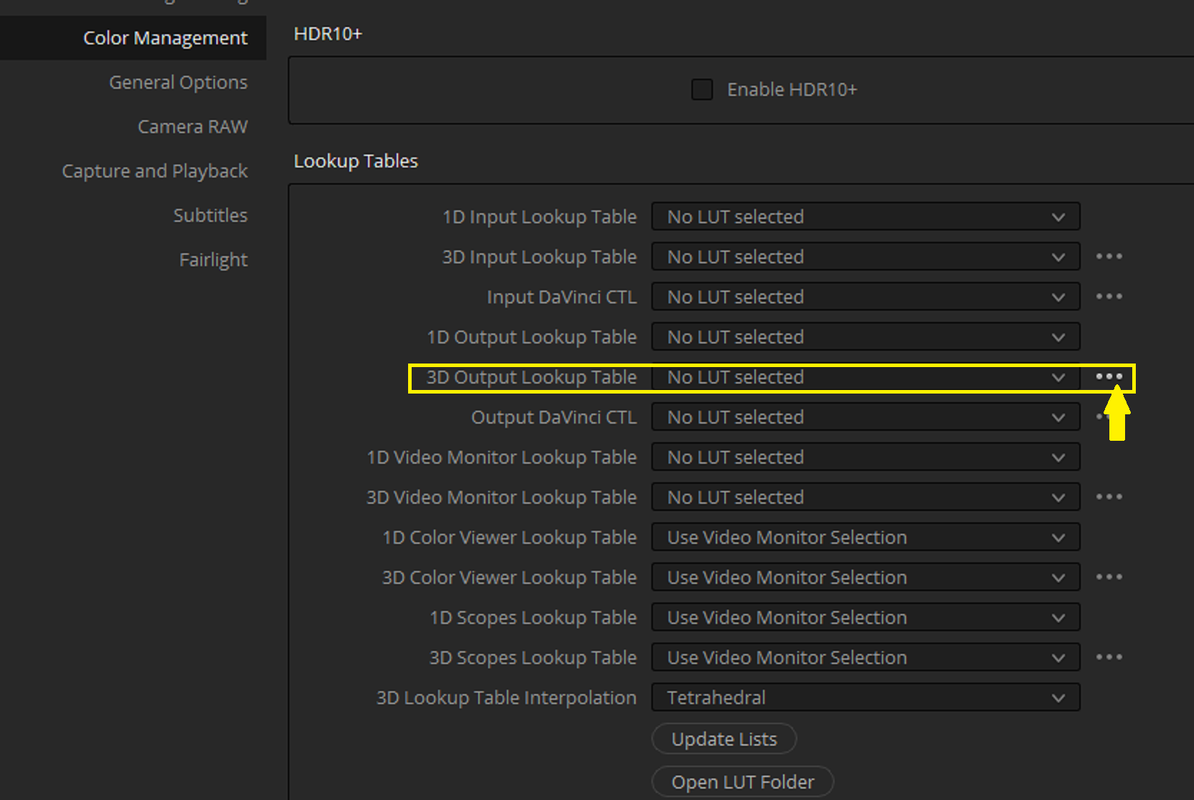
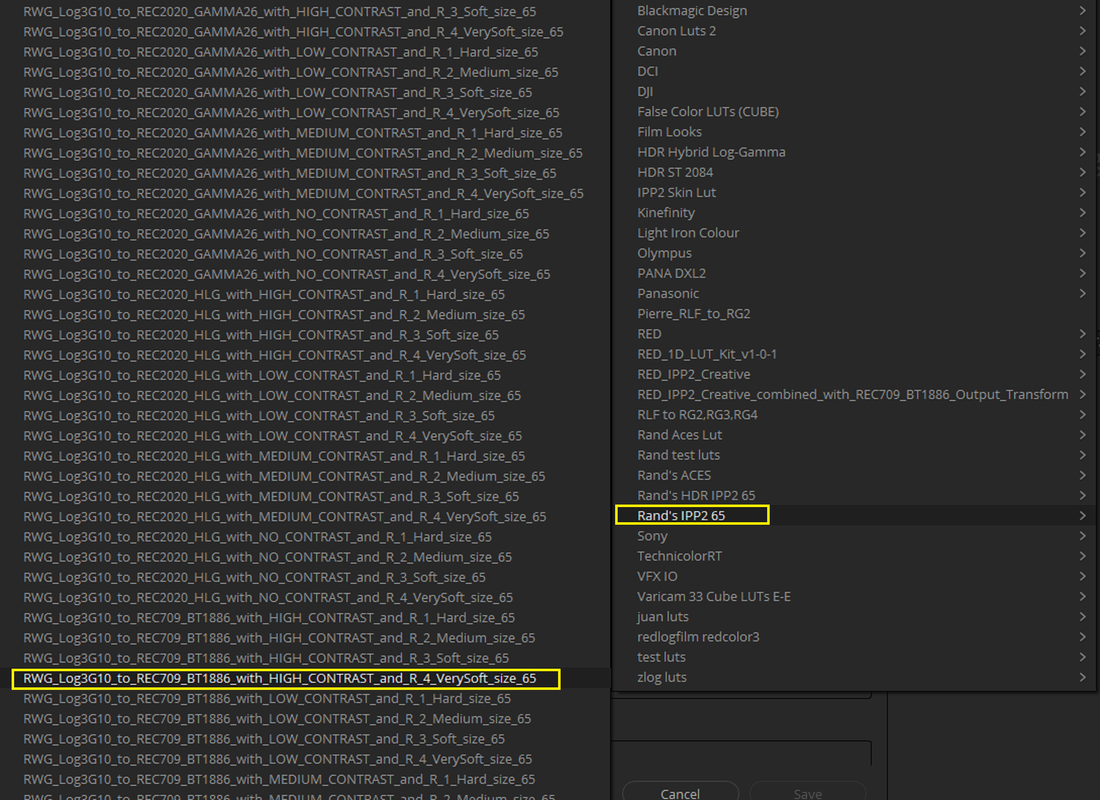
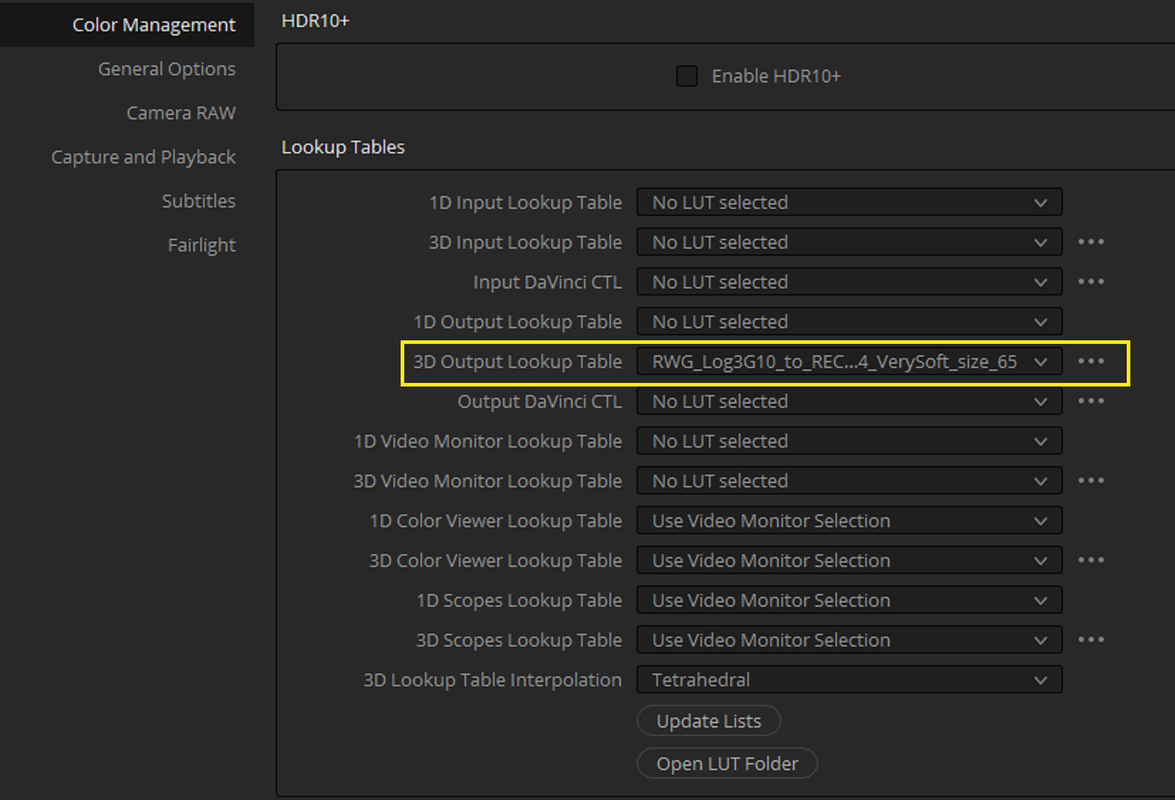
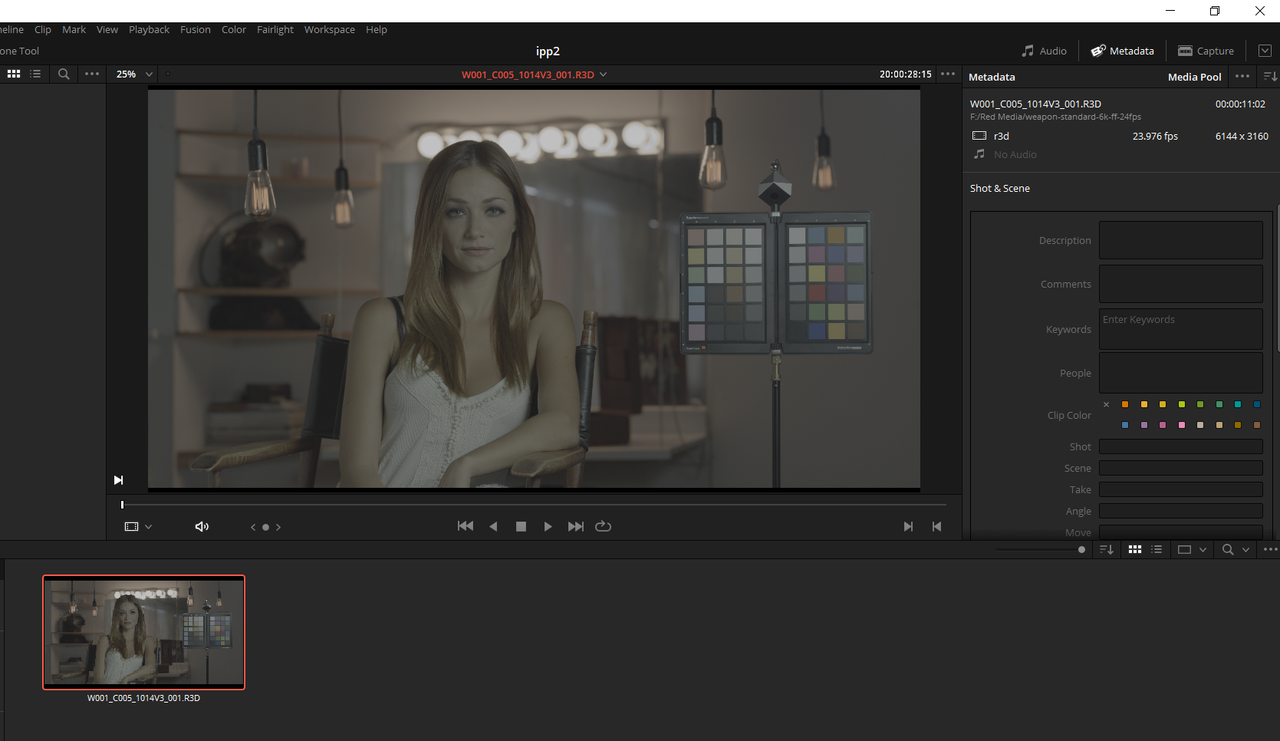
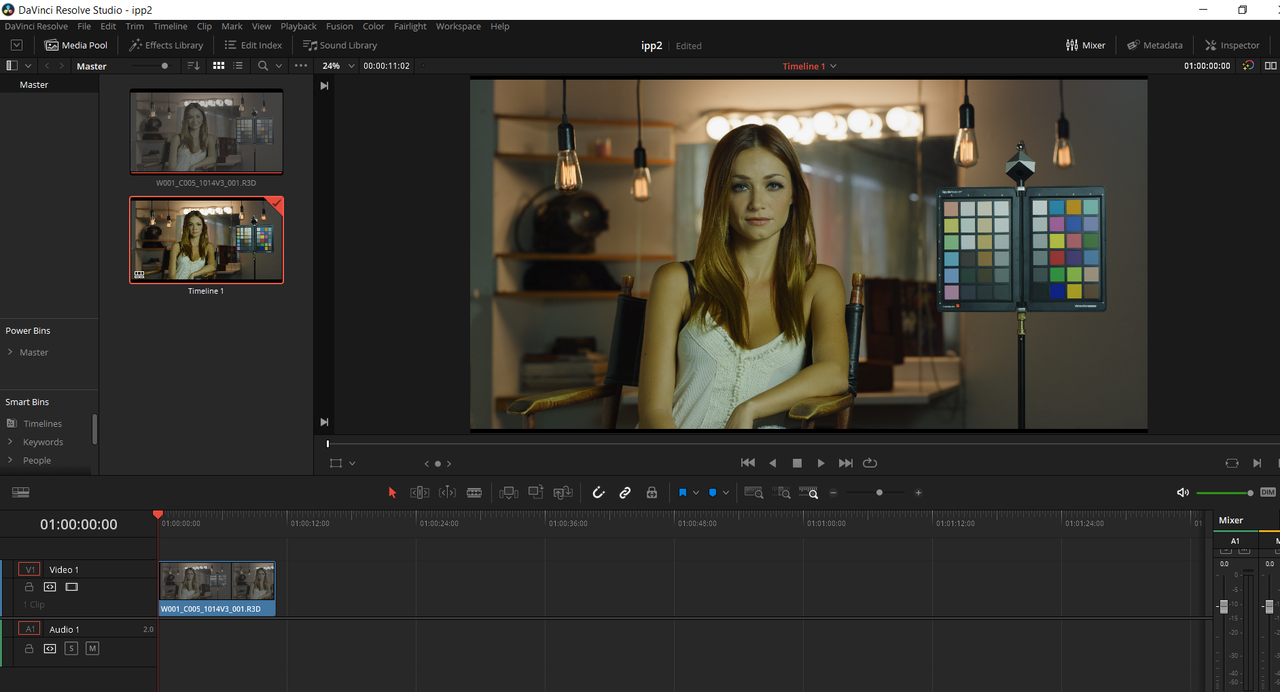
When you bring the Red .R3D file into Resolve, It still looks flat like the RWG/LOG3G10 image should look. However, when you place the .R3D image on the timeline, the IPP2 Transform Lut you selected in the "3D Output Lookup Table" Menu takes affect

Screenshot-151.png


Screenshot-152.png


OR

Not select an IPP2 Transform Lut in the "3D Output Lookup Table" and use an IPP2 Transform Lut at the end of a Node Tree to transform the image

Screenshot-137.png


Screenshot-137-2.png


Continued Next Post..........
 
Last edited:
Back
Top