Welcome to our community

Be a part of something great, join today!

  • Hey all, just changed over the backend after 15 years I figured time to give it a bit of an update, its probably gonna be a bit weird for most of you and i am sure there is a few bugs to work out but it should kinda work the same as before... hopefully :)

IPP2

Continued from Last Post..........


OR


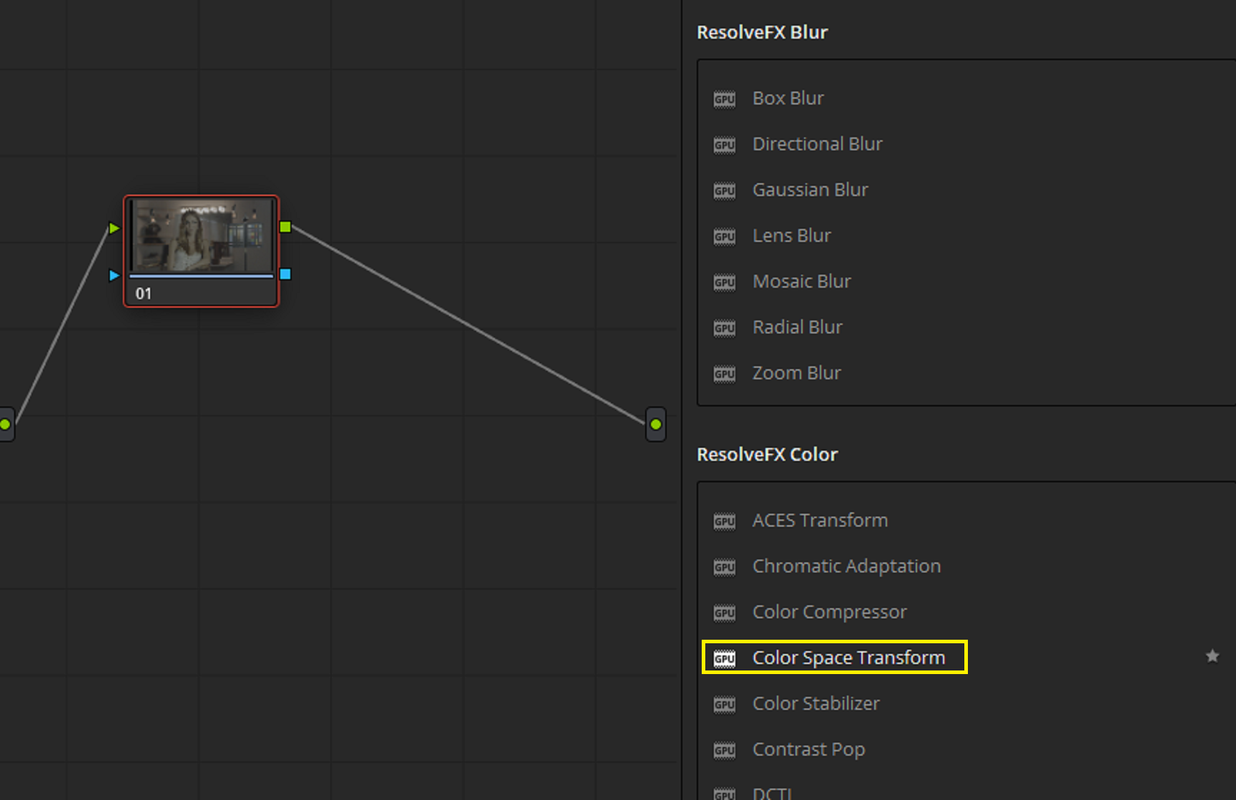
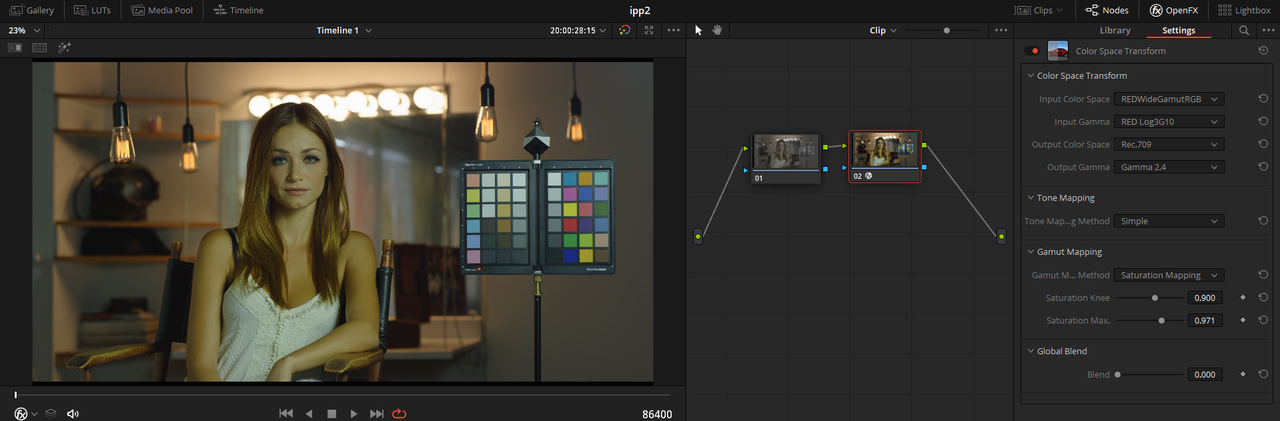
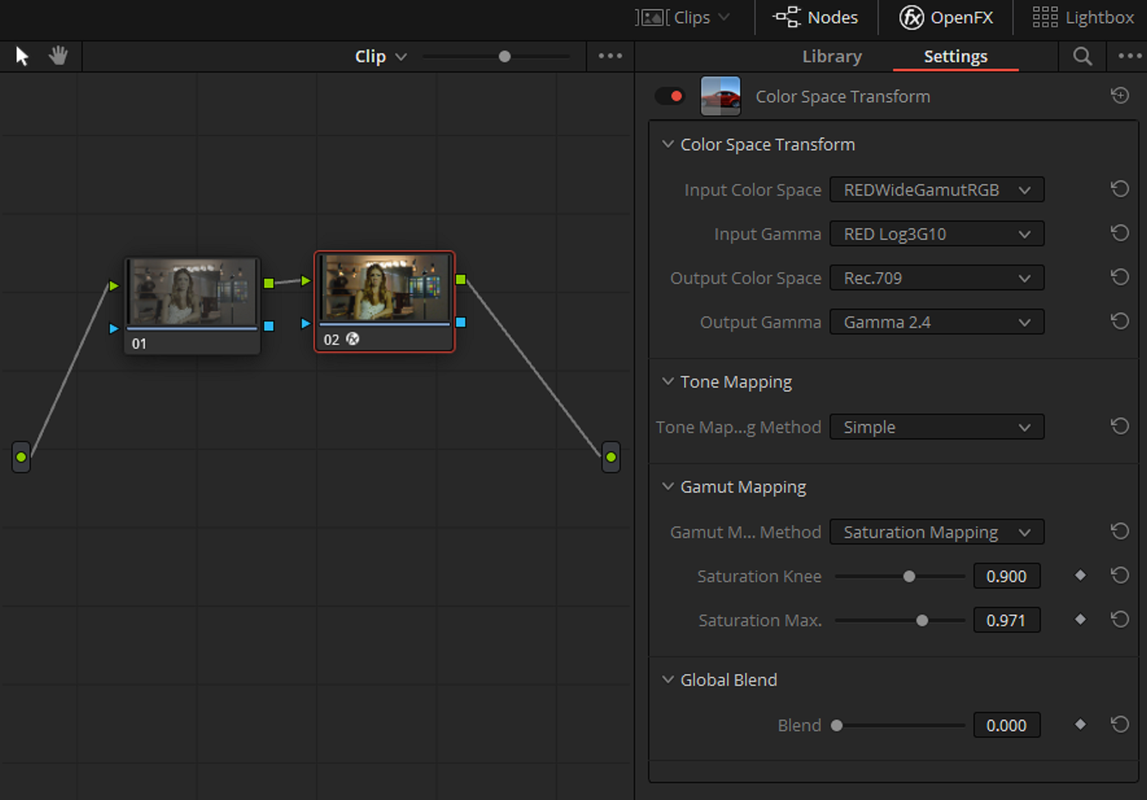
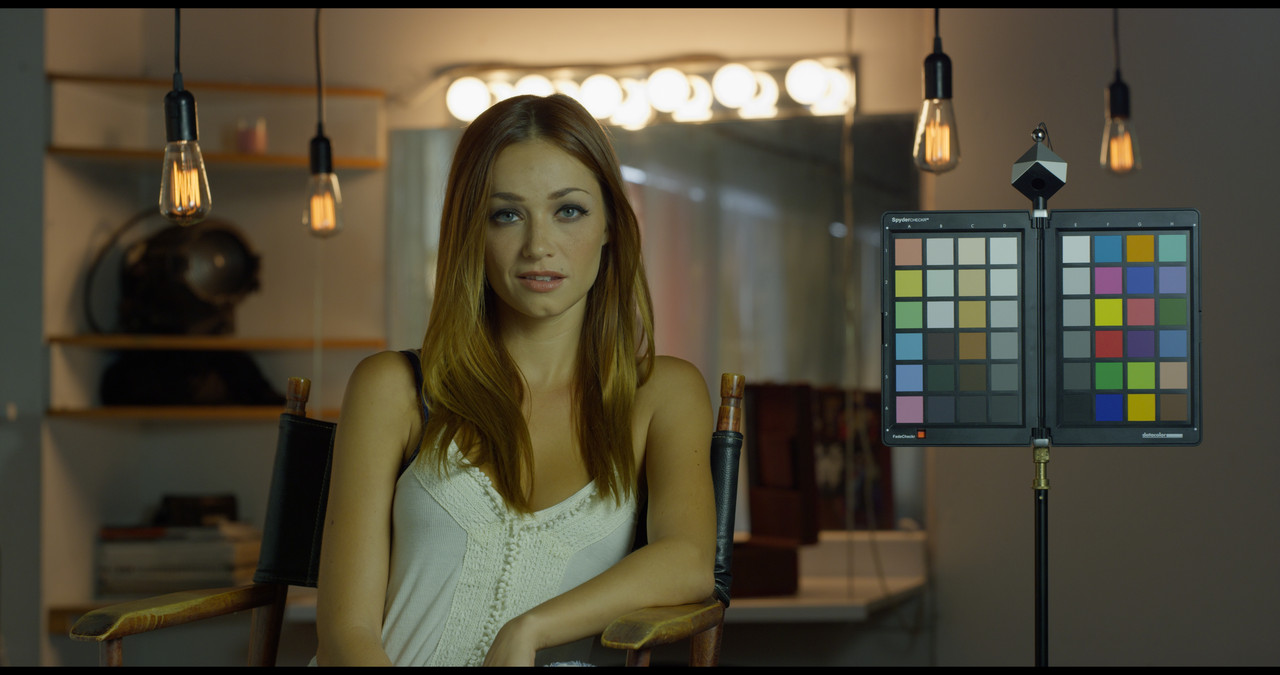
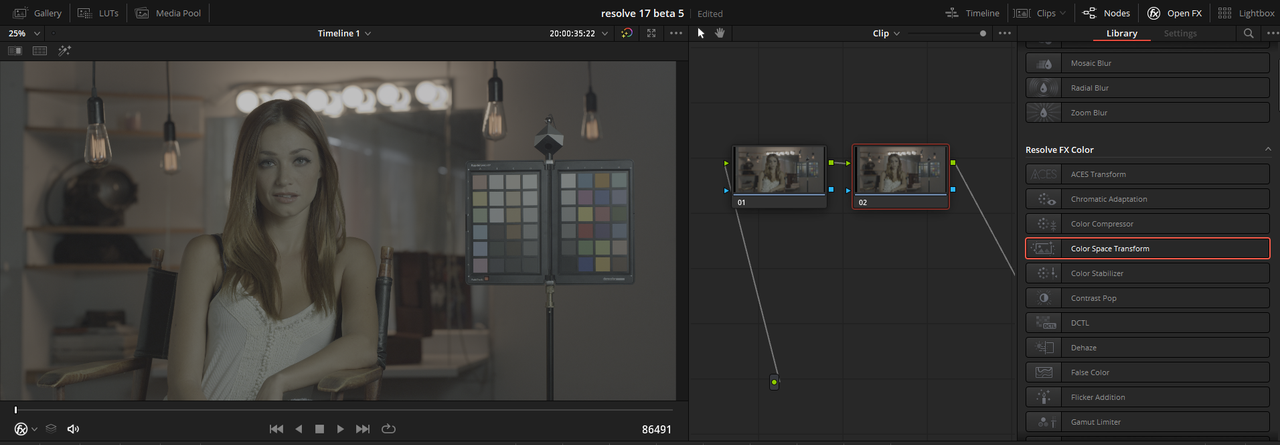
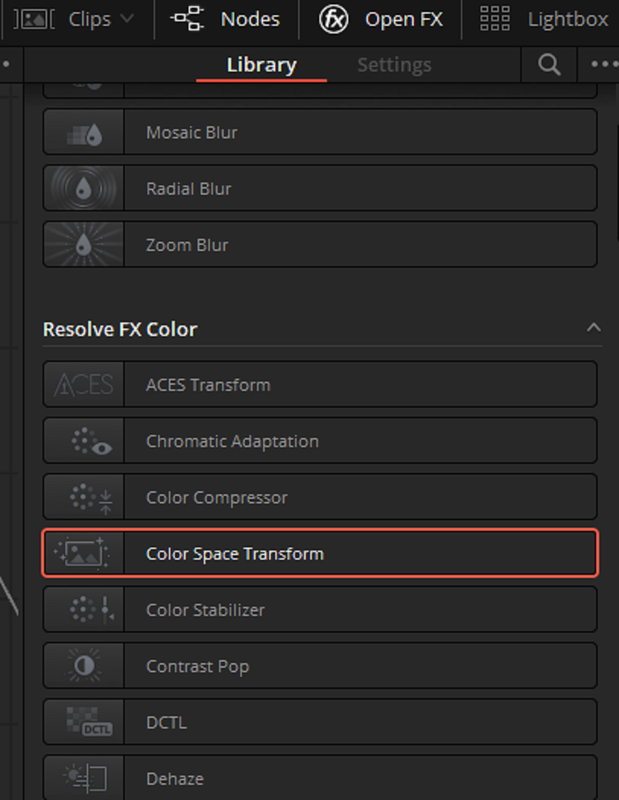
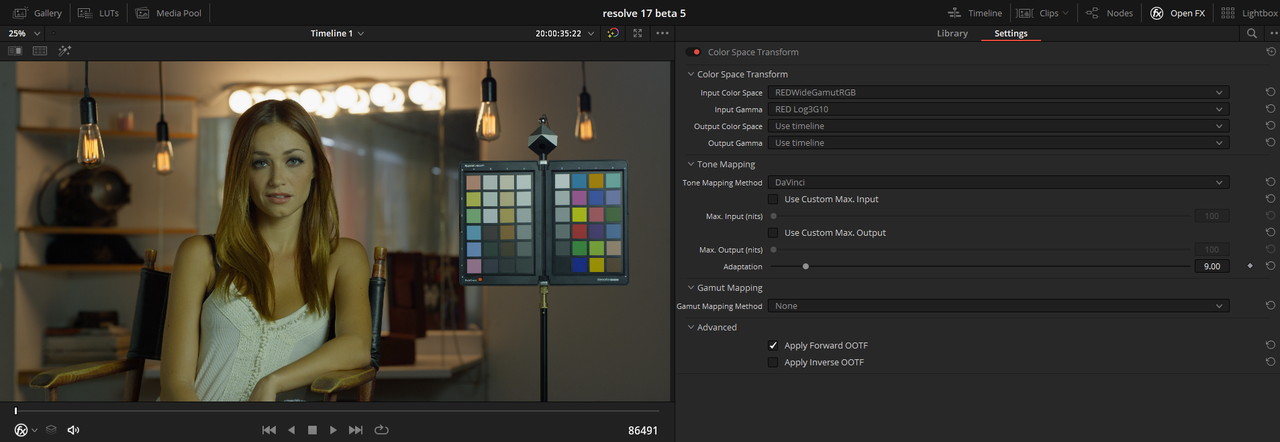
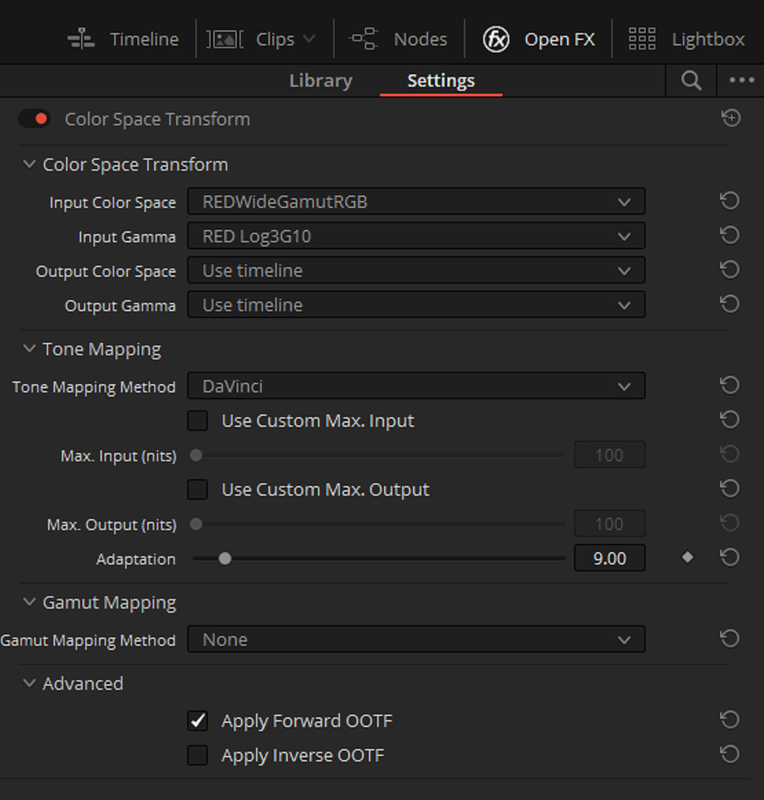
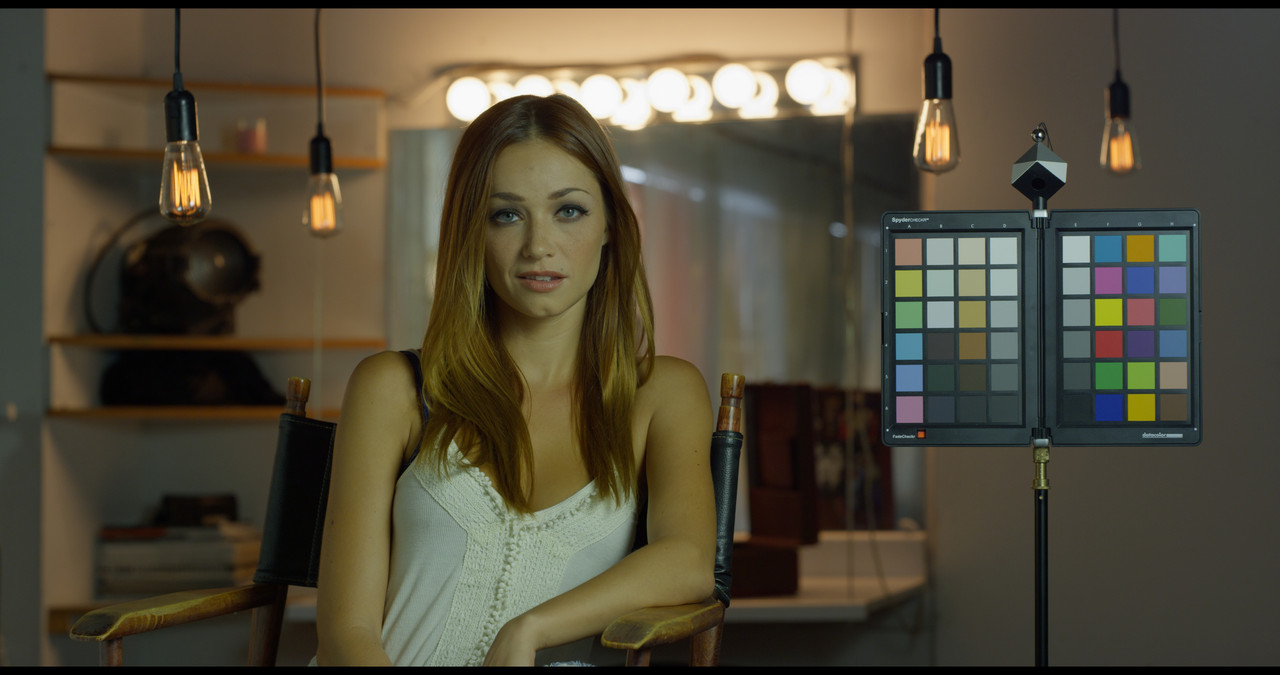
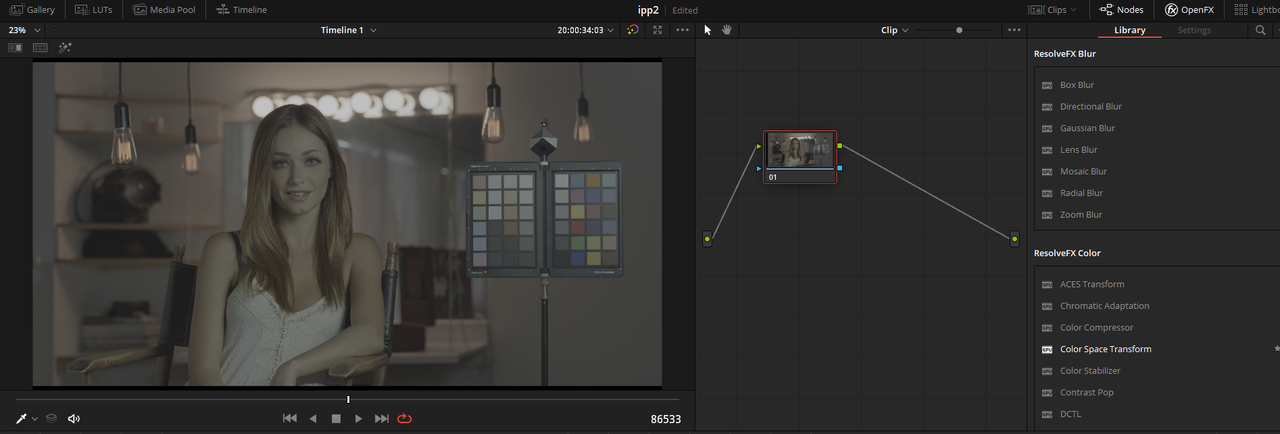
Use the OFX plugin "COLOR SPACE TRANSFORM" to develope the RWG/LOG3G10 Image..

Screenshot-153.png


Screenshot-153-2.png


Screenshot-154-2.png


Screenshot-154-3.png
 
Last edited:
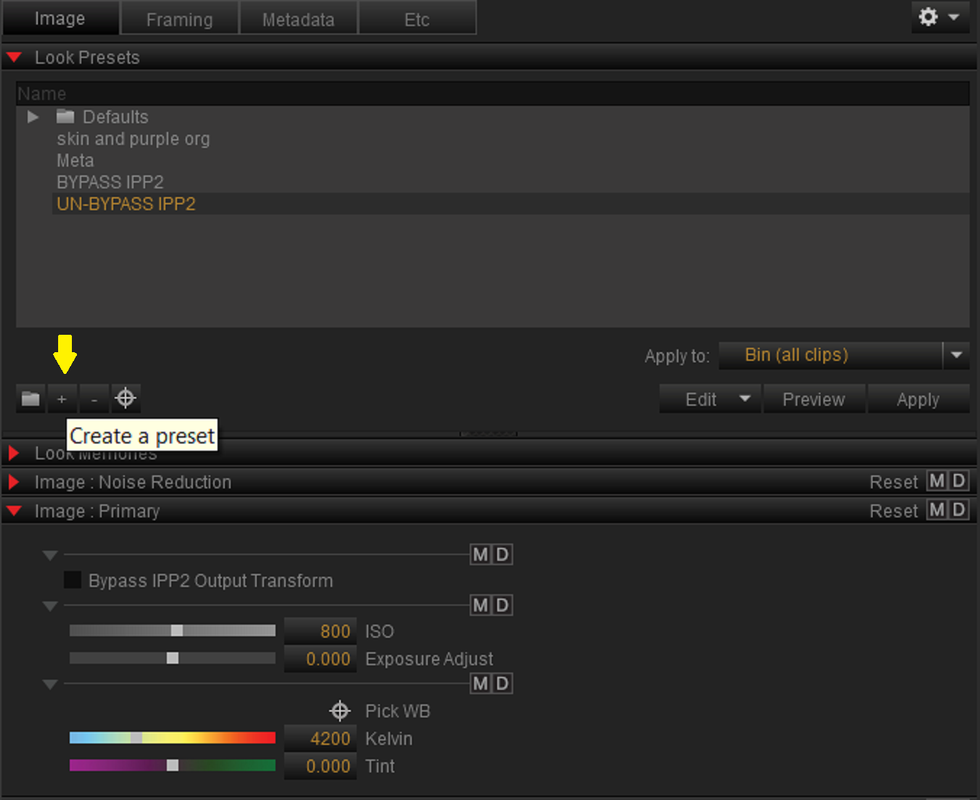
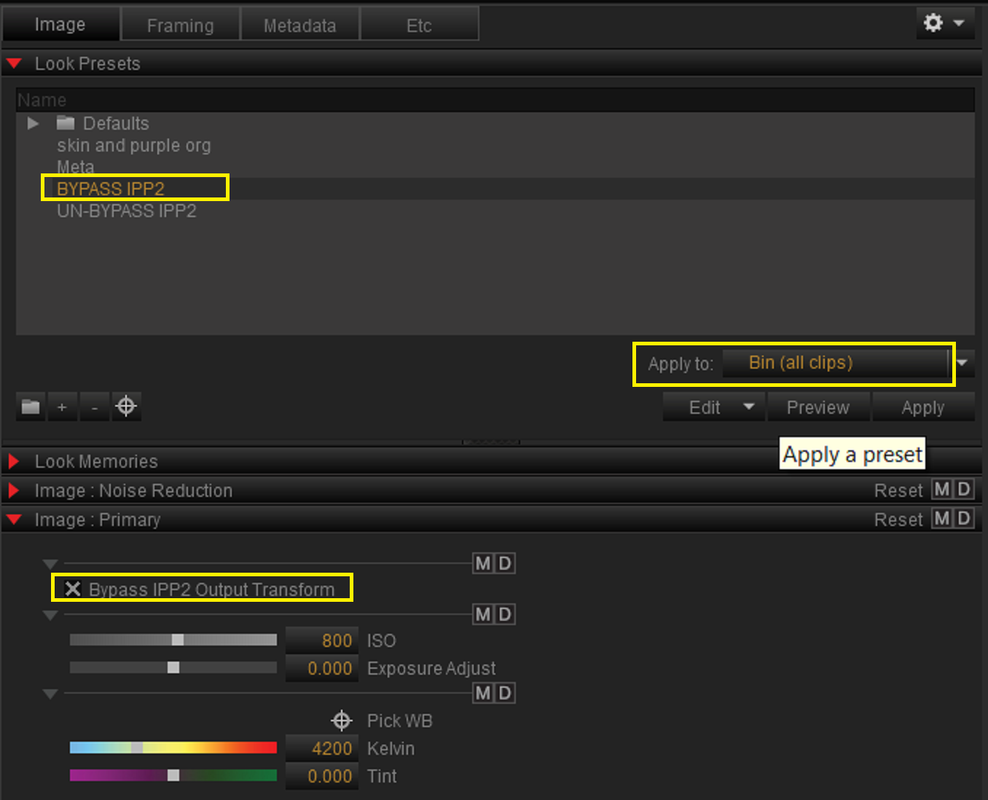
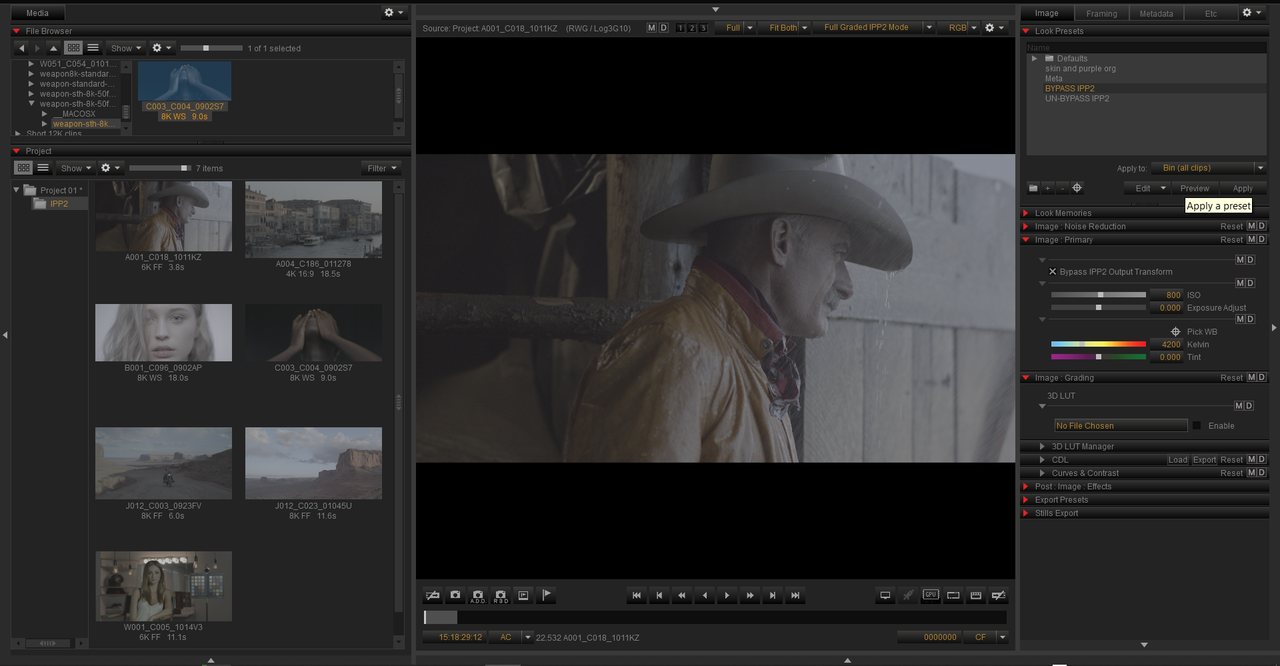
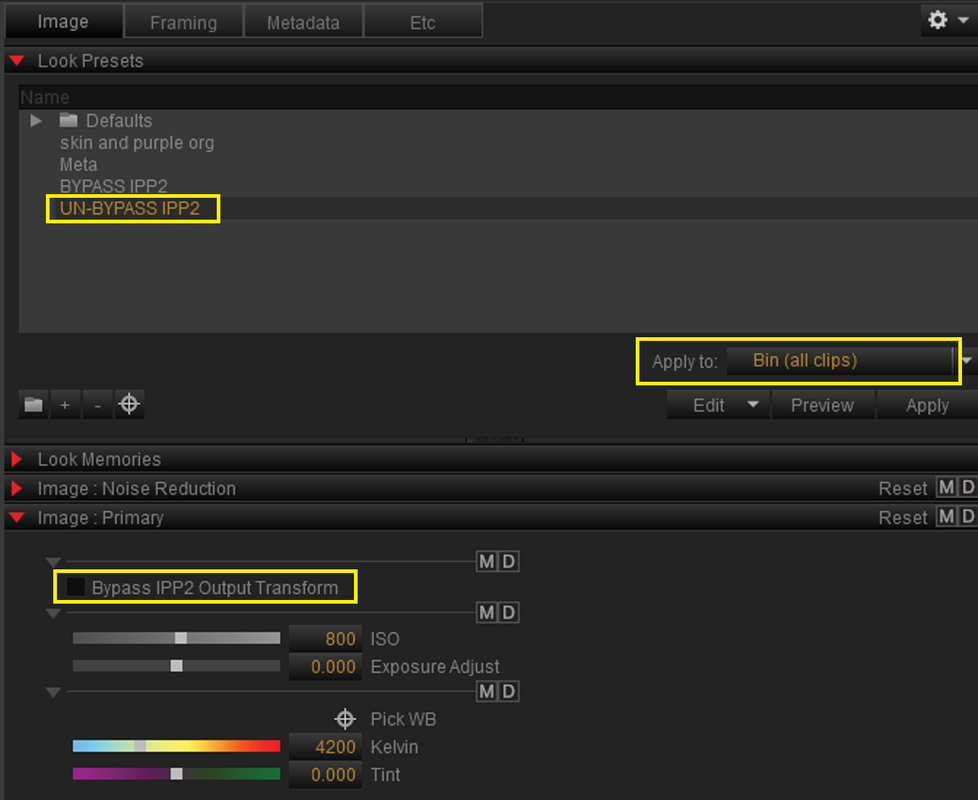
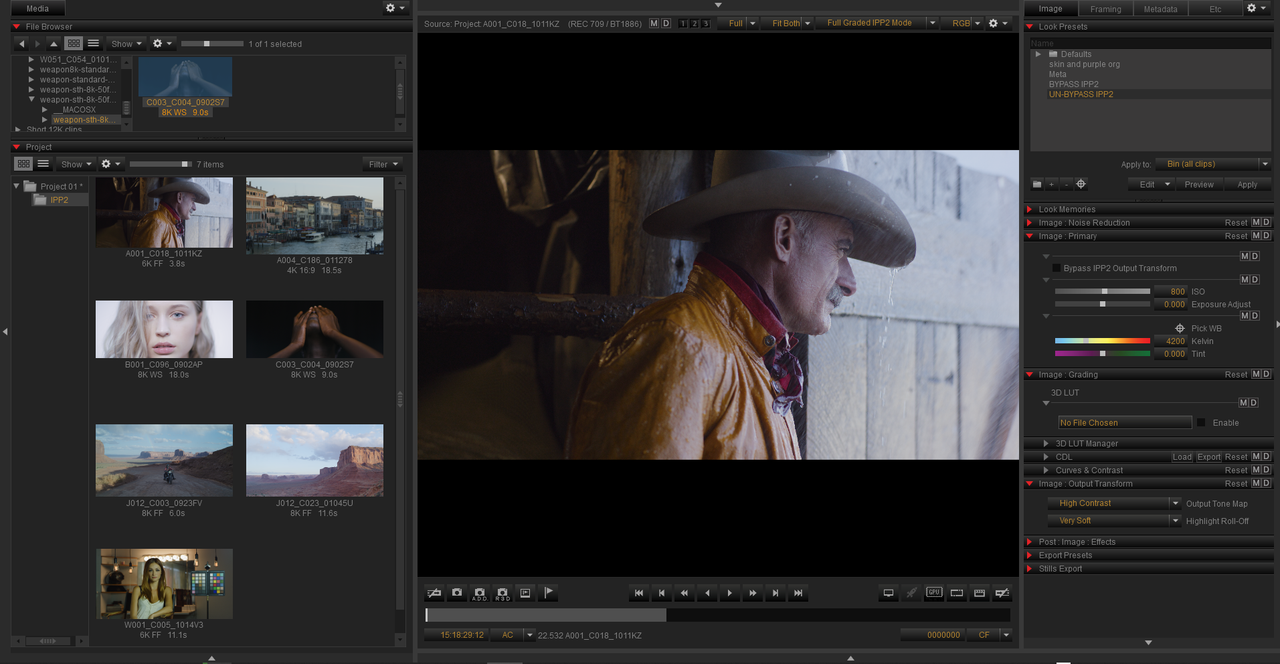
You can create a "PRESET" in Redcine-X Pro that allows you to "BYPASS" the mathematical IPP2 Transform in Redcine-X for multiple R3D files(Change RED.R3D files into a RWG/LOG3G10 image)


In Redcine-X


1)Create two "PRESETS" one to "BYPASS IPP2 OUTPUT TRANSFORM" and one to "UN-BYPASS IPP2 OUTPUT TRANSFORM"


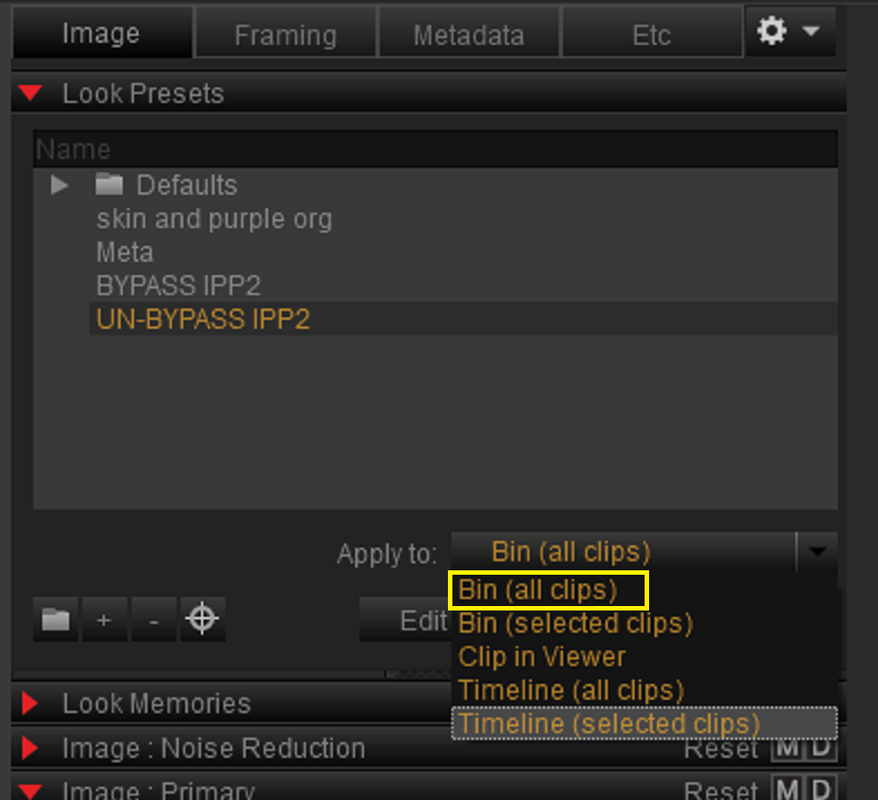
2) Next, Select the location and range of the RED .R3D files you want to affect. In this case, I chose "BIN(ALL CLIPS)"


Screenshot-163.png


Screenshot-166.png


BYPASS


Screenshot-165.png


Screenshot-161.png


Screenshot-161-2.png


UN-BYPASS


Screenshot-164.png


Screenshot-162.png


Screenshot-162-3.png
 
Last edited:
So, just to be clear, using Resolve's built-in IPP2 Tone Mapp/Roll-off in the Camera RAW controls section, is actually out of order, right? That's why you're using the LUT on the last node?

This has been bugging me forever...And kind of infuriating.

Follow-up question; presuming the order is wrong when using Camera RAW and applying a node with a LUT at the end is proper/best, do you know if using the Tone/Roll-off LUT on the entire "timeline" node tree is applied *after* any "clip" nodes?
 
So, just to be clear, using Resolve's built-in IPP2 Tone Mapp/Roll-off in the Camera RAW controls section, is actually out of order, right? That's why you're using the LUT on the last node?


Mike,


1) first question

Not really out of order, the RWG/LOG 3G10 image has already been transformed into the REC709 color space in the default Resolve Workflow


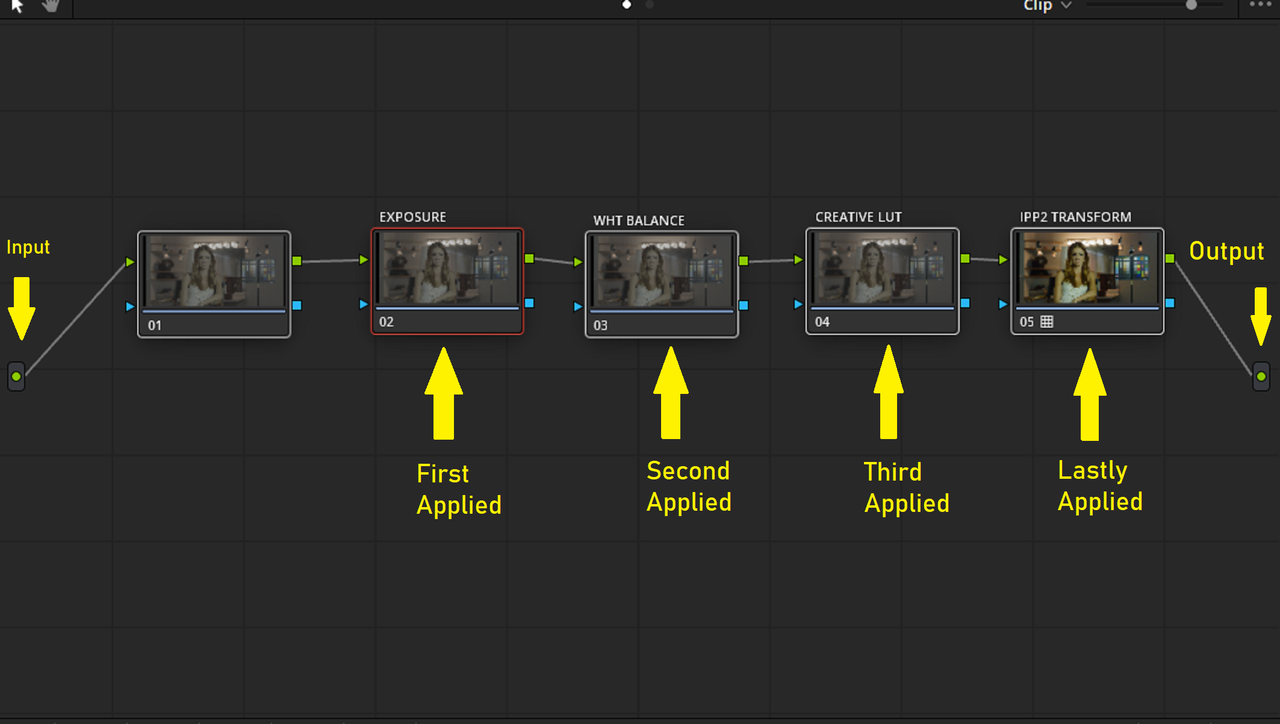
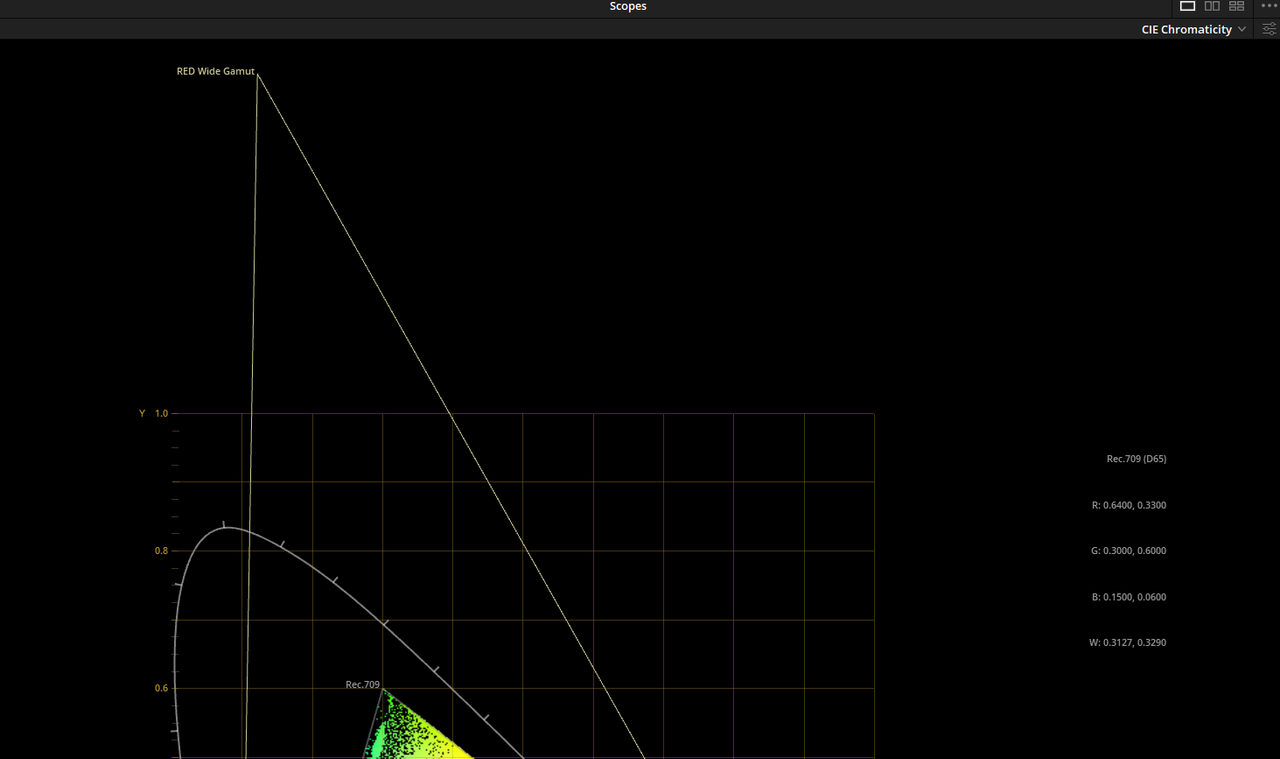
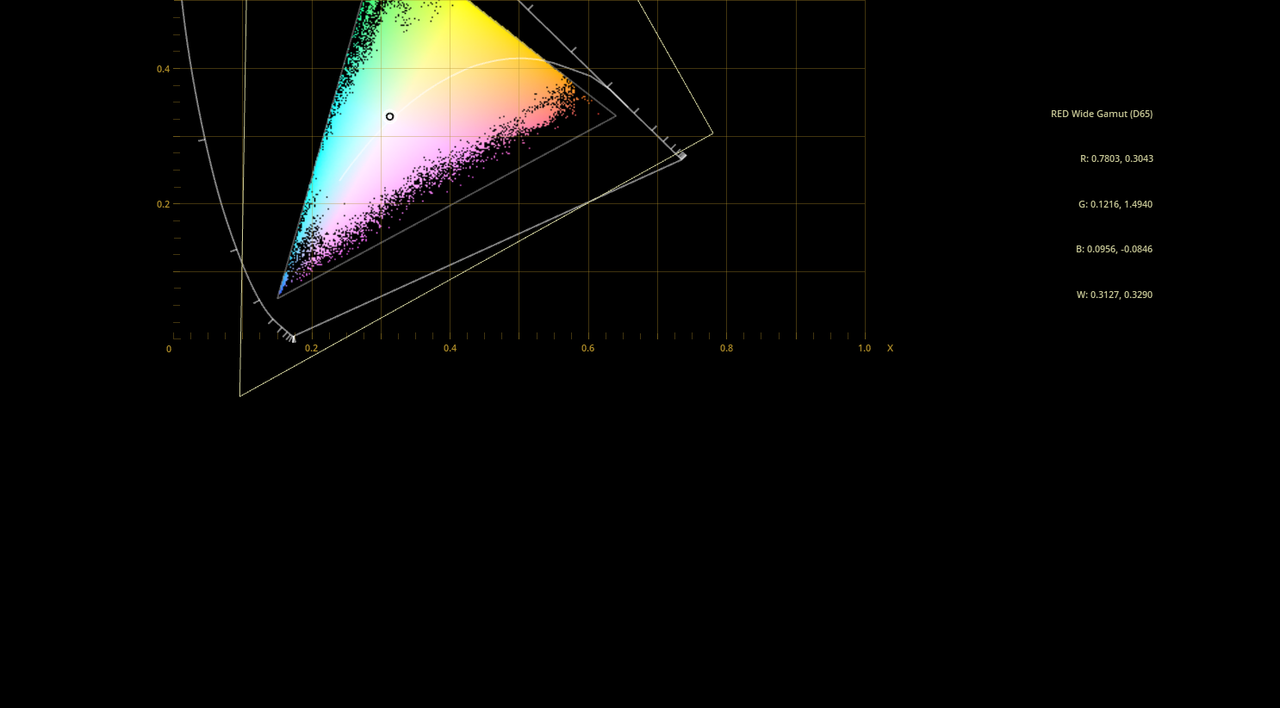
Here is How The IPP2 Workflow should look


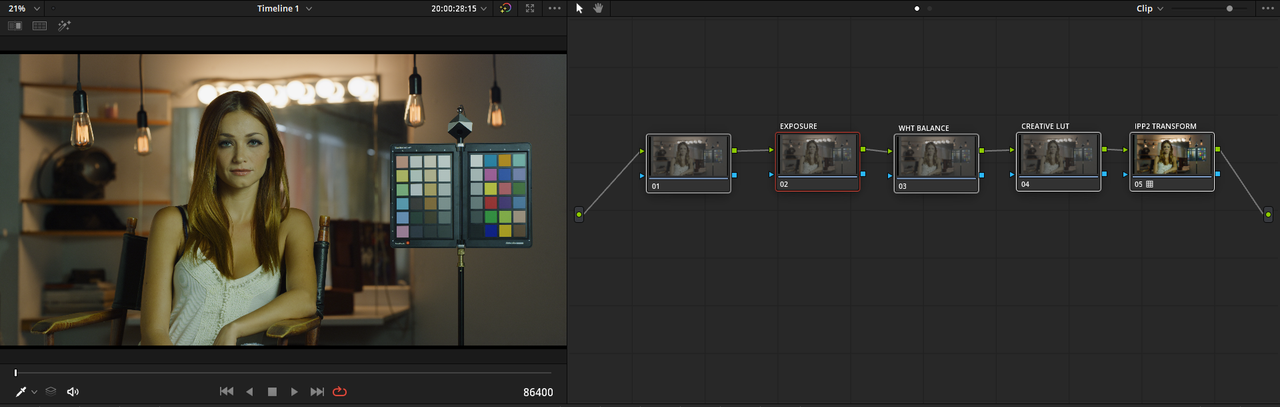
With all grading done in the REDWIDEGAMUTRGB/LOG3G10 color space then transformed with an IPP2 Output Transform Lut to the desired smaller color space

REDWIDEGAMUTRGB/LOG3G10 > GRADING > CREATIVE LUT > IPP2
OUTPUT TRANSFORM(Mathematical or LUT) to REC709


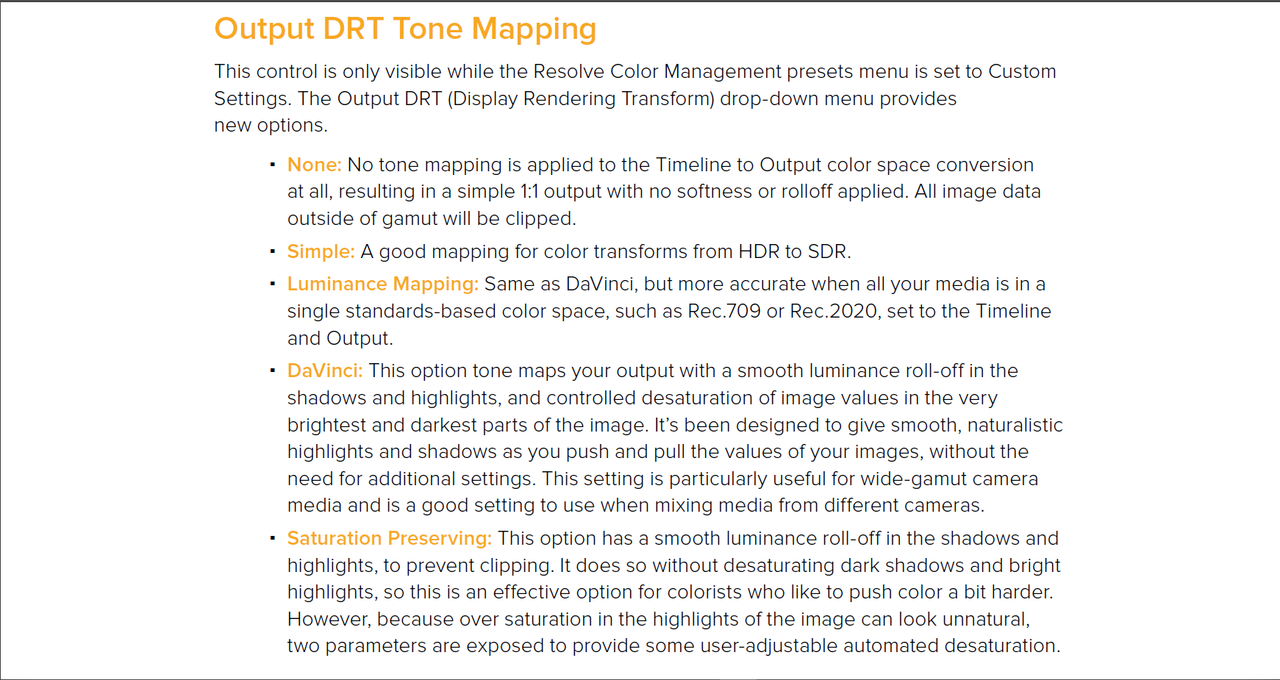
The Default in Resolve


The REDWIDEGAMUTRGB/LOG3G10 Image has already been transformed into the REC709 Color space. Every grading decision you make will be confined to the smaller REC709 color space and not in the larger REDWIDEGAMUTRGB/LOG3G10 color space.


REC709 > GRADING > LUT > REC709
 
Follow-up question; presuming the order is wrong when using Camera RAW and applying a node with a LUT at the end is proper/best, do you know if using the Tone/Roll-off LUT on the entire "timeline" node tree is applied *after* any "clip" nodes?


I tried that a while back and I was never sure if Resolve applied the lut at the Beginning or the End of the grade, But I was thinking it's at the beginning. Since there was no way to establish the LUT as an OUTPUT TRANSFORM LUT, I am just "assuming" it applies it just an ARRI LOG, CANON LOG conversion Lut. Only Rohit Gupta and Peter Chamberlain, members on this site of Blackmagic Design, could possibly answer that for sure.
 
Last edited:
Mike,


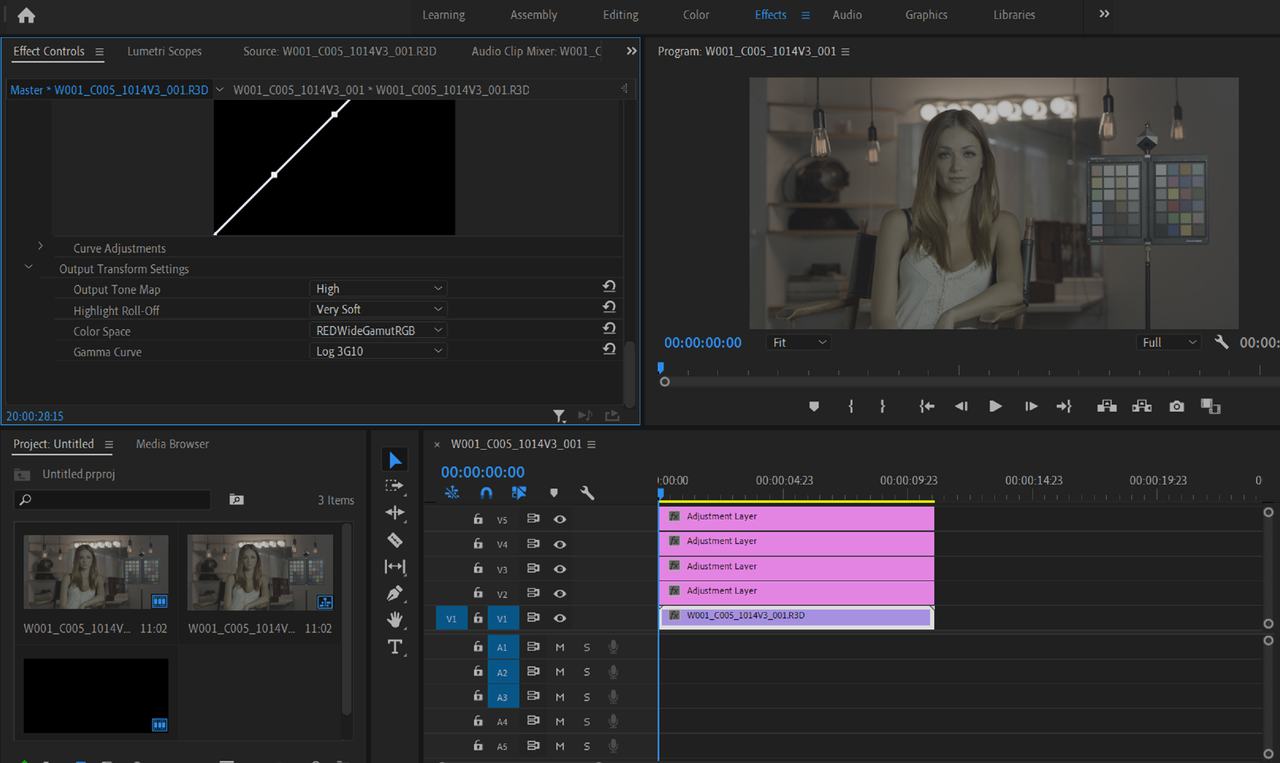
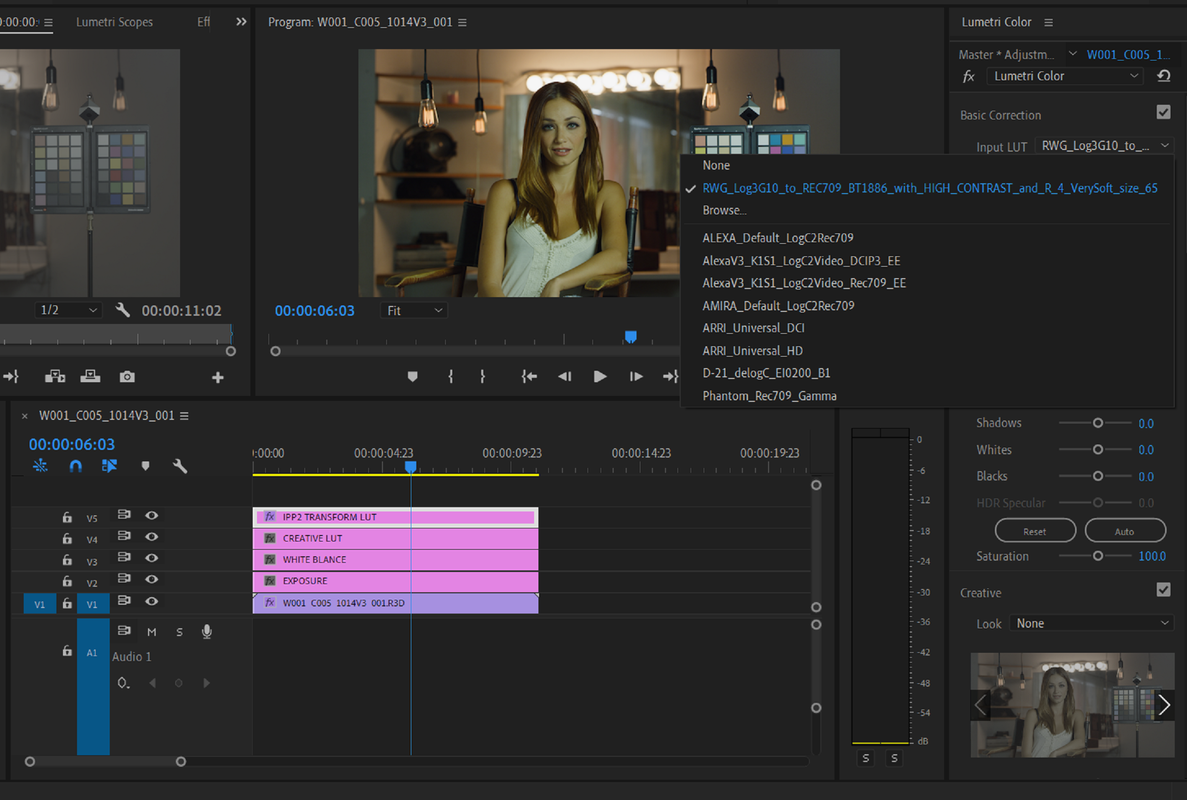
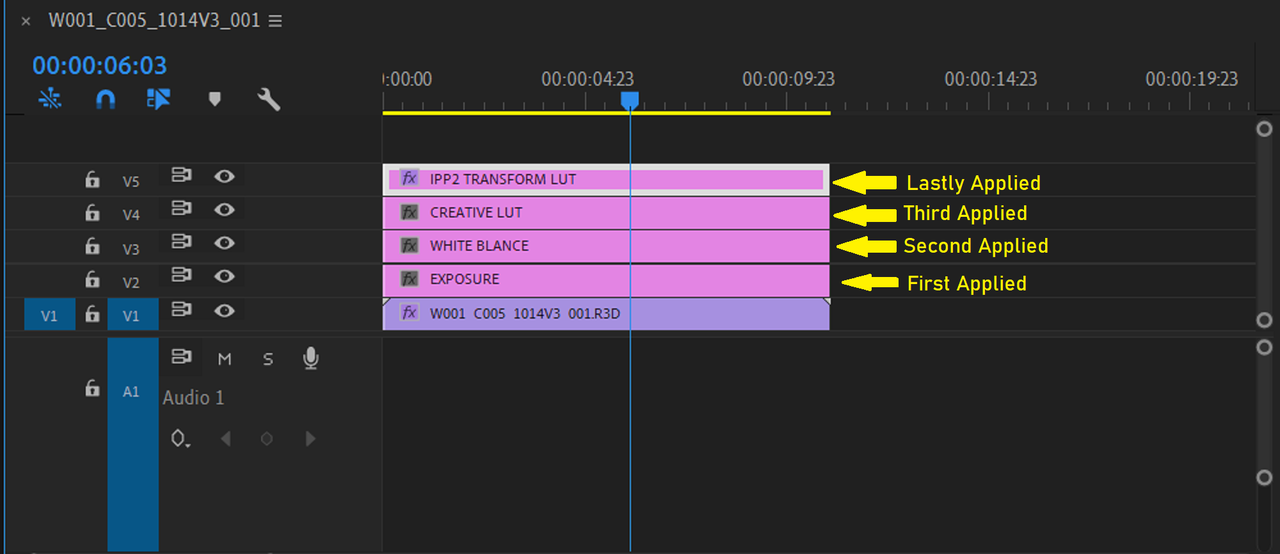
Also in Resolve the image is processed in a Node Tree from Left(Input) to Right(Output). In Premiere Pro it is layered based, effects are applied from the bottom to the top. In the Layered based workflow applying a lut at the top of the Timeline would make sure it was the last effect that took place.


Screenshot-171.png


Screenshot-172.png


However in Adobe Premiere, which is "Layer Based" the image is processed from the Bottom to the Top

Screenshot-167.png


Screenshot-170.png


Screenshot-169.png
 
Thanks Rand!

It's not *that* big of an issue (using the IPP2>709 on the last node), but it is a point of needless confusion and I'm still not sure where/what the benefit is of using tone/highligh (as compared to having an all-encompassing "LogC" or "RWG/L3G10" to 709/2020/etc conversion LUTs). It's just kinda a 'two steps forward, one step back' way, type of thing... but I digress.
 
Mike,


I guess its just to Grade and manipulate Colors while they are in the widest capable range possible from the Red Sensor, then with an Ipp2 transform lut, bring that really large range of colors into a much smaller Color Space with a wider range of Hues within the REC709 color space than would have been possible in just the standard REC709/REC2020 workflow.

Difference between RWG/LOG3G10 and REC709

Screenshot-138.png

Screenshot-140.png
 
I tried to post a comment earlier, but Server Error 500 reared its ugly head.
 
Micheal,

That happens to me as well from time to time. What was your comment?
 
Part 1

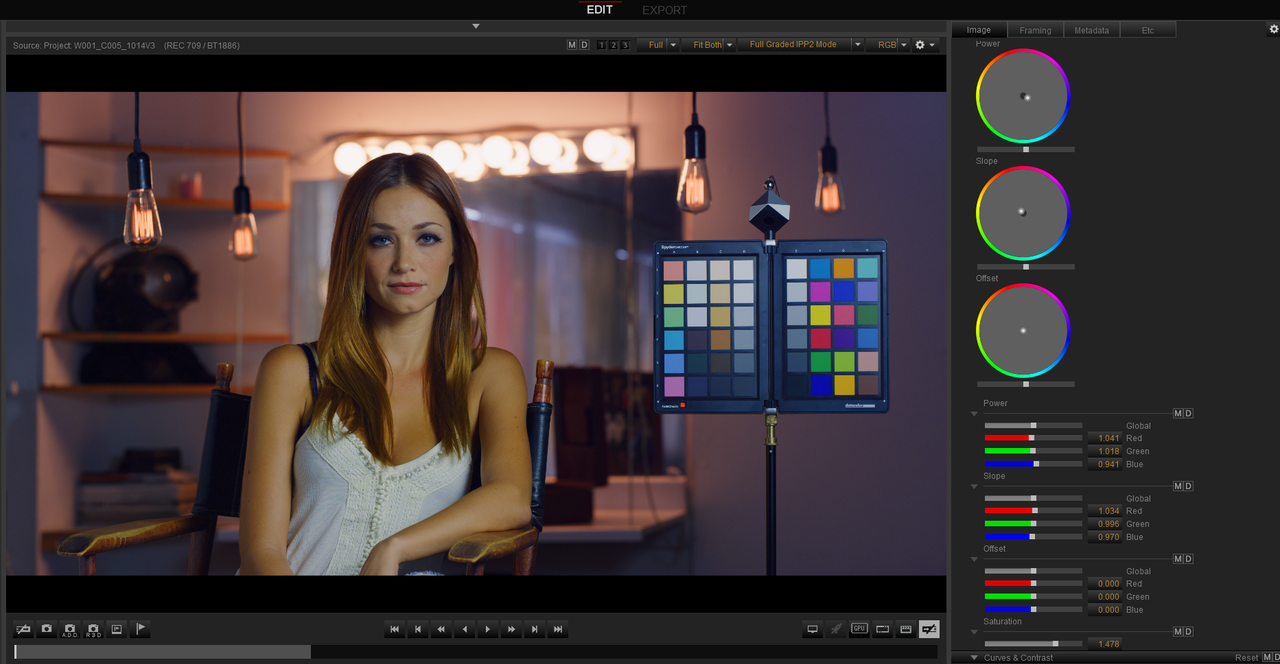
REDCINE-X CDL to DAVINCI RESOLVE Workflow

CDL is short for ASC CDL

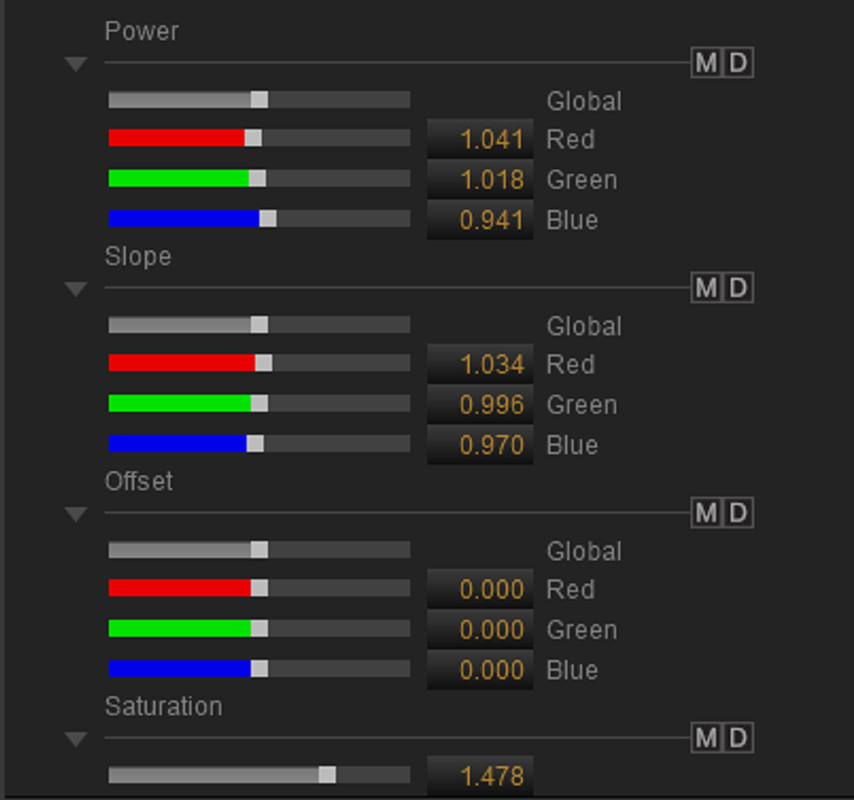
The American Society of Cinematographers Color Decision List(ASC CDL) is a format for the exchange of basic primary color grading information between equipment and software from different manufacturers. The format defines the math for three functions: Slope, Offset and Power. Each function uses a number for the red, green, and blue color channels for a total of nine numbers comprising a single color decision. A tenth number, Saturation, specified in the Version 1.2 release, applies to the R, G, and B color channels in combination.


REDCINE-X


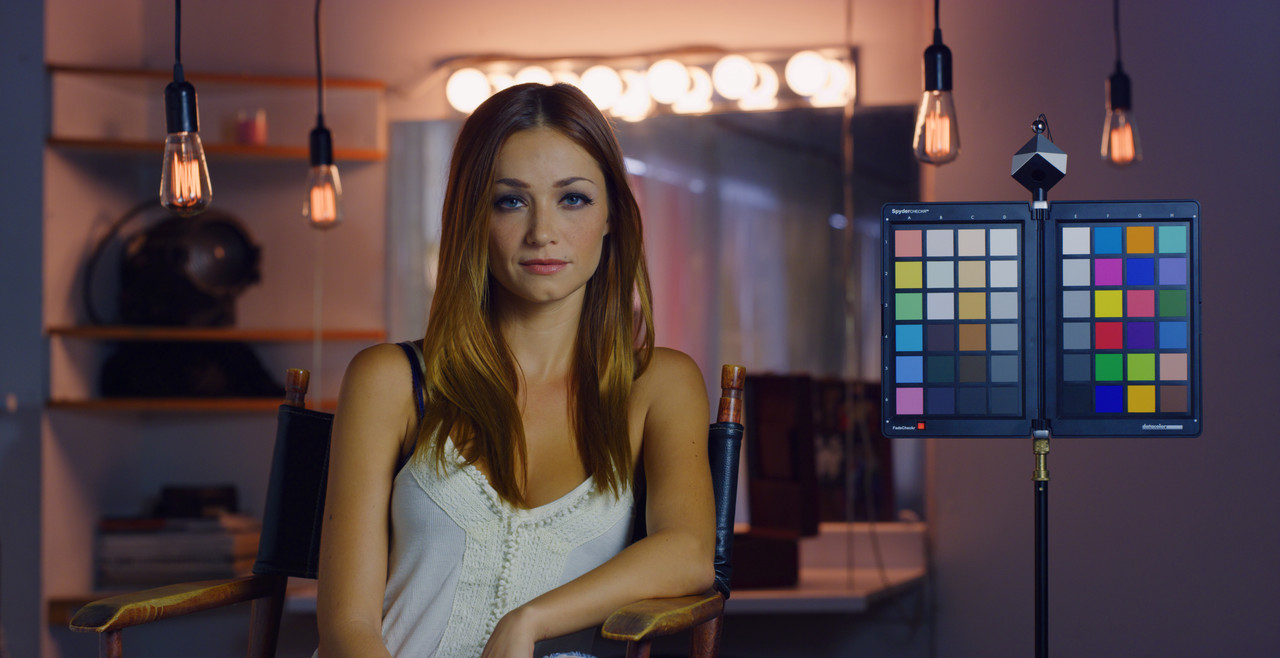
1)Create a look in the "CDL" Palette. The Look below was made from a 4200K and 800 ISO setting.

Screenshot-268.png


W001-C005-1014-V3-S000-0000000.jpg


Screenshot-268-2.png


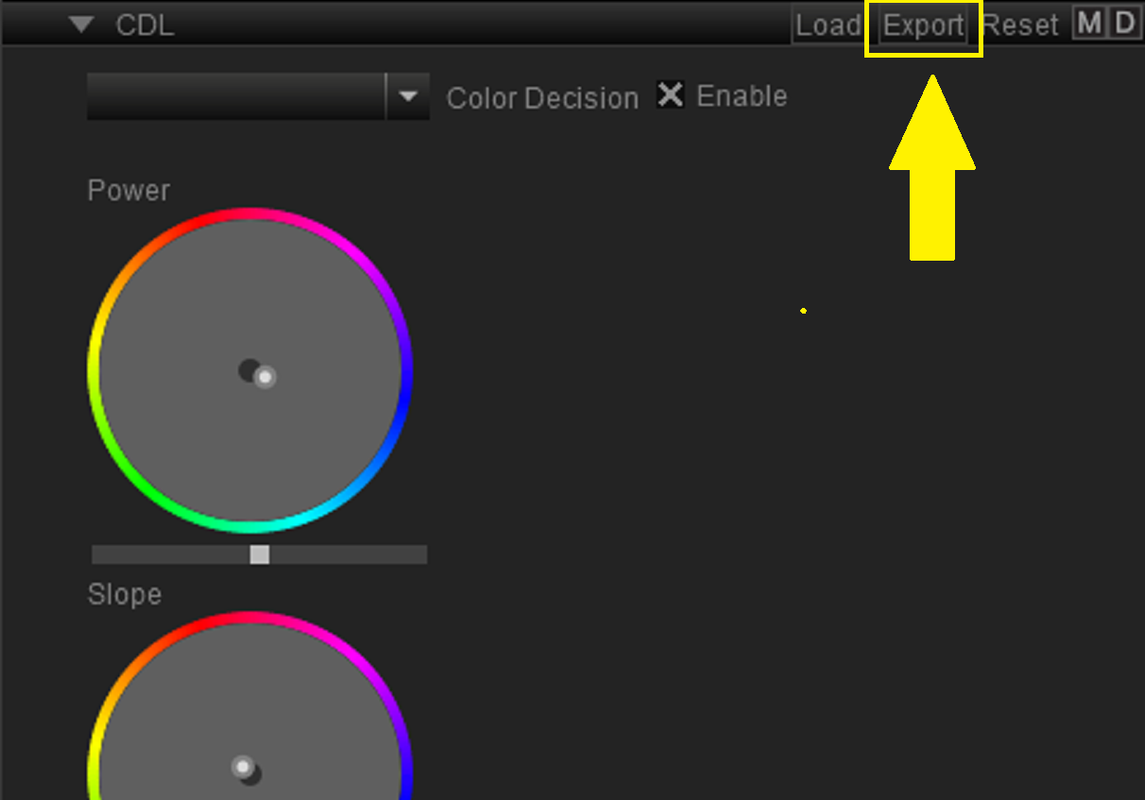
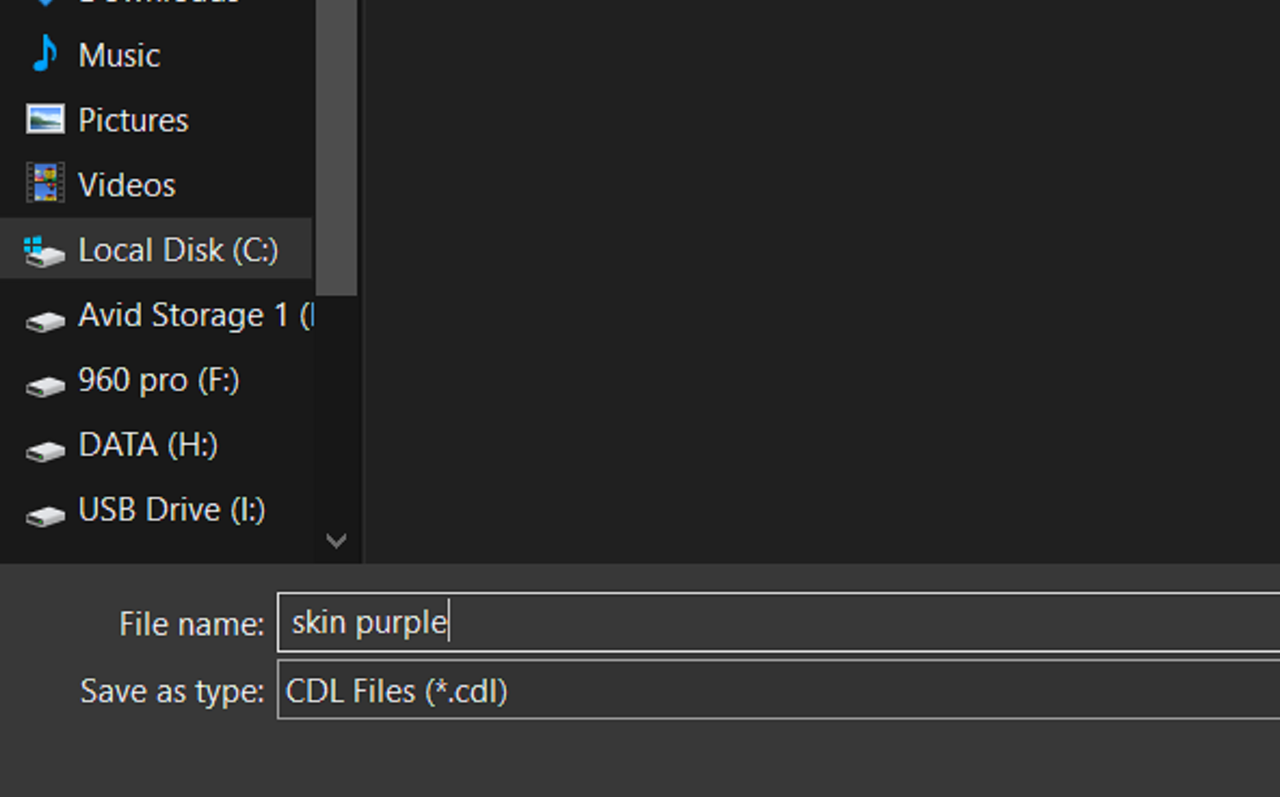
2)Next, "EXPORT" the CDL Grade to your desired location


Screenshot-269.png


Screenshot-270.png
 
Last edited:
Part 2


DAVINCI RESOLVE

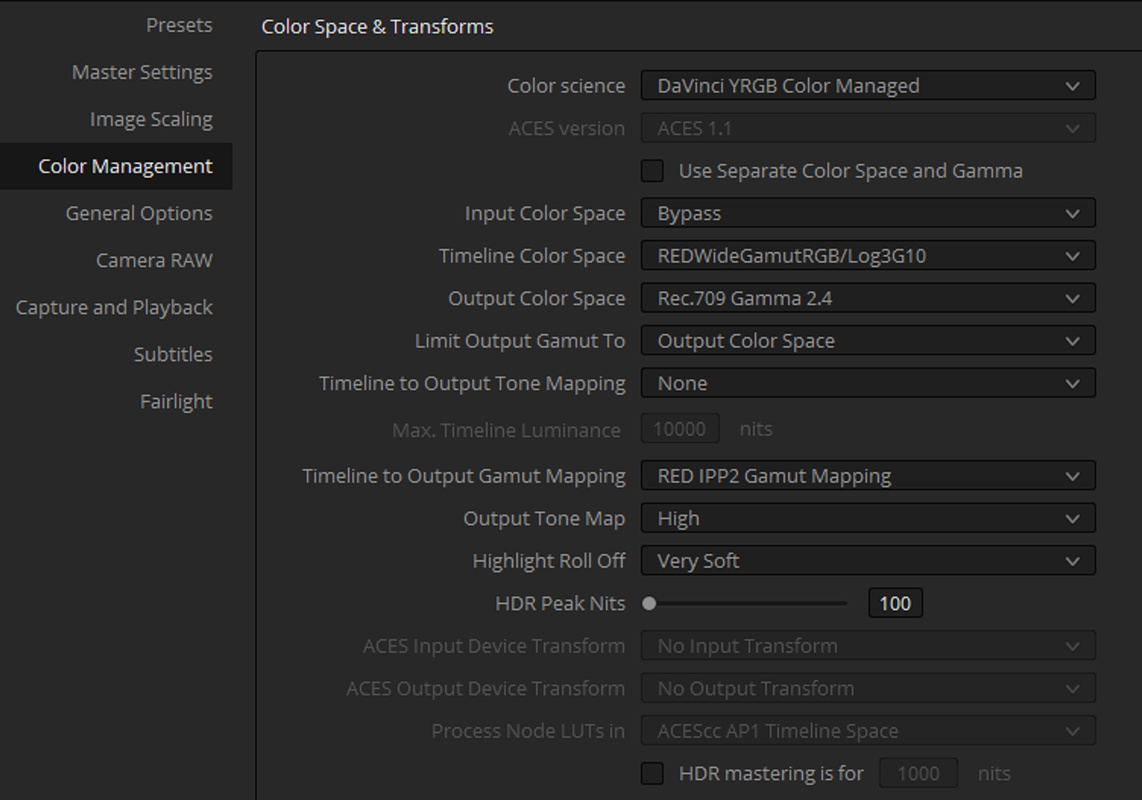
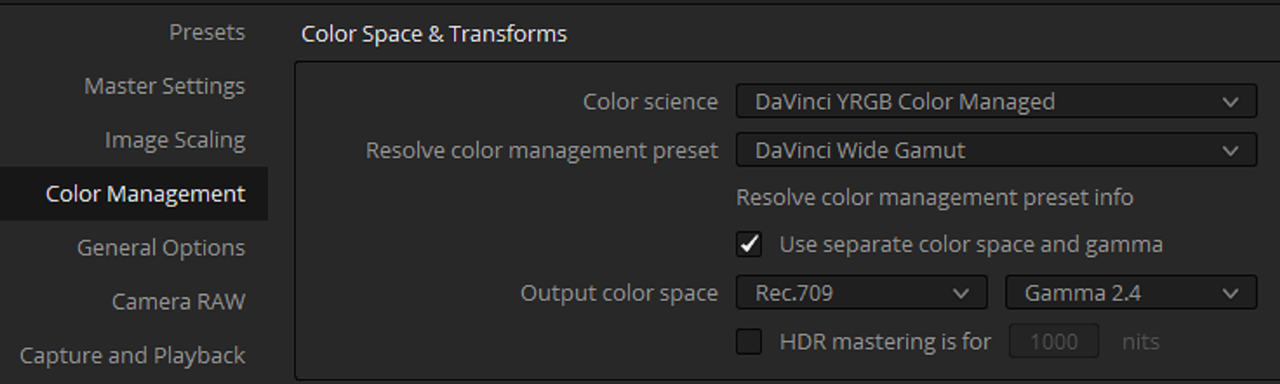
I'll Use a "DAVINCI YRGB COLOR MANAGED" Workflow for this example

Screenshot-278.png


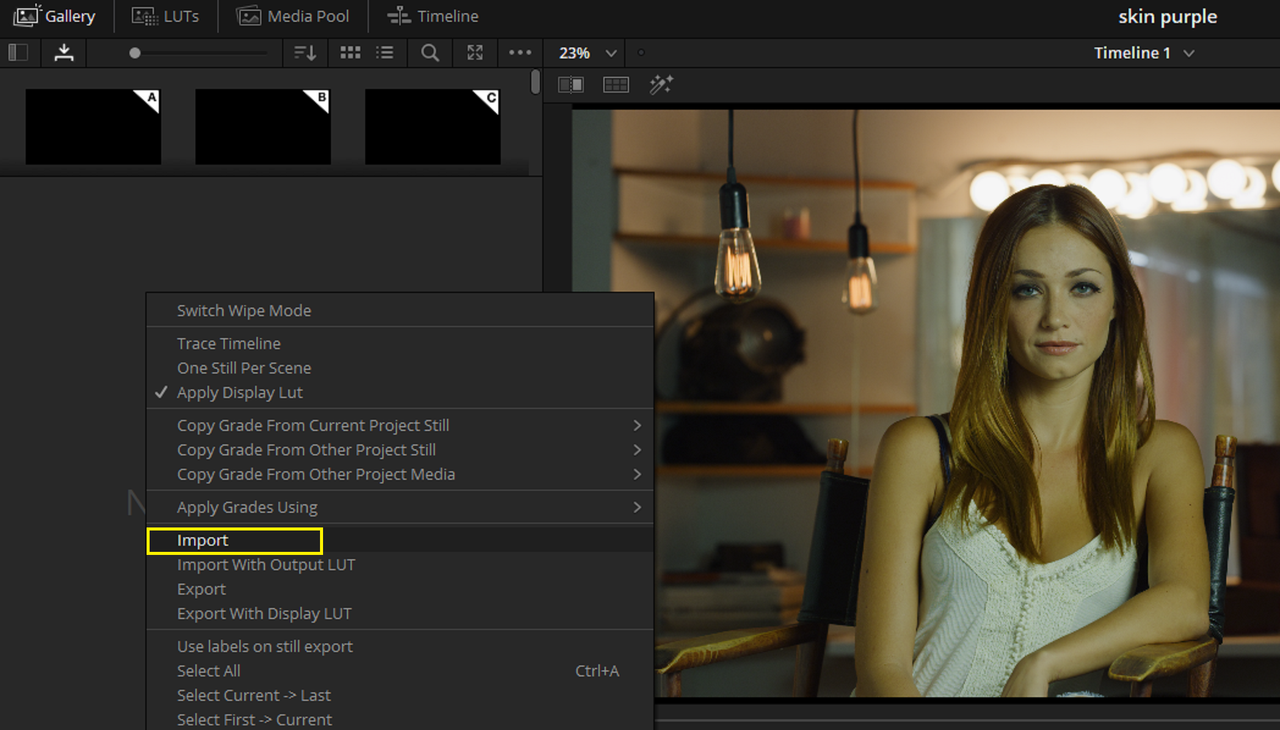
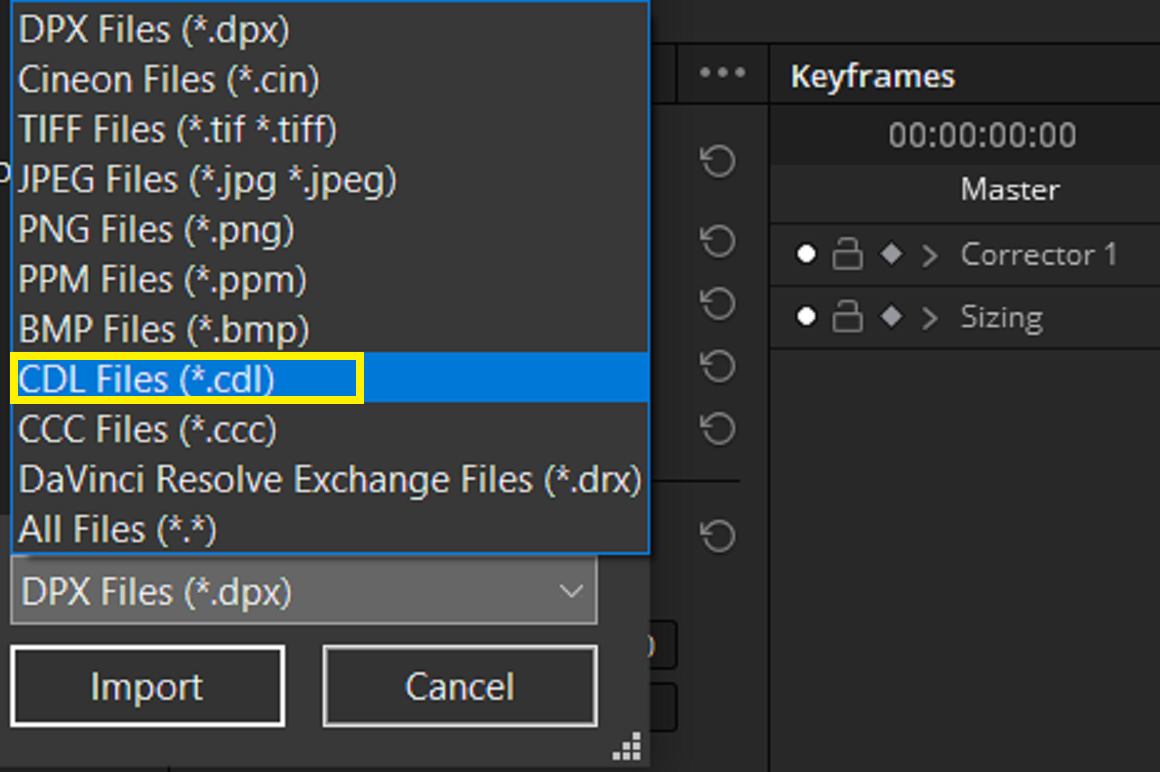
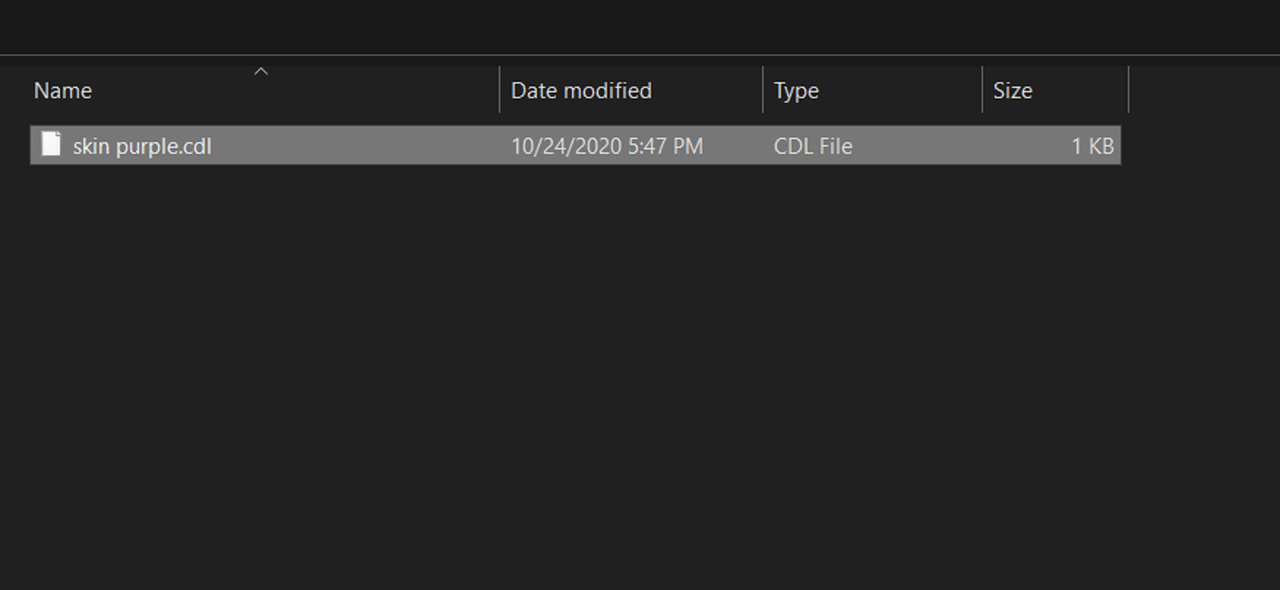
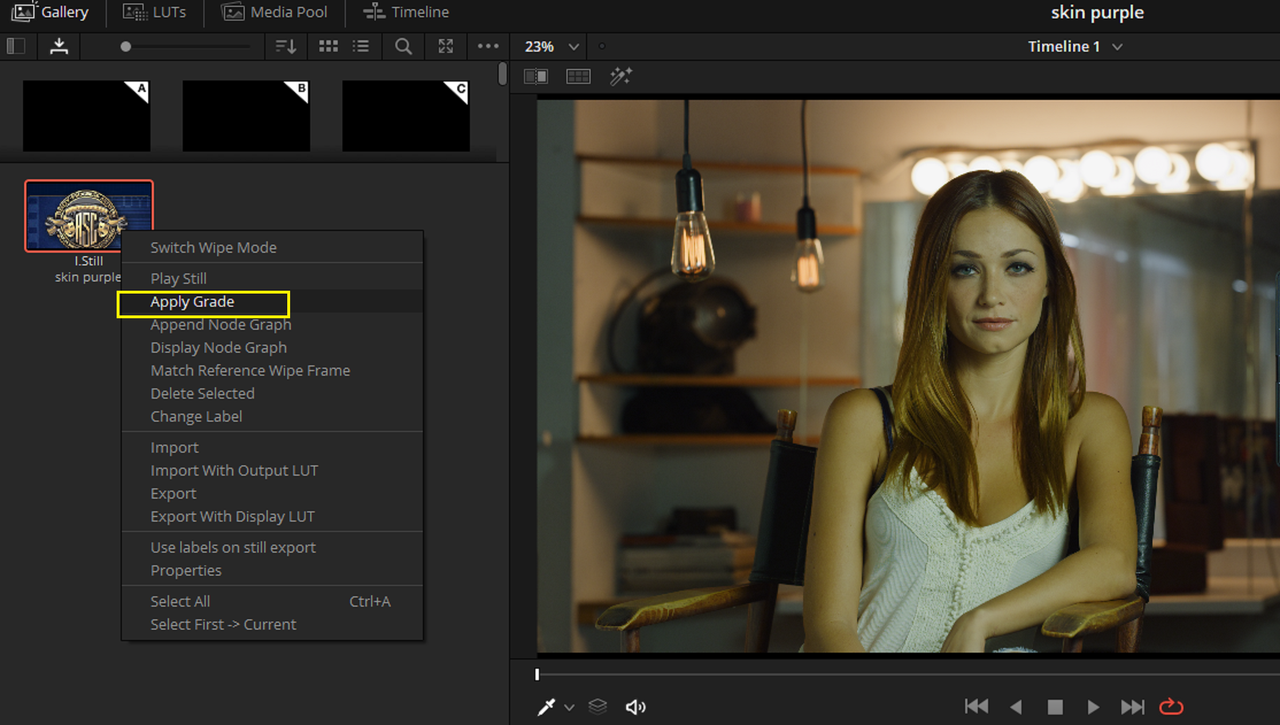
1) In the "GALLERY" area in the "COLOR" Page, "IMPORT" the "CDL". You'll have to select "CDL FILES" so that it will be visible in the location which you stored it.


Screenshot-271.png


Screenshot-272.png


Screenshot-277.png
 
Last edited:
Part 3


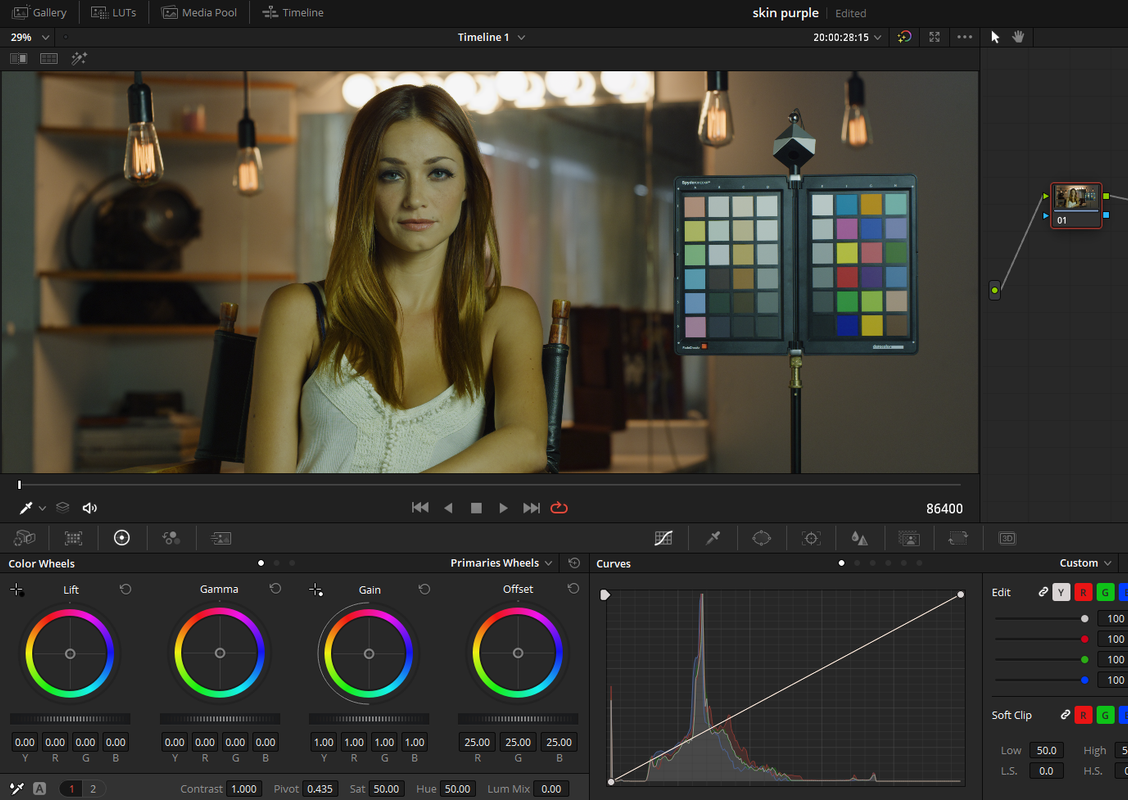
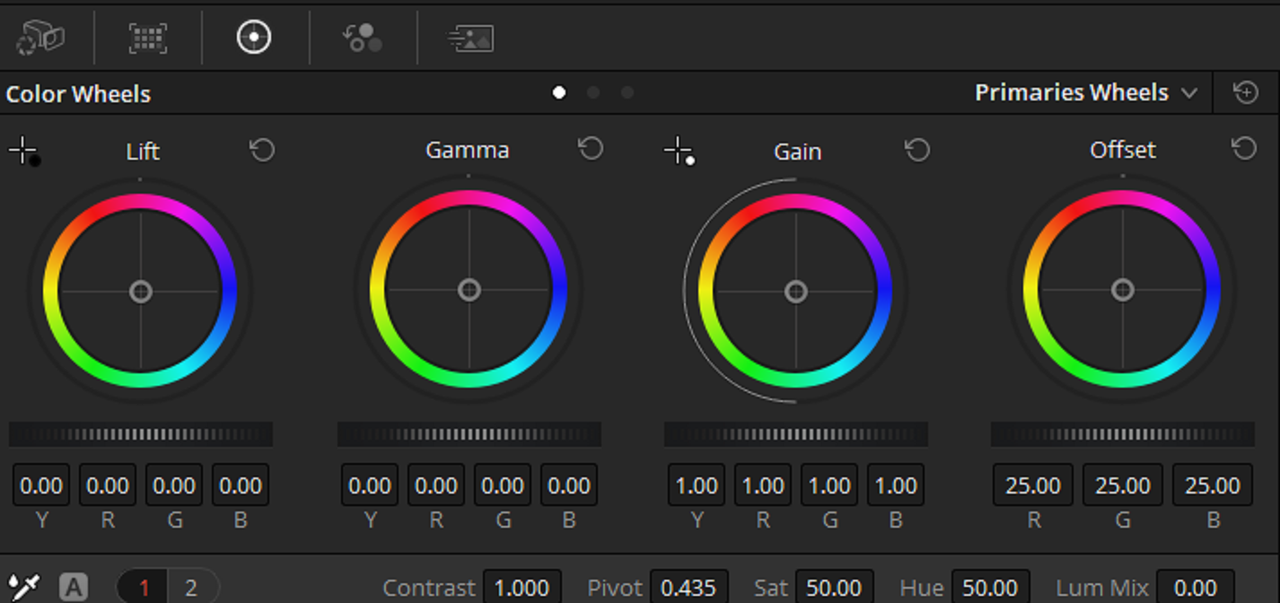
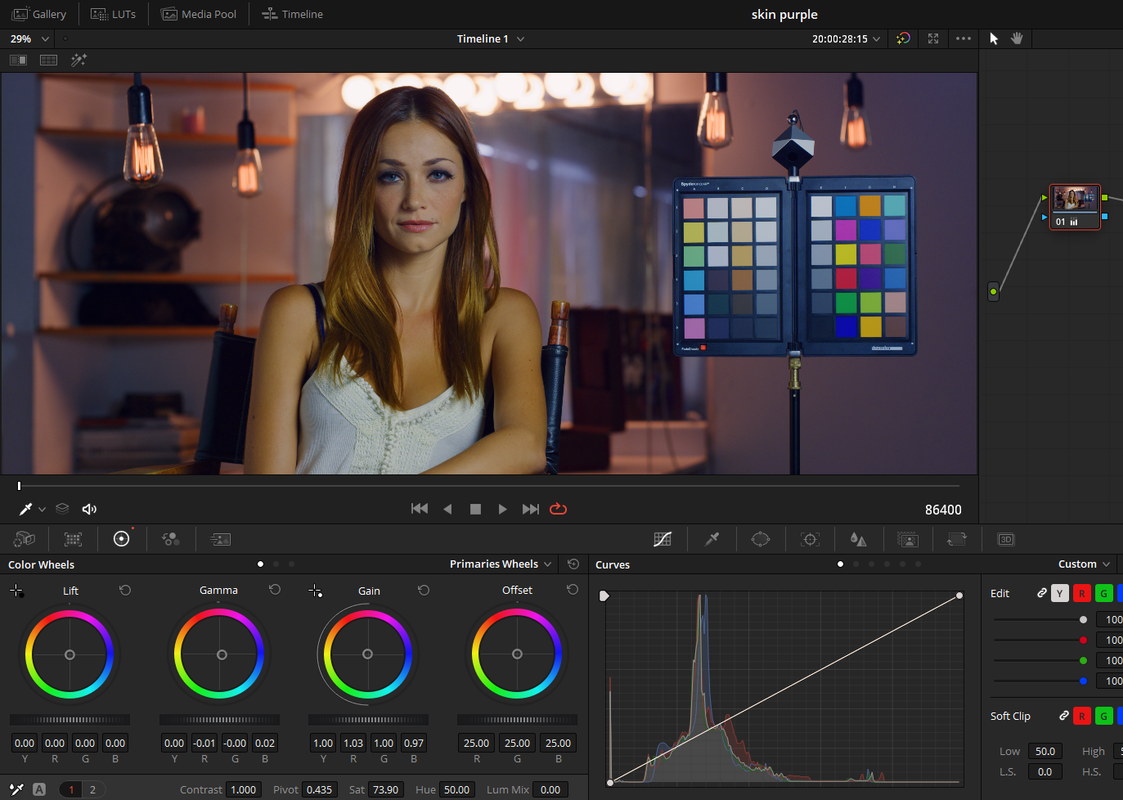
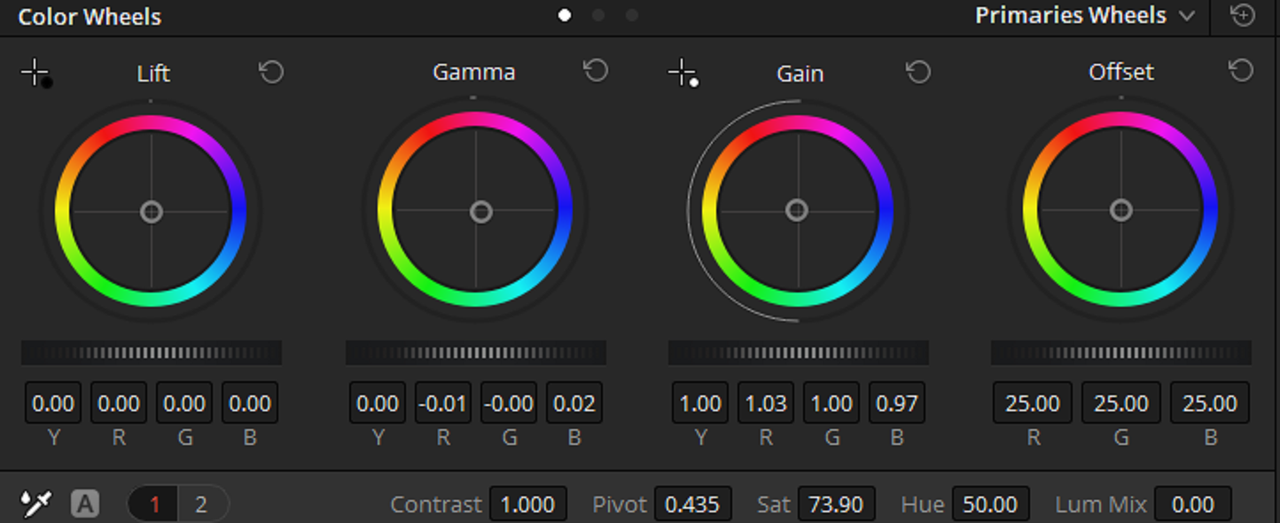
2)Now Apply the "Skin Purple" CDL. You will notice that unlike a LUT which only gives you the Final Image look, The CDL gives you the translated PRIMARIES from REDCINE-X to be further modified if you wished to.


Screenshot-273.png


Screenshot-277-org.png


Screenshot-275.png


Screenshot-276.png


Screenshot-276-2.png
 
Last edited:
Davinci Resolve 17

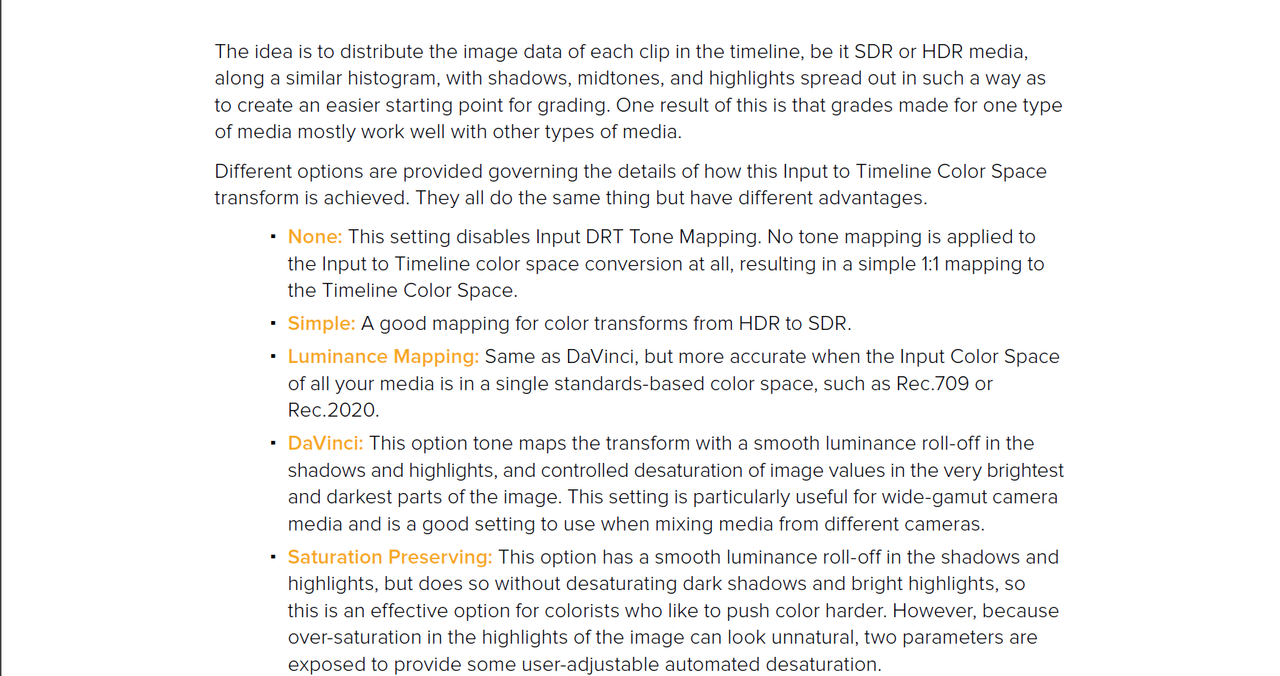
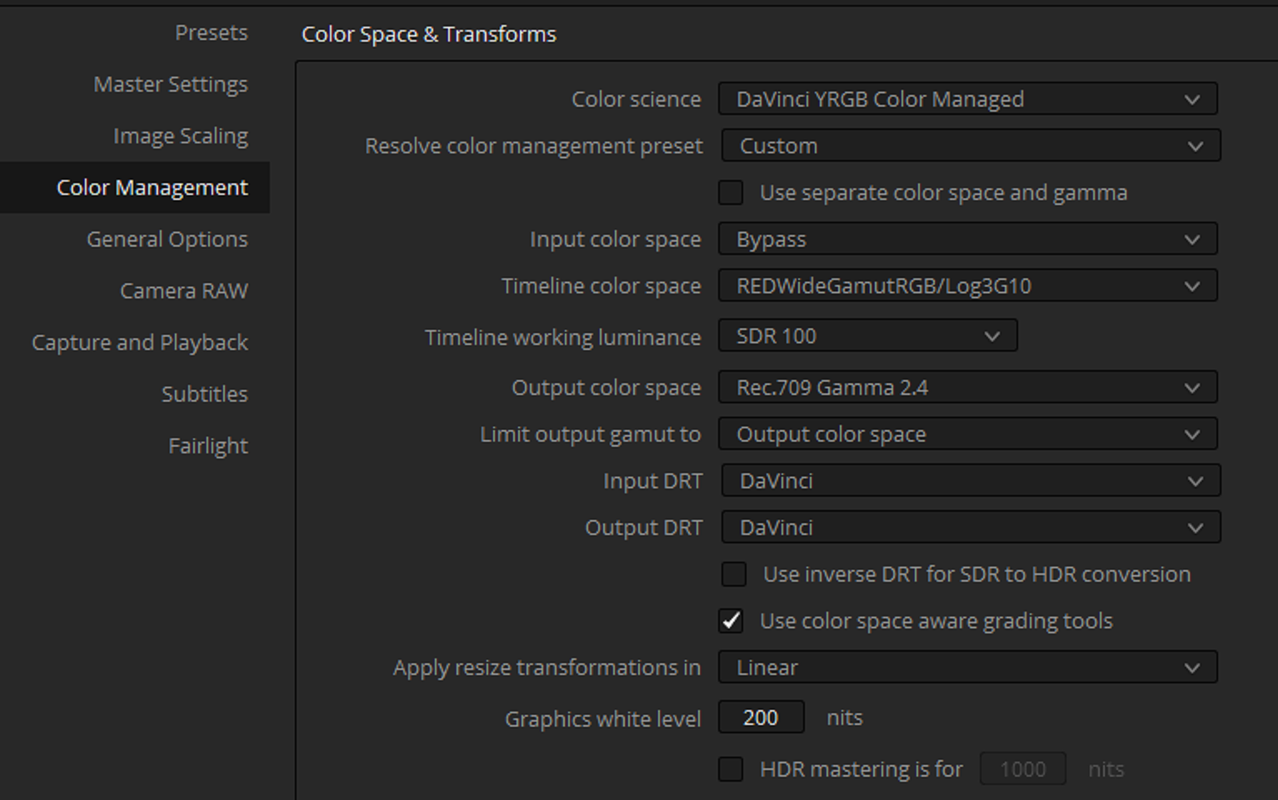
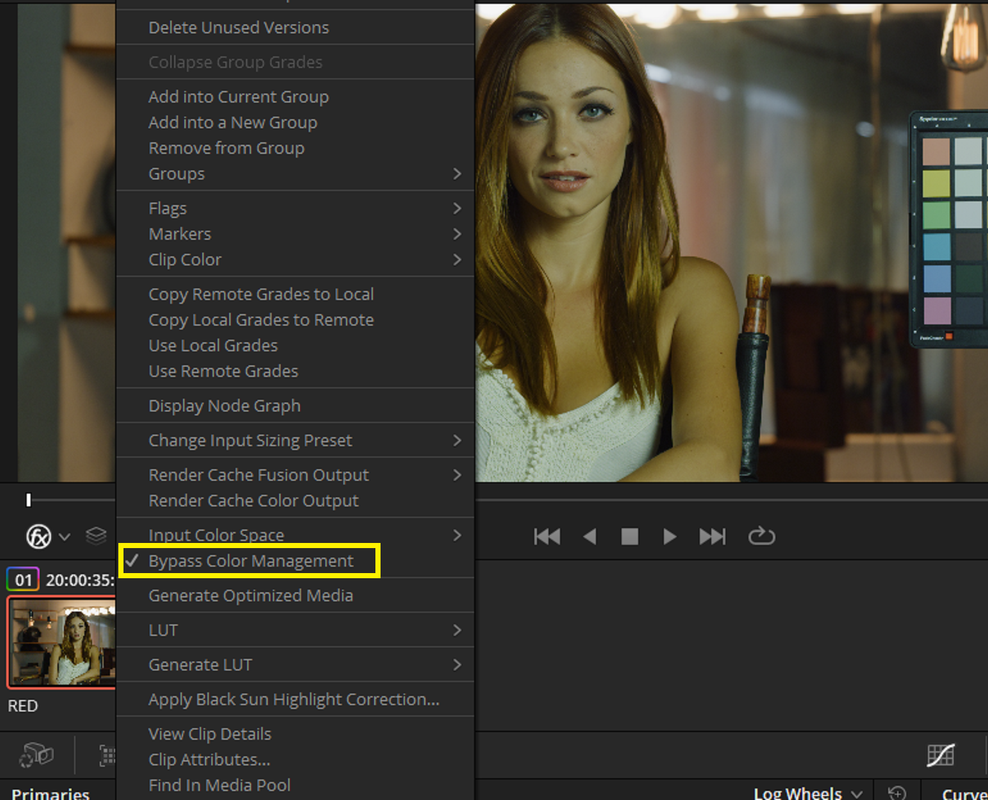
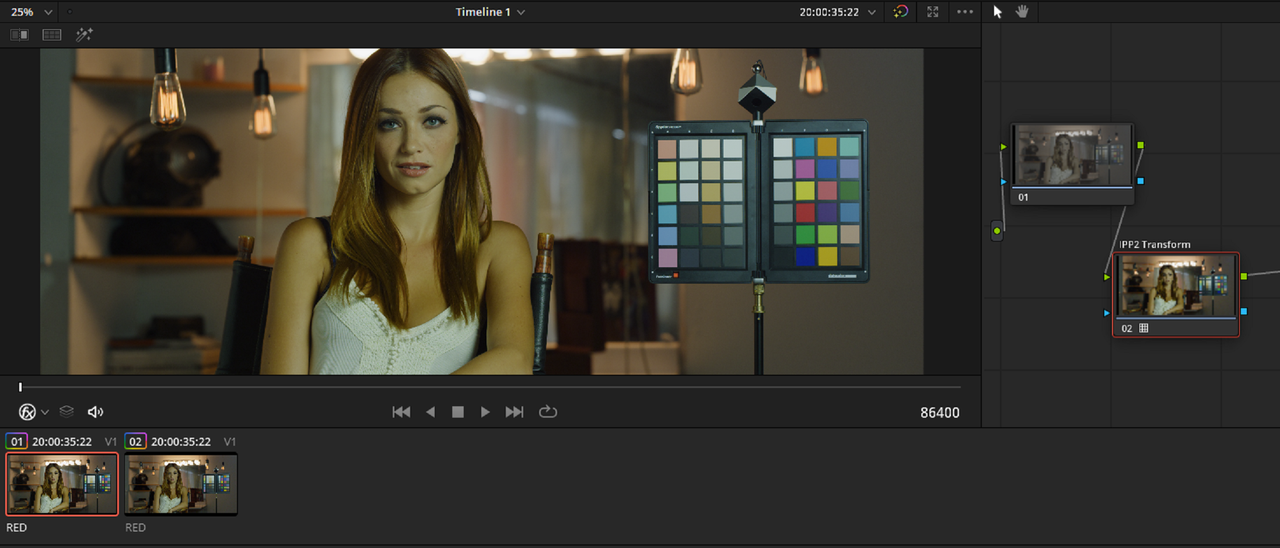
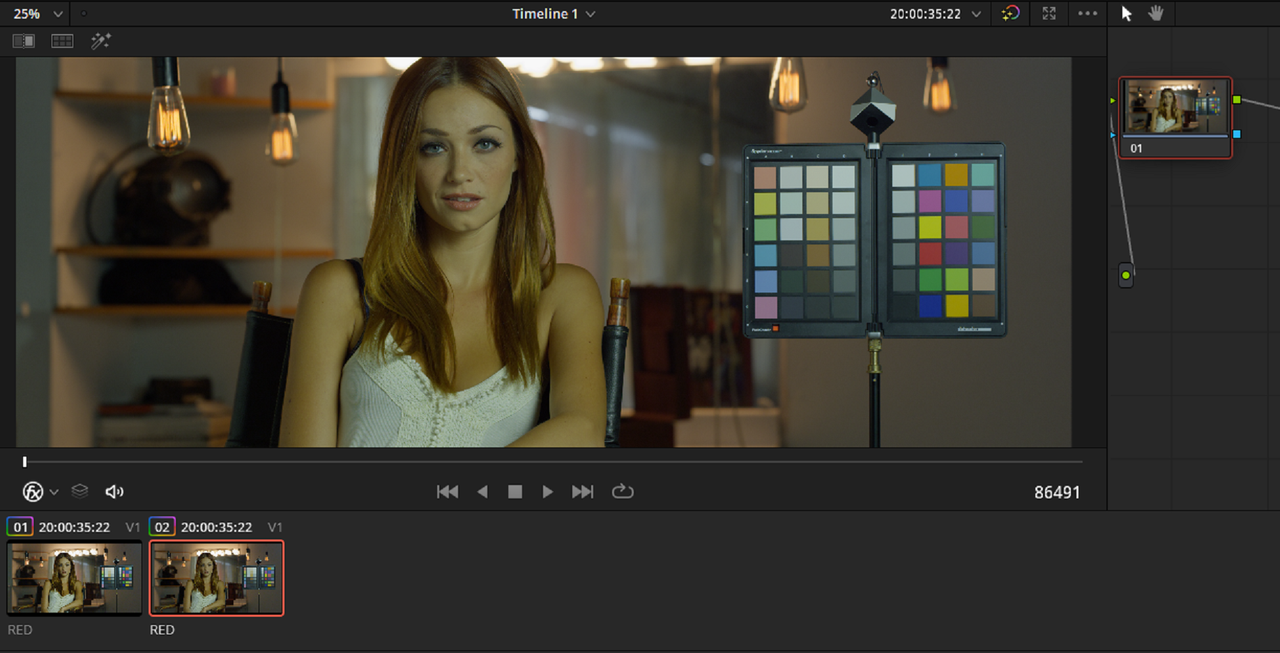
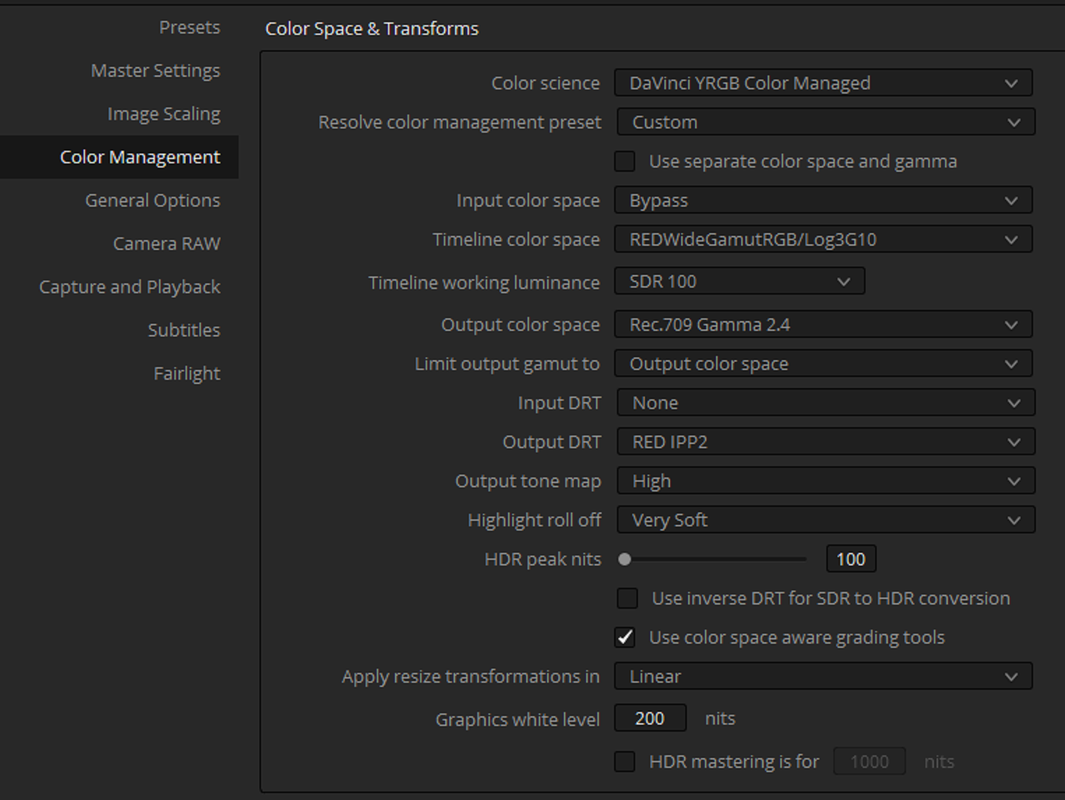
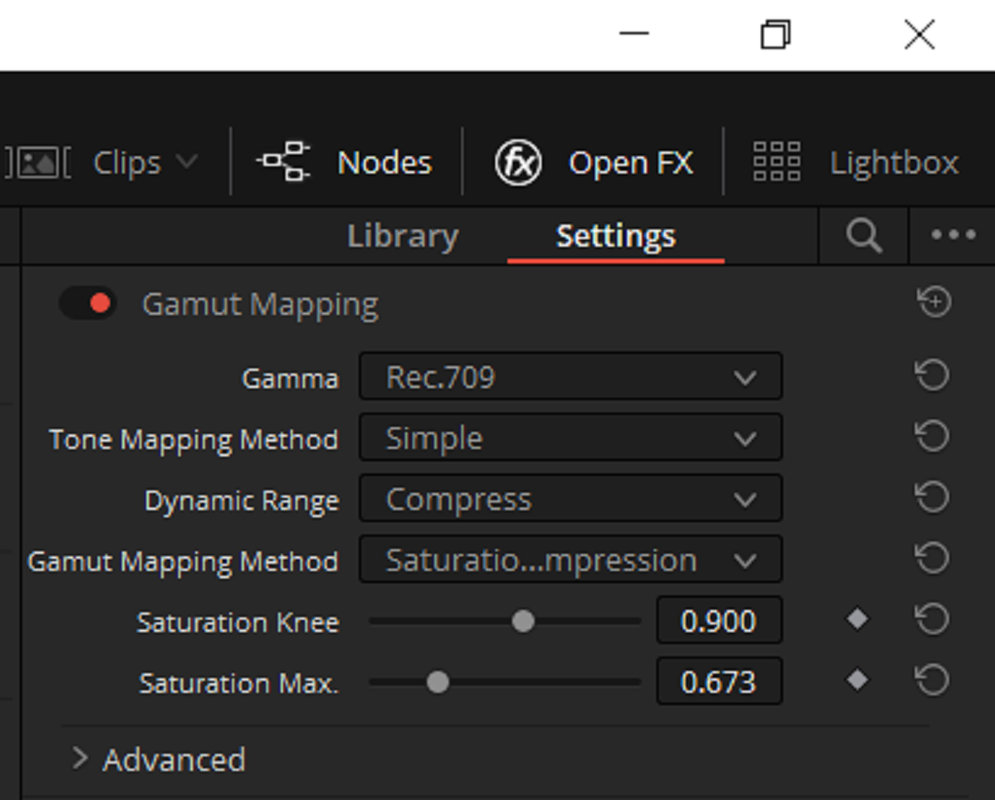
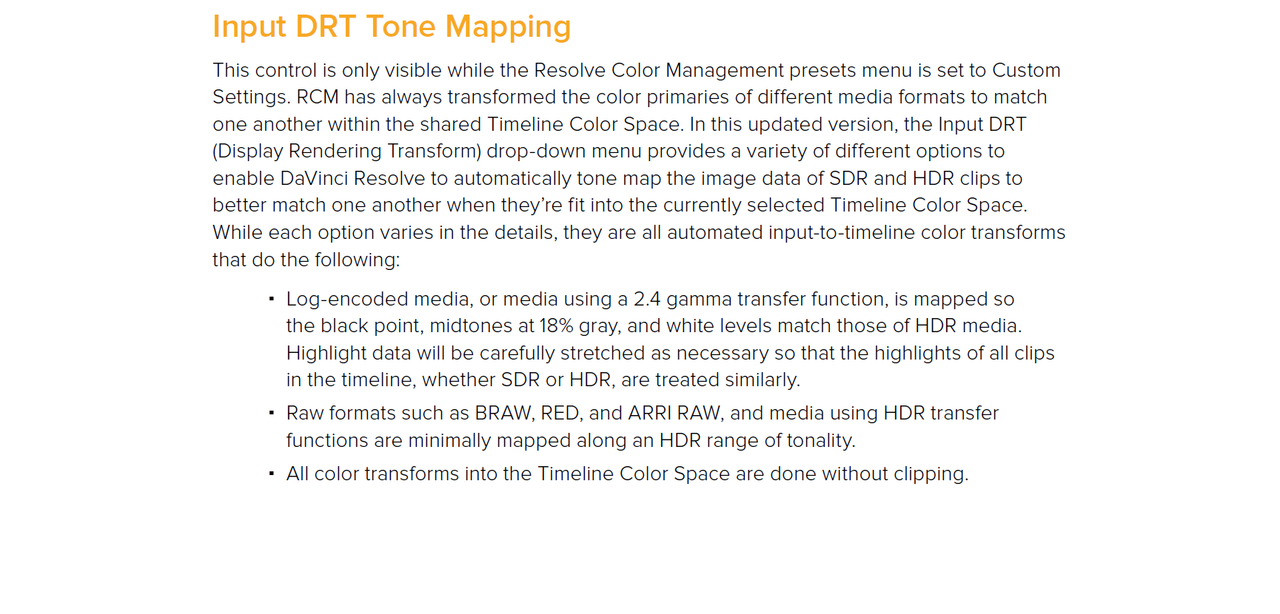
Sometimes I like the Tone-Mapping of the new "Davinci" "Input DRT" and "Output DRT" and sometimes I like the Tone-Mapping of IPP2. Now, if I want to "By-Pass" the "Davinci" Tone-Mapping and use the Tone-Mapping of "IPP2" I can do it in the Same Project.


Screenshot-578.png


Screenshot-579.png


Screenshot-580.png


Screenshot-581.png


Edit:
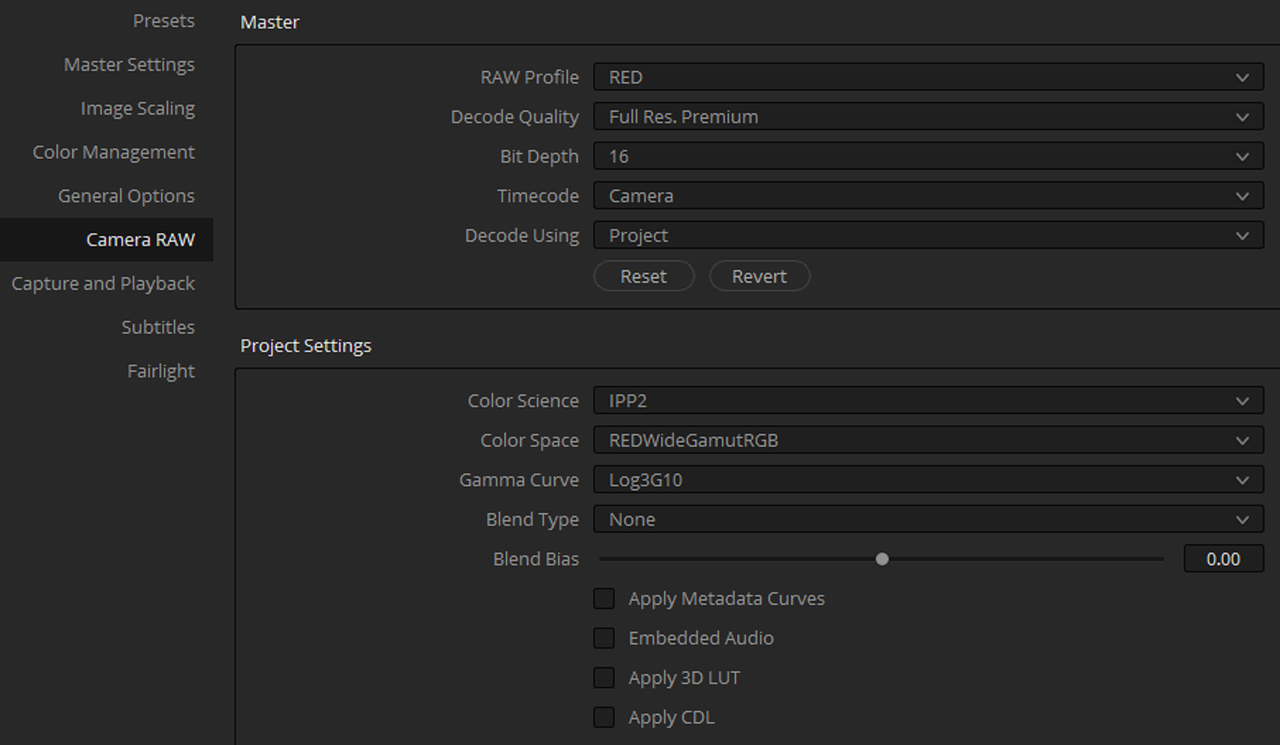
I forgot to add the "RED" Camera Raw project settings so that these Color Management settings work as they should.


er-5.png


Screenshot-573.png


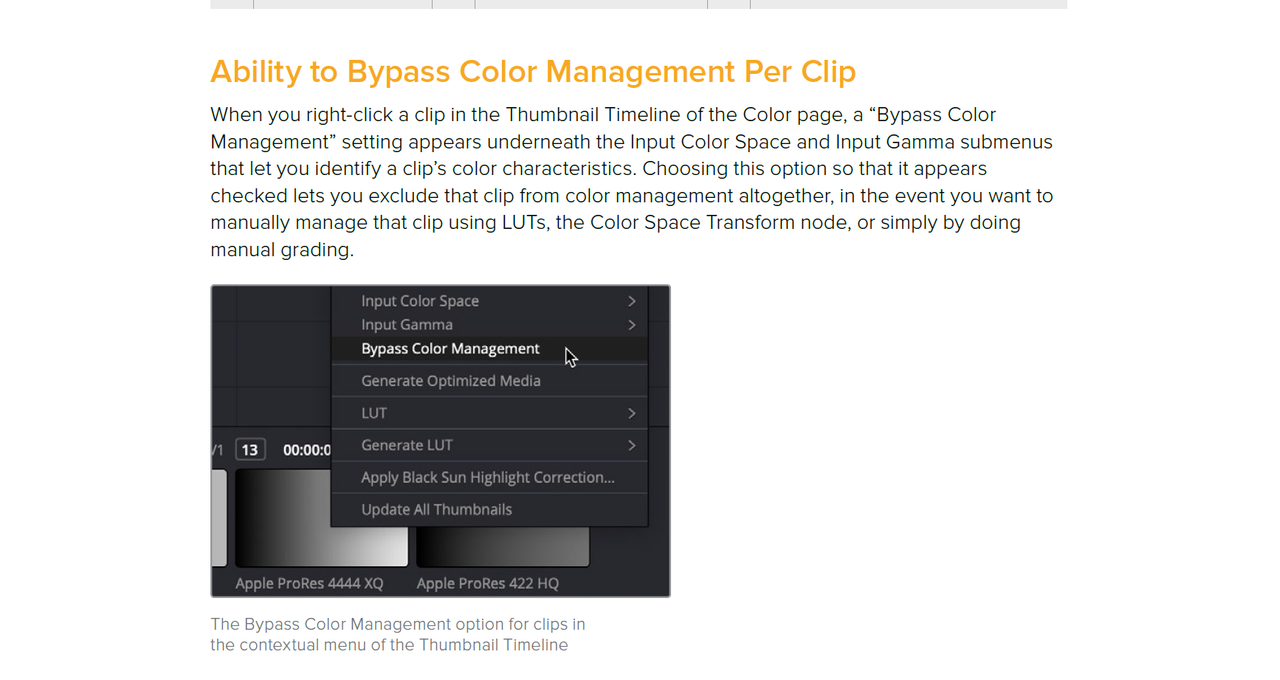
I "Bypassed" the "Davinci" Color Management in the first Red .R3D and kept it in the Last Red R3D file


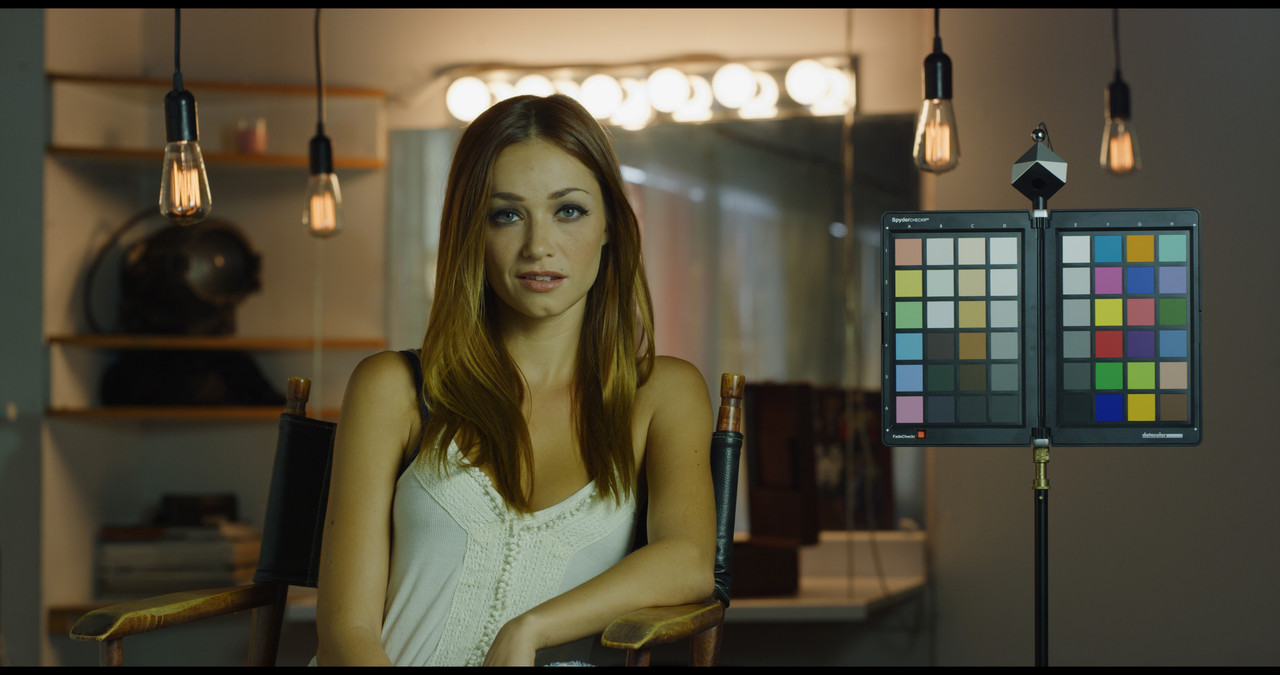
I Bypassed "Davinci" I-DRT and O-DRT with IPP2 High Con/Very Soft Transform Lut in the first Red R3D file.


Screenshot-574.png


Screenshot-577.png


Red-IPP2-1-1-2.jpg


I used the Project's "Davinci" I-DRT and O-DRT on the second Red .R3D file

Screenshot-576.png


Red-Davinci-1-2-1.jpg
 
Last edited:
Davinci Resolve 17


You can do the Reverse with an "IPP2" Project with the Last Red .R3D file using a "OFX Color Space Transform" to change it to "Davinci" Tone-Mapping.

Edit:
I forgot to add the "RED" Camera Raw project settings so that these Color Management settings work as they should.


er-5.png


Screenshot-583.png


Screenshot-574.png


Screenshot-584.png


2.png


Screenshot-585.png


Screenshot-587.png


davinci-2-1-2-2.jpg
 
Last edited:
Ouuf, tell me about it. I can't speak for everyone, but a lot of big post-houses (*cough*Technicolour*cough*) still request budget RED projects to be delivered as RC3/REDlogFilm encoded ProRes 4444 files (Not even RC4 or DC4, but RC3... in 2020). It's not really their fault (they deal with a lot of different cameras and it's an idiosyncrasy specific to REDs) , but it's a bit aggravating given how much they charge. I'd guess they set up their systems/LUTs/workflow to work off those settings back with the R1 and never bother changing... And, I mean, LogC has been the same LogC since the beginning, so they probably figure RED should be the same way.

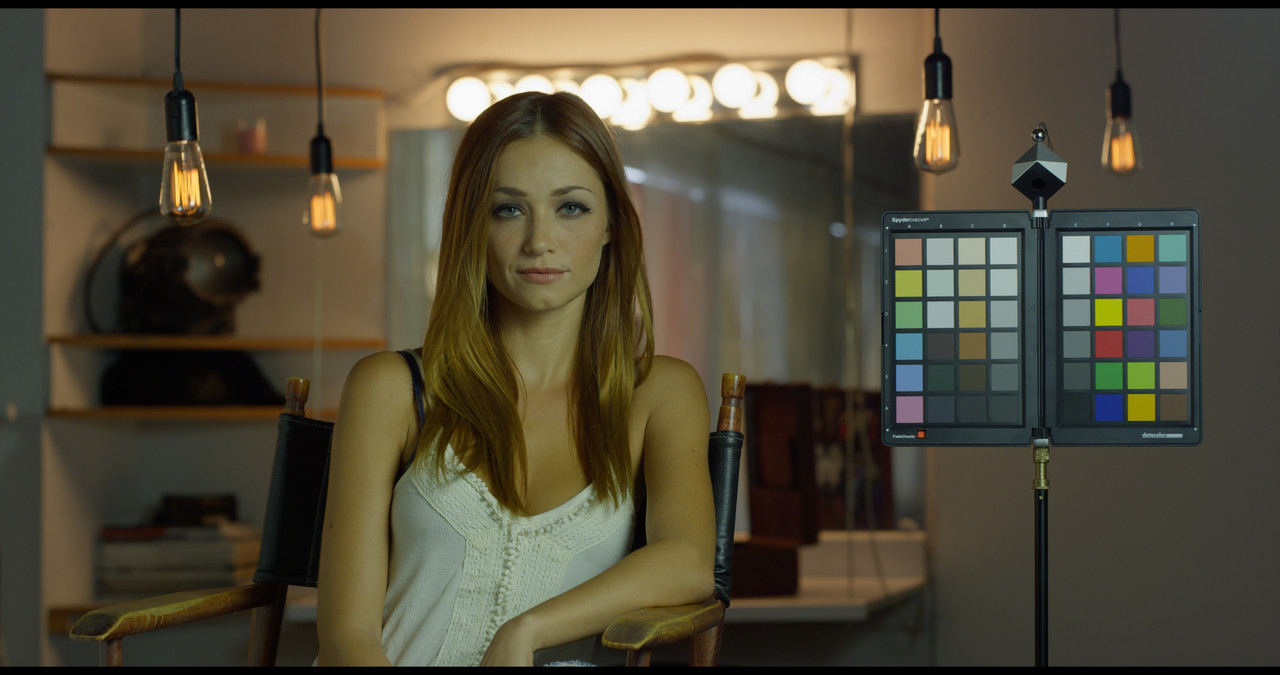
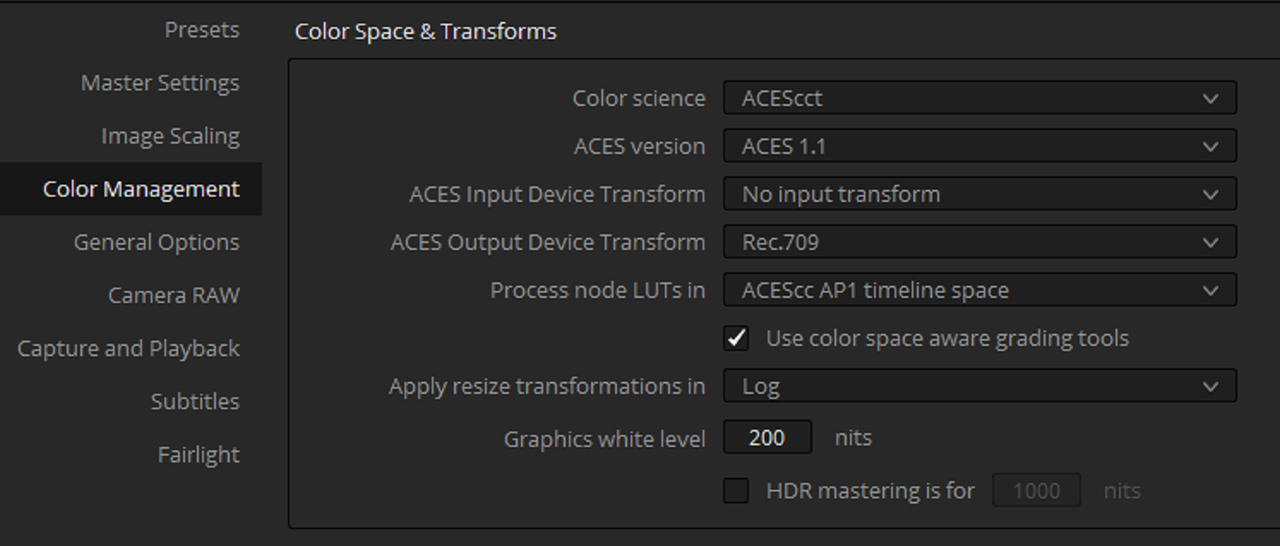
They could work in a ACES workflow? I tried to set it up in Resolve but failed to find the right settings... I wonder if we could add the ACES to rec709/P3/Rec2020 as a node in the timeline with an output colorspace transform?

What solutions do we have when we are working with different cameras in a same timeline ? The workflow shown by Dan Duran is with a timeline set to RWG/Log3G10.
 
Patrick,

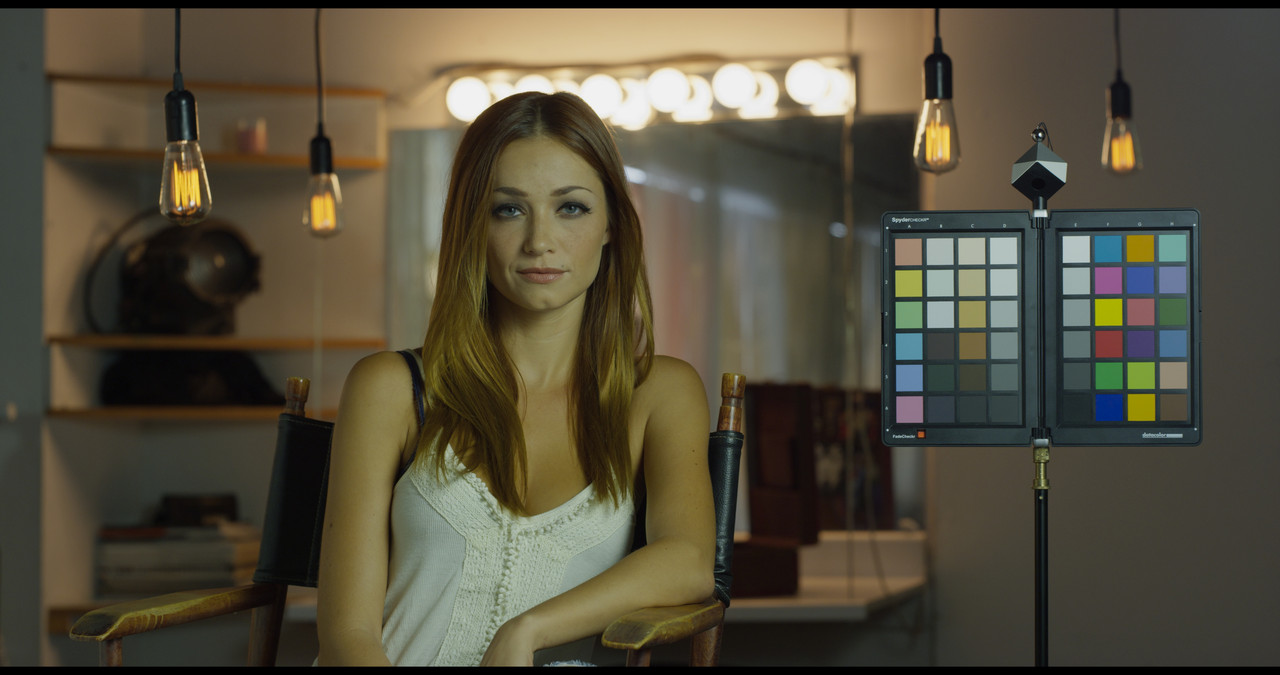
The workflow Dan outlines is for Red media only. The ACEScct and Davinci Wide Gamut workflows are idea for Media from different cameras.


Davinci Wide Gamut Preset

Screenshot-667.png


DWG-PRESET-1-1-5.jpg


ACEScct SDR


Screenshot-668.png


Screenshot-664.png


aces-1-1-4.jpg
 
What solutions do we have when we are working with different cameras in a same timeline ? The workflow shown by Dan Duran is with a timeline set to RWG/Log3G10.

Resolve works the way it should IMO by allowing for several different workflow approaches. i.e. you don't need to use RCM, or can, you can work in a color/gamma space of your choice, or not. You can choose how to work with the footage within the project. When it comes to RAW footage you can choose how that is interpolated per project or even on a clip by clip basis. You can transform from there to what Color and Gamma Spaces you need from there. ACES is one workflow that simplifies things. I still profile my own cameras when working with different cameras on one shoot.

I think with Resolve it's one of those knowing which workflow to use and when as well as why. This is a good thing as you have the choice.

There was a time when all of this was significantly more difficult and of course tools far less accessible. I still see a pretty hilarious divide between production and post with some people getting nickeled and dimed occasionally for things that should be common practice in modern workflows, but that's not my department to gripe about that.
 
Back
Top