Welcome to our community

Be a part of something great, join today!

  • Hey all, just changed over the backend after 15 years I figured time to give it a bit of an update, its probably gonna be a bit weird for most of you and i am sure there is a few bugs to work out but it should kinda work the same as before... hopefully :)

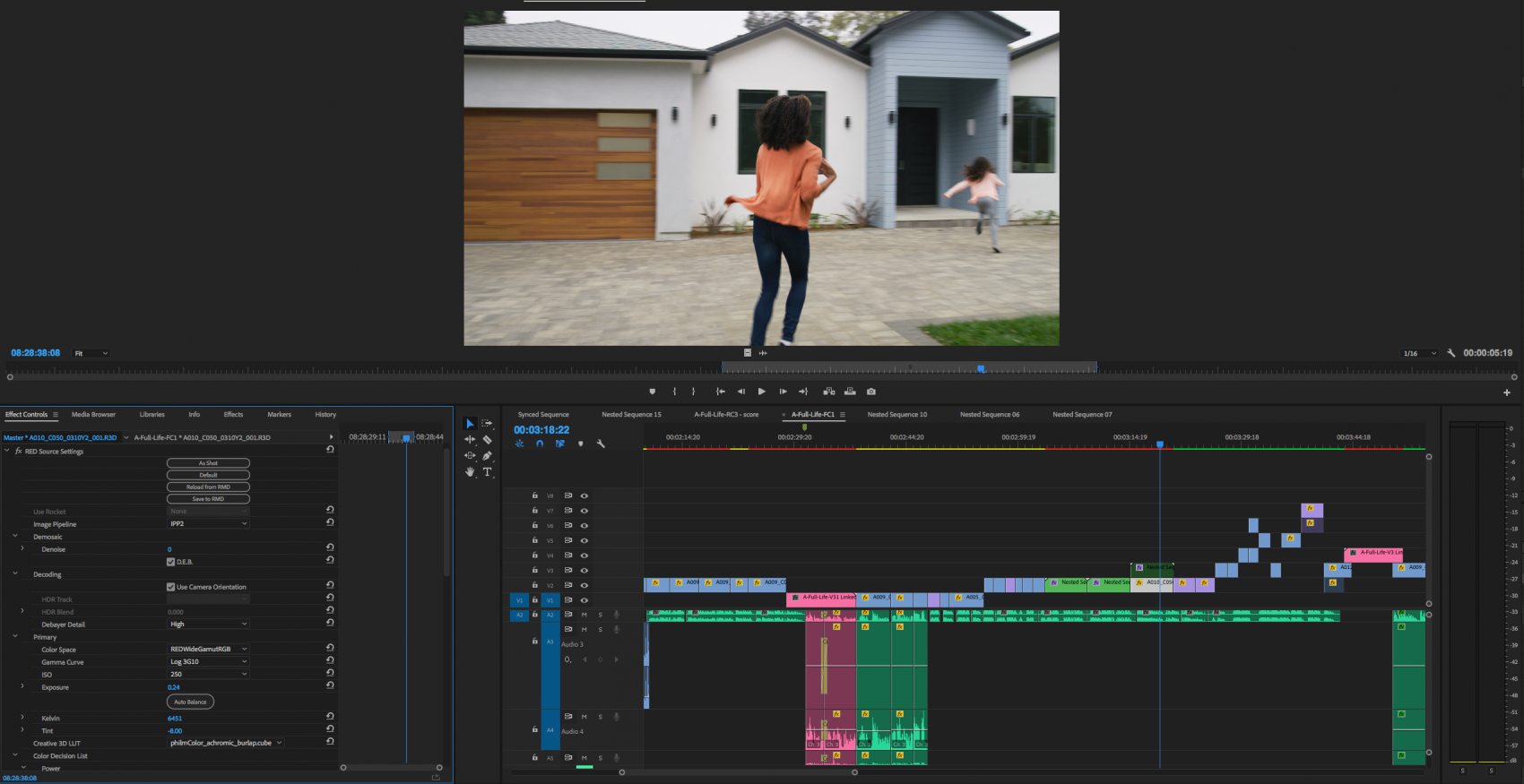
IPP2 And PhilmColor Inaccurate Between REDCINE-X and Premiere Pro

RyanFrancis

Well-known member
Joined
Nov 4, 2017
Messages
65
Reaction score
1
Points
8
Location
Newhall, CA
Hey,

I was coloring a project today using REDCINE-X (to add LUTS), saving them to .RMD and importing into Premiere Pro. I noticed some marginal color shifting between programs (which I realize is normal) but there are a few times where the differentiation between the programs seemed much more out of the norm.

EXAMPLE 1: PhilmColor Print D FLAT (Graded and Saved to .RMD in Red Cine X and loaded into Premiere Pro CC)

RED CINE X
RED-CINE-X-Example-e1527635593534.png


PREMIERE PRO CC
Premiere-Pro-Example-1-e1527635580419.jpg


EXAMPLE 2: PhilmColor BASE NIGHTHAWK (Graded and Saved to .RMD in Red Cine X and loaded into Premiere Pro CC)

RED CINE X
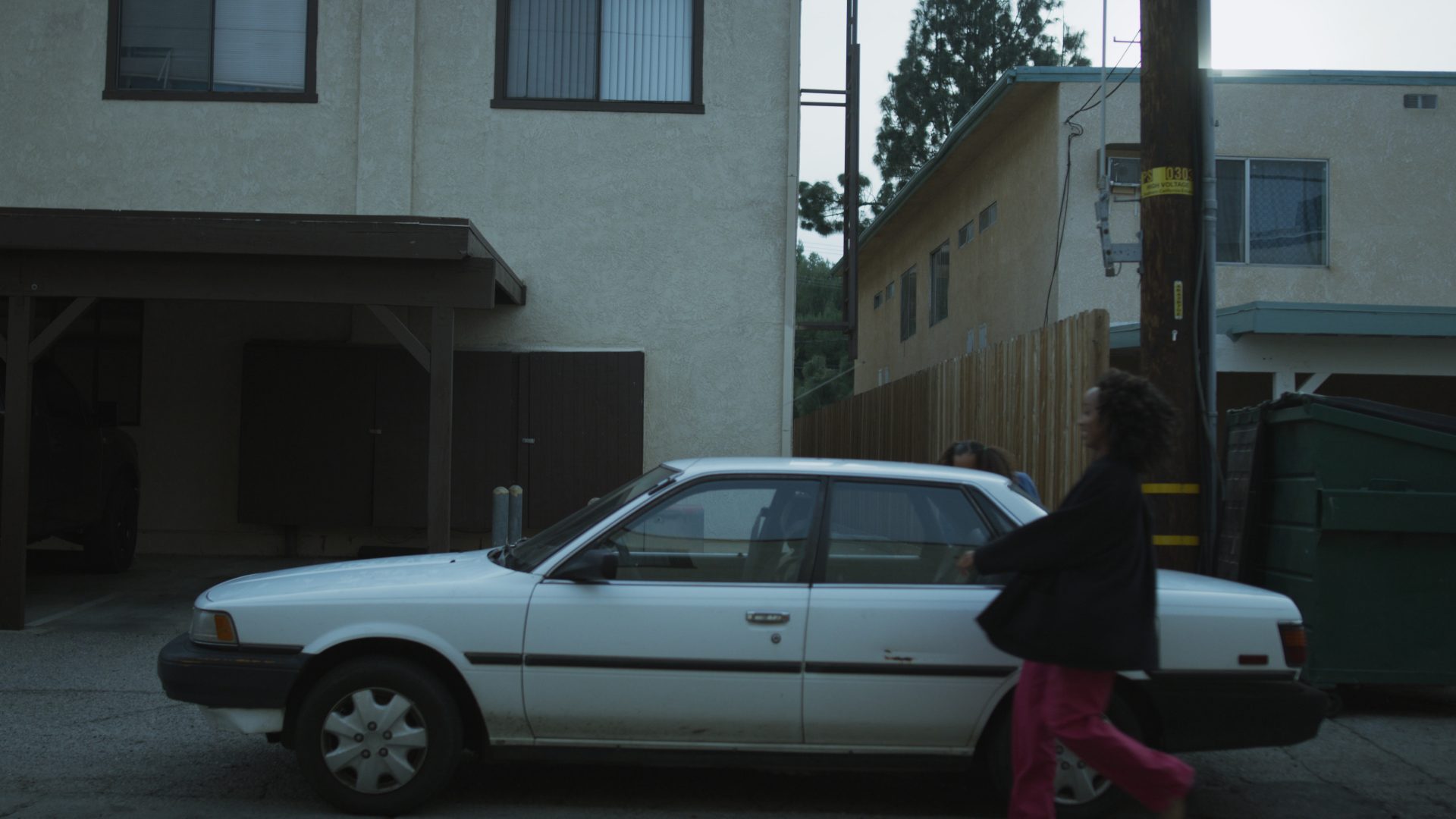
RED-CINE-X-Example-2-e1527636312614.jpg


PREMIERE PRO CC
Premiere-Pro-Example-2-e1527636322626.jpg


In the second example I pushed the kelvin up to the 5800s, since that's probably not in the realm of normal for the Nighthawk LUT, which is blue, I'm assuming that led to the MAJOR color shift. But it seems like something is amiss.
In both examples, The Red Cine-X version looks way better to me. It almost seems like the LUT is set at 50-75%. I looked through all the settings on premiere and compared them to Red Cine X and everything looks exactly the same.

Premiere Pro Output Transform Settings:
Color space Rec.709
Gamma Curve BT.1886

What Am I missing?
 
It looks like it's not even reading it. Premiere with IPP2 and LUTs have been presenting issues with users (myself included) which are causing LUTs to flicker on and off. It seems to be dependent on your hardware/system but it's too early to tell. But yes, there are big issues. Almost screwed me royally on a project recently.
 
It looks like it's not even reading it. Premiere with IPP2 and LUTs have been presenting issues with users (myself included) which are causing LUTs to flicker on and off. It seems to be dependent on your hardware/system but it's too early to tell. But yes, there are big issues. Almost screwed me royally on a project recently.


You're right! I just loaded up Philmcolor_achromic_Burlap into an .rmd in Premiere (which is a B&W LUT) and nothing changed at all.

premiere-pro-R3d-Philmcolor-Burlap-e1527647803715.png


This should be showing black and white (it is in REDCINE-X).

Is there a button I'm missing?
 
Last edited:
Yeah this looks straight up IPP2 color without any LUTs applied to me.

You're right. I did some tests and realized all the LUTS I was adding didn't change the image at all. I started a new project in premiere with only 1 clip on the timeline and got the dreaded flickering that Jake was talking about. The LUT popped on a off during playback.

Looks like Adobe has some work to do.
 
You're right. I did some tests and realized all the LUTS I was adding didn't change the image at all. I started a new project in premiere with only 1 clip on the timeline and got the dreaded flickering that Jake was talking about. The LUT popped on a off during playback.

Looks like Adobe has some work to do.


Yes, and the faster the better, ive had to scrap all of the philm luts i wanted to use for a project and flatten the image and probably have to pay out for a grader now... wish adobe would release things without bugs. its stability seem to just be getting worse and worse by the release...
 
I'll have Adobe look into this and I'll check to confirm this on the current beta.

Sorry for the frustration, looks like it's an issue with their SDK implementation. Sending the email now.
 
Yes, and the faster the better, ive had to scrap all of the philm luts i wanted to use for a project and flatten the image and probably have to pay out for a grader now... wish adobe would release things without bugs. its stability seem to just be getting worse and worse by the release...

I think I found a workaround in Premiere. I've assigned the R3d clips to ipp2 but changed the Output Transform Settings to REDWideGamutRGB (RWG) and Log3G10. Then gone back to adding the Philmcolor LUT and REC709 LUT with Lumetri. It's slow as balls to render, but it works.
 
I think I found a workaround in Premiere. I've assigned the R3d clips to ipp2 but changed the Output Transform Settings to REDWideGamutRGB (RWG) and Log3G10. Then gone back to adding the Philmcolor LUT and REC709 LUT with Lumetri. It's slow as balls to render, but it works.

This is the work around im currently using too! what i have found though is its nice to use this on adjustment layers so i can fine tune the lut - drop the opacity if needed etc... be nice if adobe ran a slider under the red master file menu like this! some of the luts like nightheron are lovely but sometimes a little too strong and doing it this way allows me to drop it down a little!
 
Thank you for the help, Phil.

We are on two 18 core iMac Pros, two 2013 Mac Pros, two iMac late 2014 and all of them have the flicker issue on iPP2.

We have been using PhilmColor_base_herom, my personal favorite lately, but we can use it due to the flicker. We are editing raw r3d from the Helium sensor in 8K widescreen.

We have to open clip in the effects controls and go to the Master tab. In there we select no file on creative 3d lut and the clip is flicker free. but no lovely herom.

I'm looking forward to being able to use these in our workflow. This weekend set up image attached.

Many thanks

https://photos.app.goo.gl/f9PpqeTru8xHEY17A
 
Back
Top