Eric Haase
Well-known member
- Joined
- Apr 1, 2009
- Messages
- 1,041
- Reaction score
- 0
- Points
- 36
- Location
- Los Angeles
- Website
- www.ericjhaase.com
I've mentioned this issue before and it has been discussed a bit: On the Red One, when you view the monitor on set with metadata settings in the camera, you see a certain image. It generally has good contrast and is pleasing. When you load this clip into RCX on a Rocket system and view using the SAME metadata settings, the monitor output does not match what you saw on set. You have to pull the shadows down and make some tweaks to achieve the same contrast. This has been acknowledged by RED- can't find the thread because I think search is limited but here is the original request for wireless color settings on Epic: http://reduser.net/forum/showthread.php?41904-Epic-feature-request-wireless-LUTs-RMDs&highlight=
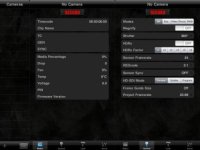
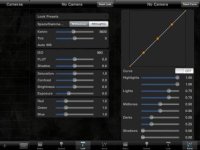
Now the new iPad mission control app will let you dial in settings on the fly and have them live updated on the camera. I haven't seen the full feature set but it looks like there are curve controls on there. It would be great to be dialing in a look as you go so you can fine tune lighting, color, and looks during the shooting process. My question is:
Will what I see on the monitor finally be the same as what I see in RCX on a Rocket system with output to a calibrated HDSDI monitor with the same settings?
It would seem a real waste to dial in a look on the iPad app on set, and then still have to go into RCX and realize the look you dialed in isn't accurate and needs another tweak just to make it look like you already made it look! A few of us have been asking for accurate monitoring output from the camera for a long time and are really hoping this will happen with Epic!
Now the new iPad mission control app will let you dial in settings on the fly and have them live updated on the camera. I haven't seen the full feature set but it looks like there are curve controls on there. It would be great to be dialing in a look as you go so you can fine tune lighting, color, and looks during the shooting process. My question is:
Will what I see on the monitor finally be the same as what I see in RCX on a Rocket system with output to a calibrated HDSDI monitor with the same settings?
It would seem a real waste to dial in a look on the iPad app on set, and then still have to go into RCX and realize the look you dialed in isn't accurate and needs another tweak just to make it look like you already made it look! A few of us have been asking for accurate monitoring output from the camera for a long time and are really hoping this will happen with Epic!