Welcome to our community

Be a part of something great, join today!

  • Hey all, just changed over the backend after 15 years I figured time to give it a bit of an update, its probably gonna be a bit weird for most of you and i am sure there is a few bugs to work out but it should kinda work the same as before... hopefully :)

Incredible dynamic range...that I cannot yet control

Michael Tiemann

Well-known member
Joined
Oct 4, 2008
Messages
2,216
Reaction score
1
Points
38
Website
manifoldrecording.com
I'm renting a DRAGON while deciding whether or not to buy one. In the mean time, I'm both amazed and perplexed by its dynamic range. Here's a link to an ungraded frame that's got me stuck:

(dead link deleted...here's a fresh link to some similar imagery: https://www.dropbox.com/sh/xz3b2o2hq0e7r6g/r4p2lqBTaJ)

(Moderators: if there's a better way to make files available, please let me know!)

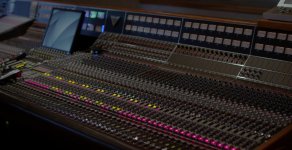
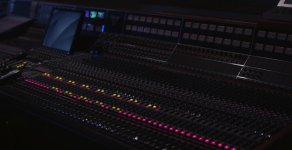
If you look at the flat image (in RedGamma3, for example) you'll see that the audio console is dark and some of the solo and mute switches look blown out. To fix the solo and mute buttons, I apply a -3 FLUT and suddenly they look right, meaning the color, texture, and most importantly the text stencil, is visible. But of course the console becomes way too dark.

When I try to brighten up the console (by lifting the darks), the red mute switches go back to looking completely wrong and they bloom into unrecognizable forms.

My goal is to get the body of the console (especially the meters) about a stop brighter, and to beat down the mute and solo switches by about 3 stops. I don't need HDRx to do this--DRAGON seems to have enough dynamic range by itself. But I cannot get the two ends of the dynamic range to talk with each other.
 
Last edited:
Had a look at the file, the task you are essentially looking to do to land the look based off the lighting conditions in the shot can be accomplished via color grade. Especially using secondaries.

This isn't a dynamic range "problem" exactly, this is more of a the dynamic range captured everything you want and now you need to grade the file to your liking. You'll find the most success in a color suite for the grade you describe.
 
I am going to download your file now and give it a looksy via Redcine, but based on Phils comments, it sounds like you probably will need more then a basic one light to get where you want to be. Regardless I am sitting around kinda bored so I'll give it a look now and play with it a bit
 
I am going to download your file now and give it a looksy via Redcine, but based on Phils comments, it sounds like you probably will need more then a basic one light to get where you want to be. Regardless I am sitting around kinda bored so I'll give it a look now and play with it a bit

Wow--Thanks! (Phil, thanks also.)
 
Had a play with this... honestly I'd say as a naturalistic image I'd just drop the exposure overall, but base my gamma from Redlogfilm and add in a little contrast. Really this is a job for secondaries though, and qualifiers should be easy to add for the console buttons.

Useful tip - if you want to be sure what's retained in the highlights, switch temporarily to 'linear' in the gamma dropdown, and lower the iso to around 250-320.
 
Work in nuke or a good composting program and simply composite different developed versions of the r3d together until you get your wanted result. Then you are able to paint, spline and work the image as in photoshop but better.
 
dynamic range is nice but that API board is nicer! :)
 
so heres my initial impressions, please keep in mind this is based on redcine, and not necessarily the same kinds of tools or approaches one would use in program that is designed for more then a basic one light...

so without knowing how the colors should look i grabbed the WB and looked for what I know should be white in the image. I am guessing the top right of the frame on that L shaped border. so I assigned WB to there (another good choice would be burnt out high lights some where)

then I noticed the goal post on the left side of the footage, so I tried bringing up the both the flut and the highlights on the S curve. I thought this helped a bit. Then for experiments I tried to test if and how I'd get rid of that goal post on the darks. I ended up getting a work call after that but whether I cranked ISO, Flut, or channels, all the way I couldn't get rid of the goal post in the darks, at least under Red color/gamma 3.

I suspect if I try messing with log I might be able to get rid of it. I just was worried about it being a Cmos chip and a starved blue channel. What really amazed me is how good it looks for having that goal post, MX I don't think would be that purty with that much clipping in the darks is my guess. I don't have a higher end system to do resolve power windows on this on hand, but I will try to post some one lights later done in Redcine. I suspect getting rid of that goal post would help with the image, but its really amazing how good it looks even with it. I'll try and dabble some more later...
 
I just played around a bit in Resolve. Looks like those red buttons closer to camera and are gone regardless of what you do, so I tried to bring back the numbers on the ones that were recoverable and bring up the level meters. Not sure if this is what you are looking for.

Console1.jpg
 
Here's a view of the board that I built up using layers from multiple images shot with a 5D. It gives an accurate picture (note colors of black metal, incandescent meters, non-cartoon-colored MUTE and SOLO buttons) of what I'm hoping to be able to do with a DRAGON and an "automatic" grade:

CR_Adour2.jpg


By automatic, I mean that yes--using qualifiers in Resolve is doable, but using Power Windows (which have to be manually placed and moved around) is not.

BTW, I spent a few hours trying to grade in Resolve 10.1 and just when I thought things were looking good, *POOF*, Resolve disappeared. I'm running a late 2013 iMac maxed out. I ordered a new MacPro on Jan 1 (accountant wouldn't let me order it sooner) and it's not yet shipped. I was hoping to be able to do things in RedCine as Resolve has not been treating me well lately.
 
And here's some non-DRAGON footage that shows the console in the context of the studio. The MUTE and SOLO buttons in those contexts seem to flesh out with less cartoon-like colors:


The above video was very lightly graded in Resolve (just enough to get some Panasonic AF100s to agree with a Blackmagic Cinema Camera). Obviously the text on those buttons is way gone...and the video is only 1080p. But if there's enough text to read the buttons, and there's enough dynamic range to read them, too, then why not have an image that makes things legible and beautiful!
 
It has a lot to do with your original exposure. Did it look how you wanted it when shooting? From your R3D it is exposed far off from this shot.

A 5d has about 12 shops DR in stills mode and if you had to do this by compositing multiple images then that means it will be difficult to capture in a single exposure.

I'd recommend lighting up the panel and then you don't have to worry about those overexposed lights and you can bring the blacks down in post.
 
I just played around a bit in Resolve. Looks like those red buttons closer to camera and are gone regardless of what you do, so I tried to bring back the numbers on the ones that were recoverable and bring up the level meters. Not sure if this is what you are looking for.

Console1.jpg

The buttons that are "gone" are indeed out of focus, so therefore illegible. They provide the extra challenge that whatever qualifiers work to recover legible text need to also work for things that are out of focus, too.
 
It has a lot to do with your original exposure. Did it look how you wanted it when shooting? From your R3D it is exposed far off from this shot.

A 5d has about 12 shops DR in stills mode and if you had to do this by compositing multiple images then that means it will be difficult to capture in a single exposure.

I'd recommend lighting up the panel and then you don't have to worry about those overexposed lights and you can bring the blacks down in post.

The reason I don't want to light the console much more than it is already is because I want the meters to glow--as they do when the rest of the console is held back. When I turn up the dimmers from 80% to 100% I gain more than an f-stop in illumination, and the meters just look like white paper, not glowing instruments.

As I said, RedCine can show me two looks from the same image, each of which give me the half I want and other half I really don't want. So I think that what I want should be easy to get...if I just had the right tools (or knowledge) to do so.
 
The reason I don't want to light the console much more than it is already is because I want the meters to glow--as they do when the rest of the console is held back. When I turn up the dimmers from 80% to 100% I gain more than an f-stop in illumination, and the meters just look like white paper, not glowing instruments.

As I said, RedCine can show me two looks from the same image, each of which give me the half I want and other half I really don't want. So I think that what I want should be easy to get...if I just had the right tools (or knowledge) to do so.

I mean, it's there... The problem is you will have to pull a qualifier to grade this shot. I get what you want to do, but not sure how that is possible with this shot and the intended look.

A005_C002_022022_S000.0000000.jpg
 
Matt, I think you ISO may be off. Here's what I see with -3 FLUT and nothing else:

API_VISION_-3FLUT.jpg
 

Attachments

  • API_VISION_-3FLUT.jpg.0000000.jpg
    API_VISION_-3FLUT.jpg.0000000.jpg
    86.5 KB · Views: 0
Matt, I think you ISO may be off. Here's what I see with -3 FLUT and nothing else:

API_VISION_-3FLUT.jpg

I'm using linear gamma to see what info is in the highlights. That shot is just showing that all the info is there in those highlights, just not sure how you can balance them out with the rest of your shot...
 
Back
Top