Welcome to our community

Be a part of something great, join today!

  • Hey all, just changed over the backend after 15 years I figured time to give it a bit of an update, its probably gonna be a bit weird for most of you and i am sure there is a few bugs to work out but it should kinda work the same as before... hopefully :)

Good Way to transform graded footage back to "log" footage in DaVinci

The best way to recover log footage is to have an adequate backup system for your RED R3D media. If you grade to REC709, you are crushing DR down to about 7 stops and limited precision.

DaVincini Resolve internally works with 32-bit color values, so Log -> REC 709 -> Log works with minimal loss of precision. But once you grade it out, that precision is gone. You can create a node that does color space conversion and gamma conversion from REC 709 to Log, and you can render that out. But it will give you the same crappy behavior you get when trying to grade already-graded video. We here at REDUSER.net shoot (and archive) RAW for a reason!
 
Thanks for the answer!
So I have the R3D´s on my computer, but don't want to import them into DaVinci again.
My Question was more related if there is some kind of "button" like in RedCineX which can reset all the applied effects and the Changes I did. Want to stay inside of DaVinci for that.
 
Of course! You can reset all nodes and grades. You can also change the RAW parameters to give you RWG/Log3G10. You should watch some tutorial videos to answer such basic questions.
 
As Michael said, if you have the R3Ds, you’re golden.

If you don’t - there are Linear to Log transforms in Resolve which can sometimes work well and sometimes not.

If you shot a color chart there is a really great way to do it using the chart match tool transforming to Log.
 
I believe Graeme had some beta Luts that would ungrade a .R3d file as long as it was still in Raw. You might want to get in contact with him. Also, you said you didn't want to import them into DaVinci again. Did you import the footage into resolve as a linked XML or AAF file import or has it been transcoded into Pro-Res or DNxHR? Because there is not a "Quality" way to do this unless you are still in Raw.


Plus


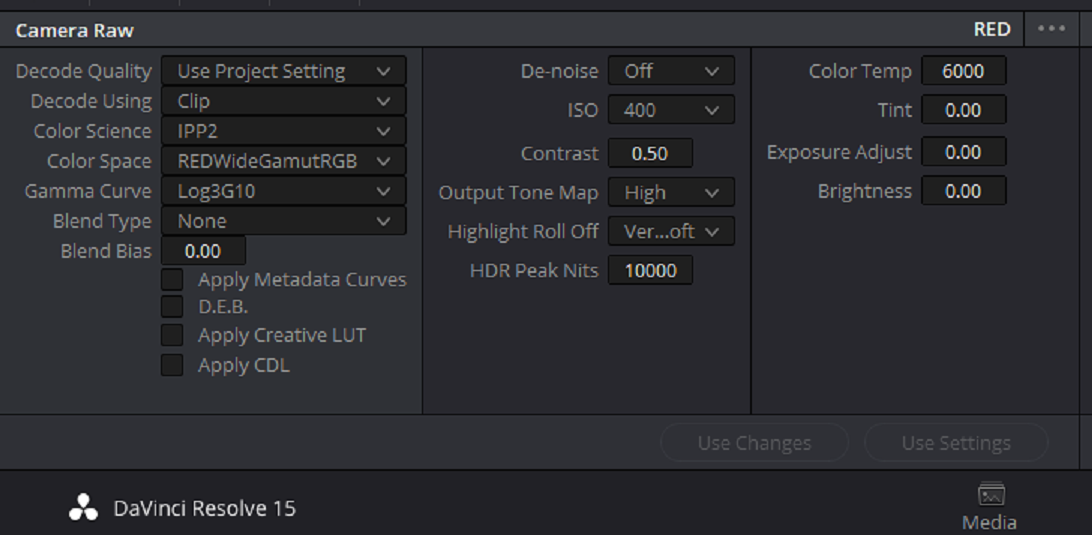
1) you could setup an IPP2 project in the Raw project settings or camera Raw settings
 
Last edited:
Thank you for the many replies!
I imported it as a XML.
So a rec709 to rwgrb lut would be great!
Can I download something like that from the Red site or where do you get them Björn?

EDIT: So I am still in RAW, but i am looking for a fast way to get a lot of scenes into these "log" look.
 
Thank you for the many replies!
I imported it as a XML.
So a rec709 to rwgrb lut would be great!
Can I download something like that from the Red site or where do you get them Björn?

EDIT: So I am still in RAW, but i am looking for a fast way to get a lot of scenes into these "log" look.

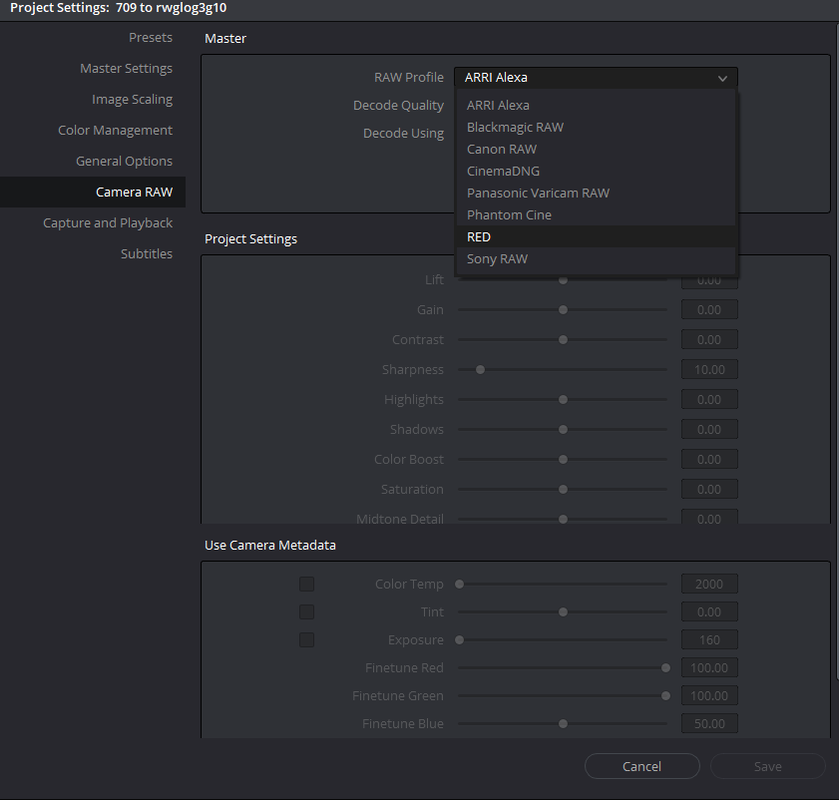
Change the project settings of the Camera RAW parameters for RED. Using a lut from rec709 to RWG/Log3G10 is more of a forensic/last ditch thing. Not the first thing to do when you don't even yet know how to use Resolve.
 
Change the project settings of the Camera RAW parameters for RED. Using a lut from rec709 to RWG/Log3G10 is more of a forensic/last ditch thing. Not the first thing to do when you don't even yet know how to use Resolve.

Will give it a try, thanks for the help!
 
Finn,


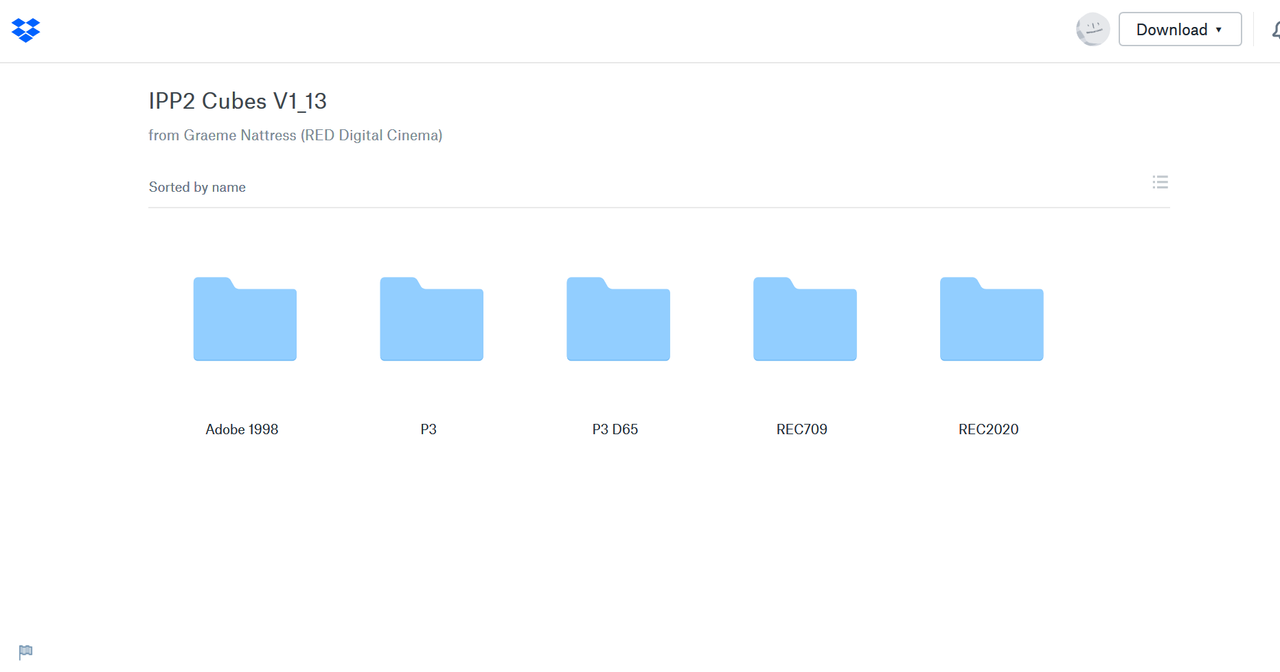
Here is a link to The Output Transform Luts Graeme Sent to another Reduser who sent them to me a while back.

https://www.dropbox.com/sh/7meziyar4vmps1s/AADxJILYDZYF9fbEOSPuTx_Oa?dl=0

Screenshot-703.png


To import Luts into Resolve on Windows,

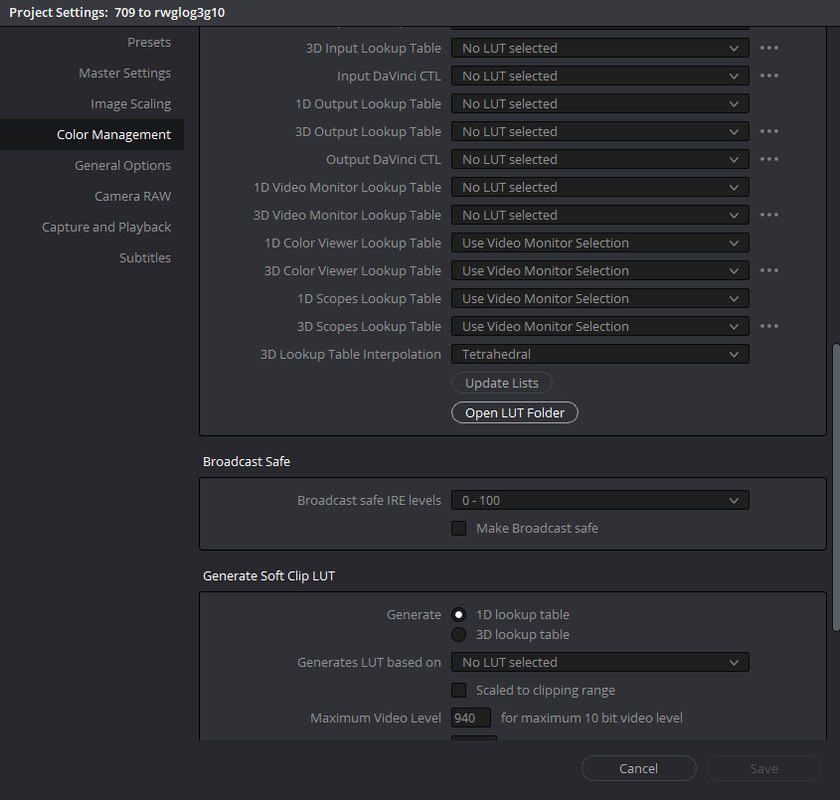
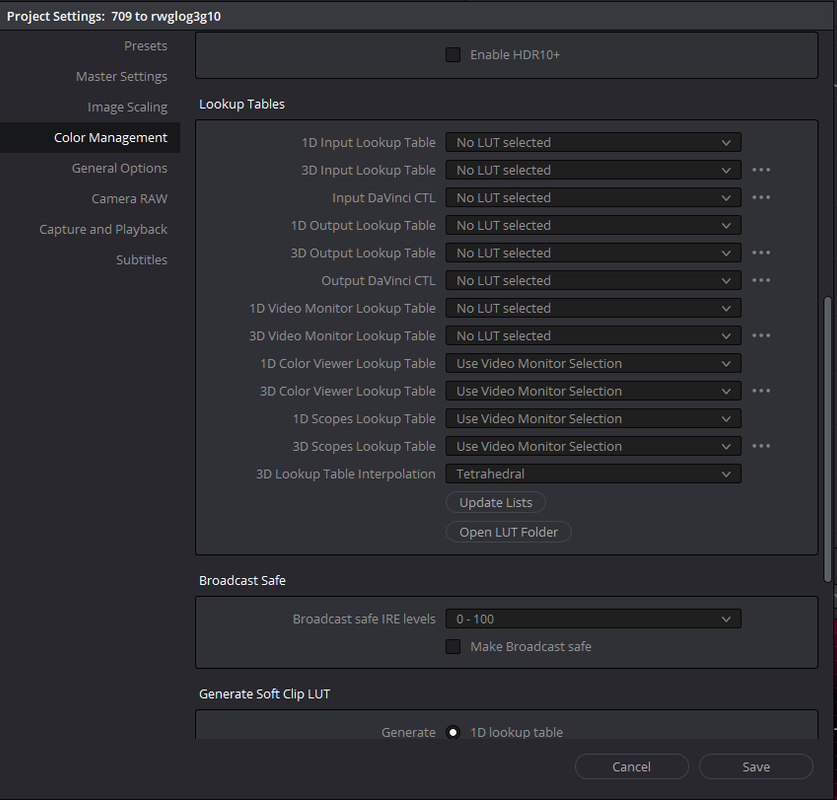
1) Press "Shift+9" then go to the "Color Management " Tab on the left hand side . Now click on the "Open Lut Folder" button.


Screenshot-198.png


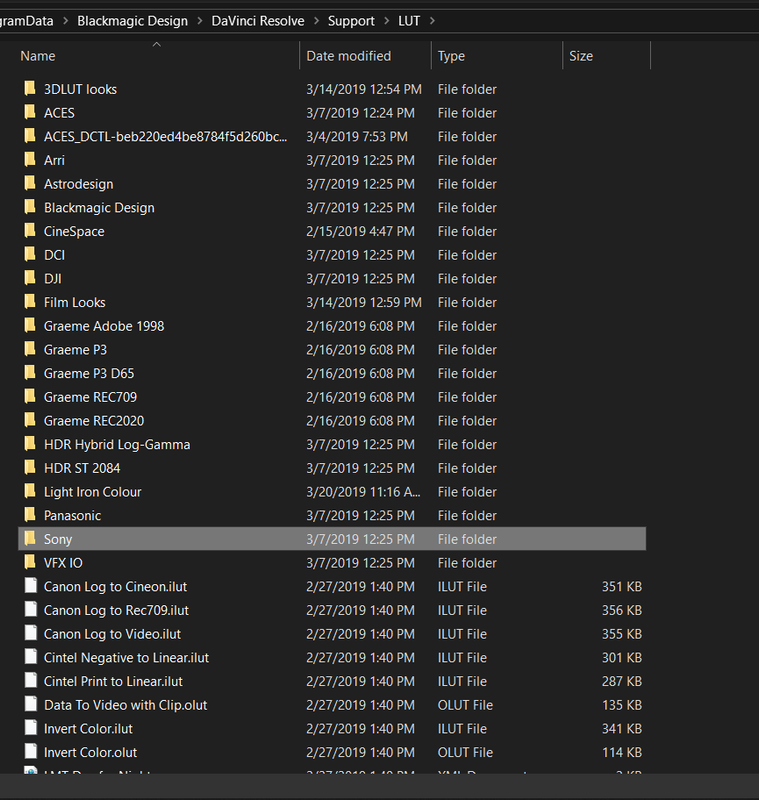
2) Next, Copy the individual Folders of the Variuos Monitoring outputs Lutsto this folder. I renamed them with Graeme's name in front of them so that they would be next to each other in the Lut pulldown list inside of resolve.


Screenshot-199.png


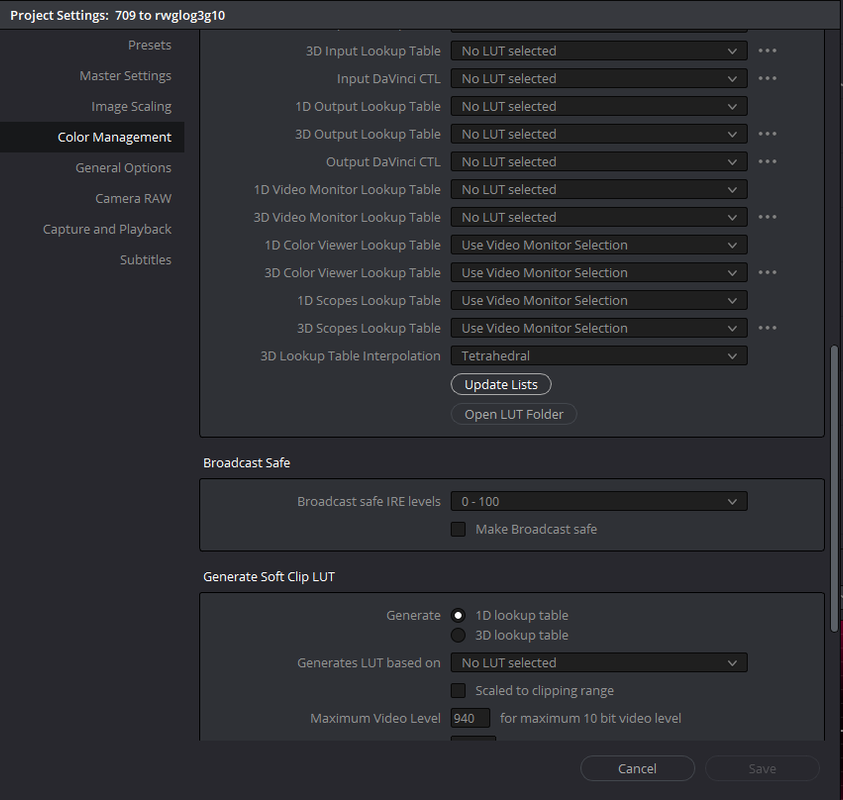
3) Lastly, click the "Update List" button and wait for the "save" button to become active, then once it becomes active press the "save" button and exit out.


Screenshot-200.png


Screenshot-201.png


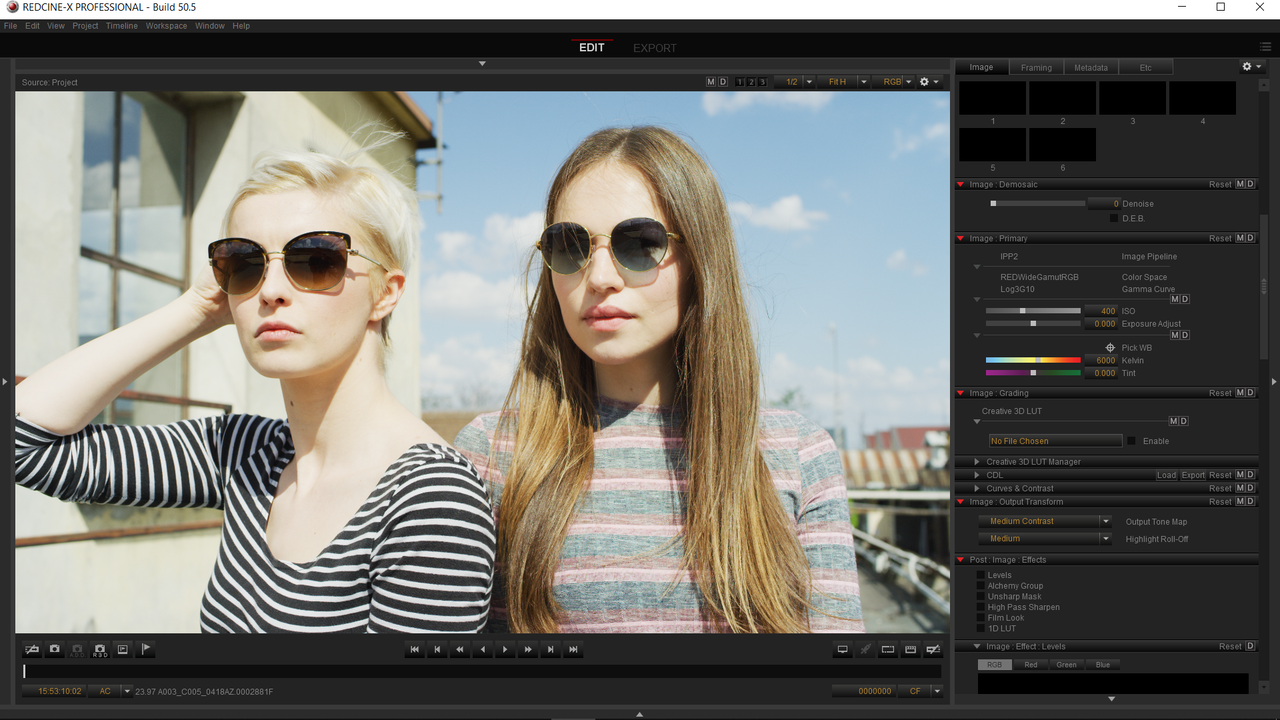
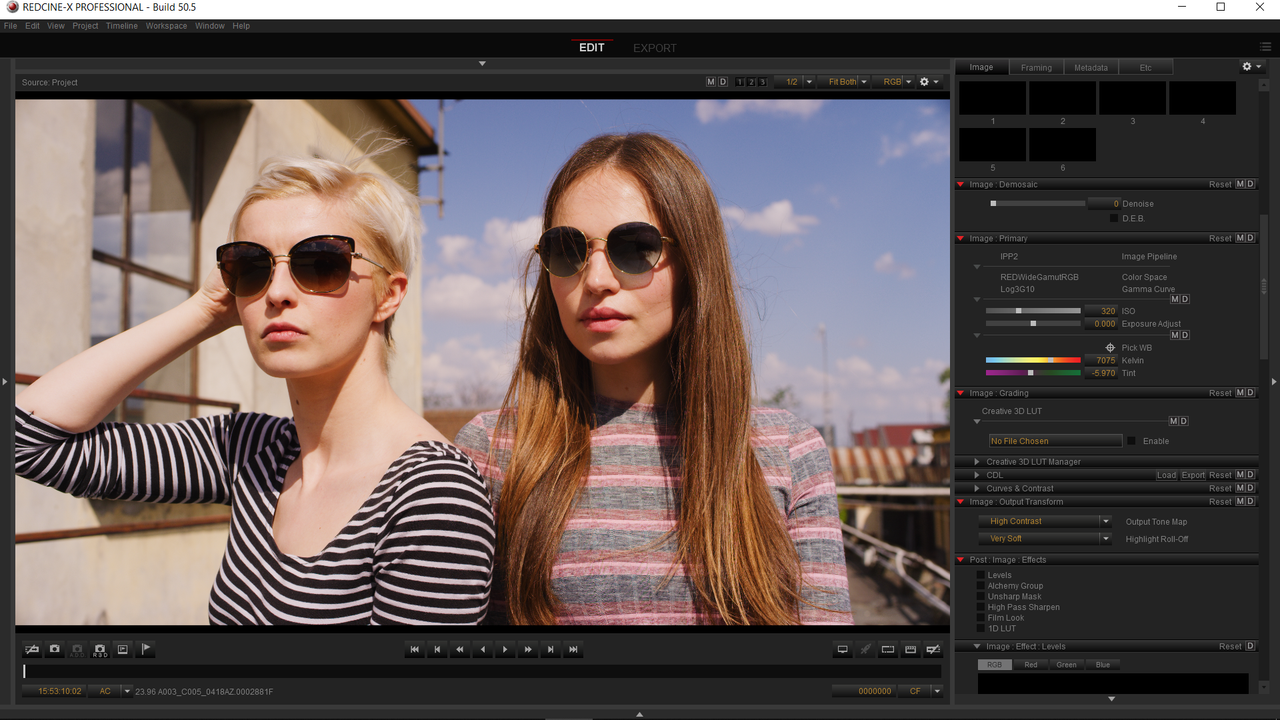
Here is a sample clip from Luigi Valtulini from another thread ungraded and then graded inside of redcine-X.


Ungraded

Screenshot-194.png


Graded

Screenshot-188.png


Here it is inside of Resolve.

I going to assume you either "linked back to the camera files" at import of the XML if your NLE used compressed files for editing. Or, you edited in RAW .R3D files in your NLE.


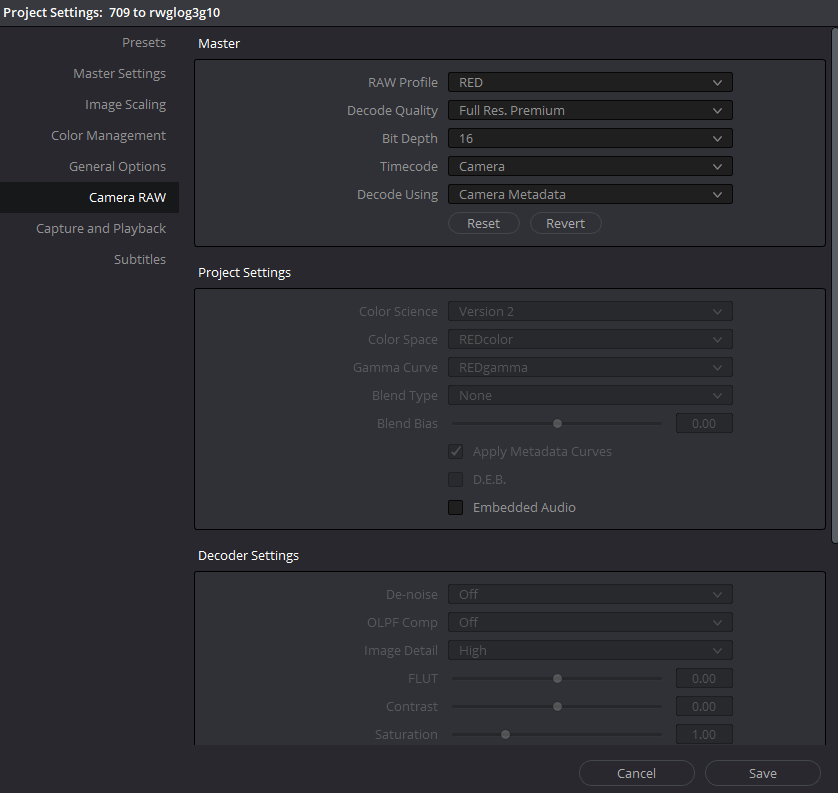
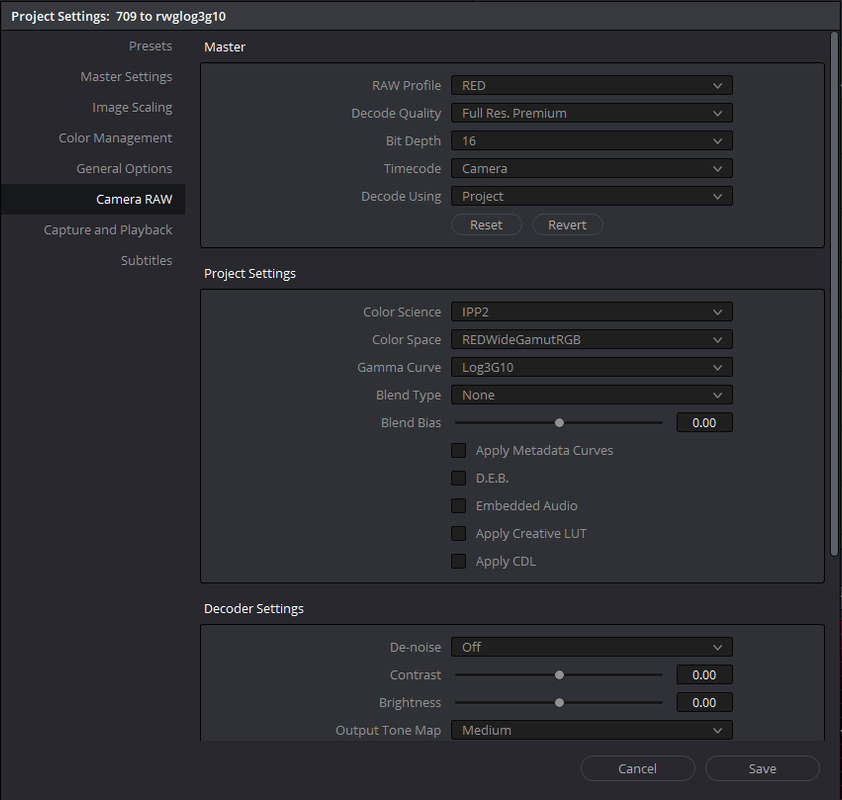
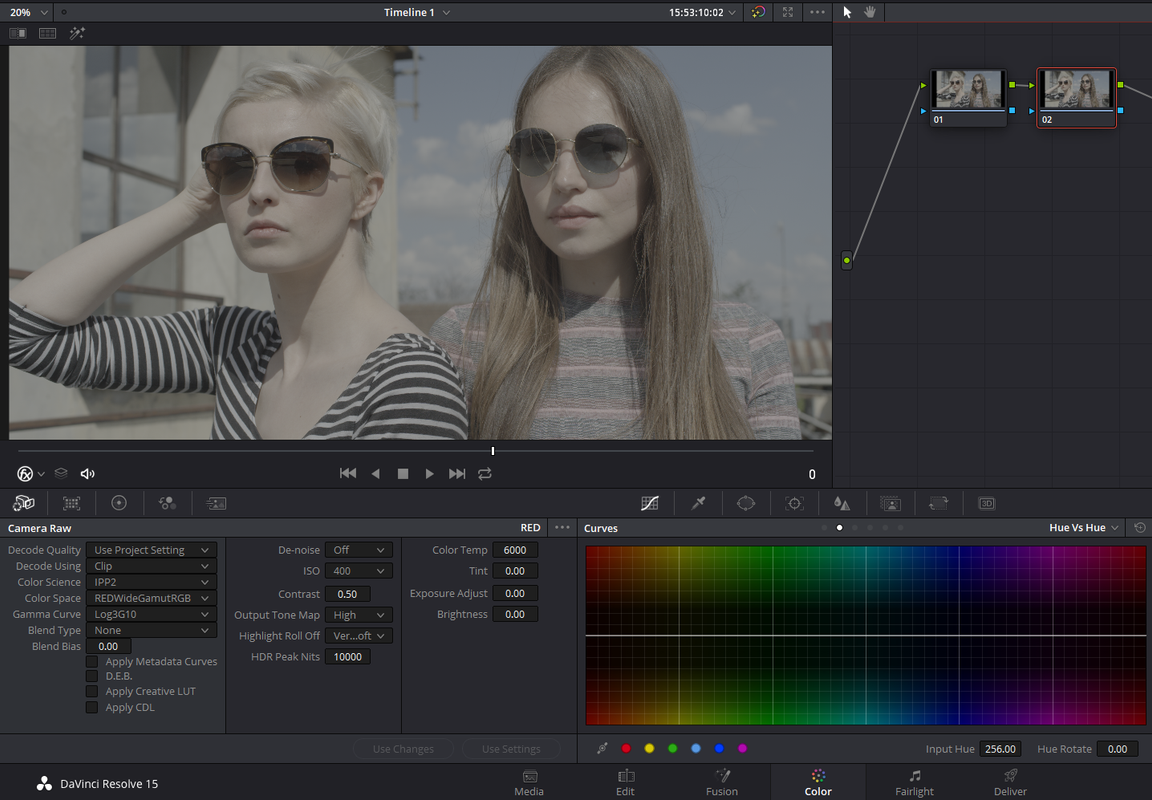
Here is the best settings if you want to decide to flatten out your .R3Ds into RWG/LOG3G10 one-by-one in resolve.


Screenshot-202.png


Screenshot-203.png


Here is the best settings if you want to transform every .R3D file in your project to RWG/LOG3G10 at ingest in resolve.


Screenshot-204.png


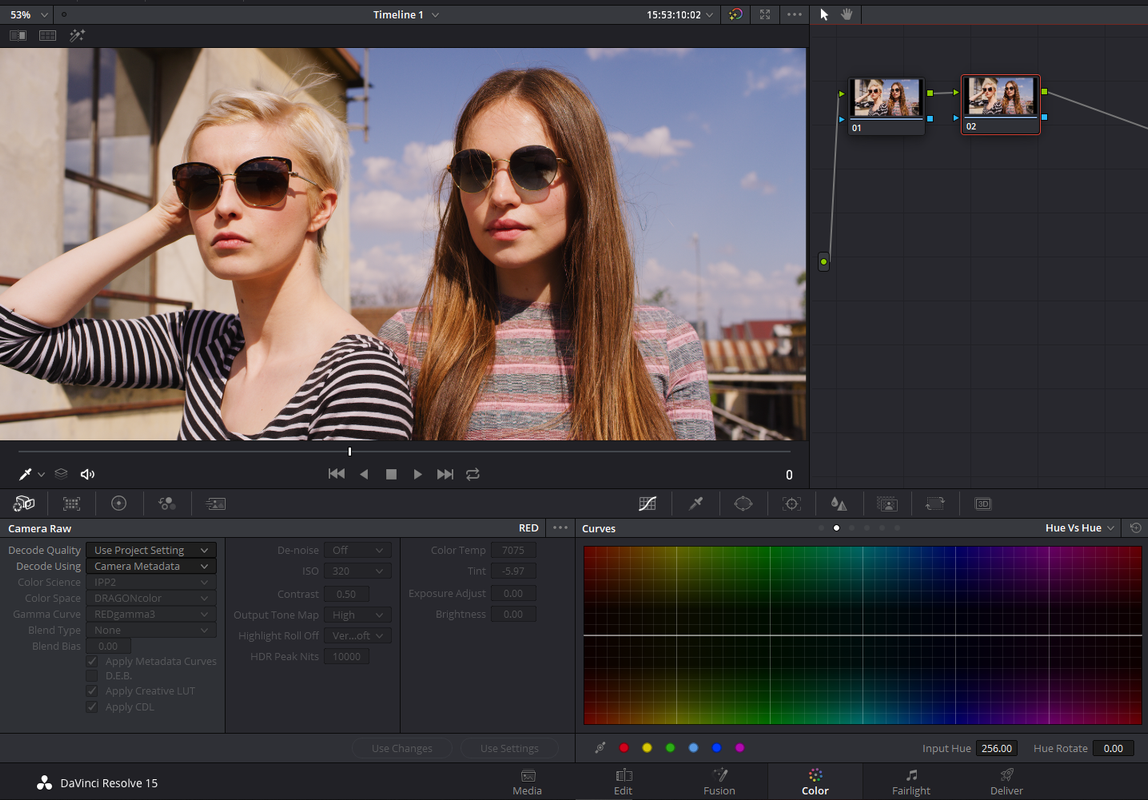
NON-IPP2 project , Just Camera metadata settings in Resolve.


Screenshot-196.png


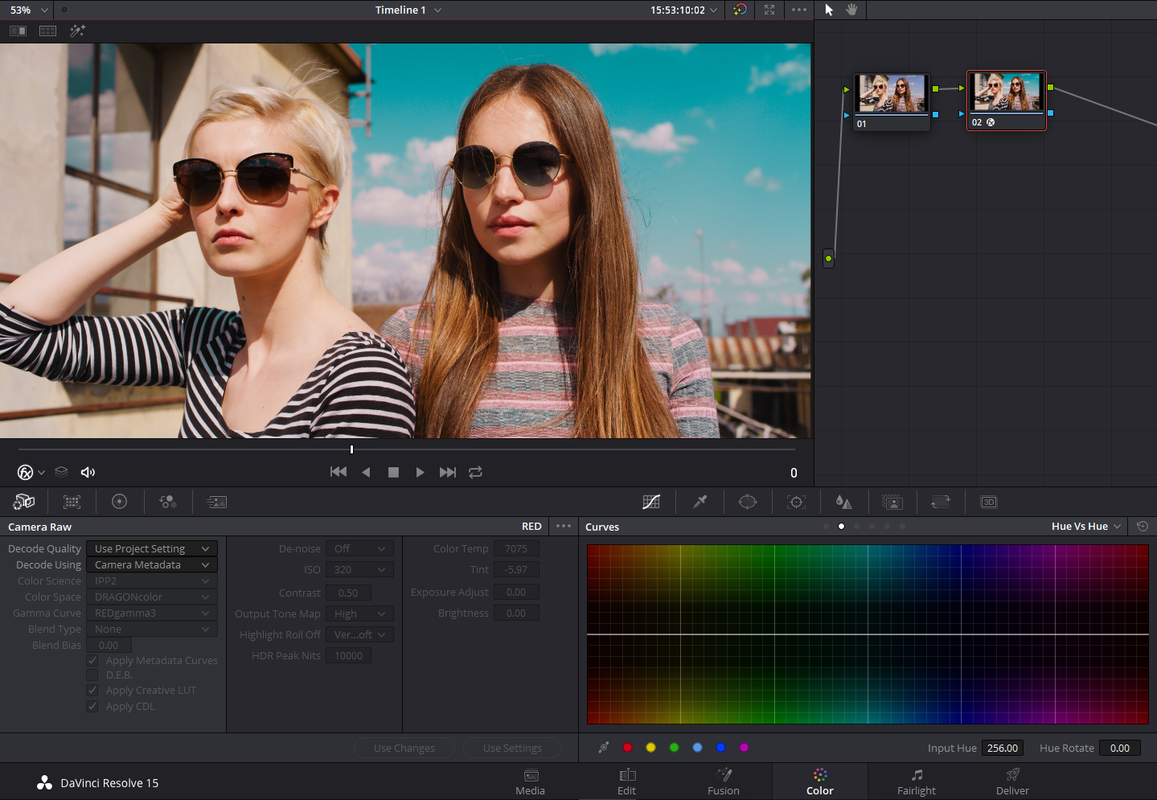
Here it is with an OFX 3dlut plugin to change that ugly magenta sky to a more "Baby Blue"' color.


Screenshot-197.png


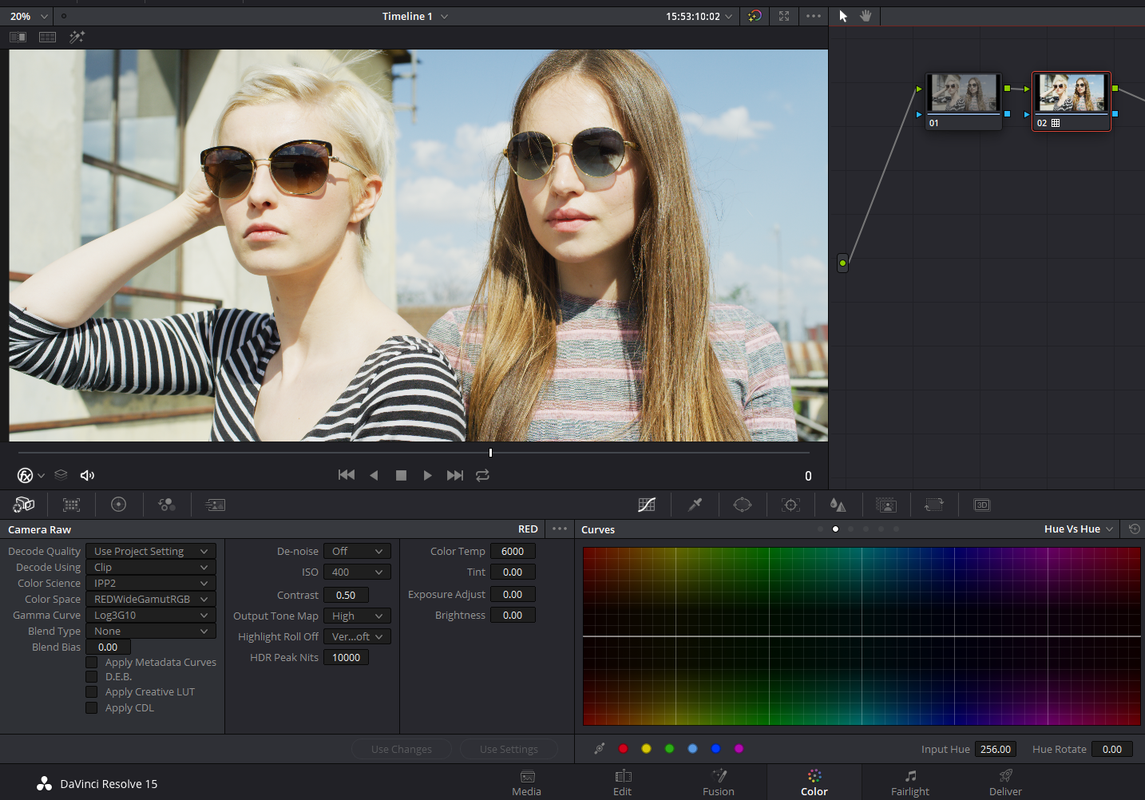
Here that is with an "IPP2" Color Science, "REDwidegamutRGB" Color Space and a "LOG3G10" Gamma applied in the "Camera Raw" settings

Screenshot-192-2.png


Screenshot-192.png


Now, Lastly here it is with the original Metadata settings from Luigi Valtulini with the original Medium/Medium "IPP2 Output Transform" Lut applied back to it in the last node. Look familiar?


Screenshot-191.png
 
Last edited:
Maybe you can help me with this question too.
I face some serious problems when I try to export stabilized footage.
In my Timeline preview the footage looks great, but when I export it, however it shows these crazy fast zoom in zoom outs at the beginning and end.
Example: https://vimeo.com/327537632/3991884896

Had anybody something similar ?
 
Maybe you can help me with this question too.
I face some serious problems when I try to export stabilized footage.
In my Timeline preview the footage looks great, but when I export it, however it shows these crazy fast zoom in zoom outs at the beginning and end.
Example: https://vimeo.com/327537632/3991884896

Had anybody something similar ?

DaVinci Resolve Delivery has two modes with respect to the Timeline: Entire Timeline (which it defaults to kinda hard) and In/Out range. If you have stabilized a range of your clip and set in/out points in your edit window, you'll see a preview you expect. If then do an export, by default Delivery will IGNORE your In/Out points. You have to select the In/Out option even if you have In/Out points set in your timeline. And then you have to manually pick the In/Out points (Go to In point in Edit, switch to Delivery and set In, switch back to Edit, go to Out point, switch to Delivery and set Out), then Add To Render Queue and Start Render.
 
Export settings are set to In/Out Point and the clip is completely stabilized, not only a range. So I think this is not the mistake.
It is pretty weird. I will try to render it again in a complete blank project and see if it will repeat this kind of zoom.
 
Finn,


As Michael stated above, even though you have the in and out points set in your timeline, you might want to select them again in the Delivery tab. This helps trims off some of the beginning and end of the clip that maybe problematic . Also, when you stabilize a segment or clip, make sure you let the stabilizer stabilize the clip all the way to the end and all the way back to the beginning.
 
Back
Top