Welcome to our community

Be a part of something great, join today!

  • Hey all, just changed over the backend after 15 years I figured time to give it a bit of an update, its probably gonna be a bit weird for most of you and i am sure there is a few bugs to work out but it should kinda work the same as before... hopefully :)

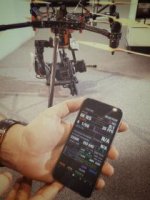
FOOLCONTROL for Iphone @ IBC

Mikael, can the FoolControl app work on an iPod touch? I have a Android Samsung phone, so I can't use my phone with your awesome app, but I do have an iPod touch that has bluetooth on it. Fingers crossed that you tell me it works it. :-)
 
Mikael, can the FoolControl app work on an iPod touch? I have a Android Samsung phone, so I can't use my phone with your awesome app, but I do have an iPod touch that has bluetooth on it. Fingers crossed that you tell me it works it. :-)

Yes it works fine on an iPod touch as long as you have iOS 8.x installed ;-)
 
Hey Michael,

Two weeks ago I had a chance to test the Weapon with foolcontrol on my drone at a local Red store. This app is just amazing!
However, I was told that it is good to have a sidekick as a backup because in case of network problem the only way to make it work again is force preset. Can you please explain how it work? Is it something that can be done very easily and fast on set?

Thanks!
Thai
 

Attachments

  • image.jpg
    image.jpg
    11.6 KB · Views: 0
Hey Michael,

Two weeks ago I had a chance to test the Weapon with foolcontrol on my drone at a local Red store. This app is just amazing!
However, I was told that it is good to have a sidekick as a backup because in case of network problem the only way to make it work again is force preset. Can you please explain how it work? Is it something that can be done very easily and fast on set?

Thanks!
Thai

Hello Thai and thanks for the feedback :)

By default camera wifi is turned OFF when you install firmware on the camera. So you will need a sidekick / touch screen (or upcoming side handle) to turn it on.

Once connected to the camera wifi you can change all your settings via the app.

It is also possible to enable wifi (like any camera settings) via a preset (create it using Menu>Presets / Create / System / and add wifi settings).
If you create a 'force_preset' directory on a REDMAG, any preset file present will be applied upon camera boot.

So if you have no sidekick / touchscreen you could use a force_preset file on a SSD to enable or disable wifi on camera.
 
Hello Mikael,

So basically if I save this file on my MiniMags I can just force boot up the camera and all my settings with wifi adhoc enabled are back. No computer needed, nothing. I assume it also works if my MiniMag is filled with shots I have previously taken. That would be awesome.

Best,
Thai
 
Hello Mikael,

So basically if I save this file on my MiniMags I can just force boot up the camera and all my settings with wifi adhoc enabled are back. No computer needed, nothing. I assume it also works if my MiniMag is filled with shots I have previously taken. That would be awesome.

Best,
Thai

settings in camera can include all your settings yes but can also include just wifi if you want to keep a setting with just that.

When you save it to a SSD mag from the camera it will be stored in a directory called 'preset'
To apply a preset automatically at startup it needs to be in a 'force_preset' directory so you will need a computer to do that...

The ssd itself can be filled with clips but once a 'force_preset' has been applied, the camera will remove it from the ssd so it will not be reapplied the next time (need a computer to copy it again in that case).
You could keep a small redmag with the preset file if you have no computer on set to re-enable wifi but if you have it enabled initially there is no reason for the setting to change (unless you re-install firmware or wipe the camera settings).

Mikael
 
Ok now it is clear, thanks!
So the best solution is either to have a small MiniMag (SSD) with just the force preset file OR buy the sidekick. :-)
Think, I am on set and have to land my drone to change Lipo. Suddently wifi does not work. And I need to go up in the air again asap.
There is no way I can do the force preset within reasonale time.

Still, foolcontrol is just genious! Keep up with the good work, Mikael!

Thai
 
Ok now it is clear, thanks!
So the best solution is either to have a small MiniMag (SSD) with just the force preset file OR buy the sidekick. :-)
Think, I am on set and have to land my drone to change Lipo. Suddently wifi does not work. And I need to go up in the air again asap.
There is no way I can do the force preset within reasonale time.

Still, foolcontrol is just genious! Keep up with the good work, Mikael!

:)

Yes I'd recommend having a sidekick (or a touch monitor) with your camera so you can always access the menu physically while prepping the camera or in case thee's an emergency on-set and your iPhone battery is empty :-)

Mikael
 
Absolutely! Three months ago we shot for CBS Network in the Mont Blanc Alps at 3500m altitude and -20 degree Celcius. My iphone suddently died even though the battery indicator showed 50%. No problem at all for my HTC Android smartphone.
So folks keep this in mind. iphones don't like cold!

Thai
 
Hello, is there any way to control the Redrock micro follow focus with foolcontrol on a scarlet-w?
The redrock follow focus is connected to the camera with the SYNC communication port (for remote start/stop).

Thank you
 
Hello, is there any way to control the Redrock micro follow focus with foolcontrol on a scarlet-w?
The redrock follow focus is connected to the camera with the SYNC communication port (for remote start/stop).

Thank you

Hello Carlo. Sync port only allows for start / stop via GPI and timecode / genlock but not full camera control.

CTRL (serial rs232) port connection is required to talk to the camera, and current REDRock micro receiver has no wifi nor serial connection so external motor control is not possible using a REDMicro / foolcontrol combo.
RTMotion has a upcoming receiver called LATITUDE that will allow foolcontrol to drive external motors among other cool things but that is not compatible with REDRock motors afaik.
 
Hello Carlo. Sync port only allows for start / stop via GPI and timecode / genlock but not full camera control.

CTRL (serial rs232) port connection is required to talk to the camera, and current REDRock micro receiver has no wifi nor serial connection so external motor control is not possible using a REDMicro / foolcontrol combo.
RTMotion has a upcoming receiver called LATITUDE that will allow foolcontrol to drive external motors among other cool things but that is not compatible with REDRock motors afaik.

Bummer, looks like the RTMotion Latitude uses a 4-pin instead of the standard 6-pin one Heden and RR use.
 
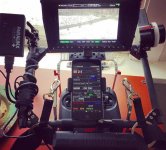
foolcontroling Scarlet-W on the wireless follow focus rig.
Can't wait to upgrade to a proper SDI wireless system and RTMotion Latitude. For now I'm just using the HDMI Jetpack module with Paralinx Arrow + and Cinegears FF.
 

Attachments

  • 12814674_10205302229066798_6297600208378682614_n.jpg
    12814674_10205302229066798_6297600208378682614_n.jpg
    91.1 KB · Views: 0
Hi Mikael - Weapon MG has arrived, tested the OSX demo.

What do I actually buy if I want to be able to use multiple iOS devices with our single camera. Is there a license that lets anybody
use their copy with our camera ? I would love to avoid putting an ipad in with the camera when it goes on rentals...

Oh and do we need to send a router or is the Ad Hoc pretty good ?

Matt Uhry
www.mattuhry.com
 
Hi Mikael - Weapon MG has arrived, tested the OSX demo.

What do I actually buy if I want to be able to use multiple iOS devices with our single camera. Is there a license that lets anybody
use their copy with our camera ? I would love to avoid putting an ipad in with the camera when it goes on rentals...

Oh and do we need to send a router or is the Ad Hoc pretty good ?

Matt Uhry
www.mattuhry.com

Ad hoc is usually pretty good as long as you use a channel that is not too crowded like channel 6 (default channel 1 is usually the most used one so not the best one).
Router will increase the range and should be used whenever possible for stronger wifi...

OS X camera locked licence can be installed on any number of computers so is possible to share the license with rental clients on their own computer...
Will private message you on an upcoming solution for multiple iOS devices for rental houses...

Mikael
 
I have FOOLCONTROL OS X and FOOLCONTROL iOS licensed for a single Epic Dragon.
My Epic has just been upgraded to Magnesium Weapon.
How to I switch my licenses over from my old Epic to my new Weapon?

Hi Paul. Check your spambox as it seems you missed my reply to your email on feb 29...
You simply have to send me your new camera pin numbet for free OS X license upgrade. iOS will work fine with your new camera.
 
Back
Top