Welcome to our community

Be a part of something great, join today!

  • Hey all, just changed over the backend after 15 years I figured time to give it a bit of an update, its probably gonna be a bit weird for most of you and i am sure there is a few bugs to work out but it should kinda work the same as before... hopefully :)

FEB Update / IPP2 Preview 2

hi graeme i'm not sure if you have done this already but have you done a how to a quick start for the new pipeline?

sorry if i missed it

I second this, would be great you guys at Red do one of those great videos on red.com showcasing this. This would help a lot of us on the field!

(I'm also a bit confused in how to apply this on camera. On my Helium I go to Settings, looks, change to red wide gamut and Log3G10 , then I have an option of " preview in ipp2 with low, medium and high contrast). where do I go from here to get the desired image recorded? )
 
I second this, would be great you guys at Red do one of those great videos on red.com showcasing this. This would help a lot of us on the field!

(I'm also a bit confused in how to apply this on camera. On my Helium I go to Settings, looks, change to red wide gamut and Log3G10 , then I have an option of " preview in ipp2 with low, medium and high contrast). where do I go from here to get the desired image recorded? )

It's really quite simple.

You're already done the first part by setting it to RWG/Log3G10. So now, set the LUT in Menu > Settings > Look > Video > Look Config. Choose the appropriate LUT for the desired look in your monitor.

Or, you can use the presets in Menu > Presets, which does both the gamma/color space, and LUT assignment for you.

If you're shooting ProRes, the recorded image will be plain REDWideGamutRGB and Log3G10. The effect of the LUT will not be baked into the ProRes file (or the RAW file, of course), so you'll need to supply your colorist/editor with the appropriate LUT, which can be downloaded here.

That's all there is to it.
 
It's really quite simple.

You're already done the first part by setting it to RWG/Log3G10. So now, set the LUT in Menu > Settings > Look > Video > Look Config. Choose the appropriate LUT for the desired look in your monitor.

Or, you can use the presets in Menu > Presets, which does both the gamma/color space, and LUT assignment for you.

If you're shooting ProRes, the recorded image will be plain REDWideGamutRGB and Log3G10. The effect of the LUT will not be baked into the ProRes file (or the RAW file, of course), so you'll need to supply your colorist/editor with the appropriate LUT, which can be downloaded here.

That's all there is to it.

Thanks Aaron,

Can we load them in Redcine X? I'm sure its ok in resolve.

Is there any way to apply these LUTS in Final Cut pro X ?
 
Thanks Aaron,

Can we load them in Redcine X? I'm sure its ok in resolve.

Is there any way to apply these LUTS in Final Cut pro X ?


LUTs in RCX, yes, LUTs in FCPX, not without additional plugin. I usually do color in Resolve, however.
 
getting great results with IPP2. Thanks Graeme

yDXXvF.jpg
 
Very happy with my Helium Weapon with it's amazing resolution and low noise floor, except this:

-Please make the ISO rating honest, in the current Calibration it's almost a full stop off actual ISO. I'm using the normal OLPF and have done a side by side with Alexa mini and I'm a full stop off in the same lighting condition & lens.

Thanks!
 
Very happy with my Helium Weapon with it's amazing resolution and low noise floor, except this:

-Please make the ISO rating honest, in the current Calibration it's almost a full stop off actual ISO. I'm using the normal OLPF and have done a side by side with Alexa mini and I'm a full stop off in the same lighting condition & lens.

Thanks!


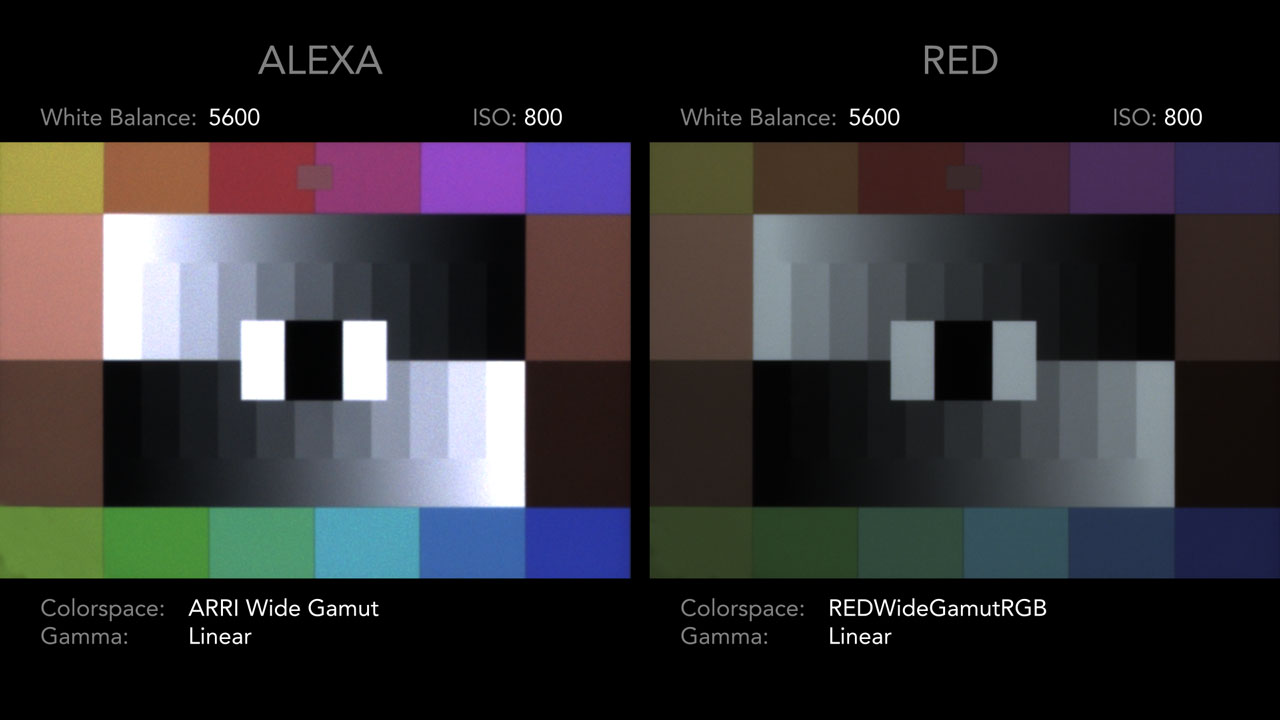
Alexa is a whole stop brighter if compared RWG/Log3G10 with Arri's Log-C.
Or do you mean with LUT applied?
 
Am I the only one liking medium contrast and Rolloff 4?

For Helium, I'm back and forth between low and medium, depending on how much was lifted with diffusion/fog/flare, etc., but pretty much always rolloff 4.

I did check out some old MX footage I had, but the limited dynamic range needs rolloff 2 for proper looking contrast.
 
I second this, would be great you guys at Red do one of those great videos on red.com showcasing this. This would help a lot of us on the field!

Don't worry, in time for full-blown rollout, Dan Duran and the team are working on them as we speak...
 
Was over at OffHollywood yesterday doing some tests with Zeiss Super Speeds and used it as an opportunity to grab a few shots on the new firmware.

Overall, I'm loving look and the flexibility with contrast and rolloff to find a look that I really like.

One question, for those of us looking to finish in Rec 2100, will there be cubes for that? Unless I'm missing something I'm only seeing cubes for rec 709.
 
For Helium, I'm back and forth between low and medium, depending on how much was lifted with diffusion/fog/flare, etc., but pretty much always rolloff 4.

For me it varies depending on what I'm shooting. I end up on medium contrast with rolloff more often than not, but a few shots looked better with low and others with medium contrast.
 
Hi Brent, Jarrad or RED team member
I paid a deposit for a Raven in December 2015, so over 13 months ago.
Could I please have a rough estimate as to how long before the camera is likely to be shipped?
Thanks
 
Does the sigma art 18-35 work again? (On foolcontrol, red THC x redlink, RTMotion latitude)
It doesn't work on epic, raven and weapon cf since version 6xxx.
We r using it with gimbal and jibs and the ef controlled focus get stuck on infinite.

Regards

Oh, so there has been a firmware version where the "stuck up on infinite" didn't happen on the Sigma 18-35 ? I've had that issue for as long as I can remember, on Epic Dragon and now on a new Epic-W body, with RT motion latitude and with Foolcontrol.
Was wondering if it was my lens that was faulty or if that was "normal" behaviour...
It's still usable, but can be a pain sometimes.
 
Hi,

My 18-35mm ART is working fine with my Weapon Helium with the 6.3.78. Have you updated the firmware for the lens?
The only lens that I have problem is the Sigma 20mm F1.4 ART that the iris does not work.
 
I wanted to be sure, so I went through the major Sigma lenses to check if firmware 6.3.78 changed anything.

The list below worked fine both on iris and focus control with foolcontrol.

12-24mm F4 DG ART
18-35mm F1.8 DC ART
24-35mm F2 DG ART
24mm F1.4 DG ART
35mm F1.4 DG ART
50mm F1.4 DG ART
85mm F1.4 DG ART
50-100mm F1.8 DC ART
150-600mm F5-6.3 DG Sport
120-300mm F2.8 DG Sport

Lens with issue
20mm F1.4 iris and auto focus don't work.
(except motion mount EF somehow works)
 
Back
Top