Welcome to our community

Be a part of something great, join today!

  • Hey all, just changed over the backend after 15 years I figured time to give it a bit of an update, its probably gonna be a bit weird for most of you and i am sure there is a few bugs to work out but it should kinda work the same as before... hopefully :)

Dragon low end predominantly red noise & high speed question & Ultraprime coverage

David Wakeley

Active member
Joined
Apr 17, 2007
Messages
43
Reaction score
0
Points
0
Location
Sydney Au
Dragon low end predominantly red noise & high speed question & Ultraprime coverage

Hi Oh Wise Ones on REDUSER.
Just proudly opened the Epic Dragon #228 box & started testing and am dismayed by the amount of low end predominantly red noise @ ISO 800 & even still there at lower ISOs. I have been reading the thread on the 'magenta venetians', but still feel that it is unacceptable to not be able to let the low end go and be noiseless without rating at ISO250 & overexposing or not having normal underexposed faces for low key effect.
Also.... what has happened to my cherished MX 300fps (project 25fps) @ 2kWS & 400fps @ 1k.... In fact where has 1k gone??!!
Happy to discover that all my Ultraprimes after 16mm cover 6K... whew! Not so the ARRI Alura 18-80... needs to be 20-80 to cover @ 5.6 & 22-80 @ 16. RED 18-50 doesn't cover at all through the range. RED 50-150 OK right through.
Are we expecting a noise fix Jared?
David Wakeley - RED One #316 & RED Epic #228
 
until new firmware is out, you must test what you need for your image and how you get it

it´s just a small step with Dragon what you get in the shadows

if you look at this "test"

http://we.tl/3O0FlRvBDM

room inside was dark, only the light from the one open window. outside : direct sun, around 3 pm

the noise in the dark areas of the room is much cleaner when i just open from f8 to f5.6 ... but i will clipp a bit, okay ...

so in such a condition, and we don´t have 17 stop cameras out there at the moment - you must decide what you want - protecting highlights or cleaner shadows, ...
in this case of run&gun available light condition i would use just 1-2 stops HDR, simple. 10 seconds to get in menu.

if you don´t want to light this set, filter for the right side with light ND. if it´s a pan or movement, i would take the HDR option - it´s there, why shouldn´t we use it, even only just for a powermask ... 2 stops will work more than fine here to get a clean final grading without visible motion blur

or: take the time for those "extreme" dynamic shots and let it render with ADD at the final steps ...

or: ask your gaffer to put a light on the wall ;-)

new firmware will improve all, but it is possible to get fine images out of Dragon right now ... you must find your workflow ...
 
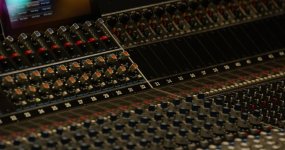
I think this is sexy as hell (SCARLET DRAGON, new OLPF, ISO 2000, 300W tungsten light). Full-res ADD TIFF is here: https://www.dropbox.com/s/vw0ft1oaz6m9jfx/B005_C022_0623LF.13.0000013F.tif

Yes, it has grain. But the grain is gorgeous. It really accentuates the darkness of the recording studio environment, while still letting you see lots of details.

Lens is a Fujinon 24-180 T2.6, 180 @ f4.0, 6K REDCODE 2:1. The attachment is a cropped and scaled JPG of the original.
 

Attachments

  • B005_C022_0623LF.13.0000013F.jpg
    B005_C022_0623LF.13.0000013F.jpg
    96.7 KB · Views: 0
Looking at the R3D at 800 ISO RG4/REDLOGfilm (same as raw view in camera) I'd say this shot is about 1 to 1.5 stops under exposed. Lots more room in the histogram to fill that up and if you did, your 2000ISO would look all that much better.

If you really want to see it noise free 4000K is a bit warm. If you WB on one of the numbers (i picked the 4 in 40) then you get a WB of 2743 and about a -7 tint. IN that scenario the image is very clean.

Why is this important. Because if you export this image, with the correct WB, then you will not be enhancing any color noise when you finally grade it and you could easily grade it to look like you want it to at 4000K but you start out with a lot less noise.

Thanks very much for posting these examples.


Battistella
 
Not really.

I could also be saying, check the raw view to make sure you are not underexposing and to see just how much room you have to move that histogram.

All this is, of course, if you want to. If you like the look of that 2000ISO that's also cool. No problem, but since people have been making a lot of noise about noise I think it's good to share strategies on how to keep things clean as well.

The only thing that does not lie is the stoplights and the RAW view.

Like Clipping, you can't get it back, if you underexpose at 2000ISO you have very little room to push the images.

Battistella
 
Did RED comment on the Histogram recalibration as being a part of the next release. The discussion of it currently being off by a stop or more got erased with the "Noise" thread deletion. Has anyone verified that the current Stop Lights and Goal Posts are absolute and can trusted?
 
In my tests stop lights and goal posts are true.

If you see a stoplight things are being clipped.
If the noise goalpost is past about 1/2 there is noise in there for sure.

Thing to do is map that RAW view and see where that histogram is. If it's leaning left of center you're under. Open up and the noise goal post disappears as well.

I'm finding that at 800iso rating 1 stop over key is giving a meatier image. Generally I rate at 250 or 320 even in dark scenes, but that could all change with this new calibration. I'm curious to see what that brings.

one thing is for sure, I'm not afraid to hit this sensor harder (more exposure) because you have to worry so little about ugly clipping (which you had to watch very carefully on MX) now, I just try to fill up that histogram.

Battistella
 
Thx! Are you still seeing a calibration right shift to the Histograms?
 
Hi Guys. Thanks for the updates & the later threads on the magenta issue & that Jarred has a fix on the way, but now the responses seem to be getting a little off track.
Basically, there is a noise issue - attractive or not.
When we early users started out with RED One, it was an exciting adventure, being part of the growth of RED, up against the big guys with a great product. We even (almost) coped with the multiple trips back across the Pacific, from Australia, for the various fixes & spent time convincing out clients that the workflow would work. we felt part of the family, with personal contact with Jim, and the wonderful Ted travelling the world including us in the process. However, when we ordered Dragon, it was fair to expect that it would be released without us having to make excuses to our clients so they would use our kit.
Please, Jarred & Jim, release the fixes quickly, particularly low end noise.
David Wakeley. Sydney.
 
Thx! Are you still seeing a calibration right shift to the Histograms?

I don't know about this. I think I read mark Toia mention he thought is was out, but no official word as far as I can tell. I can't say because I never had the old OLPF/FW combo.

@david

i agree, I think that the argument about noise will most likely be moot once the new FW and SDK are released. The new OLPF did not go through as long a testing phase as the old one and some early stage one dragon people caught it and red are on it.

Battistella
 
I don't know about this. I think I read mark Toia mention he thought is was out, but no official word as far as I can tell. I can't say because I never had the old OLPF/FW combo.

@david

i agree, I think that the argument about noise will most likely be moot once the new FW and SDK are released. The new OLPF did not go through as long a testing phase as the old one and some early stage one dragon people caught it and red are on it.

Battistella

Thx! Couldn't remember for sure who posted that in the deleted thread but it makes sense that the noise issue is actually a cocktail of: a sensor that likes lots of light, non-optimum calibration and a Histogram readout that is falsely shifted to the right potentially causing the user to underexpose. I'm sure the FW update will address all the issues as best they can be.

For now seems the best practice is to trust the Stop Lights and Goal Posts since they seem independent from the Histogram.
 
Hi Guys. Thanks for the updates & the later threads on the magenta issue & that Jarred has a fix on the way, but now the responses seem to be getting a little off track.
Basically, there is a noise issue - attractive or not.
When we early users started out with RED One, it was an exciting adventure, being part of the growth of RED, up against the big guys with a great product. We even (almost) coped with the multiple trips back across the Pacific, from Australia, for the various fixes & spent time convincing out clients that the workflow would work. we felt part of the family, with personal contact with Jim, and the wonderful Ted travelling the world including us in the process. However, when we ordered Dragon, it was fair to expect that it would be released without us having to make excuses to our clients so they would use our kit.
Please, Jarred & Jim, release the fixes quickly, particularly low end noise.
David Wakeley. Sydney.
Quick or good? Pick one.
 
Did RED comment on the Histogram recalibration as being a part of the next release. The discussion of it currently being off by a stop or more got erased with the "Noise" thread deletion. Has anyone verified that the current Stop Lights and Goal Posts are absolute and can trusted?


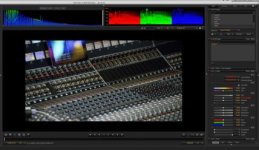
This is not about sensor calibration this shot isto me 3 stop underexposed and it is also tungsten lit so yes when set to 5000ISO and 2700K it's balanced and looks quite good... or actually amazing, better than any other camera before it.... So shooting that much under the clipping point in unbalanced light will give this results, how ever the dragon will probably hold out longer than pretty much any other camera in this situations.
 

Attachments

  • PastedGraphic-1 copy 2.jpg
    PastedGraphic-1 copy 2.jpg
    20.5 KB · Views: 0
I read somewhere that the average IRE of the movie "Drive" was 25
 
Back
Top