Welcome to our community

Be a part of something great, join today!

  • Hey all, just changed over the backend after 15 years I figured time to give it a bit of an update, its probably gonna be a bit weird for most of you and i am sure there is a few bugs to work out but it should kinda work the same as before... hopefully :)

DAVINCI RESOLVE and ***HACKINTOSH***

Another possibility would be to use 1 ATI 5770 and 2 GPU 580, if you are open to discuss ideas for now enjoy.

Luigi, Thank you for your work. Nothing short of amazing.

That would be a great idea. I intend to start building a rig based on your concept, but in the last two weeks I could not find anywhere in this country (Australia) EVGA GTX 4XX cards (being dicontinued and replaced by 5XX. The only options I have is to trawl the ebay or overseas online stores.
 
Luigi, Thank you for your work. Nothing short of amazing.

That would be a great idea. I intend to start building a rig based on your concept, but in the last two weeks I could not find anywhere in this country (Australia) EVGA GTX 4XX cards (being dicontinued and replaced by 5XX. The only options I have is to trawl the ebay or overseas online stores.

THANKS Valeriu ;)

next month i will prepare installer for GTX 580 ;)
the drivers are ready for the GTX 580;), we have about a good 40% more than the GTX 470.
but I want to run the GTX 590, I think is the right direction, 3 gtx 590 6 GPU , nice power .. we hope to do it ..

OK GUYSSSS

next step of CUDA GENERATION "MACHETE " is ready BETA 3

ADDED:

1. resolved and eliminated evoreboot ketx for shutdown. DSDT patch.
2. Enabled OpenCL, thanks to Netkas for patch
3. Improved OpenGL, we have a good 30% more speed;)
4. PAtch DSDT for more stability ... same macpro ...


Thanks
LUIGI

LINK:
https://rapidshare.com/files/2549544007/machetebeta3.zip
 
Hi luigi, i think i will change my gigabyte to your asus!!...

Do you know if davinci can detect more than 3 gpu?. I readed some time ago that the mac version has a limit of 3 gpu. But gtx590 can be a good idea because with 2 cards we can have ui + 3 gpu.

Saludos,

Jose.
 
Hi luigi, i think i will change my gigabyte to your asus!!...

Do you know if davinci can detect more than 3 gpu?. I readed some time ago that the mac version has a limit of 3 gpu. But gtx590 can be a good idea because with 2 cards we can have ui + 3 gpu.

Saludos,

Jose.

ciao my Friend Jose,

I do not know the limit of Davinci but I think we get up at 6 hehe no problems, for now I have 4 gpu , with the Lite version and normal .
Rohit maybe you could tell us what is the maximum allowed for DaVinci.
With the GTX 590 you could have 2 cards and 4 gpu, and of course 4 pcie express slots still available. You could put 2 redrocket, Raid 1 card, Blackmagic 1. Well hope to do it but we are very close to the solution.


ciao Jose
thanks Luigi
 

Attachments

  • Schermata 07-2455768 alle 00.04.02.jpg
    Schermata 07-2455768 alle 00.04.02.jpg
    16.3 KB · Views: 0
Only for information.
Very good, on 10.7.2, have set OpenCL, and update OPENGL.
use these drivers to the installer "Machete")
Davinci works perfectly.

work in progress ........
 

Attachments

  • Schermata 07-2455768 alle 22.16.25.jpg
    Schermata 07-2455768 alle 22.16.25.jpg
    15.7 KB · Views: 0
My DaVinci machine....

Core i7 970 (6 Cores)
12 GB RAM SuperTalen at 1333Mhz
3 Geforce GTX 470 EVGA
Blackmagic Decklink 3D
Atto R680 external SAS/SATA
Thermaltake Xaser 10 PCI slots case
Antec 1200 W POwer supply.
SansDigital ExternaL hd Case 8 (TRX-8)

My friend Luigi help me tunning up the system remotely, amazing!!!
All is working.

Thanks Luigi.... will wait to Lion final release :)

Here are the pictures.

Interior.jpg

Back.jpg

CloseCPU.jpg

Closeinterior.jpg

Externalcase.jpg

PowerSupply.jpg

InteriorGPU.jpg

Interior.jpg
 
Oh my ..... This is it:)
Please let the GTX590 work . . . have one her sitting arround waiting for processing
FAMOUSE!!!!
 
This would all be so much easier if BM would just release a Windows PC version...lol...
 
hi all, i am planning to use one FX5800 as GPU and one GTX 470 as GUI.
is this preferred configuration having 1X FX5800 rather than 3 X GTX 470 as GPU .... .?
 
256.02

256.02

Hey guys,

Is anyone running the 256.02 Nvidia drivers? Is there any performance gain? I can't seem to get it to work. It breaks my install (boots to black, even from external bootloader, safe mode, etc). I'm on 256.01 and getting good performance so relucant to upgrade unless there's a boost from doing so.

Thanks,
 
Hi guys,

Is it possible to specify which GPU is used for OpenCL/non-Cuda processing? I'm getting crashes (or strange shapes appearing in the viewer) on Noise Reduction and Zooms etc, and I take it that isn't handled by CUDA? Any other solutions out there?

EDIT: just found out the NR is CUSA based. Any ideas what could be causing this? I have;
"LsManager.3.NumGPUs = 1
LsManager.3.GPUMapping = 0
LsManager.3.GPUMappingEnable = 1
System.Record.Lookahead = 5"
in the Debug tab, which seems to successfully set the 480 as the only GPU (I'm getting 7 nodes with blur at 24fps on the 'Standard Candle' test)

Resolve 8.01
GTX 286 GUI
GTX 480 GPU
i7 920 @ 3.8GHz
OS X 10.6.7
Cuda 4.0.21
Nvidia drivers 256.01
Using GFX strings as per aquamac guide for hackintosh graphics enabling.

Thanks!
 
Hi guys,

Is it possible to specify which GPU is used for OpenCL/non-Cuda processing? I'm getting crashes (or strange shapes appearing in the viewer) on Noise Reduction and Zooms etc, and I take it that isn't handled by CUDA? Any other solutions out there?

EDIT: just found out the NR is CUSA based. Any ideas what could be causing this? I have;
"LsManager.3.NumGPUs = 1
LsManager.3.GPUMapping = 0
LsManager.3.GPUMappingEnable = 1
System.Record.Lookahead = 5"
in the Debug tab, which seems to successfully set the 480 as the only GPU (I'm getting 7 nodes with blur at 24fps on the 'Standard Candle' test)

Resolve 8.01
GTX 286 GUI
GTX 480 GPU
i7 920 @ 3.8GHz
OS X 10.6.7
Cuda 4.0.21
Nvidia drivers 256.01
Using GFX strings as per aquamac guide for hackintosh graphics enabling.

Thanks!

ciao John.
You have Gigabyte board.. talk with Jose Lomena..
In my installer for Snow not use GFX string i put the code nvcap of nvidia direct in dsdt acpi table.
And Asus is another board , is designed for cuda.
And is better for you in board same gpu... or different gpu for example 1 ati and 2 gtx 285 or 2 gtx 470, no use gui with 285 and gpu 480 cause crash,still talk to Jose will help for sure, he's very good :w00t:

I decided to help only those who have Asus, this to maintain a minimum error possible. Hackintosh there are a thousand possibilities, but there are a thousand faults.
I'm sorry but other configurations are forums dedicated to this, in this blog I will talk only about ASUS P6t7 Supercomputers and Davinci Resolve to get an optimal configuration and a lot of feedback so I can work on it.
Thank you for your comprehension;)
I hope not to offend anyone is not in my nature.:001_smile:

thanks
Luigi
 
Interesting thread - can gtxs be in different slots?

Interesting thread - can gtxs be in different slots?

Hi, I just discovered this thread and it is very interesting. Obviously a lot of work into it over the past few months.

I just happen to have an idling Asus SuperComputer at work, and can find 2 or 3 EVGA GTX 470s.

Is it possible to put those video cards in slots 1, 3 and 5 (instead of 3, 5 and 7 as everyone seems to be doing), because the Asus board in my SuperMicro case hits up against the floor of the case. It is not possible to have the GTX hang over the motherbpard in slot 7.
 
ciao Davez,
I understand your problem, unfortunately I chose this configuration to have more free slots pcie.
The second choice to use the video card directly into the dsdt prevents you from using other slots, so the configuration must be in slot 3/5/6/7 out these video card does not work.
Another possibility would be to install the Lion and make a custom configuration for you and for people who have a small case, takes a little time and patience but you can do remote desktop so I can put it in the new installer "machete".:thumbup1:

thanks
Luigi
 
Last edited:
Right it would require a DSDT for your setup or a EFI string including all video cards. When you change slots or adjust configuration of video devices, OSX will need a way to interpret the hardware change.
 
HEY GUYSSSSSSS:
I wanted to thank everyone for a lot of feedback, have helped me to understand the problems and try to solve them.
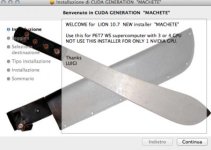
Well, I'm happy to present you the finished version of my new installer, I present "MACHETE".:w00t: + chameleon 1331 ;)
Designed to LION for Mainboard ASUS P6T7 SUPERCOMUPUTER, many thanks at ERMAC ;)
News:
A: 6-core Xeon CPU Support up to 990x Desktop.
B: Built-in dsdt support the following graphics cards in their slots PCIe 3/5/6/7:
1. GT 8800
2. GT 9800
3. GTX 465
4. GTX 470
5. GTX 480
6. Quadro 4000
C: Native to sleep
Q: Native support in slot 1 for REDROCKET
E: Native support in slot 2 for the Blackmagic 3D
F: Support for a card in slot 4 raid. ARECA or ATTO.

Machete is only used with 3 or 4 nVidia cards, not support one video card, if there are requests in the future you can add, but then again the system is dedicated to RESOLVE DAVINCI.

Well follow the video tutorial for the installation.
If you have problems I am here as always;):thumbup1:
For maximum speed I suggest you hd SSD
:w00t:
I recommend to disable update I'll tell you when you can do;):dupe:
next destination gtx 580 or 590;)

thanks

Luigi

https://rapidshare.com/files/3423104336/MACHETE.zip
 

Attachments

  • machete2.jpg
    machete2.jpg
    6.2 KB · Views: 0
  • mahete1.jpg
    mahete1.jpg
    17.5 KB · Views: 0
  • machete3.jpg
    machete3.jpg
    12.1 KB · Views: 0
Last edited:
Thanks Luigi and Alex for responding to my question about the slot assignment of the the video cards. As you are moving ahead to Lion, I should look forward too.

A modification to the DSD Table to use slots 1, 3, and 5 would be grand, but I am not sure if others are interested.

I noticed you added the GT 9800, which I think is a single slot card. Does that mean I could use 2 GTX 460s in slots 3 and 5, and one GT9800 in slot 7 and use your machete release as it stands without modification? And does that makes sense from a performance view?

Congradulation of your latest Machete release!
 
Thanks Luigi and Alex for responding to my question about the slot assignment of the the video cards. As you are moving ahead to Lion, I should look forward too.

A modification to the DSD Table to use slots 1, 3, and 5 would be grand, but I am not sure if others are interested.

I noticed you added the GT 9800, which I think is a single slot card. Does that mean I could use 2 GTX 460s in slots 3 and 5, and one GT9800 in slot 7 and use your machete release as it stands without modification? And does that makes sense from a performance view?

Congradulation of your latest Machete release!

ciao DAVEZ,
Sorry for the error are gtx 465, not 460, I suggest you have all the same cards. I think you can solve by changing case, or we agree and we have a dedicated configuration for you. These days are very busy but next week we can hear.

thanks
Luigi
 
Back
Top