Arjun Kumar
Well-known member
- Joined
- Apr 24, 2008
- Messages
- 54
- Reaction score
- 0
- Points
- 6
- Age
- 46
- Location
- Bangalore,India
- Website
- www.aadithyavisuals.com
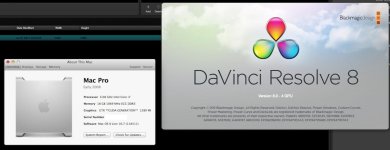
Hi Lugi, have you successfully installed Resolve 8.0 in LION GM..?

Follow along with the video below to see how to install our site as a web app on your home screen.

Note: this_feature_currently_requires_accessing_site_using_safari

Ciao ARjun , not yettt ,, waiting updateHi Lugi, have you successfully installed Resolve 8.0 in LION GM..?

I just got my evga Classified SR-2, only waiting for x2 Xeon now... I'll be testing this week. I've been so busy this year. I've had little time for testing. hopefully I can relax and do some troubleshooting with Lion on SR-2/

Ciao ARjun , not yettt ,, waiting update
I hope that we can for you, especially chipset network cards Marvel 88E8057, it would be a pity to lose the PCIe slots for network cards.
greetings ALex
ciao
Luigi
 Thats really gud news Luigi ..
Create postgres is user account with password: postgres and in terminal use this:
cd /Library/PostgreSQL/8.4
mkdir data
chmod 700 data
chown postgres data
su postgres
./bin/initdb /Library/PostgreSQL/8.4/data
(Watch it go and then you can start your server via)
./bin/postgres -D /Library/PostgreSQL/8.4/data
or
./bin/pg_ctl start -D /Library/PostgreSQL/8.4/data/ (for daemon mode, pg_ctl --help has a full list of commands)
Now in a new tab try /Library/PostgreSQL/8.4/bin/psql -U postgres and all should connect.
If you are using just psql without the full path it will load the default Lion psql command, is possible Davinci not run with this error,
dyld: Library not loaded: /usr/lib/libpq.5.dylib
Referenced from: /usr/bin/psql
Reason: no suitable image found. Did find:
/usr/lib/libpq.5.dylib: no matching architecture in universal wrapper
/usr/lib/libpq.5.dylib: no matching architecture in universal wrapper
Trace/BPT trap: 5
or rename libpq.5.3.dylib with libpq.5.dylib
THANKS
Luigi
but remember is better wait Blackmagic for this .. but if you want try davinci with Lion ...
Hi Luigi,
Great job on figuring out the DB to get it to run on Lion
We strongly advise users to not use Lion right now, as there are multiple known stability and performance issues on Lion right now. If it's just for a test, then it's ok, but you will run into many issues.
Regards,
Rohit
Thanks Rohit
Actually being there are still problems with the restart of the database when you restart your Mac.
Luigi

Kinda weird.
Hi Luigi new kid on the block here i been watching this thread for a while and wish i could run the multiple 470's for rersolve but for now i only have access to the gtx 285 and the gt 120 is it possible to get both to work together in a hack? i'm using a GIGABYTE Z68X-UD7-B3 intel Motherboard any info would be appreciated thanks in advance for your time.
i will ask JOSe Lomena for his help thanks again.
thanks for replying luigi
:001_smile:
Hello Luigi
I´m following your steps, I have a system with the asus, 3 gtx 470 and blackmagic. I followed the installations step by step, but I have a problem.
The computer is booting at a low resolution and can not be adjusted, its like the OS does not recognize the cards. The card and in slot 3, 5 and 7 counted from the CPU.
The only difference is the CPU, i´m using a Core i7 970 (6 cores).
Any help will be great.
Thanks
Gaston Musarra