Michael Tiemann
Well-known member
Let me get this out of the way: the GH4 is a toy next to the DRAGON. I spent a few days playing around with its settings to see if I could make it a useful toy. Using an iterative approach, I think I've got some interesting data to report.
My iterations started with an attempt to get both cameras to agree on their rendition of a DSC Labs Chroma Du Monde image chart, first in terms of getting the waveform monitors to agree, then to get the vector scopes to agree. This led me down a relatively blind alley in which I could get the "X" charts to somewhat agree using the highly counter-intuitive approach of cranking the contrast down to -5 (flattening things out), the highlight/shadow controls to -5/+5 (putting a steep rise in the middle of the curve), selecting Cinelike-V as the best match for the vectorscopes, and then cranking the saturation down to -5. Alas, the real-world images looked like what you'd expect from a whole bunch of extreme settings.
So I tried a different approach, which was to start with Panasonic's advertised best starting point: Cinelike D, then I gently started changing contrast and highlight/shadow curves until I got a range that looked like a reasonable starting point for Resolve. Here's where I ended up:
Cinelike-D: Contrast: 0, Sharpness -3, NR -3, Saturation 0, Hue 0
Highlight -4, Shadow +1
i.Dynamic OFF
i.Resolution OFF
Master Pedestal 0
Luminance Level 16-235
WB Adjustment: Amber 2, Green 4
Initially I started shooting in Cine4K (100Mb/sec), but switched to FHD (200Mb/sec All-I) because the macroblocking on the 4K MOV files was just too damn blocky. Its the kind of thing you would never notice until you have to really tweak some values in resolve and suddenly everything looks like it's made from a mosaic of Legos, not pixels. Using FullHD, this doesn't happen.
One of the big things I noticed is that the GH4 tends to under-saturate less saturated colors and over-saturate more saturated colors. A single saturation control cannot solve this problem, but Resolve can. I created a qualifier that ramped up a desaturation effect by setting Low to 6.0, Low Soft to 12.0, and setting saturation to 25 (compared with a "normal" value of 50). This also seemed to darken the bits where I was desaturating, so I added a Gain of 1.15 to keep everything even.
The other curves I had to true up were Lift and Gamma. I set lift to -0.06, Gamma to 0.03 and left Gain alone at 1.0. That gave me a pretty consistent-looking color chart between the two cameras. But there are still some very large differences.
First and foremost, the DRAGON simply sees every color in the scene perfectly. Every tiny gradient of the samples I put in front of it are as real on the monitor as they are in my own hands. Secondly, and perhaps related, the clarity of the DRAGON's 6K image provides ample pixel coverage to properly respect all these different colors, rather than muddling them together.
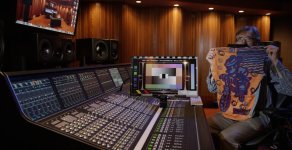
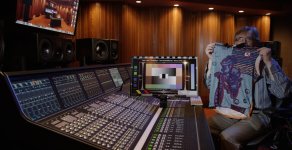
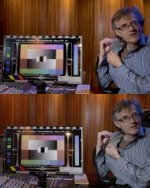
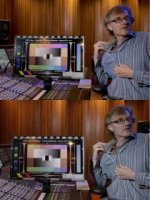
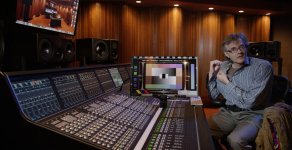
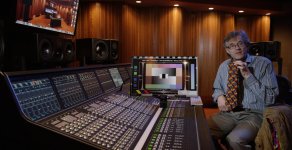
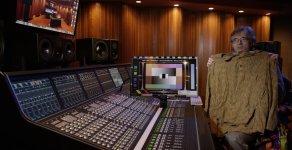
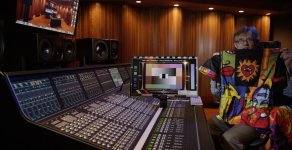
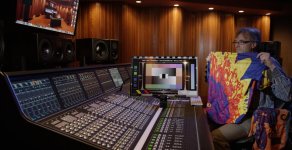
With the GH4, it's obvious that its gamut is nowhere near the DRAGON's. As you can see in the attached images, I'm wearing a shirt that has lots of colors in the green->aqua->cyan->blue->lavendar range, and the GH4 just paints them all about the same color. [In a previous test I posted, they really were much more muddled together, due to a focus error. It's not quite as bad as I first thought, but look at the results and you will still see quite a large difference.] A different shirt I presented (with subtle gradations in red->orange->mustard yellow) looks similarly monochromatic. And while the GH4's 1920x1080 resolution puts the AF100's sensor to shame (not very hard to do: the AF100's sensor really shames itself), the downscaling of DRAGON to 2K DCI looks far, far sharper, and more colorful than the GH4. [Even after correcting the focusing error.]
I am by no means the greatest DIT or colorist. It could be that there are people who could make these two match far better than I. But I think my experiment shows how close--and yet how far--the GH4 is from the DRAGON, even when delivering 2K results.
To show my work, I've created a large Dropbox folder, with some sub-folders for easy browsing.
The main folder: https://www.dropbox.com/sh/jnysjxmw927nhdi/AAB4XLzsjZik-drJyuVWIf5Za
Full-res ADD TIFFs: https://www.dropbox.com/sh/9x6c3qimazshodu/AACUkaNvJFkGDB3pYTHWcq_2a
Full-res PNGs from GH4 Cineon exports: https://www.dropbox.com/sh/g72s43w0uuu1xo7/AABtlExxzjMx32Sl_gIxujala
In the main folder there is also a Resolve project that can connect to the media files within that folder...if you really want to download 14GB of data.
Here are five (of eight) JPGs of the images. I'll attach the remaining three in a followup. [Note that these images are from a previous version of the video test. They are not greatly changed because the focus of the DRAGON was never a problem in the test.]
My iterations started with an attempt to get both cameras to agree on their rendition of a DSC Labs Chroma Du Monde image chart, first in terms of getting the waveform monitors to agree, then to get the vector scopes to agree. This led me down a relatively blind alley in which I could get the "X" charts to somewhat agree using the highly counter-intuitive approach of cranking the contrast down to -5 (flattening things out), the highlight/shadow controls to -5/+5 (putting a steep rise in the middle of the curve), selecting Cinelike-V as the best match for the vectorscopes, and then cranking the saturation down to -5. Alas, the real-world images looked like what you'd expect from a whole bunch of extreme settings.
So I tried a different approach, which was to start with Panasonic's advertised best starting point: Cinelike D, then I gently started changing contrast and highlight/shadow curves until I got a range that looked like a reasonable starting point for Resolve. Here's where I ended up:
Cinelike-D: Contrast: 0, Sharpness -3, NR -3, Saturation 0, Hue 0
Highlight -4, Shadow +1
i.Dynamic OFF
i.Resolution OFF
Master Pedestal 0
Luminance Level 16-235
WB Adjustment: Amber 2, Green 4
Initially I started shooting in Cine4K (100Mb/sec), but switched to FHD (200Mb/sec All-I) because the macroblocking on the 4K MOV files was just too damn blocky. Its the kind of thing you would never notice until you have to really tweak some values in resolve and suddenly everything looks like it's made from a mosaic of Legos, not pixels. Using FullHD, this doesn't happen.
One of the big things I noticed is that the GH4 tends to under-saturate less saturated colors and over-saturate more saturated colors. A single saturation control cannot solve this problem, but Resolve can. I created a qualifier that ramped up a desaturation effect by setting Low to 6.0, Low Soft to 12.0, and setting saturation to 25 (compared with a "normal" value of 50). This also seemed to darken the bits where I was desaturating, so I added a Gain of 1.15 to keep everything even.
The other curves I had to true up were Lift and Gamma. I set lift to -0.06, Gamma to 0.03 and left Gain alone at 1.0. That gave me a pretty consistent-looking color chart between the two cameras. But there are still some very large differences.
First and foremost, the DRAGON simply sees every color in the scene perfectly. Every tiny gradient of the samples I put in front of it are as real on the monitor as they are in my own hands. Secondly, and perhaps related, the clarity of the DRAGON's 6K image provides ample pixel coverage to properly respect all these different colors, rather than muddling them together.
With the GH4, it's obvious that its gamut is nowhere near the DRAGON's. As you can see in the attached images, I'm wearing a shirt that has lots of colors in the green->aqua->cyan->blue->lavendar range, and the GH4 just paints them all about the same color. [In a previous test I posted, they really were much more muddled together, due to a focus error. It's not quite as bad as I first thought, but look at the results and you will still see quite a large difference.] A different shirt I presented (with subtle gradations in red->orange->mustard yellow) looks similarly monochromatic. And while the GH4's 1920x1080 resolution puts the AF100's sensor to shame (not very hard to do: the AF100's sensor really shames itself), the downscaling of DRAGON to 2K DCI looks far, far sharper, and more colorful than the GH4. [Even after correcting the focusing error.]
I am by no means the greatest DIT or colorist. It could be that there are people who could make these two match far better than I. But I think my experiment shows how close--and yet how far--the GH4 is from the DRAGON, even when delivering 2K results.
To show my work, I've created a large Dropbox folder, with some sub-folders for easy browsing.
The main folder: https://www.dropbox.com/sh/jnysjxmw927nhdi/AAB4XLzsjZik-drJyuVWIf5Za
Full-res ADD TIFFs: https://www.dropbox.com/sh/9x6c3qimazshodu/AACUkaNvJFkGDB3pYTHWcq_2a
Full-res PNGs from GH4 Cineon exports: https://www.dropbox.com/sh/g72s43w0uuu1xo7/AABtlExxzjMx32Sl_gIxujala
In the main folder there is also a Resolve project that can connect to the media files within that folder...if you really want to download 14GB of data.
Here are five (of eight) JPGs of the images. I'll attach the remaining three in a followup. [Note that these images are from a previous version of the video test. They are not greatly changed because the focus of the DRAGON was never a problem in the test.]
Attachments
Last edited: