Welcome to our community

Be a part of something great, join today!

  • Hey all, just changed over the backend after 15 years I figured time to give it a bit of an update, its probably gonna be a bit weird for most of you and i am sure there is a few bugs to work out but it should kinda work the same as before... hopefully :)

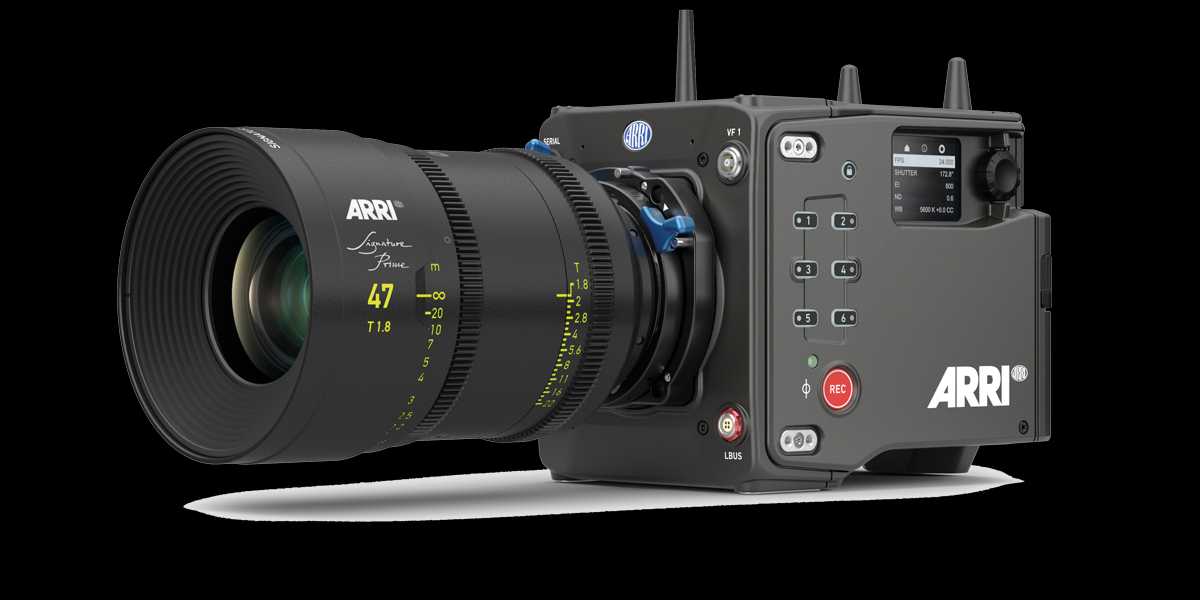
ARRI 4K Super 35 Camera Will be Launched Next Month

I don't know what's going on, but it seems that if you want to download any ARRI ALEXA SAMPLE FOOTAGE now you have to use the old FTP server and not the newer FTP2 server. Maybe they are adding new footage to the FTP2 server or maybe the FTP2 server was always meant to be temporary.
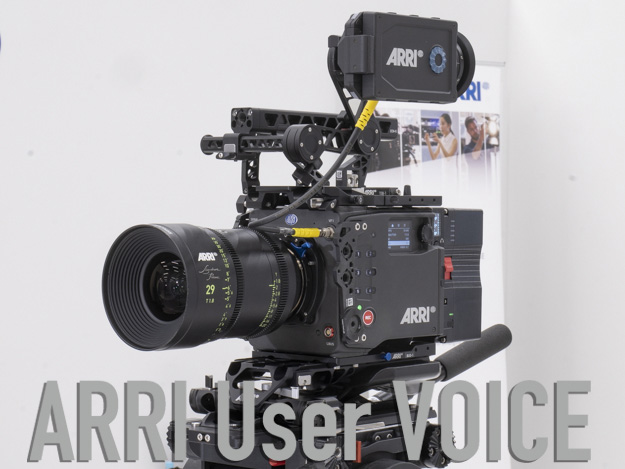
 
The birth of a cinema camera that can reproduce the look of film shooting

by pronews


ARTICLE
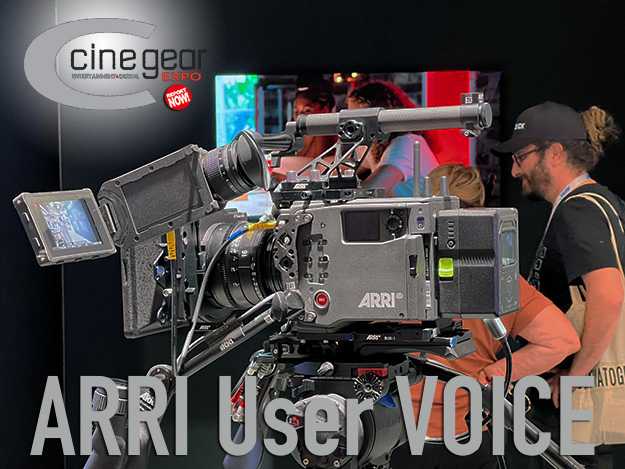
Vol.01 SPICE Toru Miura, ed.: ARRI ALEXA 35 Actual Machine Report. The Birth of a Cinema Camera That Can Recreate the Look of Film Photography [ARRI User VOICE] - PRONEWS : Digital Video Production Web Magazine


220613-ARRIALEXA35-16.jpg
 
Hope it got beyond the look of film shooting... otherwise shoot film

He was comparing how similar the look of the texture settings available in Alexa 35 looked in comparison with the look of the grain in the film stocks he was use to shooting with. Although he stated that you could use post processing software to add grain he thought that the texture settings resembled the more authentic grain structure of film.


20220721-162517.jpg


20220721-162559.jpg
 
Last edited:
2022-06-22-Alexa35AndMore.mov

by CML Cinematography Mailing List


So he says he never loved the Arri mini box concept.
That Arri has done a 4k (? 4.6 x0.75=3450 resolution) camera “to satisfy the Netflix and others compliance of the 4k absurdity. “
I couldn’t liste more to this xxxxx post cast.

Arri has agressively used renowned DP’s to make their communication. Strange thing they waited until now to listen to them and make the “perfect” camera (again).

Please someone tells him there are better form factor cameras out there wich can also handle 2k :excitement:
 
How to Grade LogC4 footage

https://www.arri.com/resource/blob/283986/17930dcba07a9657633b323be96b5438/2022-07-alexa-35-how-to-grade-logc4-footage-data.pdf

Screenshot-5532.png


ARRI Look File ALF4

https://www.arri.com/resource/blob/283114/259480ccaaeccc21483ba1180f72c802/2022-07-arri-alexa-35-arri-look-file-alf4-data.pdf

Screenshot-5531.png


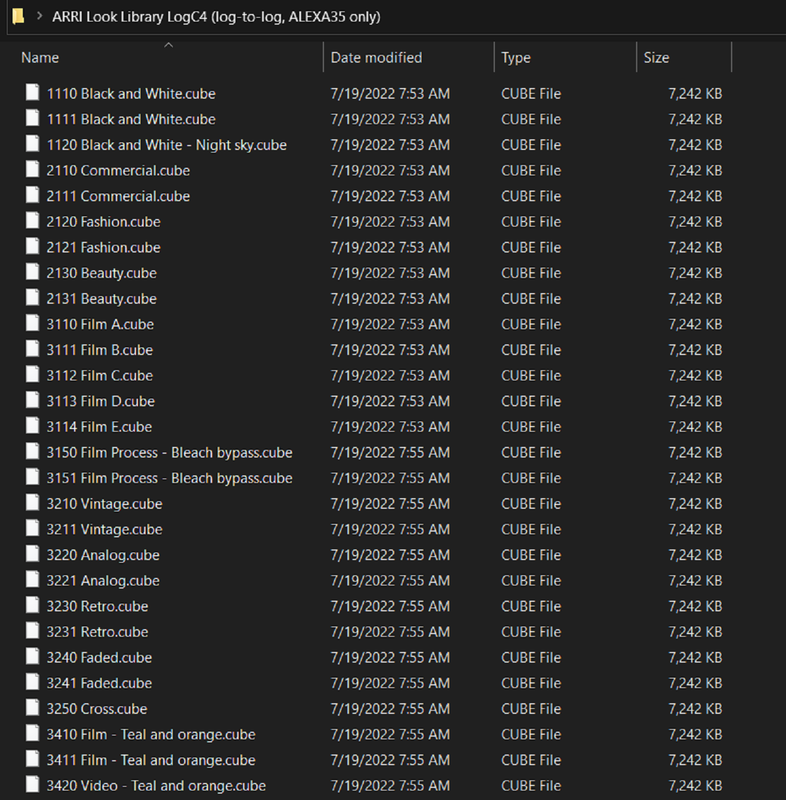
ARRI LOOK LIBRARY LOGC4

https://www.arri.com/resource/blob/283980/569a5f6cd5d7f43f4ad3a55d274becea/arri-look-library-logc4-log-to-log-alexa35-only--data.zip

Screenshot-5534.png
 
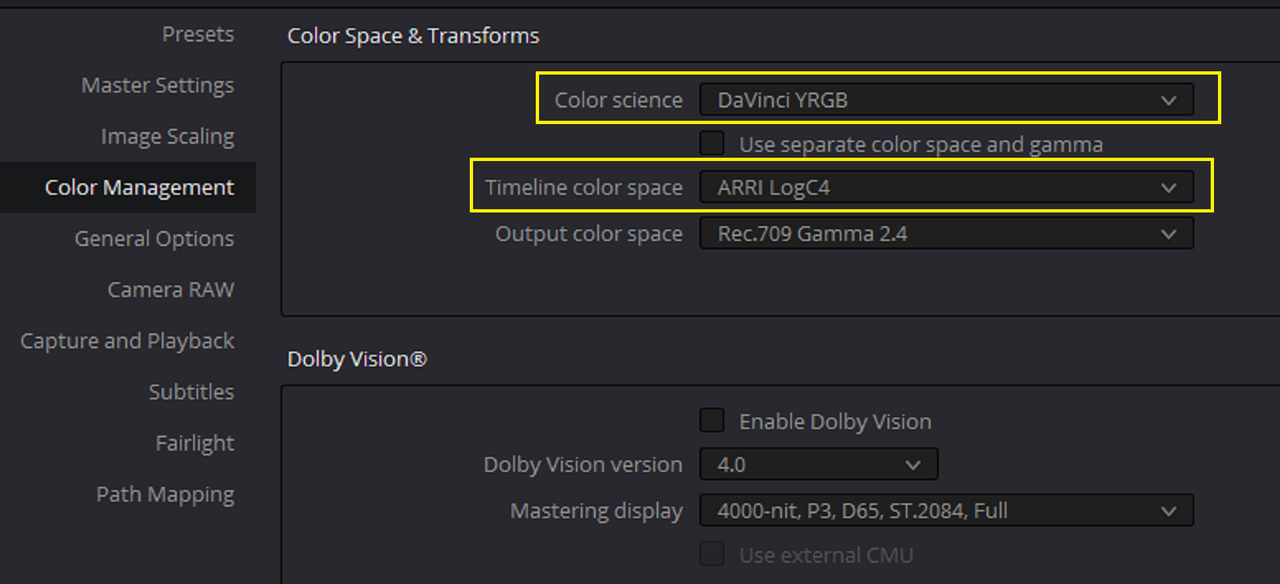
According to the " HOW TO GRADE LOGC4 FOOTAGE" ARRI PDF above, the settings below are how to get the most out of the new REVEAL color science. It seems that ARRI feels that using either an ACES or a DAVINCI WIDE GAMUT workflow would not give you optimal results. The setup below kinda of reminds me of the early days of RED's IPP2 workflow in Resolve.

Screenshot-5536.png


Screenshot-5537.png
 
According to the " HOW TO GRADE LOGC4 FOOTAGE" ARRI PDF above, the settings below are how to get the most out of the new REVEAL color science. It seems that ARRI feels that using either an ACES or a DAVINCI WIDE GAMUT workflow would not give you optimal results. The setup below kinda of reminds me of the early days of RED's IPP2 workflow in Resolve.

As I mentioned Rand, ACES is fine to focus on if you know where the issues are present, but if you want ARRI, RED, Sony, or Canon's full blown Color Science you'll need to use their workflows. And generally I recommend that more than ACES in practice. I'd write a book on it, but since ACES is ever changing, I don't exactly want to pin a nail in it.

I really, really like RED's IPP2 workflow and mindset overall. Medium Contrast with Soft or Medium Highlight Roll-Off is a very good way to go. Some go with Very Soft and that's a bold choice for most content in my experience. In my own transforms I've created a slightly different spread for reasons. One revelatory thing related to Log3G10 was eventually testing all cameras to see how that Log Curve works with all other material outside just working up from Linear. And it works nicely with everything, even LogC4.

The only notes I have regarding ARRI's LogC4 LUTs in particular is what I've called out. Take special care in under key situations as the LUTs do stuff in the shadows. Given any EI/ISO rating if you have a clipping highlight even even exposed one, it will exceed the ceiling of the LUT, which again isn't a bad thing but something to note if you want to see your highlight detail clearer. You can super gamut saturation and desaturate on the Alexa 35, so a roll-off is ideal or you get like hot as hell yellows that don't look natural or whatever if you bring that down too much.

I know not every colorist or post house rents cameras to fully test them to create their workflows, not exactly feasible for most, but in the last decade I'd say that's been rather important to do if you really need to know how things work. Also helps understanding some of the manufacturers choices when it comes to a variety of the decisions involved with the whole package of a camera system.
 
FULL VERSION OF ARRI REFERENCE TOOL


FOR MAC
https://www.arri.com/resource/blob/282136/43190e70dc5be97af36c92ef843dbff5/arrireferencetool-gui-1-0-0-0-macos-data.zip

FOR WINDOWS
https://www.arri.com/resource/blob/282138/f6d7a8bc59a2311140a1f6ce630dba13/arrireferencetool-gui-1-0-0-0-windows-data.zip

Screenshot-5540.png
 
As I mentioned Rand, ACES is fine to focus on if you know where the issues are present, but if you want ARRI, RED, Sony, or Canon's full blown Color Science you'll need to use their workflows. And generally I recommend that more than ACES in practice. I'd write a book on it, but since ACES is ever changing, I don't exactly want to pin a nail in it.

I really, really like RED's IPP2 workflow and mindset overall. Medium Contrast with Soft or Medium Highlight Roll-Off is a very good way to go. Some go with Very Soft and that's a bold choice for most content in my experience. In my own transforms I've created a slightly different spread for reasons. One revelatory thing related to Log3G10 was eventually testing all cameras to see how that Log Curve works with all other material outside just working up from Linear. And it works nicely with everything, even LogC4.

The only notes I have regarding ARRI's LogC4 LUTs in particular is what I've called out. Take special care in under key situations as the LUTs do stuff in the shadows. Given any EI/ISO rating if you have a clipping highlight even even exposed one, it will exceed the ceiling of the LUT, which again isn't a bad thing but something to note if you want to see your highlight detail clearer. You can super gamut saturation and desaturate on the Alexa 35, so a roll-off is ideal or you get like hot as hell yellows that don't look natural or whatever if you bring that down too much.

I know not every colorist or post house rents cameras to fully test them to create their workflows, not exactly feasible for most, but in the last decade I'd say that's been rather important to do if you really need to know how things work. Also helps understanding some of the manufacturers choices when it comes to a variety of the decisions involved with the whole package of a camera system.

Phil,

As you said in a previous post, an I paraphrase " if you want ARRI's Color Science you have to use their Luts". With just screwing around so far with various different workflows, I'm learning some of the pitfalls of the AWG4/ALC4 color space and gamma and some of the benefits. I still think it's going to take a while for everyone to decide which workflow/s are best for them and what if any sacrifices they are welling to accept for using those workflows.
 
As you said in a previous post, an I paraphrase " if you want ARRI's Color Science you have to use their Luts". With just screwing around so far with various different workflows, I'm learning some of the pitfalls of the AWG4/ALC4 color space and gamma and some of the benefits. I still think it's going to take a while for everyone to decide which workflow/s are best for them and what if any sacrifices they are welling to accept for using those workflows.

Most good colorists, post houses, and VFX houses do a lot of "roll your own" as it pertains to their workflows and the project's goals. The meat grinder day and day out work is highly effective with known quantities like a manufacturer's offerings or something like ACES. But with that you need to understand what, how, and why anybody does what they do eventually and investigate pitfalls if there are any. You're on the right path comparing and examining those differences. Some people will want that, some will want other things.

The nice thing in particular with Resolve's popularity is a lot of things can be kept in that world and done in the world. But on larger productions or even smaller ones footage can go through anything and that's where the real rollercoaster ride begins.

I don't expect everybody to go out and learn various applications or master them, but it is worth spending time in well known/used tools in case you find yourself needing to dive into that workflow. I have no problem saying Resolve is my most used software when it comes to motion content, but I have spent "new house money" on all of the damn software licenses I have here to even work on some of things I end up shooting for or whatever I'm tasked to do. Not a bad thing, but a crazy part of this. And then there's the weird stuff when there are no tools and you have to hammer out some of your own, which is actually fun and challenging, but also time consuming.
 
Phil,

"New House Money", That's a shitload!,HaHaHaHa. Yeah, as you said many will try to incorporate the AWG4/ ALC4 workflow into something resembling their own past workflows. I'm trying to find the best and the most refined and technically accurate way of doing this. I want something that is easily repeatable without a whole lot of fluff or B.S. and just something that seems logical to the way I think, and not trying to follow what I feel is non-logical reasoning.:thumbsup:
 
HOW TO CREATE AN ALF4 LOOK FILE


IN RESOLVE-PART 1


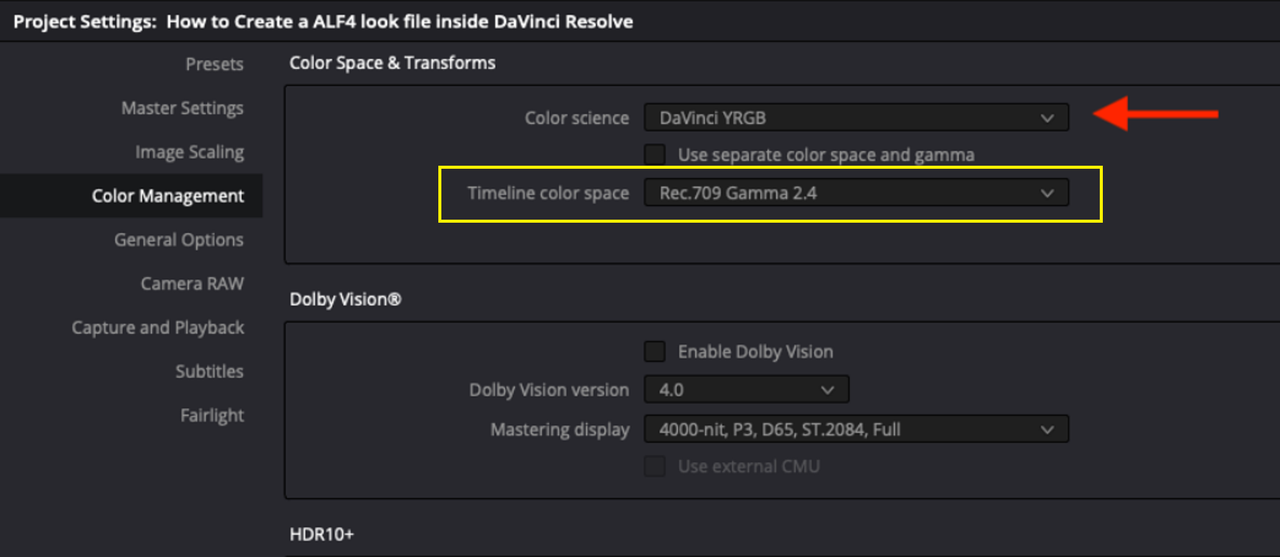
PROJECT SETTINGS

The " HOW TO CREATE AN ALF4 LOOK FILE" PDF I think was still using an older version 17 of Resolve because in the PDF only the "TIMELINE COLOR SPACE" was available, the latest version 18 of Resolve has both the "TIMELINE COLOR SPACE" and "OUTPUT COLOR SPACE" drop-down menus.

1a.png

Screenshot-5536.png


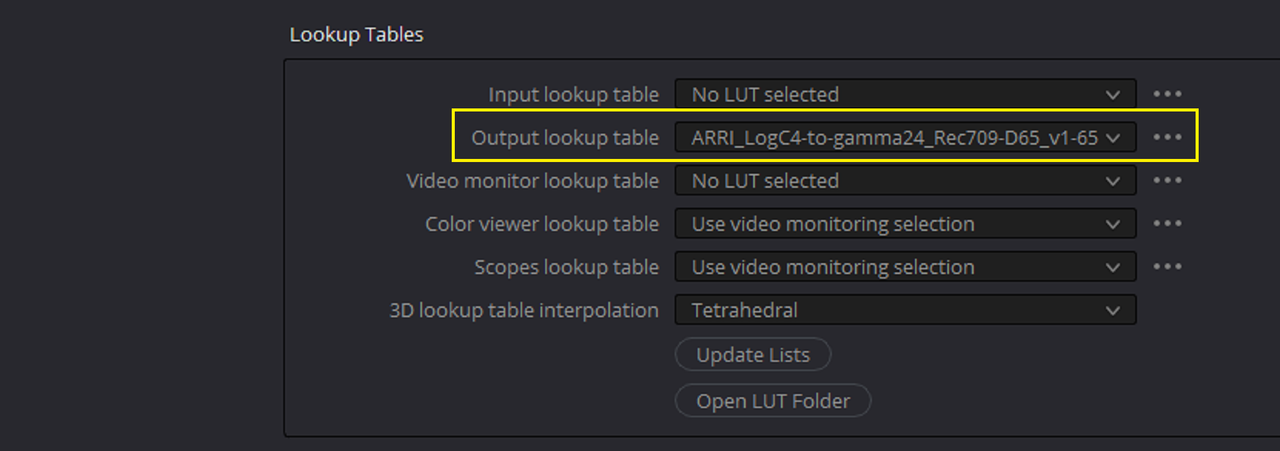
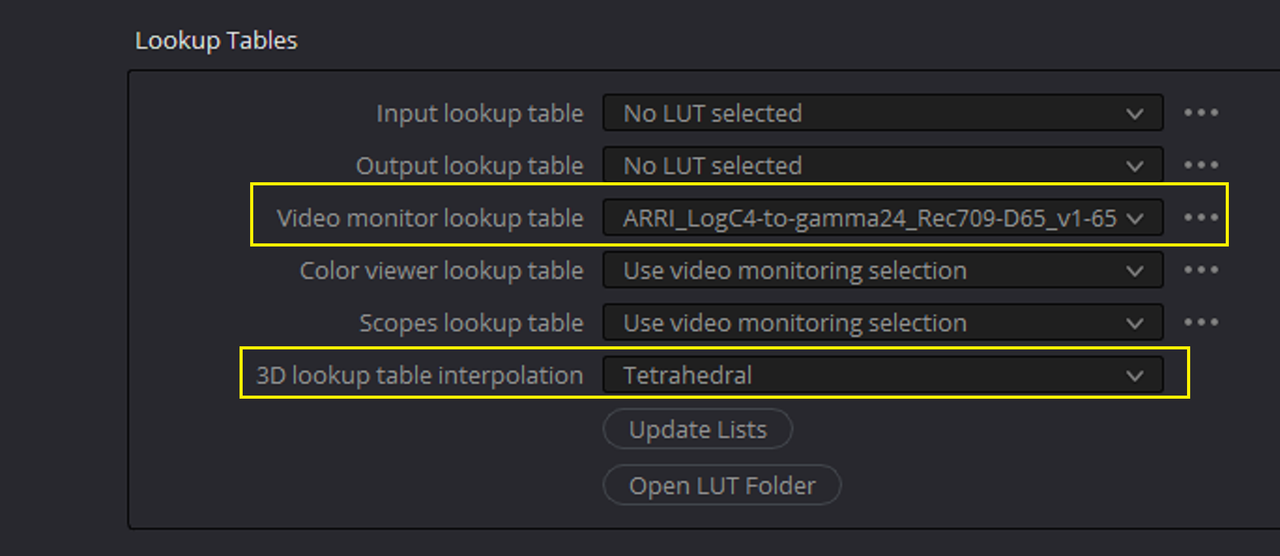
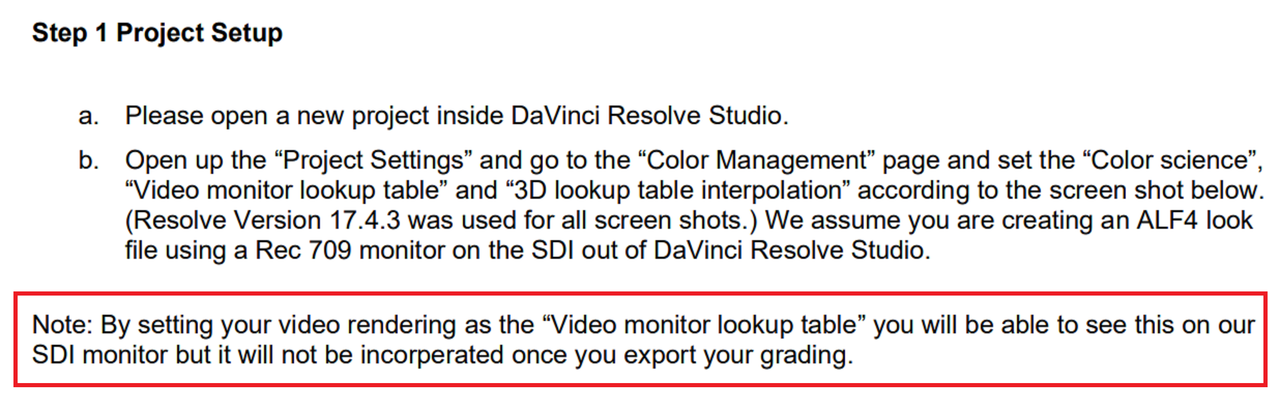
Use " TETRAHEDRAL" next to "3D LOOKUP TABLE INTERPOLATION" for the best LUT quality results. They suggest placing the "AWG4 to REC709" output transform in the "VIDEO MONITOR LOOKUP TABLE" for the reason mentioned below from the PDF.


2.png


2b.png


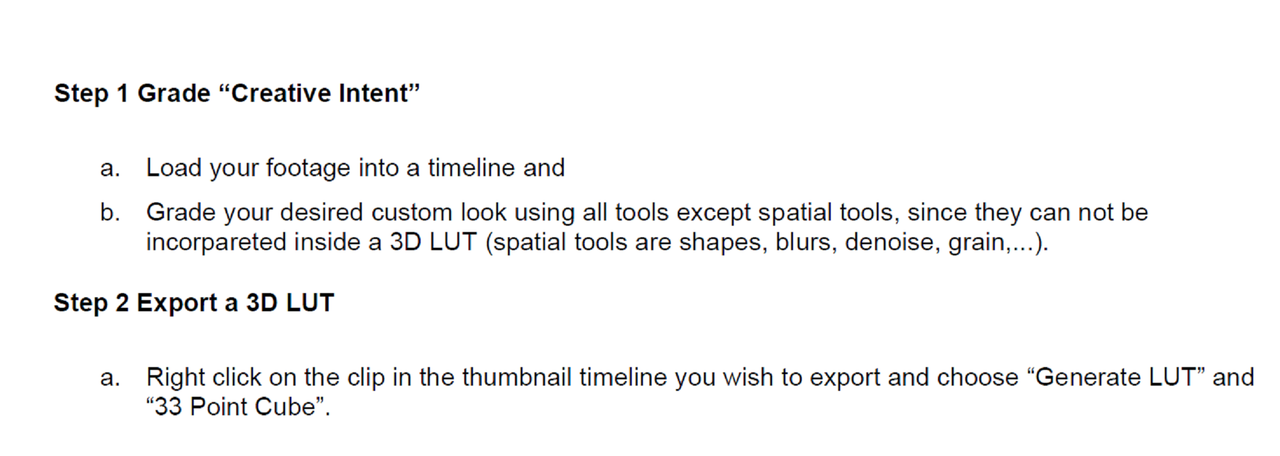
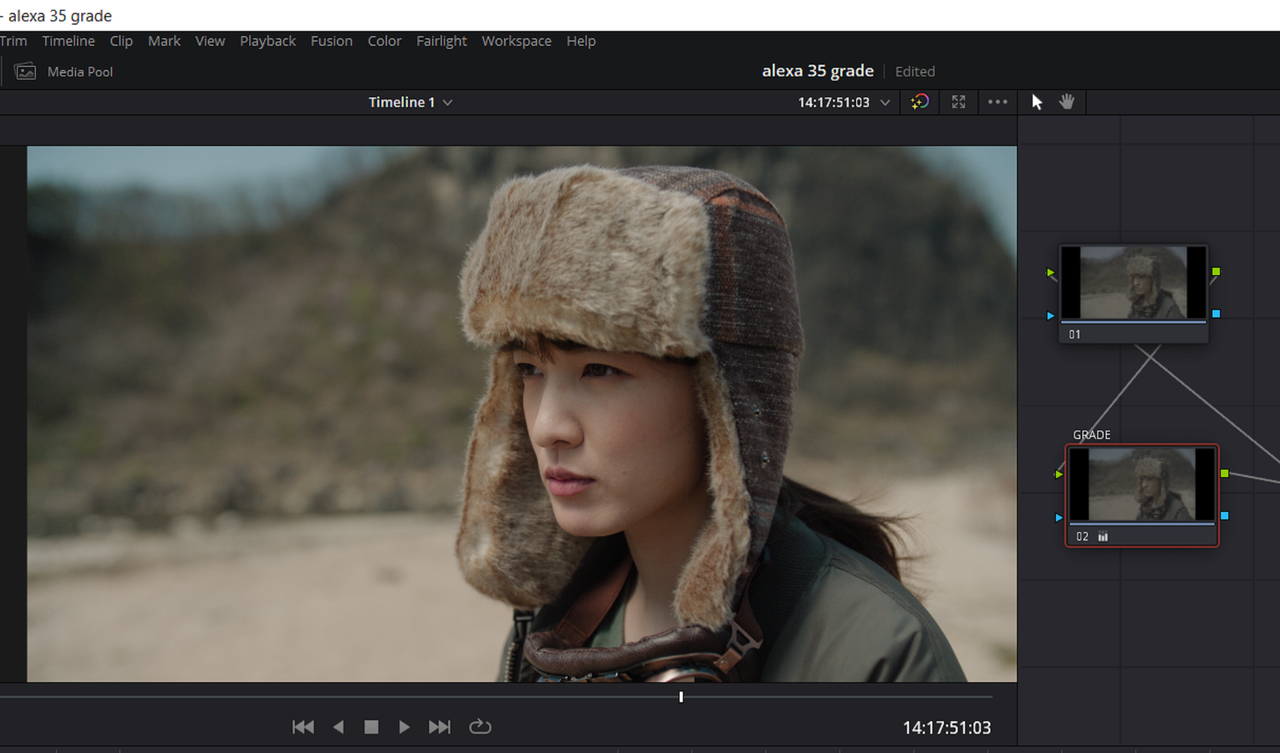
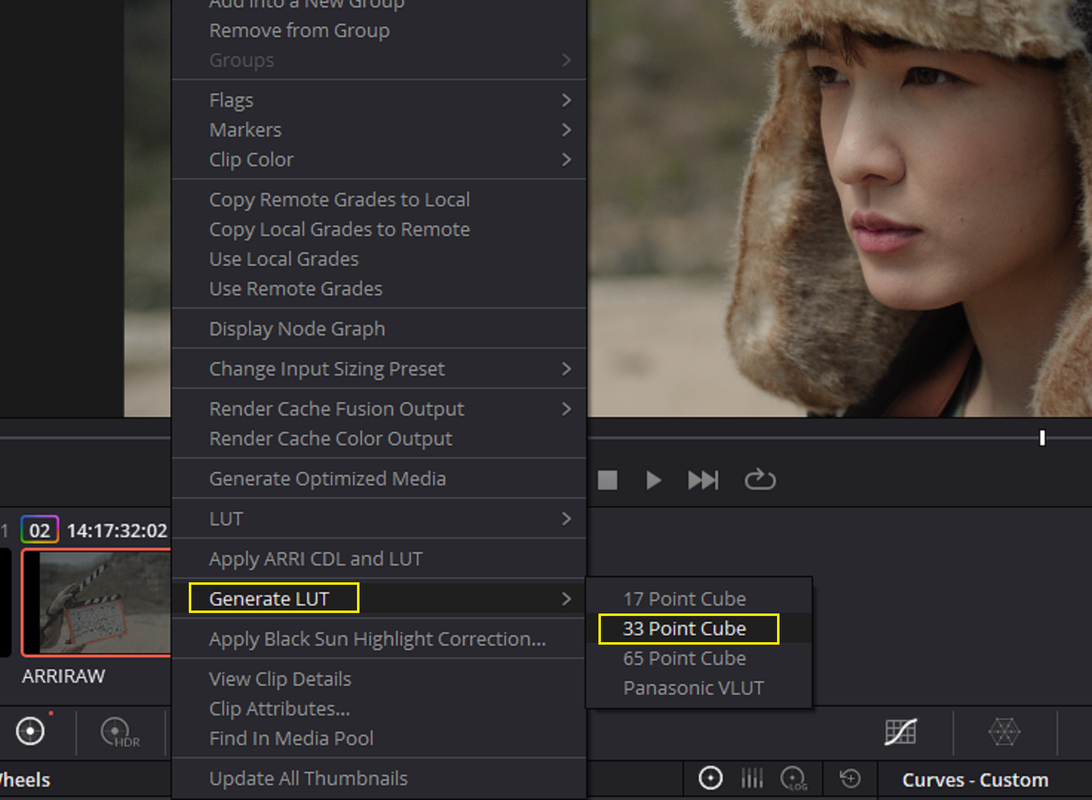
Next, Grade a sample image, with the following limitations for the grade listed below which I would also add Qualifiers and Power Windows to as well. Then Right-Click on the thumbnail of the graded clip and " Generate" a "33 Cube Size Lut, a 33 cube sized lut is the limit to what most cameras can use internally.

Screenshot-5575.png


3.png


4.png
 
Last edited:
HOW TO CREATE AN ALF4 LOOK FILE


IN ARRI REFERENCE TOOL-PART 2


SETTINGS

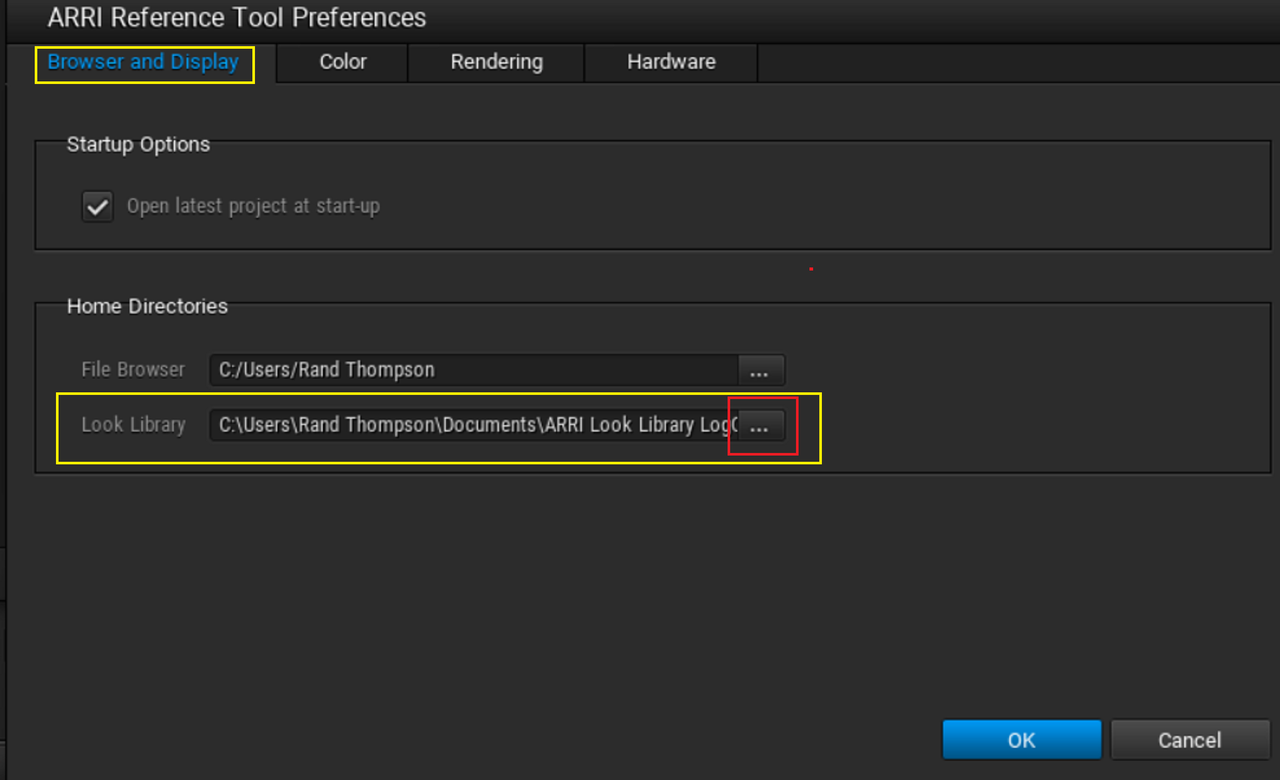
I don't know if the ALF4 look files were already installed in the New FULL Version of the ARRI REFERENCE TOOL or not . If not, download them from the Link below and install them from whatever location you unzipped them to.


ARRI Look File ALF4

https://www.arri.com/resource/blob/2...only--data.zip


Screenshot-5534.png


6C.png


6D.png


6.png


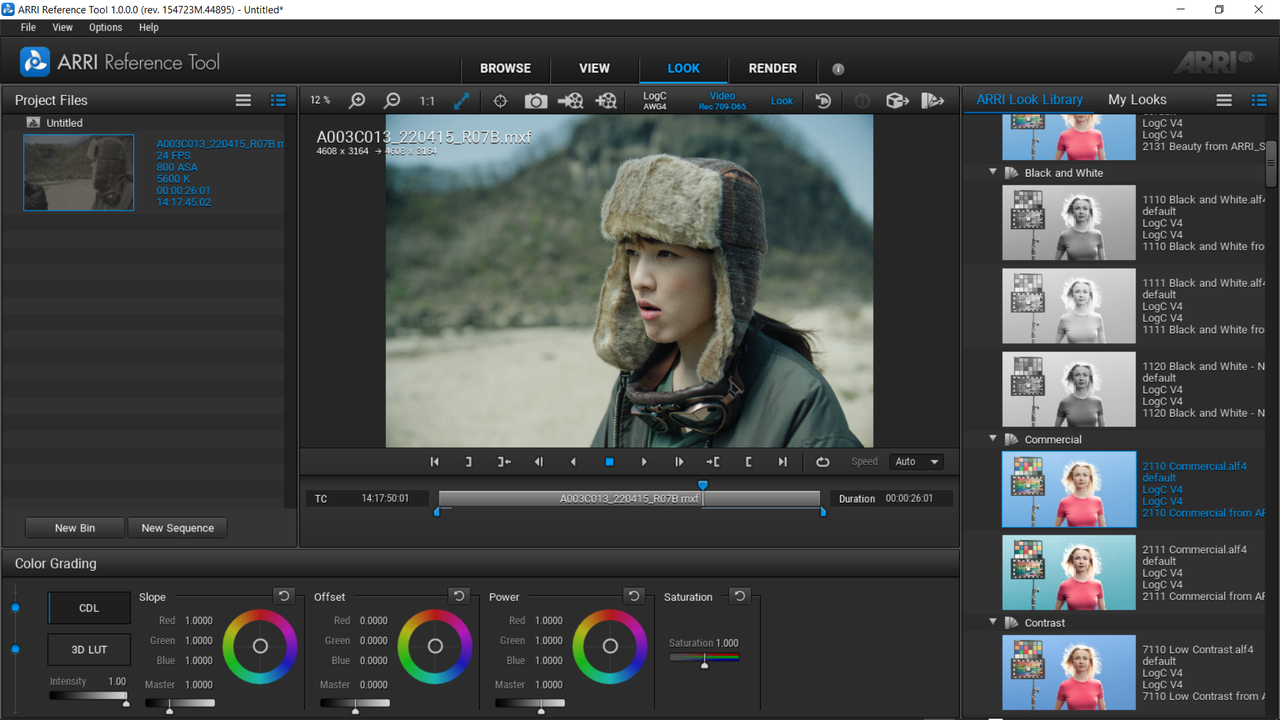
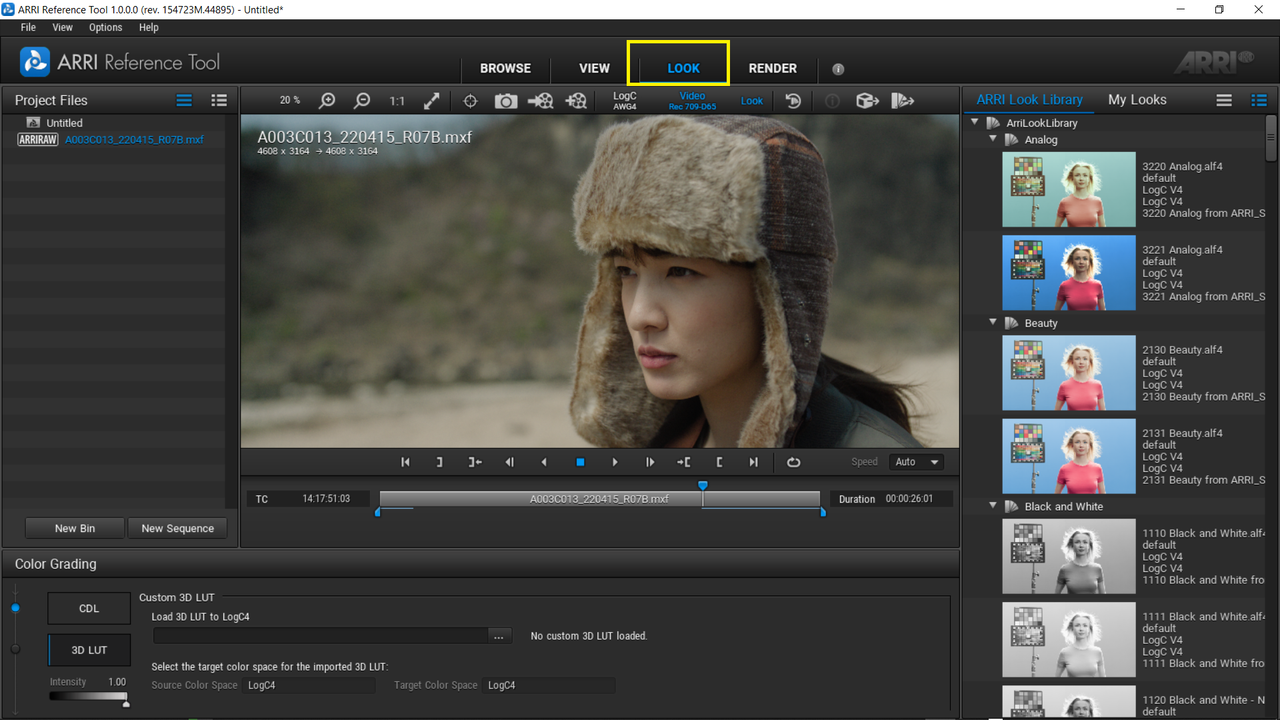
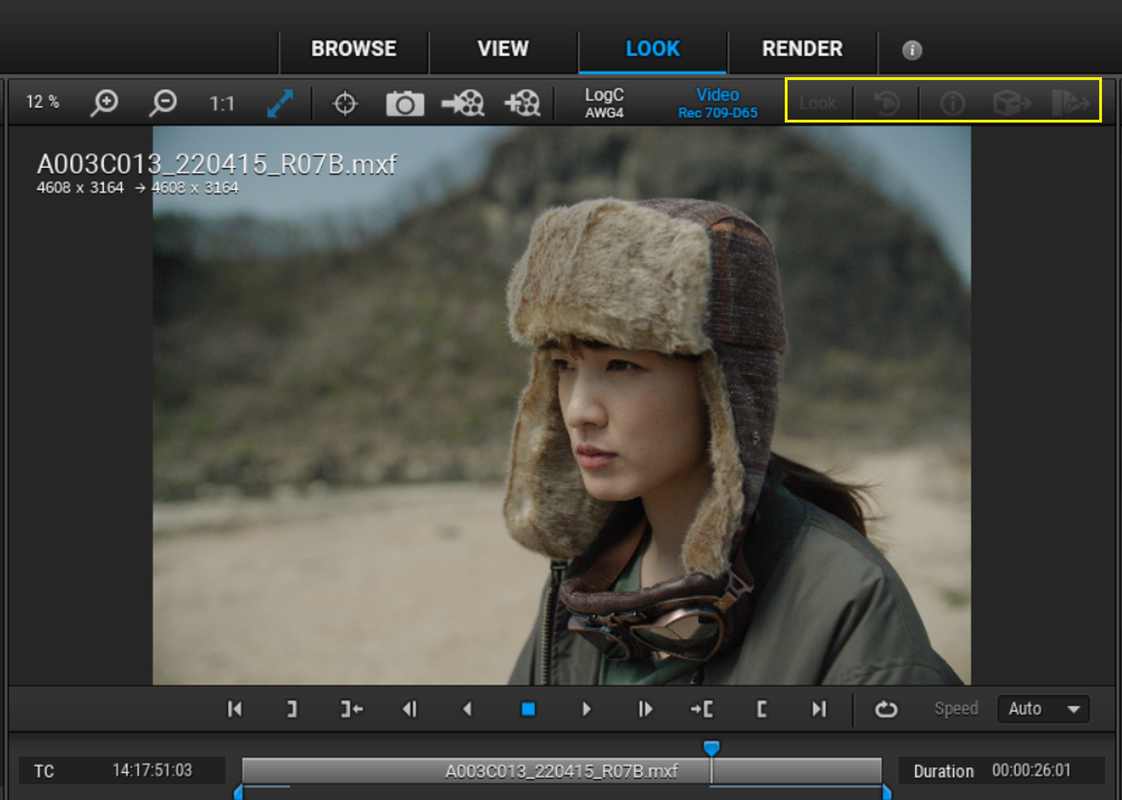
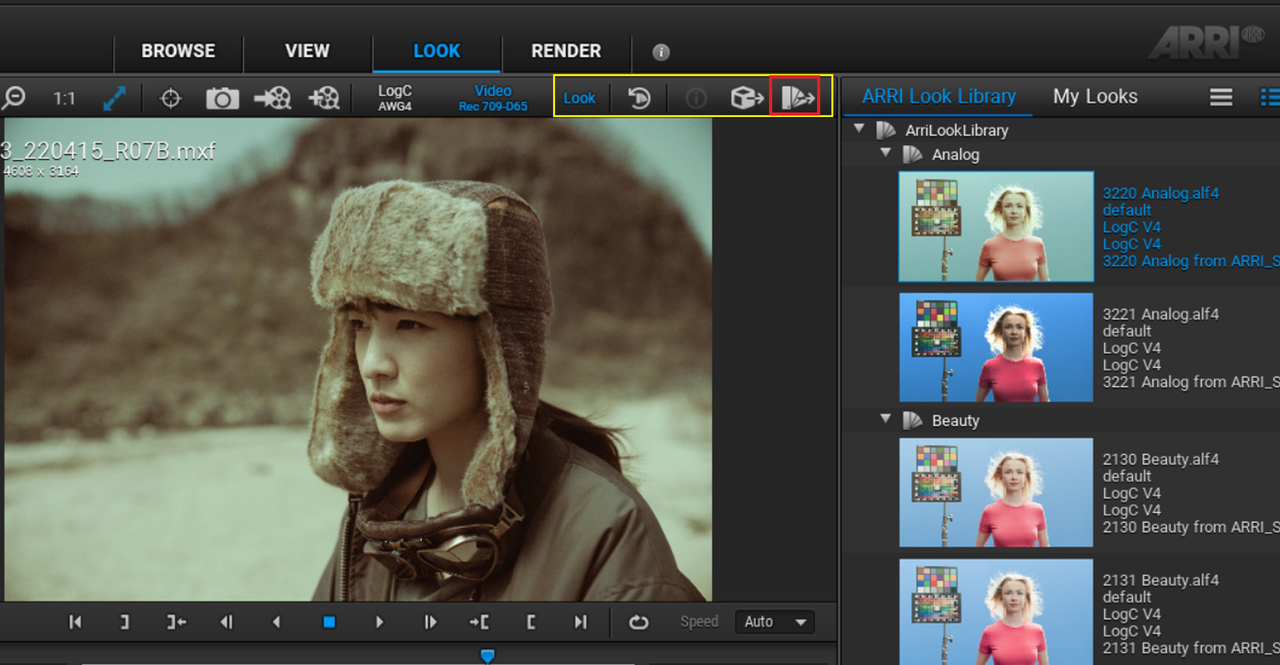
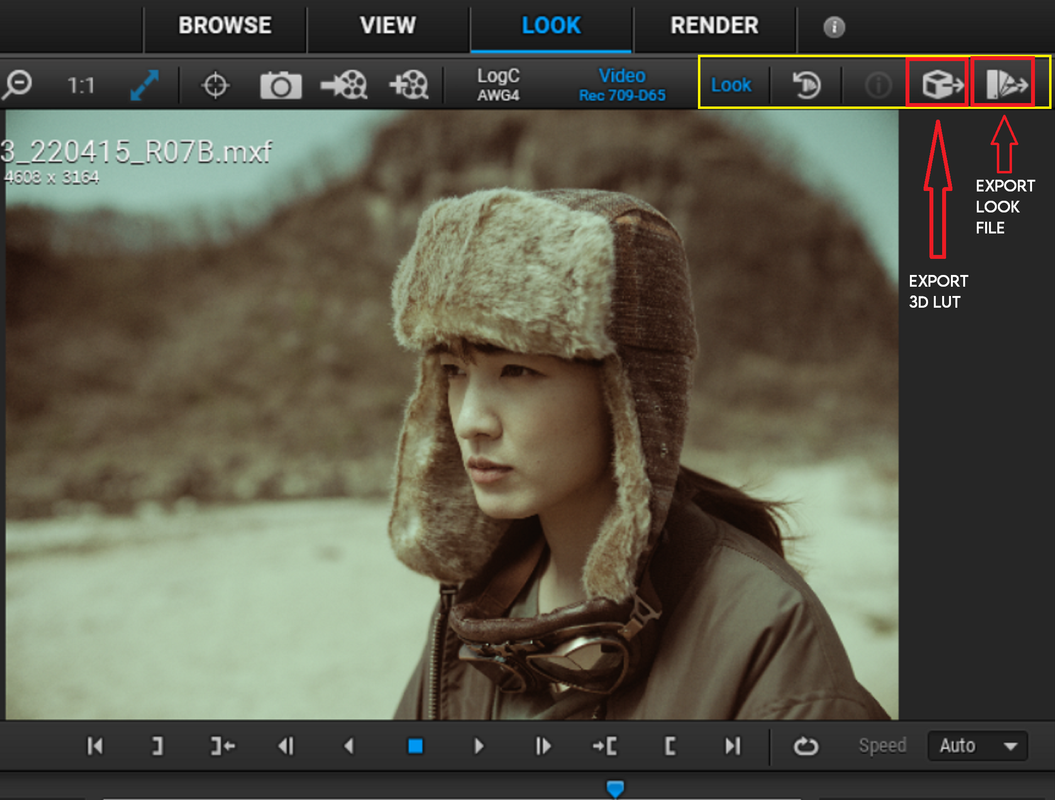
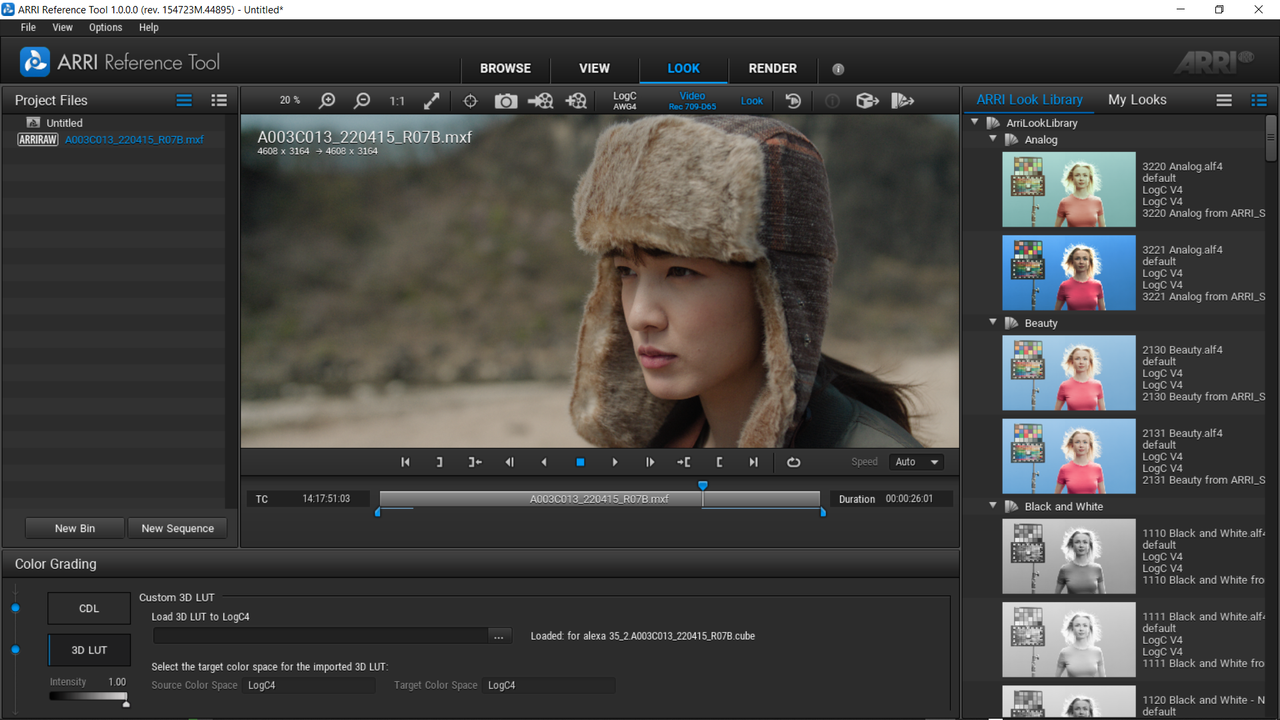
In order to display menu icons that you will need to either 'EXPORT A LUT" or to "EXPORT LOOK FILE" you have to first "APPLY" one of the ARRI LOOK files to your image. Then They will become enabled.

8A.png


8B.png


8C.png


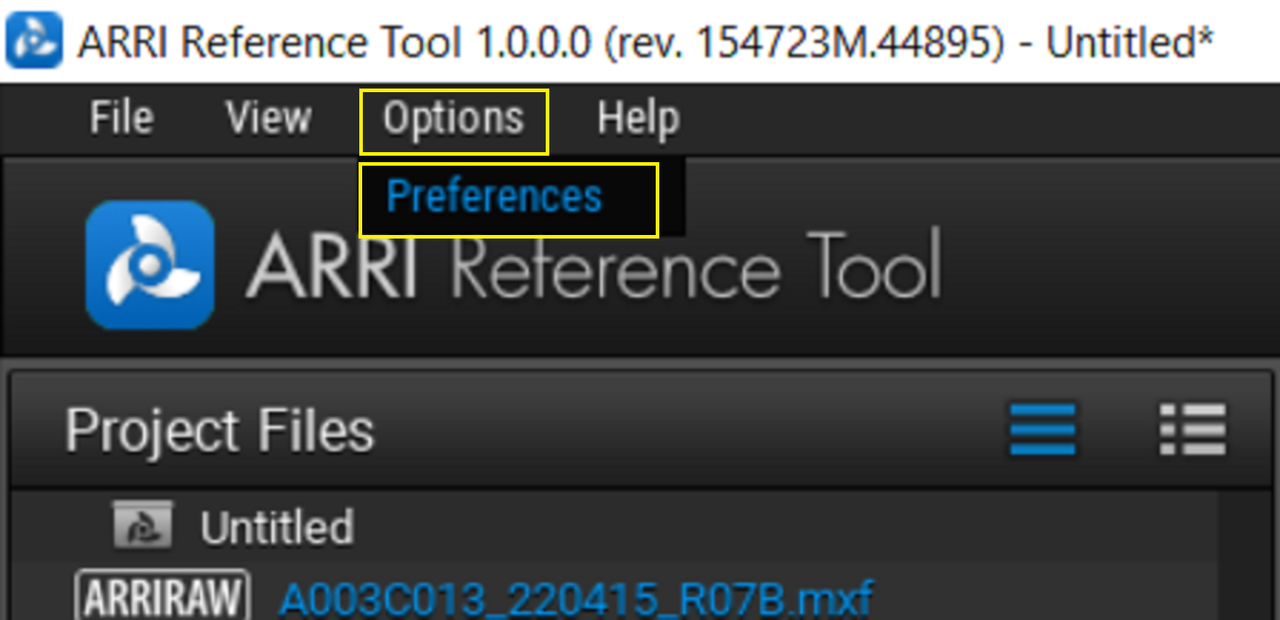
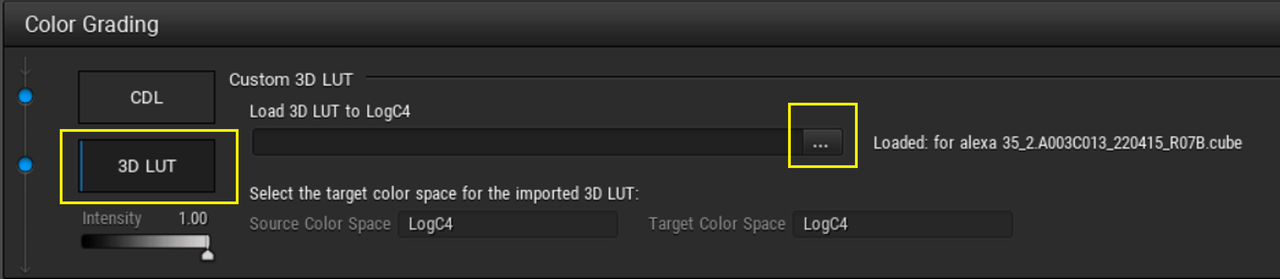
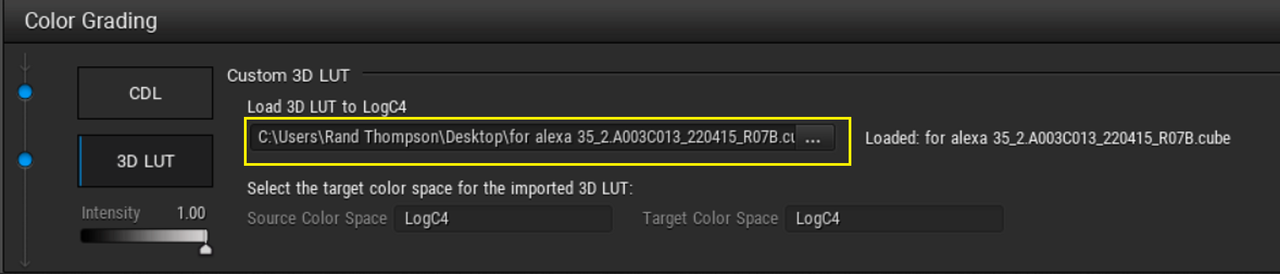
At the bottom of the ARRI REFERENCE TOOL GUI you will see an area with two buttons one for "CDL" and one for "3D LUT", select "3D LUT". Click on the button with the three dots "..." next to the "LOAD 3D LUT to LOGC4" box and find the location of the AWG4/ALC4 compatible LUT you exported out of Resolve. It will be displayed in the "Viewer Window".

7.png


8.png


9.png


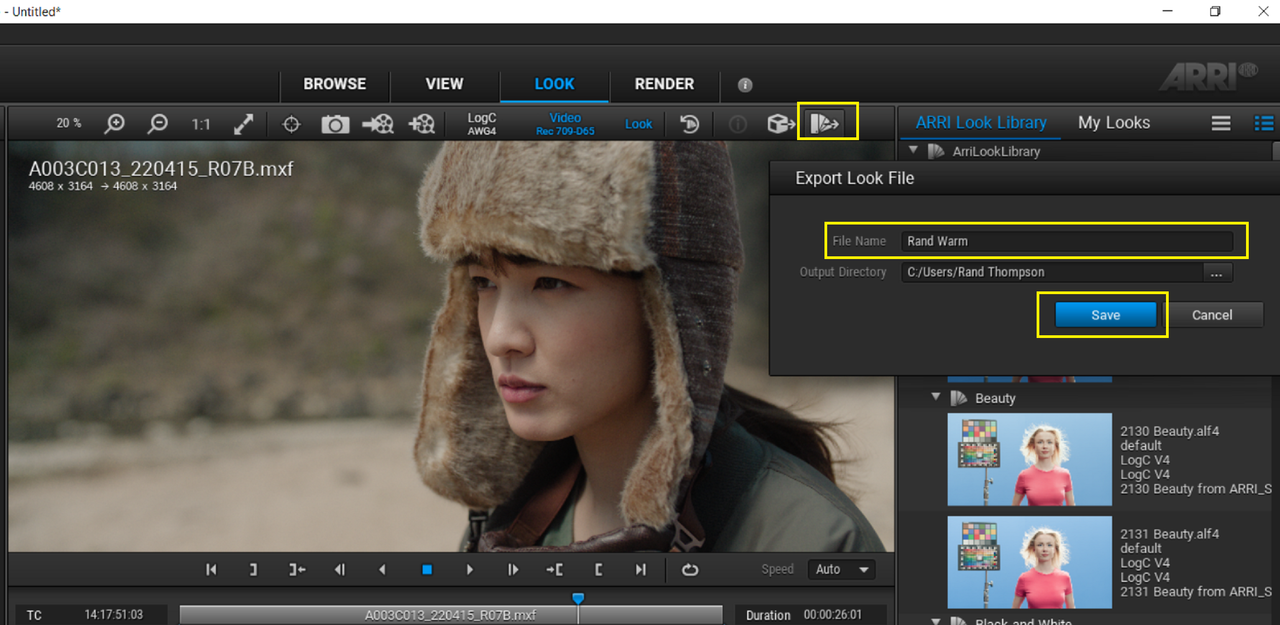
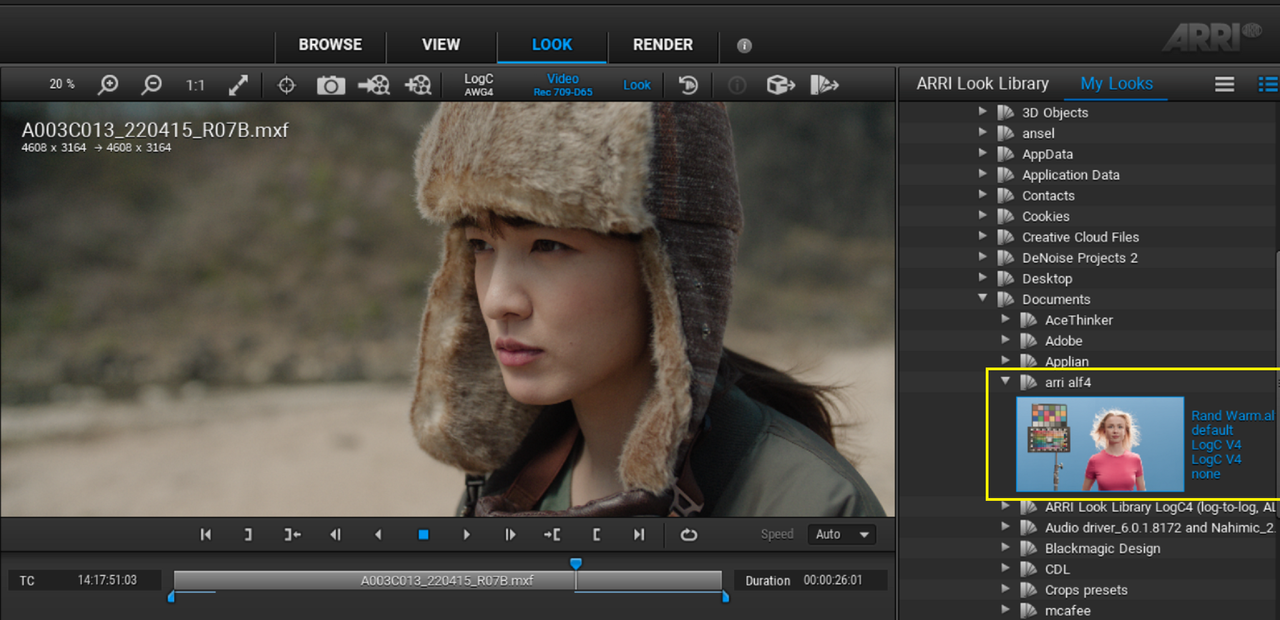
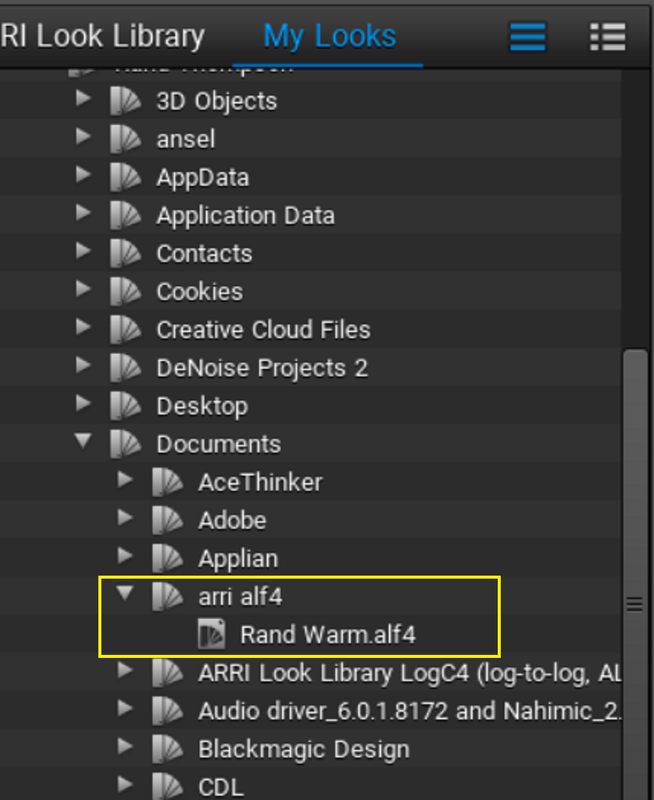
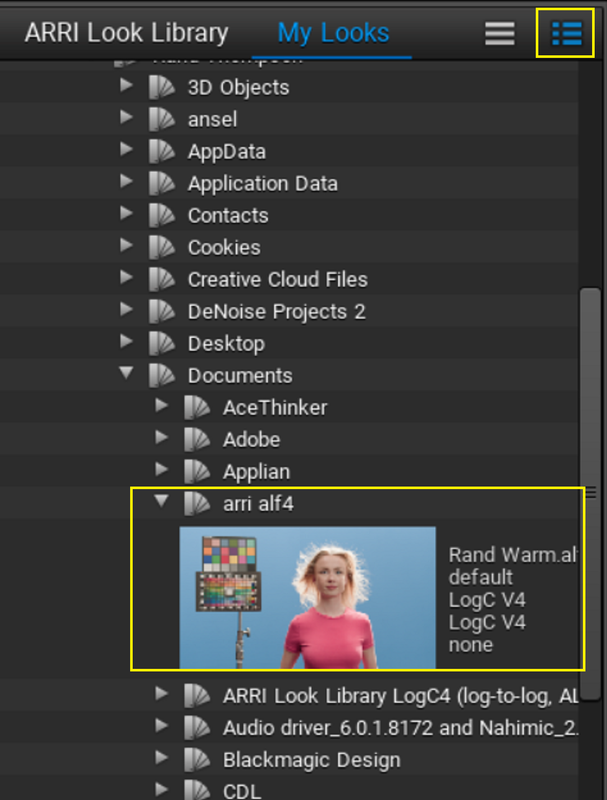
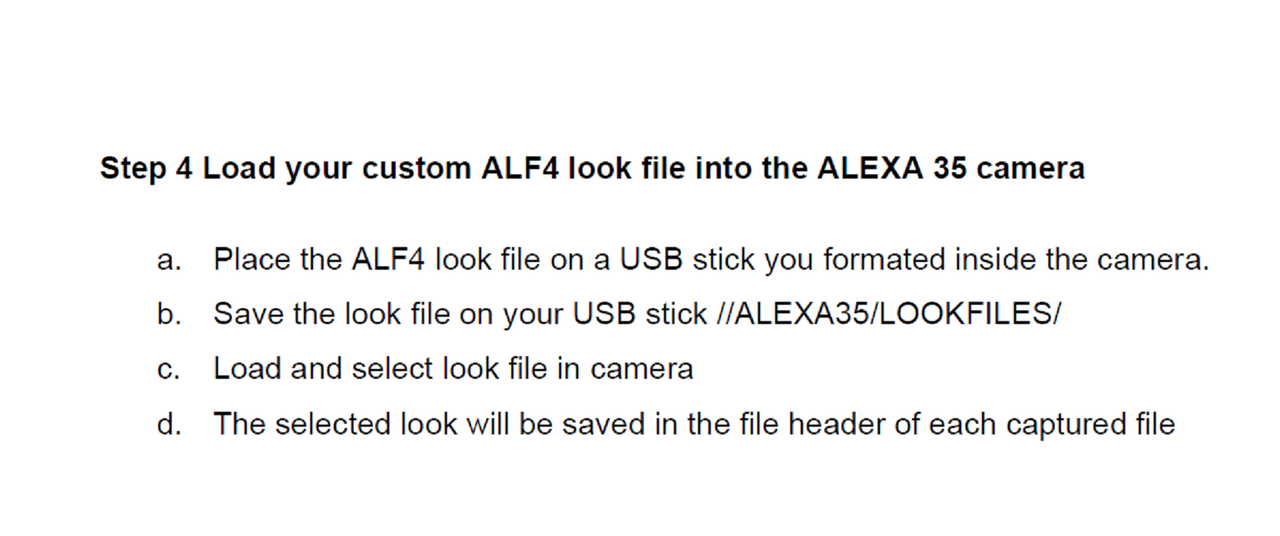
Now in the Top Right-Hand corner select the "EXPORT LOOK FILE" icon, give the ALF4 look flie a name and a storage Location ( I actually chose a different location than the location in the screengrab) and Press "Save". Now you have an official ALF4 Look file for the ARRI ALEXA 35. Follow the instructions from the PDF on how to Upload it to the camera below.

10.png


11.png


12.png


13.png


14.png
 
Last edited:
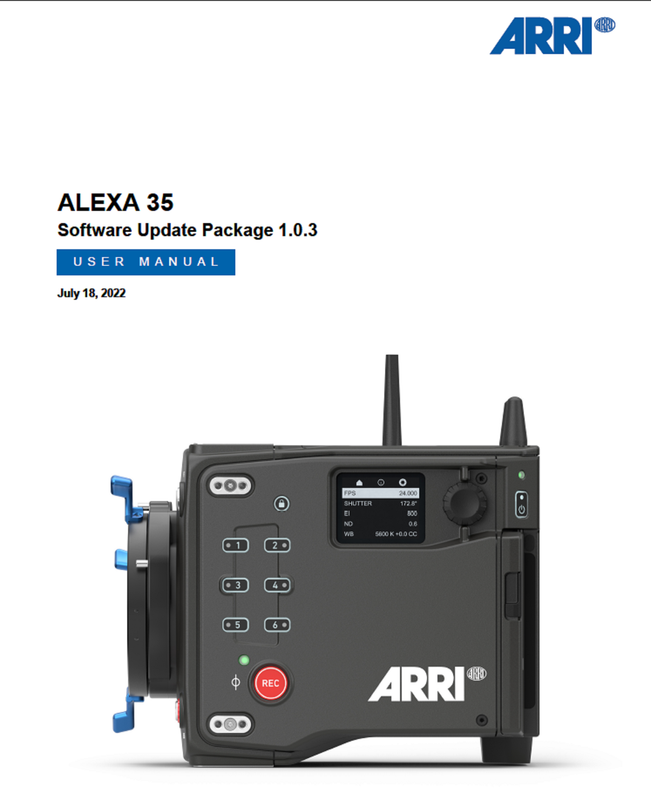
ALEXA 35-USER MANUAL
https://www.arri.com/resource/blob/284044/2c3e40c90b7faae31f794dc40a5f9c58/alexa-35-user-manual-data.pdf

Screenshot-5576.png


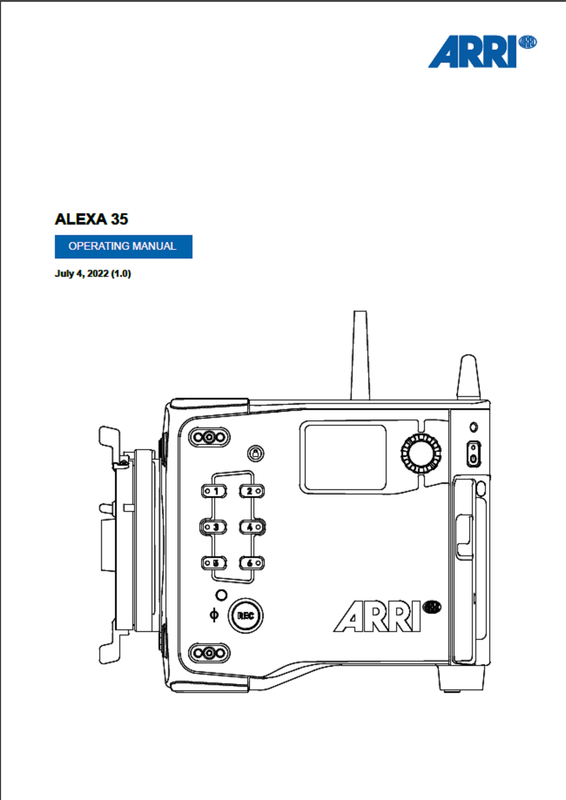
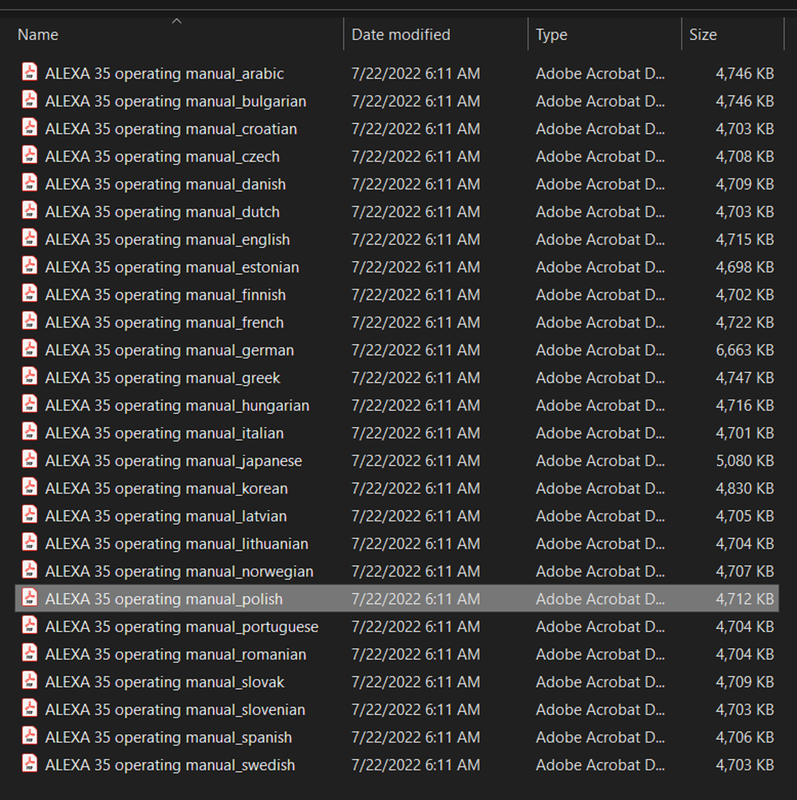
ALEXA 35 -OPERATING MANUAL
https://www.arri.com/resource/blob/284046/d396f67eaa276c339246525246629ef9/alexa-35-operating-manuals-data.zip

Screenshot-5578.png


Screenshot-5577.png
 
Back
Top