Welcome to our community

Be a part of something great, join today!

  • Hey all, just changed over the backend after 15 years I figured time to give it a bit of an update, its probably gonna be a bit weird for most of you and i am sure there is a few bugs to work out but it should kinda work the same as before... hopefully :)

ARRI 4K Super 35 Camera Will be Launched Next Month

The color grade looks unreal, too much DR has to be put in a small container... hard choices have to be made. Wich wheren't... like at 2'37''...

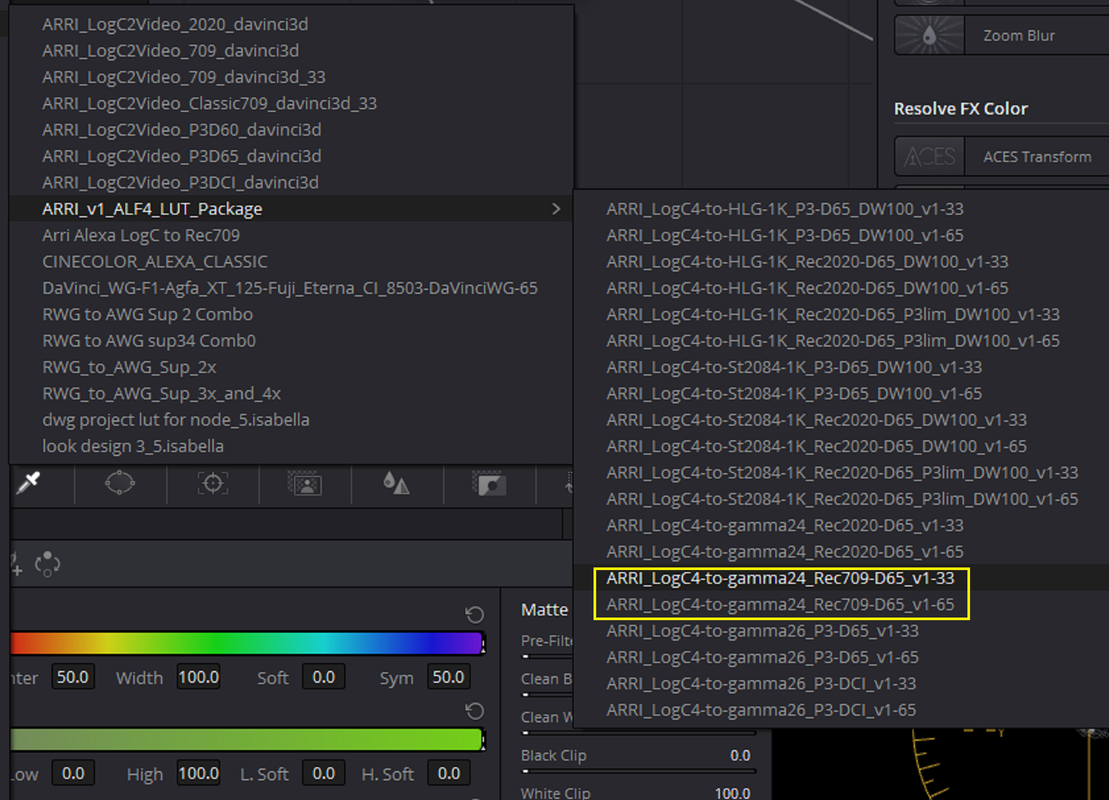
At 2:37 I think this looks like maybe "HIGHLIGHT RECOVERY" was aggressively used . I also believe that the AWG4 transform Luts are still kinda BETA now. I don't know what NLE was used to Color Correct this but I know Davinci Resolve doesn't support the the ARRI RAW files from this camera yet and probably not the ProRes files yet fully. However some of what you are seeing is a camera that can handle at least 7- 1/3rd Stops over exposure which is something no one has ever really seen before.
 
Last edited:
In an earlier post, I talked about how stray light bouncing around between the lens elements and the barrel reduces contrast, hurting dynamic range and resulting in milky looking blacks, and as it turns out, Marc Shipman-Mueller, in one of the Arri Tech Talks, discusses how, when they first fired up the new 35mm sensor, not only were they excited about the dynamic range, but they also saw those greyish shadow areas, which is why he says they developed stray light suppression technology. It’s a charming story, but I think they were already aware of how important suppressing scattered light was even before looking at any tests, especially when you’re talking about 17 stops.
 
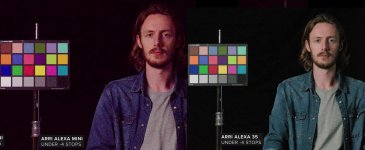
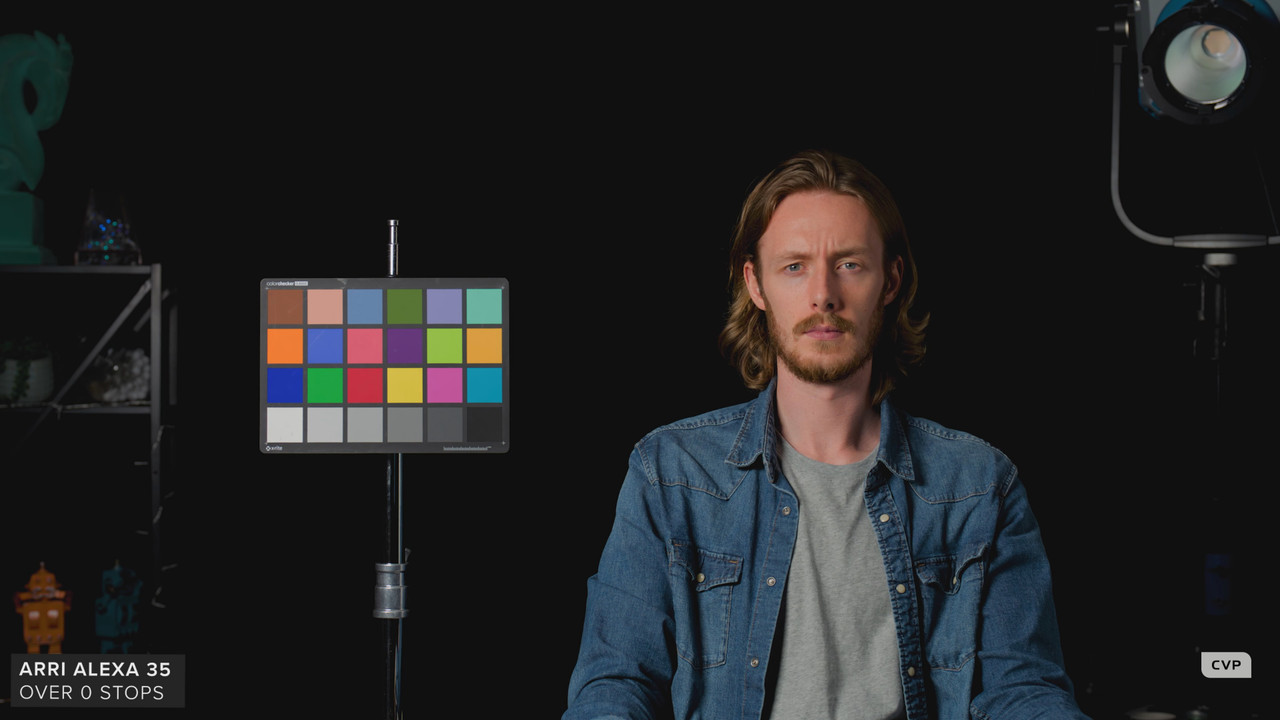
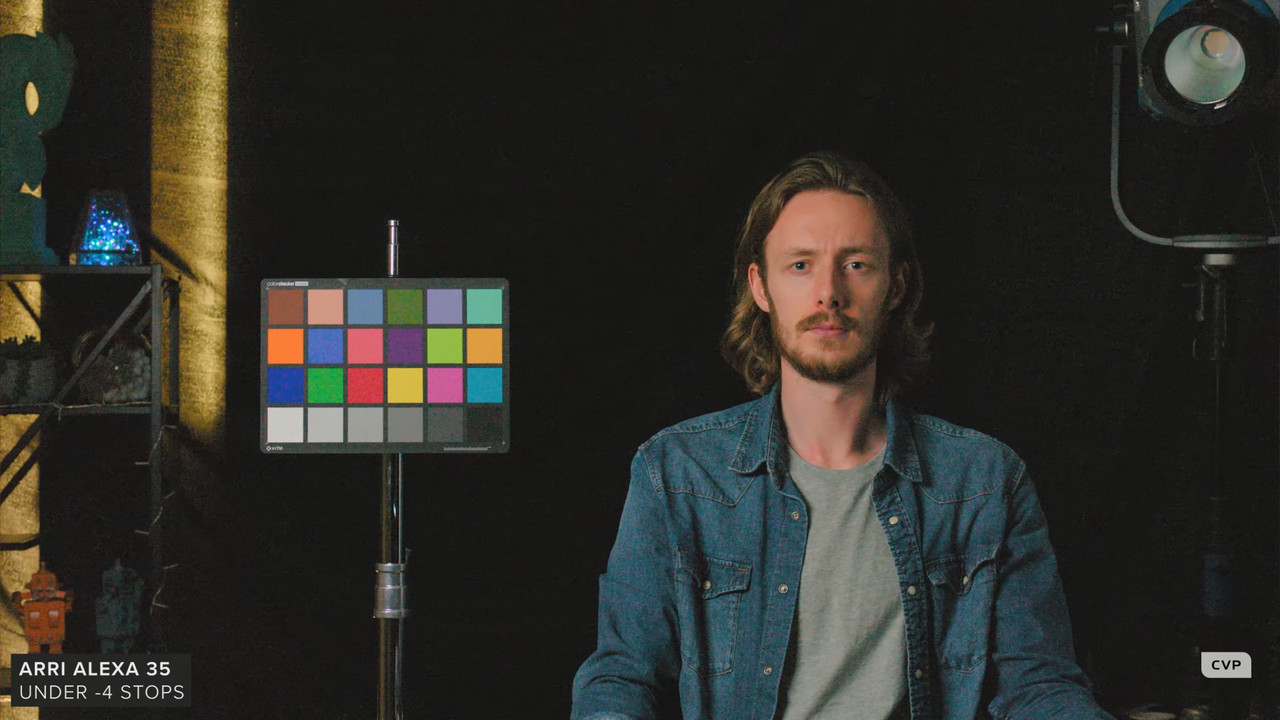
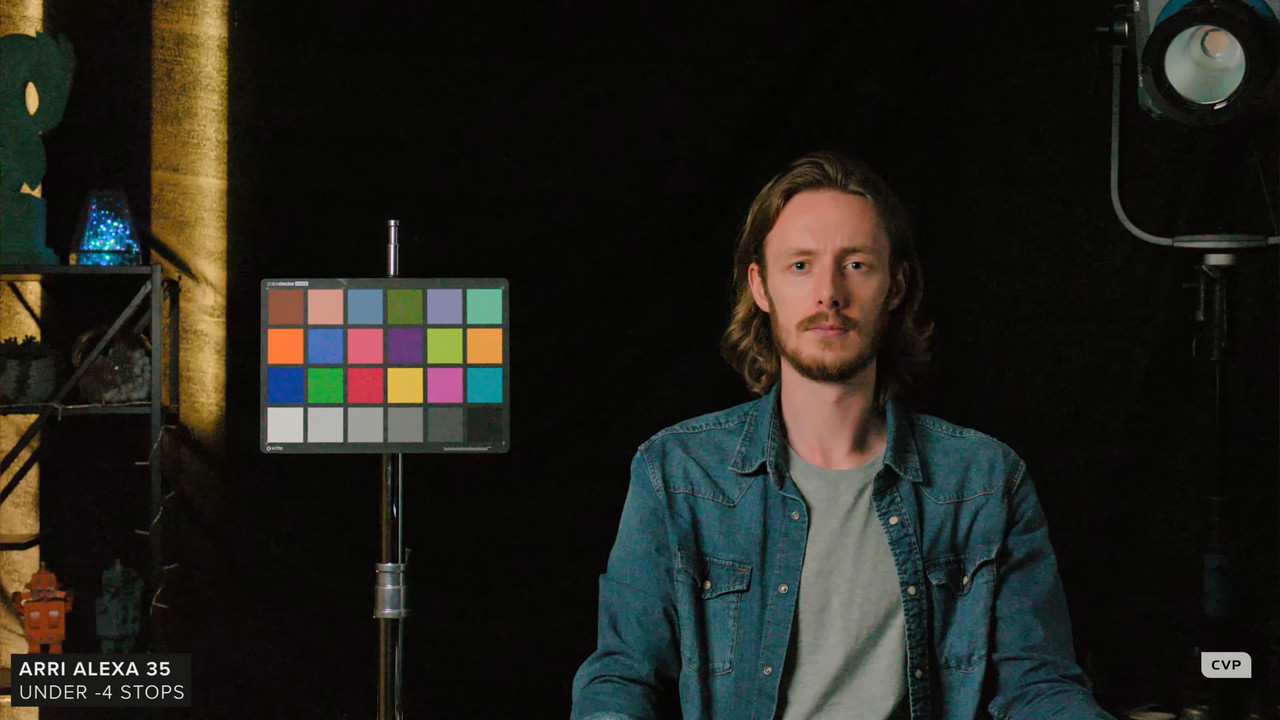
CVP conducted an OVER/UNDER test with the Alexa Mini, Alexa Mini LF and the Alexa 35 and at 7-1/3rd Stops over it held on to color without clipping also very well against the other two. The shadows did look a little bit better than some previous tests I've seen but not a major improvement (CVP review video from about the 9:51 to 12:17 minute marks)

Direct point in video
https://www.youtube.com/watch?v=L9uG...t=591s&t=9m51s

I downloaded a 4k version of the video to compare underexposure frames. I don't agree with the CVP Host's analysis. The Alexa 35 looks about a stop better in the shadows with less chroma noise. The Alexa 35 seems to be shifting towards blue(It seemed more Blue even at normal exposure), while the older Alexas seem to redder in the shadows.

35 comp.jpg
 
I downloaded a 4k version of the video to compare underexposure frames. I don't agree with the CVP Host's analysis. The Alexa 35 looks about a stop better in the shadows with less chroma noise. The Alexa 35 seems to be shifting towards blue(It seemed more Blue even at normal exposure), while the older Alexas seem to redder in the shadows.


I see heavy denoise "and a kind of image reconstruction" applied to the test.
 
I downloaded a 4k version of the video to compare underexposure frames. I don't agree with the CVP Host's analysis. The Alexa 35 looks about a stop better in the shadows with less chroma noise. The Alexa 35 seems to be shifting towards blue(It seemed more Blue even at normal exposure), while the older Alexas seem to redder in the


Dan,

Now that I see them both side by side in your example, the Alexa 35 does look much better at -4 under than I thought. The 18% chip on the Chart, his grey T- shirt and the Black in the shadows of the Alexa 35 looks correct to me, maybe it just looks that way after viewing the more Red image on and off? Plus I think because the Skin and the entire image looks desaturated it may gives the impression of being more blue.
 
Here's a little more saturation added to the entire image then a little more added specifically to the skintone in both images, no addition white balance adjustment made.

1-1-1-1-1-1.jpg


1-2-1-1-2-1.jpg


Crushed Shadows More, slight noise reduction and Printer Lights to remove some Yellow


1-2-3-1-2-3.jpg
 
Last edited:
Honestly why would you choose the LF over the 35? I can't think of a single reason. I can't even think why anyone would choose the 65 over the 35.
Todd Philips, Matt Reeves, Ron Howard, Michael Bay, Ben Affleck, The Russo's, Sam Mendes and a host of others all had good reasons to choose 65/LF over 35, so they don't agree with you.
 
Matt,

If I'm being honest, I still think that the S-35/+ frame size is still the sweet spot for an " In focus- Out of focus" shallow depth of field image.

I’m with you.

however, the Gemini frame size is the best for digital. It allows standard 2x anamorphic height as well as giving ample over scan options. And if a DP decides to shoot the full sensor of the Gemini, that works too. gives a little character on s35 glass, and uses only the best part of Larger Format glass. Only thing i might like to see is a moderate resolution bump, so that the s35 cut of the sensor is better than 4K raw, but perhaps something more like 5K is s35 and 6K in overscan could give it a bit more nuance and smoother gradations in s35. i feel with the current Gemini, in s35, it looks a bit like HD.
 
I’m with you.

however, the Gemini frame size is the best for digital. It allows standard 2x anamorphic height as well as giving ample over scan options. And if a DP decides to shoot the full sensor of the Gemini, that works too. gives a little character on s35 glass, and uses only the best part of Larger Format glass. Only thing i might like to see is a moderate resolution bump, so that the s35 cut of the sensor is better than 4K raw, but perhaps something more like 5K is s35 and 6K in overscan could give it a bit more nuance and smoother gradations in s35. i feel with the current Gemini, in s35, it looks a bit like HD.

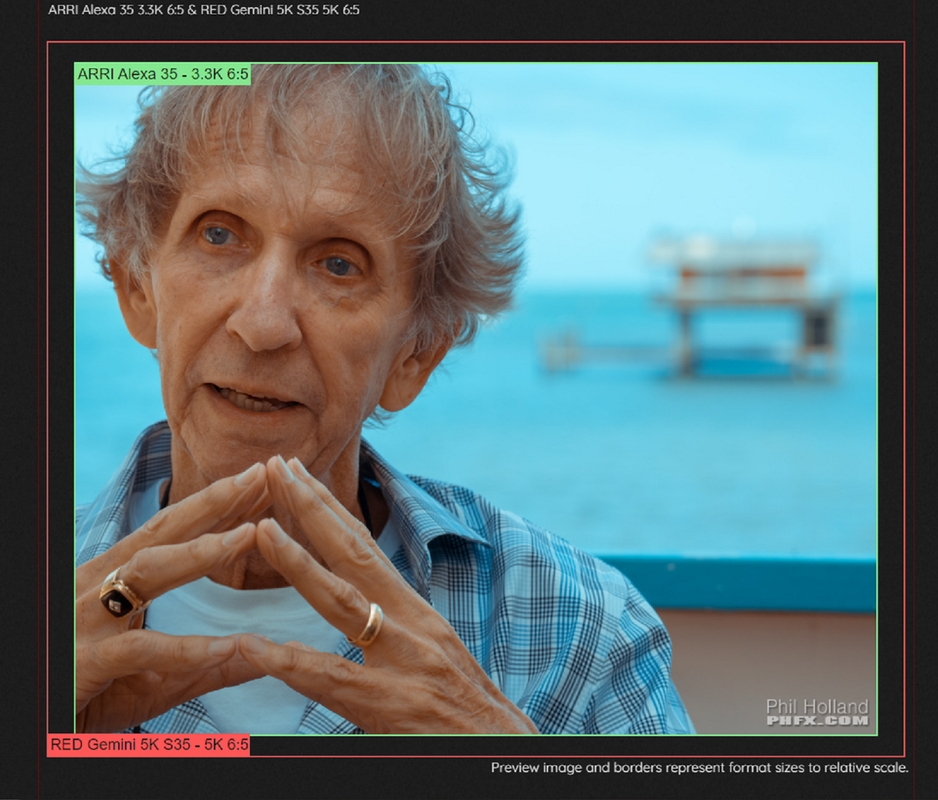
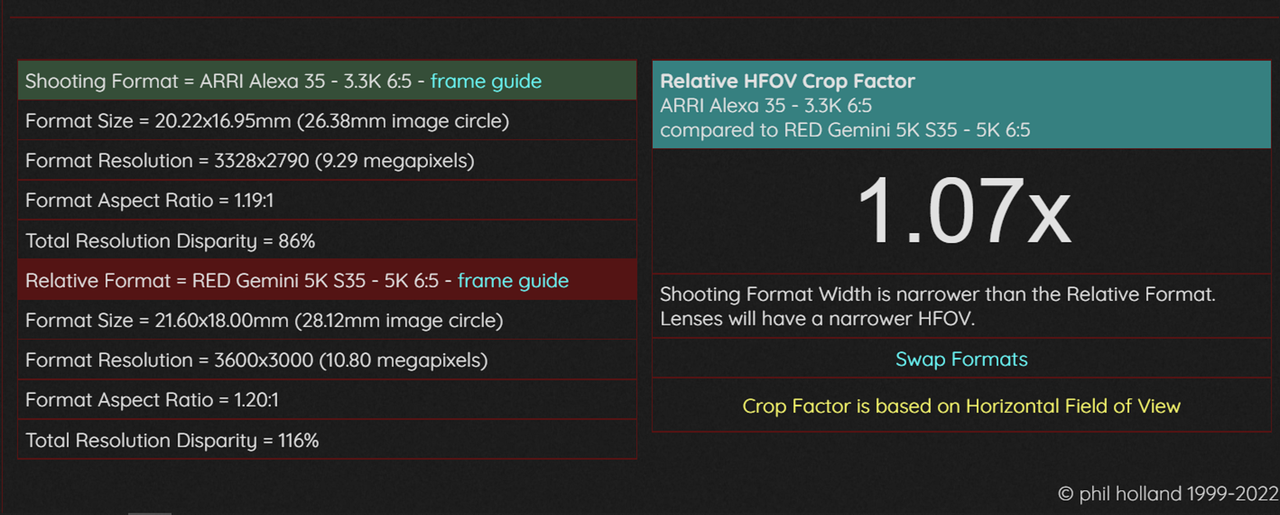
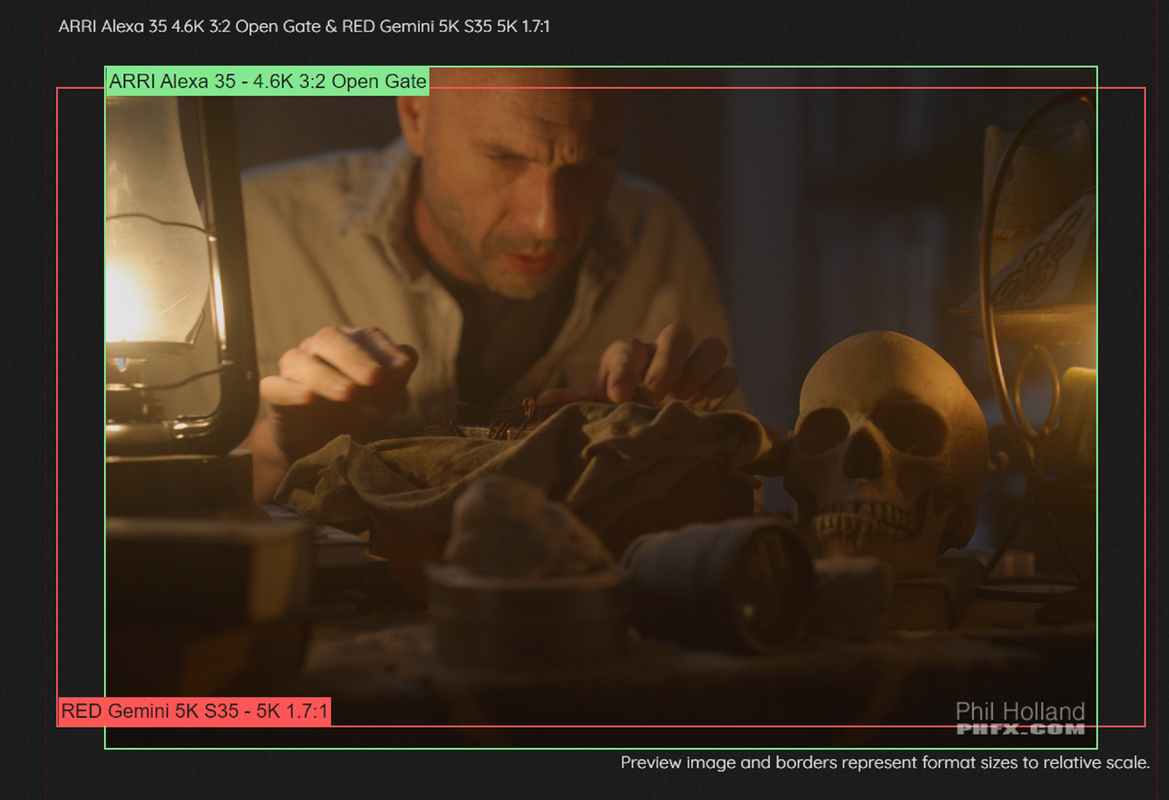
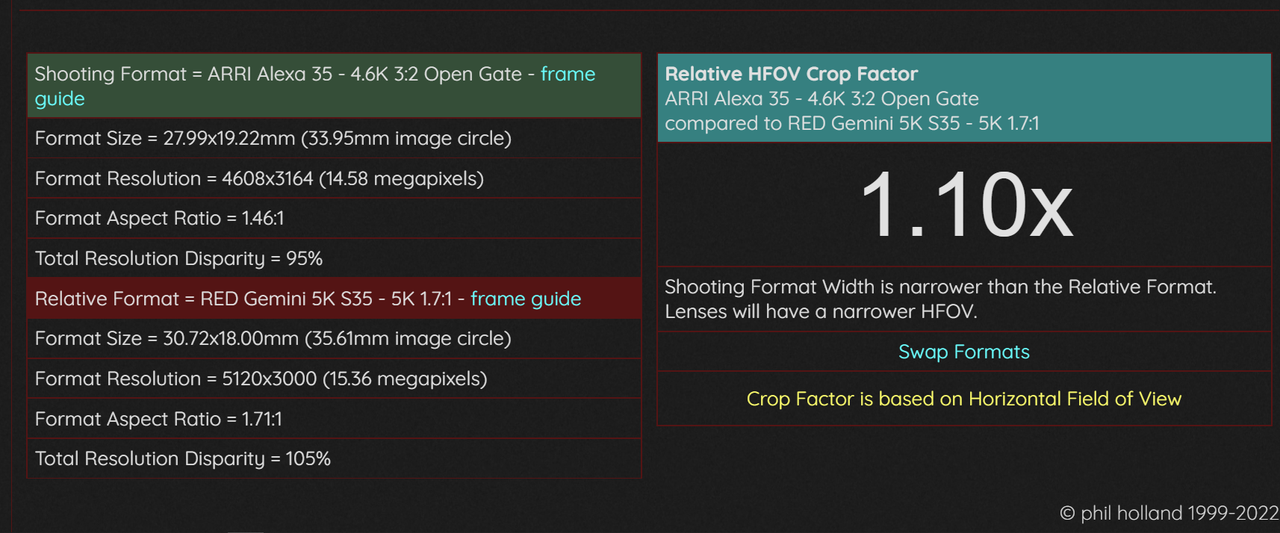
FORMAT COMPARE TOOL-PHIL HOLLAND'S PHFX.COM
PHFX.COM | tools - framesToDataRate

James,

Yeah, in both of their 6:5 modes the Gemini has the height advantage. But at FULL FRAME sizes for each the Arri Alexa 35 in 3:2 OPEN GATE is taller but not as wide.


Screenshot-4961.png


Screenshot-4962.png


Screenshot-4963.png


Screenshot-4964.png
 
Todd Philips, Matt Reeves, Ron Howard, Michael Bay, Ben Affleck, The Russo's, Sam Mendes and a host of others all had good reasons to choose 65/LF over 35, so they don't agree with you.

They may have chosen, but not necessarily for good reasons. I think a lot of the choices to use extreme large sensors, anamorphics, vintage lenses, film, are motivated more by wanting to be different so they have something more to talk about - or simply to be "cool". Shakey cam, flares, extreme shallow DOF, etc. seemed to get used until they are overdone because they are something different but not necessarily better.

Also did they have a choice of this new camera/sensor or just the older sensor when they made the choice?
 
People, are you serious about the debate FF vs S35?

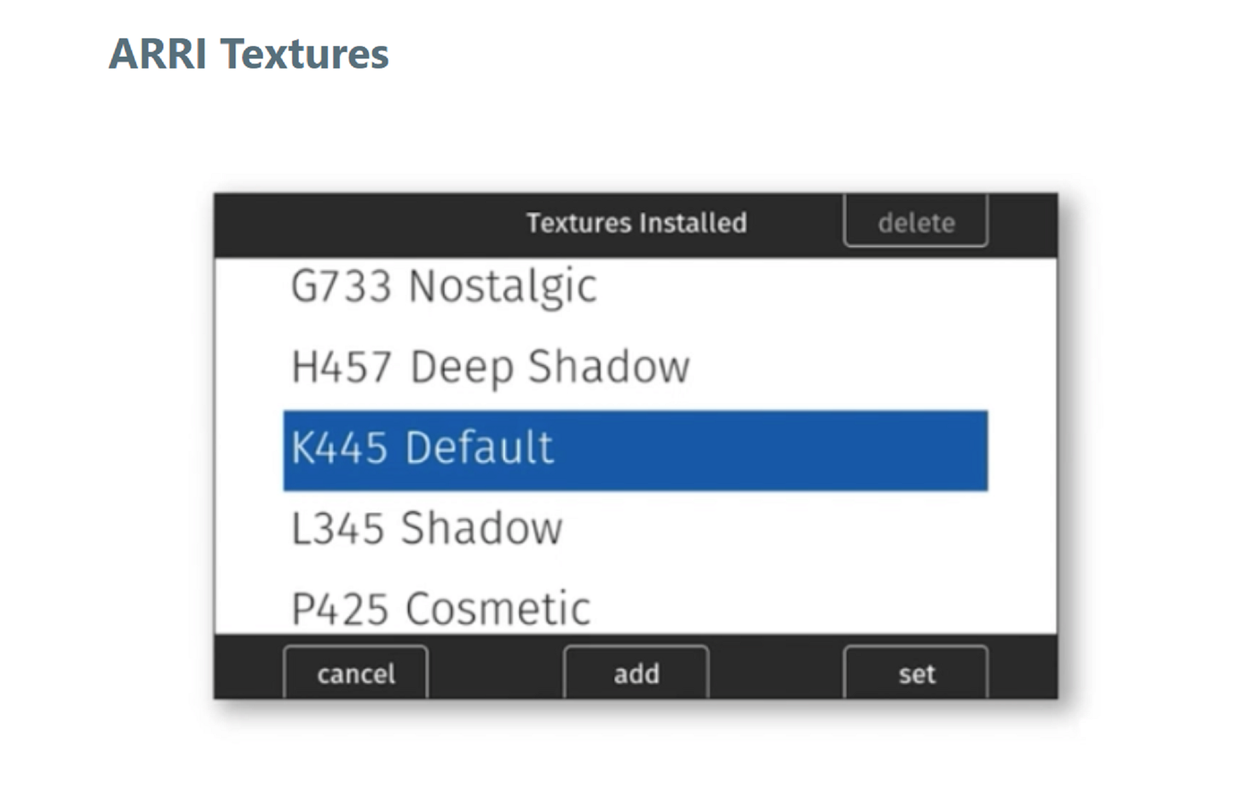
This video has a pretty good explanation/ examples of the new texture feature starting at 10:30 https://youtu.be/g8ZLL3gI5iQ?t=628

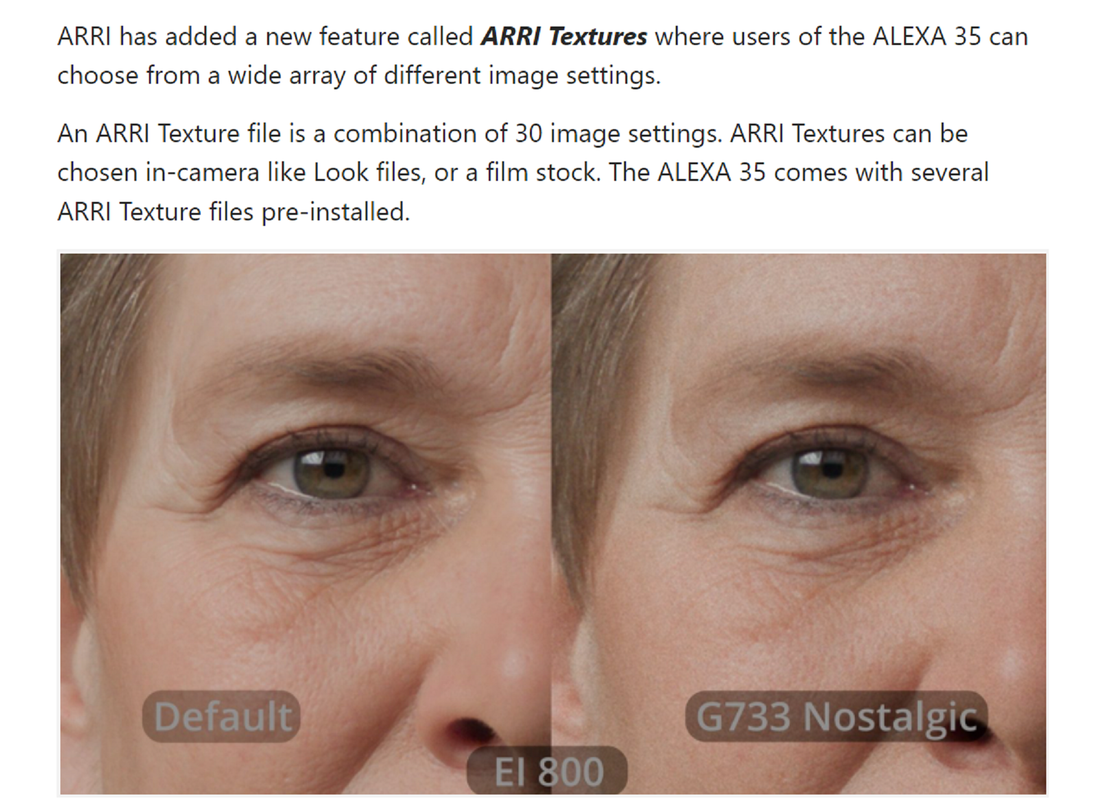
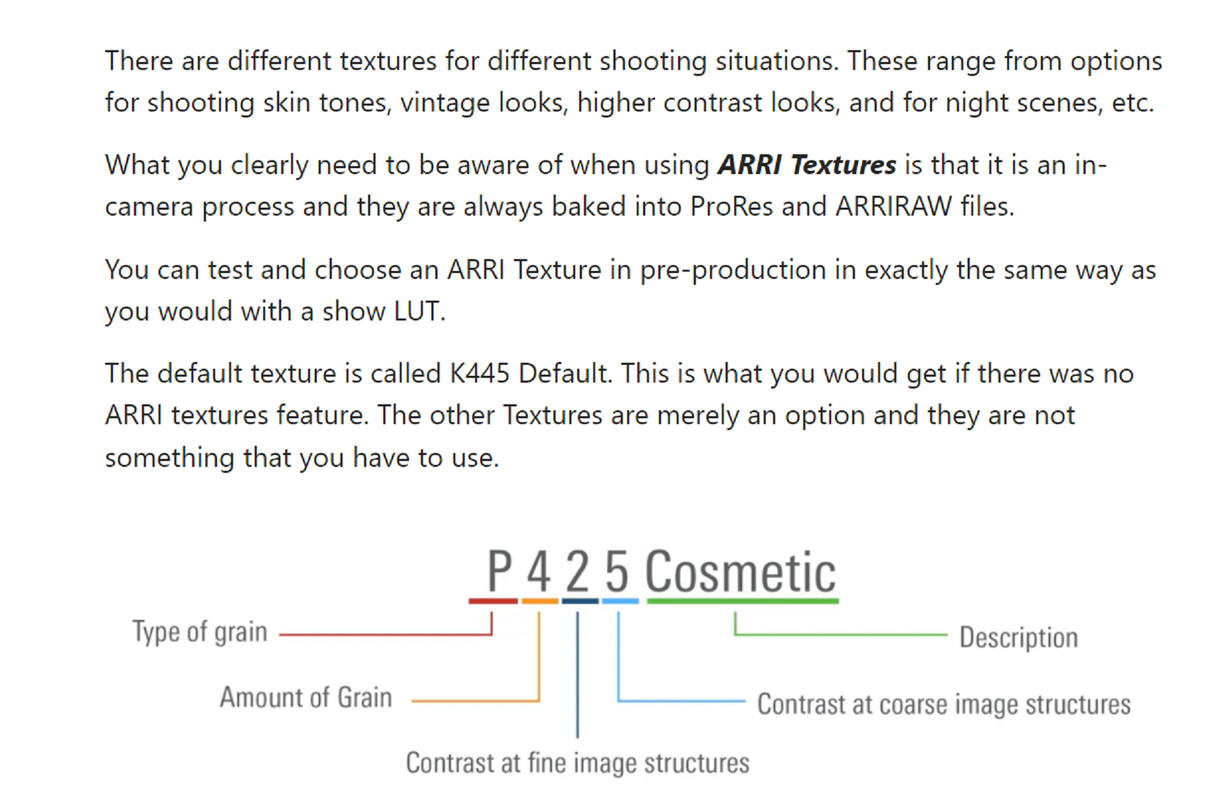
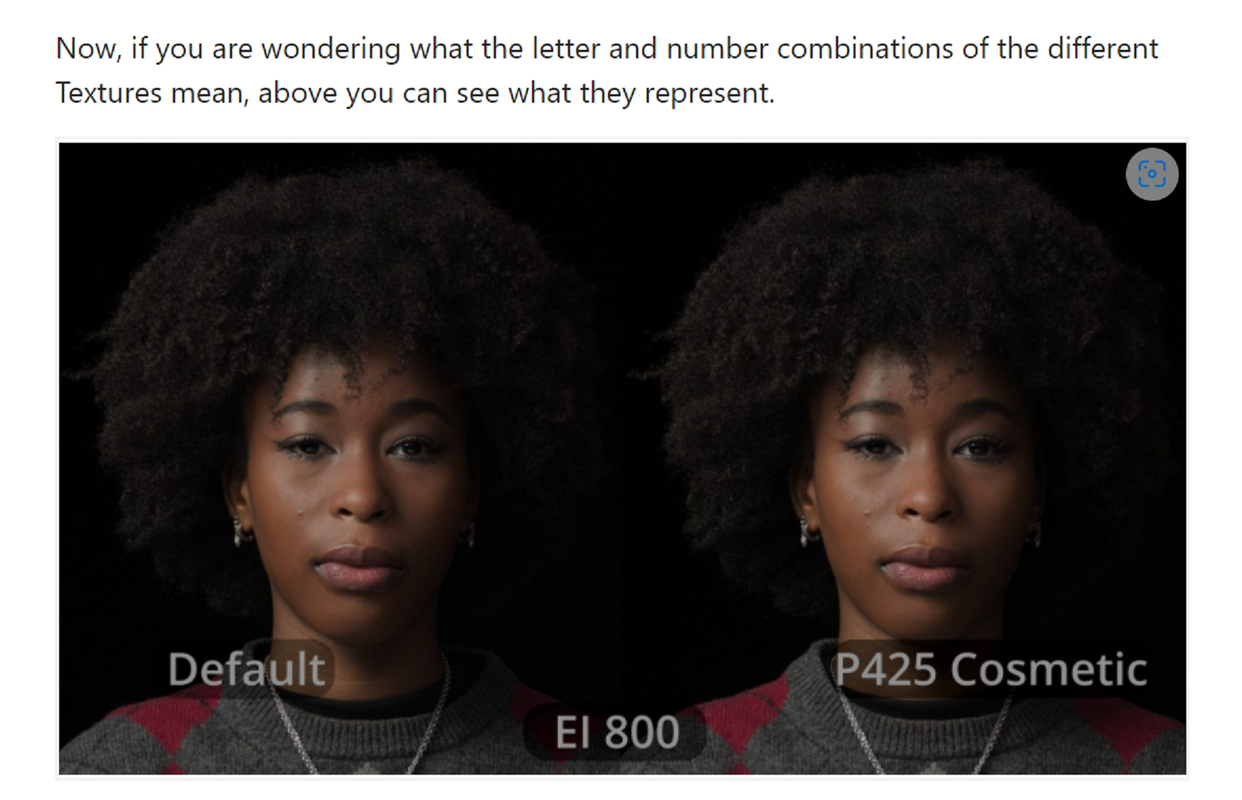
So basically with the texture thing you can add denoise (cosmetic), sharpening (High clarity), and noise (grain) as you wish, embedded in the raw file.

Arri is going futher in the idea to get the picture as customized as possible in camera ("nice out of the gate") and let the dp play around with those few styles to let him "some creative freedom" on set.

On that video you also have some debayer problems. (fringe on high contrast spot light/black background). I don't know if it was shot on a pre-release camera/codec/firmware?
 
Todd Philips, Matt Reeves, Ron Howard, Michael Bay, Ben Affleck, The Russo's, Sam Mendes and a host of others all had good reasons to choose 65/LF over 35, so they don't agree with you.

The 35 just got announced yesterday.
 
TEXTURES EXPLANATION FROM NEWSSHOOTER ARTICLE

Hopefully ARRI will make a "TEXTURES" Menu where you can change the individual settings described below individually.

Screenshot-4971.png


Screenshot-4972.png


Screenshot-4973.png


Screenshot-4974.png


Screenshot-4975.png
 
Last edited:
Patrick,

According again to the Brochure, all previous Arri Alexa camera came pre-programmed with a default predefined texture. This will give you more control over your own textured looks.

Screenshot-4895.png
An important feature of any sensor used for cinema is how well it recreates the texture of film with noise that is very organic, something that I happen to love about RED cameras. The footage of some other cameras that I've downloaded and looked at in the viewer of Resolve looks over-processed and plasticky.

But when it comes to adding film grain in post, I'm not keen on seeing lots of grain dancing around on the talent's face. During an appearance on Cullen Kelly’s Grade School, the brilliant colorist Jill Bogdanowicz revealed a secret to accenting texture without it looking over-processed. While working on Joker, the colorist used Live Grain - which separates out the red, green and blue channels, creating grain that resembles scanned film - to accentuate texture in the cooler, darker backgrounds while de-emphasizing grain in the warmer, red tones of the talent's skin.

I can't afford Live Grain, so I just use Dehancer grain and the depth map and keyer in Resolve 18 to subdue (but not completely eliminate) the amount of grain in the subject.
 
Jon,

Invizigrain is also a great product for adding grain to an image. Yeah, Livegrain is expensive and I can't afford it either.


INVIZIGRAIN

https://www.invizipro.com/invizigrain

1654170353497.jpg


InviziGrain - fylm.ai


Screenshot-4625.png


And yeah Cullen is great. I've watched almost all of his most recent GRADE SCHOOLS and attended his" SHOW LUT MASTERCLASS" on the Colour Training website. I also saw that GRADE SCHOOL with Jill Bogdanowicz. IVIZIGRAIN works similarly as does LIVEGRAIN by separating the red, green and blue channels to resembles grain similar to film instead of adding it as a layer above the image as does Davinci Resolve and other plugins.

Cullen Kelly is also doing a web series called MASTERS OF COLOR on Lowepost where he discusses color correcting philosophy with I think it was 9 or 10 well known talented colorist of today. With David Fincher's preferred go to colorist( I forgot his name off the top of my head) he describes all of the extensive intricate techniques and processes that David Fincher sometimes demands for texture of his images for a feature film.

A buddy of mine, in exchange for some custom Input and Output Color Space transforms LUTS I made in LOOK DESIGNER 2.4), gave me the LINEAR( No Luminance/ Contrast curve and also with no grain added from Dehancer) Color Models of all of the Film Print Emulations so that I could potentially use them with other Grain from other third party vendors besides Dehancer if I so chose to. Dehancer looks like it is the " go to" plugin for film print emulations and grain if you really can't afford something similar in the application of grain methodology as Live Grain and others.
 
Back
Top