Welcome to our community

Be a part of something great, join today!

  • Hey all, just changed over the backend after 15 years I figured time to give it a bit of an update, its probably gonna be a bit weird for most of you and i am sure there is a few bugs to work out but it should kinda work the same as before... hopefully :)

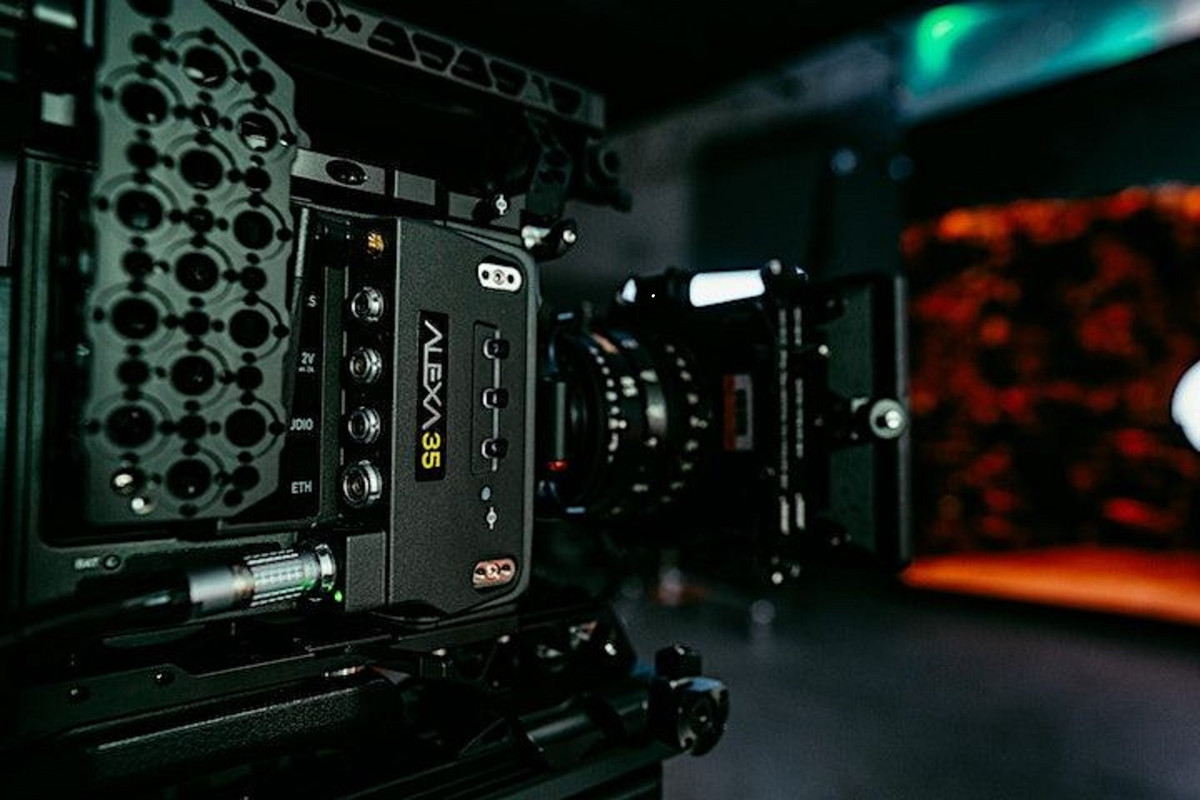
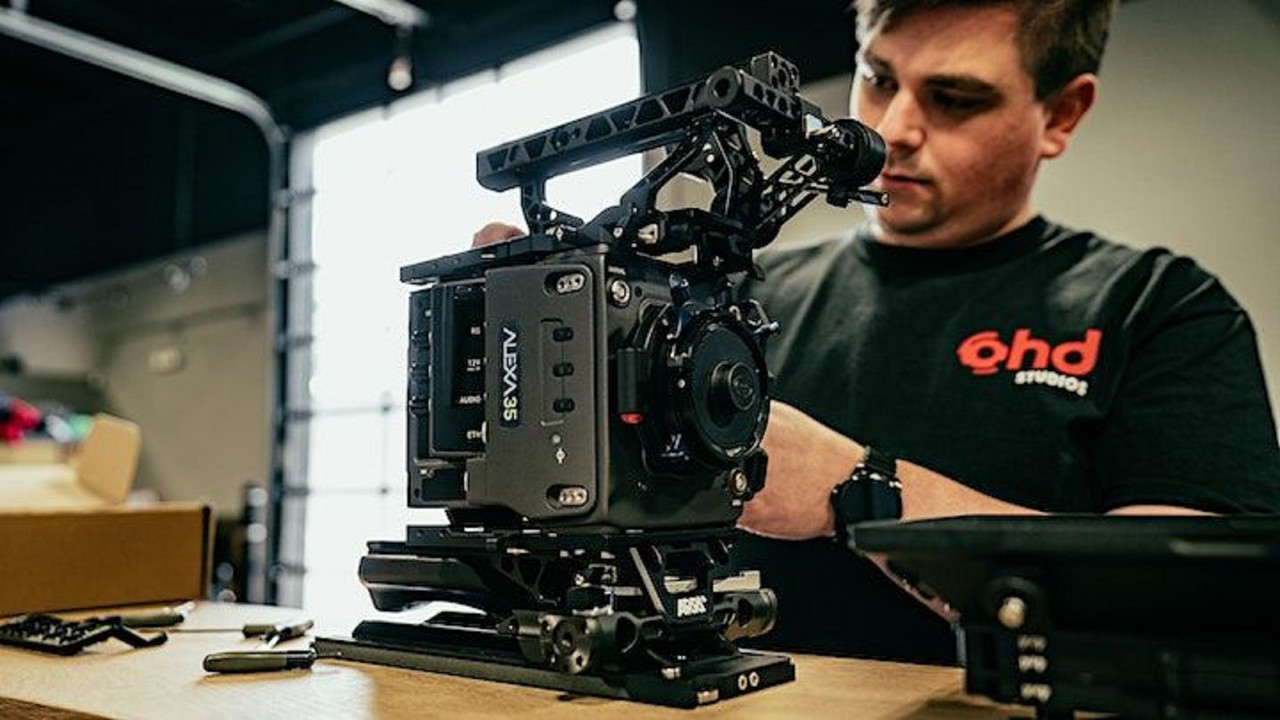
ARRI 4K Super 35 Camera Will be Launched Next Month

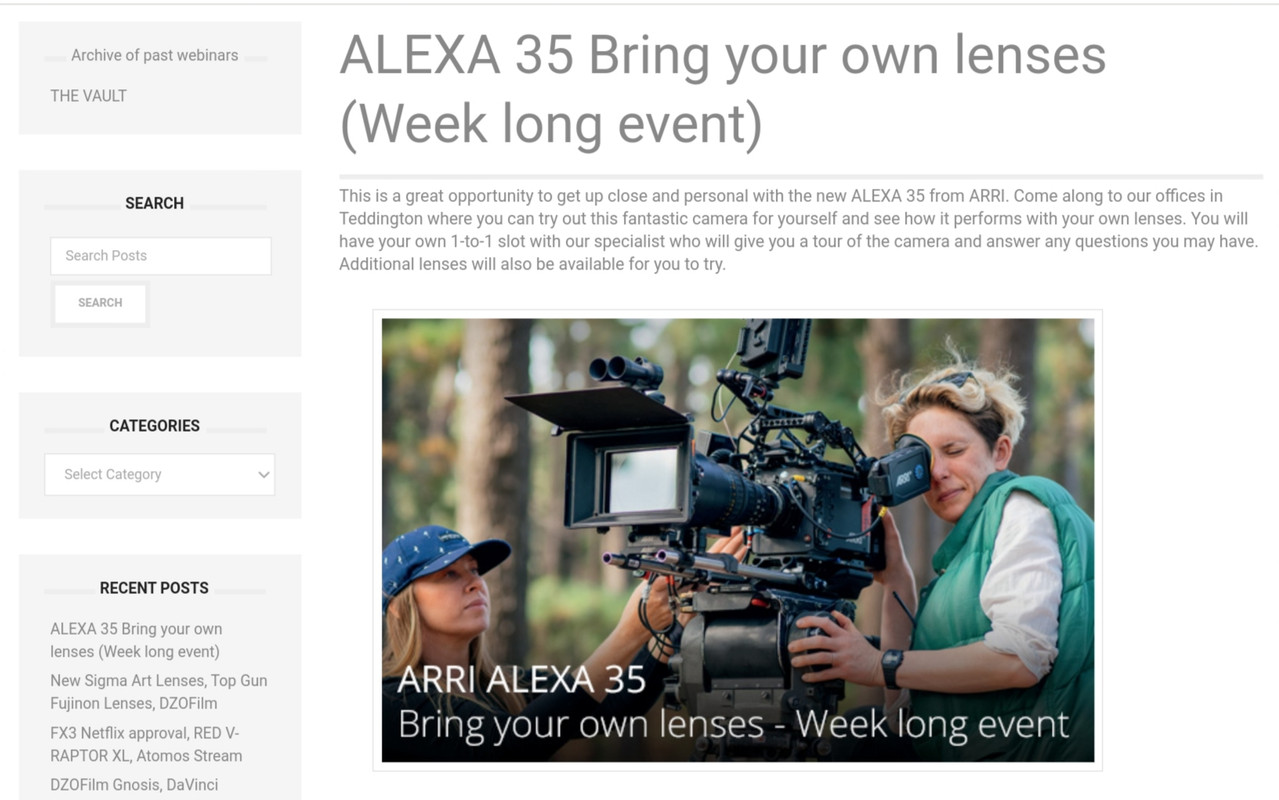
ALEXA 35 Bring your own lenses (Week long event)


Web Link
https://www.visuals.co.uk/visualsblog/alexa-35-bring-your-own-lens/
20220819-093654.jpg


20220819-093716.jpg
 
Personally I've tried many commercially-available post NR solutions and Neat Video is one of the best.
Whatever ARRI is doing vs RED doesn't exactly mess stuff up for Neat Video. Both systems benefit heavily.
The main thing is I just don't have to use Neat as often with Alexa vs RED, which is nice.

One huge thing not mentioned much on REDUSER is: when shooting anamorphic, you're only using a fraction of the sensor with RED.
RED's sensors are too damn wide and not tall enough, so you have to crop to only the center portion of the sensor... which means your noise floor when making a 2.39 master is worse.
Whereas with ARRI you're actually using more sensor than you do in a 16x9 test. So your noise floor is even lower than the tests show!

Bruce Allen
www.bruceallen.tv


Use VV sensor if you can afford anamorphic lenses on your body.
 
Use VV sensor if you can afford anamorphic lenses on your body.

Bruce's general perspective on that seems to either be related to newer large format anamorphics or something else.

The majority of anamorphic lenses were designed for full height S35 4-perf Full Ap maximum, which fits in the VV circle. I'm fairly confident that was part of the sensor's design process considering how well that actually works.

For reference, VV versus S35 4-perf Full Aperture:
https://phfx.com/tools/formatCompar...=Film&formatB=Super+35mm+4-Perf&focalLengths=

The areas of definition versus area of illumination, you may get more coverage, but the lens won't exactly sing.

But yes, there are now anamorphic lenses for even larger image circles.
 
Use VV sensor if you can afford anamorphic lenses on your body.

I do own a variety of anamorphic lenses and use them on a variety of camera sensor sizes... but you're 100% missing my point.

Bruce's general perspective on that seems to either be related to newer large format anamorphics or something else.

No. You're also missing my point. It's not about sensor size, it's about aspect ratio of the sensor.

My point is that when people do DR tests, they usually don't crop the sensor, they test the full sensor, or a 16x9 crop, and measure the noise floor based on that.

Now, when you shoot in anamorphic mode, you don't use the full sensor, do you? You crop. So your noise floor goes up for your final image because you're creating the final image from less than the full area.

BUT the amount you have to crop depends on the aspect ratio of the sensor. And different cameras have different ratios!

What I'm saying is that a wider aspect ratio sensor camera (such as RED or Canon) will look good in DR tests, but perform worse vs tests relative to a taller sensor (such as Alexa, Venice, S1H, etc) if you want to shoot anamorphic (or 1x1 for social, etc).

It's just an aspect ratio thing, regardless of sensor size.

Bruce Allen
www.bruceallen.tv
 
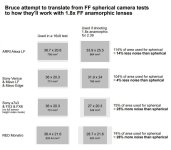
Visual explanation for you guys. Probably my math isn't right but you can see what's going on, right?

This is done with 1.8 full anamorphic lenses for a 2.39 finish... but applies to S35 too, or 2x anamorphics of course.

I think this really goes to help explain why the old Alexa has held value so well...

bruce_sensorarea.JPG - Click image for larger version  Name:	bruce_sensorarea.JPG Views:	0 Size:	71.2 KB ID:	3798721
 
The underlaying reasons for filming anamorphic rarely have anything to do with noise, in fact not much of an issue on most modern productions with any camera overall at this point no matter spherical or anamorphic. This was much more of a thing during anamorphic's inception when film was much, much more grainy than now even.

Noise isn't even an even playing field on any of these cameras btw even taking the image area into your equation/estimation. You've got systems with built in NR, systems with fairly aggressive image processors as well here. None of this matters likely if you aren't bringing that up from the get go however. That seems to be the lay of the land now.

The OG Alexa was nearly S35 in height, which is why it worked nicely for anamorphic:
https://phfx.com/tools/formatCompar...=Film&formatB=Super+35mm+4-Perf&focalLengths=

RED created VV and Gemini's sensor which work the best in my mind for anamorphic filmmaking.

I own a full set of 1.8X anamorphics and yes they do cover beyond the height of Monstro. But most 2X if not all are designed for S35 to spec. It's fine to use them on a bigger sensor, but uneven illumination, enhanced artifacts, much lower image quality in the extended corners and edges, or straight up port holing/occlusion are issues. Same for spherical glass not really designed for larger formats. Testing is worth doing, but it's always a factor particular on jobs that it matters.

TL;DR, unless you are shooting with the newest larger format anamorphic lenses that can cover beyond 18.67mm in height, you "need" something that gets ideally near that for a nice 2.39:1 desqueeze.

Personally don't mind people finding their reasons, but overall its very important to use glass at or near the intended diagonal/image circle. Only point I'm making really.
 
Noise isn't even an even playing field on any of these cameras btw even taking the image area into your equation/estimation. You've got systems with built in NR, systems with fairly aggressive image processors as well here. None of this matters likely if you aren't bringing that up from the get go however. That seems to be the lay of the land now.

I don't care how abstractly even the playing field is, I'm just trying to work with the team on a shoot to pick the right camera so that when it goes through the pipeline it looks good (usually once I add Neat Video!).

This diagram was made for a shoot I was co-directing a while back where we were trying to figure out what camera was the right choice for a night commercial shoot, faking a flooded house with a lot of art dept work on a lake, with limited time, a kid, and only HMIs that could run off a small generator.

I own the Vazen FF anamorphic set (can buy the whole set for the price of one Cooke anamorphic!) so we had the option to shoot FF anamorphic cheaply.

We were open to whatever camera but favored the Mavo Edge 8K for how portable it was. And we thought that with it having a modern large sensor it would be a good fit for the night stuff. But looked into renting Monstro, Venice, Alexa LF - so we studied a bunch of side by side low light spherical tests (and yes with and without Neat Video)...

Then realized oh shit the RED won't actually deliver those results in anamorphic. It'll deliver the equivalent noise floor of taking those spherical tests and blowing up 26%. Whereas the Alexa LF actually will deliver LESS noise...

Again I only mention it because it's a real-life practical consideration that doesn't make it onto REDUSER much.

Bruce Allen
www.bruceallen.tv
 
The OG Alexa was nearly S35 in height, which is why it worked nicely for anamorphic:
https://phfx.com/tools/formatCompare...&focalLengths=

RED created VV and Gemini's sensor which work the best in my mind for anamorphic filmmaking.

I know that OG Alexa well - I actually bought a used Alexa XT (with 96fps 17.8mm high anamorphic raw and 75fps open gate mode) cheap during the pandemic... and was just blown away at how good it was when you used the whole sensor. I expected it to be good... but wow.

But that's my point actually: people on REDUSER see these spherical tests where the RED does fairly well in terms of noise floor and think DPs are just biased for shooting Alexa all the time.

I'm saying they're not biased: they're damn smart choosing the right camera for the medium.

Again, most Alexa vs RED dynamic range tests were spherical - where you're taking what was essentially a HEAVY CROP of the full 4:3 Alexa sensor and comparing it to the full RED sensor.

Put Alexa vs RED on anamorphic and it's a different story because you are going from RED having a sensor size advantage (and the latitude advantages that go with it) to the other way around.

Maybe I helped some filmmaker here see the light, hope so. Anyway back to my deadline!

Bruce Allen
www.bruceallen.tv
 
I will say the A35 is cleaner in the shadows, but you shouldn't be seeing more noise comparatively versus the ALEVIII sensors versus say a Monstro or whatever. That's sort of one of major reasons ARRI has gone this route with the A35.

All good. Not really in the zone of cameras x, y, or z meaning much now. It's really more of a do you need 8K, 4K, etc when applying it to projects. For me, at the moment I can really mostly use RED or Sony cameras for the majority of my productions. I do shoot with ARRI when that is asked for, mainly LF or 65, but 65 is a rare day and most of the time Monstro gets subbed in anyways. There's still many people not even there yet. Market just isn't defined as easily now as the spectrum of work and scale is too large.

In the sense of noise, that's one aspect and cropping as well as the resolution you run various SNR averaging scripts or programs will be impacted by that. The total captured dynamic range of a system doesn't have much to do with that however. Ideally though you do want to know both answer to those specific questions.
 
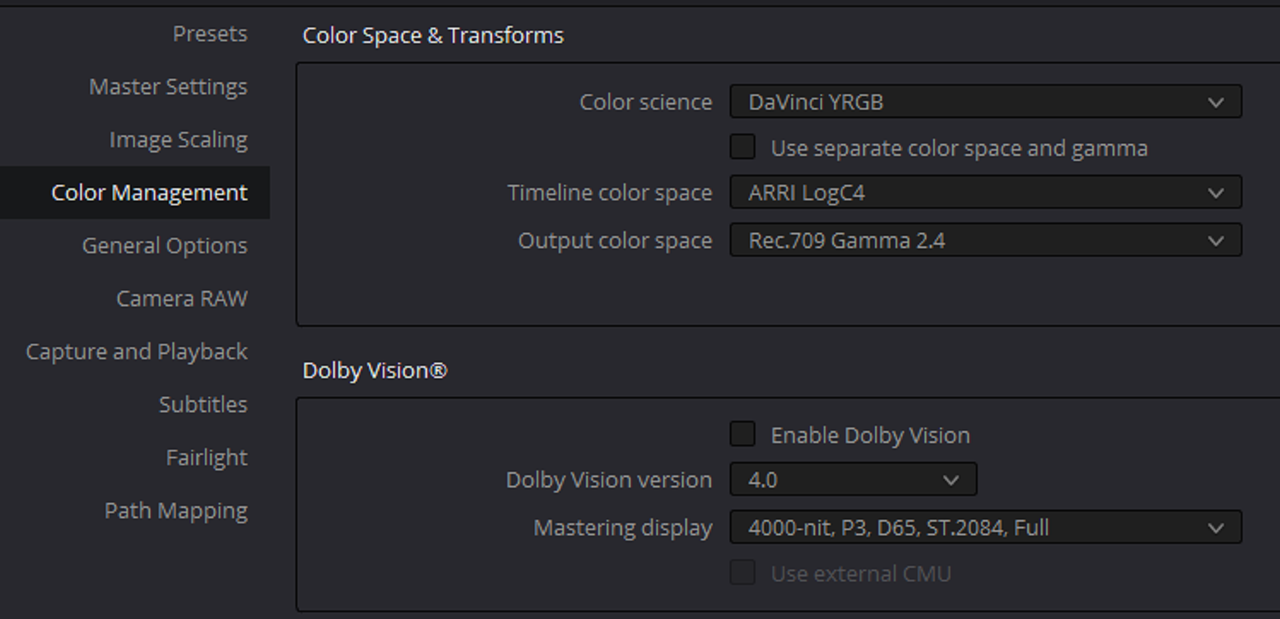
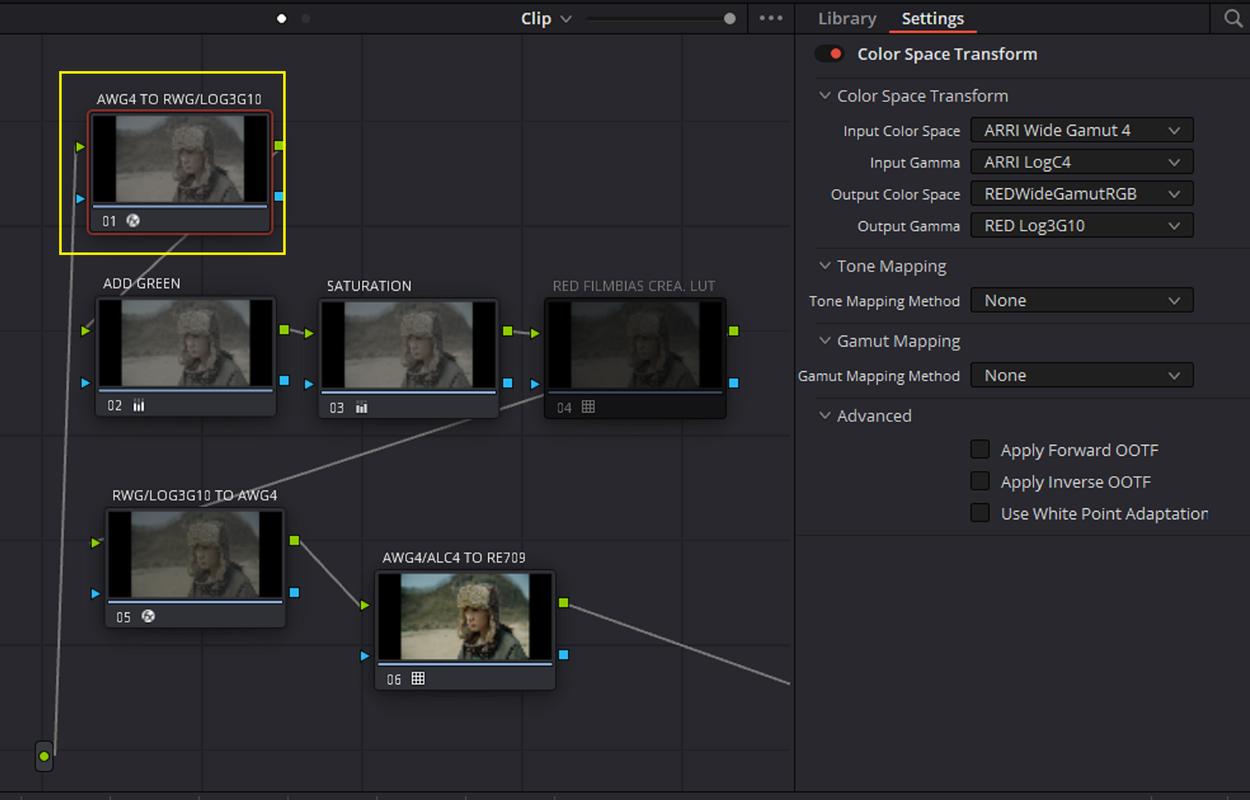
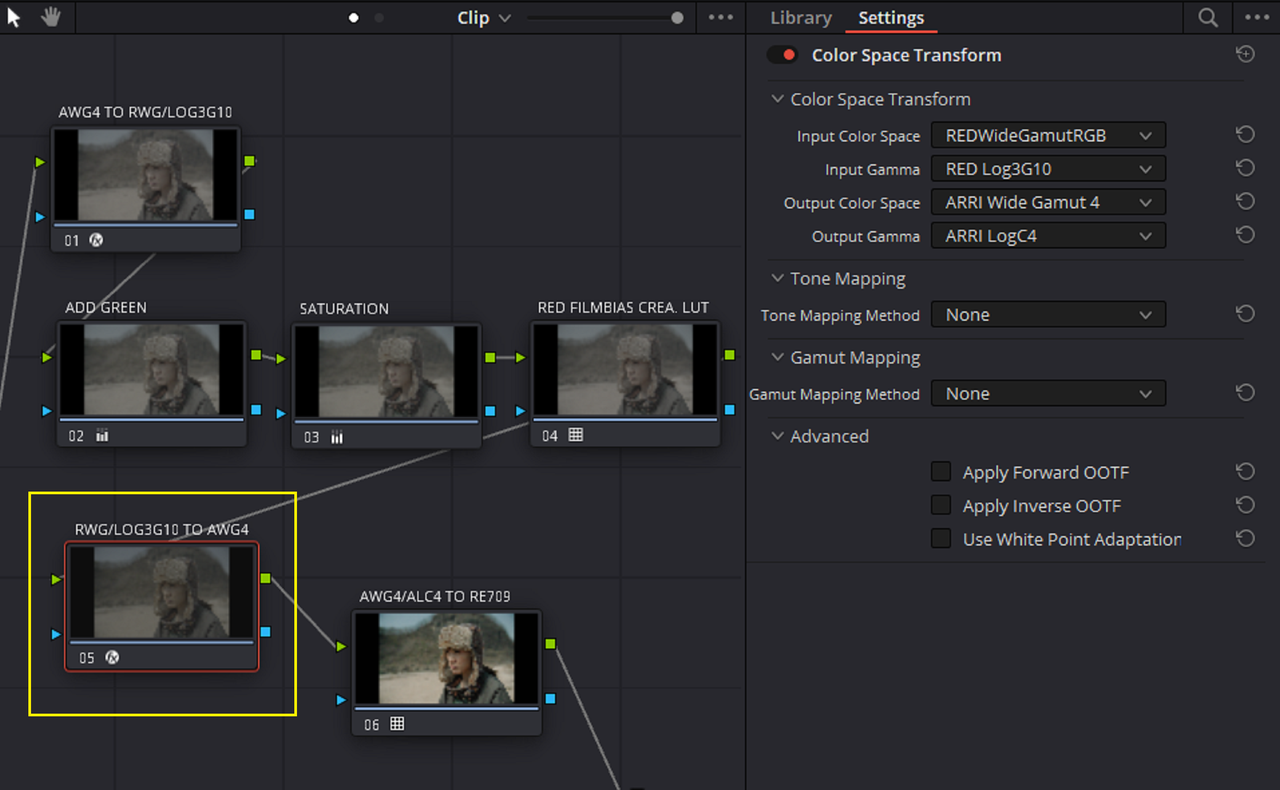
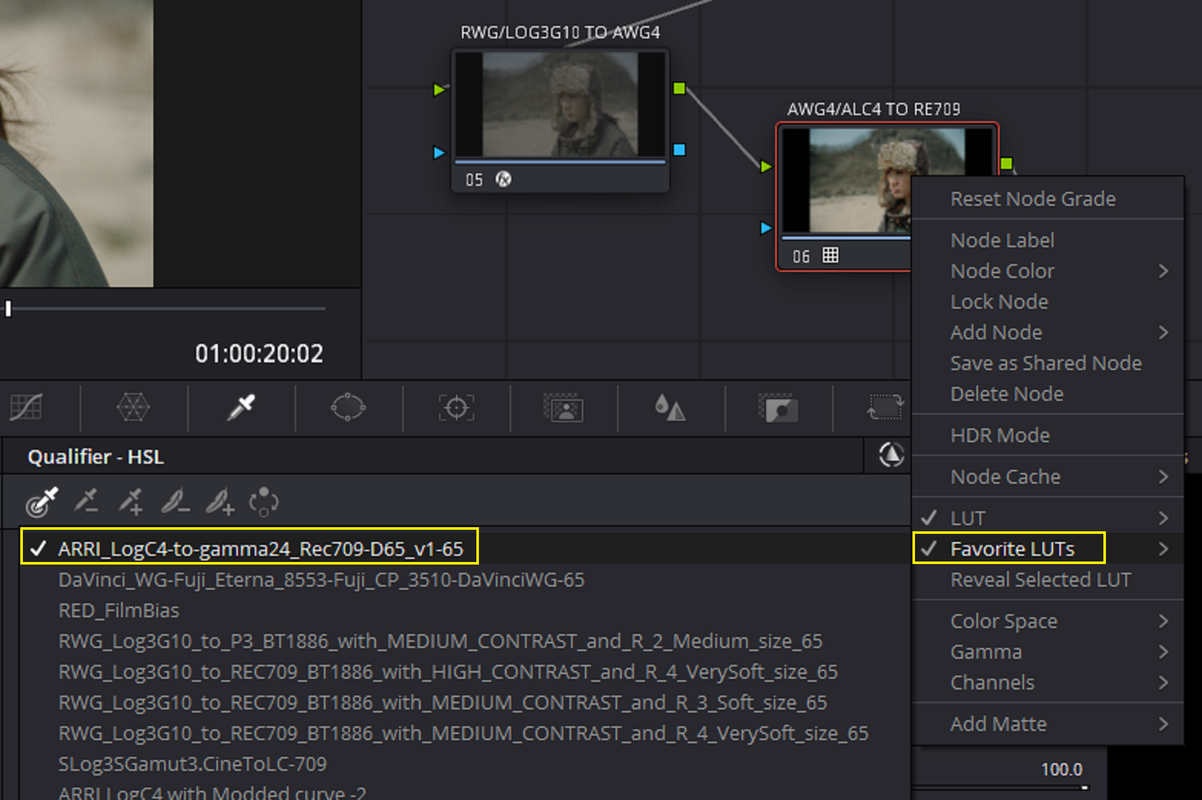
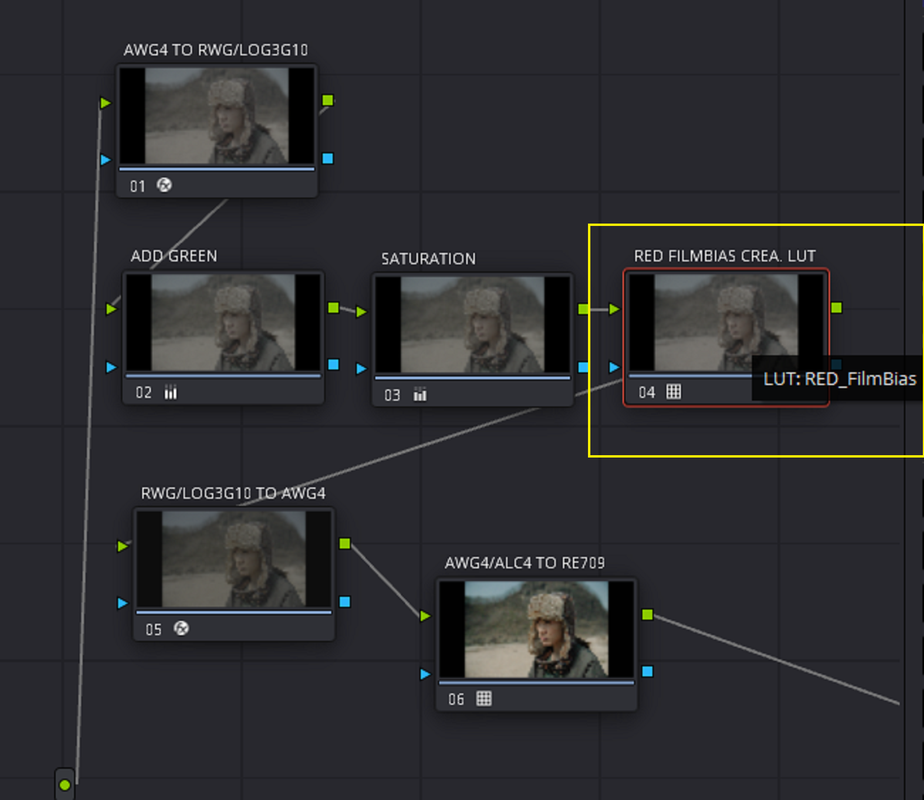
Red IPP2 Creative Luts with ARRI AWG4/ALC4 Workflow and 2 COLOR SPACE TRANSFORMS and ARRI AWG4/ALC4 Transform LUT


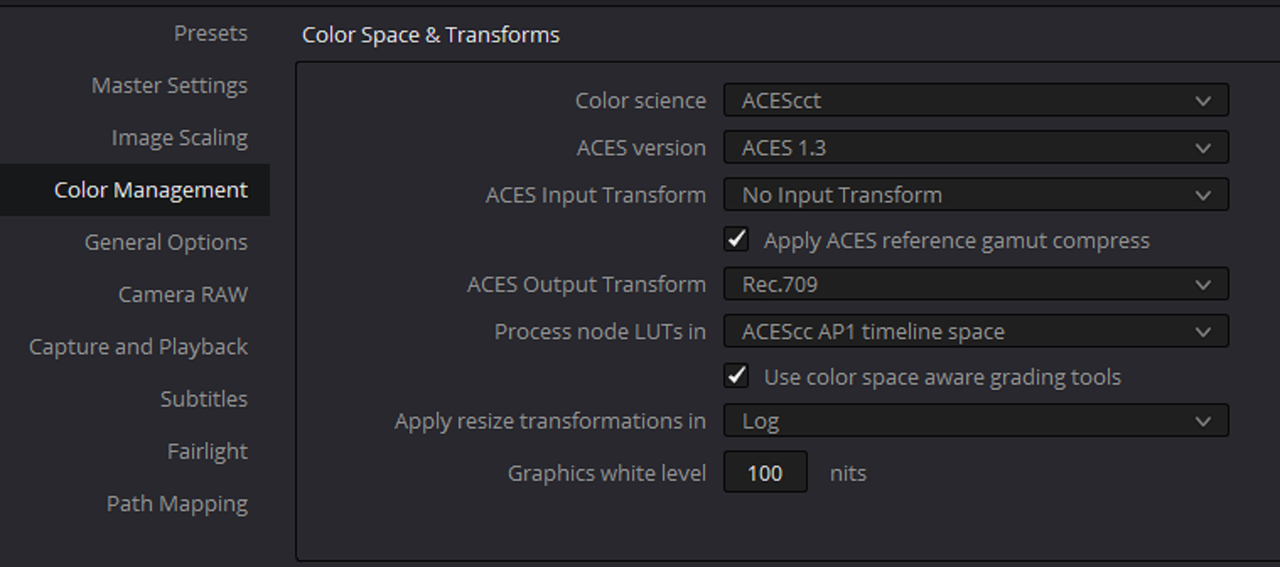
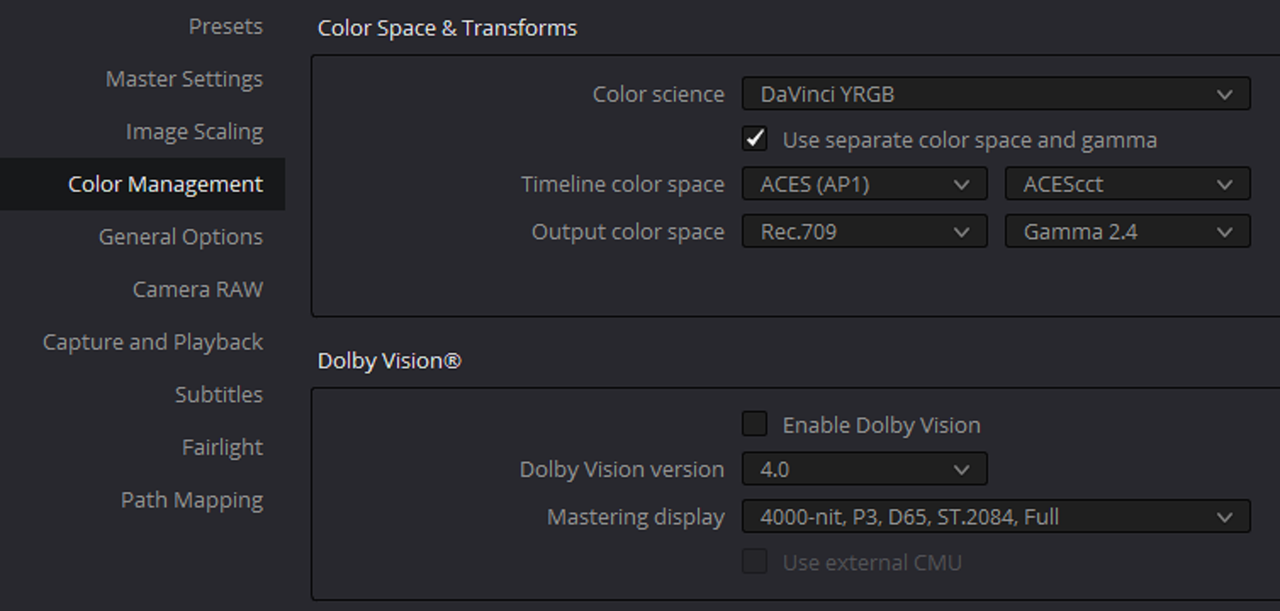
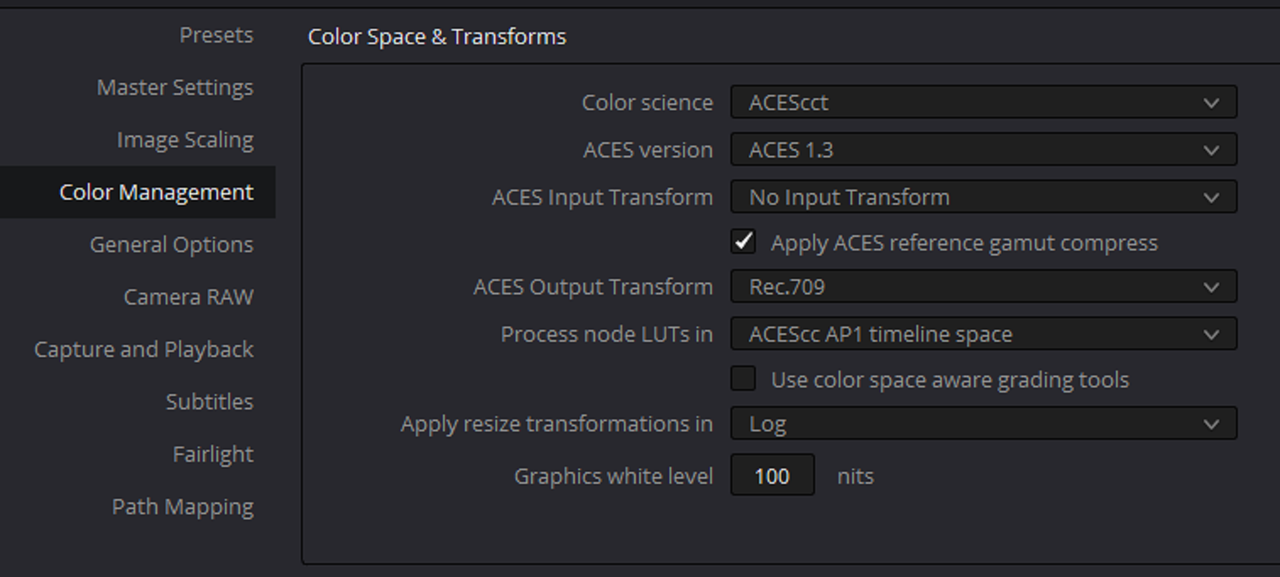
Project Settings

1.png

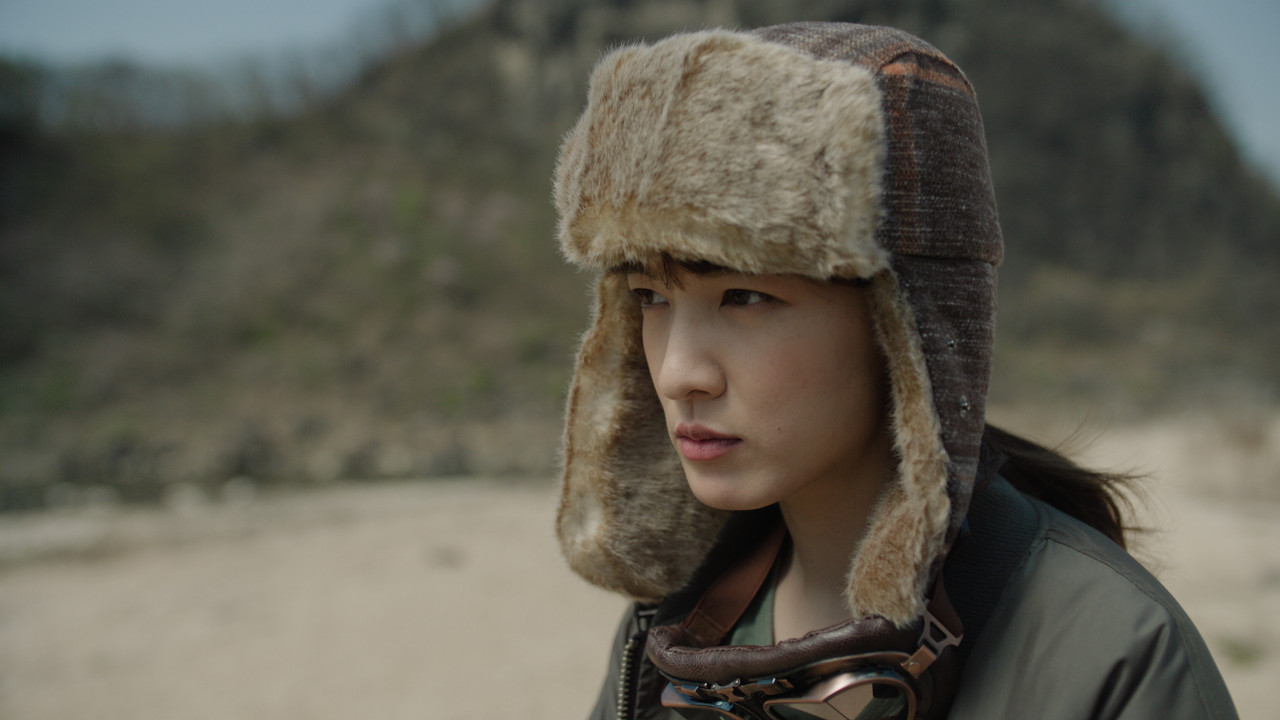
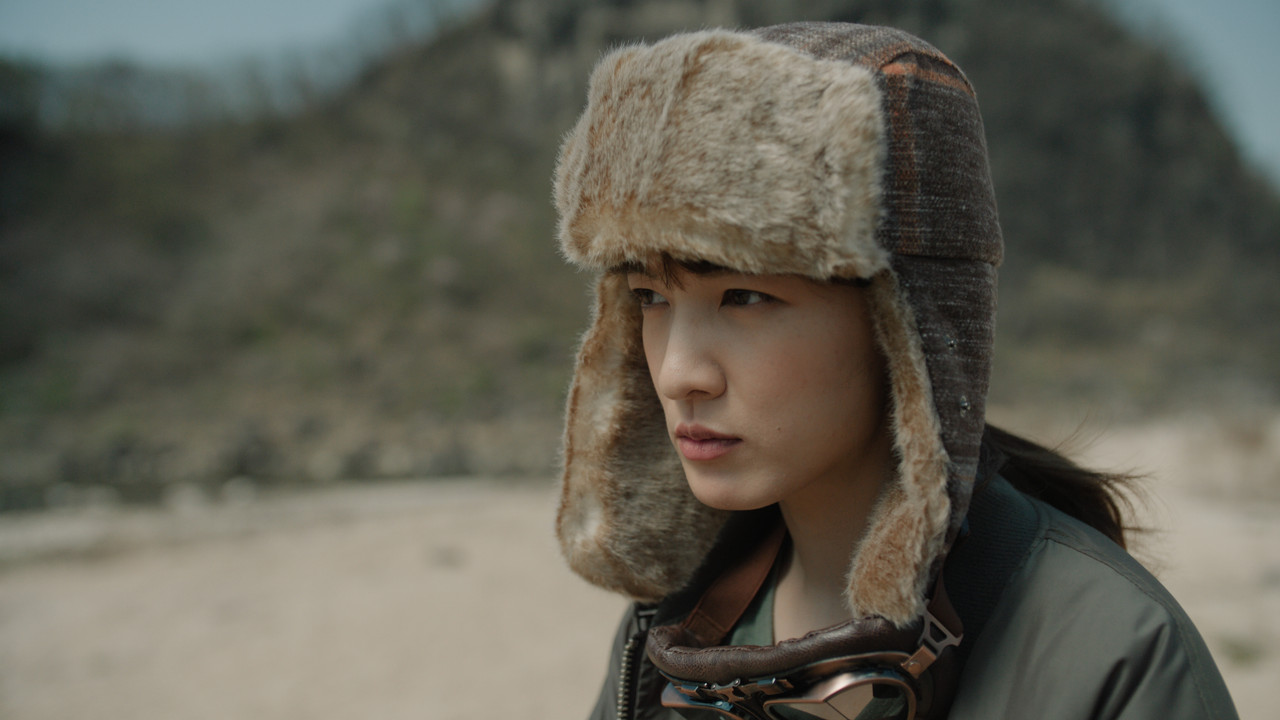
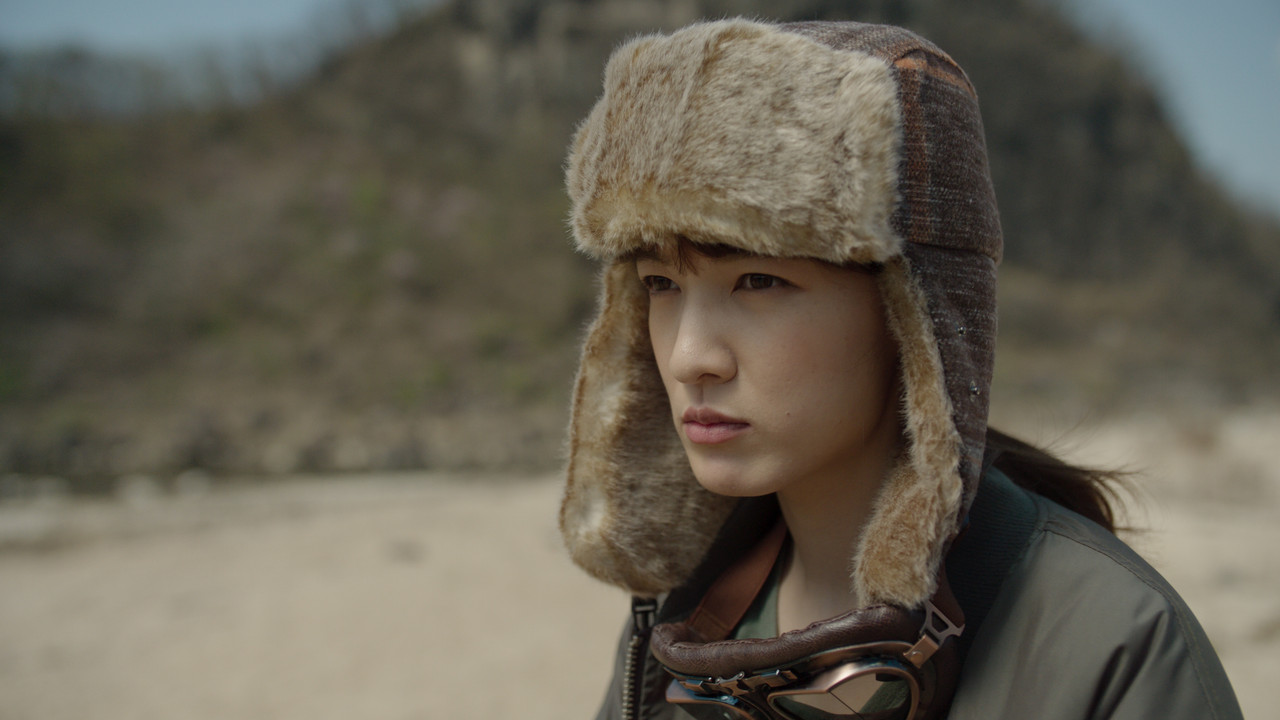
Original Image with just ARRI AWG4/ALC4 to REC709 LUT

2.png


3.jpg


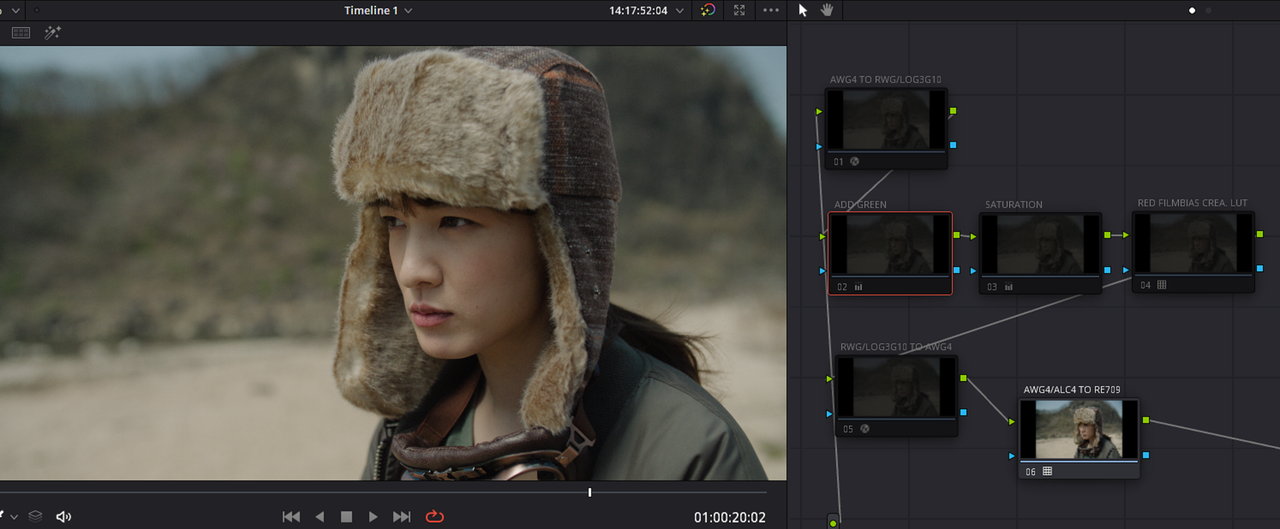
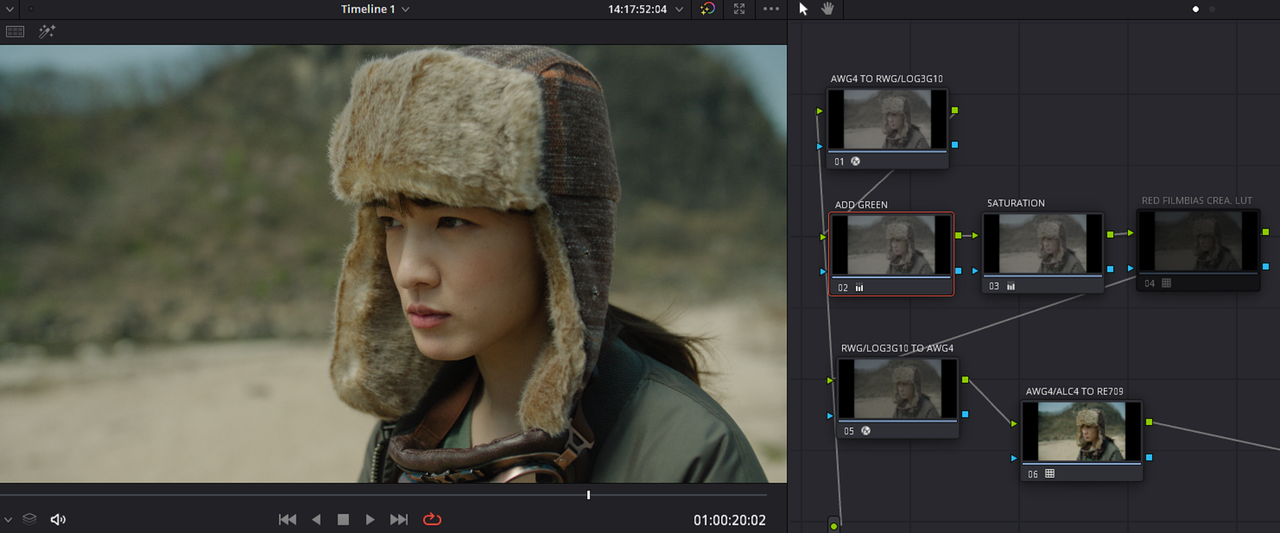
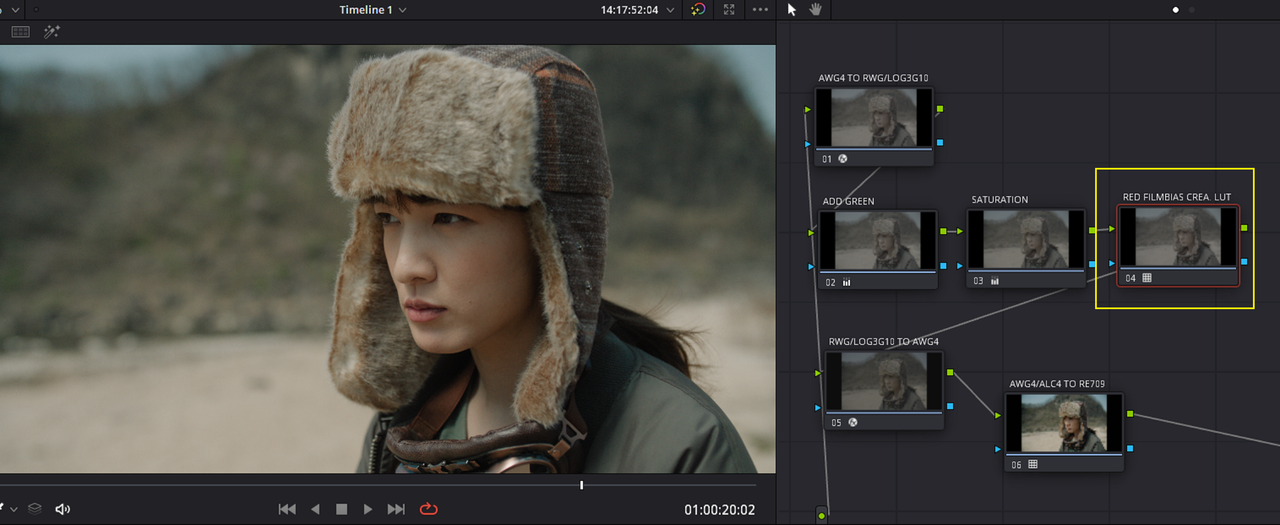
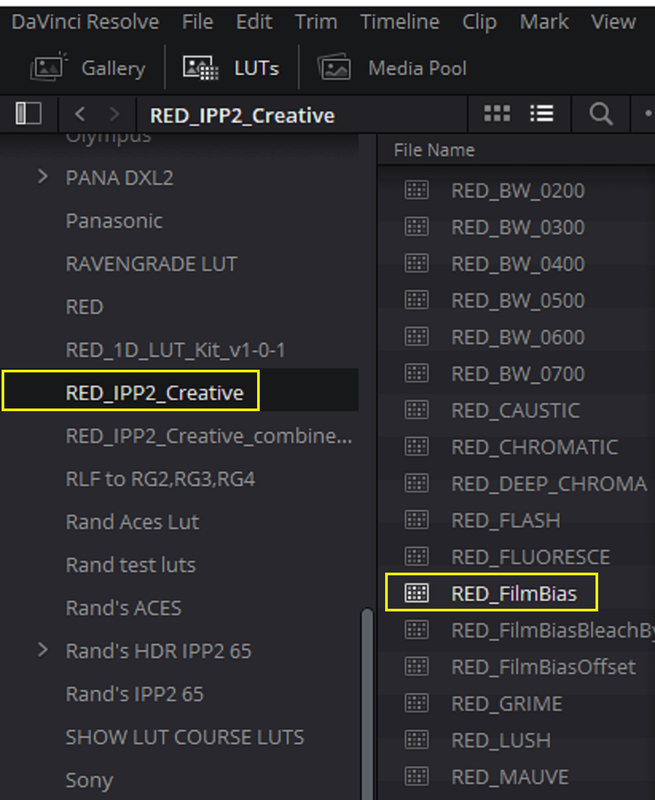
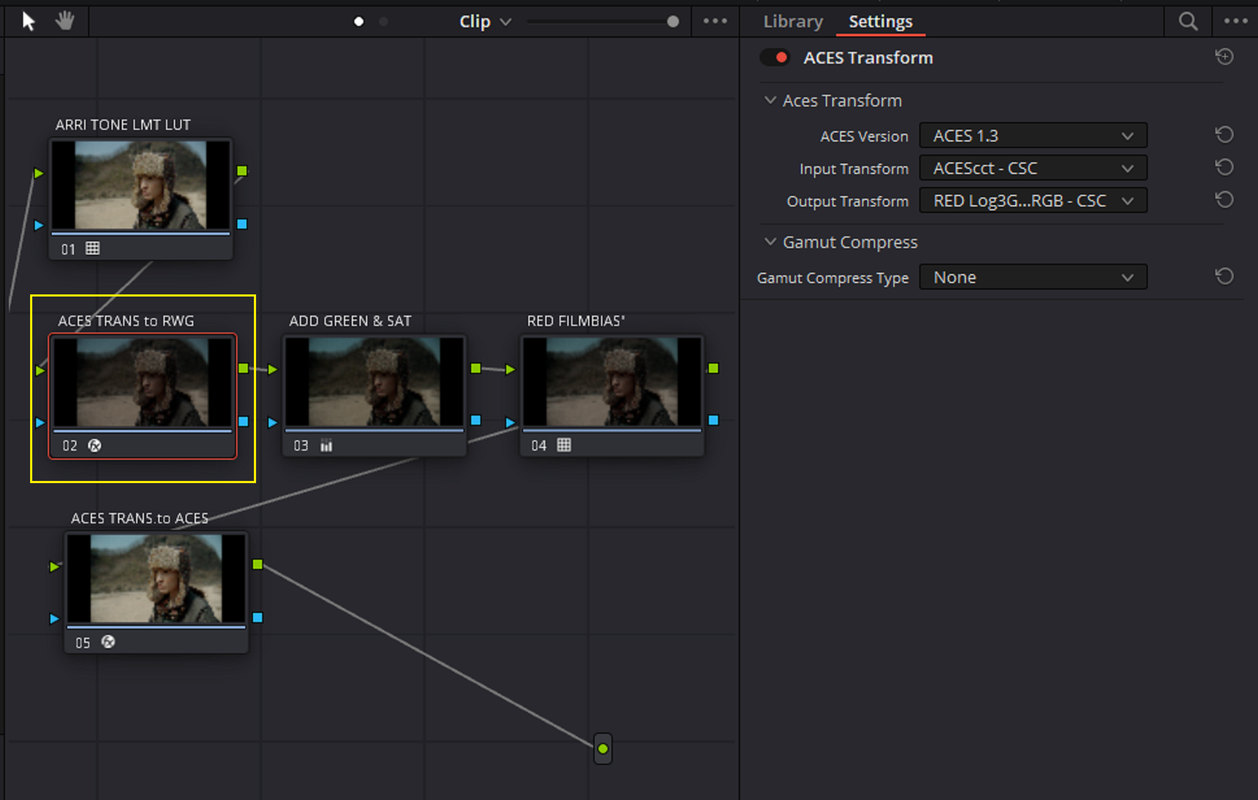
One of my Favorite RED IPP2 Creative LUTs I liked, when I was using Luts mostly, was "FILMBIAS". Sometimes when you had a RED .R3D file that had skintones that were a little Yellow/Green or if you had REDs and YELLOWs that were a little too saturated in an image, the "FILMBIAS" Creative Lut would do a good job of correcting alot of that. So you can use the "FILMBIAS" RED IPP2 Creative lut along with other RED IPP2 Creative Luts in an AWG4/ALC4 workflow using COLOR SPACE TRANSFORMS.

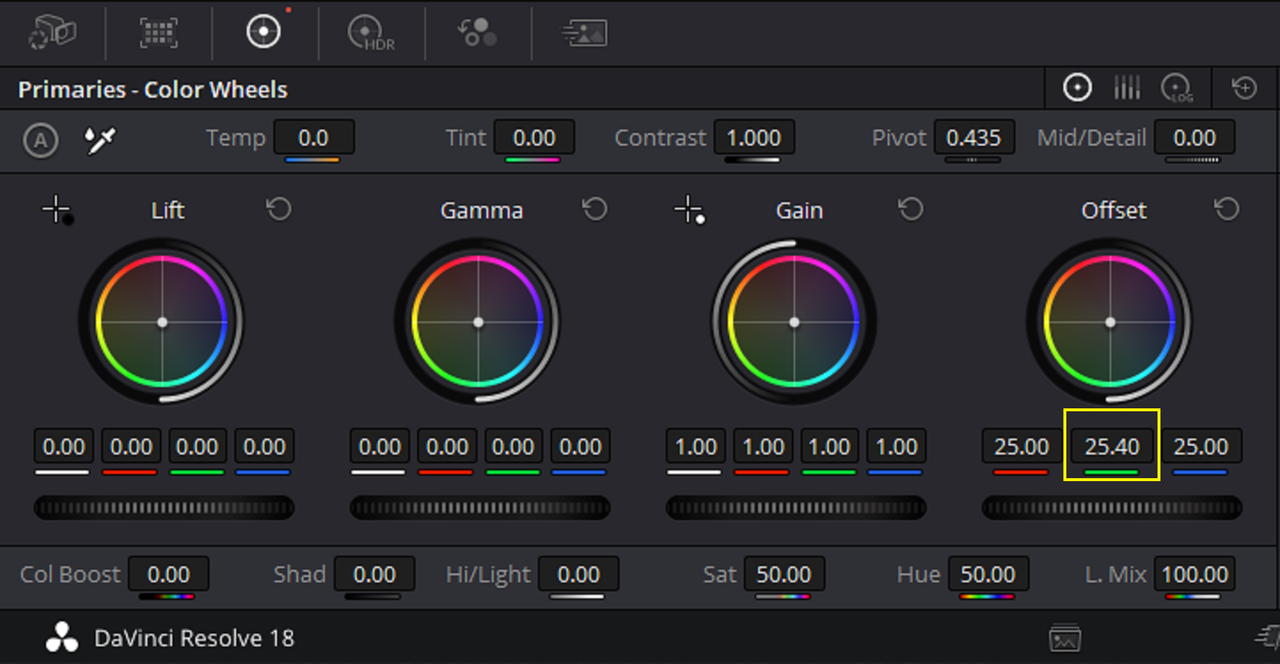
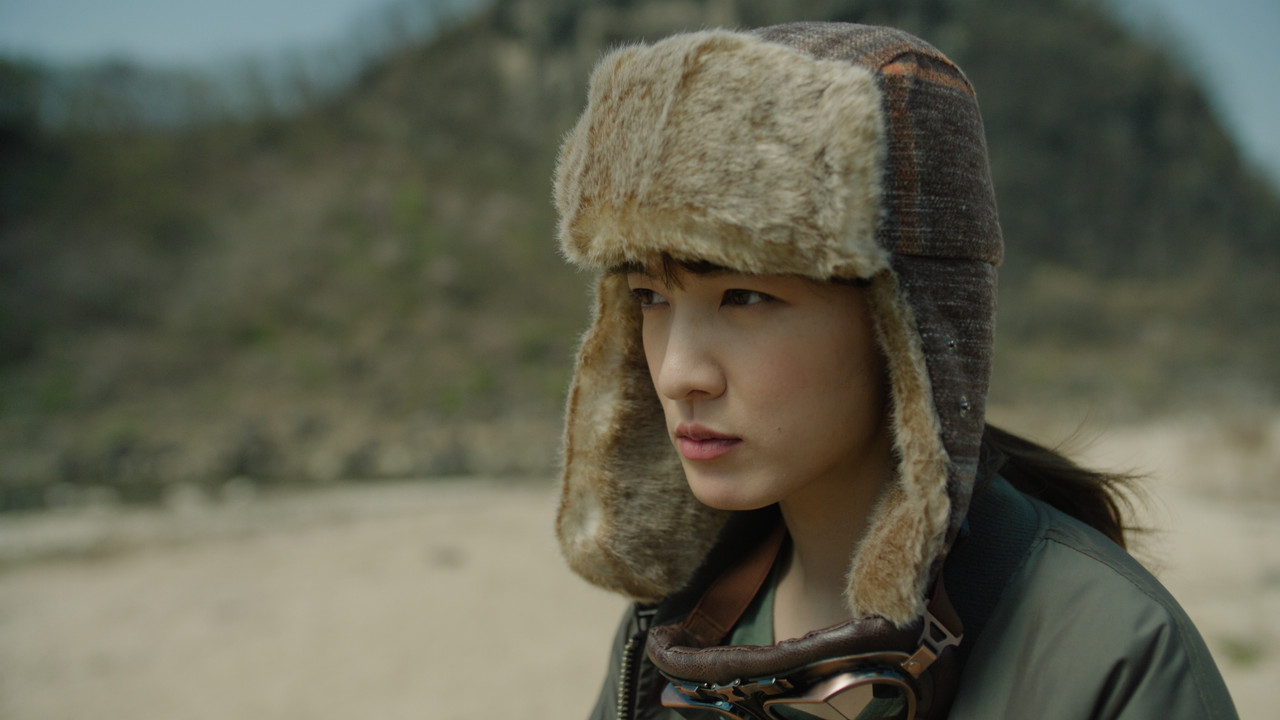
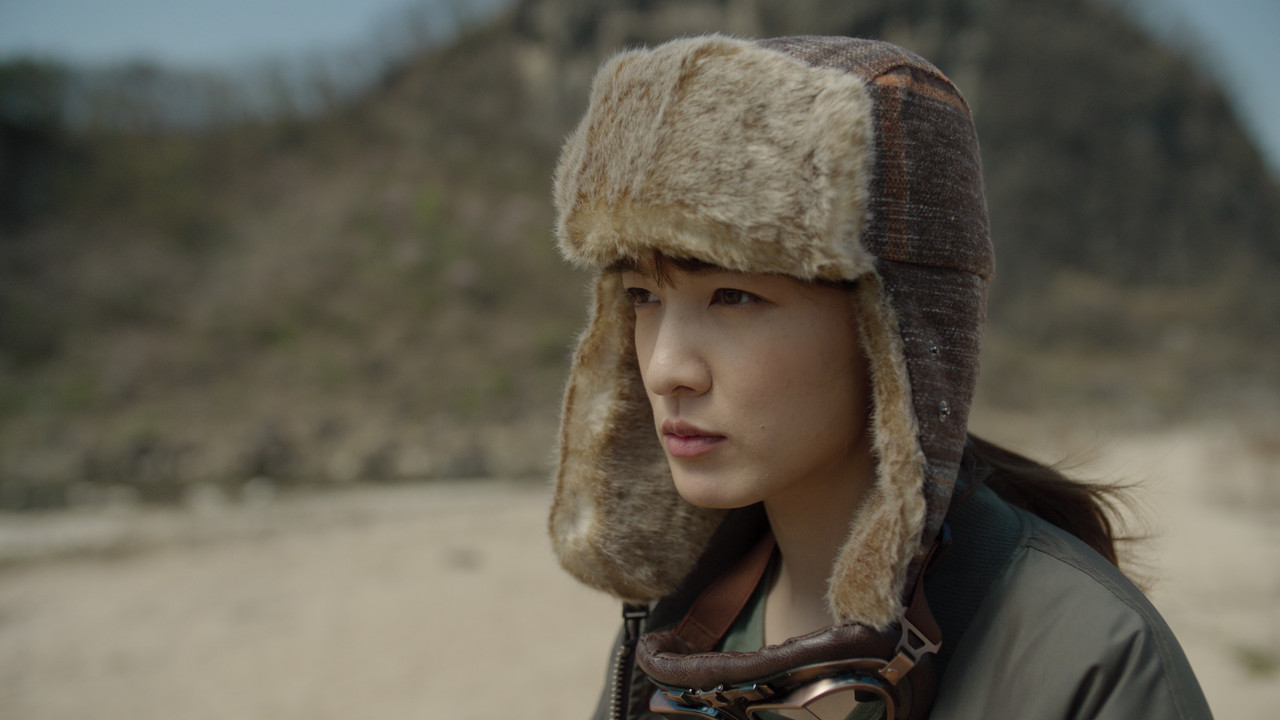
In the Alexa 35 sample image below I intentionally had to make the image a little more green than it actually was to demonstrate what the "FILMBIAS" IPP2 Creative Lut could do.

4.png


5.png


6.jpg


7.png


8.png


9.png


10.png


11.png


12.png


13.jpg


Image with Green added before "FILMBIAS" was added


6.jpg


Image with Green added After "FILMBIAS" was added


13.jpg
 
One of my Favorite RED IPP2 Creative LUTs I liked, when I was using Luts mostly, was "FILMBIAS". Sometimes when you had a RED .R3D file that had skintones that were a little Yellow/Green or if you had REDs and YELLOWs that were a little too saturated in an image, the "FILMBIAS" Creative Lut would do a good job of correcting alot of that. So you can use the "FILMBIAS" RED IPP2 Creative lut along with other RED IPP2 Creative Luts in an AWG4/ALC4 workflow using COLOR SPACE TRANSFORMS.


Can confirm that is a very, very good and well thought out LUT. Many months of testing, QC, across many studios, and very deep color folks. I've graded feature films with less feedback. Subtle nod to Kodak, a focus on pleasing perceptual harmony via research and spectral analysis of a very wide range of light sources.

When it was made it was tested on every camera to date (not just RED) during the Komodo launch year. Glad you like it.
 
Can confirm that is a very, very good and well thought out LUT. Many months of testing, QC, across many studios, and very deep color folks. I've graded feature films with less feedback. Subtle nod to Kodak, a focus on pleasing perceptual harmony via research and spectral analysis of a very wide range of light sources.

When it was made it was tested on every camera to date (not just RED) during the Komodo launch year. Glad you like it.

Phil,

Yeah, when I was playing around with all the Red IPP2 Creative Luts with some Red .R3D files a few years ago I saw this "FILMBIAS" Lut and wondered what it did. I just applied it to a R3D file and I was like "Damn" this fixes some of the overly saturated Reds, Greens, Yellows and Oranges that were in that R3d video file. It also fixed some of the sometimes 'Yellow/Green" hues in the Skintones in some of the RED captured images. I think everyone who is using RED cameras should at least try it to see how useful and great it really is.


RED.com Link to the RED Creative Luts Download

Downloads Details (red.com)
 
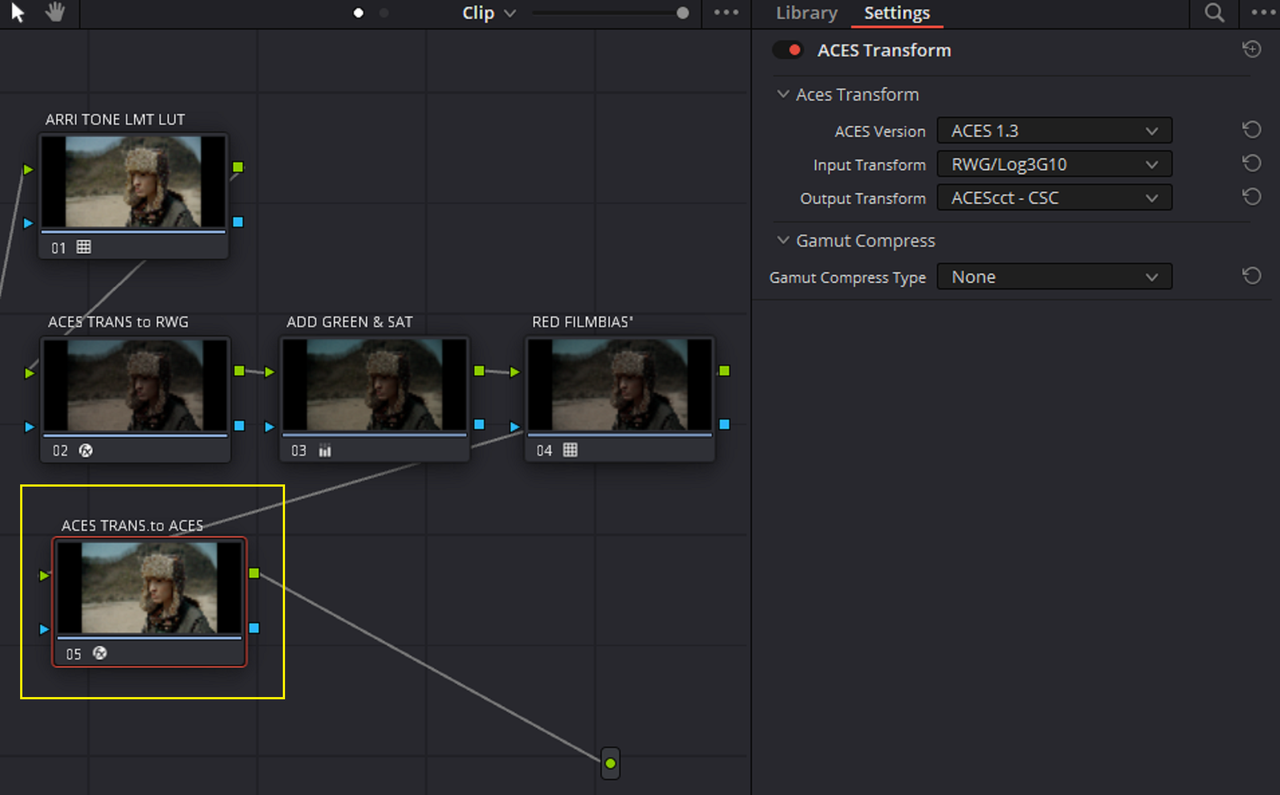
The ACES Workflow With The RED IPP2 "FILMBIAS" CREATIVE LUT

Project Settings and Workflow


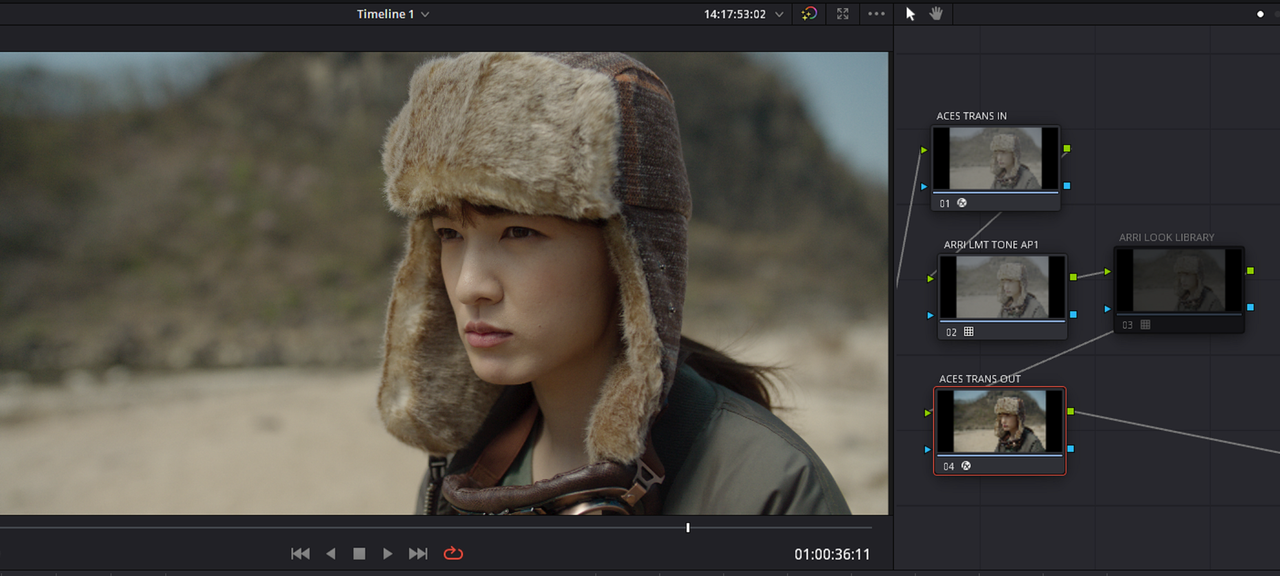
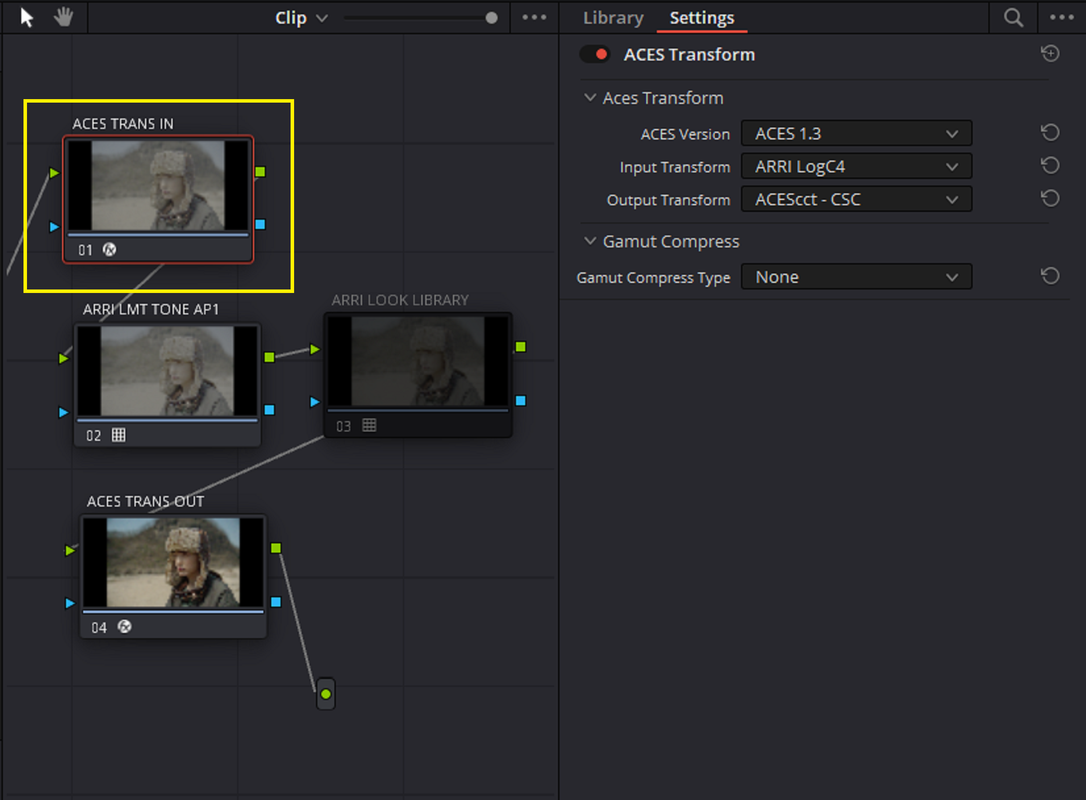
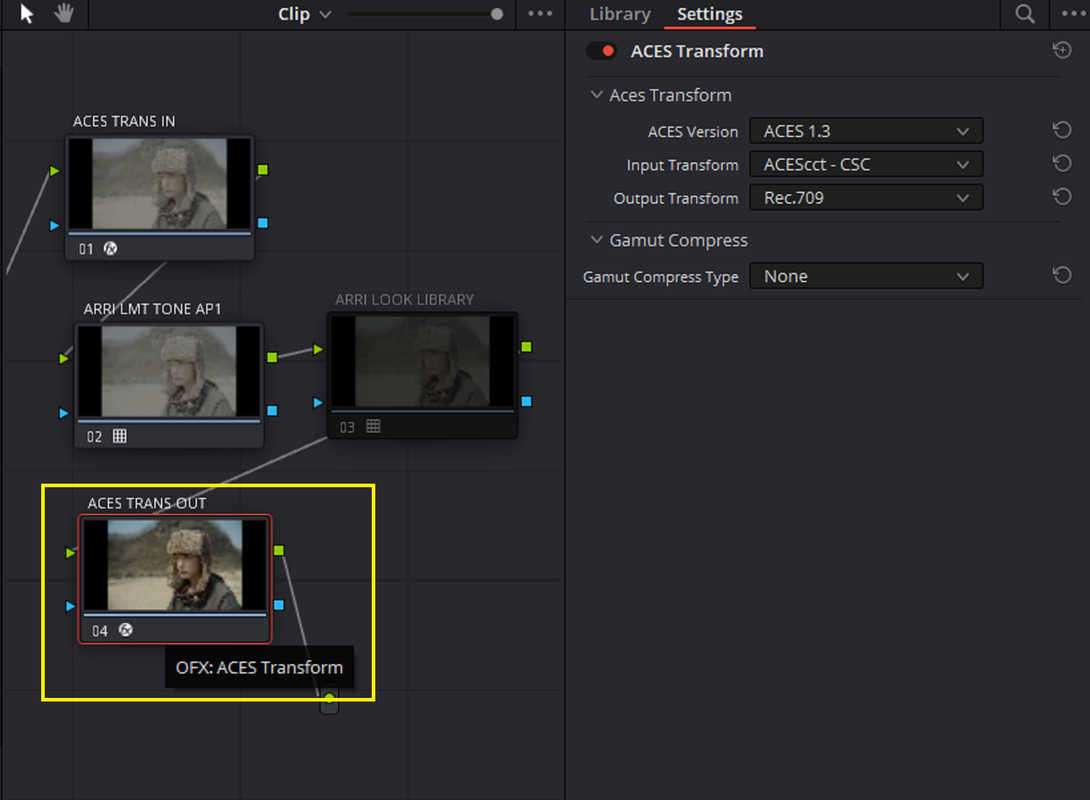
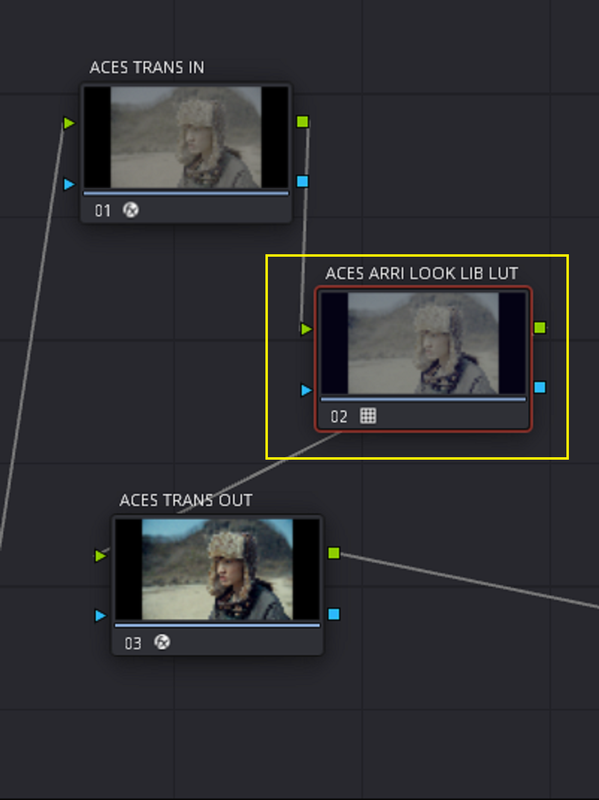
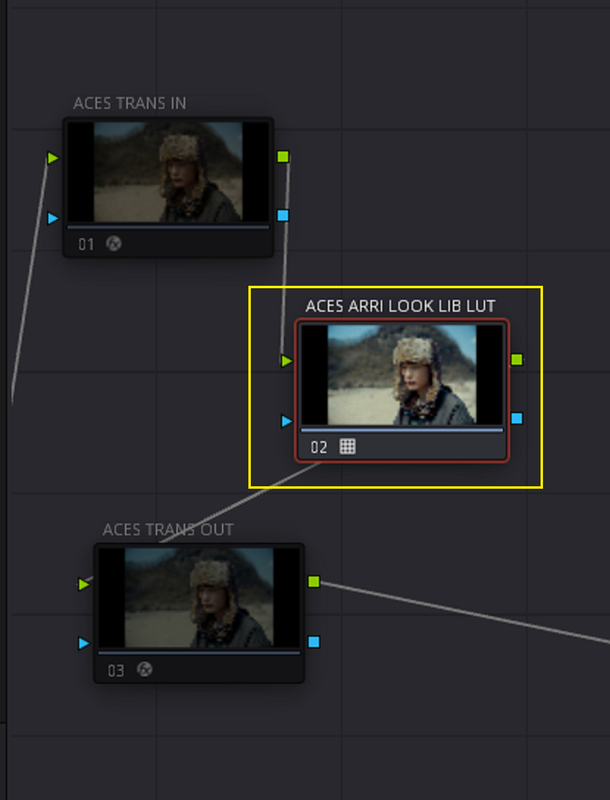
I won't go into too much detail because this basically follows the same basic workflow as the Davinci YRGB workflow but with "ACES TRANSFORMS" instead of "COLOR SPACE TRANSFORMS" and with no ARRI AWG4/ALC4 to REC709 Transform Lut.


1.png


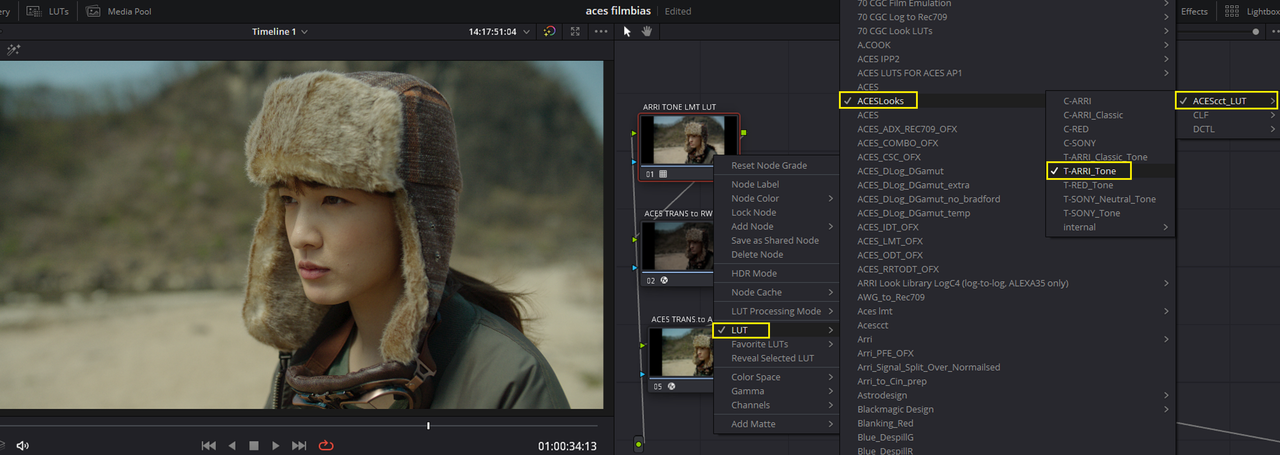
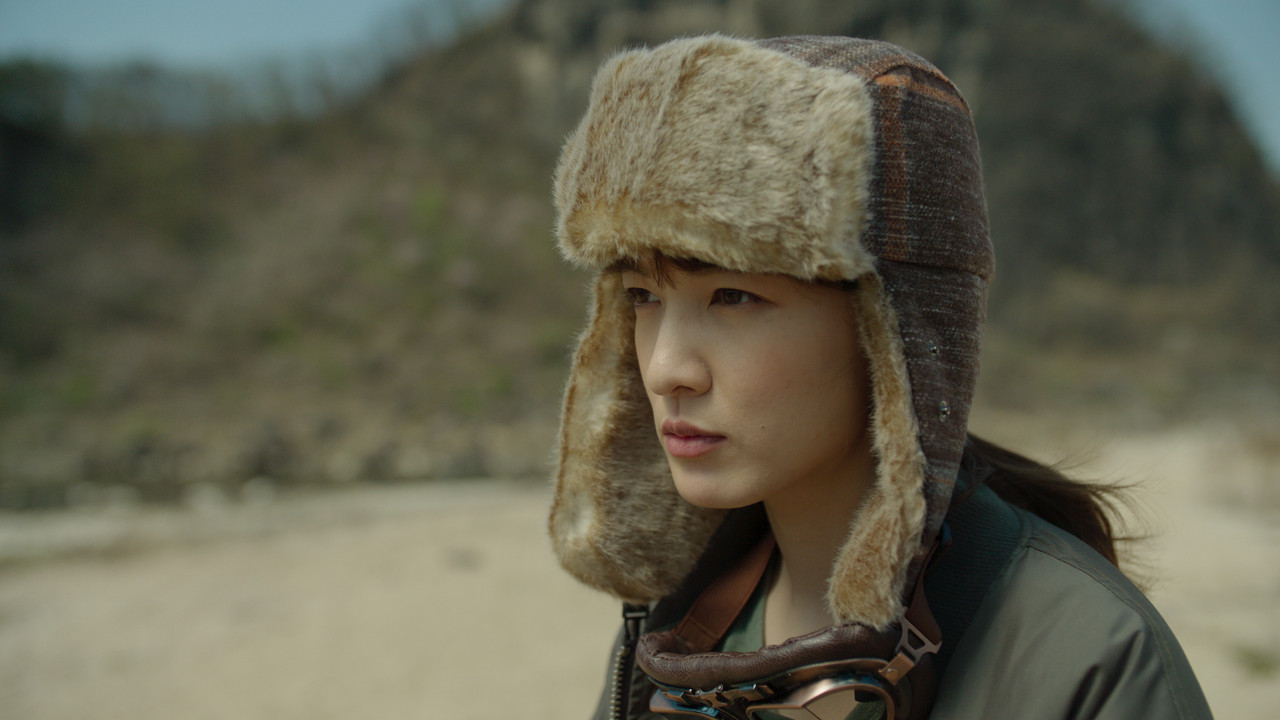
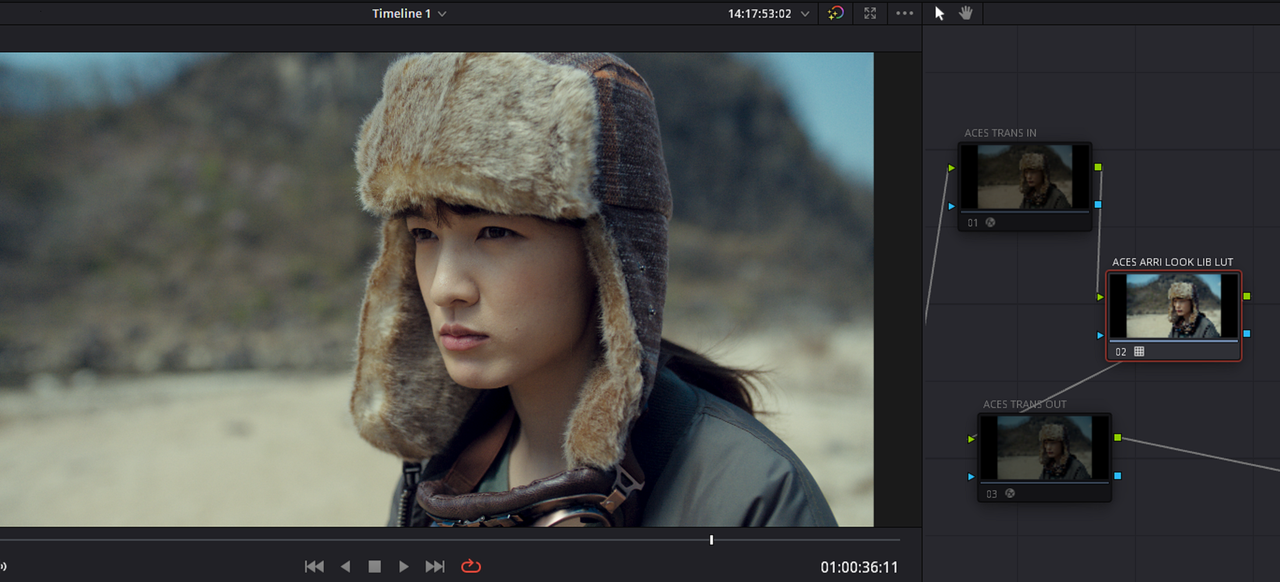
Original Image inside of ACES with ARRI TONE LMT LUT meant for ACES AP1 Applied


orig-1-2-3.jpg


2.png


2a.png


4.png


5.png


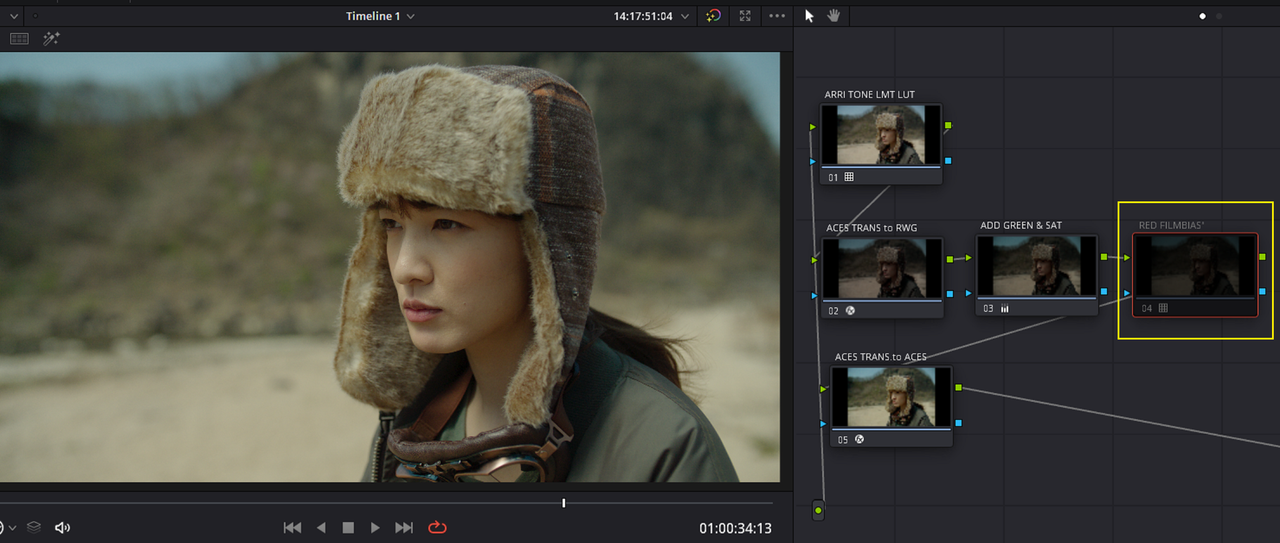
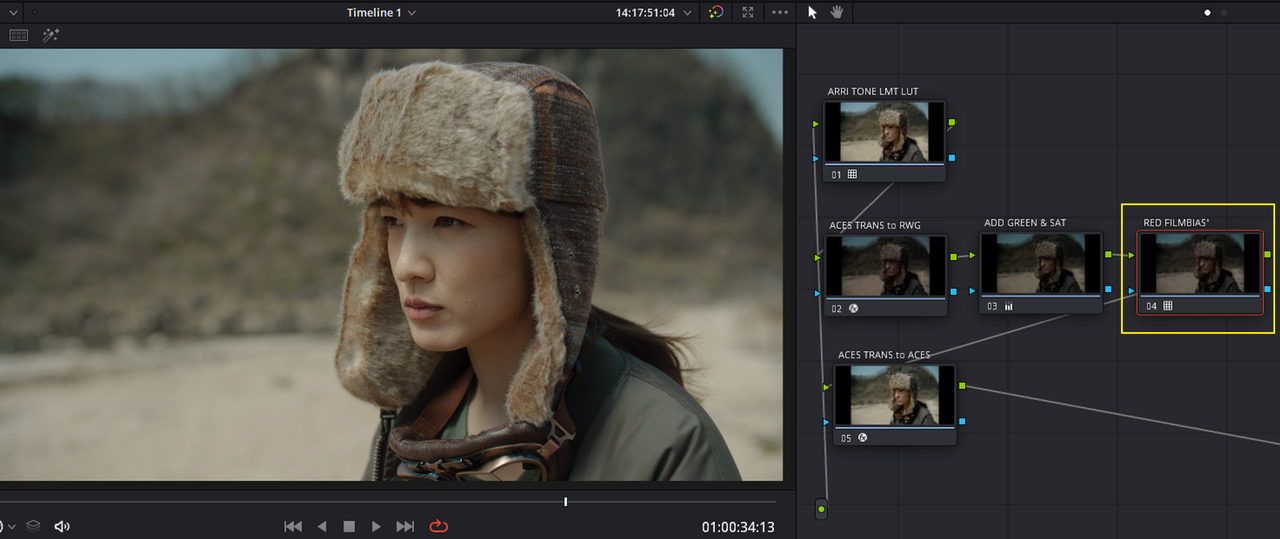
Image Again with Green Added and without the RED "FILMBIAS" Creative Lut Applied


6.png


9.jpg


Image with Green Added and with the RED "FILMBIAS" Creative Lut Applied

7.png


12.png


3.jpg


Image with Green Added without "FILMBIAS"


9.jpg


Image with Green Added with "FILMBIAS"


3.jpg
 
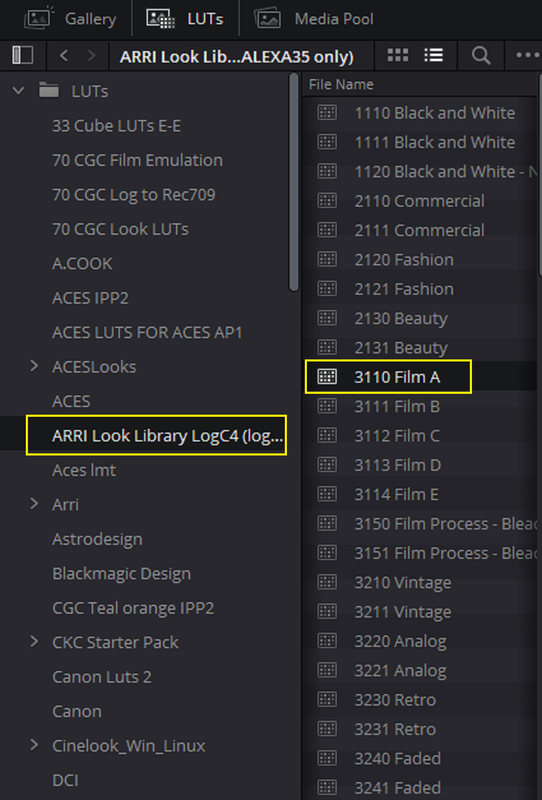
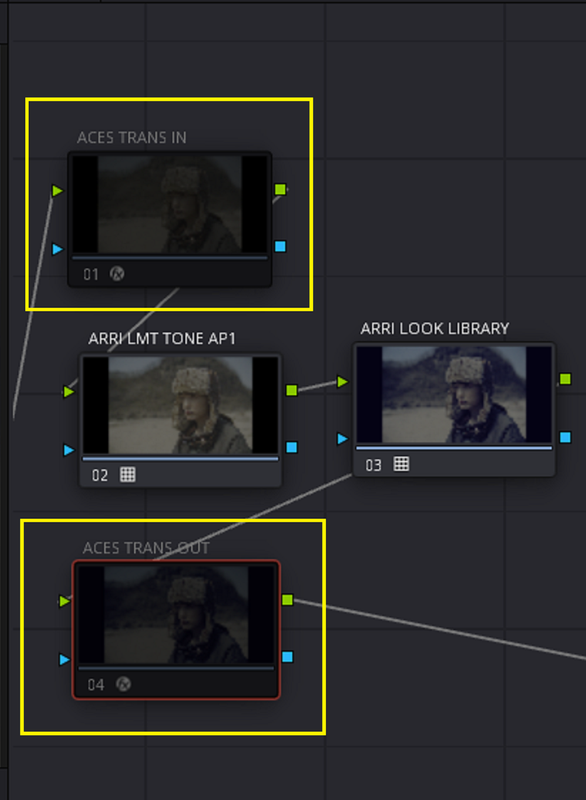
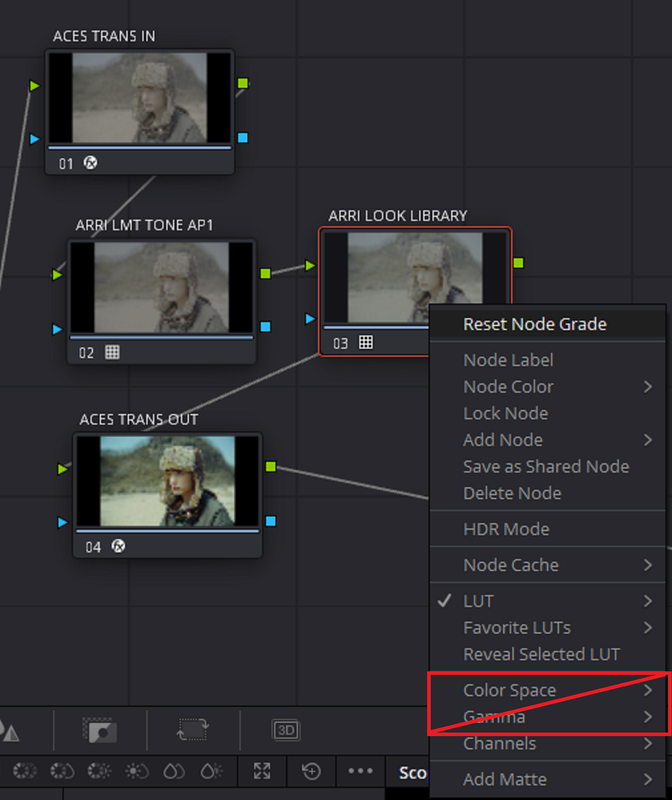
How to make an ACES LUT meant for an ACES AP1 Timeline ( Not ACES AP0 / Linear) with an ARRI LOOK Library 4 (ALF4) LOG to LOG Lut.

PART 1


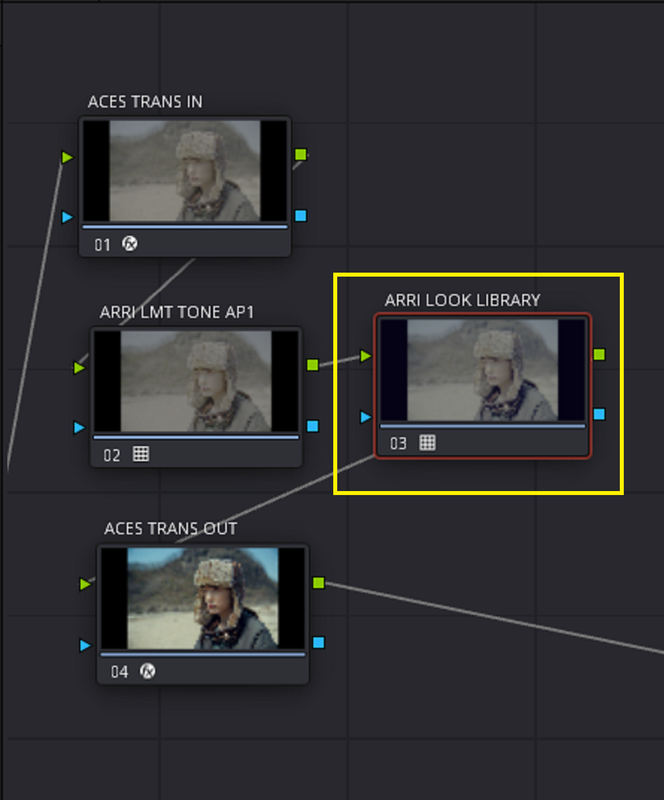
Project Settings and Workflow

1.png


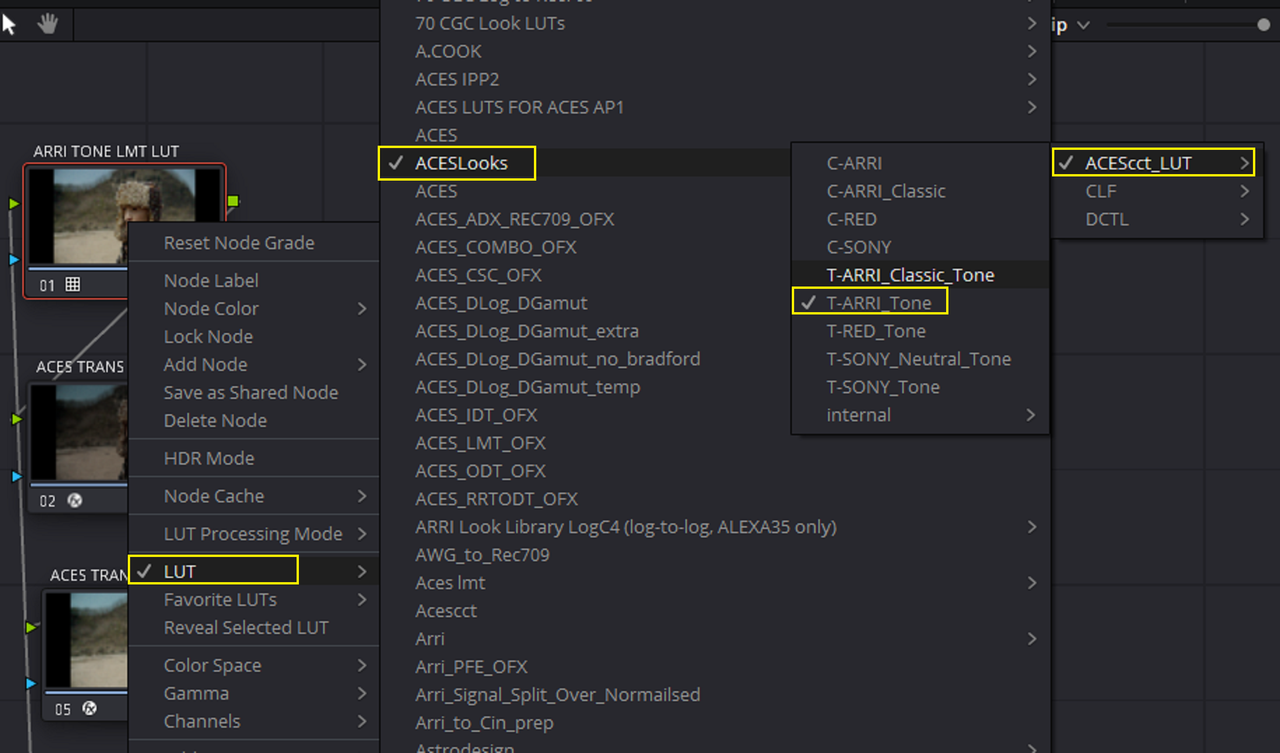
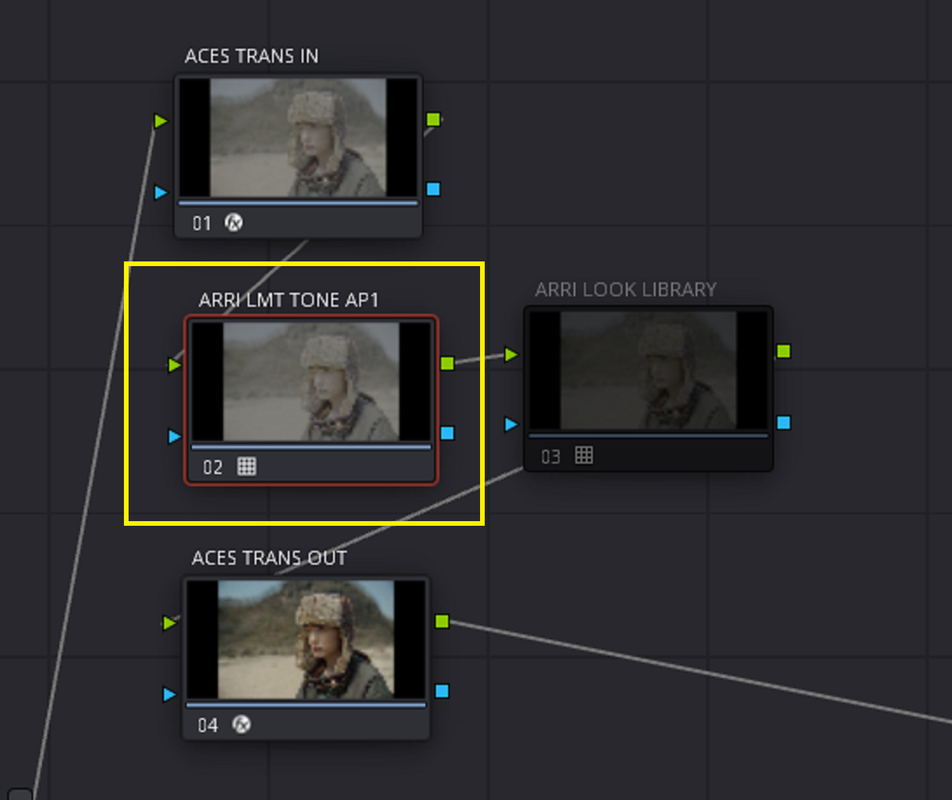
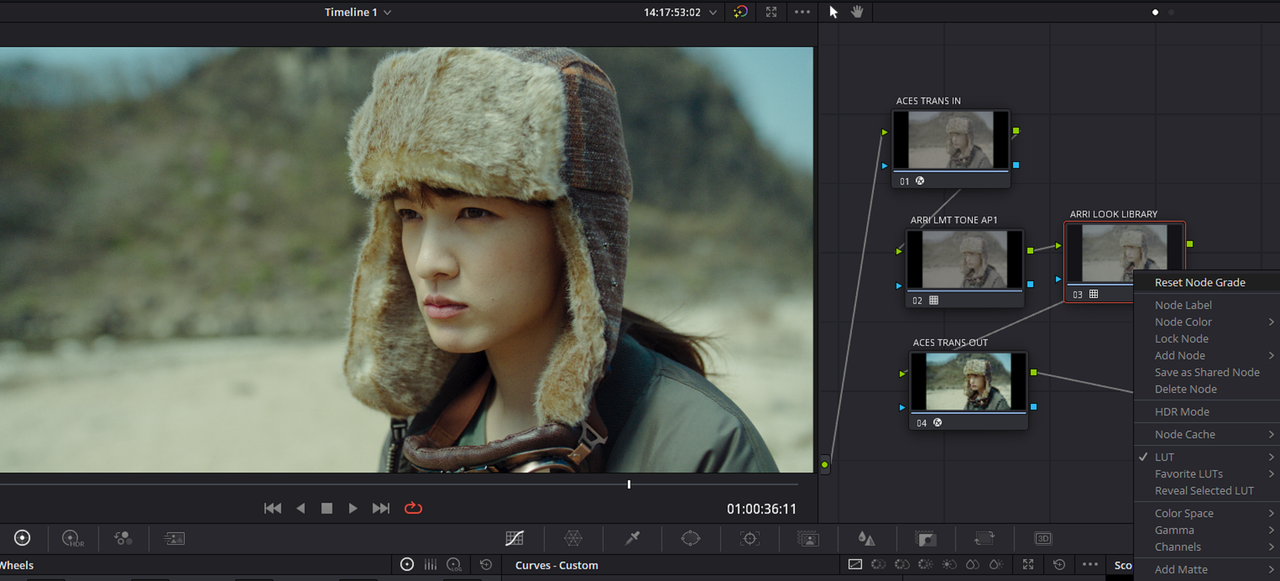
ORIGINAL IMAGE WITH ADDED ARRI TONE LMT LUT MEANT FOR ACES AP1 AND BEFORE ADDING AN ARRI ALF4 LOOK FILE

2.png


5.jpg


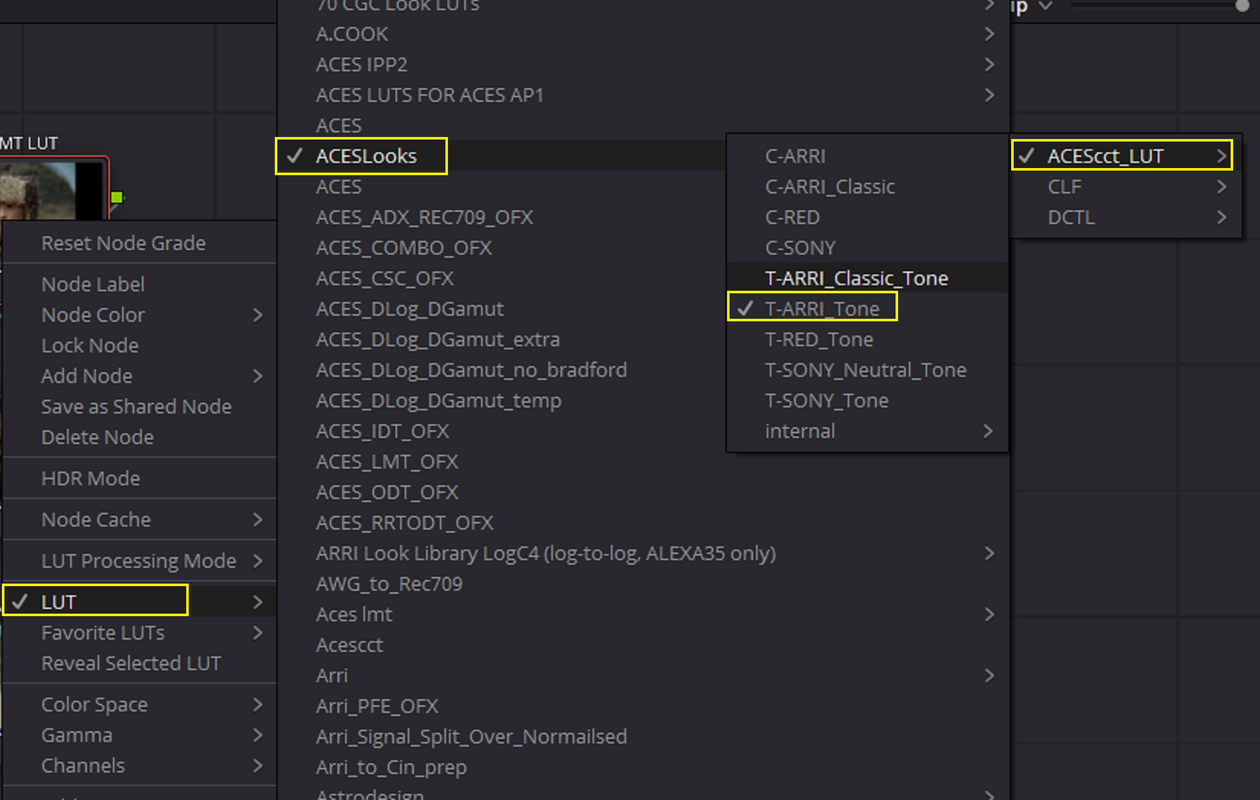
NODE SETTINGS


3.png


THE LUTS FROM THE "ACESCCT_LUT" FOLDER ARE MEANT TO BE USED WITH AN ACES AP1 TIMELINE. THE LUTS FROM THE "CLF" FOLDER ARE EXACT DUPLICATES TO THE LUTS THAT ARE IN THE "ACESCCT_LUT" FOLDER HOWEVER THEY ARE MEANT FOR ACES AP0/LINEAR


2a.png


2B.png


4.png
 
PART 2


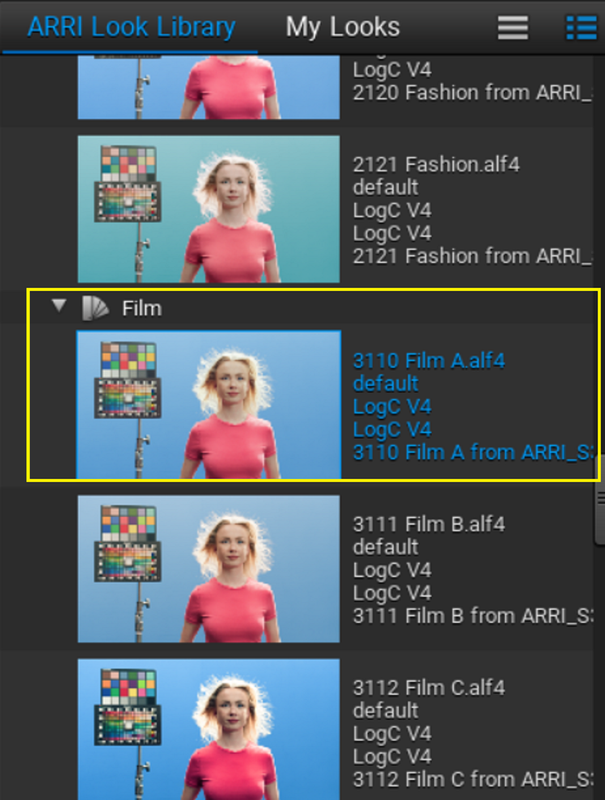
IF I ADD THE ARRI ALF4 LOOK FILE
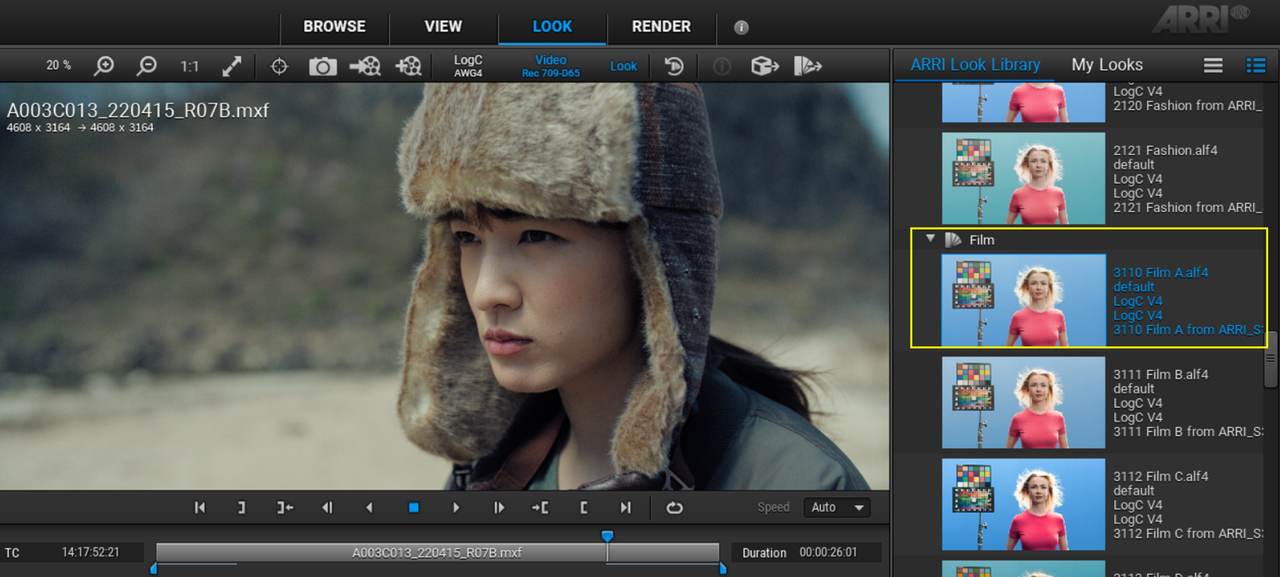
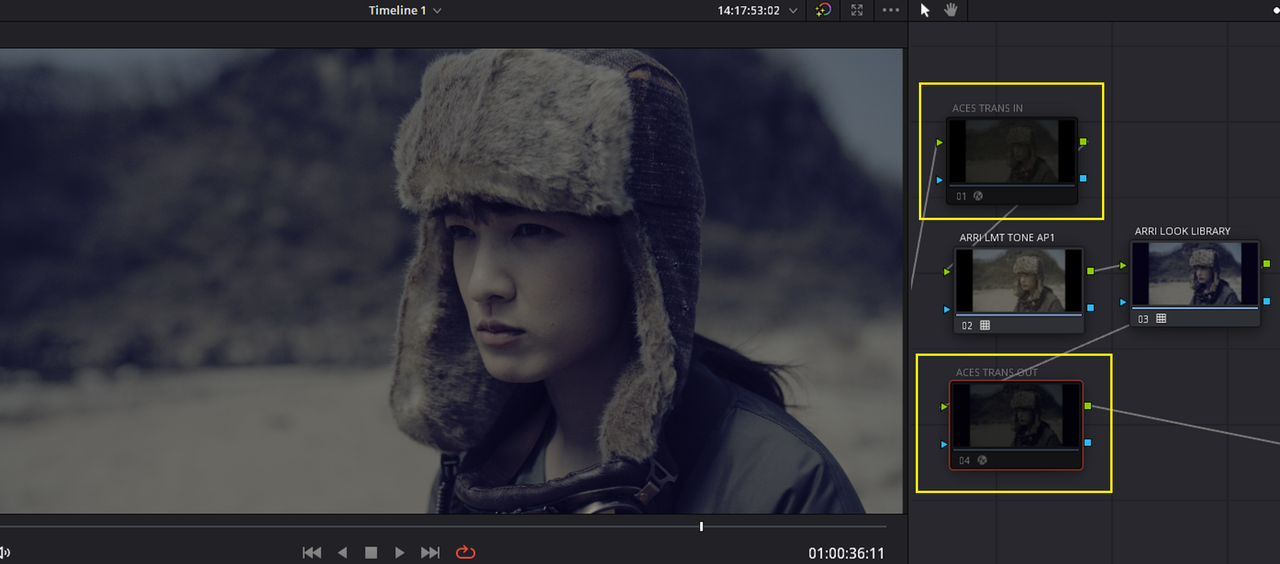
"3110 FILM A" TO A NODE IN AN ACES TIMELINE WITH NO ADDITIONAL "COLOR SPACE" AND "GAMMA" SETTINGS TO THE "NODE", THIS IS WHAT IT WILL LOOK LIKE IN COMPARISION TO HOW IT LOOKS IN THE "ARRI REFERENCE TOOL".


5a1.png


5b.png


5a.png


5c.jpg


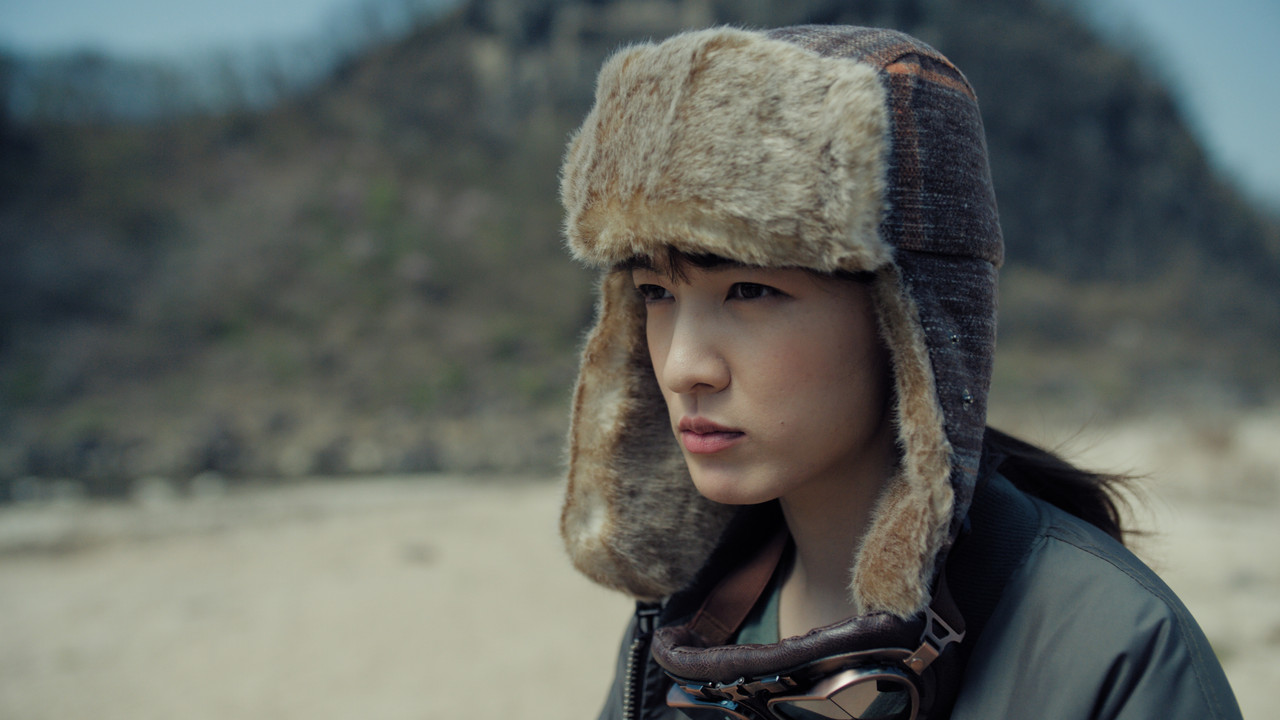
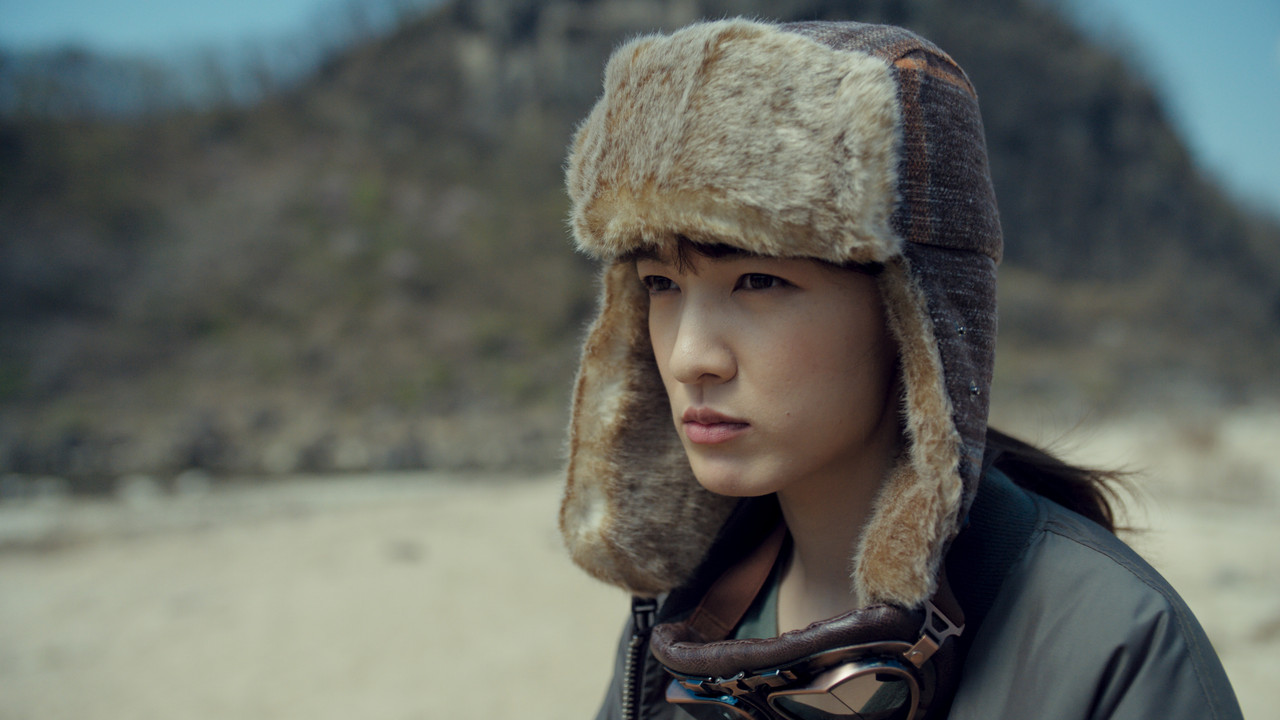
SAME ARRIRAW IMAGE INSIDE OF THE "ARRI REFERENCE TOOL" WITH THE SAME "3110 FILM A" ALF4 LOOK FILE APPLIED, THEY DON'T LOOK THE SAME.


19.png


192.png


FROM ARRI REFERENCE TOOL

20.jpg


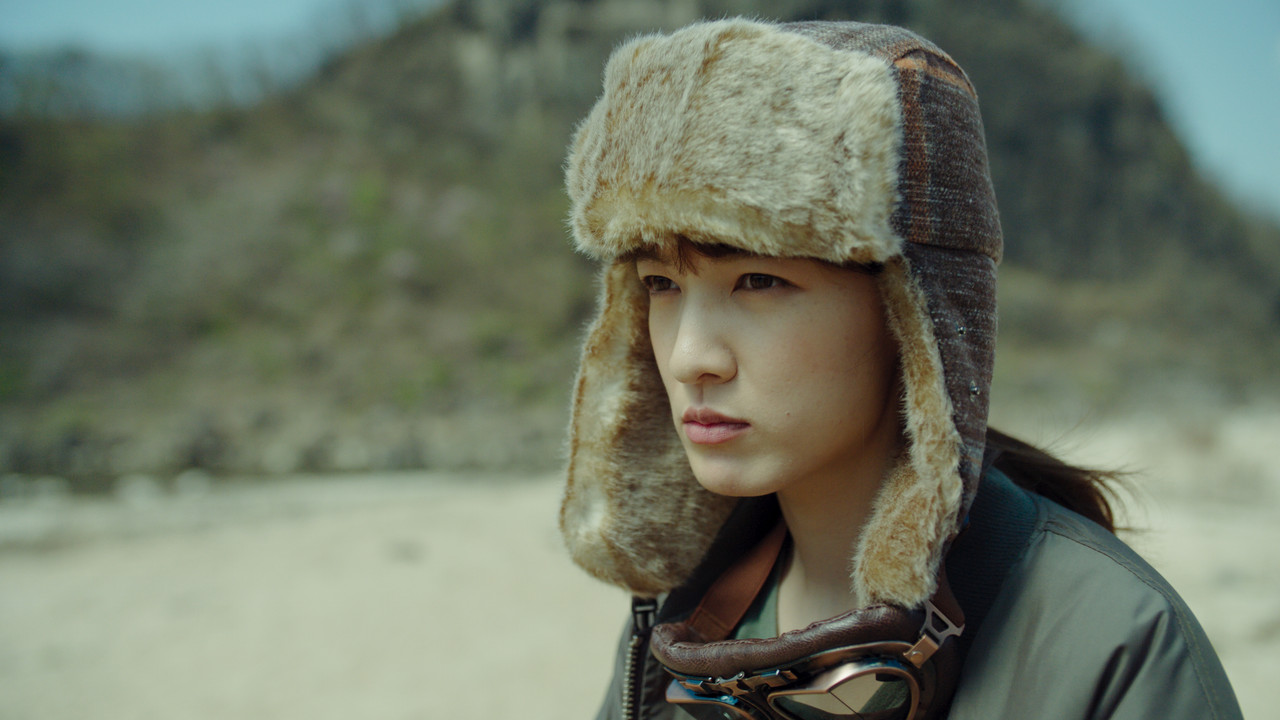
IMAGE WITH NO ADDITIONAL "COLOR SPACE" AND "GAMMA" SETTINGS

5c.jpg


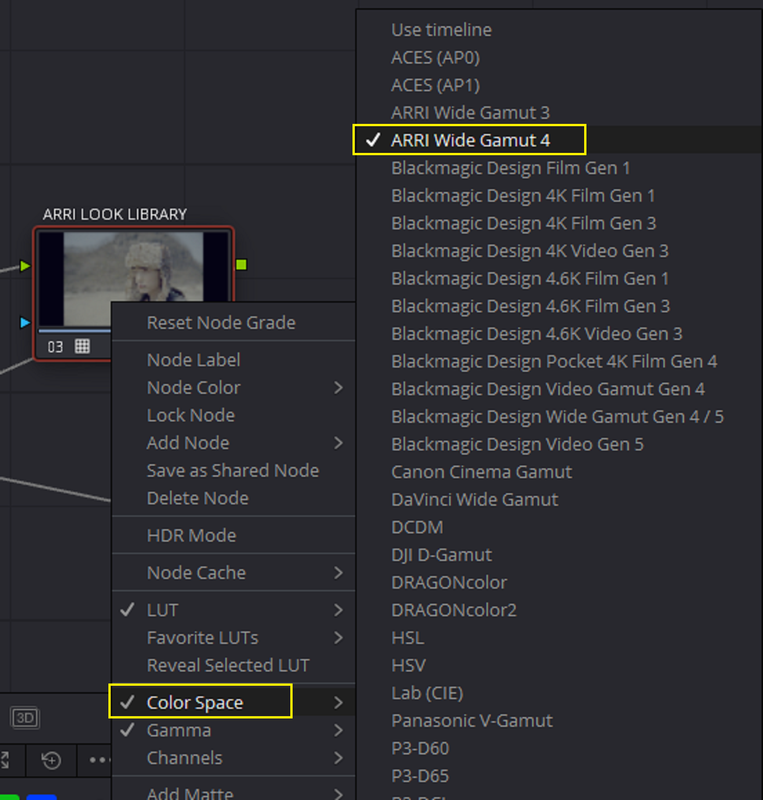
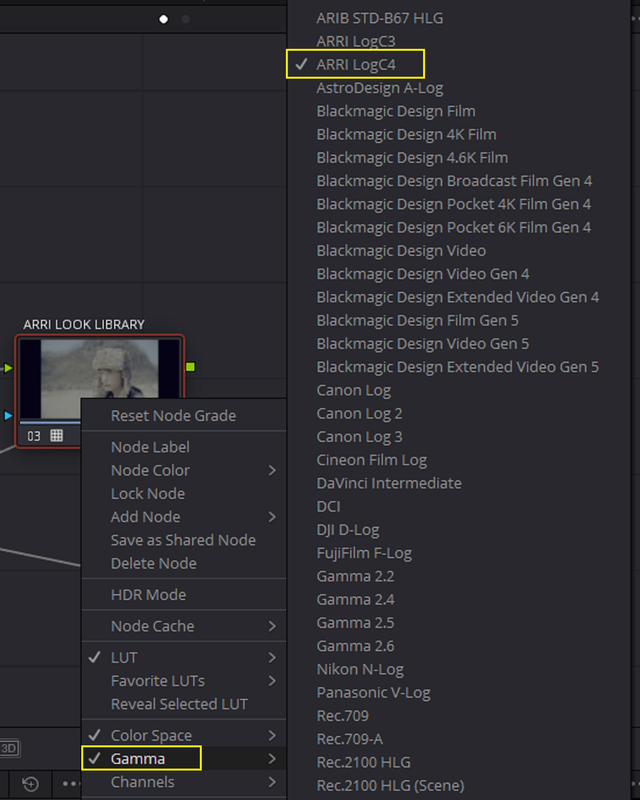
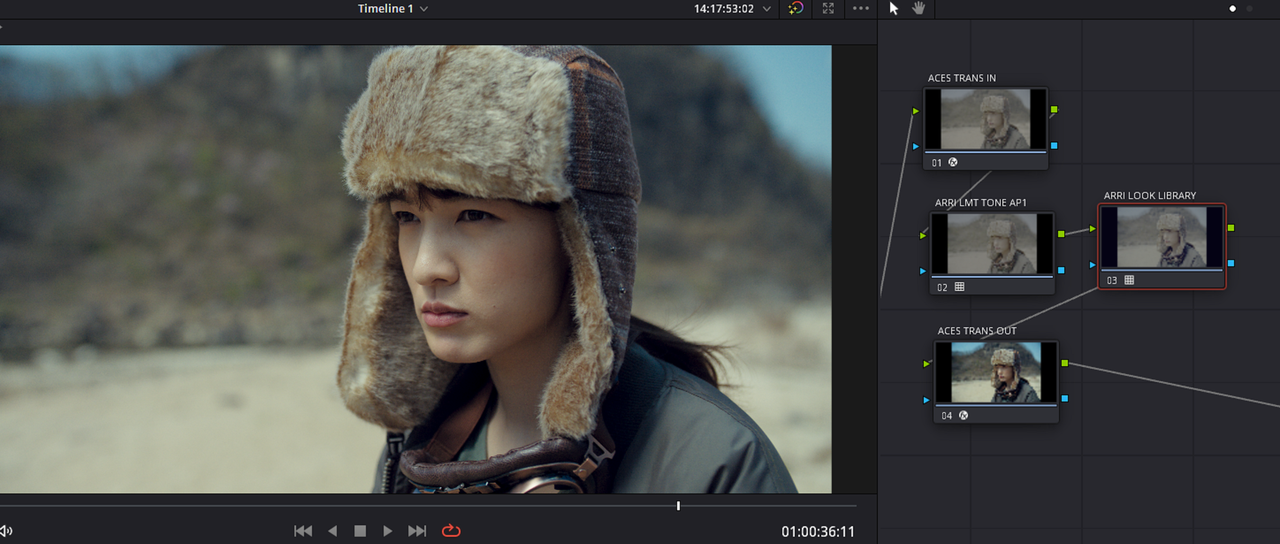
IF I MAKE THE FOLLOWING NODE "COLOR SPACE" AND "GAMMA" SETTING CHANGES, I GET AN IMAGE THAT LOOKS "CLOSER" TO THE IMAGE FROM THE ARRI REFERENCE TOOL .


COLOR SPACE - ARRI WIDE GAMUT 4

GAMMA- ARRI LOGC4


6A.png


7.png


8.png


6.png


WITH COLOR SPACE AND GAMMA NODE CHANGES


10.jpg


FROM ARRI REFERENCE TOOL

20.jpg
 
Last edited:
PART 3


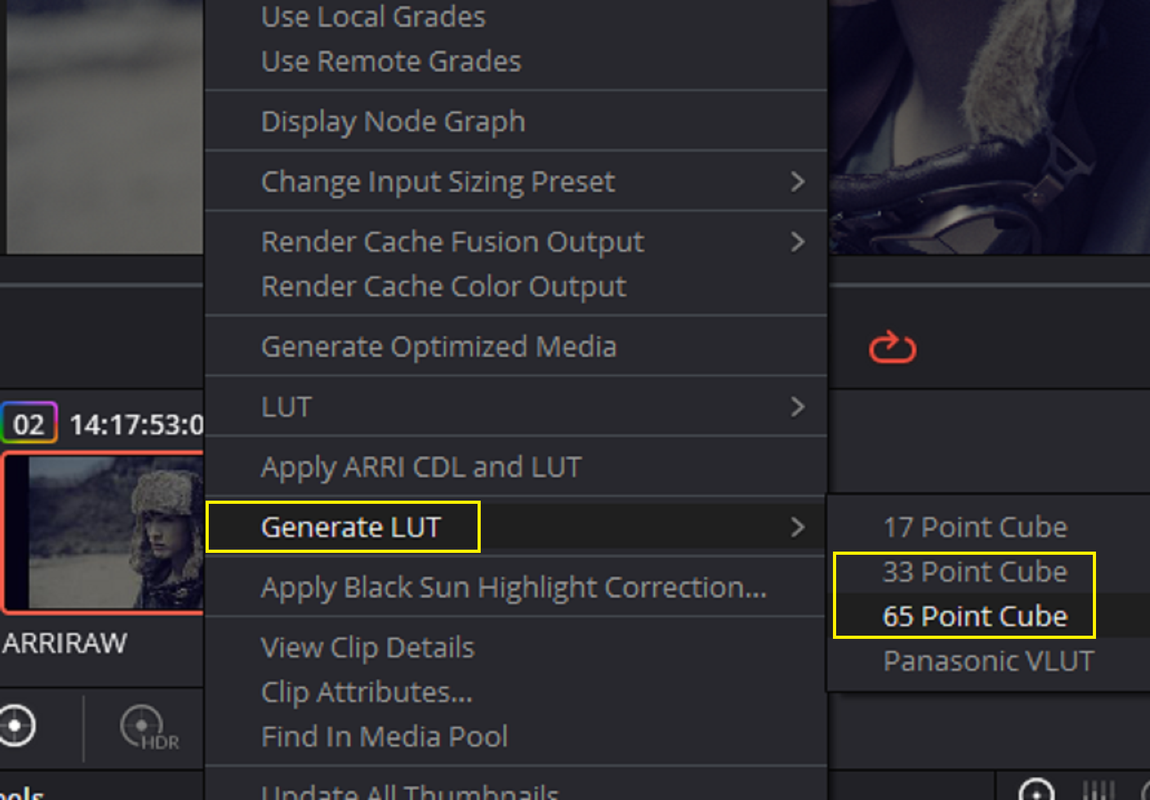
NOW DISABLE THE "ACES TRANSFORM IN " AND THE "ACES TRANSFORM OUT" AND EXPORT THAT OUT AS A LUT.


11.png


112.png


12.png


13.png


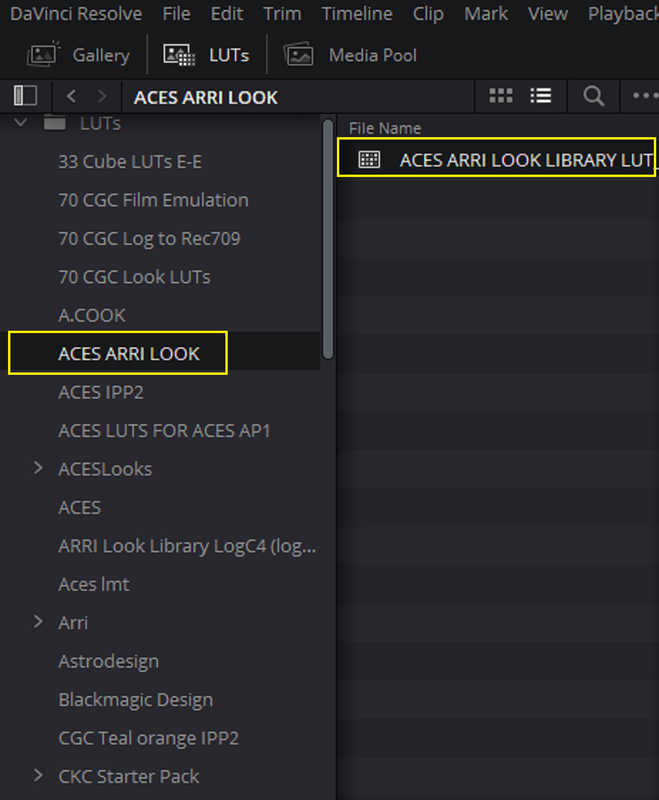
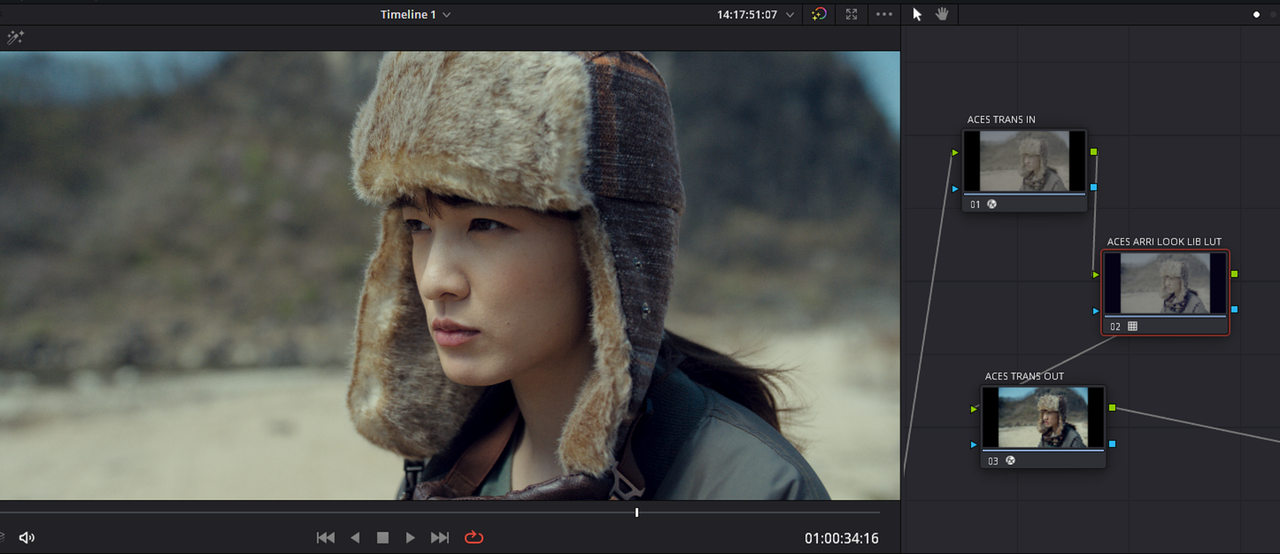
NEXT, IMPORT THE LUT YOU JUST MADE BACK INTO AN ACES "NODE BASED" OR "PROJECT BASED" WORKFLOW TO BE USED.

1.png


14.png


15.png


16.png


10.jpg


17.png


17a.png


17b.png


18a.jpg
 
Last edited:
"Filmbias" is indeed interesting Rand. Eventhoug it appears it reduces color response in the magenta green axis. Yellow is the problematic color IMHO when using RED.

When using Red pictures I think using the color sapce transform in the lut (put at the end of the nodes) holds the best result. So strating with RWG Log3G10 instead of Rec709 BT1886
 
Back
Top