Welcome to our community

Be a part of something great, join today!

  • Hey all, just changed over the backend after 15 years I figured time to give it a bit of an update, its probably gonna be a bit weird for most of you and i am sure there is a few bugs to work out but it should kinda work the same as before... hopefully :)

$1299 Seiki UHDTV 50" SE50UY04 - Bought it today

SEIKI 4K real estate

SEIKI 4K real estate

Went to the TigerDirect store here in Clearwater Florida.

They had the Seiki hooked to a 'Gamer' Win7 PC with a 600 series nvidia card driving HDMI 1.4 direct with the Seiki blue cable.

They had a third party calibration disk there to try to 'accessorize' the Seiki with...So I assume they dialed it as best they could with that.

As for 4K content they had Tom Lowe's Timescapes short in 4k and it looked fabulous.

I'm not sure if the video card was upresing but the HD content I brought on a USB looked great too.

It was nice to see the Epic 700 reel on it. and Mark Toia's helicopter footage.
I was lucky enough to download the Red NAB13 reel before the link on Vimeo got disabled :).

Played that like 3 times in a row. (sound sucked but I expected that)

All I can say is wonderful.

Agree totally ... glad you liked it when playing true RED UHD footage ... and yes, once the colorimetry is dialed in, the SEIKI produces an amazingly good looking image .... and quite frankly, I'm glad they didn't waste a penny on the audio electronics .... for $1500 (or $1200 if you can still get the $300 off coupon) you get a 10 bit panel that displays RED footage pretty damn well ... I don't even mind the build quality .... the value is all in the 3840x2160 display ... no frills or unnecessary BS.

The 65 inch TV won't be here until the end of the summer ... so you might want to buy the 50 inch now and start saving your pennies ... then put the 50 inch in the study and have the 65 inch in the sitting room.

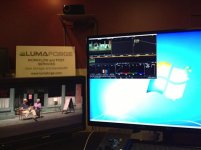
The attached jpeg shows the SEIKI with DaVinci Resolve in "normal 1920x 1080" mode in the top left corner ... and a Panavision 24 inch HD SDI display next to it .... once you expand Resolve or FCPX or Premiere Pro to full screen you kinda get used to having that much real estate for your desktop :-)

Cheers,
Neil
 

Attachments

  • Resolve on 4K SEIKI #2.jpg
    Resolve on 4K SEIKI #2.jpg
    30.9 KB · Views: 0
Quick question for you lucky folks who are using an UltraHD display with your PCs and a capable graphics card.... are you playing back 4K H264 encoder material with the stock windows H264 decoder (Microsoft DTV-DVD Video Decoder ) or have you installed Cyberlink, CoreAVC or another decoder?

Thanks!
 
I'm also trying to use a TX-NR616 to do upscaling from an Insignia BluRay. Periodically the picture goes black and I can see hdmi is being renegotiated (similar to what is reported with the oppo?), but only if I have audio going to the seiki. If hdmi audio s disabled on the 616, then the video seems solid. Anyone else seeing this? I've tried swapping a couple other 1.4 cables for the blue seiki one with no difference, and hdmi 1 and 2 seem to behave the same way.
 
The attached jpeg shows the SEIKI with DaVinci Resolve in "normal 1920x 1080" mode in the top left corner ... and a Panavision 24 inch HD SDI display next to it .... once you expand Resolve or FCPX or Premiere Pro to full screen you kinda get used to having that much real estate for your desktop :-)

Cheers,
Neil

Have you tried to hook up a Mac Pro to this or rMPB to see how the upscale works?
 
I'm also trying to use a TX-NR616 to do upscaling from an Insignia BluRay. Periodically the picture goes black and I can see hdmi is being renegotiated (similar to what is reported with the oppo?), but only if I have audio going to the seiki. If hdmi audio s disabled on the 616, then the video seems solid. Anyone else seeing this? I've tried swapping a couple other 1.4 cables for the blue seiki one with no difference, and hdmi 1 and 2 seem to behave the same way.

I've been using the Seiki with a GeForce GTX 660 and I am also seeing the picture go black, periodically as well. I will have to try disabling the HDMI audio and try it again.

To the person what posted the link to 4kdownload.com, thanks. It seems to work very well at downloading 4k material from Youtube for local playback. There are some pretty spectacular 4k clips on Youtube. I especially like the one with the bees: http://www.youtube.com/watch?v=Cx6eaVeYXOs

jamescho
 
I've been using the Seiki with a GeForce GTX 660 and I am also seeing the picture go black, periodically as well. I will have to try disabling the HDMI audio and try it again.

To the person what posted the link to 4kdownload.com, thanks. It seems to work very well at downloading 4k material from Youtube for local playback. There are some pretty spectacular 4k clips on Youtube. I especially like the one with the bees: http://www.youtube.com/watch?v=Cx6eaVeYXOs

jamescho

I have GTX 660 and it will go black when it's sleeping or turned off with remote. Reapplying refresh rate will cure it. I suspect it's a nVidia Driver issue.
 
Driver has to support it, OS has to support it, App has to support it. MacOs has no support. Nvidia limits 10bit support to only quadro/tesla - marketing. But you can move around a few smd resistors to have your gtx6xx recognized as a quadro/tesla, then magically the displayport is 10bit. Mostly only useful in photoshop though, and even there its very clunky - open a panel and 10bit goes away, it seems adobe mainly tests with ati.
Displayport to hdmi adapters truncate to 8bits, in theory "type 2" adapters would allow 10bit hdmi, but nobody seems to be making them.
RCX is only 8bit via gfx card, at least with quadro->u3011.

All the Kepler GPUs and most of the higher level Fermi GeForce cards support 10bit output. The trick is the software has to enable it

As for RC-X, I don't know if they're using 10bit for the 2nd display output or not. .
 
OPPO does indeed seem to be playing with less judder and actually operating smoother overall with the latest firmware update. Still have the sync issue on HDMI 3 on my SEIKI. Only on HDMI 3. I actually can not get it to lose sync on HDMI 1 or 2 -- I guess that's a good thing. On HDMI 3, it constantly loses sync for a second at seemingly random intervals. It's not just the OPPO, cables don't seem to matter. I can duplicate it with a PC as well.

If it's only on HDMI 3, I'll probably just ignore it and move on. It seems like a lot of reports of sync issues are popping up, so hopefully it can be addressed in a firmware update. Some people seem to have them on more than one of the inputs.

All things considered I'm happy with the SEIKI. It has a very nice picture for the price. Once a few settings are tweaked and color is adjusted a bit, it makes a very respectable image as far as color goes. And all the pixels are tasty.
 
OPPO does indeed seem to be playing with less judder and actually operating smoother overall with the latest firmware update. ...

@Jeff: I literally just got off the phone with OPPO support. The firmware update last week was designed to allow the 103 to pass 4K out of the HDMI 2 ouput, in addition to HDMI 1 output. Some sort of HDMI handshake issue going from OPPO HDMI 1 due to the fact that ouput from HDMI 1 is tied into to the Marvel processor.

I initially tried the RedMere cable from OPPO HDMI 1 into Seiki HDMI 3 ... no luck (whereas the Sony worked perfectly). I called OPPO and they asked me to try OPPO HDMI 2. I got it to fire-up on the Seiki into HDMI 3, but then it cut out. The OPPO guys asked me to switch to their cable. OPPO HDMI 2 to Seiki HDMI 3 worked for about a minute with their cable, and then cut out. They then had me try OPPO HDMI 2 to Seiki HDMI 1 and 2 with their cable. So far, it has worked perfectly into Seiki HDMI1 and 2 from OPPO HDMI 2 using the OPPO ferrite core cable.

FWIW, OPPO has one of the Seiki panels on order, so I think they they will get to the bottom of it.

_____________________________
Scarlet X # 1859 “Bettie Page”
“… preparing to ‘whip’ the competition …”

Zeiss Lenses:

CY 21/2.8
ZF 28/2.0
CY 35-70/3.4
CY 50/1.4
ZF100/2.0

Nikon Lenses:
G 14-24/2.8
G 24-70/2.8
D 80-200/2.8

Tokina Lenses:

11-16/2.8
 
@Jeff: I literally just got off the phone with OPPO support. The firmware update last week was designed to allow the 103 to pass 4K out of the HDMI 2 ouput, in addition to HDMI 1 output. Some sort of HDMI handshake issue going from OPPO HDMI 1 due to the fact that ouput from HDMI 1 is tied into to the Marvel processor.

I initially tried the RedMere cable from OPPO HDMI 1 into Seiki HDMI 3 ... no luck (whereas the Sony worked perfectly). I called OPPO and they asked me to try OPPO HDMI 2. I got it to fire-up on the Seiki into HDMI 3, but then it cut out. The OPPO guys asked me to switch to their cable. OPPO HDMI 2 to Seiki HDMI 3 worked for about a minute with their cable, and then cut out. They then had me try OPPO HDMI 2 to Seiki HDMI 1 and 2 with their cable. So far, it has worked perfectly into Seiki HDMI1 and 2 from OPPO HDMI 2 using the OPPO ferrite core cable.

My friend who has the AJA Hi5 4K box gets his SEIKI tomorrow. So that will give me another panel I can test with here and there, or he will join in the testing.

FWIW, OPPO has one of the Seiki panels on order, so I think they they will get to the bottom of it.

That is great to know. I have not called them personally on this issue, but I'm an OPPO fan after buying one of their DVD players several years back. They helped me sort through an issue getting it to play nice with an RS-232 controller and matrix switcher setup I was trying to implement.


My friend who has the AJA Hi5 4K box gets his SEIKI tomorrow. So that will give me another panel I can test with here and there, or he will join in the testing.

He is lucky to have a Hi5 4K. They are in very short supply. That's what I am waiting for. I am looking forward to know how the Kona 3G / Hi5 4K / Seiki play together, since that will be the backbone of my 4K set-up. (We have come A LONG WAY in just 1 year ... when I was at the Light Iron-RED party last year at NAB and saw all the 4K displays, in my wildest dreams I never thought I would have 4K in my editing room this soon .... I looked at that $30,000.00 36" EIZO and just drooled ... what a difference a year makes.)

_____________________________
Scarlet X # 1859 “Bettie Page”
“… preparing to ‘whip’ the competition …”

Zeiss Lenses:

CY 21/2.8
ZF 28/2.0
CY 35-70/3.4
CY 50/1.4
ZF100/2.0

Nikon Lenses:
G 14-24/2.8
G 24-70/2.8
D 80-200/2.8

Tokina Lenses:

11-16/2.8
 
I've been using the Seiki with a GeForce GTX 660 and I am also seeing the picture go black, periodically as well. I will have to try disabling the HDMI audio and try it again.

To the person what posted the link to 4kdownload.com, thanks. It seems to work very well at downloading 4k material from Youtube for local playback. There are some pretty spectacular 4k clips on Youtube. I especially like the one with the bees: http://www.youtube.com/watch?v=Cx6eaVeYXOs

jamescho

Love that my 4K YouTube videos are being used to test out these TVs.
 
Wow. Now that is an unreal deal. Consider the price of the least expensive 4K displays a year ago. Now boom. $1100. And this panel isn't too shabby.

Might be time to start digging up those old posts about 4K displays not becoming affordable in 2013. Love to hear what those folks are saying today. Not even half way done with this year yet.
 
That's a deal and a half. If I wasn't about to drop some coin on a computer this would be hard to pass up...
 
Back
Top