Welcome to our community

Be a part of something great, join today!

  • Hey all, just changed over the backend after 15 years I figured time to give it a bit of an update, its probably gonna be a bit weird for most of you and i am sure there is a few bugs to work out but it should kinda work the same as before... hopefully :)

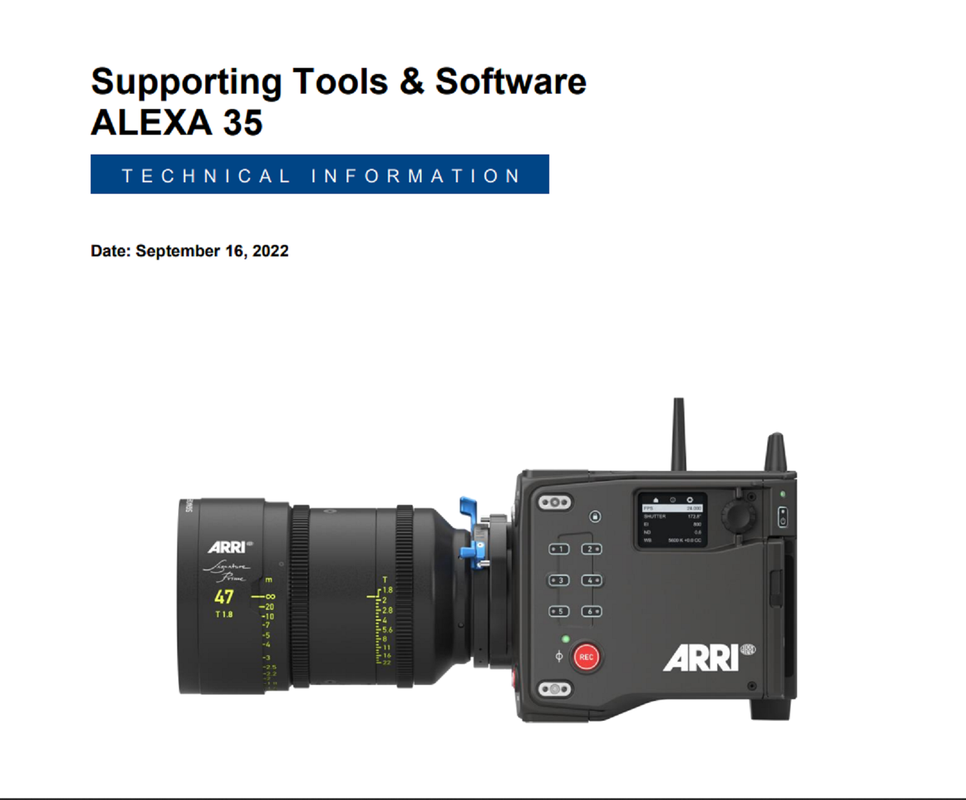
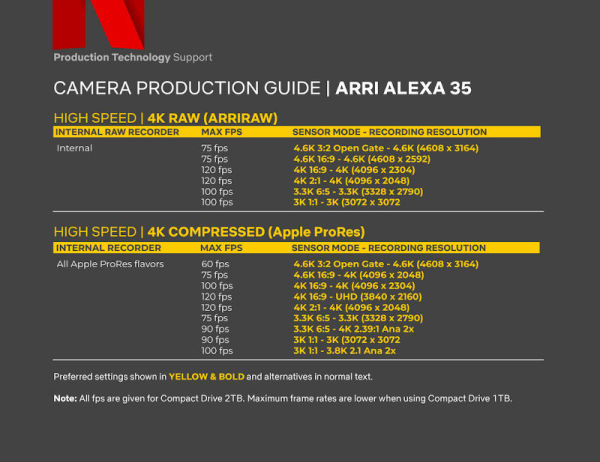
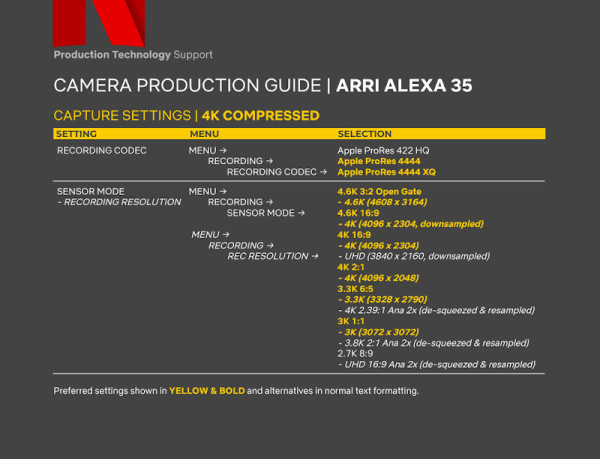
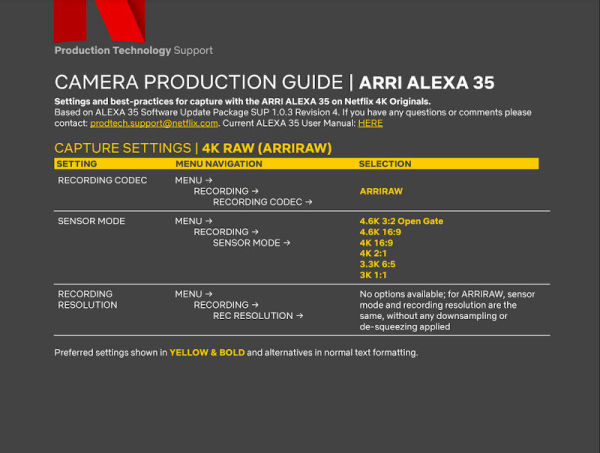
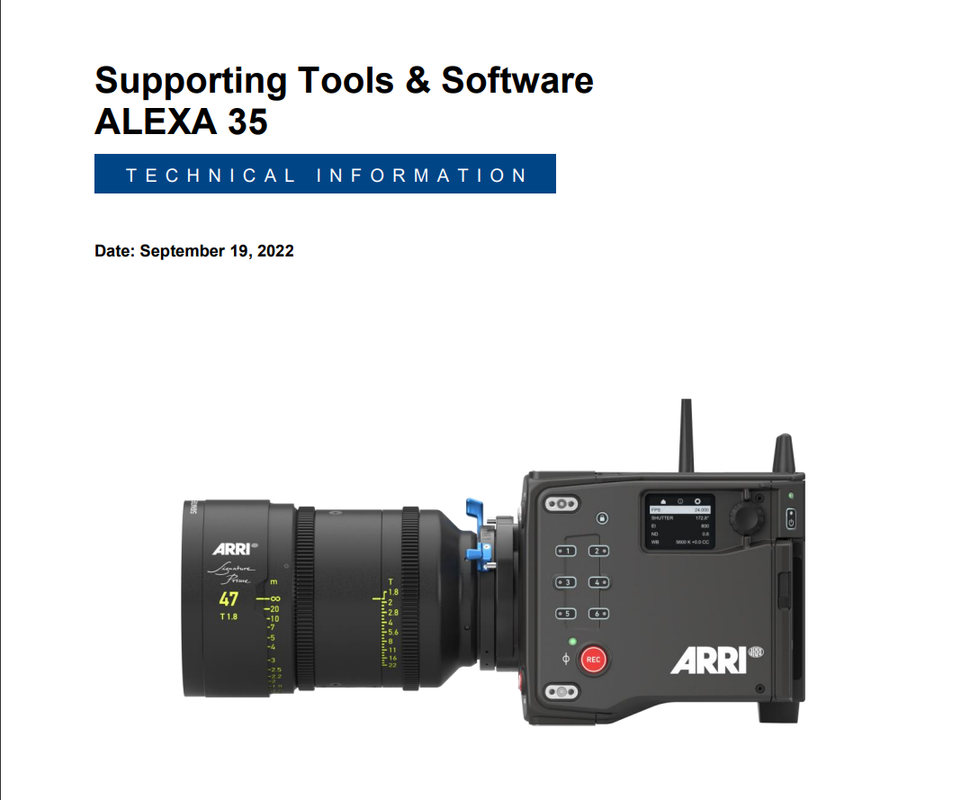
ARRI 4K Super 35 Camera Will be Launched Next Month

Here's a great DCTL from Kaur Hendrikson that allows you to add CONTRAST without affecting the 18% GRAY POINT in a major way or at all of whatever GAMMA you are using.

link to website below, it cost $9.93

Contrast v2.5 DCTL for DaVinci Resolve (gumroad.com)
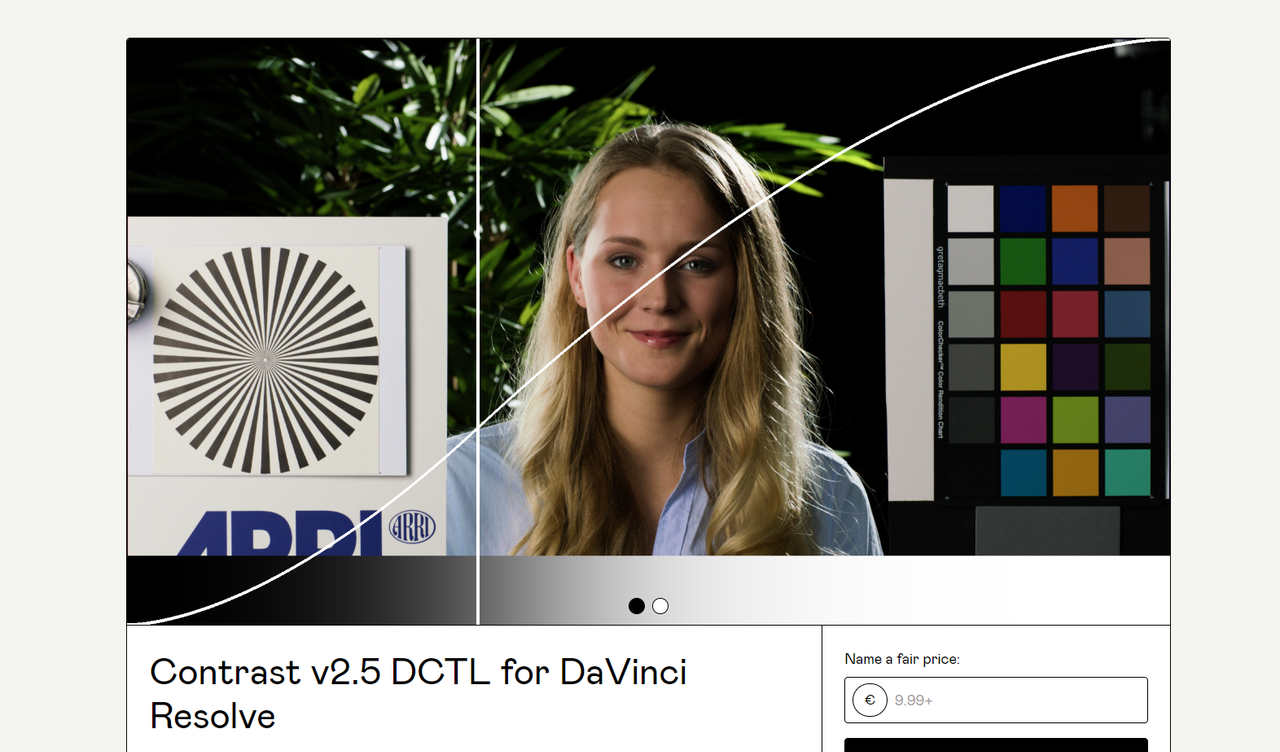


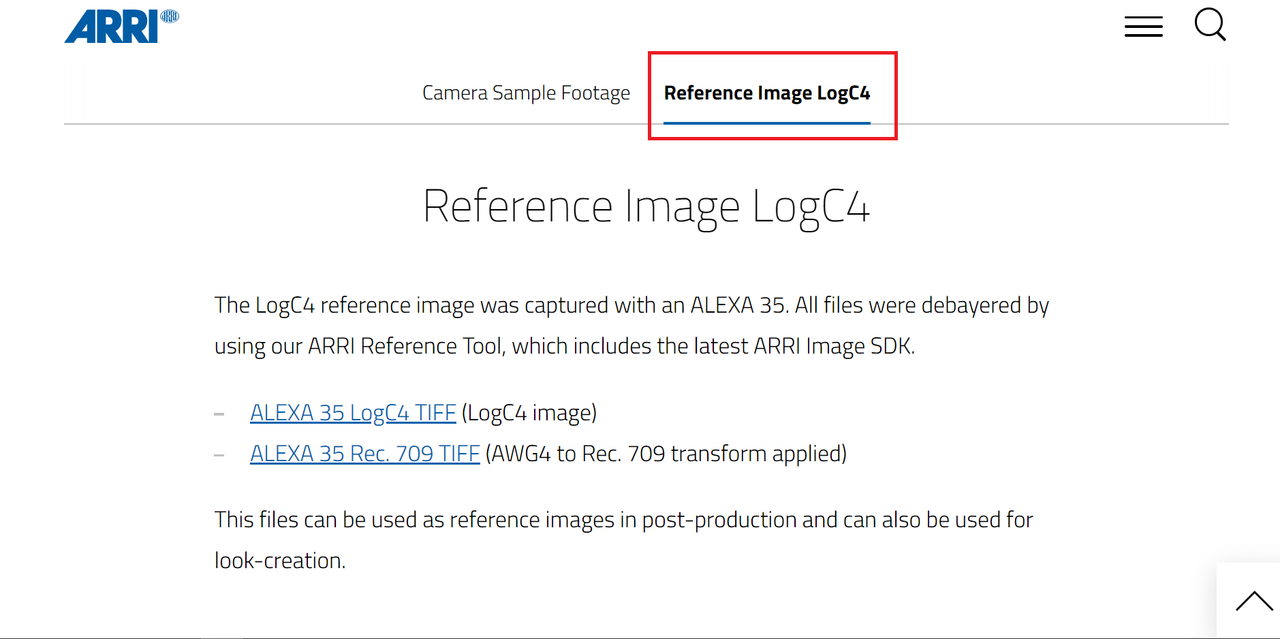
I demonstrate this CONTRAST 2.5 DCTL with an ARRI ALEXA 35 Image which maintains the 18% Middle GRAY POINT of ARRI LOGC4

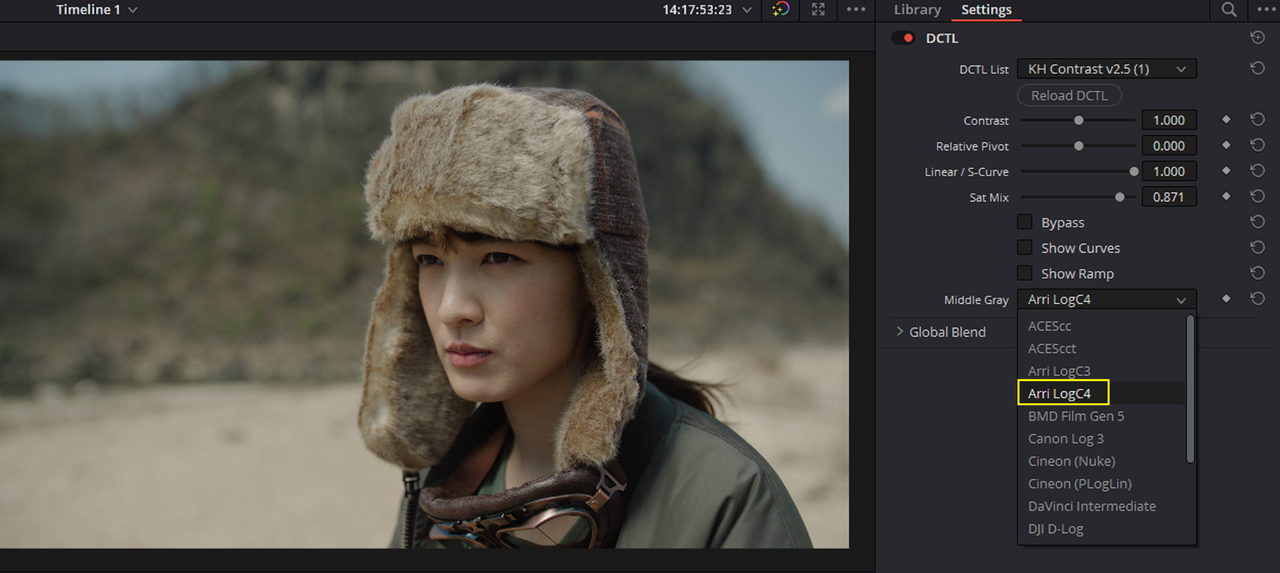
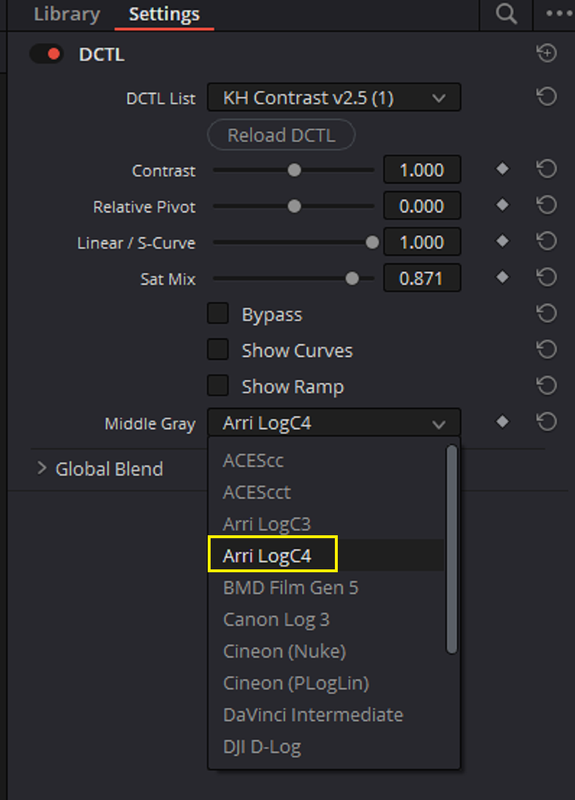
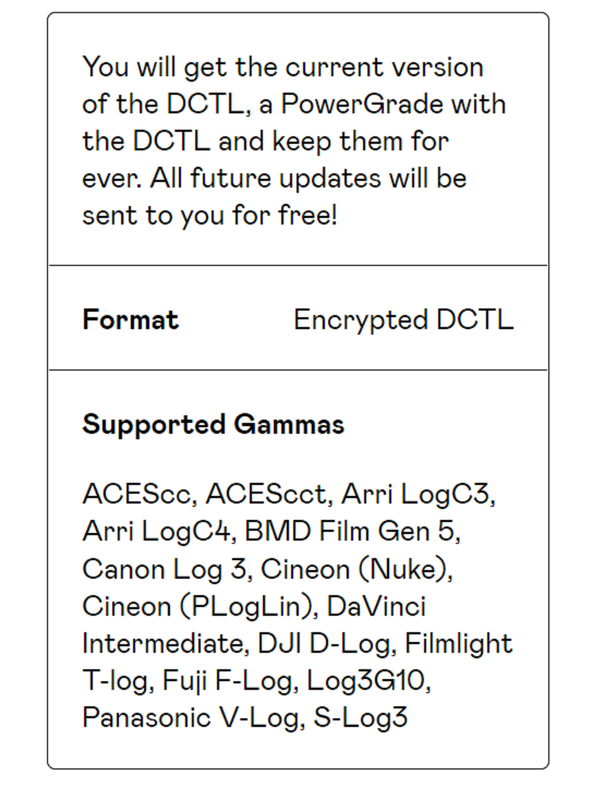
First Here are all of the GAMMAs that the CONTRAST 2.5 DCTL supports.
Screenshot-6482.png


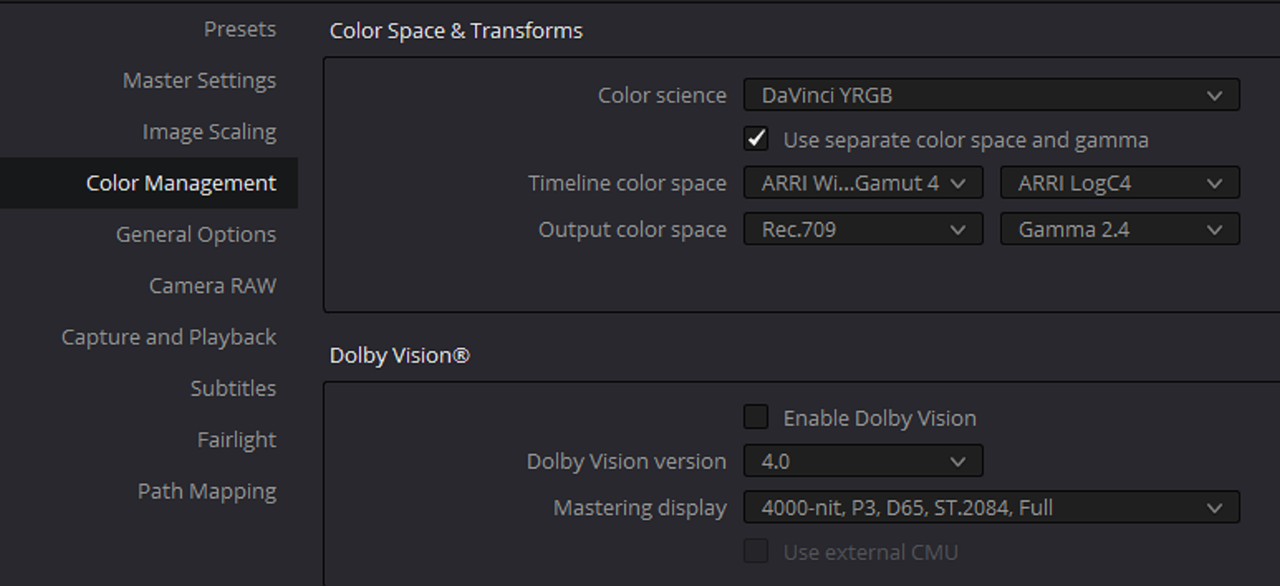
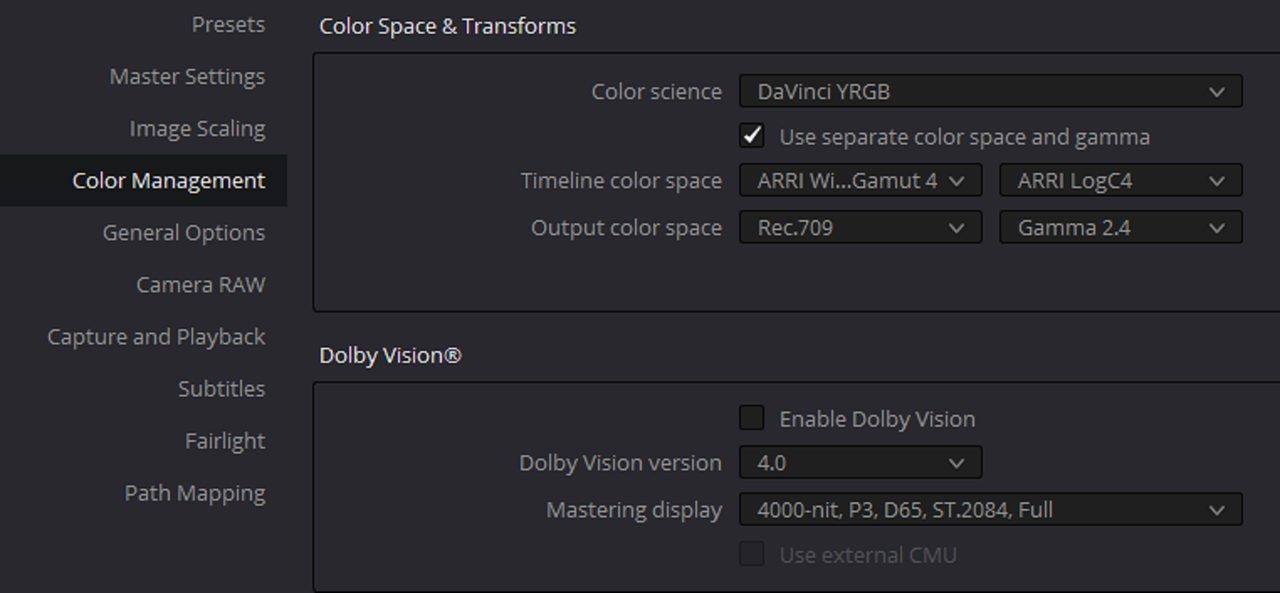
Project Settings and Workflow

Screenshot-6459.png


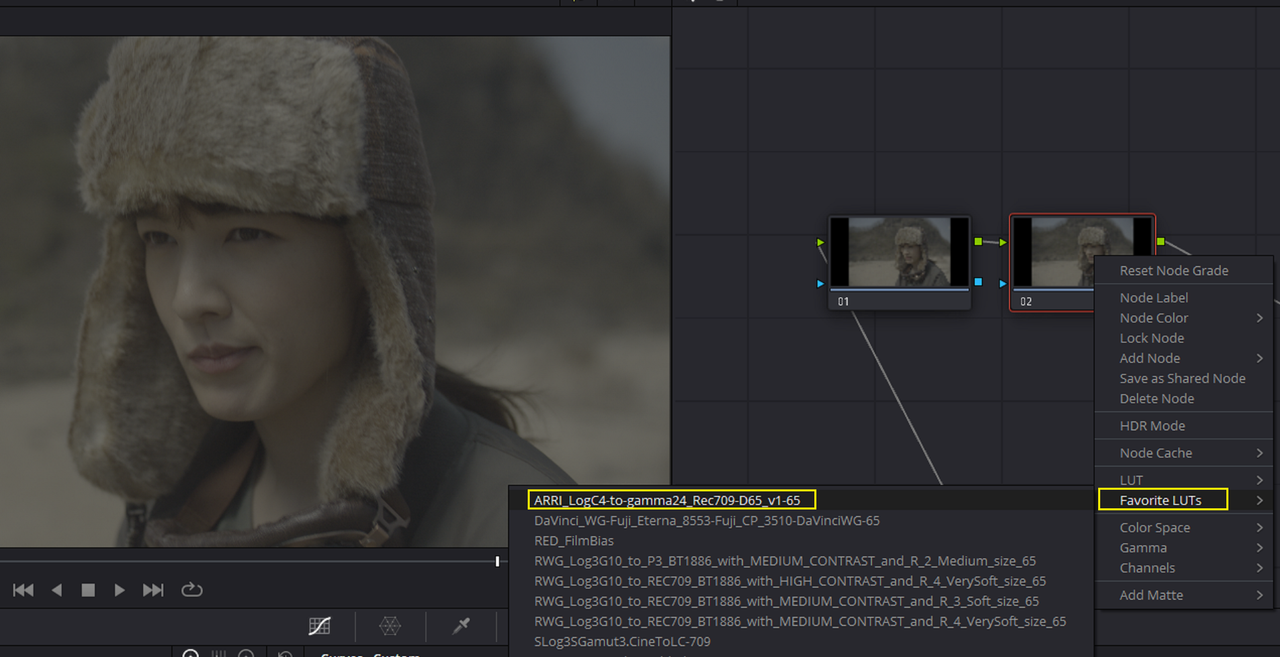
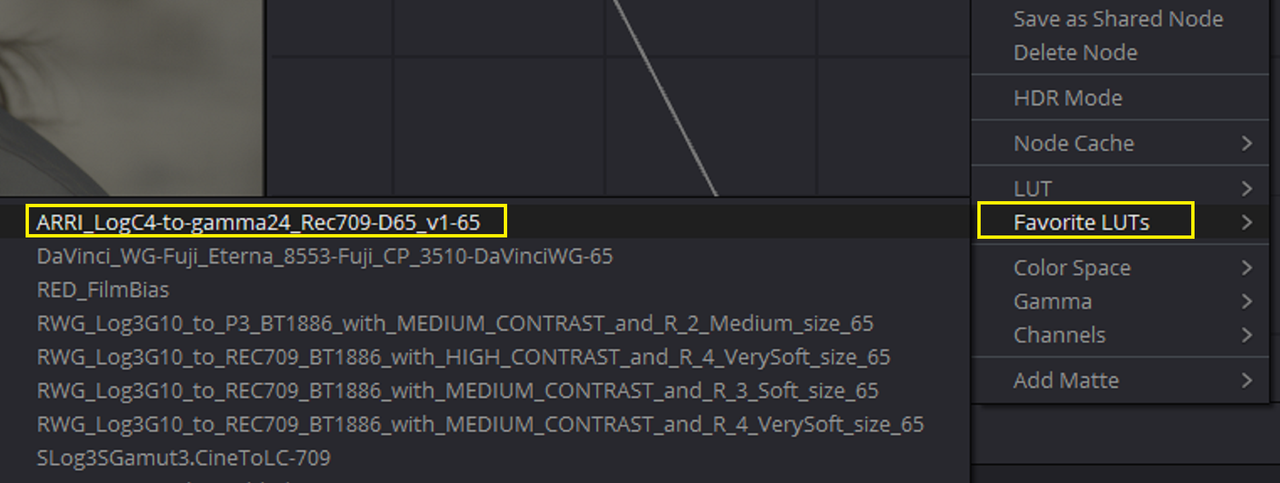
I added an ARRI AWG4/ALC4 to REC709 Transform LUT at the end of the Node Tree and added the CONTRAST 2.5 DCTL before it(NOT SHOWN).
Screenshot-6460.png


Screenshot-6460-2.png


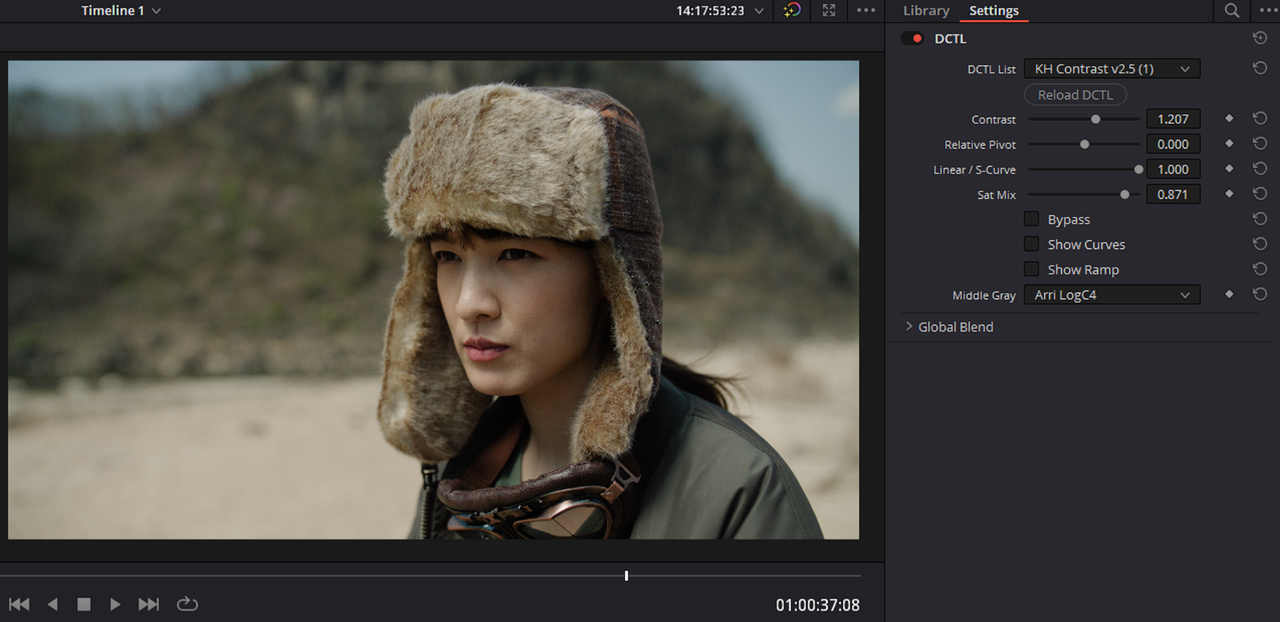
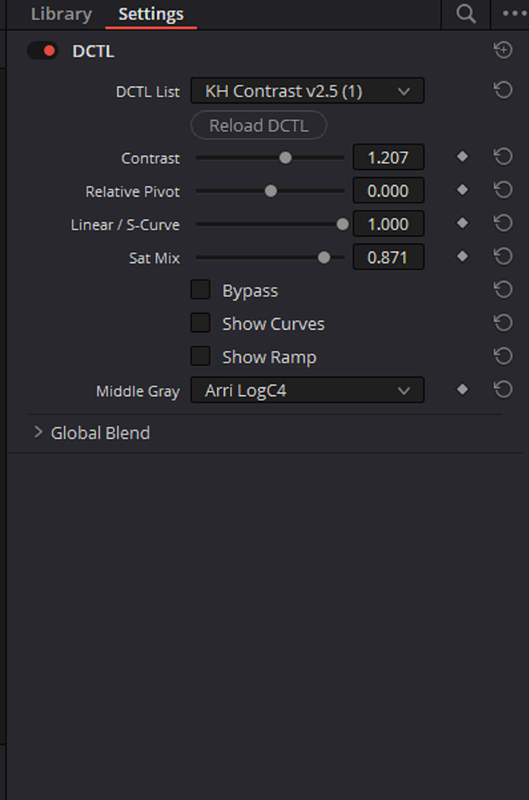
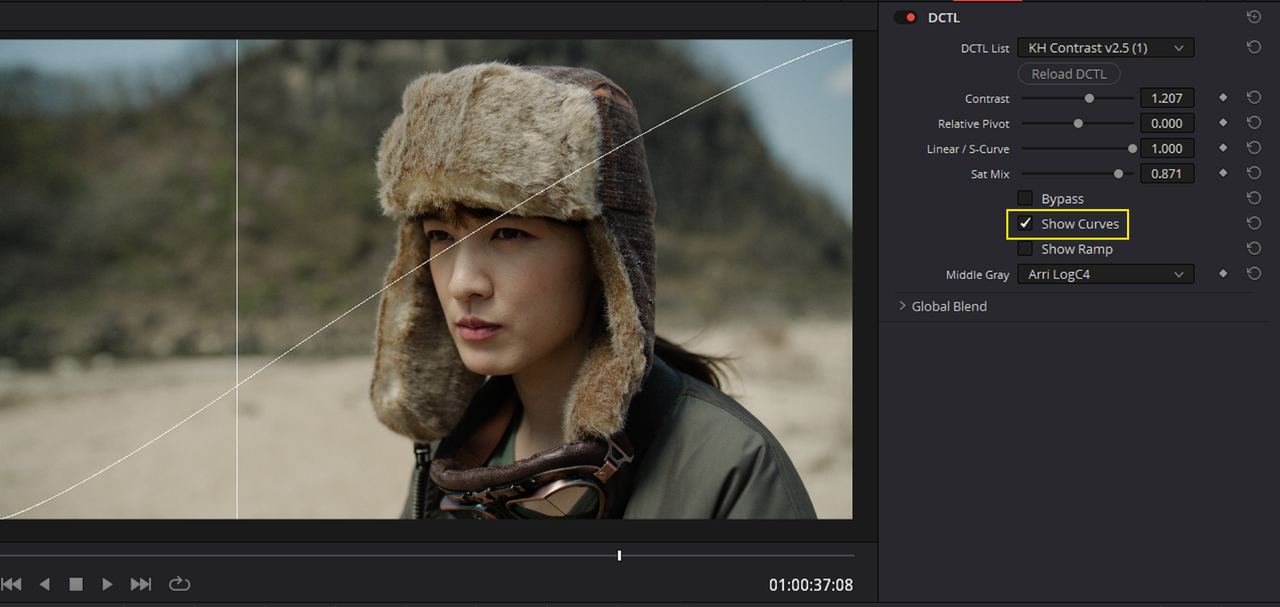
I added the CONTRAST DCTL and selected the MIDDLE GRAY point to maintain as ARRI LOGC4. I used a CONTRAST OF 1.207

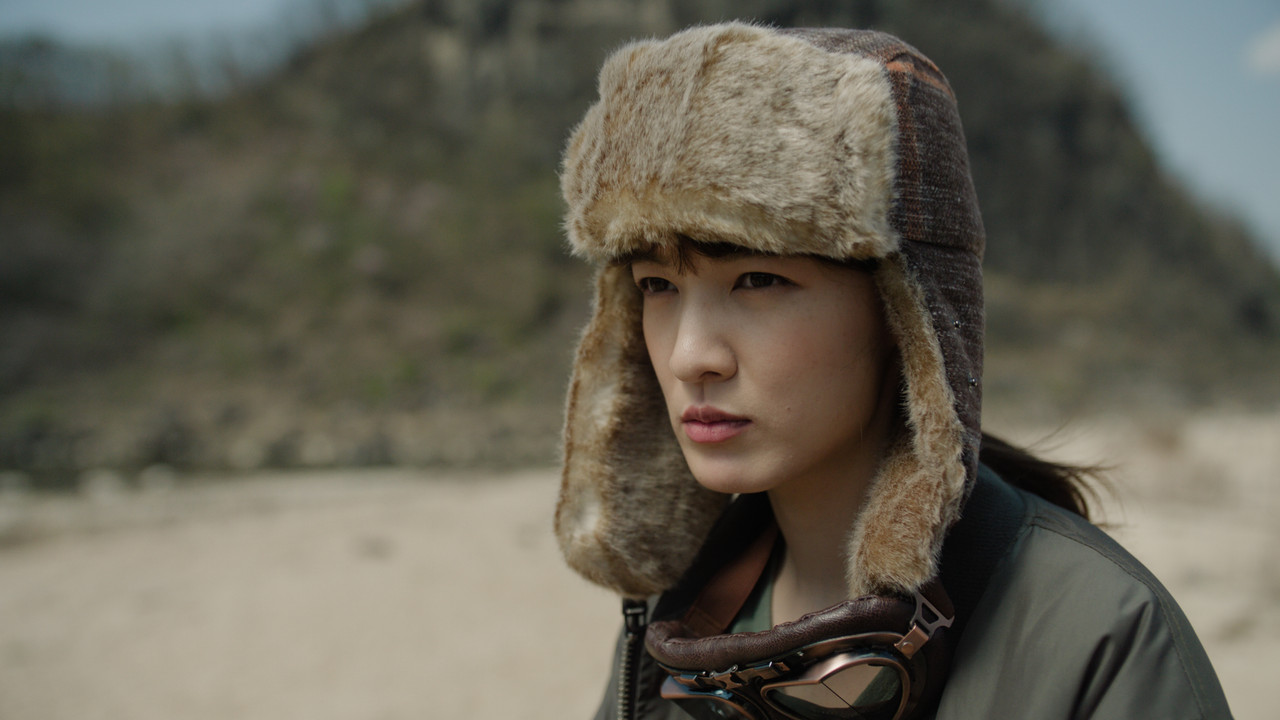
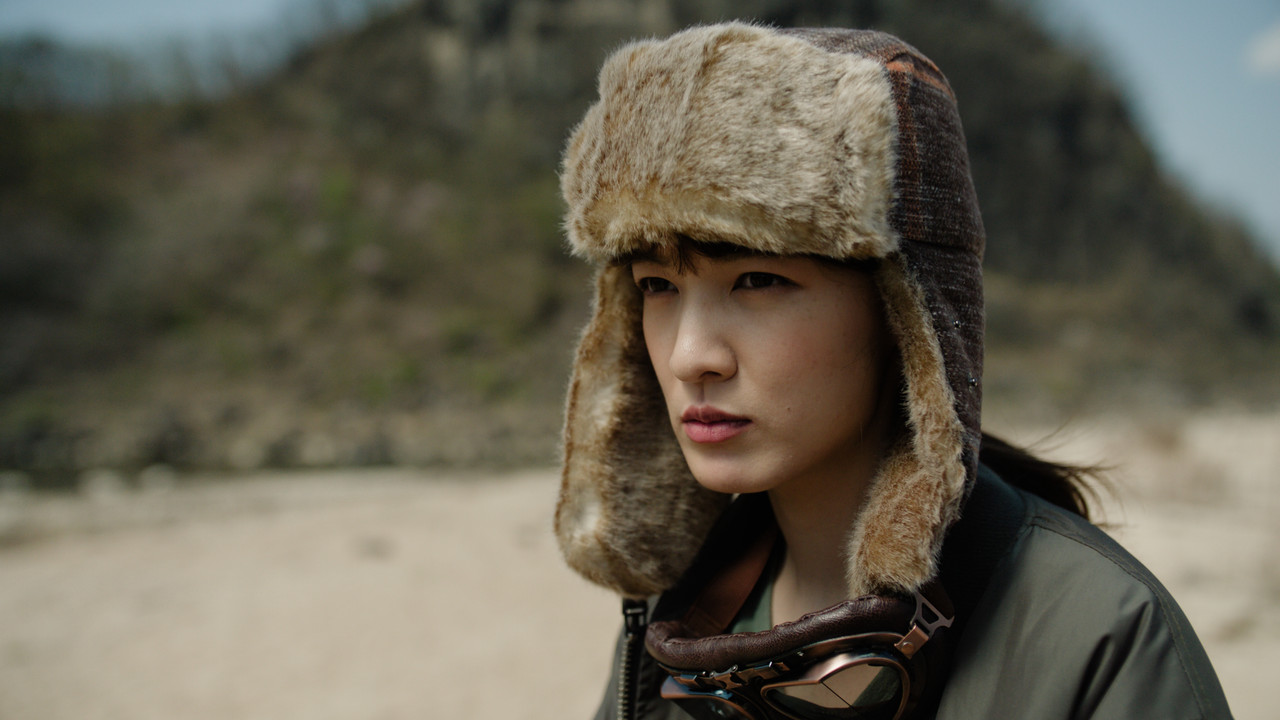
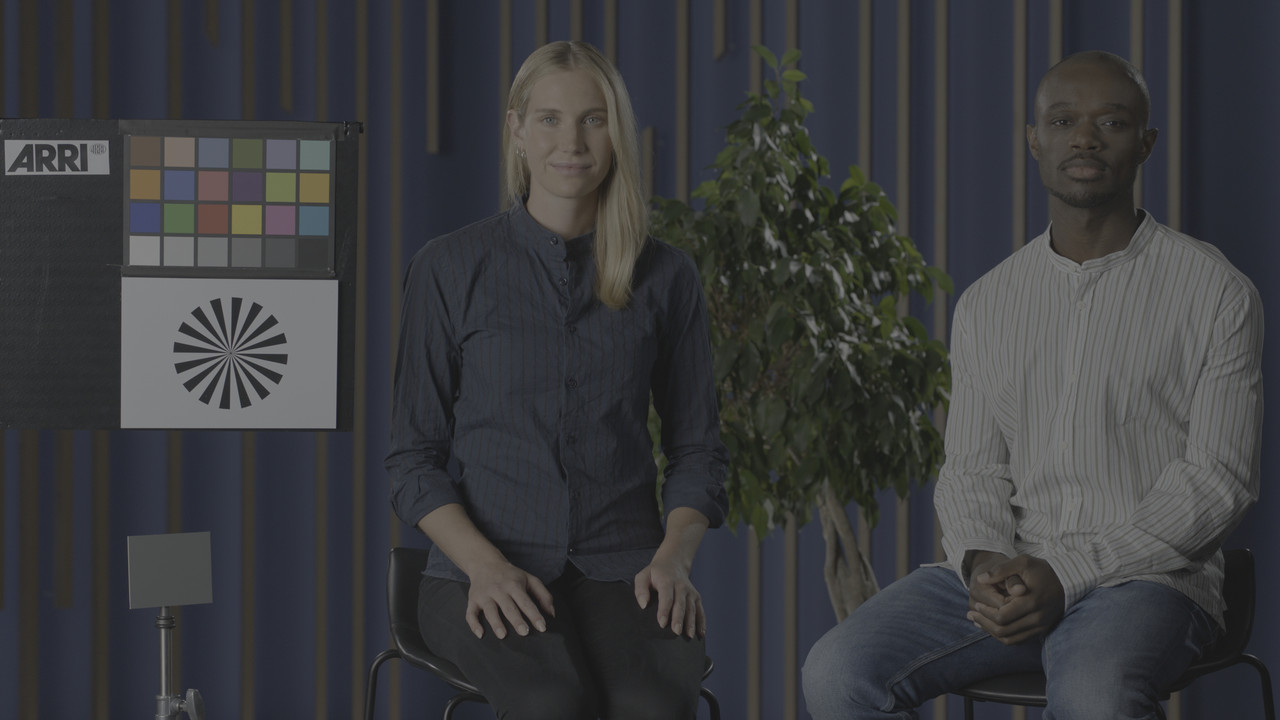
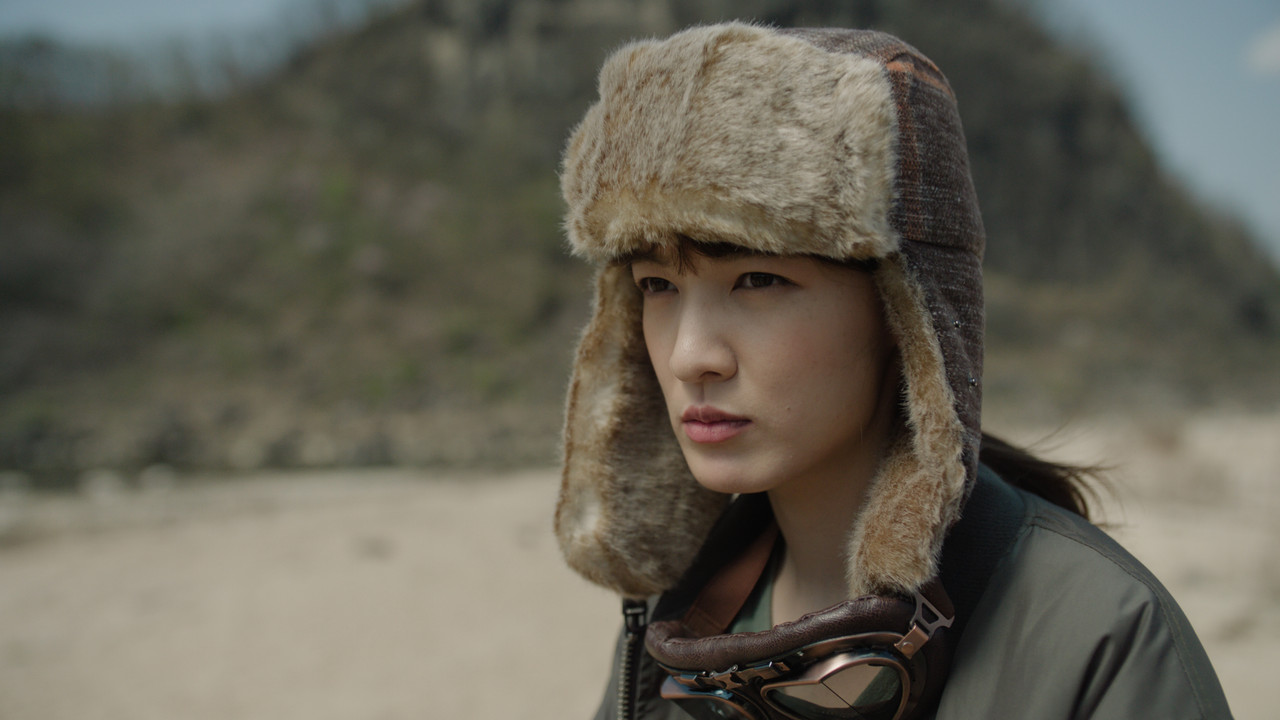
ORIGINAL IMAGE AFTER ARRI TRANSFORM LUT( Which is really fine as it is)
original.jpg


Screenshot-6462.png


Screenshot-6462-2.png


Screenshot-6464.png


Screenshot-6464-2.png


kh-contrast-1-1-4.jpg


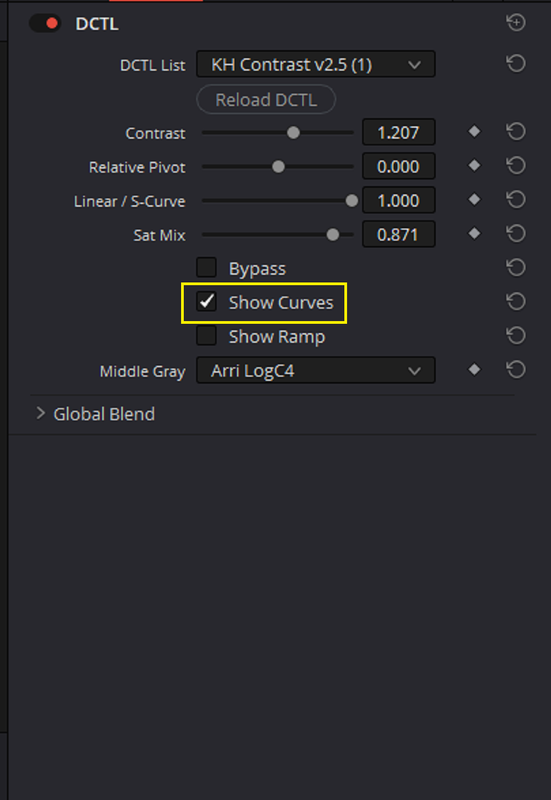
You can also show the CURVE the contrast level you select made by selecting "SHOW CURVES"

Screenshot-6463.png


Screenshot-6463-2.png


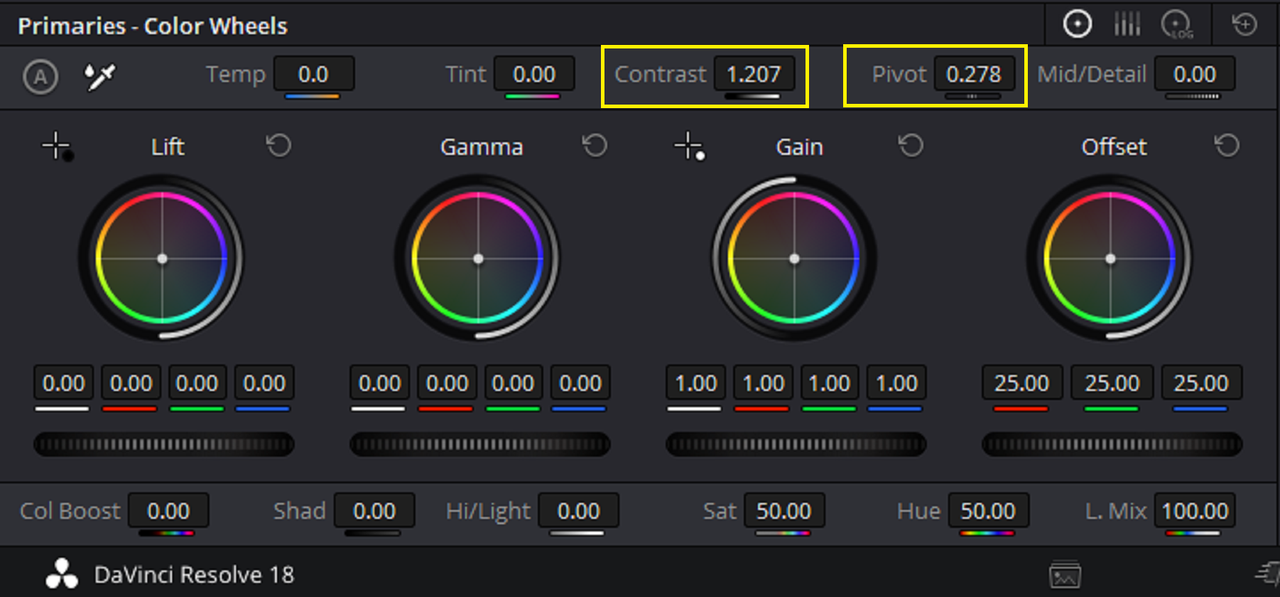
Below are demonstrations showing the same 1.207 level of Contrast using DAVINCI's Contrast and PIVOT( About the same as the MID GRAY POINT)

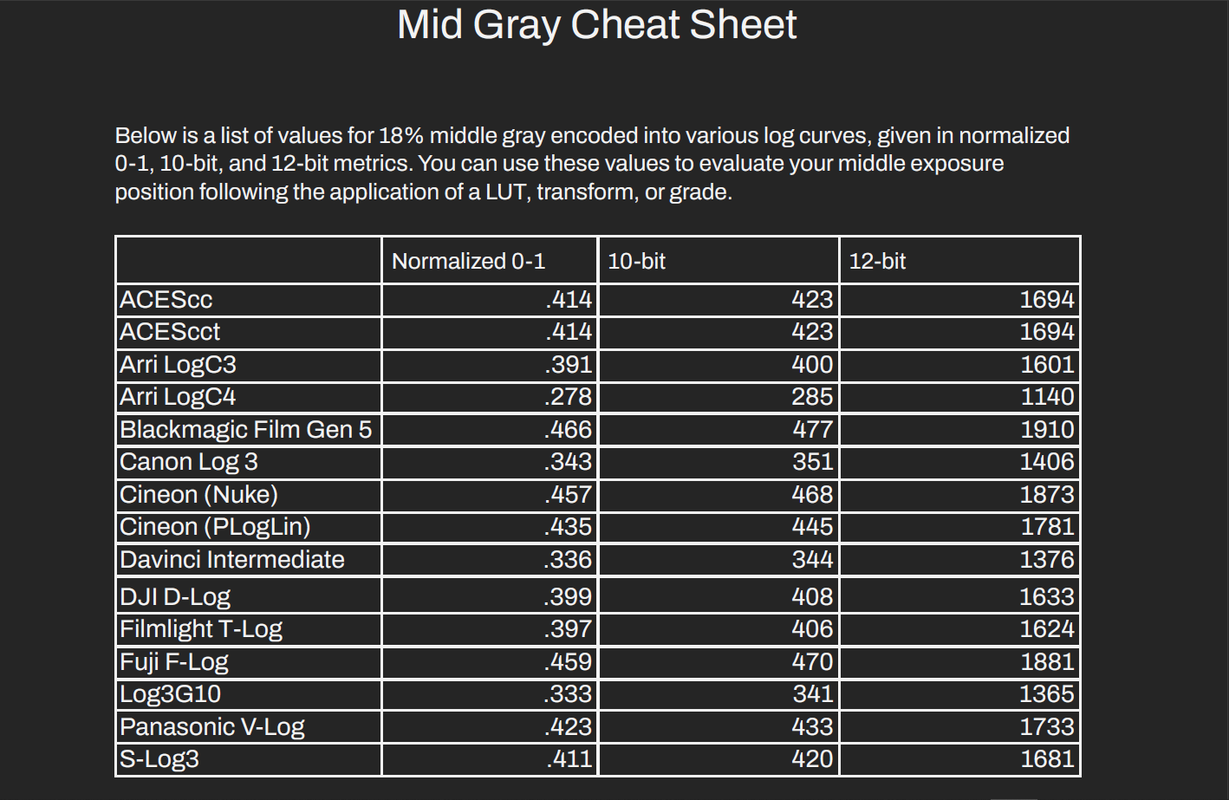
The Default Pivot point in Resolve is 0.435, I believe this may be the Approximate Middle Gray point for REC709 which these controls are designed for. I then use a PIVOT point of 0.278 which I believe is the actual MIDDLE GRAY point for ARRI LOGC4 based on what I have read.
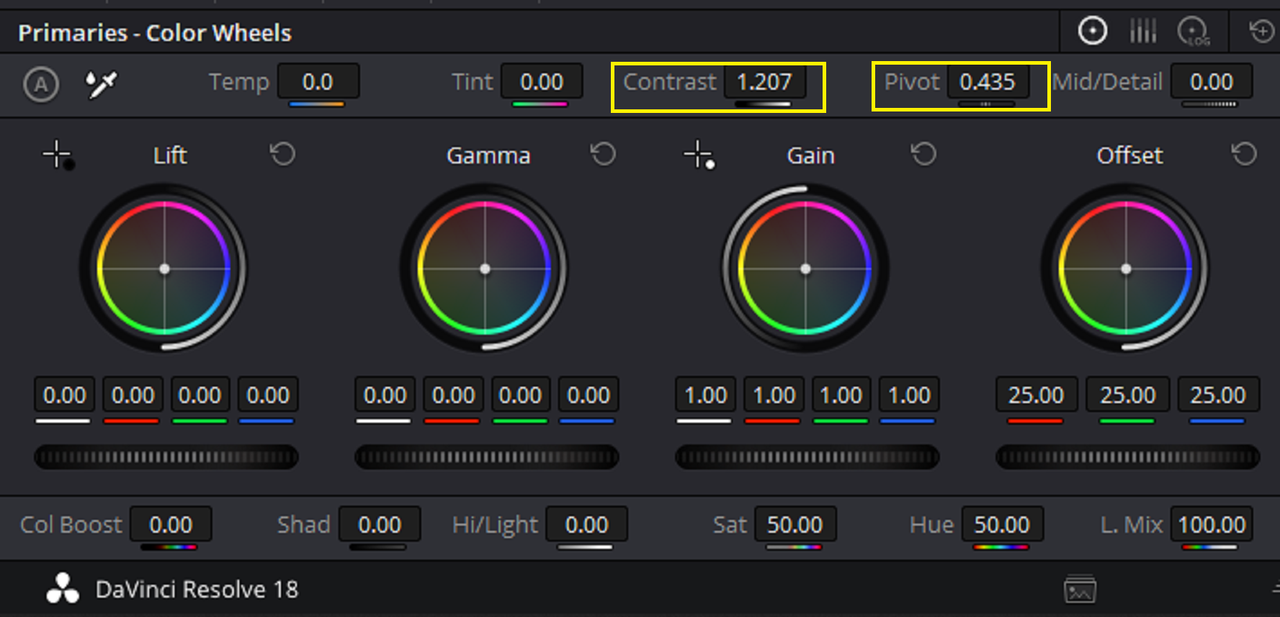
Screenshot-6496.png


Screenshot-6494.png


with-435-pivot.jpg


Screenshot-6495.png


with-0-278-pivot.jpg


The 0.278 PIVOT setting maintained MIDDLE GRAY better that the 0.435 PIVOT setting but not as well as the CONTRAST 2.5 DCTL with the built in default GAMMA Middle Gray points did.


Original Image with ARRI Transform LUT

original.jpg


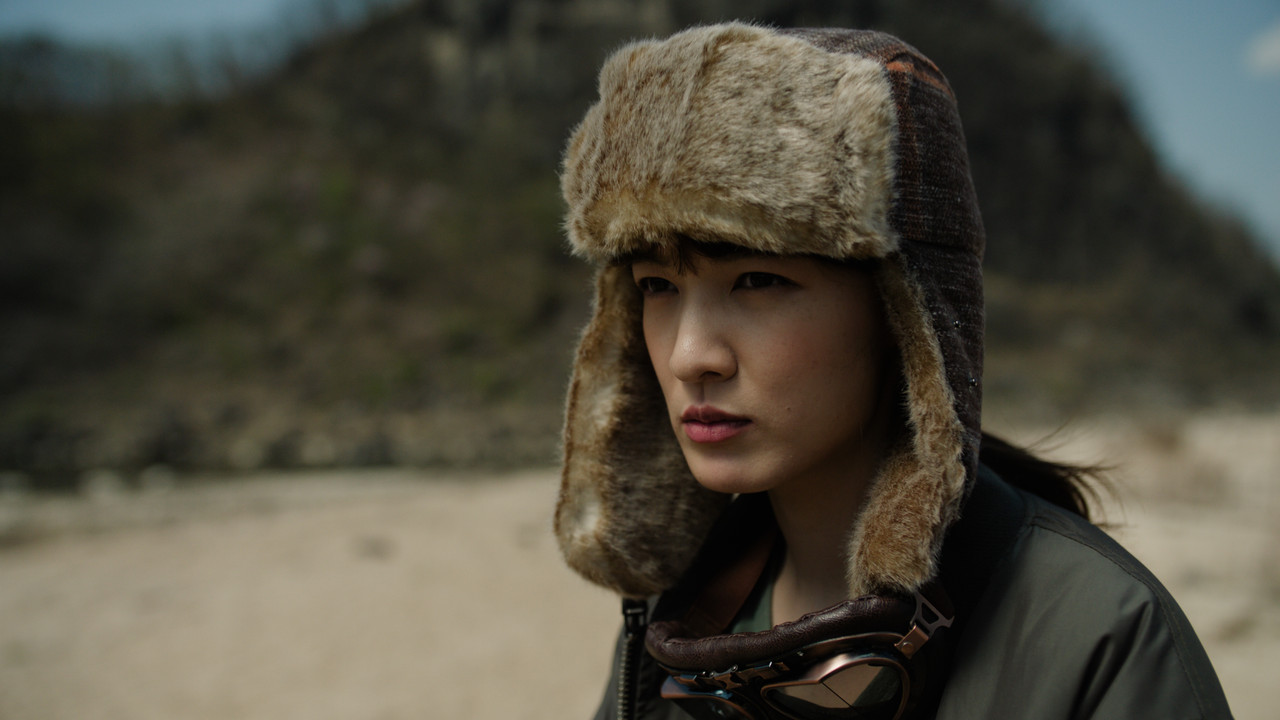
With KH CONTRAST 2.5 DCTL with 1.207 Contrast

kh-contrast-1-1-4.jpg


With Resolve CONTRAST setting of 1.207 and Pivot setting of 0.435

with-435-pivot.jpg


With Resolve CONTRAST setting of 1.207 and Pivot setting of 0.278

with-0-278-pivot.jpg
 
Last edited:
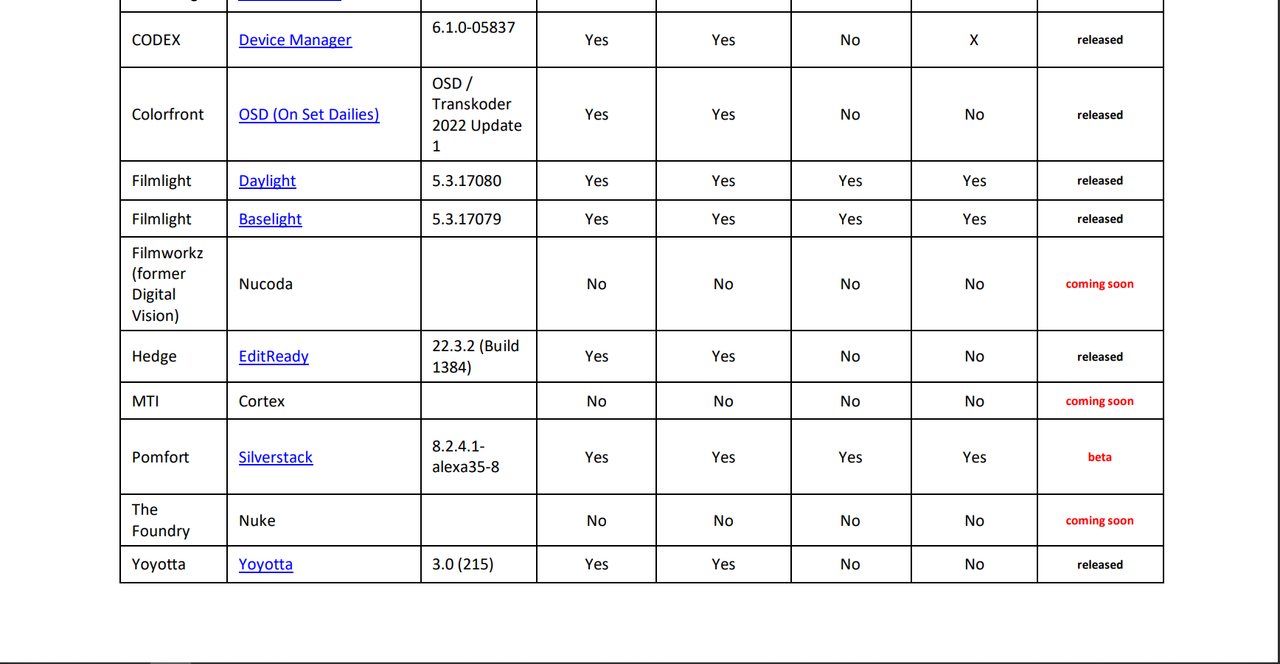
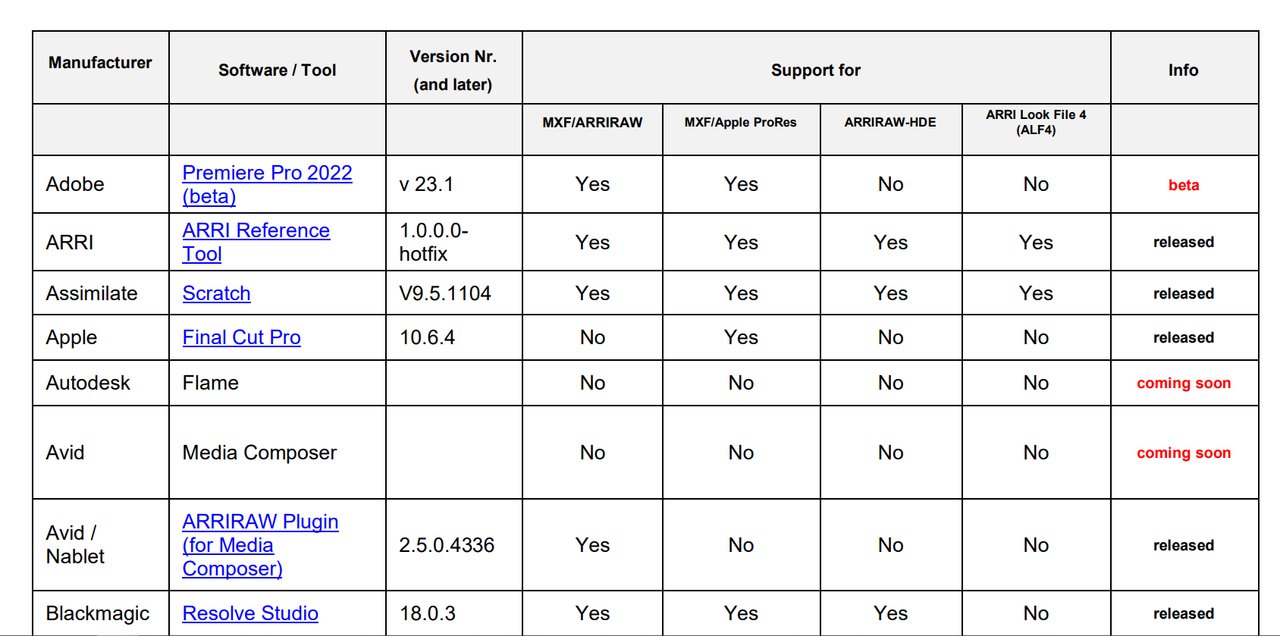
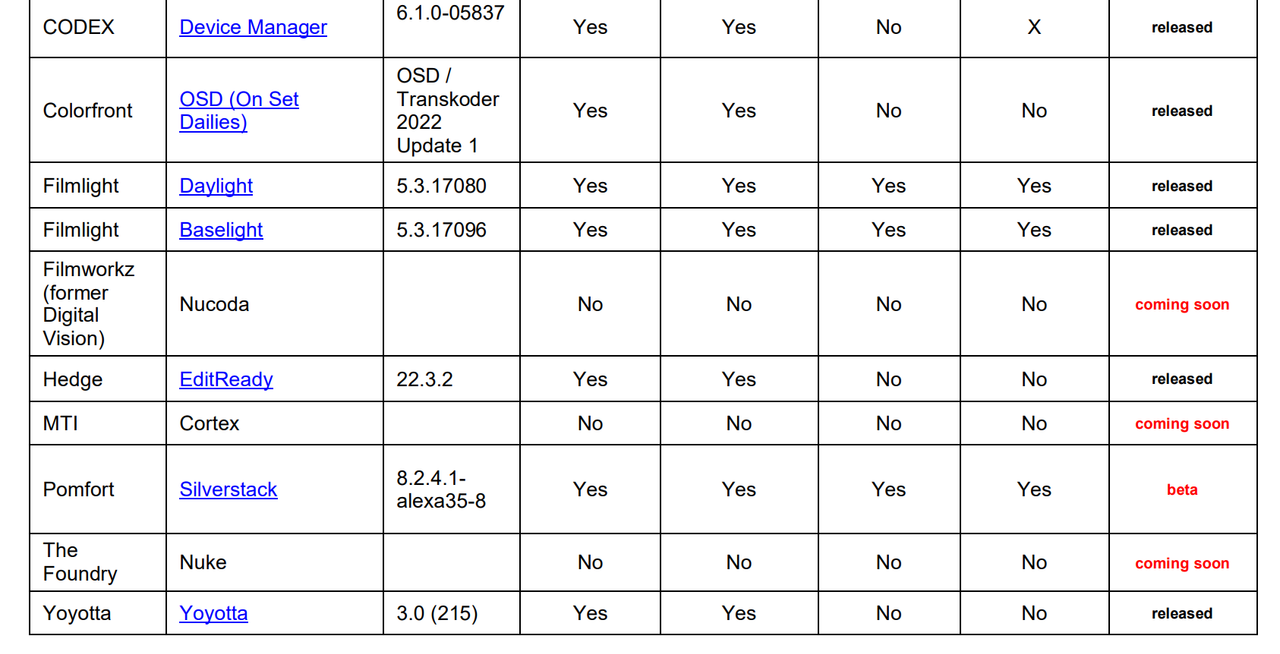
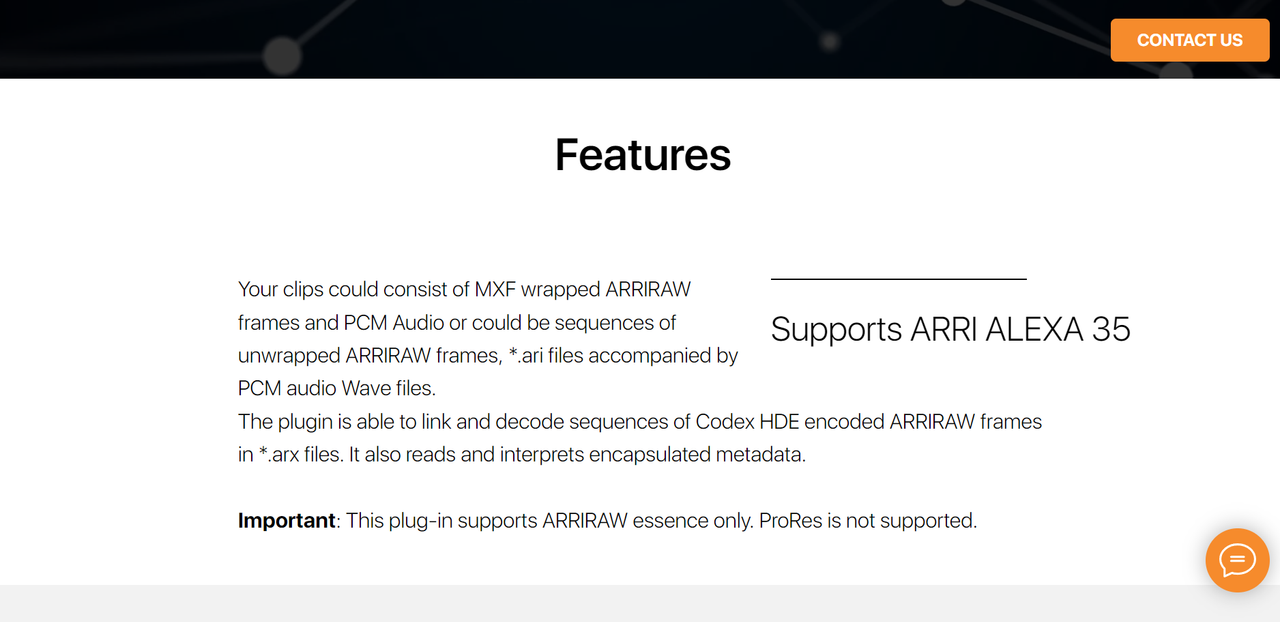
ARRIRAW AMA Plugin
ARRIRAW AMA Plugin | nablet GmbH


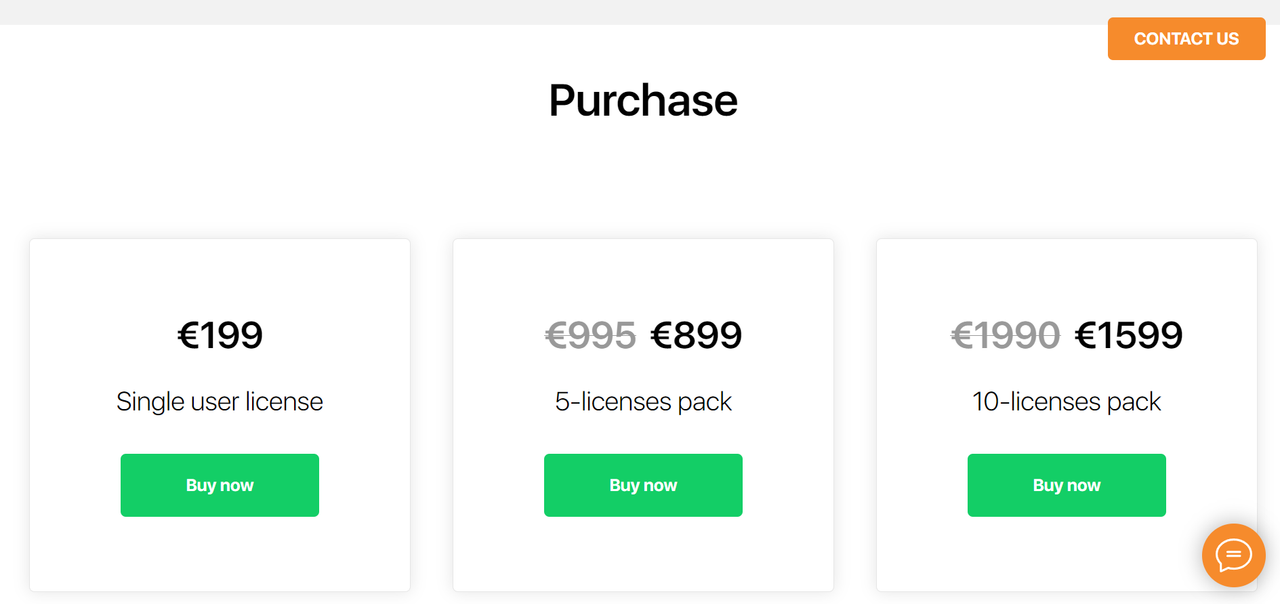
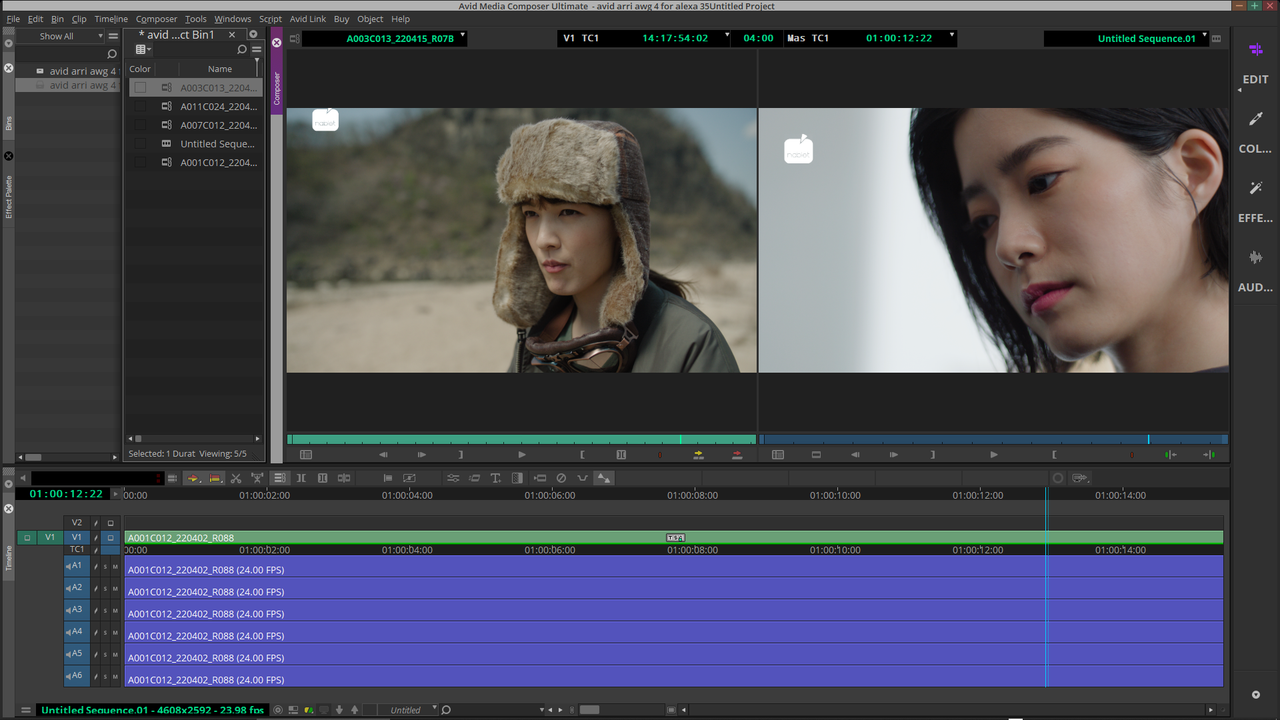
Nablet has an ARRIRAW AMA Plugin that allows you to link to ARRI ALEXA 35 files. However it's not free and requires one of their license plans, I'm using their demo version.

Screenshot-6664.png


Screenshot-6665.png


Screenshot-6666.png


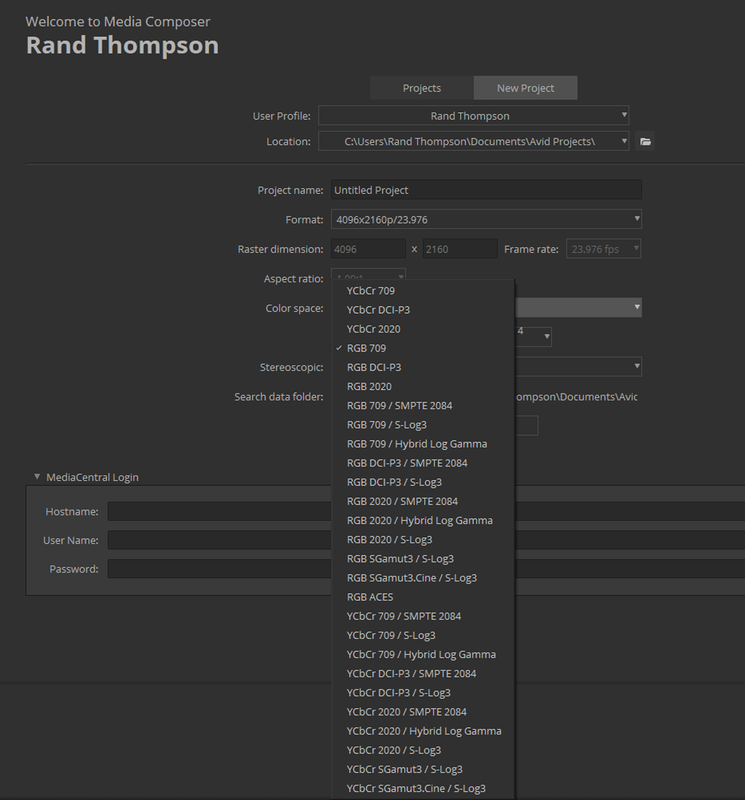
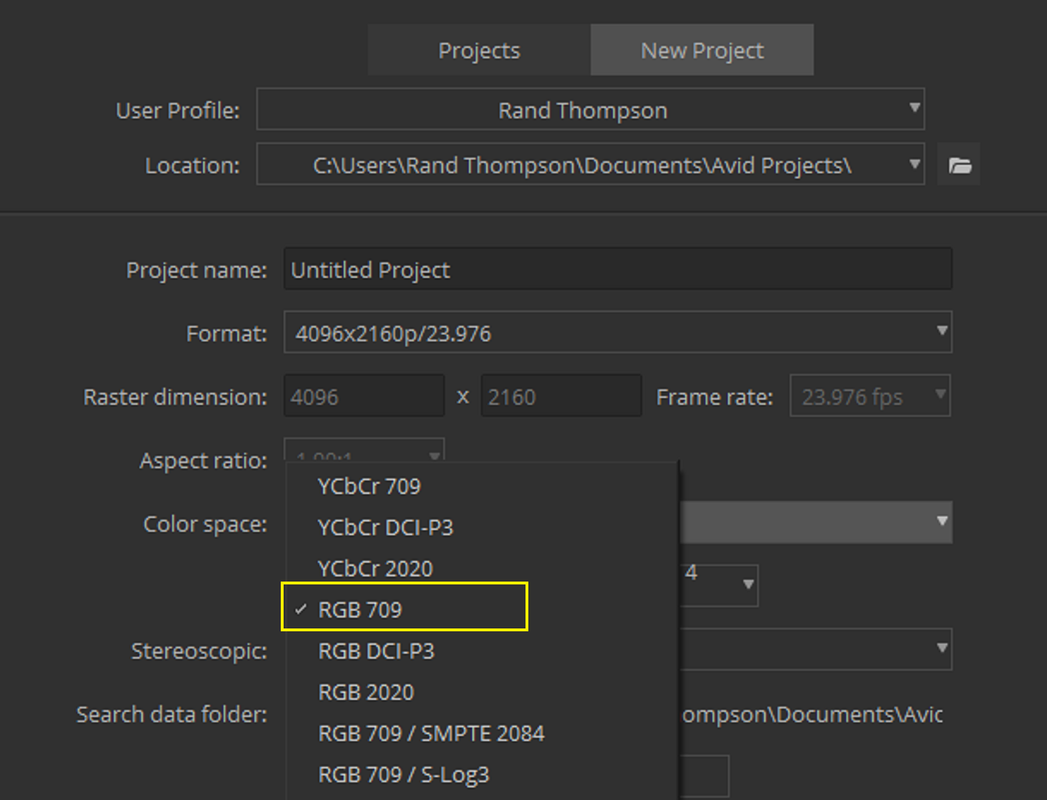
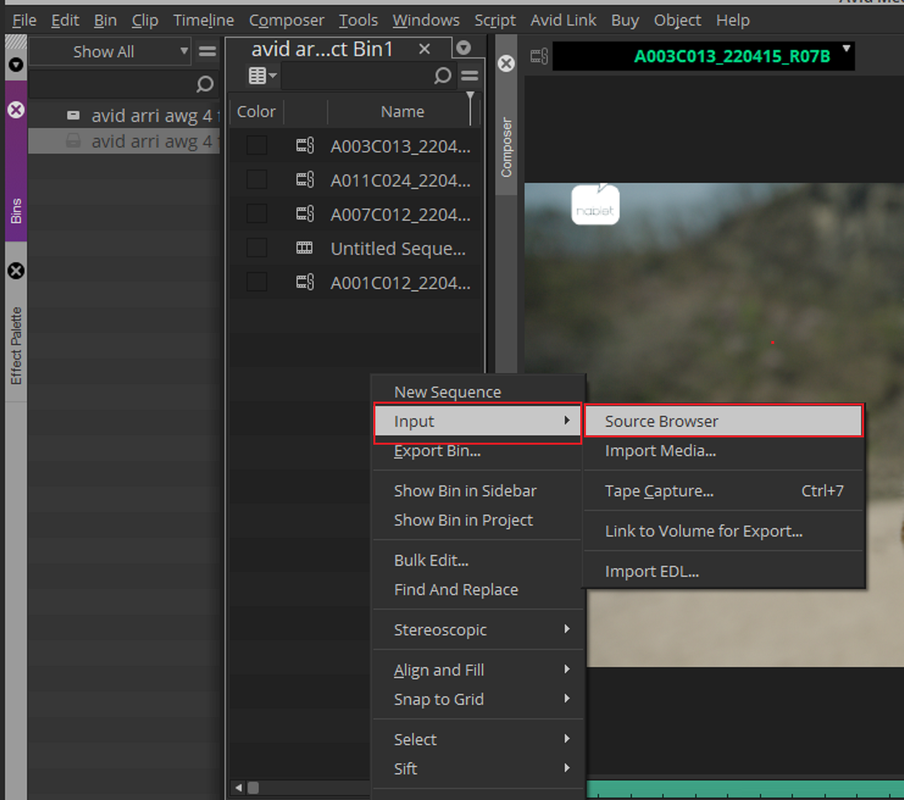
After you setup a project, in this case REC709, In the "MEDIA BIN" "Right-Click" and choose "INPUT" then "SOURCE BROWSER"

1.png


12.png


Screenshot-6667.png


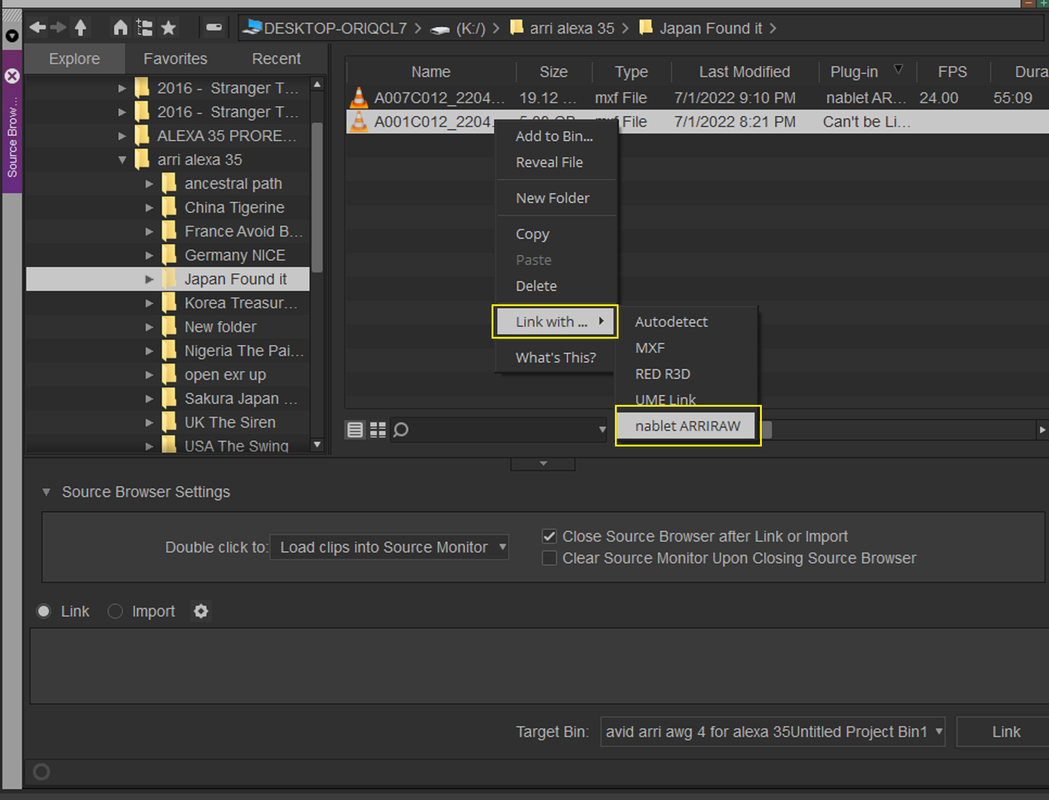
NEXT, "Right-Click" on the ARRIRAW clip you want to link to by selecting "LINK WITH" then "nablet ARRIRAW"

Screenshot-6657.png


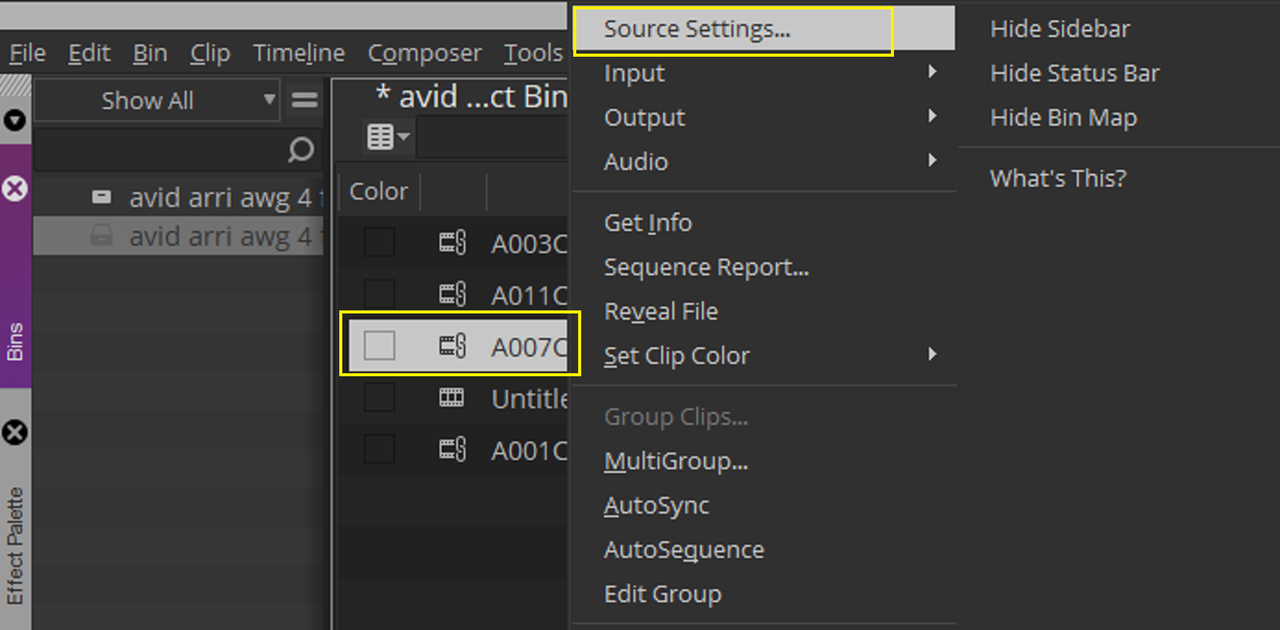
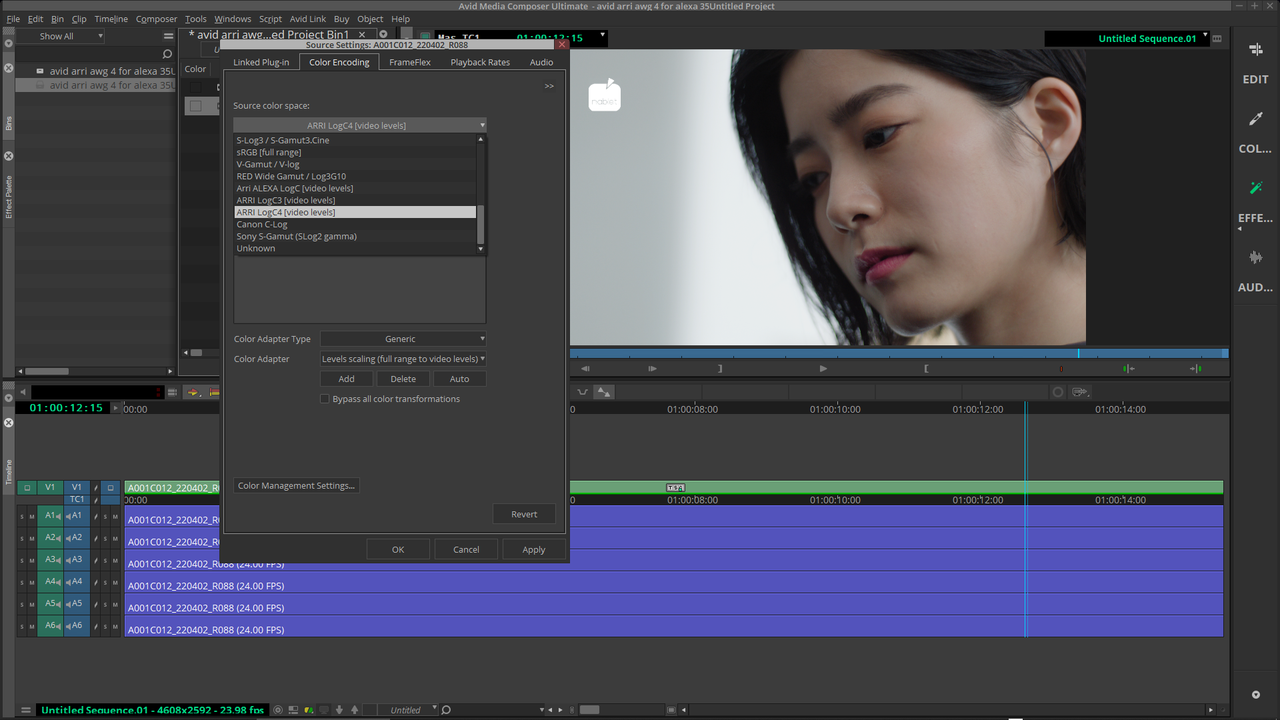
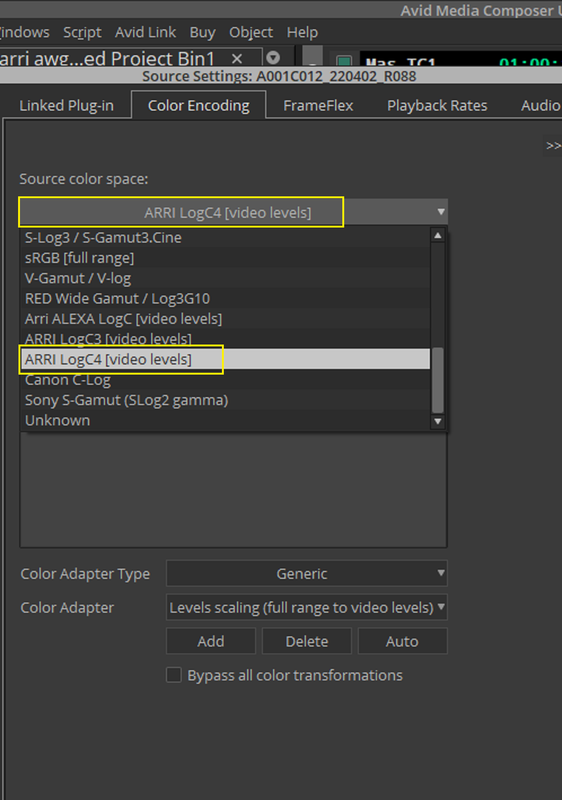
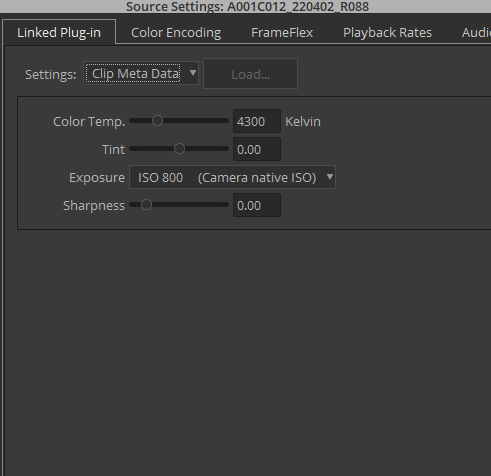
To get additional info and settings about the LINKED ARRIRAW ALEXA 35 clip, "Right-Click" on the clip and select "SOURCE SETTINGS..."


Screenshot-6669.png


Screenshot-6661.png


Screenshot-6658.png


Screenshot-6662.png


Screenshot-6663.png
 
Last edited:
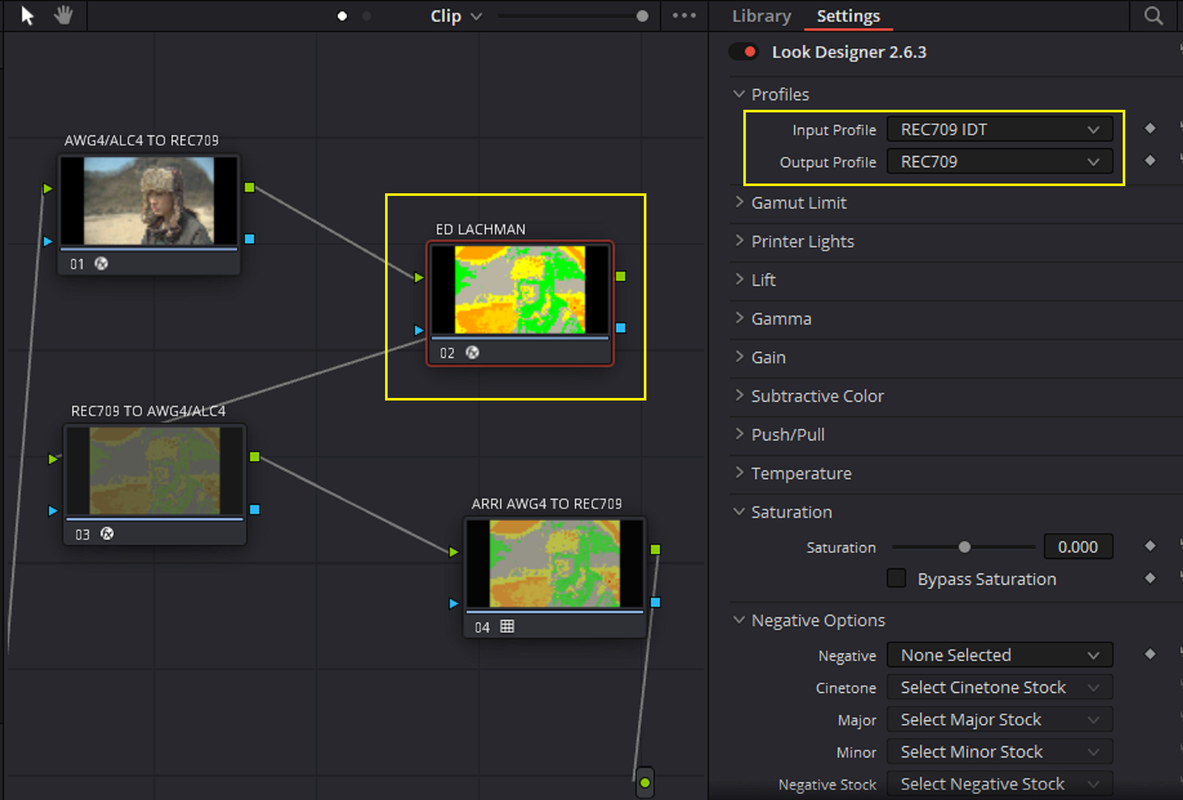
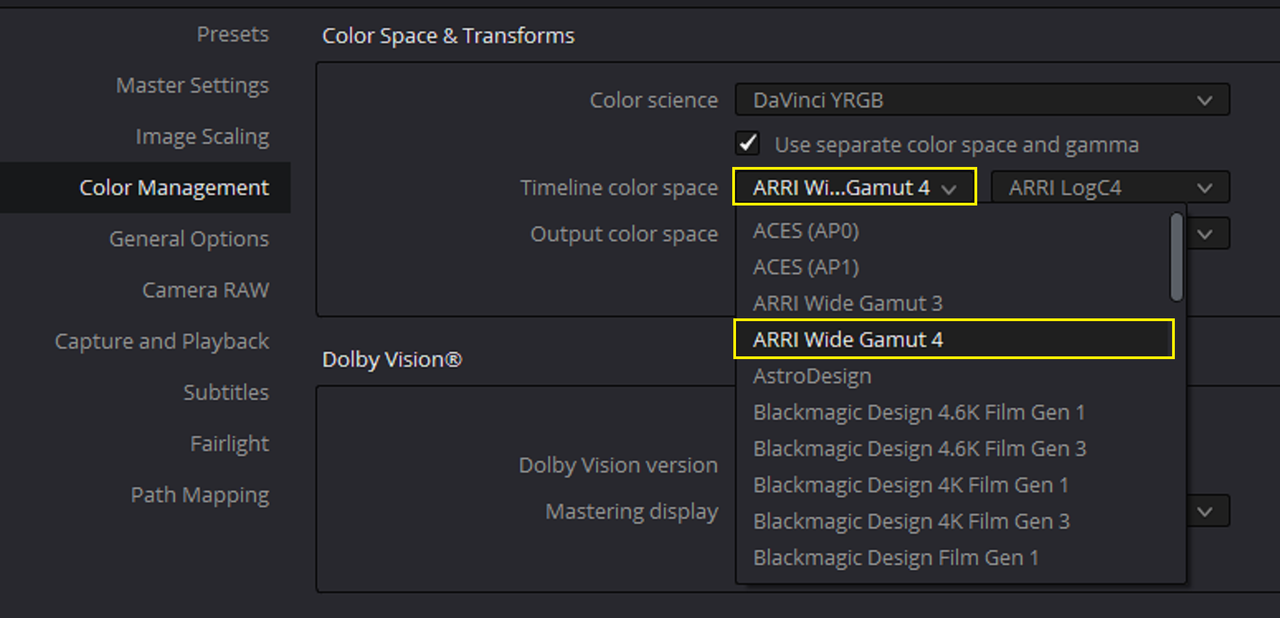
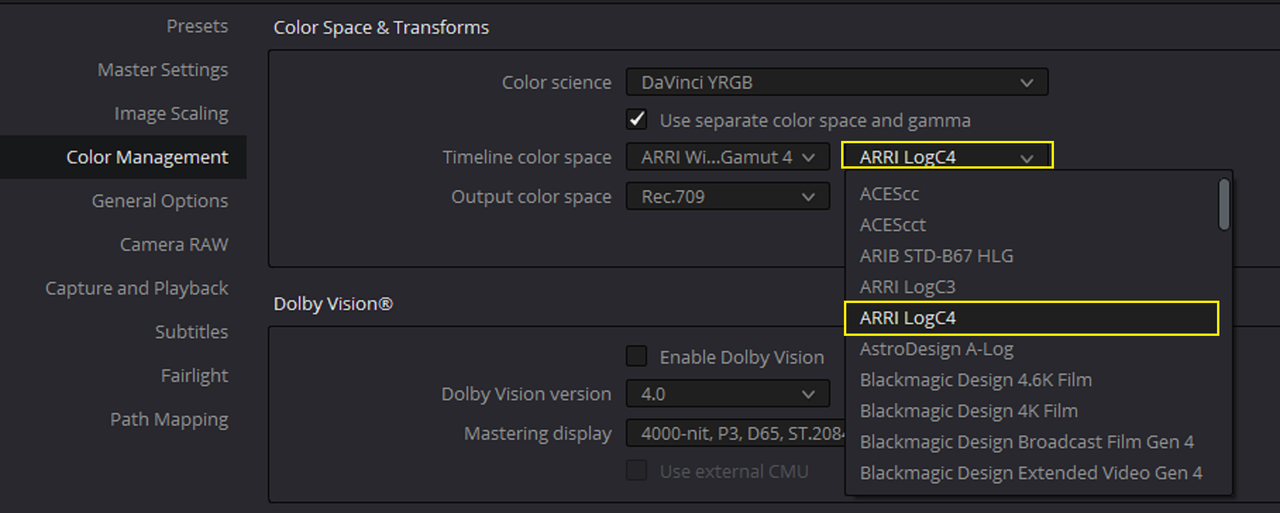
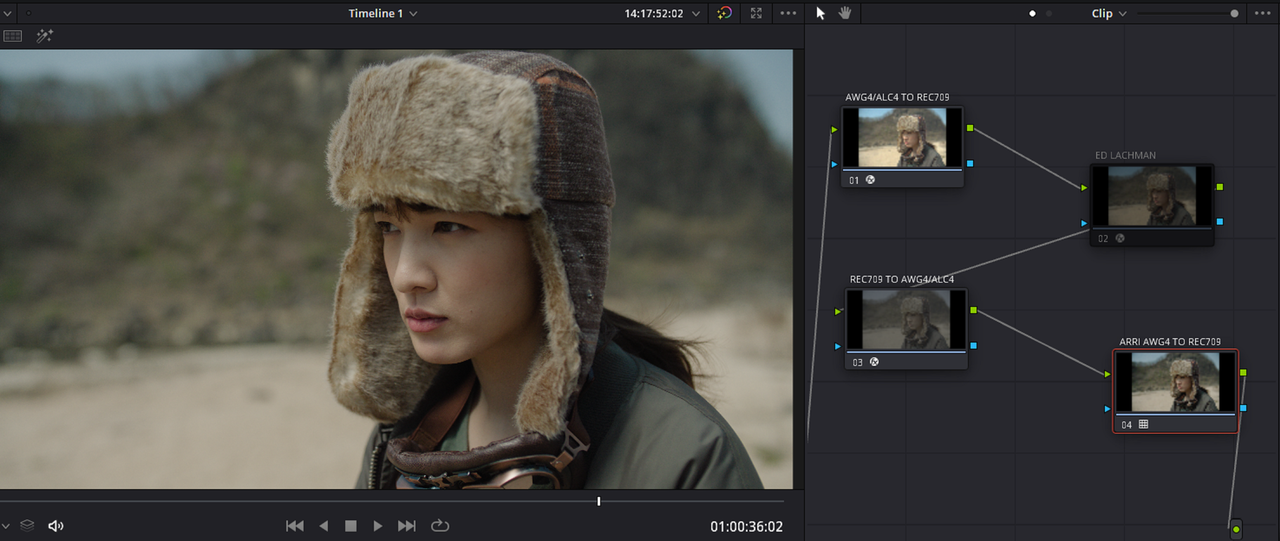
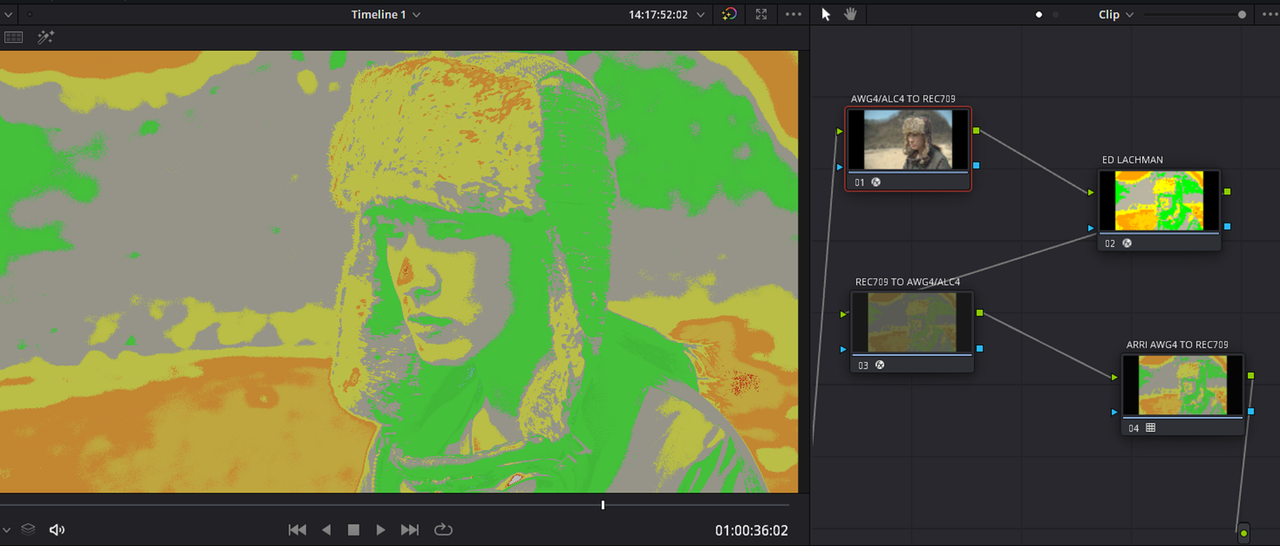
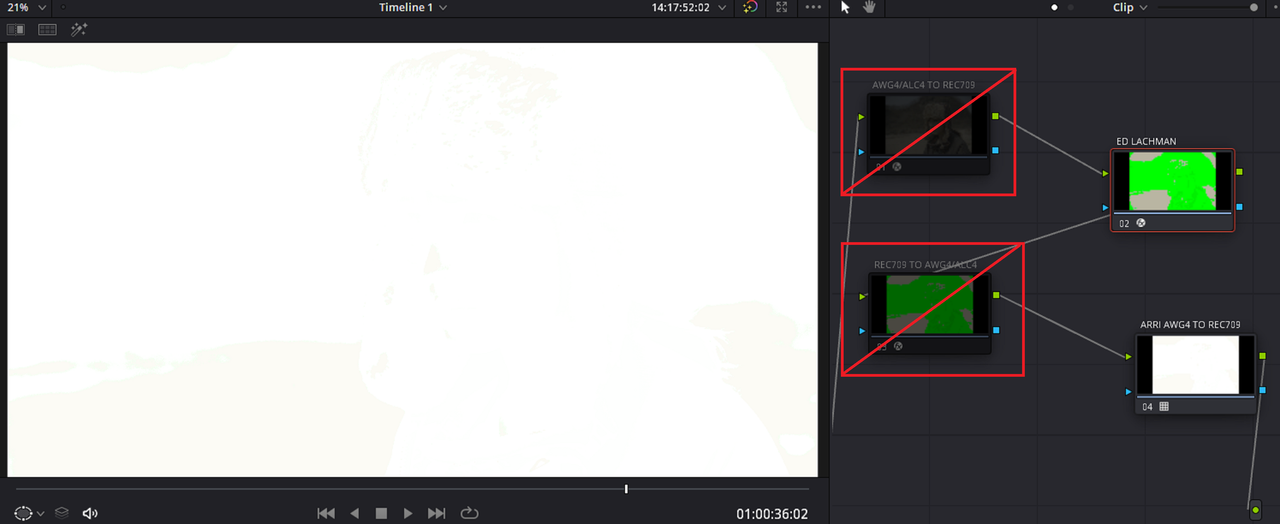
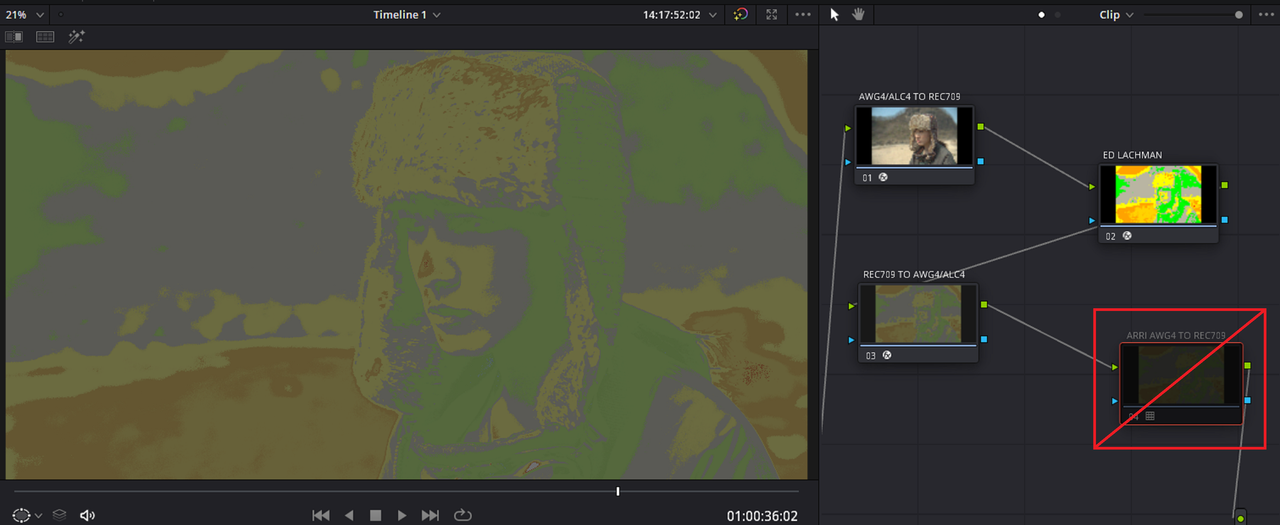
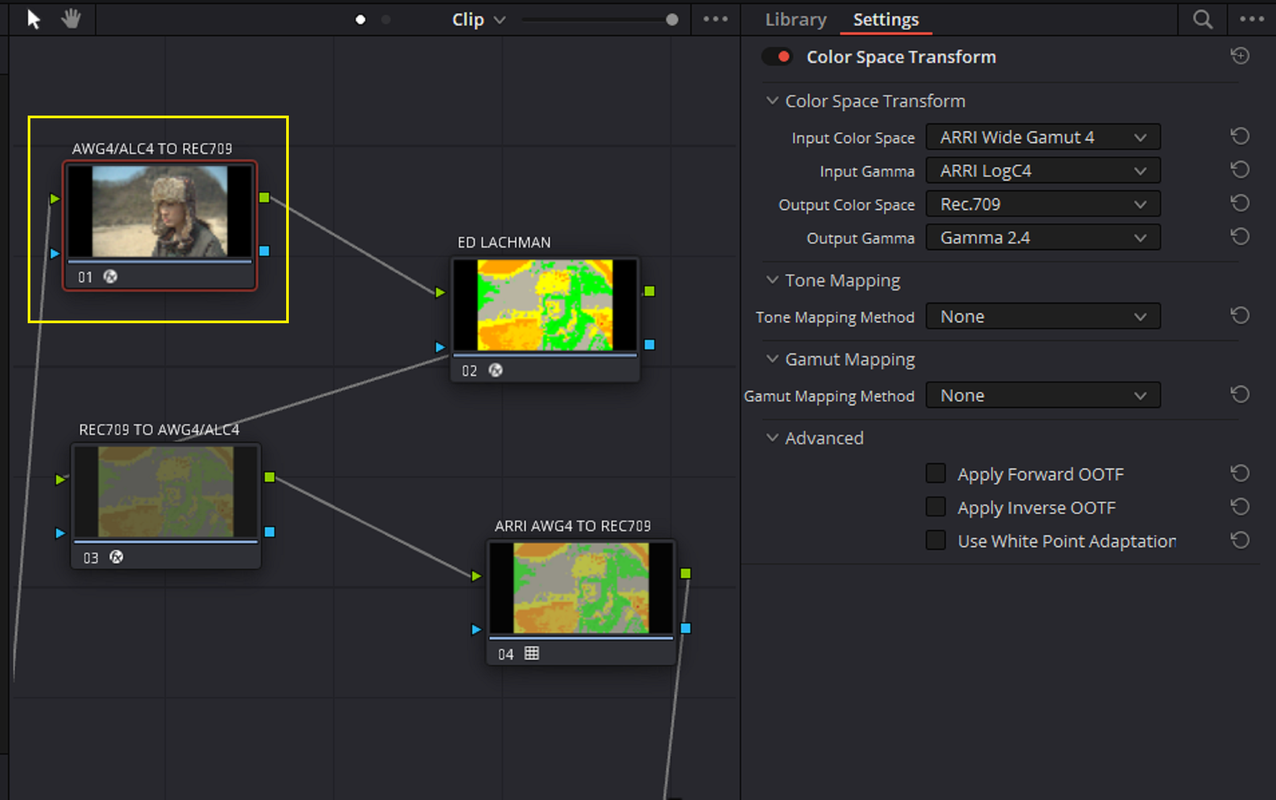
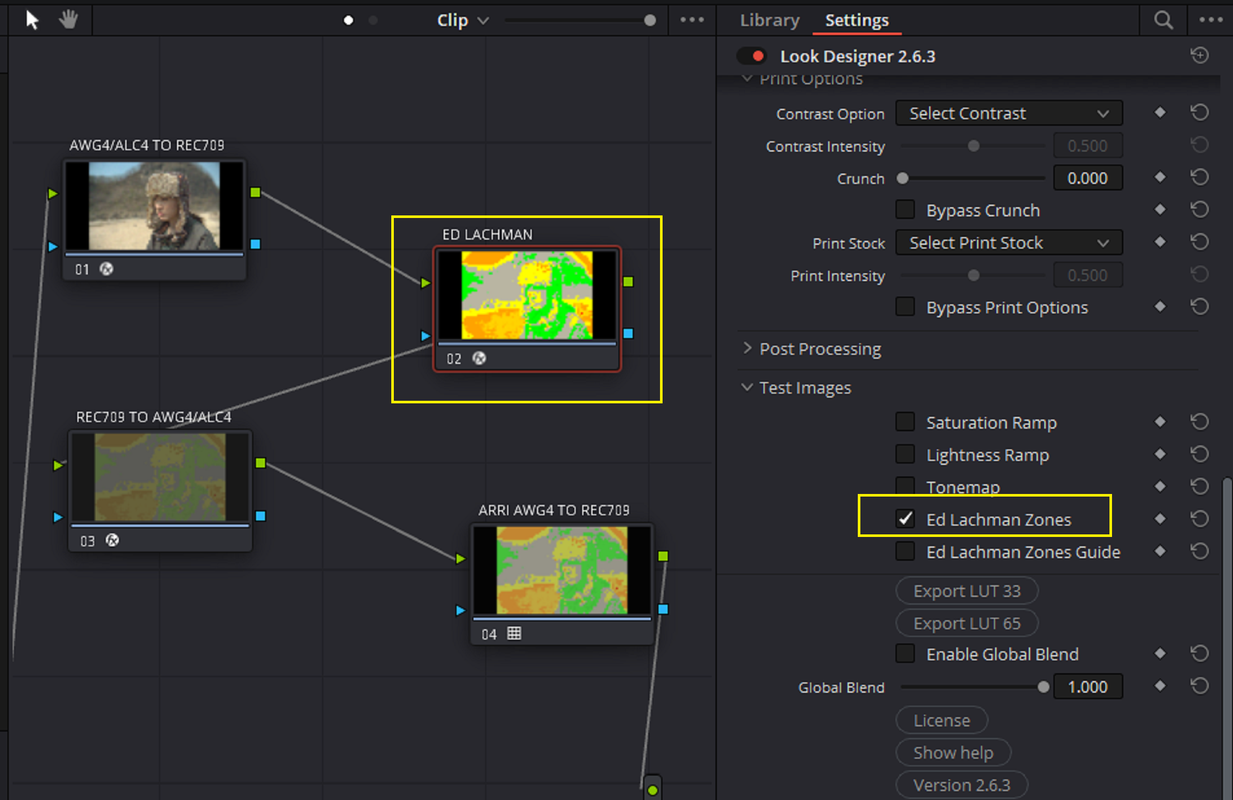
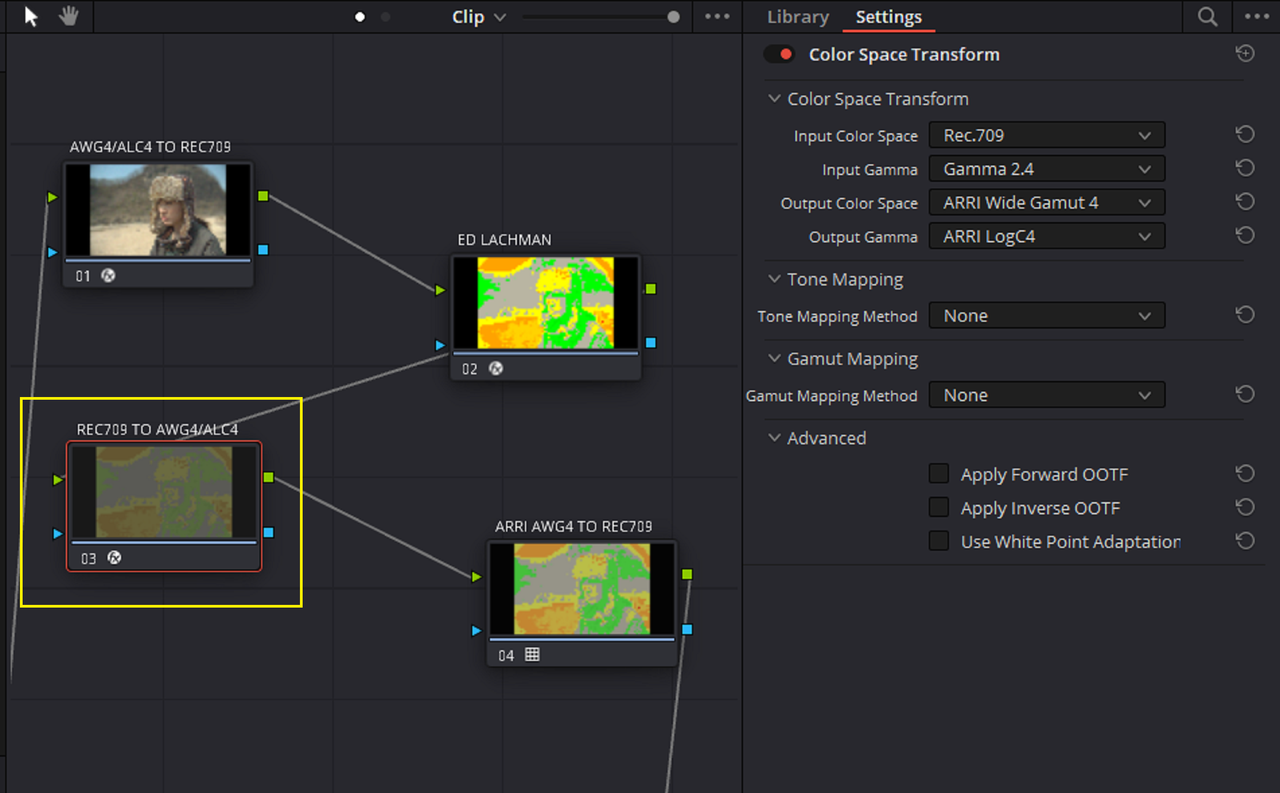
The actual Process to make an ARRI AWG4/ALC4 Compatible ED Lachman Zones Lut before the HALD File creation process


I originally made an ED Lachman Zones Lut for a RED IPP2 workflow in the link below so I thought I would try to make one for an ARRI AWG4/ALC4 workflow as well. This can't be used as an ALF4 Look file, it can only be used in Davinci Resolve and maybe some other NLEs


THREAD LINK

https://www.reduser.net/forum/red-ca...61#post3801161


Project Settings for how I made it and how you can use it to check exposure.

1.png


2.png


3.png


Original Image without LOOK DESIGNER and the ED LACHMAN ZONES enabled.


3A.png


With LOOK DESIGNER and the ED LACHMAN ZONES enabled.

4.png


5.png


6.png


7.png


8.png


9.png


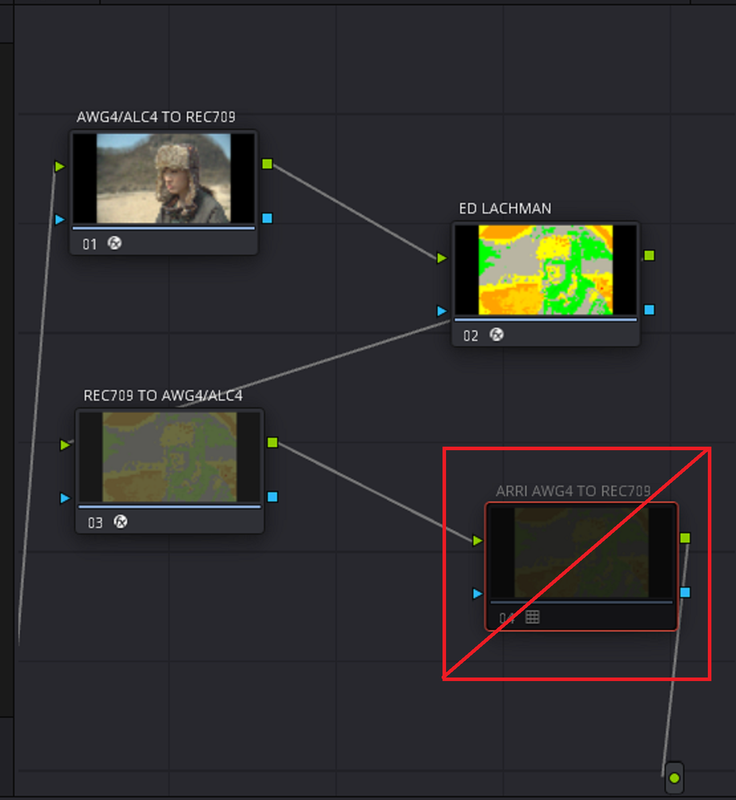
How the ED LACHMAN Zones would have looked without the COLOR SPACE TRANSFORMS going from AWG4/ALC4 TO REC709 and to REC709 BACK TO AWG4/ALC4 in a Straight AWG4/ALC4 WORKFLOW.


Screenshot-6819.png


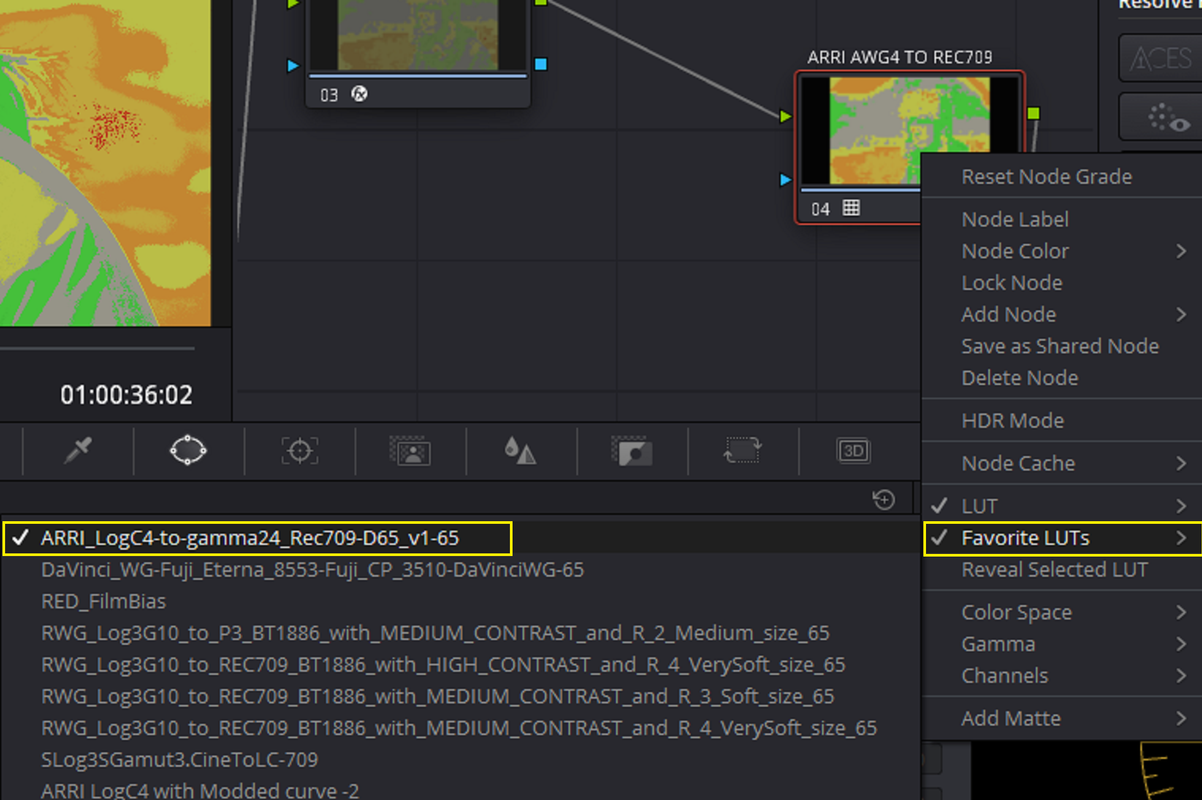
Disable the ARRI AWG4/ALC4 TO REC709 LUT Node and Start the Hald Creation to an eventual LUT process POST #427 to POST #429

https://www.reduser.net/forum/everyt...36#post3796936


LINK TO ED LACHMAN ARRI AWG4/ALC4 LUT TO TRY OUT AND SAMPLE VIDEO


SENDGB LUT LINK
https://sendgb.com/jqO78nELe9Y


SAMPLE VIDEO (The screen capture software I used I believe lifted the Gamma in this video)

 
Last edited:
I think the only way ARRI will consider doing a 6K S35 sensor is if they can do so and keep all the basic characteristics of the ARRI look. I think they realize how important 6K and 8K have become and they might have thought about or even tried to create a 6K or 8K sensor. I believe they've tried different sensor sizes in combination with different pixel characteristics and pixel pitches and just determined that for now that the S35 4.6K resolution sensor with the new dynamic range best maintained the " ARRI LOOK ".

Could easily be the better part of a decade until there will be a 6K / 8K sensor which is S35 from ARRI
 
Could easily be the better part of a decade until there will be a 6K / 8K sensor which is S35 from ARRI

Yeah, I believe you're right. I remember one of the Arri heads of the many different Camera Divisions saying in one of the many interviews from Arri about the Alexa 35 camera that the Alexa LF and Alexa Mini LF would be available for the next 2 to 3 years. That gave me the impression that the next line of cameras that they would be focusing on would be their Full- Frame sensor cameras.
 
Last edited:
ARRI ALEXA 35_TCD_ICG Young Worker’s Group

by
Don Starnes


ARRI ALEXA 35
The Camera Division
thecameradivision.com
IATSE Local 600 Young Worker's Group
2022-08-31

This is more a tasting than a test. Very informal and highly unscientific.

original file:
4608 x 3164
23.976 fps
Rec709 gamut
Gamma 2.2 transfer function
QuickTime NCLC tags: 1-1-1
H.265
 
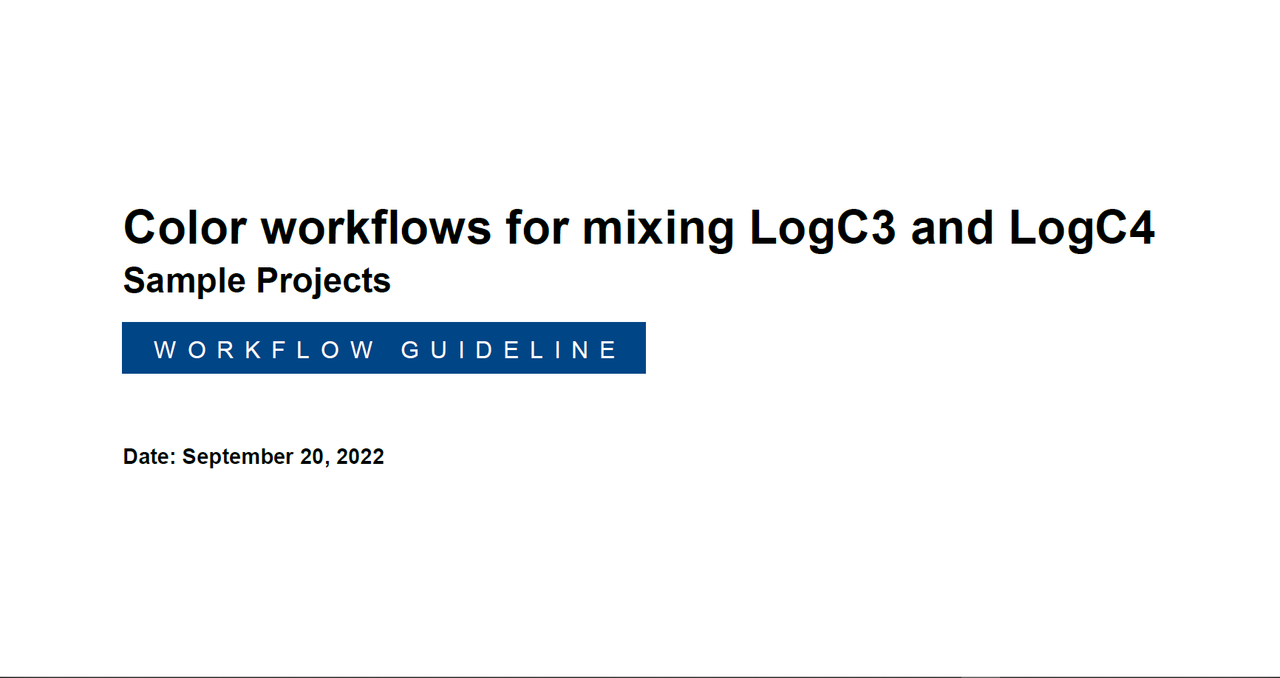
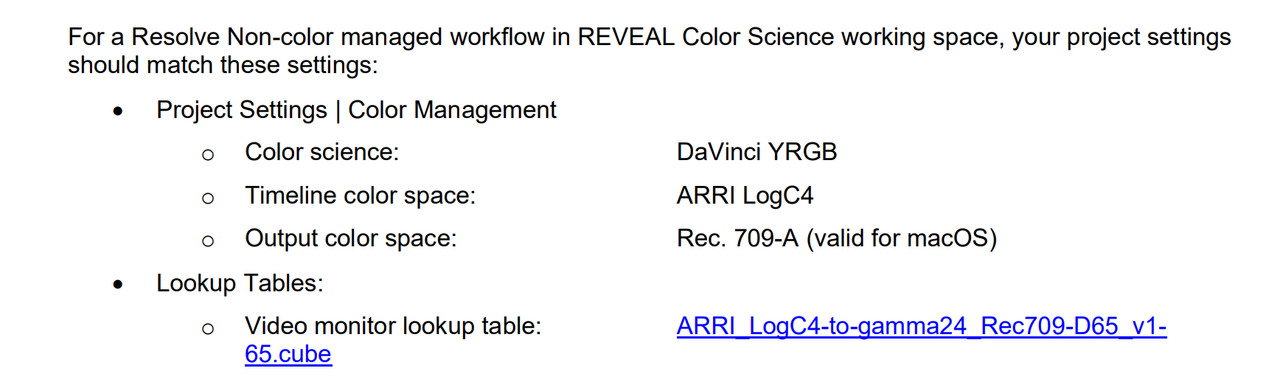
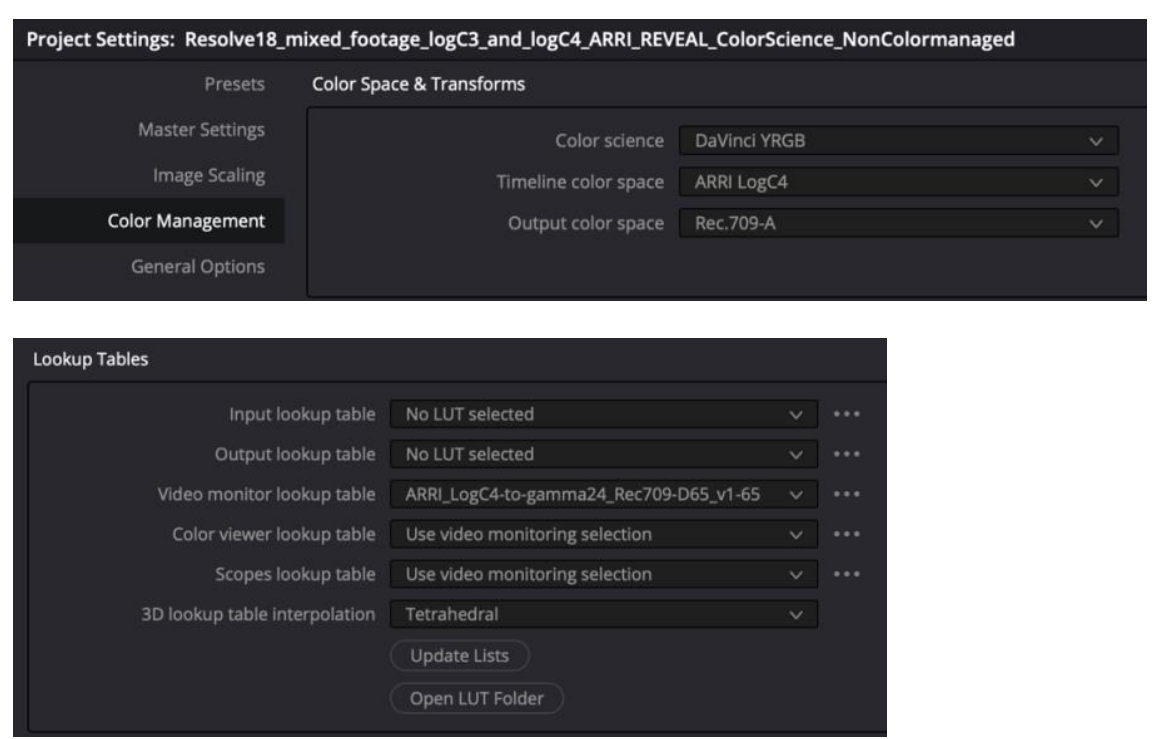
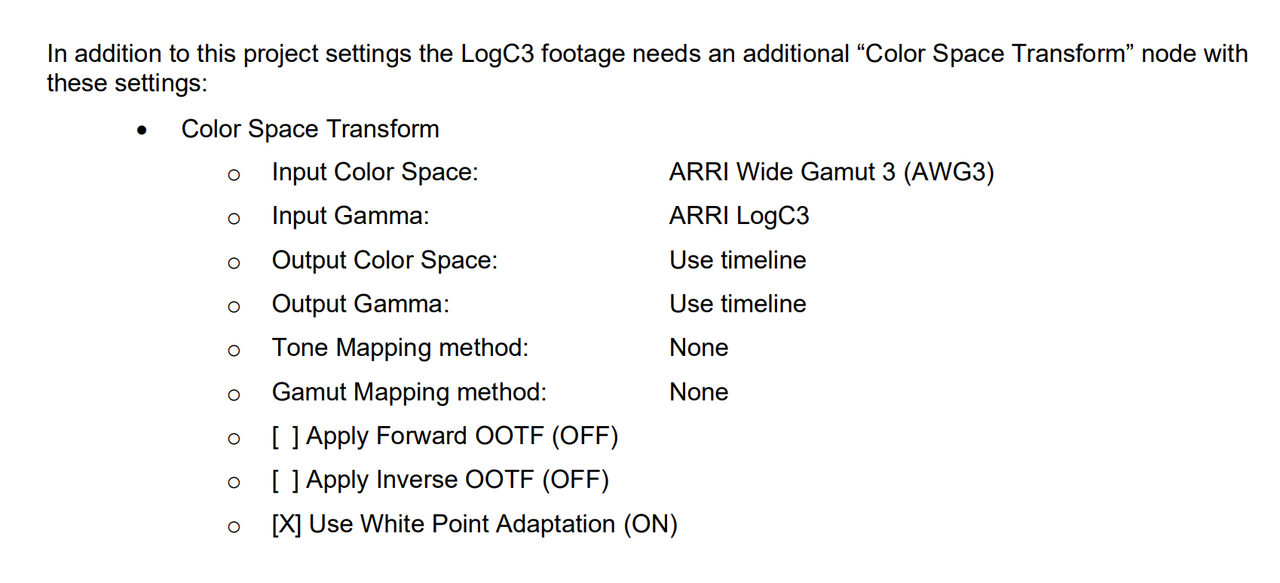
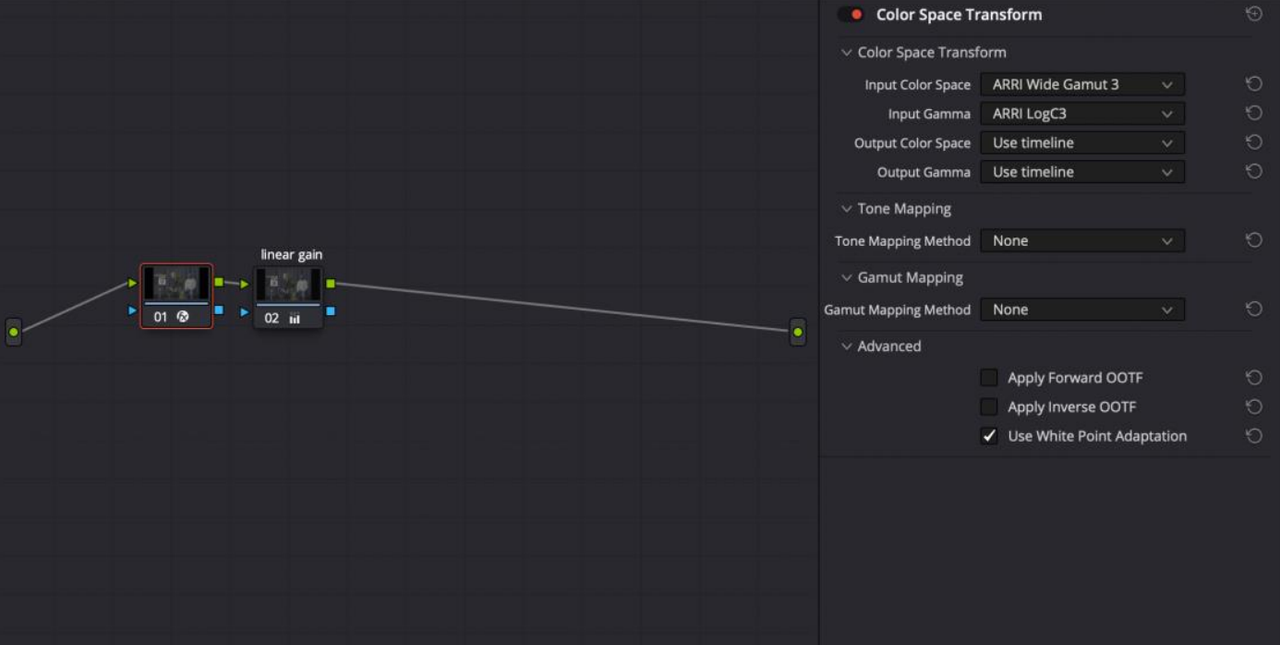
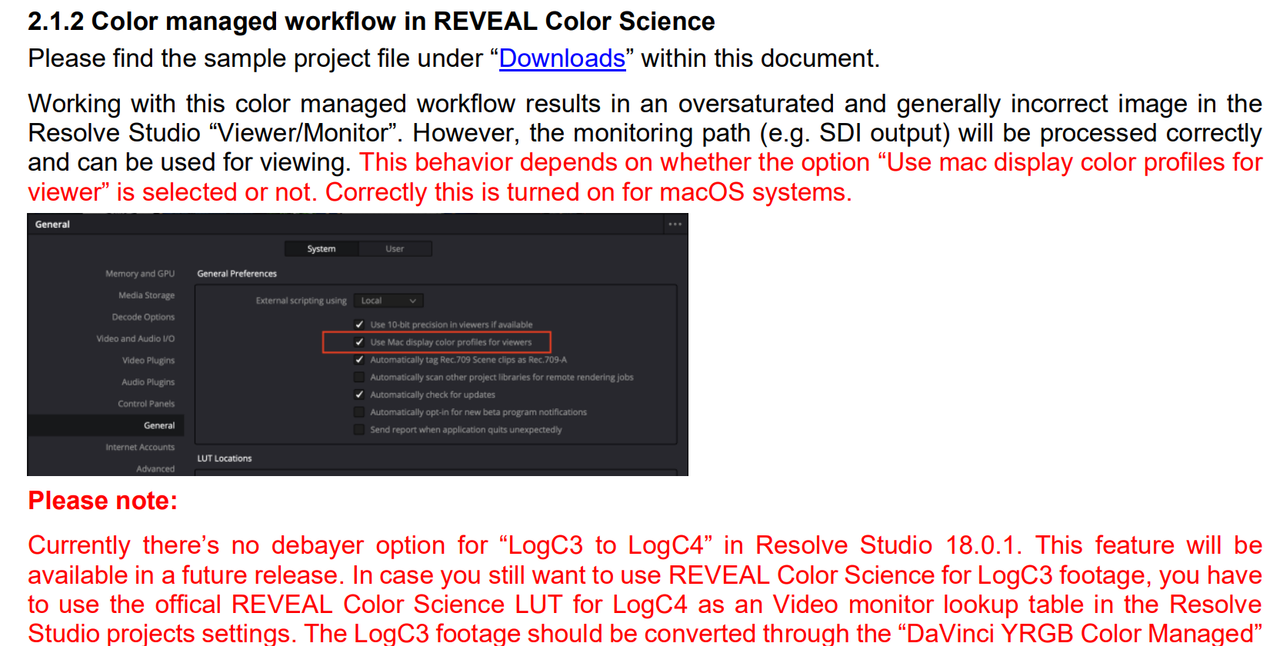
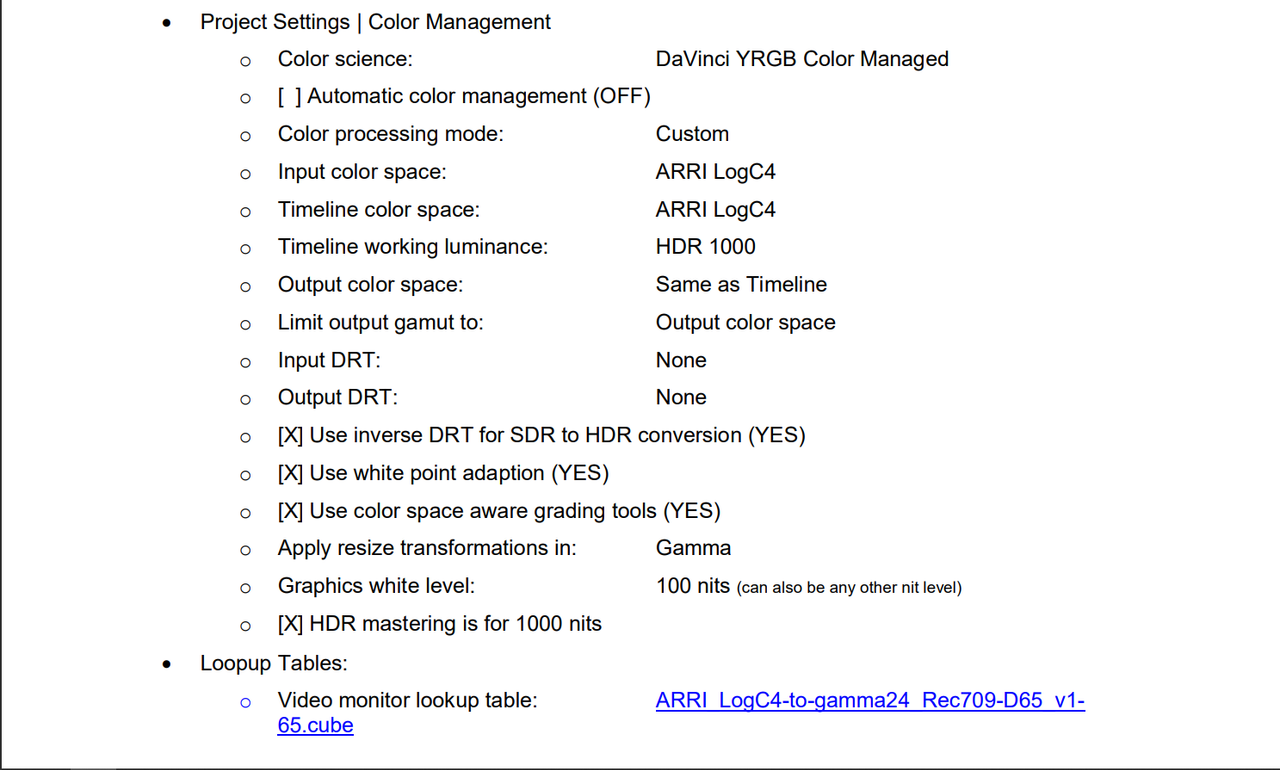
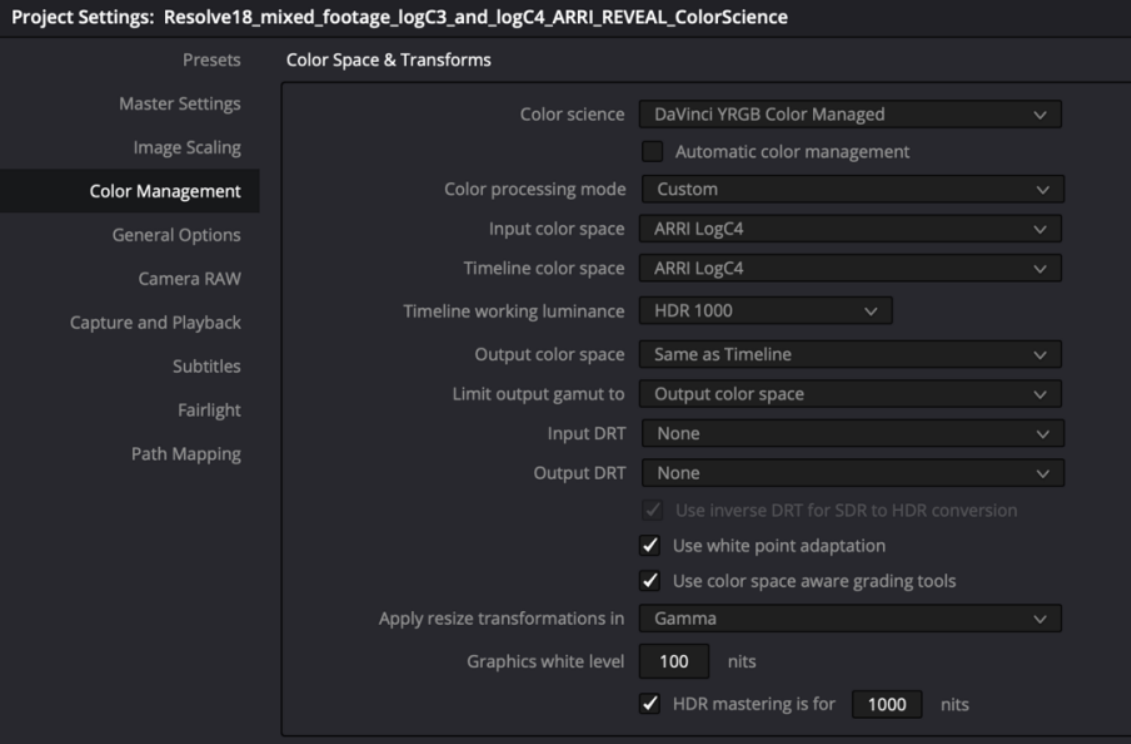
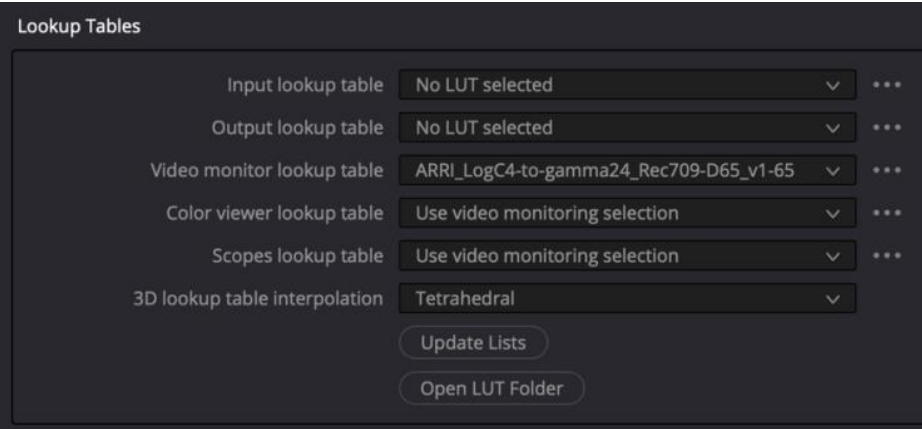
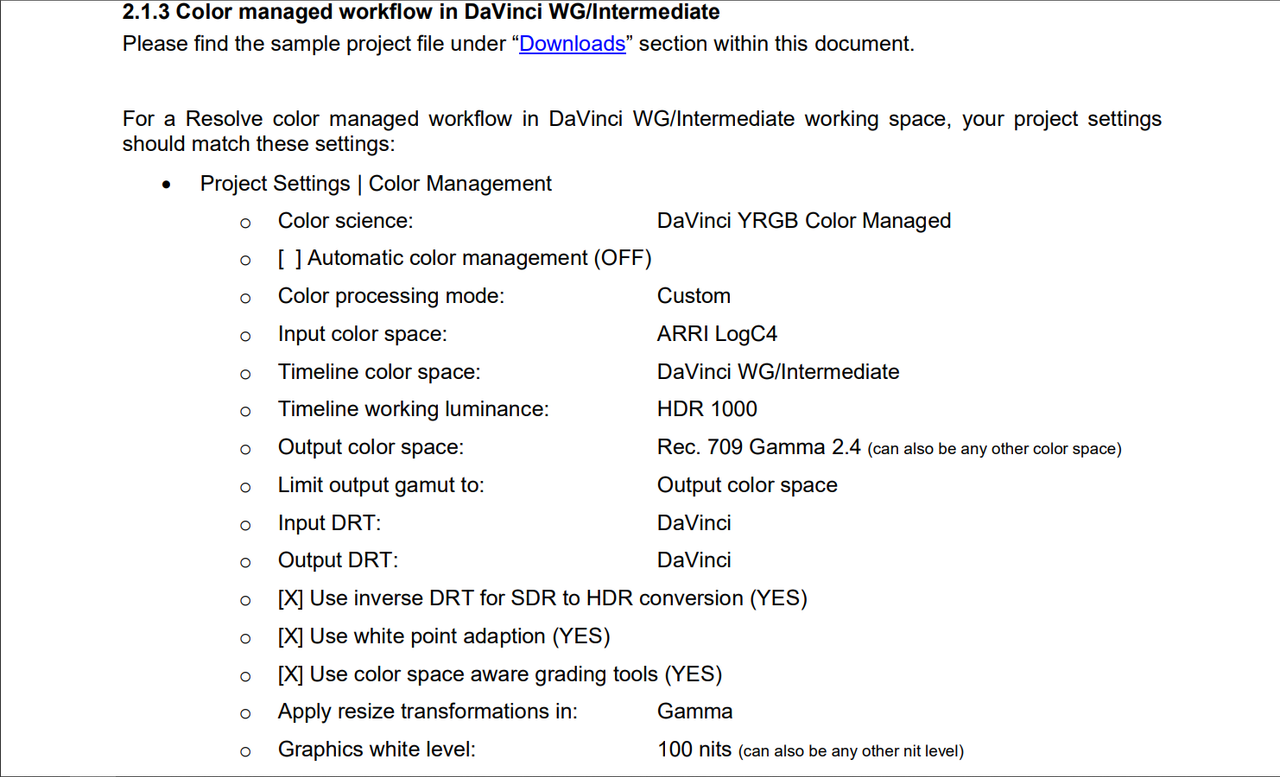
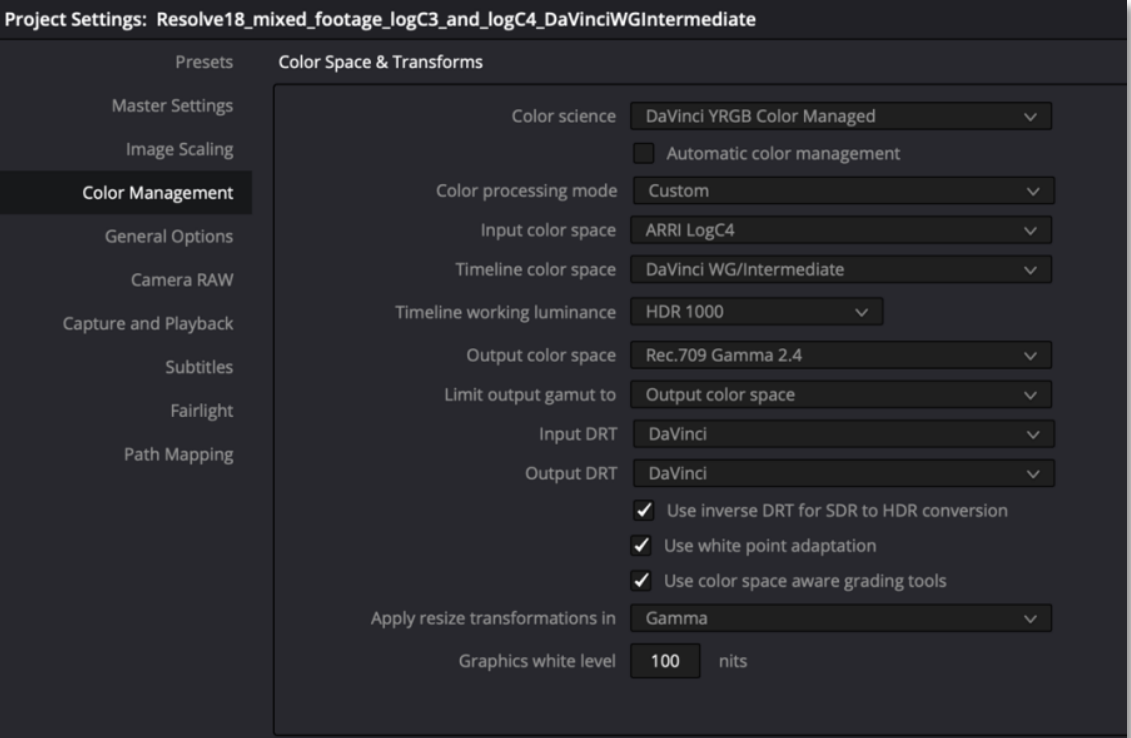
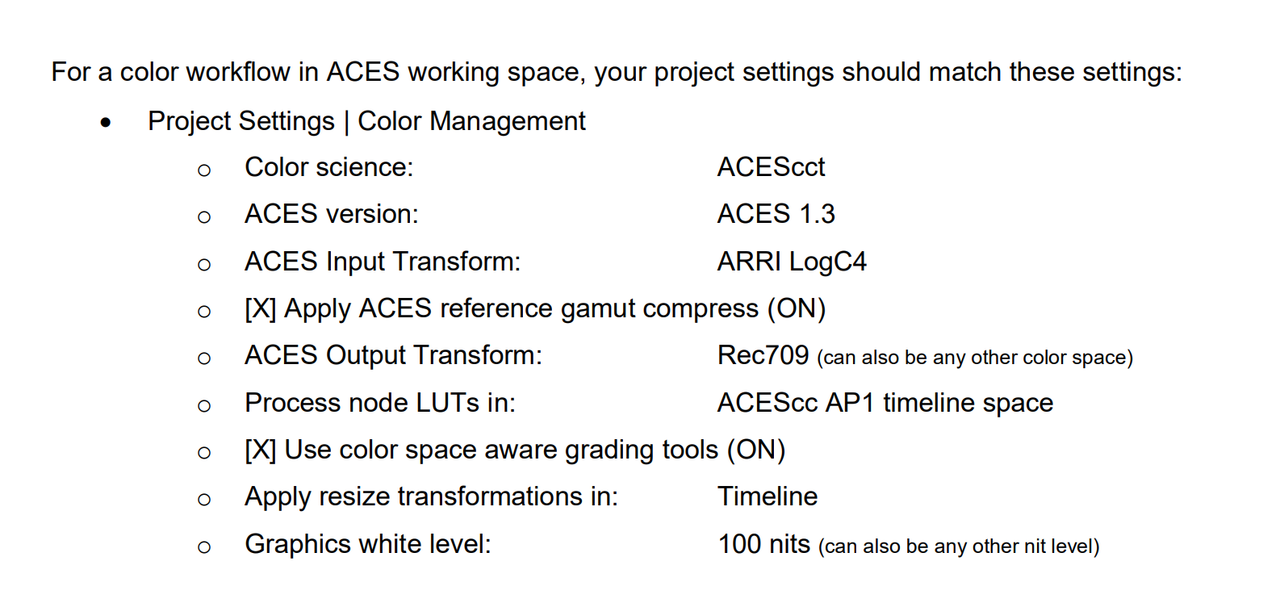
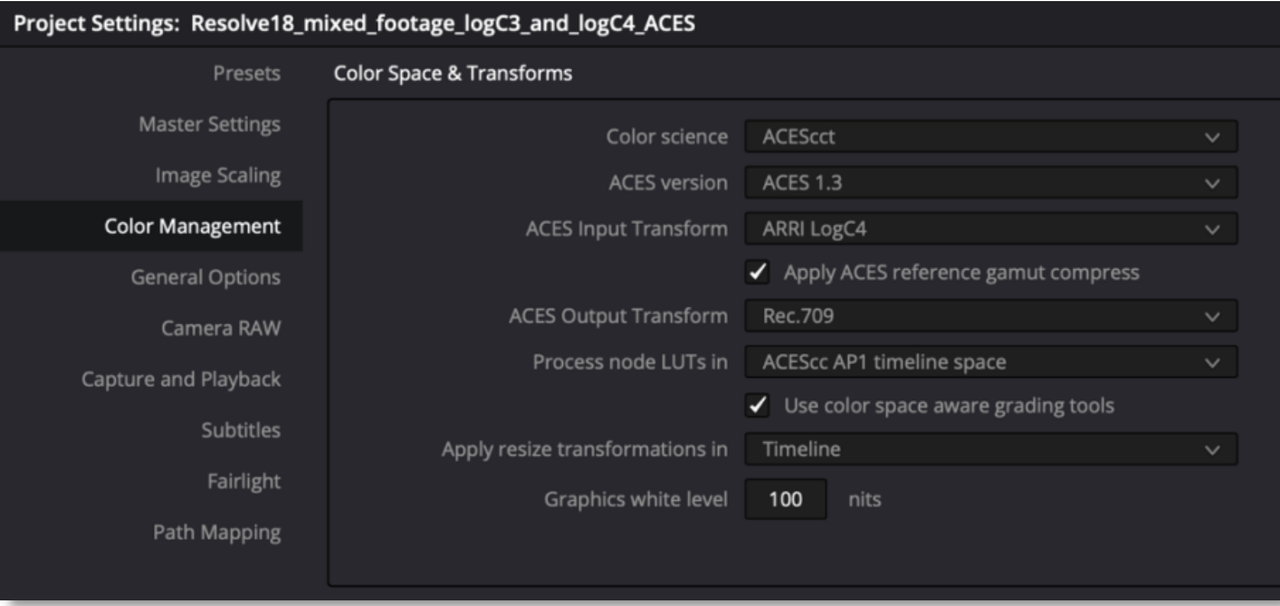
ARRI introduced some familiar and some new workflow Approaches in the "Color workflows for mixing LogC3 and LogC4 Sample Projects" PDF above for Davinci Resolve.

Screengrabs from ARRI's PDF

Resolve None Color Managed for ALC3 to ALC4(The "OUTPUT COLOR SPACE" setting of "REC 709-A" is for Mac users.)

Screenshot-6831.png

Screenshot-6832.png


Screenshot-6833.png


Screenshot-6834.png


ARRI LOG-C4 RESOLVE COLOR MANAGED

Screenshot-6835.png

Screenshot-6836.png


Screenshot-6837.png


Screenshot-6838.png


ARRI LOG-C4 DAVINCI WIDE GAMUT


Screenshot-6839.png


Screenshot-6840.png


ARRI LOG-C4 ACES


Screenshot-6841.png

Screenshot-6842.png
 
Last edited:
Back
Top