Welcome to our community

Be a part of something great, join today!

  • Hey all, just changed over the backend after 15 years I figured time to give it a bit of an update, its probably gonna be a bit weird for most of you and i am sure there is a few bugs to work out but it should kinda work the same as before... hopefully :)

Using Impero and Birger

a roma?
 
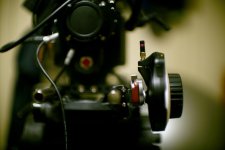
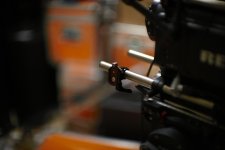
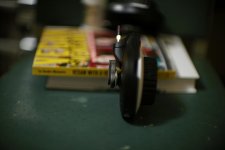
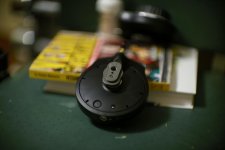
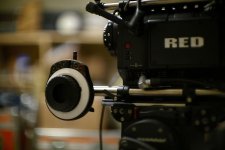
I wanted to share this Impero mounting solution which isn't the least expensive option but allows for quick switching between hand held and standard iris rod mounting. I used one 16x9 Cine Lock and one Element Technica 19mm Speedy Clamp. Even with the male part of the Cine Lock on the back of the Impero, it is still comfortable in hand. Check out the photos...
 

Attachments

  • Custom Name 009.jpg
    Custom Name 009.jpg
    48.1 KB · Views: 0
  • Custom Name 010.jpg
    Custom Name 010.jpg
    42.9 KB · Views: 0
  • Custom Name 012.jpg
    Custom Name 012.jpg
    34.8 KB · Views: 0
  • Custom Name 013.jpg
    Custom Name 013.jpg
    35.5 KB · Views: 0
  • Custom Name 014.jpg
    Custom Name 014.jpg
    38.8 KB · Views: 0
Hi all,

Ok... I just spent the last 3 hours searching for a way to get lens data to appear after changing a lens and without having to reboot the camera...

Is there really NO WAY to do this?
Will this problem ever be solved?
Can anyone advise me on this matter? How can any DP work that way? (having to reboot everytime he changes the lens, just to be able to check the iris...)
 
Hmmmm, it worked before for earlier builds. I upgraded to a newer build and had to roll back a build so that my lens data was visible. It is a bummer because I don't get to take advantage of some of the new build benifits. Maybe Red will be sure to include this in a future build?
 
Hi all,

Ok... I just spent the last 3 hours searching for a way to get lens data to appear after changing a lens and without having to reboot the camera...

Is there really NO WAY to do this?
Will this problem ever be solved?
Can anyone advise me on this matter? How can any DP work that way? (having to reboot everytime he changes the lens, just to be able to check the iris...)

You can make a list of iris settings available for each lens when mounted on a Canon body, then when on the RED open up or close down fully and then count button clicks irising up and down. Not as good as lens data, but a solution of sorts.
 
I wanted to share this Impero mounting solution which isn't the least expensive option but allows for quick switching between hand held and standard iris rod mounting. I used one 16x9 Cine Lock and one Element Technica 19mm Speedy Clamp. Even with the male part of the Cine Lock on the back of the Impero, it is still comfortable in hand. Check out the photos...

Cool. Thanks Jamison.

-michael zaletel
 
Hmmmm, it worked before for earlier builds. I upgraded to a newer build and had to roll back a build so that my lens data was visible. It is a bummer because I don't get to take advantage of some of the new build benifits. Maybe Red will be sure to include this in a future build?

RED never supported this feature of Birger mounts - in fact it was one of the primary reasons for discontinuing support of Birger mounts as a mount approved for use on RED without invalidating RED warranty or trade-in options.

If you want future use of this feature, then it is up to Birger Engineering to continue to upgrade their firmware to keep up with RED, but be aware this is non-approved connection of a 3rd party mount.
 
Thanks for the answers, guys.

Hmmmm, it worked before for earlier builds. I upgraded to a newer build and had to roll back a build so that my lens data was visible. It is a bummer because I don't get to take advantage of some of the new build benifits. Maybe Red will be sure to include this in a future build?

Lonny, what version of build does it work with?
I've personaly never seen it work fine. I mean, I do get lens data when I first boot my camera with the lens already put on (even with build 30). But every time I switch lens, it disappears... I've tried different lens data base 20a, 20c, 20d... I've tried to play with s4/i option in the menu of the camera, etc. I've tried to unplug the alim out of the birger and plug it back in... Nothing works.

but be aware this is non-approved connection of a 3rd party mount.

Eric, I think that warranty-not-being-covered issue does not apply to me, no matter what build i use, because I was authorized to put on the birger mount before these problems between red and birger.

Are you sure this is a firmware issue on birger's part? If so, what's stoping Erik from solving it? Has anyone talked to him on the phone about that?
 
You can make a list of iris settings available for each lens when mounted on a Canon body, then when on the RED open up or close down fully and then count button clicks irising up and down. Not as good as lens data, but a solution of sorts.

Yeah... I was afraid to read something like that.
Have we all lost hope to get a fully working product?
 
Last edited:
It may be that we just need to tell Erik at Birger.

Once the Epic ships and people start choosing option 2 (therefore ensuring a lot of RED ones will not be traded in) I think you'll see a lot more of the Birger mounts being installed. For not a lot of coins you can use so many interesting lenses.

Anyway, we should get in touch with Erik re: lens data. I haven't upgraded builds for a little while...

p
 
I'm running camera firmware v21.4.1 with the latest Birger lens library (can't remember offhand) and the 3rd Party Protocol Support in the BEI Device Interface App are all checked, and I get lens data perfectly, even with lens changes, no reboot needed.

If I boot the camera without the mount or lens, I have to manually check the lens data in the camera menu, but that's it, it works from then on.
 
I'm running camera firmware v21.4.1 with the latest Birger lens library (can't remember offhand) and the 3rd Party Protocol Support in the BEI Device Interface App are all checked, and I get lens data perfectly, even with lens changes, no reboot needed.

If I boot the camera without the mount or lens, I have to manually check the lens data in the camera menu, but that's it, it works from then on.

Ok... I'm gonna try build 21.4.1
You're giving me hope...
 
Are you sure this is a firmware issue on birger's part? If so, what's stoping Erik from solving it? Has anyone talked to him on the phone about that?

You can't necessarily address it from the mount firmware side, depends on what RED is doing on that particular build. Does anyone know if the new builds work (provide i-data) with the RED 18-50 which is the most common non-canon lens with i-data?
 
I hear you for your Birger issues.
My Birger mount works ok with build 30, lens data ecc ecc everything working smooth like with the 21.
Didnt upgrade to the very latest 30 thou.
Really hope this last to Mx (soon soon soon) and beyond.

Jfyi, last week the 1 year old 85 was shorting when mounted, Impero never paired, (cable or W). Brought the lens to the Canon repair shop: focus center calibration and 180€ and evrything was back to normal, just for today.
 
Ok... I think I've got it working, by checking all the third party protocol!

The only problem is that the s4/i option gets turned off, at times. I just need to turn it back on. No reboot. All is better!
 
The only problem is that the s4/i option gets turned off, at times. I just need to turn it back on.

I think Stuart said at some point that the camera turns the lens data off when it receives incorrect data. Perhaps a good idea to follow whether the S4/i switch gets turned off always with the same lens(es).
 
I updated my RED to release build 21 build and the Birger/Impero filmware to the latest build only last week - it is fantastic, but I don't have idata. For that reason I'm thinking of going to build 30. Anyone who has installed 30 have any issues, problems or recommendations?
 
Back
Top