Welcome to our community

Be a part of something great, join today!

  • Hey all, just changed over the backend after 15 years I figured time to give it a bit of an update, its probably gonna be a bit weird for most of you and i am sure there is a few bugs to work out but it should kinda work the same as before... hopefully :)

UI & UX ideas

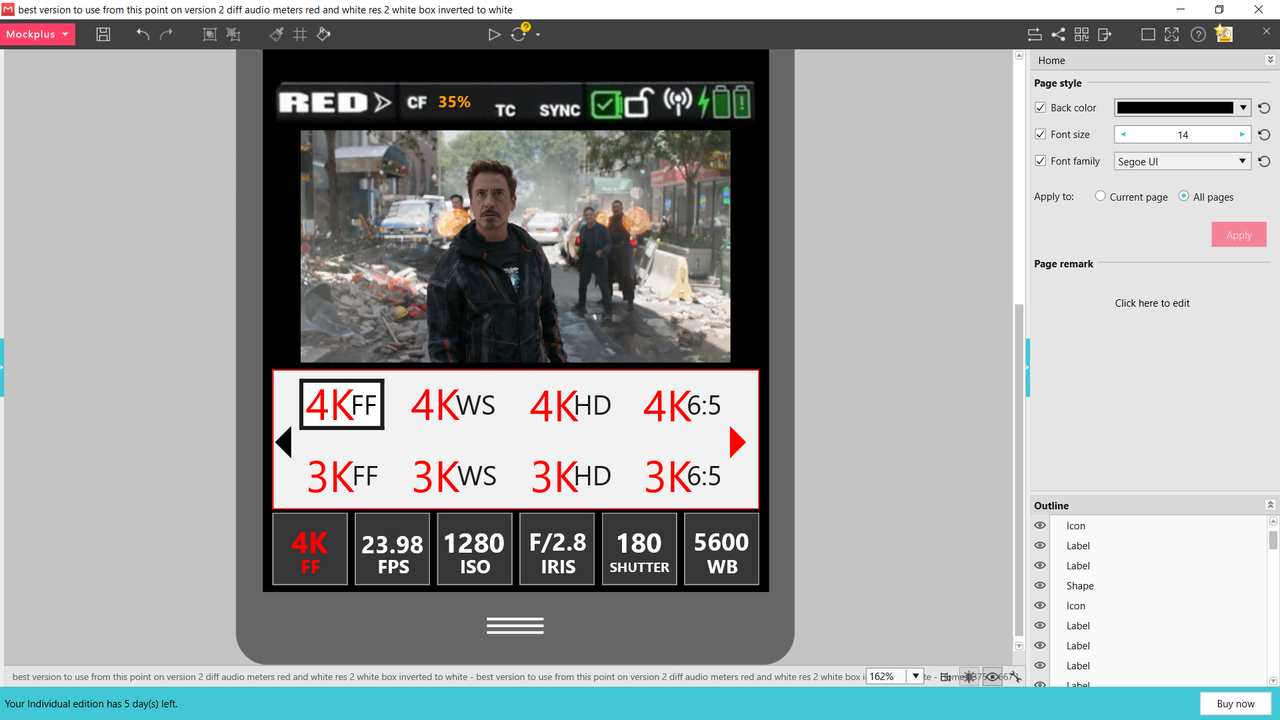
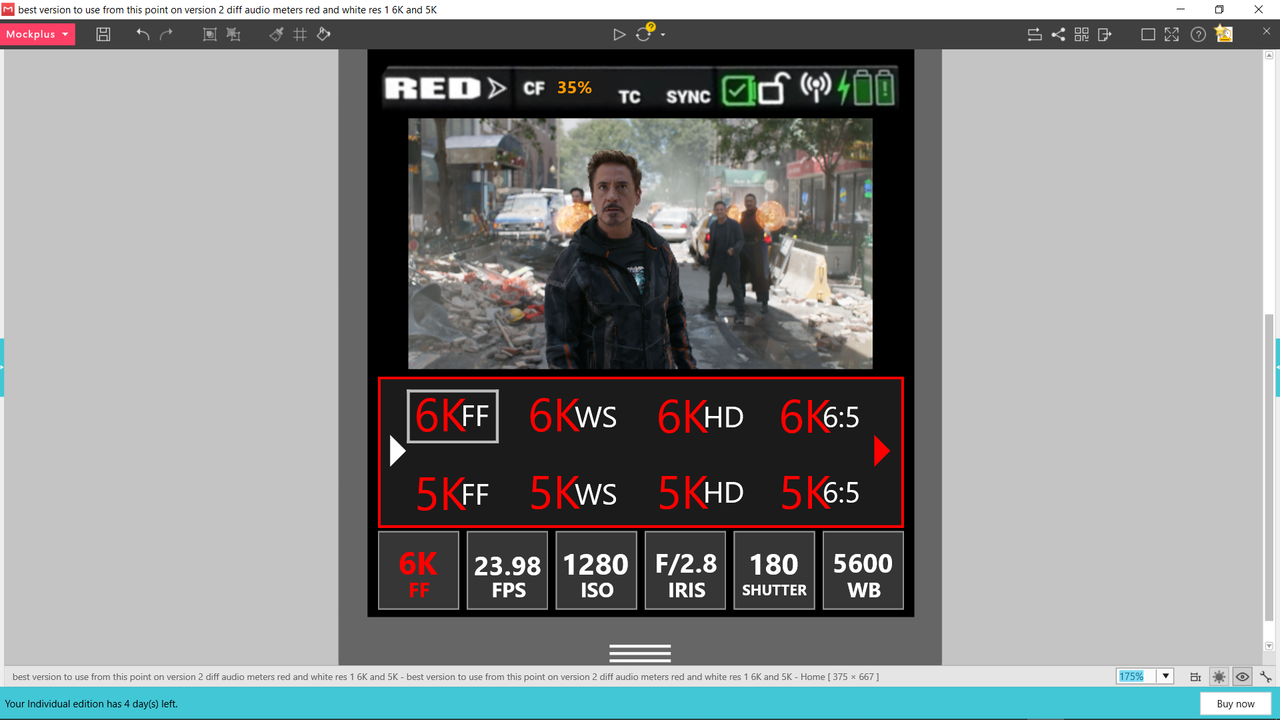
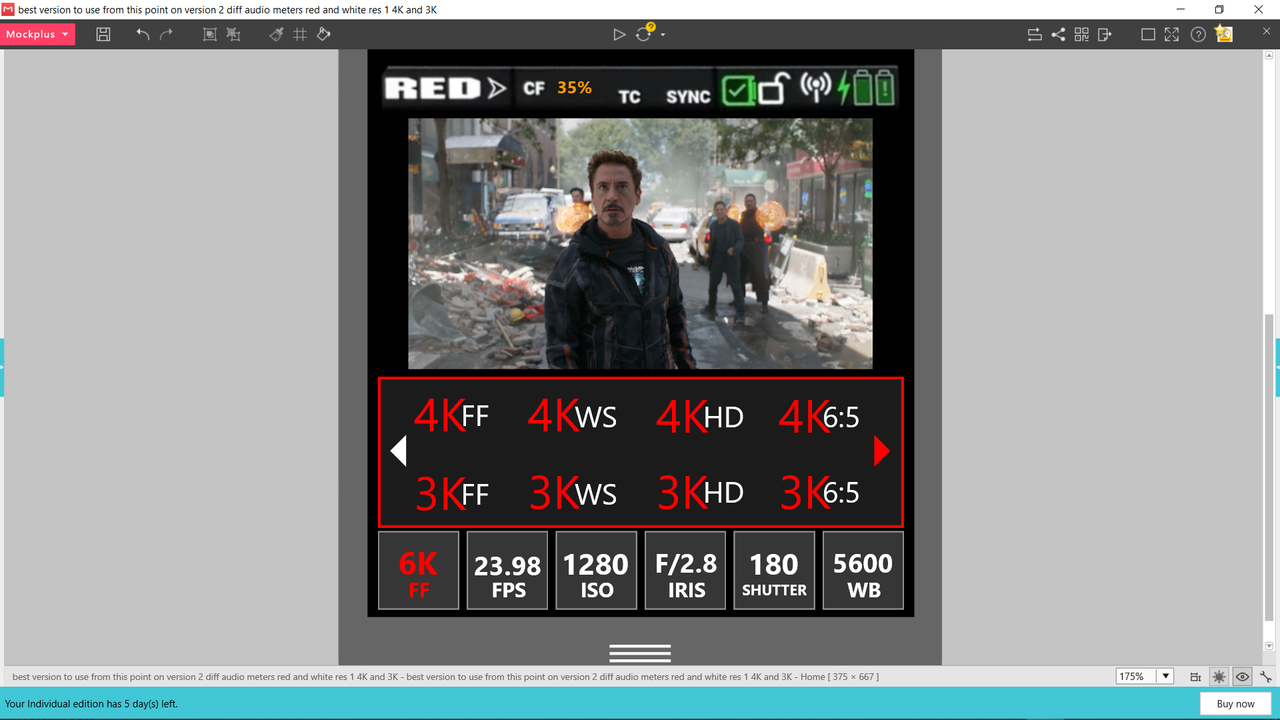
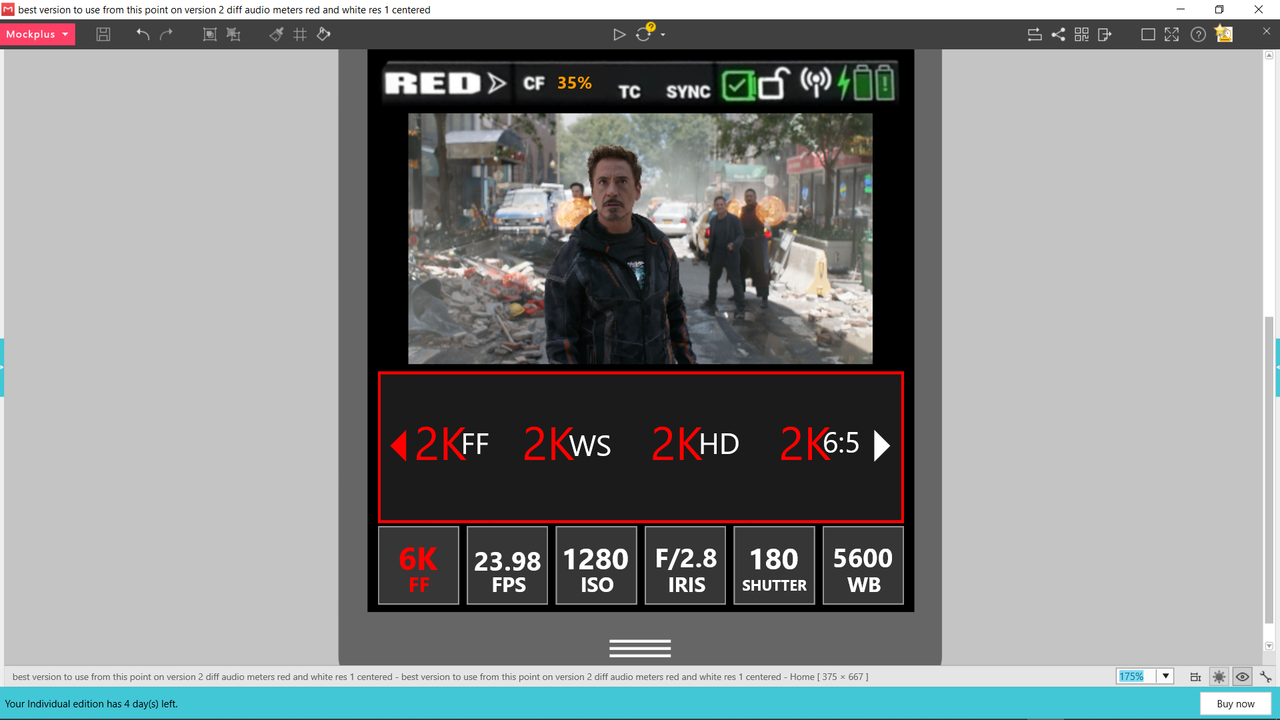
To Robert's point of being able to navigate with the physical buttons, in the example below the Resolutions are navigable by the Left-Right and Up-Down physical buttons.You can also just "touch" the arrows to go to the screen you want with the specific resolution you wanted as well.
Screenshot-1611.png


Screenshot-1609.png


Screenshot-1612.png
 
Last edited:
To Robert's point of being able to navigate with the physical buttons, in the example below the Resolutions are navigable by the Left-Right and Up-Down physical buttons.You can also just "touch" the arrows to go to the screen you want with the specific resolution you wanted as well.

Thanks Rand. Looks good. The last one with a single row is how I imagine a non-touch interface would look. But of course that would slow down and limit touch operation. I guess that's why Red has used a slider, where the selection is centred - it allows one to scroll through linearly with the UP/DOWN buttons and also tap nearby settings or swipe for larger changes.
 
Robert,

I considered to just keep one centralized row of resolutions and just swipe with touch or left and right with the physical buttons. However, I just thought of all the wasted space of only 4 selectable items of 5 menus screens, in this case, or 2 menus of 8 selectable items plus one menu with 4 selectable items for a total of 3 menu screens.
 
the Y axis can be used to change the strength of the the adjustment for horizontal controls.
Great! Works perfectly for some video players, such as Infuse on iOS!

Another thing with slide – on iOS when you fine-tune something and lift off your finger iOS thinks there was a value change. This is the reason behind making arrows for larger value changes and 1 unit increments for substantial swipe input. But with that Y axis sensitivity you can really get away with adjusting everything by swipe if that's your preference!

I would have the swipe initiation area to be the value with surrounding oval, with Y to have minimum sensitivity on top of the adjustment and increase when you move your finger lower (so you don't block the view). Even if you don't discover this Y-sensitivity feature – everything works fine, and if you do ... it's even better!

this is a very old video of first ML version with focus assist

Whoa! Those guys did a lot of QoL improvements :D that means it's probably possible!
 
Last edited:
<snip> But with that Y axis sensitivity you can really get away with adjusting everything by swipe if that's your preference! !

Exactly.

Parameters on RED can one (or all) of:
+) A list of values
+) A formula - with minimum incremental value (which is usually very small)
+) A value that the user can type in.

Parameters can also be :
+) Change instantly (like Fan Speed, Colour temp)
+) Changes that Need to wait for the Camera to reconfigure (like frame rate)

INKontrol : Allows cycling between (Default) LIST -> EDIT -> Whole Screen SWIPE (more real estate = easier to control the target value).

<snip>Whoa! Those guys did a lot of QoL improvements :D that means it's probably possible!
Canon were initially 'slightly' unhappy with the team ... but ultimately incorporated some of the mods in hardware.

AJ
 
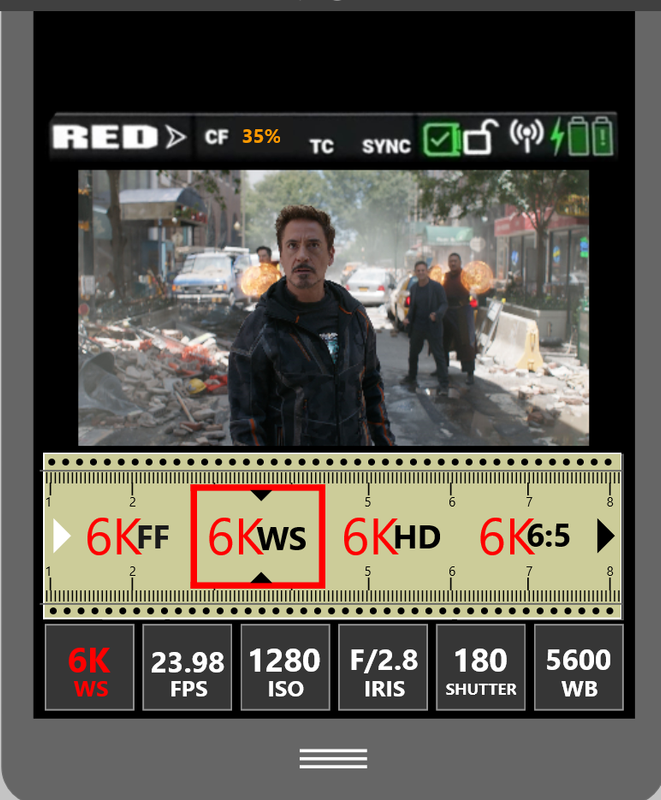
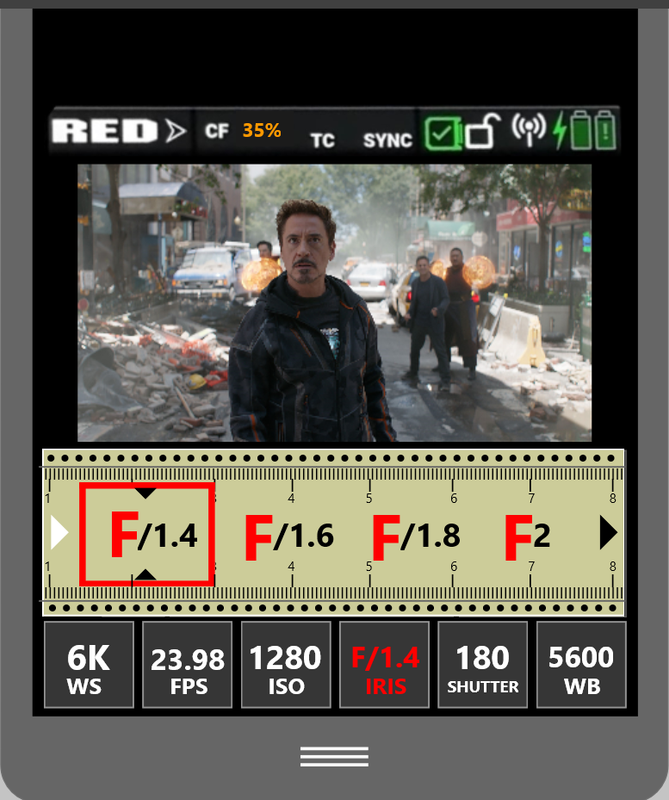
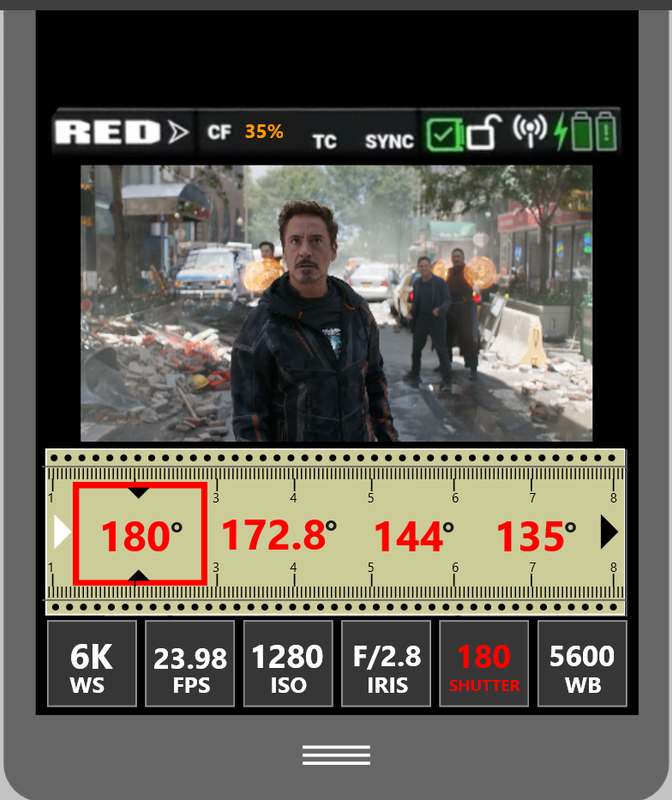
Resolution with ruler and sliding indicator to make a selection.


Screenshot-1653.png
 
Last edited:
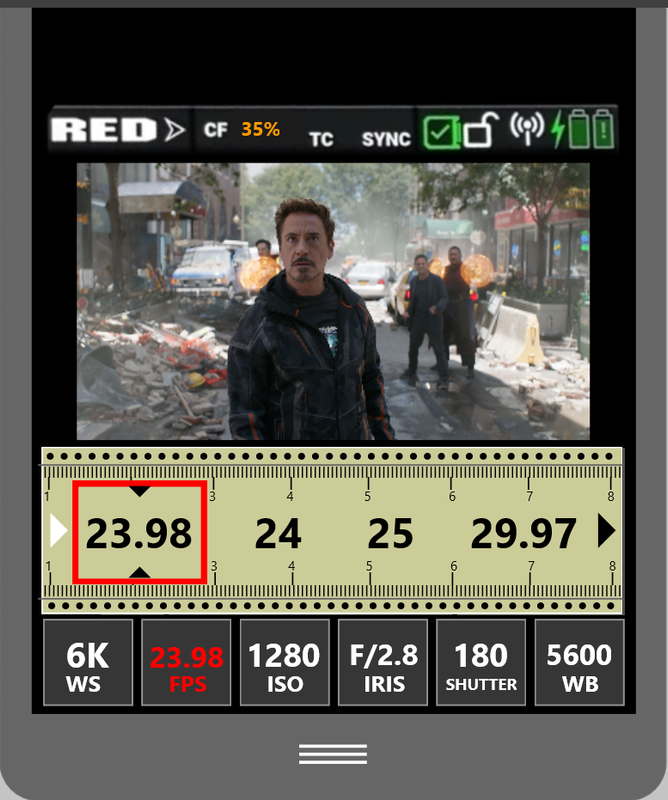
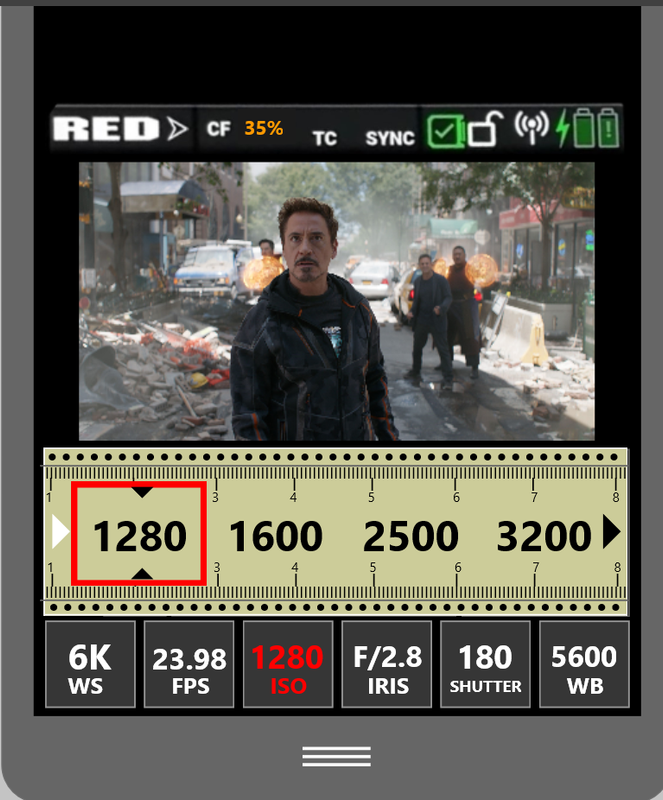
Frame Rate and ISO with ruler and sliding indicator to make a selection.


Screenshot-1642.png


Screenshot-1636.png
 
Last edited:
White Balance, best I could come up with with tape measure and controllable with physical buttons.


Screenshot-1649.png
 
Last edited:
Leonardo,


I like the setup, and how you chose to display the ISO. Everything important is still viewable and not covered by the buttons menu settings.
 
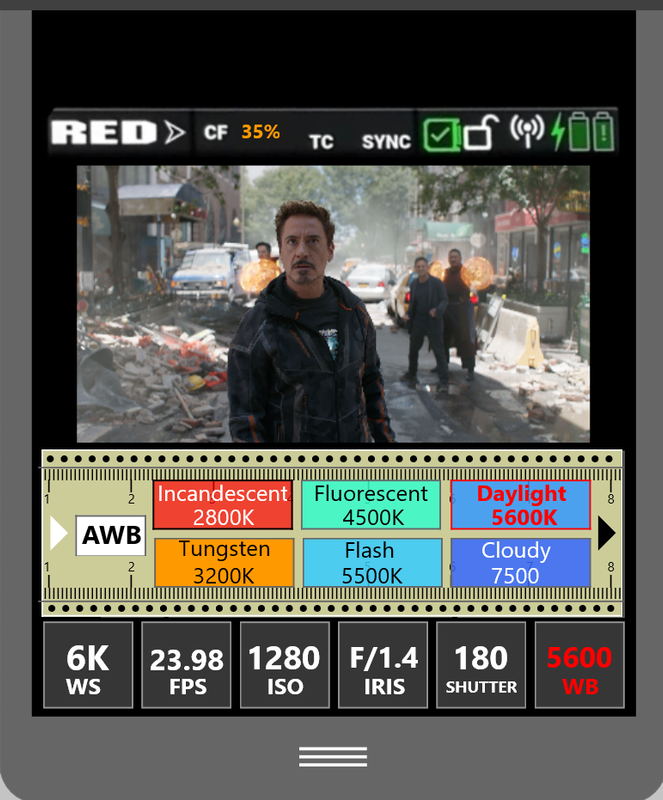
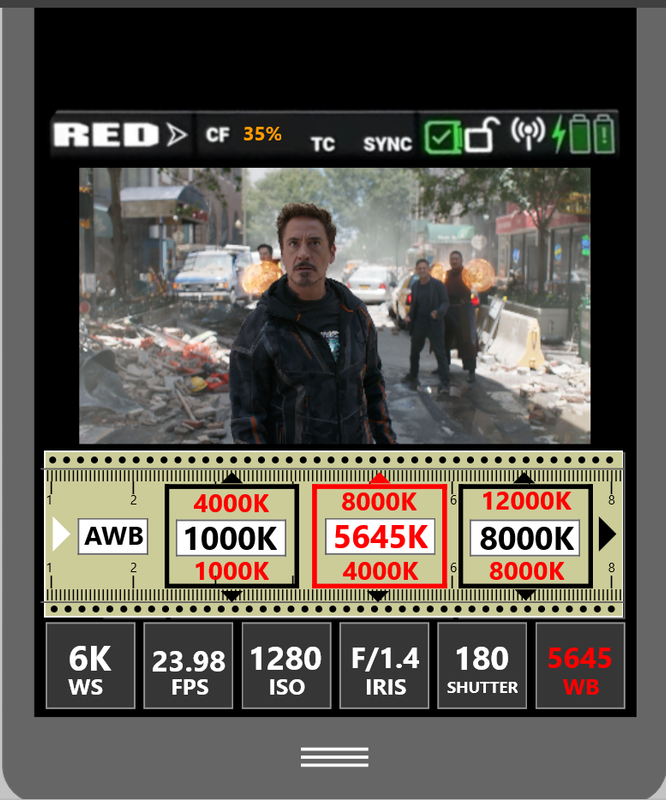
Last Idea for White Balance on Tape measure


Page 1


Would be "AWB" and "Presets", I left "Shade" @ 9000K out.


7-Temp-new-1.png


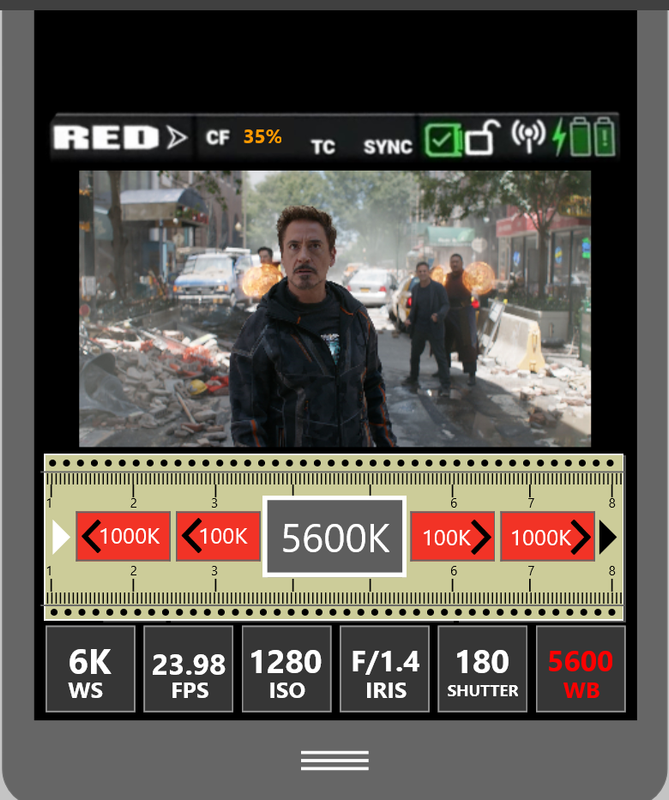
Page 2


Would be "Kelvin" with buttons for 1000K and 100K change, and selecting the center area, box with kelvin number in it, would allow you to go up or down in 1K increments.


9-Temp-new-2.png
 
Last edited:
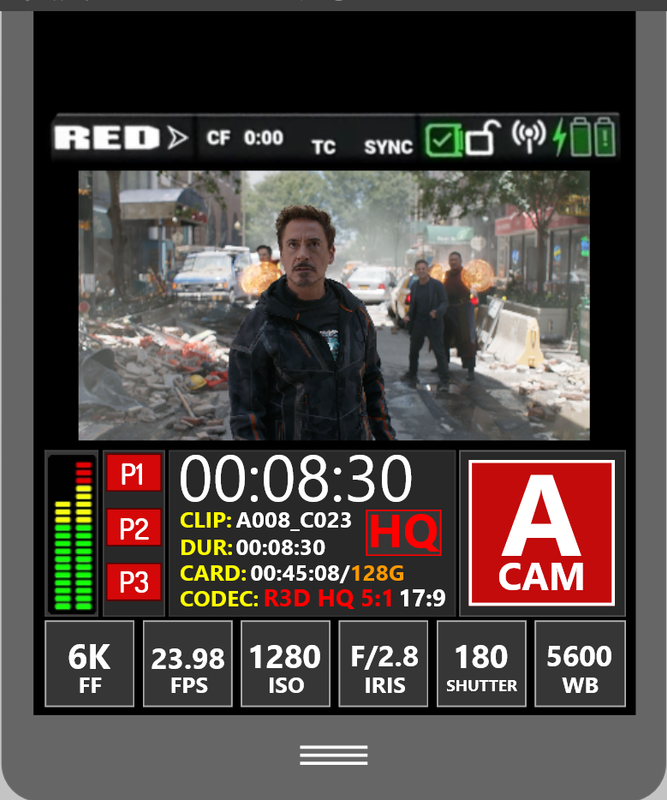
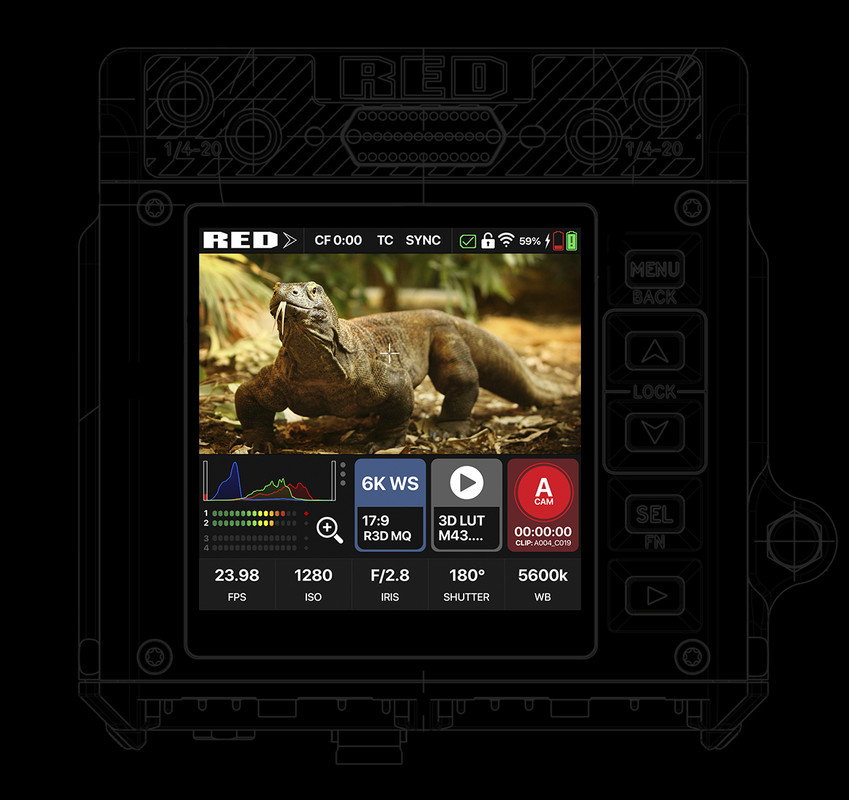
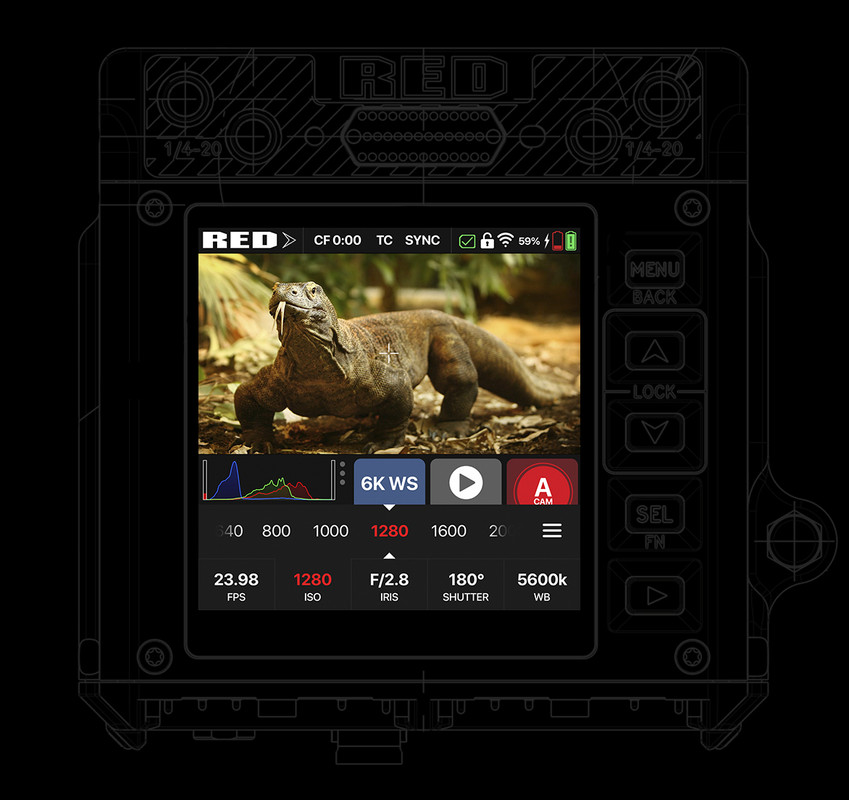
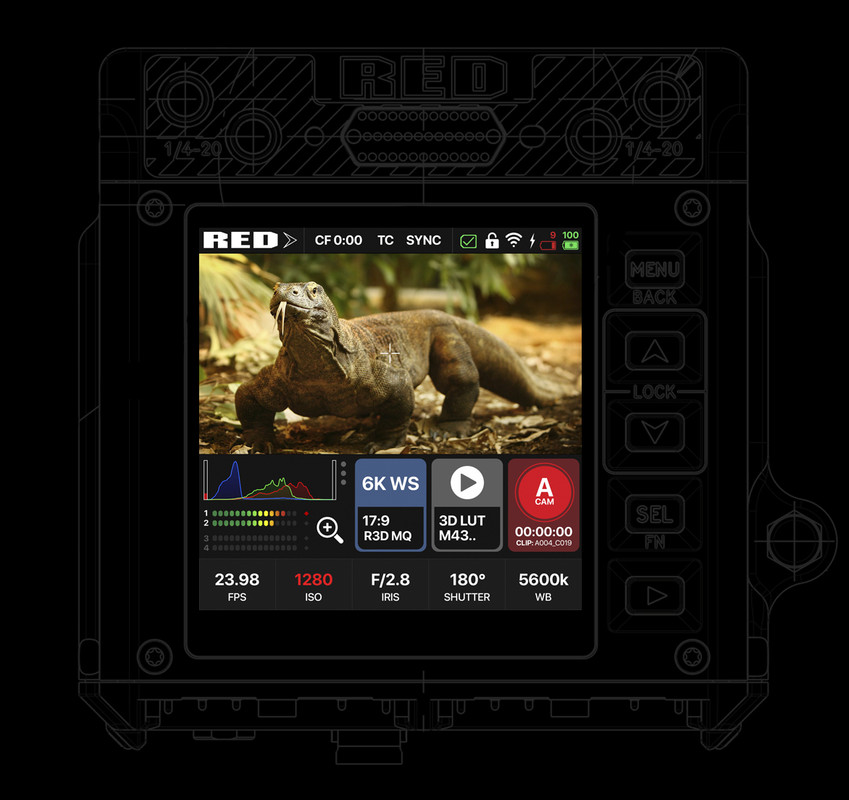
I also created a little mockup. I focused mostly on leaving the histogram and the image visible while changing the settings.

Great work! I was wondering if we could suggest a modification for the display of the battery icons.
By placing them horizontally, it seems to me that we can save space and display the percentage of each one. It's just a suggestion...

2kH5lLT.jpg
 
Some great ideas here.

Here's a rather poorly executed update of my UI ideas, incorporating some of the other concepts here as well.

First image shows "scene" settings. Right hand button (highlighted) takes you back to "on-the-fly" settings. Big histogram shows RGB plus raw in grey.
Second image is a very rough idea of what a simple overlay might look like. Mini histogram becomes active to left of this when changing exposure settings. Scene settings all visible on left button.
Third image shows recording active. Physical buttons increase or decrease value of highlighted button (in this example, iris).

6vjXoAm.jpg
05h87nB.jpg
StSLmw0.jpg
 
Robert,


I like the two screens with separate functions idea instead of putting everything on one screen only. You have what you need for technical monitoring, and you don't sacrifice the size and location of those tools.
 
Leonardo,


I like the setup, and how you chose to display the ISO. Everything important is still viewable and not covered by the buttons menu settings.

Thank you, I think the grey part with playback and 3D lut could maybe still be modified for something that is more useful or important. At least the playback since it has a physical button


Great work! I was wondering if we could suggest a modification for the display of the battery icons.
By placing them horizontally, it seems to me that we can save space and display the percentage of each one. It's just a suggestion...

Hey Yann I like the idea, now we would have to see if it's not too small on the actual screen.

15809441633.jpg
 
.....I think the grey part with playback and 3D lut could maybe still be modified for something that is more useful or important. At least the playback since it has a physical button


Leonardo,


Maybe use the grey button to trigger a menu so that you could audition different IPP2 Highlight Roll-off/ Output Tone mapping combos. Or to bring up lens metadata like focus distance and the aperture that was selected.
 
Back
Top