Welcome to our community

Be a part of something great, join today!

  • Hey all, just changed over the backend after 15 years I figured time to give it a bit of an update, its probably gonna be a bit weird for most of you and i am sure there is a few bugs to work out but it should kinda work the same as before... hopefully :)

UI & UX ideas

Robert,


Not Complicated at all. You can use whichever tool you want . You can use the Presets only and never use Kelvin and Tint ,CTO/CTB or AUTO WB. It's whatever you want to use. Why exactly are you needing to use the physical buttons when everything is selectable with touch? The overlays come up automatically when you press the buttons at the bottom, you don't have to select the overlay with another step.
 
Heya everyone!

I think I might've found a solution for displaying extra overlays, such as histogram. Since nothing (at least in my concept) is triggered by vertical swipe, it can be used to trigger an overlay.

RED-KOMODO-UIv3-Histogram-S.jpg


I kept the goalposts from original design as well, turning them horizontally

More menus with new UI elements and "in action" preview in the video:


Had a little fun in the end of the video to celebrate all of the impossible ideas that come to mind :D
 
Stanly,


You've found the answer to the Histogram problem. And I like the new main display.
 
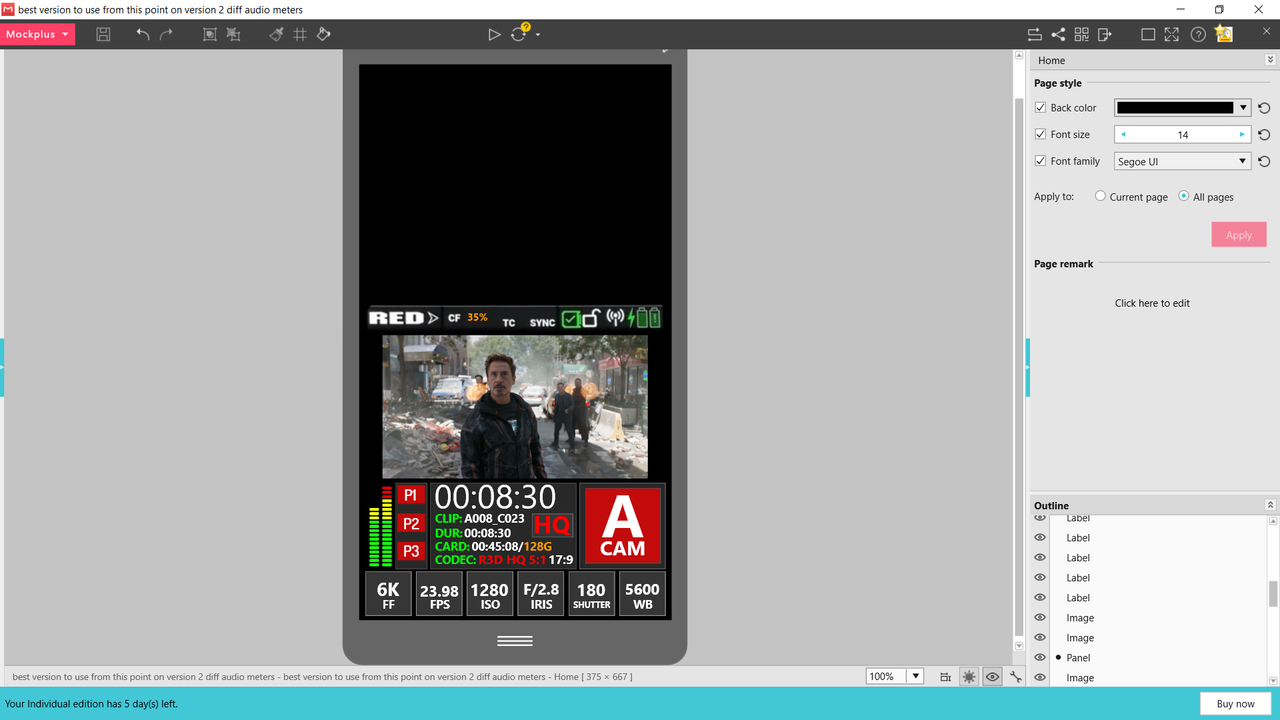
I only have 6 more days left on the 15 day trial of MOCKPLUS, I won't be buying it so.........

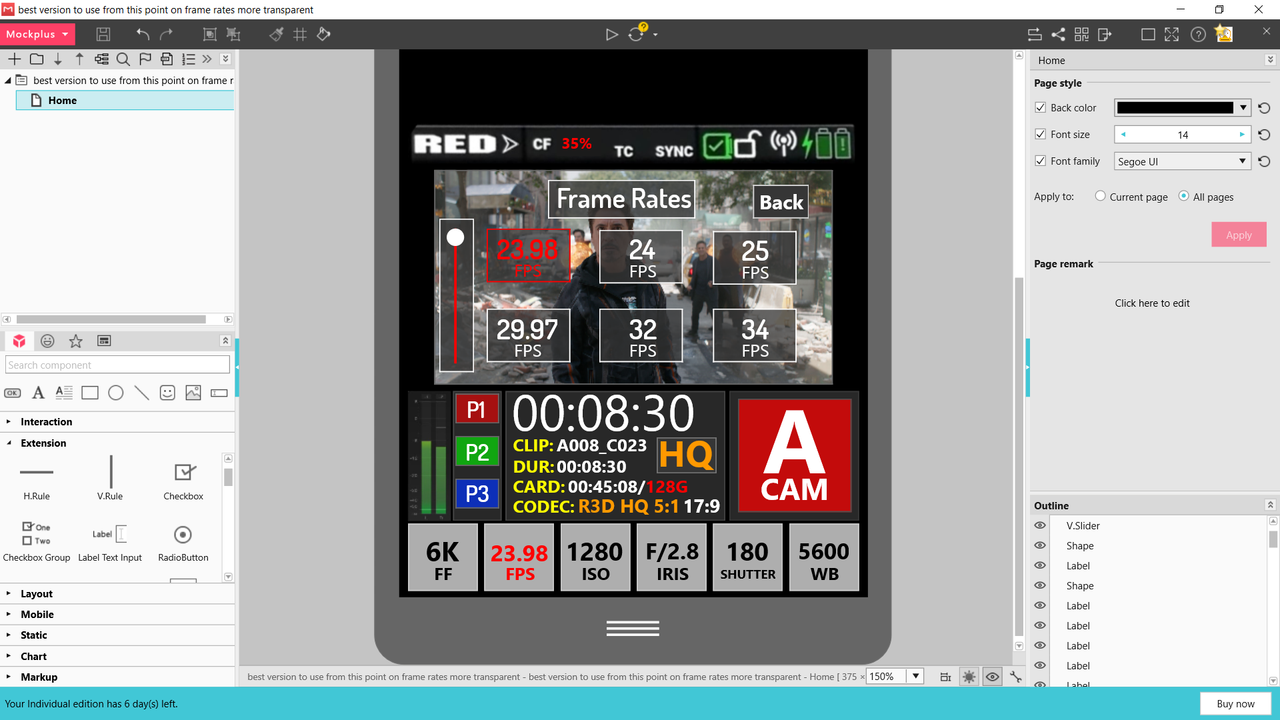
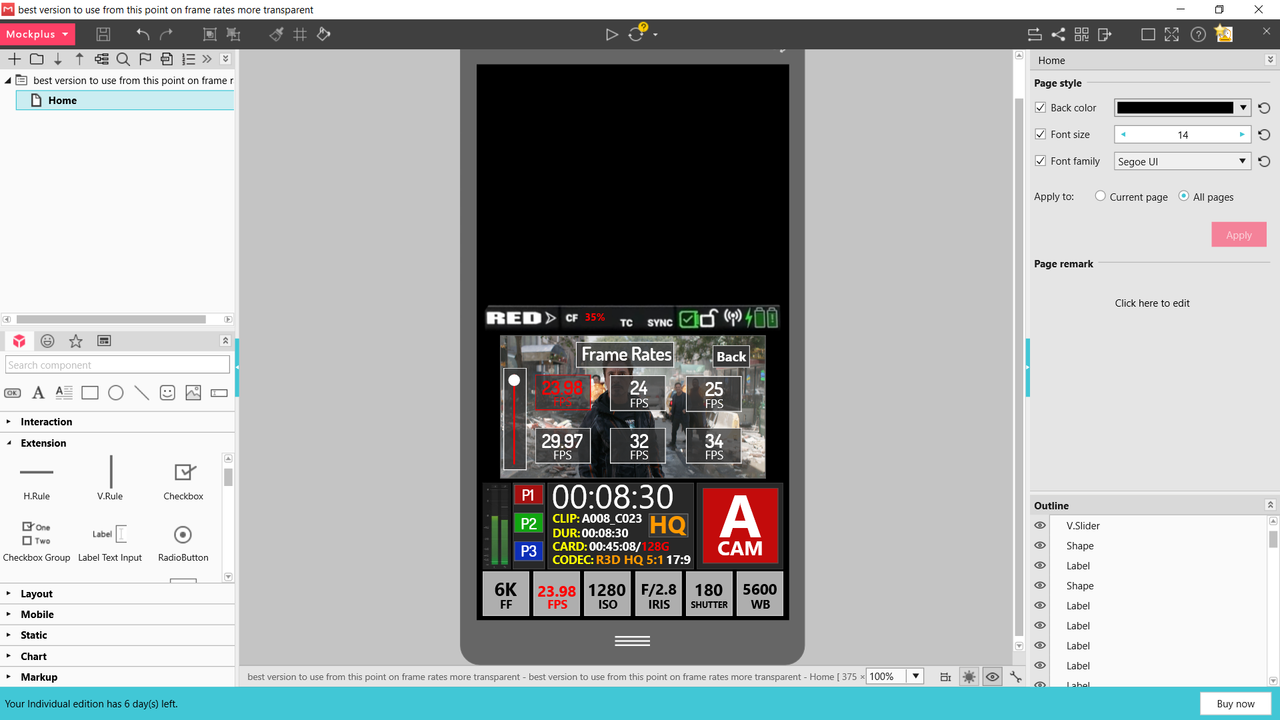
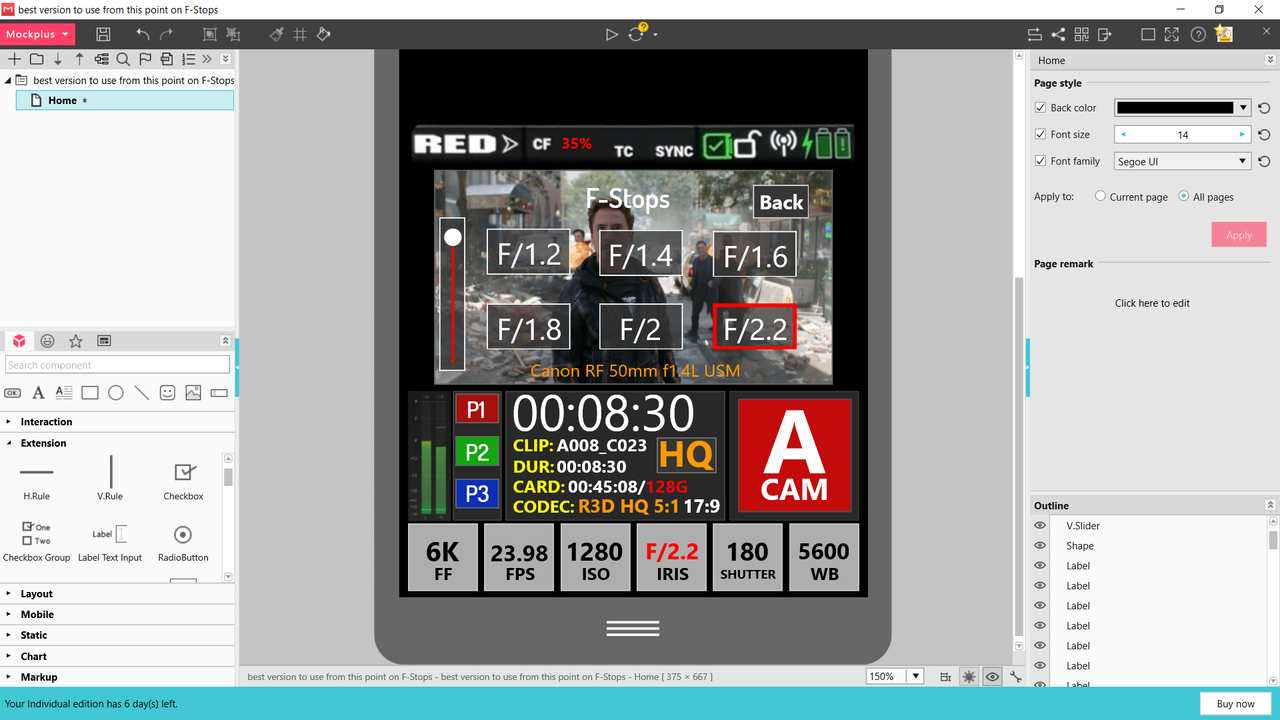
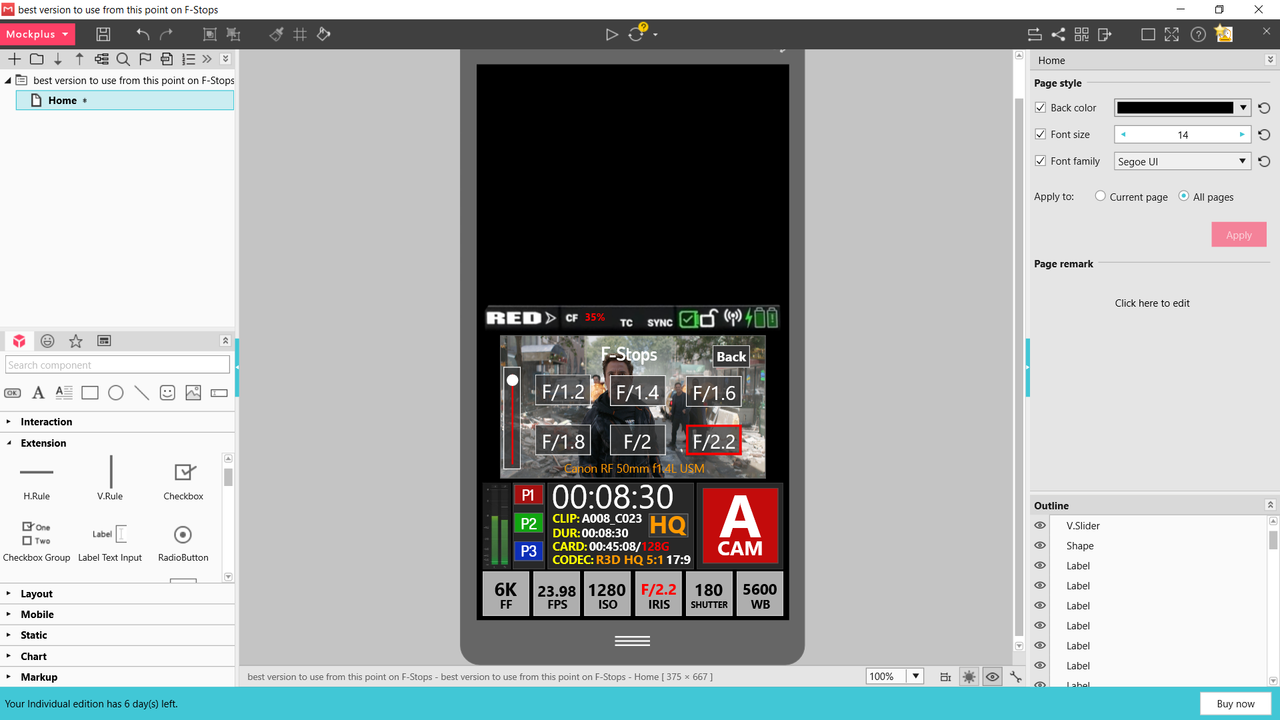
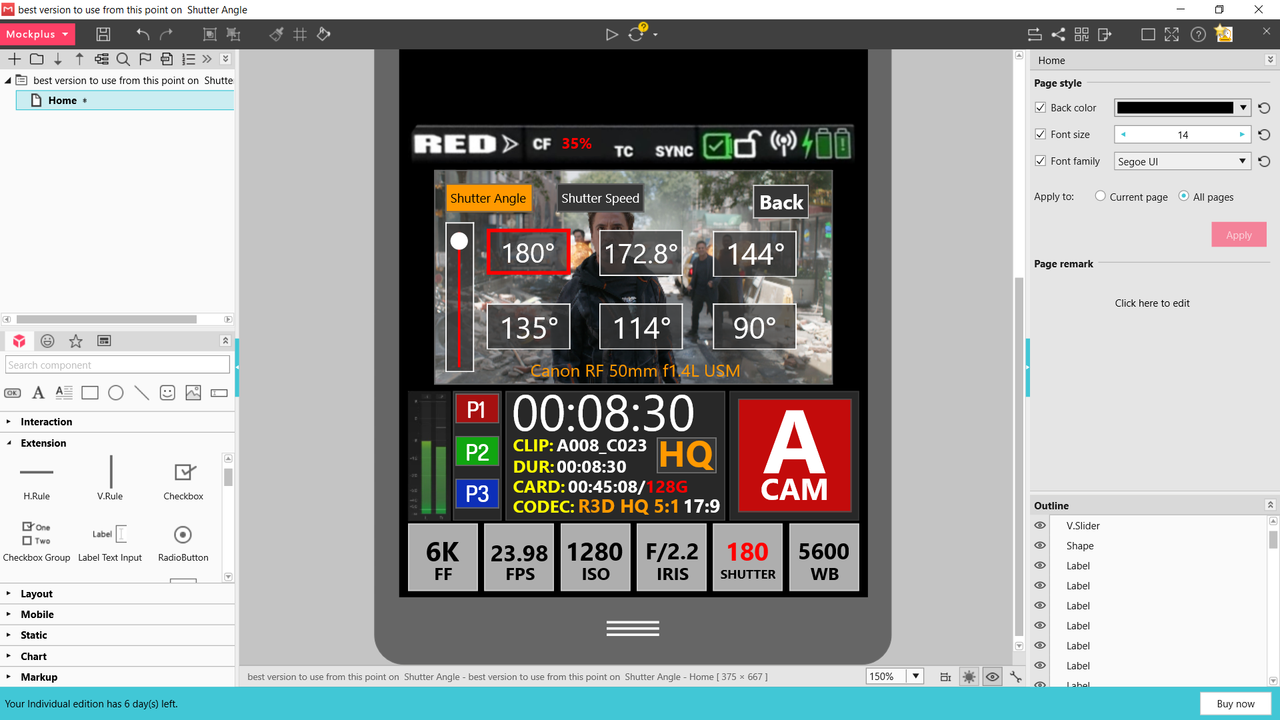
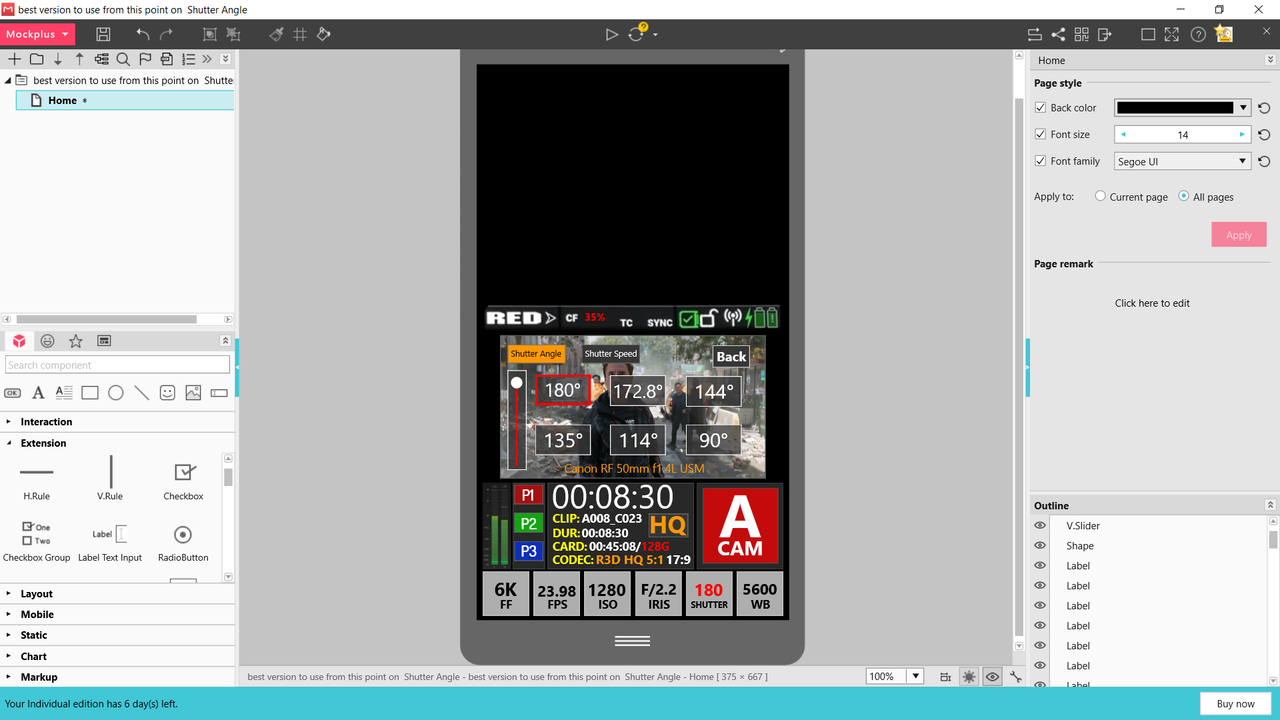
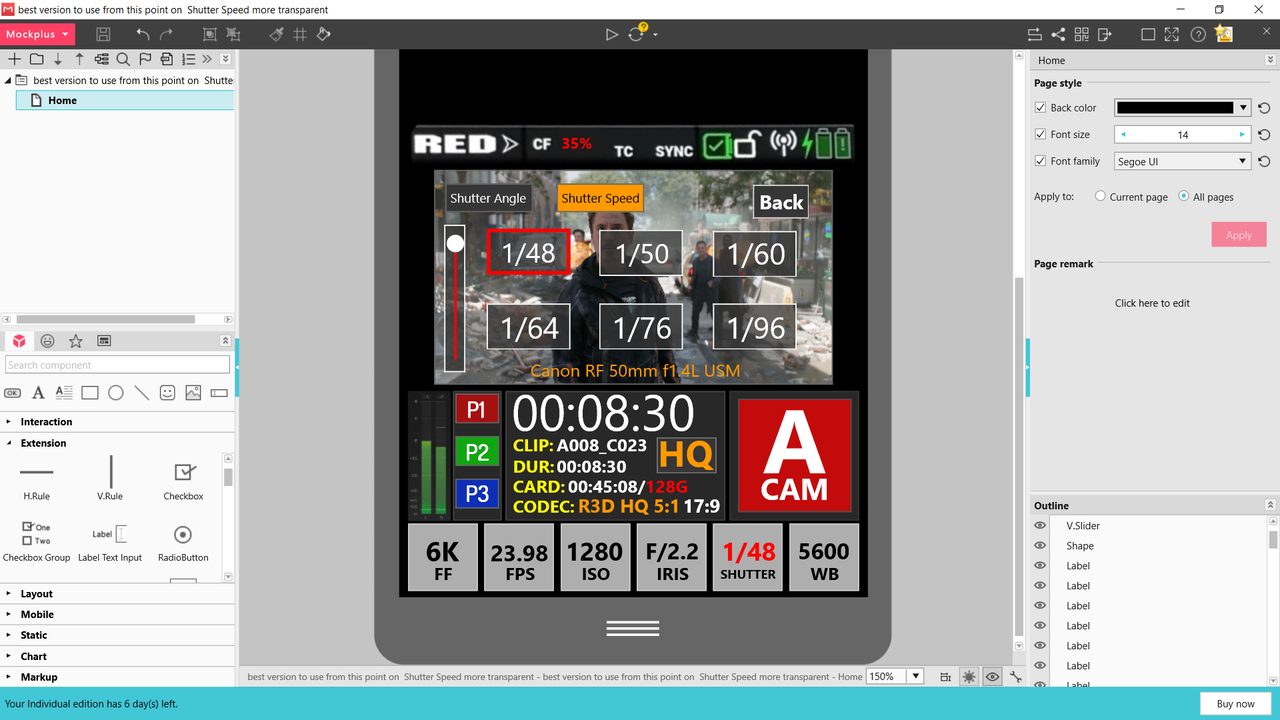
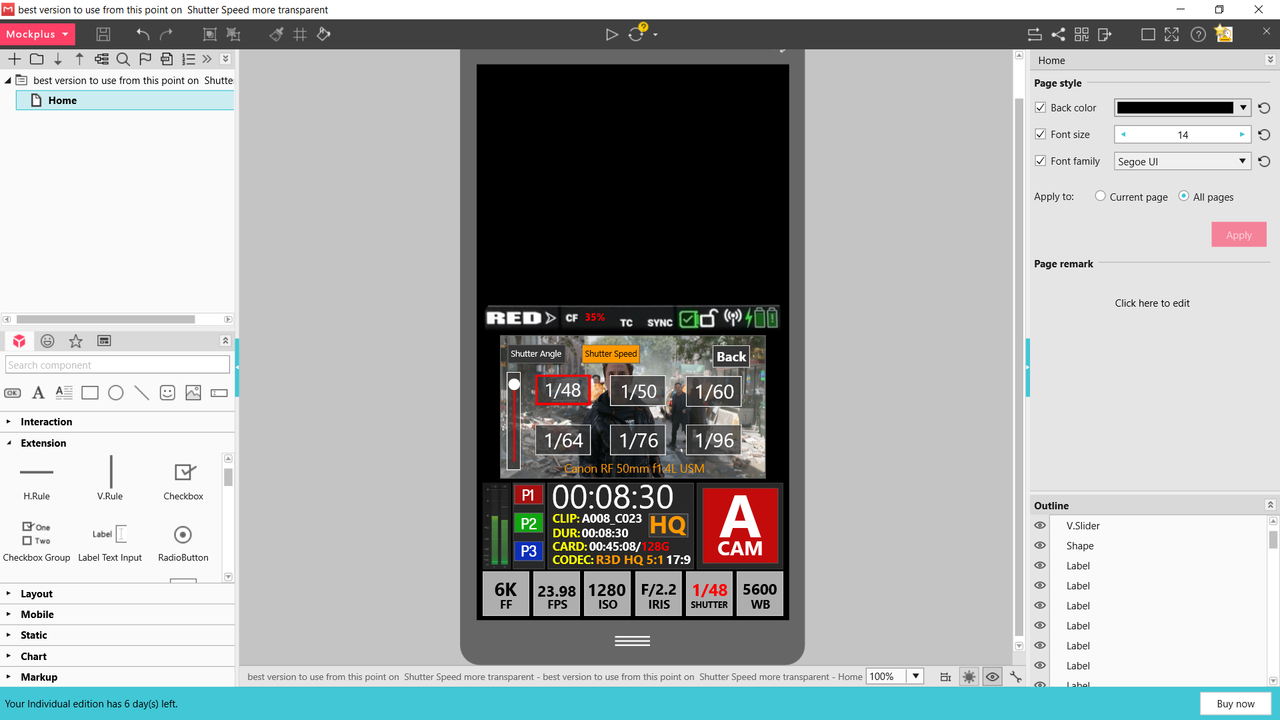
Here are the last of the Menus. Back are the "On Screen" Multple choice boxes again for Frame Rate, IRIS , Shutter Angle and Shutter Speed.


Screenshot-1581.png


Screenshot-1580.png


Screenshot-1587.png


Screenshot-1586.png
 
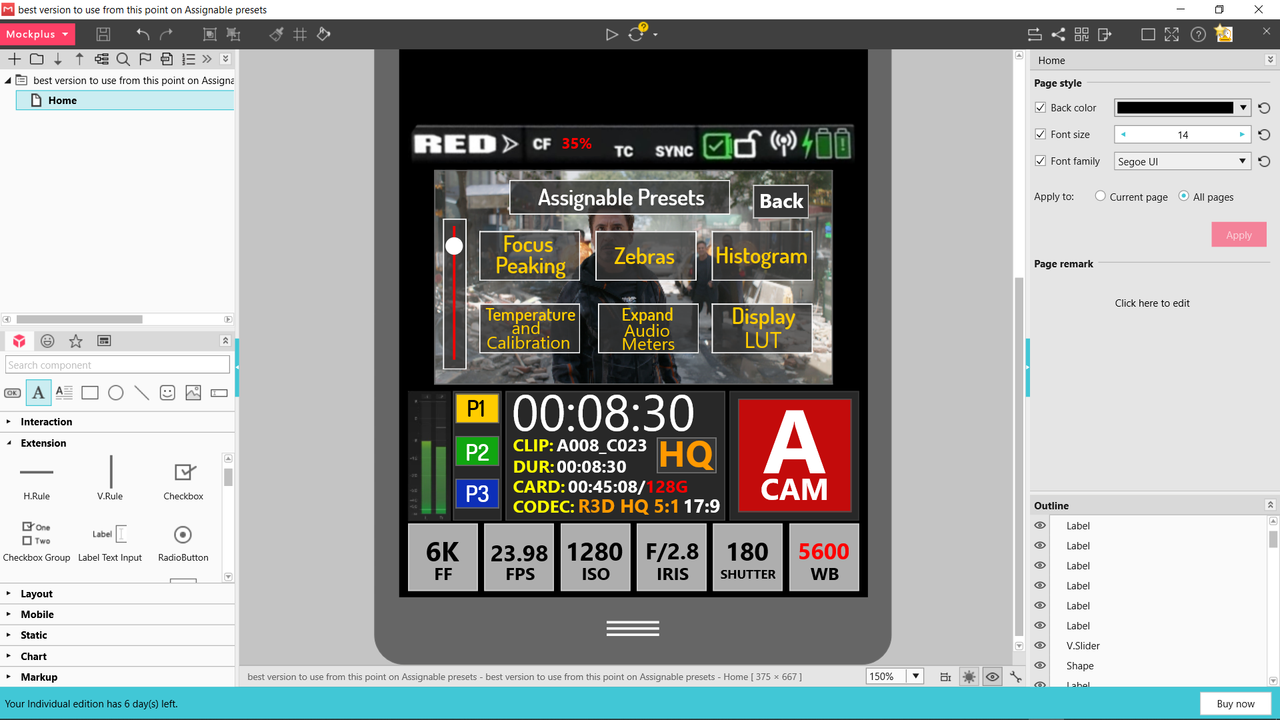
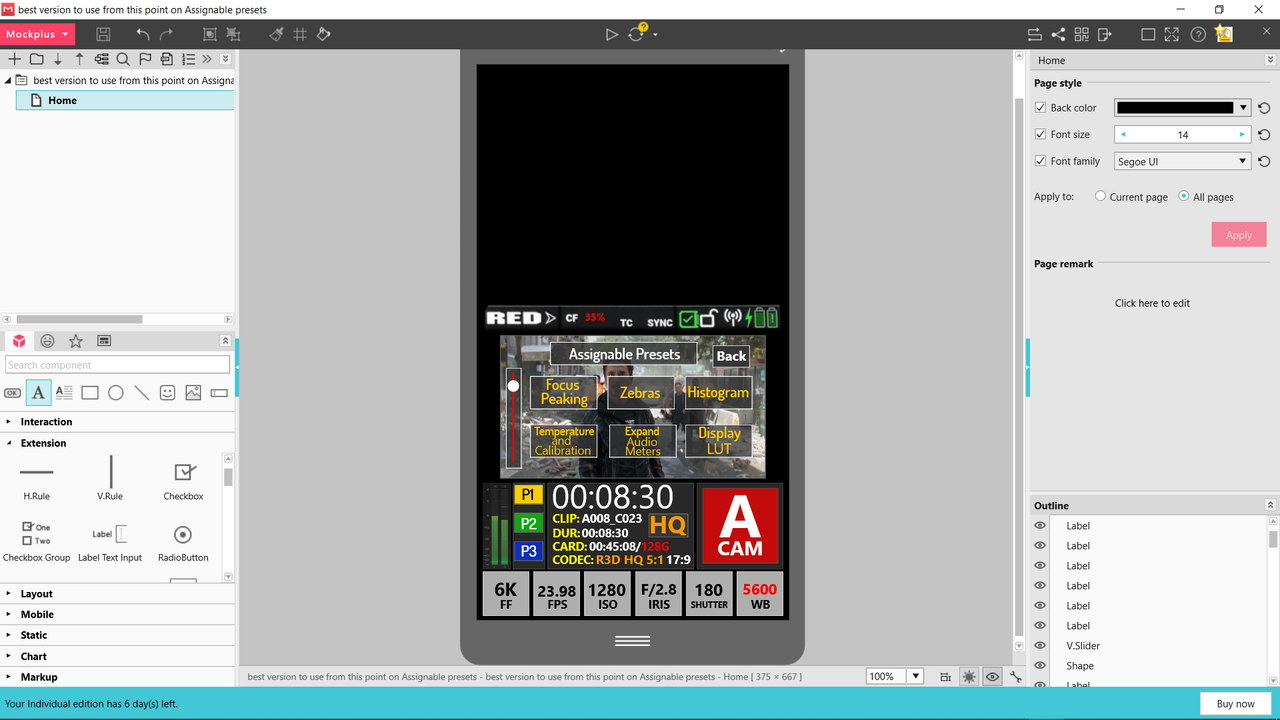
Here's an Idea for an assignable "preset Menu" on-screen display to help with assigning preset functions to the three preset buttons.


Screenshot-1594.png


Screenshot-1593.png
 
Heya everyone!

I think I might've found a solution for displaying extra overlays, such as histogram. Since nothing (at least in my concept) is triggered by vertical swipe, it can be used to trigger an overlay.

Very nice Stanly! That split-screen magnification toggle is great. Especially since the mini-exposure bars are still visible. I wasn't mad about putting the histogram over the preview, but you've done it really nicely and it's great that it can be activated while changing exposure settings.
 
... Why exactly are you needing to use the physical buttons when everything is selectable with touch?

Maybe I am wrong, but I just thought everything needed to be easily usable via the physical buttons. In some situations, touch screens become difficult to use. eg. wearing gloves, screen gets a bit wet, rigged so top screen not easily visible, shooting while bumping around in a moving vehicle.

... The overlays come up automatically when you press the buttons at the bottom, you don't have to select the overlay with another step.

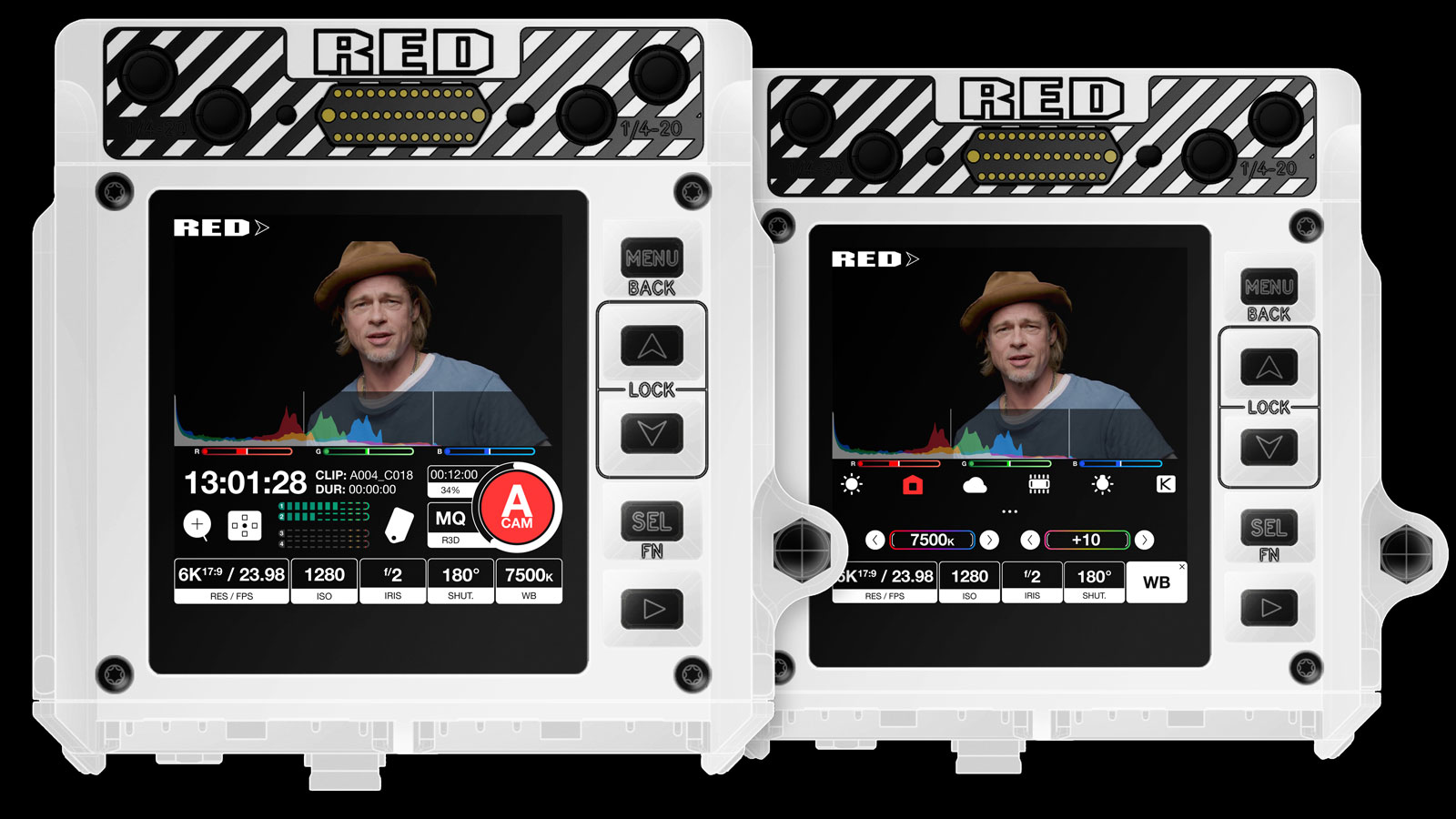
I was referring to operating using the physical buttons, I assume MENU will scroll through and highlight the buttons along the bottom of the screen. When a button is highlighted, UP/DOWN will adjust the values without bringing up the overlay, SELECT will bring up the overlay.
 
Let's discuss ways menu design can improve quality of our lives!

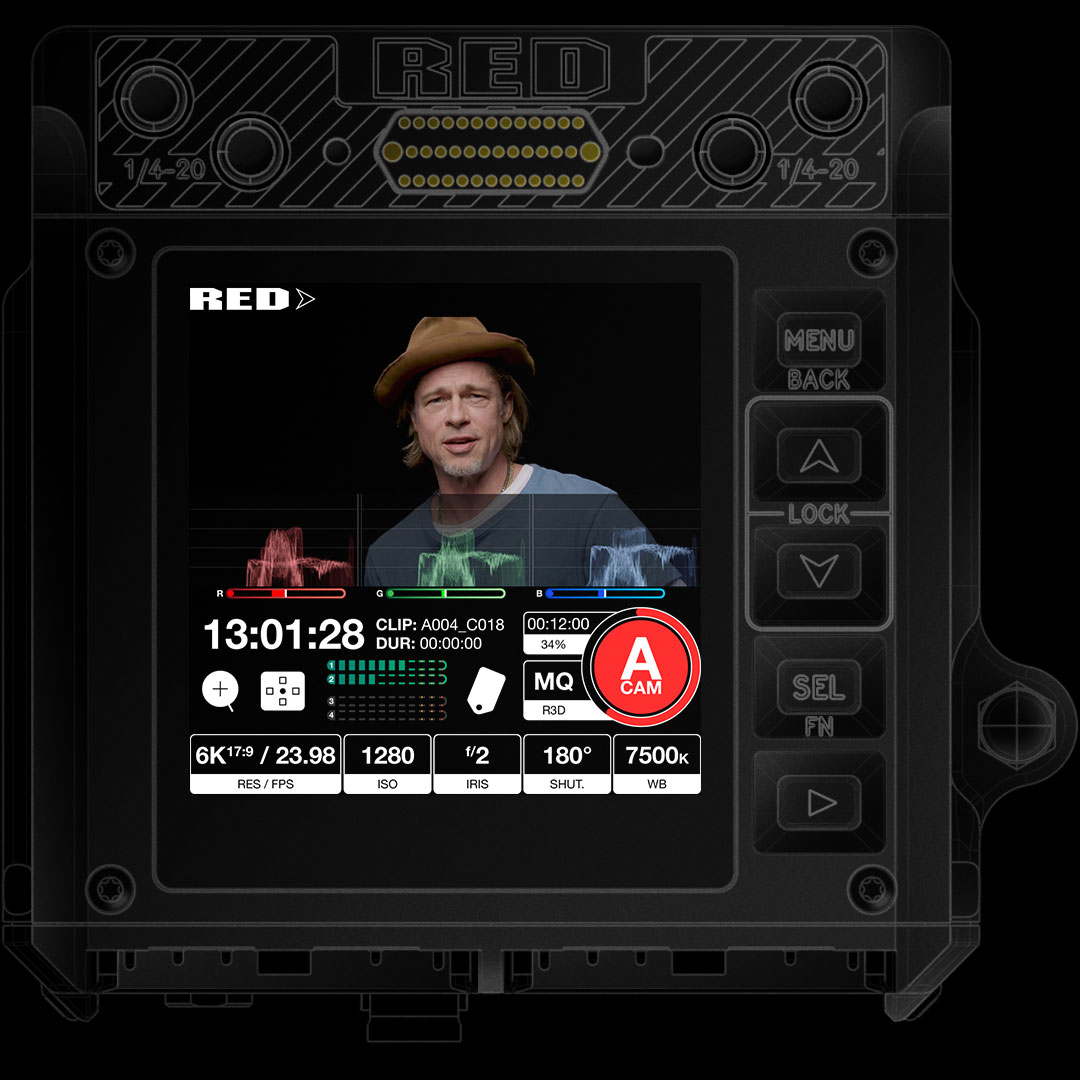
I'll start with attaching all of my previews in one post, starting with the latest:


Video on settings menu mechanics, part 1:

Video on settings menu mechanics, part 2:

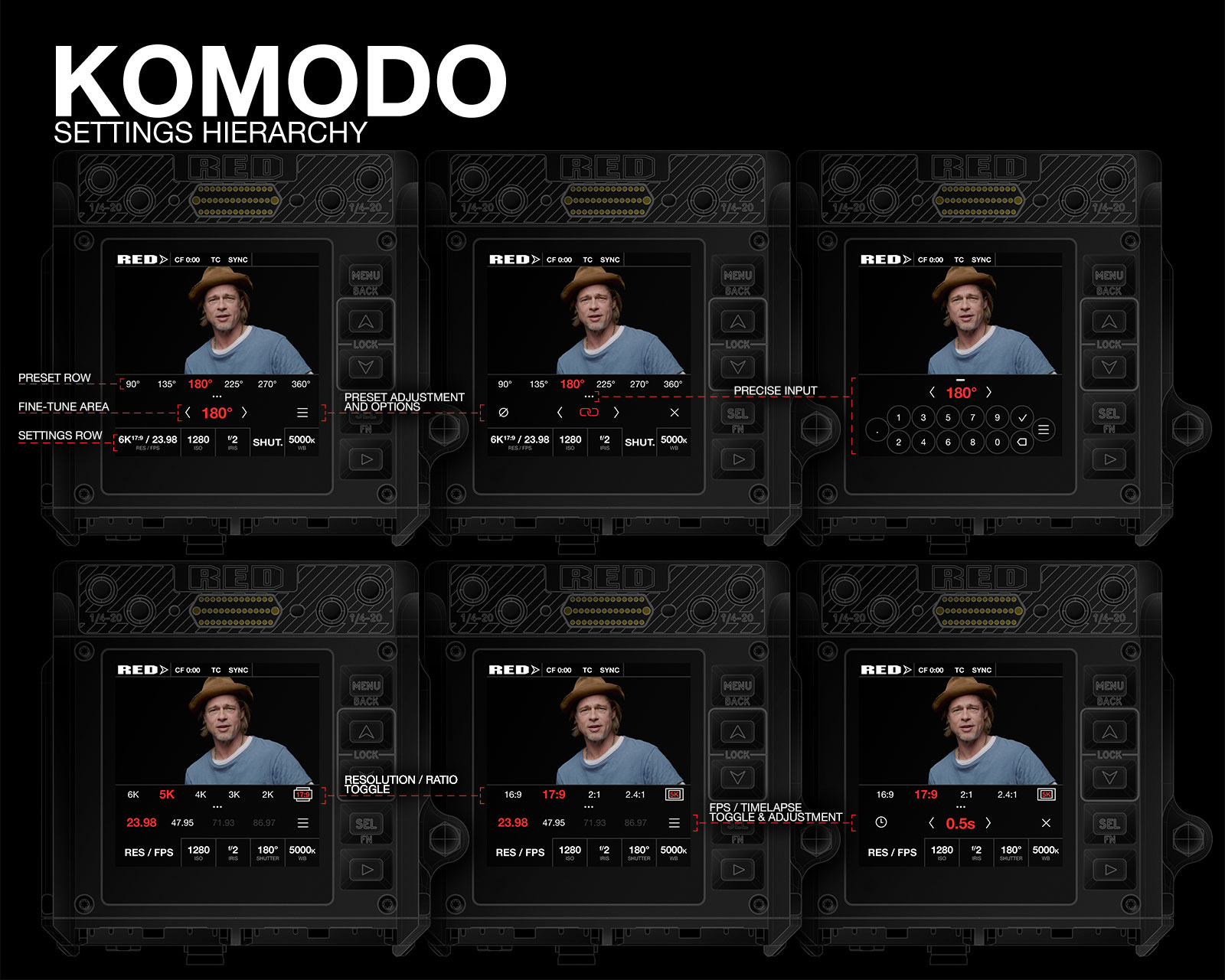
A couple of still images with settings hierarchy:

RED-KOMODO-UIv2-Menu-Nav-S.jpg


All of the interactive elements are in the bottom area, to keep smudges away from video feed preview.
Touch areas are large enough to be ergonomic, graphics are contrasty to be easily visible at a glance.

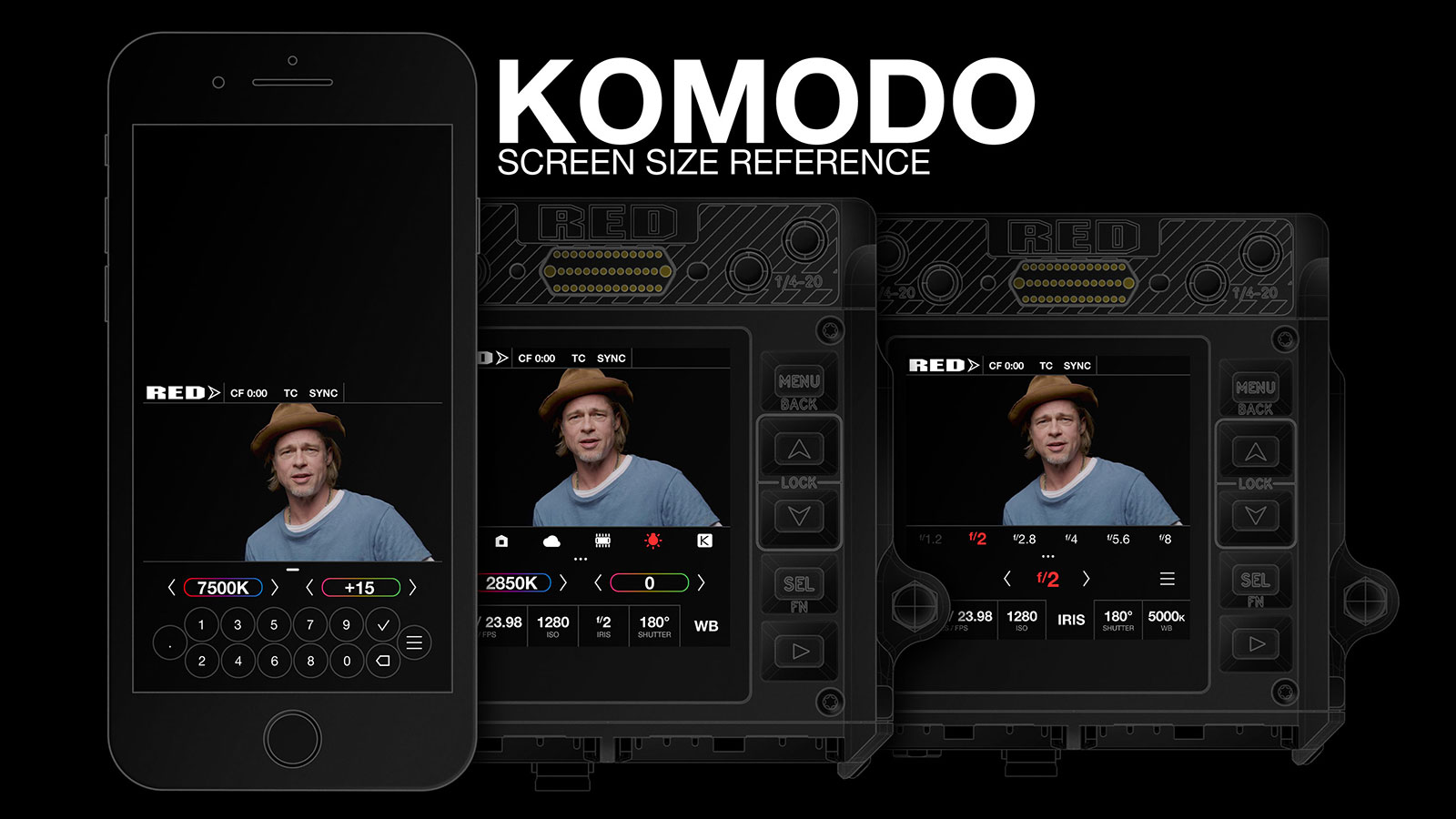
As a reference point, KOMODO's screen is about the same width as iPhone 6:

RED-KOMODO-UIv2-Scale-S.jpg


Can't wait to know more information about monitoring options and rest of the camera possibilities to come up with designs for that :D
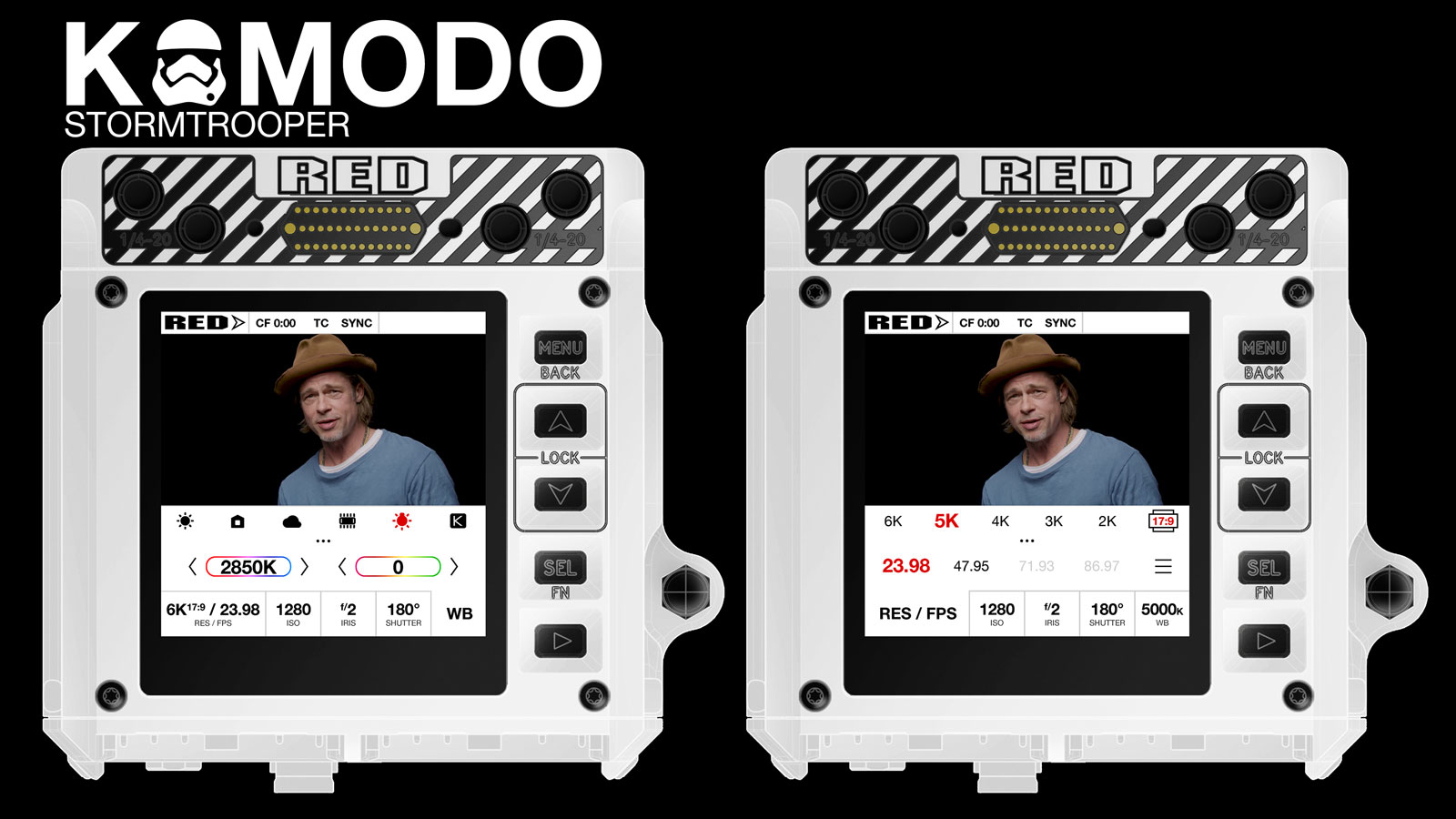
But for now ... here's a light mode UI version for Stormtroopers!

RED-KOMODO-UIv2-Stormtrooper-S.jpg

I really like tour ideas BUT I'm not 100% convinced they would be practical.
Plus I would rather have waveform instead of histogram but hey, that's just me :p
Also : your UI ideas are awesome in design but I wonder if it's not "too much" (too "graphic" ?) and at the same time since the screen is NOT intended to be used as the main monitor (just for menu and "if you really can't plug a SmallHD or whatever and need to quickly check your framing and stuff") is it really ?!
Anyway, that was my 2cts. I'm not an expert in UI design at all. :)
 
You've found the answer to the Histogram problem. And I like the new main display.
I love the resizable histogram, goal posts positioning and split screen magnification!
split-screen magnification toggle is great. Especially since the mini-exposure bars are still visible. I wasn't mad about putting the histogram over the preview, but you've done it really nicely
thanks! I really hope camera has enough resources for that split-screen without compromising any other features.

As a RED user for 12 years, I like the original KOMODO UI.

You're being bald with your comments :D RED has a lot of experience with their UI and representation of features, wich we don't even know at this point. What I am suggesting is not only visual representation, but User Experience mechanics. Use of touch gestures avoiding complicated long-presses and three finger swipes. For example Histogram overlay triggered with vertical swipe, horizontal swipes over values avoiding the ribbon, presets in the upper row, expandable upon touch audio and preset controls etc. All this can be implemented in any visual style of UI.

Plus I would rather have waveform instead of histogram but hey, that's just me :p
Also : your UI ideas are awesome in design but I wonder if it's not "too much"

I bet anyone who knows how waveform works would prefer it over histogram :D I was very much tempted putting that instead of histogram, especially since it makes so much more sense combined with goalposts under it:

RED-KOMODO-UIv3-Waveform-S.jpg


But this might be one of those wishes why I made the DaVinci joke at the end – we don't know if it's something that is a priority to spend camera's computational resources on.

As for "too much" graphically – I definitely prefer flat look, it's more functional and is stripped anything that doesn't represent function. I might even prefer the first iteration of the design, but it is too flat to understand where it's possible to tap for anyone not used to flat designs. As for animations – the actual UI is better not to have those in most cases, since it would work snappier ... but when presenting a concept on a video you have to show where are the taps and where to look at when something changes on the screen ^^
 
I bet anyone who knows how waveform works would prefer it over histogram :D I was very much tempted putting that instead of histogram, especially since it makes so much more sense combined with goalposts under it:

RED-KOMODO-UIv3-Waveform-S.jpg


But this might be one of those wishes why I made the DaVinci joke at the end – we don't know if it's something that is a priority to spend camera's computational resources on.

As for "too much" graphically – I definitely prefer flat look, it's more functional and is stripped anything that doesn't represent function. I might even prefer the first iteration of the design, but it is too flat to understand where it's possible to tap for anyone not used to flat designs. As for animations – the actual UI is better not to have those in most cases, since it would work snappier ... but when presenting a concept on a video you have to show where are the taps and where to look at when something changes on the screen ^^

One thing that is not entirely UI related (but would have to fit into said UI) is how the camera can handle lenses metadatas (like on Cooke lenses for exemple) with focus distance, focal length, iris (I mean if it is a manual lense with metadatas can it interact with the UI to show the information on the screen) and so on.

On some really like one man shooter guerilla style shoots I have actually found a focus distance indicator really useful.
Oh and gyros like on the FS7. It's so awesome to have on screen :p
 
One thing that is not entirely UI related (but would have to fit into said UI) is how the camera can handle lenses metadatas (like on Cooke lenses for exemple) with focus distance, focal length, iris
Yep! One such possibility I am stocked about that involves phase detect AF is focus assist, that will let you know if certain area is in focus or how far off you are!

I placed a small scale on top of the crop-in focus preview to symbolize that (at 0:58s mark), but have yet to come up with a proper UI that I feel good enough to emphasize :D

 
Maybe I am wrong, but I just thought everything needed to be easily usable via the physical buttons. In some situations, touch screens become difficult to use. eg. wearing gloves, screen gets a bit wet, rigged so top screen not easily visible, shooting while bumping around in a moving vehicle.


I was referring to operating using the physical buttons, I assume MENU will scroll through and highlight the buttons along the bottom of the screen. When a button is highlighted, UP/DOWN will adjust the values without bringing up the overlay, SELECT will bring up the overlay.


Robert you are not wrong. I was designing my menus to be entirely used with touch only. As you have identified, it wouldn't really work well with physical buttons.
 
Robert you are not wrong. I was designing my menus to be entirely used with touch only. As you have identified, it wouldn't really work well with physical buttons.

Yeah, it may be not be necessary to restrict interaction to what can be achieved with the limited buttons on the Komodo. Another option would be to just use the physical buttons to cycle through the settings buttons on the interface (iso, wb, etc) and the up and down buttons to change the highlighted setting without bringing up the overlay. ie the overlay only appears when you are using the touch interface. I'm no expert in these things, so I'm only speaking for my own use case. Most of the time I'd like to be able to use the physical up/down buttons to open/close the aperture, and adjust ISO and shutter angle. And I'd love it if I can do this without looking away from the monitor. Of course at some point I'm sure Red will make us a nice handle with lots of buttons and wheels that we can program to do exactly what we want.
 
Yeah, it may be not be necessary to restrict interaction to what can be achieved with the limited buttons on the Komodo. Another option would be to just use the physical buttons to cycle through the settings buttons on the interface (iso, wb, etc) and the up and down buttons to change the highlighted setting without bringing up the overlay. ie the overlay only appears when you are using the touch interface. I'm no expert in these things, so I'm only speaking for my own use case. Most of the time I'd like to be able to use the physical up/down buttons to open/close the aperture, and adjust ISO and shutter angle. And I'd love it if I can do this without looking away from the monitor. Of course at some point I'm sure Red will make us a nice handle with lots of buttons and wheels that we can program to do exactly what we want.

Yeah, have a handle that would select the WB, ISO, etc that would engage maybe a transparent menu so as to not completely cover up the screen with a more button friendly menu system. Most of us haven't used one of the few Komodos out in the wild so maybe Red already has a physical button friendly menu system tha already does this, hopefully.
 
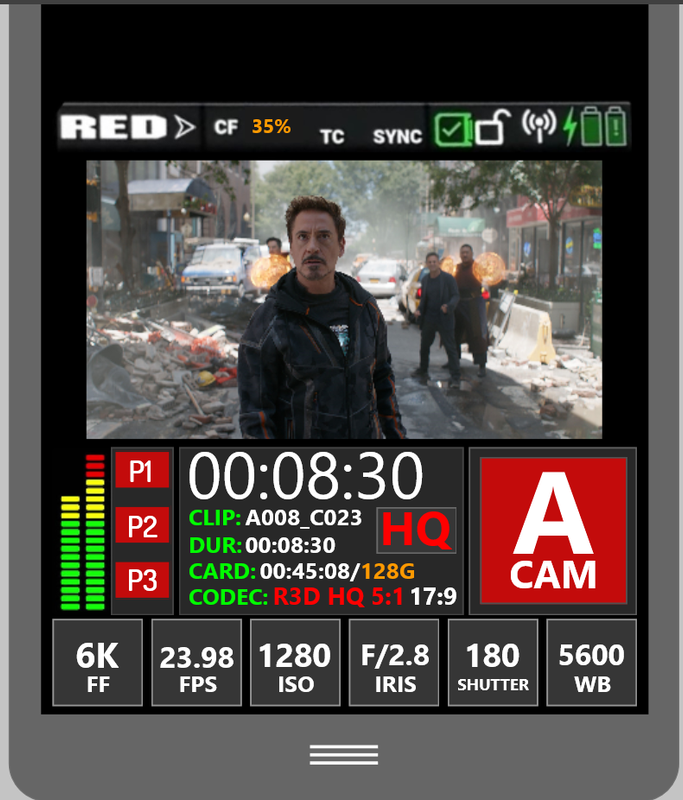
Here's one last design look for the main interface.


Screenshot-1597.png


Screenshot-1596.png
 
Last edited:
Im actually new here, and been following up on the komodo since forever
im loving the progress

Stanly,

I love it! i love how simple and clean it is... just straight to the point!
love the idea of the visual icons which makes everything faster and cleaner!
the idea of the main page being clean and not seeing alot of numbers here and there is perfect, then we could click on the icon we want!
i hope the actual interface is something like this! it would open a breach to so many new users to red
love the record button / card space left
one small thing, i feel like id want to see the percentage of the battery also which would help alot during the shoot
other than that, im in love with this one! and i can see that this interface would really grab alot of people's attention... it makes it look like an easy menu... easy to use!
 
Im actually new here, and been following up on the komodo since forever
im loving the progress

Stanly,

I love it! i love how simple and clean it is... just straight to the point!
love the idea of the visual icons which makes everything faster and cleaner!
the idea of the main page being clean and not seeing alot of numbers here and there is perfect, then we could click on the icon we want!
i hope the actual interface is something like this! it would open a breach to so many new users to red
love the record button / card space left
one small thing, i feel like id want to see the percentage of the battery also which would help alot during the shoot
other than that, im in love with this one! and i can see that this interface would really grab alot of people's attention... it makes it look like an easy menu... easy to use!

Thanks for the kind words, Hani!

Actually same with me mate! As soon as I saw that this camera is shaping up to be something I might add to my gear, I just had to contribute

As for battery / connectivity and other stuff – I simply didn't get to top bar yet!
 
Stanly : Regarding the finger slide across (say colour temp).

One issue I hit was how do you both allow a huge Kelvin range and the ability to fine tune down to a single Kelvin?

The solution that I implement was to have a WYSIWYG when your finger is on the Scale itself - but if the user is 1 inch higher - then moving left and right only contributes a Fraction of the amount.

When this means is that the Y axis can be used to change the strength of the the adjustment for horizontal controls.

Make sense?

AJ

PS Magnification : My Guess is that the video circuits stabilise and then use DMA (direct memory access) to splat the sensor buffer memory into the memory use for Red Display.

If RED only have on hardware video path for DMA - they might have to the same thing that MagicLantern initially used which was to leave the DMA doing the lions share of the copy (of the existing full screen), and then push the CPU to the limit for the magnified image. For this not to impact UI latency .... and if this was feasible - a lower refresh rate of the magnified image would still be awesome to have.

Haha ... this is a very old video of first ML version with focus assist :
http://www.youtube.com/watch?v=-nW25AtYjAk&t=0m46s
 
Last edited:
Back
Top