Welcome to our community

Be a part of something great, join today!

  • Hey all, just changed over the backend after 15 years I figured time to give it a bit of an update, its probably gonna be a bit weird for most of you and i am sure there is a few bugs to work out but it should kinda work the same as before... hopefully :)

Thread Davinci Resolve 17

I've noticed with v17.1 my h265 render times are *slower* by 15~20% to v17 (even though hardware h265 encode/decode on Intel was one of the bigger bullet points of 17.1).

Anyone know if it has to be "enabled" somewhere or if it's limited to certain/newest Intel processors (this is an older i7 quad core/8thread MBP).
 
Auto Track Selector in DaVinci Resolve 17 | Quick Tip Tuesday!


By Jason Yadlovski


Resolve slow motion tips // How to keep it smooth // NO INTRO just 7 Minutes


By Darren Mostyn


Match Move DaVinci Resolve - EASY Sky Replacement [NO FUSION] NO INTRO


By Darren Mostyn


Adjustment Clip in DaVinci Resolve 17 | Quick Tip Tuesday!


By Jason Yadlovski


SOFT CLIPPER Audio Effect in DaVinci Resolve 17 | Audio Effects Series


By
Jason Yadlovski


How to apply Film LUTs [and why you are doing it WRONG] in 5 mins


By Darren Mostyn


Last edited:
Final Cut Pro to DaVinci Resolve Workflow Tutorial


By Creative Video Tips


00:00​ - Send Final Cut Pro Project to DaVinci Resolve
01:08​ - Simplify the Timeline
01:39​ - Finalize Auditions
02:03​ - Break Apart Clip Items (Compound Clips)
03:04​ - Leave Multicam Clips Alone
03:31​ - Export Final Cut Pro XML
04:25​ - Copy Footage to new Library
04:36​ - Export Reference Movie
05:06​ - FCP Export as Save Only Action
06:01​ - Import FCPXML into DaVinci Resolve
07:15​ - Import and Link Reference Movie
08:06​ - Link Offline Reference Clip for Wipe
09:16​ - Overwrite with Difference Composite Mode to QC the XML
10:43​ - Edit and Color Grade
11:39​ - Reference Image Wipe Mode (Before and After)
12:19​ - Roundtrip back to Final Cut Pro
13:16​ - Add Handles in Resolve
14:28​ - The most important step?
15:23​ - Import back into Final Cut Pro
15:46​ - How to Open .fcpxml
17:17​ - Spatial Conform - Fit to Fill
18:05​ - Paste as Connected Clip
18:38​ - Modify FCP Project Resolution
19:14​ - Export Titles from Roles
20:31​ - Export Stereo Mix for Resolve
 
DaVinci Resolve Fusion - An Introduction for Beginners


By Alex Cameron - Depiqd


Get your ASSETS in Every Project using Power Bins in DaVinci Resolve 17! | Quick Tip Tuesday


By
Jason Yadlovski


Chorus Audio Effect in DaVinci Resolve 17 | Audio Effects Series


By Jason Yadlovski


RESOLVE 17 CRASH COURSE - Davinci Resolve 17 Walkthrough [BEGINNER]


By
Casey Faris


FAST & EASY Smart Reframing in Davinci Resolve 17 | Davinci Resolve Tutorial for beginners


By
Josh Hanes


How to Reuse Color Grading Corrector Nodes with Shared Nodes in DaVinci Resolve 17


By
Chris' Tutorials


HDR tools in DaVinci Resolve Studio 17


By
Samuel Bilodeau


How to Fix Problem of Image Importing as a Sequence Instead of Separately in DaVinci Resolve 17


By D Studios Media


Timeline Color Grading + Correcting in Davinci Resolve 17 | Adjust Multiple Clips


By We Are Film


The 70 Best Free LUTs Hand-picked By A Colorist For Your Films


By Color Grading Central

Get the 70 best hand-picked free LUTs for your video:
https://www.colorgradingcentral.com/free-luts/


20210408-124217.jpg


Screenshot-1245.png


You'll have to sign up by Facebook or Email

20210408-124241.jpg


Last edited:
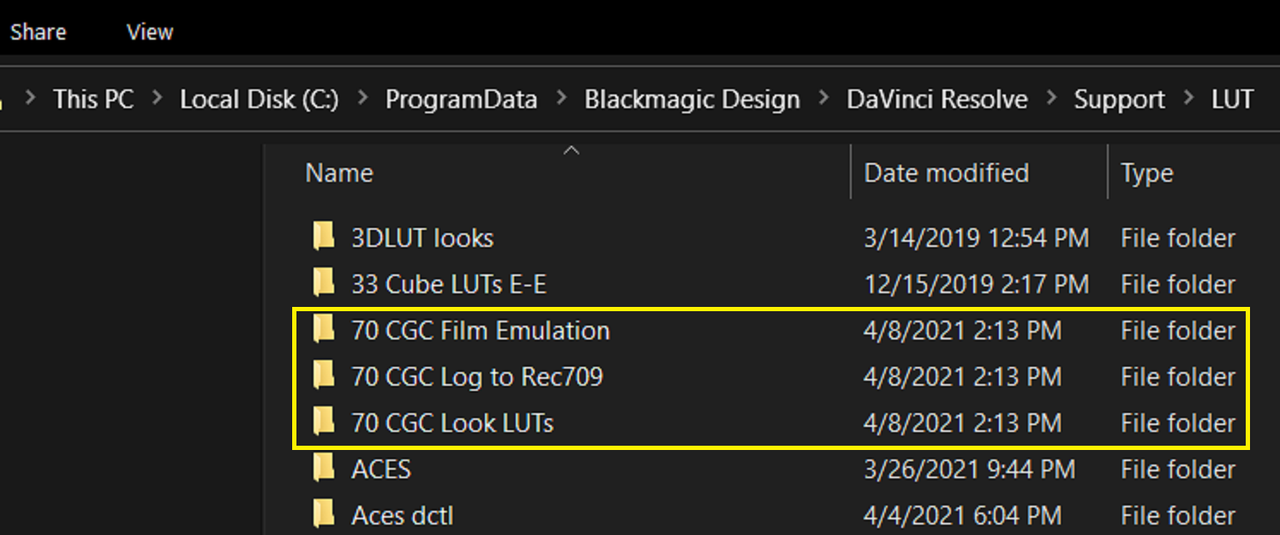
I would take the three main folders out of the Unzipped folder and maybe name them with some "70" nomenclature like I did so they will show up next to each other in the "LUT" list. If you try to just add the unzipped folder into the Lut list, you'll keep getting a " MISSING LUT" splash screen for every lut in the folders.


Screenshot-1246.png


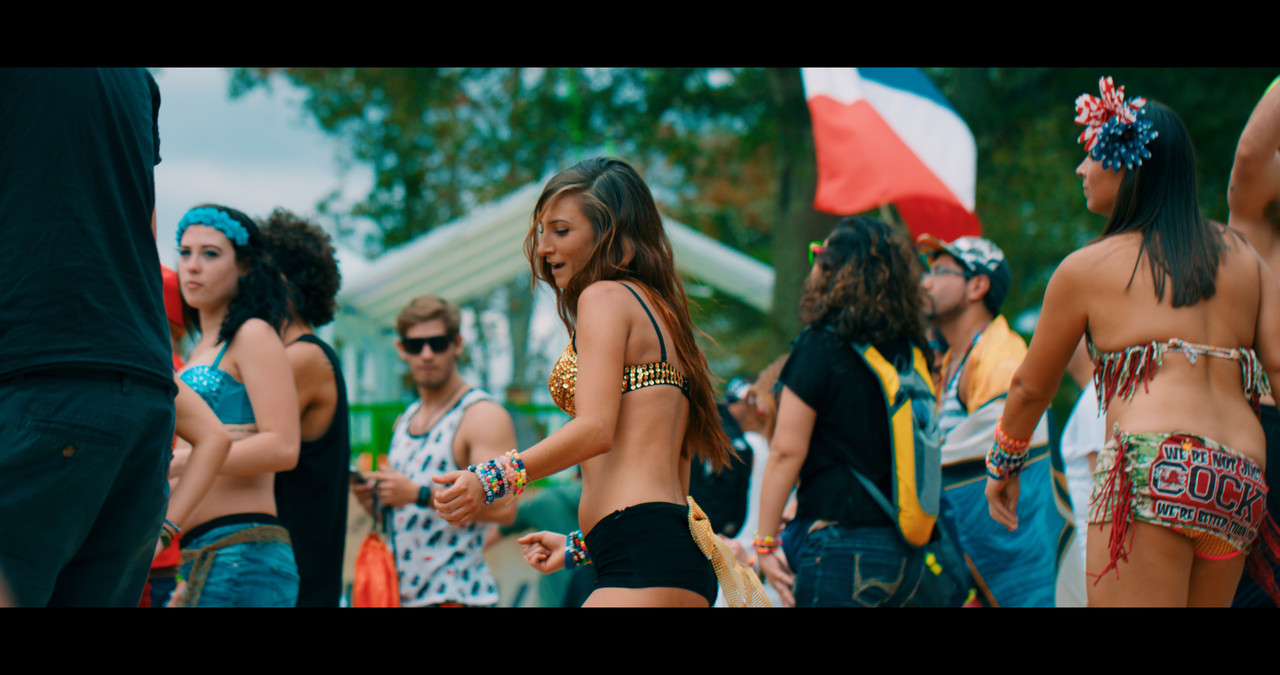
Here isthe "TEAL ORANGE" Lut in an IPP Lut based workflow

teal-oraange-1-3-8.jpg


To use the "FILM EMULATION" Lut properly in Davinci Resolve, You can refer back to the Darren Mostyn TUT from the previous page.


Last edited:
DaVinci Resolve Cut Page - Amazing Feature: Source Tape


By
Alex Cameron - Depiqd


Back
Top