Welcome to our community

Be a part of something great, join today!

  • Hey all, just changed over the backend after 15 years I figured time to give it a bit of an update, its probably gonna be a bit weird for most of you and i am sure there is a few bugs to work out but it should kinda work the same as before... hopefully :)

So... how do I do it?

DPX is just one option. Many established post workflows and finish processes are still based on DPX. Ideally, one would not output DPX from Premiere these days for finishing if the color grading or finishing application supports R3D files natively. Most do support R3D now. I wouldn't say the workflow doc is outdated, it's just discussing a common concern and making a comparison with the previous CS4 release where the output had to be done via AfterEffects due to other restrictions and bugs at the time. The document has not been updated for Adobe CS5.5, or to address the fact that R3Ds are widely supported these days. Most competent post houses will want R3D data right up to the very end and will only render something else after creating VFX frames or final color/finish.
Thanks a lot Jeff.
 
DPX is just one option. Many established post workflows and finish processes are still based on DPX. Ideally, one would not output DPX from Premiere these days for finishing if the color grading or finishing application supports R3D files natively. Most do support R3D now. I wouldn't say the workflow doc is outdated, it's just discussing a common concern and making a comparison with the previous CS4 release where the output had to be done via AfterEffects due to other restrictions and bugs at the time. The document has not been updated for Adobe CS5.5, or to address the fact that R3Ds are widely supported these days. Most competent post houses will want R3D data right up to the very end and will only render something else after creating VFX frames or final color/finish.

i think it's rather presumptuous to equate workflow choices with "competence." The fact is that there are different work flows required based on the material that's been shot, the time factors for finishing, and the ultimate delivery requirements. In most "major" projects (i.e., not necessarily smaller independent projects), different cameras are often used and even different mediums. Visual effects are done by multiple vendors, and all of these things need to be integrated into the final conform/timed master in a fairly short time frame. Staying in native formats is fine if that's the only format the originating material will be in, but on almost every project I've ever worked on, that's just not the case. Going to DPX as a universal exchange format is fine provided the conversions are done correctly. You lose very, very little critical information if you use proper conversion parameters, even from Red files. And you gain both efficiency in the DI process and commonality between vendors. I consider that a pretty good tradeoff. At the same time, I've also done a number of television series episodes directly from native files, and that worked well, especially for things like blowups and repositions. But there is usually a serious difference in turnaround between a series episode and a feature DI, so staying native in the case of the television material had advantages in terms of time. Having said that, I would also add that it was a pain in the neck when I had to match Red and Canon 7D shots in the same scene. Going to DPX wouldn't have made that any easier, but everything would likely play a lot smoother.

in post production, one size does not fit all.
 
while everyone appreciates his generous input, that is asking A LOT. i feel that someone who is close to him personally needs to talk with him about that, and he should probably consult david mullen about maintaining a thread like that. i'm sure it could be exhausting, though it might be rewarding for some people. of course, i'd be all for that... his advice has certainly proved to be invaluable on a wide range of subjects.

i'd be willing to do it provided people don't expect answers within minutes or even hours, as I work all day and don't have a lot of ability to be spending time here. As for David, well, David and I are pretty good friends and i've actually tried to model my on line behavior on his to some degree. I haven't always succeeded....
 
Mr. Most, 4 times a week updates would be enough ! Please consider it !
 
i think it's rather presumptuous to equate workflow choices with "competence." The fact is that there are different work flows required based on the material that's been shot, the time factors for finishing, and the ultimate delivery requirements.

Perhaps it was a poor word choice to to say "competent", but I didn't mean it in that way. I totally realize there are a multitude of workflows with different requirements... I doubt I could put a finite number on the multitude of various workflow recipes I have now or have used in the past, even on my own mostly modest productions. In my post above, I was speaking specifically in terms of posting with R3D data. And by "competent" I suppose I meant those that understand how to maximize their gains from shooting RED and pushing through their respective workflows as far as possible with the RAW data.
 
Hi All, I have an upcoming feature film project that will be shot on EPIC in Jakarta. It will be the first project ever in Indonesia using ones. The genre is a suspense-thriller, titled "MODUS ANOMALI" directed by Indonesian Film Director Joko Anwar. We are all very excited with this project, which has a simple story line, yet pretty complicated to be shot (in terms of budgeting,time-wise and weather). I will be worked on 5K based (Thanks to the tremendous EPIC M available here), and printed it on films afterward (funny enough that the Cost of making DCP package still much more expensive compared with making film dupes :( ). Our Telecine partner will be Technicolor from Bangkok, and they will using DaVinci Resolve system.
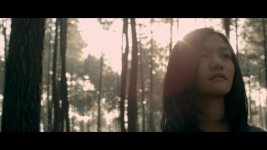
So far, we've been discussing workflows and it seems that everybody are happy with it. But there is only one thing still bugging me, that we will have a couple of VFX shots. I read the first page of this thread where Jim wrote "... For VFX... use Log space and 16 bit EXRs.... Then I heard that the Post house will convert all the VFX shots to DPX, so that the online editor can start work with it.

I just realised that if the post house have to convert REDRAW to DPX for VFX online editing, it means I will have quite a different result with the other shots which graded directly from REDRAW. And defintely I will see different looks between shots in this particular scene (this VFX scene consist of 4 shots, and only one shot has a VFX, the rest are non VFX shots).

So, is there any other alternative workflows for using REDRAW for VFX?. Since this is my first time ever using RED EPIC for a feature film, any advice will be very very appreciated. Thanks so much everybody!

Here is one clip of the test cam. Graded with RedCine-X Pro. Love it very much.


All the Best.
Gunnar Nimpuno.
DP Jakarta based.
 

Attachments

  • Izzy.jpg
    Izzy.jpg
    79.3 KB · Views: 0
So, is there any other alternative workflows for using REDRAW for VFX?. Since this is my first time ever using RED EPIC for a feature film, any advice will be very very appreciated. Thanks so much everybody!

I'll share some of the solutions we've used on productions. We usually produce an "approved" color correction (if you can get an approved grade early on that could help too) and export 16bit DPXs or EXRs. After the VFX work is done you can apply the grade on top (which sometimes helps meld things together). Another popular mindset is to receive the composite VFX work (depends on the type of work) and add it back over your native R3D in a NLE or composite suite that supports R3D. Then finish the grade and balance the VFX work.

You do have to be cautious when grading actual CG elements as you can quickly transform them into something undesirable. I prefer to receive 16bit or even 32bit data in special cases to apply any correction to. Don't ever work in less that 16bit when it comes to playing with CG elements that you have to apply color work to. Usually VFX studios get the lighting similar to the color of the plates, so it all fits together nicely.

A neat "trick" that has helped me out in the past is to keep the original background plates as R3Ds and apply the grade. Once you receive the final VFX elements (if they have the plate attached to them) you can quickly match "A to B" by numbers and tweak things so the fit nicely.

There's actually many ways to tackle this situation, but it depends on the type of work being done and what the material is.

* oh and greetings from Los Angeles!
 
Thanks so much Phill!. I will definetely discuss this with the VFX guy here. This is really enlighting!. Actually,2 months ago I've been working with an LA team in Bali,shooting commercial. Got tons of knowledge from them as well. Thanks so much Phill!. All the best.

Gunnar Nimpuno
DP Jakarta based.
 
excellent advice!! Been shooting on my R1-MX since acquisition in Aug '08. I have TBs of ooftage ready to be made into a reel. and any day now (hope, hope, hope) my "X" will be pumping out new R3D RAW to add.

And building a new WS with the very purpose of RAW all the way thru. RCP <-> Resolve <-> CS5.5. What a brilliant path to optimal image.

And for exposure I live by the phrase and principal Mike here in Sacramento taught me "Mountains in the Middle".... Simple, easy visualize and teach.
 
Hello Jim. Hoping you're still following this thread.
We're a year later in time now. We have RG3 and RC3.
Does this still apply:

So here is the secret... stay in RAW. Open with REDcolor2 and REDlogFilm or REDgamma2. Grade the crap out of it. Then output whatever you need. Do this in any number of apps that support the SDK. Pretty easy stuff.

What is the recommended gamma for best grading practice? (End format: DCP, not decided on grading tool yet)

Thanks,

Martin
 
I'm certainly not Jim, but I can speak from Red shooter's perspective who handles post work as well (and also other's opinions I've gathered). RedColor3 is certainly the newest color science, but many shooters still prefer the look and feel of RedColor2 as it's pretty darn good. RedColor3 seems to provide what I would describe as a "denser color" which some may or may not like.

I use RedColor3, RedGamma3, and RedLogFilm personally. Just depends on what I'm doing.

From a colorist/post perspective RedLogFilm provides a ton of control. Mainly this year on commercials and music videos it's been RedColor3 and RedGamma3. For feature work it's been RedColor3 and RedLogFilm *usually*. Sometimes not though.

The bit from Jim's previous quote about "Grade the crap out of it. Then output whatever you need." is still the word. RedCode Raw is pretty damn flexible in post.
 
I'm certainly not Jim, but I can speak from Red shooter's perspective who handles post work as well (and also other's opinions I've gathered). RedColor3 is certainly the newest color science, but many shooters still prefer the look and feel of RedColor2 as it's pretty darn good. RedColor3 seems to provide what I would describe as a "denser color" which some may or may not like.

I use RedColor3, RedGamma3, and RedLogFilm personally. Just depends on what I'm doing.

From a colorist/post perspective RedLogFilm provides a ton of control. Mainly this year on commercials and music videos it's been RedColor3 and RedGamma3. For feature work it's been RedColor3 and RedLogFilm *usually*. Sometimes not though.

The bit from Jim's previous quote about "Grade the crap out of it. Then output whatever you need." is still the word. RedCode Raw is pretty damn flexible in post.

Not many Inferno / flame guys on this forum... but with the new smoke for free evaluation download and the coming smoke release. I think you guys should test the following...

r3d into smoke.
Set redcolor3 red log film
apply BFX
add a lut editor
set the lut editor to log to lin.
use the parameters in the lut editor.
apply a color warper node, refine and balance the colors.
apply a CC node grade...
apply an action node, modular keyers, etc....

I can not find any software out there that is even close in precision and control... makes resolve and the others look like iphone apps.. :)
 
Hi Jim (and fellow redusers),

Lighting is something I always want to learn more about, just wondering if you have any top recommendations for learning good lighting techniques. I know there are an abundance of "good" courses around, but honestly I find a huge amount of them just look cheesy and unnatural. What would you recommend for learning how to light in a way you would be enjoy watching in a cinema? Any pointers towards where I would find this knowledge would be received with open arms!

:)

Brad,

Because this is Jim's RECON thread I do not want to shill here, or derail the thread. I will say I have something for you that you might love.. So go check it out in the RED Discussion section.
 
Grading is not an exact science.

There is no "best stock" or "best paint" or "best brush". The same principle applies here.

If DoP did not light based on Redlogfilm and wants the starting point to be exactly what he saw on the set when he crafted the image, "Redlogfilm offers the largest range" becomes irrelevant. What's important is already "inside".
If DoP or anyone responsible for the final look prefers RC2, "RC3 is the latest" becomes irrelevant.

Variables in Raw development are dependant on creative aesthetic and workflow factors.

Any question formulated simply as "What's best..." is undefined and leads to incomplete answers.
Questions such as "What's best ... for ..." are much more effective.
 
If DoP did not light based on Redlogfilm and wants the starting point to be exactly what he saw on the set when he crafted the image, "Redlogfilm offers the largest range" becomes irrelevant.

I agree with the overall sentiment of what you are saying.

However I would argue that grading in REDlogFilm with a REDlogFilm to REDgamma(1,2 or 3) output LUT gives the most flexible solution in that you do have a start point which is exactly what you saw on set, but with the flexibility REDlogFilm allows to change things from that start point should you wish.

I obviously have a vested interest in promoting that approach because I sell REDlogFilm to REDgamma LUTs, but the reason I created those LUTs in the first place is because I genuinely believe this is the best approach (insofar as there is such a thing).
 
However I would argue that grading in REDlogFilm with a REDlogFilm to REDgamma(1,2 or 3) output LUT gives the most flexible solution in that you do have a start point which is exactly what you saw on set, but with the flexibility REDlogFilm allows to change things from that start point should you wish.

Notice the Conditional "should you wish". :)

Point being..."flexibility", in its typical perception, may not be the deciding factor when choosing "the best" route.
I understand your point though and agree with the advantage in the context suggested.


Proposing a few notions:

First: For the purpose of widening image shaping perception throughout the grading workflow, let me introduce the term "determinative basis".

Redlogfilm as a basis makes imagery "breathe" a certain way, allows being manipulated a certain way and allows greater flexibility - generally speaking. Redgamma used as a basis makes the image "breathe" a different way, image manipulations based on it have a different effect. Some crucially different, some almost unnoticeable.

If the desired manipulations are in accordance with the type of "breathing", instead of a limitation, this raw imagery's "determinative basis" acts as an aid to move the image in the chosen direction. This may or may not be an important factor to a colorist, but the option exists and it can be used in a creative or a functional way.

Second: Individual creative logic

A while back Mike nicely addressed different types of colorist approaches, the individual factor, often not taken into account. This factor may be also seen through various types of creative mindsets and their individual creative logic affecting properties of visualization, navigation and chronology throughout the creative process.

One type of creative mindset would involve the preference of a standardized, unified and a wide toolset. This is the type of mindset which first mentally builds up the technical structure, then focuses on the image with the toolset and options accustomed to (not addressing the UI, but grading workflow).

Other type and its extreme would be focusing on the image first, then building up the required toolset/strategy/approach along the way, with only the necessary yet adequate elements/steps/tools for the desired outcome. This approach includes understanding the aspects of prior mentioned "determinative basis".

If the image is "closer" to the desired outcome through Redgamma(s), and if individual logic, image requirements (per image or project) mostly do not involve going back to the Redlogfilm starting point, Redgamma(s) can be more suitable.

Third: Variables.

There are many people who prefer reducing variables to a minimum.
Less time and focus needed to take care of them, less requirements to inform all the people in charge of the image on-or-off the set, less chances of mistakes, less fiddling with the technical part, more focus on the creative part, current stage and the targeted outcome.


...


Not disputing your point, approach or type of priorities Nick, through which your LUTs make perfect sense.
Simply suggesting the notion of variety of contexts.

Two different examples: One extreme we had was having to create a "look" almost completely in post, and having to start from RLF for various reasons. Other extreme was just a slight intervention on fantastic DP work, based on one of other, more defined gammas used as a reference. RLF was completely redundant, and art direction and photography were so precise, so effective and perfected on set that any larger interventions would ruin the footage.

There is an understandable tendency for trying to define "The best" route in a grading workflow, and just sticking to it, as the tools have increased their complexity for many users, but in my experience there is none, nor there is a specific "Secret Sauce" applicable to everything.
Every thing brings own advantages with the cost of own drawbacks.


Many ways to bake the Raw...
 
Not disputing your point, approach or type of priorities Nick, through which your LUTs make perfect sense.
Simply suggesting the notion of variety.

Not disputing yours either ;-)

I don't think they necessarily conflict.

I'm all in favour of finding the most suitable approach for a given scenario – It's often what I get paid to do.

If I had to set up a standard approach for somebody which would work in most situations I would suggest a stack/node chain (depending on your grading system) which started with RAW decoded as REDlogFilm, followed by a "film grade" layer/node, followed by a REDlogFilm to REDgamma3 LUT followed by a "video grade" layer/node. That way you have three places you can make adjustments (or not) as you wish. 1) RED SDK parameters; 2) Log grade; 3) Video trim/grade.

Although this is not guaranteed to give you a start point of exactly what you saw on set if camera parameters other than ISO/FLUT and white balance were adjusted dramatically from defaults to set a look, as SDK parameters like contrast, brightness and curves applied to a REDlogFilm image followed by a LUT do not have exactly the same result as those same parameters applied to a REDgamma3 image.
 
Back
Top