Welcome to our community

Be a part of something great, join today!

  • Hey all, just changed over the backend after 15 years I figured time to give it a bit of an update, its probably gonna be a bit weird for most of you and i am sure there is a few bugs to work out but it should kinda work the same as before... hopefully :)

Should I have NOT bought a RED camera; Mistake? Will I Soon Regret it?

Eddie Gonzalez

Active member
Joined
May 30, 2018
Messages
37
Reaction score
0
Points
0
Using Redcine-X, I opened the R3D file and changed/fixed the ISO.
The ISO was at 3200, therefore it looked horribly washed out.
But when I corrected the ISO to 100 (within Redcine-X) the R3D file looks awesomely good in Redcine-X.

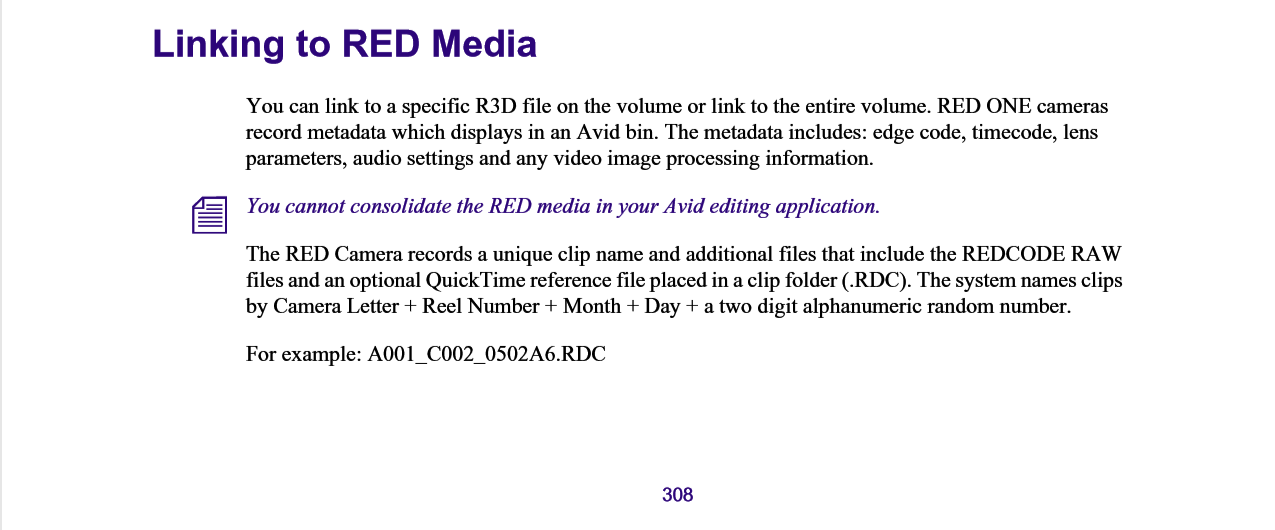
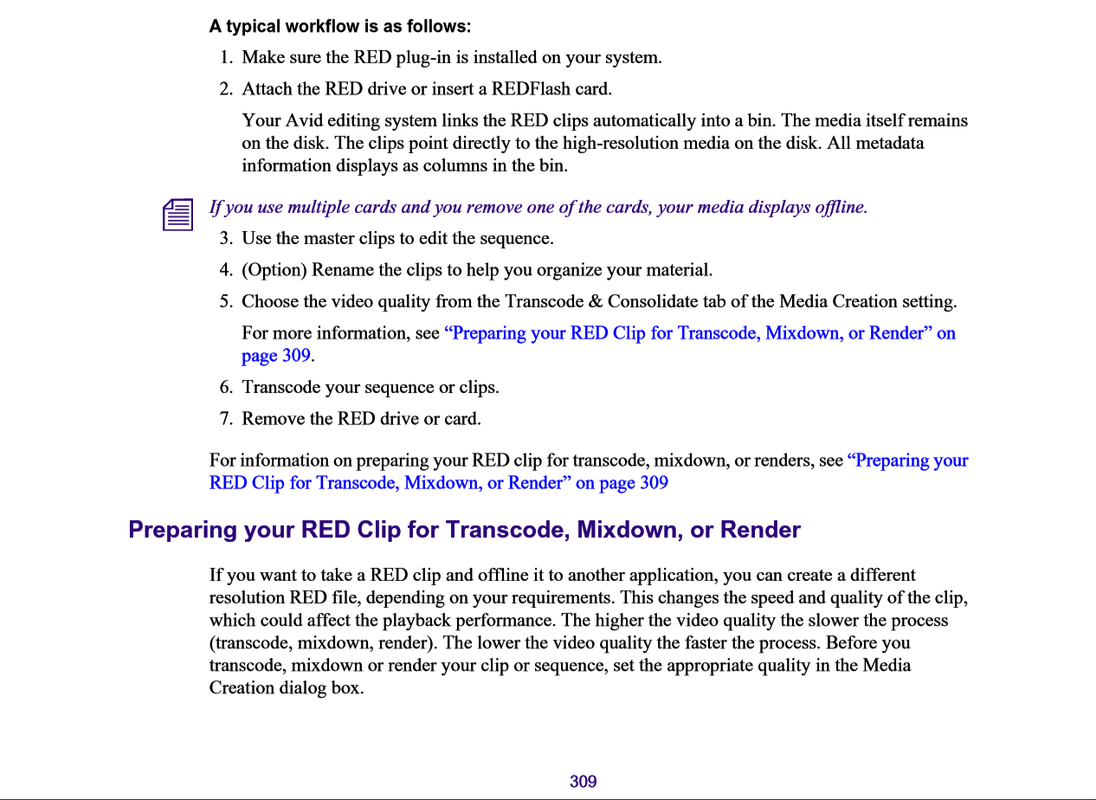
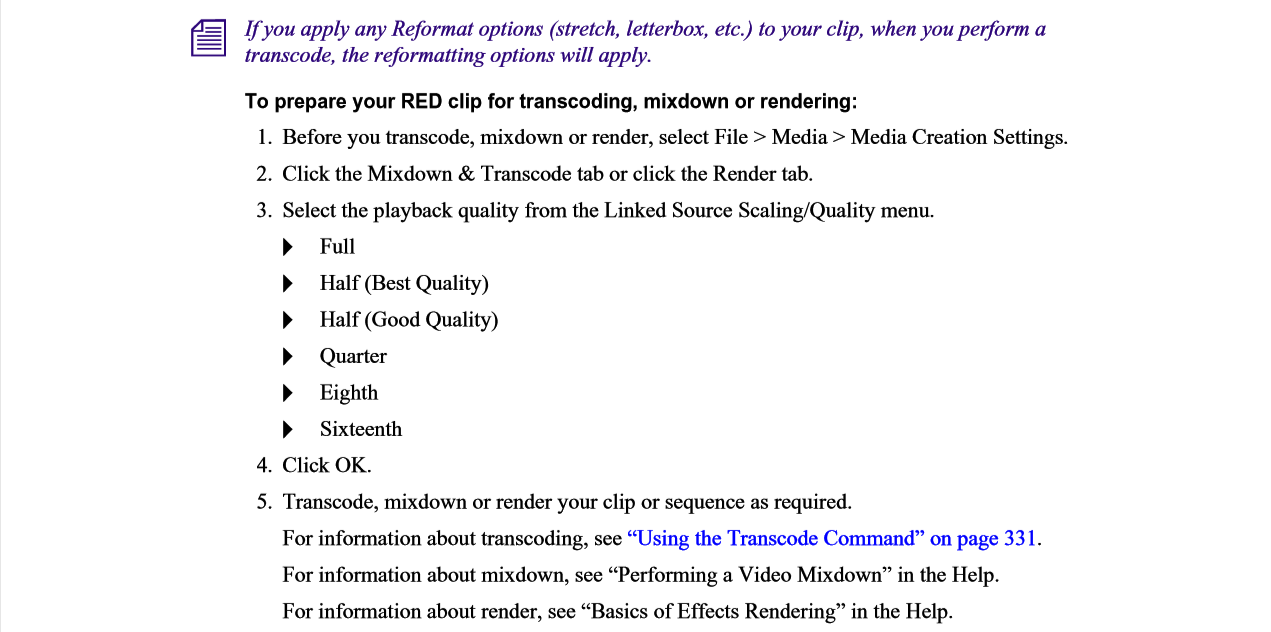
So after I fixed the ISO within Redcine-X, I then closed Redcine-X and then I opened the Avid software and then "Linked" the file in Avid Media Composer (i.e. Linked NOT imported) .
But in Avid the video clip still looks horribly washed out exactly like it did when the ISO was 3200.

How do I get Avid to "Link" this file that was fixed in Redcine-X such that it reflects the ISO being at 100?

This is the courtship phase with my first ever RED camera.
I'm really trying to love this RED thing but the files it produces seem useless to me.
For me, the Jury is still out. I did install the AMA so now Avid lets me link to the R3D files.
My employer has used Avid Media composer for over fifteen years so it's not an option to
change to a different NLE. My RED camera must somehow work with Avid.

Kind thanks for your help !
 
Sounds suspiciously like you are having some sort of workflow issue. Likely related to perhaps not using the correct Output Transforms upon import.

Don't worry, the cameras make decent images, just got to dial in your workflow.

Start here and certain inspect your clips settings on REDCINE-X PRO as it's free and relatively clear to see what's going on.
http://www.reduser.net/forum/showthread.php?161964-RED-IPP2-Introduction
 
Sounds suspiciously like you are having some sort of workflow issue. Likely related to perhaps not using the correct Output Transforms upon import...[/URL]

I am not importing. I am "Linking". I prefer linking to the Raw file (R3D) through Avid. Avid allows me to link to the R3D file. Other R3D files work great as "Linked" files. But this file in question that i'm struggling with needs Redcine-X pro to adjust the ISO from 3200 to 100.
 
Eddie,

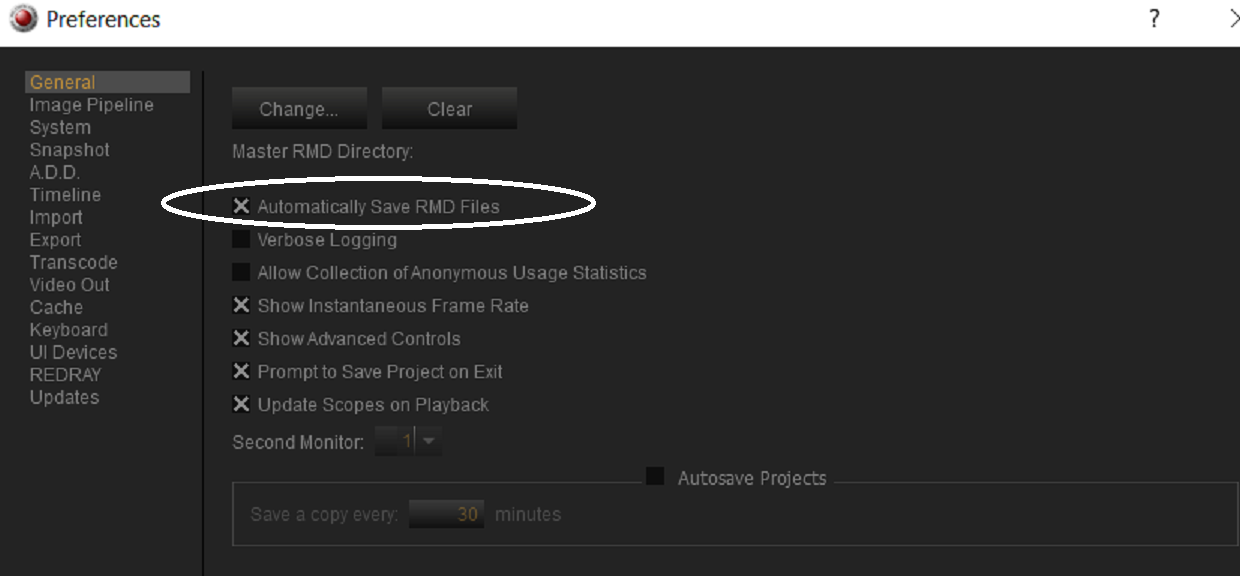
The "AMA" Linking in Avid Media Composer for .R3D files was what I got tired of doing and went to Davinci Resolve. In Redicine-X, Make sure it is set up to either "Automatically save Updated .RMD files or you have to remember to do it "Manually.


Here is an Example;

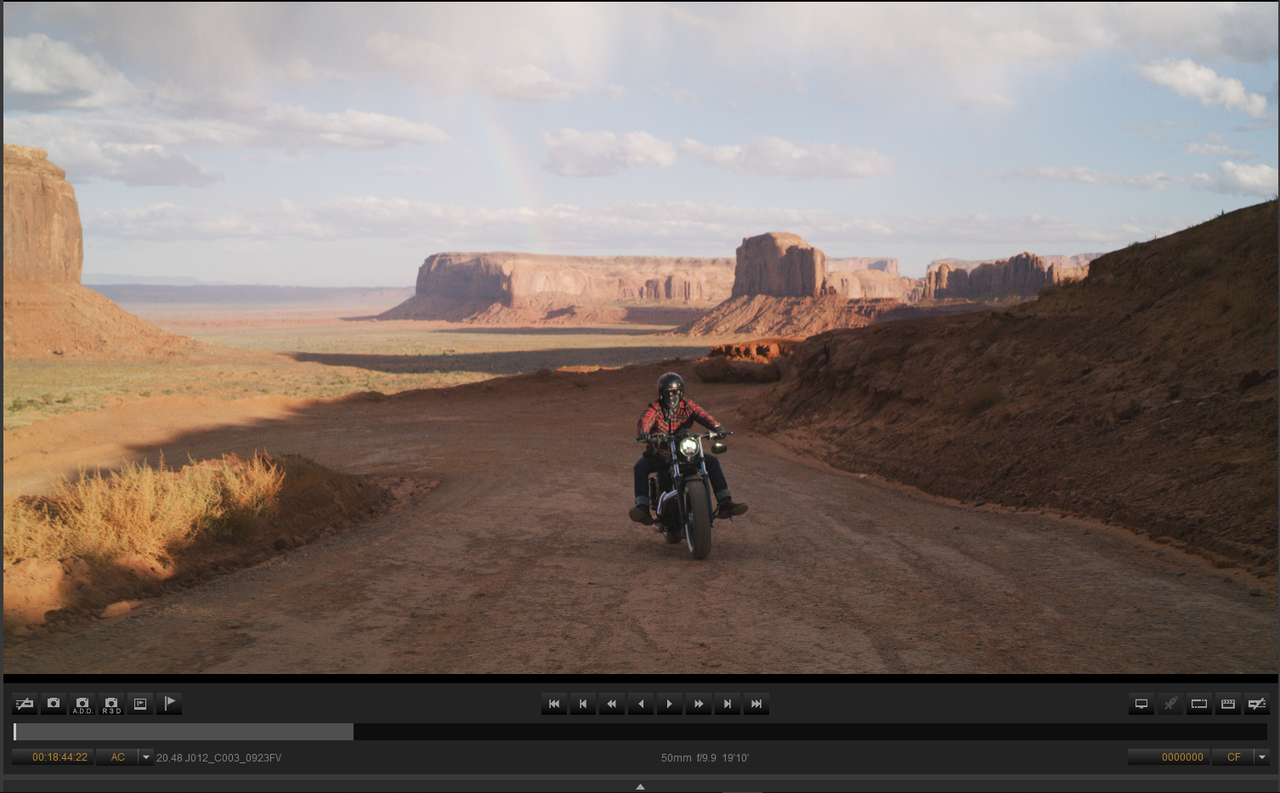
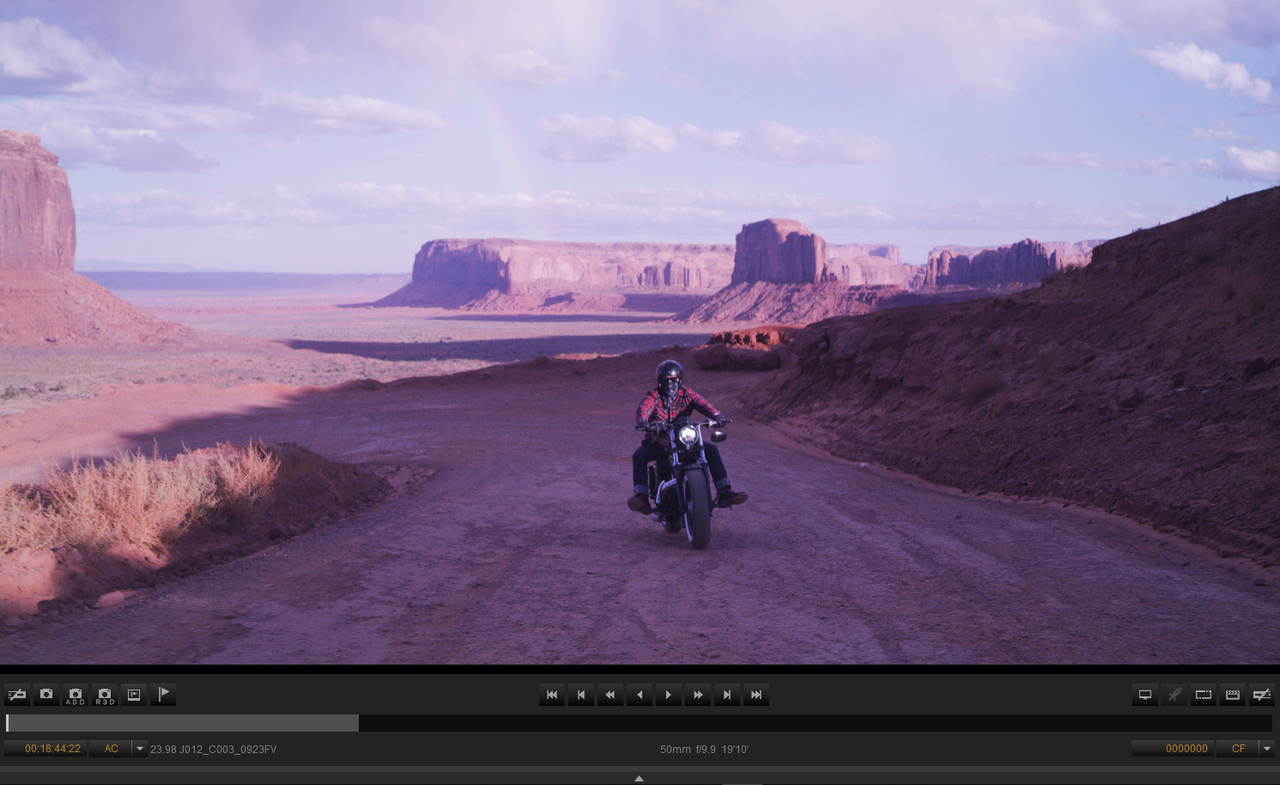
1. The Original Clip in Redcine-X, then with a "look" added.


Screenshot-862.png


Screenshot-863.png


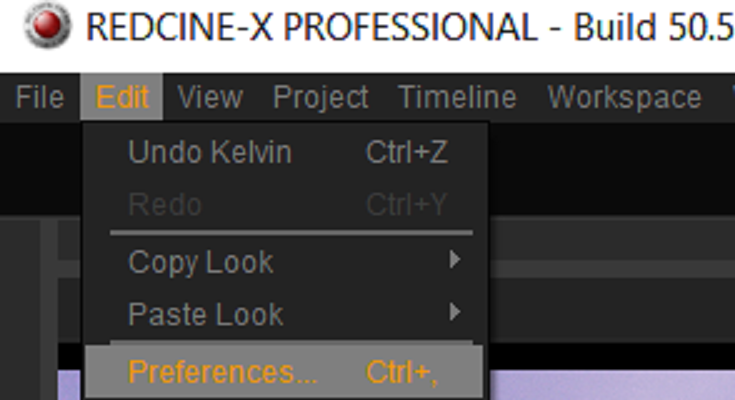
2. To "Automatically" save an updated .RMD, Go To "Edit" then "Preferences", then select "Automatically Save RMD Files"


Screenshot-863-1.png


Screenshot-864.png


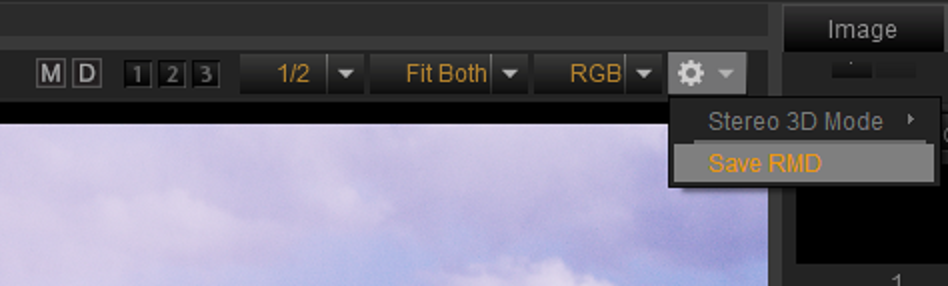
3. To Save it "Manually", Next to the "RGB" tab, under the "Cog Wheel" Icon select "Save RMD".

Screenshot-865.png
 
Last edited:
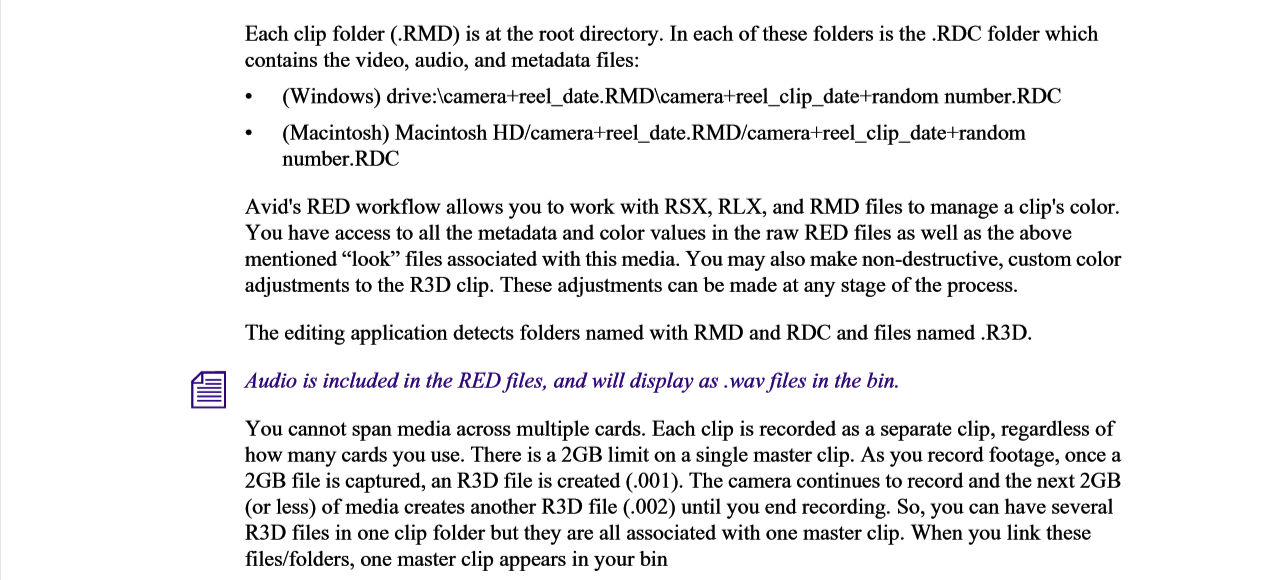
so how does it work, am I no longer going to Link to the R3D file through Avid and instead I need to link to the RMD file ?
 
Either you bake your look in your file and shoot Prores or DNxHD (in UDF format) and you link to your media or you shoot RAW and learn how the RAW workflow works regarding the metadata look (it's not rocket science). The other option is to shoot RAW and DNx on your camera, link to the DNx file for the editorial part and relink to the RAW file for colorgrading.

Pat
 
so how does it work, am I no longer going to Link to the R3D file through Avid and instead I need to link to the RMD file ?

The RMD file is part of the r3d file. So all you need to figure out is how to make your NLE reading the RMD instead of in camera setting. Im sure there is a way but I don't speak avid so can't point you any further. In flame there is the following options:

In camera setting.
Red cine / RMD setting.
User setting.

Where user setting is like a skin ontop of the other settings.
 
Eddie,

Like Bjorn said, the .RMD file is part of the .R3D file. Once you change the look in Redcine-X, Reds .RAW delevoper , that writes back to the .R3D file. However, if that change is not saved somehow or you can't link to the .RMD file, you revert back to the look of the .R3D file from the original metadata .

When I used Avid Media Composer about 2 or more years ago, I AMA linked to .R3D files. I also think I had to change the .Raw properties of the. R3D file inside the " Color Management" tab I believe. This is if Avid even supports IPP2, you might be still stuck with "Legacy" in Avid. Avid weren't the most cutting edge on the adoption of new workflows as I remember.
 
Last edited:
While I get that ease of workflow is extremely important, these cameras produce fantastic images. Do not let the workflow get you down about the camera tech. Push through figuring out your workflow and you'll probably realize that these cameras have a lot to offer. All camera systems have their quirks. I don't use AVID and I'm not telling you to switch, but I would strongly recommend against choosing a camera based on the NLE you use. Were you on the fence about the RED ecosystem when you chose the camera?
 
The title to this thread is somewhat odd when compared to your workflow question...
 
Eddie,

Once you change the look in Redcine-X, Reds .RAW delevoper , that writes back to the .R3D file.

Just to Clarify; Any changes made in RedCine-X are saved in a separate "sidecar" .RMD file. No changes are ever written back to the .R3D file.

All programs that work with .R3D files automatically (for the most part) read and apply the changed metadata from the .RMD file. (the extension is an acronym for Red Meta Data)

The reason for this "sidecar" file system is to allow a non-destruct way to to make changes; the original .R3D footage is never altered.
 
Todd,

Well Yeah, The metadata info of the .R3d files always remains the same. The .RMD file associated with that .R3D file changes when you apply a "look" in Redcine-X. If that .R3D file is read by a program that can read that updated .RMD file, that will be the look of the .R3D file in that program if the changed .RMD file was saved. However, the original metadata can be brought back. Maybe the wording "Write back" wasn't the best terminology to use to describe it.
 
Back
Top