Welcome to our community

Be a part of something great, join today!

  • Hey all, just changed over the backend after 15 years I figured time to give it a bit of an update, its probably gonna be a bit weird for most of you and i am sure there is a few bugs to work out but it should kinda work the same as before... hopefully :)

Scarlet and Epic BUILD 4 BETA

Something here I don't understand. According to this I´m supposed to be able to turn my EVF/LCD upside/down and shoot, right? Except that I´m not able to do that, because Jarred said that horizontal flip wasn't enabled, and that would also affect how media was recorded (meaning: recording a mirrored image).

Am I wrong? Or is that description text wrong?

(The deal is, that I want to mount my EVF upside down and get a correct picture. And not have my SSD recording a mirrored image).

There are two 'layers' to what you're seeing on the monitor; the image you're capturing/previewing and then the user interface. This update allows you flip both layers vertically, and the UI interface can also be flipped horizontally (aka. mirrored). What cannot be done yet is to horizontally flip/mirror the image being captured/previewed. The description is correct but not as detailed as this. Hope that makes sense.
 
I am still having an issue with the LCD freezing on boot up with the new firmware - sometimes it's fine other times it freezes on boot up at the half white/half black screen. (It's not a bad LCD cable - it worked fine prior to installing build4)

id re-install previous 3.3.X then reinstall 4.0.x
 
I think I'll wait until 4.2... or wait for it to come out of Beta.
Sounds like a few little bugs in there.


Thanks Red. :)
Merry Christmas... or happy holidays.

surely you can spare one body to muck about with the new build mate.
 
Yes I can confirm that the EVF can be mounted upside with correct image and menus. In fact you can switch all mounted displays independently.

Something here I don't understand. According to this I´m supposed to be able to turn my EVF/LCD upside/down and shoot, right? Except that I´m not able to do that, because Jarred said that horizontal flip wasn't enabled, and that would also affect how media was recorded (meaning: recording a mirrored image).

Am I wrong? Or is that description text wrong?

(The deal is, that I want to mount my EVF upside down and get a correct picture. And not have my SSD recording a mirrored image).
 
Frame Averaging Test

Frame Averaging Test

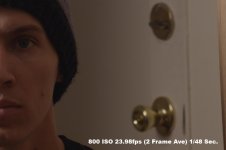
So build 4 is awesome! Did a quick test of the Frame Averaging capabilities and it's pretty impressive.
Forgive the JPG format but you can still see the difference in the different settings. In motion it's even more obvious.

I tested Frame Average 2 frames and 4 frames. Beyond that (8, 16 frames) you CAN'T set the frame rate to 23.98fps,
and with 4 frames you can only goes as low as a 1/96 of a shutter.

All pics 1:1 center cropped.
 

Attachments

  • Normal.jpg
    Normal.jpg
    61 KB · Views: 0
  • 2FrameAve.jpg
    2FrameAve.jpg
    52.5 KB · Views: 0
  • 4FrameAve.jpg
    4FrameAve.jpg
    49.2 KB · Views: 0
Frame averaging is a common technique for making cleaner footage, provided it doesn't have crazy movement. What will be interesting is to do this with movement but with higher shutter speeds to compensate for blur introduced from averaging. Obviously this feature was designed for long exposures.


So build 4 is awesome! Did a quick test of the Frame Averaging capabilities and it's pretty impressive.
Forgive the JPG format but you can still see the difference in the different settings. In motion it's even more obvious.

I tested Frame Average 2 frames and 4 frames. Beyond that (8, 16 frames) you CAN'T set the frame rate to 23.98fps,
and with 4 frames you can only goes as low as a 1/96 of a shutter.

All pics 1:1 center cropped.
 
Thanks Sergio - I tried a reinstall before I posted and it still did it.
+Froze my LCD several times
+Unresponsive to changes in ISO settings happened a few times to me, needing a reboot to fix
+Definitely adds a couple of seconds to the boot time
+Nothing big enough to make it a whole new camera to me (that'll be the upgrade to the epic)

From my couple of hours of playing with the new build, I'm going with the previous version till 4 is ready and solid.


id re-install previous 3.3.X then reinstall 4.0.x
 
Yes I can confirm that the EVF can be mounted upside with correct image and menus. In fact you can switch all mounted displays independently.

Bob, when I switch UI and Video to "Flipped" my RED LCD image is not oriented correctly horizontally, i.e. what should be on the right is on the left. Are you saying you are not getting this behavior with an EVF?

Also, any guesses why the menu allows flipping of UI and Video independently? Can anybody think of a use for a flipped UI and non-flipped video image? Doesnʻt make much sense to me.
 
So build 4 is awesome! Did a quick test of the Frame Averaging capabilities and it's pretty impressive.
Forgive the JPG format but you can still see the difference in the different settings. In motion it's even more obvious.

I tested Frame Average 2 frames and 4 frames. Beyond that (8, 16 frames) you CAN'T set the frame rate to 23.98fps,
and with 4 frames you can only goes as low as a 1/96 of a shutter.

All pics 1:1 center cropped.
Great samples, Clint. Thanks for these.
 
Also, any guesses why the menu allows flipping of UI and Video independently? Can anybody think of a use for a flipped UI and non-flipped video image? Doesnʻt make much sense to me.
I'd guess it's programming. The layers are independent so why not allow this to be operated independently? While the use may be limited, the option and ability to do this already exists. If it's there, why not allow it for the [probably rare] folks that would want to use it.

EVF and all other monitors perform the same with this feature. ie. Video is not horizontally mirrored.
 
EVF and all other monitors perform the same with this feature. ie. Video is not horizontally mirrored.

Ok, thanks. Thatʻs what I thought but now Iʻll stop messing with it and play with something else. I guess itʻs a immature feature that still needs work to be useful to me. That video flip feature must be difficult to program!
 
What I canʻt figure out is what this has to do with the HDMI Monitor, as I had it hooked up to one during this test and saw no changes other than the fact that the monitor output changed to Clean.

I'm seeing the same thing. The problem is there isn't anyway of getting out of that if it happens. I only have a HDMI monitor and once you set that and loose the menus they can't be brought back. On the Redmote the only option is Clean and I used the force_preset method as well to no avail. The only way to restore it and turn off Enhanced AF is to reinstall the firmware. There needs to be a way to turn off Enhanced AF from another input device like the Redmote.
 
I'm seeing the same thing. The problem is there isn't anyway of getting out of that if it happens. I only have a HDMI monitor and once you set that and loose the menus they can't be brought back. On the Redmote the only option is Clean and I used the force_preset method as well to no avail. The only way to restore it and turn off Enhanced AF is to reinstall the firmware. There needs to be a way to turn off Enhanced AF from another input device like the Redmote.

We'll update the force_preset files to make sure enhanced AF isn't using the monitor. Thanks for brining up the problem.

By the way you can always reset to factory defaults by holding the power button for 15 seconds at bootup. This is easier then reinstalling.
 
May I ask then what the majority of folk on ehre will be doing about using this or not with commercial shoots? It seems that everyone on here has already installed the update so are you all just going to downgrade before working again or are you going to roll the dice?

Anyone?
 
Can you elaborate on the problem you are having? There has always been Auxillary Power on the PRO I/O. You can enable/disable it from the Power Dialog (Power Out tab).

The Auxilaries do not power a bartech, preston, monitor, anything. This is documented with RED Support and I was told something would be in the next build.

If you have powered accessories I and many would love to know what they are.
 
Wow this is pretty awesome!

I'm going to take full advantage of the time lapse features. Oh the new possibilities now open to me. :)
 
Wow guys, great job! There are a few bugs, but nothing I can't work through even on a commercial shoot (at least so far...)

Could someone explain the difference between applying a blackshade preset permanently vs temporarily? I assumed temporary would revert at some point, but I have removed media, restarted and recorded multiple clips without the BS reverting to the old setting. Just curious what the major difference is besides time taken to apply the preset.

Thanks!
 
Wow guys, great job! There are a few bugs, but nothing I can't work through even on a commercial shoot (at least so far...)

Could someone explain the difference between applying a blackshade preset permanently vs temporarily? I assumed temporary would revert at some point, but I have removed media, restarted and recorded multiple clips without the BS reverting to the old setting. Just curious what the major difference is besides time taken to apply the preset.

Thanks!

Permanent will store the imported map as your default user cal map (and will re-program the map on camera .. which will take ~10 min)

Temporary will allow you to use the imported map as long as the camera is powered up, assuming you don't re-black shade or reset to the factory or currently stored user map. However if you power cycle, the camera will revert to the map stored in it's internal memory. This operation takes only about 15 seconds. This mode is intended as a time saver in case you have some maps stored off camera and need to shuffle through them quickly.
 
Can anyone share their opinion on this with me?

I used beta builds on commercial productions. The day they implemented playback was the first time I did that. Never had any serious issues and I knew the crew pretty well. Not sure ill do it with a "new" crew/production company though
 
Last edited:
Back
Top