Welcome to our community

Be a part of something great, join today!

  • Hey all, just changed over the backend after 15 years I figured time to give it a bit of an update, its probably gonna be a bit weird for most of you and i am sure there is a few bugs to work out but it should kinda work the same as before... hopefully :)

RED V-Raptor vs Alexa 35

Good to be reminded of the philmColor LUTs and the RED Creative LUTs, there are lots of things there that can be used as is or as the starting point for something else.

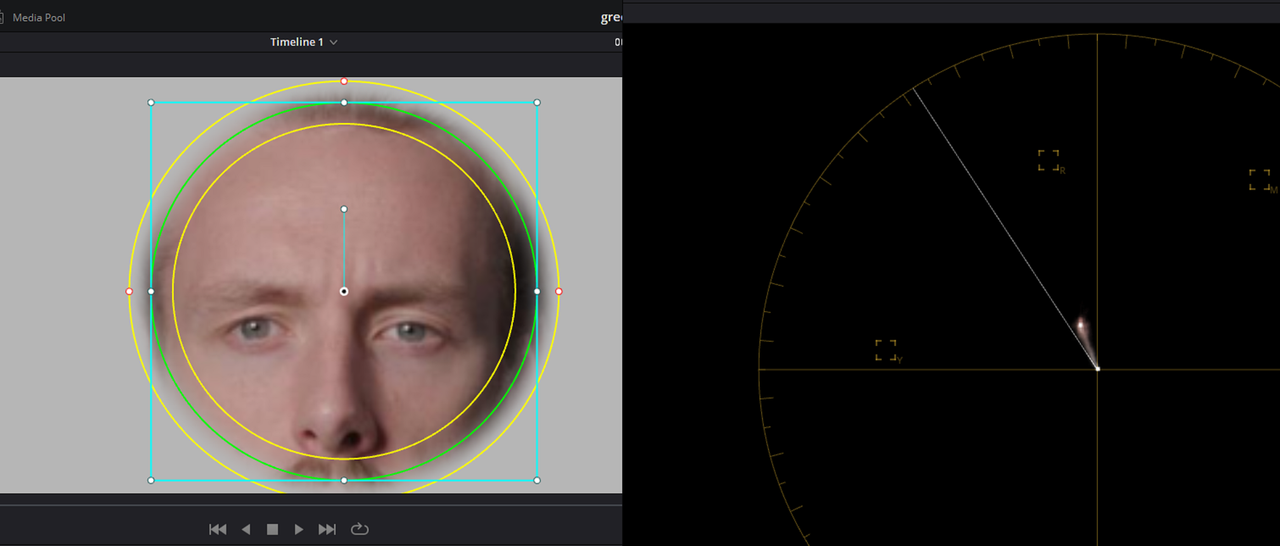
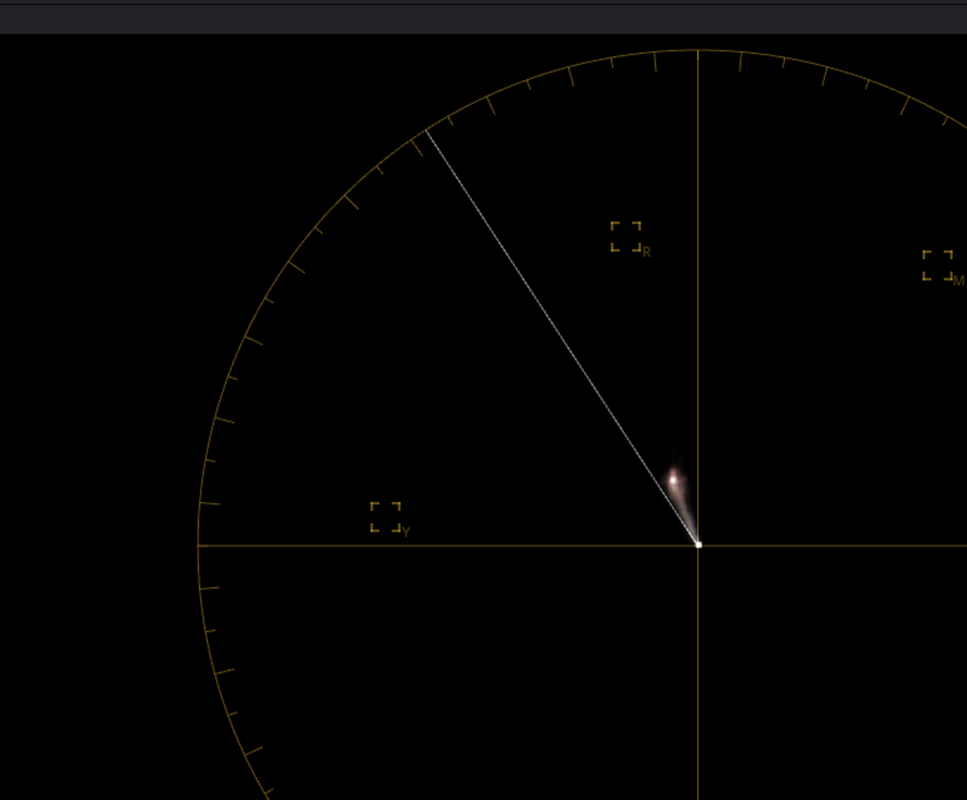
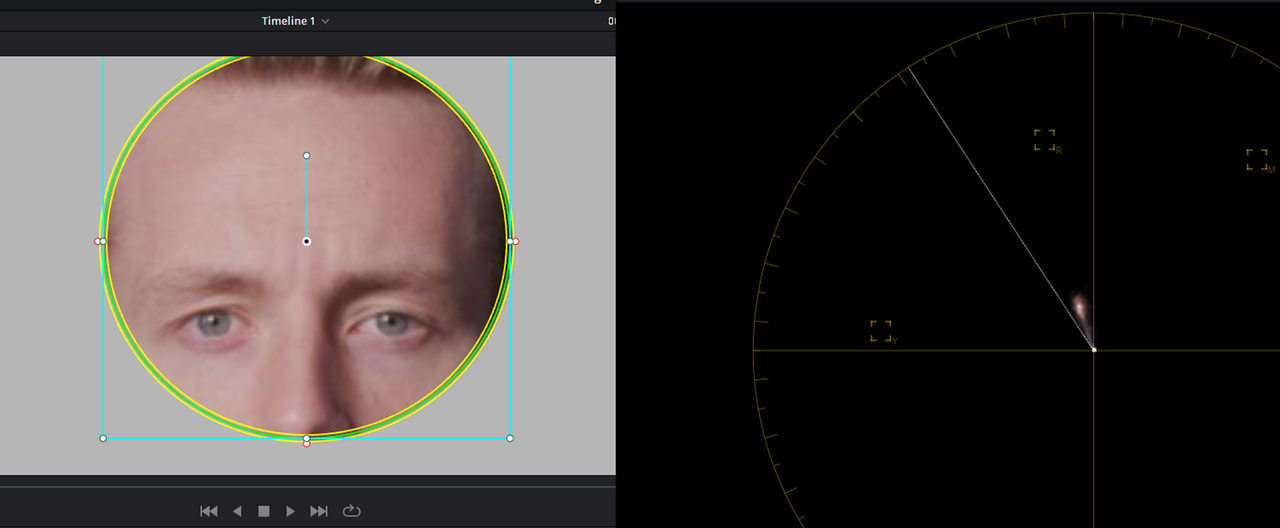
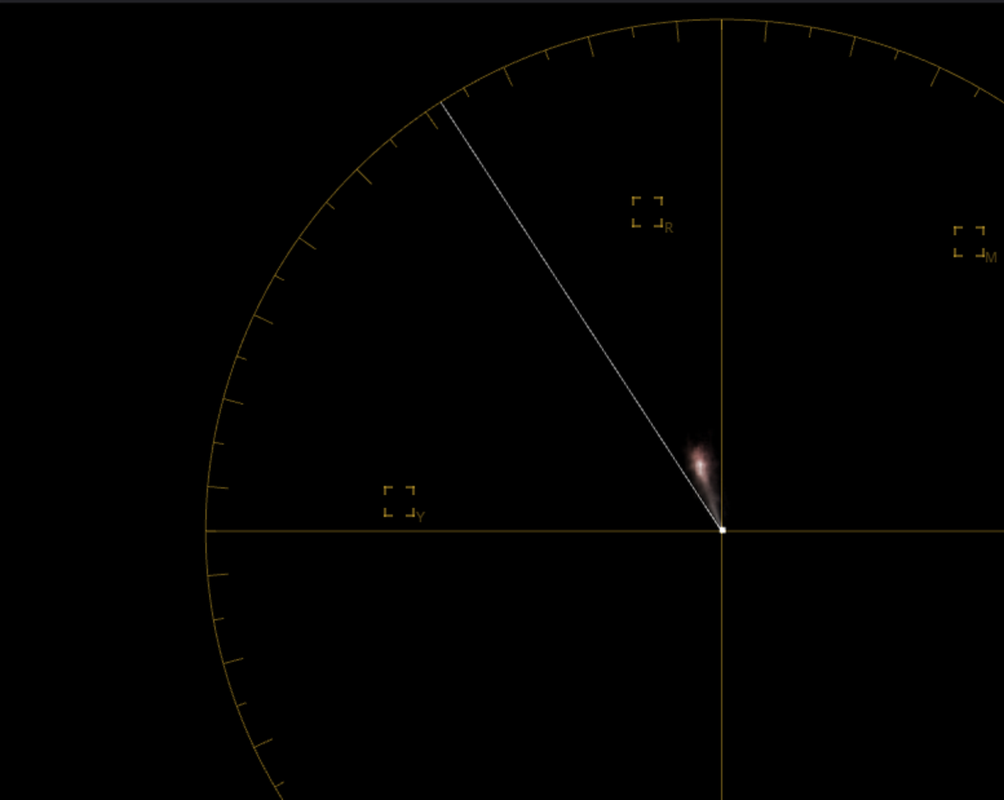
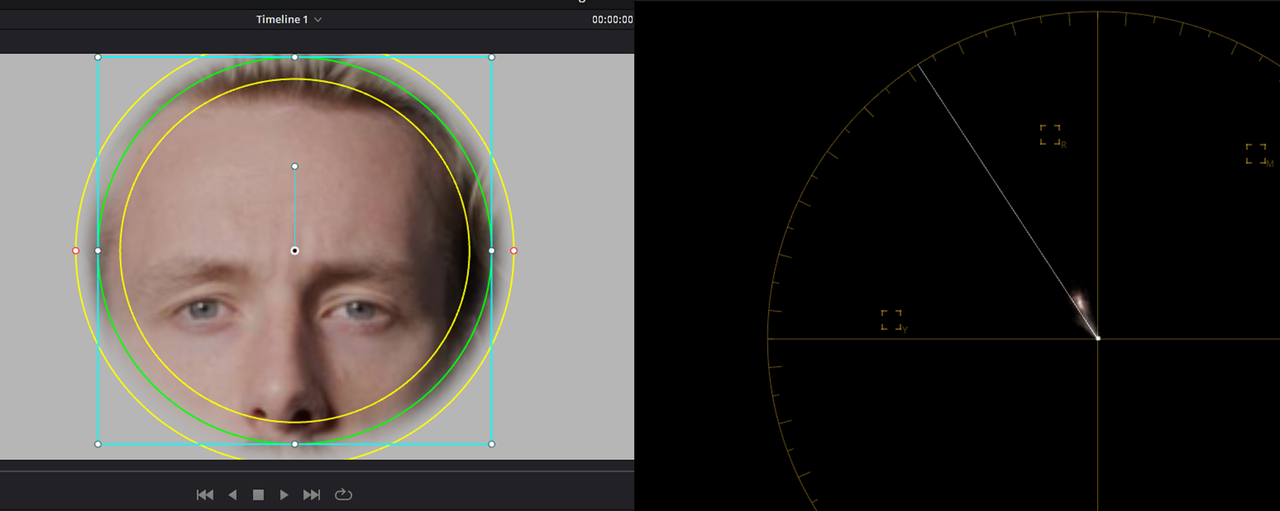
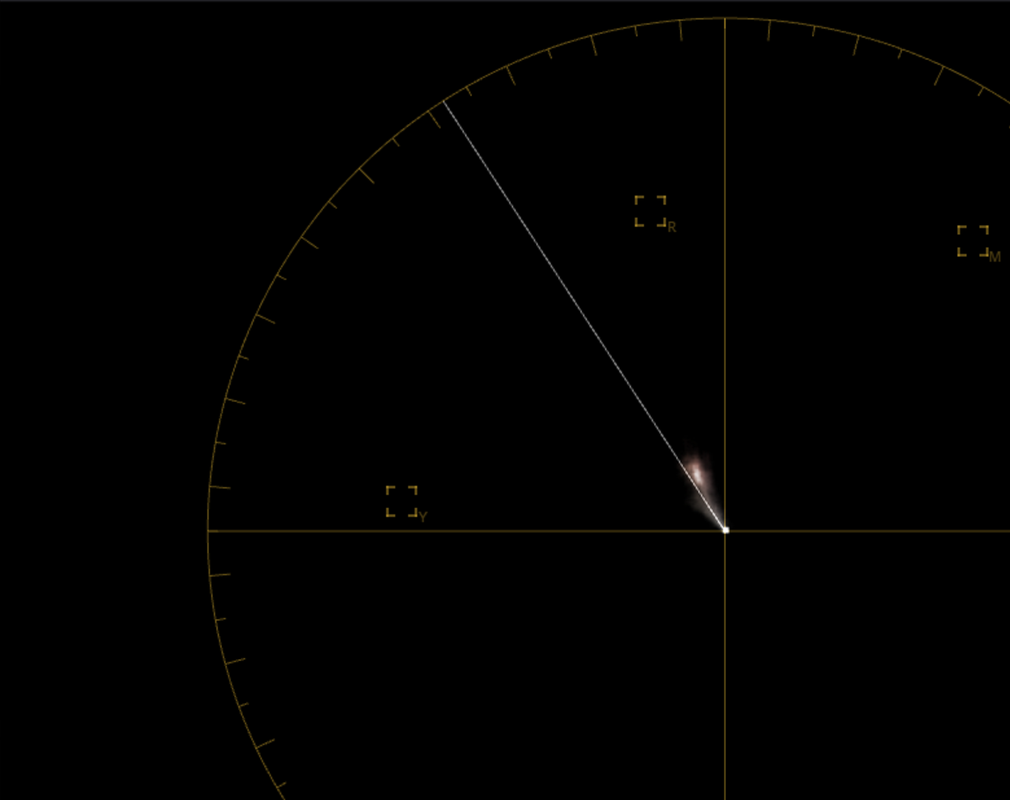
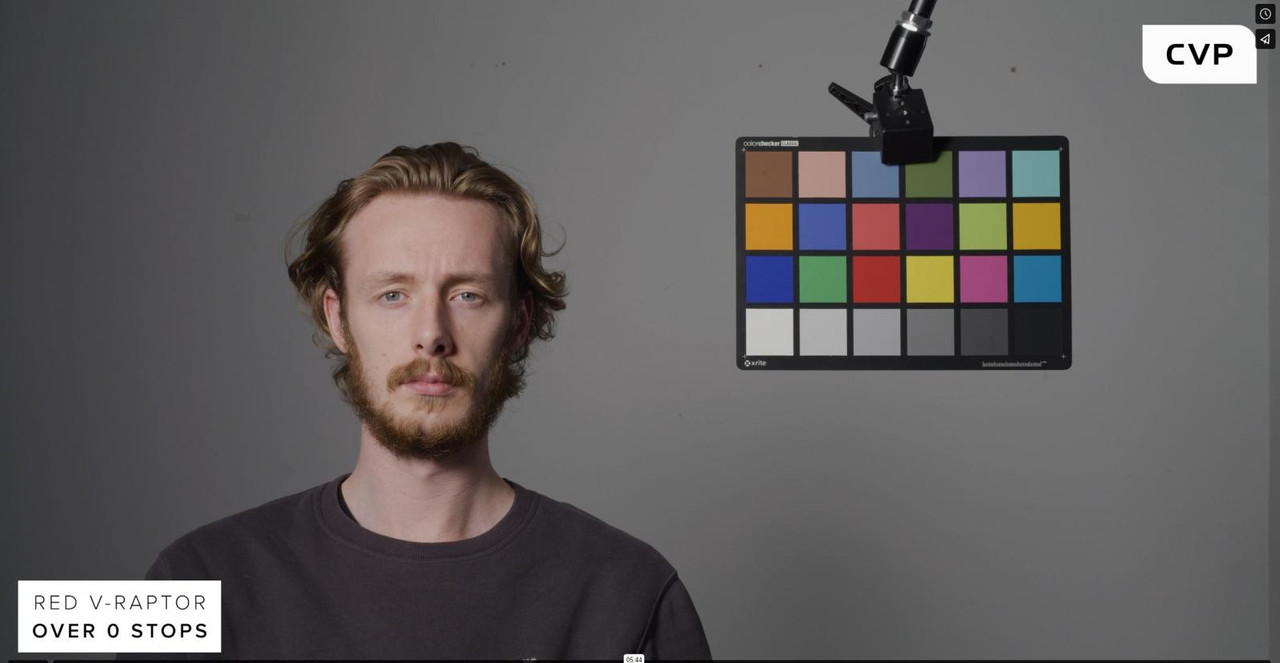
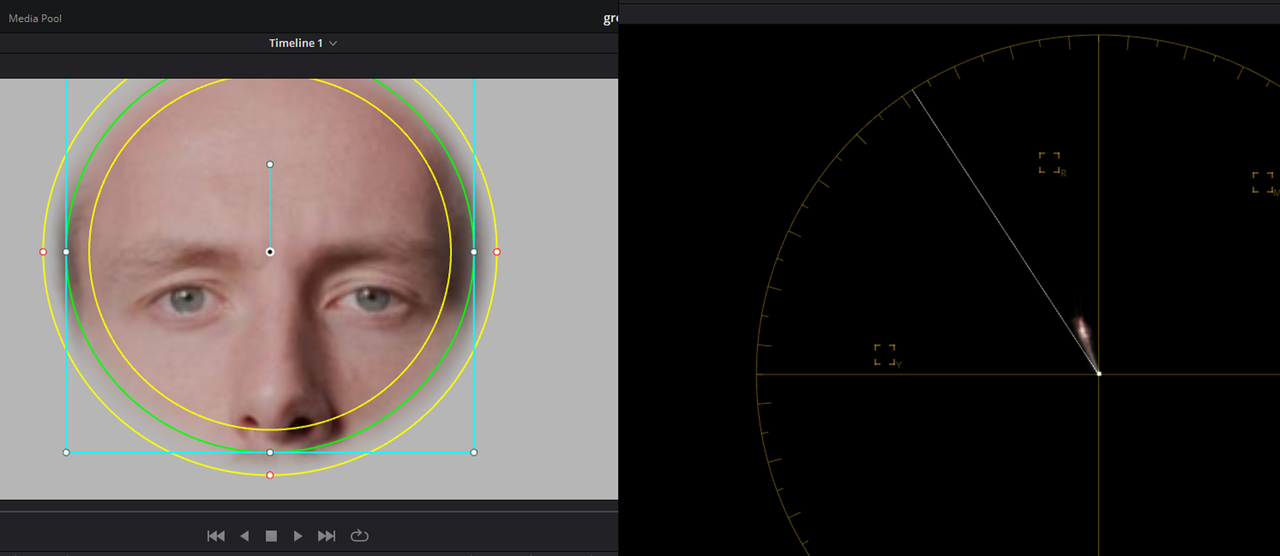
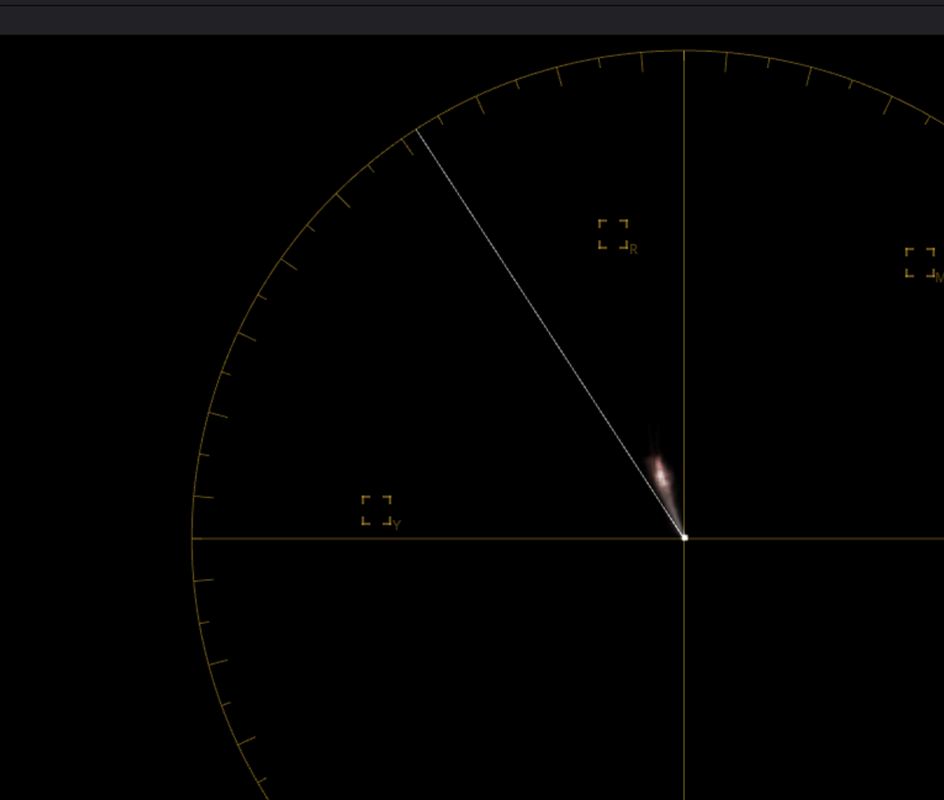
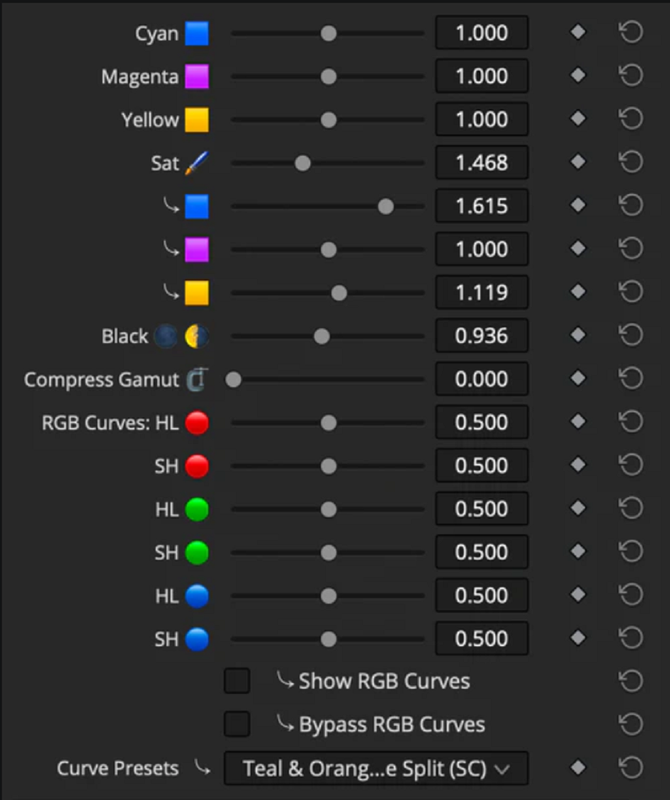
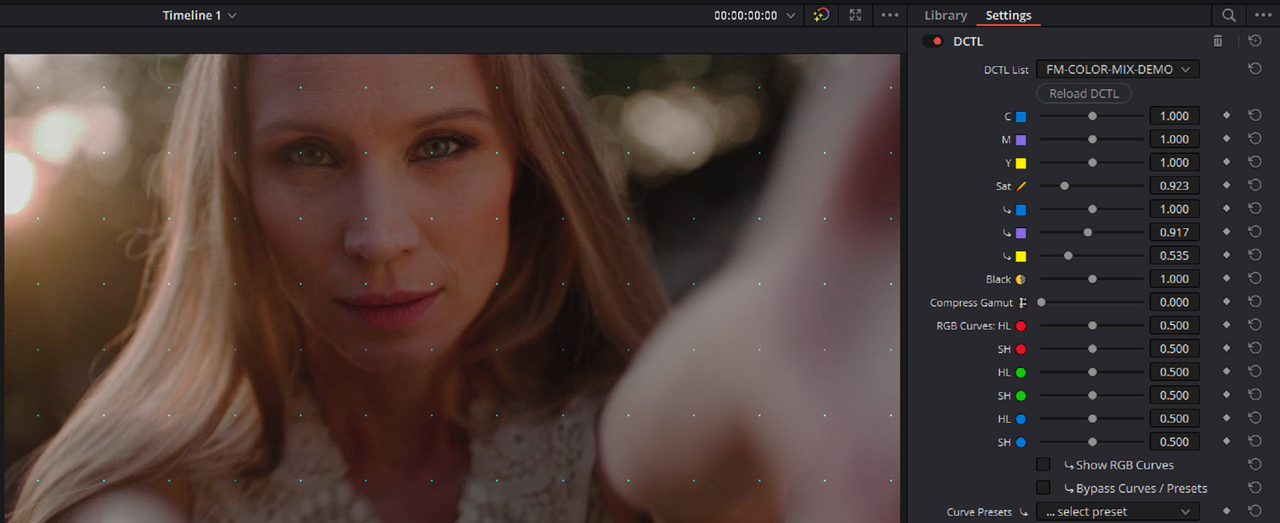
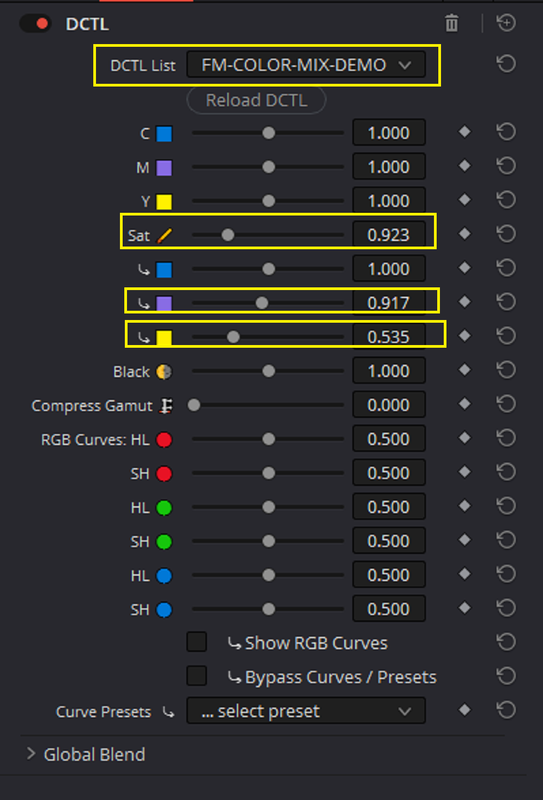
Thanks too for the link to the Tetra-DCTL Rand. Played around with it, using the vectorscope in Resolve, with a shot of a test chart and face. Found it to be the easiest way to fine tune colours and shift hues around I've ever used.

Used the results to re-balance (and push the saturation and colour temp of) that V-Raptor 8K VV sample shot -


https://youtu.be/nas5CkPJ5FQ

If there's still too much yellow in the skin I'd say it's a result of what was actually there or how the image was adjusted, more than what the sensor and colour science captured and interpreted.

Pity Luigi seems to have moved on, would be interesting to have some actual V-Raptor and Alexa 35 side by side frames to play with.
 
Good to be reminded of the philmColor LUTs and the RED Creative LUTs, there are lots of things there that can be used as is or as the starting point for something else.

Thanks too for the link to the Tetra-DCTL Rand. Played around with it, using the vectorscope in Resolve, with a shot of a test chart and face. Found it to be the easiest way to fine tune colours and shift hues around I've ever used.

Used the results to re-balance (and push the saturation and colour temp of) that V-Raptor 8K VV sample shot -


https://youtu.be/nas5CkPJ5FQ

If there's still too much yellow in the skin I'd say it's a result of what was actually there or how the image was adjusted, more than what the sensor and colour science captured and interpreted.

Pity Luigi seems to have moved on, would be interesting to have some actual V-Raptor and Alexa 35 side by side frames to play with.

Les,

Looks good, Yeah the Tetra DCTL is a great free tool to help get great results in any workflow. I still see Luigi's Icon down in the "Currently active members list " from time to time but hopefully he will show up and bless us with , like you mentioned, some RED V-raptor sample footage.
 
Last edited:
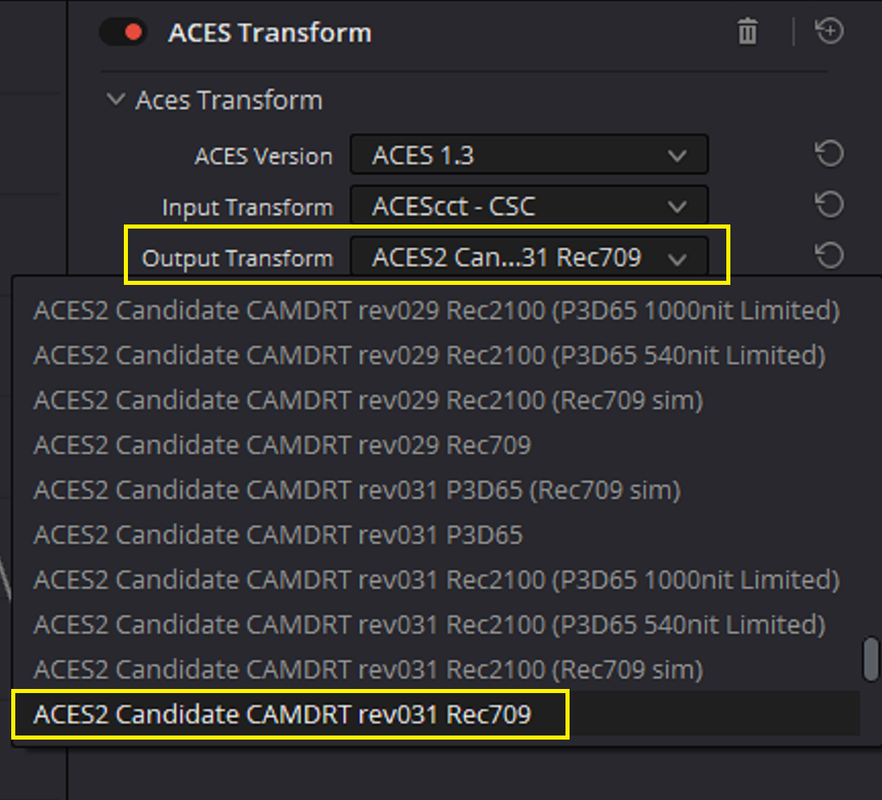
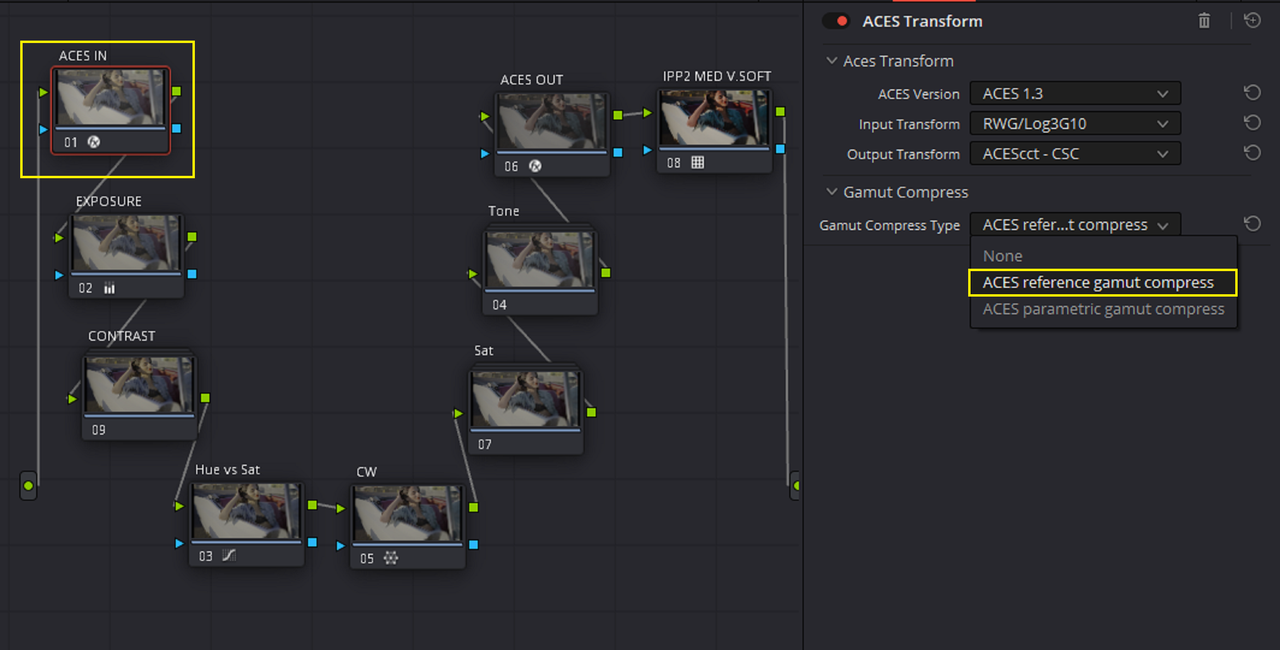
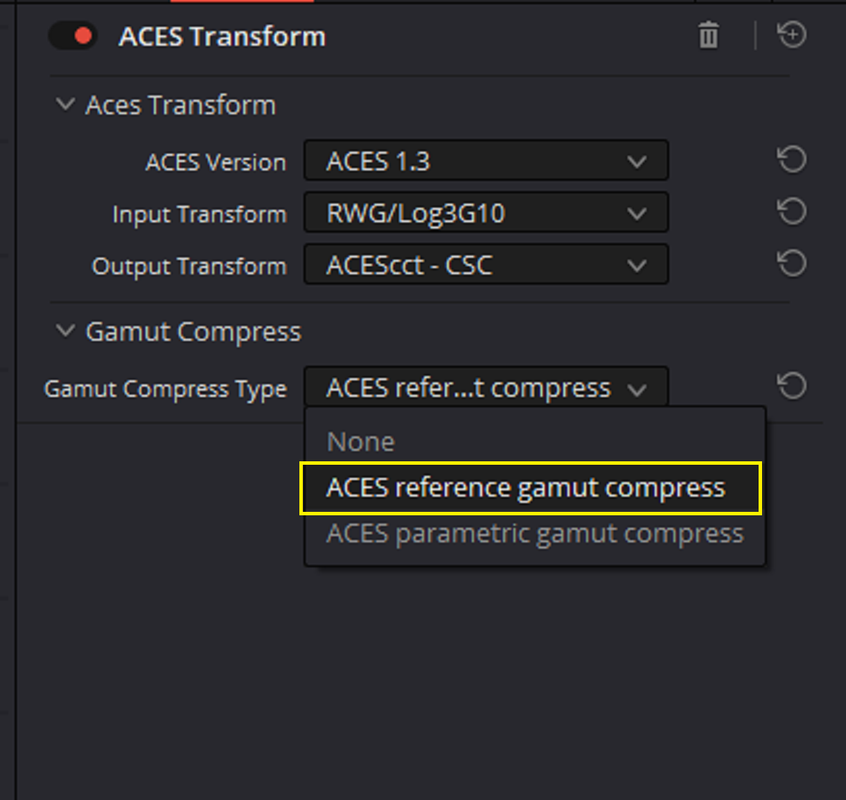
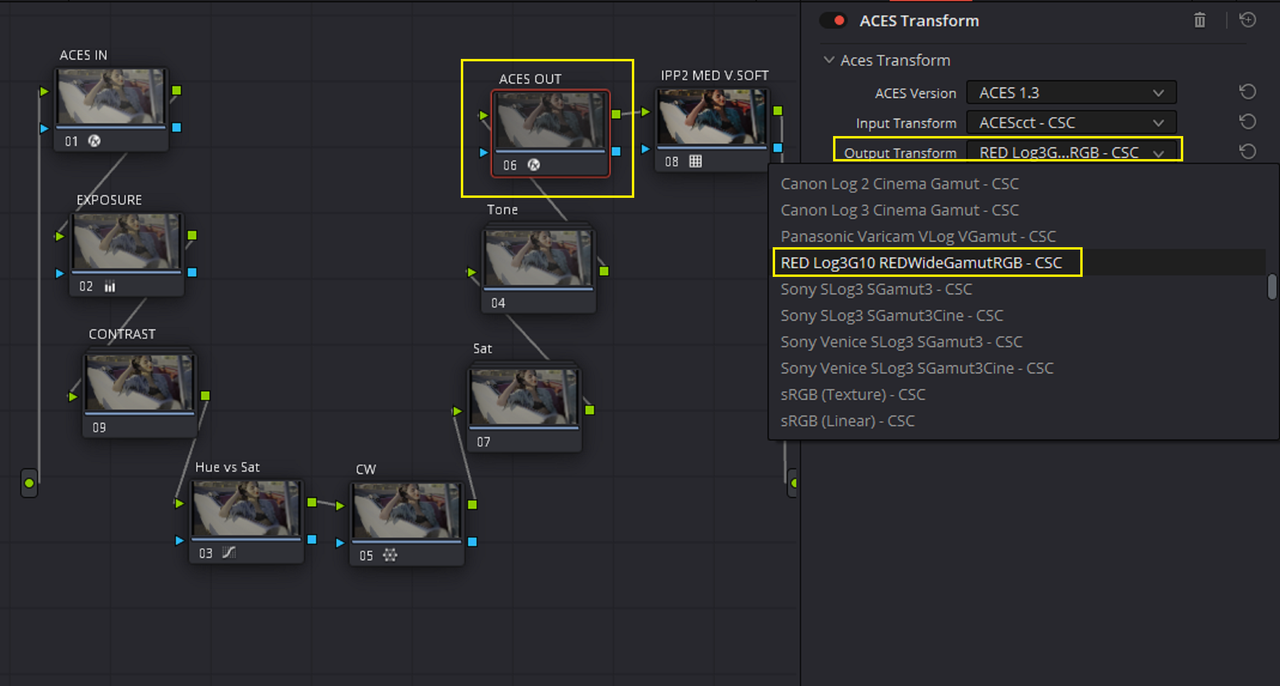
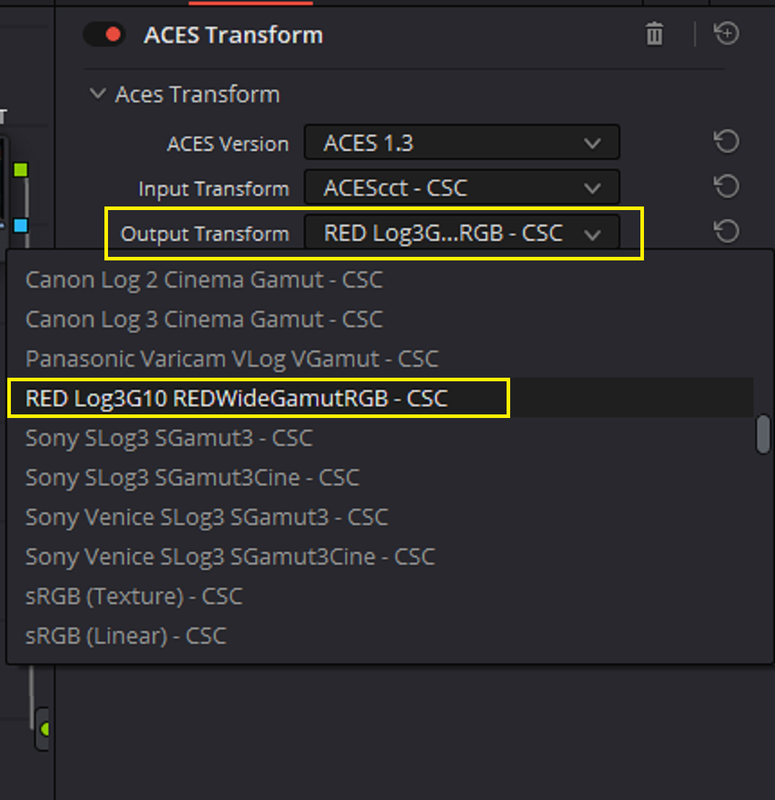
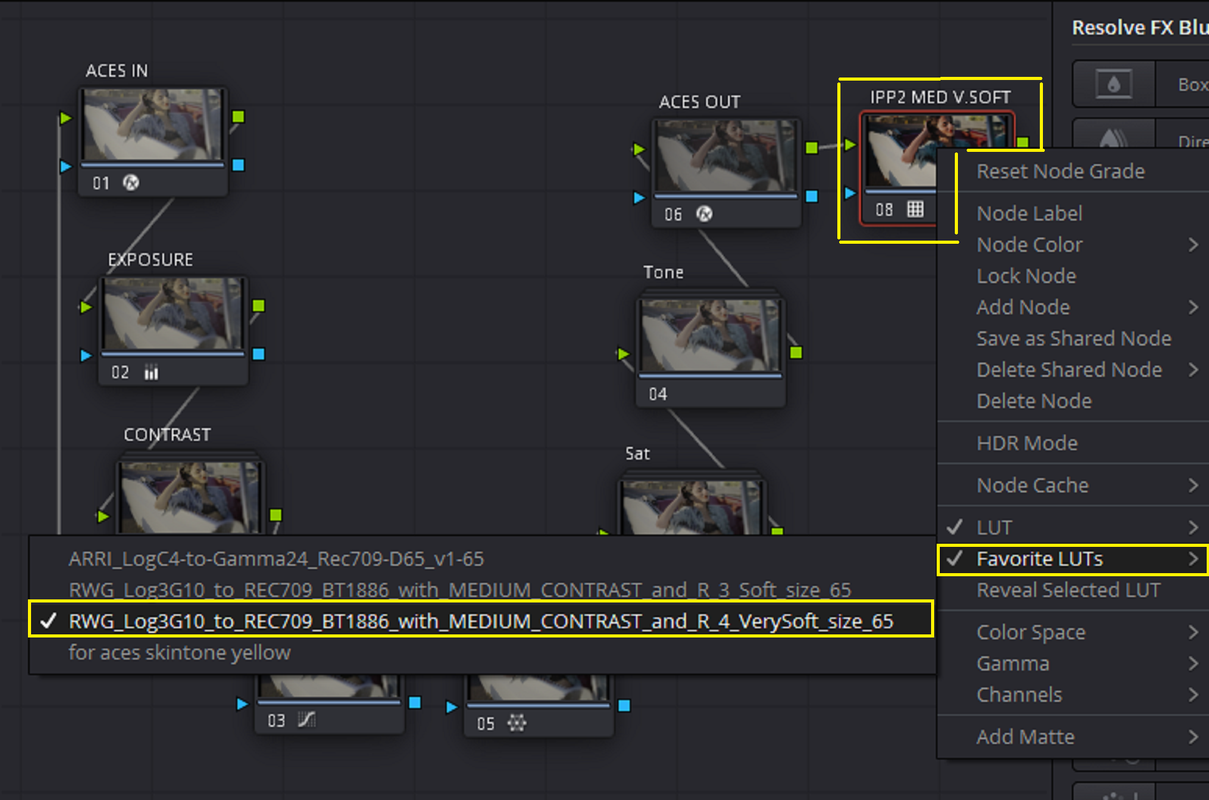
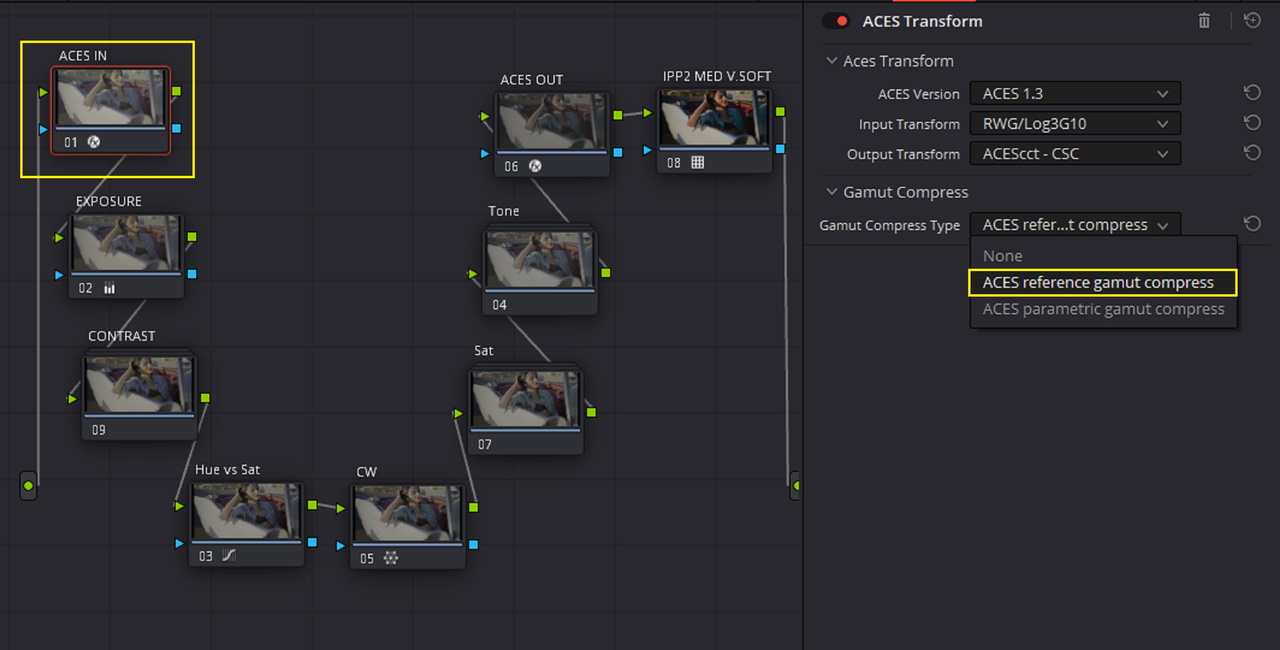
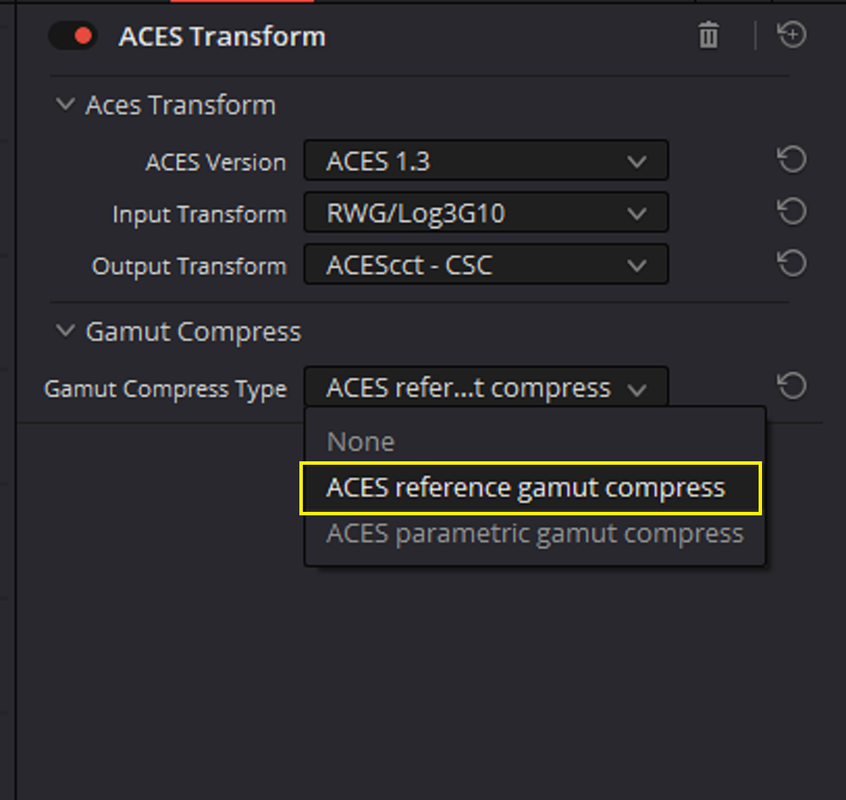
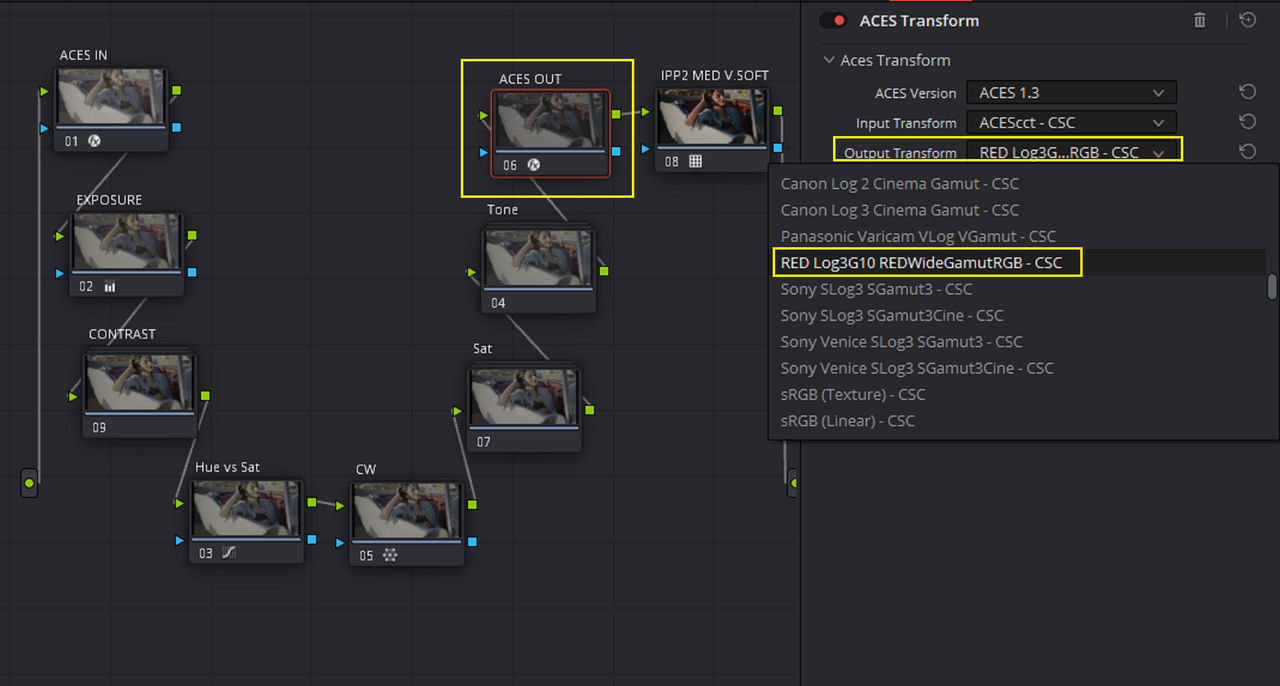
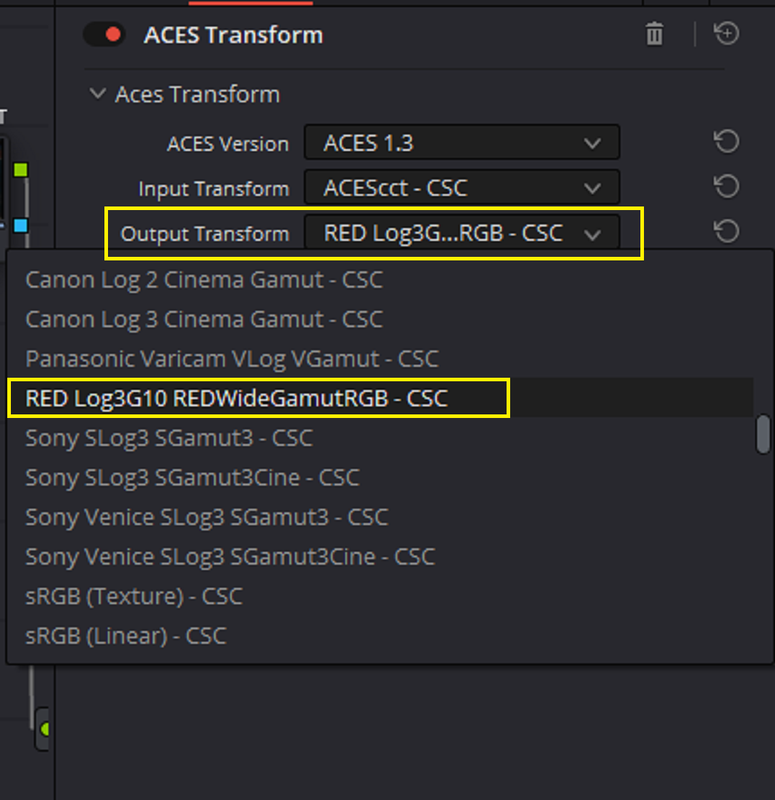
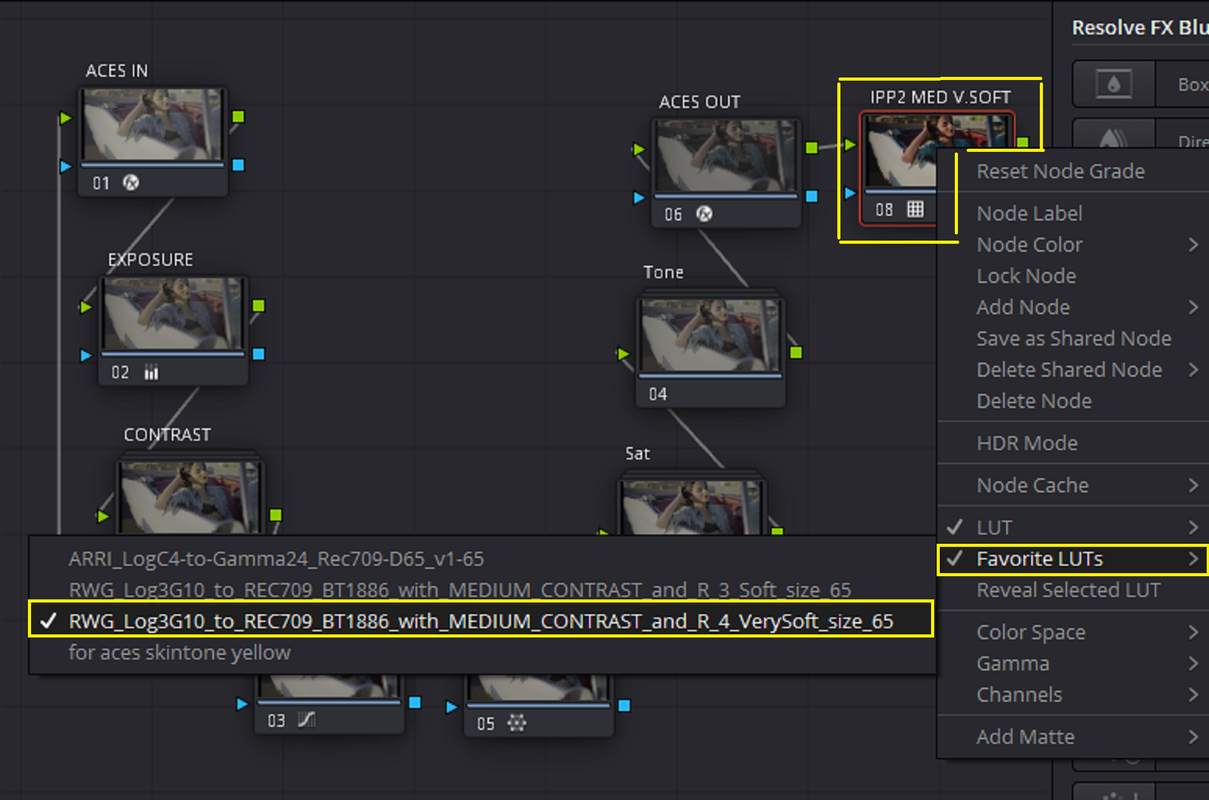
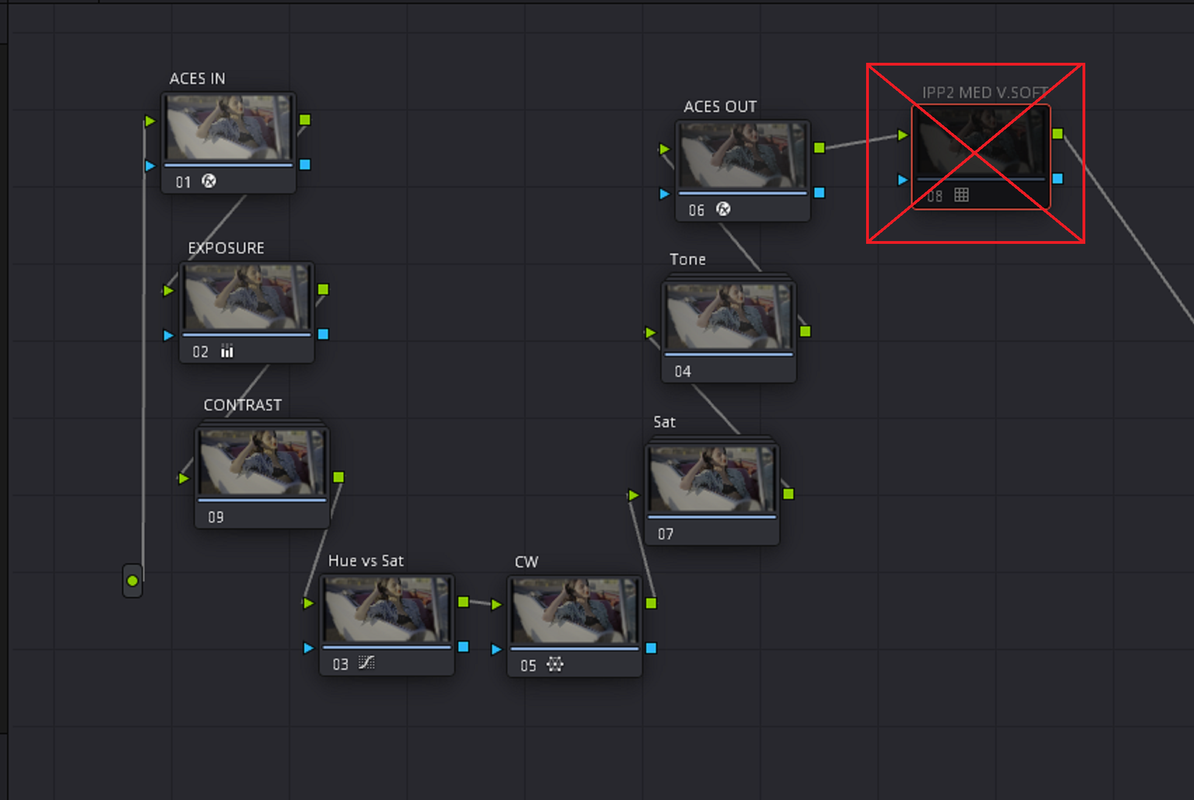
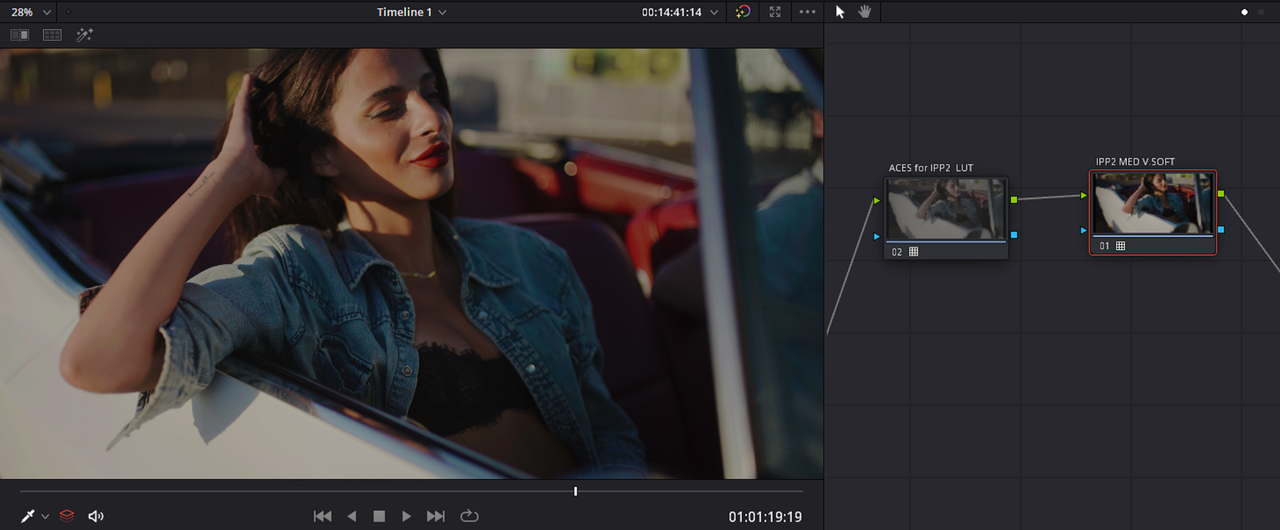
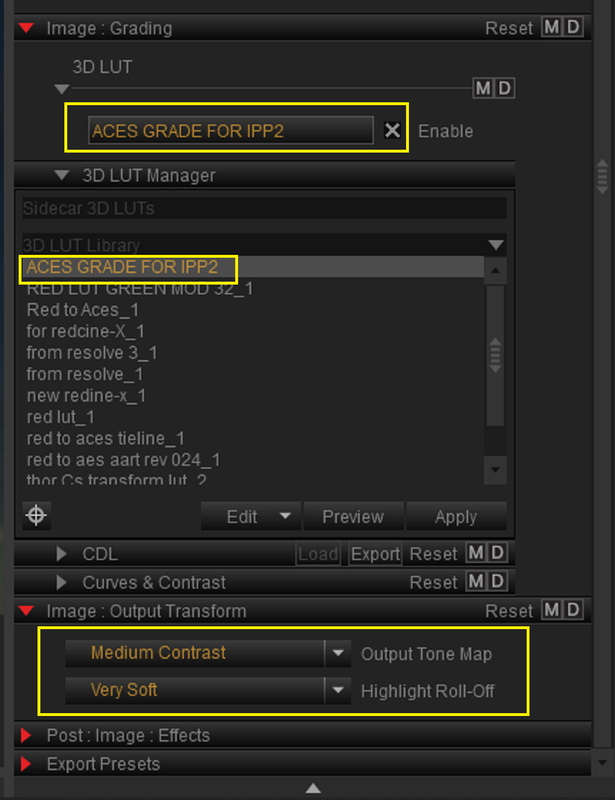
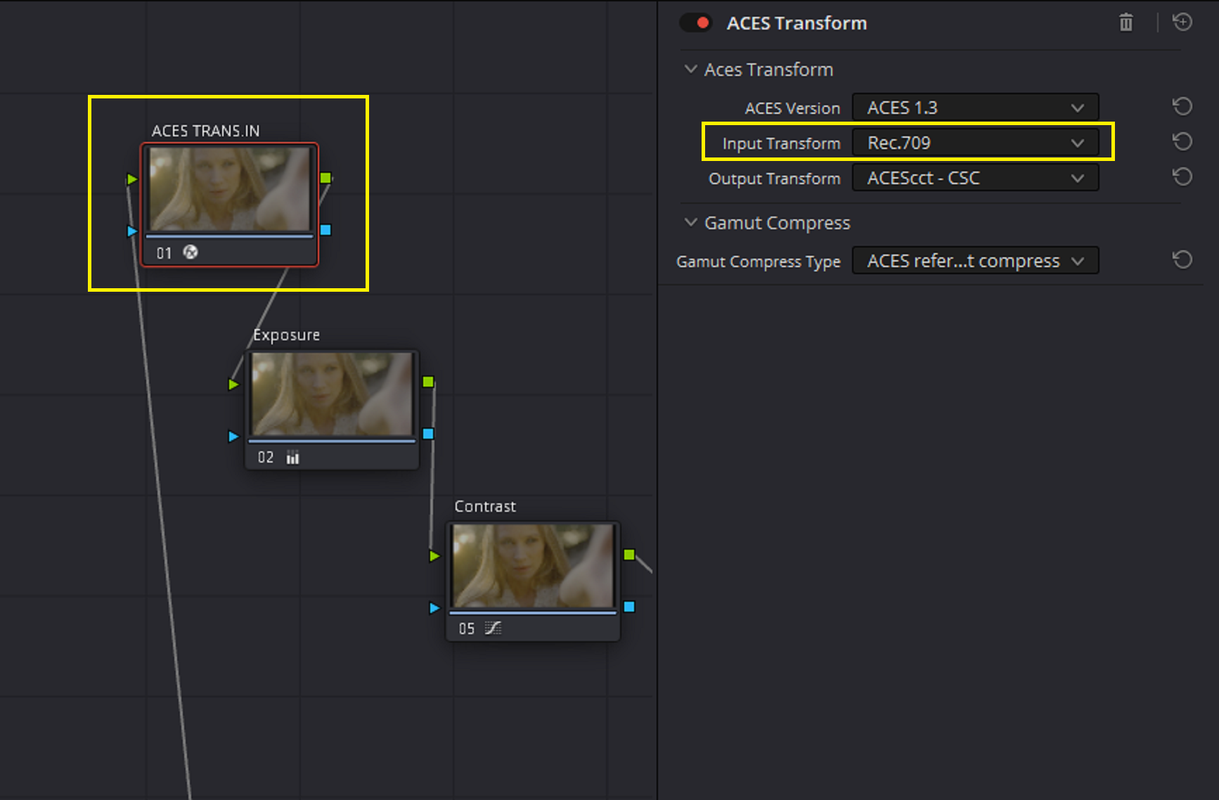
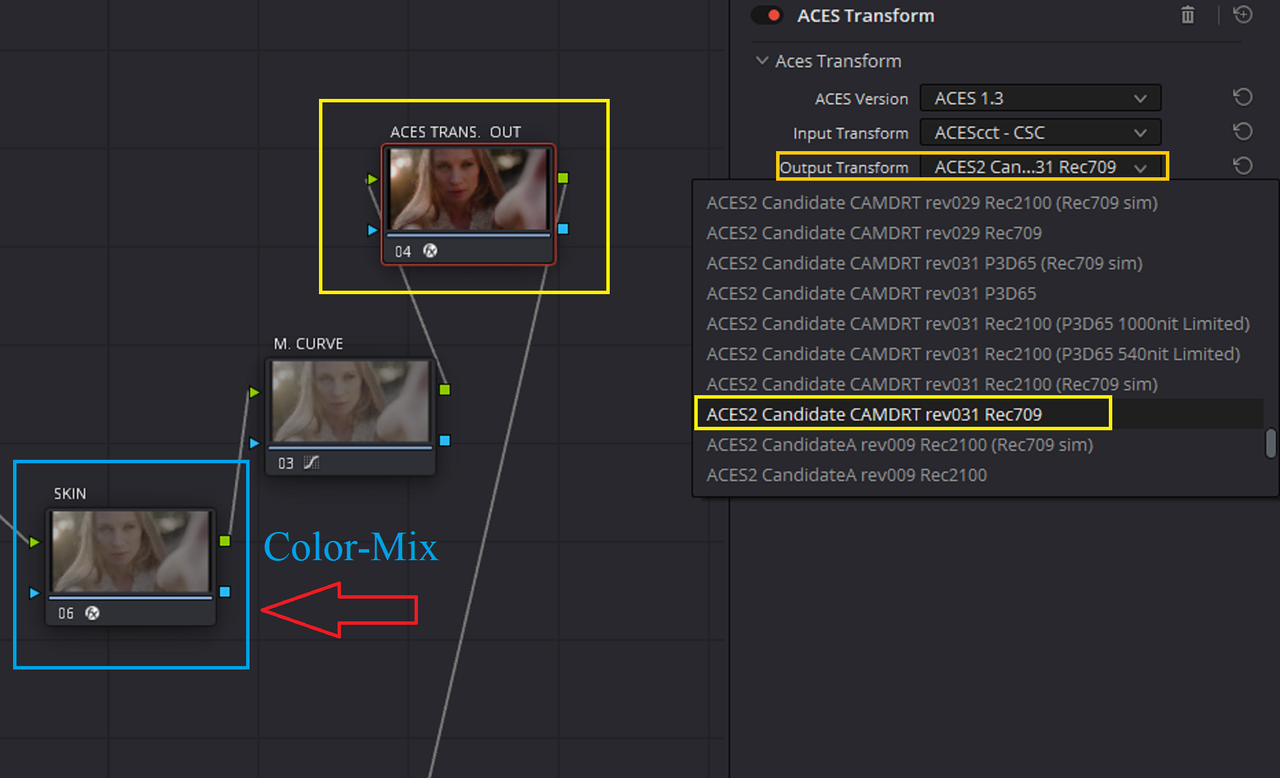
You can use the same ACES grade from before in an Red IPP2 workflow with two modifications.


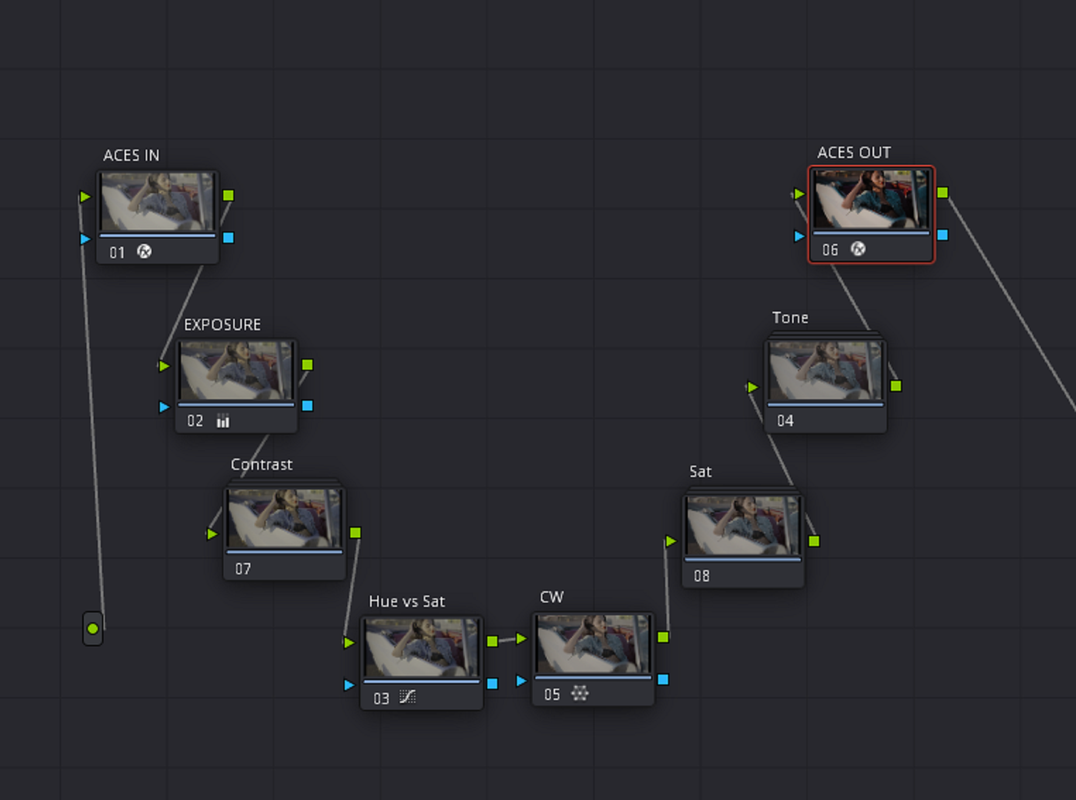
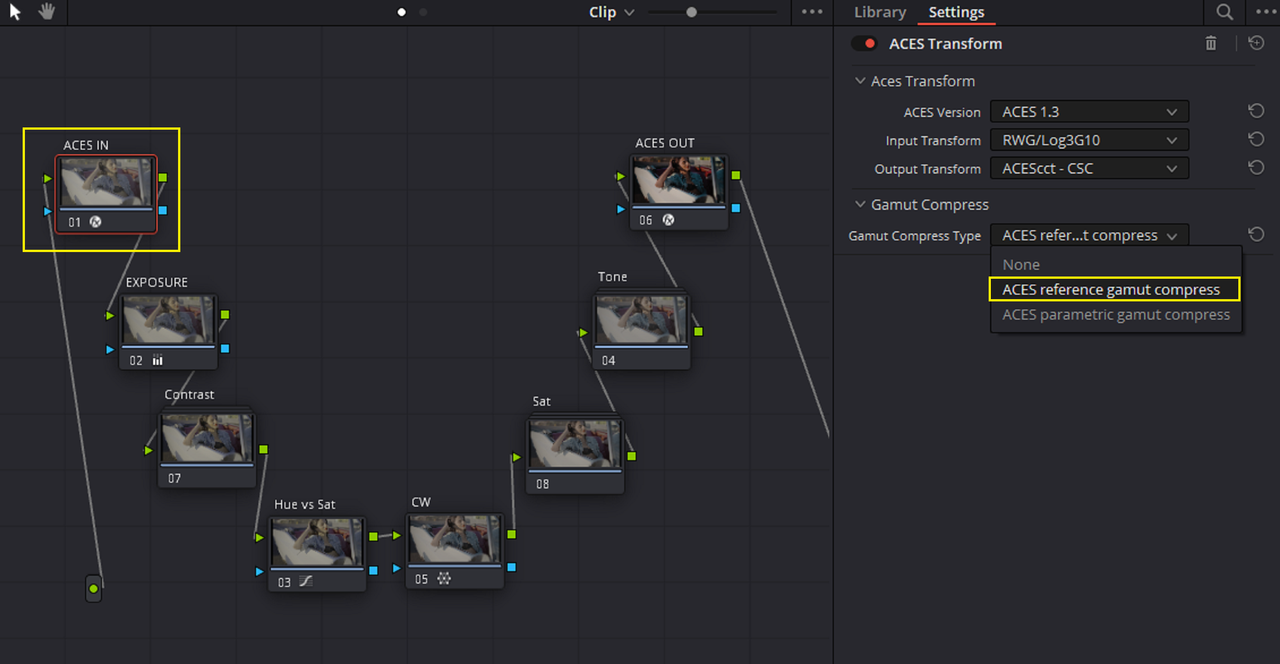
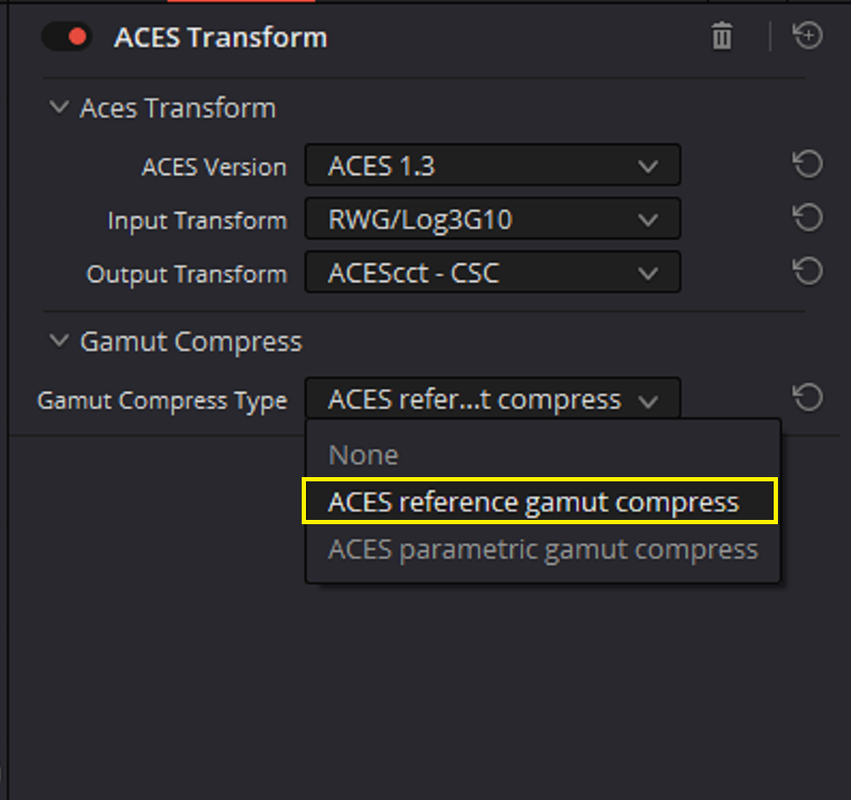
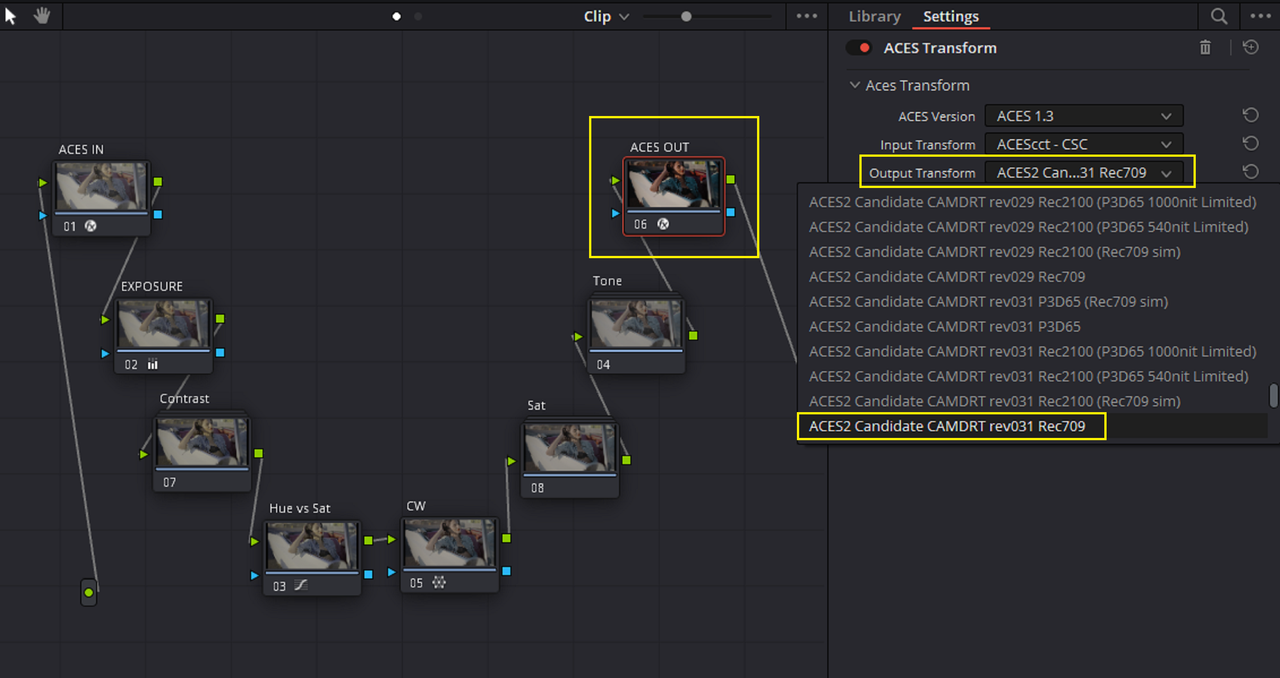
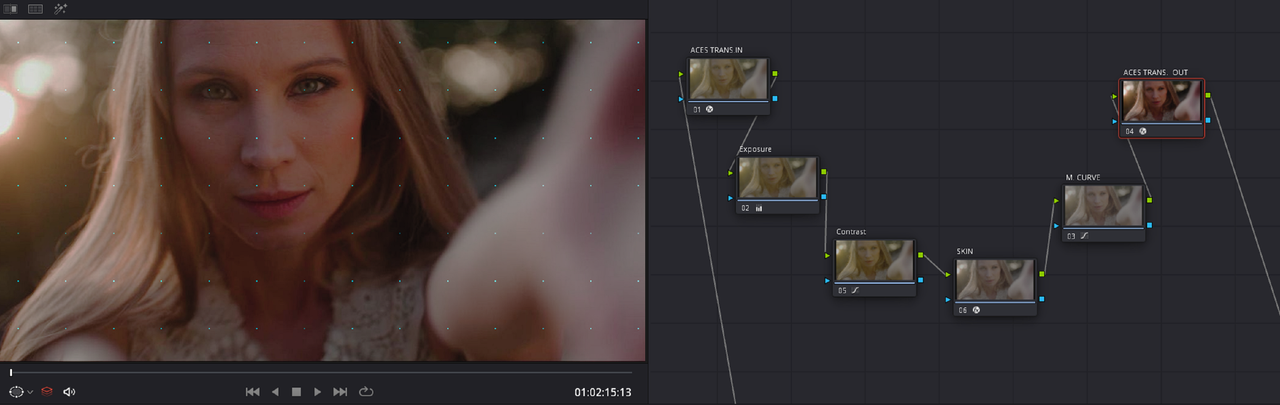
Here is the Aces Node based grade from before

ACES Node Based

Screenshot-8519.png

wq.png


wq2.png


Screenshot-8523.png


Screenshot-8523-2.png


Screenshot-8524.png


Screenshot-8524-2.png


graded-1-3-4.jpg


RED IPP2 Workflow with ACES Grade

1.png


2.png


3.png


4.png


5.png


6.png


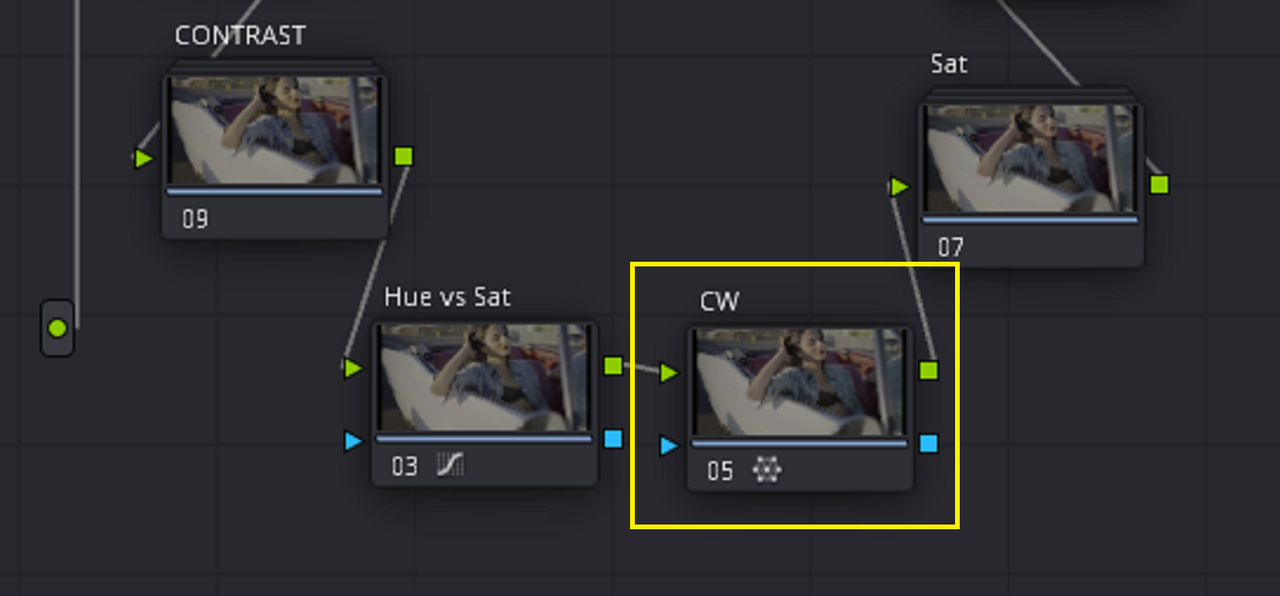
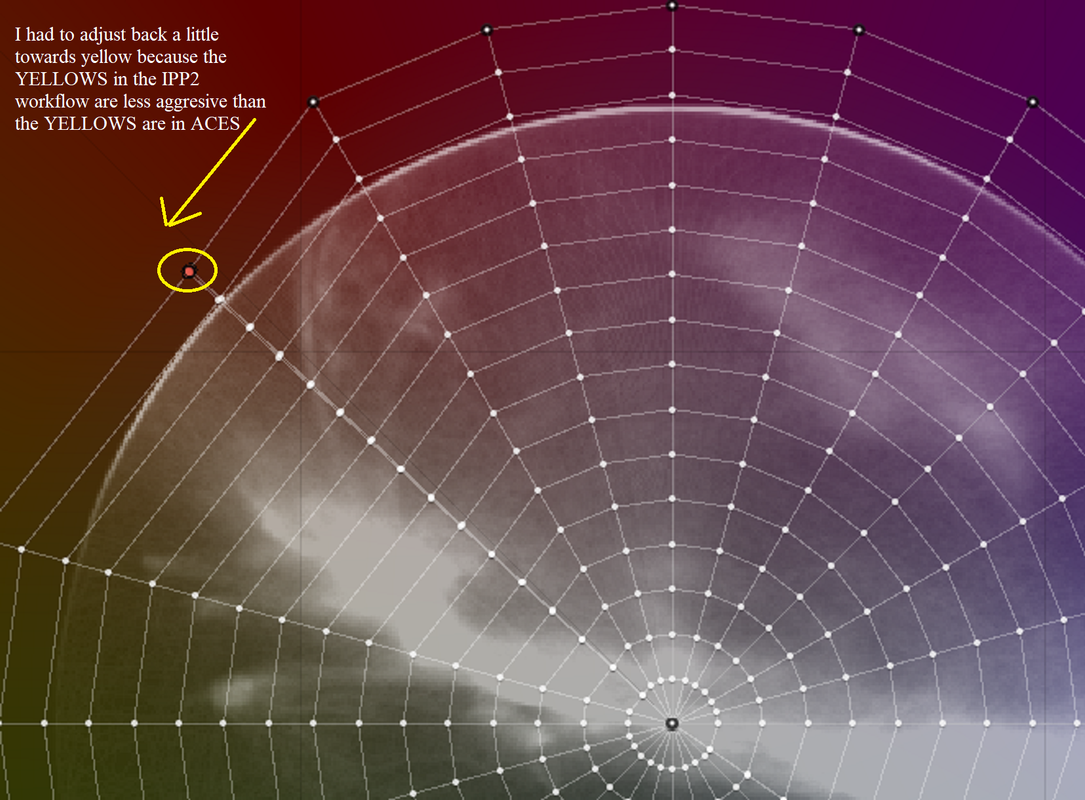
The only other correction to the ACES grade other than the change from the ACES 2.0 REV-31 ODT to the RED Log3G10-RedWideGamutRGB ODT was a Shift back towards YELLOW in the COLOR WARPER since the YELLOWS in the RED IPP2 Workflow are not as Aggressive as the YELLOWS are in the ACES workflow


42.png


Screenshot-8541.png


ACES-TO-RWG-MED-VERY-SOFT-1-3-6.jpg


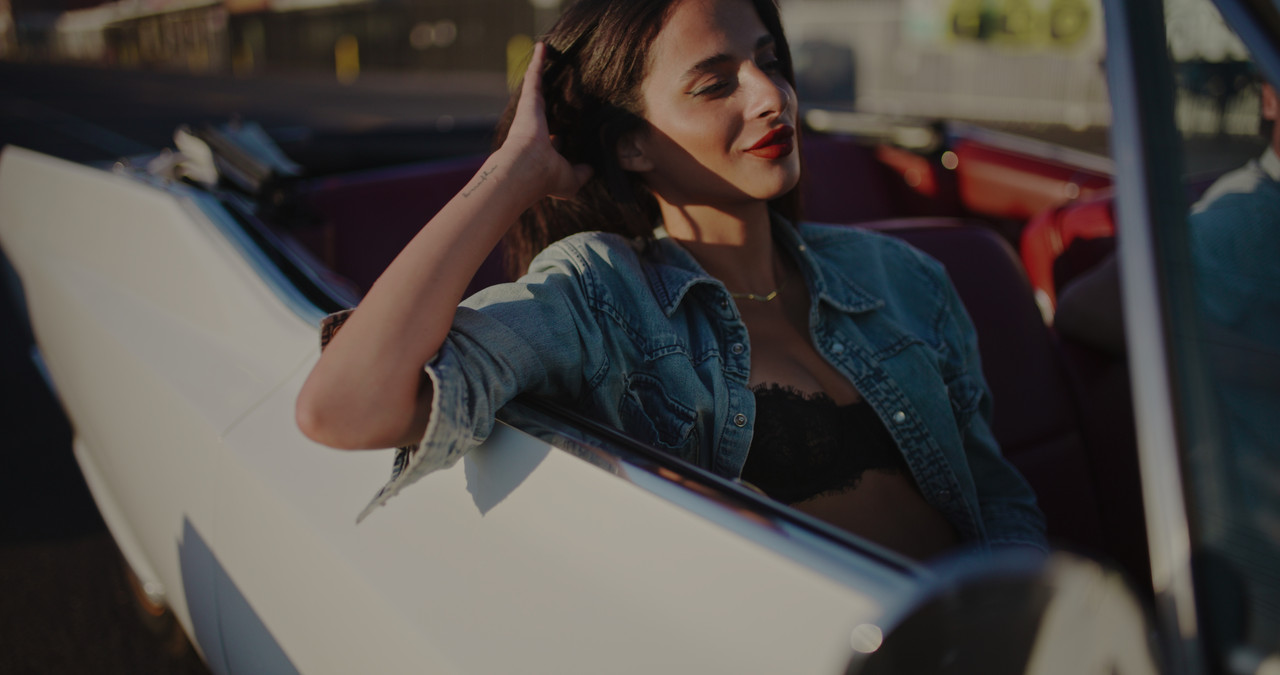
The Only real difference is the Midtone Boost from the Tone Curve of the RED IPP2 Medium-Very Soft Output Transform

ACES GRADE

graded-1-3-4.jpg


ACES GRADE in RED IPP2

ACES-TO-RWG-MED-VERY-SOFT-1-3-6.jpg
 
IPP2 Compatible Creative Lut from ACES Grade


Here is the ACES Grade made compatible for an RED IPP2 workflow again


1.png


2.png


3.png


4.png


5.png


6.png


ACES-TO-RWG-MED-VERY-SOFT-1-3-6.jpg


Making IPP2 Compatible Creative LUT From ACES Grade

1.png


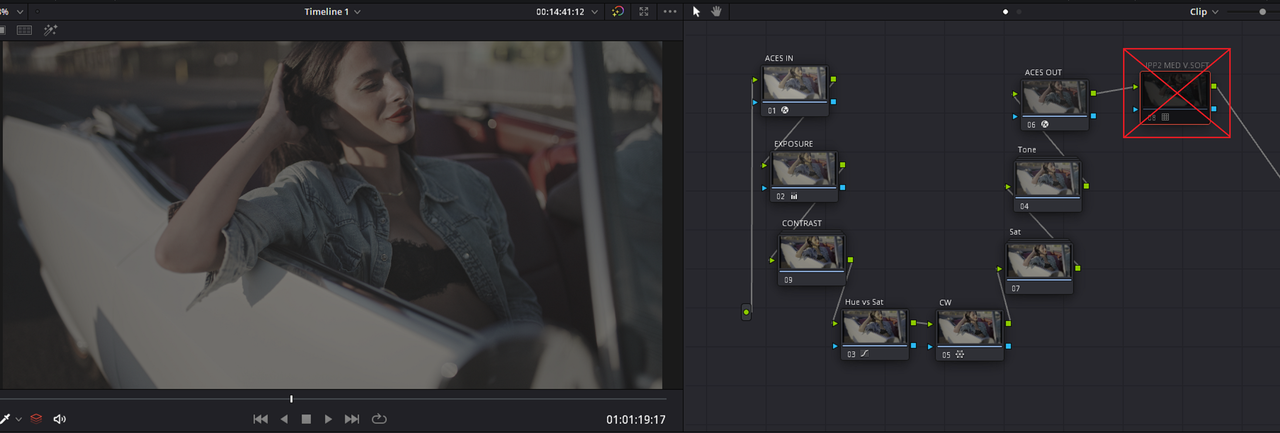
Disable the RED IPP2 Medium/Very Soft Output Transform Lut at the end of the Node chain leaving the ACES grade.

2.png

3.png


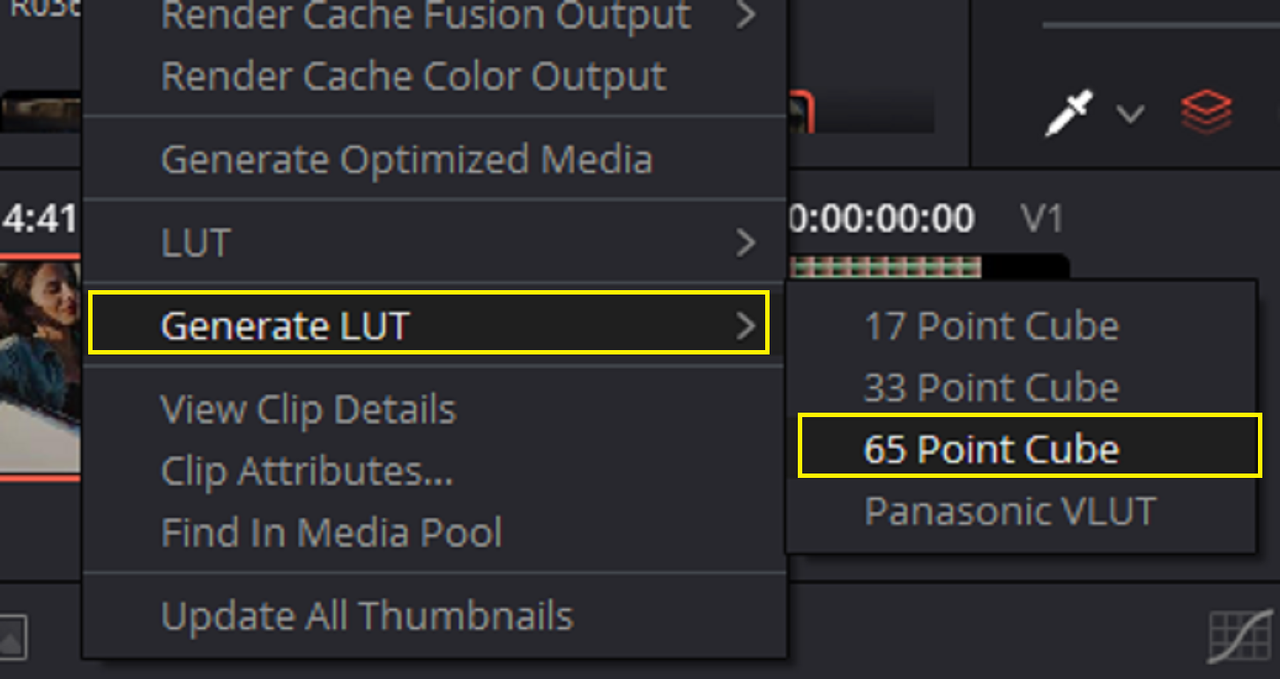
Since Davinci Resolve can't use the "Generate Lut" tool to create Luts from grades that use DCTLs let alone Multiple DCTLs in "Compound Nodes", which my grade had, the "Generate Lut" tool is useless.

3a.png


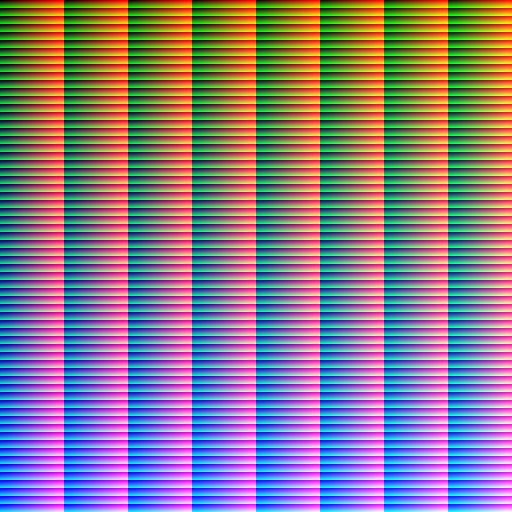
You'll have to use a HALD file to make a Lut from the ACES grade above. First,You have to import the HALD file. Secondly, you Apply the ACES grade to the HALD file. Next, you export the HALD file out as a .PNG file, then import the .PNG HALD file grade into a program that can Handle HALD files for Lut creation. Finally let the program translate the .PNG HALD file into a Lut to be used back inside of Resolve or other NLE Programs.


Hald File info
What Are Hald Images and Why Are They Useful? (makeuseof.com)


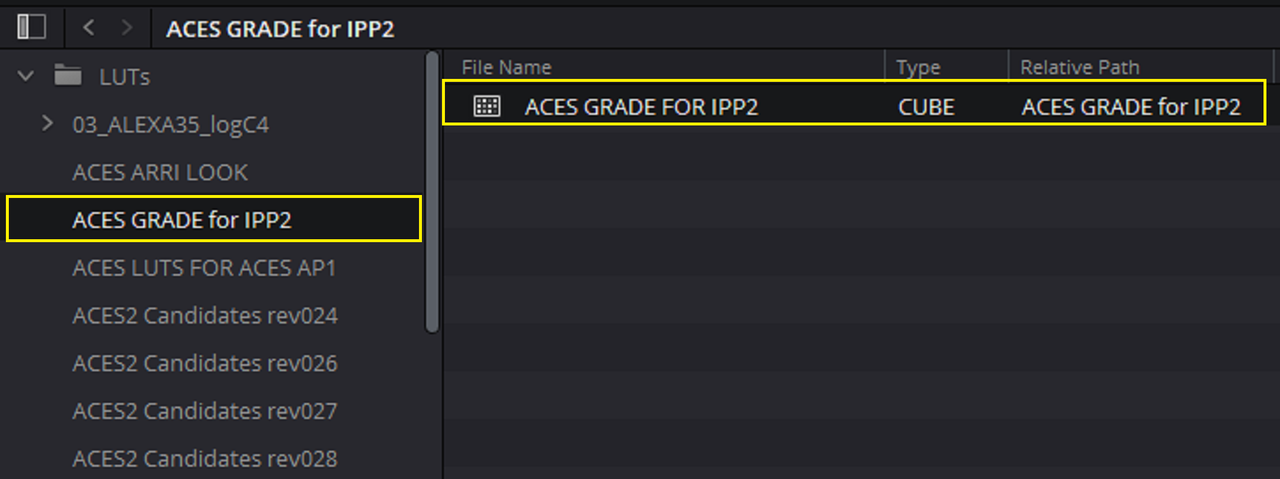
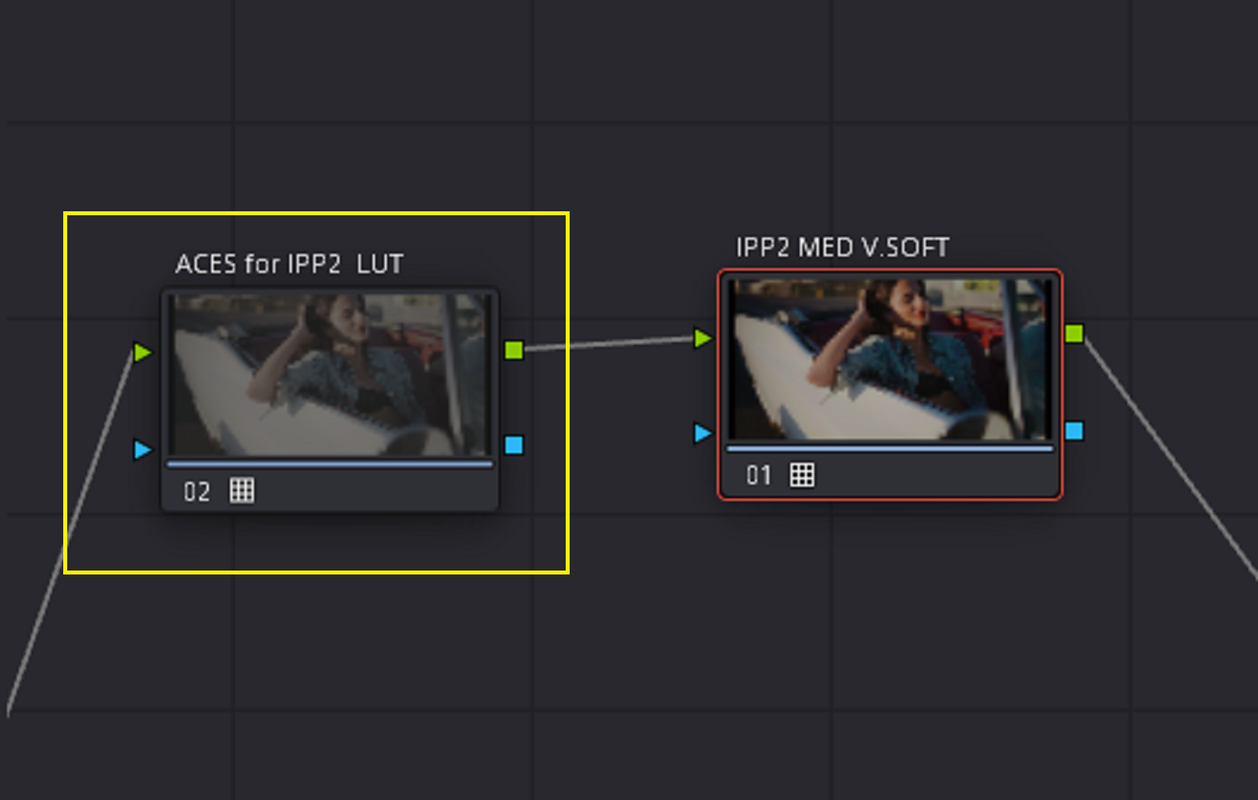
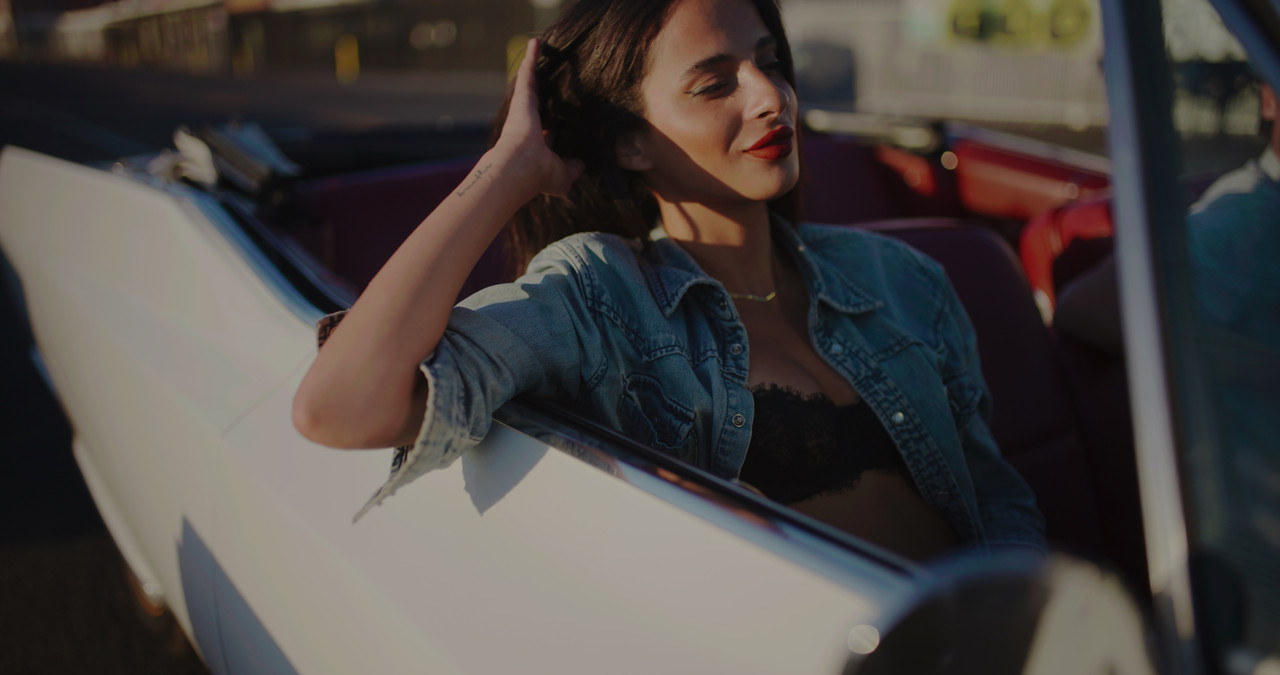
After Going through that long process described above on how to create a Lut from a HALD file, here the Lut that was created


Grade from ACES Node Based Workflow


Grade from LUT

aces-for-ipp2-lut-1-3-7.jpg


LUT in REDCINE-X Pro as an RED IPP2 CREATIVE Lut


Screenshot-8549.png


Screenshot-8550.png
 
Last edited:
...Looks good...

Thanks Rand.

While I'm here, It doesn't bother me personally, but have you thought about starting an ACES thread in the 'Workflow' section? You could add the kinds of solutions you're posting here as you go (leaving a link in the originating thread), along with other tips and references. Just a thought, not sure how many people are actually using an ACES workflow, but for those who do it could be good to have all the info you're adding in one place.
 
Les,

As you stated, I haven't really seen much interest in the ACES workflow on this forum. So I can't really see starting a seperate ACES thread. I posted the ACES workflow here along with the IPP2 workflow to show in both workflows how to remove the Yellow from skintones in Red footage. Nick Vera, the OP of this thread, mentioned making his footage more Magenta in trying to correct for what he felt was an inherent bias towards Yellow in Red footage as apposed to the more red skintone in the Arri Alexa 35 footage yet with a more Cyan overall appearance. I simply have shown how to potentially remedy the Yellow in Red footage in both IPP2 and in ACES for guys whom use it like myself or whom may have considered it.

In summary, I just wanted to show that there shouldn't really be any real reason not to get a great image out of a Red camera.
 
Last edited:
"The differences are astonishing to VV dragon to Monstro to V-Raptor."

Hello Nick Could you show us some tests?


Alexa are tweaking their reds. So why try to tweak the natural reds from RED to get the Alexa look?


Thanks
Patrick
 
"The differences are astonishing to VV dragon to Monstro to V-Raptor."

Hello Nick Could you show us some tests?


Alexa are tweaking their reds. So why try to tweak the natural reds from RED to get the Alexa look?


Thanks
Patrick

Hey man,

I don't have those tests but I remember seeing the differences from VV Dragon to Monstro and there was a big boost in shadows.
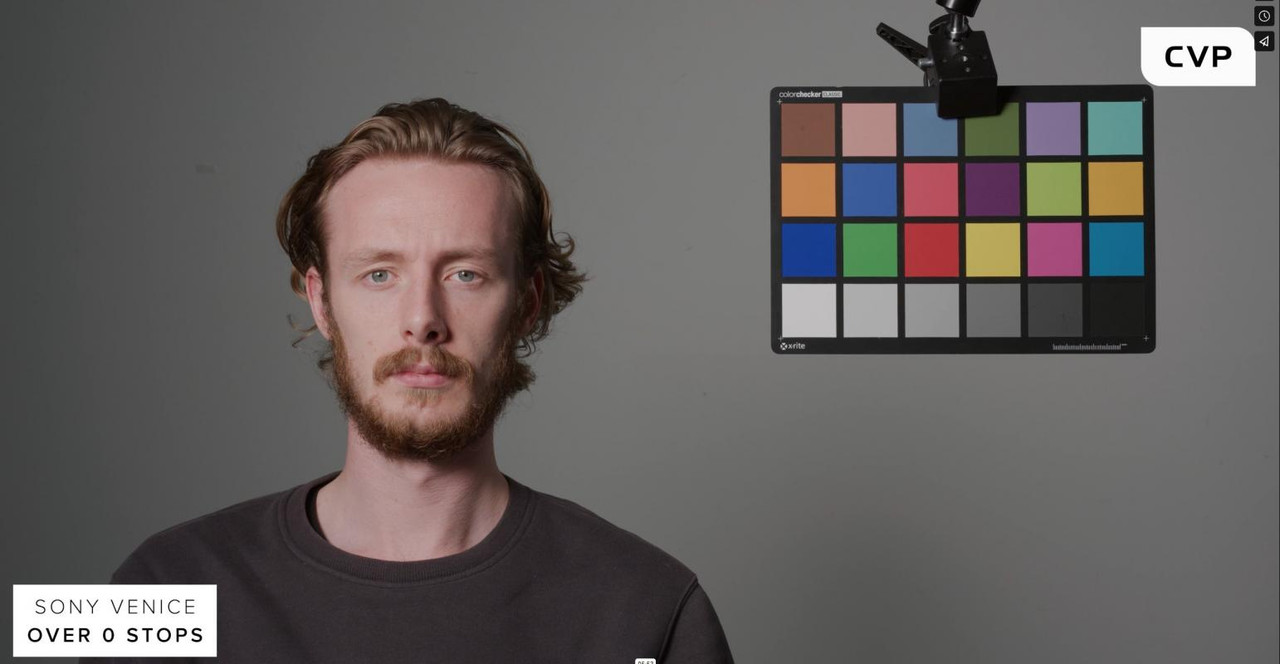
This is CVP's test which shows the Monstro vs. Raptor https://youtu.be/MIB9IdtFm0Y?t=524

Not only is DR improved but with Raptor, the rolling shutter is tremendously improved and there are no Red orbs caused by the OLPF. Both of those improvements alone is what made me change my mind on RED amongst the other positives that I listed.
 
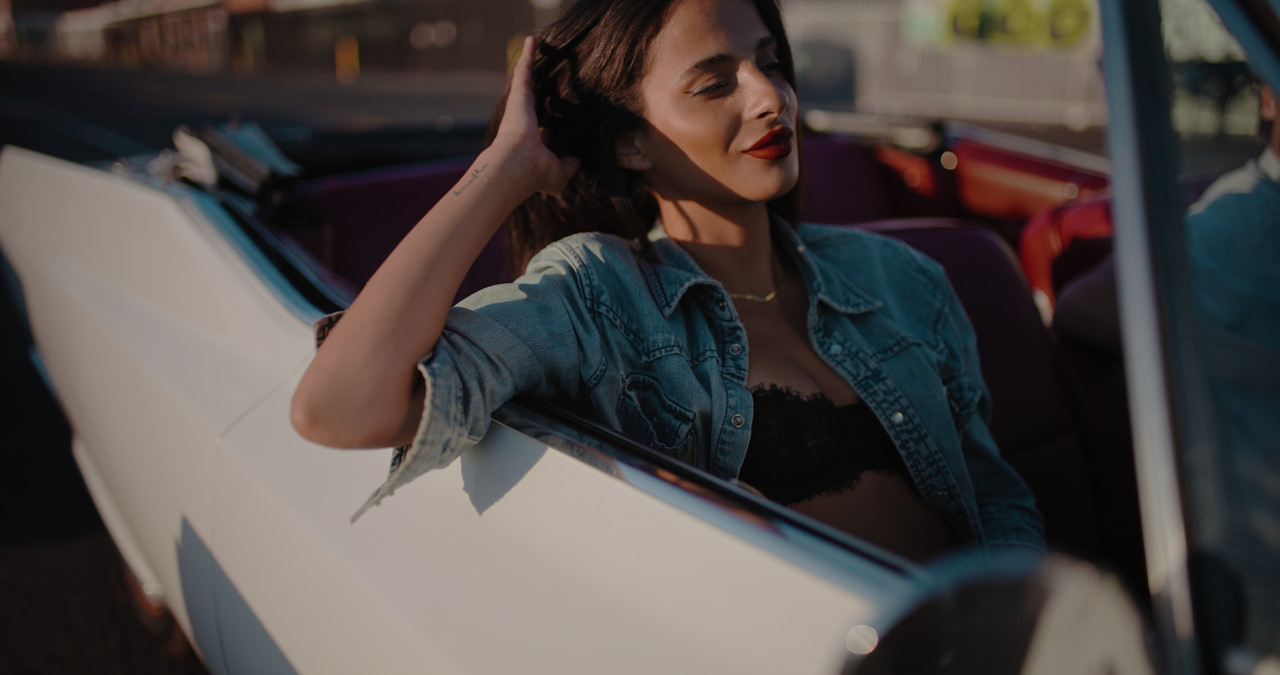
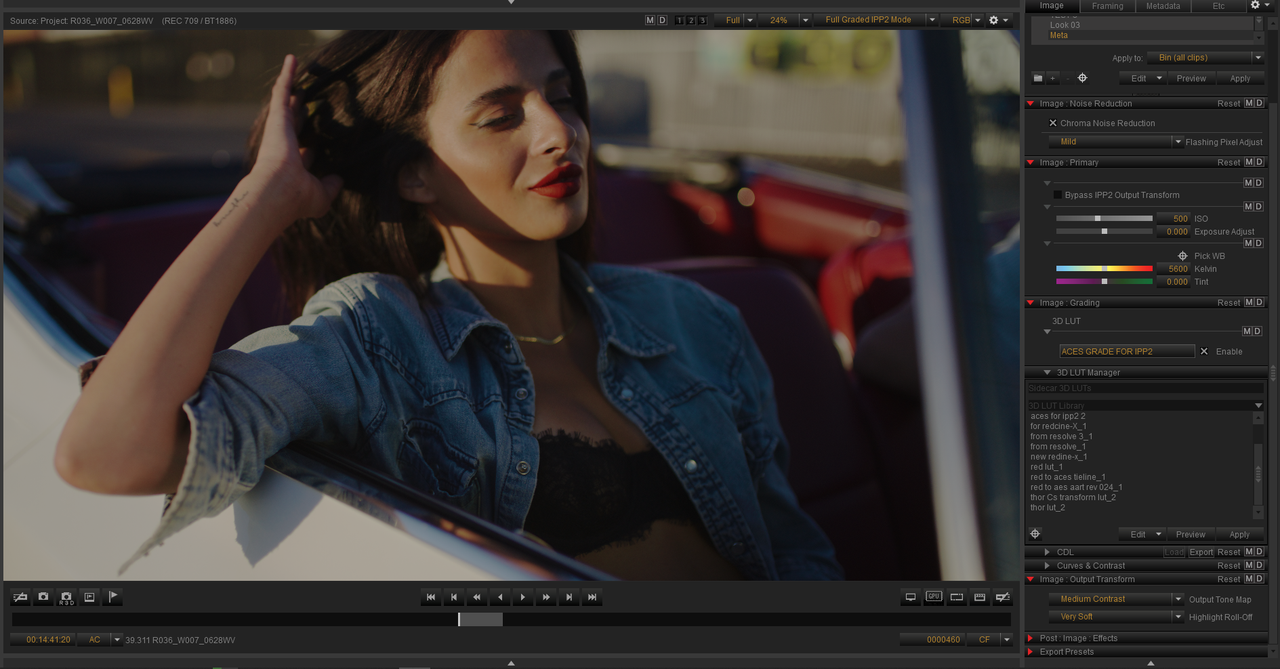
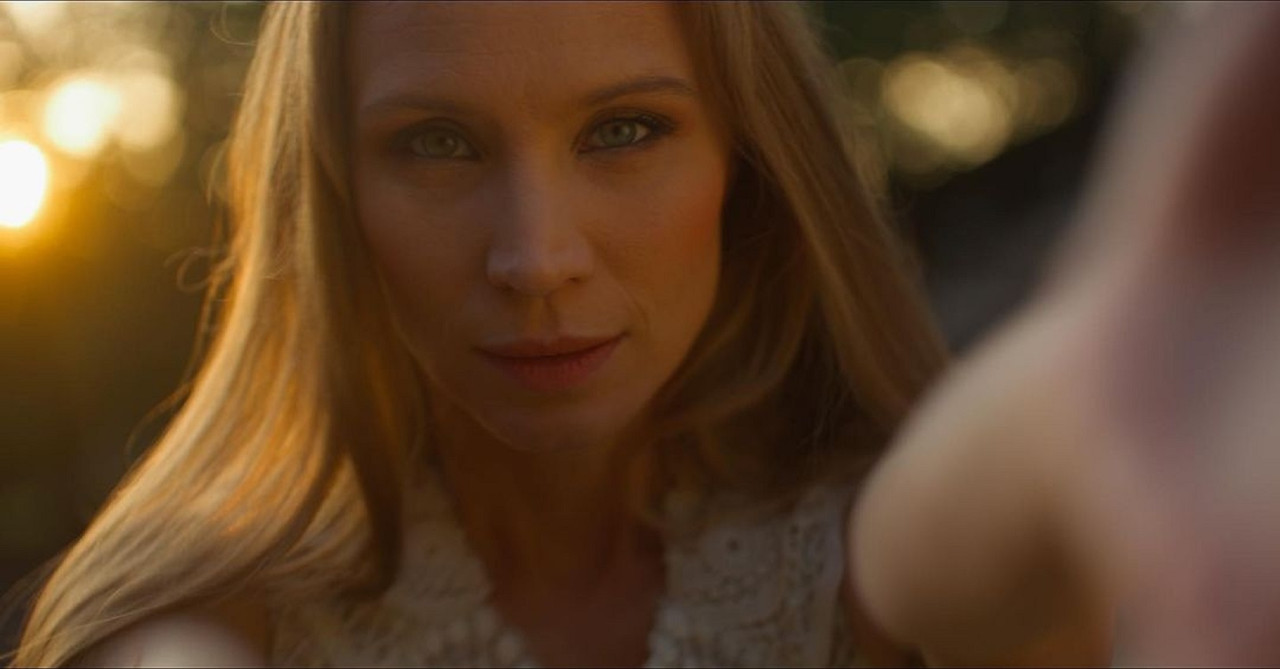
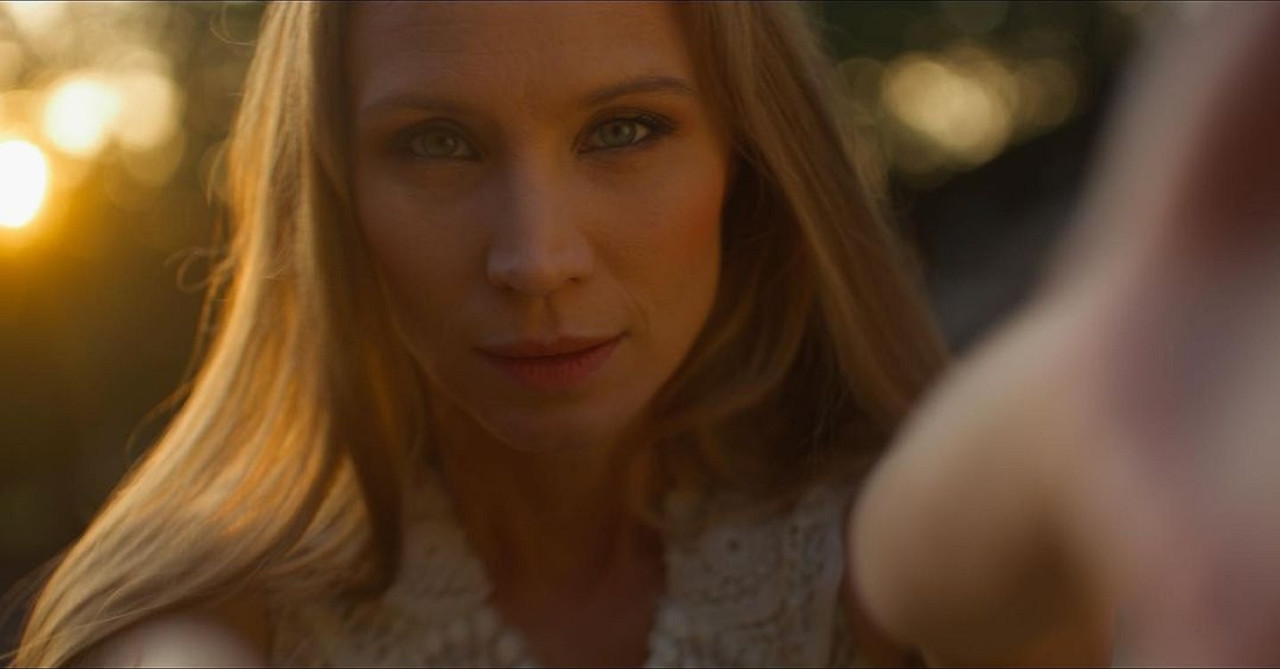
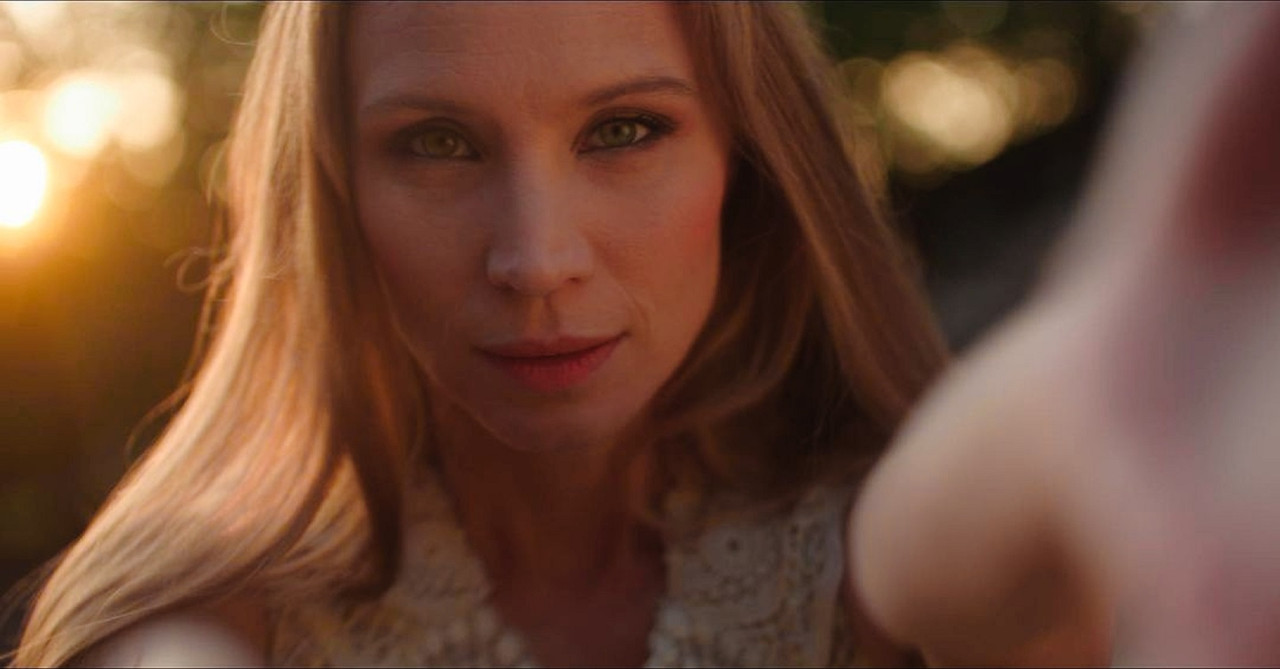
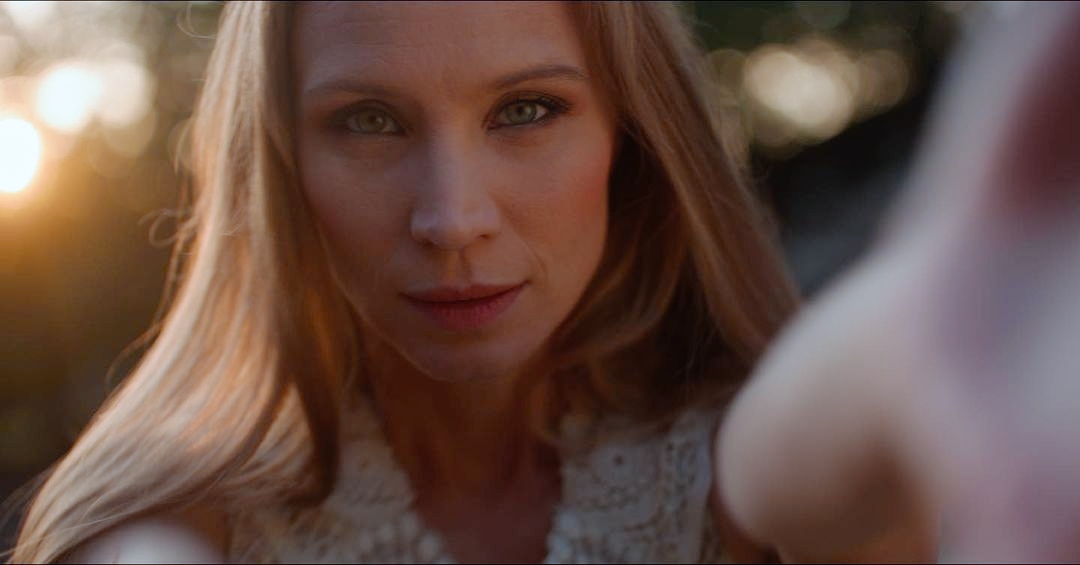
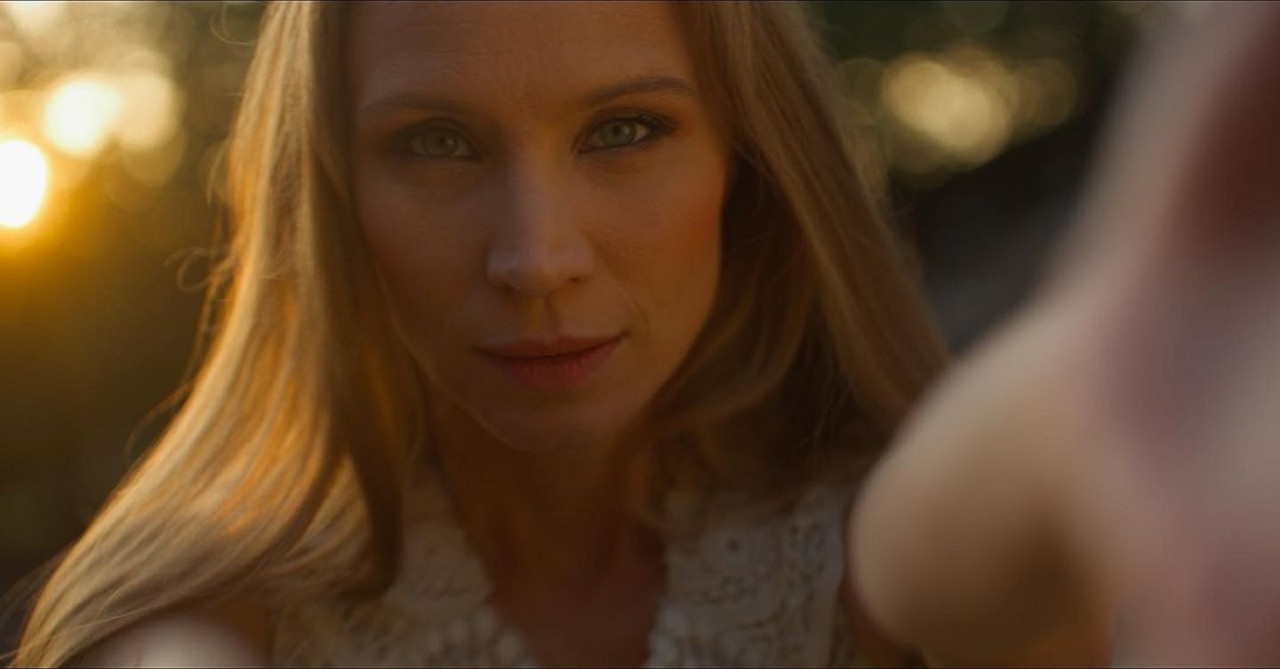
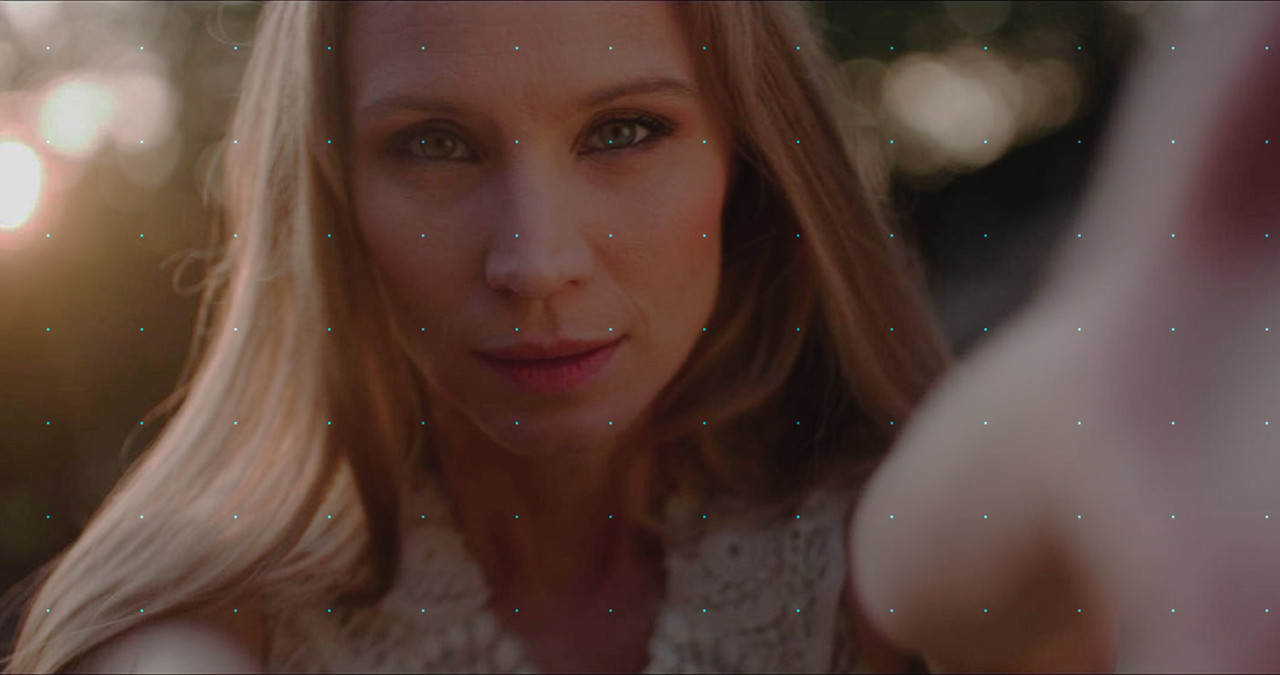
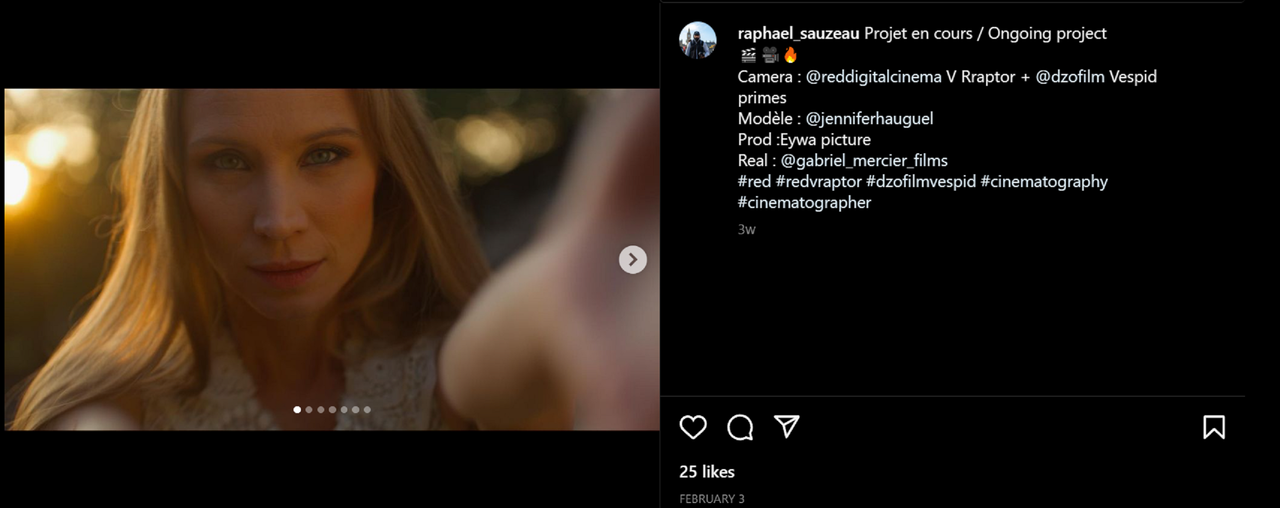
I found a perfect example Stills Image online from a V-Raptor shot by Raphael Sauzeau of that lean towards "Yellow" that Nick Alluded to in his Original post. If Raphael wants to rip me a new asshole for posting his image here, I deserve it and I will delete this post. I just couldn't find a much better example than this online.

Raphael Sauzeau's Instagram Page
#redvraptor hashtag on Instagram • Photos and videos


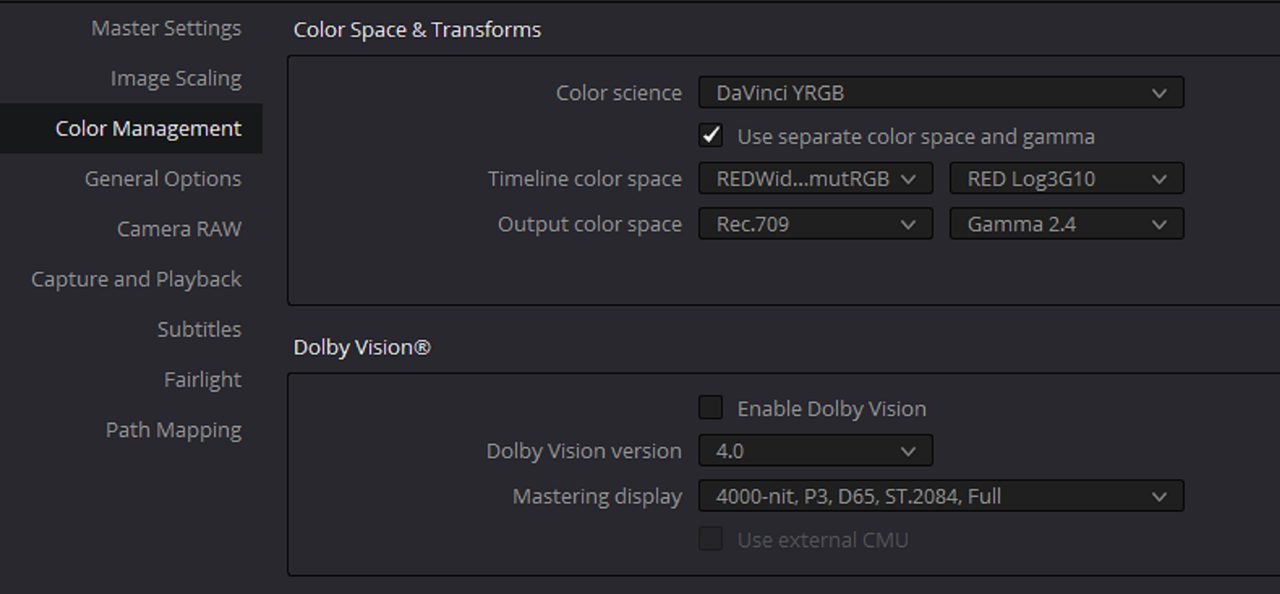
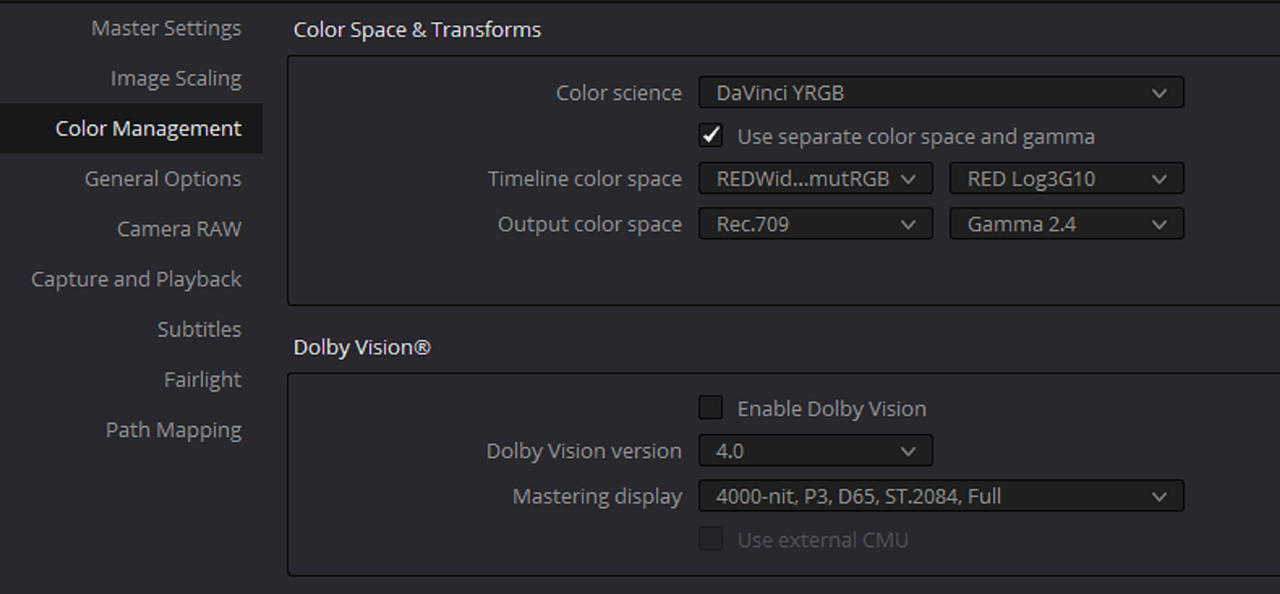
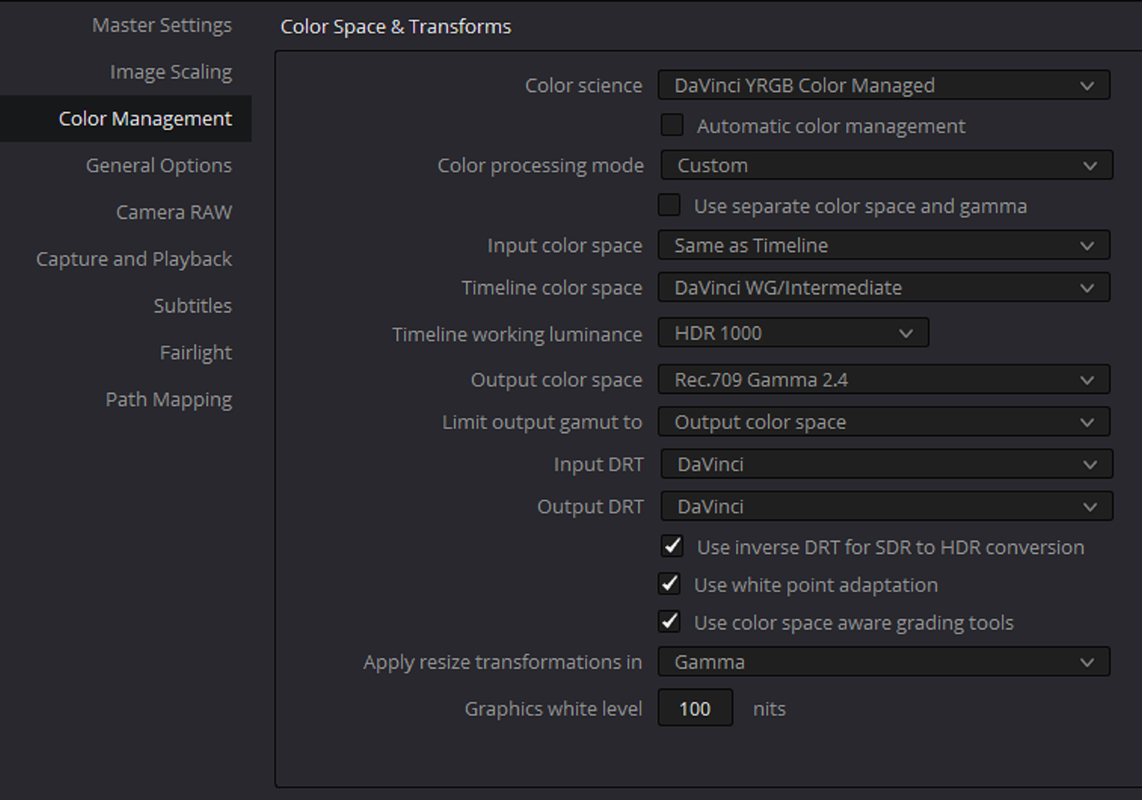
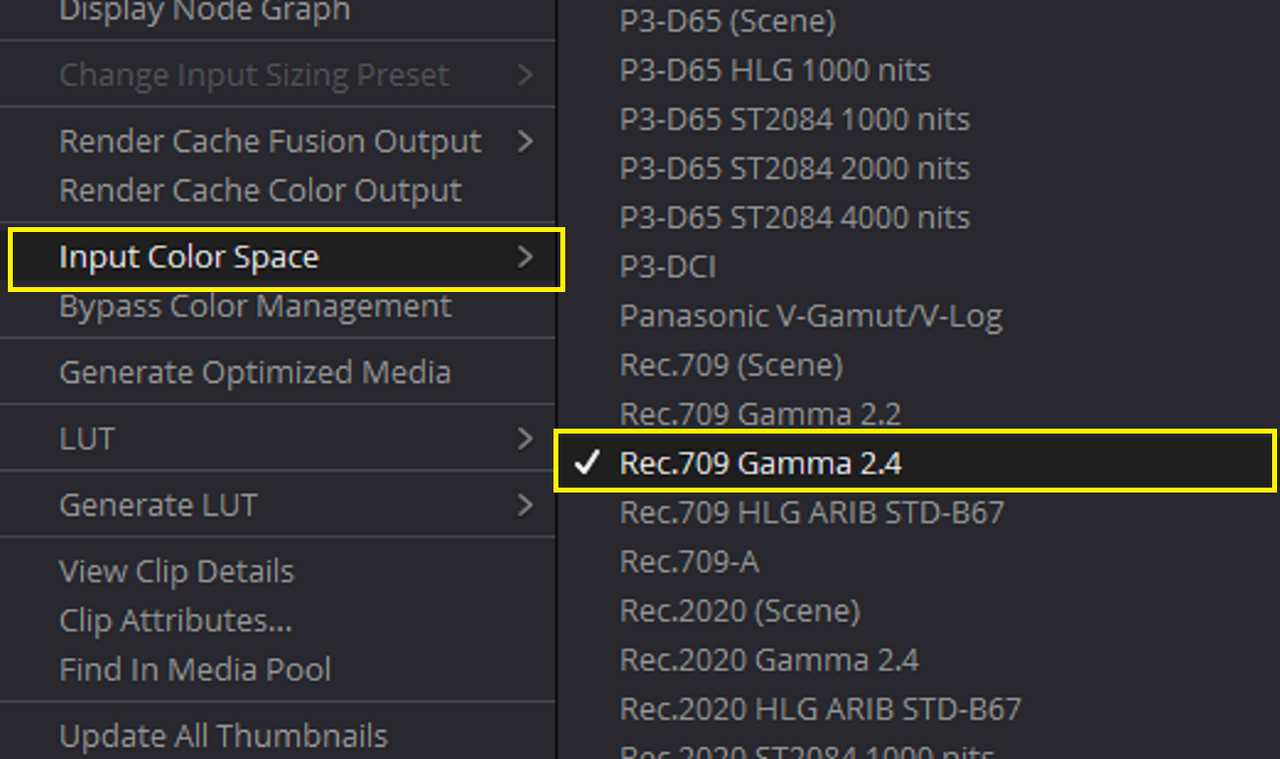
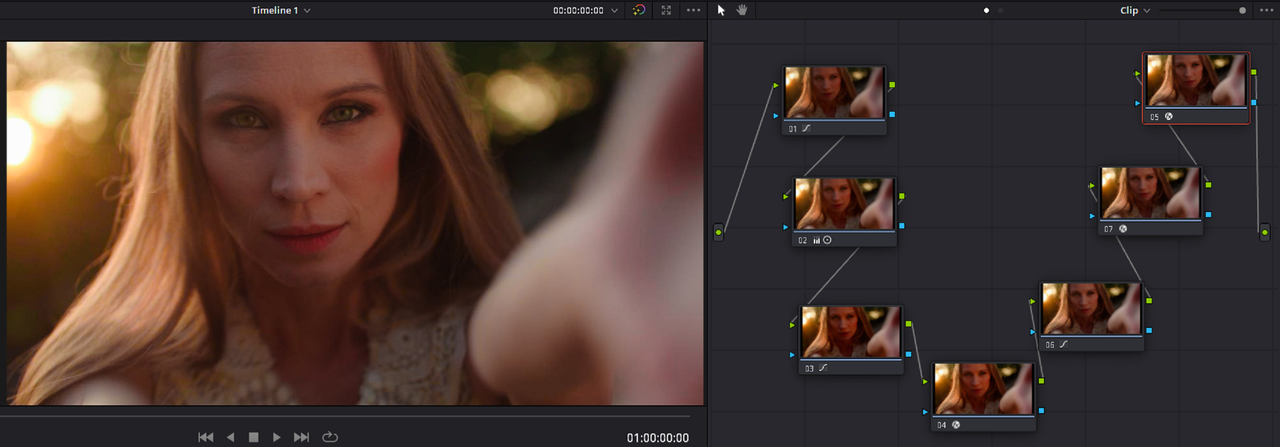
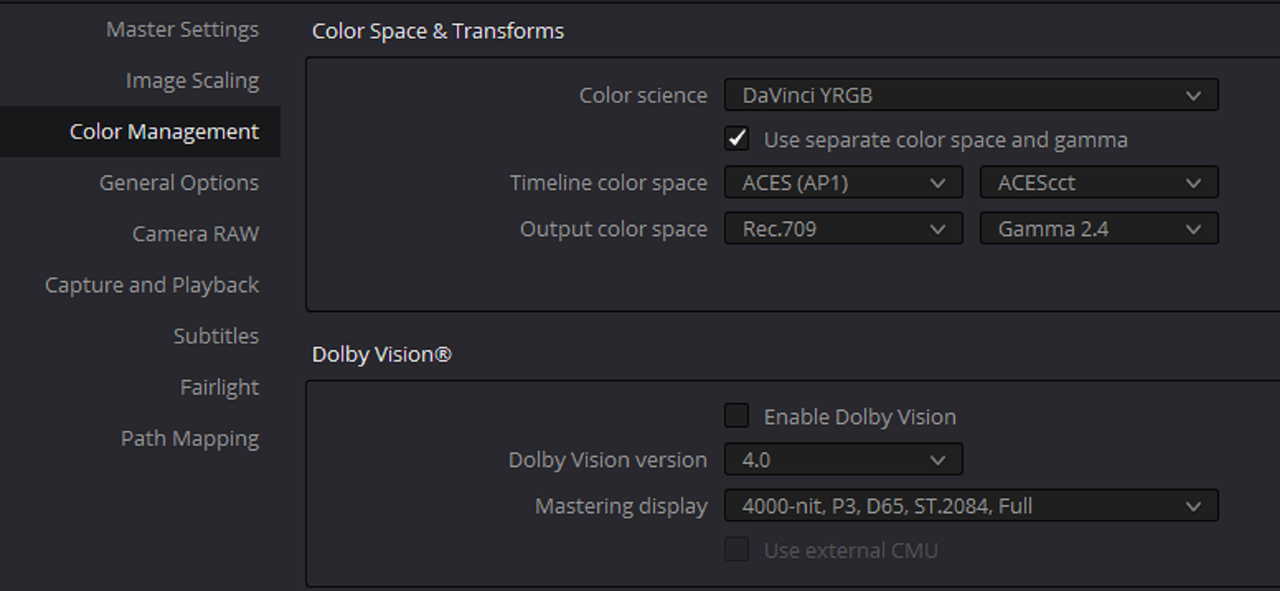
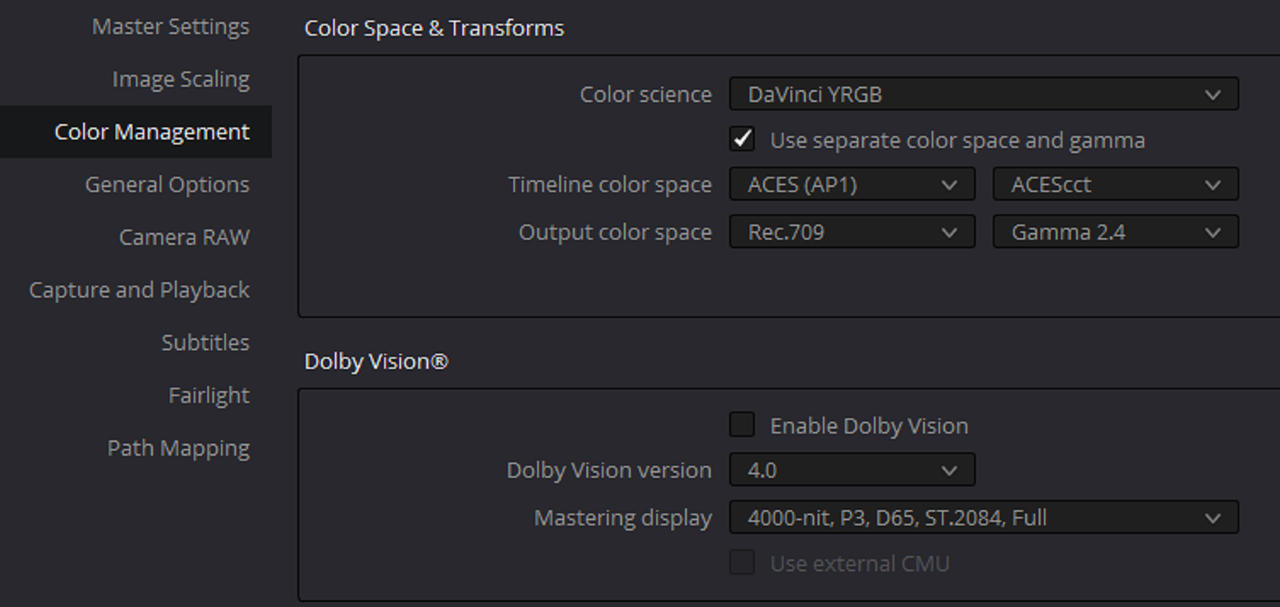
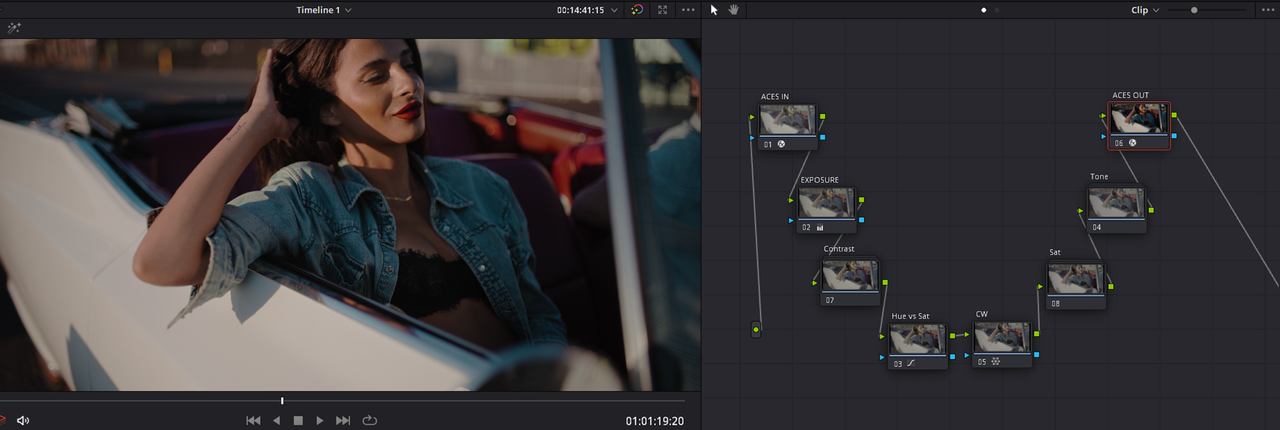
Project settings to bring in an Already rendered to REC 709 Gamma 2.4 Jpeg image into resolve for re-grading. I used a DAVINCI WIDE GAMUT/ DAVINCI INTERMEDIATE Color Managed Workflow this time.


Screenshot-8554.png


Screenshot-8552.png


Sorry, I was too lazy to label any of the Nodes this time

Screenshot-8553.png


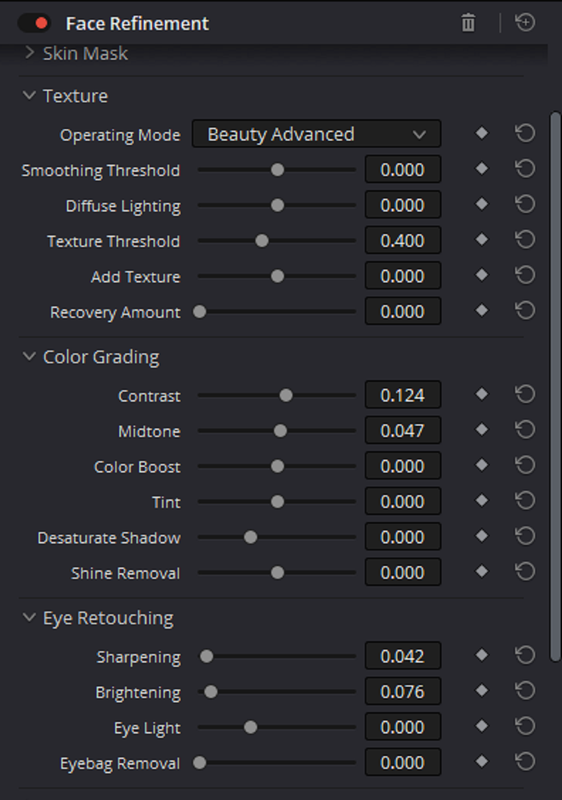
I did use the "Face Refinement" OFX to work more on the bringing out the Face more.

Screenshot-8555.png


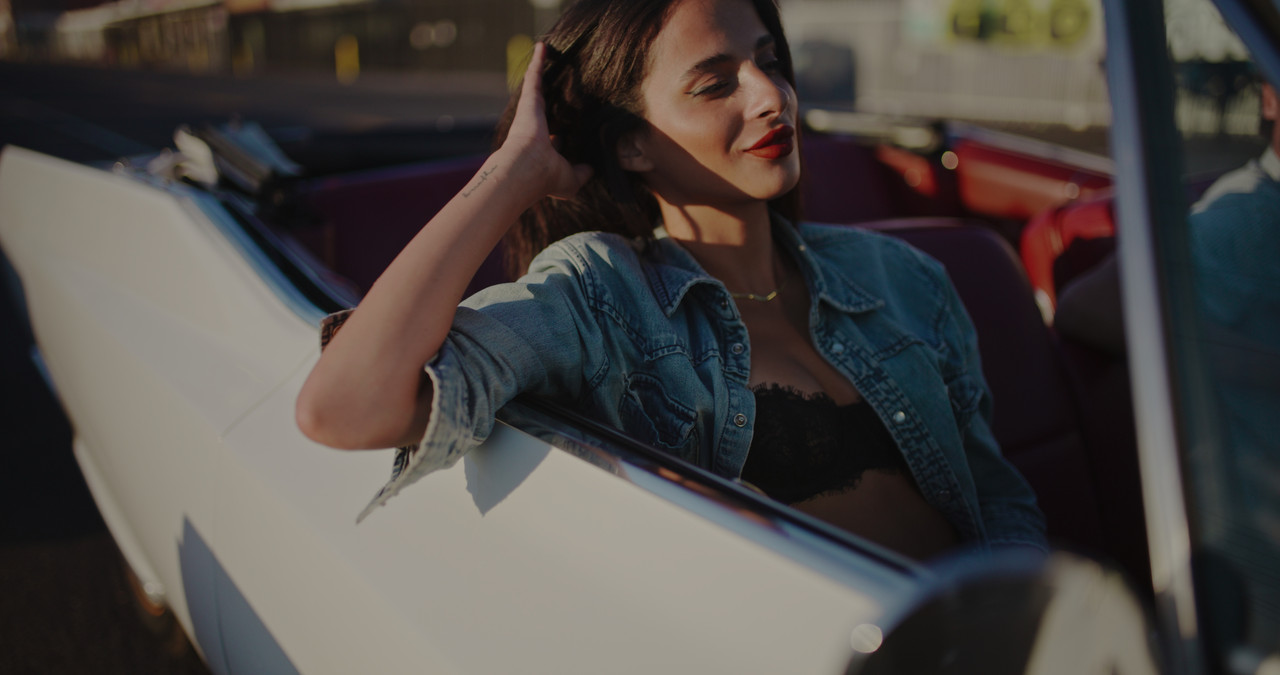
Before

original.jpg


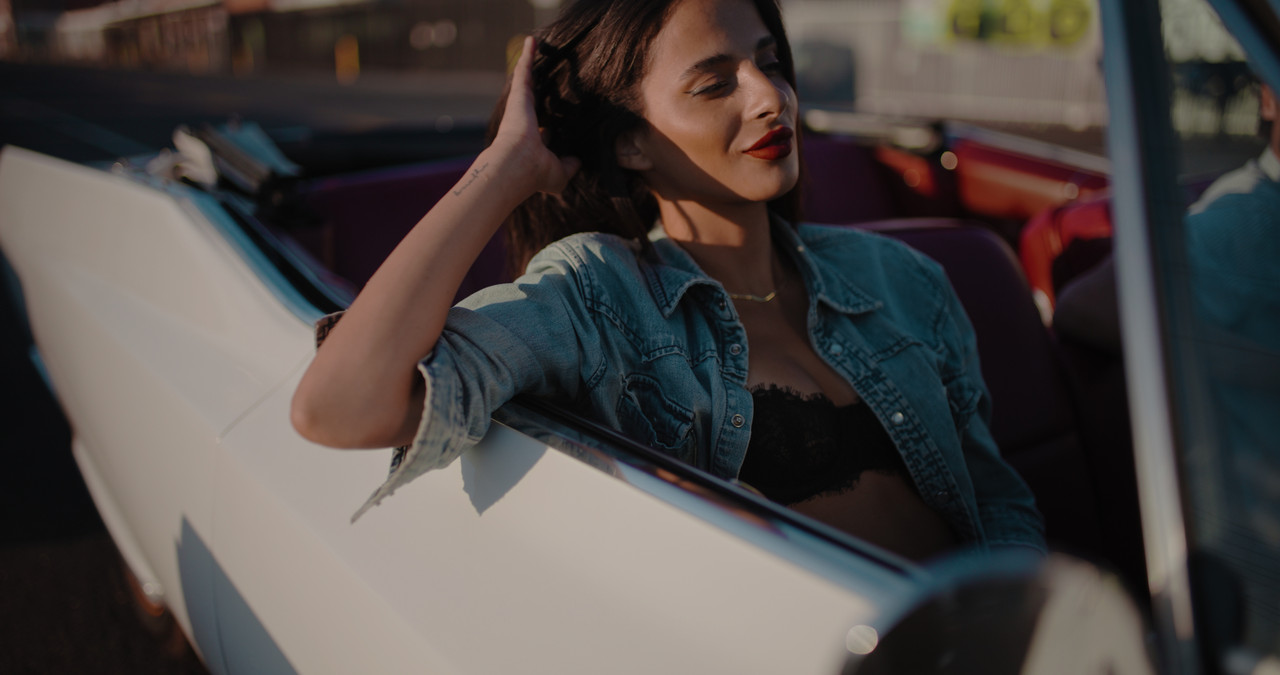
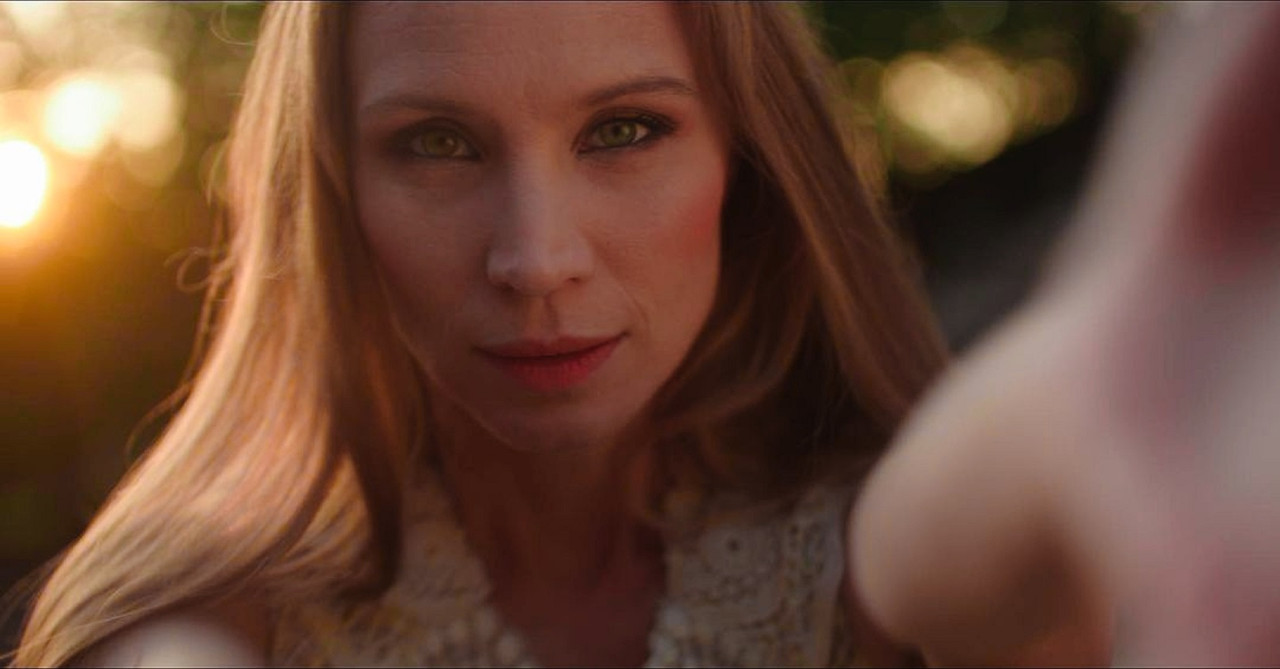
After

graded-1-1-2.jpg
 
I found a perfect example Stills Image online from a V-Raptor shot by Raphael Sauzeau of that lean towards "Yellow" that Nick Alluded to in his Original post. If Raphael wants to rip me a new asshole for posting his image here, I deserve it and I will delete this post. I just couldn't find a much better example than this online.

Rand I wouldn't say this image is a reflection of the yellow. This image is more than likely grading and looks nice just the way it is. You really just made the whole image pinker. The "issue" (i dont really think it's an issue) of the yellow skin requires a very subtle adjustment. But more than likely this color was a deliberate one on red's part because monstro and Gemini's skin tone is a bit pinker than Raptor and Komodo if you watch CVP's raptor review. Again I really don't think that this is an issue at all, I don't rely on cameras to give me good skin tones, I grade and based on the look I'm going for, I let my skin tone sit in that world.
 
The image above could very well have been a grading decision and he meant for her face to be that yellow. I don't believe anyone relies on their camera entirely for 100% accurate colors straight out camera. But they also don't want to fight the look coming out the camera neither. The approximate color of skintones will always be directly related to the lighting that it was captured under.

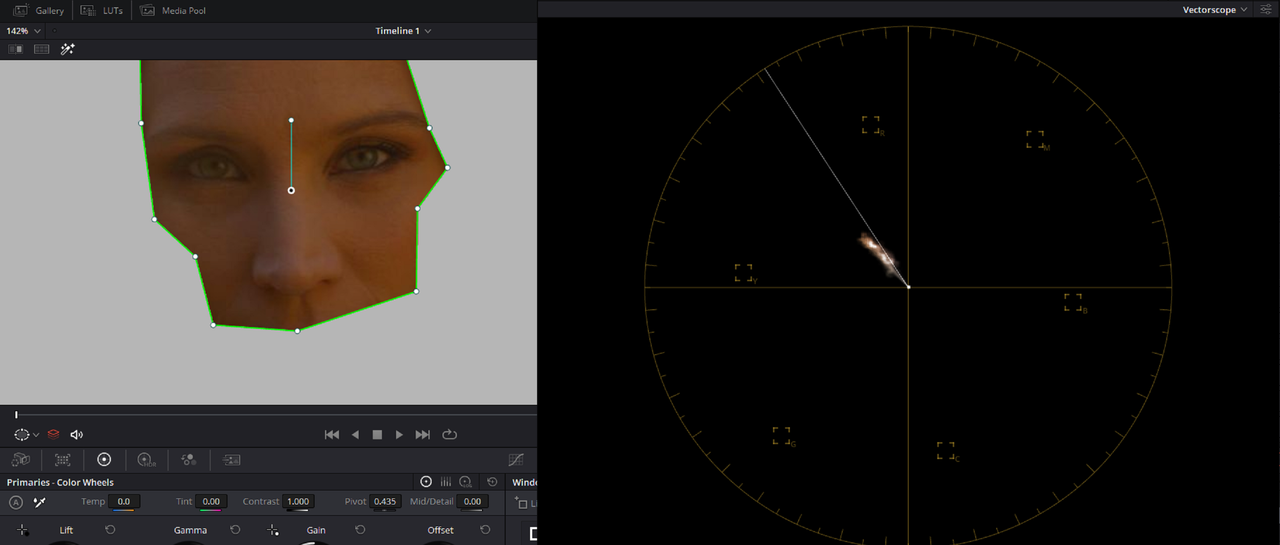
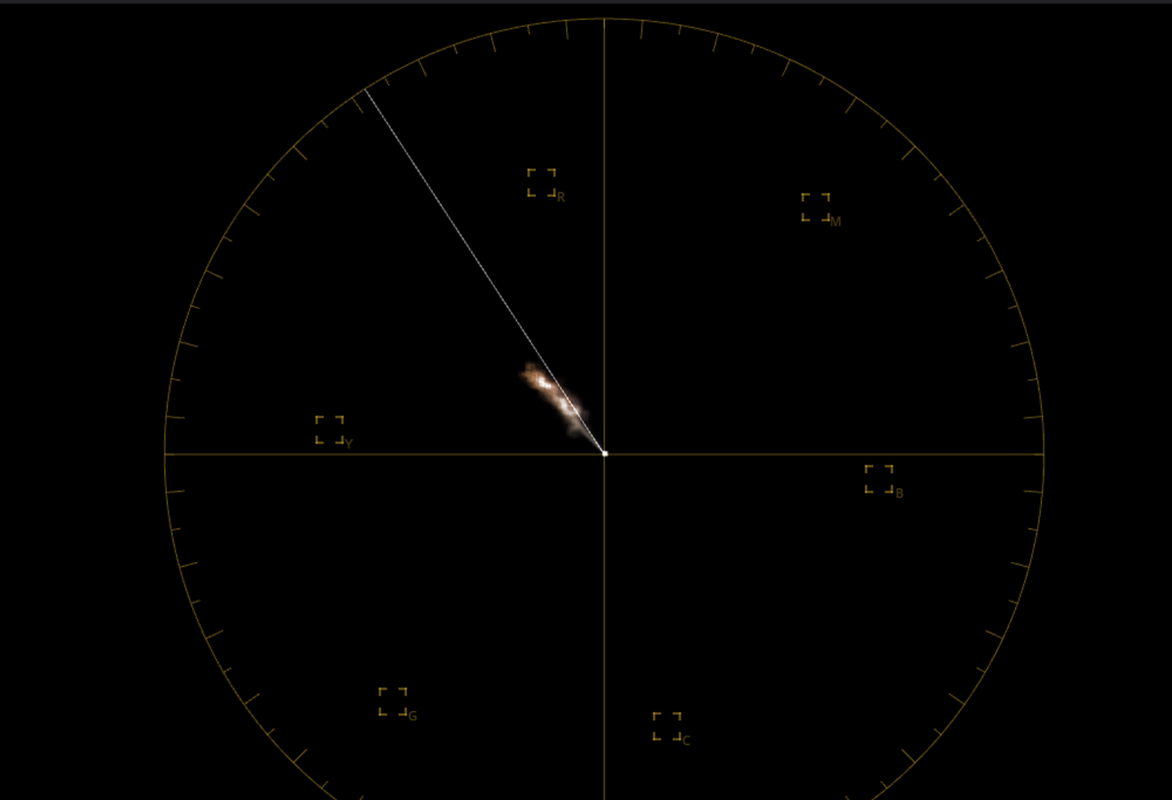
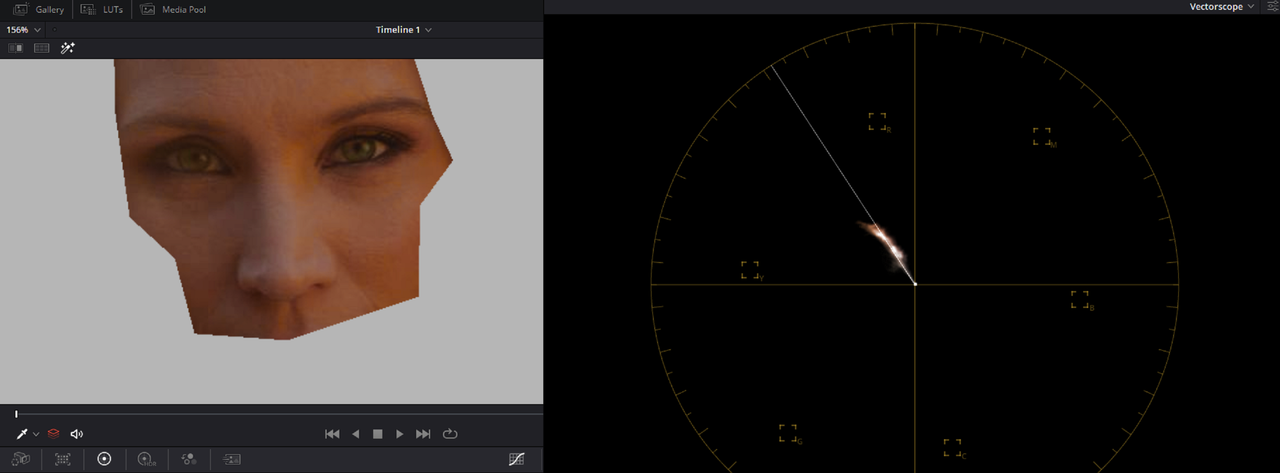
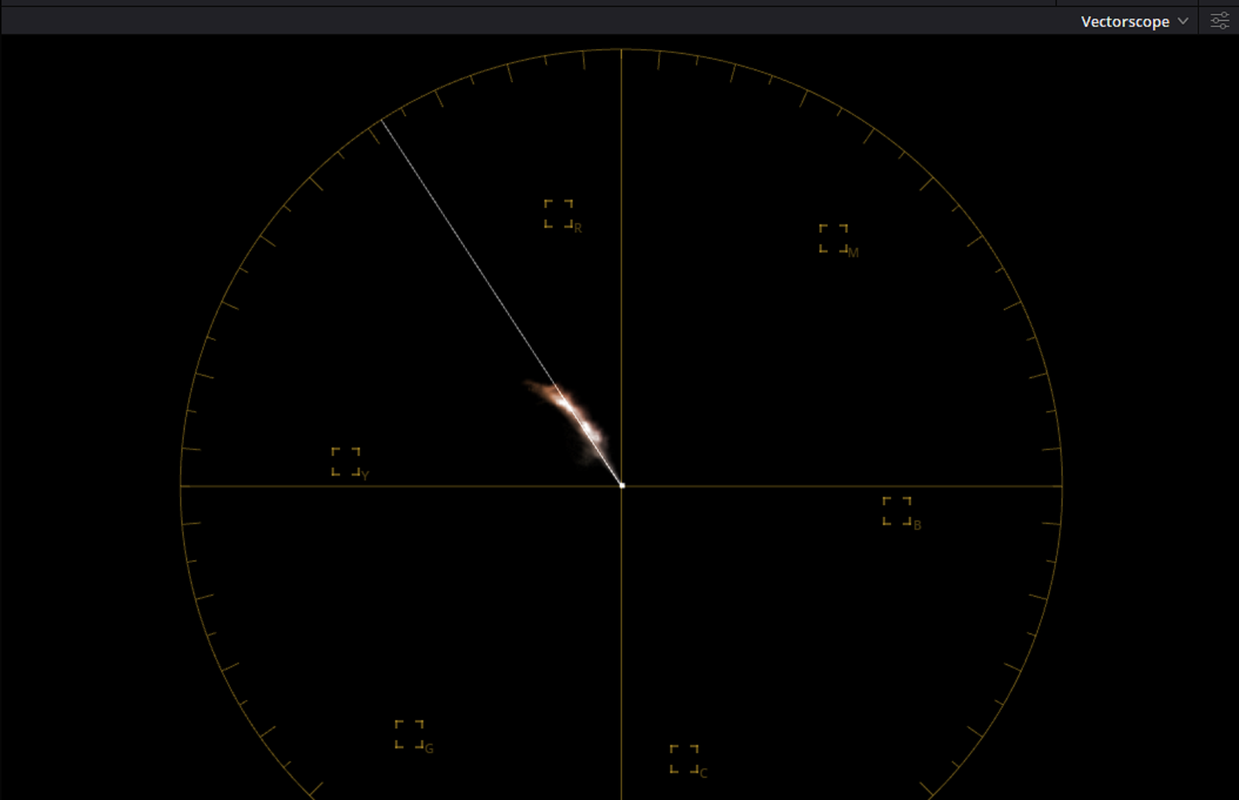
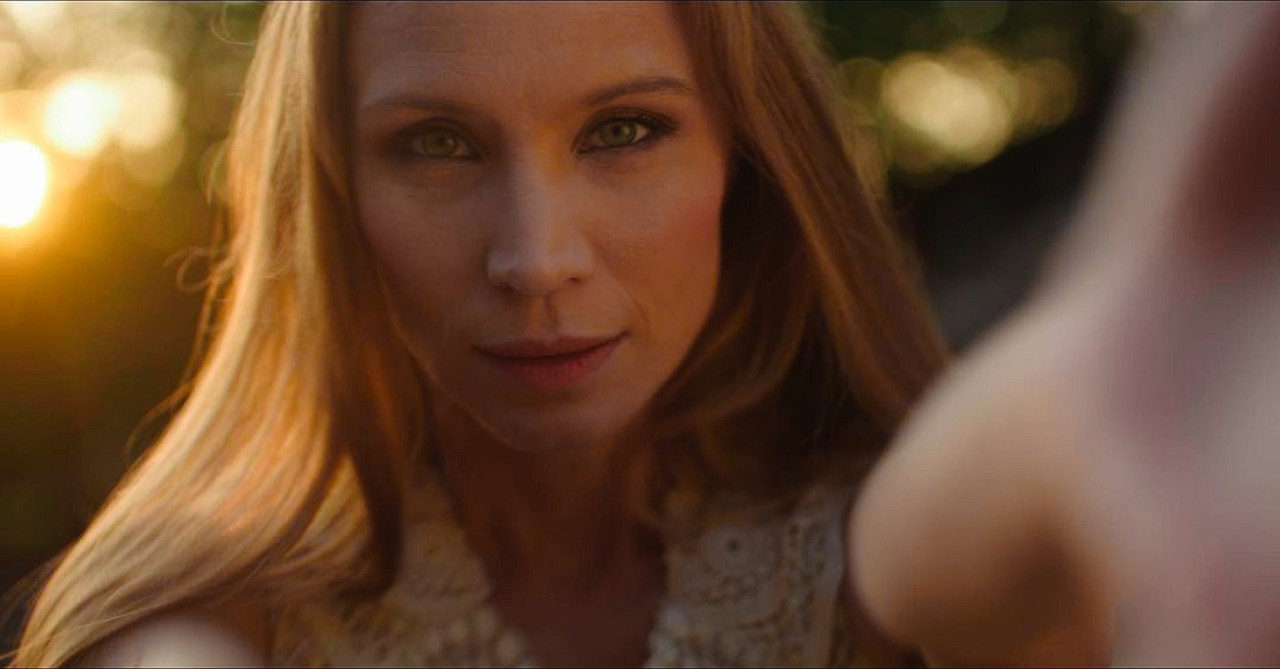
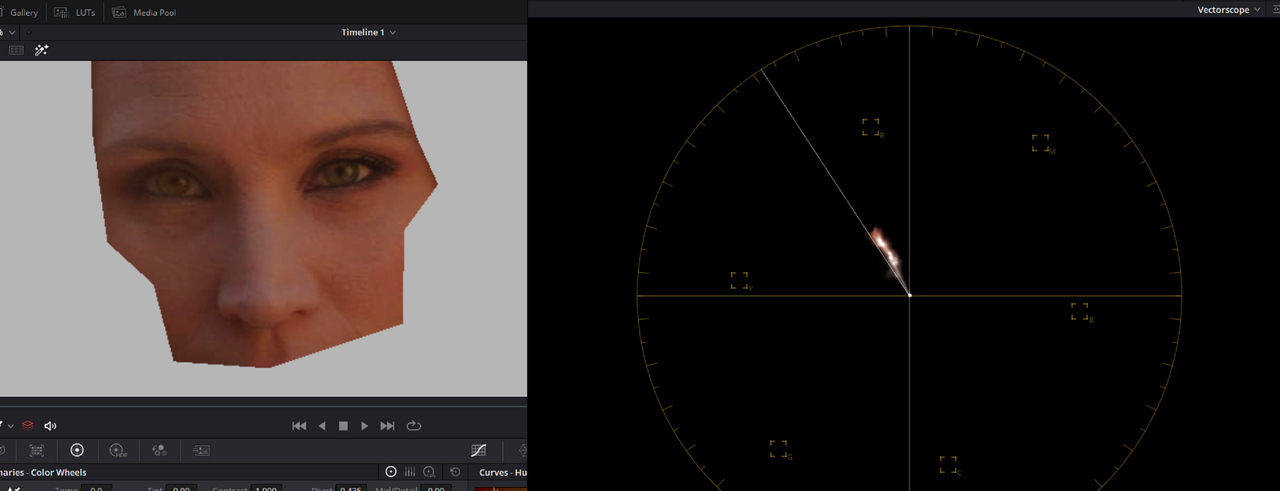
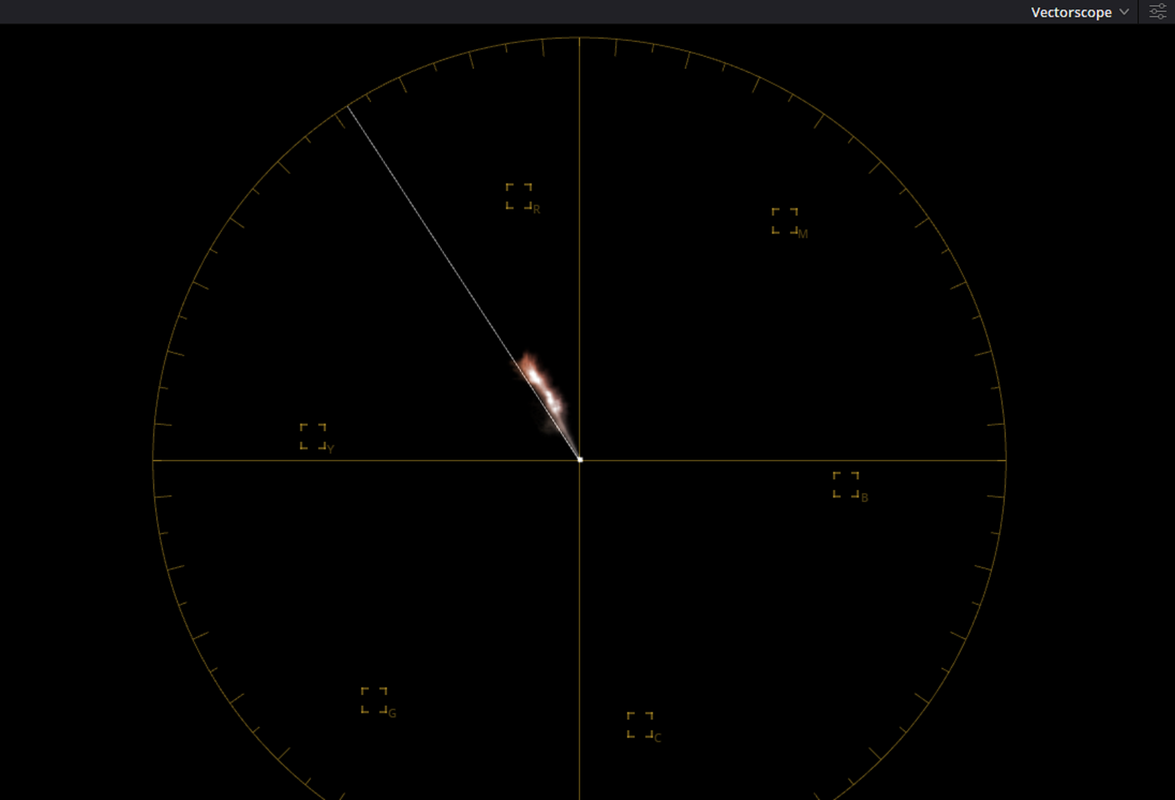
The scene above was captured with golden sunlight behind the female talents face. However, exactly how yellow should her skin have been since the sunlight was not exactly illuminating her face? How would other cameras in this price range have rendered this scene? I originally brought the female talent's face to what was about almost dead center of the "Skintone" line in the Vectorscope in Resolve, it still looked a little too Yellow to me so I pushed it further, it was a grading decision that some may think was acceptable and some won't. I don't know how much you use Vectorscopes to help make decisions about were you want your skintones to be. It appears you allow for more Yellow in skintones. Maybe you haven't seen a problem with the yellow that can appear in skintones from Red cameras is because you're allowing for more yellow in skintones than most would and it really does only require a slight nudge, in your words, to fix it. I'd be interested in seeing how you grade other scenes.
 
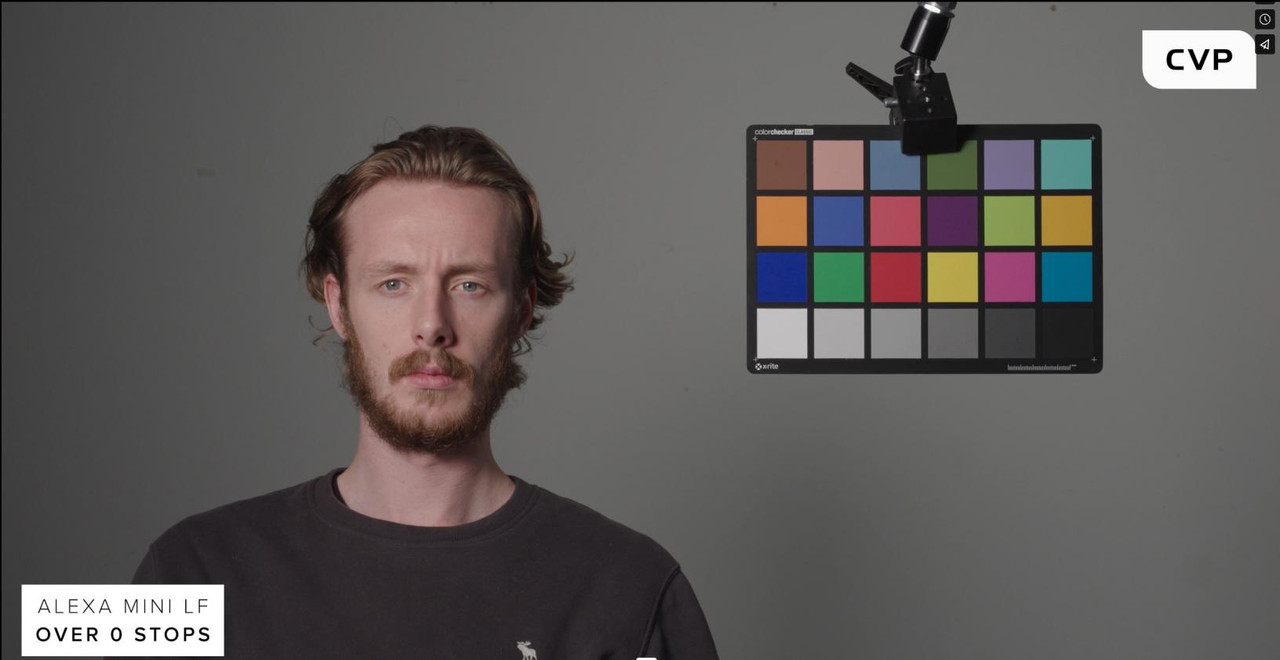
Again, there is no problem with the yellow that appears in skin tones in red cameras. That's a very generalized statement that I don't think is well-founded. In Nick's specific test, yes the a35 seemed to have a little less yellow and saturation in the skin tones, that doesn't make it better or more accurate, it's just a difference in sensors. Here is screenshots from CVP, Monstro is more red than Alexa, so saying Red suffers from Yellow skin tones as a general statement would seem unfounded. Don't assume that pushing skin a little more red is better for all skin tones. Click image for larger version  Name:	Screenshot (275).jpg Views:	0 Size:	64.5 KB ID:	3811928 Click image for larger version  Name:	Screenshot (276).jpg Views:	0 Size:	64.5 KB ID:	3811929 Click image for larger version  Name:	Screenshot (274).jpg Views:	0 Size:	63.7 KB ID:	3811930 Click image for larger version  Name:	Screenshot (277).jpg Views:	0 Size:	63.6 KB ID:	3811931 Based on This, the raptor would seem to have the most color separation taking into account all of the colors. As it relates to my personal taste, I'm the only colorist here in the Bahamas doing work for people other than themselves.
 

Attachments

  • photo121446.jpg
    photo121446.jpg
    54 KB · Views: 0
My grades are based on the story or what the client wants. Sometimes you want more yellow in your skin based on the scene sometimes you might not. It's all about creating the looks that work best for the piece. Here are random grades from persons with a variety of skin tones, all shot on red. DH Rehab Edit V4 - With Tagline.00_00_28_09.Still001.jpg 1.8.2_1.8.2.jpeg Kenya Ferguson - I Will Sing Unto - MV - Edit V4.00_01_56_00.Still032.jpg DH - Lamp 2022 - TVC Edit V6 Color.00_00_15_16.Still020.jpg DH - Lamp 2022 - TVC Edit V6 Color.00_00_14_15.Still022.jpg
 

Attachments

  • DH - Lamp 2022 - TVC Edit V6 Color.00_00_14_15.Still022.jpg
    DH - Lamp 2022 - TVC Edit V6 Color.00_00_14_15.Still022.jpg
    51.4 KB · Views: 0
The CVP test was down under controlled Studio lighting so skintones would look great, now how does the camera render skintones in other lighting situations or when the lighting can't be controlled. You can post grade camera images to whatever you or your client wants but the image has to have atleast a starting point of reasonable exposure and reasonable white balance and skintones. I didn't ask what "Other Persons" could post grade their images into I asked what you could do?

Lets see what you think is acceptable in the Skintones in Raphael's image.
 
The CVP test was down under controlled Studio lighting so skintones would look great, now how does the camera render skintones in other lighting situations or when the lighting can't be controlled. You can post grade camera images to whatever you or your client wants but the image has to have atleast a starting point of reasonable exposure and reasonable white balance and skintones. I didn't ask what "Other Persons" could post grade their images into I asked what you could do?

Lets see what you think is acceptable in the Skintones in Raphael's image.

i think you misunderstood, those are my images. When I said random grades of different persons, I meant random shots because they are all from different projects and by different persons I meant, people of various skin tone complexions. I shot and graded all of them.
 
Alright then, I misread that part of your Post. The Last 4 images are in or under some type of controlled lighting, it the first image of the girl outside. Did you grade that image more yellow or was that just the way it was shot or due to not blocking for the reflection from the greenery around her?
 
Alright then, I misread that part of your Post. The Last 4 images are in or under some type of controlled lighting, it the first image of the girl outside. Did you grade that image more yellow or was that just the way it was shot or due to not blocking for the reflection from the greenery around her?

Rand, None of these images look anything like what was shot in camera. That’s was the point. No matter where A image starts from, based on the story I’m going to make the image look like whatever I want it to be. For the outside shot there was not some lack of blocking for the greenery, I wanted an image with a sunset feel, this was the last shot of an ad and our character was in a happy place, that’s what I wanted in the grade and my vision was achieved. The reason we’re even discussing this is due to Nick’s comparison which was conducted under controlled lighting. Nick’s whole point was that we can make any camera look like what ever no matter what they look like out of the box.
You literally posted about Steve Yedlin in this post and seem to have forgotten that he has proven this years ago. My whole point was just to say I don’t think this is something that needs a “fix” for Red cameras. Colors are subjective and while you may like a red skin someone else may like a yellower skin, etc and for the persons in between you can make the skin what ever color you want.
 
Rand, None of these images look anything like what was shot in camera. That’s was the point. No matter where A image starts from, based on the story I’m going to make the image look like whatever I want it to be. For the outside shot there was not some lack of blocking for the greenery, I wanted an image with a sunset feel, this was the last shot of an ad and our character was in a happy place, that’s what I wanted in the grade and my vision was achieved. The reason we’re even discussing this is due to Nick’s comparison which was conducted under controlled lighting. Nick’s whole point was that we can make any camera look like what ever no matter what they look like out of the box.
You literally posted about Steve Yedlin in this post and seem to have forgotten that he has proven this years ago. My whole point was just to say I don’t think this is something that needs a “fix” for Red cameras. Colors are subjective and while you may like a red skin someone else may like a yellower skin, etc and for the persons in between you can make the skin what ever color you want.

You missed My point. Never in my posts did I say you couldn't make your images look whatever way you wanted. What I said was:


Nick,

You can easily fix the sometimes Yellowish skintones of the Red Cameras


I never said that it was there all of the time and suggested multiple ways in which to "FIX" it in those situations. And Yes it does matter what the image looks like coming out of the box. Because that will determine the grading options that you have available and the amount of time it will take to correct those images and make decisions with those clients on what the look of that project will be. You can make your images as Yellow as you or your clients wants, that was a decision you both made. I have seen people over the years online and elsewhere accept that really yellow RED camera skintones as normal so when I see it I always try to address it.

It's not just me who seems likes the more RED skintones. If we conclude that the images that you posted from the CVP tests did not have post grading applied, then ARRI, RED and Sony do as well. But to each his own.


Original

1.png


2.png

3.jpg


Centered on Skintone Line


4.png


5.png


6.jpg


Final-Redo

9.png

10.png

11.jpg


Last Alternative Grade less Yellow Overall with hint of Yellow in skin less saturated

328427849-1157175394791-jpg-1-1-10.jpg


ARRI Alexa LF

alexa-mini-LF.png

alexa-mini-LF-2.png

image-121442.jpg


Red Monstro

red-monstro.png

red-monstro2.png


image-121441.jpg - Click image for larger version  Name:	image-121441.jpg Views:	0 Size:	74.4 KB ID:	3811958


Red V-Raptor
red-V-raptor.png


red-V-raptor2.png


image-121443.jpg


Sony Venice

sony-venice.png

sony-venice2.png


image-121444.jpg
 
Last edited:
Last edited:
Back
Top